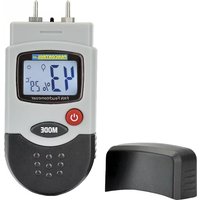
PAN Feuchtemesser - Measuring equipment Pancontrol - Free user manual and instructions
Find the device manual for free PAN Feuchtemesser Pancontrol in PDF.



| Product type | Moisture meter |
| Brand | Pancontrol |
| Model | PAN Feuchtemesser |
| Category | Measuring equipment |
| Measurement principle | Resistance measurement |
| Power supply | 4 x 1.5 V LR44 button cells |
| Display | LCD |
| Wood measurement range | 6 to 44% |
| Wood resolution | 1% |
| Wood accuracy | ±2% of displayed value |
| Masonry measurement range | 0.2 to 2.0% |
| Masonry resolution | 0.1% |
| Masonry accuracy | ±0.2% of displayed value |
| Temperature range | 0 to 50 °C / 32 to 122 °F |
| Temperature resolution | 1 °C / 1 °F |
| Temperature accuracy | ±1 °C / ±2 °F |
| Electrodes | Length 8 mm, replaceable |
| Auto-off | After 2 minutes of inactivity |
| Backlight | Yes, switchable |
| Functions | Wood/masonry moisture measurement, temperature °C/°F, auto-off |
| Maintenance | Clean with a damp cloth and mild detergent; replace batteries and measuring tips if necessary |
| Safety | Double insulation, CE compliant (EN-61010); do not use if housing is damaged |
| Spare parts | Replaceable measuring tips |
| Warranty | 2 years legal from date of purchase |
| General information | Manual available in multiple languages; manufactured by KRYSTUFEK.at |
Frequently Asked Questions - PAN Feuchtemesser Pancontrol
User questions about PAN Feuchtemesser Pancontrol
0 question about this device. Answer the ones you know or ask your own.
Ask a new question about this device
Download the instructions for your Measuring equipment in PDF format for free! Find your manual PAN Feuchtemesser - Pancontrol and take your electronic device back in hand. On this page are published all the documents necessary for the use of your device. PAN Feuchtemesser by Pancontrol.
USER MANUAL PAN Feuchtemesser Pancontrol
natural_image
Black plastic electronic component with curved top and side grooves (no text or symbols visible)
Fig. 1
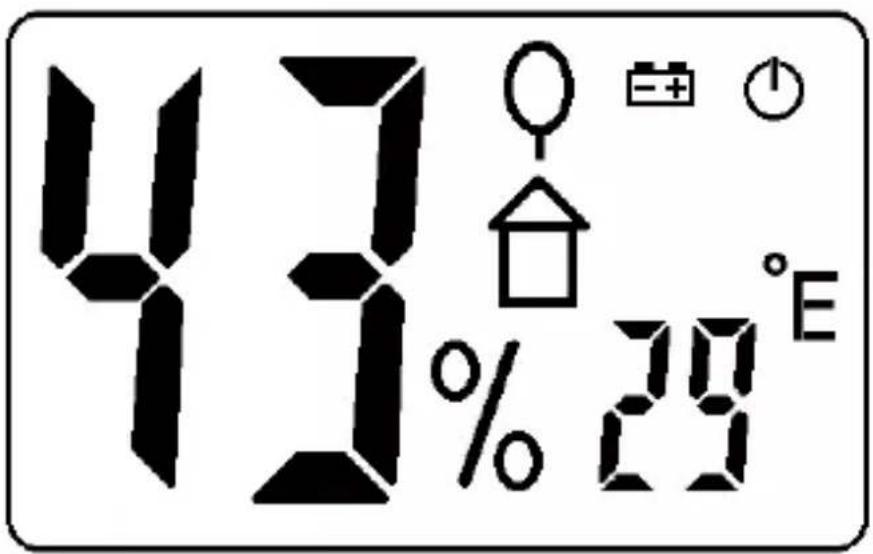
Fig. 2
INDEX
D A CH
GB USA
F CH B
I CH
NL B
s
SK
H
SLO
HR
RO
Deutsch DE 1 - DE 7
English EN 1 - EN 7
Français FR 1 - FR 8
Italiano IT 1 - IT 7
- Introduction ...... 2
- Scope of delivery.... 2
- Safety Instructions.... 2
- Symbols Description.... 3
- Panel Description .... 3
- Symbols of the Display .... 4
- General Specifications.... 4
- Operating Instructions .... 5
- Maintenance 6
- Guarantee and Spare Parts 7
1. Introduction
Thank you for purchasing PANCONTROL. Since 1986 the PANCONTROL brand is synonymous with practical, economical and professional measuring instruments. We hope you enjoy using your new product and we are convinced that it will serve you well for many years to come.
Please read this operating manual carefully before using the device to become familiar with the proper handling of the device and to prevent faulty operations. Please follow all the safety instructions. Nonobservance cannot only result in damages to the device but in the worst case can also be harmful to health.
The PAN Feuchtemesser is an easy-to-use device for measuring the moisture content of sawn wood (cardboard, paper) and hardened masonry (plaster, concrete and mortar). The PAN Feuchtemesser shows the moisture content in the material directly.
The technical progress is subject to change.
2. Scope of delivery
After unpacking please check the package contents for transport damage and completeness.
- Measurement device
- Battery(s) (Button cell (s))
- Operating manual
3. Safety Instructions
To ensure the safe use of the device, please follow all the safety and operating instructions given in this manual.
- Before using the device, make sure that it is intact and is functioning properly.
- The device must no longer be used if the housing is damaged, if one or more functions fail if no function is displayed, or if you suspect that something is not right.
- If the safety of the user cannot be guaranteed, the device may not be operated and secured against use.
- If the battery symbol appears in the display, replace the battery immediately.
- Always switch off the appliance before opening the device to exchange the battery or the fuse.
- Never use the device with the rear cover removed or with the battery and fuse compartment open!
- Remove the battery if the device is not used for a long time.
- If changes or modifications are made to the device, the operational safety is no longer guaranteed and the warranty becomes void.
4. Symbols Description

Conforms to the relevant European Union directive (EN-61010)

Product is protected by double insulation

This product should not be disposed along with normal domestic waste at the end of its service life but should be handed over at a collection point for recycling electrical and electronic devices.

Battery compartment
5. Panel Description
Note Fig. 1
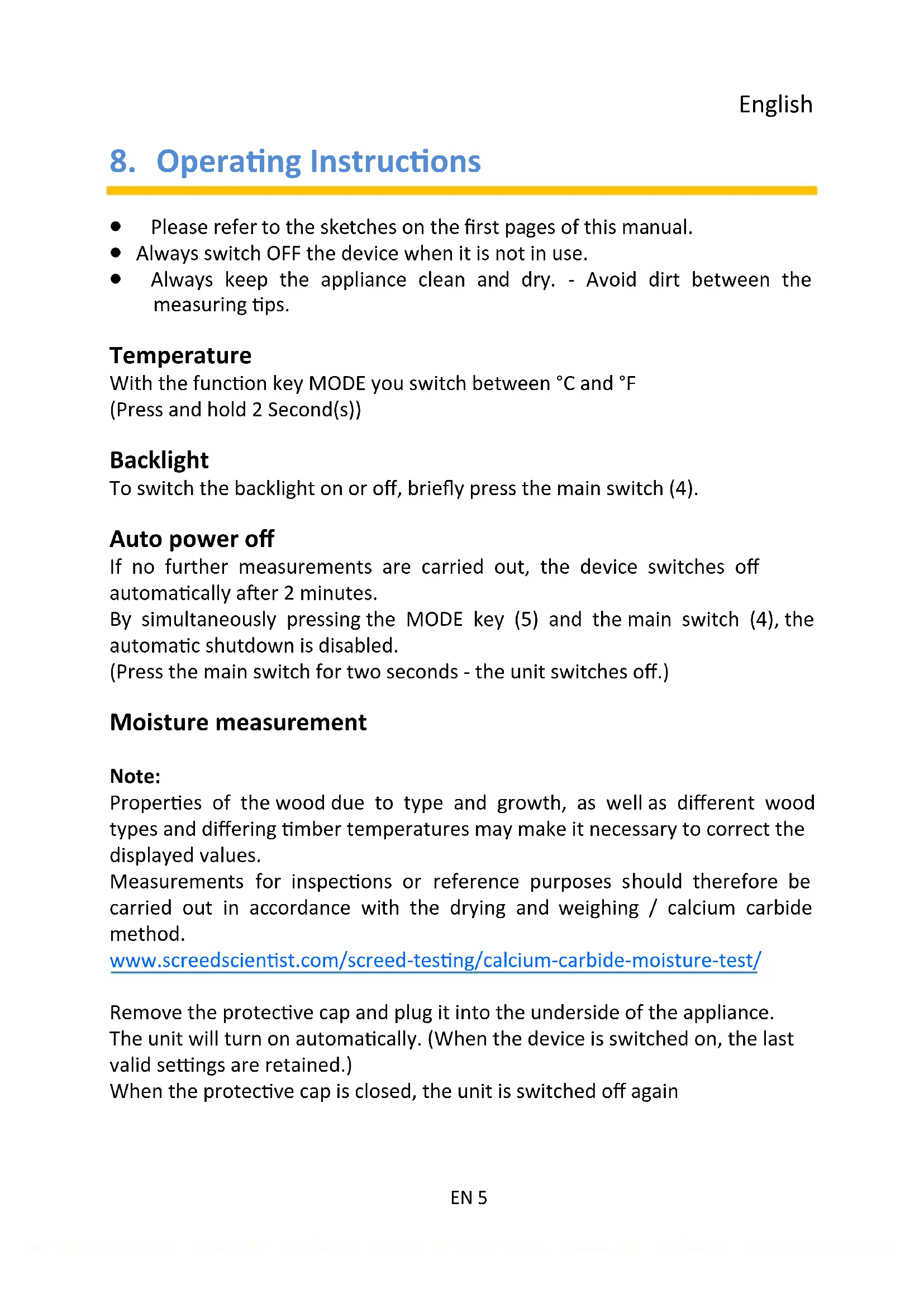
- Measuring Tips (interchangeable)
- switch
- Display
- Main switch
- MODE - button
- Cap
6. Symbols of the Display
Note Fig. 2
| Operation indicator | |
| % | Material moisture |
| °C °F | Temperature in Celsius or Fahrenheit |
| Timber | |
| Masonry | |
| Battery low |
7. General Specifications
| Display: | LCD |
| Measuring principle: | Resistance measurement |
| Electrodes: | Length: 8 mm, interchangeable |
| Power supply: | 4 x 1,5 V LR 44 - Button cell (s) |
| Auto power off: | 2 Min. |
| Operating temperature / Storage temperature: | 0 °C to 50 °C / <85% Humidity(Remove the battery if Humidity >85%) |
| Function | Measuring range | Resolution | Accuracy of the value displayed in % |
| Timber | 6 - 44% | 1% | ±2% |
| Masonry | 0,2 - 2,0% | 0,1% | ±0,2% |
| Temperature | 0 to 50 °C | 1 °C | ±1 °C |
| 32 to 122 °F | 1 °F | ±2 °F |
8. Operating Instructions
- Please refer to the sketches on the first pages of this manual.
- Always switch OFF the device when it is not in use.
- Always keep the appliance clean and dry. - Avoid dirt between the measuring tips.
Temperature
With the function key MODE you switch between °C and °F (Press and hold 2 Second(s))
Backlight
To switch the backlight on or off, briefly press the main switch (4).
Auto power off
If no further measurements are carried out, the device switches off automatically after 2 minutes.
By simultaneously pressing the MODE key (5) and the main switch (4), the automatic shutdown is disabled.
(Press the main switch for two seconds - the unit switches off.)
Moisture measurement
Note:
Properties of the wood due to type and growth, as well as different wood types and differing timber temperatures may make it necessary to correct the displayed values.
Measurements for inspections or reference purposes should therefore be carried out in accordance with the drying and weighing / calcium carbide method.
www.screedscientist.com/screed-testing/calcium-carbide-moisture-test/
Remove the protective cap and plug it into the underside of the appliance. The unit will turn on automatically. (When the device is switched on, the last valid settings are retained.)
When the protective cap is closed, the unit is switched off again
- Briefly press the MODE key to switch between the measurement of wood and masonry.
- Always measure in wood only perpendicular, not parallel, to the fiber structure.
- Push the measuring tips as deep as possible into the material.
- Once the reading stabilizes, read the value.
- Several measurements provide representative data.
9. Maintenance
Only authorized service technicians may repair the instrument.
If the instrument is malfunctioning, please test Battery condition and polarity.
Changing the battery(s)
Replace the battery(s) when the battery symbol or BATT is displayed on the LCD.
- Open the device with a suitable screwdriver. (1 Screw(s))
- Remove the battery case.
- Replace the battery. Mind the correct polarity.
- Close the battery compartment.
- Disposal of the flat battery should meet environmental standards.
Replacement of measuring tips
When the probes have become blunt, replace them.
- Open the back of the case.(5 Screw(s))
- Remove the circuit board. (5 Screw(s))
- Replace the measuring tips.
- Insert the circuit board, screw it tightly and close the housing.
Cleaning
If the instrument is dirty after daily usage, it is advised to clean it by using a humid cloth and a mild household detergent. Prior to cleaning, ensure that instrument is switched off and disconnected from external voltage supply and any other instruments connected. Never use acid detergents or dissolvent for cleaning.
10. Guarantee and Spare Parts
PANCONTROL instruments are subject to strict quality control. However, should the instrument function improperly during daily use, your are protected by a 24 months warranty from the date of purchase (valid only with invoice). Only trained technicians may carry out repairs to this device. In case of spare part requirement or in case of queries or problems, please get in touch with your vendor or:
KRYSTUFEK.at
Dipl.Ing. Ernst KRYSTUFEK GmbH & Co KG
Error and misprints reserved.
2018-09

- INDEX
- Introduction
- Scope of delivery
- Safety Instructions
- Symbols Description
- Panel Description
- Note Fig. 1
- Symbols of the Display
- General Specifications
- Operating Instructions
- Temperature
- Backlight
- Auto power off
- Moisture measurement
- Note:
- Maintenance
- Changing the battery(s)
- Replacement of measuring tips
- Cleaning
- Guarantee and Spare Parts
- KRYSTUFEK.at
Brand : Pancontrol
Model : PAN Feuchtemesser
Category : Measuring equipment