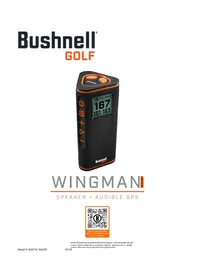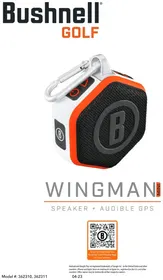
Wingman Mini - GPS device BUSHNELL - Free user manual and instructions
Find the device manual for free Wingman Mini BUSHNELL in PDF.


| Product Type | Bluetooth speaker with audible GPS for golf |
| Brand | Bushnell |
| Model | Wingman Mini |
| Dimensions | 101 mm (H) x 40 mm (D) x 82 mm (L) |
| Weight | 170 g (6 oz) |
| Power | Rechargeable internal lithium-ion battery (non-replaceable) |
| Battery Life | Over 10 hours at moderate volume |
| Connectivity | Bluetooth, USB-C port for charging |
| Bluetooth Range | Up to 10 meters (32 feet) |
| Water Resistance Rating | IPX7 (immersion up to 1 meter for 30 minutes) |
| Speaker | 1 x 40 mm |
| Built-in Microphone | Yes, for answering calls |
| GPS Functions | Audible GPS distances (front, center, back), hole announcements, water hazards |
| Audio Functions | Music, custom messages (voice recording or text), sound clips |
| TWS Mode (Stereo) | Allows connecting two speakers for stereo sound |
| Mobile App | Bushnell Golf (iOS and Android) to configure distances, messages and settings |
| Magnetic Mount | Neodymium magnet (BITE) for attachment to cart or metal bar |
| Carabiner Included | Yes, for hanging the speaker |
| Box Contents | Wingman Mini speaker, USB-C cable, carabiner |
Frequently Asked Questions - Wingman Mini BUSHNELL
User questions about Wingman Mini BUSHNELL
0 question about this device. Answer the ones you know or ask your own.
Ask a new question about this device
Download the instructions for your GPS device in PDF format for free! Find your manual Wingman Mini - BUSHNELL and take your electronic device back in hand. On this page are published all the documents necessary for the use of your device. Wingman Mini by BUSHNELL.
USER MANUAL Wingman Mini BUSHNELL
natural_image
White and orange B-branded outdoor device with a metallic strap and black textured body (no text or symbols visible)WINGMAN
SPEAKER + AUDIBLE GPS
Android and Google Play are registered trademarks of Google Inc. In the United States and other countries. iPhone and Apple Store are trademarks of Apple Inc., registered in the U.S. and other countries. Other names may be trademarks of their respective owners.
TABLE OF CONTENTS
INTRODUCTION 3
PARTS GUIDE 3
CONNECTING SPEAKER TO MOBILE DEVICE & MOBILE APP 4
FIRST TEE INTRODUCTION SETUP
FIRST TEE INTRODUCTION & CUSTOM SOUND BITES IN ROUND 7
TECHNICAL SPECIFICATIONS 8
BITE MAGNETIC MOUNT 8
CLEANING AND GENERAL CARE 8
TROUBLESHOOTING 8
PRODUCT WARRANTY AND REPAIR INFORMATION 9
LANGUAGES
FRANÇAIS 10
ESPAÑOL 18
DEUTSCH 25
ITALIANO 32
中国人 39
日本語 46
한국어 53
BAHASA INDONESIA 60
SVENSKA 67
DANSK 74
PORTUGUÊS 81
INTRODUCTION
Congratulations on purchasing the Bushnell® Wingman Mini Bluetooth® Speaker with Audible GPS. The Wingman Mini is a rugged, high-quality wireless speaker designed to entertain the avid golfer while keeping them informed on the course when linked with the Bushnell Golf Mobile App. This owner's guide will help you achieve optimum satisfaction with the product by explaining its features and operation and how to care for it. Please read these instructions before using your Wingman Mini to ensure the best performance and longevity.
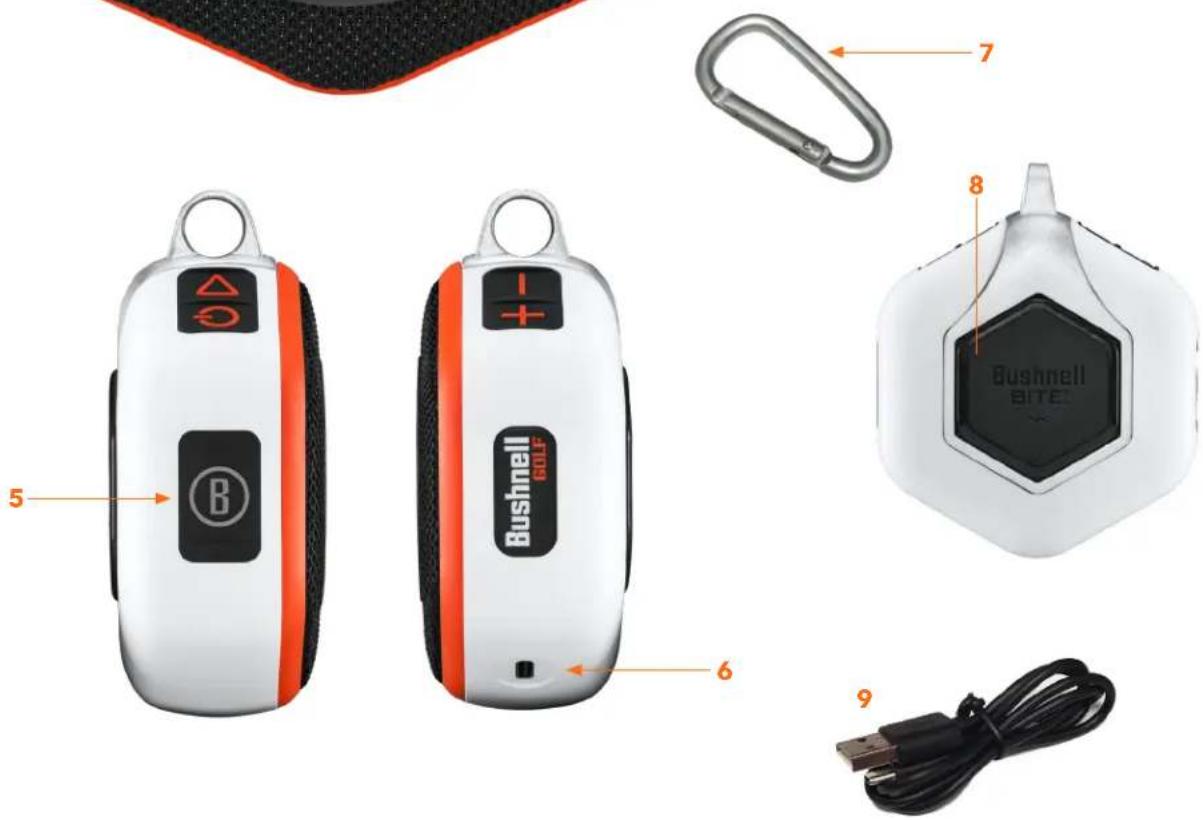
PARTS GUIDE
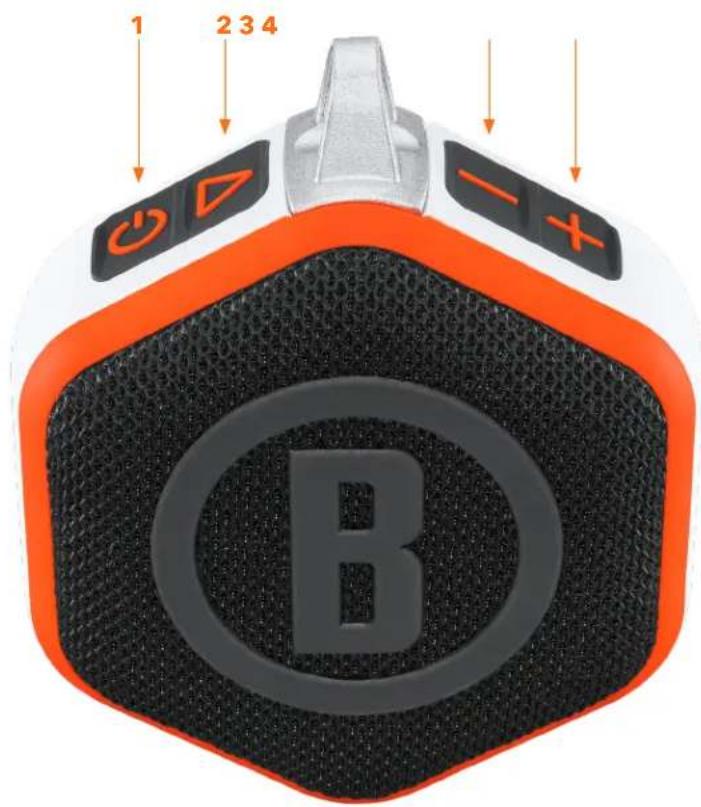
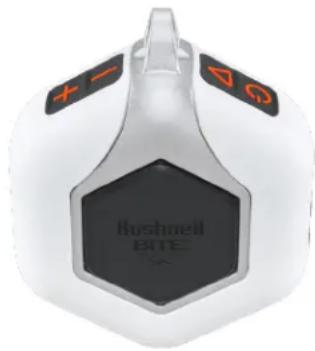
- Power Button
- Play
- Volume Down
- Volume Up
- Multi-function Bushnell Button
- Charge In USB-C
- Carabiner Clip
- BITE Magnet
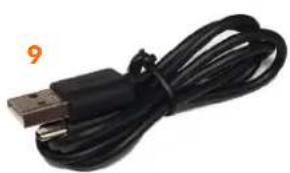
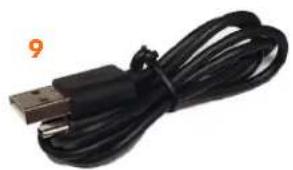
- USB Charging Cable
CONNECTING YOUR WINGMAN MINI TO YOUR MOBILE DEVICE & BUSHNELL GOLF MOBILE APP
To connect your Wingman Mini to your phone and the Bushnell Golf Mobile app:
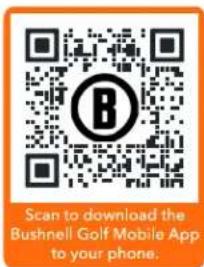
- Download the Bushnell Golf mobile app at app.bushnellgolf.com/install or scan the QR code.
- If you are new to the app, you will be asked to set up a device after registration and select Wingman Mini. Then, as a returning user to the app, select "See All" from "My Devices", click "Add Device", and select Wingman Mini from the list of Bushnell Golf devices.
- Follow the app's instructions to pair and connect your Wingman Mini speaker.
Note: After pairing, the Bluetooth on/off state will be the last set state once powered up.
- Connect the provided USB-C charger to the USB-C input port at the bottom to charge Wingman Mini's internal lithium-ion battery.
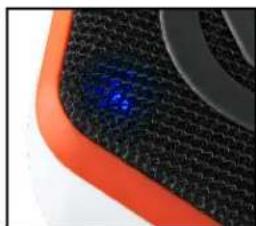
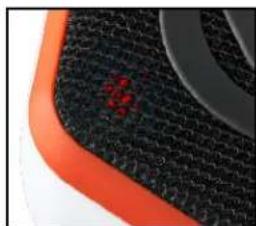
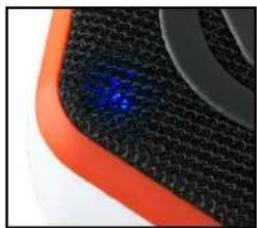
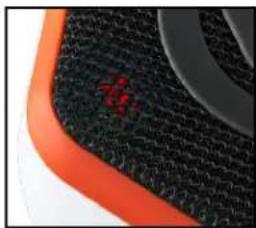
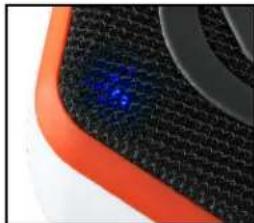
- To see the battery's charge, see the light at the bottom of the speaker screen. A fully charged battery will provide ten-plus hours of operating time at a normal, moderate volume level. A low-power tone from the speaker indicates low power.
natural_image
Close-up of a black textured surface with orange border and blue highlight (no text or symbols)
Fixed Blue: Battery > 20%

Flashing Blue: Pairing Mode

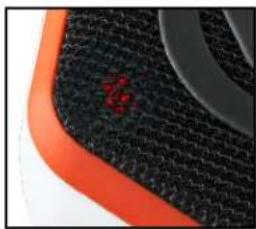
Fixed Red: Charging

Flashing Red: Battery < 20%
natural_image
Close-up of a textured black surface with orange border and a small red mark (no text or symbols visible)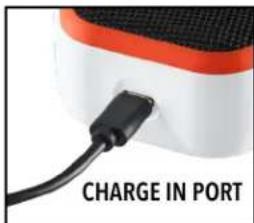
- Hold the Power button on the Wingman Mini until the startup sound is heard, then release.
- To pair the device with a mobile phone:
i. Ensure the Wingman Mini is within 10 meters/32 feet from your device.
ii. Register and pair the device with the Bushnell Golf Mobile App for the complete functionality of the Wingman Mini.
iii. Refer to the "Connecting Your Wingman Mini to Your Mobile Device and the Bushnell Golf Mobile App" instructions above.
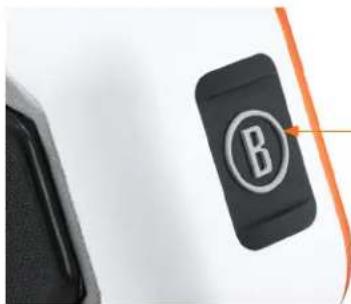
- To set up audio only, press and hold the Bushnell Button on the speaker for three seconds until the blue light flashes. Go to the Bluetooth settings in your device and select "Wingman Mini Audio" to pair.
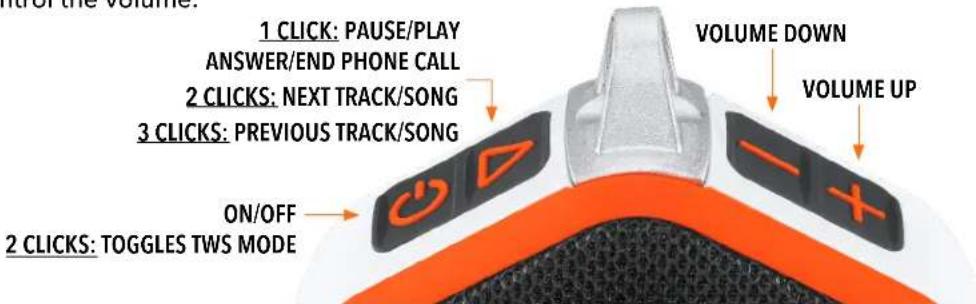
- The Wingman Mini has a microphone that allows you to take incoming calls. To answer an incoming call, press the Play button. To reject an incoming call, press and hold the Play button. To end a call, press Play.
Note: when powered on, the speaker automatically reconnects to the last mobile device it was paired with. The speaker can memorize up to 8 paired devices and will shut off after 15 minutes in pairing mode if no devices have been paired. This is a power-saving feature.
WINGMAN MINI BUTTON FUNCTIONS - MUSIC MODE
- Download the Bushnell Golf Mobile App from the App Store (Apple) or Google Play (Android), sign up for an account, or log in.
- Click the Play button once to pause or play a track or song. Double-click the Play button to go to the next track or song. Triple-click the Play button to go to the previous track/song. Press and hold the Bushnell button to enter Bluetooth pairing mode.
- Press Plus or Minus to control the volume.
Android and Google Play are registered trademarks of Google Inc. in the United States and other countries. iPhone and Apple Store are trademarks of Apple Inc., registered in the U.S. and other countries. Other names may be trademarks of their respective owners.
WINGMAN MINI BUSHNELL BUTTON FUNCTIONS - GOLF MODE
- Download the Bushnell Golf Mobile App from the App Store (Apple) or Google Play (Android), sign up for an account, or log in. To start a round and get distances, refer to Play Now - Round Setup on page 7.
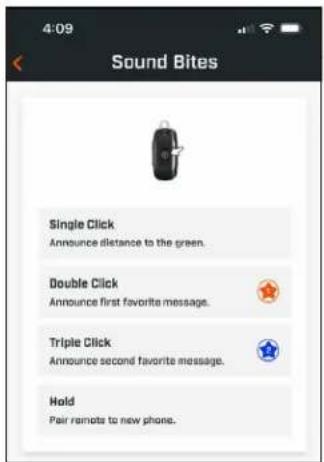
- Use the Bushnell Button to control functions on the speaker for Play Golf Mode. Click the Bushnell Button once to announce GPS yardage to the next hole. Double-click the Bushnell Button to play the first custom message. Triple-click the Bushnell Button to play the second custom message. Press and Hold the Bushnell Button to enter Bluetooth pairing mode. *Instructions for creating Custom Messages or Sound Bites can be found on page 6.
natural_image
Close-up of a black B-shaped electronic device with an orange cable, next to a dark surface (no text or symbols visible)1 CLICK: AUDIBLE GPS YARDAGE
2 CLICKS: 1ST CUSTOM SOUND BITE
3 CLICKS: 2ND CUSTOM SOUND BITE
PRESS & HOLD: BLUETOOTH PAIRING MODE
Android and Google Play are registered trademarks of Google Inc. in the United States and other countries. iPhone and Apple Store are trademarks of Apple Inc., registered in the U.S. and other countries. Other names may be trademarks of their respective owners.
The Wingman Mini's TWS technology enables you to play two Wingman Mini speakers with the same audio simultaneously. To activate TWS operation and listen to audio with two Wingman Mini units:
- Place the two speakers near each other (the distance should not be over 10 meters/32 feet).
- Power on both speakers. Double-click the Power button on the "main" speaker connected to the device playing the audio. The "secondary" speaker needs to be unpaired from any Bluetooth device. The second speaker will automatically pair when the speaker connected to the audio is placed in TWS mode.
- To disconnect the TWS connection, double-click the Power button to exit TWS or power off either speaker.
Note: When two speakers are tethered in TWS mode and in a round of golf, the main speaker will be the only speaker that can be used to give you distances. The audio will come from both speakers, but the main speaker's "Bushnell Button" will be the only one active.
BUSHNELL GOLF MOBILE APP FUNCTIONS
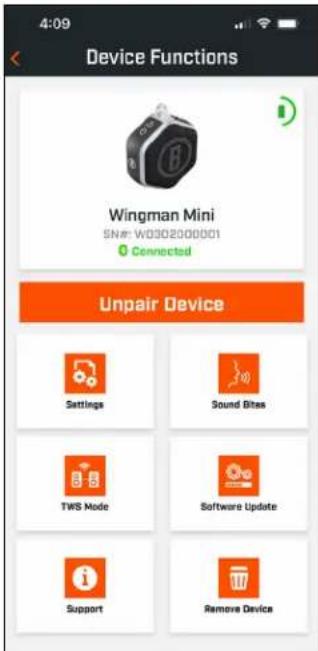
DEVICE FUNCTIONS
- Unpair Device: Tap to unpair the device from the Bluetooth connection on your phone.
- Settings: See full explanation on page 6.
• Sound Bites: See full explanation on page 6. - TWS Mode: TWS can be toggled On/Off in the app or by double-clicking the speaker's Power button. See above for instructions.
-
Software Update: Check for firmware updates for the speaker.
• Support: -
Contact Bushnell Golf product support
- About your speaker
- Product user manual
- Terms and Conditions
- Remove Device: This button lets you remove the device from the Bushnell Golf Mobile App account. You will also need to remove the device from your phone's list of available devices in the Bluetooth Settings.
SETTINGS
• Game Status: Indicates the device is in Music or Golf Mode
• Announcement Settings:
A. Announcement Volume: Adjusts the volume for audible GPS distances, custom sound bites, and first introductions.
B. Speak Settings:
i. Select Voice for the character and language you wish to hear. The country next to the character's name is associated with the country's language.
ii. Start Round Message (On/Off): Says course information when starting a round.
iii. Auto Hole Advance Message (On/Off): Says hole information when the hole advances.
iv. Water Hazards (On/Off): Says water hazard distances when the hole advances
C. Distance Speak Settings:
i. Hole Number (On/Off): Says hole number with distance callout.
ii. Par (On/Off): Says par value with distance callout.
D. Distance: Choose between Center or Front, Center, and Back distances called out with a single click of the Bushnell Button.
If Front, Center, and Back is selected, there is the option of receiving Front and Back distances with options: Always, Inside 300, Inside 250, Inside 200, or Inside 150.
![Announcement Settings Announcement Volume Voice Select Date Aeron [United States] Selecter Select Voice Start Round Message Say Course Info when starting round Auto Hole Advance Message Say Hole Info when advanced Water Hazards Say water hazard distances when advanced Distance Speak Settings Hole Number Say hole number with distance PAR Say par value with distance Distance Say the following distance Center Front, Center and Back Front & Back Distance Always Inside 300 Inside 250 Inside 200 Inside 150 Save](/content/2026/04/643838/images/a6f2732c44d83927ad5986a002cc00494e9df3b2784a220dba6ef1d1eda87b84.jpg)
SOUND BITES
A. Sound Bite List:
- Two default Sound Bites: Clap and Cheer
- Up to Ten custom Sound Bites
- Any Sound Bite can be added as a Favorite 1 ⭐, Favorite 2 ⭐, or both ⭐ ⭐.
For example, if five Sound Bites are selected as a Favorite 1, one of those five Sound Bites will be randomly selected to play when the Favorite 1 command is given from the Bushnell Button.
B. Add Message
-
Tap Add Message to create Custom Sound Bite
-
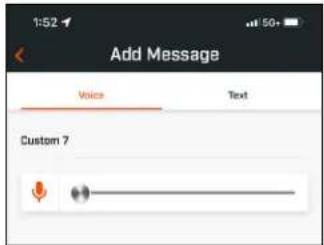
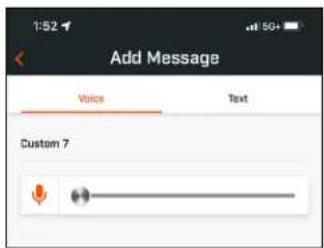
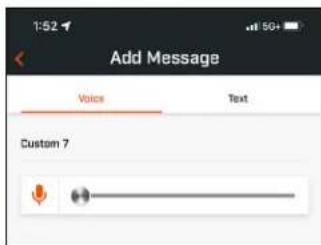
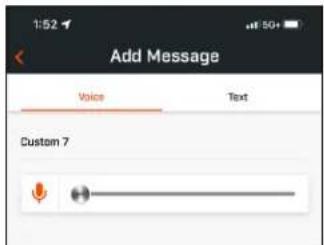
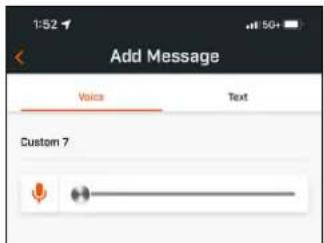
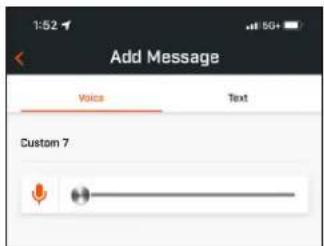
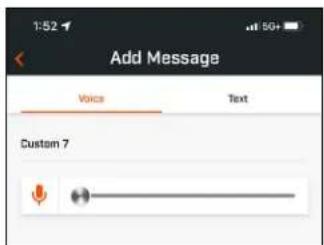
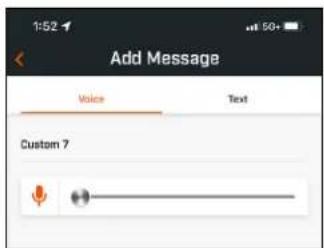
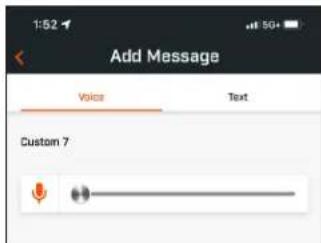
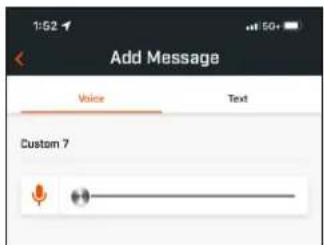
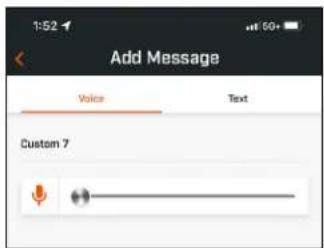
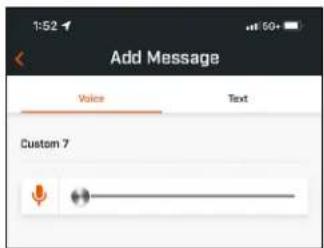
Voice:
a. Tap the microphone to record five second Sound Bite
b. Tap the microphone to end the recording
c. Select Favorite One, Favorite Two, or both. This will assign the button command with which this Sound Bite will be associated.
d. Tap "Custom #" in the title bar to rename the Sound Bite.
e. Tap Save.
- Text:
a. Write text to be read as a Custom Sound Bite.
b. Tap "Custom #" in the title bar to rename the Sound Bite.
c. Tap Save.
Return to the Bushnell Golf Mobile App home page and select "Play Now" to start the round.
Choose a course from Recent, Nearby, or Open courses. If you are continuing a game, choose "Continue Round".
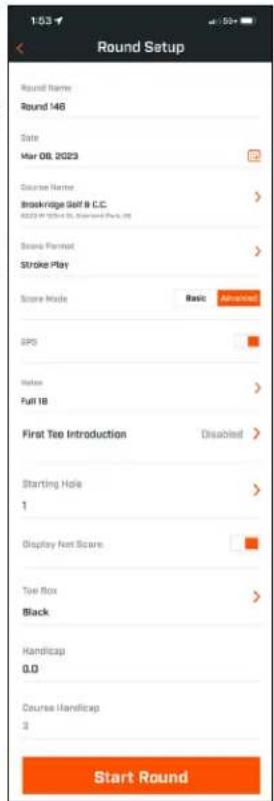
- Round Name: The round can be given a custom name. Click "Round #" and type what name you would prefer.
- Date: The current day is the default "date", but changing the game date can be done by clicking the calendar icon.
- Course Name: Choose a course from Recent, Nearby, or Open courses.
• Score Format: Choose Stroke Play or Stableford.
• Score Mode: Choose Basic or Advanced.
• GPS: GPS must be enabled to measure the hole layout.
• Holes: Choose Front 9, Full 18 or Back 9.
- First Tee Introduction: Default is Off. Turn On and add players' names. See full explanation below.
- Starting Hole: Choose the hole you are starting the round on.
• Display Net Score: On or Off.
- Tee Box: Tee Box information is available if net scoring is turned On.
- Handicap: Enter personal handicap.
- Course Handicap
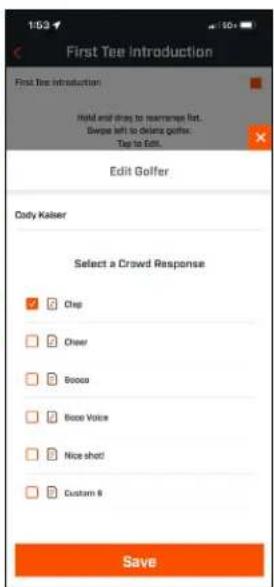
FIRST TEE INTRODUCTION SETUP
- Enable First Tee Introductions in Round Setup.
- Tap Add Golfer to add a new player.
- Tap Name to change a player's name.
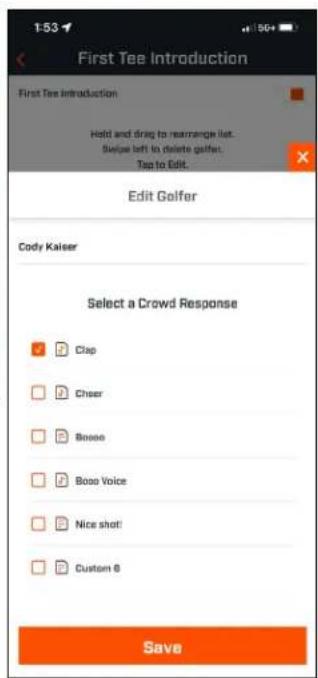
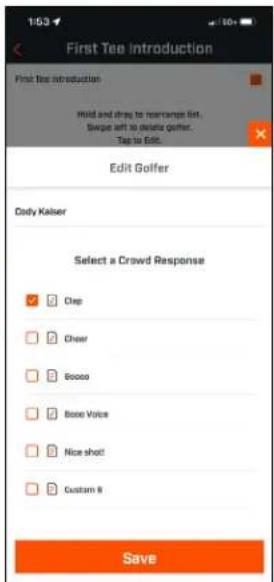
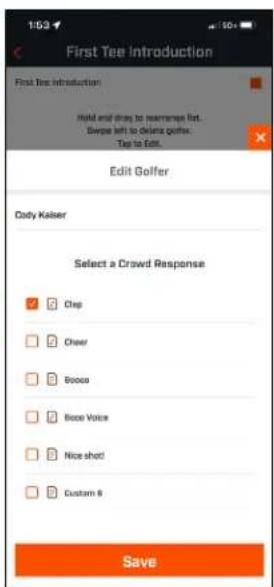
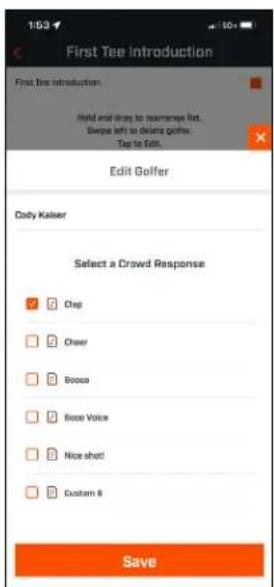
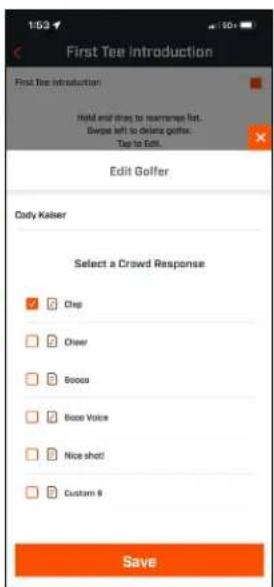
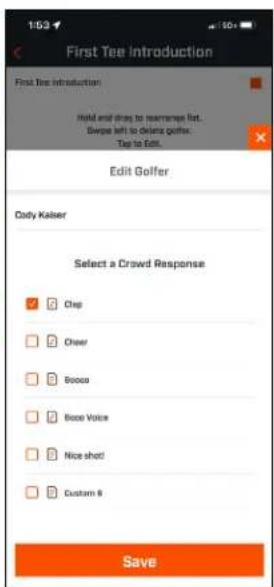
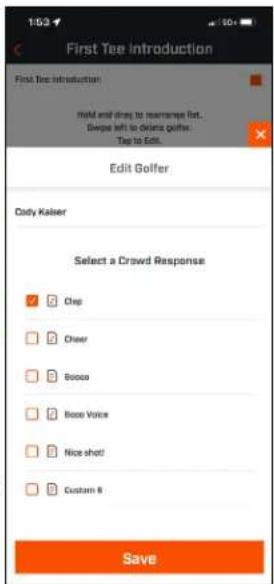
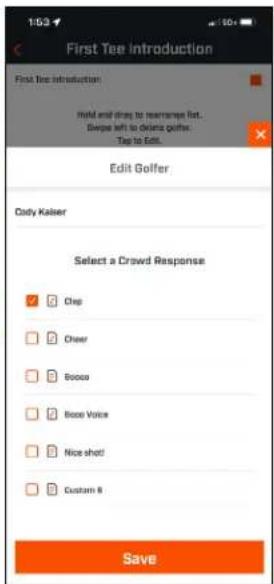
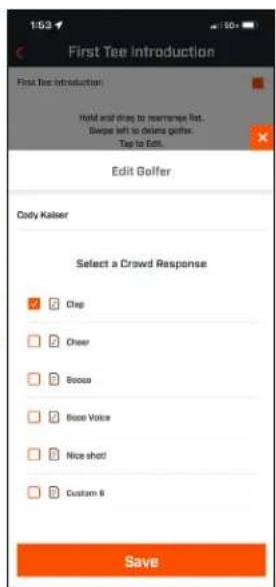
- Tap Speaking icon on the right of the player's name to edit the crowd response for the player's introduction.
- Tap Save then Start Round at bottom of screen to begin.
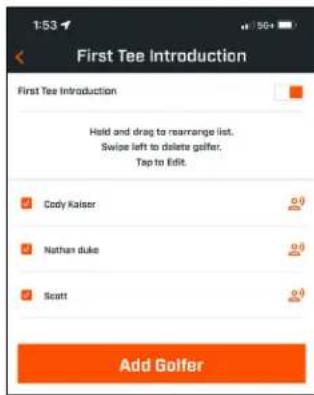
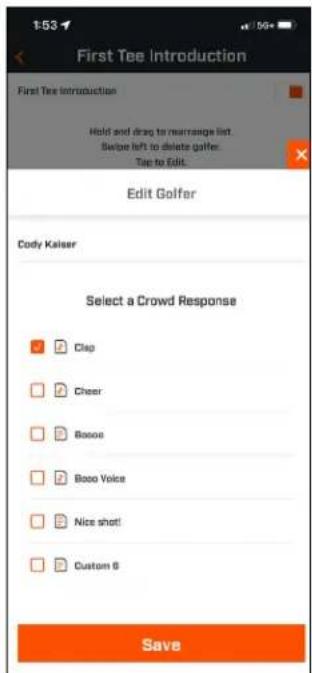
FIRST TEE INTRODUCTION & CUSTOM SOUND BITES IN ROUND
- Tap the Speaker icon on the upper right of the screen to access Sound Bites and Introductions. See icon on the right for reference.
- The Announcement Volume for Sound Bites and First Tee Introductions can be adjusted here.
- Custom Sound Bites can be played individually by tapping the Play button to the right. Also, see the "Favorite" designation for the Sound Bite. For example, click the Bushnell Button once if the Sound Bite is "Favorite One". If the Sound Bite is "Favorite Two", click the Bushnell Button twice. See the Bushnell Button functions on page 5.
- First Tee Introduction engages when the round is set near the starting hole tee box. Tap the Bushnell Button to start First Tee Introductions. Then tap the button after each player's announcement to move to the next player.
- Tap on the Speaker icon to access Introductions. Click on Restart Introduction to reset the First Tee Introduction sequence.
- Tap the Speaking icon to change the Crowd Response for that player's First Tee Introduction.
Speaker icon: access to Messages and First Tee Introductions
![1:54 #1 Enter Score → [E] 366 351 y 339 Manager Introduction Announcement Volume 45 Chay Cheer Boose Boose Voice Nice shift](/content/2026/04/643838/images/3d334dfa583ce35d8472546e51e211fd3df33eb709494e9338124ae1838c0a88.jpg)
BITE MAGNETIC MOUNT
The Wingman Mini features a powerful BITE magnet incorporated into its housing, which allows the device to be securely attached to a golf cart bar or frame.

WARNING: BITE FEATURE INCLUDED WITH THE DEVICE CONTAINS A NEODYMIUM MAGNET. MAGNETS COULD AFFECT THE FUNCTIONING OF PACEMAKERS AND IMPLANTED HEART DEFIBRILLATORS. IF YOU USE THESE DEVICES, KEEP A SUFFICIENT DISTANCE FROM THE MAGNET. ALSO, WARN OTHERS WHO WEAR THESE DEVICES FROM GETTING TOO CLOSE TO MAGNETS.
natural_image
White and black product device with hexagonal base and orange buttons (no readable text or symbols)- The magnet may permanently lose part of its adhesive force if exposed to temperatures above 175^ (80°C).
- Magnets produce a far-reaching, strong magnetic field. They could damage TVs, laptops, computer hard drives, credit and ATM cards, data storage media, mechanical watches, hearing aids, and speakers. Keep the unit away from devices and objects that strong magnetic fields could damage.
- Magnets have strong magnetic fields which can pinch skin and fingers. Use caution when attaching the unit to a metal bar.
CLEANING AND GENERAL CARE
The Wingman Mini is rated IPX7 so that it can be submerged in 1 meter of water for 30 min.
Follow these tips for proper cleaning and maintenance:
- Blow away any excess dust or debris on the exterior (or use a soft brush).
- To remove dirt or fingerprints, clean with a microfiber cloth.
TROUBLESHOOTING
Never disassemble your Wingman Mini speaker. Irreparable damage can result from unauthorized service attempts, voiding the warranty.
If unit does not turn on:
- Press the Power button fully.
- Charge the internal battery. If the unit does not respond to the power button after fully charging, contact Bushnell Golf customer service: Bushnell Golf Customer Support Link or call (800) 423-3537.
If unit powers down during use:
- The battery charge level is low, indicated by a flashing red light. Recharge the battery.
Problems pairing with phone via Bluetooth:
• The Speaker is within 10m of the device.
- The Speaker is in pairing mode, indicated by the flashing blue light.
No Sound
- Ensure the music volume is audible on both your device and speaker.
- Make sure your device is successfully paired with the speaker; the indicator light is fixed blue.
Poor sound quality
- Move the device closer to the Wingman Mini or remove any obstacle between them.
Buttons do not function
- If unit does not respond to button presses after fully charging, contact Bushnell Golf customer service: Bushnell Golf Customer Support Link or call (800) 423-3537.
TECHNICAL SPECIFICATIONS
| Dimensions 4" (101mm) H x 1.57" (40mm) D x 3.23" (82mm) W | |
| Weight 6oz/170g | |
| Power Source Internal rechargeable lithium-ion battery (non-replaceable) | |
| Speaker 1 x 40mm | |
| Waterproof Rating IPX7 | |
| Included Items Speaker, USB charging cable (charger not included), Carabiner | |
WARNING: THIS PRODUCT USES A LITHIUM BASED BATTERY. LITHIUM BATTERIES CAN OVERHEAT AND CAUSE DAMAGE IF PHYSICALLY ABUSED. DO NOT USE BATTERIES THAT ARE DAMAGED OR SHOW SIGNS OF PHYSICAL WEAR.
WARNING: FIRE HAZARD! DO NOT SHORT-CIRCUIT BATTERIES. BATTERIES MAY OVERHEAT OR EXPLODE.
WARNING: DANGER TO LIFE. KEEP BATTERIES OUT OF THE REACH OF PETS AND CHILDREN. IF SWALLOWED, SEEK MEDICAL ADVICE IMMEDIATELY.
WARNING: DO NOT EXPOSE BATTERIES TO WATER OR FIRE. DO NOT ATTEMPT TO CHARGE NON-RECHARGEABLE BATTERIES. THE BATTERIES MAY EXPLODE.
CAUTION:
- Keep the speaker and its accessories away from the reach of children, as they might cause a choking hazard.
- Keep the speaker away from fire, water, liquids, extreme heat and strong magnetic fields.
- Do NOT use this speaker at high volume for extended periods, as this may cause permanent hearing damage or loss.
WARNING: Bite feature included with device contains a Neodymium magnet. Magnets could affect the functioning of pacemakers and implanted heart defibrillators. If you use these devices, keep sufficient distance from magnet. Warn others who wear these devices from getting too close to magnets.
- Magnet may lose part of its adhesive force permanently if exposed to temperatures above 175o F (80o C).
- Magnets produce far-reaching, strong magnetic field. They could damage TVs and laptops, computer hard drives, credit and ATM cards, data storage media, mechanical watches, hearing aids and speakers. Keep unit away from devices and objects that could be damaged by strong magnetic fields.
FCC Statement
This device complies with part 15 of the FCC Rules. Operation is subject to the following two conditions: (1) This device may not cause harmful interference, and (2) this device must accept any interference received, including interference that may cause undesired operation.
This equipment has been tested and found to comply with the limits for a Class B digital device, pursuant to Part 15 of the FCC Rules. These limits are designed to provide reasonable protection against harmful interference in a residential installation. This equipment generates, uses and can radiate radio frequency energy and, if not installed and used in accordance with the instructions, may cause harmful interference to radio communications. However, there is no guarantee that interference will not occur in a particular installation. If this equipment does cause harmful interference to radio or television reception, which can be determined by turning the equipment off and on, the user is encouraged to try to correct the interference by one or more of the following measures:
• Reorient or relocate the receiving antenna.
- Increase the separation between the equipment and receiver.
- Connect the equipment into an outlet on a circuit different from that to which the receiver is connected.
- Consult the dealer or an experienced radio/TV technician for help.
Shielded interface cable must be used with the equipment in order to comply with the limits for a digital device pursuant to Subpart B of Part 15 of FCC Rules. Specifications and designs are subject to change without any notice or obligation on the part of the manufacturer.
Caution: There are no user controls, adjustments or procedures. Performance of procedures other than those specified herein may result in access to invisible laser light.
- This product contains no user serviceable controls.
- This product must not be opened or modified by the consumer.
- This product must be returned to the manufacturer for service.
Device specifications and design are subject to change without notice or obligation on the part of the manufacturer.


FCC ID: 2ASQI-362310 IC: 24886-362310

88904/SDPPI/2023
14455

KCC ID: R-R-x6S-362310

R 219-239001 CMIIT ID: 2023DJ3236
CLICK TO READ BUSHNELL GOLF PRODUCT WARRANTY AND REPAIR INFORMATION.
Industry Canada Statement/Déclaration d'Industrie Canada :
This device complies with ISED's license-exempt RSSs. Operation is subject to the following two conditions: (1) This device may not cause harmful interference, and (2) this device must accept any interference received, including interference that may cause undesired operation.
This device complies with the Industry Canada portable RF exposure limit set forth for an uncontrolled environment and is safe for the intended operation as described in this manual. Further RF exposure reduction can be achieved if the product can be kept as far as possible from the user's body or if the device is set to a lower output power if such function is available.
Disposal of Electric and Electronic Equipment
(Applicable in the EU and other European countries with separate collection systems)
This equipment contains electric and/or electronic parts and must therefore not be disposed of as normal household waste. Instead, it should be disposed at the respective collection points for recycling provided by the communities. For you, this is free of charge.
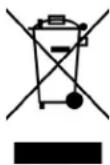
If the equipment contains exchangeable (rechargeable) batteries, these too must be removed before and, if necessary, in turn be disposed of according to the relevant regulations (see also the respective comments in this unit's instructions).
Further information about the subject is available at your community administration, your local waste collection company, or in the store where you purchased this equipment.
This device contains license-exempt transmitter(s)/receiver(s) that comply with Innovation, Science and Economic Development Canada's license-exempt RSS(s). Operation is subject to the following two conditions:
(1) This device may not cause interference.
(2) This device must accept any interference, including interference that may cause undesired operation of the device.
Warning: Changes or modifications not expressly approved by the party responsible for compliance could void the user's authority to operate the equipment.
©2023 Bushnell Outdoor Products
Bushnell, ^™ , ^® , denote trademarks of Bushnell Outdoor Products
www.bushnell.com
9200 Cody, Overland Park, KS 66214
Made in China
http://bushnellgolf.com/patents
INTRODUCTION
natural_image
Close-up of a black textured surface with a blue glowing spot, possibly a sensor or indicator (no text or symbols visible)natural_image
Close-up of a black textured surface with orange border and a small red mark on the left (no text or symbols visible)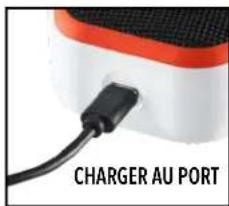
natural_image
Close-up of a black B-shaped electronic device with orange cable, no visible text or symbolsRÉGLAGES
EXTRAITS SONORES
PLAY NOW - CONFIGURATION DE PARTIE
CONFIGURATION DE LA PRÉSENTATION DU PREMIER TEE
PRÉSENTATION DU PREMIER TEE ET EXTRAITS SONORES PERSONNALISÉS AU COURS D'UNE PARTIE
natural_image
White BITE device with hexagonal base and control buttons (no readable text or symbols)NETTOYAGE ET ENTRETIEN GÉNÉRAL
KCC ID: R-R-x6S-362310


219-239001 CMIIT ID: 2023DJ3236
©2023 Bushnell Outdoor Products
9200 Cody, Overland Park, KS 66214 USA
natural_image
Close-up of a black textured surface with orange border and blue circular highlight (no text or symbols)natural_image
Close-up of a textured surface with black and orange patches, no visible text or symbolsnatural_image
Close-up of a black B-shaped padlock with an orange cable, no visible text or symbols1 CLIC: YARDAJE DEL GPS
2 CLICS: 1.ER MENSAJE PERSONALIZADO
3 CLICS: 2.º MENSAJE PERSONALIZADO
CLIC Y SOSTENER: MODO DE EMPAREJAMIENTO
CONFIGURACIÓN
SOUND BITES
A. Lista de Sound Bites:
natural_image
White and black product device with hexagonal base and orange buttons (no readable text or symbols)KCC ID: R-R-x6S-362310

R 219-239001 CMIIT ID: 2023DJ3236
©2023 Bushnell Outdoor Products
www.bushnell.com
Bushnell Outdoor Products
Fabricado en China
http://bushnellgolf.com/patents
EINFÜHRUNG
natural_image
Close-up of a textured surface with orange and black edges and a blue highlight (no text or symbols)natural_image
Close-up of a textured black surface with orange and red edges, no visible text or symbolsnatural_image
Close-up of a black B-shaped electronic device with orange cable, no visible text or symbols1 KLICK: HINDERNISANZEIGE
EINSTELLUNGEN
SOUNDBITES
natural_image
White electronic device with hexagonal button labeled 'Bushnell BTE' and control buttons (no readable text beyond branding)KCC ID: R-R-x6S-362310

R 219-239001 CMIIT ID: 2023DJ3236
©2023 Bushnell Outdoor Products
Bushnell Outdoor Products
natural_image
Metal chain carabiner with a 7-inch angle indicator (no text or symbols on the object itself)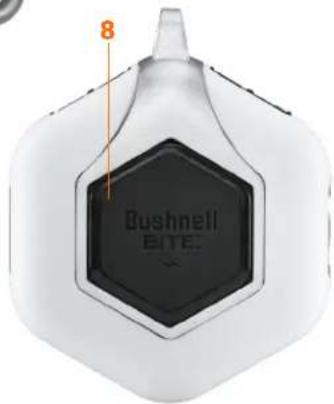
natural_image
Coiled black cable with USB port, no visible text or symbolsCONNESSIONE DEL WINGMAN MINI AL DISPOSITIVO MOBILE E ALL'APP BUSHNELL GOLF
natural_image
Close-up of a textured surface with orange and black edges and a blue highlight (no text or symbols)natural_image
Close-up of a textured surface with orange and black edges, no visible text or symbolsnatural_image
Close-up of a black B-shaped electronic device with an orange cable, next to a dark surface (no text or symbols visible)1 CLIC MOSTRA LA SCHERMATA DEGLI OSTACOLI
2 CLIC ATTIVANO LA MODALITÀ CAMBIA BUCA SULLO SCHERMO
PREMERE + PER LA BUCA SUCCESSIVA OPPURE - PER LA BUCA PRECEDENTE
IMPOSTAZIONI
SLOGAN
PRESENTAZIONE AL TEE DI PARTENZA E SLOGAN PERSONALIZZATI NELLA PARTITA
natural_image
White portable electronic device with hexagonal base and control buttons (no readable text or symbols)©2023 Bushnell Outdoor Products
Bushnell, ^TM , ^® , denote trademarks of Bushnell Outdoor Products
www.bushnell.com
9200 Cody, Overland Park, KS 66214
http://bushnellgolf.com/patents
引言
natural_image
Close-up of a black textured surface with orange and black edges, featuring a small blue dot on the surface (no text or symbols visible)natural_image
Close-up of a black textured surface with orange and red edges, featuring a small red mark on the center (no text or symbols visible)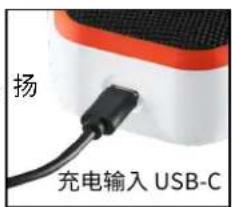
natural_image
Close-up of a black B-shaped electronic device with an orange cable, no visible text or symbols点击1次显示障碍页面
点击2次 把页面改成球洞切换模式
设置
声音片段
马上开始 - 回合设置
首个发球台介绍设置
natural_image
Product image of a white electric vacuum cleaner with hexagonal base and control buttons (no readable text or symbols)KCC ID: R-R-x6S-362310

R 219-239001
CMIIT ID: 2023DJ3236
©2023 Bushnell Outdoor Products
natural_image
Metal chain carabiner with a handle and attached strap, shown in side view (no text or symbols)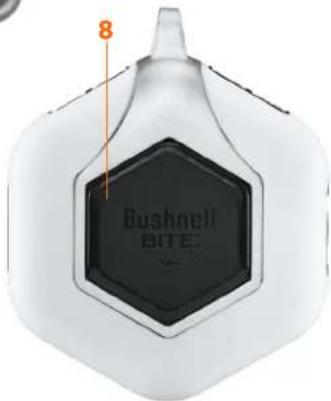
natural_image
Coiled black cable with a USB port, no visible text or symbolsnatural_image
Close-up of a textured surface with blue and orange highlights, no visible text or symbolsnatural_image
Close-up of a textured black surface with orange and black edges, no visible text or symbolsnatural_image
Close-up of a black B-shaped electronic device with orange cable, no visible text or symbols1回押してハザード画面表示
2回押して画面をホール変更モードへ
設定
サウンドバイト
今すぐプレー - ラウンドセットアップ
natural_image
White portable air purifier device with hexagonal base and control buttons (no visible text or symbols)KCC ID: R-R-x6S-362310

R 219-239001
CMIIT ID: 2023DJ3236
©2023 Bushnell Outdoor Products
natural_image
Close-up of a black textured surface with orange and blue edges, featuring a small blue illuminated spot (no text or symbols visible)natural_image
Close-up of a textured black surface with orange and red edges, no visible text or symbolsnatural_image
Close-up of a black rectangular electronic device with a circular logo and an orange ribbon, next to a dark textured surface (no visible text or symbols)설정
사운드 바이트
I. A. 사운드 바이트 목록:
지금 플레이-라운드 설정
첫 티 소개 설정:
natural_image
White disposable air purifier device with hexagonal base and red control buttons (no visible text or symbols)KCC ID: R-R-x6S-362310

R 219-239001
CMIIT ID: 2023DJ3236
©2023 Bushnell Outdoor Products
natural_image
Close-up of a black textured surface with a blue star-shaped highlight on the left edge (no text or symbols visible)Menyala Biru: Daya baterai > 20%
Berkedip Biru: Mode Penyandingan Bluetooth
Menyala Merah: Mengecas
Berkedip Merah: Daya baterai < 20%
natural_image
Close-up of a black textured surface with orange border and a small red mark on the left (no text or symbols visible)natural_image
Close-up of a black rectangular electronic device with a circular logo and an orange ribbon, next to a white surface (no visible text or symbols)KLIK 1 KALI MENAMPILKAN LAYAR RINTANGAN
KLIK 2 KALI MENEMPATKAN LAYAR DALAM MODE PERUBAHAN LUBANG
TEKAN + UNTUK LUBANG SELANJUTNYA ATAU - UNTUK LUBANG SEBELUMNYA
PENGATURAN
POTONGAN SUARA
MAIN SEKARANG - PENGATURAN BABAK
PENGATURAN PENGENALAN TEE PERTAMA
PENGENALAN TEE PERTAMA & POTONGAN SUARA KHUSUS DALAM BABAK
natural_image
White product device with black hexagonal body and red control buttons (no readable text or symbols)©2023 Bushnell Outdoor Products
natural_image
Close-up of a white and red electronic device with a black cable inserted, labeled 'LADDA I' (no other text or symbols visible)
natural_image
Close-up of a textured surface with orange and black patterns, featuring a blue glowing spot (no text or symbols visible)natural_image
Close-up of a textured surface with orange and black edges, featuring a small red dot on the center (no text or symbols visible)natural_image
Close-up of a black B-shaped electronic device with an orange cable, no visible text or symbols1 KLICK VISAR HINDERSKÄRMEN
2 KLICK FÖRSÄTTER SKÄRMEN I HÅLBYTESLÄGET
TRYCK PÅ + FÖR ATT GÅ VIDARE TILL NÄSTA HÅL ELLER - FÖR ATT GÅ
TILLBAKA TILL FÖREGÄENDE HÅL
INSTÄLLNINGAR
LJUDKLIPP
A. Ljudklippslista:
SPELA NU - RUNDINSTÄLLNINGAR
PRESENTATION VID FÖRSTA UTSLAGSPLATSEN OCH EGNA LJUDKLIPP UNDER RUNDAN
natural_image
White handheld device with hexagonal base and control buttons (no readable text or symbols)
VARNING: BITE-FÄSTET INNEHÅLLER EN NEODYMMAGNET. MAGNETER KAN PÅVERKA FUNKTIONEN HOS PACEMAKERS OCH IMPLANTERADE HJÄRTDEFIBRILLATORER. OM DU ANVÄNDER DEN HÄR TYPEN AV MEDICINTEKNISK ANORDNING BEHÖVER DU HÅLLA DIG PÅ BEHÖRIGT AVSTÅND FRÅN MAGNETEN. VARNA ÄVEN ANDRA PERSONER MED DEN HÄR TYPEN AV ANORDNING FÖR ATT KOMMA FÖR NÄRA MAGNETER.
©2023 Bushnell Outdoor Products
natural_image
Close-up of a black textured surface with orange border and blue glowing spot (no text or symbols)Fast blå: Batteristrøm >20 %
Blinker blåt: Bluetooth-parringstilstand
Fast rød: Oplader
Blinker rødt: Batteristrøm <20 %
natural_image
Close-up of a black textured surface with orange and black edges, no visible text or symbols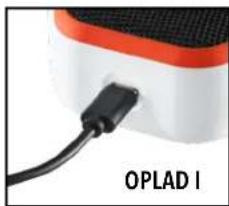
natural_image
Close-up of a red and white electronic device with a black cable labeled 'OPLAD I' (no other text or symbols visible)natural_image
Close-up of a black B-shaped electronic device with an orange cable, no visible text or symbols1 KLIK: GPS-AFSTAND
2 KLIK: 1. BRUGERDEFINEREDE BESKED
3 KLIK: 2. BRUGERDEFINEREDE BESKED
KLIK OG HOLD: FJERNPARRINGSTILSTAND
INDSTILLINGER
- Spilstatus: Angiver, at enheden er i Musik- eller Golftilstand
- Indstillinger for meddelelser:
LYDBIDDER
A. Lydbidsliste:
To-standard lydbidder: Klap og jubel
SPIL NU - OPSÆTNING AF RUNDE
OPSÄETNING AF INTRODUKTION TIL FÖRSTE TEE
INTRODUKTION TIL F∅RSTE TEE OG BRUGERDEFINEREDE LYDBIDDER I RUNDE
natural_image
White portable air purifier device with hexagonal base and control buttons (no visible text or symbols)KCC ID: R-R-x6S-362310

R 219-239001 CMIIT ID: 2023DJ3236
©2023 Bushnell Outdoor Products
Bushnell,™, ®, denote trademarks of Bushnell Outdoor Products www.bushnell.com
9200 Cody, Overland Park, KS 66214
Made in China
http://bushnellgolf.com/patents
INTRODUÇÃO
natural_image
Close-up of a textured surface with blue and orange highlights, no visible text or symbolsnatural_image
Close-up of a textured surface with orange and black edges, featuring a small red dot (no text or symbols visible)natural_image
Close-up of a black B-shaped electronic device with orange cable, no visible text or symbols1 CLIQUE: DISTÂNCIA GPS
2 CLIQUES: 1ª MENSAGEM PERSONALIZADA
3 CLIQUES: 2ª MENSAGEM PERSONALIZADA
CLIQUE E SEGURE: MODO DE EMPARELHAMENTO BLUETOOTH
DEFINIÇÕES
SOUND BITES
A. Lista de Sound Bites:
natural_image
White product device with hexagonal base and control buttons (no readable text or symbols)KCC ID: R-R-x6S-362310

R 219-239001 CMIIT ID: 2023DJ3236
©2023 Bushnell Outdoor Products
Bushnell, ^™ , ^® , denote trademarks of Bushnell Outdoor Products www.bushnell.com
9200 Cody, Overland Park, KS 66214 Made in China
http://bushnellgolf.com/patents