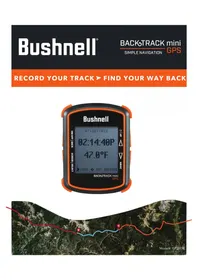
BackTrack Mini GPS - GPS device BUSHNELL - Free user manual and instructions
Find the device manual for free BackTrack Mini GPS BUSHNELL in PDF.


| Product Type | Portable GPS Device |
| Brand | Bushnell |
| Model | BackTrack Mini GPS |
| Power Source | Rechargeable internal battery, charging via included USB cable |
| Battery Life | Up to 35 hours in normal GPS operation |
| Main Functions | GPS, digital compass, altimeter, barometer, route recording (up to 50 hours per trip), waypoints (18 icons), Bluetooth sync with Bushnell Connect app |
| Display | Monochrome screen with adjustable backlight (low, medium, high) |
| GPS Accuracy | ±3 to 5 meters under normal conditions |
| Operating Temperature | -10°C to 45°C |
| Connectivity | Bluetooth, USB (for charging and data transfer) |
| Internal Memory | Capacity for multiple routes (max 50 hours per route) and waypoints |
| Dimensions and Weight | Not specified in the manual (estimate: approx 100 x 60 x 25 mm, 100 g) |
| Warranty | Limited one-year warranty (Ironclad) |
| Cleaning and Maintenance | Wipe with a soft, dry cloth; avoid water and extreme temperatures |
| Safety | Do not use while driving; do not use for aerial navigation; avoid magnets near the compass |
Frequently Asked Questions - BackTrack Mini GPS BUSHNELL
User questions about BackTrack Mini GPS BUSHNELL
0 question about this device. Answer the ones you know or ask your own.
Ask a new question about this device
Download the instructions for your GPS device in PDF format for free! Find your manual BackTrack Mini GPS - BUSHNELL and take your electronic device back in hand. On this page are published all the documents necessary for the use of your device. BackTrack Mini GPS by BUSHNELL.
USER MANUAL BackTrack Mini GPS BUSHNELL
TABLE OF CONTENTS
PAGE #
Control and Display Guide....2
Basic Set Up & Settings....3
Waypoints....3
Trips: Starting, Recording & Using Waypoints....4
Compass Calibration....4
Alternate Calibration....4
Connecting to the Bushnell Connect App....5
Navigating the Bushnell Connect Home Screen....5
Bushnell Connect Library: Trips & Waypoints....6
Send & Share Trips & Waypoints with the Bushnell Connect App....7
My Profile....7
Warranty....8
Warnings & Notices....9
BUSHNELL CONNECT APP
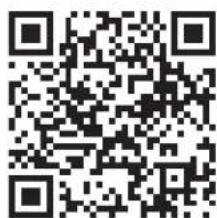
Scan the QR code to Download the Bushnell Connect App to your Android/iPhone to:
- Save trips and waypoints
- Share favorite trips and waypoints
– See trips and waypoints on detailed maps



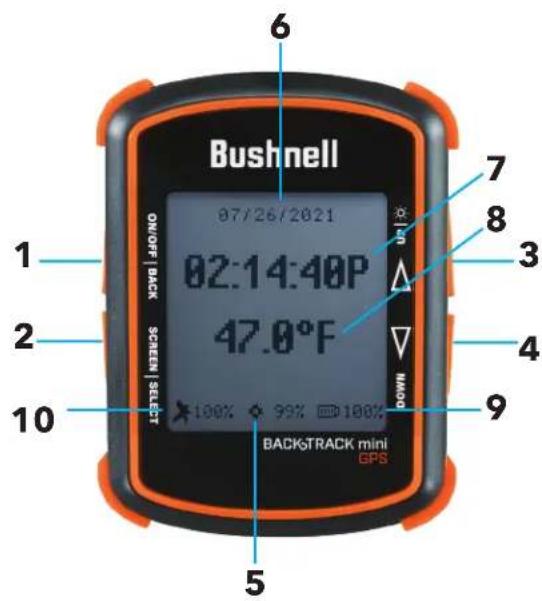
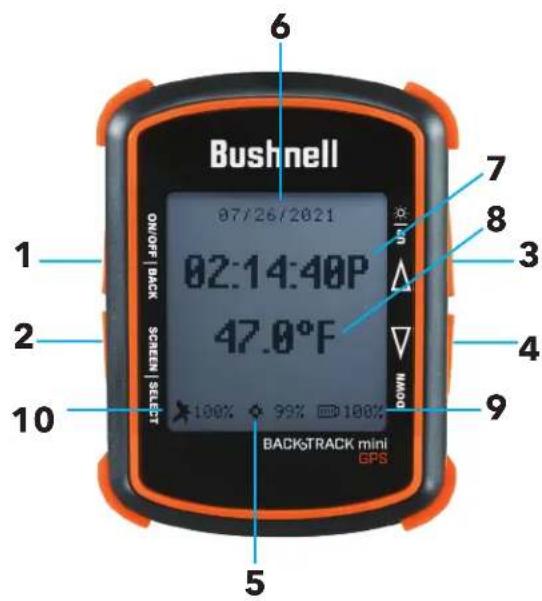
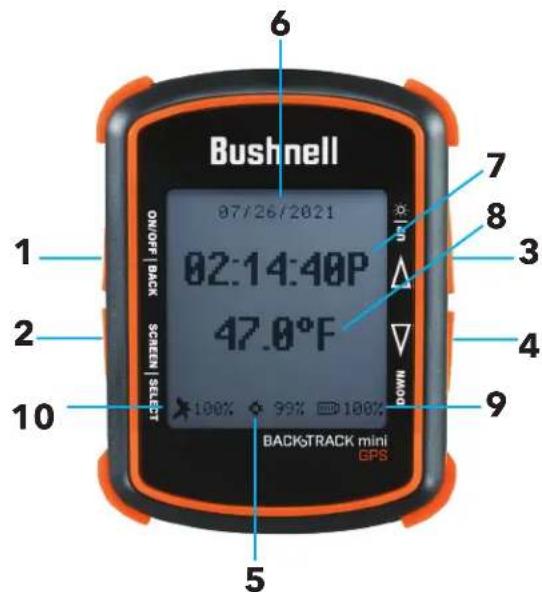
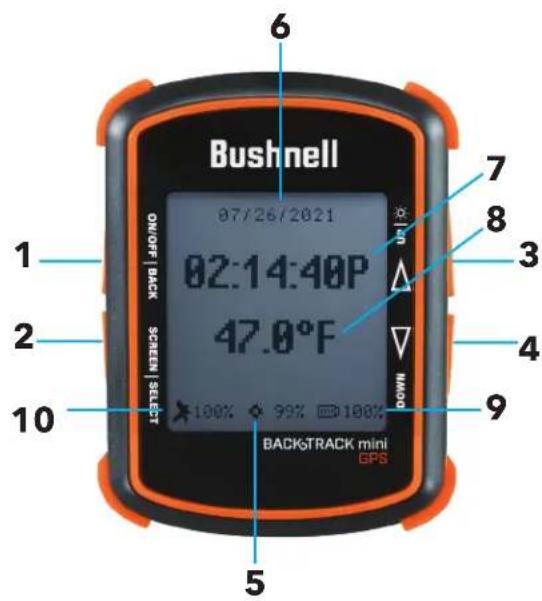
Control & Display Guide
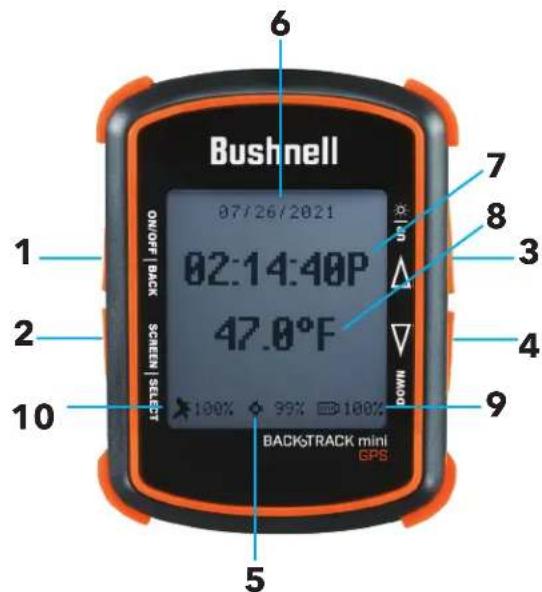
- Power Button
- Select & Menu Button
- Toggle Up Button/Backlight
- Toggle Down Button
- Internal Data available
- Date
- Local Time
- Temperature
- Battery Level Indicator
- Satellite Strength
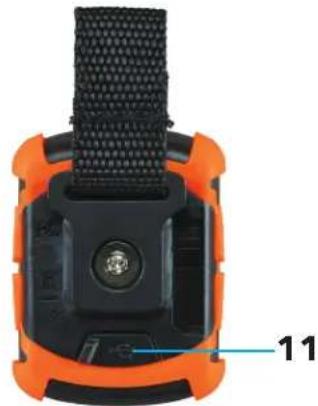
- USB Port
BACK VIEW
natural_image
Close-up of a smart device with orange casing and black mesh strap (no visible text or symbols)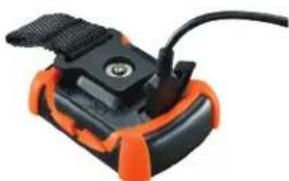
natural_image
Close-up of a black and orange handheld device with a cable, no visible text or symbolsBASIC SETUP & SETTINGS
- Fully charge the BackTrack Mini before use. Plug the provided charging cable and charge the unit from any USB port.
- Go outdoors. Press and hold POWER (1) until the display comes on. Wait for the GPS satellite to connect (10) (Fig. 1). The percentage indicates the strength of the satellite signal. After the first power-up in a new area, it may take a few minutes to find the satellite signal. *It is recommended to turn off the unit when going indoors. The unit will continue searching for a satellite and consume the battery faster than normal.
- Press and hold the SELECT (2) button for 3 seconds to access the menu. (Fig. 2)
- Select SETTINGS to adjust the Time, Units, Backlight, Reset, FW Upgrade, and About. Press SELECT (1) to choose which option you wish to make changes.
Time: 1) Format: 12 HOUR or 24 HOUR
2) Daylight Saving: OFF or ON
3) Time Zone: Press the Toggle Up/Down buttons to choose your time zone preference and time display format. Press Select to confirm.
Unit: 1) Unit: English (Ft., MPH) or Metric (M., KPH)
2) Temperature: °F or °C
3) Coordinates: DMS (Degrees, Minutes, Seconds), DMM (Degrees, Decimal Minutes), or DD (Degrees)
Timer: 1) Frequency - Off, Daily, Weekday, Weekend
2) Time - Set timer by selecting Hour, Minutes and AM/PM
* Note: timer does not vibrate or audio sound.
Backlight: 1) Period - 15 sec., 30 sec., 60 sec., 90 sec.
2) Brightness - Low, Medium, High
* Note: the longer the backlight stays on, the more battery the backlight will consume.
Reset: Do Factory Reset? Yes or No
FW Upgrade: See full instructions on Page 7.
About: Firmware version, FCC ID, and IC ID
WAYPOINTS - Waypoints are locations you record and store or upload to the device. Waypoints can mark where you are, where you are going, or where you have been.
- While in the Settings menu, select WAYPOINTS. Before creating a new Waypoint, check that the GPS signal is fixed and not flashing. If the satellite icon is flashing, the GPS signal is not active.
- The BackTrack Mini will not save a new Waypoint if there is insufficient internal memory. The user will need to release enough memory space to create a Waypoint. (Fig. 3) We suggest synchronizing with the Bushnell Connect app and saving the trips and waypoints, then removing trips and waypoints off of the BackTrack Mini.
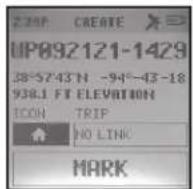
- On the Create screen, select one of 18 Location icons (Fig. 4). While standing at the location you want to mark, press the Toggle Down button (4) to highlight and select MARK (Fig. 5) to save the position in the BackTrack Mini's memory.
Waypoint Saving Shortcut:
Standing at the location you want to mark, press the Select (2) and Toggle Down (4) at the same time. Press Select (2) to confirm the save.
- Waypoint name: Waypoint - Date - Time "WP092121-1429" Waypoint September 21, 2021 - 12:29pm
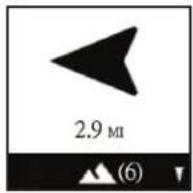
- To return to the location you marked, press the Power button (1) to return to the home screen. Press the Select key (2) to see your current location's Elevation, Pressure, Sunrise, Sunset, Moonrise, and Moonset from the home screen. (Fig. 6)
- From the Elevation screen, press the Toggle Up or Down buttons to see the Hunt/Fish Times. (Fig. 7)
- Press Select (2) to view the Compass screen (Fig. 8), displaying the Latitude and Longitude of your current location, and a Digital Compass Display (Fig. 9) including your heading (direction of travel) in degrees.
Fig. 6
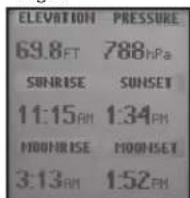
Fig. 7
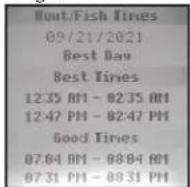
Fig. 8
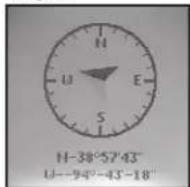
Fig. 9
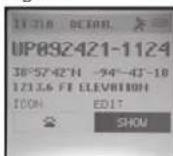
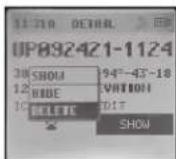
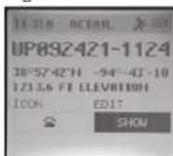
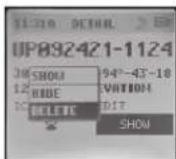
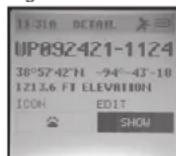
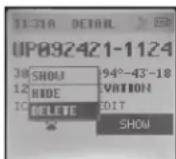
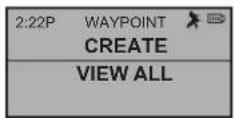
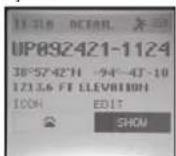
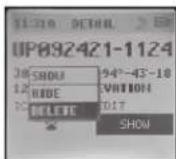
- Once the Waypoint is created, go back to Waypoints in the Settings menu and choose View All (Fig. 10). Waypoint order is by the time waypoint is created (i.e., its default filename). The latest Waypoint is on top, and the oldest is on the bottom. Choose a Waypoint to edit the usage of that specific Waypoint. (Fig. 11)
- Show: Waypoint is visible and available to be added to a Trip.
- Hide: Waypoint is saved but not visible and cannot be added.
- Delete: Permanently delete the Waypoint from the unit.
Fig. 1
Fig. 2
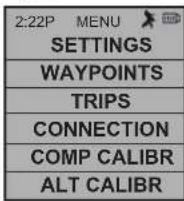
Fig. 3
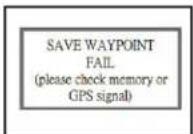
Fig. 4 Icons
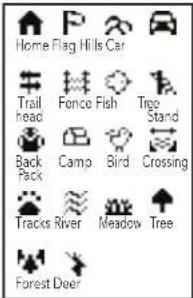
Fig. 5
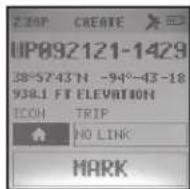
Fig. 10
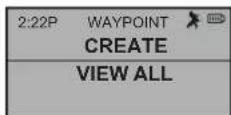
Fig. 11
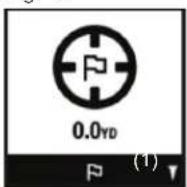
* When the device is close to the Waypoint, within 10 meters, the system will show a figure (Fig. 12) to let the user know they have arrived at the Waypoint.
Fig. 12
TRIPS - STARTING, RECORDING & USING WAYPOINTS
- While in the Settings menu, select TRIP. Before creating a new Trip, check the GPS signal is fixed and not flashing. If the satellite icon is flashing, the GPS signal is not active. (10)
- The BackTrack Mini will not save a new Trip if there is not enough internal memory. The user will need to release enough memory space to create a Trip. (Fig. 3) We suggest synchronizing with the Bushnell Connect app and saving the trips and waypoints.
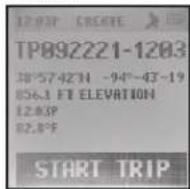
- On the Create screen, select START TRIP (Fig. 14) to create a Trip from one Waypoint to another you have linked and are in the range of your current location. If "NO WAYPOINT" is shown, there are no saved Waypoints available. You will see point coordinates, elevation, and temperature on this screen. The Trip with linked Waypoints will appear.
- Pressing the Toggle Down (4) button will show the Digital Compass Display for each linked Waypoint.
True North
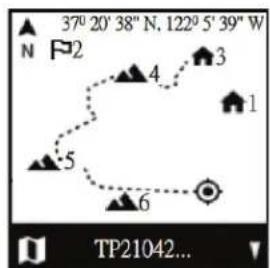
Current GPS Coordinates
1st Waypoint
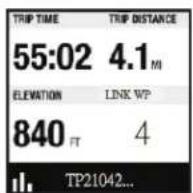
Fig. 15
- When you have completed your Trip, go to the Settings Menu/Trips and choose STOP TRIP. To access the Trip to restart, go back to TRIPS and choose VIEW ALL.
- Maximum log time for a single trip is 50 hours. If memory for a single trip is full (over 50 hrs) during trip recording, the system will log to the last point. Then, the system will pop up a message (Fig. 3) to stop and save a trip. Battery life can last up to 35 hours under normal GPS operation. Note: The user may need to charge the unit a few times during a long trip. *During a long journey of 50 hours, the user should create multiple trips. For example, 2 - 25 hour trips or 3 - 16 hour trips.
COMPASS CALIBRATION (COMP CALIBR)
- It is recommended to calibrate the compass before each use, especially after a long drive or plane flight.
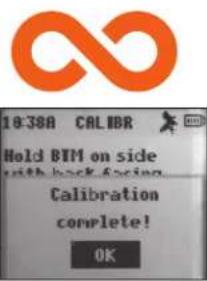
- To ensure directional accuracy, hold the BackTrack Mini out in front of you, with the display facing up in the palm of your hand and move it in a "Figure 8" pattern a few times to re-calibrate the compass.
• We recommend holding the BackTrack Mini in a horizontal position (not tilted) during use when using on a trip. - When the calibration is successful, a "Calibration Complete" note will appear.
* Note magnets affect the compass and keep away from the device when calibrating or using the compass
ALTERNATE CALIBRATION (ALT CALIBR)
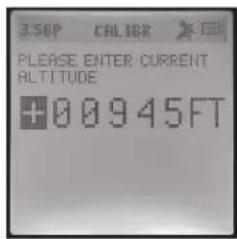
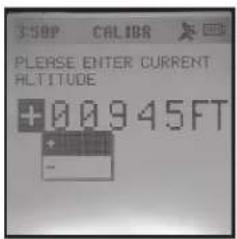
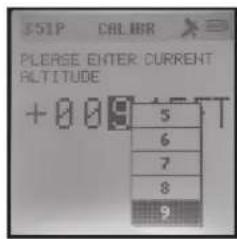
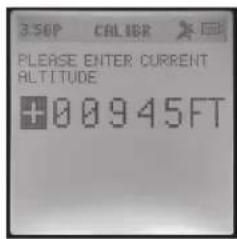
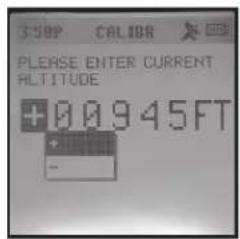
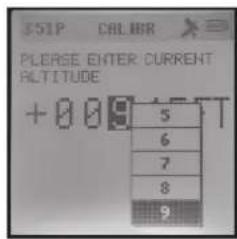
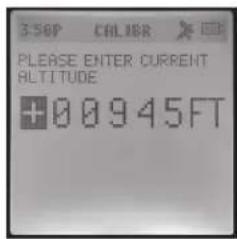
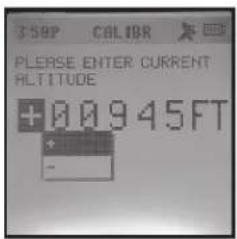
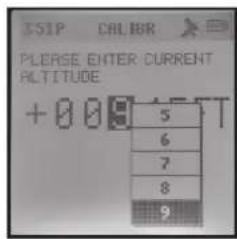
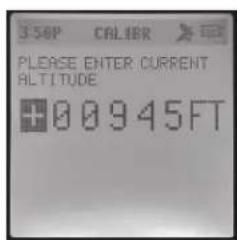
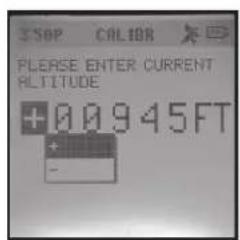
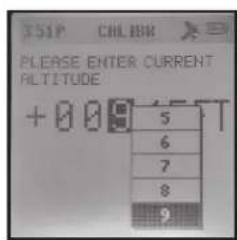
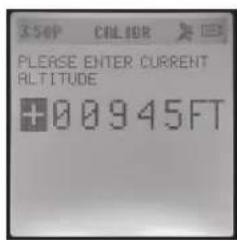
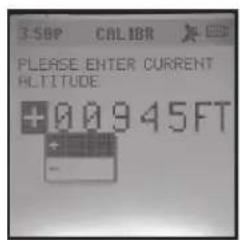
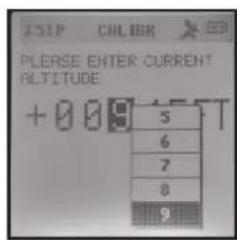
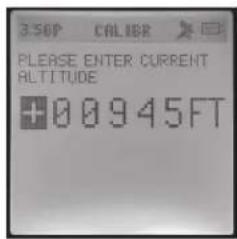
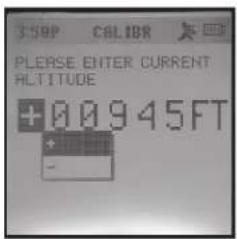
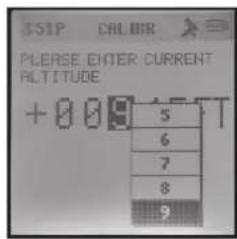
- If you wish to enter your current altitude manually, you may enter it through the Alternate Calibration option in the menu. Press Select (2) to scroll through each field and use the Toggle Up or Down buttons (3 & 4) to set the altitude. When finished, a pop-up noting "Altitude Saved!" will appear.
Fig. 14
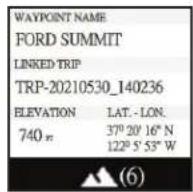
Screen Inactivity
The screen will go off after five minutes of inactivity. Press any button to turn screen on.
BUSHNELL CONNECT APP
Scan the QR code to download the Bushnell Connect App to your Android or iPhone.


CONNECTING AND USING THE BUSHNELL® CONNECT APP
-
Download the Bushnell Connect app. Please create an account and set up a password if you have not already. Accept the terms and conditions. If you opt-in to receive marketing and company information, you will receive discounts and the latest information on Bushnell products.
-
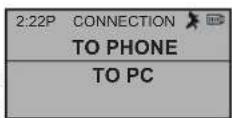
Put the BackTrack Mini in Bluetooth mode. Press and hold the SELECT button on the unit's left to access the menu. Choose CONNECTION > TO PHONE to connect the BackTrack Mini to a smartphone or portable Bluetooth device. Choose CONNECTION > TO PC to connect the BackTrack Mini to a computer.
-
Phone: Open the menu on your smartphone that shows all available Bluetooth devices and chooses BackTrack Mini when available.
- Computer: To connect to your computer, plug in the USB cable provided for charging into your computer or laptop. This action will allow your computer to read the BackTrack Mini as an external drive. In addition, you will be able to save Waypoints and Trips to your computer to open memory space on your BackTrack Mini.
* Most Bluetooth devices provide an auto connection to the smartphone app. However, to maximize battery life and ensure you have plenty of hours to use the GPS, the BackTrack Mini does not auto-connect. Instead, the connection must be set up by going into the BackTrack Mini settings, the connection menu, and the phone.

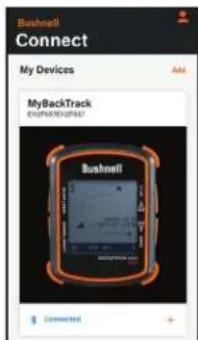
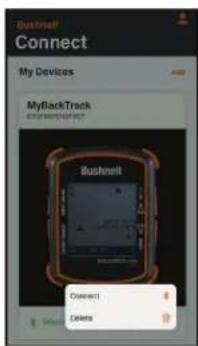
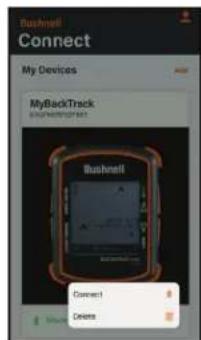
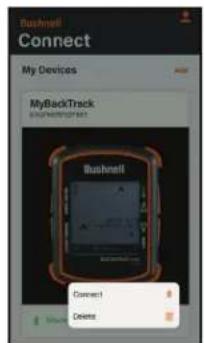
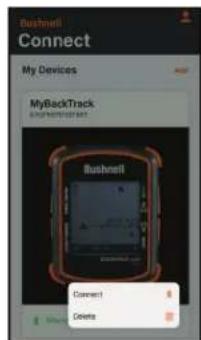
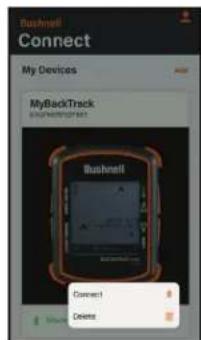
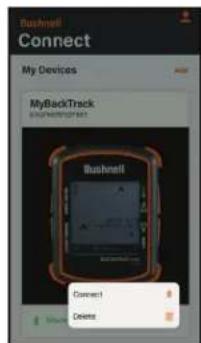
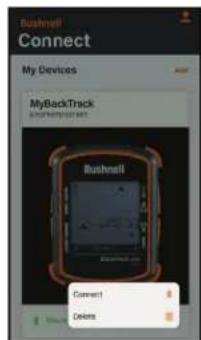
- Go into the Bushnell Connect app and connect the device by selecting the plus sign button below the picture of the device. After the BackTrack Mini is connected, it will need to be given a name in your list of devices in Bushnell Connect. Do this on the Device Detail screen.
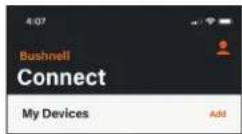
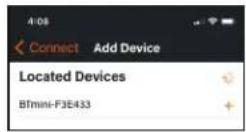
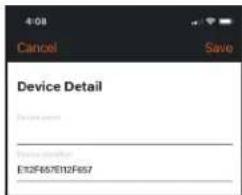
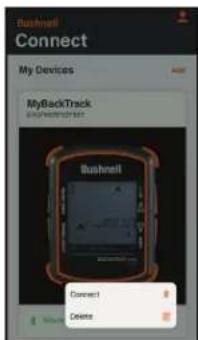
- Additional BackTracks or other Bushnell devices can be added or deleted. Connect or disconnect your device from Bluetooth from this screen. To go to the main page for the BackTrack Mini, press on the picture of the device.
Navigating the Bushnell Connect Home Screen
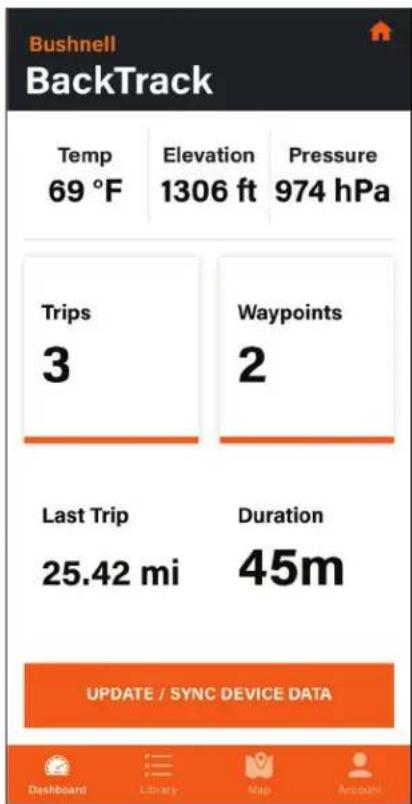
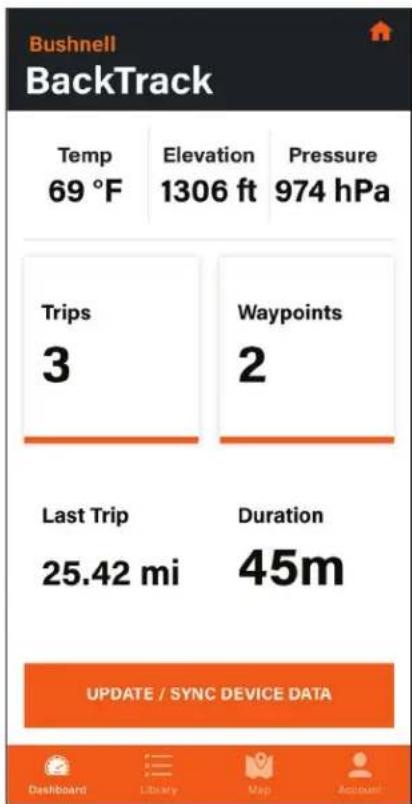
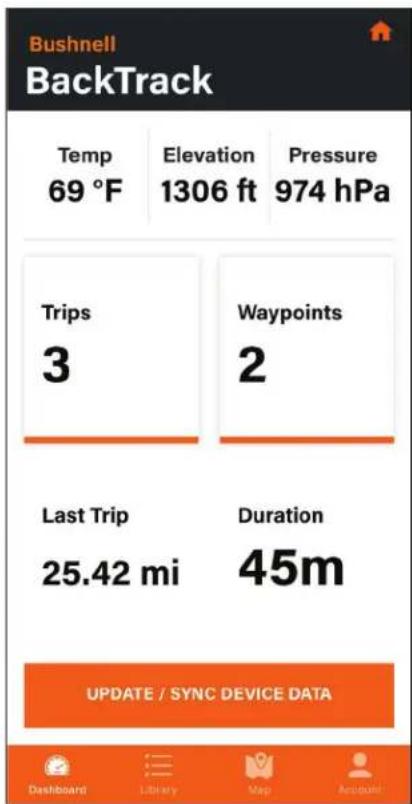
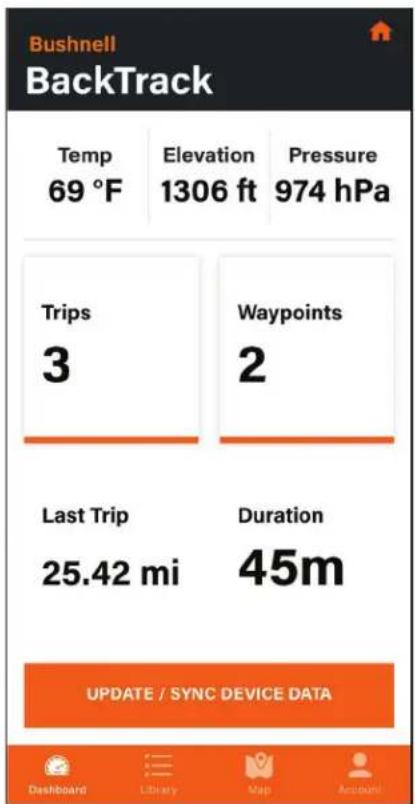
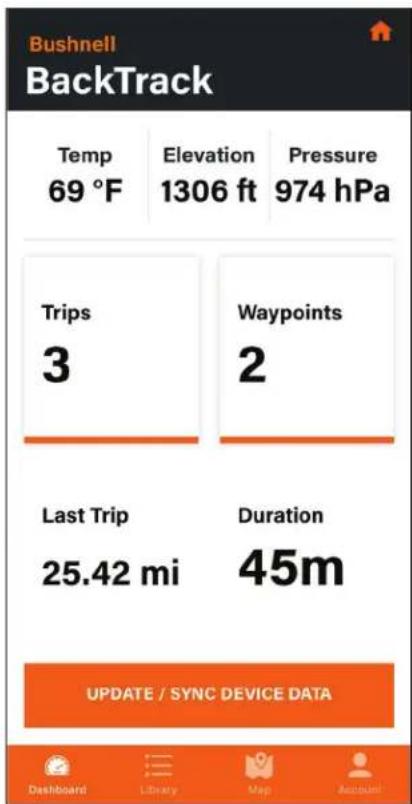
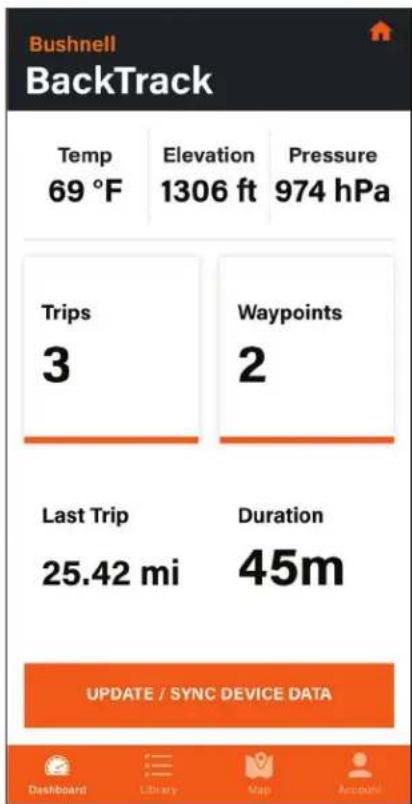
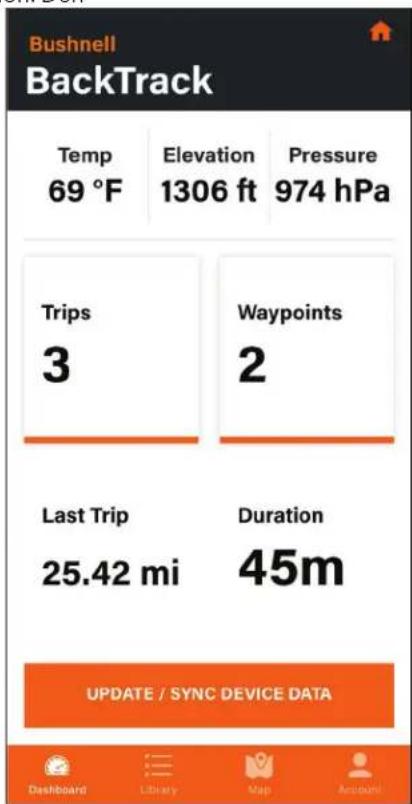
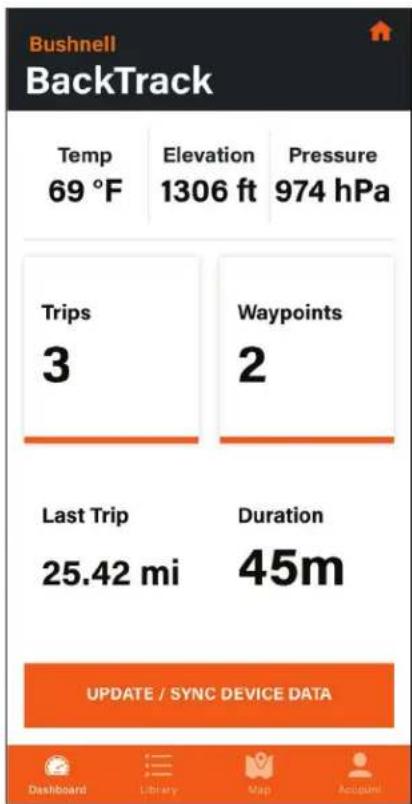
- If the BackTrack Mini has not been used, the Home Screen will not have Trip Data. Trip Data shown is from previous trips that have been synced from the BackTrack Mini with a GPS connection.
- The Temperature, Elevation, and Pressure data are shown for the current position. These sensors do not require a GPS signal, and the data acquired is within the BackTrack Mini's software.
- To sync the data in the BackTrack Mini to the app, be sure the Bluetooth connection is active between the BackTrack Mini and the app. Press UPDATE/SYNC DEVICE DATA. The trips, waypoints, and details of the last recorded trip with be available to review in the app.
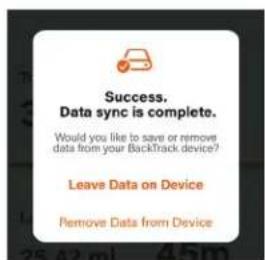
- To remove all trip and waypoint data from previous trips from the BackTrack Mini, choose this screen. As long as the device's data has been synced with the app, the data will remain stored in the app's Library.
- The BackTrack Mini is now synced with the Bushnell Connect app. Trip data can be stored on the device or, if memory space is needed, remove it to free up space for your next adventure. Once data is removed from the device, the data will be stored on the app. If you delete data from the app, it will be permanently deleted.
Bushnell Connect Library: Trips and Waypoints
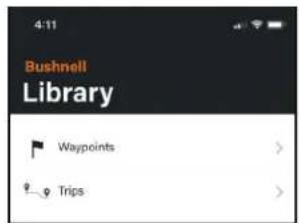
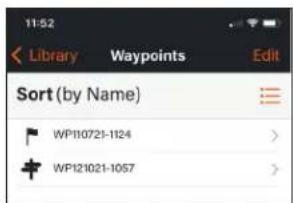
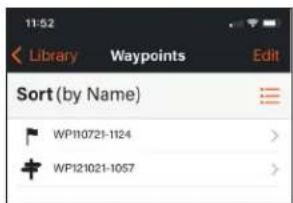
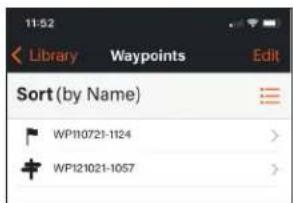
Once your BackTrack Mini and your Android or iOS Smartphone/tablet are synced, Trips and Waypoints can be accessed in the Library. Trips and Waypoints are stored separately.
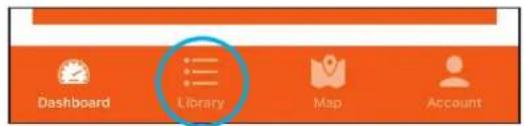
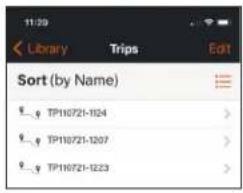
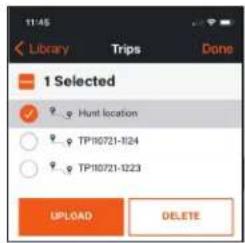
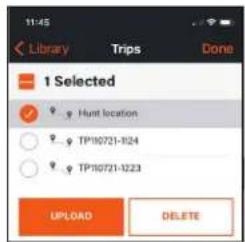
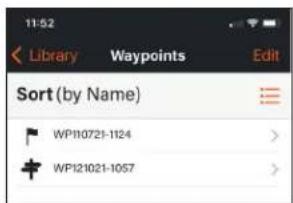
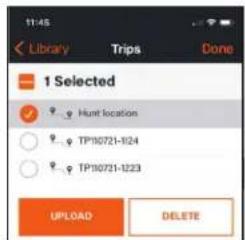
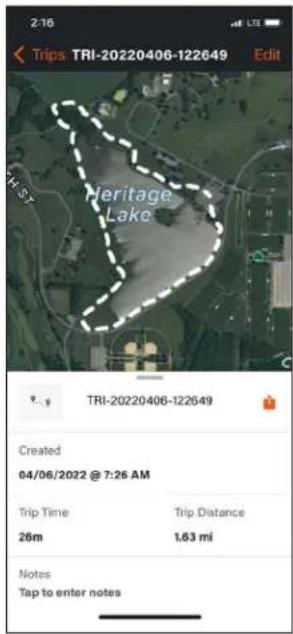
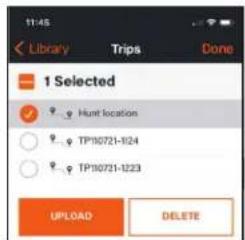
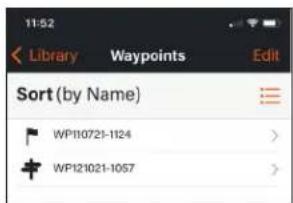
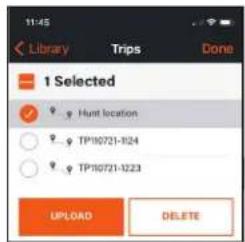
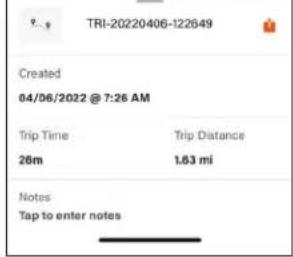
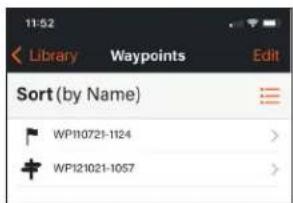
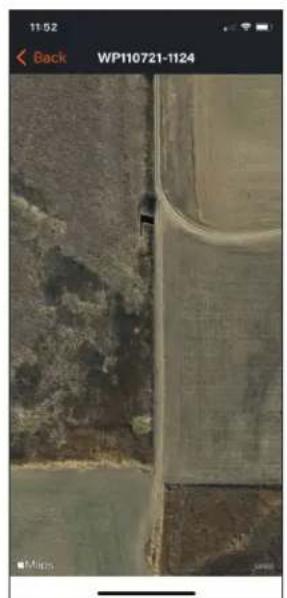
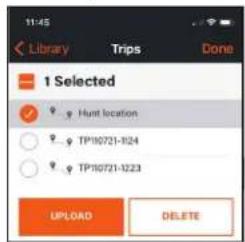
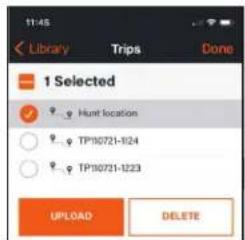
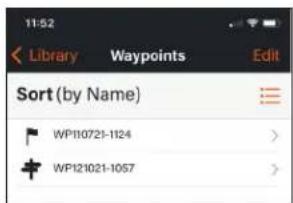
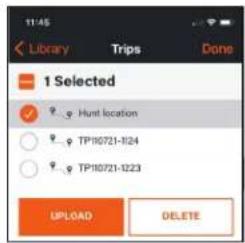
Choosing Trips in the Library menu allows the user to see the synced trips organized by date or name. The factory default is to save the Trip (TP) or Waypoint (WP) by the date created. (TP110721-1124 = Trip started on November 7, 2021 at 11:24am)
- To upload a Trip or Waypoint, select Edit, select the Trip or Waypoint to upload to the BackTrack Mini, and press UPLOAD.
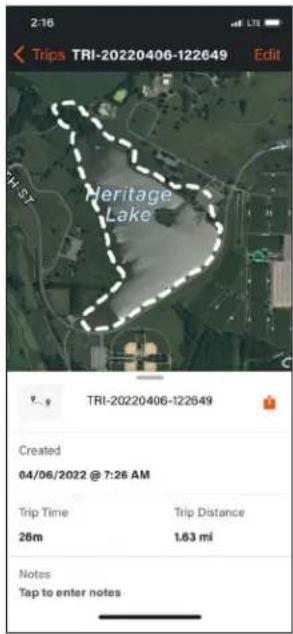
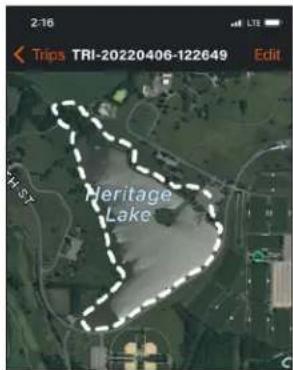
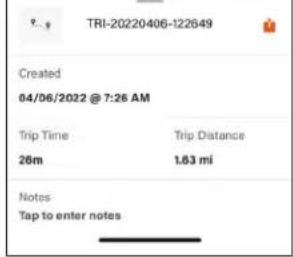
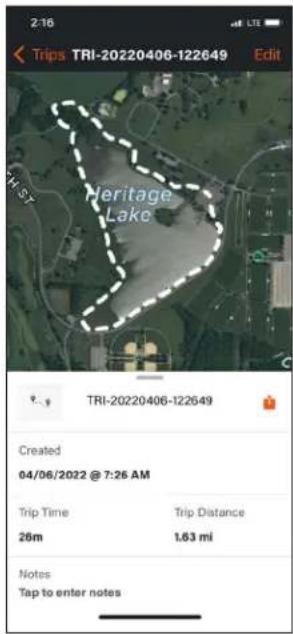
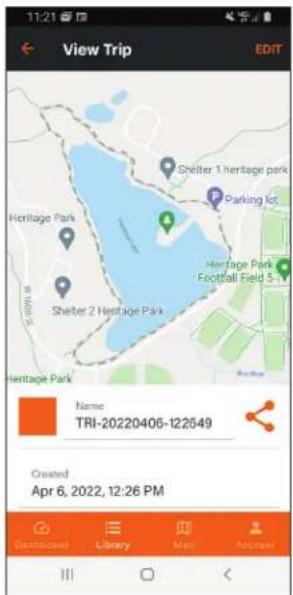
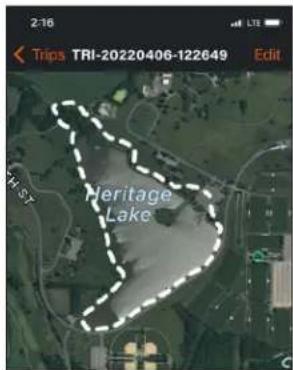
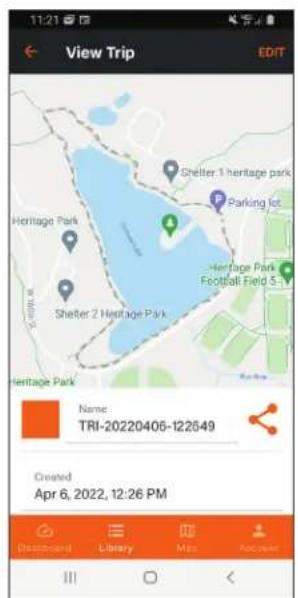
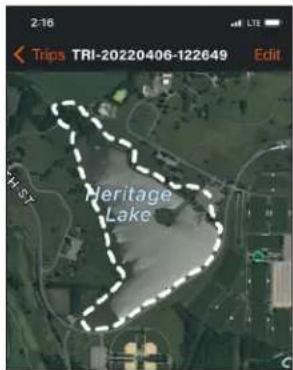
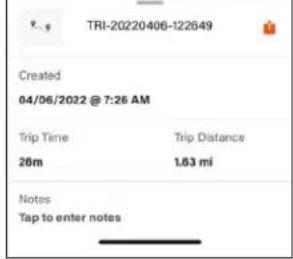
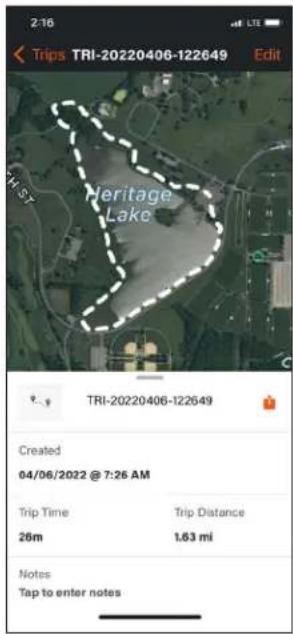
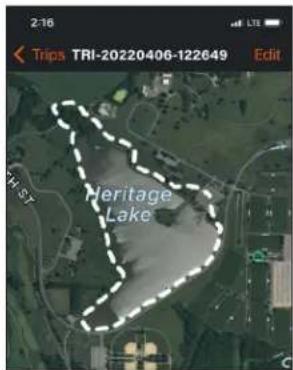
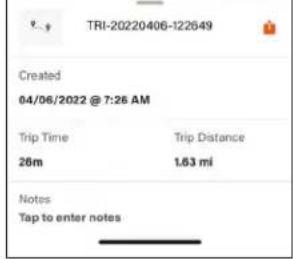
- Select a Trip to view the trip detail page. The Trip detail page shows the track of the trip overlaid on the smartphone default map. This page shows the data created, trip time, distance, and added notes. Share this trip with friends through text messaging or email. (See instructions on Page 7)
- Edit Trip details by changing the name, editing or adding tracks, and pressing Save at the page's bottom. If the name of the Trip is edited, press the return key on the keyboard and press save at the bottom of the screen.
*Note: if your trip has more than 2,000 track points, it cannot be edited. If the user is on a long trip or multiple day trips, create multiple trips. Remember to add waypoints on your trip to help with navigation back to home/basecamp.
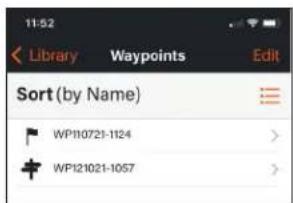
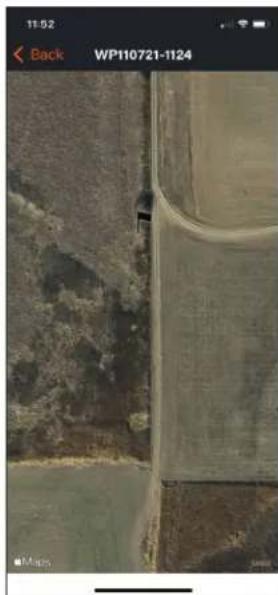
- Select the Waypoint on the list to view and/or edit. From this menu, select the Edit button in the top right of the screen to upload the Waypoint to the BackTrack Mini, share it with other users, or delete it.
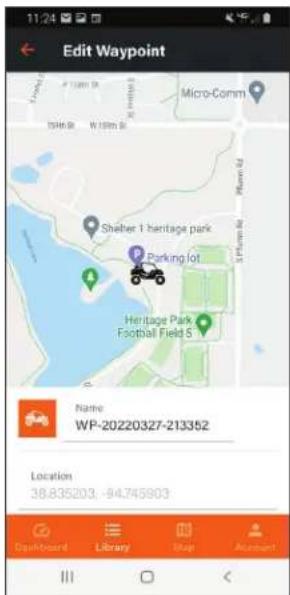
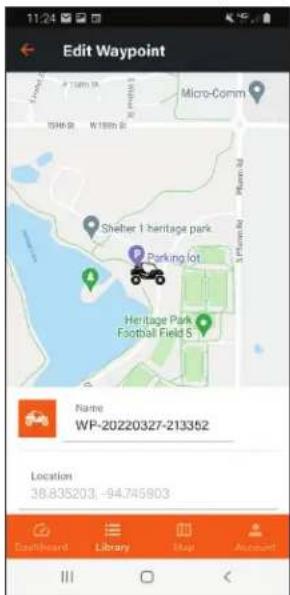
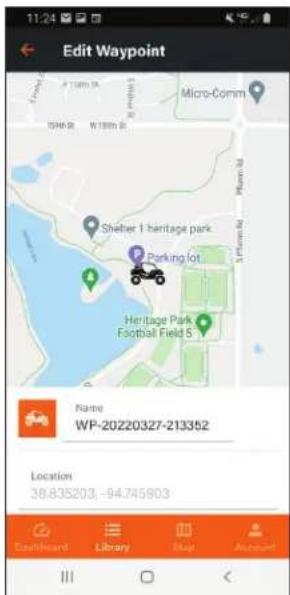
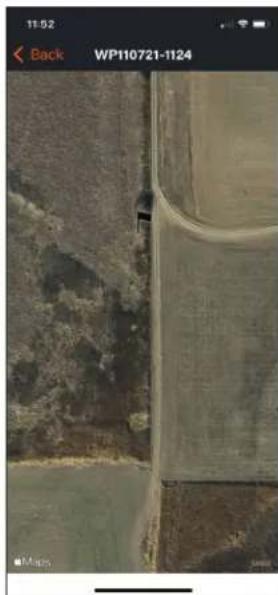
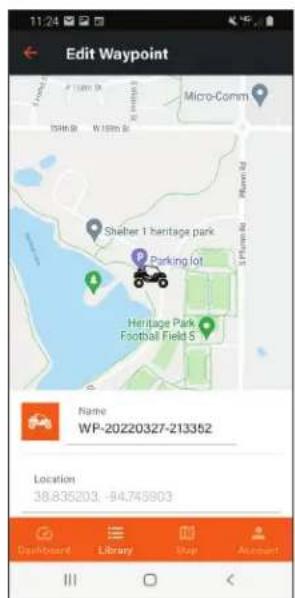
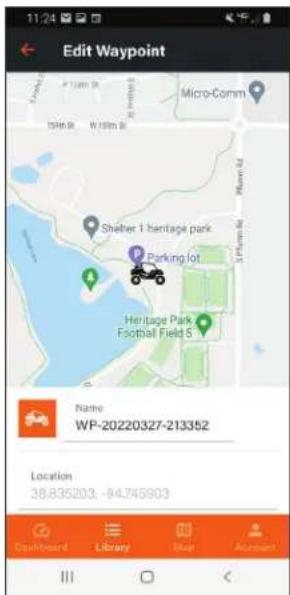
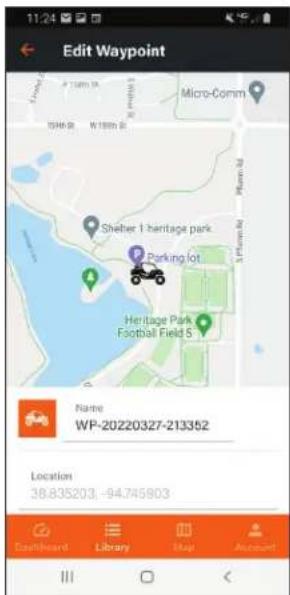
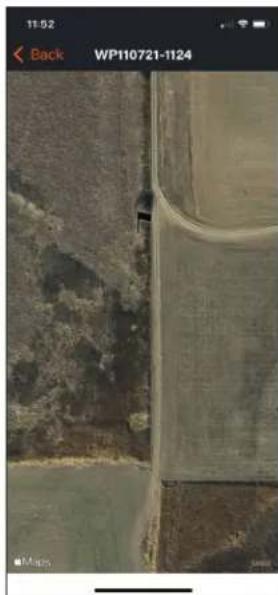
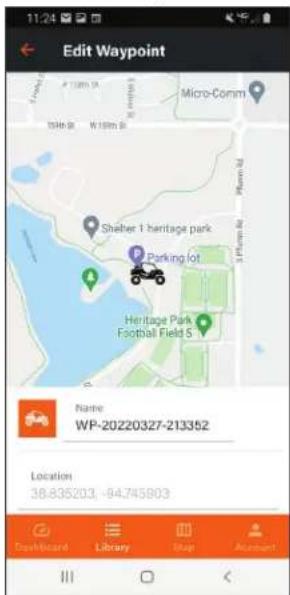
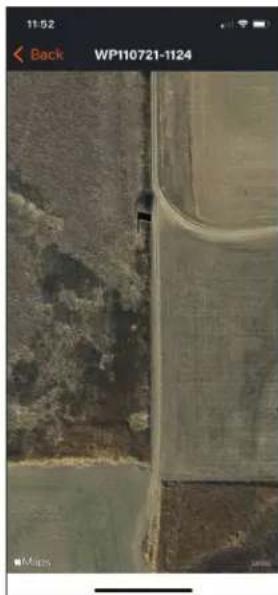
- After selecting the Waypoint, the Waypoint will be overlaid to the smartphone default map. Pinch and expand to zoom in or out. Then, press the icon to edit the Waypoint.
- Edit the waypoint information, including changing icons or names, and press save or cancel to exit.
*Note: If you edit the location, it will move the Waypoint to the new location and override the previous location.
Android Screen Shots iOS Screen Shots
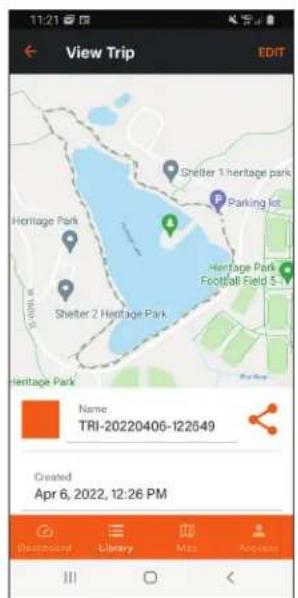
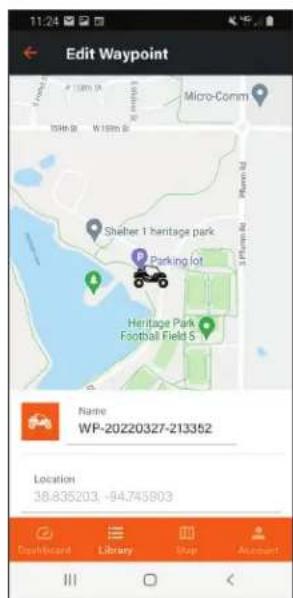
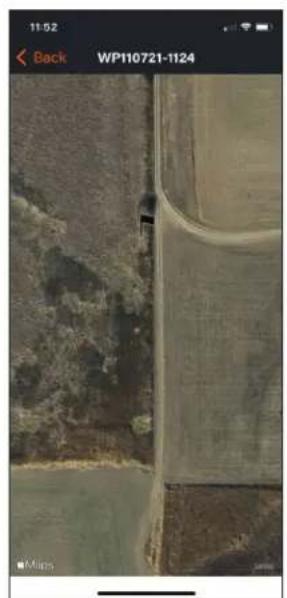
natural_image
Aerial view of agricultural fields with a dirt road and trees, captured on a mobile phone interface (no text or symbols on the scene itself)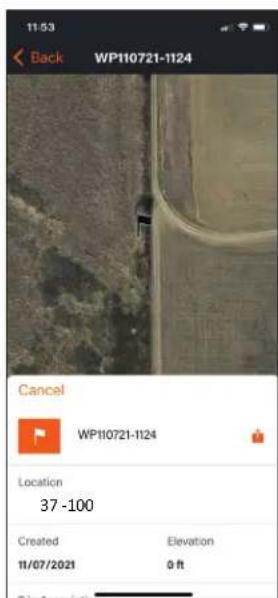
Send and Share Trips & Waypoints within Bushnell Connect App.
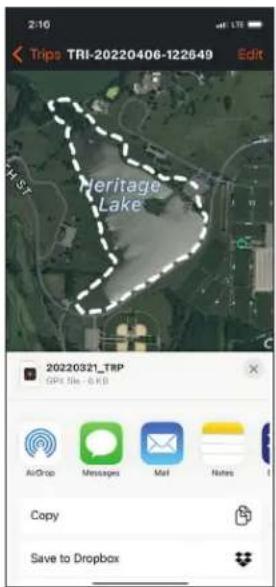
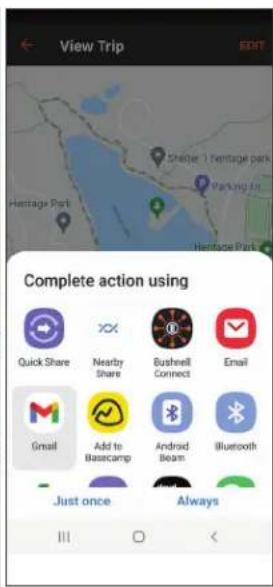
iOS Share Screen Android Share Screen
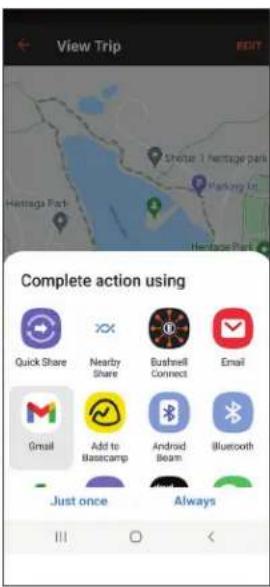
While in the library, select the trip you want to share. To the right of the trip name, you will see a share button; select that button. Now you can share via email or text message.
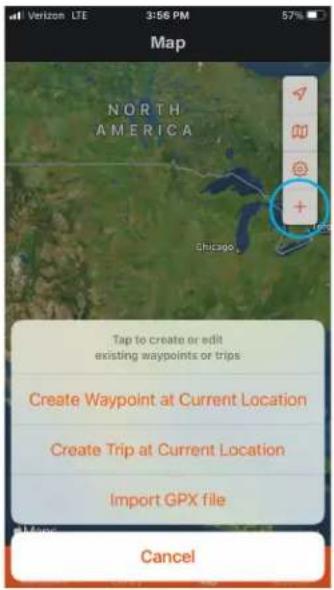
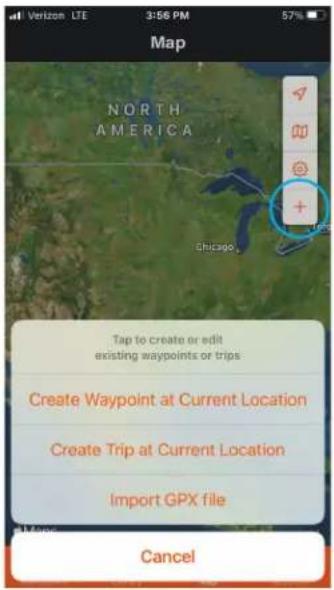
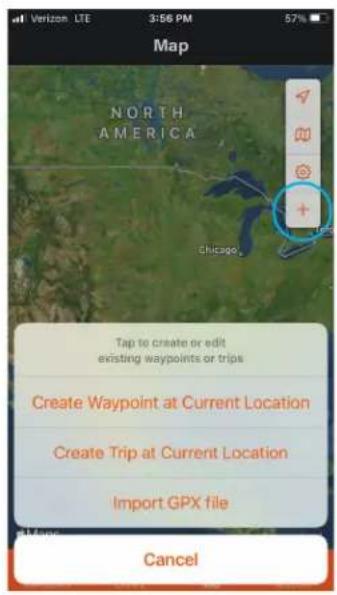
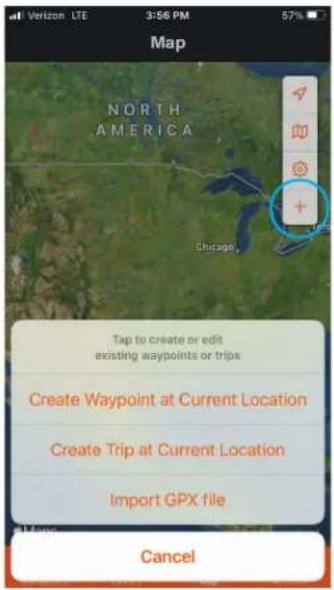
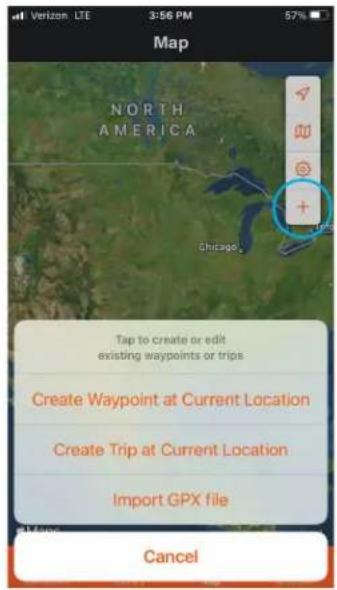
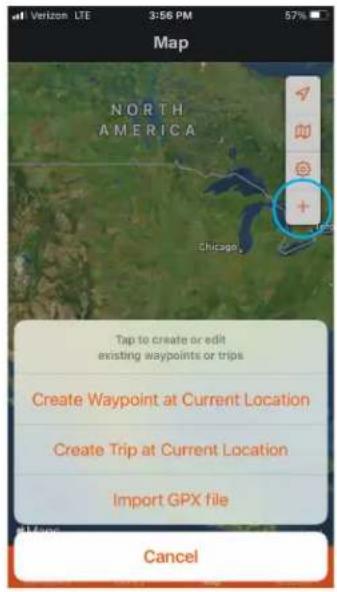
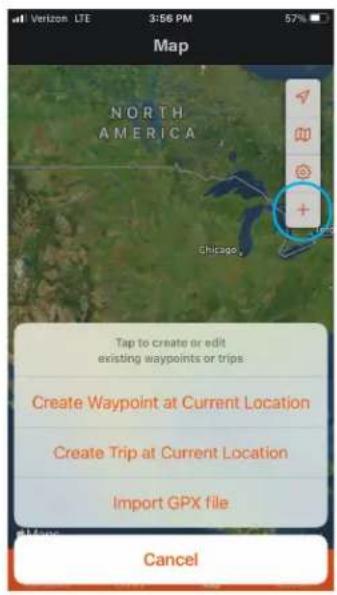
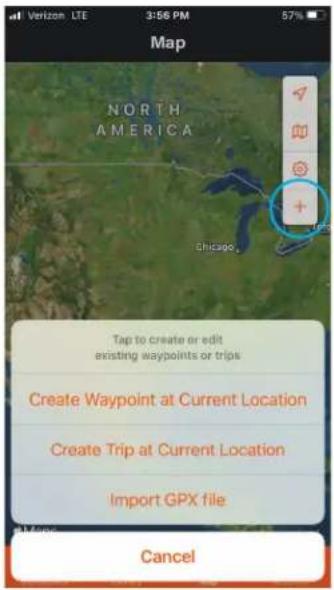
When receiving the trip via email or text by phone, download the GPX file to your file folder like the download folder. Import the file by going to the map menu, selecting the plus button, then selecting the import GPX file. Explore where you saved the GPX file sent and save it to your trip library.

iOS Share Button

Android Share Button
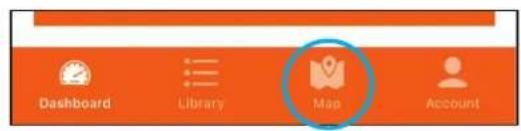
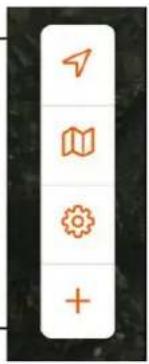
MAP ICONS:
Arrow: current location
Map: changes from satellite to street map
Settings: map settings coordinates, miles/km
Plus: initiates the creation of trip, waypoint, or import GPX file
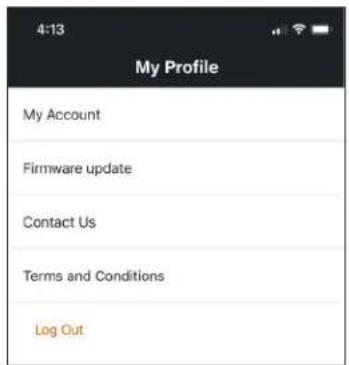
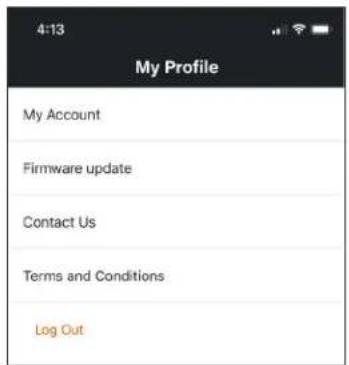
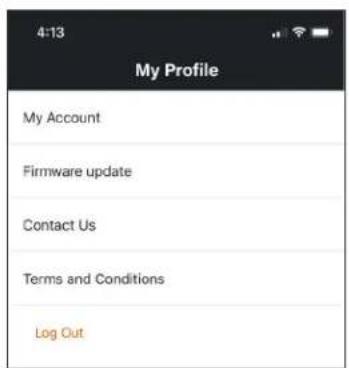
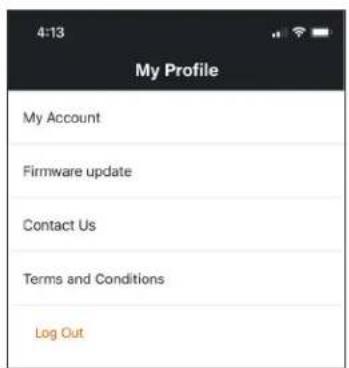
My Profile
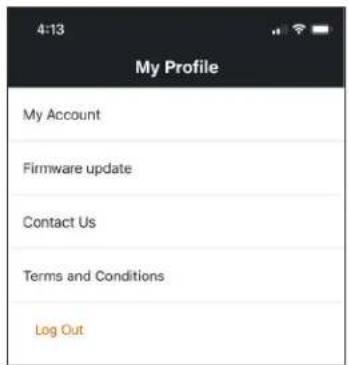
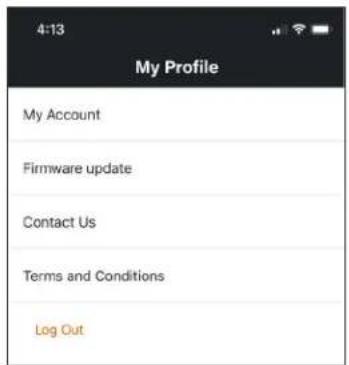
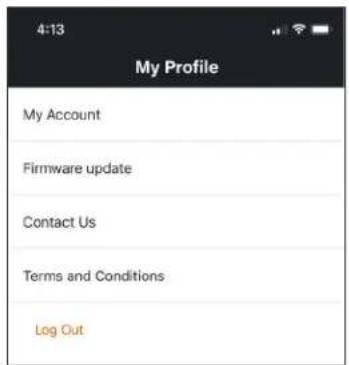
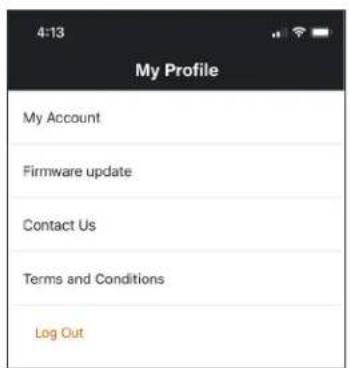
My Account: Access your account settings by pressing My Account on the Profile screen. Users can opt-in to receive promotions, product updates or delete their account.
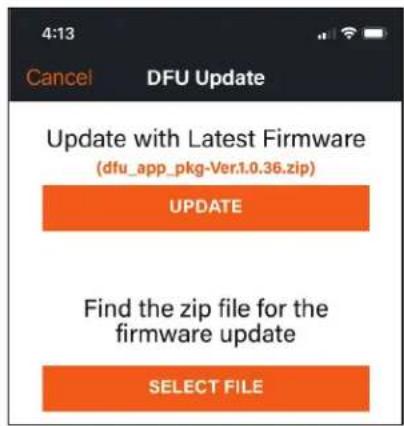
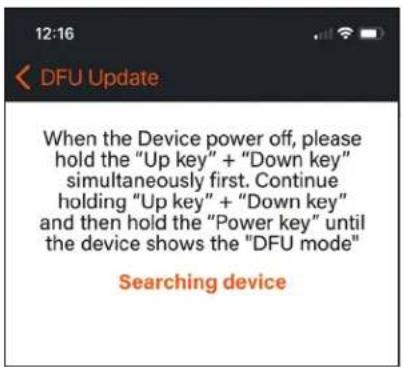
Firmware Update: To update firmware, please follow the steps below.
- Turn off BackTrack Mini.
- Place BackTrack Mini in DFU mode: While pressing the Up and Down buttons simultaneously, push and hold down the Power button until the device turns into DFU mode, approximately three seconds.
- Select Update.
- The app will scan for the device and connect and update the Firmware.

The Ironclad Warranty is a one year limited warranty that covers this Product. We warrant that this Product is free from defects in materials and workmanship and will meet all represented performance standards for the first year after this Product is purchased. If this Product isn't working properly due to a covered defect, we will, at our option, either repair or replace it and ship it back to you at no charge. This warranty is fully transferable and requires a receipt, warranty card, or product registration. This warranty does not cover the following: electronic components; batteries; cosmetic damage; damage caused by failing to properly maintain the product; loss; theft; damage as a result of unauthorized repair, modification, or disassembly; intentional damage, misuse, or abuse; and ordinary wear and tear. This Warranty will be void if the date stamp or other serialization codes have been removed from the Product.
To view the full warranty and find details on how to request service under the warranty, go to our website at www.bushnell.com/warranty. Alternatively, you can request a copy of the warranty by calling us at 1-800-423-3537 or writing to us at one of the following addresses:
IN U.S.A. Send To: IN CANADA Send To:
Bushnell Holdings, Inc. Bushnell Holdings, Inc.
Attn.: Repairs
Attn.: Repairs
9200 Cody 140 Great Gulf Drive, Unit B
Overland Park, Kansas 66214 Vaughan, Ontario L4K 5W1
For products purchased outside the United States or Canada please contact your local dealer for applicable warranty information.
This warranty gives you specific legal rights. You may have other rights which vary from country to country.
©2022 Bushnell Outdoor Products
Warnings and Notices
GPS System & Location Accuracy Notice:
The Global Positioning System (GPS) is operated by the government of the United States, which is solely responsible for its accuracy and maintenance. The system is subject to changes which could affect the accuracy and performance of all GPS equipment. The inherent nature of the GPS system itself limits the accuracy of the distance indicated on the unit's display to within about ±35 meters (or yards) of the actual marked location.
Warning:
This device is intended as a supplemental handheld navigation aide only. The user assumes all responsibility associated with the use of this product. It must not be used for any purpose requiring precise measurement of location, direction, distance, velocity or topography. This device should not be used for any aircraft navigation applications.
Operating Temperature:
This device's operating temperature range is -10 deg to 45 deg Celsius. The device may malfunction if it is not within the temperature range.
Vehicular Use Notice:
Bushnell is committed to the safe and responsible enjoyment of the outdoors.
Do not use this product while driving. An accident can result in property damage, injury or death if the operator fails to practice prudent driving practices. It is the sole responsibility of the driver of any vehicle to operate the motor vehicle in a safe manner. Information from the GPS unit can distract the operator of a motor vehicle. It is unsafe to operate the controls of the GPS unit while operating a motor vehicle. If used in a motor vehicle, it must not be used by the operator of the motor vehicle. If it is used in a motor vehicle it must be mounted in a manner such that it does not distract the operator, does not interfere with the operator's field of view, and does not block or interfere with the air bags or other safety mechanisms of the motor vehicle. Windshields and car windows with integrated metallic materials, such as defrosters, or car window tinting films, can degrade GPS reception inside a car.
Liability Notice:
In no event shall Bushnell be liable for any incidental, special, indirect or consequential damages, whether resulting from the use, misuse, or inability to use this product or from defects in the product.
Some states do not allow the exclusion of incidental or consequential damages, so the above limitations may not apply to you.
FCC Statement
This device complies with part 15 of the FCC Rules. Operation is subject to the following two conditions: (1) This device may not cause harmful interference, and (2) this device must accept any interference received, including interference that may cause undesired operation.
This equipment has been tested and found to comply with the limits for a Class B digital device, pursuant to Part 15 of the FCC Rules. These limits are designed to provide reasonable protection against harmful interference in a residential installation. This equipment generates, uses and can radiate radio frequency energy and, if not installed and used in accordance with the instructions, may cause harmful interference to radio communications. However, there is no guarantee that interference will not occur in a particular installation. If this equipment does cause harmful interference to radio or television reception, which can be determined by turning the equipment off and on, the user is encouraged to try to correct the interference by one or more of the following measures:
- Reorient or relocate the receiving antenna.
- Increase the separation between the equipment and receiver.
- Connect the equipment into an outlet on a circuit different from that to which the receiver is connected.
- Consult the dealer or an experienced radio/TV technician for help.
Shielded interface cable must be used with the equipment in order to comply with the limits for a digital device pursuant to Subpart B of Part 15 of FCC Rules. Specifications and designs are subject to change without any notice or obligation on the part of the manufacturer.
FCC ID: 2ASQI-GPSBTM
IC ID : 24886-GPSBTM


Industry Canada Statement :
This device complies with ISED's license-exempt RSSs. Operation is subject to the following two conditions: (1) This device may not cause harmful interference, and (2) this device must accept any interference received, including interference that may cause undesired operation.
This device complies with the Industry Canada portable RF exposure limit set forth for an uncontrolled environment and is safe for the intended operation as described in this manual. Further RF exposure reduction can be achieved if the product can be kept as far as possible from the user's body or if the device is set to a lower output power if such function is available.
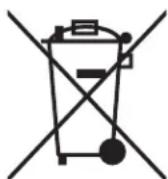
Disposal of Electric and Electronic Equipment
(Applicable in the EU and other European countries with separate collection systems)
This equipment contains electric and/or electronic parts and must therefore not be disposed of as normal household waste. Instead, it should be disposed at the respective collection points for recycling provided by the communities. For you, this is free of charge.
If the equipment contains exchangeable (rechargeable) batteries, these too must be removed before and, if necessary, in turn be disposed of according to the relevant regulations (see also the respective comments in this unit's instructions).
Further information about the subject is available at your community administration, your local waste collection company, or in the store where you purchased this equipment.

FRANÇAIS
TABLE DES MATIÈRES
NUMÉRO DE PAGE
APPLICATION BUSHNELL CONNECT
natural_image
Close-up of an orange and black robotic device with a textured strap and labeled component '11' (no readable text or symbols beyond label)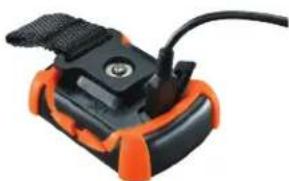
natural_image
Close-up of a black and orange handheld device with a cable, no visible text or symbolsCONFIGURATION ET RÉGLAGES DE BASE
Fig. 5
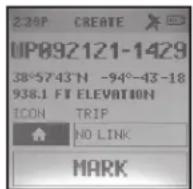
Fig. 10
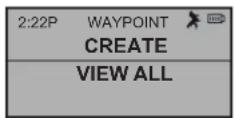
Fig. 11
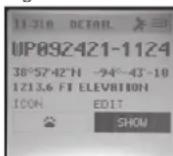
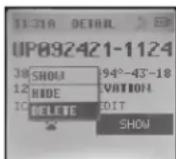
Fig. 12
APPLICATION BUSHNELL CONNECT
CONNEXION ET UTILISATION DE L'APPLICATION BUSHNELL® CONNECT
natural_image
Aerial view of a rural landscape with fields, tree-lined banks, and a small vehicle on a road (no visible text or symbols)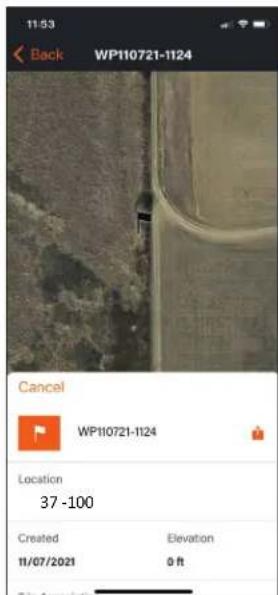
iOS Share Screen Android Share Screen
ICÔNES DE CARTE :
Mon profil

FCC ID: 2ASQI-GPSBTM
IC ID : 24886-GPSBTM


GUÍA DE CONTROL Y DE LA PANTALLA
natural_image
Close-up of an orange and black robotic device with a textured strap and labeled component '11' (no readable text or symbols beyond label)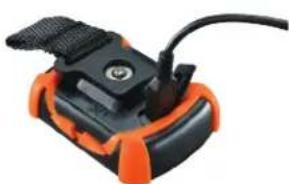
natural_image
Close-up of a black and orange handheld device with a cable, no visible text or symbolsFig. 5
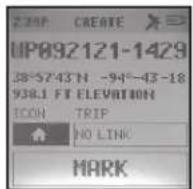
Fig. 10
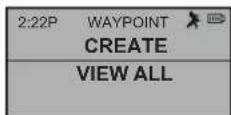
Fig. 11
natural_image
Aerial view of agricultural fields with a small vehicle driving through the distance (no visible text or symbols)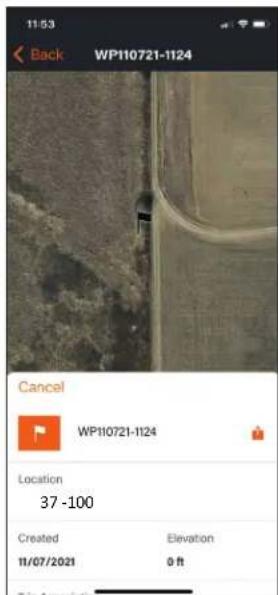
Pantalla Share (Compartir) de iOS Pantalla Share (Compartir) de Android
Iconos del mapa:
Mi Perfil

Bushnell Holdings, Inc. Bushnell Holdings, Inc.
9200 Cody 140 Great Gulf Drive, Unit B
Overland Park, Kansas 66214 Vaughan, Ontario L4K 5W1
©2022 Bushnell Outdoor Products
FCC ID: 2ASQI-GPSBTM
IC ID : 24886-GPSBTM


natural_image
Simple line drawing of a trash bin with crossed lines indicating no waste or discharge (no text or symbols)DEUTSCH
INHALTSVERZEICHNIS
BUCHSEITE #
Bedienung & Anzeige
natural_image
Close-up of an orange and black robotic device with a textured strap and labeled component '11' (no readable text or symbols beyond label)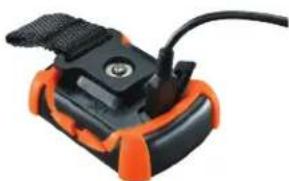
natural_image
Close-up of a black and orange handheld device with a cable, no visible text or symbols2) Brightness (Helligkeit) - Low (Gering), Medium (Mittel), High (Stark)
Fig. 5
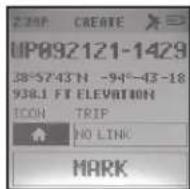
Fig. 10
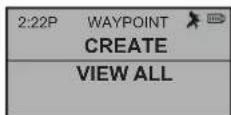
Fig. 11
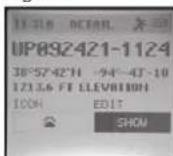
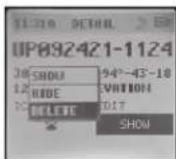
Fig. 12
Screenshots (Android) Screenshots (iOS)
natural_image
Aerial view of agricultural fields with a small vehicle driving through the distance (no visible text or symbols)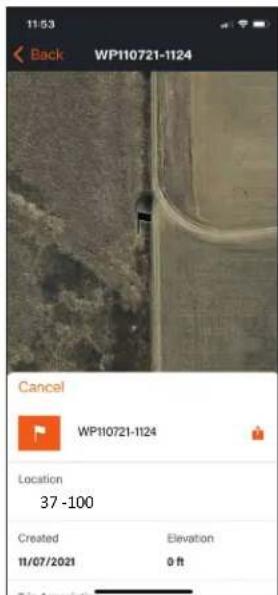
Kartensymbole:
Mein Profil

Bushnell Holdings, Inc. Bushnell Holdings, Inc.
z.Hd.: Repairs
z.Hd.: Repairs
9200 Cody 140 Great Gulf Drive, Unit B
Overland Park, Kansas 66214 Vaughan, Ontario L4K 5W1
©2022 Bushnell Outdoor Products
FCC ID: 2ASQI-GPSBTM
IC ID : 24886-GPSBTM


natural_image
Close-up of an orange and black robotic device with textured grip and labeled component '11' (no readable text or symbols beyond label)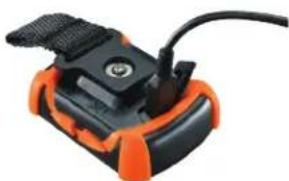
natural_image
Close-up of a black and orange handheld device with a cable, no visible text or symbolsFig. 5
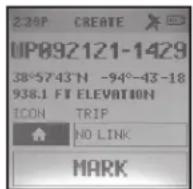
Fig. 10
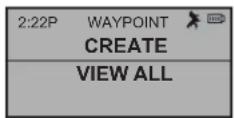
Fig. 11
COLLEGAMENTO E UTILIZZO DELL'APP BUSHNELL® CONNECT
Libreria Bushnell Connect: itinerari e waypoint
Screenshot Android Screenshot iOS
natural_image
Aerial view of a rural landscape with fields, trees, and a road (no visible text or symbols)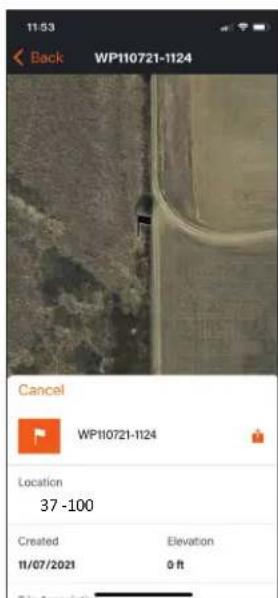
Icone della mappa:
Il mio profilo

Bushnell Holdings, Inc. Bushnell Holdings, Inc.
Attn.: Repairs
Attn.: Repairs
9200 Cody 140 Great Gulf Drive, Unit B
Overland Park, Kansas 66214 Vaughan, Ontario L4K 5W1
©2022 Bushnell Outdoor Products
Avvertenze e avvisi
FCC ID: 2ASQI-GPSBTM
IC ID : 24886-GPSBTM


natural_image
Simple line drawing of a trash bin with crossed lines indicating no waste or discharge (no text or symbols)PORTUGUÊS
ÍNDICE
PÁGINA #
Warnings & Notices....49
natural_image
Close-up of a smart device with orange and black buttons, featuring a mesh strap and labeled component '11' (no readable text or symbols beyond label)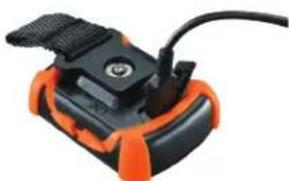
natural_image
Close-up of a black and orange handheld device with a strap and cable (no visible text or symbols)Fig. 5
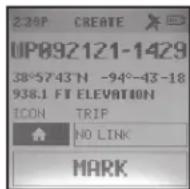
Fig. 10
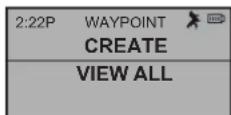
Fig. 11
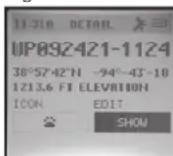
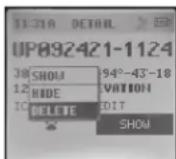
Fig. 12
LIGAR E USAR A APLICAÇÃO BUSHNELL® CONNECT
Navegar o Ecrá Inicial da Bushnell Connect
natural_image
Aerial view of a rural landscape with fields and a small vehicle, captured in an outdoor setting (no visible text or symbols)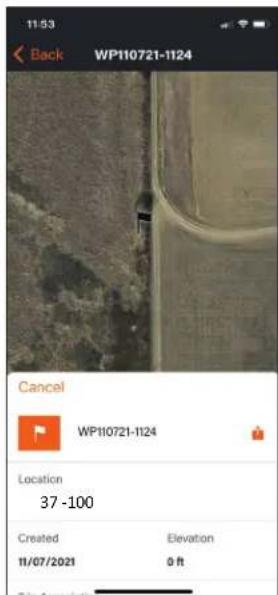
Ícones de mapa:

Bushnell Holdings, Inc. Bushnell Holdings, Inc.
At.: Consultos
At.: Consultos
9200 Cody 140 Great Gulf Drive, Unit B
Overland Park, Kansas 66214 Vaughan, Ontario L4K 5W1
©2022 Bushnell Outdoor Products
FCC ID: 2ASQI-GPSBTM
IC ID : 24886-GPSBTM


INNEHÅLLSFÖRTECKNING
SIDA #
Control and Display Guide....50
Control & Display Guide
natural_image
Close-up of an orange and black robotic device with a textured strap and labeled component '11' (no readable text or symbols beyond label)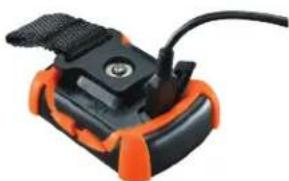
natural_image
Close-up of a black and orange handheld device with a cable, no visible text or symbolsGRUNDLÄGGANDE INSTALLATION OCH INSTÄLLNINGAR
Bild 5
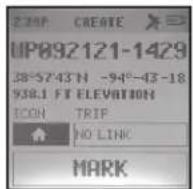
Bild 10
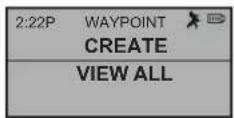
Bild 11
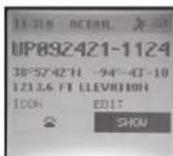
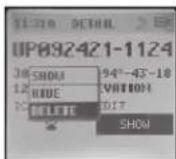
Bild 12
Inaktiv skärm
ANSLUTA OCH ANVÄNDA BUSHNELL® CONNECT-APPEN
Hitta på startskärmen i Bushnell Connect
natural_image
Aerial view of agricultural fields with a small vehicle driving through the distance (no visible text or symbols)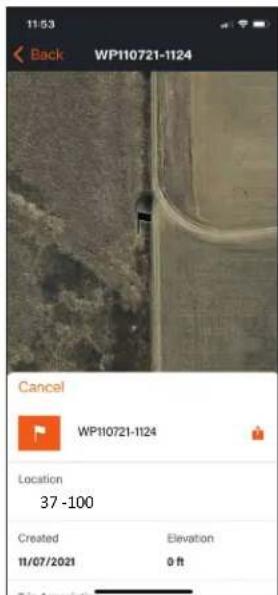
Kartikoner:
Min profil

Bushnell Holdings, Inc. Bushnell Holdings, Inc.
Attn.: Repairs
Attn.: Repairs
9200 Cody 140 Great Gulf Drive, Unit B
Overland Park, Kansas 66214 Vaughan, Ontario L4K 5W1
©2022 Bushnell Outdoor Products
FCC ID: 2ASQI-GPSBTM
IC ID : 24886-GPSBTM


APLIKACJA BUSHNELL CONNECT
INSTRUKCJA UŻYTKOWNIKA
natural_image
Close-up of an orange and black robotic device with a textured strap and labeled component '11' (no readable text or symbols beyond label)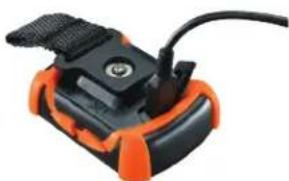
natural_image
Close-up of a black and orange handheld device with a cable, no visible text or symbolsPODSTAWOWA KONFIGURACJA I USTAWIENIA
Rys. 5
Rys. 10
Rys. 11
Rys. 12
Scan the QR code to download the Bushnell Connect App to your Android or iPhone.



PODŁĄCZANIE I KORZYSTANIE Z APLIKACJI BUSHNELL® CONNECT
natural_image
Aerial view of agricultural fields with a road and tree line, captured in an outdoor setting (no visible text or symbols)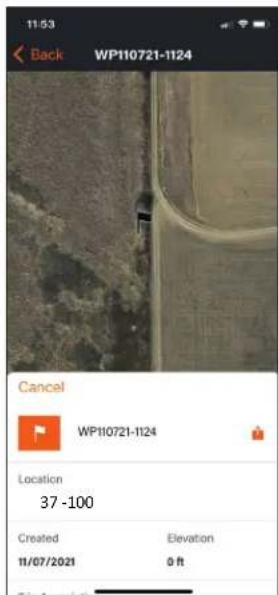
Ikony mapy:
Mój profil

Bushnell Holdings, Inc. Bushnell Holdings, Inc.
Attn.: Repairs
Attn.: Repairs
9200 Cody 140 Great Gulf Drive, Unit B
Overland Park, Kansas 66214 Vaughan, Ontario L4K 5W1
©2022 Bushnell Outdoor Products
FCC ID: 2ASQI-GPSBTM
IC ID:24886-GPSBTM