Speed Visio Nomad - Car accessory Valeo - Free user manual and instructions
Find the device manual for free Speed Visio Nomad Valeo in PDF.



| Product Type | Head-Up Display (HUD) for speed |
| Brand | Valeo |
| Model | Speed Visio Nomad |
| Dimensions (W x H x D) | 110 x 57.5 x 18 mm |
| Weight | 105 g |
| Power Supply | DC 4.5-5.5 V, consumption 2.7 W |
| Battery Type | Rechargeable built-in, charging via cigarette lighter |
| Charging Time | Approximately 5 hours (engine running) |
| Display Technology | Matrix LED (head-up display projected onto windshield via film) |
| Maximum Brightness | 5500 cd/m² (adjustable according to ambient light) |
| Speed Measurement Method | GPS satellite |
| GPS System | SIRF Star III |
| GPS Frequency | 1,575.42 MHz |
| Operating Temperature Ranges | -20°C to +80°C |
| Pre-programmed Speed Thresholds | 50, 90, 110, 120, 130 km/h (modifiable) |
| Number of Anti-reflective Films Provided | 3 (1 pre-installed, 2 spare) |
| Kit Contents | Screen with GPS antenna and battery, anti-reflective film, application squeegee, cigarette lighter charger, adjustable adhesive mount, user manual |
| Main Functions | Real-time speed display, visual and audible alert when threshold exceeded, battery level indicator, km/h or mph setting |
| Maintenance and Cleaning | Clean screen and film with a dry cloth; avoid chemicals, water and prolonged sun exposure |
| Safety Instructions | Indoor installation only, do not obstruct driver's vision, do not adjust while driving, do not open or modify the device |
| Repairability | Not user-serviceable; contact the dealer if problem persists |
Frequently Asked Questions - Speed Visio Nomad Valeo
User questions about Speed Visio Nomad Valeo
0 question about this device. Answer the ones you know or ask your own.
Ask a new question about this device
Download the instructions for your Car accessory in PDF format for free! Find your manual Speed Visio Nomad - Valeo and take your electronic device back in hand. On this page are published all the documents necessary for the use of your device. Speed Visio Nomad by Valeo.
USER MANUAL Speed Visio Nomad Valeo
Head up display by GPS
Instruction manual 03
fr
text_image
8:28' Valeo GPSSpeed/visio ^NOMAD
Instruction manual
Thank you for purchasing this product. Please read the manual carefully before starting installation and using the unit.
Caution
Speed/visio ^TMAD helps the driver while driving by ensuring full concentration on the road, but doesn't replace the driver's vigilance.
- Speed/visid ^NOMAD isn't a speed regulator and doesn't take into account the maximum authorized speed of the area. Make sure to strictly respect speed limits.
• This product can only be installed inside the car.
Please make sure that the display cannot harm • passengers in case of accident and that it is not in the driver's line of vision.
- Vehicle's speed information coming from satellite, this information can't be received under tunnels or in underground parkings.
- The GPS signal can be disrupted by bad weather conditions or very high obstacles nearby.
- The speed adjustment settings must not be made while driving.
- The display is for reference purposes only. Please drive according to the indications given by the vehicle's originally equipped instruments.
- The display sticker placed on the windshield mustn't be taken out in order to avoid any damage to the sticker.
Caution next
- You mustn't open or modify yourself the product since it could generate severe misfunction.
- The charger mustn't be used for another external use.
- Unplug the charger when you get out of the vehicle to avoid battery discharge.
- As any electronic item, Speed/visid ^NOMAD can be damaged by excessive heat. When you don't use it, avoid leaving it exposed to the sun.
- Keep the display and the sticker dry when cleaning the vehicle inside. Water could damage electronic components and generate an electrical shock.
- Avoid any contact with chemical products or detergent that could damage surface and internal components.
- It is strictly forbidden to get the product close to a flame since the rechargeable battery could explode.
- Avoid any mechanical shock that could damage mechanical and electronical components and generate irreversible damages and functional damaging.
- Valeo refuses to accept any responsibility in case of wrong product use.
Features
Speed/visio ^NOMAD is a system that displays speed information directly on the windscreen:
allows to keep an eye on the speed safely, keeping the eyes on the road.
warns the driver in case of - overspeed of preselected speedlevel.
- The system includes a GPS antenna allowing satellite information of vehicle speed and a rechargeable battery. The system is very easy to fit on the vehicle for the driver and also easy to use.
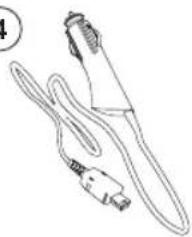
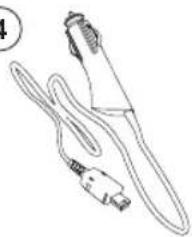
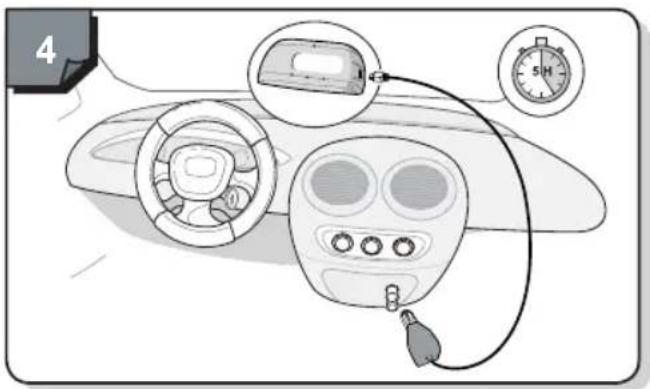
- The battery gets recharged by simple cigar lighter plug.
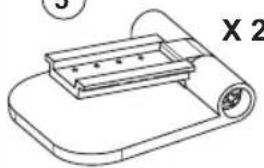
- Speed/visid ^NOMAD can be used on a second vehicle. Therefore, another socket and 2 additional films provided in the kit.
Kit components
1
natural_image
Line drawing of a rounded rectangular object with internal oval and dot markings (no text or symbols)2

X3
3
4
natural_image
Line drawing of a medical or laboratory device with a coiled cable and connector (no text or symbols)5

natural_image
Line drawing of a mechanical device with a tray and handle (no text or symbols)6

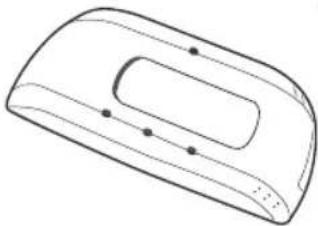
- Display module with GPS antenna, battery and light sensor integrated
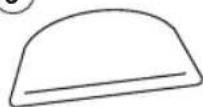
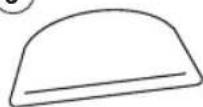
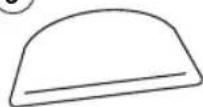
- Anti reflective stickers
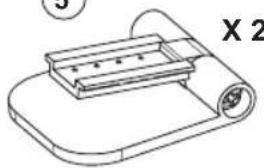
Sticker positionning support3.
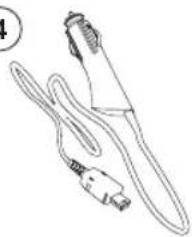
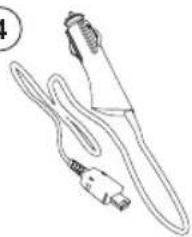
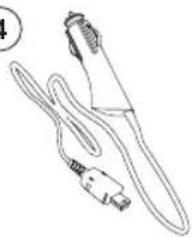
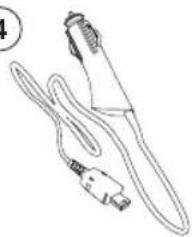
Charger 4.
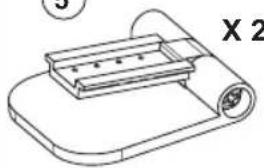
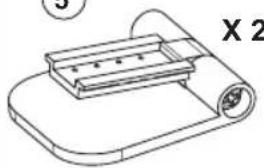
Display socket5.
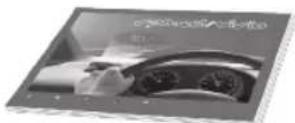
Instruction manual6.
Technical parameters
Dimensions (L x H x P): 110 x 57.5 x 18 mm ^
Weight: 105 g ^
Operating Voltage: DC 4.5 \~ V 5.5 V ^
Electrical consumption: 2.7 w ^
Maximum brightness: 5500 cd/m² (Brightness can be adjusted according to the ambient light source)
• Operating Temperature: -20^ +80^
GPS System: SIRF Star III*
Frequency: 1,575.42 Mhz ^
Product fitting

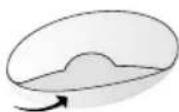
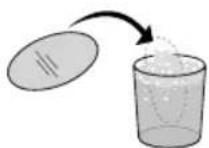
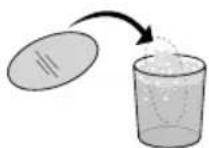
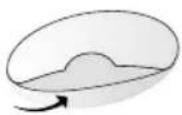
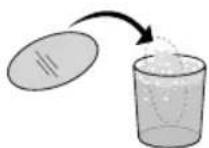
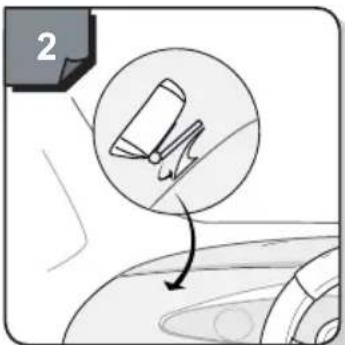
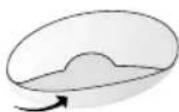
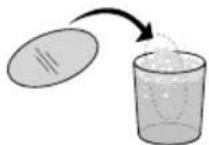
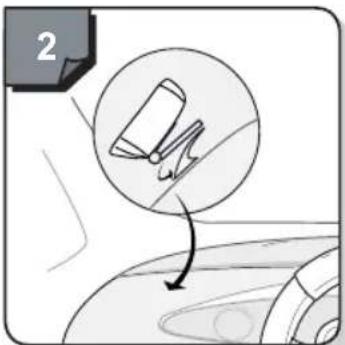
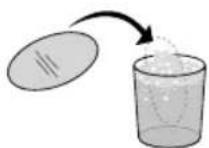
Clean the inside windshield before placing the sticker.
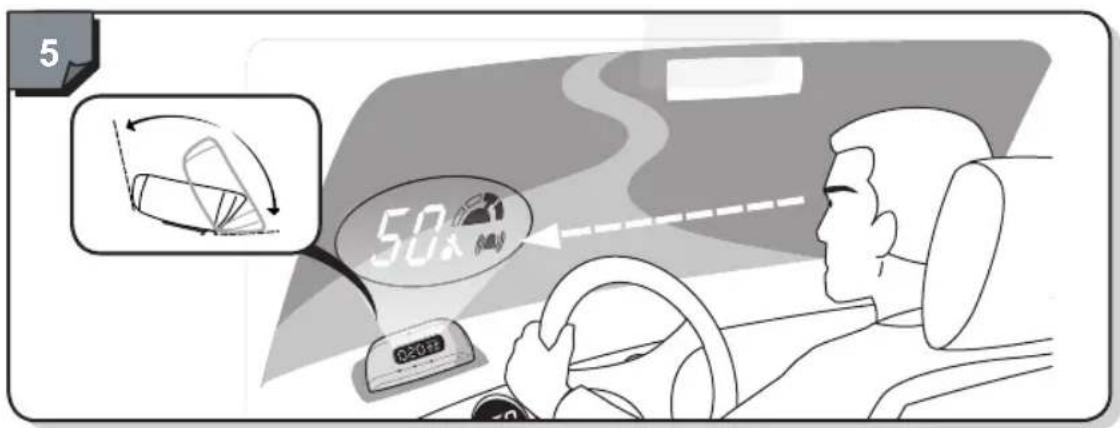
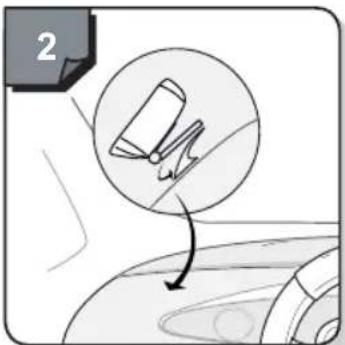
- Position the sticker on the windshield so that the speed appears in the middle of the sticker, and bellow field of vision so that it won't disturb the driver's visibility.
- Once placed, the sticker mustn't be removed to avoid damaging it. In case of bad fitting, 2 other provided in the kit.
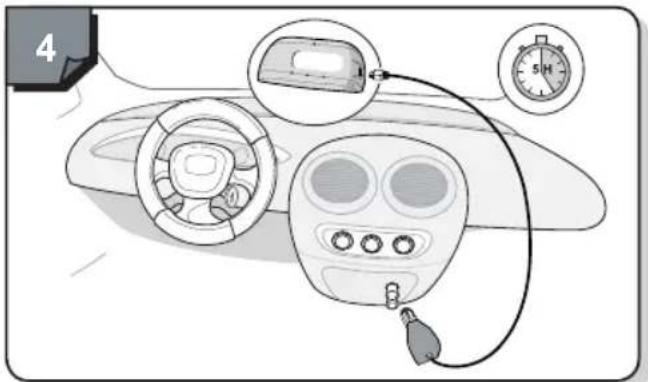
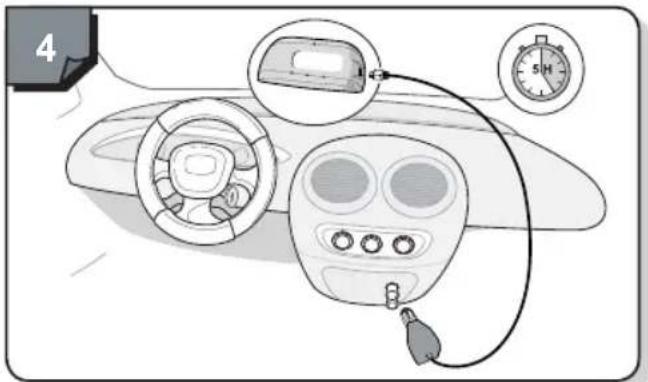
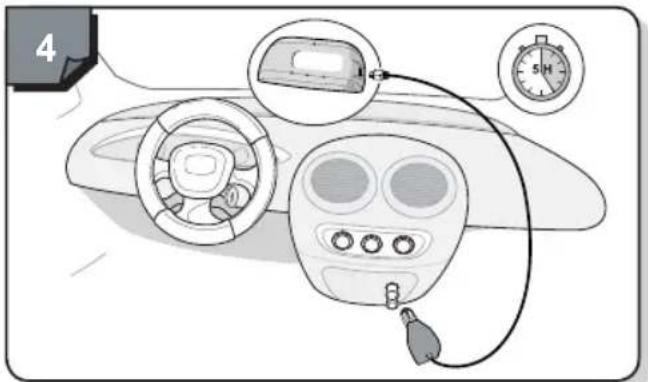
- During first product's use, plug the display to the charger to charge the battery. Full loading will require approximately 5 hours (engine running).
stickers
1

natural_image
Illustration of a gray plastic object with a curled roller and a label 'are' (no other text or symbols)

natural_image
Diagram showing a mechanical component being cut with an arrow, no text or symbols present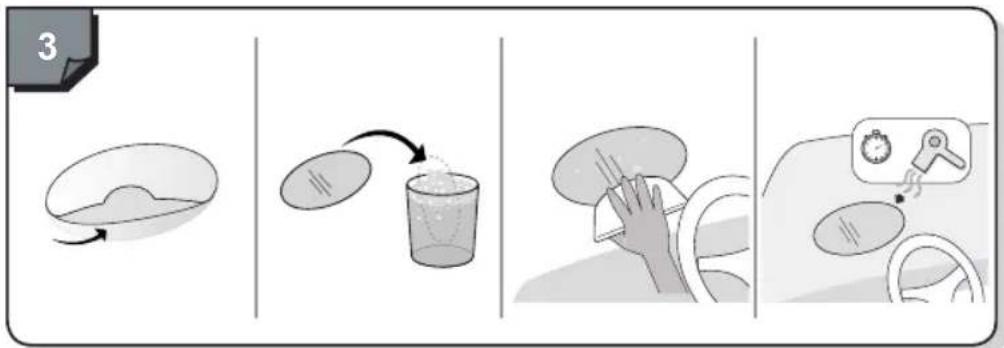
flowchart
graph LR
    A["3"] --> B[" mixing bowl "]
    B --> C[" pouring liquid into glass "]
    C --> D[" cleaning hand "]
    D --> E[" cleaning wheel "]
text_image
4
text_image
5 50x 020+/-| Turn on and functions | |
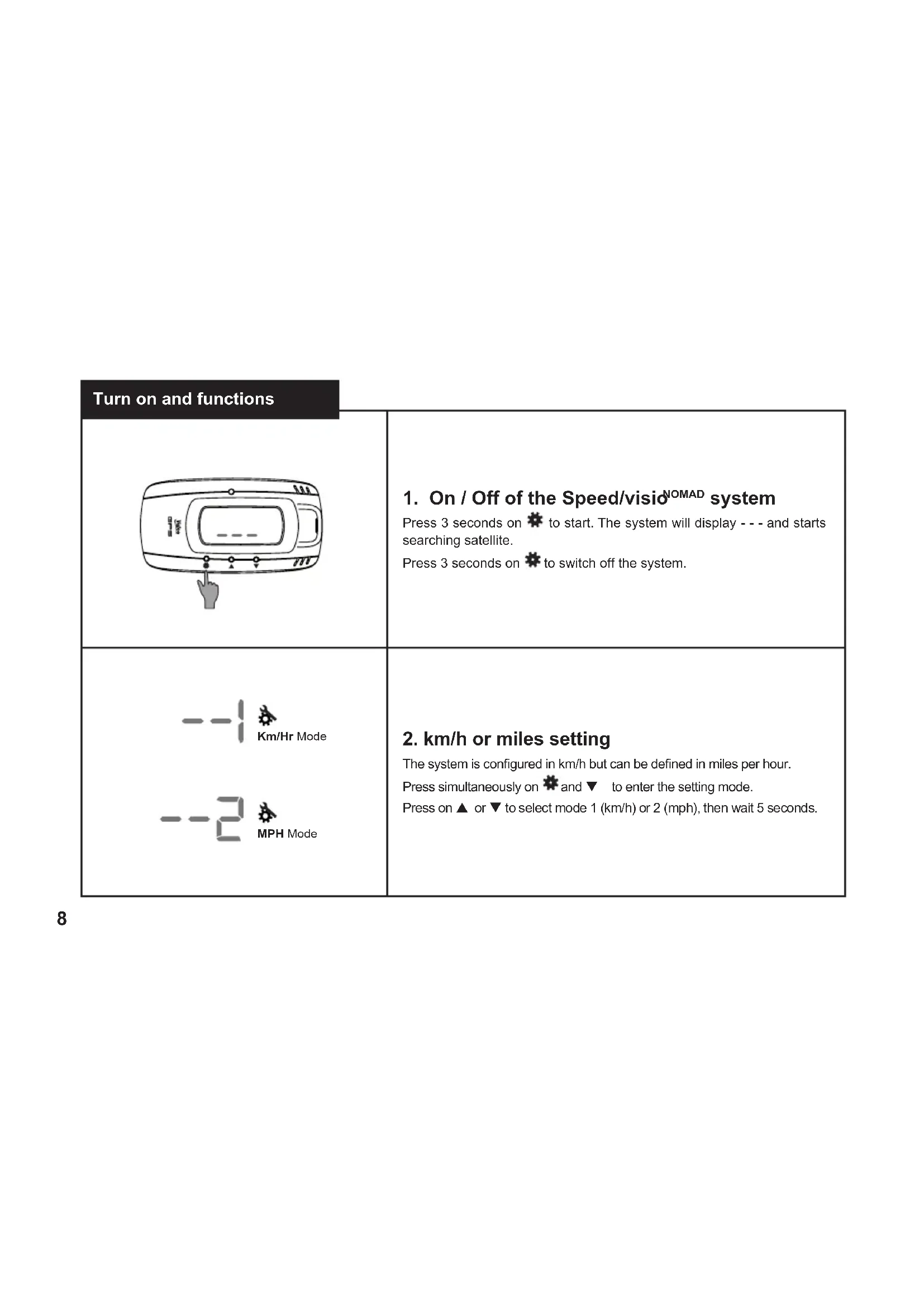
 | 1. On / Off of the Speed/visio NOMAD systemPress 3 seconds on * to start. The system will display - - - and starts searching satellite.Press 3 seconds on * to switch off the system. |
  | 2. km/h or miles settingThe system is configured in km/h but can be defined in miles per hour.Press simultaneously on * and ▼ to enter the setting mode.Press on ▲ or ▼ to select mode 1 (km/h) or 2 (mph), then wait 5 seconds. |
text_image
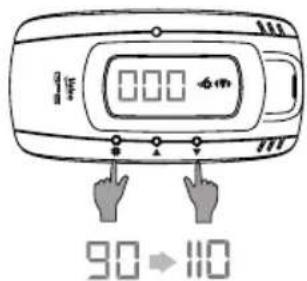
000 90→1103. Speed value selection
5 speed level are predefined: 50, 90, 110, 120, 130.
Press ▲ or ▼ to get to the predefined speed level of your choice.
The last value displayed is the one that will be selected.

text_image
000 50 000 90 000 924. Speed value setting
To define a new value for speed limit (for example 92 km/h): press on ⚙ and ∇ simultaneously, then or ⚙ to get to the speed value to be modified, then ▲ or ∇ to reach the required level of your choice.
Press on ✝ again to move to the next set of speed value you want to modify.
Press both ⚙ and ▼ simultaneously to leave the setting mode.
Turn on and functions
text_image
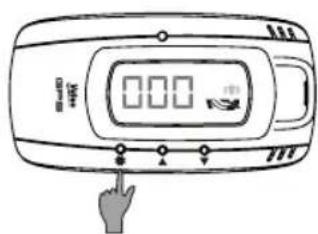
0.00 Hand Click5. Activate and deactivate alarm
Press on *to activate or deactivate the speeding alarm.
When the speeding alarm is deactivated, the (▲) symbol disappears.
and symbol only appears in case of overspeed.
Press again on ✿ to re-activate the speeding alarm, the symbol
will then appear.


6. Battery level indicator
When the system's battery is empty, the red light appears. Then plug the cable to the cigar lighter connection to recharge the battery.
Once the battery is recharged, the light becomes green.

text_image
Diagram of a digital glucose meter with three finger buttons and display showing '0.00' and '1.00' readings.7. Reset
In case of mistake, the system benefits from a reset mode that allows to come back to the initial setting. Press simultaneously on ⚙, ▲ and ▼ buttons to return to default mode.
Functions
SCREEN FUNCTIONS FUNCTION BUTTONS


Selection mode

Number Up / Down

Speeding warning of overspeed (red)

Speeding warning sound of overspeed and low battery (orange)

Set up mode (orange)
Trouble shooting
- LED display doesn't work:
Check if the battery is charged (cf. charge symbol).1.
- Press during 3 seconds the ✝ button to switch on the system.
- Display of - - instead of vehicle speed:
-
Wait a few minutes while driving so that the GPS antenna receives the information.
-
You might be driving in a tunnel or underground and the GPS antenna doesn't get any satellite information.
- Speed shown on display doesn't match with speed visio:
Check that the system is properly set in km/h or mph.
- Setting mistakes:
The system integrates a reset function (cf point 7) that allows to reinitialize default mode parameters.
If the problem persists, please contact the dealer where you purchased the product.
Speed/visio ^NOMAD
natural_image
Line drawing of a rounded rectangular object with internal oval and dot markings (no text or symbols)2

X3
3

4
natural_image
Line drawing of a medical or laboratory device with a coiled cable and connector (no text or symbols)5
natural_image
Line drawing of a mechanical device with a tray and handle (no text or symbols)6
natural_image
Diagram showing a car interior with a magnified view of the wheel and blade, no text or symbols present
flowchart
graph LR
    A["3: Looping Bowl"] --> B["Step 1: Stopping a cup with liquid"]
    B --> C["Step 2: Stopping a glass of liquid into a cup"]
    C --> D["Step 3: Stopping a hand on bed"]
    D --> E["Step 4: Stopping a hand on steering wheel with stopwatch icon"]

text_image
4
text_image
5 50x 020+/-text_image
Diagram of a digital glucose meter with three finger buttons and display showing '0.00' and '1.00' readings.7. Reset
natural_image
Line drawing of a rounded rectangular object with internal oval and dot markers (no text or symbols)2

X3
3

4

natural_image
Line drawing of a handheld electronic device with coiled cable and connector (no text or symbols)5

natural_image
Line drawing of a mechanical device with a tray and handle (no text or symbols)6

natural_image
Illustration of a flat-panel electronic device with a scroll and bracket (no text or symbols)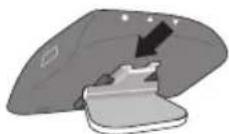

natural_image
Diagram showing a car interior with a magnified view of the wheel and a pencil, no text or symbols present.3

natural_image
Illustration of a hand washing a circular object (no text or symbols)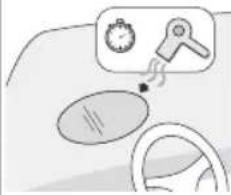
natural_image
Illustration of a car interior with steering wheel, dashboard, and stopwatch (no text or symbols)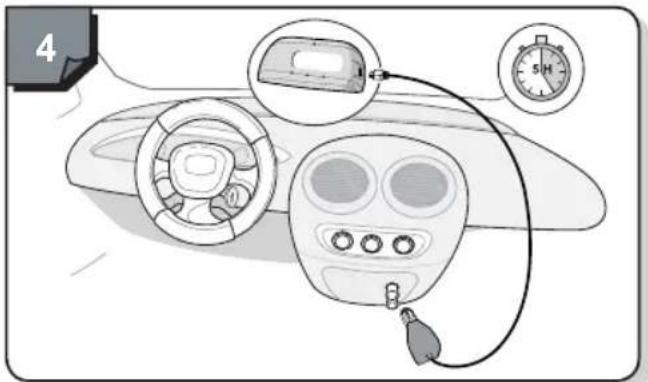
text_image
4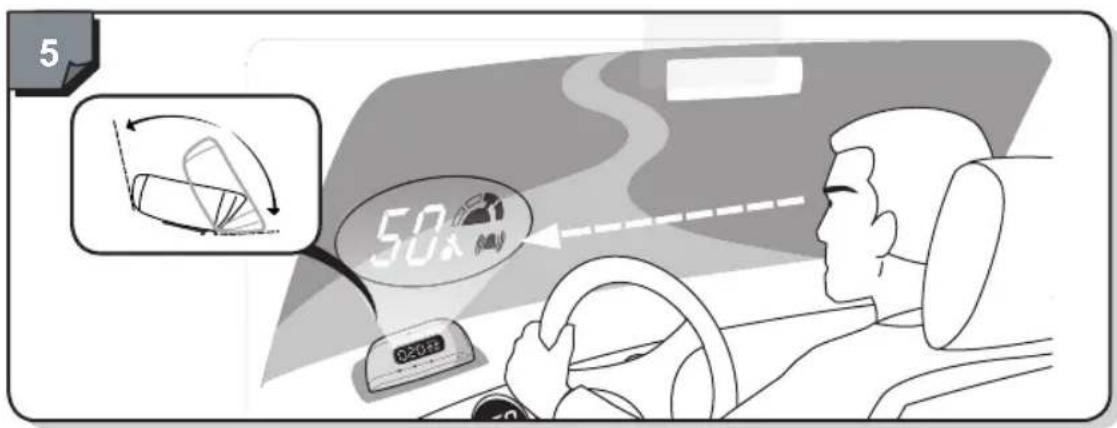
text_image
5 50x 020+/-text_image
Diagram of a digital glucose meter with three finger buttons and display showing '0.00' and 'Control'7. Reinicialización
natural_image
Line drawing of a rounded rectangular object with internal oval and small dots, resembling a device casing or cover (no text or symbols)2

X3
3

4
natural_image
Line drawing of a handheld device with coiled cable and connector (no text or symbols)5

natural_image
Line drawing of a mechanical device with a tray and handle (no text or symbols)6

natural_image
Illustration of a gray plastic electronic device with a scroll and bracket (no text or symbols)
text_image
23


natural_image
Illustration of a hand cleaning a circular object (no text or symbols)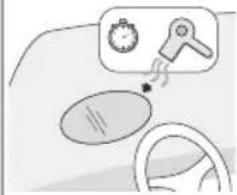
natural_image
Illustration of a car steering wheel with a stopwatch and gear icon (no text or symbols)
text_image
4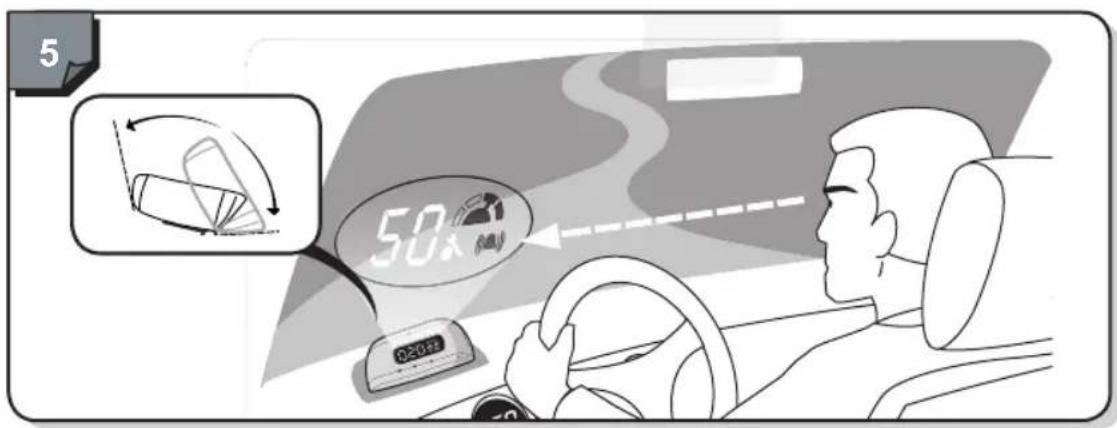
text_image
5 50x 020+/-text_image
Diagram of a mobile phone with a hand pointing to the screen, showing control buttons and display areatext_image
Diagram of a mobile phone with display and control buttons, showing '0.00' and 'Hand Click' icontext_image
Diagram of a digital device with three finger buttons and a display showing '0.00' and a small icon, likely indicating a measurement or status.7. Reset
natural_image
Line drawing of a rounded rectangular object with internal oval and dot markers (no text or symbols)2

X3
3

4
natural_image
Line drawing of a handheld device with coiled cable and connector (no text or symbols)5
natural_image
Line drawing of a mechanical device with a tray and handle (no text or symbols)6

natural_image
Illustration of a gray plastic tray with a folded roller and handle (no text or symbols)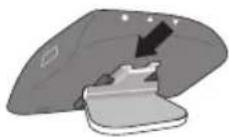

text_image
23

natural_image
Illustration of a hand cleaning a circular object (no text or symbols)
natural_image
Illustration of a car steering wheel with a stopwatch and gear icon (no text or symbols)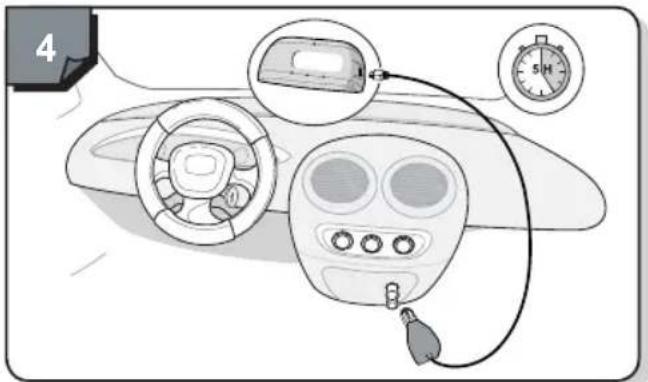
text_image
4
text_image
5 50x 020+/-Ligação e funções

text_image
Diagram of a mobile phone with labeled buttons and a hand pointing to the screentext_image
Diagram of a digital device with three finger buttons and a display showing '0.00' and a small icon, likely indicating status or function.natural_image
Line drawing of a rounded rectangular object with internal oval and dot markers (no text or symbols)2

X3
3
4

natural_image
Line drawing of a handheld electronic device with coiled cable and connector (no text or symbols)5

natural_image
Line drawing of a mechanical device with a tray and handle (no text or symbols)6

natural_image
Illustration of a gray plastic tray with a rolled roller and handle (no text or symbols)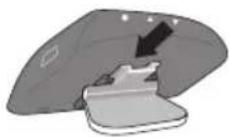
text_image
23


natural_image
Illustration of a hand cleaning a circular object (no text or symbols)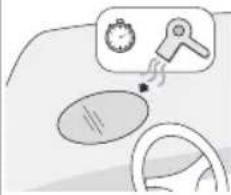
natural_image
Illustration of a car steering wheel with a magnifying glass showing a gear and a timer, no text or symbols present.
text_image
Diagram showing car interior components with a stopwatch and labeled parts, including a close-up of the dashboard and cable.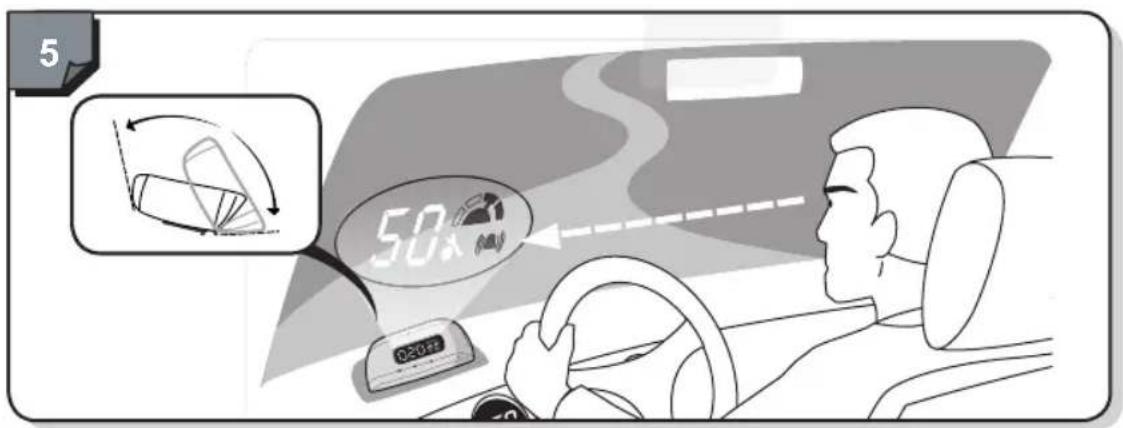
text_image
5 50x 100km/htext_image
Diagram of a mobile phone with display and control buttons, showing '0.00' and 'Hand Click' icontext_image
Diagram of a digital device with three finger buttons and a display showing '000' and '100' statusnatural_image
Line drawing of a rounded rectangular object with internal oval and small dots, resembling a device casing or tray (no text or symbols)2

X3
3

4

natural_image
Line drawing of a handheld electronic device with a USB cable and connector (no text or symbols)5
natural_image
Line drawing of a mechanical device with a tray and handle (no text or symbols)6
natural_image
Two grayscale diagrams showing a device component before and after disassembly, with no visible text or symbols.
text_image
2
flowchart
graph LR
    A["3"] --> B[" mixing bowl "]
    B --> C[" pouring liquid into glass "]
    C --> D[" cleaning hand "]
    D --> E[" cleaning wheel with stopwatch icon"]
text_image
4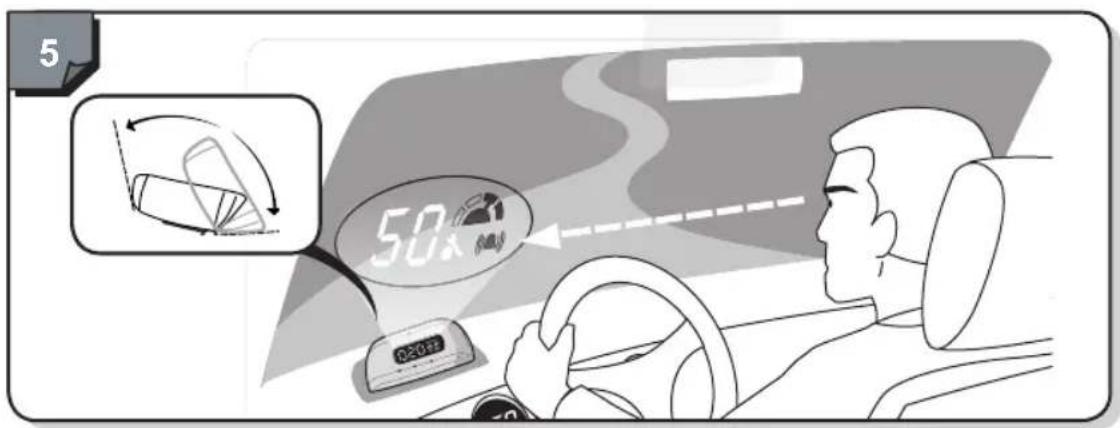
text_image
5 50x 300kmtext_image
Diagram of a mobile device with digital display and three finger buttons, showing status indicators for phone status.7. Reset
natural_image
Line drawing of a rounded rectangular object with internal oval and small dots, resembling a device casing or tray (no text or symbols)2

X3
3
4

natural_image
Line drawing of a handheld electronic device with a USB cable (no text or symbols)5

natural_image
Line drawing of a mechanical device with a tray and handle (no text or symbols)6
natural_image
Illustration of a gray plastic object with a curled paper edge and a folded top (no text or symbols)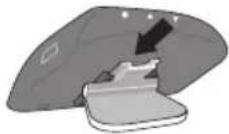

natural_image
Diagram showing a car interior with a magnified inset of a clip and arrow indicating motion (no text or symbols)3

natural_image
Illustration of a hand washing a circular object (no text or symbols)
natural_image
Illustration of a steering wheel and dashboard with a thought bubble showing a stopwatch and key (no text or symbols)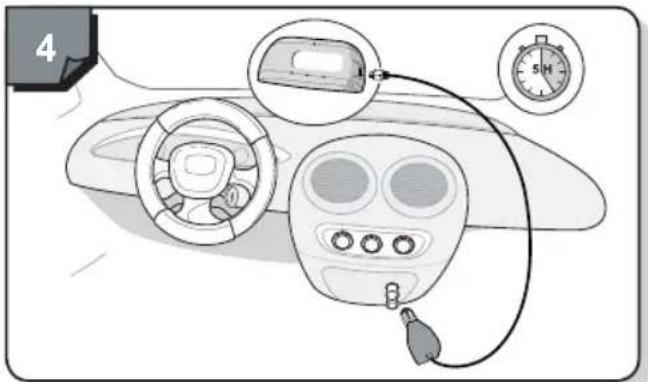
text_image
4
text_image
5 50x 300kmtext_image
Diagram of a mobile phone with labeled buttons and a hand pointing to the screen1. De Speed/visio ^NOMAD Aan/Uit zetten
text_image
Diagram of a digital glucose meter with three finger buttons and display showing '0.00' and '100%'.7. Reset
natural_image
Line drawing of a rounded rectangular device with internal oval and mounting holes (no text or symbols)2

X3
3

4

natural_image
Line drawing of a handheld device with a coiled cable and connector (no text or symbols)5
natural_image
Line drawing of a mechanical device with a tray and circular base (no text or symbols)6
natural_image
Two grayscale diagrams showing a device component before and after disassembly, with no visible text or symbols.
natural_image
Diagram showing a car wheel with a magnified inset of the wheel and a curved arrow indicating motion (no text or symbols)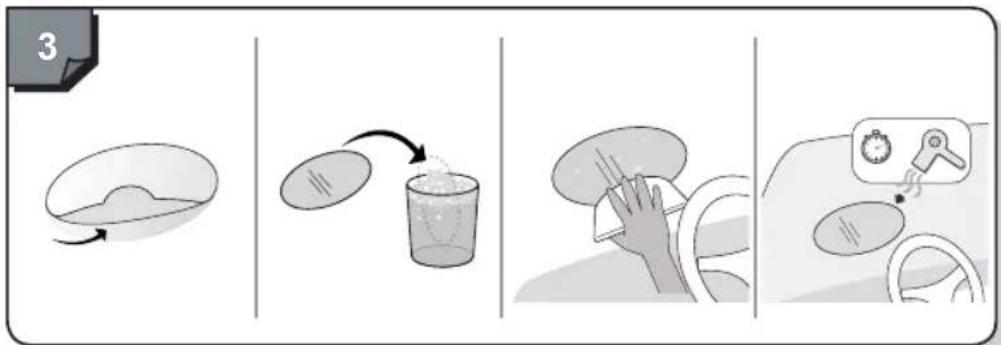
flowchart
graph LR
    A["3"] --> B["Initial mixing"]
    B --> C["Pyeing into glass"]
    C --> D["Cleaning with hand gesture"]
    D --> E["Final cleaning with stopwatch"]
text_image
4
text_image
5 50x 300kmZapnutí a funkce

text_image
Diagram of a mobile phone with labeled buttons and a hand pointing to the screen1. Zapnutí/vypnutí systému Speed/visid NOMAD
text_image
Diagram of a digital glucose meter with three finger buttons and display showing '0.00' and '1.00' readings.7. Resetování
natural_image
Line drawing of a rounded rectangular device with internal oval and mounting points (no text or symbols)2

X3
3

4
natural_image
Line drawing of a handheld device with a coiled cable and connector (no text or symbols)5

natural_image
Line drawing of a mechanical device with a tray and circular base (no text or symbols)6
natural_image
Two grayscale diagrams showing a device component before and after assembly, with no visible text or symbols.
natural_image
Diagram showing a mechanical component being inserted into a car, with an arrow indicating direction (no text or symbols present)
flowchart
graph LR
    A["3"] --> B["Add material"]
    B --> C["Transfer to glass with liquid"]
    C --> D["Clean hands with cloth"]
    D --> E["Clean hand gestures with stopwatch icon"]

text_image
Diagram showing car interior components with a stopwatch and labeled parts, including a close-up of the dashboard and cable.
text_image
5 50x 100km/hWłączenie i funkcje

text_image
Diagram of a mobile phone with labeled buttons and a hand pointing to the screentext_image
Diagram of a mobile device with digital display and three finger icons pointing to the right side, indicating finger positioning or function call.7. Reset
natural_image
Line drawing of a rounded rectangular object with internal oval and small dots, resembling a device casing or tray (no text or symbols)2

X3
3

4
natural_image
Line drawing of a handheld electronic device with a USB cable and connector (no text or symbols)5

natural_image
Line drawing of a mechanical device with a tray and handle (no text or symbols)6

natural_image
Two grayscale diagrams showing a device component with a clip and a lid, no text or symbols present.
natural_image
Diagram showing a mechanical component with an arrow indicating motion, no text or symbols present
flowchart
graph LR
    A["3"] --> B[" mixing bowl "]
    B --> C[" pouring liquid into glass "]
    C --> D[" cleaning hand "]
    D --> E[" cleaning wheel with stopwatch icon"]
text_image
4
text_image
5 50x 100km/htext_image
Diagram of a mobile phone with labeled buttons and a hand pointing to the screen areatext_image
Diagram of a mobile phone with display and control buttons, showing '0.00' and 'Hand Click' iconnatural_image
Line drawing of a rounded rectangular object with internal oval and small dots, resembling a device casing or tray (no text or symbols)2

X3
3

4

natural_image
Line drawing of a handheld electronic device with a USB cable and connector (no text or symbols)5

natural_image
Line drawing of a mechanical device with a tray and handle (no text or symbols)6
natural_image
Illustration of a gray plastic tray with a folded paper or clip (no text or symbols)
natural_image
Diagram showing a car wheel with a magnified inset of the wheel and a curved arrow indicating motion (no text or symbols)3


natural_image
Illustration of a hand cleaning a circular object (no text or symbols)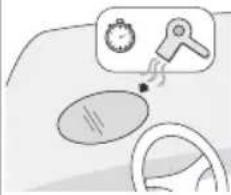
natural_image
Illustration of a car steering wheel with a magnifying glass showing a stopwatch and a hand holding a tool (no text or symbols)
text_image
4