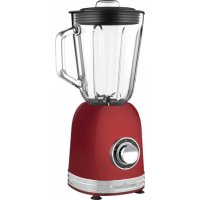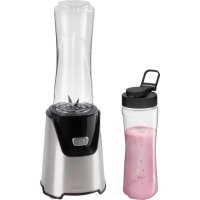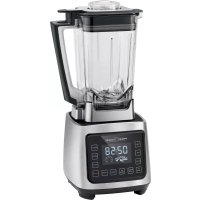
PCUM 1127 - Blender PROFICOOK - Free user manual and instructions
Find the device manual for free PCUM 1127 PROFICOOK in PDF.



User questions about PCUM 1127 PROFICOOK
0 question about this device. Answer the ones you know or ask your own.
Ask a new question about this device
Download the instructions for your Blender in PDF format for free! Find your manual PCUM 1127 - PROFICOOK and take your electronic device back in hand. On this page are published all the documents necessary for the use of your device. PCUM 1127 by PROFICOOK.
USER MANUAL PCUM 1127 PROFICOOK
natural_image
Modern kitchen blender with digital display showing 02:58 time, no visible text or symbols on the device itself.Profi -Mixer / Smoothie-Maker PC-UM 1127
Profi -mixer / Smoothiemaker • Mixeur pro-fi / machine à smoothie • Mezcladora / Batidora profesional Frullatore professionale / Apparecchio per Smoothie • Profi mixer / Smoothie maker • Profi -Mikser / Blender do koktajli Profi mixer és gyümölcsturmix-készítő • Профессиональный миксер / блендер для смузि ____
Bedienungsanleitung ...... Seite 4
Gebruiksaanwijzing....Pagina 12
Mode d'emploi....Page 18
Manual de instrucciones......Página 25
Istruzioni per l'uso....Pagina 31
Instruction Manual......Page 38
Instrukcja obsługi ...... Strona 44
Használati utasítás....Seite 51
Руководство по эксплуатации......Seite 57
68 صفحة دليل التعليمات
Bouton CLEAN (Nettoyage)
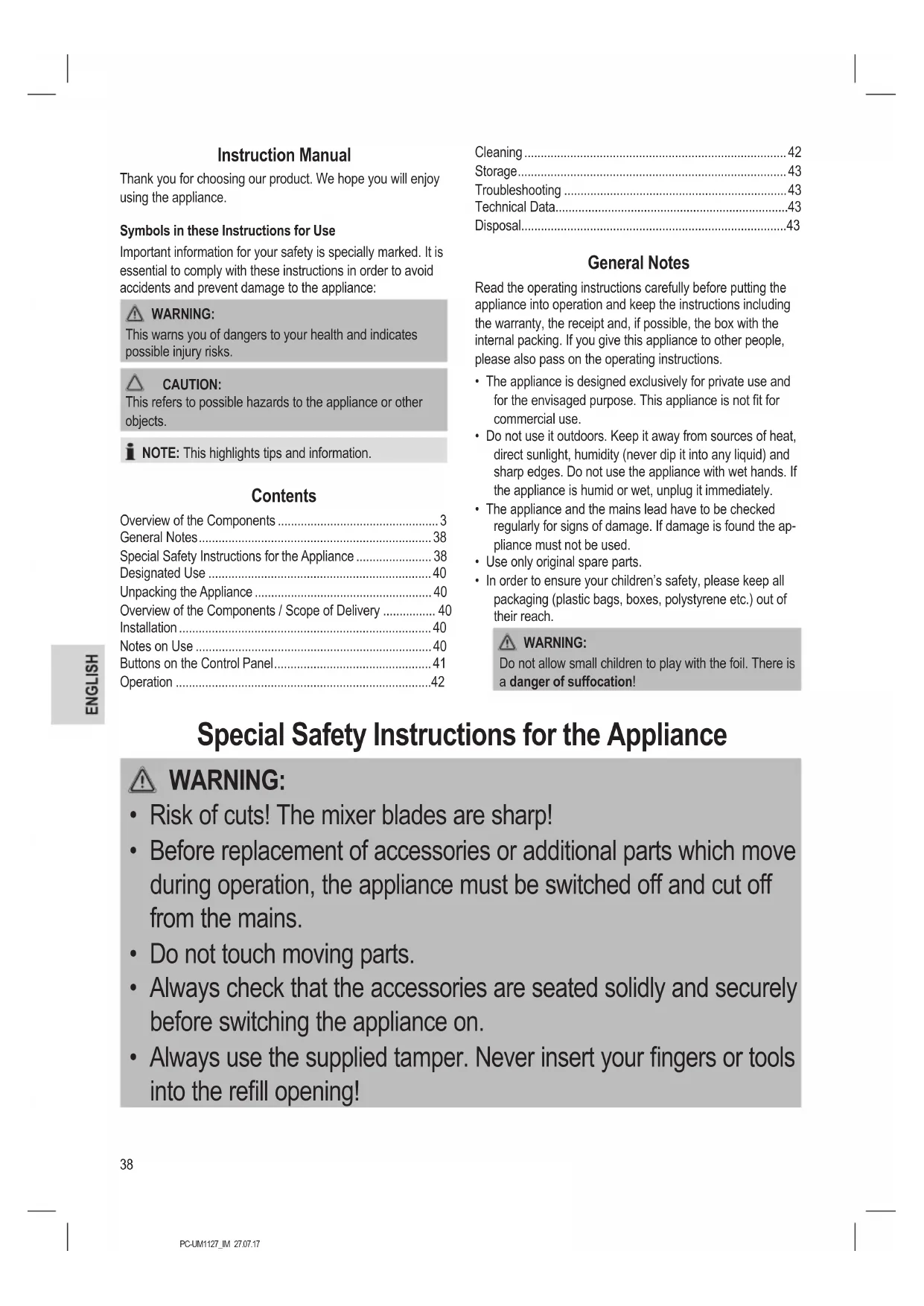
Thank you for choosing our product. We hope you will enjoy using the appliance.
Symbols in these Instructions for Use
Important information for your safety is specially marked. It is essential to comply with these instructions in order to avoid accidents and prevent damage to the appliance:

WARNING:
This warns you of dangers to your health and indicates possible injury risks.

CAUTION:
This refers to possible hazards to the appliance or other objects.

NOTE: This highlights tips and information.
Contents
Overview of the Components 3
General Notes....38
Special Safety Instructions for the Appliance 38
Designated Use 40
Unpacking the Appliance 40
Overview of the Components / Scope of Delivery 40
Installation 40
Notes on Use 40
Buttons on the Control Panel....41
Operation 42
Cleaning 42
Storage....43
Troubleshooting 43
Technical Data 43
Disposal....43
General Notes
Read the operating instructions carefully before putting the appliance into operation and keep the instructions including the warranty, the receipt and, if possible, the box with the internal packing. If you give this appliance to other people, please also pass on the operating instructions.
- The appliance is designed exclusively for private use and for the envisaged purpose. This appliance is not fit for commercial use.
- Do not use it outdoors. Keep it away from sources of heat, direct sunlight, humidity (never dip it into any liquid) and sharp edges. Do not use the appliance with wet hands. If the appliance is humid or wet, unplug it immediately.
- The appliance and the mains lead have to be checked regularly for signs of damage. If damage is found the appliance must not be used.
- Use only original spare parts.
- In order to ensure your children's safety, please keep all packaging (plastic bags, boxes, polystyrene etc.) out of their reach.

WARNING:
Do not allow small children to play with the foil. There is a danger of suffocation!
Special Safety Instructions for the Appliance

WARNING:
- Risk of cuts! The mixer blades are sharp!
- Before replacement of accessories or additional parts which move during operation, the appliance must be switched off and cut off from the mains.
- Do not touch moving parts.
- Always check that the accessories are seated solidly and securely before switching the appliance on.
- Always use the supplied tamper. Never insert your fingers or tools into the refill opening!

WARNING:
- CAUTION: Ensure that the blender is switched off before removing it from the stand.
• Always disconnect the appliance from the supply if it is left unattended and before assembling, disassembling or cleaning. - Never transport the mixer with the mixing vessel mounted!
- Do not repair the appliance by yourself. Always contact an authorized technician. If the supply cord is damaged, it must be replaced by the manufacturer, its service agent or similarly qualified persons in order to avoid a hazard.
• This appliance shall not be used by children. - Keep the appliance and its cord out of reach of children.
• Children shall not play with the appliance. - Appliances can be used by persons with reduced physical, sensory or mental capabilities or lack of experience and knowledge if they have been given supervision or instruction concerning use of the appliance in a safe way and if they understand the hazards involved.
-
This appliance must not be immersed in water for cleaning. Please follow the instructions provided in chapter "Cleaning".
-
Do not use the appliance if the mixing vessel is empty.
- Do not operate the appliance for more than 5 minutes. Then allow it to cool for approx. 5 - 10 minutes before using it again.
- The appliance should only be used under supervision.
- Do not manipulate any of the safety switches!
- Do not remove the lid during operation!
- Do not put your fingers into the filler opening.
- Objects like spoons or scrapers never may be in the mixing vessel during operation.
Designated Use
This appliance is used for
- Mixing of liquids
- Chopping firm foodstuffs
- Crushing ice.
Process hard foods like nuts or chocolate only with fluids.
It is intended for the use in private households and similar applications.
It is only to be used as instructed in this user manual. The appliance is not intended for commercial use.
Any other use shall be considered as not intended use and can lead to material damage or even personal injury.
The manufacturer shall not be liable for damages caused by not intended use.
Unpacking the Appliance
- Remove the appliance from its packaging.
- Remove all packaging materials like foils, filling materials, cable holders, and carton packaging.
- There is a protective film on the display. You may simply remove it.
- Check the scope of deliveries for completeness.
- In case of incomplete delivery or damage, do not operate the appliance. Return it to your dealer immediately.
i NOTE:
There may still be dust or production residues on the appliance. We recommend to clean the appliance as described under "Cleaning".
Overview of the Components / Scope of Delivery
1 Refill opening cap
2 Mixing vessel lid with refill opening
3 Mixing vessel with scale
4 Knife block
5 Driving axle
6 Safety switch
7 Silicone overlay
8 Base section with motor
9 SPEED+button (Increase speed)
10 SPEED -button (Decrease speed)
11 PULSE button (Pulse operation)
12 ON / OFF button (On / off)
13 START / STOP button (Start / stop program)
14 CLEAN button (Cleaning)
15 CHOP button (Shredding)
16 SHAKES button (Mixed drinks)
17 ICE CRUSH button (Ice crushing)
18 SMOOTHIE button (Smoothie)
19 TIME -button (Reduce time)
20 TIME +button (Increase time)
21 Speed display
22 Operating display of the knives
23 Duration display
Not Shown:
Professional tamper
Mains socket on the rear panel of the appliance
Cold-appliance plug
Installation
Mixing Vessel
Put the mixing vessel on the engine housing with the handle on the right.
Lid
i NOTE:
There is a safety switch in the handle of the mixing vessel. Check correct placement of the lid. (See figure on page 3)
- Press the lid firmly onto the mixing vessel. It must seal the mixing vessel completely.
- Insert the cap into the refill opening of the lid. Tighten the cap by turning it clockwise.
Notes on Use
WARNING: Risk of injuries!
Always use the supplied tamper. Never insert your fingers or tools into the filler opening!
CAUTION:
Do not fill with liquids above 50 °C.
- Place the appliance on a firm and flat surface. Make sure that it cannot tip over.
- Only switch on the appliance if the mixing vessel is closed with the lid. The refill opening in the lid must also be closed.
- Do not overfill the mixing vessel! You can fill it to a maximum of 2 litres. Use the scale on the jug.
- Froth requires a large capacity. Reduce quantities of liquids which produce a lot of froth.
- Keep one hand on the lid if you are crushing ice or if there is a large quantity of ingredients.
- Cut the food to be mixed into small pieces beforehand.
i NOTE:
If the blender despite chopped pieces does not start, briefly press the PULSE button.
- Do not remove the mixing container during operation! Pause the operation with the button START / STOP or ON / OFF and wait until the blades come to an absolute stop. Then you may remove the mixing vessel.
Protective Features
The appliance is equipped with safety switches. The appliance can only be operated if the following is observed:
- The mixing container is evenly mounted on the base and
- the lid sits snug on the handle of the mixing container.
Electric Connection
- Insert the cold-appliance plug into the mains socket of the appliance.
- Before inserting the power plug into the outlet, check that the mains voltage to be used matches that of the appliance. You can find the required information on the nameplate.
- Connect the appliance only to a correctly installed safety socket. The display and the buttons light up shortly and you can hear a signal tone. The ON / OFF button flashes.
Standby Mode (With Mounted Mixing Container Only)
- The appliance automatically switches into standby mode if no button is pressed for approx. 3 minutes. The display goes out. The ON / OFF button flashes.
- Set the appliance into standby mode early by pressing the ON / OFF button.
i NOTE:
- The appliance will turn off if you remove the lid.
- The appliance automatically switches into standby mode if you mount the mixing container again.
Short-Interval Use
The appliance is suitable for short-interval use of a maximum of 5 minutes. Allow it to cool for 5 - 10 minutes before using it again!
i NOTE:
The housing may get hot during operation.
Buttons on the Control Panel
i NOTE:
If you select a button it starts flashing.
ON/OFF Button
The ON / OFF button turns the appliance on and off. The program stops if you press the ON / OFF button while the blender is already operating. The settings will be lost.
START / STOP Button
Start and stop the program by pressing the START / STOP button.
SPEED+ / SPEED- Buttons
Using the SPEED+ / SPEED-buttons will increase or decrease the speed setting between 1 and 8. The speed setting is indicated on the display and the time is preset to 3 minutes.
TIME+ / TIME- Buttons
Using the TIME+ / TIME- buttons will increase or decrease the operating time by steps of 10 seconds. The maximum setting is 5 minutes. The duration will be shown on the display.
PULSE Button (Pulse Operation)
The motor runs in highest speed if you press and hold the PULSE button. A countdown of 3 minutes is running for your convenience. The operation stops when the button is released. The time will stop.
Auto Functions
i NOTE:
Within auto functions all speeds and durations are preset. They will be shown on the display during operation.
ICE CRUSH Button (Ice Crushing)
The blades in the mixing vessel are also suitable for crushing ice cubes. Press the button ICE CRUSH for this. Fill the ice cubes until the 1 liter mark only!
i NOTE:
You can accelerate the process ...
- by filling water into the mixing vessel in advance.
- by adding the ice cubes through the filling opening onto the rotating knife.
SMOOTHIE Button (Smoothie)
Press the SMOOTHIE button. The SMOOTHIE button is especially suited to gentle mixing. The program will control the speed.
SHAKES Button (Mixed Drinks)
This program is particularly suited for shakes.
CHOP Button (Shredding)
Press the CHOP button to shred food.
CLEAN Button (Cleaning)
Press the CLEAN button for pre-cleaning the appliance.
Operation
Preparation
- Place the mixing vessel in position.
- Now put the ingredients that are to be mixed into the mixing vessel.
- Put the lid on.
- Close the refill opening with the cap.
Operation
- Press ON / OFF to turn the appliance on.
- You have 2 options to start the operation:
- Manual input: By selecting SPEED + / SPEED-and TIME+/ TIME-you can set the desired speed setting and running time.
i NOTE:
The buttons TIME+ / TIME—can be pressed only after previously selecting a speed setting.
- Auto functions: Select one of the auto functions by pressing the appropriate button.
- Press the START / STOP button to start the program.
Adding Further Ingredients to be Mixed
Items to be mixed or spices can be fed in through the filling aperture.
- Stop the program by pressing START / STOP.
-
Add further ingredients through the refill aperture.
-
Close the opening before restarting the program.
- Press the START / STOP button. The program will continue in the previously adjusted setting.
i NOTE:
Stop a program only by pressing START / STOP. By pressing ON / OFF all preset configurations will be lost.
Stopping Operation
i NOTE:
If you let a program keep running until the end you will hear 5 signal tones.
- Press the ON / OFF button to abort the program.
- Wait until the blade comes to a complete stop.
- Remove the mains plug from the socket.
- Remove the mixing vessel. Remove it by pulling it upward.
- Take off the lid before pouring.
i IMPORTANT NOTE:
Citrus juices and food containing acids should never be stored in metal vessels.
Recipes
You can find recipes in our supplied recipe booklet. You also can find additional recipes and suggestions on the Internet.
Cleaning
WARNING:
• Always remove the plug before cleaning.
- Under no circumstances immerse the appliance in water for cleaning purposes. Otherwise this might result in an electric shock or fire.
- The blades on the knife block are very sharp. A risk of injury exists!
CAUTION:
- Do not use a wire brush or any abrasive items.
- Do not use any acidic or abrasive detergents.
• The individual parts are not dishwasher-safe.
NOTE: Preliminary Cleaning
Fill the mixing vessel halfway with water. Press the CLEAN button.
For thorough cleaning, please remove the mixing vessel.
Mixing Vessel, Lid, Cap, Tamper and Silicone Overlay
Clean these parts in a bowl of hot water. Then dry everything before assembling the parts again.
i NOTE:
Do not operate the appliance without silicone overlay!
Housing
Only a moderately moist cloth should be used for cleaning the outside of the appliance.
Storage
- Clean the appliance as described. Let the accessories dry completely.
- We recommend to store the appliance in its original packaging when it won't be used for a longer period.
• Always store the appliance at a well ventilated and dry place outside the reach of children.
Troubleshooting
| Problem Possible Cause Remedy | ||
| The appliance is not working. | The appliance has no power supply. Check the | the socket with another appliance. |
| Plug in the mains plug correctly | ||
| Check the main circuit breaker. | ||
| Your appliance is equipped with safety switches. They prevent accidental starting of the motor. | Check correct position of the mixing vessel and the lid on the mixing vessel. | |
| The appliance stops during operation. | The appliance is fitted with a protective switch. It blocks the motor in case of an overload. | Disconnect the mains plug from the wall socket. |
| Let the appliance cool down for at least 15 minutes before switching it on again. | ||
| Reduce the quantity in the vessel. | ||
Technical Data
Model: PC-UM 1127
Power supply: 220 - 240 V\~, 50 / 60 Hz
Power rating: 2000 W
Protection class: I
Capacity: max. 2.0 l
Net weight: ....approx. 5.6 kg
The right to make technical and design modifications in the course of continuous product development remains reserved.
This appliance has been tested according to all relevant current CE guidelines, such as electromagnetic compatibility and low voltage directives, and has been constructed in accordance with the latest safety regulations.
Disposal
Meaning of the "Dustbin" Symbol
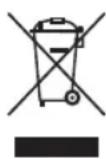
Protect our environment: do not dispose of electrical equipment in the domestic waste.
Please return any electrical equipment that you will no longer use to the collection points provided for their disposal.
This helps avoid the potential effects of incorrect disposal on the environment and human health.
This will contribute to the recycling and other forms of reutilisation of electrical and electronic equipment.
Information concerning where the equipment can be disposed of can be obtained from your local authority.
Instrukcja obsługi
CTC Clatronic Sp. z o.o
Ul. Brzeska 1
45-960 Opole