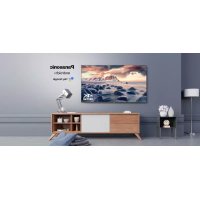
TX43JX700E - Television PANASONIC - Free user manual and instructions
Find the device manual for free TX43JX700E PANASONIC in PDF.

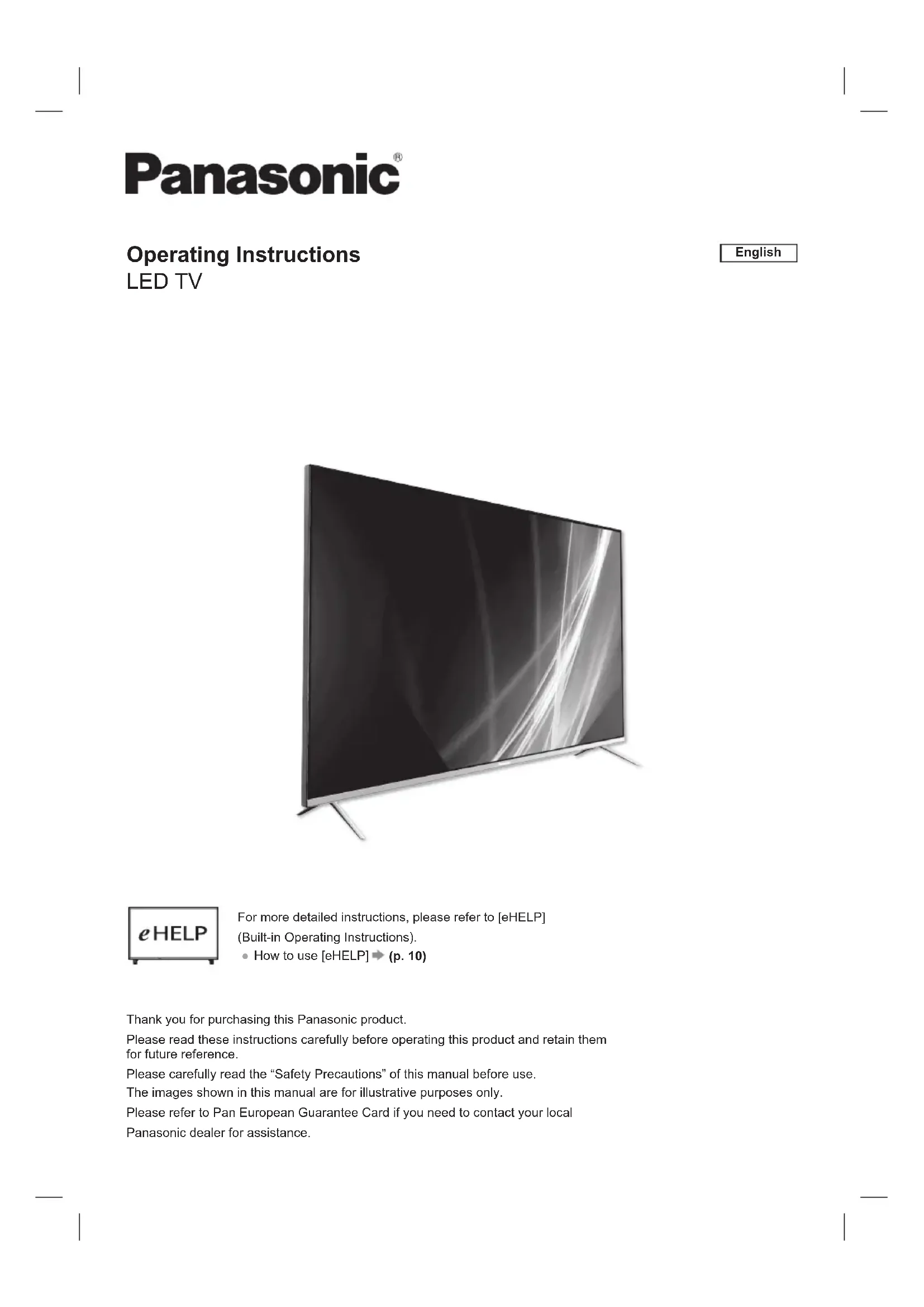


| Product Type | LED Television |
| Brand | Panasonic |
| Model | TX43JX700E |
| Screen Size | 43 inches (109 cm) |
| Dimensions with Stand | 963 mm × 614 mm × 243 mm |
| Dimensions without Stand | 963 mm × 567 mm × 78 mm |
| Weight with Stand | 8.55 kg |
| Weight without Stand | 8.35 kg |
| Power Supply | AC 220-240 V, 50/60 Hz |
| Audio Power | 16 W (8 W + 8 W) |
| Receiving Systems | DVB-T/T2, DVB-C, DVB-S/S2 |
| Connectivity | 4 HDMI inputs, USB, Ethernet, Bluetooth 5.1, Wi-Fi |
| Audio/Video Features | Dolby Vision, Dolby Atmos, Dolby Audio |
| Voice Assistant | Google Assistant (via built-in microphone) |
| User Manual | [eHELP] built-in (detailed manual in the TV) |
| Maintenance and Cleaning | Soft cloth, clean water or diluted neutral detergent (1:100) |
| Safety | Stability, disconnect mains, avoid falls, ventilation (10 cm) |
| Supplied Accessories | Remote control, batteries, stand, power cord |
| General Information | PDF manual available, pan-European warranty |
Frequently Asked Questions - TX43JX700E PANASONIC
User questions about TX43JX700E PANASONIC
0 question about this device. Answer the ones you know or ask your own.
Ask a new question about this device
Download the instructions for your Television in PDF format for free! Find your manual TX43JX700E - PANASONIC and take your electronic device back in hand. On this page are published all the documents necessary for the use of your device. TX43JX700E by PANASONIC.
USER MANUAL TX43JX700E PANASONIC
natural_image
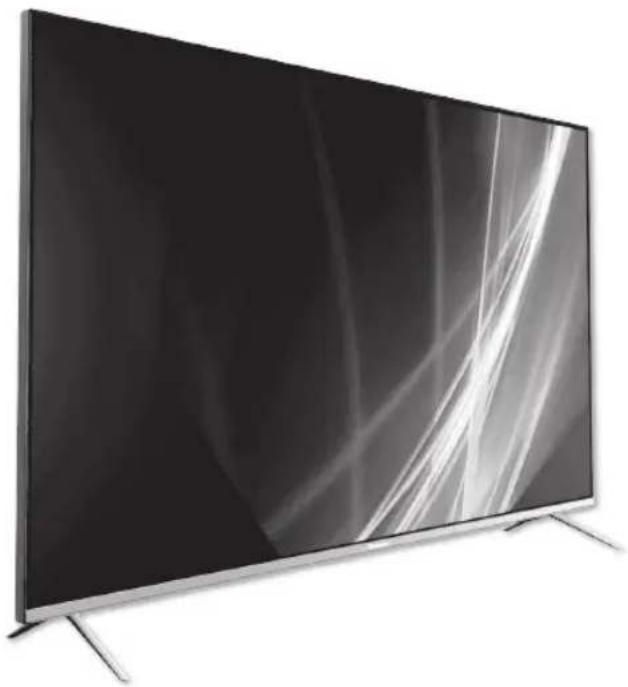
Modern flat-screen TV with black and white abstract lighting (no text or symbols visible)
Avertissement important ....3
Questions/Réponses....11
Spécificités....12
Licence
HE NC Advance™ Covered by patents at patentist.accessadvance.com
Avertissement important
+ APHRC 30 AE 78:02:36.9C
APHRC 30 AE:78.02:35.00
APHRC 30:AE:73:02:05:0C
Dimensions (I / H / P)
natural_image
Modern flat-screen TV with black and white abstract lighting (no visible text or symbols)
HE NC Advance™ Covered by patents at patentist.accessadvance.com
Wichtiger Hinweis
APHRC 30:AE:7B:02:35.0C
APHRC 00:AE:70:02:35.0C
APHRC 30AE.78.02.35.0C
DIGITAL AUDIO-Output
PCM/Dolby Digital, Glasfaser
natural_image
Modern flat-screen TV with black and white abstract lighting (no text or symbols visible)
Avviso importante
APHRC 20-AE:70:02:06:00
APHRC 30:AE:78:02:35:0C
APHRC 30:AE:73:02:35:0C
Dimensioni (L x A x P)
WFA WPA/WPA2 PERSONAL, WPS2.0, WAPI
natural_image
Modern flat-screen TV with black and white abstract lighting (no text or symbols visible)
APHRC 30 AE:7B:02:35 0G
APHRC 30AE73:02:35:0C
50 inc model 55 inc model
65 inc model 75 inc model
20 W (10 W + 10 W)
Kulaklik
WFA WPA / WPA2 kişisel, WPS2.0, WAPI
Operating Instructions
LED TV
English
natural_image
Modern flat-screen TV with black and white abstract lighting (no text or symbols visible)
For more detailed instructions, please refer to [eHELP] (Built-in Operating Instructions).
• How to use [eHELP] → (p. 10)
Thank you for purchasing this Panasonic product.
Please read these instructions carefully before operating this product and retain them for future reference.
Please carefully read the "Safety Precautions" of this manual before use.
The images shown in this manual are for illustrative purposes only.
Please refer to Pan European Guarantee Card if you need to contact your local
Panasonic dealer for assistance.
Table of Contents
Licence 2
Important Notice....3
Safety Precautions....4
Identifying Controls....8
Bluetooth....9
How to Use eHELP ....10
Maintenance....10
FAQs....11
Specifications....12
Licence
Even if no special notation has been made of company or product trademarks, these trademarks have been fully respected.
DVB and the DVB logos are trademarks of the DVB Project.
DiSEqC ^™ is a trademark of EUTELSAT.
The terms HDMI, HDMI High-Definition Multimedia Interface, and the HDMI Logo are trademarks or registered trademarks of HDMI Licensing Administrator, Inc.

HIGH-DEFINITION MULTIMEDIA INTERFACE
Dolby, Dolby Vision, Dolby Atmos, Dolby Audio, and the double-D symbol are registered trademarks of Dolby Laboratories Licensing Corporation.
Manufactured under license from Dolby Laboratories. Confidential unpublished works. Copyright © 2012–2021 Dolby Laboratories. All rights reserved.
Dolby Vision·Atmos
For DTS patents, see http://patents.dts.com. Manufactured under license from DTS Licensing Limited. DTS, the Symbol, DTS and the Symbol together, DTS-HD, and the DTS-HD logo are registered trademarks or trademarks of DTS, Inc. in the United States and/or other countries. © DTS, Inc. ALL RIGHTS RESERVED.
dts HD.
HE NC Advance™ Covered by patents at patentlist.accessadvance.com
Important Notice
Notice for DVB / Data broadcasting
This TV is designed to meet the standards (as of August, 2020) of DVB-T / T2 (MPEG2, MPEG4-AVC(H.264), HEVC(H.265)) digital terrestrial services, DVB-C (MPEG2, MPEG4-AVC(H.264), HEVC(H.265)) digital cable services and DVB-S (MPEG2, MPEG4-AVC(H.264), HEVC(H.265)) digital satellite services. Consult your local dealer for availability of DVB-T / T2 or DVB-S services in your area.
Consult your cable service provider for availability of DVB-C services with this TV.
- This TV may not work correctly with the signal which does not meet the standards of DVB-T / T2, DVB-C or DVB-S.
- Not all the features are available depending on the country, area, broadcaster, service provider and satellite environment.
- Not all CI modules work properly with this TV. Consult your service provider about the available CI module.
- This TV may not work correctly with CI module that is not approved by the service provider.
• Additional fees may be charged depending on the service provider. - Compatibility with future services is not guaranteed
Internet apps are provided by their respective service providers, and may be changed, interrupted, or discontinued at any time.
Panasonic assumes no responsibility and makes no warranty for the availability or the continuity of the services.
Panasonic does not guarantee operation and performance of peripheral devices made by other manufacturers; and we disclaim any liability or damage arising from operation and/or performance from usage of such other maker's peripheral devices.
Handling of customer information
When using Internet connecting function of this TV, after agreeing to Panasonic's terms of service / privacy policy (hereinafter referred to as terms and conditions etc.), Customer Information on the use of this unit may be collected and used according to terms and conditions etc.
Customer's personal information may be recorded on this TV by broadcasting organization or application provider. Before repairing, transferring or discarding this TV, erase all the information recorded on this TV according to the following procedure.
[eHELP] (Search by Settings > Factory Reset)
Customer Information may be collected by provider via application provided by third parties on this TV or website. Please confirm the terms and conditions etc. of provider in advance.
- Panasonic will not be held responsible for collecting or using customer information via application provided by third party on this TV or website.
- When entering your credit card number, name, etc., pay special attention to the trustworthiness of the provider.
- Registered information may be registered in the server etc. of provider. Before repairing, transferring or discarding this TV, be sure to erase the information according to the terms and conditions etc. of provider.
This product is licensed under the AVC patent portfolio license for the personal and non-commercial use of a consumer to (i) encode video in compliance with the AVC Standard ("AVC Video") and/or (ii) decode AVC Video that was encoded by a consumer engaged in
a personal and non-commercial activity and/or was obtained from a video provider licensed to provide AVC Video. No license is granted or shall be implied for any other use.
Additional information may be obtained from MPEG LA, LLC.
See http://www.mpegla.com.

This mark indicates the product operates on AC voltage.

This mark indicates a Class II or double insulated electrical appliance wherein the product does not require a safety connection to electrical earth (ground).
Transport only in upright position.
Safety Precautions
To help avoid risk of electrical shock, fire, damage or injury, please follow the warnings and cautions below:
■ Mains plug and lead
Warning
If you detect anything unusual, immediately remove the mains plug.
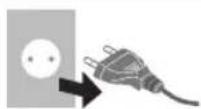
- This TV is designed to operate on AC 220-240 V, 50 / 60 Hz.
- Insert the mains plug fully into the mains socket.
- To turn Off the apparatus completely, you must pull the mains plug out of the mains socket.
Consequently, the mains plug should be easily accessible at all times.
- Disconnect the mains plug when cleaning the TV.
- Do not touch the mains plug with wet hands.

- Do not damage the mains lead.
- Do not place a heavy object on the lead.

- Do not place the lead near a high temperature object.

- Do not pull on the lead. Hold onto the mains plug body when disconnecting the plug.

- Do not move the TV with the lead plugged into a mains socket.
- Do not twist the lead, bend it excessively or stretch it.
- Do not use a damaged mains plug or mains socket.
- Ensure the TV does not crush the mains lead.
- Do not use any mains lead other than that provided with this TV.
Take care
Warning
- Do not remove covers and never modify the TV yourself as live parts are accessible and risk of electric shock when they are removed. There are no user serviceable parts inside.

- Do not expose the TV to rain or excessive moisture. This TV must not be exposed to dripping or splashing water and objects filled with liquid, such as vases, must not be placed on top of or above the TV.
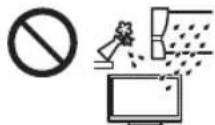
- Do not insert foreign objects into the TV through the air vents.
- If the TV is used in an area where insects may easily enter the TV.
It is possible for insects to enter the TV, such as small flies, spiders, ants, etc. which may cause damage to the TV or become trapped in an area visible on the TV, e.g. within the screen.
- If the TV is used in an environment where there is dust or smoke.
It is possible for dust/smoke particles to enter the TV through the air vents during normal operation which can become trapped inside the unit. This may cause overheating, malfunction, deterioration in picture quality, etc.
- Do not use an unapproved pedestal / mounting equipment. Be sure to ask your local Panasonic dealer to perform the setup or installation of approved wall-hanging brackets.
- Do not apply any strong force or impact to the display panel.
- Ensure that children do not climb on the TV.
- Do not place the TV on sloping or unstable surfaces, and ensure that the TV does not hang over the edge of the base.

Warning- Stability Hazard
A television set may fall, causing serious personal injury or death. Many injuries, particularly to children, can be avoided by taking simple precautions such as:
- ALWAYS use cabinets or stands or mounting methods recommended by the manufacturer of the television set.
- ALWAYS use furniture that can safely support the television set.
- ALWAYS ensure the television set is not overhanging the edge of the supporting furniture.
- ALWAYS educate children about the dangers of climbing on furniture to reach the television set or its controls.
- ALWAYS route cords and cables connected to your television so they cannot be tripped over, pulled or grabbed.
- NEVER place a television set in an unstable location.
- NEVER place the television set on tall furniture (for example, cupboards or bookcases) without anchoring both the furniture and the television set t a suitable support.
- NEVER place the television set on cloth or other materials that may be located between the television set and supporting furniture.
- NEVER place items that might tempt children to climb, such as toys and remote controls, on the top of the television or furniture on which the television is placed.
If the existing television set is going to be retained and relocated, the same considerations as above should be applied.
• This TV is designed for table-top use.
- Do not expose the TV to direct sunlight and other sources of heat.

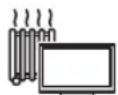
To prevent the spread of fire, keep candles or other open flames away from this product at all times.

■ Suffocation / Choking Hazard
Warning
- The packaging of this product may cause suffocation, and some of the parts are small and may present a choking hazard to young children. Keep these parts out of reach of young children.
Pedestal
Warning
- Do not disassemble or modify the pedestal.
Caution
- Do not use any pedestal other than the one provided with this TV.
- Do not use the pedestal if it becomes warped or physically damaged. If this occurs, contact your nearest Panasonic dealer immediately.
- During setup, make sure that all screws are securely tightened.
- Ensure that the TV does not suffer any impact during installation of the pedestal.
- Ensure that children do not climb onto the pedestal.
- Install or remove the TV from the pedestal with at least two people.
- Install or remove the TV according to the specified procedure.
Radio waves
Warning
- Do not use the TV in any medical institutions or locations with medical equipment. Radio waves may interfere with the medical equipment and may cause accidents due to malfunction.
- Do not use the TV near any automatic control equipment such as automatic doors or fire alarms. Radio waves may interfere with the automatic control equipment and may cause accidents due to malfunction.
- Keep at least 15 cm away from the TV if you have a cardiac pacemaker. Radio waves may interfere with the operation of the pacemaker.
- Do not disassemble or alter the TV in any way.
■ Built-in wireless LAN
Caution
- Do not use the built-in wireless LAN to connect to any wireless network (SSID*) for which you do not have usage rights. Such networks may be listed as a result of searches. However, using them may be regarded as illegal access.
* SSID is a name for identifying a particular wireless network for transmission. - Do not subject the built-in wireless LAN to high temperatures, direct sunlight or moisture.
- Data transmitted and received over radio waves may be intercepted and monitored.
- The built-in wireless LAN uses 2.4 GHz and 5 GHz frequency bands. To avoid malfunctions or slow response caused by radio wave interference when using the built-in wireless LAN, keep the TV away from other devices that use 2.4 GHz and 5 GHz signals such as other wireless LAN devices, microwave ovens, and mobile phones.
- When problems occur due to static electricity, etc., the TV might stop operating to protect itself. In this case, turn the TV off at the Mains power On / Off switch, then turn it back on.
Bluetooth® wireless technology
Caution
- The TV and the remote control use the 2.4 GHz radio frequency ISM band (Bluetooth®). To avoid malfunctions or slow response caused by radio wave interference, keep the TV and the remote control away from the devices such as other wireless LAN devices, other Bluetooth® devices, microwaves, mobile phones and the devices that use 2.4 GHz signal.
Ventilation
Caution
Allow sufficient space (at least 10 cm) around the TV in order to help prevent excessive heat, which could lead to early failure of some electronic components.
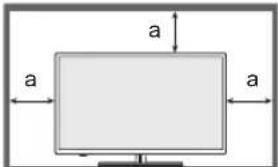
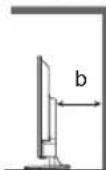
a: 10 ~cm b: 10 ~cm
- Ventilation should not be impeded by covering the ventilation openings with items such as newspapers, tablecloths and curtains.

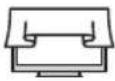
- Whether you are using a pedestal or not, always ensure the vents at the bottom of the TV are not blocked and there is sufficient space to enable adequate ventilation.
■ Moving the TV
Caution
Before moving the TV, disconnect all cables.
- At least two people are required to move the TV.
■ When not in use for a long time
Caution
This TV will still consume some power even in the Off mode, as long as the mains plug is still connected to a live mains socket.
- Remove the mains plug from the wall socket when the TV is not in use for a prolonged period of time.
Excessive volume
Caution
- Do not expose your ears to excessive volume from the headphones. Irreversible damage can be caused.

- If you hear a drumming noise in your ears, turn down the volume or temporarily stop using the headphones.
■ Battery for the Remote Control
Caution
- Incorrect installation may cause battery leakage, corrosion and explosion.
- Replace only with the same or equivalent type.
- Do not mix old and new batteries.
- Do not mix different battery types (such as alkaline and manganese batteries).
- Do not use rechargeable batteries (Ni-Cd, etc.).
- Do not burn or break up batteries.
- Do not expose batteries to excessive heat such as sunshine, fire or the like.
• Make sure you dispose of batteries correctly.
- Remove the battery from the unit when not using for a prolonged period of time to prevent battery leakage, corrosion and explosion.
■ LED TV Declaration of Conformity (DoC)
"Hereby, Panasonic Marketing Europe GmbH declares that this TV is in compliance with the essential requirements and other relevant provisions of the Directive 2014/53/EU and Radio Equipment Regulations 2017."
If you want to get a copy of the original DoC of this TV, please visit the following website:
http://www.ptc.panasonic.eu/compliance-documents
Authorized Representative:
Panasonic Marketing Europe GmbH
Hagenauer Strasse 43, D-65203 Wiesbaden, Germany
Web site: http://www.panasonic.com

5.15 - 5.35 GHz band of wireless LAN is restricted to indoor operation only in the following countries.
Austria, Belgium, Bulgaria, Czech Republic, Denmark, Estonia, France, Germany, Iceland, Italy, Greece, Spain, Cyprus, Latvia, Liechtenstein, Lithuania, Luxembourg, Hungary, Malta, Netherlands, Norway, Poland, Portugal, Romania, Slovenia, Slovakia, Turkey, Finland, Sweden, Switzerland, Croatia, United Kingdom, Northern Ireland.
Radiation Exposure Statement:
This equipment complies with CE radiation exposure limits set forth for an uncontrolled environment.
This equipment should be installed and operated with minimum distance 20cm between the radiator & body.
Maximum radio-frequency power transmitted in the frequency bands
| Type of wireless F | Frequency band Maximum EIRP | |
| Wireless LAN | 2 400-2 483.5 MHz | 20 dBm |
| 5 150-5 250 MHz | 23 dBm | |
| 5 250-5 350 MHz | 23 dBm | |
| 5 470-5 725 MHz | 30 dBm | |
| 5 725-5 875 MHz | 13.98 dBm | |
| Bluetooth® | 2 402-2 480 MHz | 20 dBm |
Identifying Controls
Remote Control
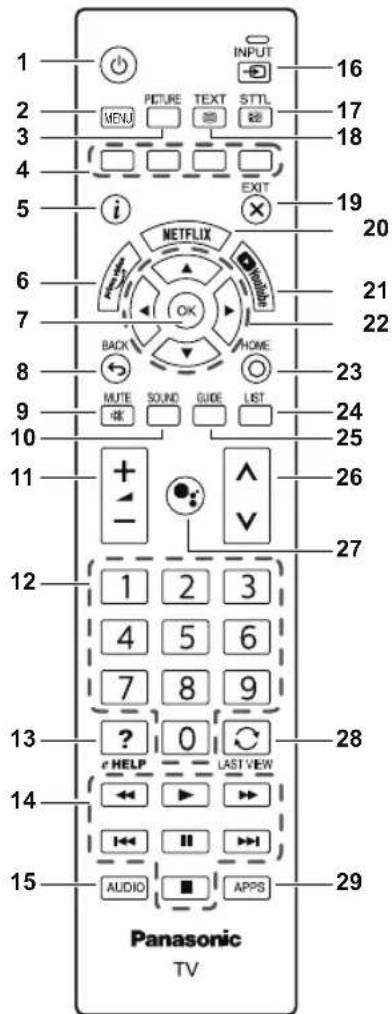
1
• Switches TV on or standby.
2 MENU
- Opens the TV Menu with typical TV functions.
3 PICTURE
- Selects the picture mode.
4 Coloured buttons
(red-green-yellow-blue)
• Used for the selection, navigation and operation of various functions.
5 Information
• Displays channel and programme information.
6 prime video
• To launch the Amazon Prime Video App.
7 OK
• Confirms selections and choices.
8 BACK / Return
- Returns to the previous menu or previous App.
9 Sound Mute On / Off
- Press to mute the sound or to restore it.
10 SOUND
- Selects the sound mode
11 Volume + / Volume -
- Press to adjust the volume level.
12 Numeric buttons
• Changes channel and teletext pages.
- Sets digital number.
13 [eHELP]
• Displays [eHELP] (Built-in Operating Instructions).
14 Multimedia operations button
15 AUDIO
• MTS/Audio language.
16 INPUT
- Select an input source.
17 STTL (Subtitles)
- Displays subtitles.
18 TEXT (Teletext)
- Press to open or close Text / Teletext.
19 EXIT
- Returns to the normal viewing screen.
20 NETFLIX
- To launch the Netflix App with the TV switched on or from standby.
21 YouTube™
• To launch the YouTube App.
22 Cursor buttons
- Makes selections and adjustments.
23 HOME
- Opens the Home menu.
24 LIST
- Opens the channel list while watching TV.
25 TV Guide
• Displays Electronic Programme Guide.
26 Channel Up / Down
• Switches to the next or previous channel.
27 Microphone
• To launch the Google Assistant™.
28 Last view
• Switches to previously viewed channel.
29 APPS
• Displays [Apps] (applications list).
Bluetooth
Pair Your Remote Control
1
Bluetooth
Pairing your remote control.
Pair
Skip
• Pairing your remote control.
2

Searching for accessories...
Before pairing your Bluetooth devices, make sure they're in pairing mode.
- Before pairing your Bluetooth devices, make sure they're in pairing mode.
- To start pairing the remote control with TV, long press the [Volume -] key and [Microphone] key for 3 seconds.
3

Searching for accessories...
Before pairing your Bluetooth devices, make sure they're in pairing mode.

Panasonic ATV RCU01 E8.0F.C8.D2.FD.A3

APHRC 30 AE 7B 02 35 00
- Select [Panasonic] and press OK.
4

Searching for accessories...
Before pairing your Bluetooth devices, make sure they're in pairing mode.

Panasonic ATV RCU01 Pairing...

APHRC 30 AE:7B:02:35 0G
• [Pairing] screen is displayed.
- If [Couldn't pair] is displayed, press OK key again to re-pair.
5

Searching for accessories...
Before pairing your Bluetooth devices, make sure they're in pairing mode.

Panasonic ATV RCU01 Connecting...

APHRC 30:AE:73:02:05:0C
• [Connecting] screen is displayed.
6
Setup is completed. Enjoy!
FINISH
Congratulations! Initial Setup is completed. In order to take advantage of Google Assistant in case of a remote control without microphone, please use the Android TV Remote Control app available in Google Play Store for Android and Apple App store for iOS devices. Please press [OK] to exit the wizard.
- When the remote control is paired, the setup completed screen displayed. Select [FINISH] and press OK.
7
Remotes & Accessories

Add accessory

Panasonic ATV RCU01 Connected
• Remote control is paired.
Un-Pair Your Remote Control
- Long press the [Cursor down] and [Volume down] key at the same time for 3 seconds to un-pair your remote control.
How to Use eHELP
[eHELP] is the detailed operating instructions built into the TV, and gives a more detailed explanation for a better understanding of the operation of each feature.
1 Display [eHELP]
![PANASONIC TX43JX700E - Display [eHELP] - 1](/content/2026/04/609169/images/6c8d256a433c979d07ba930d1ecec12fcf50ea4e0f1136e0900a24c81f9c42ed.jpg)
![PANASONIC TX43JX700E - Display [eHELP] - 2](/content/2026/04/609169/images/a49e0883fee8cf472fbae7406391bf91ea56db5131c8bc96b7803b1f4e9087e7.jpg)
[eHELP]
2 Select the item

① select
② access
Maintenance
First, remove the mains plug from the mains socket.
Display panel, Cabinet, Pedestal
Regular care:
Gently wipe the surface of the display panel, cabinet, or pedestal by using a soft cloth to remove dirt or fingerprints.
For stubborn dirt:
(1) First clean the dust from the surface.
(2) Dampen a soft cloth with clean water or diluted neutral detergent (1 part detergent to 100 parts water).
(3) Wring out the cloth firmly. (Please note, do not let liquid enter the TV inside as it may lead to product failure.)
(4) Carefully wipe moisten and wipe away the stubborn dirt.
(5) Finally, wipe away all the moisture.
Caution
- Do not use a hard cloth or rub the surface too hard, otherwise this may cause scratches on the surface.
• Take care not to subject the surfaces to insect repellent, solvent, thinner or other volatile substances. This may degrade surface quality or cause peeling of the paint. - The surface of the display panel is specially treated and may be easily damaged. Take care not to tap or scratch the surface with your fingernail or other hard objects.
- Do not allow the cabinet and pedestal to make contact with a rubber or PVC substance for a long time. This may degrade surface quality.
Mains plug
Wipe the mains plug with a dry cloth at regular intervals. Moisture and dust may cause fire or electrical shock.
FAQs
Before requesting service or assistance, please follow these simple guides to solve the problem.
• For details, refer to [eHELP].
The TV does not switch on
- Check the mains lead is plugged into the TV and the mains socket.
The TV goes into Standby mode
• Auto power standby function is activated.
The remote control does not work or is intermittent
• Are the batteries installed correctly?
• Has the TV been switched on?
- The batteries may be running low. Replace them with new ones.
- Point the remote control directly at the TV's remote control signal receiver (within about 7 m and a 30 degree angle of the signal receiver).
- Situate the TV away from sunshine or other sources of bright light so they do not shine on the TV's remote control signal receiver.
No image is displayed
- Check the TV is turned on.
- Check the mains lead is plugged into the TV and the mains socket.
- Check the correct input mode is selected.
- Check the setting in [Input Selection] to match the signal being output by the external equipment.
- Is [Contrast], [Brightness] or [Colour] in the Picture Menu set to the minimum?
- Check all required cables and connections are firmly in place.
An unusual image is displayed
- Turn the TV off with Mains power On / Off switch, then turn it on again.
- If the problem persists, initialise all settings.
[Factory Reset] in [Settings] > [Device Preferences] > [About]
Parts of the TV become hot
- Parts of the TV may become hot. These temperature rises do not pose any problems in terms of performance or quality.
When pushed with a finger, the display panel moves slightly and makes a noise
- There is a little gap around the panel to prevent damage to the panel. This is not a malfunction.
About the inquiry
- Please contact your local Panasonic dealer for assistance. If you make an inquiry from a place where this TV is not present, we cannot answer about contents that require visual confirmation for connection, phenomenon, etc. of this TV itself.
Specifications
TV
Model No.
43-inch model
TX-43JXW704 / TX-43JXW714
TX-43JX700E / TX-43JX710E
50-inch model
TX-50JXW704 / TX-50JXW714
TX-50JX700E / TX-50JX710E
55-inch model
TX-55JXW704 / TX-55JXW714
TX-55JX700E / TX-55JX710E
65-inch model
Dimensions (W × H × D)
43-inch model
963 mm x 614 mm x 243 mm (With Pedestal)
963 mm x 567 mm x 78 mm (TV only)
50-inch model
1116 mm x 700 mm x 256 mm (With Pedestal)
1116 mm x 654 mm x 82 mm (TV only)
55-inch model
1231 mm x 766 mm x 256 mm (With Pedestal)
1231 mm x 718 mm x 82 mm (TV only)
65-inch model
1446 mm x 893 mm x 291 mm (With Pedestal)
1446 mm x 844 mm x 79 mm (TV only)
75-inch model
1670 mm x 1016 mm x 313 mm (With Pedestal)
1670 mm x 969 mm x 92 mm (TV only)
Mass
43-inch model
8.55 kg Net (With Pedestal)
8.35 kg Net (TV only)
50-inch model
12.19 kg Net (With Pedestal)
11.97 kg Net (TV only)
55-inch model
14.40 kg Net (With Pedestal)
14.18 kg Net (TV only)
65-inch model
18.20 kg Net (With Pedestal)
17.96 kg Net (TV only)
75-inch model
26.56 kg Net (With Pedestal)
26.23 kg Net (TV only)
Power source
AC 220-240 V, 50 / 60 Hz
Panel
LED LCD panel
Sound
Speaker output
43-inch model
16W (8W +8W)
50-inch model 55-inch model 65-inch model
75-inch model
20W (10W + 10W)
Headphones
Connection terminals
HDMI 1 / 2 / 3 / 4 input
TYPE A Connectors
HDMI 1:
Content Type, Audio Return Channel,
Deep Colour
HDMI 2 / 3 / 4:
Content Type, Deep Colour
Card slot
Common Interface slot (complies with CI Plus) × 1
ETHERNET
RJ45, IEEE802.3 10BASE-T / 100BASE-TX
USB
DC 5 V, Max. 500 mA [Hi-Speed USB (USB 2.0)]
DIGITAL AUDIO output
PCM / Dolby Digital, Fibre optic
Receiving systems / Band name
Satellite
DVB-S / S2
Receiver IF frequency range -
950 MHz to 2150 MHz
DVB-C
Digital cable services (MPEG2,
MPEG4-AVC(H.264) and MPEG HEVC(H.265))
DVB-T / T2
Digital terrestrial services (MPEG2,
MPEG4-AVC(H.264) and MPEG HEVC(H.265))
PAL B, G, D, K
SECAM B, G, D, K
Satellite dish input
Female F-type 75 Ω
Aerial input
VHF / UHF
Operating conditions
Temperature
0 °C - 35 °C
Humidity
20% - 80% RH (non-condensing)
Built-in wireless LAN
Standard compliance and Frequency range\*
IEEE802.11a/n
5.15 GHz - 5.25 GHz, 5.25 GHz - 5.35 GHz,
5.47 GHz - 5.725 GHz, 5.725 GHz - 5.825 GHz
IEEE802.11b/g/n
2.4 GHz - 2.483 GHz
Security
WFA WPA / WPA2 personal, WPS2.0, WAPI
*: The frequency and channel differ depending on the country.
Bluetooth® wireless technology\*
Standard compliance and Frequency band
Bluetooth® 5.1: 2.4 GHz band
*: Not all the Bluetooth® compatible devices are available with this TV. Up to 5 devices can be used simultaneously.
Note
- Design and Specifications are subject to change without notice. Mass and Dimensions shown are approximate.
- For information about the open source software, refer to (Home > Settings > Device Preferences > About > Legal Information)
For more product information, please visit EPREL: https://eprel.ec.europa.eu.
EPREL registration number is available on https://eprel.panasonic.eu/product.
Disposal of Old Equipment and Batteries
Only for European Union and countries with recycling systems
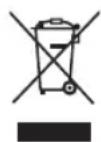
These symbols on the products, packaging, and/or accompanying documents mean that used electrical and electronic products and batteries must not be mixed with general household waste.
For proper treatment, recovery and recycling of old products and used batteries, please take them to applicable collection points in accordance with your national legislation.
By disposing of them correctly, you will help to save valuable resources and prevent any potential negative effects on human health and the environment.
For more information about collection and recycling, please contact your local municipality. Penalties may be applicable for incorrect disposal of this waste, in accordance with national legislation.
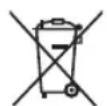
Note for the battery symbol (bottom symbol):
This symbol might be used in combination with a chemical symbol. In this case it complies with the requirement set by the Directive for the chemical involved.
Customer's Record
The model number and serial number of this product may be found on its rear panel. You should note this serial number in the space provided below and retain this book, plus your purchase receipt, as a permanent record of your purchase to aid in identification in the event of theft or loss, and for Warranty Service purposes.
Model Number Serial Number
Panasonic®
Gebruiksaanwijzing
LED-TV
Nederlands
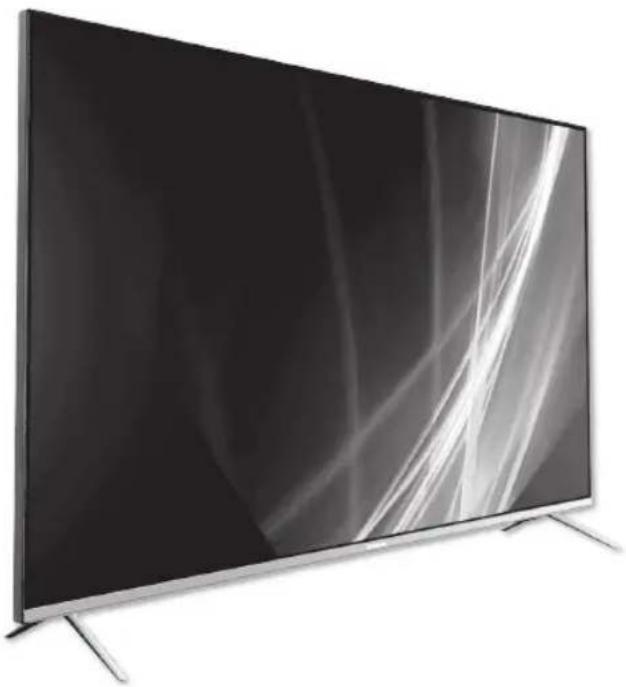
natural_image
Modern flat-screen TV with black and white abstract lighting (no text or symbols visible)
Specifications....12
Licentie
HE NC Advance™ Covered by patents at patentlist.accessadvance.com
APHRC 30:AE:78:02:05:0C
APHRC 20:AE:7B:02:35:0C
Panasonic ATV RCU01 Verbinding makes...

APHRC 30:AE:73:02:35:0C
50-inch model 55-inch model
65-inch model 75-inch model
20W (10W + 10W)
Hoofdtelefoon
natural_image
Modern flat-screen TV with black and white abstract lighting (no text or symbols visible)
HE NC Advance™ Covered by patents at patentlist.accessadvance.com
Важное уведомление
Panasonic ATV RCU01 E8:CF:GE:D2:F0:A3
+ APHRC 30 AE:7B102-38.0G
- Выберите [Panasonic] и нажмите OK.
4

APHRC 30:AG:78:02:35:0C
APHRC 30.AE.78.02.35.0C
natural_image
Modern flat-screen TV with black and white abstract background (no visible text or symbols)
HE NC Advance™ Covered by patents at patentist.accessadvance.com
Důležité upozornění
APHRC 30:AE:7B:02:35:0C
APHRC 30:AE:70:02:35:00
APHRC 30:AE:73:02:35:0C
natural_image
Modern flat-screen TV with black and white abstract lighting (no text or symbols visible)
HE NC Advance™ Covered by patents at patentlist.accessadvance.com
Ważna uwaga
APHRC 20-AE:70:02:06:00
APHRC 30:AE:78:02:35:0C
APHRC 30:AE:73:02:35:0C
5,15–5,25 GHz, 5,25–5,35 GHz,
5,47–5,725 GHz, 5,725–5,825 GHz
IEEE802.11b/g/n
2,4-2,483 GHz
Bezpieczeństwo
WFA WPA / WPA2 personal, WPS2.0, WAPI
natural_image
Modern flat-screen TV with black and white abstract lighting (no text or symbols visible)
За по-подробни инструкции вижте [eHELP]
HE NC Advance™ Covered by patents at patentlist.accessadvance.com
Важна бележка
APHRC 30 AH 7R12350G
APHRC 30:AE:73:02:35:0C
WFA WPA/WPA2 personal, WPS2.0, WAPI
natural_image
Modern flat-screen TV with black and white abstract lighting (no text or symbols visible)
APHRC 30:AE:73:02:35:0C
natural_image
Modern flat-screen TV with black and white abstract lighting (no text or symbols visible)
HE NC Advance™ Covered by patents at patentlist.accessadvance.com
Aviso importante
APHRC 30:AF:7R:12:350G
- Seleccione [Panasonic] y pulse OK.
4

APHRC 30:AE:73:02:35:0C
WFA WPA/WPA2 Personal, WPS2.0, WAPI
natural_image
Modern flat-screen TV with black and white abstract lighting (no text or symbols visible)
HE NC Advance™ Covered by patents at patentist.accessadvance.com
APHRC 30 AE 78:02:35:00
APHRC 30AE:73:02:35:00
natural_image
Modern flat-screen TV with black and white abstract lighting (no text or symbols visible)
HE NC Advance™ Covered by patents at patentist.accessadvance.com
Aviso importante
- Exibe as legendas.
18 TEXT (Teletexto)
APHRC 30AE:7B:0235.0C
APHRC 30AE73:02:35:0C
WFA WPA/WPA2 pessoal, WPS2.0, WAPI
natural_image
Modern flat-screen TV with black and white abstract lighting (no text or symbols visible)
APHRC 30.AE.TB.0235.00
APHRC 30:AE:73:02:35:0C
natural_image
Modern flat-screen TV with black and white abstract lighting (no text or symbols visible)
HE NC Advance™ Covered by patents at patentist.accessadvance.com
Viktigt meddelande
17 STTL (undertexter)
- Visar textremsor.
18 TEXT (Teletext)
+ APHRC 30 AE 7B1023500
+ APHRC 30 AE:78:02:35 00
APHRC 30AE73:02:35:0C
• Skärmen [Ansluter] visas.
6
TX-75JX700E/TX-75JX710E
Mått (B × H × D)
43-tumsmodell
natural_image
Modern flat-screen TV with black and white abstract lighting (no text or symbols visible)
HE NC Advance™ Covered by patents at patentist.accessadvance.com
Viktig merknad
Merknad for DVB-/datakringkasting
Denne TV-en er konstruert for å oppfylle kravene (fra august i 2020) til DVB-T / T2 (MPEG2, MPEG4-AVC(H.264), HEVC(H.265)) digitale bakkenettjenester, DVB-C (MPEG2, MPEG4-AVC(H.264), HEVC(H.265)) digitale kabeltjenester og DVB-S (MPEG2, MPEG4-AVC(H.264), HEVC(H.265)) digitale satellittjenester.
APHRC 30 AE 7B 02 35 00
APHRC 30 AE:7B:02:35 0G
APHRC 30:AE:73:02:35:0C
WFA WPA-/WPA2-personlig, WPS2.0, WAPI
natural_image
Modern flat-screen TV with black and white abstract lighting (no text or symbols visible)
HE NC Advance™ Covered by patents at patentist.accessadvance.com
Tärkeä huomautus
APHRC 30:AE:78:02:35:00
APHRC 30 AH 7R12350G
5

APHRC 30:AE:73:02:05:0C
WFA WPA / WPA2-Personal, WPS2.0, WAPI
natural_image
Modern flat-screen TV with black and white abstract background (no visible text or symbols)
HE NC Advance™ Covered by patents at patentist.accessadvance.com
Vigtig meddelelse
- Abner startmenuen.
24 LIST
- Abner kanallisten, mens du ser TV.
25 TV-guide
• Viser elektronisk programguide.
26 Kanal op/ned
APHRC 30:AE:7B:02:35.0C
APHRC 30/AE:7B:0235.0C
APHRC 30AE.78.02.35.0C
• Skæmbilledet [Tilslutter] vises.
6
| 43" model |
| 16 W (8 W + 8 W) |
| 50" model 55" model 65" model |
| 75" model |
| 20 W (10 W + 10 W) |
| Hovedtelefoner |
| 3,5 mm stereo-ministik × 1 |
Tilslutningsterminaler
HDMI 1/2/3/4-indgange
| Type A-stik |
| HDMI 1:Indholdstype, Audio Return Channel,Deep Colour |
| HDMI 2/3/4:Indholdstype, Deep Colour |
Kortstik
natural_image
Modern flat-screen TV with black and white abstract lighting (no text or symbols visible)
Covered by patents at patentlist.accessadvance.com
Dôležité upozornenie
APHRC 30.AE.7B.02.36.05
- Vyberte položku [Panasonic] a stlačte tlačidlo OK.
4

APHRC 30AE:7B:02360G
• Zobrazí sa obrazovka [Pairing] (Párovanie).
- Ak sa zobrazi správa [Couldn't pair] (Párovanie sa nepodarilo), znova stlačte tlačidlo OK.
5

APHRC 30:AE:73:02:35:0C
• Zobrazi sa obrazovka [Connecting] (Pripája sa).
6
Content Type, Audio Return Channel, Deep Colour
HDMI 2/3/4:
Content Type, Deep Colour
Zásuvka na kartu
1 x zásuvka rozhrania Common Interface (v súlade s CI Plus)
ETHERNET
RJ45, IEEE802.3 10BASE-T/100BASE-TX
USB
5 V jednosmerný prúd, max. 500 mA [Hi-Speed USB (USB 2.0)]
WFA WPA/WPA2 personal, WPS2.0, WAPI
- Licence
- Avertissement important
- Wichtiger Hinweis
- DIGITAL AUDIO-Output
- Avviso importante
- Kulaklik
- Operating Instructions
- LED TV
- Table of Contents
- Important Notice
- Notice for DVB / Data broadcasting
- Handling of customer information
- Safety Precautions
- ■ Mains plug and lead
- Warning
- Take care
- Warning- Stability Hazard
- To prevent the spread of fire, keep candles or other open flames away from this product at all times.
- ■ Suffocation / Choking Hazard
- Pedestal
- Caution
- Radio waves
- ■ Built-in wireless LAN
- Bluetooth® wireless technology
- Ventilation
- ■ Moving the TV
- ■ When not in use for a long time
- Excessive volume
- ■ Battery for the Remote Control
- ■ LED TV Declaration of Conformity (DoC)
- Panasonic Marketing Europe GmbH
- Radiation Exposure Statement:
- Identifying Controls
- Bluetooth
- Pair Your Remote Control
- 1
- 2
- 3
- 4
- 5
- 6
- 7
- Un-Pair Your Remote Control
- How to Use eHELP
- Display [eHELP]
- Select the item
- Maintenance
- Display panel, Cabinet, Pedestal
- Regular care:
- For stubborn dirt:
- Mains plug
- FAQs
- The TV does not switch on
- The TV goes into Standby mode
- The remote control does not work or is intermittent
- No image is displayed
- An unusual image is displayed
- Parts of the TV become hot
- When pushed with a finger, the display panel moves slightly and makes a noise
- About the inquiry
- Specifications
- TV
- Model No.
- Dimensions (W × H × D)
- Mass
- Power source
- Panel
- Sound
- Connection terminals
- Receiving systems / Band name
- Satellite dish input
- Aerial input
- Operating conditions
- Temperature
- Humidity
- Built-in wireless LAN
- Standard compliance and Frequency range\*
- Security
- Bluetooth® wireless technology\*
- Standard compliance and Frequency band
- Note
- Disposal of Old Equipment and Batteries
- Only for European Union and countries with recycling systems
- Note for the battery symbol (bottom symbol):
- Customer's Record
- Panasonic®
- Gebruiksaanwijzing
- LED-TV
- Licentie
- Важное уведомление
- Důležité upozornění
- Ważna uwaga
- Важна бележка
- Aviso importante
- TEXT (Teletexto)
- Viktigt meddelande
- STTL (undertexter)
- TEXT (Teletext)
- Mått (B × H × D)
- 43-tumsmodell
- Viktig merknad
- Merknad for DVB-/datakringkasting
- Tärkeä huomautus
- Vigtig meddelelse
- LIST
- TV-guide
- Kanal op/ned
- Tilslutningsterminaler
- Dôležité upozornenie
- Zásuvka na kartu
- ETHERNET
- USB
Brand : PANASONIC
Model : TX43JX700E
Category : Television