AD 1191 - Speaker ADLER - Free user manual and instructions
Find the device manual for free AD 1191 ADLER in PDF.



User questions about AD 1191 ADLER
0 question about this device. Answer the ones you know or ask your own.
Ask a new question about this device
Download the instructions for your Speaker in PDF format for free! Find your manual AD 1191 - ADLER and take your electronic device back in hand. On this page are published all the documents necessary for the use of your device. AD 1191 by ADLER.
USER MANUAL AD 1191 ADLER
SAFETY CONDITIONS IMPORTANT INSTRUCTIONS ON SAFETY OF USE PLEASE READ CAREFULLY AND KEEP FOR FUTURE REFERENCE
The warranty conditions are different, if the device is used for commercial purpose.
- Before using the product please read carefully and always comply with the following instructions. The manufacturer is not responsible for any damages due to any misuse.
- The product is only to be used indoors. Do not use the product for any purpose that is not compatible with its application.
- The applicable voltage is 230V , 50Hz . For safety reasons it is not appropriate to connect multiple devices to one power outlet.
- Please be cautious when using around children. Do not let the children to play with the product. Do not let children or people who do not know the device to use it without supervision.
- WARNING: This device may be used by children over 8 years of age and persons with reduced physical, sensory or mental capabilities, or persons without experience or knowledge of the device, only under the supervision of a person responsible for their safety, or if they were instructed on the safe use of the device and are aware of the dangers associated with its operation. Children should not play with the device. Cleaning and maintenance of the device should not be carried out by children, unless they are over 8 years of age and these activities are carried out under supervision.
- After you are finished using the product always remember to gently remove the plug from the power outlet holding the outlet with your hand. Never pull the power cable!!!
7.Never put the power cable, the plug or the whole device into the water. Never expose the product to the atmospheric conditions such as direct sun light or rain, etc.. Never use the product in humid conditions.
8.Periodically check the power cable condition. If the power cable is damaged the product should be turned to a professional service location to be replaced in order to avoid hazardous situations. - Never use the product with a damaged power cable or if it was dropped or damaged in any other way or if it does not work properly. Do not try to repair the defected product yourself because it can lead to electric shock. Always turn the damaged device to a professional service location in order to repair it. All the repairs can be done only by authorized service professionals. The repair that was done incorrectly can cause hazardous situations for the user.
- Never put the product on or close to the hot or warm surfaces or the kitchen appliances like the electric oven or gas burner.
11.Never use the product close to combustibles. - Do not let cord hang over edge of counter or touch hot surfaces.
13.Never leave the product connected to the power source without supervision. Even when use is interrupted for a short time, turn it off from the network, unplug the power. - In order to provide additional protection, it is recommended to install residue current
device (RCD) in the power circuit, with residual current rating not more than 30mA . Contact professional electrician in this matter.
- Avoid getting the device wet.
- The device may only be wiped with a dry cloth. Do not use water or cleaning fluids.
- The device should be kept in a dry room.
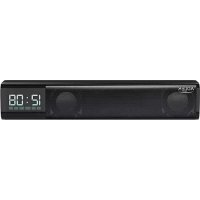
Device description (Clock speaker):
- DISPLAY
- STANDBY / Mode button
- Pause / Play button 4. + Button
-
- Button 6. SD card slot
- Charging micro USB slot 8. Playback USB slot
Before powering the device on. Remove all packing material and read the instruction manual carefully. Keep it for future reference.
Setting up the device:
- Remove all the packing material from the device.
- Turn on the device by pressing and holding the Standby / Mode button (2)
- The device will turn on and enter Pairing mode. (If the device will not start pairing press the Standby / Mode button (2) until you enter Bluetooth mode.)
- Find the speaker on your playback device. It will show as "AD 1191"
- Press "Pair" on your playback device.
- The speaker will emit a sound noting the pairing is successful.
- The device is ready to use.
Charging:
- Enter the Micro usb cable into the micro usb slot (7).
- The device will start charging. For a full charge it takes around 3 hours of charging.
Micro SD / USB playback:
Please note the device supports files in .WAV and .MP3 format.
- Insert the card or pen drive into the correct slot. (6,7)
- The device will automatically enter the playback mode of the corresponding device.
- If you want to exit the USB / SD playback press the Standby / Mode button (2) until you choose the desired mode. You can also remove the SD / USB from the device.
3.5 mm AUX cable operation:
- The device comes with a special AUX 3,5 mm jack to micro usb cable.
- Insert the Jack side of the cable to your playback device.
- Insert the Micro usb side of the cable to the speaker.
- Press the Standby / Mode button (2) until you choose the AUX mode.
Clock setup:
- Turn on the device by pressing and holding the Standby / Mode button (2)
- Press the Standby / Mode button (2) until you choose the Clock mode.
- Press the Play / Pause button (3) once to enter the time edit.
- Press the + and - buttons (4,5) to increase and decrease the current setting.
- Press the Play / Pause button (3) once to confirm your choice.
(Pleases note that after the clock you will need to set up the alarm time.)
Alarm Setup:
- Turn on the device by pressing and holding the Standby / Mode button (2)
- Press the Standby / Mode button (2) until you choose the Clock mode.
- Press the Play / Pause button (3) once to enter the time edit.
- Press the + and - buttons (4,5) to increase and decrease the current setting.
- Set the desired time.
- The device will enter Alarm Mode.
- Press the + and - buttons (4,5) to increase and decrease the current setting.
- Press the Play / Pause button (3) once to confirm your choice.
- After the setting the display will show "SAVE"
- The alarm is set.
Turning the alarm on and off:
- Turn on the device by pressing and holding the Standby / Mode button (2)
- Press the Standby / Mode button (2) until you choose the Clock mode.
- Press the Play / Pause button (3) three times in rapid succession.
-
The alarm icon in the lower right cornet will turn on.
-
To turn off press the Play / Pause button (3) three times in rapid succession again.
- The icon will disappear.
Indicator light status:
Blue light stable. The device is connected to a Bluetooth device/ Pen drive / SD card.
Flashing blue light. Bluetooth is pairing / Low battery status.
Red light stable. Charging.
Red light Off. Speaker is fully charged.
Troubleshooting:
Unsuccessful Bluetooth pairing: Restart the device and try again. Disable Bluetooth in your device and re- enable it.
Poor audio quality: Make sure the device is Bluetooth range.
Low or no volume: Increase the volume on the device and / or connect the device.
Undiscoverable in Bluetooth pairing: The device is paired with another phone. The speaker is not in Bluetooth mode.
Technical details:
Power:5V 1A
Output power: 2 × 5W
Bluetooth: V 5.0
Battery: 1200mAh
Charging time: 3 hours
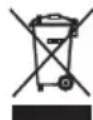
To protect your environment: please separate carton boxes and plastic bags and dispose them in corresponding waste bins. Used appliance should be delivered to the dedicated collecting points due to hazarsous components, which may effect the environment. Do not dispose this appliance in the common waste bin.
DEUTSCH
Akumulators: 1200 mAh
UzlaDES laiks: \~ 3 stundas

Akkumulator: 1200 mAh
TexviKes AenIOpeEies:
IoXuc:5V1A
1oyuc 2x5W
Bluetooth: V 5.0
Mntatapia: 1200mAh
XpovocΦoPTiOns: 3 ωρεS

apovtizoume to quokio TepiAauo. Napakaloue va tate tic oukeuaiec atto xaptovi otov kdo avakukwong
atoppmuatuvxaptiou. Tc aokouace atto 10luaiualevio (PE), attoppipte tic otov kdo avakukwong nlaotikwv. H aupveyn oukkeun tpetni va atoppiptetai oto kataaanoo uneio, ecaitiac wv etikivduuvw vtoixeiw tnou ppiexkai ta
ottoia utopei va atoteleaouv ateiian yia to tepiBaalov. H nekpikn oukeun tpeteeva atoppiptetai me tetoio troto wote
va Tepiopioten eTavaxpoimotoinon tnc.Eav otno uokueun bpikovtai mtatapies, autc npetie va apaipoeovkai va
TETAXTOU SEXWPIOTKOAO.
(MK) MaKeDoHcKn
UCIOBn 3A B3EIDHOC BAHN INHCTPYKUN 3A BE3EIDHOCT HA YNOTPEBA 3A UNOTPEBA,Be moJIne IPOUHTAJTE BHIMAHNE N CYBAE 3A INDHINHA PEΦEPEHUNJA
YcnoBnte 3a rapaHunja ce pa3nUHN,doKoIky ypeDOT ce KOpNCTn 3a KomepuaJHn ceJI.
1.Пред уnotpe6а на пОНЗВОДТ, BE мОЛиме почитajte BнIMaTeJHо И секогаш BO corlaachocT co cneДнИBE ynatCTBa. ПреONЗВОДNTeJOT He e OДROBOPeH 3a 6ино КAKBa WTeTa nopadi KaKBa 6ино 3лоуNotpe6a.
2.ПроизВОДOTТpe6а Да ce користсамо BO 3aTВореи постори. He kopистe ro ПроизВОДOT 3a КAKВИ БИЮ ZeJI N ITO He CE KOMпатибИн И CO HerOBaTA ПпIMeHa.
3. npimehyba hanoh 220-240 V, 50/60 Hz. Od 6e36ednochn npuHn He e cooDbetHo da ce NOBp3aT NOBeKe ypeN Ha eDen HtKeep.
4. Be monime 6nndeTe npetna3JINBn Kora kopncntte OKony deca. He do3BOnyBajTe decaTa da cn irpaat co npon3BOIoT. He do3BOnyBajTe decaTata nnI nyreTo wTO he ro 3Haat ypeDot da ro Kopnctat 6e3 Hnd3Op.
5.WARNING: Oboj ypeJ moKe da ce KopnCTn od cTpaHa Ha deca Haad 8 roDHH n Iuca co HamaJIeHn fI3NcK, CEN3OpHN IIN MeHTaJIHn CnOCo6HOCTn, IIN Iuca 6e3 NCKyCTBO I 3HaEbe Ha ypeJOT, cAmO IOd HaAD3Op Ha IInCe KOe e ODROBOPHO 3a HNBaTA 6e36eHOCt, IIN aKO IM bIIIO ykaxaHO Ha 6e36eHNO KOpNCTeHe Ha ypeJOT n Ce CBecHN 3a ONaCHOCTNTe NOBp3aHn CO HerOBOTO pa6oteHe. Deuata He TpeBa Da cn Irpaat Co ypeJOT. YnCTeHbeto n ODPxByBaHbeto Ha ypeJOT He TpeBa Da To BpWaT Deca, OCBeH aKO He CE Haad 8 roDHH n OBne AKTNBHocTHn Ce BpWAT NOI HAD3Op.
6.OTkaKo Ke 3aBpHInTe co ynoTpe6a Ha npOn3BOJOT, CekoraW 3anOMHeTe HeXHO da ro OTCTpaHInTe pNkIyUOKOT od WTEKePOT 3a HanojYBaHbe wTO rDpxn WTeKePOT CO CBOJaTa paka. HnkoraW He rO nobNekyBajTe Ka6eNoT 3a HanojYBaHbe !!!
7. Hnkoraaw He ctabajte ro ka6eIOT 3a HanojyBaJIbe, npNKnyOkOT nJn ceJIIOr ypeI BO BODa. Hnkoraaw He n3NoxyBajTe ro npOn3BOJOT BO aTMocCepcKn ycNOBn, KaKO wTO e DInpeKTHa COHueBa CBETIIHa nJN DoXd, nTH.. Hnkoraaw He KopncTeTe ro npOn3BOJOT BO BJaXHn ycNOBn.
8.IpnOdiuHNO npOBepTe ja coCtoj6aTa ha Ka6eIOT 3a HanojyBaIbe. DOKoJIky e OwTeTeH Ka6eIOT 3a HanojyBaIbe, npOn3BODOT Tpe6a Da ce CBPTN Ha npOpeCnOHaIIHa Jokaunja 3a cepBnCnpaIbe wTO Tpe6a Da ce 3aMeHn 3a Da ce N36eHnat OnaChi n CITyaIuN.
9. Hnkoraaw He KopncTeTe ro npOn3BODOT co OwTeTeH kabEn 3a HanojyBaHe nIaKO ToJ 6nI NCnyuTeH nn OwTeTeH Ha Koj 6nIO dpyr Naunn nn aKO He pa6oTn npabNlHO. He obNyBaJte ce camn da ro nonpaBNTe OwTeTeHNO TnpOn3BOd 6nJeKn MoKe Da DoBeNe do eNeKtpnueh ynap. Cekoraaw NcknyuBajTe ro OwTeTeH ypeD 3a npocecnoHaHn Iokaunja Ha ycLyrgn Co zen da ro nCnpaBnme. Cnte nonpaBkn MoKAT da rN BpMaT cMo OBnaCTeHn npocecnoHaJIz 3a ycLyrgn. NoppaBkata wTo e NaPpaBeHa He npaBnHNo MoKe da npedn3Bnka OnaChn cnTyauznn 3a KOpNCHKOT.
10. HnKoraaH He ro cTbajTe npOn3BODOT Ha nnn 6bncky Do TOnnIte nn TOnnIte NOBpHnH nnn KjHcKInTe ypeDn KaO eNeKtpuHaTa neUka nn RopnHnKOT Ha rac.
11.Never KopnCTn npOn3BODot BO 6JIn3Ha Ha rOpNBA.
12.He Do3BOnyBaJTe Ka6eNoT da BnCn Hnd pa6oT ha 6pojaOT nIa dOnnpajTe TOnnn IOBpUHH.
13. HnKoraw He ocTaBajTe ro npOn3BOoT NOBp3aH CO n3BOpOT Ha HanojyBaHe 6e3 HaI3Op. Dypn n Kora yNtpe6bata e npekHaTAt 3a KpaTko BpeMe, Ncknyute ja od Mpekata, Ncknyute ja ctpyjata.
14. Co龟Да ce obe36eДи ДОПИНТЕЛЯ 3aHTNTA, ce npenopayBa da ce nHCTaInpa ypeД 3a cTpyJa Ha ocTaToU (RCD) Bo KOJIoTO 3a HANOjYBaHe, co peJTHnH Ra npeocTaHaTa cTpyJa He nobEke od 30 mA. KoHTaKtnpajTe npoPecnoHaJIe eJeKTPnUap BO OBA npaShaBe.
15.Избернувajteда се HabлaxнуpeдOT.
16. YpeIOT MOKe Ia ce n36pNIe cAmO co cyBa KpNa.He KopnCTe BOda NIN TeuHocTn 3a
YHCTeHbE.
17. Ypeodot trpe6a da ce uyBa BO cyBa npoctopnja.
Onc Ha ypeoT (3ByuHnK Ha yaCoBnKoT):
- EKPAH 2. Konje STANDBY / pejkm
- Konue 3a nay3a / penpodykunja 4. + Konue
5.-Konue 6.Cnot3aSDkapnua Ka
7.CIOT3aMnKpOUSB3aNoJIHeIe7.YC6cIOT3apeIpOdyKuJa
Ipea Ira BknyuHte ypeoT. OcTaPaHeTe ro ueiNt MaTePnJaI 3a nakyBaIe INBHMaTeJHO npOuHTajTe ro ynaTCTBOTo 3a ynoTpe6a.
UyBaJTe ro 3a nHa pedepeHua.
IocTaByBaHeHaypeDoT:
- OtrpaheTo ueJINOT MaTePnjan 3a nakyBaHe oD ypeDoT.
- BknyeTe ro ypeDoT co npntncKaBe n dpxKeHe Na konyeTo Standby / Mode (2)
- YpeIOT Ke Ce BkIyUH Ke BHe3e BO pexIM Ha cnapyBaHbe. (Ako ypeIOT He 3aIOuHc co cnapyBaHbe, npITnCHTe ro KonTuTo Standby / Mode (2)doIeka He BHe3eTe BO pexIMOT Bluetooth.)
- HajndeTe ro 3ByuHnKoT ha ypeDoT 3a penpoDykuJa. Ke ce npKaXe kaK,AD 1191
5.Путисе „Pair" на уретот за реникija. - 3ByuHnKOT Ke eMntyBa 3Byk WTo Ke 3abeJeXn DeKa cnapyBaHbETo e ycneuHo.
- YpeTe InoIroTBeH 3a yIOnTpe6a.
Ponhebe:
- BheceTe ro Micro USB ka6enot Bo OTbopor 3a micro USB (7).
- YepeDToKe noUHe Da ce noIHN. 3a ueNoCho noNHeBe noTpe6Hn ce OKoJy 3 yaca noIHeHee.
Micro SD / USB pe npdoykujia:
Be MoJIIME mAJTe IpeBnI dEka ypeoT NOIDpKyBa daToTeKn BO .WAV n .MP3 φopmat. 1.BmTeHete ja KapTuKATA nn ypeoT 3a neHkano BO npabuINHOT OTbOp. (6,7)
2. YpeIOT ABTOMATCKI KE BJIe3E BO pexIMOT 3a peINPOyKUJHa HA COOdBETHMOT YpeI.
3. Ako cakate da n3ne3e oD pe npdykuijata USB/SD npTnche ro konyeo Standby / Mode (2)doeka he ro n3bepete cakaHnot pekim.Mokete ncto taka da ro otctpanite SD / USB od ypeot.
PaKyBaHbe co AUX ka6en o3,5 mm:
- YpeodT doara co cneuiaJeH AUX 3.5 mm npnKnyok do Mnkpo USB ka6eJ.
- Bmethe ta ctpahta Ha npiknyokot od ka6eIOT BO ypeoT 3a peinpodykuija.
3.BmTeHeJa Micro USB cTpaHaTa Ha KaBeIOT Bo 3ByuHKnOT. - Пптисе то кочето Standby / Mode (2) Ддека He ro n3берete peхимOT AUX.
NoctabYbaHe Ha yacOBHnKOT:
- Bknyte ro ypeoT co npntckaBe n dpxKeHe na konheTo Standby / Mode (2)
2.Причсichte ro konчeto Standby / Mode (2)doeka He ro n3bepepe pexmmOT YacobnK. - Пптисе то кочуTo Play / Pause (3) edhaa 3а двilezeTe BO ypeyBaHbeTo Ha BpeMeTo.
4.ПиТИСНСHTЕ ГКОПУнБаТa + n-(4,5)3a da ja 3roJeMITE n HamaJIte MOMeHTaHHaT a NOCTaBka.
5.ПиТиСнeTe ro konчeto Play / Pause (3) ednau 3a da ro notBpДnte Baunot n36op.
(Be MoJImme ImajTe npEdbN dEka no yacobHnKOT Ke TpeBa da ro nocTaBnTe BpeMeTo Ha anapMOT.)
NocTaByBaBe aJapM:
- Bknyte ro ypeoT co npntckaBe n dpxKeHe Na konheTo Standby / Mode (2)
2.Причсichte ro konчeto Standby / Mode (2)doeka He ro n3bepepe pexmmOT YacOBHnK - Пптусенье то кочуTo Play / Pause (3) ednaш за влесе Во ур dedуBaHBeTo Ha BpeMeTo.
4.Пптиссгелкончьнбатa+и-(4,5)3aJa ja 3roJemTe NHaMaJIte MOMeHTaJIHata NOCTaBAka. - NocTabete ro cakaHTo BpeMe.
- YpeoT Ke Bne3e Bo peKIM Ha aIapM.
- PnTnCHETe n KOnuHbata + n - (4,5) 3a da ja 3roJeMITE n HamaJIte MOMeHTaJIHaT a NoCTabKa.
- Пптушисту се рогончето Play / Pause (3) ednau 3a da ro notbprnte Baunot n36op.
- Np noctabyBaheTo Ha ekpaHot Ke ce npkaKe "SAVE
- AJIapMOT e nOCTaBeH.
BkIyUbaBe n NckIyUbaBe Ha aJapMOt:
- Bknyte ro ypeoT co npntckaBe n dpkeHe Na konheTo Standby / Mode (2)
2.Причсichte.To konчeto Standby/Mode(2)ДодакHe ro n3берete pexIMOT YacOBHnK.
3.ПптснeteTo konчeto Play/Pause(3)Трппт eHNOdpyro.
4.Ke ce Bknyu INKoHaTa 3a aIapM BO DOJHNO T DeceH KOpHeT. - 3a da ro ncknyute, noBtropno npntncheTo KOnueTo Play / Pause (3) Tpu natae enho npyro.
6.Иконата Keисчесн.
CTaTc Ha HnDnKaTOPCKOTO CBETJIO:
CnHa CBETJInHa CTaBnHa. YpeoT e NOBp3An co ypeo Co Bluetooth/ dpaJB 3a neHkaJIO / SD-kapTuKa.
Tpenka cnHa CBeTnHa. Bluetooth ce cnapyBa / CtaTyc Ha Hncka 6aTepnja.
UpbEHO CBETNO CTA6nHNo. NOnHeBe.
VicknyeHO UpBEHO CBETJIO.3ByuHnKOT eUeIoCHO HAnOHET.
PeWaaBaHbe npo6JeMn:
Heycneuho cnapybahe co Bluetooth: pectapnpajte ro ypeoT n obundete ce noBtropHo. NcknyeTe ro Bluetooth BO BAHOT ypei Bknyte ro nobToPHO.
Texnukn Detan:
MOKHOCT:5V1A
U3JIe3Ha MoKHOCT: 2x5W
Bluetooth: V 5.0
BaTepuja: 1200 mAh
Bpeme Ha nonHebe: \~ 3 yaca

Ce rpnKmte 3a npnpoHaTa CpeDnHa. KapTOHcNtpe NaOBKn MOJMe Da Ce HameHaT 3a peuKNpHaBe. IOnneTIneHOBnTe Kecn (PE) da ce pPnA T BO KOHTeHep 3a nactnka. NcOpNCtEHnOT ypeTpe6a Da CE PpeDaTe BO COOBeTHnOT CKJaIpaQKn PyHK, 6bnJeKn He6e36eHNTE CoCTOJkn KOn Ce HAOraT BO ypeDTo MoKaT Da 6bnDat 3arpo3yBaHe 3a CpeDnHaTa.
EneKtpnHNOt ypeI Tpe6a Da ce npeJaDe Ha NaHH KOJ Ke OHeBO3MOxN HcROBa NOBTOPA YNToTpe6a NCKOpNCyBaIbe. JOKoJIky BO ypeIOT mHa BATEpIM, Tpe6a Da ce n3BaDaT nOce6HO da CE pEDAAT BO CKNaIpaKHT.
(CZ) CESKY
BEZPECNOSTNI PODMINKY DULEZITE POKNY PRO BEZPECNOST POUZIVANI PRECTETESI POZORNE PRECTETESIA Uchovaceite BUDOUCI REFERENCE
HeBO3MOxH0 6nApJxNtB npu cnpjxHnn Bluteoth: ycTpoicTBo cnpjxHo C dpyHm TepeHOM. HnHaMk He haxoNTcB peKIMe Bluteoth.
Texnueckne npdoepnoctn:
MoUHocTb:5B1A
BbIXoDnHa MoUHocTb: 2x5BT
Bluetooth: Bercsia 5.0
AkkymyTop: 1200 mAu
Bpem3apn: 3 yaca
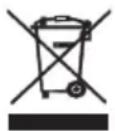
3a60TcB 6bOkpyKaHoue cpe..ynakOBky n3 KapToHa nepeaTe,noKanyIcTa,Ha MaKynatypy. IOnn3TneHOBbIe MeuKN (PE) BbIKDaTb B pe3epByap dIg nnactMaCCbI. NHOseHHeO yCTPOINCTBO HApO nepeDaTB B COOTBeTCTBYUO TOUY XpaHEnra, TAK KAc HxOJaUeCBA YCTPOINCTBEONACHBIE COCTABIIHOUINE MOYr ABnTBcR yPTo30d INr OkpyKaHoue cpebl. 3NeKtpnueckoe yCTPOINCTBO HApO nepeDaTB TaKIM oBpa3OM, YTObI OrpAHmHTb erO NOBtPOHe yNtpe5JeHne I NCNoJIb3ObaHne. EcIn B yCTPOINCTBE HaxOJaTc6BaTapei, IN HApO BbITaHybI IN nepeDaTB TOUY XPAHENH OTeNbHo. YCTPOINCTBO He BbIKDaTb B pe3epByap dIg KOMMyHaNbHbIX OTXoDob!
(NL) NEDERLANDS
HaanatyBaHn npncToPO:
- 3HIMITb i3 npCtpoB BecnAkyBaJbHm MaTepiAn.
- YbimkhHtB npctpi, HATNCHyBUN Ta yTPMMyOCH KNOHky peXmMy oUkyBaHH / pexmmy (2)
- Ipnctpi yBIMKHeTbCra Ta nepeIe B pexn CnoJyehn. (Jaio npncptri He po3noHae cnoJyehn, HATNcKaTe KhoNky «PexnM oikyBaHHra» (2), DOKn He BBiDte B pexn Bluetooth.)
4.3hauiitb dHnAmik Ha npncptoi BiDtBopeHH.Bio6paKaTHMeTbcraK《AD 1191》 - Hatachitb «CTbOpHTn napy» Ha npicTpoB iDtBOpEHnH.
6.Диhamik BndaCTb 3Byk,ЯкIM CNoBICTb npO yCniUHe CTBOpEHn napN.
7.Пплад roTOBиДdo BnKOpNCTaHH.
3a#ka:
- BCTaBTe Ka6eNb Micro USB y rHi3do micro USB (7).
2.Пистрий поне зарджатия. Дл поьно зардкnotpi6ho 6лзько 3 roinzhapdkaHHa.
BiTBopeHnMa Micro SD/USB:
3BepHitb ybary, 10 npncptpi nItpmmye faanu y opmati .WAV i .MP3.
1.BctaBTe KapTy afo pNeW-HakOnnUyBaY npabInbHn cNOT.6,7
2.Ппсгд abTomatuHNo repeide B pexim BiTbOpEHn BiNobiHoro npictpoI.
3. RaIO BV XOyTe BnTn 3 pexmy BiTbOpEnHr USB / SD, HATNCKaTe KHOIky peXmMy OUYBaHHr / pexmy (2), DOKn He Bn6peTe, notpiHn peXm. BN TAKoX MoKeTe BnHrTn SD / USB 3 npncToPO.
Po60Ta Ka6eIIO AUX 3,5 MM:
1.Пистрий постаягется 3i сецьнм розем AUX 3,5 MM Дя кабелю micro usb .
2. BctabTe kabeJIb i3 po3'EMOM y npncTpiB BiDTBOpEHnR.
3. BCTaBTe kabeB Micro-usb y dHaMik.
4. HatnckaTe KhoNky peKmmy ouikyBaHHra / peKmmy (2),doKN He Bn6peTe peKmAUX.
HanaaHTyBaHHraODHHNka:
- YbIMKHiTb npntpi, HATNCHyBUN Ta yTpmyUOHN KHOKNy pexmMy ouikyBaHHra / pexmMy (2)
- HatackaiTe KhoNky «Pexim OiyBaHHra» (2), DoKn He BnBepe Te pexim «ToDHHNK
- Hatnchitb Khonky Play / Pause (3) odin pa3, 06 ybiTn do peaIyBaHHa cacy.
- Hatncihb kHONk + i - (4,5), 0636JIbWHTn a6o 3MeHwTN noTOyHe HanaTByaHHJ.
- Hatncihb KhoNkY «BiTbOpHnHa/lay3a» (3), 0o6 nTBePdntn CbiBn6ip.
(3BepHITb yBary, 0n nCnra roDunHHNka Bam notpio6o Bye BCTaHOHT uac 6yDnJIbHnka.)
HaanawTuBaHHa 6yDnIbHnKa:
- YbIMKHiTb npcTpi, HATNCHyBUN Ta yTpmyUOHN KHOKNy pexmMy ouikyBaHHra / pexmMy (2)
- HatackaiTe KhoNky «Pexim OiyBaHHra» (2), DoKn He BnBepepepexim «ToDHHNK
- Hatncihb Khonky Play / Pause (3) oyn pa3, ybiy n do peyarybaHHa cacy
- Hatncitb kHONK + i - (4,5), 636JIbWHTn aBO 3MeHWTn nOToUHe HanaTsyBaHHa.
5.BctaHOBiBt noTpi6HH qac.
6.Пистрип поейд В ржим 6удльнika. - Hatncitb kHONK + i - (4,5), 6b 36ilbwn a6o 3MeHNt noTOyHe HanaTByaHHa.
- Hatncihb kHONky iTbOpenhra/ay3a》(3), 0o6 niTbePntn Cbi Bn6ip.
9.ПicЯнадаштуваняпдсплій 3'яВNTьС«SAVE
10.БудуньнкВстановпeHo.
YbIMKHeHH Ta BIMKHeHH 6yDnBnKa:
- YbIMKHiTb npntpi, HATNCHyBUN Ta yTpmyOOn KHOJky pexmMy oikyBaHHra / pexmMy (2)
- HatackaiTe KhoNky «Pexm OiyBaHHa» (2), DOKn He BnBepepepeim «TOnHHNK
- Tpniy nocnilb HATNCiHb KHONKy «BiDtBOpEHn/Hay3a» (3).
4.3NaOH6yDnHbNkA B npabOMy HxKhbOMy Kytky 3acBITnbCra - Ⅲo6 Bvmkhny, 3HOby Tpnu iocnilb HATNCHt b KhoNky «BjtdbOpTu / Nay3a» (3).
6.ПiTOrpama 3HnKHe.
CtatycCBITIOBOriHdkaTopa:
CnHcCBITIO cta6iNbHe. PnucTpi niikKnoeHo do npncTpoo Bluetooth/phiNeuKy/SD-kaTn.
MnroTnBc CnHc BcITIO. BnKOHyETbc3'EDHaHHa Bluetooth/CTan Hn3bko 3apay6aTaapei.
UepBoHe CBITIO CTINKe.3apnKa
UepBoHe CBITNO BUMKHeHO. KOONKa NOBHCtIO 3apJxKeHa.
BupiueHn npo6nem
HeBdane cnOnyuHnra Bluetooth: nepe3anyctiNb npncptpi i noBToPi b cnp6y. BImKHITb Bluetooth y cBOeMy npncptoi Ta 3HOBy BBIMKHITb nIoro.
Iorana kictb ayio: nepekoahtecra, 0 npicpi 3haxoDbsc B 30hi iit Bluetooth.
Hn3bka a6o BiCyTHraYnHcTb: 36JIbWte rYnHcTb Ha npCtpo Ta/a6o niknOHTb npCtpi.
HeBnIMM y 3'eHaHHi Bluetooth: npicTpii 3'eHaHO 3 iHsIM TepeoHom. KoONKa He B pexmbl Bluetooth.
TexhiHi DeTani:
KINBJIeHHa:5V1A
BnxiHa notyXhHcTB: 2x5W
Bluetooth: V'5.0
AkymnyaTOp:1200mAh
Yac 3apAdkn: 3 roDInH

Y iHTepecax HABKoJIuHbOro cepeOboNua.
Byd Jaca, BiDai Te Kaptonny ynakoky B Micce 360py MykyIaTypn. PoiitneHobi miKu (PE) BnKinHyT B CMTHIK Dnna nnactky. BiDnpaobahn npctpi NobHHen 6ytB iDnpabHeh y BiNobIDhy TOcky 36epiraHn, Tomy 0o B npictpoe Hebe3neHi nrrpeidHn, kki Moxyt ctaHOHTN 3aRpo3y HABKOJIshbOMy cepedOBuSy. EneKtpnHn npictpi notpi6no NobepHyTu Tak, o6 ObmexHTN horo nobTopHe BkOpncHaH. JaKuo y npictpo e 6atepeKn, To NOTp6Ho ix BVITrHyTu BIdaTn do BiNObIHOrO nyHTKy.
(AR)
g 1
Ji
i 1
1- 1
aJgssn e g s Jrnn aaii jg s gssp diiw.
2-iiill 1i i 111 111 111 111
3 205 50 jy.
a
- 1
J 1
5- 1234567890123456789012345678901234567890123456789012345678901234567890123456789012345678901234567890123456789
HacpoiKaHa yacOBHnka:
- BkIIOUeTe yCtPOINCTBOTo, KaTo HATUCHeTe n 3aIbpxKeTe 6yToHa Standby / Mode (2)
- HatncheTe 6yToHa IToBHOCT / PexMM (2),doKaTo n36peTe peXMM YacOBHNK.
- Hatnche 6yToHa Bb3npOn3BexKaHe / Pay3a (3) BeiHbK, 3a da Bne3eTe BpeaTpaHeTo Ha Yaca.
- Hatnche Te 6ytoHtE + (4,5), 3a da yBeJInuTe nn HamaJInTe TeKyuata HacToPouka.
- Hatnchete 6yToHa B3npOn3BexJaHe / Naay3a (3) BeDhJx, 3a da notBbPdnte n3bopa cn.
(Mon, mai Te npedBnD, ye cneJ yacobnka ue Tp8bA da HacTponte Yaca Ha anapMaTa.)
HacpoiKa Ha anapMaTa:
- BkIIOUeTe yCtPOINCTBOTo, KaTo HATUCHeTe n 3aIbpxNte 6yToHa Standby / Mode (2)
- HatncheTe 6yToHa IToOBHocT / PexMM (2),doKaTo n36peTe peXMM YacOBHNK.
- Hatnche 6yToHa Bb3npOn3BexKaHe / Pay3a (3) BeHbK, 3a da Bne3eTe BpeaTpaHeTo Ha Yaca.
- HatncheTe 6yToHnTe + n - (4,5), 3a da yBeInuTe nn HamaInTe Tekyuata Nactponka.
5.3aTe XeJHaHTo BpeMe. - YcTpoNCTBTO 1e BnE3e BpeKIM Ha aIapMa.
- HatncheTe 6yToHnTe + n - (4,5), 3a da yBeJIuHTe nn HamaIITe TekyUaTa HAcTpoJa.
-
HATINCHETe 6yToHa Bb3npoIN3BexJaH / Nay3a (3) BeNbJx, 3a da nOTBbpnTe n3bopa cn.
9.CnEHaCTpoKataDncnneTne nokaxe"SAVE -
AnapMaTa e HacTpoEHa.
BkIIOUbaHe n I3KIIIOUbaHe Ha anapMaTa:
- BkIIOUeTe ycTPOINCTBOTo, kato HATUCHeTe n 3aIbpxKe Te 6yToHa Standby / Mode (2)
- Hatnche6ytoHaToBHOCT/Pexm(2),doKato 136epTepexmuacOBHK
- Hatnche 6ytoHa Bb3npo3Bexkdahe / Na3a (3) Tpr nTnB 6bp3a nocJeIOBaTeHOCCT.
4.ИконатаHa anapMaTbdoJHnI Decen KOpHet ce BKnIOuN. - 3a da n3KIOUHTe, HATNCHEte OTHOBO 6yToHa Bb3npOn3BExJaHe / Nay3a (3) Tpr nbTn B 6bp3a nocJeIOBaTeJIHOCT.
6.ИkoHaTa иe n3Ye3He.
CbctoHHe Ha CBetJinHHnI INHdkaTOp:
CtabnHa cHrCBETnHa. YcTpoCTBTO e Cbbp3aHO KBM Bluetooth ycTPOCTBO/Pen ycTPOCTBO/SD Kapra.
Miraa cnHcBETnHa. Bluetooth ce cBorBa / HnCKo cbCTOJHne Ha baTepeyra.
CTabnHa YepBeHa CBetnHa.3apeKdahe.
UepBHeHaTa CBeTnHa e n3KInoueHa. BmCOKoROBOpTeIaTe HanbJlnHO 3apeJeH.
OTCTpaHЯBaHe Ha HEN3npaBHOCTn:
HeycneuHo Bluetooth cDBoBaHe: PecTapTnpaTe yCTpoiCTBOTo n OHTaIe OTHOB. DeakTNbpaTe Bluetooth BbB BaWeTo yCTpoiCTBO n To aKTHBpaTe OTHOBO.
JIoWo KaueCTBO Ha 3Byka: YBepete Ce, ye yctpOInCTBoto E B o6xBaT Ha Bluetooth.
Hncka nnn 6e3 cnla Ha 3Byka: YbeJnueTe cnIaTa Ha 3Byka Ha yCTpoiCTBOTo H/nn CbPjKeTc yCTpoiCTBOTo.
HeotKpnaem npn Bluetooth cDBoBaHc: UcTpoNcTBoTo e cDBoEHO cDpyr TeJePOn. BucOKorOBopuTeJIaT He e bpeXm Bluetooth.
Texnueckn Iopno6hocn:
MouhocT:5V1A
N3XoHa MoUHocT:2x5W
Bluetooth: V 5.0
Batepna: 1200mAh
Bpeme 3a 3apekdahe: \~ 3 yaca
Adler Sp. z o.o., Ordona 2a, 01-237 Warsaw, Poland hereby declares that the AD1191 device complies with Directive 2014/53 / EU. The full text of the EU declaration of conformity is available at the following internet address:
Adler Sp. Z oo z o.o., Ordona 2a, 01-237 Warschau, Polen, erklart hiermit, dass das Gerät AD1191 der Richtlinie 2014/53 / EU entspricht. Der vollständige Text der EU-Konformitäserklärung ist unter folgender Internetadresse verfügbar:
Adler Sp. z o.o., Ordona 2a, 01-237 Varsovie, Pologne declare par la presente que l'appareil AD 1191 est conforme à la directive 2014/53 / UE. Le texte complet de la déclaration de conformité UE est disponible à l'adresse Internet suivante:
Adler Sp. z o.o., Ordona 2a, 01-237 Varsovia, Polonia declares que el dispositivo AD1191 cumple con la Directiva 2014/53 / UE. El texto completo de la declaración de conformidad de la UE está disponible en la",[sicidente dirección] de Internet:
Adler Sp. z o.o., Ordona 2a, 01-237 Varsóvia, Polônia declara que o disposito vAD1191 está em conformidade com a Diretiva 2014/53 / UE. O texto completeness de Declariação Ue de conformidade está disponível no segunte endereço na Internet:
Adler Sp. z o.o., Ordona 2a, 01-237 Varsuva, Lenkija pareiskia, kad prietaisas AD1191 atitinka Direktyvos 2014/53 / ES reikalavimus. Visa ES atitikties deklaracijos tekstagalite rasti siuo interneto adresu:
Adler Sp. z o.o., Ordona 2a, 01-237 Varšava, Polija ar šo pazo, ka ierice AD1191 atbilst Direktivai 2014/53 / ES. Pilns ES atbilstibas deklaracijas teksts ir pieejams šadā timekla vietne:
Adler Sp. zo.o., Ordona 2a, 01-237 Varssavi, Poola, deklareerib kaesolevaga, et seade AD1191 vastab direktivile 2014/53 / EL. EL-i vastavusdeklaratsiooni taielik tekst on saadaval jargmisel Interneti-aadressil:
Adler Sp. z o.o., Ordona 2a, 01-237 Varsovia, Polonia declară prin prezenta ca dispositivul AD1191 respectă Direcţa 2014/53 / UE. Textul complet al declaraţiei de conformitate a UE este disponibil la următoarea adresă de internet:
Adler Sp. z o.o., Ordona 2a, 01-237 Varšava, Poljska ovime izjavlujde da je uredaj AD1191 u skladu s Direktivom 2014/53 / EU. Kompletan tekst EU izjave o sukladnosti dostupan je na sljeedcoj internetskoj adresi:
Adler Sp. z o.o., Ordona 2a, 01-237 Varsó, Lengyelország kijelenti, hogy a AD1191 keszülk megfelela 2014/53 / EU irányelvnek. Az EU-megfeloségi nyilatkozat teljes szövege elerhető a kovetkező internetes cimen:
Adler Sp. z o.o., Ordona 2a, 01-237 Bapooia, Iioawvia nawvei otn ouokevn AD1191 oumuopwvetae tvv odnyia 2014/53 / EE.To nIneC keiEvO Tc nolawonc oumuoppwonc EE diatietai otnv akoloun dieuuvan Diaiktuou:
AДлпсн. z o.o, Ordona 2a, 01-237 Warsaw, ПОЛSCа co OBA ИЗJAБУВа Deka ypeДOT AD1191 e BO corJIacHocT co ДИрЕКТиВаТа 2014/53 / EY. LecnoHnot TeKCT Ha Deknapaunjata 3a coO6pa3HocT ha EY e DoCTaneH Na CNeHHaTaNHTepHET aDpeca:
Adler Sp. z o.o., Ordona 2a, 01-237 Varšava, Polsko tímto prohlášuje, ze zařeni AD1191 je v souladu se směrnici 2014/53 / EU. Üplné zněni ES prohlášeni o shodě je k dispozici na teto internetové adrese:
Adler Sp. z oo, Ordona 2a, 01-237, Bapsha, Nolba, HactoIzum 3aBnAeT, yTo ycToPcTBO AD1191 COOTBeTCTByET DnpeKtBc 2014/53 / EU. NlHbI TeKCT DeKnapaun O COOTBeTCTBn EC DoCTyneH no CneDyUoEmy INHTepHeT-aDpecy:
Adler Sp. z o.o., Ordona 2a, 01-237 Warschau, Polen verklaart hierbij dat het AD1191-apparaat voldoet aan Richtlijn 2014/53 / EU. De volledige tekst van de EU-conformiteitsverklaring is beschikbaar op het volgende internetadres:
Adler Sp. z o.o., Ordona 2a, 01-237 Varšava, Poljska, izjavlja, da je naprava AD1191 skladna z Direktivo 2014/53 / EU. Celotno besedilo izjave EU o skladnosti je na voljo na naslednjem splenetn nam slovu:
Adler Sp. z o.o., Ordona 2a, 01-237 Varšava, Poljska ovime izjavljube da je urežaj AD1191 u skladu s Direktivom 2014/53 / EU. Kompletan tekst EU izjave o sukladnosti dostupan je na sljedećoj internetskoj adresi:
Taten Adler Sp. z o.o., Ordona 2a, 01-237 Varsova, Puola ilmoittaa radiolaitetypin AD1191 olevan direktiivin 2014/53 / EU mukainen. EU-vaatimustemmukaisuusvakuutuksen koko teksti on saatavana seuraavassa Internet-osoitteessa:
Adler Sp. z o.o., Ordona 2a, 01-237 Warszawa, Polen forklarar harned att AD1191-enheten overensstammer med direktiv 2014/53 / EU. Den fullstandiga texten till EU-forsakran om overensstammelse finns på foljande internetadress:
Adler Sp. z o.o., Ordona 2a, 01-237 Varšava, Polsko týmto vyhlasuje, ze zariadenie AD1191 je v súlade so smenicou 2014/53 / EU. Üplné znenie vyhlasenia EU o zhode je k dispozicii na tejto internetovej adrese:
Adler Sp. z o.o., Ordona 2a, 01-237 Varsavia, Polonia dichiara che il dispositivo AD1191 è conforme alla Direttiva 2014/53 / UE. Il testo completo della dichiarazione di conformità UE è disponibile al seguente indirizzo Internet:
Adnep Cn. 3 o.o., OpdoHa 2a, 01-237 Bapwaba, Nobcka Obime n3jabBye da je ypehaj AD1191 y cknady ca NipeKTHOBom 2014/53 / EY. KomnJIeTah TeKCT EY n3jabe o ycaraNaeHocTn DocTynaH je Ha cneJehoj INHTepHet aDpeCn:
Adler Sp. z o.o., Ordona 2a, 01-237 Bapwaba, Повьа заявся, сю писди� AD1191 Biinobiiae Ди配电нbi 2014/53 / EC.ПовниTekт дкларцii CC npo BiinobiHicTB docynnhi 3a HacTyHNOI INtepHT-aDpecoIO:
Adler Sp. z o.o., Ordona 2a, 01-237 Warszawa, Polen erklær hermed, at AD1191-enheden er i overensstemmelse med direktiv 2014/53 / EU. Den fulde tekst til EU-overensstemmelseserklaeringen er tilgengelig pa folgende internetadresse:
Adler Sp. zo.o., Ordona 2a, 01-237 Warszawa, Polska niniejszm oswiadcza, ze urzadzenie AD1191 jest zgodne z dyrektywa 2014/53/UE. Pelny tekst deklaraci zgodnosci UE jest dostepny pod nastepujacym adresem internatowym:
ADLER
EUROPE
AIR COOLER
AD 7913
FOOT SPA
AD 2177

HAIR CLIPPER
AD 2831

HAIR DRYER
AD 2265

HEATED PAD
AD 7412
CERAMIC FAN HEATER
AD 7731
OIL-FILLER RADIATOR
AD 7811
KITCHEN SCALE
AD 3171

CHOCOLATE FOUNTAIN AD 4487

HAND BLENDER
AD 4617

LINT REMOVER
AD 9616

VACUUM CLEANER
AD 7044

MEAT MINCER
AD 4811
Blender
AD 4078
ELECTRIC GRILL
AD 6610

ELECTRIC KETTLE
AD 1293
| AFTER SALE SERVICE NOTICE | |
| GB | If you want to buy spare parts or make any complaints, please contact the seller who issued the receipt directly. |
| DE | Wenn Sie Ersatzteile kaufen oder reklamieren möchten, wenden Sie sichitte direkt an den Verkäufe, der die Quittung ausgestellt hat. |
| FR | Si vous souhaitez acheter des pièces de change ou faire des réclamations, veuillez contacter directement le vendeur qui a émis le reçu. |
| ES | Si desea comprar repuestos o presentation alguna queja, comuniquesse directamente con el vendedor que emitió el recibo. |
| PT | Se você quiser comprar peças de repositionação ou fazer alguma reclamação, entre em contato diretamente com o vendedor que emitiu o recibo. |
| LT | Jei norite isigetyi atsarginiu daliu ar pateikti nusiskundimu, susisiekite tiesiogiai su kvita išdavusiu pardavéju. |
| LV | Ja vélatosie igadāties rezerves dalas vai izteikt pretenzijas, lūdzu, szainieties tieši ar pärdevēju, kurš izsniedza Čeku. |
| EST | Kui soovite osta varuosi viôi esitada pretensioone, võtke otse ühendust kvitungi väljastanud mūjaga. |
| HU | Ha póltalkrészeket szeretne vásárolni, vagy panaszt szeretne tenni, forduljon közvetlenül a bizonylatot kiàllító eladóhoz. |
| BS | Ako Želite kupiti rezervne dijelove ili napravití reklamaciju, obratite se direktno prodavaču koji je izdao raçun. |
| RO | Ecnii Bby xoŋtne kynpntb 3aŋcactn iŋn πρeßyænbttb káke-льбо πpeτeнзи, noşányústcta, CBxjnteçb hampymу c propodabuom, býidabuimч龟к. |
| CZ | Chcete-li zakoupit náhradni dily nebo uplatnit jakoukoli reklamaci,kontaktujte primo prodejce, ktery učtenku vystavil. |
| RU | Dacă doriti sã cumparați PIEse de schimb sau sã faceni vre reclamatione, ∀rugam sã contactaşi direct vânzatorul care a emis chitanța. |
| GR | Eáv θέλεTE va ayopáσθE avtaλλαKTÍ á ἡva kávETE OTIOIaδηTOTE TAPÁTNOVA, ΕπιKOIVUΨVηΘΕ ΑΠειθείας μE TV ΠωληΤΙ ΠΟΥ ΕξδωOSE Ιγ ΑΤΟδεΙGN. |
| MK | Ako cakate da kynpite pezebrnii delobovi iŋn da πoindecete kácbn biño noŋpánek,kontaktiipajte dinpeKTHO co propodabuachoj koj ja iizdani smetkata. |
| NL | Als u reserveonderdelen wilt kopen of een klacht wilt indienen, neem danrechtstreeks contact op met de verkoper die de bon heft afgegeben. |
| SL | Če Želite kupiti nadomestne delae ali vložiti reklamacije, se obrnite neposredno na prodajalca,ki je izdal račun. |
| FI | Jos haluat ostaa varaosia tai tehdä valituksi, ota yhteyttä suoraan kuitin antaneeseen myyjän. |
| PL | W przypadku checi zakupy.częsci zamiennych lub zgloszenia ewentualnych reklamaciji naležy kontaktowáč sie bezposrednio ze sprzedawca,któ rystwail paragon. |
| IT | Se desideri acquisistare pezioni di ricambio o presentatione reclami, contatta direttamente il venditore che ha emesso la ricevuta. |
| HR | Se desideri acquisistare pezioni di ricambio o presentatione reclami, contatta direttamente il venditore che ha emesso la ricevuta. |
| SV | Om du vill kopa reservdelaer ellgora nagra reklamationer, ∀nligen kontakta saljaren som utfärdat kvittot direkt. |
| DK | Hvis du ønsker at købe resevende Eller reklamere, bedes du kontakte sælgeren, som har udstedt kvitteringen, direkte. |
| UA | Ящо вионе рindibatsi zarapcu CTINи abso podatni budy-bякіпретенци, зbernhітся beşanocereдно doПробався, який видов чу. |
| SR | Ako joelnte da kynpite pezebrnne delobovi iŋn da уложITE peklaamazijу, образитe ce dinpeKTHOPropodavczu koji je iizdau paун. |
| SK | Ak si chcete kupit náhradné diely alebo uplatnit' akúkolvek reklamáciu,kontaktujte priamo predajcu, ktorý učtenku vystavil. |
| AR | MássimilharississississississississississississississississississississississississississississississississississississississississississississississississississississississississississississississississississississississississississississississississississississississississississississississississississississisissississississississississississississississississississississississississississississississississississississississississississississississississississississississississississississississississississississississississississississississississississississississississississississississississississessissississississississississississississississississississississississississississississississississississississississississississississississississississississississississississississississississississississississississississississississississississississississississississississississississississassissississississississississississississississississississississississississississississississississississississississississississississississississississississississississississississississississississississississississississississississississississississississississississississississississississssissississississississississississississississississississississississississississississississississississississississississississississississississississississississississississississississississississississississississississississississississississississississississississississississississississIssissississississississississississississississississississississississississississississississississississississississississississississississississississississississississississississississississississississississississississississississississississississississississississississississississississmississississississississississississississississississississississississississississississississississississississississississississississississississississississississississississississississississississississississississississississississississississississississississississississississississississ ississississississississississississississississississississississississississississississississississississississississississississississississississississississississississississississississississississississississississississississississississississississississississississississississississississasisissississississississississississississississississississississississississississississississississississississississississississississississississississississississississississississississississississississississississississississississississississississississississississississississississississISSSSSSSSSSSSSSSSSSSSSSSSSSSSSSSSSSSSSSSSSSSSSSSSSSSSSSSSSSSSSSSSSSSSSSSSSSSSSSSSSSSSSSSSSSSSSSSSSSSSSSSSSSSSSSSSSSSSSSSSSSSSSSSSSSSSSSSSSSSSSSSSSSSSSSSSSSSSSSSSSSSSSSSSSSSSSSSSSSSSSSSSSSSSSSSSSSSSSSSSSSSSSSSSSSSSSSSSSSSSSSSSSSSSSSSSSSSSSSSSSSSSSSSSSSSSSSSSSSSSSSSSSSSSSSSSSSSSSSSSSSSSSSSSSSSSSSSSSSSSSSSSSSSSSSSSSSSSSSSSSSSSSSSSSSSSSSSSSSSSSSSSSSSSSSSSSSSSSSSSSSSSSSSSSSSSSSSSSSSSSSSSSSSSSSSSSSSSSSSSSsssssssssssssssssssssssssssssssssssssssssssssssssssssssssssssssssssssssssssssssssssssssssssssssssssssssssssssssssssssssssssssssssssssssssssssssssssssssssssssssssssssssssssssssssssssssssssssssssssssssssssssssssssssssssssssssssssssssssssssssssssssssssssssssssssssssssssssssssssssssssssssssssssssssssssssssssssssssssssssssssssssssssssssssssssssssssssssssssssssssssssssssssssssssssssssssssssssssssssssssss ssssssssssssssssssssssssssssssssssssssssssssssssssssssssssssssssssssssssssssssssssssssssssssssssssssssssssssssssssssssssssssssssssssssssssssssssssssssssssssssssssssssssssssssssssssssssssssssssssssssssSSSSSSSSSSSSSSSSSSSSSSSSSSSSSSSSSSSSSSSSSSSSSSSSSSSSSSSSSSSSSSSSSSSSSSSSSSSSSSSSSSSSSSSSSSSSSSSSSSSSSSSSSSSSSSSSSSSSSSSSSSSSSSSSSSSSSSSSSSSSSSSSSSSSSSSSSSSSSSSSSSSSSSSSSSSSSSSSSSSSSSSSSSSSSSSSSSSSSS SSSSSSSSSSSSSSSSSSSSSSSSSSSSSSSSSSSSSSSSSSSSSSSSSSSSSSSSSSSSSSSSSSSSSSSSSSSSSSSSSSSSSSSSSSSSSSSSSSSSSSSSSSSSSSSSSSSSSSSSSSSSSSSSSSSSSSSSSSSSSSSSSSSSSSSSSSSSSSSSSSSSSSSSSSSSSSSSSSSSSSSSSSSSSSSSSSSSSSSS SSSSSSSSSSSSSSSSSSSSSSSSSSSSSSSSSSSSSSSSSSSSSSSSSSSSSSSSSSSSSSSSSSSSSSSSSSSSSSSSSSSSSSSSSSSSSSSSSSSSSSSSSSSSSSSSSSSSSSSSSSSSSSSSSSSSSSSSSSSSSSSSSSSSSSSSSSSSSSSSSSSSSSSSSSSSSSSSSSSSSSSSSSSSSSSSSSSSSSS\\ |