AD 1904 - Speaker ADLER - Free user manual and instructions
Find the device manual for free AD 1904 ADLER in PDF.


| Product Type | Bluetooth Speaker |
| Bluetooth Version | 5.0 |
| Power Supply | 5 V ⎓ 1 A (USB) |
| Built-in Battery | Li-ion 1500 mAh |
| Battery Life | Up to 8 hours (at 50% volume) |
| Charging Time | 3 hours |
| Power | 8 W |
| FM Radio | Yes, 87 – 108 MHz |
| Micro SD Card Reader | Yes |
| TWS Function | Yes (connecting two speakers) |
| Hands-free | Yes (built-in microphone) |
| RGB Lighting | Yes (multiple modes) |
| Care and Cleaning | Clean with a damp cotton cloth |
| Safety Instructions | Do not immerse, do not expose to moisture or heat, unplug after use |
| Indoor Use | Yes |
| Compatibility | Smartphones, tablets, computers with Bluetooth |
Frequently Asked Questions - AD 1904 ADLER
User questions about AD 1904 ADLER
0 question about this device. Answer the ones you know or ask your own.
Ask a new question about this device
Download the instructions for your Speaker in PDF format for free! Find your manual AD 1904 - ADLER and take your electronic device back in hand. On this page are published all the documents necessary for the use of your device. AD 1904 by ADLER.
USER MANUAL AD 1904 ADLER
natural_image
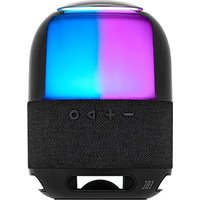
Illustration of a colorful, gradient-colored digital display with a black base and transparent dome (no text or symbols)AD 1904
(GB) user manual - 3 (DE) bedienungsanweisung - 6
(FR) mode d'emploi - 9 (ES) manual de uso - 12
(PT) manual de serviço - 14 (LT) naudojimo instrukcija - 16
(LV) lietošanas instrukcija - 18 (EST) kasutusjuhend - 21
(HU) felhasználói kézikönyv - 27 (BS) upute za rad - 25
(RO) Instructiunea de deservire - 23 (CZ) návod k obsluze - 35
(RU) инструкция обслуживания - 41 (GR) обнүίες хрήσεως - 32
(MK) упатство за корисникот - 29 (NL) handleiding - 37
(SL) navodila za uporabo - 39 (FI) manwal ng pagtuturo - 46
(PL) instrukcja obsługi - 75 (IT) istruzioni operative - 60
(HR) upute za uporabu - 44 (SV) instruktionsbok - 48
(DK) brugsanvisning - 55 (UA) інструкція з експлуатації - 57
(SR) Корисничко упутство - 52 (SK) Používatel'ská príručka - 50
(AR) دليل التعليمات - 62 (BG) Инструкция за употребا - 65
(AZ) İstifadəyə dair göstərişlər - 35 (ALB) Udhëzime për përdorim - 71
ENGLISH
SAFETY CONDITIONS IMPORTANT INSTRUCTIONS ON SAFETY OF USE PLEASE READ CAREFULLY AND KEEP FOR FUTURE REFERENCE
The warranty conditions are different, if the device is used for commercial purpose.
- Before using the product please read carefully and always comply with the following instructions. The manufacturer is not responsible for any damages due to any misuse.
- The product is only to be used indoors. Do not use the product for any purpose that is not compatible with its application.
- The applicable voltage is 5V—1A. For safety reasons it is not appropriate to connect multiple devices to one power outlet.
- Please be cautious when using around children. Do not let the children to play with the product. Do not let children or people who do not know the device to use it without supervision.
5.WARNING: This device may be used by children over 8 years of age and persons with reduced physical, sensory or mental capabilities, or persons without experience or knowledge of the device, only under the supervision of a person responsible for their safety, or if they were instructed on the safe use of the device and are aware of the dangers associated with its operation. Children should not play with the device. Cleaning and maintenance of the device should not be carried out by children, unless they are over 8 years of age and these activities are carried out under supervision. - After you are finished using the product always remember to gently remove the plug from the power outlet holding the outlet with your hand. Never pull the power cable!!!
- Never put the power cable, the plug or the whole device into the water. Never expose the product to the atmospheric conditions such as direct sun light or rain, etc.. Never use the product in humid conditions.
- Periodically check the power cable condition. If the power cable is damaged the product should be turned to a professional service location to be replaced in order to avoid hazardous situations.
- Never use the product with a damaged power cable or if it was dropped or damaged in any other way or if it does not work properly. Do not try to repair the defected product yourself because it can lead to electric shock. Always turn the damaged device to a professional service location in order to repair it. All
the repairs can be done only by authorized service professionals. The repair that was done incorrectly can cause hazardous situations for the user.
- Never put the product on or close to the hot or warm surfaces or the kitchen appliances like the electric oven or gas burner.
- Never use the product close to combustibles.
- Do not let cord hang over edge of counter or touch hot surfaces.
- Never leave the product connected to the power source without supervision. Even when use is interrupted for a short time, turn it off from the network, unplug the power.
- In order to provide additional protection, it is recommended to install residue current device (RCD) in the power circuit, with residual current rating not more than 30 mA. Contact professional electrician in this matter.
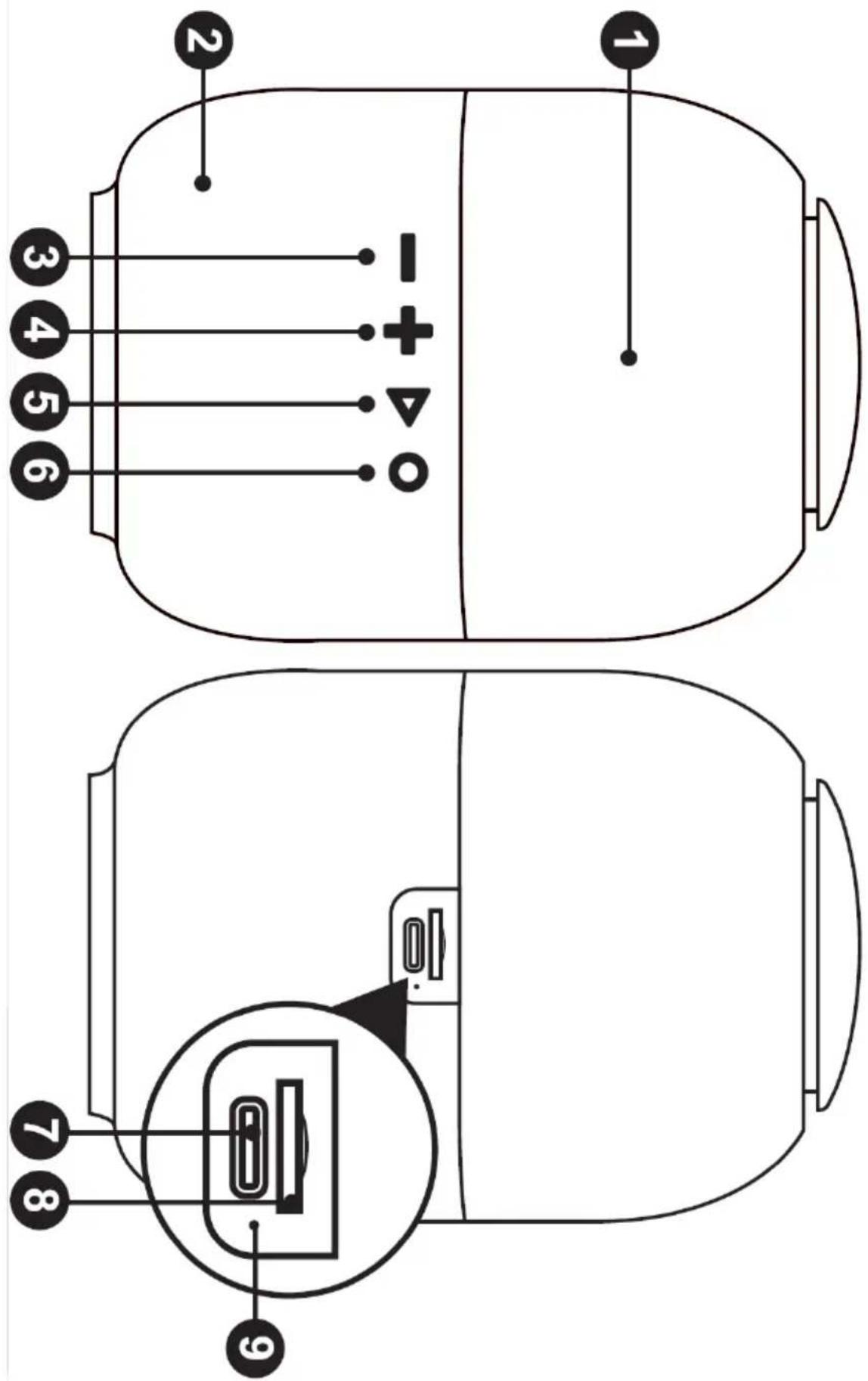
Device description (Bluetooth speaker)
- RGB light 2. Microphone 3. Previous title / Volume - 4. Next title / Volume +
- Play / Pause / Mode 6. On/Off/ Light button 7. USB charging port
- Micro SD card slot
- Status LED
Before first use:
- Remove all packing material.
- Using a damp cotton cloth clean the body of the device.
Charging:
- Insert the USB cable. The light will turn stable red which means the device is charging.
- Once the light turns off. That means the charging is finished and you can start using the device.
Turning on the device:
- Turn on or off the device by Pressing and holding the On / Off button (6).
TWS function:
The TWS function allows you to connection two speakers together to output your music through two speakers. To do so:
-
Turn on both devices by Pressing and holding the On / Off button (6).
-
The devices should both be in Bluetooth mode.
-
Press the Play / Pause / Mode button (5) twice in rapid succession on one of the speakers.
-
The two devices will connect to each other. An acoustic signal will indicate a successful connection.
-
To terminate the connection press the Play / Pause / Mode button (5) twice in rapid succession on one of the speakers.
This function will not work in radio mode.
RGB lighting:
The device is equipped with RGB lighting. To switch between the options:
- Turn on both devices by Pressing and holding the On / Off button (6).
- In any of the functions press the On/Off/ Light button (6) button briefly.
- You can select several settings or turn off the light completely.
Use of the device:
To change between modes press and hold the Play / Pause / Mode button (5). Modes are:
(Bluetooth mode)
- The function indicator will turn on and begin to blink. (If it's not connected to another device. If such is the case disconnect and connect again).
- Open your Sender device (Mobile phone, Tablet or other Bluetooth device.)
- Turn on your Bluetooth connection and locate model AD 1904.
- Connect with the device. It will confirm connection.
- You can control the volume from the sending device.
- You can increase the volume of the playback by pressing either + or - buttons (3,4).
- To pause and play the currently selected track press the Play / Pause / Mod button once (5).
B. To select next or previous track press and hold the Next or previous button (3,4) This function is only available if you are using a playlist of several audio tracks.
(SD mode)
- Insert the SD card drive into the corresponding slot (8).
- The device will change automatically to SD mode respectively. You can also switch to this mode by pressing and holding the Play / Pause / Mode button (5).
- To pause and play the currently selected track by pressing the Play Pause button (3).
- To select next or previous track press and hold the Next or previous button (3,4) This function is only available if you are using a playlist of several audio tracks..
- You can increase the volume of the playback by pressing either + or - buttons (3,4).
(FM mode)
- To automatically search for available stations press the Play Pause button (5) twice in rapid succession. The device will search and save the found stations.
- To choose between the found station press and hold the Next or Previous button (3,4)
- You can increase the volume of the device itself by pressing and holding the + and - buttons (2,4).
Hands free mode:
The device is equipped with a built-in microphone as such we can use it in a hands free mode to make calls.
Please note that a high volume there can be feedback. This results in echo on the receivers side.
Controlling the call:
To answer an incoming call press the On / Off button (6).
To end a call press the On / Off button (6) twice.
To reject incoming call press and hold On / Off button (6) when someone is calling.
To redial the number press the On / Off button x2 (6)
Device description:
BT version: 5.0
FM range: 87MHz - 108 MHz
Playback time: Up to 8H (Sound at 50% power)
Input voltage: 5V 1A Power: 8W
Battery capacity: 1500 mAh
Charging time: 3 hours
To protect your environment: please separate carton boxes and plastic bags and dispose them in corresponding waste bins. Used appliance should be delivered to the dedicated collecting points due to hazarsous components, which may effect the environment. Electrical appliance must be returned in order to reduce its reuse and utilization. If the device contains batteries they should be delivered to dedicated points
DEUTSCH
Tensioni i hyrjes: 5V --- 1A Fuqia: 8W
natural_image
Exterior view of a modern silver kettle with blue liquid, no visible text or symbolsElectric Kettle AD 1282

natural_image
Close-up of a black coffee graser with powder spilling out, next to a rolled spout (no text or symbols visible)Burr Coffee
Milk Frother
AD 4491
natural_image
Black rectangular electronic device with a flat lid and ventilation slots (no visible text or symbols)Sandwich Maker AD 3055
natural_image
Exterior view of a modern sit-up toaster with dual handles and front panel (no visible text or symbols)TOASTER 2 SLICE
natural_image
Exterior view of a modern office building (no signage)ELECTRIC GRILL

natural_image
White ADLER juiceizer with a glass handle and yellow liquid, no visible text or symbols on the device itself.CITRUS JUICER

natural_image
Product photo of a modern blender with three black blisters and fruit slices (no visible text or labels)PERSONAL BLENDER
natural_image
Assorted kitchen appliances including blender, spatula, and kitchen utensils (no visible text or labels)FOOD PROCESSOR AD 4224
natural_image
Close-up of a black and silver electric mixer with a handle, accompanied by a separate wavy line diagram (no text or symbols)MIXER AD 4225
natural_image
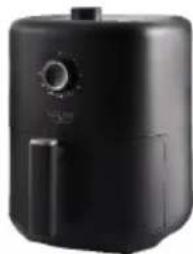
Black air fryer with control knob (no visible text or symbols)AIR FRYER AD 6310
natural_image
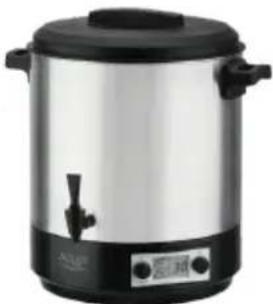
Exterior view of a modern silver coffee maker with black lid and control buttons (no visible text or symbols)PASTEURIZATION POT
natural_image
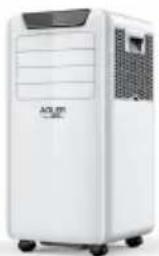
White portable air conditioner unit with control panel and wheels (no visible text or symbols)AIR CONDITIONER AD 7916
natural_image
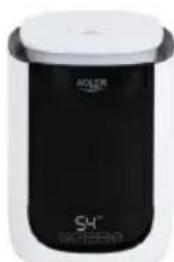
Black and white photo of a modern cylindrical container with a lid (no visible text or symbols)AIR HUMIDIFIER AD 7966
natural_image
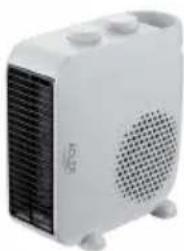
White portable heater with ventilation grille and three heat sinks (no visible text or symbols)FAN HEATER AD 7725
natural_image
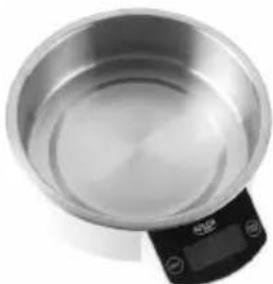
Top-down view of a stainless steel kitchen pan with digital display (no text or symbols visible)KITCHEN SCALE AD 3166
WWW.ADLEREUROPE.EU
AFTER SALE SERVICE NOTICE
| GB | If you want to buy spare parts or make any complaints, please contact the seller who issued the receipt directly. |
| DE | Wenn Sie Ersatzteile kaufen oder reklamieren möchten, wenden Sie sich bitte direkt an den Verkäufer, der die Quittung ausgestellt hat. |
| FR | Si vous souhaitez acheter des pièces de rechange ou faire des réclamations, veuillez contacter directement le vendeur qui a émis le reçu. |
| ES | Si desea comprar repuestos o presentar alguna queja, comuniquese directamente con el vendedor que emitió el recibo. |
| PT | Se você quiser comprar peças de reposição ou fazer alguma reclamação, entre em contato diretamente com o vendedor que emitiu o recibo. |
| LT | Jei norite ¡sigyti atsarginių dalių ar pateikti nusiskundimų, susisiekite tiesiogiai su kvitą išdavusiu pardavėju. |
| LV | Ja vēlaties iegādāties rezerves daļas vai izteikt pretenzijas, lūdzu, sazinieties tieši ar pārdevēju, kurš izsniedza čeku. |
| EST | Kui soovite osta varuosi või esitada pretensioone, võtke otse ühendust kviitungi väljastanud mūūjaga. |
| HU | Ha pótalkatrészeket szeretne vásárolni, vagy panaszt szeretne tenni, forduljon közvetlenül a bizonylatot kiálító eladóhoz. |
| BS | Ako želite kupiti rezervne dijelove ili napraviti reklamaciju, obratite se direktno prodavaču koji je izdao račun. |
| RO | Если вы хотите купить запчасти или предъявить какие-либо претензии, пожалуйста, свяжитесь напрямую с продавцом, выдавшим чек. |
| CZ | Chcete-li zakoupit náhradní díly nebo uplatnit jakoukoli reklamaci, kontaktujte přímo prodejce, který účtenku vystavil. |
| RU | Dacă doriți să cumpārați piese de schimb sau să faceți vreo reclamație, vă rugăm să contactați direct vânzătorul care a emis chitanța. |
| GR | Eáv θέλετε να αγοράσετε ανταλλακτικά ή να κάνετε οποιαδήποτε παράπονα, επικοινωνήστε απευθείας με τον πωλητή που εξέδωσε την απόδειξη. |
| MK | Ako сакате да kupите резервни делови или да поднесете какви било поплаки, контактрајте директно со продавачот koj ja издал сметката. |
| NL | Als u reserveonderdelen wilt kopen of een klacht wilt indienen, neem dan rechtstreeks contact op met de verkoper die de bon heeft afgegeven. |
| SL | Če želite kupiti nadomestne dele ali vložiti reklamacije, se obrnite neposredno na prodajalca, ki je izdal račun. |
| FI | Jos haluat ostaa varaosia tai tehdä valituksia, ota yhteyttä suoraan kuitin antaneeseen myyjään. |
| PL | W przypadku chęci zakupu części zamiennych lub zgłoszenia ewentualnych reklamacji należy kontaktować się bezpośrednio ze sprzedawcą, który wystawił paragon. |
| IT | Se desideri acquistare pezzi di ricambio o presentare reclami, contatta direttamente il venditore che ha emesso la ricevuta. |
| HR | Se desideri acquistare pezzi di ricambio o presentare reclami, contatta direttamente il venditore che ha emesso la ricevuta. |
| SV | Om du vill köpa reservdelar eller göra några reklamationer, vänligen kontakta säljaren som utfärdat kvittot direkt. |
| DK | Hvis du ønsker at købe reservedele eller reklamere, bedes du kontakte sælgeren, som har udstedt kvitteringen, direkte. |
| UA | Якщо ви хочете придбати запчастини або подати будь-які претензії, зверніться безпосередньо до продавця, який видав чек. |
| SR | Ako желите да kupите резервне делове или да уложите рекламацију, обратите се директно продавцу који је издао рачун. |
| SK | Ak si chcete küpit'náhradné diely alebo uplatniť akúkoľvek reklamáciu, kontaktujte priamo predajcu, ktorý účtenku vystavil. |
| AR | و غيارقطعاعреш في ترゴب کنعتذا شكويأيainment، لاصنها فيرجی مباشرلاصیا رдумása Daily بالابع |
| BG | Ako искате да закупите резервни части или да направите оплаквания, моля, свържете се директно с продавача, който е издал касовата бележка. |
| AZ | Ehtiyat hissələri almaq və ya hər hansı śikayat etmək istayirsinizsə, qəbzi verən satıcı ila birbaşa əlaqa saxlayın. |
| ALB | Nëse dëshironi të blini pjesë këmbimi ose të bëni ndonjë ankesë, j I temi kontaktoni drejtpërdrejt shitësin që ka lësh ar lat rën. |