PHC 18 - Phone charger FESTOOL - Free user manual and instructions
Find the device manual for free PHC 18 FESTOOL in PDF.



| Product Type | Mobile phone charger with inductive and USB charging |
| Brand | Festool |
| Model | PHC 18 |
| Dimensions (L x W x H) | 125 mm x 77.4 mm x 39 mm |
| Power Supply | Festool BP series battery (same voltage) |
| Operating Temperature | -10 °C to 50 °C |
| USB Outputs | 1x USB-A (5 V / 2.4 A, 12 W) ; 1x USB-C™ (5 V / 3.0 A, 15 W) |
| Inductive Charging | Qi-BPP / Qi-PPDE : 5 W / 9 W |
| LED Indicator | Green (standby/charging) ; Red (error or excessive temperature) |
| Automatic Shut-off | After 30 minutes of inactivity or low battery |
| Maintenance and Cleaning | Clean with a dry, soft cloth; do not use solvent |
| Safety | Protection against short circuit, overheating, humidity; do not insert metal objects into USB ports |
| Spare Parts | Use only original Festool parts |
| After-Sales Service | By the manufacturer or authorized workshops (www.festool.com/service) |
| Recycling | Do not dispose of with household waste; comply with national regulations |
| Approval | CE, FCC (Class B) |
Frequently Asked Questions - PHC 18 FESTOOL
User questions about PHC 18 FESTOOL
0 question about this device. Answer the ones you know or ask your own.
Ask a new question about this device
Download the instructions for your Phone charger in PDF format for free! Find your manual PHC 18 - FESTOOL and take your electronic device back in hand. On this page are published all the documents necessary for the use of your device. PHC 18 by FESTOOL.
USER MANUAL PHC 18 FESTOOL
en Simplified EU Declaration of Conformity. Festool GmbH hereby declares that the radio installation type PHC 18 conforms with the EU
Directive 2014/53/EU. The full text of the EU Declaration of Conformity is available at the following Internet address: www.festool.co.uk
UK Declaration of Conformity.
Hereby, Festool GmbH declares that the radio equipment type Phone charger PHC 18 is in compliance with the Radio Equipment Regulations S.I. 2017/1206.
The full text of the UK declaration of conformity is available at the following internet address: www.festool.co.uk
Festool GmbH
Wertstr. 20, 73240 Wendlingen
GERMANY
Wendlingen, 2021-08-16
Deutsch
1 Symbole

Warning of general danger
Read the operating manual and safety warnings.
Inserting the battery pack.
Remove the battery pack.
CE marking: Confirms the machine's compliance with European Community directives.
UKCA marking: The United Kingdom Conformity Assessed symbol is a marking for products being placed on
the market in the United Kingdom. It is a manufacturers indication that the product is in conformance with the relevant regulations in the UK.
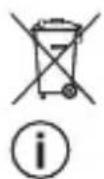
Do not dispose of it with domestic waste.
Tip or advice Handling instruction

A Ampere
V Volt
W Watt
2 Safety warnings

WARNING! Read all safety warnings, instructions, illustrations and specifications
English
provided with this power tool. Failure to follow all instructions listed below may result in electric shock, fire and/or serious injury.
Save all warnings and instructions for future reference.
Follow the operating manual for the battery pack.
- Do not use the machine in the rain or in damp surroundings. Moisture in the machine may cause a short circuit and fire.
- Do not insert any nails, wire or similar into the USB port. This could cause the tool to short-circuit, smoke or catch fire.
- Do not connect the electrical outlet module, an alternative power source
or a high-voltage tool to the USB ports. To do so would be a fire risk. The USB ports are designed solely for charging low-voltage tools (USB-A port = 5 V/2.4 A; output compatible with USB-CTM = 5 V/3.0 A).
3 Intended use
The Phone charger is intended for charging mobile end devices with the customer's own USB cable or for inductive charging of smartphones.
English
The Phone charger is suitable for use with BP Festool battery packs of the same voltage class.

The user is liable for improper or non-intended use.
4 Technical data
| Phone charger PHC 18 | |
| USB-A port | 5 V/2.4 A (12 W/port) |
| Output compatible with USB-CTM | 5 V/3.0 A (15 W/port) |
| Inductive charging: | |
| Qi-BPP / Qi-PPDE 5 W/9 W | |
| Operating temperature -10 °C to 50 °C (14 °F to 122 °F) | |
| Dimension (L x W x H) 125 mm x 77.4 mm x 39 mm | (4.9" x 3.0" x 1.5") |
English
5 Parts of the device / Functional description
[1-1] Output compatible with USB-CTM
[1-2] On/off switch
[1-3] USB-A output
[1-4] LED display
[1-5] Inductive charging surface
The specified illustrations appear at the beginning of the Operating Instructions.
6 Battery pack
Before using the battery pack, check that the battery interface is clean. Any contamination of the battery interface may impair correct contact and lead to the contacts being damaged.
A faulty contact may result in the machine overheating or being damaged.
[2A]
Remove the battery pack.
[2B]

Insert the battery pack - until it clicks into place.

Further information about the battery pack with capacity indicator can be found in the corresponding operating manual.
7 Operation
7.1 Switching on/off Switching on
Press on/off switch [1-2].
English
LED indicator [1-4] lights up green: Phone charger is in standby.
or
LED indicator [1-4] flashes green for two seconds: Battery capacity low, Phone charger switches off automatically.
Switching off
- Press and hold the on/off switch [1-2] for two seconds. Phone charger switches off.

If no port is active and the Phone charger is in standby for 30 minutes, the Phone charger automatically switches off.
7.2 Charging
Inductive charging
- Place smartphone in the centre of the inductive charging surface [1-5].
- Check state of charge of the smartphone.
LED indicator [1-4] lights up green: Charging process begins automatically or charging process is completed.

If the smartphone does not start the inductive charging process automatically:
- Remove the protective cover of the smartphone if necessary.
- Place the smartphone with its reverse in the centre of the inductive charging surface [1-5].
English
- Make minimal alterations to the position of the smartphone until the charging process starts.
Charging with USB cable*
Metallic foreign objects (e.g. coins or keys) affect the charging process and must not be on the inductive charging surface [1-5].
- Connect USB cable with USB-A port [1-3] or with port compatible with USB-C™ [1-1].
Connect USB cable with end device. - Check state of charge of the end device.
LED indicator [1-4] lights up green: Charging process begins automatically or charging process is completed.
- Not included in the scope of delivery.
7.3 Troubleshooting
LED indicator [1-4] flashes red: Charging process faulty.
Charging process of the used port or the inductive charging surface is aborted.
- Switch off (see section 7.1).
- Remove the battery pack (see section 6).
- Check Phone charger for defects or foreign objects.
- Check USB cable*.
- Reinsert the battery pack (see section 6).
English
- Switch on (see section 7.1).
- Carry out charging process again with a different end device.
If no end device can be charged, contact the manufacturer or service workshop (see section 8).
- Not included in the scope of delivery.
LED indicator [1-4] lights up red: Excessive temperature.
Charging process is interrupted.
Charging process is continued as soon as the temperature is once again low enough: LED indicator [1-4] lights up green.
8 Service and maintenance

WARNING
Any maintenance or repair work that requires opening of the motor or gear housing should only be carried out by an authorised Customer Service Centre (name supplied by your dealer)!
- Maintenance or repair work carried out by an unauthorised person can lead to the wrong connection of the power cord or other components, which in turn can lead to accidents with serious consequences.
English

WARNING
To prevent accidents, always remove the plug from the power supply socket before carrying out any changes or maintenance work on the tool!
Do not use compressed air to clean the electrical tool! Do not try to clean parts inside the tool in this way, as you could let foreign objects in through the openings of the tool housing.

Customer service and repairs must only be carried out by the manufacturer or service workshops. Find the
nearest address at: www.festool.com/service
Always use original Festool spare parts. Order no. at: www.festool.com/service
Clean the machine with a soft, dry cloth to prevent damage. Do not use solvents.
9 Environment
Do not dispose of the device in the household waste! Recycle devices, accessories and packaging. Observe applicable national
regulations.
EU only: In accordance with the European Directive on waste electrical and electronic equipment and implementa
English
tion in national law, used power tools must be collected separately and handed in for environmentally friendly recycling.
Information on REACH:
www.festool.com/reach
10 General information
10.1 USA: Federal Communications Commission (FCC) Interference Statement
NOTE: This equipment has been tested and found to comply with the limits for a Class B digital device, pursuant to part 15 of the FCC Rules. These limits are designed to provide reasonable protection against harmful interference in a residential installation. This equip-
ment generates, uses and can radiate radio frequency energy and, if not installed and used in accordance with the instructions, may cause harmful interference to radio communications. However, there is no guarantee that interference will not occur in a particular installation. If this equipment does cause harmful interference to radio or television reception, which can be determined by turning the equipment off and on, the user is encouraged to try to correct the interference by one or more of the following measures:
- Reorient or relocate the receiving antenna.
- Increase the separation between the equipment and receiver.
English
- Connect the equipment into an outlet on a circuit different from that to which the receiver is connected.
- Consult the dealer or an experienced radio/TV technician for help.
NOTE: Any changes or modifications not expressly approved by the party responsible for compliance could void the user's authority to operate the equipment.
10.2 Imported into the UK by
Festool UK Ltd
1 Anglo Saxon Way
Bury St Edmunds
IP30 9XH
Great Britain
Français
1 Symboles

7.3 0tctpaHЯBaHe Ha Hen3npaBNoCTn
LED nHdNkaunra [1-4] mnaB uepBeHo: PpoecbT ha 3apekdahe e rpeweH.
IpouecbT Ha 3apejdaHe Ha n3noJ3BaHnA n3XoJ nnHa nHnyKTNBHaTa 3apJaHa noJIOKKa e npekbChaT.
- N3KJIouye (Bx. rnaBa 7.1).
CbaIe aKymyIaTopHaTa 6aTepeN (Bx. rIaBa 6).
3apraHno 3a TelefoH npoBepTe 3a DeΦeKTHnIINyXKnTeJa. - Поберете USB kaбesa*.
-ПocTaBete OTHOBo aKymyIaTOPHaTAt6aTePn8(Bx. rnaBa 6).
Bknioyete(Bx. rna7.1). - IV3BbPwTe OTHOBo npoueca Ha 3apeJxdaHe c npyro KpaHnO yctpOncTBO.
Ako He moke da ce 3apei n KpaHno ycTpoIcTB0,CbbpKeTe ce c npOn3BOiNTeJIy INCepBn3HnA ZeHTbp(BK. rnaBa 8).
- He e B cbDbPkaHHeTo Ha nopBcKaTa.
LED nHdkaunra [1-4] cBeTn B cepBeHo: CbpbxtemnpaTypa.
IpouecbT Ha 3apeXdaHe e npekbchHaT.
IpocecbT Ha 3apeXdaHe npoBnKaba UOM Tempepatypata e DocTaB4H0 HNC Ka OTHOB:LED uHnKaaunra [1-4] CBeTN B 3eJeHo.
8 Texnuecko o6cnykbaHe n noDbpxaHe

KlneHTcKa cny6a n peMOHT caMo OT npOn3BO- dnteJIy IIN OT cepBn3Hn pa6oTnIHHu. Hau-6n3Kna
Былгарскn
aDpec MoKeTe Da oTKpneTe Ha:
www.festool.bg/cepBn3
I3noJ3BaIte cAmo opnHnHaJIHpe3epBHN qactN OT Festool! KaTaoXn Homepa Ha: www.festool.bg/cepBn3
3a da npedotbpatnte uetn, nou-CTBaIte ypeda c Meka, cyxa Kbpna.
He n3noJ3BaIte pa3TbOpnteJI.
BaITe BaIiDnHTe HaCuNoHaJIHn pa3nopeI6n.
Cama EC: Cnopei eBponeckata Hapei-6a n3noJ3BaHnte eJeKtpoypei Tpr6Ba Da ce c6bnpaT pa3dEJHo i Da 6bDaT PpeJaBAHN 3a peuKnIpaHe c Mncbl 3a OKoJHaTa CpeJa.
HΦopMaζηa REACH:
www.festool.com/reach
9 Okonha cpea

He n3xBpIa Te ypea B domaKnHcKna 6oknyk! H-
CTpymEnTu, npHaJleJXHOCTN KOHCyMaTbN Tp86Ba Da 6bDat pa3deJHnO n3XBbp
JIaHn C MncbI 3a OkolHaTa cpea. Cna3-
Ceský
1 Symboly

Phone Charger PHC 18
USB-A-udgang 5V / 2,4A (12 W / port)
| Phone Charger PHC 18 | |
| Udgang kompatibel med USB-CTM | 5 V/3,0 A (15 W / port) |
| Opladning ved induktion: | |
| Qi-BPP / Qi-PPDE 5 W / 9 W | |
| Driftstemperatur -10 °C til 50 °C (14 °F til 122 °F) | |
| Mål (L x B x H) 125 mm x 77,4 mm x 39 mm | (4,9" x 3,0" x 1,5") |
5 Maskinelementer
[1-1] Udgang kompatibel med USB-CTM
[1-2] Taend/sluk-knap
[1-3] USB-A-udgang
[1-4] LED-indikator
[1-5] Induktionsopladningsflade
De angivne illustrationer findes i tillaeg get til brugsanvisingen.
6 Batteri
A Ampere V Volt W Watt
A Ampere V Volt W Watt
YctaHOBnTe aKKymyIaTOp.
OToCoeHnHe aKKymyJrTOp.
MapknpoBka CE: POnTBeP- Xdaet COOTBeTCTBne HnCTpyMeHTa OCHOBbIM Tpe6oBaHNrM dInpeKtNB EC.
MapknpoBka EAC: PoiTBeP- Xdaet COOTBeTCTBne NHCTpyMeHTa OCHOBHbIM Tpe6OBA
HnAM DnpeKtNB Ebpa3NCKOro 3KOHOmUYeCKOro c0103a.
He BbIbpaCbIBaIe BMeCTe C 6bITOBbIMN OTXoJamn.
HnctpyKzna,pekomeHaau na HnctpyKzna nocnoB30Ba-HnIO
A amnep
VBOJIbT
W BaTT
2Уka3aHnЯ lo TeXnKe 6e3oNaChOCTn

OCTOPOXHO! Почтente Всeyka3aHnЯ no TeXnKe 6e3- onacnoctn n HcTpyKcnn. He-
ToHoe co6JIoJeHne yKa3aHn MoXeT
Pycckn
CTaTb npuHno ydapa 3JIeKTpueckm TOKOM, noXapa n/INn cepbE3HbIX TpaBM.
Coхсану Te BCE yka3aHnno TextHnke 6e30napocTn n HnCtpyKu nn dIra cIe- dyUoIero noIb3OBaTeJn.
Co6IIOaIte yka3aHnpykoBODCTBa nO 3KcIIyatau nn aKKymJrTopa.
-He noIb3yIeTcB yCTpoiCTBOM nOd DOxKdEM Hn B YCJIOBnX NOBbIWeH-HoB BlaXHOCTn. IOnaHaHne BlaRn BHyTp b yCTpOiCTBa MoKeT npNBecTN K KOPOTKOMy 3aMbIkaHIO N BO3rOpAHIO.
-He BCTaBnIe T USB-rHe3do rBO3n, npoBoJoky n. n.npeMeTbI. 3To Mo-Jxet npuBeCTn K KopOTKomy 3amblKa-HHIO, DbIMLeHHIO INN BO3rOpAHIO.
-He coeHnayTe USB-rHε3da c po3et-Ko, KaKIM-JI60 dpyrM nCTOCHN-
KOM TOKa NJIy UcTpoiCTBOM C BbICo-KnM HapJxKeHem. ONaChocTb BO3rOpAHy. USB-ΓHe3da npeHa3Ha-yeHbI TOJIbKOДЯ 3apJdKN HN3KO-BOJIbTHbIX UcTpoiCTB (BbIXoI USB-A = 5 B / 2,4 A; USB-CTM-coBmecTmbl BbIXoI = 5 B/3,O A).
OTcoeHnHTe aKKyMyJrTOp.
[2B]
BcTaBbTe aKKyMyJIaTOp -do fNk-caunn.
i
Ioppo6Hna HOpMaun o6 aK KyMylrtope c HnDnKaTOpom EMKoCTN coepxntc B pykoBODCTBe nO 3KcPnyaTaun aKKymyJrTopa.
Pycckn
7 3ксплуataцья
7.1 BkJIIOueHHe/BBIKJIIOueHHe
BkJIIOUeHne
HaxMMTe KHOKNy BKJIIOueHn/BBIKIO-ueHn [1-2].
CД-индикатop [1-4] ropnt 3eJIeHbIM CBetom: Phone Charger haxoIHTcB B peXIME oKuIaHnI.
HNN
CД-индикатop [1-4]Mnraet 2 cekyнды 3eJIeHbIM CBETOM: Hn3KaЯ eMKoCTb aKKyMyJatopa, Phone Charger abTomatueCKN OTKIIuOaETcra.
BbIKJIoueHne
- YdepxnBaIte HaxaToi KHOKNy BKNIO-ueHn/ByIKJIOUeHn [1-2] 2 ceKynDbI. Phone Charger BbIKJIOuaTcra.
KordaBce BbIXOdbI HeaKTINBHy I Phone Charger 30 MmHyT hao- dntcB peXkme oXnDaHnra, Phone Charger aBTOMatNueckn OTKJIIOyaeTcra.
7.2 3apka
Бесправедая заюка
-Полжnte cMapTФOH Ha cepeHnHy 6ecnpoBOdHOn 3apAHDon NaHe- Jn [1-5].
PpOBepeypoBHeb3apJa cMapT-0Ha.
CД-ИнДИКaTOp [1-4] rOpHT 3eJIeHbIM CBETOM: IpoUeCC 3apJKN HaUNHaETcA ABTomaTIVeCKN JIN IpoUeCC 3apJKN 3aBepWeH.
Pycckn

Ecn mapToH aBtOMaTnueckn He 3anycKaet 6ecnpoBoNDHyIO 3apKy:
CHIMITE YexoJ,ecn CMapT- OH B yexJe.
-ПолохиTe cMapTФOH эКраHOM BBepx ПО ueHTpy 3apЯДнй пa- HeJIi [1-5].
Clerka cBnHbTe TelefoH, UTo6bl Haalc npouecc 3apdKN.
3apka uepe3 USB-ka6eb*

Jekaune Ha 6ecnpoBODHO3apnHO nanei [1-5] metaJInu-yeckne noctopOHHe npedMeTbI (Haepmep MoheTb IIN KInOuH) MewaOT npoucecy 3apdKn.
-ПодсоeДиНиTe USB-Ka6eь* K BbIXOу USB-A [1-3] nIu USB-C™coBmecTnMOMy BbIXO-у [1-1].
- IopcoeHnTe USB-kaebb* K KoHeuHOMy yCTpoiCBy.
PpOBepeTe ypoBeHb 3apra yctpoiCTBa.
CД-ИнДИКаTOp [1-4] rOpHT 3eJIeHbIM CBETOM: pOuEcC 3aPAnKn HaUnHaetcra ABToMaTInueckN Nn PPOUecC 3apAnKn 3aBepWeH.
- He BXOДNT B KOMПЛЕКТ NOCTABKN.
7.3 YcTpaHHe HencnpaBHOcteI
CД-инданkaTop [1-4] Mnraet KpacHBIM
CBetOM: npo6IeMbI c 3apAkoN.
Pycckn
IpepbBaetc npoecc 3apkU yepe3 nCNoB3yeMbI BbIXOu nn Ha becppoBODHOJ 3apHNOJ naHeJI.
BbIKJIIOHTe yCTpoINCTBO (cM. pa3- den 7.1).
CHIMITE aKKyMyJrTop (cM. pa3dJI 6).
- ПоберьTe Phone Charger oTcyTCTBHe NOBpeJdeHn I NocToPOHHnxпрdmetob.
PpOBepe USB-ka6eIb*.
- Choba BCTaBbTe aKKyMyJrTop [cM. pa3dE6].
BknHHTe yctpoNCTBO (cm. pa3- den 7.1).
-Nonpo6yIte 3apAaNTb dpyroe KOHeuHoe yCTpOuCTBO.
Ecnn Hn Ondo n3 yctpoiCTB He 3apjaetcra, o6paTntecb K N3ROTOBNTeHIO
B cepBnchHyo MaCTepckyio (cm. pa3- 8).
- He BxOДИТВ KOMПЛЕKT NOCTABKN.
CД-индикатop [1-4] ropnt KpacHBIM CBetOM:перрев.
Ipocecc 3apAkn npepbBaetc.
Ipocecc 3apraKn BO306HOBnaETcKa KaTolbko TeMnepaTypa OnyckaTeCn DOOnpeJeHHoro ypOBH: C-UNnKa-Top [1-4]rOpNT 3eJIeHbIM CBetOM.
8 06cnyxmbaHne n yxoD

CepBnchoe 06cIyKbHaHne n peMOHT OJXHbI BblOJI-HaTbcra TOLbKO CpeuJaN-CTaMnΦnpMbI-N3rTOBNTe-
JIYIINBcepbncHO MaTepeKoI.AJpec
Pycckn
Varning - Allman risk
A Ampere V Volt W Watt
Phone Charger PHC 18
USB-A-utgang 5 V/2,4 A (12 W / port)
| Phone Charger PHC 18 | |
| Utgång kompatibel med USB-CTM | 5 V/3,0 A (15 W / port) |
| Induktiv laddning: | |
| Qi-BPP / Qi-PPDE 5 W / 9 W | |
| Arbetstemperatur -10 °C till 50 °C (14 °F till 122 °F) | |
| Mått (L x B x H) 125 mm x 77,4 mm x 39 mm | (4,9" x 3,0" x 1,5") |
5 Enhetskomponenter
[1-1] Utgang kompatibel med USB-C™
[1-2] Strömbrytare
[1-3] USB-A-utgang
[1-4] LED-indikering
[1-5] Laddningsyta


- UK DECLARATION OF CONFORMITY
- FESTOOL GMBH
- DEUTSCH
- 1 SYMBOLE
- 2 SAFETY WARNINGS
- ENGLISH
- 3 INTENDED USE
- 4 TECHNICAL DATA
- 5 PARTS OF THE DEVICE / FUNCTIONAL DESCRIPTION
- 6 BATTERY PACK
- 7 OPERATION
- 7.1 SWITCHING ON/OFF SWITCHING ON
- OR
- SWITCHING OFF
- 7.2 CHARGING
- INDUCTIVE CHARGING
- CHARGING WITH USB CABLE
- 7.3 TROUBLESHOOTING
- LED INDICATOR [1-4] LIGHTS UP RED: EXCESSIVE TEMPERATURE
- 8 SERVICE AND MAINTENANCE
- WARNING
- ANY MAINTENANCE OR REPAIR WORK THAT REQUIRES OPENING OF THE MOTOR OR GEAR HOUSING SHOULD ONLY BE CARRIED OUT BY AN AUTHORISED CUSTOMER SERVICE CENTRE (NAME SUPPLIED BY YOUR DEALER)
- 9 ENVIRONMENT
- 10 GENERAL INFORMATION
- 10.1 USA: FEDERAL COMMUNICATIONS COMMISSION (FCC) INTERFERENCE STATEMENT
- 10.2 IMPORTED INTO THE UK BY
- 1 SYMBOLES
- 7.3 0TCTPAHЯBAHE HA HEN3NPABNOCTN
- 8 TEXNUECKO O6CNYKBAHE N NODBPXAHE
- БЫЛГАРСКN
- 9 OKONHA CPEA
- 1 SYMBOLY
- 5 MASKINELEMENTER
- 6 BATTERI
- 2УKA3AHNЯ LO TEXNKE 6E3ONACHOCTN
- PYCCKN
- 7 3КСПЛУATAЦЬЯ
- 7.1 BKJIIOUEHHE/BBIKJIIOUEHHE
- BKJIIOUEHNE
- HNN
- BBIKJIOUEHNE
- 7.2 3APKA
- БЕСПРАВЕДАЯ ЗАЮКА
- 3APKA UEPE3 USB-KA6EB
- 7.3 YCTPAHHE HENCNPABHOCTEI
- CД-ИНДАНKATOP [1-4] MNRAET KPACHBIM
- CД-ИНДИКАТOP [1-4] ROPNT KPACHBIM CBETOM:ПЕРРЕВ
- 8 06CNYXMBAHNE N YXOD
- 5 ENHETSKOMPONENTER
Brand : FESTOOL
Model : PHC 18
Category : Phone charger