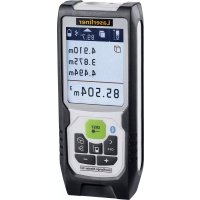
LaserRangeMaster Gi3 - Rangefinder Laserliner - Free user manual and instructions
Find the device manual for free LaserRangeMaster Gi3 Laserliner in PDF.



User questions about LaserRangeMaster Gi3 Laserliner
0 question about this device. Answer the ones you know or ask your own.
Ask a new question about this device
Download the instructions for your Rangefinder in PDF format for free! Find your manual LaserRangeMaster Gi3 - Laserliner and take your electronic device back in hand. On this page are published all the documents necessary for the use of your device. LaserRangeMaster Gi3 by Laserliner.
USER MANUAL LaserRangeMaster Gi3 Laserliner
LaserRange-Master Gi3
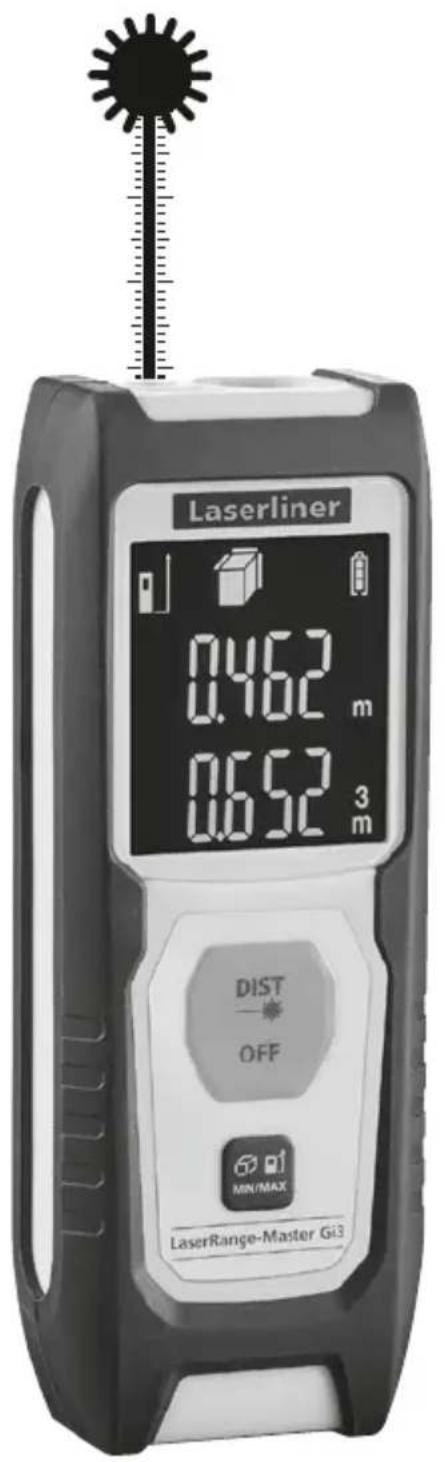

Laser
515 nm
Laserliner
| DE | 04 |
| EN | 09 |
| NL | 14 |
| DA | 19 |
| FR | 24 |
| ES | 29 |
| IT | 34 |
| PL | 39 |
| FI | 44 |
| PT | 49 |
| SV | 54 |
| NO | 59 |
| TR | |
| RU | |
| UK | |
| CS | |
| ET | |
| RO | |
| BG | |
| EL | |
| SL | |
| HU | |
| SK | |
| HR |
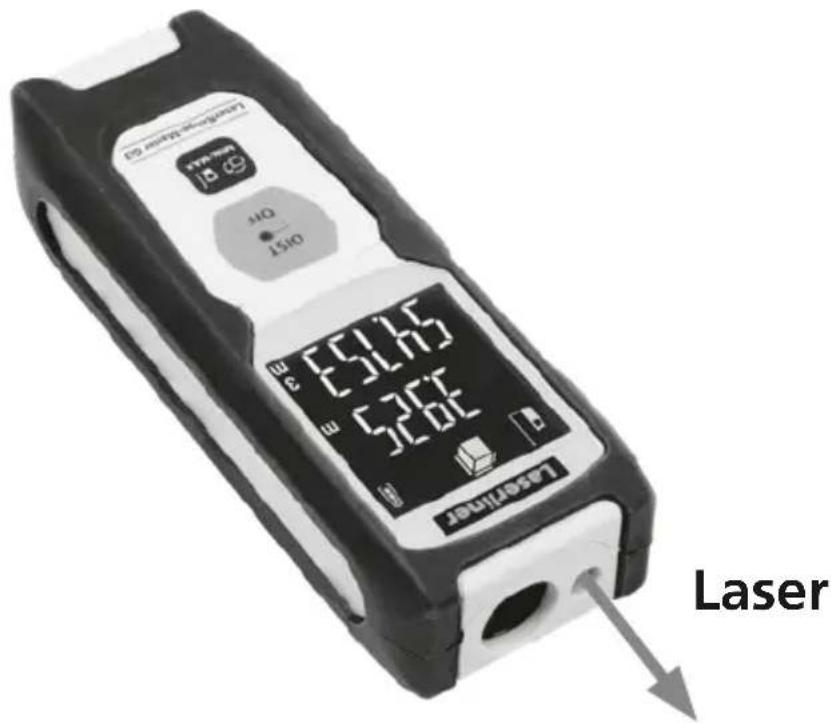
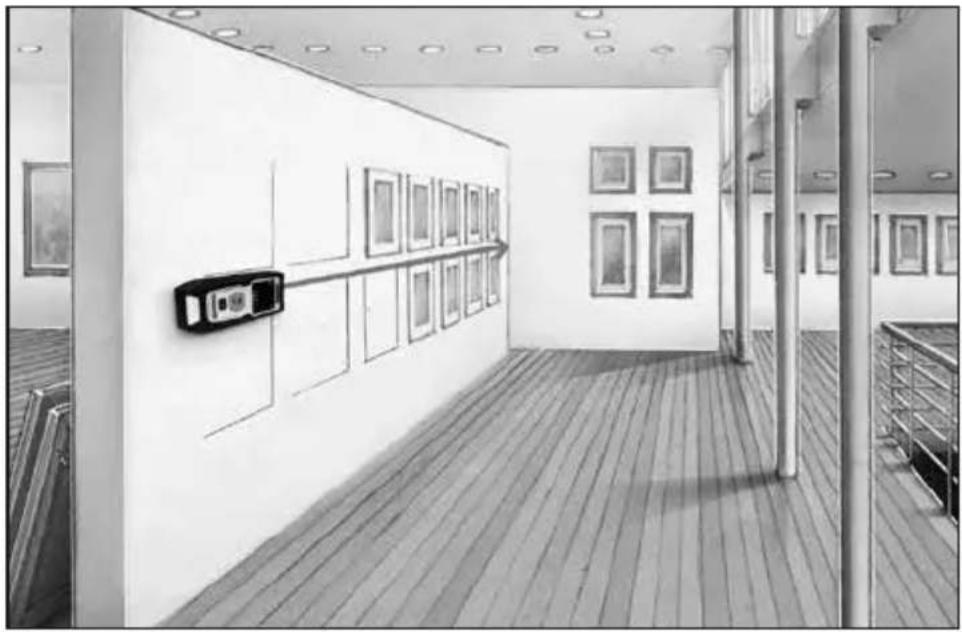
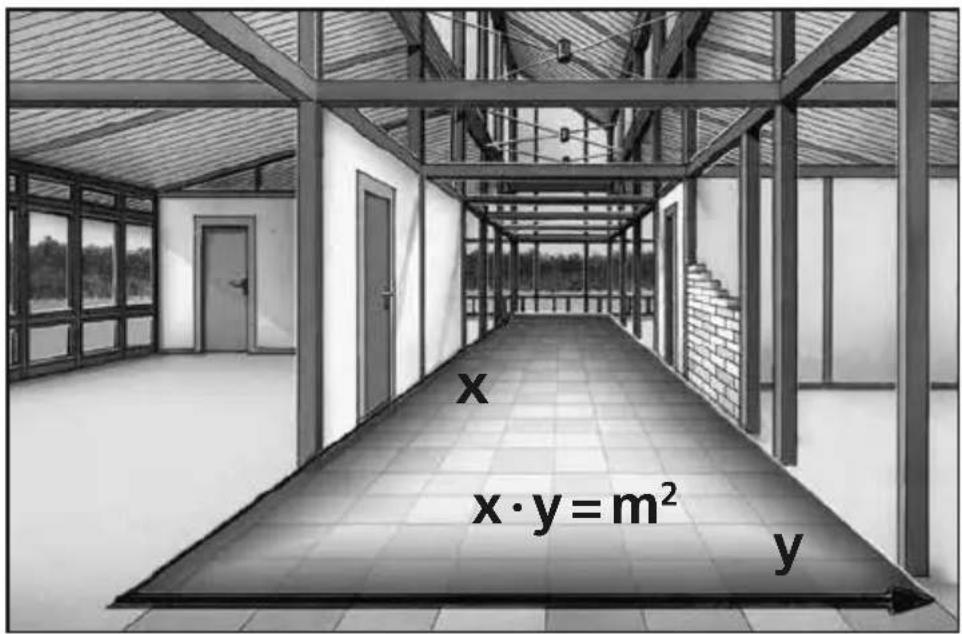
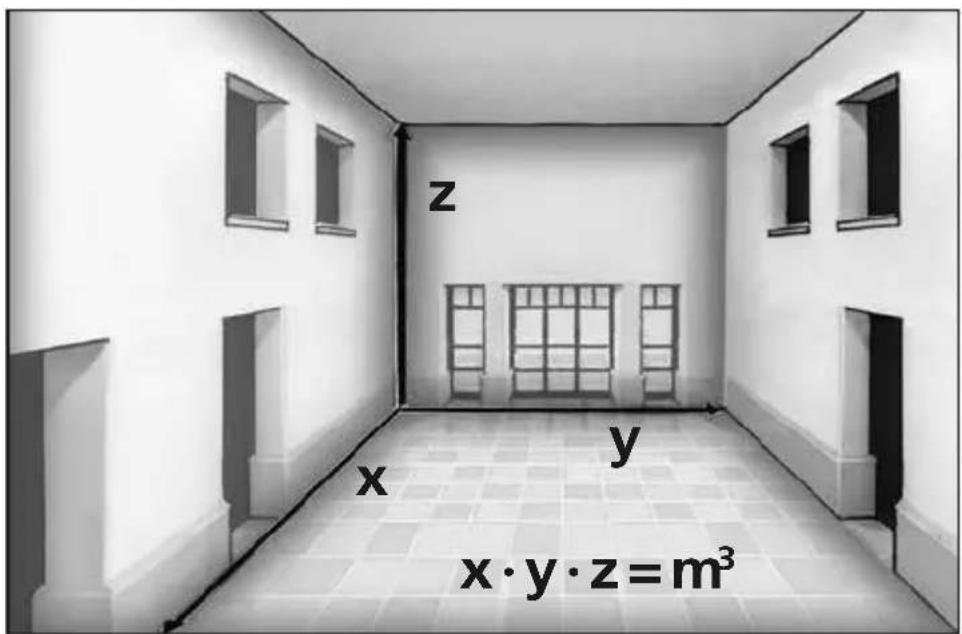
Laserliner
!
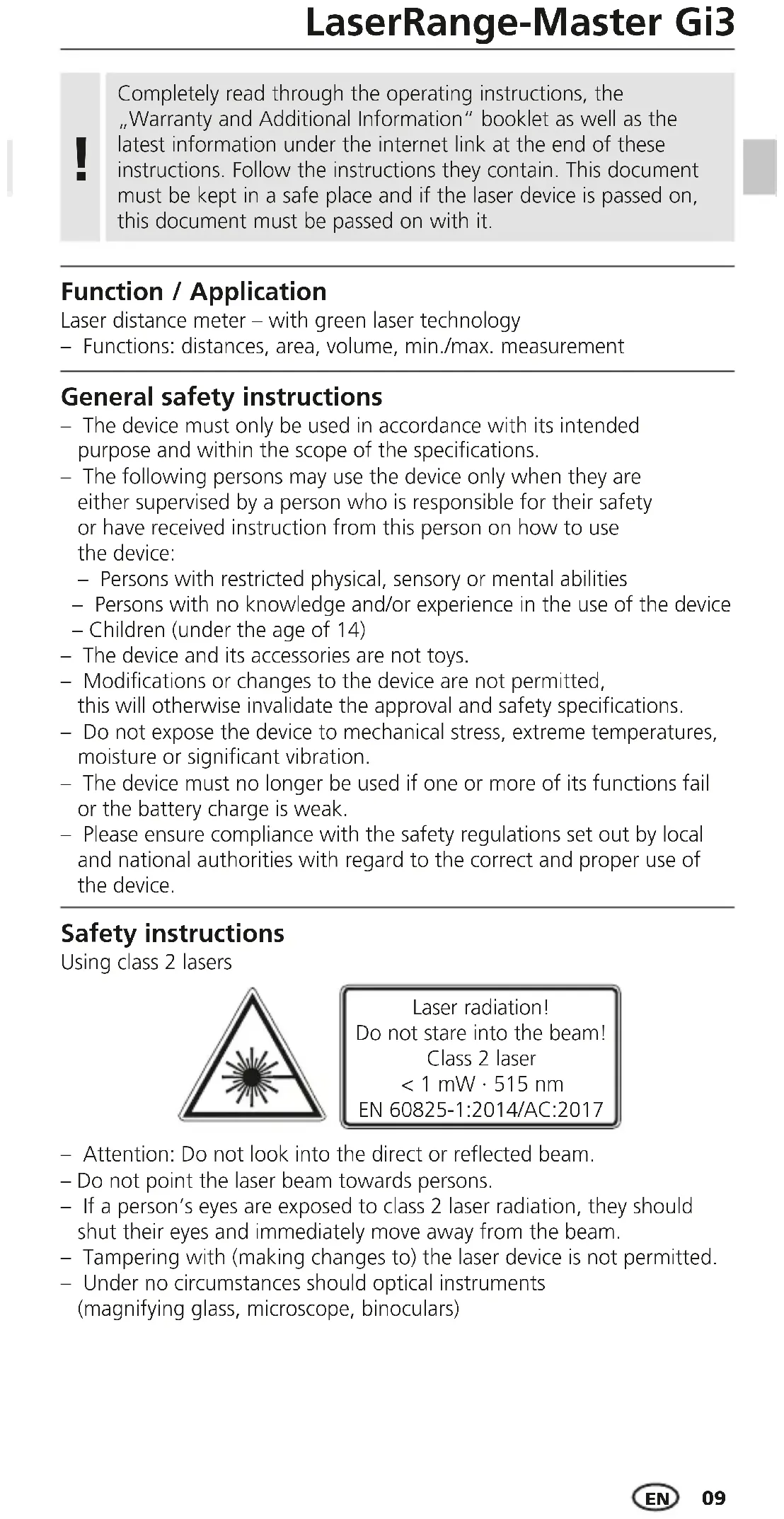
Completely read through the operating instructions, the "Warranty and Additional Information" booklet as well as the latest information under the internet link at the end of these instructions. Follow the instructions they contain. This document must be kept in a safe place and if the laser device is passed on, this document must be passed on with it.
Function / Application
Laser distance meter - with green laser technology
- Functions: distances, area, volume, min./max. measurement
General safety instructions
- The device must only be used in accordance with its intended purpose and within the scope of the specifications.
-
The following persons may use the device only when they are either supervised by a person who is responsible for their safety or have received instruction from this person on how to use the device:
-
Persons with restricted physical, sensory or mental abilities
- Persons with no knowledge and/or experience in the use of the device
-
Children (under the age of 14)
-
The device and its accessories are not toys.
- Modifications or changes to the device are not permitted, this will otherwise invalidate the approval and safety specifications.
- Do not expose the device to mechanical stress, extreme temperatures, moisture or significant vibration.
- The device must no longer be used if one or more of its functions fail or the battery charge is weak.
- Please ensure compliance with the safety regulations set out by local and national authorities with regard to the correct and proper use of the device.
Safety instructions
Using class 2 lasers

Laser radiation!
Do not stare into the beam!
Class 2 laser
<1 mW·515 nm
EN 60825-1:2014/AC:2017
- Attention: Do not look into the direct or reflected beam.
- Do not point the laser beam towards persons.
- If a person's eyes are exposed to class 2 laser radiation, they should shut their eyes and immediately move away from the beam.
- Tampering with (making changes to) the laser device is not permitted.
- Under no circumstances should optical instruments (magnifying glass, microscope, binoculars)
Laserliner
Safety instructions
Dealing with electromagnetic radiation
- The measuring device complies with electromagnetic compatibility regulations and limit values in accordance with EMC-Directive 2014/30/EU.
- Local operating restrictions – for example, in hospitals, aircraft, petrol stations or in the vicinity of people with pacemakers – may apply. Electronic devices can potentially cause hazards or interference or be subject to hazards or interference.
- The measuring accuracy may be affected when working close to high voltages or high electromagnetic alternating fields.
Inserting batteries
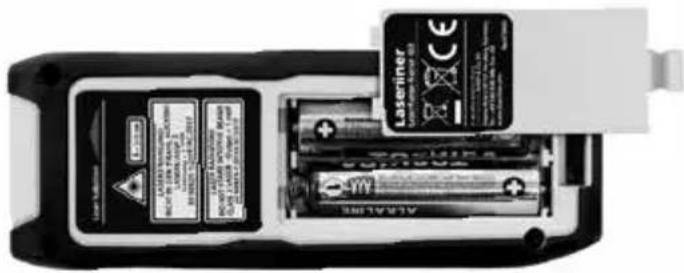
Open the battery compartment and insert batteries (2 x typ AAA) according to the symbols. Be sure to pay attention to polarity.
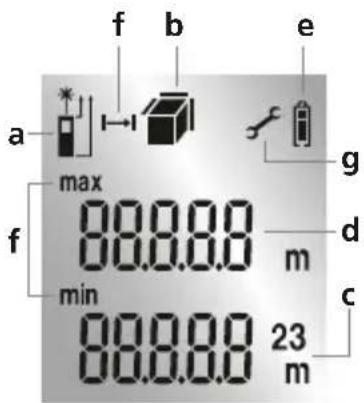
DISPLAY:
a Measurement point (reference) rear / front
b Display length / area / volume
c Measurement values Measurement results Unit m
d Intermediate values / min/max values
e Battery symbol
f Min./max. measurement
g Malfunction / service required
1.
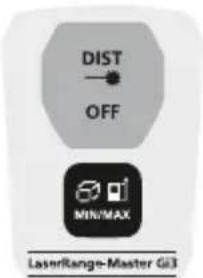
KEYPAD:
- ON / Measure / OFF
- Length, area, volume, min./max. measurement Measurement point (reference) rear / front
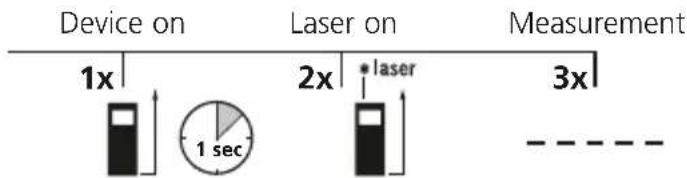
Switch on, measure and switch off:
Device on Laser on Measure Device off

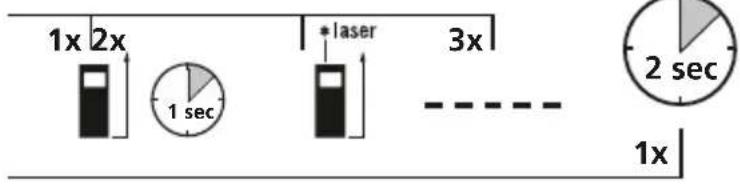
Change measurement point (reference):
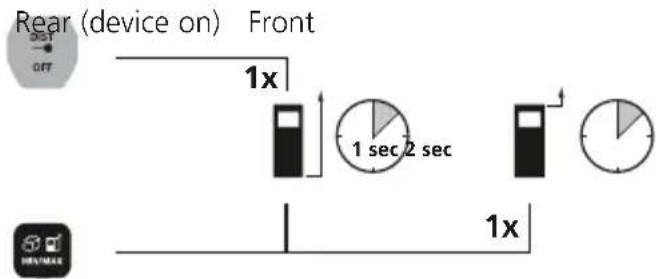
Change measurement function:
Length Area Volume Min. Max.
Device on


Length measurement:

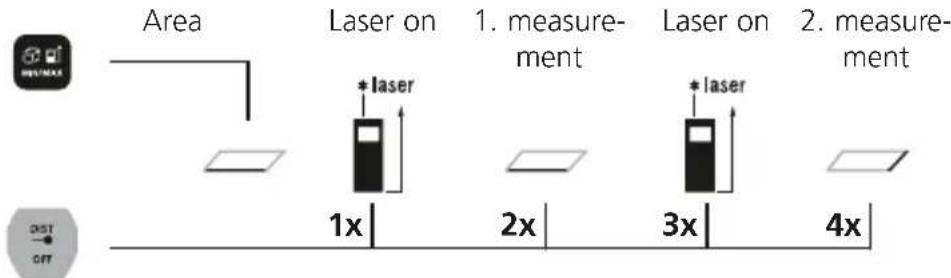
Area measurement:
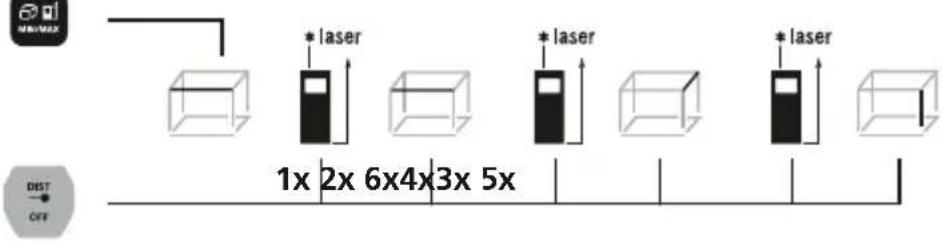
Volume measurement:
Volume 1. Measurement 2. Measurement 3. Measurement
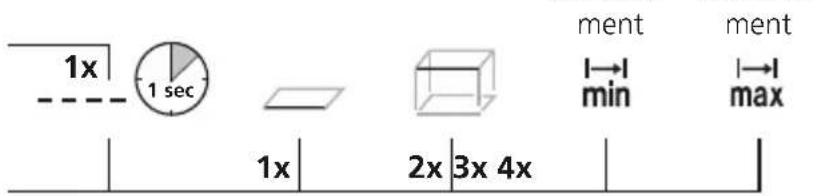
Min./max. measurement:
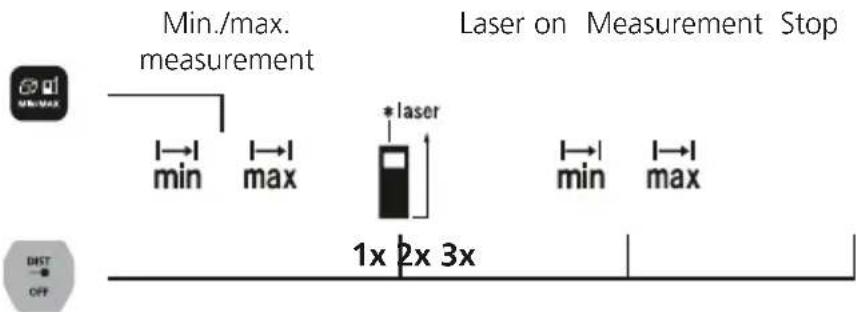
Min. measurement
The LC display shows the lowest value (min.) and the current value.
Max. measurement
The LC display shows the highest value (max.) and the current value.
Important notices
- The laser points to the location that will be measured. No objects may get into the laser's line of measurement
- The device compensates the measurement for different room temperatures. Therefore allow the device a brief adaptation period when changing locations with large temperature differences.
- The device is only conditionally useable in outdoor areas and cannot be used in strong sunlight.
- The measurement results of outdoor measurements may be influenced or falsified by rain, fog and snow.
- In unfavourable conditions, e.g. with poorly reflecting surfaces, the maximum deviation may be greater than 3mm .
- Carpenting, upholstery or curtains will not reflect the laser optimally. Measure to flat surfaces.
- Measurements made through glass (window panes) can falsify measurement results.
- An energy-saving function switches the device off automatically.
- Clean with a soft cloth. Water may not be allowed to penetrate the housing.
Error codes:
Err08: Pythagorean measurement error
Err10: Replace the battery
Err11: Data transfer error
Err14: Calculation error
Err15: Outside the measuring range
Err16: Received signal too weak
Err26: Value outside display range
Information on maintenance and care
Clean all components with a damp cloth and do not use cleaning agents, scouring agents and solvents. Remove the battery(ies) before storing for longer periods. Store the device in a clean and dry place.
Calibration
The meter needs to be calibrated and tested on a regular basis to ensure it produces accurate measurement results. We recommend carrying out calibration once a year.
Technical Data (Subject to technical changes without notice. 21W08)
| Precision (typical)* ± 2 mm | |
| Measurement range (inside)** | 0.3 m - 30 m |
| Laser class 2 < 1 mW | |
| Laserwellenlänge 515 nm | |
| Operating conditions | -10°C ... 40°C, max. humidity 20 ... 85% rH, no condensation, max. working altitude 2000 m above sea level |
| Storage conditions | -20°C ... 70°C, max. humidity 80% rH |
| Automatic switch-off 30 sec | laser / 3 min device |
| Power supply 2 x 1.5V LR03 | (AAA) |
| Dimensions (W x H x D) 40 x | 110 x 24 mm |
| Weight (incl. batteries) 90 g |
- measuring distance up to 10 m with strongly reflective target surface and at room temperature. The measurement deviation may increase by ± 0.2 mm/m for weakly reflective target surfaces.
** at max. 5000 lux
EU directives and disposal
This device complies with all necessary standards for the free movement of goods within the EU.
This product is an electric device and must be collected separately for disposal according to the European Directive on waste electrical and electronic equipment.
Further safety and supplementary notices at: http://laserliner.com/info?an=AIB

Laserliner
!
Err15: Uden for maleomradet
Err16: Modtaget signal for svagt
Err10: Trocar as pilhas
Err16: Mottatt signal for svakt
Err26: Verdiutenforvisningsområdet