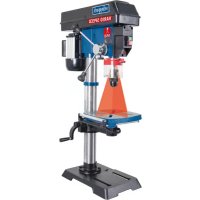
DP18Vario - Drill SCHEPPACH - Free user manual and instructions
Find the device manual for free DP18Vario SCHEPPACH in PDF.




User questions about DP18Vario SCHEPPACH
0 question about this device. Answer the ones you know or ask your own.
Ask a new question about this device
Download the instructions for your Drill in PDF format for free! Find your manual DP18Vario - SCHEPPACH and take your electronic device back in hand. On this page are published all the documents necessary for the use of your device. DP18Vario by SCHEPPACH.
USER MANUAL DP18Vario SCHEPPACH
Günzburger Straße 69
D-89335 Ichenhausen
Verehrter Kunde
Homepage: https://www.scheppach.com/de/service
Explanation of the symbols on the product
| Warning! Disregard results in a risk of death or injury, or damage to the tool! | |
| Warning against hazardous electrical voltage! | |
| Warning of parts being ejected at speed! | |
| Warning - cutting injuries! | |
| Before commissioning, read and observe the operating manual and safety instructions! | |
| Wear safety goggles! | |
| Wear hearing protection! | |
| If dust builds up, wear respiratory protection! | |
| Do not leave long hair loose. Use a hair net. | |
| Do not wear gloves. | |
| Protect from moisture. Do not expose the machine to rain. | |
| The product complies with the applicable European directives. | |
| The product complies with the applicable Serbian directives. |
Table of contents: Page:
- Introduction 27
- Device description 27
- Scope of delivery 27
- Proper use 28
- Safety instructions 28
- Technical data 31
- Unpacking 32
8.Before commissioning 32 - Assembly 32
- Operation 33
- Electrical connection 35
- Cleaning and maintenance 35
- Storage 37
- Disposal and recycling 37
- Troubleshooting 38
- Declaration of conformity 115
1. Introduction
Manufacturer:
Scheppach GmbH
Günzburger Straße 69
D-89335 Ichenhausen
Dear Customer
We hope your new device brings you much enjoyment and success.
Note:
In accordance with the applicable product liability laws, the manufacturer of this device assumes no liability for damage to the device or caused by the device arising from:
- Improper handling
Non-compliance with the operating manual - Repairs carried out by third parties, unauthorised specialists
- Installing and replacing non-original spare parts
- Improper use
- Failure of the electrical system in the event of the electrical regulations and VDE provisions 0100, DIN 57113 / VDE 0113 not being observed
Note:
Read the whole text of the operating manual before assembly and commissioning.
This operating manual should help you to familiarise yourself with your device and to use it for its intended purpose.
The operating manual includes important instructions for safe, proper and economic operation of the device, for avoiding danger, for minimising repair costs and downtimes, and for increasing the reliability and extending the service life of the device.
In addition to the safety instructions in this operating manual, you must also observe the regulations applicable to the operation of the device in your country.
Keep the operating manual at the device, in a plastic sleeve, protected from dirt and moisture. They must be read and carefully observed by all operating personnel before starting the work.
The device may only be used by personnel who have been trained to use it and who have been instructed with respect to the associated hazards. The required minimum age must be observed.
In addition to the safety instructions in this operating manual and the separate regulations of your country, the generally recognised technical rules relating to the operation of such machines must also be observed.
We accept no liability for accidents or damage that occur due to a failure to observe this manual and the safety instructions.
2. Device description
- Machine foot
- Column
- Clamping handle
- Drilling table
- Motor
- Speed adjustment lever
- V-belt cover
- Emergency stop switch
- On and off switch
- Handle
- Folding swarf protector
- Drill chuck (illustration may differ)
- Roller support
- Wing screws
- Digital display
- Laser ON/OFF switch
- Machine head
- Work lamp on/off switch
- Rotatable scale ring
- Crank handle
- Tapered mandrel
- Drilling table holder
- Hexagonal bolts
- Work lamp
- Drilling table holder hexagonal bolt
- Mounting holes
A. Hexagon spanner
B. Taper key
C. 4 mm Allen key
D. 3 ~mm Allen key
3. Scope of delivery
- 1x bench drill
- 1x drilling table
- 4x handle
- 1x folding swarf protector
- 2x wing screws
- 4x hexagonal bolts
- 1x clamping handle
1xAllenkey,3mm
1xAllenkey,4mm - 1x hexagon spanner
-
1x taper key
-
1x chuck
1xcolumn - 1x machine foot
1x crank handle
1x tapered mandrel
1x drilling table holder
1x roller support
1x operating manual
4. Proper use
The bench drill is designed for drilling in metal, wood, plastic and tiles. Straight shank drills from 3mm to 16 mm drill diameter can be used.
The device is only intended to be used for DIY purposes. It was not designed for continuous commercial use.
The device is not intended for use by people under the age of 16. Children under the age of 16 may only use the device when supervised. The manufacturer is not liable for damage caused by improper use or incorrect operation.
It is strictly forbidden to dismantle, modify or change the purpose of the guards on the machine or to fit other guards.
Please note that our equipment was not designed with the intention of use for commercial or industrial purposes. We assume no guarantee if the device is used in commercial or industrial applications, or for equivalent work.
5. Safety instructions
WARNING - Read all safety information, instructions, illustrations and technical data for this electric tool.
Failure to follow all instructions listed below may result in electric shock, fire and/or serious injury.
Save all warnings and instructions for future reference.
The term "electric tool" used in the safety instructions refers to mains-powered electrical tools (with a mains cable) and battery-powered electrical tools (without a mains cable).
- Work area safety
a. Keep your work area clean and well-lit.
Cluttered or dark areas invite accidents.
b. Do not operate power tools in explosive atmospheres, such as in the presence of flammable liquids, gases or dust.
Power tools create sparks which may ignite the dust or fumes.
c. Keep children and bystanders away while operating a power tool.
Distractions can cause you to lose control.
2. Electrical safety
a. Power tool plugs must match the outlet.
Never modify the plug in any way. Do not use any adapter plugs with earthed (grounded) power tools. Unmodified plugs and matching outlets will reduce risk of electric shock.
b. Avoid body contact with earthed or grounded surfaces, such as pipes, radiators, ranges and refrigerators. There is an increased risk of electric shock if your body is earthed or grounded.
c. Do not expose power tools to rain or wet conditions.
Water entering a power tool will increase the risk of electric shock.
d. Do not use the cable for another purpose, for example, carrying or hanging the power tool or pulling the plug out of the socket.
Keep the cable away from heat, oil, sharp edges or moving device parts. Damaged or coiled cables increase the risk of an electric shock.
e. If you work with an electric tool outdoors, only use extension cables that are also suitable for outdoor use.
Use of a cord suitable for outdoor use reduces the risk of electric shock. Only use approved and appropriately identified extension cables for use outdoors. Only use cable reels in the unrolled state.
f. If operating a power tool in a damp location is unavoidable, use a residual current circuit breaker with a trigger current of 30mA or less to protect the power supply.
Use of an RCD reduces the risk of electric shock.
3. Personal safety
a. Stay alert, watch what you are doing and use common sense when operating a power tool. Do not use a power tool while you are tired or under the influence of drugs, alcohol or medication.
A moment of carelessness when using electrical tools can result in serious injuries.
b. Wear personal protective equipment and always safety goggles.
Protective equipment such as a dust mask, nonskid safety shoes, safety helmet or hearing protection used for appropriate conditions will reduce personal injuries.
c. Prevent unintentional starting. Ensure the switch is in the off-position before connecting to power source and/or rechargeable battery, picking up or carrying the tool.
Carrying electric tools with your finger on the switch or connecting power tools to the power supply when they are already switched on invites accidents.
d. Remove any adjusting tools or spanners/keys before turning the power tool on.
A tool or spanner that is located in a rotating device part may result in injuries.
e. Avoid abnormal postures.
Keep proper footing and balance at all times. This enables better control of the power tool in unexpected situations.
f. Wear suitable clothing. Do not wear loose clothing or jewellery. Keep hair, clothing and gloves away from moving parts.
Loose clothes, jewellery or long hair can be caught in moving parts. Rubber gloves and anti-slip footwear are recommended when working outdoors. Tie long hair back in a hair net.
g. If dust extraction and collection devices can be mounted, make sure that they are connected and used properly. Use of dust extraction can reduce dust-related hazards.
h. Do not let familiarity gained from frequent use of tools allow you to become complacent and ignore tool safety principles.
A careless action can cause severe injury within a fraction of a second.
- Power tool use and care
a. Do not overload the device.
Use the correct power tool for your application. The correct power tool will do the job better and safer at the rate for which it was designed.
b. Do not use the power tool if the switch does not turn it on and off. Any power tool that cannot be controlled with the switch is dangerous and must be repaired.
c. Disconnect the plug from the power source and/or remove the battery pack, if detachable, from the power tool before making any adjustments, changing accessories, or storing power tools.
Such precautionary measures reduce the risk of starting the power tool accidentally.
d. Store idle power tools out of the reach of children and do not allow persons unfamiliar with the power tool or these instructions to operate the power tool.
Power tools are dangerous in the hands of untrained users. Unused power tools should be stored in a dry, elevated or closed location out of the reach of children.
e. Maintain power tools and attachments.
Check whether moving parts function properly and do not get stuck and whether parts are broken or are damaged and thus adversely affect the electric tool function. If damaged, have the power tool repaired before use. Many accidents are caused by poorly maintained power tools.
f. Keep cutting tools sharp and clean. Properly maintained cutting tools with sharp cutting edges are less likely to bind and are easier to control.
g. Use the power tool, tool attachments and tool bits etc. in accordance with these instructions.
Take into account the working conditions and the work to be performed. Use of the power tool for operations different from those intended could result in a hazardous situation.
h. Keep handles and grasping surfaces dry, clean and free from oil and grease. Slippery handles and grasping surfaces do not allow for safe handling and control of the tool in unexpected situations.
- Service
a. Only have your power tool repaired by qualified specialists and only with original spare parts.
This ensures that safety of the electric tool is maintained.
Safety instructions for bench drills
-
Never make warning signs on the electric tool illegible.
-
Secure the electric tool to a solid, level and horizontal surface. If the electric tool can slip or wobble, the tool attachment cannot be guided evenly and safely.
-
Keep the work surface clean, except for the workpiece to be processed. Sharp-edged drilling debris and object can cause injuries. Material mixtures are particularly dangerous. Light metal dust can burn or explode.
-
Set the correct speed prior to starting work. The speed must be appropriate for the drilling diameter and the material to be drilled. If the speed is set incorrectly, the tool attachment may get stuck in the workpiece.
-
Only guide the tool attachment against the workpiece when switched on. Otherwise, there is a risk that the tool attachment will get stuck in the workpiece and take the workpiece with it. This can result in injuries.
-
Do not place your hands in the drilling area while the electric tool is running. There is a danger of injury if you come into contact with the tool attachment.
-
Never remove drilling debris from the drilling area whilst the electrical tool is running. Always move the drive unit into the resting position and switch the electric tool off.
-
Do not remove any drilling debris with bare hands. There is a particular danger of injury due to hot and sharp-edged metal debris.
-
Break long pieces of drilling debris by interrupting the drilling process by turning the wheel backwards. Long pieces of drilling debris pose a danger of injury.
-
Keep the handles dry, clean and free of oil and grease. Greasy, oily handles are slippery and result in a loss of control.
-
Use the clamping devices to clamp the workpiece in place. Do not work with workpieces that are to small to be clamped in place. If you hold the workpiece in your hand, you cannot stop it turning and therefore prevent yourself getting injured.
-
Do not attempt to drill a workpiece that does not have a flat surface unless you are using a suitable support.
-
Never start the drill with the bit pressed against the workpiece.
-
Switch the electric tool off immediately if the tool attachment blocks. The tool attachment blocks if: - the electric tool is overloaded or - it gets stuck in the workpiece to be processed.
-
Do not touch the tool attachment after working until it has cooled down. The tool attachment becomes very hot when working.
-
Inspect the cable on a regular basis and only have damaged cables repaired by an authorised customer service centre. Replace damaged extension cables. This ensures that safety of the electric tool is maintained.
-
Store the unused electric tool safely. The storage location must be dry and lockable. This prevents the electric tool getting damaged by storage or being operated by inexperienced people.
- Never leave the electric tool until it has come to a complete standstill. Tool attachments that are still moving can cause injuries.
- Do not use the electric tool with a damaged cable. Do not touch the damaged cable and pull the mains plug out if the cable gets damaged while working. Damaged cables increase the risk of an electric shock.
- Follow the instructions for lubrication and for tool replacement.

Attention: Laser beam Do not look into the beam Laser class 2
Protect yourself and you environment from accidents using suitable precautionary measures!
- Do not look directly into the laser beam with unprotected eyes.
- Never look into the path of the beam.
- Never point the laser beam towards reflecting surfaces and persons or animals. Even a laser beam with a low output can cause damage to the eyes.
- Caution - methods other than those specified here can result in dangerous radiation exposure.
- Never open the laser module. Unexpected exposure to the beam can occur.
- If the product is not used for an extended period of time, the batteries should be removed.
- The laser may not be replaced with a different type of laser.
- Repairs of the laser may only be carried out by the laser manufacturer or an authorised representative.
WARNING! This power tool generates an electromagnetic field during operation. This field can impair active or passive medical implants under certain circumstances. In order to prevent the risk of serious or deadly injuries, we recommend that persons with medical implants consult with their physician and the manufacturer of the medical implant prior to operating the power tool.
Residual risks
The machine has been built according to the state-of-the-art and the recognised technical safety requirements. However, individual residual risks can arise during operation.
- Health hazard due to electrical power, with the use of improper electrical connection cables.
- Furthermore, despite all precautions having been met, some non-obvious residual risks may still remain.
- Residual risks can be minimised if the "safety instructions" and the "Proper use" are observed along with the whole of the operating instructions.
- Do not load the machine unnecessarily: too much pressure when drilling quickly damages the drill. This results in reduced output of the machine in the processing and in cut precision.
- Avoid accidental starting of the machine: the operating button may not be pressed when inserting the plug in an outlet.
- Use the tool that is recommended in this manual. This is how to ensure that your drill provides optimum performance.
- Keep your hands away from the working area when the machine is in operation.
Before performing setting or maintenance work, switch the device off and unplug the mains plug.
6. Technical data
Rated input voltage 230-240V~50Hz
| Nominal power 750 W / S2 10 min* | |
| Motor speed 1450 rpm | |
| Output speed (continuously adjustable) | 440 - 2580 rpm |
| Chuck adapter B16 | |
| Drill spindle cone MK2 | |
| Chuck 1 - 16 mm | |
| Drilling table size | 240 x 240 mm |
| Base plate size | 410 x 250 mm |
| Angle adjustment | 45° - 0° - 45° |
| Drilling depth | 80 mm |
| Column diameter | 65 mm |
| Machine dimensions L x W x H | 540 x 390 x 950 mm |
Weight 38.5 kg
Laser class 2
Laser wavelength 650 mm
Power of laser 1 mW
*Operating mode S2, short-term operation
Subject to technical changes!
Noise
The noise levels have been determined in accordance with EN 62841.
| Idle sound pressure level \( {\mathrm{L}}_{\mathrm{{pA}}} \) | 72.1 dB |
| Uncertainty \( {\mathrm{K}}_{\mathrm{{pA}}} \) | 3 dB |
| Idle sound power level \( {\mathrm{L}}_{\mathrm{{WA}}} \) | 84.2 dB |
| Uncertainty \( {\mathrm{K}}_{\mathrm{{WA}}} \) | 3 dB |
Wear hearing protection.
Excessive noise can result in a loss of hearing.
The specified noise emission values have been measured in accordance with a standardised test procedure and can be used to compare one power tool with another.
The specified device emissions values can also be used for an initial estimation of the load.
Warning:
-
The noise emission values can vary from the specified values during the actual use of the power tool, depending on the type and the manner in which the electric tool is used, and in particular the type of workpiece being processed.
-
Try to keep the stress as low as possible. For example: Limit working time. In doing so, all parts of the operating cycle must be taken into account (such as times in which the power tool is switched off or times in which it is switched on, but is not running under a load).
7. Unpacking
- Open the packaging and carefully remove the device.
- Remove the packaging material, as well as the packaging and transport safety devices (if present).
- Check whether the scope of delivery is complete.
- Check the device and accessory parts for transport damage.
- If possible, keep the packaging until the expiry of the warranty period.
ATTENTION
The device and the packaging are not children's toys! Do not let children play with plastic bags, films or small parts! There is a danger of choking or suffocating!
8. Before commissioning
Before each use, always check:
- On/off switch incl. emergency stop switch for proper function.
- Always carry out a visual inspection before use.
- Check safety devices, electrical controls, electrical cables and screw connections in particular for damage and firm seating. If necessary, replace damaged parts before operating the machine.
- Make sure that the table clamping lever is tightened before you start the machine.
- Make sure that the drill bit is securely fastened in the chuck.
- Remove the chuck key from toothed chucks. Before switching the device on, check whether the chuck key has been removed.
9. Assembly
Column and machine foot, Fig. 4
- Set the machine foot (1) down on the ground or the workbench.
- Place the column (2) on the base plate so that the holes on the column (2) align with the holes on the base plate (1).
- Screw the four hexagonal bolts (23) to fasten the column into the base plate and tighten them using a hexagon spanner (A).
Assembling the drilling table, Fig. 7
- Insert the drilling table (4) into the drilling table holder (22).
- Use a clamping handle (3) to secure the drilling table (4).
Installing the machine head and column, Fig. 8
- Place the machine head (17) on the column (2).
- Align the drill's spindle with the table and the base plate and tighten the Allen screws that are located on the side of the machine head. (Allen key, AF4 / C)
Installing the handle, Fig. 9+10
- Screw three handles (10) tight in the handle bracket's thread. Use the hexagon spanner (A) to do this.
- Screw the speed adjustment lever (6) into the handle bracket for speed adjustment. Use the hexagon spanner (A) to do this.
Installing the folding swarf protector and the drill chuck, Fig. 11+12+13
- Push the folding swarf protector (11) onto the spindle on the machine head and use a Phillips head screwdriver to secure it.
- Push the tapered mandrel (21) into the drill chuck (12) with a sharp jolt.
- Then push the tapered mandrel (21) into the drill spindle. To do this, guide the drill chuck (12) including the cone (21) into the spindle until it reaches the stop and then turn it until it slides a little further into the spindle. Now insert the drill chuck (12) including the cone into the spindle. Check that it is tight.
Note: To protect against corrosion, all bare parts are heavily greased at the factory. Before mounting the drill chuck (12) on the spindle, both parts must be cleaned with an environmentally friendly solvent to remove all grease to ensure optimal power transmission.
Setting up the machine (Fig. 26)
Before use, the drill must be mounted in a stationary position on a firm surface. Use the two fastening holes (26) in the base plate for this. Make sure that the machine is freely accessible for operation, adjustment and maintenance.
Note: The fastening screws must only be tightened so that the base plate is not strained or deformed. Excessive use can cause the device to break.
Please note before commissioning
Make sure that the voltage of the mains connection matches that on the type plate. Only connect the machine to a socket with a properly installed protective contact. The drill is equipped with a zero voltage trigger that protects operators from unintentional restarts after a power outage. In this case, the machine must be switched on again.
10. Operation
Attention!
Always make sure the product is fully assembled before commissioning!
EMERGENCY STOP switch, Fig. 1
The emergency stop switch (8) engages as soon as it is pressed and switches the machine off.
Do not routinely use the emergency stop switch (8) to stop the machine.
ATTENTION! Even after the emergency stop switch (8) has been pressed, the drill spindle continues to rotate for a few seconds, depending on the speed set.
When drilling, be aware that if the pressure is too high, the drill will wear out prematurely and may even break or become jammed in the hole. If jamming occurs, stop the main drive motor immediately by pressing the emergency stop switch (8).
On and off switch, Fig. 14
To switch on, actuate the green on switch "I" (9), the machine starts. To switch off, press the red "O" button (9), the device switches off.
Be careful not to overload the device.
If the motor noise decreases during operation, the motor is being overloaded.
Do not stress the device to the extent that the motor is brought to a stop. Always stand in front of the machine when operating it.
Inserting tool into chuck
Always ensure that the mains plug is removed when changing the tool. Only cylindrical tools with the specified maximum shaft diameter are permitted to be clamped in the chuck (12). Only use faultless and sharp tools. Do not use any tools with damaged shafts or that are deformed or damaged in any other way. Only use accessories and additional equipment that are specified in the operating manual or that have been approved by the manufacturer.
If the bench drill jams, switch off the machine and return to the initial position with the drill.
How to use the quick-action chuck
The bench drill is equipped with a quick-action chuck. Tools can be changed without the aid of an additional chuck key by inserting the tool into the quick-action chuck and clamping it firmly by hand.
Using tools with tapered shank, Fig. 15
The bench drill has a drilling spindle cone. To use tools with a tapered shank (MK2), proceed as follows:
- Put the chuck in the lower position.
- Drive out the tapered shaft using the drift key (B) provided, taking care to ensure that the tool cannot fall onto the floor.
- Insert the new tool with a tapered shank into the drill spindle taper with a jerking motion and check that the tool is firmly seated.
Speed adjustment, Fig. 1, 22
The speed of the machine can be adjusted steplessly.
Attention!
- The speed may only be changed when the motor is running.
- Do not move the speed control lever (6) jerkily; adjust the speed slowly and evenly while the machine is idling.
- Ensure that the machine can run unhindered (remove workpieces, drills, etc.).
The speed can be adjusted continuously using the speed adjustment lever (6). The set speed is shown in revolutions per minute on the digital display (15).
Attention! Never run the drill when the V-belt cover is open. Always unplug the mains plug before opening the cover.
Never reach into the V-belt while it is running.
Drill depth stop, Fig. 16
The drill spindle has a rotatable scale ring (19) for setting the drilling depth. Only carry out set-up work when the machine is at a standstill.
- Press the drill spindle down until the drill bit touches the workpiece.
- Loosen the clamping screw and turn the scale ring forwards until it stops.
- Turn the scale ring back by the desired drilling depth and fix it with the clamping screw.
Attention! When setting the drilling depth for a cylindrical hole, you must add the length of the drill bit tip.
Setting the inclination of the drilling table, Fig. 17
- Loosen the hexagonal bolt (25) under the drilling table (4).
- Adjust the drilling table (4) to the desired angle.
- Tighten the hexagonal bolt (25) again to fix the drilling table (4) in this position.
Setting the height of the drill table, Fig. 18/19
- Loosen the clamping handle (3).
- Move the drilling table (4) to the desired position using the crank handle (20).
- Retighten the clamping handle (3).
Drilling table and roller support, Fig. 20
After releasing the clamping handle (3), the drilling table (4) can be rotated.
- The roller support (13) can be pulled out once the wing screws (14) have been loosened.
Clamping the workpiece
Always clamp workpieces firmly using a machine vice (not included in the scope of delivery) or suitable clamping equipment. Never hold workpieces by hand!
When drilling, the workpiece should be able to move on the drilling table (4) so that self-centring can take place. It is essential to secure the workpiece against twisting. This is best done by placing the workpiece or the machine vice against a fixed stop.
Attention! Sheet metal parts must be clamped to prevent them from being lifted up. Set the drilling table to the correct height and angle for the workpiece. There must be sufficient distance between the top edge of the workpiece and the drill bit.
Laser operation, Fig. 21, 23
Switching on: Move the laser on/off switch (16) to position "I" to switch on the laser. Two laser lines are projected onto the workpiece to be machined, the intersection of which indicates the centre of the drill tip.
Switching off: Move the laser on/off switch (16) into the "0" position.
Work lamp operation, Fig. 21, 24
Note: Always ensure good lighting at the work station.
Switching on: Set the on/off switch for the work lamp (18) to the "l" position to switch the work lamp (24) on.
Switching off: Set the on/off switch for the work lamp (18) to the "0" position.
Working speeds
Ensure that the speed is correct when drilling. This depends on the drill bit diameter and the material.
The list below helps you to choose speeds for the various materials.
The specified speeds are only guideline values.
| ø of drill | Cast iron | Steel | Stain-less steel | Alu-mini-um | Wood | |
| 3 220 | 0 2100 | 1 200 | 450 | 3000 | ||
| 4 170 | 0 1800 | 1 000 | 400 | 2600 | ||
| 5 155 | 0 1500 | 8 000 | 3500 | 2150 | ||
| 6 140 | 0 1200 | 6 000 | 3000 | 1800 | ||
| 7 120 | 0 1000 | 4 50 | 2500 | 1400 | ||
| 8 100 | 0 800 | 360 | 2000 | 1100 | ||
| 9 910 | 0 650 | 270 | 1600 | 850 | ||
| 10 825 | 0 500 | 220 | 1200 | 650 | ||
| 11 740 | 0 450 | 200 | 1050 | 575 | ||
| 12 650 | 0 400 | 180 | 900 | 500 | ||
| 13 610 | 0 370 | 165 | 800 | 435 | ||
| 14 575 | 0 340 | 150 | 700 | 370 | ||
| 16 500 | 0 300 | 140 | 580 | 300 |
Countersinking and centre drilling
You can also use this drill for countersinking or centre drilling. Note that countersinking must be performed at the lowest speed while a high speed is required for centre drilling.
Machining wood
Note that suitable dust extraction must be used when machining wood, as wood dust can be harmful to health. Wear a suitable dust protection mask when performing work that generates dust.
Metalworking
When drilling metals, use a suitable cooling lubricant to reduce wear of the tool and heat build-up in the workpiece.
ATTENTION! Avoid skin contact and wear safety goggles!
11. Electrical connection
The electrical motor installed is connected and ready for operation. The connection complies with the applicable VDE and DIN provisions. The customer's mains connection as well as the extension cable used must also comply with these regulations.
When working with this electric tool and during temporary use outdoors, the device must be connected to a residual current circuit breaker with a trigger current of 30mA or less.
Important information
In the event of overloading, the motor will switch itself off. After a cool-down period (time varies) the motor can be switched back on again.
Damaged electrical connection cable
The insulation on electrical connection cables is often damaged.
This may have the following causes:
- Pressure points, where connection cables are passed through windows or doors.
- Kinks where the connection cable has been improperly fastened or routed.
- Places where the connection cables have been cut due to being driven over.
Insulation damage due to being ripped out of the wall outlet. - Cracks due to the insulation ageing.
Such damaged electrical connection cables must not be used and are life-threatening due to the insulation damage.
Check the electrical connection cables for damage regularly. Ensure that the connection cables are disconnected from electrical power when checking for damage.
Electrical connection cables must comply with the applicable VDE and DIN provisions. Only use connection cables with the designation H05VV-F.
The printing of the type designation on the connection cable is mandatory.
Connection type X
If the mains connection cable of this device is damaged, it must be replaced by a special connection cable which can be obtained from the manufacturer or its service department.
AC motor
The mains voltage must be 230V
- Extension cables up to 25m long must have a cross-section of 1.5mm^2
Connections and repair work on the electrical equipment may only be carried out by electricians.
Please provide the following information in the event of any enquiries:
Type of current for the motor
Machine data - type plate
- Motor data - type plate
12. Cleaning and maintenance
Pull out the mains plug before carrying out any setting, servicing or repair work!
Have maintenance and repair tasks that are not described in this operating manual, carried out by our service centre. Use only original parts. Let the device cool down before all maintenance and cleaning tasks. There is a risk of burns!
Each time before using the device, check it for obvious defects such as loose, worn or damaged parts, or that screws or other parts are tight. Replace damaged parts.
Cleaning
Do not use cleaning agents or solvents. Chemical substances could damage the plastic parts of the device. Never clean the device under running water.
- Clean the device thoroughly after each use.
- Clean the ventilation holes and the surface of the device with a soft brush or cloth.
- Remove swarf, dust and dirt with a vacuum cleaner if necessary.
- Lubricate the moving parts regularly.
- Do not allow any lubricants to come into contact with switches, V-belts, drive pulleys and drill lifting arms.
Maintenance
Setting the laser, Fig. 23+27
Clamp a drill bit in the chuck (12). The laser forms a crosshair in the centre of the drill. If the laser line does not meet in the centre of the drill, the laser must be adjusted.
Position the drilling table (4) as close as possible to the drill. Loosen the locknuts (G). The laser lines can be adjusted by turning the adjustment screws (H) on both sides.
Set the laser lines such that they cross in the middle of the drill tip.
Setting the spindle return spring, Fig. 25
The spindle return spring may have to be set, as it's tension has changed and therefore, the spindle moves back too quickly or too slowly.
- Lower the table for more space to work.
- Work on the left of the drill.
- Insert a screwdriver into the front groove (L) and keep this in position.
- Use an open-ended spanner (AF19) to remove the outer nut (O).
- With the screwdriver still in the groove, loosen the inner nut (N) until the notch (K) releases from the hub (P). ATTENTION! Springs are tensioned!
- Turn the spring cap (M) carefully in an anti-clockwise direction using the screwdriver until you can press the groove into the hub (P).
-
Lower the spindle into the lowest position and keep the spring cap (M) in position. Once the spindle moves up and down as you require, re-tighten the inner nut (N).
-
If it is too loose, repeat steps 3-5. If it is too tight, in reverse order.
- Use an open-ended spanner to secure the outer nut (O) against the inner nut (N). NOTE: Do not over-turn and do not limit the range of movement of the spindle!
Service information
With this product, it is necessary to note that the following parts are subject to natural or usage-related wear, or that the following parts are required as consumables. Wearing parts*: Carbon brushes, V-belts, drill bits
- may not be included in the scope of delivery!
Spare parts and accessories can be obtained from our Service Centre. To do this, scan the QR code on the front page.
Inspection and maintenance plan
| Regular maintenance intervals | Before start-up | After each start-up | If necessary |
| Check safety devices | X | ||
| Check the V-belt and tighten if necessary | X | ||
| Grease the column and table with a thin layer of oil | X | ||
| Clean the taper mandrel | X | ||
| Clean the machine of drilling dust and metal shavings | X |
13. Storage
Store the device and its accessories in a dark, dry and frost-free place that is inaccessible to children. The optimum storage temperature lies between 5 and 30^ . Store the tool in its original packaging. Cover the tool to protect it from dust or moisture. Store the operating manual with the tool.
14. Disposal and recycling
Notes for packaging


The packaging materials are recyclable. Please dispose of packaging in an environmentally friendly manner.
Notes on the electrical and electronic equipment act (ElektroG)
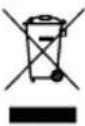
Waste electrical and electronic equipment does not belong in household waste, but must be collected and disposed of separately!
- Used batteries or rechargeable batteries that are not installed permanently in the old device must be removed non-destructively before disposal! Their disposal is regulated by the battery act.
- Owners or users of electrical and electronic devices are legally obliged to return them after use.
- The end user is responsible for deleting their personal data from the old device being disposed of!
- The symbol of the crossed-out dustbin means that waste electrical and electronic equipment must not be disposed of with household waste.
-
Waste electrical and electronic equipment can be handed in free of charge at the following places:
-
Public disposal or collection points (e.g. municipal works yards).
- Points of sale of electrical appliances (stationary and online), provided that dealers are obliged to take them back or offer to do so voluntarily.
-
Up to three waste electrical devices per type of device, with an edge length of no more than 25 centimetres, can be returned free of charge to the manufacturer without prior purchase of a new device from the manufacturer or taken to another authorised collection point in your vicinity.
Further supplementary take-back conditions of the manufacturers and distributors can be obtained from the respective customer service. -
If the manufacturer delivers a new electrical device to a private household, the manufacturer can arrange for the free collection of the old electrical device upon request from the end user. Please contact the manufacturer's customer service for this.
- These statements only apply to devices installed and sold in the countries of the European Union and which are subject to the European Directive 2012/19/EU. In countries outside the European Union, different regulations may apply to the disposal of waste electrical and electronic equipment.
15. Troubleshooting
Warning:
Always switch the machine off and pull the plug out of the socket prior to troubleshooting.
| Fault Possible cause Remedy | ||
| The axle moves into its starting position too quickly or too slowly | The spring pre-tension is set incorrectly | Set the pre-tension, see “Setting the spindle return spring” |
| The chuck always comes loose from the spindle despite continued tightening | Dirt, grease or oil on the spindle or the inside of the chuck | Use a household cleaning agent to clean the surface of the spindle and the chuck. Also see “Installing the chuck” |
| High noise level during operation | Incorrect V-belt tension | Set the V-belt tension again. Also see “Setting the speed and V-belt tension” |
| The spindle is too dry Test the spindle | Check that the nuts on the pulley are tight and re-tighten if necessary | |
| The pulley on the spindle is loose | ||
| The pulley on the motor is loose | Tighten the set screw on the motor pulley | |
| The drill bit wears out | Incorrect speed | Change the speed. Also see “Selecting the speed and V-belt tension” |
| No chips come out of the hole | Move the drill bit out of the hole regularly in order to pull the chips out | |
| The drill bit is blunt. Sharpen the drill | ||
| Insufficient downward pressure Increase the downward pressure | ||
| The drill bit slips or the hole is not round | Hard places in the wood or the length and angle of the drill bit is different | Sharpen the drill |
| The drill bit is bent Replace the drill bit | ||
| The drill bit gets stuck in the workpiece | The workpiece and drill bit are twisted or the downward pressure is too great | Place something underneath the workpiece or secure it. Also see “Positioning the workpiece” |
| Insufficient V-belt tension | Set the V-belt tension. Also see “Selecting the speed and V-belt tension” | |
| The drill bit drifts and vibrates excessively | The drill bit is bent Use a straight drill bit | |
| The spindle bearing is worn excessively | Have the spindle bearing replaced | |
| The drill bit is not clamped centrally in the chuck | Check the centring. Also see “Inserting the tool into the chuck” | |
| The chuck is not fastened correctly | Fasten the chuck correctly. Also see “Installing the chuck” | |
Günzburger Straße 69
D-89335 Ichenhausen
Geachte klant,
Günzburger Straße 69