ES5844P - Switch Edimax - Free user manual and instructions
Find the device manual for free ES5844P Edimax in PDF.



User questions about ES5844P Edimax
0 question about this device. Answer the ones you know or ask your own.
Ask a new question about this device
Download the instructions for your Switch in PDF format for free! Find your manual ES5844P - Edimax and take your electronic device back in hand. On this page are published all the documents necessary for the use of your device. ES5844P by Edimax.
USER MANUAL ES5844P Edimax
EDIMAX NETWORKING PEOPLE TOGETHER
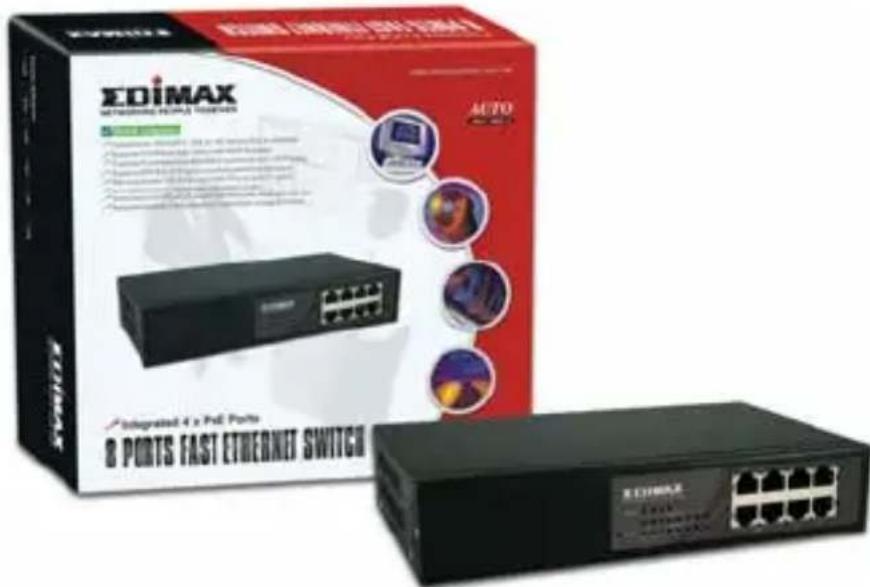
8 Ports PoE Ethernet Switch
Quick Installation Guide
Content Table
English 2
Český 6
Deutsch 10
Espanol 14
Français 18
Italiano 22
Magyar 26
Nederland 31
Polski 35
Portugues 40
Pycckn 45
Türkge 50
English
1. Overview
This 8 ports desktop Fast Ethernet switch meets the demand of bandwidth. This desktop switch seamlessly integrates with the rest of the network through its auto-negotiating and non-blocking design. To break through the bottlenecks at the core of network, the switch provides up to 1.6Gbps aggregate bandwidth, seamless migration and a cost effective method to bring high-speed networking to the desktop.
PoE allows power to be supplied directly to connected devices, such as Wireless AP or VoIP Phones, through the existing LAN cables. By supplying the power endpoint, you can centralize power distribution and backup without the need to increase the infrastructure. The PSE switch complies with IEEE 802.3af and its advanced auto-sensing algorithm enables power devices (PD) discovery, classification, current limit, and other necessary functions. It also supports high safety with short circuit protection and power-out auto-detection to PD.
2. Checklist
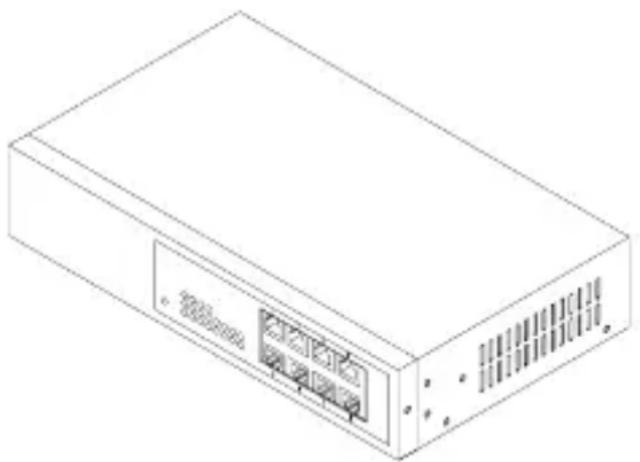
Before you start with the installation of the Switch, verify that the package contains the following:
- The 8 Ports Fast Switch with 4 PoE
- AC Power Cord
- This User's Manual
Please notify your sales representative immediately if any of the before mentioned items is missing or damaged.
3. Installing the Switch
With the Plug-and-Play design, the Fast switch is easy to install and use. The network and port status can be easily monitored and also trouble-shooting van be done via diagnostic LEDs. Wiring auto crossover on all ports of the switch also allows the connection to the server or PC to free from cabling problems.
- In the switch, TP port supports MDI/MDI-X auto-crossover, so both types of cable, straight-through (Cable pin-outs for RJ-45 jack 1, 2, 3, 6 to 1, 2, 3, 6 in 10/100M TP) and crossed-over (Cable pin-outs for RJ-45 jack 1, 2, 3, 6 to 3, 6, 1, 2) can be used.
- Use Cat. 5 grade RJ-45 TP cable to connect to a TP port of the switch and the other end is connected to a network-aware device such as a workstation or a server.
- Repeat the above steps, as needed, for each RJ-45 port to be connected to a Fast 10/100 TP device.
- For East Ethernet TP network connection
The grade of the cable must be Cat. 5 or Cat. 5e with a maximum length of 100 meters. - Insert the power cord. The embedded internal power unit using different AC power cord is available for different areas.
PSE TP Switch with Powered Device (PD)
- Connect the PSE switch to an AC power source.
Install the TP media cable to the IEEE 802.3af PD for port 1 to 4.
Note: The switch can work as a pure switch that connects to non-PoE devices.
Install the media cable for network connection.
- Port 5 to 8 are pure TP ports for non-PoE devices.
4. LED Description

| LED Color Function | ||
| Power Green Lit when DC power is coming up | ||
| Fast Switch TP Port 1 to 8 | ||
| PoE Act (Port 1 to 4) | Green Lit when PoE feeding power is active | |
| Link/Act | Green | Lit when TP connection is good Blinks when any traffic is present |
| 10/100Mbps | Green | Lit green when 100Mbps speed is active Off when 10Mbps speed is active |
5. Connecting to 10/100Mbps Device and PD
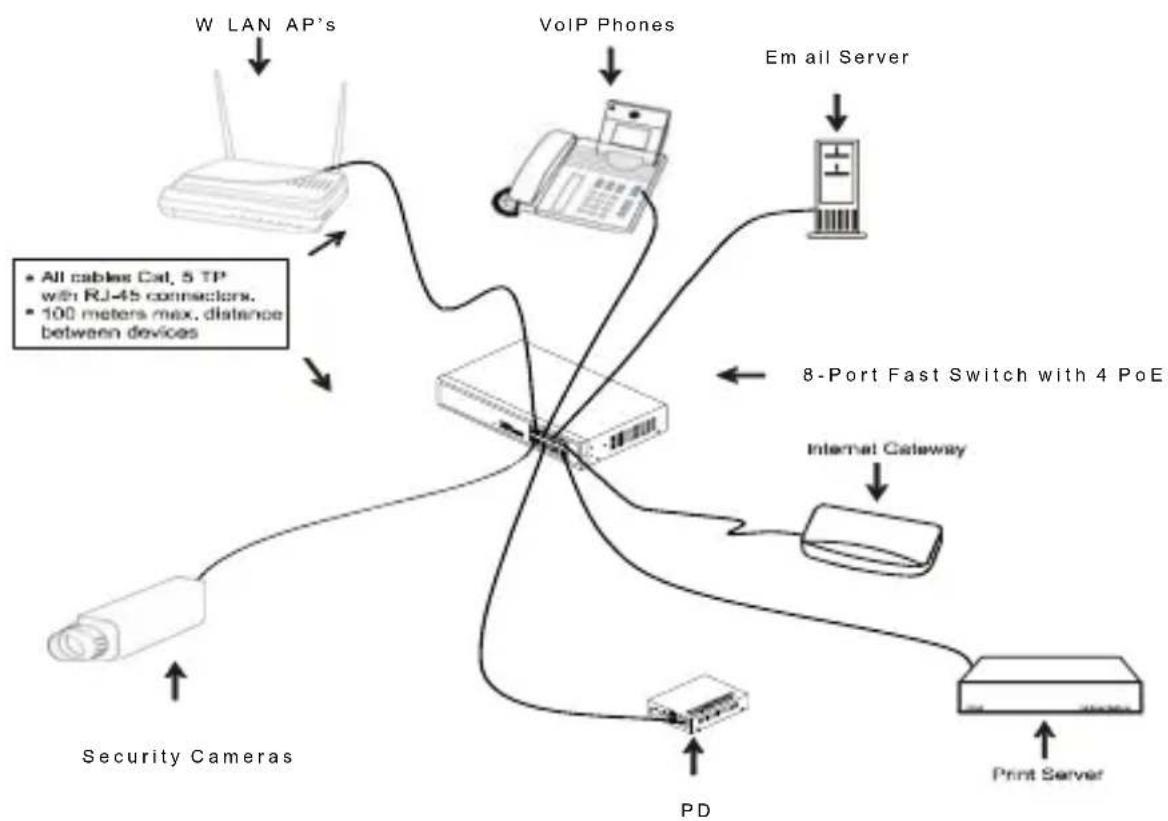
6. Specifications
- Standards : IEEE802.3 / 3u / 3x and 802.3af Power over Ethernet
Transmission: 10/100Mbps supports full or half duplex - Data Transfer Rate: PPS (packets per second)
| Speed Forwarding Rate | |
| 100Mbps | 148,800 |
| 10Mbps | 14,880 |
- MAC Address and Self-learning: up to 1K
- Buffer Memory : 96Kbyte on chip frame buffer
- Flow Control : IEEE802.3x compliant for full-duplex, Backpressure flow control for half-duplex
- Switching Method : Store & forward
Network Interface: 8 10/100Mbps RJ-45 ports - UTP Cable : 10BASE-T: UTP Cat. 3, 4, 5 or up, 100BASE-TX: UTP Cat. 5 or up
- PSE Power Feeding Supports : (Port 1 to 4)
"Endpoint" via TP pin 1, 2, 3, 6
Diagnostic LEDs :
| System LED – Power |
| PoE LED – PoE Act (Port 1 to 4) |
| Per Port LED – Link / Act, 10/100Mbps |
- Power Requirement : AC Line
| Voltage / Frequency | 100-240V / 50-60Hz |
| Consumption | Max. 4W (in case no PD device connected) or Max. 65W (with 4 x 15.4W PoE devices connected) |
Operation Temperature: 0^ to 40^
Operation Humidity : 10% to 90%
Storage Temperature: 0^ to 55^
- Dimensions: 44( H) × 220( W) × 130.5( D) mm
- Complies with FCC Part 15 Class A, CE Mark Approval
Note : To connect this device to a Router, Bridge or Switch, please refer to the corresponding device's technical manual.
1. Přehled
| System LED – Power |
| PoE LED – PoE Act (Port 1 do 4) |
| Per Port LED – Link / Act, 10/100Mbps |
- Pożadavyk tyszajci se napajeni: napajeni střidavym proudem
| System LED – Power |
| PoE LED – PoE Act (Port 1 bis 4) |
| Pro Port LED – Link / Act, 10/100Mbps |
| System LED – Power |
| PoE LED – PoE Act (az 1. – 4. portokon) |
| Per Port LED – Link / Act, 10/100Mbps |
| Systeel LED – Power |
| PoE LED – PoE Act (poort 1 - 4) |
| Per poort LED – Link / Act, 10/100Mbps |
| System LED – Power |
| PoE LED – PoE Act (Port 1 do 4) |
| Per Port LED – Link / Act, 10/100Mbps |
| Sistem LED –[Güç] |
| PoE LED – PoE Act (Port 1 to 4) |
| Per Port LED – Link / Act, 10/100Mbps |
Gug Gereksinimi:AC Line