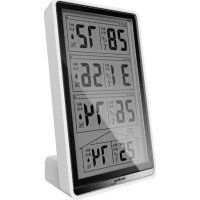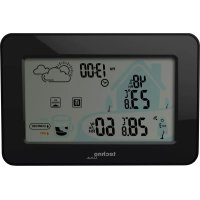
WS 9490 - Weather Station TECHNOLINE - Free user manual and instructions
Find the device manual for free WS 9490 TECHNOLINE in PDF.


| Product type | Weather station |
| Brand | TECHNOLINE |
| Model | WS 9490 |
| Power supply (receiver) | 3 AAA 1.5 V batteries |
| Power supply (outdoor sensor) | 2 AAA 1.5 V batteries |
| Display | LCD |
| Indoor temperature | -9.9 °C to 50 °C (accuracy ±1 °C) |
| Outdoor temperature | -40 °C to 60 °C (accuracy ±1 °C from 0 to 50 °C) |
| Indoor humidity | 20% to 95% RH (accuracy ±5%) |
| Outdoor humidity | 20% to 95% RH (accuracy ±5%) |
| Weather forecast | Sunny, partly sunny, cloudy, rainy |
| Alarm function | Alarm with snooze (SNOOZE 10 min) |
| Comfort indicator | Dry, comfortable, humid |
| Window indicator | Open/close recommended |
| Min/max memory | Indoor/outdoor temperature and humidity |
| Time format | 12 or 24 hours |
| Sensor channels | Up to 3 channels (433 MHz) |
| Maintenance | Clean with a soft, dry cloth. Do not use solvents. |
| Safety | Use only alkaline batteries. Observe polarity. Do not expose to water or fire. |
| General information | For indoor use. Do not dispose of in fire. Keep out of reach of children. |
Frequently Asked Questions - WS 9490 TECHNOLINE
User questions about WS 9490 TECHNOLINE
0 question about this device. Answer the ones you know or ask your own.
Ask a new question about this device
Download the instructions for your Weather Station in PDF format for free! Find your manual WS 9490 - TECHNOLINE and take your electronic device back in hand. On this page are published all the documents necessary for the use of your device. WS 9490 by TECHNOLINE.
USER MANUAL WS 9490 TECHNOLINE
text_image
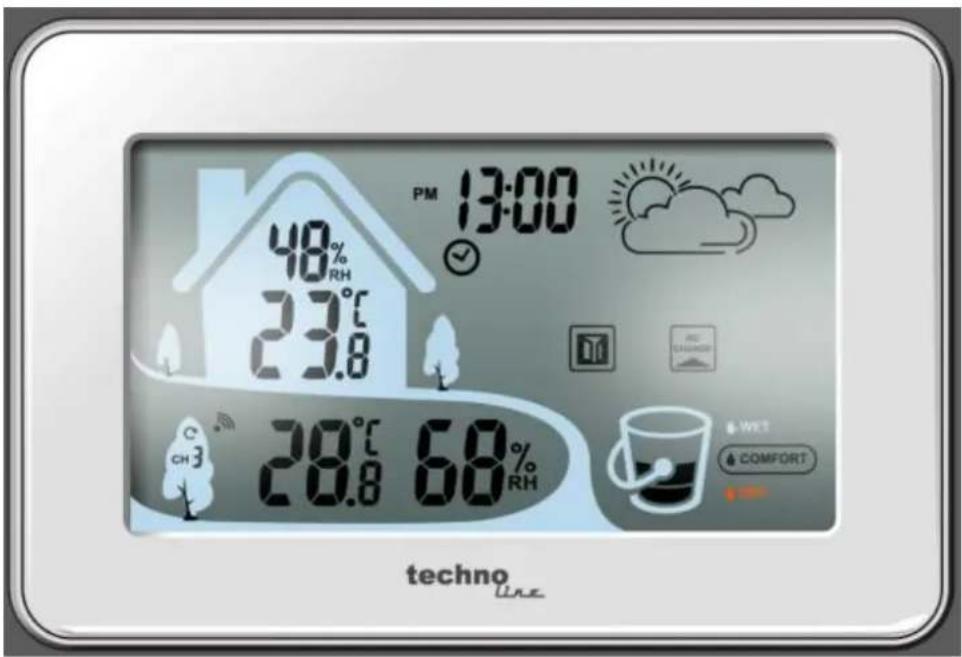
PM 13:00 48% RH 23°C 23.8 20°C 68% RH WET COMFORT techno Linetext_image
MAX MIN 88% RH 100.0 100.0 AM PM 30:00 ✓ Z^2 AL NO CHANGE C CHD -100.0 MAX 88% MIN 88% RH MWT COMFORT DRYInbetriebnahme:
Display / Tasten-Details:
text_image
MEMT SETT CHA
text_image
SNOOZE/LIGHTUhrzeiteinstellung:
natural_image
Weather icons including sun, cloud, raindrops, and raindrops arranged in a grid (no text or symbols)| LuftfeuchtigkeitTemperatur | sonnig | teils sonnig | wolkig | regnerisch |
| <15°C | <40% | 41% ~65% | 66% ~71% | >71% |
| 15°C ~ 25°C | <55% | 56% ~70% | 71% ~79% | >79% |
| >25°C | <60% | 61% ~75% | 76% ~86% | >86% |
Technische Daten:
Innentemperatur:
Environmental reception effects
The station obtains the accurate time with wireless technology. Same as all wireless devices, the reception is maybe affected by the following circumstances:
x long transmitting distance
x nearby mountains and valleys
x near freeway, railway, airports, high voltage cable etc.
x near construction site
x among tall buildings
x inside concrete buildings
x near electrical appliances (computers, TV's, etc) and metallic structures
x inside moving vehicles
Place the station at a location with optimal signal, i.e. close to a window and away from metal surfaces or electrical appliances.
Precautions
x This main unit is intended to be used only indoors.
x Do not subject the unit to excessive force or shock.
x Do not expose the unit to extreme temperatures, direct sunlight, dust or humidity.
x Do not immerse in water.
x Avoid contact with any corrosive materials.
x Do not dispose this unit in a fire as it may explode.
x Do not open the inner back case or tamper with any components of this unit.
Batteries safety warnings
x Use only alkaline batteries, not rechargeable batteries.
x Install batteries correctly by matching the polarities (+/-).
x Always replace a complete set of batteries.
x Never mix used and new batteries.
x Remove exhausted batteries immediately.
x Remove batteries when not in use.
x Do not recharge and do not dispose of batteries in fire as the batteries may explode.
x Ensure batteries are stored away from metal objects as contact may cause a short circuit.
x Avoid exposing batteries to extreme temperature or humidity or direct sunlight.
x Keep all batteries out of reach from children. They are a choking hazard.
Use the product only for its intended purpose!
Consideration of duty according to the battery law

Old batteries do not belong to domestic waste because they could cause damages of health and environment. You can return used batteries free of charge to your dealer and collection points. As end-user you are committed by law to bring back needed batteries to distributors and other collecting points!
Consideration of duty according to the law of electrical devices
This symbol means that you must dispose of electrical devices separated from the General household waste when it reaches the end of its useful life. Take your unit to your local waste collection point or recycling centre. This applies to all countries of the European Union, and to other European countries with a separate waste collection system.
Features:
- Clock
- Indoor Temperature and Humidity
• Outdoor Temperature and Humidity - ^ C / ^ selectable
• 12/24h selectable
• Alarm and snooze function - low battery icon clock and sensor
- Comfort indicator
- Open/Close window indicator
- Weather forecast: Sunny, Partly sunny, Cloudy, Rainy (base on the outdoor humidity).
• Maximum and Minimum temperature/humidity
Batteries:
Receiver: 3x AAA / TX960-TH sensor: 2x AAA
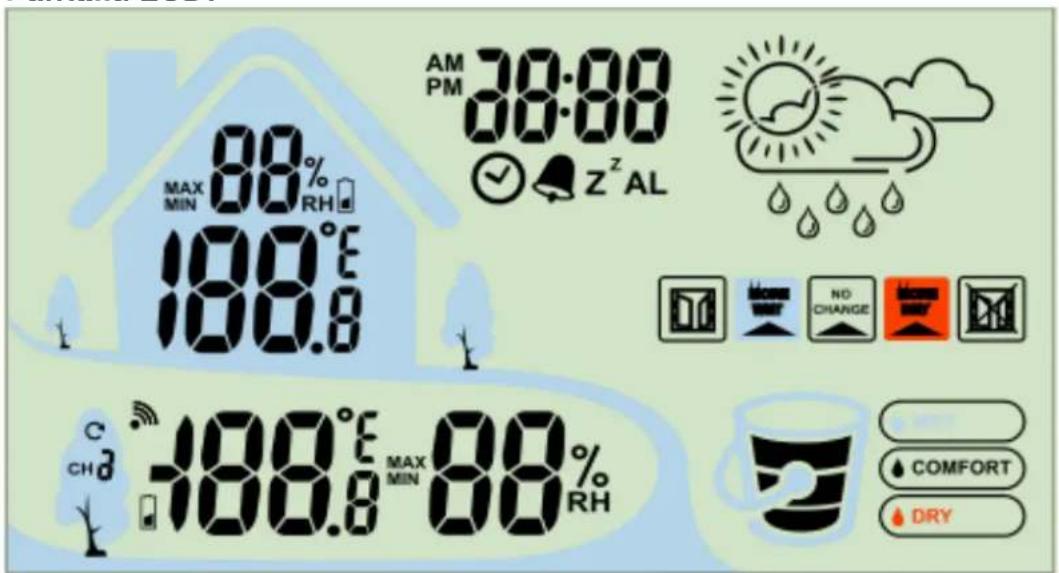
LCD Display:
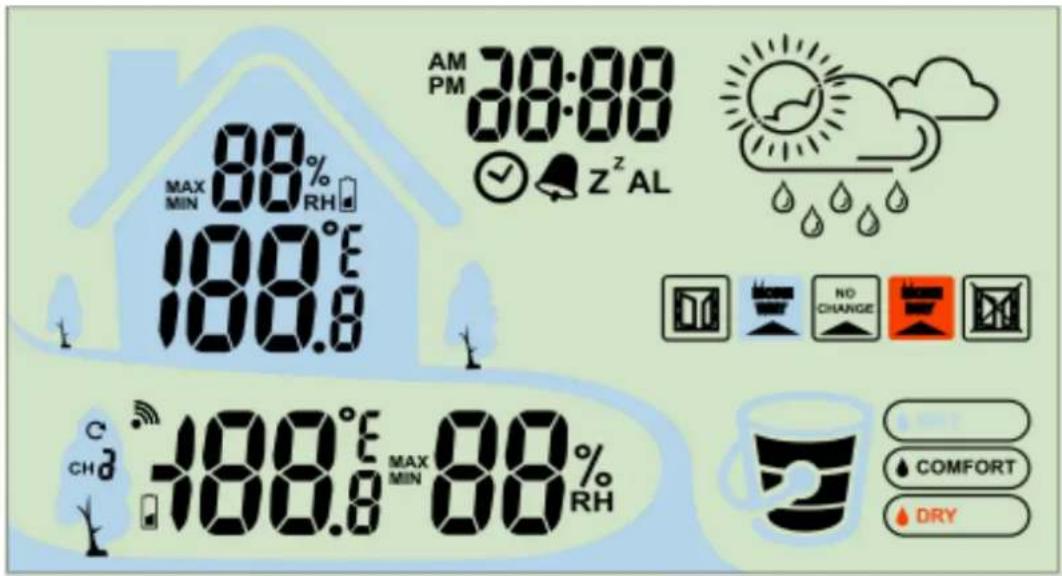
text_image
MAX MIN 88% RH 100.6 AM PM 38:00 ✓ Z^Z AL NO CHANGE C CHD -100.6 MAX 88% MIN 88 RH COMFORT DRYOperations:
Keep your weather station and wireless outdoor transmitter next to each other. Remove the separation strips from the battery compartment. Open the battery cover at the back of your wireless outdoor transmitter and weather station, then insert 2 x AAA new alkaline batteries to the battery compartment of outdoor transmitter and 3x AAA new alkaline batteries to the battery compartment of station. Make sure the Channel selector switch on sensor is at 1 position. Replace both battery covers.
Make sure Channel 1 is displayed. Your weather station will receive data signal from the outdoor transmitter
in few seconds. Then place your outdoor transmitter in a dry and shaded area.
Power On:
- All segments are displayed on the display for 2 seconds.
- The weather station searching starts wireless sensor via 433 MHz
- If the outdoor temperature is not displayed after 3 minutes, hold the "CH/Δ" button on the main unit to search for outdoor sensor. Then press the "TX" button on the sensor to send signal. If it still does not receive the outdoor temperature, remove the batteries from the transmitter and go back to step 1 of the set up
Display / Keys Details:
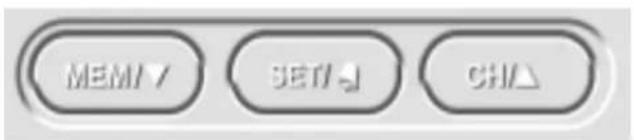
There are four function buttons:
text_image
MEMT SETT CHA
text_image
SNOOZE/LIGHT- Hold the "SET" button for 3 seconds to enter set mode.
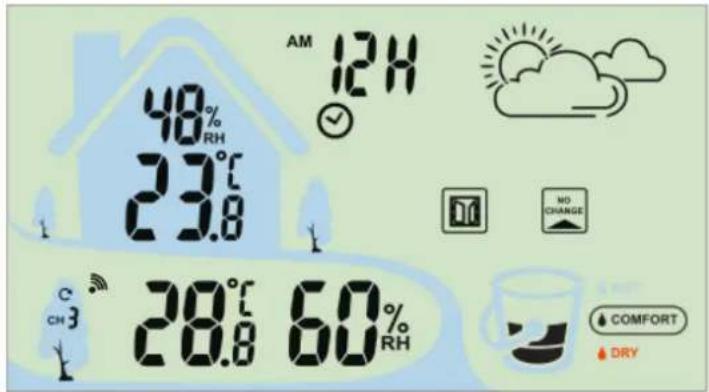
- 24h time display flashes, press the "CH/▲" or "MEM/▼" button to change 12/24h time display.
text_image
AM 12H 48% RH 23.8 C CH3 28.8 60% RH NO CHANGE COMFORT DRY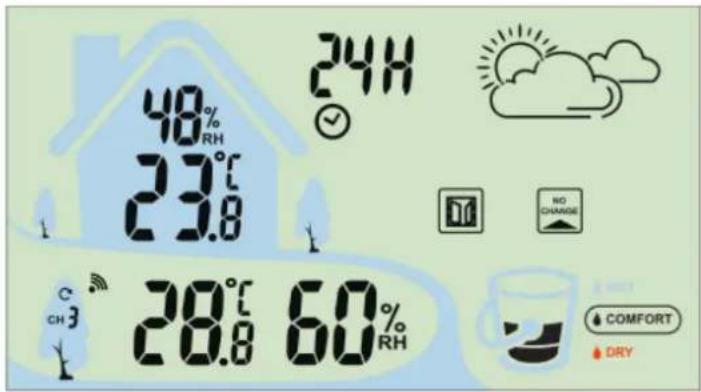
text_image
48% RH 23.8 24H C CH 3 28.8 60% RH NO CHARGE COMFORT DRY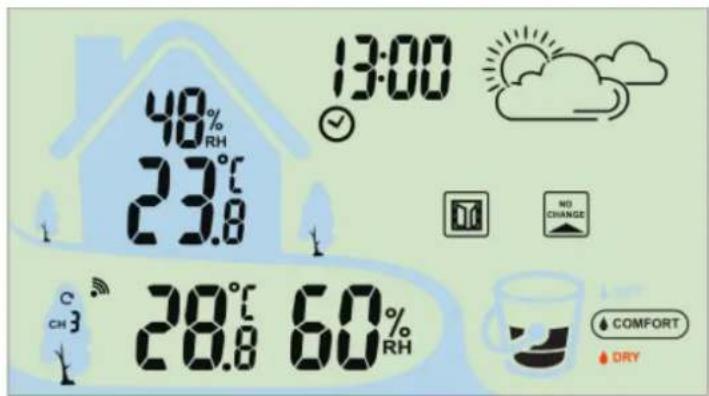
text_image
48% RH 23.8 13:00 C CH 3 28.8 60% RH NO CHANGE COMFORT DRY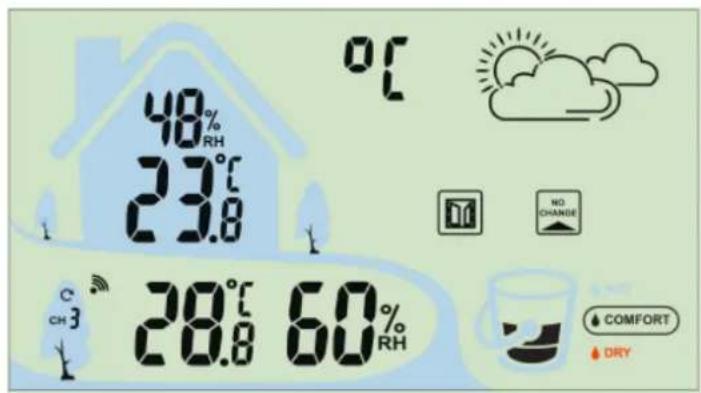
text_image
48% RH 23.8 0°C C CH 3 28.8 60% RH NO CHANGE COMFORT DRY- HOUR will appear. Press the "CH/▲" or "MEM/▼" button to adjust the hour.
- Press the "SET" button to confirm and select the minutes.
- MINUTES will appear. Press the "CH/▲" or "MEM/▼" button to adjust the minutes.
- Press the "SET" button to confirm and select the temperature unit.
- TEMP °C will appear. Press the "CH/▲" or "MEM/▼" button to select °F.
- Press the "SET" button to confirm and exit.
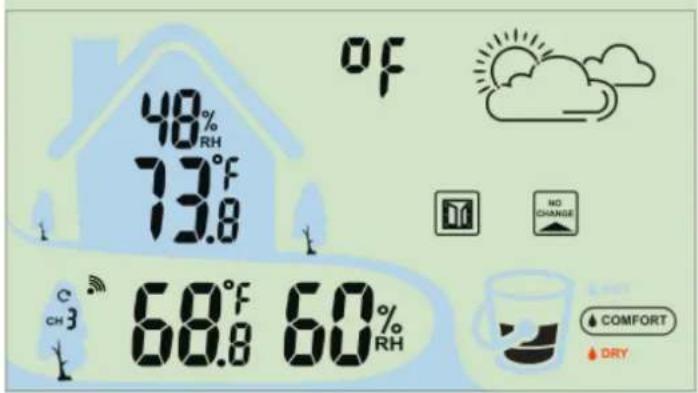
text_image
48% RH 73°F 13.8 OF NO CHANGE C CH 3° 68°F 60% RH COMFORT DRYAlarm setting:
-
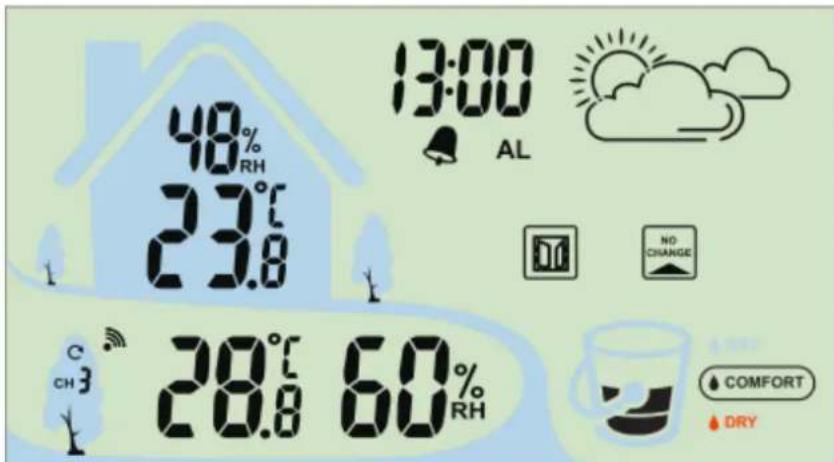
Press the "SET" button once to view the alarm time, "AL" icon will display.
-
In view mode press the "CH/▲" or "MEM/▼" button to switch the alarm on or off. The alarm is on when the bell symbol is displayed.
-
Press and hold the "SET" button for 2 seconds to enter the alarm time setting.
-
The alarm hour digits flash. Press
"CH/▲" or "MEM/▼" button to set the hours of your desired alarm time.
- Press "SET" once again, the alarm
text_image
48% RH 23.0 13:00 AL C CH3 28.0 60% RH NO CHANGE COMFORT DRYminute digits flash. Press "CH/▲" or "MEM/▼" button to set the minutes of your desired alarm time.
- Then press "SET" once again to complete set-up
ALARM NOTE
Alarm is crescendo sound. When the alarm sounds, it continues for 2 minute and then shuts off completely.
Snooze
- When the alarm sounds, press the "SNOOZE" button to silence the alarm for 10 minutes.
• The snooze icon Zz will flash. - Press any button except SNOOZE to silence the alarm for 24 hours.
MIN/MAX temperature and humidity:
- Press "MEM/▼" to view the minimum and maximum indoor and outdoor temperature and humidity daily memory
- In this mode, press "MEM/▼" 2 seconds to clear memory.
- The daily max/min memory will reset automatic everyday 0:00.
Switching sensor channels:
- Press the "CH/▲" button to view the three sensor channels.
- Press and hold for 2 seconds to clear the current channel to re-register
Add a new sensor:
- Open the battery compartment and insert 2x AAA batteries.
- Select a free channel with the channel switch in upper right of the battery compartment of the outdoor sensor.
- Press the "CH/▲" button on the base station to select a free channel. Then press and hold the "CH/▲" button until the station beeps.
- Press the "TX" button in the upper left of the outdoor sensor battery compartment.
- Close the sensor battery compartment.
SNOOZE/LIGHT button:
- Press "SNOOZE/LIGHT" button and the white backlights activates for 10 seconds.
- When alarm sounds, press the "SNOOZE" button to trigger snooze for 10 minutes. The alarm icon flashes when the snooze feature is active.
LOW BATTERY

- Battery icon by indoor temperature-Change batteries in the clock.
- Battery icon by outdoor temperature-Change batteries in the sensor.
INDOOR AMBIENT CHANGE INDICATOR:
- The ambient change icon shows the expected humidity changes when airflow from outside occurs in a room.
| CONDITION | ICON | |
| Expected humidity changes is≥ +5% | MORE WET |  |
| Expected humidity changes is within +/-4% | NO CHANGE |  |
| Expected humidity changes is≤ -5% | MORE DRY |  |
OPEN WINDOW ADVICE:
- On two sides of the ambient change icons are OPEN and CLOSE window indicators. The open/close window advice is based on the ambient humidity data.
- 3 options of recommended actions:"Open window", "Close window", no action.
- Depending on the comfort level and the ambient change conditions, the "Open window" and "Close window" icons will be shown according to the table below:
Humidity comfort level | Ambient change  | Open Window | Close Window | |
| Comfort | More Dry or More Wet or No change | Off | Off | |
| Between comfort & dry | More Dry or More Wet or No change | Off | Off | |
| Between comfort & wet | More Dry or More Wet or No change | Off | Off | |
| Dry | No change | Off | Off | |
| Dry | More wet | On | Off | |
| Dry | More Dry | Off | On | |
| Wet | No change | Off | Off | |
| Wet | More Wet | Off | On | |
| Wet | More Dry | On | Off | |
COMFORT LEVEL INDICATOR :
The indicator shows the comfort level of the surrounding environment based on the indoor humidity data.
| Indicator | Indoor Humidity |
| DRY | ≤40% |
| COMFORT | 41%~75% |
| WET | ≥76% |
Weather forecast :
Weather forecast: Sunny, Partly sunny, Cloudy, Rainy.
| temperature\humidity | sunny | Partly sunny | Cloudy | Rainy |
| <15°C | <40% | 41% ~ 65% | 66% ~ 71% | >71% |
| 15°C ~ 25°C | <55% | 56% ~ 70% | 71% ~ 79% | >79% |
| >25°C | <60% | 61% ~ 75% | 76% ~ 86% | >86% |

natural_image
Four weather icons: sun, cloud, cloud with raindrops, and cloud with raindrops (no text or symbols)Indoor temperature:
- Operating temperature range = -9.9C to 50C (14F to 122F)
• Accuracy ± 1 degrees Celsius 0C to 50C (32 F to 122F)
• Resolution = 0.1 degree Celsius - When above 50C (122 F), the LCD will display HI
- When below- 9.9C (14F) the LCD will display LO
Indoor Humidity:
- Operating humidity range =20% RH to 95%
- Accuracy +/- 5% RH (@25oC, 30%RH to 80%RH)
- Accuracy +/- 8% RH (@25oC, 20%RH to 29%RH 80%RH to 95%RH)
• Resolution = 1 % RH
Outdoor temperature:
- Operating temperature range = -40C to 60C (-40 F to 140F)
- Accuracy ± 1 degrees Celsius from 0C to 50C (32 F to 122F)
- Accuracy ±1.5 degrees Celsius -40C to 0C (-40 F to 32F) and 50C to 60C(122F to 140F)
• Resolution = 0.1 degree Celsius - When above 60C (140 F), the LCD will display HI
- When below-40C (-40F), the LCD will display LO
Outdoor Humidity:
- Operating humidity range =20% RH to95%
• Accuracy +/- 5% RH (@25oC, 30%RH to 80%RH) - Accuracy +/- 8% RH (@25oC, 20%RH to 30%RH-80%RH to 95%RH)
• Resolution = 1 % RH
Default SETTING:
- Time:00:00
- Temperature: °C
- Weather Forecast Icons: PARTLY SUNNY
text_image
PM 13:00 48% RH 23°C 23.8 28°C 68% RH WET COMFORT techno LINEtext_image
MAX MIN 88% RH 100.0 100.0 AM PM 38:00 ✓ Z²AL NO CHANGE COMFORT DRY C CH₃ 100.0 MAX 88% MIN RHMise en marche:
INDICATION DE PILES FAIBLES

text_image
MEM / SET CH
text_image
SNOOZE/LIGHTnatural_image
Four-panel grid showing weather icons: sun, cloud, cloud with raindrops, and cloud with raindrops (no text or symbols)Temperatura interna:
text_image
PM 13:00 48% RH 23°C 23.8 28°C 68% RH techno Line WET COMFORTReceptor: 3 pilas AAA/Sensor TX960-TH: 2 pilas AA
Pantalla LCD:
text_image
MAX MIN 88% RH 100.6 AM PM 38:00 ✓ Z^Z AL NO CHANGE COMFORT DRY C CHD 100.6 MAX 88% MIN 88% RHFuncionamiento:
text_image
MEM / SET CH
text_image
SNOOZE/LIGHT| Indicador | Humed ad interior |
| SECO | ≤40% |
| CONFORT | 41%~75% |
| HÚMEDO | ≥76% |
natural_image
Four weather icons: sun, cloud, cloud with raindrops, and cloud with raindrops (no text or symbols)Temperatura interior:
text_image
AM PM 38:00 Z²AL MAX 88% MIN RH 100.0 100.0 MAX 88% MIN 88% RH C CH₃ NO CHANGE COMFORT DRYBedieningen:
text_image
MEMT SETT CHA
text_image
SNOOZE/LIGHTnatural_image
Four weather icons: sun, cloud with rain, cloud with raindrops, and cloud with raindrops (no text or symbols)Binnentemperatuur:
text_image
AM PM 38:00 Z²AL MAX 88% MIN RH 100.0 188.0 188.0 MAX 88% MIN RH C CH₃ COMFORT DRYPoužívání:
text_image
MEMT GET CHA
text_image
SNOOZE/LIGHTnatural_image
Five weather icons: sun, cloud, cloud with raindrops, and cloud with raindrops (no text or symbols)Vnitřní teplota:
text_image
AM PM 38:00 100.0 MAX MIN 88% RH 100.0 100.0 MAX MIN 88% RH Z²AL NO CHANGE COMFORT DRYDziałanie:
text_image
MEM / SET CH