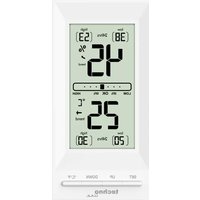
WS9129 - Weather Station TECHNOLINE - Free user manual and instructions
Find the device manual for free WS9129 TECHNOLINE in PDF.


| Product Type | Indoor Weather Station |
| Brand | TECHNOLINE |
| Model | WS9129 |
| Dimensions (L x H x D) | 60 x 120 x 24 mm |
| Power Supply | 2 AAA (LR03) 1.5 V batteries |
| Temperature Range | -10 °C to +50 °C (14 °F to 122 °F) |
| Temperature Resolution | 1 °C / 1 °F |
| Humidity Range | 20 % to 95 % |
| Humidity Resolution | 1 % |
| Functions | Display indoor temperature and humidity, trend indicator, comfort level, memory of max/min values (manual or automatic 24h), sensor calibration, low battery indicator |
| Mounting | On table (stand) or wall (suspension hole) or with Velcro strips |
| Cleaning | Wipe with a dry cloth; do not use abrasive products |
| Precautions | Use indoors, avoid shocks, direct light, extreme temperatures, humidity, dust; do not immerse |
| Battery Safety | Use alkaline batteries, respect polarity, do not mix, remove when discharged, keep out of reach of children |
| Recycling | Do not dispose of in household waste; deposit at a collection point |
Frequently Asked Questions - WS9129 TECHNOLINE
User questions about WS9129 TECHNOLINE
0 question about this device. Answer the ones you know or ask your own.
Ask a new question about this device
Download the instructions for your Weather Station in PDF format for free! Find your manual WS9129 - TECHNOLINE and take your electronic device back in hand. On this page are published all the documents necessary for the use of your device. WS9129 by TECHNOLINE.
USER MANUAL WS9129 TECHNOLINE
Laut Elektro- und
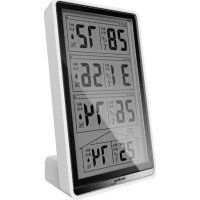
1 – 24-hour / all time icon
2 – Minimum humidity
3 – Humidity
4 – Comfort indicator range
5 – Indoor temperature
6 – Minimum temperature
7 - SET button
8 - UP button
9 – Maximum humidity
10 – Humidity trend icon
11 – Temperature trend icon
12 – Maximum temperature
EN1
13 - °C/°F button
14 - DOWN button
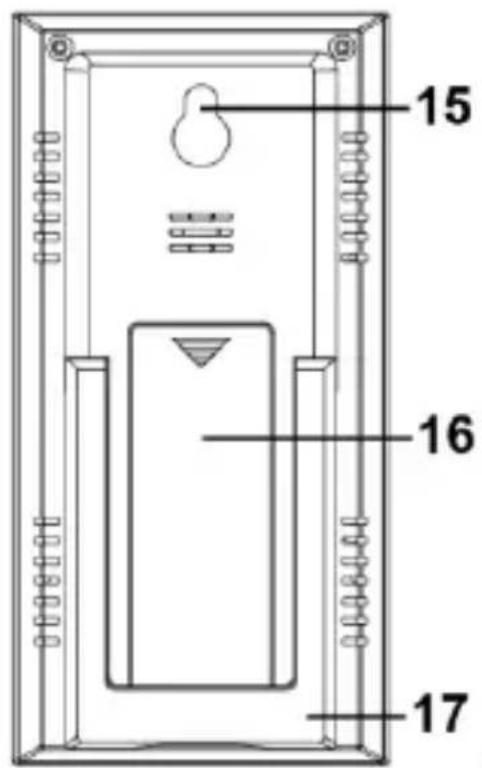
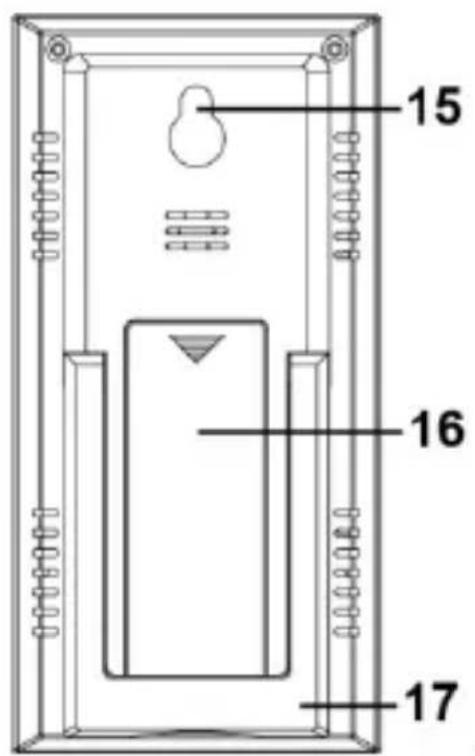
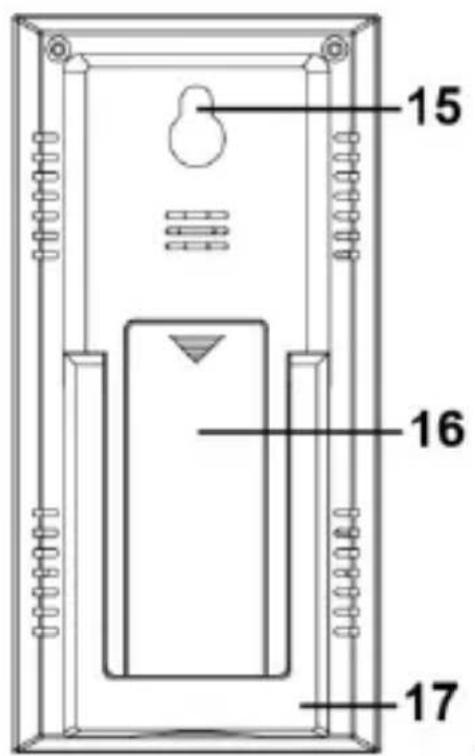
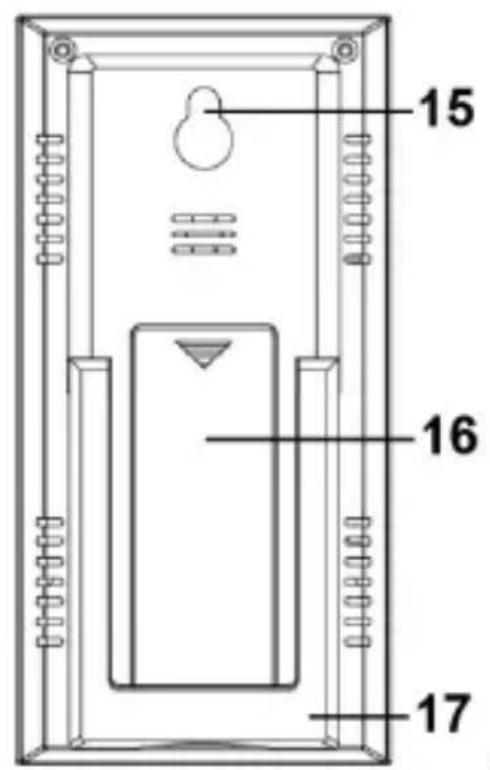
15 – Hanging hole
16 – Battery compartment cover
17 - Stand
Getting started
- Open the battery compartment cover.
- Insert 2 x AAA Micro LR03 batteries following the correct polarity (+/- markings). The measured temperature and humidity appear on the display.
- Close the battery compartment cover again.
Positioning
- Use the stand feet for table standing positioning.
- Use the hanging hole with an nail or an hook for wall mounting positioning
- Use the included Velcro strips to attach the back of the unit to surfaces that don’t allow for classic wall mounting. Remove the protection paper and stick adhesive side of the Velcro strips to the desired surface and to the back of the unit.
Temperature display
Press the °C/°F button to change between °C
EN2
(Celsius) or °F (Fahrenheit) as temperature unit.
Trend indicator
The trend arrows indicate whether the values for temperature and humidity are currently increasing ( ), steady ( ) or decreasing ( ).
Comfort level
A square marking appears on the display to indicate the comfort level. The best comfort conditions are met when the square marking is close to the “OK” area.

Maximum and minimum value modes
There are two memory modes for maximum and minimum measured values.
Maximum values are shown with the word “high” and minimum values are shown with the word “low”
Press the UP or the DOWN button in normal mode to enter the automatic("24hrs" is displayed) or manual ("all-time" is displayed) reset mode of the maximum-minimum values.
- Manual reset mode: as soon as the station is active the maximum and minimum values will be stored.
- Automatic mode: the maximum and minimum values will be reset every 24 hours (form the moment of activation).
Manual reset
Press and hold the UP button in the respective mode to clear the recorded high reading.
Press and hold DOWN button in the respective mode to clear the recorded low reading.
Low battery indicator
Change the batteries when the battery symbol appears on the display.
Calibration function
The thermo-hygromenter allows the user to calibrate the display of temperature and humidity measurements with an external,better reference source.The user can make adjustments to the temperature and humidity displays within the measuring rang.
When replacing batteries the calibrated values are deleted automatically.
Calibration of the humidity and temperature display
EN4
Press and hold the SET button for 3 seconds and the display of the humidity flashes.
Press the UP or DOWN button to correct the display of the humidity and “CALIBRATED” appears on the display.
Press the SET button to confirm it and the temperature display flashes.
Press the UP or DOWN button to correct the display of the temperature and “CALIBRATED” appears on the display.
Press SET button to confirm and end calibration process.
Specifications
Dimensions (WxHxD): 60 x 120 x 24 mm
Temperature:
Measuring range: -10°C to +50°C ( 14°F to 122°F )
(below -10°C keeps
showing -10°C, over
50°C
keeps showing 50°C)
Resolution: 1° C/ 1° F
Humidity:
Measuring range: 20% to 95%
(below 20% keeps
showing 20%, over 95%
keeps showing 95%)
EN5
Resolution: 1%
Precautions
- This unit is intended to be used only indoors.
- Do not subject the unit to excessive force or shock.
- Do not expose the unit to extreme temperatures, direct sunlight, dust or humidity.
- Do not immerse in water.
- Avoid contact with any corrosive materials.
- Do not dispose this unit in a fire as it may explode.
- Do not open the inner back case or tamper with any components of this unit.
Batteries safety warnings
- Please read all instructions carefully before use.
- Use only alkaline batteries, not rechargeable batteries.
- Install batteries correctly by matching the polarities (+/-).
• Always replace a complete set of batteries. - Never mix used and new batteries.
- Remove exhausted batteries immediately.
- Remove batteries when not in use.
- Do not recharge and do not dispose of
batteries in fire as the batteries may explode.
- Ensure batteries are stored away from metal objects as contact may cause a short circuit.
- Avoid exposing batteries to extreme temperature or humidity or direct sunlight.
- Keep all batteries out of reach from children. They are a choking hazard.
Use the product only for its intended purpose!
Consideration of duty according to the battery law

Old batteries do not belong to domestic waste because they could cause damages of health and environment. You can return used batteries free of charge to your dealer and collection points. As end-user you are committed by law to bring back needed batteries to distributors and other collecting points!
Consideration of duty according to the law of electrical devices
This symbol means that you must dispose of electrical devices separated from the General
EN7
household waste when it reaches the end of its useful life. Take your unit to your local waste collection point or recycling centre. This applies to all countries of the European Union, and to other European countries with a separate waste collection system.
Vue d'ensemble
![1 2 3 4 5 6 7 8 Techno SET UP DOWN °C/°F LOW 30% ON HIGH 45% 25°C wind low (20) 24pm [30] 9 10 11 12 13 14](/content/2026/04/661099/images/327bcf8e950ecd10c7d6a5a4103bd0cc6f21128affc6cfea57a00c3e7a03fbd9.jpg)
- GETTING STARTED
- POSITIONING
- TEMPERATURE DISPLAY
- TREND INDICATOR
- COMFORT LEVEL
- MAXIMUM AND MINIMUM VALUE MODES
- MANUAL RESET
- LOW BATTERY INDICATOR
- CALIBRATION FUNCTION
- CALIBRATION OF THE HUMIDITY AND TEMPERATURE DISPLAY
- SPECIFICATIONS
- RESOLUTION: 1
- PRECAUTIONS
- BATTERIES SAFETY WARNINGS
- CONSIDERATION OF DUTY ACCORDING TO THE BATTERY LAW
- CONSIDERATION OF DUTY ACCORDING TO THE LAW OF ELECTRICAL DEVICES
- VUE D'ENSEMBLE
Brand : TECHNOLINE
Model : WS9129
Category : Weather Station