2220 - Smartphone myPhone - Free user manual and instructions
Find the device manual for free 2220 myPhone in PDF.



User questions about 2220 myPhone
0 question about this device. Answer the ones you know or ask your own.
Ask a new question about this device
Download the instructions for your Smartphone in PDF format for free! Find your manual 2220 - myPhone and take your electronic device back in hand. On this page are published all the documents necessary for the use of your device. 2220 by myPhone.
USER MANUAL 2220 myPhone
www.myphone.pl/qr/myphone-2220
Table of contents 19
Safety 20
Package content myPhone 2220 23
Technical specification 23
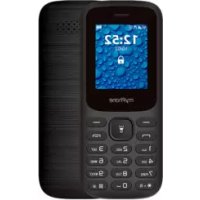
Phone, its functions and buttons 24
Turning the phone on/off 26
Inserting SIM card(s), memory card and battery 26
Charging the battery 26
Emergency change of language. 27
Factory settings 27
Troubleshooting 27
Device maintenance 28
Correct disposal of electrical and electronic equipment .. 29
Correct disposal of used batteries. 29
| CAUTION | Statement |
| The manufacturer is not responsible for any consequences caused by improper usage of the phone and not obeying the above instructions. | The software version can be upgraded without earlier notice. The representative retains the right to determine the correct interpretation of the above instructions. |
THE USE OF THE MANUAL
Without prior written consent of the manufacturer, no part of this manual may be photocopied, reproduced, translated or transmitted in any form or by any means, electronic or mechanical, including photocopying, recording or storing in any systems of storing and sharing information.
Please read the precautions and phone user's manual before use. The descriptions contained in this manual are based on the default settings of the phone. The newest version of the manual can be found on our company website:
www.myphone.pl/qr/myphone-2220
Depending on the installed version of the software, applications, service provider, SIM card or country, some of the descriptions in this manual may not match your phone.
Safety
-PETROL STATIONS-
Do not use your mobile phone while refuelling at a petrol station or in the vicinity of chemicals.
CAUTION! In places where there is a risk of explosion (i.e. Petrol stations, chemical factories etc.), it is advisable to turn off the phone. Please refer to regulations governing the use of GSM equipment in these places.
-WATER AND OTHER LIQUIDS-
Protect the device from water and other liquids. It can influence work and the life span of electronic components. Avoid using the device in environments with high humidity like kitchens, bathrooms or during rainy weather. Particles of water can cause
the liquefaction of moisture in the device, and this may have a negative impact on the work of electronic components.
-ALARM CALLS
Making alarm calls may not be possible in some areas or circumstances. It is recommended to find an alternative way to notify emergency services if you are going to undeveloped or remote areas.
-QUALIFIED SERVICE
Only qualified personnel or an authorized service center may install or repair this product. Repairing by an unauthorized or unqualified service may cause device damage and warranty loss.
- CHILDREN AND PHYSICALLY OR MENTALLY DISABLED PEOPLE--
The device must not be used by children under 8 years of age without the supervision of adults responsible for their safety and by persons with limited motor or mental predispositions if they prevent them from operating the device safely. Remember, the device is not a toy. The memory card and SIM card are small enough to be swallowed by a child or cause choking. Keep the device and its accessories away from children.
- ROAD SAFETY-
Do not use this device while driving any kind of vehicle.
-BATTERY AND ACCESSORIES
Avoid exposing the battery to very high/low temperatures (below 0^ / 32^ and over 40^ / 104^ ). Extreme temperatures may influence capacity and battery life. Avoid contact with liquids and metal objects as it may cause partial or complete battery damage. The battery should be used only according to its purpose. Do not destroy, impair or throw the battery into
flames - it is dangerous and may cause fire. Worn-out or impaired battery should be placed in a dedicated container. Excessive charging the battery can cause damage. Therefore a single battery charge should not last longer than 1 day. Installing an incorrect battery type can cause an explosion. Never open the battery. Please dispose of battery according to the instructions. Disconnect an unused charger from power grid. In case of the charger wire damage, it should not be repaired but replaced with a new one. Use only the original manufacturer's accessories.
HEARING
To avoid hearing damage, do not use the device at high volume levels for a long period of time, do not put operating device directly to the ear.
-EYESIGHT-
To avoid eyesight damage do not look closely onto the diode during its work. A strong bean of light may cause permanent eye damage!
Manufacturer:
mPTech Sp. z o. o. Nowogrodzka 31 street 00- 511 Warsaw, Poland www.myphone-mobile.com mPTech Sp. z o. o. Manufactured in China
Package content myPhone 2220
Before you start using your phone, make sure all of the following items are included in the box:
- mobilephone myPhone 2220
- battery
- charger
- user manual
If any of the above items is missing or damaged, please contact your dealer. We advise to keep the container in case of any complaints. Keep the container out of reach of children.
Technical specification
Two SIM cards slots; loudspeaker mode; Torch; FM radio, Bluetooth
Display: 1.77"
Battery capacity: 600 mAh
Dimensions: 112,8 x 46,8 x 14,9 mm
Weight: 66g
Additional functions: Voice keys, calculator, alarm clock, calendar
Input parameters chargers: 100-240 V~ 0.3A, 50/60 Hz
Output parameters chargers: 5.0 V -0.55A, 2.75W
Average efficiency during operation (for 230V, 50hz): 73.33%
Energy consumption in no-load condition: less than 0.3W
Phone, its functions and buttons
| 1 | Speaker | A speaker used in phone conversations. |
| 2 | Display | LCD display. |
| 3 | <Menu> button | While on the main screen enables entering the Menu, and confirms choice while in the Menu. |
| 4 | <Green handset> button | Allows you to receive an incoming call or look through the list of calls. |
| 5 | Navigation button Up / Down / Left / Right | While in Menu enables navigating around it. On the main screen launches shortcuts to selected functions. |
| 6 | <Contacts> button | Press to enter the phonebook. While in the Menu you can exit or opt out. |
| 7 | <Red handset> button | Allows you to reject an incoming call. While in the Menu allows you to return to the main screen. When held for a long time, it turns off the phone or, if it is switched off, turns it on. |
| 8 | <*> button | Pressed after button Menu allows to lock or unlock the phone. Decreases volume in multimedia apps. When |
| writing on SMS, it displays symbols for insertion into the content. | ||
| 9 | <#> button | Switches between audio modes and character input modes for texting, increases the volume in multimedia applications. |
| 10 | External speaker | Loudspeaker for system sounds, ringtones, music. |
| 11 | Phone keypad | Buttons for dialing a phone number on the main screen and entering letters or numbers in the SMS writing mode. |
| 12 | LED | Diode is used as a torch. |
| 13 | Type C port | When connected enables recharging the battery. You can transfer data (photos, videos, music) when you connect it to your computer. |
| 14 | Headphone port minijack 3.5 mm | Allows you to connect headphones to the phone, so you can listen to the radio (they improve the quality of reception - they work as an additional antenna), music, as well as make calls (when headphones are equipped with a microphone). |
| 15 | Gap | Allows to take off a cover of the |
| phone. |
Turning the phone on/off
To turn the phone on/off press and hold Red handset until the phone switches on. If directly after turning the phone on you will see the PIN code request, (in form of “****”) type the code and press button Menu.
Inserting SIM card(s), memory card and battery
If the phone is switched on - switch it off. Remove the back cover of the phone - use your fingernail to raise it using the gap in the case. Insert the SIM card(s) - place the SIM card(s) with its (their) golden contacts facing down as the recess is embossed.
Insert the memory card - to open the cover of the card reader slide it gently to the right. Insert the microSD memory card with its gold contacts facing down, the way in which the slot is made. Close the flip by sliding it delicately downwards. Insert the battery so that its gold contacts touch the tripple connector in the phone bay. Put on and gently press down the cover until you hear the click of the latches. Make sure the cover is well attached.
Charging the battery
Connect the type C charger to the charger connector on your phone, then connect the charger into the power grid. *CAUTION: Improper connection of the charger can cause serious damage to the phone. Damages caused by an improper use of the phone are not covered by the warranty.
During charging, the battery icon in the upper right corner of the
screen should be animated. When charged, the battery icon will no longer be animated and then disconnect the charger from the wall outlet. Unplug the cable from the socket on the phone.
Emergency change of language
To set the user's language, if someone accidentally chose an unknown one, press the [Menu] >
Factory settings
To restore the factory settings, select in the phone Menu: [Settings] > [Restore Factory Defaults]. The code for resetting to factory settings is: 1122.
Troubleshooting
| Komunikat | Possible solution |
| Insert SIM card | Make sure that the SIM card is installed correctly. |
| Input PIN | If the SIM card is secured with the PIN code you have to enter the PIN when turning the phone on and press <OK>. |
| No one can call me | The phone has to be on and within GSM network reach. |
| Network fail | In areas where signal or reception is weak, calls may not be possible. Also receiving calls may not be possible. Move to another location and try again. |
| Poor sound quality during conversation | Make sure that the speaker and microphone are not covered. |
| I cannot hear the caller./ The caller cannot hear me | The mic. should be close to mouth. Check if the built-in mic. is not covered. When a headset is un use, check if it has been connected correctly. Check if the built-in speaker isn't covered. |
| The connection cannot be established | Check if the typed-in phone number is correct. Check if the phone number entered to the [Contacts] is correct. Enter the correct phone number if necessary. |
Device maintenance
Follow the instructions below.
- For cleaning use only a dry cloth. Never use any agent with a high concentration of acids or alkalis.
- Use the original accessories only. Violation of this rule may result in an invalidation of the warranty.
Correct disposal of electrical and electronic equipment
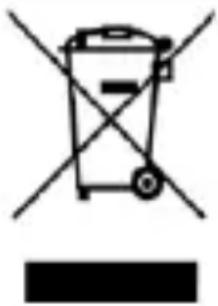
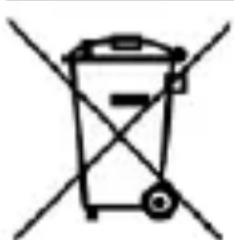
The device is marked with a crossed-out garbage bin, in accordance with the European Directive 2012/19/EU on used electrical and electronic Equipment (Waste Electrical and Electronic equipment - WEEE). Products marked with this
symbol should not be disposed of or dumped with other household waste after a period of use. The user is obliged to get rid of used electrical and electronic equipment by delivering it to designated recycling point in which dangerous waste are being recycled. Collecting this type of waste in designated locations, and the actual process of their recovery contribute to the protection of natural resources. Proper disposal of used electrical and electronic equipment is beneficial to human health and environment. To obtain information on where and how to dispose of used electrical and electronic equipment in an environmentally friendly manner user should contact their local government office, the waste collection point, or point of sale, where the equipment was purchased.
Correct disposal of used batteries
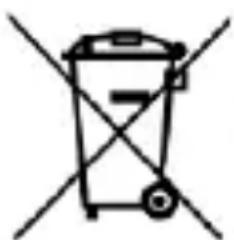
According to the EU directive 2006/66/EC with changes contained in EU directive 2013/56/UE on the disposal of batteries, this product is marked with crossed-out garbage bin symbol. The symbol
indicates that the batteries used in this product should not be disposed with regular household waste, but treated according to the legal directives and local regulations. It is not allowed to
dispose of batteries and accumulators with unsorted municipal waste. Users of batteries and accumulators must use the available collection points of these items, which allows them to return, recycle and disposal. Within the EU, the collection and recycling of batteries and accumulators is a subject to separate procedures.
To learn more about existing procedures of recycling of batteries and accumulators please contact your local office or an institution for waste disposal or landfill.
Rychly námod
myPhone 2220
Obsah baleni
www.myphone-mobile.com/qr/myphone-2220
www.myphone.pl/qr/myphone-2220
www.myphone-mobile.com
Vyrobené v Čine
Obsah supravy myPhone 2220
www.myphone.pl/qr/myphone-2220
www.myphone-mobile.com
Gyártás helye Kína
Csomag tartalma myPhone 2220
www.myphone.pl/qr/myphone-2220
www.myphone-mobile.com
www.myphone.pl/qr/myphone-2220
www.myphone-mobile.com
Prodotto in Cina
www.myphone.pl/qr/myphone-2220
www.myphone-mobile.com
Fabricado en China
www.myphone.pl/qr/myphone-2220
www.myphone-mobile.com
Fabricado na China
Conteudo do kit myPhone 2220
Specification technique 63
www.myphone.pl/qr/myphone-2220
www.myphone-mobile.com
Fabrique en Chine
www.myphone.pl/qr/myphone-2220
www.myphone-mobile.com
Toodetud Hiinas
Pakendi sisu myPhone 2220
www.myphone.pl/qr/myphone-2220
www.myphone.pl/qr/myphone-2220
-PAGALBOS SKAMBUCIAI-
www.myphone.pl/qr/myphone-2220
B 3aBnCmOCTN OT yCTaHOBJeHHo BepCNI pOrpaMMHOrO oBeCIIeHn, IIpJIIOJKeHn, IocTaBUnKa ycIyr, SIM-KapTbI HJN CTpaHbI, HeKOTOpbIE OINcAHn B 3TOM pyKOBoIDCTBe MORYT He COOTBeTCTBOBaTb BaIeMy TeJIeOHy.
Бezoноctь
-ABTO3AIIPABOCHbIE CTAHIN -
He noJIb3yI TeCb MO6nJIbHbIM TeJIefoHOM BO BpeM 3aIpaBKn Ha aBTo3aIpaBOUHO CTaHcH NJIH B HeIOcpeICTBeHHOJ 6JIH3OCTN OT XHMHKaTOB.
BHIMAHHE! B Mecmax, 2de cyuecmeyem puck 3pb6a [Hanpumep, Ha aBmo3anpa8oHbIX cmaHux, xmuueckux 3abodax u m I, pekoMeHyemcra biklouamb melefoh, O3nakombmecb c npabulamu, pezlaMeHmupyUoMu mu ucnolb30baHue obopydoBaHua GSM b 3mux Mecmax.
--3KCTPEHHbIE Bbl30Bbl--
B HeKOTopbIX MeCTax HJN IIprn HeKOTOpbIX 6OCToTeJIbCTBax OCUIeCTBJIeHne 3KCTpeHHbIX BbI3OBOB MoKET 6bITb HeBO3MOJHO. PeKOMeHdyetc HaHTn aJIbTePHaTHBbI CNOC6 yBeIOmJIeHnA bApHbIX cJIyK6, ecII BbI CObHpaeTecb B Hepa3BVtBie HJN OTJaJIeHHbIe paNoHbI.
-ETHJIIOHC OPGAHUeyHHbIMN BO3MOXHOCTaMn -
3TO yCTPOIcTBO He I0JIgHO 3KcIIlyaTHnpOBaTbCJIOdbMn [BkJIouyAJeTei] c OrpaHnueHHbIMN 3N3NueCKHMn HJIN yMCTBeHHbIMN CIOco6HOCTaMH, a TaKKe JIOdbMn, He HMeIOIImN OblTa pa6Otbi C 3JIeKTPoHHbIM o6OpuIDobAHHeM. OH MoRyT HcIOJIb3OBA Tb yCTPOIcTBO
TOJIbKO IOD Ha6JIIODeHHeM JIOJeI, OTBeTCTBHeHHbIX 3a Hx 6e3OpaCHocTB. 3To ycTroPoIcTBo He nrgPyuHa. KapTa NaMaTn H SIM-KapTa DoCTaTOUHO MaJbI, YTO6bI HX MoI PpOrJIoTHTb pe6eHok, YTO MoKeT BbI3BaTb ydyuIbe. XpaHInTe ycTroPoIcTBo H erO aKceccyapbI B HeIOCTUINHomДJIa DeTei MeCTe.
-6E30IACHOCTb IOPOXHOrO IBNJKeHnA
He nCnoJIb3yIe 3TO yCTpoIcTBO BO BpeMЯ BOJKeHnRAJIIOBO TpaHCnOpTHoro cpeIcTBA.
- KBAJHΦNIIPOBAHHOE TEXHNUECKOE OBCJIYKUBAHNE -
ToIbko KBaJIHΦHnIrpOBaHHbI IepcoHaJI HJIaBTOpH3nPoBAHHbI cepBnCHbI ΚeHTp MOryT KOHΦHrpynpoBaTb HJN peMOHTnPoBaTb yCTpoIcTBO. PEmOHT OcyIeCTBJIeHHbI HeCAHNIOHnPoBAHHbIM HJIH HeKBaJIHΦHnIrpOBaHHbIM ΚeHTpOM MoJKeT IIprNBecTH K IOBpeJdeHHIO TeJeΦOHa N IOTepn rapaHTHn.
-БАТApEи AKCCECYAPbI-
He IIOBvepraIte 6aTapeo BO3JeICTBnO OueHb BbICOKHX/Hn3KHX TeMIIePaIyp [HnJKe ^ N BbIiE 40^) . 3KcTppeMaJIbHbIe TeMIIePaIypbl MOrYT IOBJIInyTb Ha MoIiHOCTb H cPok ClyjK6bl 6aTapeH. N36eAite KOHTaKTA C JNkIOCTaMH N MeTaJIInuYeCKHM IIpeIMeTaMH TAK KaK 3TO MoJKeT BbI3BaTb ChTtHuOE HIN IIOJIHOe pa3pyIeHne 6aTapeH. BaTapeJ DoJIgHa HCIOJIb3OBaTbcr TOJbKO B COOTBeTCTBHN C eE IIpeDHa3NaUeHHeM. He pa3pyJaTe, He pa3bpaIte H He 6pocaiTe 6aTapeo B OOrHb - 3TO OIIaCHO H MoJKeT IIpNBecTH K IIOXApy. N3HOIIeHHbIe HJIH
EcJn KaKoJ-JIbO H3 BbIepepeuHcJIeHHbIX IpeJMeTOB OTCyTCTByeT JIN IOBpeJKeH, 6paHTTeCb K CBOemy IOCTaBUnKy. PekomeHdyetc coXpaHNTb KOHTeHep JJIa CJUyA JkaJIO6. XpaHnte KOHTeHep B HeIOCTUHOM JJIa DeTei MeCTe.
TexHnuecka cneuKauia
MoHTaJ Sim-KapT(bI), KapTbI NaMaTn N aKKymyJIaTopa
EcIn TeJefoH BkIIOueH - BbIKIOUHTe erO. ChHMnTe 3aHNIO KpbIshky TeJefoHa - IOdHMnTe ee HOrTeM, HcIOJIb3yra 3a3Op B Kopnyce. BcTaBbTe SIM-kapTu(KapTbI) -ee Heo6XODIMO CTOpOHc C 30JIoTHCTbIMN KOHTaKTamN BHN3, COOTBeTCTBeHHO K BbIpe3y dJa SIM-KapTbI.
BcTaBbTe KapTu PAmrTH - YTO6bI OTKpbITb KpbHKy UcTpoiCTBa YTeHnA KapT, aKKypaTHo CDbHbTe ee BnpaBO. BcTaBbTe KapTu PAmrTH microSD IIO3OJIoUeHHbIMN KOHTaKTamn BHN3 B COOTBeTCTBnC TnCSHeHM pa3bEma. 3aKpOte PAneJIb, OCTOpOJHo CDbHHyB ee Bn3. BcTaBbTe aKKyMjYTop TaK, YTO6bI eRO 3OJIoTHCTbIe KOHTaKTbI Kacalncb TpO'Horo pa3bEma B OTCeKe TeJeΦOHa. HaNehbTe N aKKypaTHo HaXMITE Ha KpbHKy, IOKa He ycJIbIhnte IeJyok 3aIeJok. Y6eIHTecb, YTO KpbHka XopoIIo IIpnKpeJIeHa.
3apяДka 6aTapeH
Подклочи Te 3apянhoe yctpoCTBO TnC K pa3bemy 3apяного yctpoCTBa Ha BaIeM TeJIefoHe, 3aTeM Подклочи Te 3apянhoe yctpoCTBO K əJIeKtpocetH.
*BnMaHHe: HeIpaBnIbHoe IODKJIIOUeHne 3apJiHOyCTPoIcTba MoKeT IIpNBecTH K CnJIbHOMy IIOBpeJdeHHIO TeJeOHa. Ha IOBpeJdeHn, BbI3BaHHbIe HeIpaBnJIbHbIM
HcIIOJIb3OBAHHem TeJeΦoHa, rapaHTnHa He pacIpocTppaHЯETc.
Bo BpeM 3apJIKN, 3HaQOK 6aTapeN B IpaBOM BepXHeM yrIy 3KpaHa DoJIKeH 6bITb aKTHBHbIM. EcJn 3HaueK 3apJIKN IIpeCTaJI 6bITb aKTNBHbIM OTKJIIOUHTe 3apJIDHOe UcTpoiCtBO O T ceTeBOI pO3eTKN. JeKJIapaunia o COOTBeTCTBHN dHpeKTHBam EC.
CmeHaЯ3bika
EcIn Ha TeIeOHe yCTaHOBJIeH HeIN3BeCTHbI J3bIK, eRO MoJHo IOMeHЯTb. BbIДnTe Ha rJaBbIŋ 3KpaH N HaJKMnTe KJIaBnIbI: [MeHIO] >
3aBoDcKHe HacTpoiKn
Чтобы BOCCTaHOBNTb 3aBOДСКн e HacTpOйКn, Bbl6ePHTe B MeHIO TeJIeФОHa: HAcTpOйКn -> BocCTaHOBNTb 3aBOДСКн e HacTpOйКn. Kod ДЛЯ сбрoca K 3aBOДСКн m HacTpOйКam: 1122.
YcTpaHHe HeNCpPaBHOCTe
IpaBnJIHo H3XBbPJIaHe Ha H3IOJ3BaHn 6aTepHH ....77
| ВНIMAHNE | Изявленne |
| Пробноютелов Ноч OTROBOPHOCТ 3a ПослесТВИ, Прочины OT Heppавлиha уно时报а на телегони Heсяпазаима Горни: Инструкци. ПуровоTo Дд орpeдени Пуравлиот Тьлкува: Горни: Инструкци. | Версанта на софтуера може за бъде надградана 6e3 Пробноютелов ИЗБecтува: Пробноютелов си за паЗва Пробноюда орpeдени Пробноют Тьлкува: Горни: Инструкци. |
www.myphone.pl/qr/myphone-2220
B 3aBnCmOcT OT HnCTaJInpaHaTa BepnHa coΦTyepa, DocTaBUnKa Ha ycIyH, SIM KapTaTa nJIn dIbprKaBaTa, HЯКоN OT OIIncAHHaTb TOBa pKOBODCTBO MoKe Ja He CbBnJaTc BaIiNeTeJefoH, a TeJefohBT n akcecoapHTe, PrnkpeHn KbM KOMJIeKTA, MoKe Ja ce pa3JInuaBaT OT NJIIOCTpaIuHTe, BKJIIOUeHN B pKOBODCTBOTO.
Мерски за 6еzoноct
—BEH3HHOCTAHUH—
He n3noJI3BaIte mo6JIHnCn TeJefoH,doKaTo 3apeKdaTe c rOpNBO Ha 6eH3HHocTaHcNn HJIN B 6JIH3OCT Do XHMNKaJIH. BHIMAHHE! Ha Mecma, Kbdemo uma puck om ekcnlo3ua (m.e. 6eH3uHocMaHcUu, Xumuecku 3aBodu u dp.), IpenopbUmeJHo e da u3KlOvume melefoHa. MoJ, o6bpheme ce KbM pa3nopeDbume, peyLupausu u3noJ3BaHemo Ha GSM obopydbaHe Ha me3u Mecma.
—BOДА И ДPyTH TEЧHOCTH—
3aIHTeYCTPOHCTBOTo OT BODa N dpyrN TeUHocTn. TOBa MoJKe Da IOBJIHRe Ha pa6OtaTa H IpoDbJIKHTeJIHOCCTTa Ha JxHBota Ha eJIeKTPoHHnte KOMIOHeHTN. I36aRBAite Da H3IOJI3BaTe YCTPOHCTBOTo B CpeDa C BnCOKa BJaJXHOCT KaTO KuxHN, 6aHN IIIN IO BpeMe Ha IbJxIDOBHO BpeMe. YaCTNuHTe BOda MOrAT Da IpruHHr T BTeuHHBaHe Ha BlaRaTa B UcTPOHCTBOTo H TOBa MoJKe Da HMa OTrnCaTeJIHO Bb3JeHCTBHe Bbpxy pa6Otata Ha eJIeKTPoHHnte KOMIOHEnTH.
—CIIHHOBAJDAHNA
H3BbPbBaHeTo Ha cIeIHn IOBnKBaHHa MoKe Da He e Bb3MOxHO B HЯKoN O6JIaCTn HJIn O6CTOaTeJIcTBA. IpeOpbYnteJIHo e da ce HamepHaTINBeH NaHN 3a yVeIDOMyBaHe Ha cIyXbHTe 3a cIeIHa NOMO, aKO IIOceUaBaTe T03n TnI paNoH.
—KBAJIHΦNIIHPAH CEPBn3-
Camo KBaJIHΦnIupaH IepcoHaJI HJIH OTOpH3IupaH cepBn3eH
IeHTbp MoJKe Da HHCTaJInpa HJIH peMOHTpA To3N IIpoIyKT.
PemOHTpHaHeTo OT HeOTopH3IupaH HJIH HeKBaJIHΦnIupaH
cepBn3 MoJKe Da IIpruHH NOBpeJa Ha yCTpO'CTBOTO H
3aIg6a Ha rapaHzna.
—ДELA H XOPABHEPABHOIOJOKEHNE — Toba yctpoiCTBO He Tp8Ba Da ce H3I0JI3Ba OT xopa (BkJIIOHTeJIHO Dea) c OrpaHnueHN ΦH3NueCKn HJIN yMCTBeHN CnOCo6HocTH, KaKTo H OT Xopa 6e3 IpeDnIeH ONHT B pa6OtaTc eJeKTPoHNO obOpyDbAHe. Te MoRaT Da H3IIOJI3BaT YcTPOIcTBOTo CamO IOD NaI3Opa Ha xopa, OTROBOPHN 3a TExHaTa 6e3OJaacHocT. Toba yctpoiCTBO He e HrpaUka. KapTaTa C PAmet N SIM KapTaTa Ca DoCTaTbUHO
MaJIKN, 3a Da 6bDaT NOrbJIHaTH OTe H IprHnHЯBaT 3aIyIiABAHe. IpbXTe yCTpoIcTBOTOn H HeROBHTe akcecoapn DaJIeU OT DoCera Ha DeIca.
—БE3ОПАСHОCTHAПБТЯ—
He n3noJ3BaIte TeJefoHa, JOKaTo IIOΦnpaTe.
—БATEPЯИAKCECOAPN—
I36yBaIte n3laIaHeto Ha 6aTePnTa Ha MHOTo BnCOKn / HnCKn TeMnepaTpyn (IOD 0^ / 32^ nHa d 40^ / 104^ F). EkTepeMHnte TempepaTpyn Moat da IOBJIyAe Na KaIIaHTeHa JKBOTa Ha 6aTePnTa. I36yBaIte KOHTaKT C TeuHOCTn MeTAJIHn IpeDMETn, TbN KaTO TOBa MoJc Da IIprUHNu YAcTHNu HO NJI NbJIHO IOBpeKdAHe Ha 6aTePnTa. BaTePnTa Tp6Ba Da Ce n3IOJ3Ba cAmO cIopei IpeDAHa3NaueHHeTo cN. He yHNIooJaBAITE, IOBpeKdaIte HJN H3XBpbJIte 6aTePnTa B PIAMbIIN - TOBa e OPaCHO N MoJc Da IIprUHNn IooKap. I3HoCeHaTa NJIy VBpeDeHa 6aTePn Ta Tp6Ba Da ce IocTabn B CpeuaJeH KOHTeHep. IIpeKoMePHOTO 3apeJdaHe Ha 6aTePnTa MoJc Da IIprUHNn IOBpeDa. ETo 3aIoo eJHo 3apeJdaHe Ha 6aTePnTa He Tp6Ba Da Tpae IIOBeYe ot 1 DeH.
HnctaInpaHeTo Ha HeIpaBnJIeH TII 6aTePnMa MoKe da IpruHH eKcIIO3n. Hnkora He OTbaprYe 6aTePnTa. MoJIa, n3XbIpyIte 6aTePnTa cblacHo HHCTpyKUnHe. N3KJIyOte HeN3IOJ3BaHOTo 3apJdHO yCTpoiCTBO OTeJeKTPnuYeCKaTa MpeJa. B cIyauHa IIOBpeDa Ha 3apJdHOTo yCTpOiCTBO, THe Tp8Ba Da ce IIoppaBra, a Da ce CMeHc HOBa. N3IOJI3BaIte camo opHnHaJIHnte akcecoapn Ha IpnON3BOIDHTeJIa.
-3BYUH—
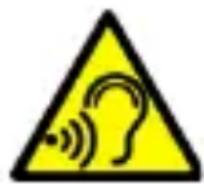
3aДаи36eHHeTe yBpeKdAne Ha cIyxa, He H3IOJ3BaIte yCTpoiCTBOTo Iprn BnCOKn HnBa Ha 3Byka 3aДьЛьгпернOD OT BpeMe, He
IocTbAryTe pa6oTeiunr TeJefoH dInpeKTHO ByxOTO.
-3PEHNE—
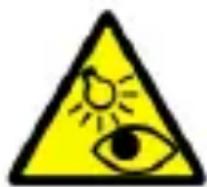
3a da ce n36eHHe yBpeJdaHe Ha 3peHHeTo, IO BpeMe Ha pa6oTaTa He BHmAbaIte B INoJa Ha ropeJIkata. CJIHa cBeTJIInHa MoKe Ja IIpruHHN
TpaHn yBpeJdaHna Ha ouHTe!
Пронзводntел:
mPTech Sp. zo.o.
00-511 Warsaw, Poland
www.myphone-mobile.com
mPTech Sp. zo.o.
IpoH3BeJeHO B KHTaI
Сьдьржане на пakete myPhone 2220
Преида започе за ИзюлbaTe TeJefoHa cn, увepete ce, Ye BCnUKN OT сJEДнITE eJIeMeHTN ca BKJIIOUeHN B KUTHЯТа:
- Mo6nJIeH TeJIeΦoH myPhone 2220
- 6aTepeia
3apyaHNo
pBkoBOdCTBO
Ako Harykoi OT ropHnTe eJIeMeHTN JINICBa HJIn e NOBpeDeH, MoJia, CBbpxKeTe ce c MxCTOTO Ha 3aKuynBaHe. CbBeTBaMe da CbXpaHЯBaTe KapTOHeHaTa KUTna B ClyuaH Ha OJIaKBaHn. CbXpaHЯBaIte Ra MaCTo, HeIOCTbPiHo 3a DeUa.
TexHHueckxapaKTepeHCTNKn
Два слotingа за SIM karту; Ржим Високогоовпгел; Фенир;
FM paДио,Bluetooth
Дисплей: 1.77"
Батугия: 600 mAh
Pa3mepn: 112,8 x 46,8 x 14,9 mm
Teŋlo: 66g
ДоПьЛНTeJIин ΦунКцИN: ДОПьЛНTeJIиN 6уTOHn,
kaJIkyIaTOp, aJaIapMa, kaJIeHДap, mp3 IIeIbP
BxoDn npaMeTp n 3apAДno: 100-240 V\~ 0.3A, 50/60 Hz
I3xoJHn npaMeTpN 3apJHo: 5.0 V 0.55A, 2.75W
CpeДна eф ekTиВиСт ПОВпeMe Ha pa60Ta (3a 230V, 50hz): 73.33%
EHeprnHa KOHCymaunB CnOKoEH peKHM: IIO-MaJIKO OT 0.3W
IocTaBЯHe Ha SIM kaPTn, KaPTa NaMeT n 6aTePnA
Ako TeJefoHbTe BkJIOueH - H3KJIIOUeTe rO. CBaJIeTe 3aIHHa KaIak N3IOJI3BaIKN IPOUeHa Na 3aIHHa BeINH OT bIHTe. IocTabeTe SIM KapTaTa cBc 3laTHnTe KOHTaKTn, O6bphATn HADOLy, HauHHa, IO KOHTO cIoTbTe e peJeΦeH. IocTabeTe KapTaTa c PAMet cBc 3laTHnTe KOHTaKTn HADOLy, IO HaunHbT, IO KOHTO cIoTbTe e NOKa3aHO (BVKe T PrHJIeKaIaTa HIIOCtpaIHa). MaKcImaJIHNr T IOdIbPjKaH KaIaIHTe Ha KapTaTa c PAMet e 32 GB. IocTabeTe 6aTePraTa PO TaKbB HaUnH, Ye 3laTHnTe KOHTaKTn Da DOKOCBaT cBeIHnTEJIa, IocTabeHn OTJBAo OT micro SD KapTaTa (BVKe IIIOCTpauIHa ta lo-rope). IocTabeTe 6paTHo KaIaKa Ha 6aTePraTa.
Смяна на застения
CbpbjKeTe 3apJHOTO yCTPOIcTBO microUSB KbM CbeHNHTeJIa 3a 3apJINHO yCTPOIcTBO Ha BaIIH N TeJIeΦoH, CJIe J KOeTO CBpbjKeTe 3apJINHO yCTPOIcTBO B eJIeKTPnueckaTa MpeJa. * BHIMAHNE: HeipabNJIHOTo CBbp3BaHe Ha 3apJINHO yCTPOIcTBO MoJke Ja IIpNUHn cepNo3HN IeTN Ha TeJIeΦOHa. TapaHtA Na He IOKPnBa IeTN, IIpNUHEnr OTHepBnHa YIOITpe6a Ha TeJIeΦOHa. IIO BpeMe Ha 3apeJdaHe IKoHaTa Ha 6aTePnTa B rOpHn JeceH bTJI Ha ekpaHa Tp6Ba Da 6bJe aHmnpaHa. Korato Ce 3apei, IKoHaTa Ha 6aTePnTa BeYe HMa Da 6bJe aHmnpaHa n cJIeT ToBa N3KJIuOyeTe 3apJINHO yCTPOIcTBO OT KOHTaKTa. N3KJIUoyTe Ka6eJa OT KOHTaKTa Ha TeJIeΦOHa.
CпшнacmaHa ha e3nka
3aДасмEHTe e3нka 6paTHo Ha JKeJIaHnT OT BAc,В cIyauN Ye HЯКо rO e IIpOMeHnJI,HaTnCHeTe 6yToHa [MeHIO] >
Φa6pHuHn HaCTpoiKn
IpaBnJIHo H3XBbPJIaHe Ha N3NoJ3BaHn 6aTePN
CbIaCHO DInpeKTHBa 2006/66 / EC Ha EC c H3MeHeHnTa, KOHTO Ce CbIbPkaT B DInpeKTHBa Ha EC 2013/56 / UE OTHOCHO hXBbPJIaHeTo Ha 6aTePHN, To3H IIpoDyKT e MapKnpaH cbc
CnMBoJa Ha KpbCTocan KoΦa 3a 60KJIyK. CnMBoJbT IOKa3Ba, Ye 6aTePnHTe, H3IIOJ3BaHn B To3N IIpoJyKT, He Tp8Ba Da Ce N3XBbPJIaT 3aeJHO C 6bHKHOBeHNTe 6bTOBn OTNaIbIaH, a Da Ce TpeTHPaT CbIaCHO 3aKOHOBHTe DInpeKTHBn H MeCTHnTe pa3PiopeJbH. He Ce DoIpycka N3XBbPJIaHe Ha 6aTePnH N AkymylaTopn C HecOpTnpaH N 6HTOBn OTNaIbIaH. IOTpe6HTeJIte Ha 6aTePnH N akymylaTopn Tp8Ba Da H3IIOJ3BaT HaJIuHnTE MeCTa 3a Cb6HpAHe Ha Te3N eJIeMeHTn, KOeTO HM IIO3BOJIABa Da c E BbPHaT, peuNKJIpaT n yHnIooJat. B pamKHTe Ha EC Cb6HpAHeTo N peuKJIpaHeTo Ha 6aTePnH N akymylaTopn e IpeDmet Ha OTJeJIH n IpoUeJypn. 3a Da HayHTe NObuee
3a cIeCTbVbAHTe IpoeDypn 3a peKJInpaHe Ha 6aTeHH aKymyJIaTOPn, MoJIa CBbPKeTe ce C MeCTHnOHC HIN HHCTHTUcNJa 3a DeIOHnpaHe HIN DeIOHnpaHe Ha OTIIaDbuN.
www.myphone.pl/qr/myphone-2220
- MIIATAPIA KAI AAAAA EEAPTHMATA —
Apooyte tnv ek0eon tnC matapiaac o nolu
vns/xaunlcs 0oC/32oF kai
Pavw aT6o40oC/104oF).OaKpaicc 0epoukaoic c vdsxetau
va einnpeaoovn th wopntikotnta kai tn diapkeia zwo nC
matapiaac. Aonooyte tnv eanp nEvyra kai mertaluk
avtkeiueva, kaowc evdexetai va npokaleosuv mepikn n
olkn baa TnC matapiaac. Xpnoiopoieite tnV matapia
movo yia tnV npooipzoeyn xphon tnC.Mnv kataoTPeTe,
qheipte n pixveTE nV matapia otN wfTIA, kaWc eivai
einnkvduvo kai mnpei va npokaleoianvpkaia. Oi
qthetavec n Esoevnevc matapiae c pTe i va
tonotheouvtai oE iDikdaoxia.H vtnepoaption tnC
matapiaac mnpei va npokaleoie BalaBn. EnoeVWC, ma
aIbn qoption tnC matapiaac dev npEe i va diapkei
πepioostepo ano 1 nuepa. H tonoTheTOnn matapiaac
lambdaeovu tonov mnpei va npokaleoie ekpnxi. Mny
avoiyte noty nptv matapia. H antoppni tyc nI matapiaac
pienvgammaeai oupwva me tC odnyieC.Anoovsdote to
wpotiotn aoTo roeua otav dev tvxnoiopoiaite. Se
πepiTTomega bαβηc, to KAawdeltaou vpoptotn dev npéTIVA
www.myphone-mobile.com
mPTech Sp. zo.o.