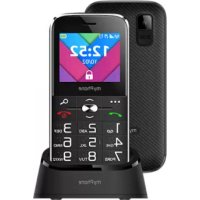
Halo C - Smartphone myPhone - Free user manual and instructions
Find the device manual for free Halo C myPhone in PDF.



| Product type | Smartphone |
| Brand | myPhone |
| Model | Halo C |
| Screen | 2.2-inch LCD screen |
| Battery | Lithium-ion 1900 mAh |
| Dimensions | 124.5 × 59 × 14.2 mm |
| Weight | 126 g |
| SIM slots | 2 (dual SIM) |
| External memory | microSD up to 16 GB |
| Connectivity | GSM |
| Power supply | USB Type-C port, 1.5 to 5 W charger (not included) |
| Main functions | Calls, SMS, flashlight, camera, FM radio, SOS, hands-free |
| Maintenance and cleaning | Dry cloth, avoid acidic or alkaline products |
| Safety | Turn off in explosive areas, do not expose to water, moderate volume for hearing |
| Kit contents | Phone, battery, USB Type-C cable, manual |
| Repairability | Repair by authorized center only |
Frequently Asked Questions - Halo C myPhone
User questions about Halo C myPhone
0 question about this device. Answer the ones you know or ask your own.
Ask a new question about this device
Download the instructions for your Smartphone in PDF format for free! Find your manual Halo C - myPhone and take your electronic device back in hand. On this page are published all the documents necessary for the use of your device. Halo C by myPhone.
USER MANUAL Halo C myPhone
www.myphone.pl/qr/myphone-halo-c
—POłACZENIA ALARMOWE—
Table of contents 22
Safety. 23
Package content myPhone Halo C 25
Technical specification 26
Phone, its functions and buttons 27
Turning the phone on/off. 29
Inserting SIM card(s), memory card and battery. 29
Charging the battery 30
Emergency change of language 30
Factory settings 30
Battery management 31
Troubleshooting 31
Device maintenance 32
Correct disposal of electrical and electronic equipment 32
Correct disposal of used batteries 33
| CAUTION | Statement |
| The manufacturer is not responsible for any consequences caused by improper usage of the phone and not obeying the above instructions. | The software version can be upgraded without earlier notice. The representative retains the right to determine the correct interpretation of the above instructions. |
THE USE OF THE MANUAL
Without prior written consent of the manufacturer, no part of this manual may be photocopied, reproduced, translated or transmitted in any form or by any means, electronic or mechanical, including photocopying, recording or storing in any systems of storing and sharing information.
Please read the precautions and phone user's manual before use. The descriptions contained in this manual are based on the default settings of the phone. The newest version of the manual can be found on our company website:
www.myphone.pl/qr/myphone-halo-c
Depending on the installed version of the software, applications, service provider, SIM card or country, some of the descriptions in this manual may not match your phone.
Safety
—PETROL STATIONS—
Do not use your mobile phone while refuelling at a petrol station or in the vicinity of chemicals.
CAUTION! In places where there is a risk of explosion (i.e. Petrol stations, chemical factories etc.), it is advisable to turn off the phone. Please refer to regulations governing the use of GSM equipment in these places.
—ALARM CALLS—
Making alarm calls may not be possible in some areas or circumstances. It is recommended to find an alternative way to notify emergency services if you are going to undeveloped or remote areas.
QUALIFIED SERVICE
Only qualified personnel or an authorized service center may install or repair this product. Repairing by an unauthorized or unqualified service may cause device damage and warranty loss.
- CHILDREN AND PHYSICALLY OR MENTALLY DISABLED PEOPLE—
The device must not be used by children under 8 years of age without the supervision of adults responsible for their safety and by persons with limited motor or mental predispositions if they prevent them from operating the device safely. Remember, the device is not a toy. The memory card and SIM card are small enough to be swallowed by a child or cause choking. Keep the device and its accessories away from children.
—ROAD SAFETY—
Do not use this device while driving any kind of vehicle.
—WATER AND OTHER LIQUIDS—
Protect the device from water and other liquids. It can influence work and the life span of electronic components. Avoid using the device in environments with high humidity like kitchens, bathrooms or during rainy weather. Particles of water can cause the liquefaction of moisture in the device, and this may have a negative impact on the work of electronic components.
—BATTERY AND ACCESSORIES—
Avoid exposing the battery to very high/low temperatures (below 0^ / 32^ and over 40^ / 104^ ). Extreme temperatures may influence capacity and battery life. Avoid contact with liquids and metal objects as it may cause partial or complete battery damage. The battery should be used only according to its purpose. Do not destroy, impair or throw the battery into flames - it is dangerous and may cause fire. Worn-out or impaired battery should be
placed in a dedicated container. Excessive charging the battery can cause damage. Therefore a single battery charge should not last longer than 1 day. Installing an incorrect battery type can cause an explosion. Never open the battery. Please dispose of battery according to the instructions. Disconnect an unused charger from power grid. In case of the charger wire damage, it should not be repaired but replaced with a new one. Use only the original manufacturer's accessories.
—HEARING—
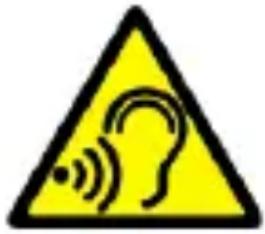
To avoid hearing damage, do not use the device at high volume levels for a long period of time, do not put operating device directly to the ear.

—EYESIGHT—
To avoid eyesight damage do not look closely onto the diode during its work. A strong bean of light may cause permanent eye damage!
Producent:
mPTech Sp. z o.o.
We advise to keep the container in case of any complaints. Keep the container out of reach of children.
For environmental reasons, this package does not include a
charger. This device can be powered by most USB power adapters and a cable with a USB Type-C plug.
Technical specification
Two SIM cards slots; loudspeaker mode; Torch; Photo camera; FM radio, SOS function
Display: 2.2"
Battery capacity: 1900 mAh
Dimensions: 124.5 × 59 × 14,2 ~mm
Weight: 126 g
Memory cards support: do 16 GB
Power supply technical specifications:
The power delivered by the charger must be between min 1,5 Watts required by the radio equipment, and max 5 Watts in order to achieve the maximum charging speed.
Phone, its functions and buttons
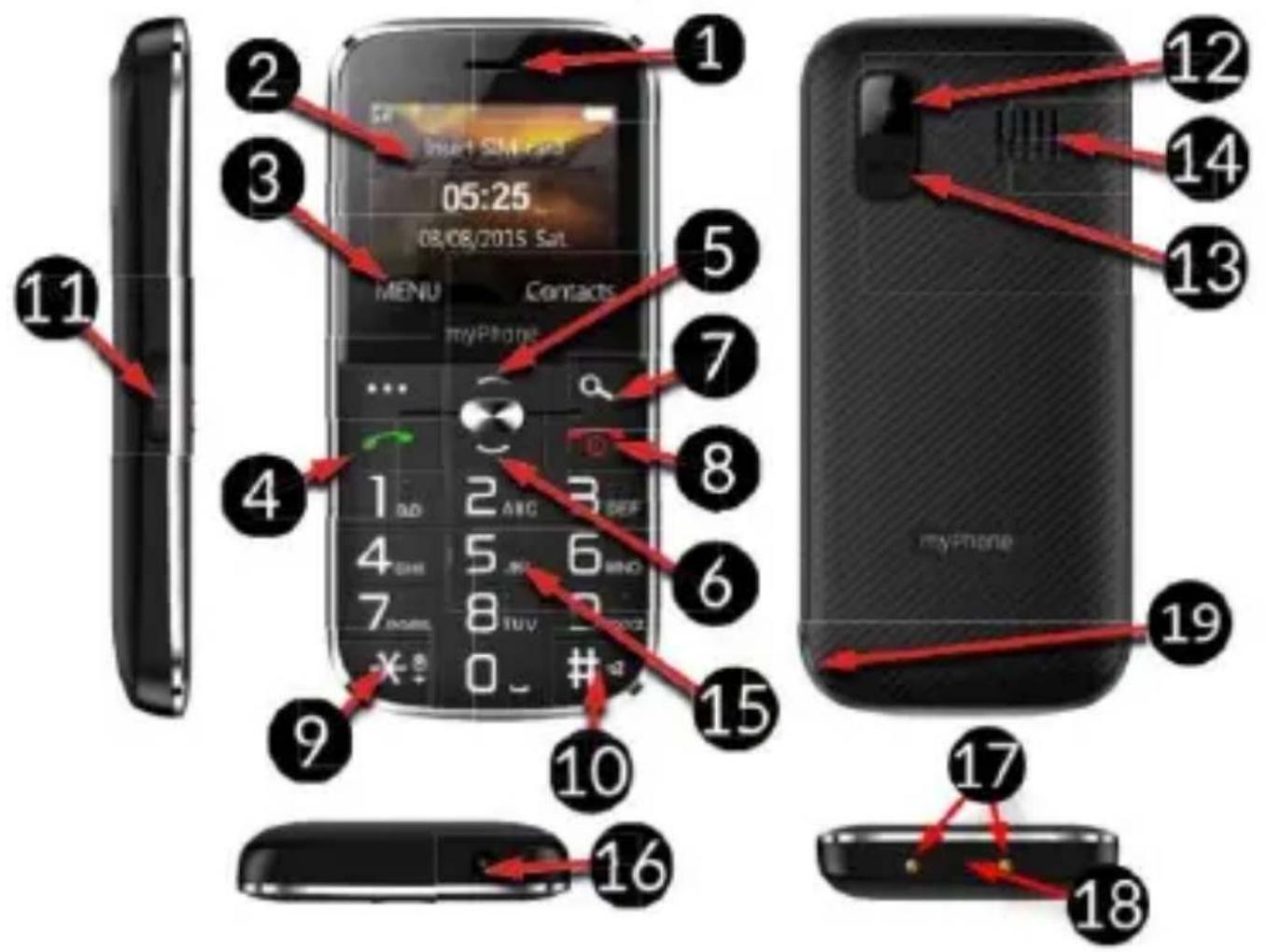
| 1 | Speaker | A speaker used in phone conversations. |
| 2 | Display | LCD display. |
| 3 | <Menu> button | While on the main screen enables entering the Menu, and confirms choice while in the Menu. |
| 4 | <Green handset> button | Allows you to receive an incoming call or look through the list of calls. |
| 5/6 | Navigation | While in Menu enables navigating |
| button Up / Down | around it. On the main screen launches shortcuts to selected functions. | |
| 7 | <Contacts> button | Press to enter the phonebook. While in the Menu you can exit or opt out. |
| 8 | <Red handset> button | Allows you to reject an incoming call. While in the Menu allows you to return to the main screen. When held for a long time, it turns off the phone or, if it is switched off, turns it on. |
| 9 | <*> button | Pressed after button Menu allows to lock or unlock the phone. Decreases volume in multimedia apps. When writing an SMS, it displays symbols for insertion into the content. |
| 10 | <#= button | Switches between audio modes and character input modes for texting, increases the volume in multimedia applications. |
| 11 | Torch On / Off | Allows you to turn on or off the flashlight diode at any time. |
| 12 | Camera | Camera lens. |
| 13 | SOS button | Press and hold to activate an alarm and/or auto-dial of predefined numbers. |
| 14 | External speaker | Loudspeaker for system sounds, ringtones, music. |
| 15 | Phone keypad | Buttons for dialing a phone number on the main screen and entering letters or numbers in the SMS writing mode. |
| 16 | LED | Diode is used as a torch. |
| 17 | Contacts | Allow you to connect your phone to the charging base. |
| 18 | Type C port | When connected enables recharging the battery. You can transfer data (photos, videos, music) when you connect it to your computer. |
| 19 | Gap | Allows to take off a cover of the phone. |
Turning the phone on/off
To turn the phone on/off press and hold Red handset until the phone switches on. If directly after turning the phone on you will see the PIN code request, (in form of “****”) type the code and press button Menu.
Inserting SIM card(s), memory card and battery
If the phone is switched on - switch it off. Remove the back cover of the phone - use your fingernail to raise it using the gap in the case. Insert the SIM card(s) - place the SIM card(s) with its (their) golden contacts facing down as the recess is embossed.
Insert the memory card - to open the cover of the card reader slide it gently up. Insert the microSD memory card with its gold contacts facing down, the way in which the slot is made. Close the flip by sliding it delicately downwards. Insert the battery so that its gold contacts touch the tripple connector in the phone bay. Put on and gently press down the cover until you hear the click of the latches. Make sure the cover is well attached.
Charging the battery
Connect the Type C charger to the charger connector on your phone, then connect the charger into the power grid. *CAUTION: Improper connection of the charger can cause serious damage to the phone. Damages caused by an improper use of the phone are not covered by the warranty.
During charging, the battery icon in the upper right corner of the screen should be animated. When charged, the battery icon will no longer be animated and then disconnect the charger from the wall outlet. Unplug the cable from the socket on the phone.
Emergency change of language
To restore the factory settings, enter, starting from the phone Menu: [Menu] >
Factory settings
To restore the factory settings, select in the phone Menu: [Settings] > [Restore Settings]. The code for resetting to factory settings is: 1122.
Battery management
This feature is available when you start your phone for the first time or later under path [Menu]>[Settings]>[Battery management]
Battery management modes allow you to extend battery life by changing its charging settings.
Description of battery condition modes:
- Normal mode - charges the battery normally to 100% .
- Economy mode - charges the battery to 80%
Troubleshooting
| Komunikat | Possible solution |
| Insert SIM card | Make sure that the SIM card is installed correctly. |
| Input PIN | If the SIM card is secured with the PIN code you have to enter the PIN when turning the phone on and press OK. |
| No one can call me | The phone has to be on and within GSM network reach. |
| Network fail | In areas where signal or reception is weak, calls may not be possible. Also receiving calls may not be possible. Move to another location and try again. |
| Poor sound quality during conversation | Make sure that the speaker and microphone are not covered. |
| I cannot hear the caller./ The caller cannot hear me | The mic. should be close to mouth. Check if the built-in mic. is not covered. When a headset is un use, check if it has been connected correctly. Check if the built-in speaker isn’t covered. |
| The connection cannot be established | Check if the typed-in phone number is correct. Check if the phone number entered to the [Contacts] is correct. Enter the correct phone number if necessary. |
Device maintenance
Follow the instructions below.
- For cleaning use only a dry cloth. Never use any agent with a high concentration of acids or alkalis.
- Use the original accessories only. Violation of this rule may result in an invalidation of the warranty.
Correct disposal of electrical and electronic equipment
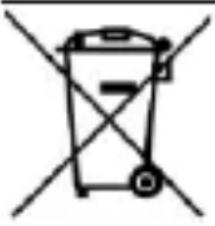
The device is marked with a crossed-out garbage bin, in accordance with the European Directive 2012/19/EU on used electrical and electronic Equipment (Waste Electrical and Electronic equipment - WEEE). Products marked with this
symbol should not be disposed of or dumped with other household waste after a period of use. The user is obliged to get rid of used electrical and electronic equipment by delivering it to
designated recycling point in which dangerous waste are being recycled. Collecting this type of waste in designated locations, and the actual process of their recovery contribute to the protection of natural resources. Proper disposal of used electrical and electronic equipment is beneficial to human health and environment. To obtain information on where and how to dispose of used electrical and electronic equipment in an environmentally friendly manner user should contact their local government office, the waste collection point, or point of sale, where the equipment was purchased.
Correct disposal of used batteries
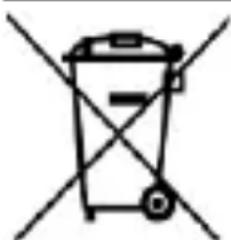
According to the EU directive 2006/66/EC with changes contained in EU directive 2013/56/UE on the disposal of batteries, this product is marked with crossed-out garbage bin symbol. The symbol
indicates that the batteries used in this product should not be disposed with regular household waste, but treated according to the legal directives and local regulations. It is not allowed to dispose of batteries and accumulators with unsorted municipal waste. Users of batteries and accumulators must use the available collection points of these items, which allows them to return, recycle and disposal. Within the EU, the collection and recycling of batteries and accumulators is a subject to separate procedures.
To learn more about existing procedures of recycling of batteries and accumulators please contact your local office or an institution for waste disposal or landfill.
www.myphone.pl/qr/myphone-halo-c
www.myphone.pl/qr/myphone-halo-c
www.myphone.pl/qr/myphone-halo-c
www.myphone.pl/qr/myphone-halo-c
www.myphone.pl/qr/myphone-halo-c
www.myphone.pl/qr/myphone-halo-c
(Waste Electrical and Electronic Equipment - WEEE).
Specification technique 49
www.myphone.pl/qr/myphone-halo-c
—SERVICE PROFESSIONNEL—
www.myphone.pl/qr/myphone-halo-c
www.myphone.pl/qr/myphone-halo-c
www.myphone.pl/qr/myphone-halo-c
—PAGALBOS SKAMBUCIAI—
www.myphone.pl/qr/myphone-halo-c
www.myphone.pl/qr/myphone-halo-c
Greutate: 126 ~g
Suportul cardurilor de memorie: la 16 GB
Specifications tehnice ale sursei de alimentare:
pyKOBOdCTBa MoJHo HaHTn Ha caTe HaWei KOMpaHn:
www.myphone.pl/qr/myphone-halo-c
B 3aBnCmOCTn OT yCTaHOBJIeHHoB BepCN nporpaMMHoro
o6ecneueHna, noctabuika ycnyr, SIM-kaPbI nn cTpaHbl,
HeKOTOpbIe OINsAHnB 3TOM pyKOBoDCTBe MOryT He
COOTBETCTBOBaTb BaWeMy TelefoHy, N TelefoH n akceccyapbl,
πριλαεMbIe K Ha6opy, MoryT OTnUaTbCra OT nllIOCTpaζη,
BKNIOUeHHbIX BpyKOBOdCTBO.
Бezonaachoctb
—ABTO3APABOHyIE CTAHcHn—
He noIb3yI TeCb Mo6nIbHbIM TeIefoHOM BO BpeM 3aIpaBKn Ha
aBTO3aPpaoBOHOn CTaHcnn IIn B HeNocpeDCTBeHHoN 6IIN3OCTN
OT XIMNKaTOB.
BHIMAHHE! B mecmax, 2de cyuecmeyem puck 63pbia
(Hanpumep, Ha aBm03anpaBovHbIX cmaHuzx, Xumueckux
3abodax um. d.), pekomehdyemcBbiklouammb melefoH.
O3HaKombmec b c npabunamu, pezamaHmupyouumu uonb3oBaHue o6opyoBaHnra GSM b mux mecmax.
—3KCTPEHHbIE Bbl3OBbl—
B HeKOTOpbIX MeCTax IIN Iprn HeKOTOpbIX 06CTOJTeIbCTBaX OcyuaceTBLeHne 3KCTpeHHbIX Bbl3OBOB MoKeT 6bITb HeBO3MOxHO. PeKOMeHdyetc HauTN aJIbTePHaTINBHyI CNOCo6 yVeDOMleHnA bApNHBIX cLyX6, eCIn Bbl co6npaTeEcB IIpe6bIBaTb B Hepa3BVtBIX IIN OTdaJIeHHbIX paNoHax.
—KBALNΦNUPOBAHHOETXHnueCKOE OBCJyJXBAHNE—
ToIbKO KBaIIuΦnUPOBaHHbI nepcoHaJI nn ABTOpN3INPOBaHHbI cepBnCHbI ueHTp MOrTy KOHoupynpoBaTb IIN peMOHTnPOBaTb yCTpoiCTBO. PeMoHT, ocUeCTBLeHNbI HeCaHKUHOHnPOBaHHbIM IIN HeKBaIIuΦnUPOBaHHbIM ueHTpOM, MoJKe TnpVBecTN K IOBpeJdeHnIO TelefoHa n Notepn rapaHTn.
—ДETиИЛЮДСОГРАнчЕHHbIMNBO3MOЖHOCTЯМN —
3TO yCTPOIcTBO He DoJIxHO 3KcNlyaTnpoBaTbCra IIOdbMn (BkIIOUaYdTei) C OrpaHnueHHbIMn 0n3NueCKmN nLIy UMCtBeHHbIMn cNooc6HoCTaMn, a TaKJKe IIOdbMn, He NMeIoUzMMn OblTa pa6Oblc 3JeKTPoHHbIM o6OpydoBaHneM. OHN MOryt NcNoIb3OBaTb yCTPOIcTBO TOLbKO nOd Ha6JIIODeHneM IIOdei, OTBeTcTBeHHbIX 3a nx 6e3ONaChOCTb. 3TO yCTPOIcTBO He IrpyuSha. Kapta Namrtnu SIM-KapTa dOcTaToUHO mAlbl, YTO6blnx Mor npOrIOTHTb pe6eHOK, uTO MoJcET Bbl3BaTb ydyuSbe. XpaHnte yCTPOIcTBO n erO akceccyapbl B HeNOCTyINHom dJa DeTei MeCTe.
-БE3OПАСHОCTь ДОРОЖНОДВИХЕнЯ—
He nCnoIb3yIte 3TO yCTpoIcTBO BO BpeMBAKdEHNRA IIO6Oro TpaHCnOpTHoro cpeIcTBA.
-BODA IN DPyTNE XNdkOCTN -
Ecn Ha TelefoHe IIO KaKoI-To npuHHe yCTaHOBJeH Hen3BeCTHbI J3bIK, ero MOxHo N3MeHnTb C NOMOujo PoouepeHOro HaxaTna: MeHIO -> BBepx -> OK -> 3 pa3a - BHN3 -> OK -> 2 pa3a - BHN3 -> OK, a 3aTeM Bbl6epnte HjXhblr Ja3bIK.
3aBODcKHe NaCTpOiKn
Чтобы BOCCTaHOBNTb 3aBOdCKne HacTpoiKN, Bbl6epnteВ MeHIO TelefoHa: HacTpoiKN -> BocCTaHOBNTb 3aBOdCKne HacTpoiKN. Kod ДЯ c6poca K 3aBOdCKm HacTpoiKaM: 1122.
YnpaBHeHne aKKymyIaTOPOM
Функця дocунha пи nepвOM 3anycke telefoHa nIи no3Ke IIO npTu [MeHIO]>[Hactpoyn]>[YnpabLeHne aKKymyJTopom] Pexkmbi ynpaBleHn8 6atapeeN IO3BOJrOT npOdINTb cPOK cly6bl aKKymyJTopa 3a CyeT N3MeHeHn NapaMeTpOB 3apJdkn.