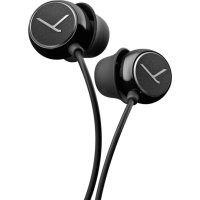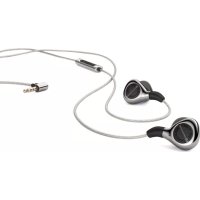
Xelento Remote - Headphones BEYERDYNAMIC - Free user manual and instructions
Find the device manual for free Xelento Remote BEYERDYNAMIC in PDF.



| Product Type | Wired in-ear headphone with remote and microphone |
| Connectivity | Detachable cables with standard MMCX connectors |
| Eartips Included | 7 pairs silicone (XS to 3XL) and 3 pairs Comply™ Tx-500 foam tips (S, M, L) |
| Accessories Included | 2 cables (with and without remote), cable clip, carry case, spare mesh screens |
| Remote Functions | Playback control, volume adjustment, call management and voice assistant |
| Remote Compatibility | Smartphones and tablets with CTIA jack |
| Recommended Wearing | Over-ear cable routing for optimal fit |
| Safety Notes | Set volume to a moderate level to avoid hearing damage; do not use in hazardous environments |
| Maintenance | Clean earphones with a dry or microfibre cloth; clean removable metal meshes with warm water and mild soap |
| Eartip Replacement | Replace eartips every 3 months; replacements available |
| Warranty and Serviceability | Do not open earphones yourself to avoid voiding warranty; contact an authorized technician |
| Additional Info | Quick guide included; technical specifications available on manufacturer's website |
Frequently Asked Questions - Xelento Remote BEYERDYNAMIC
User questions about Xelento Remote BEYERDYNAMIC
0 question about this device. Answer the ones you know or ask your own.
Ask a new question about this device
Download the instructions for your Headphones in PDF format for free! Find your manual Xelento Remote - BEYERDYNAMIC and take your electronic device back in hand. On this page are published all the documents necessary for the use of your device. Xelento Remote by BEYERDYNAMIC.
USER MANUAL Xelento Remote BEYERDYNAMIC
Thank you for your trust and for choosing Xelento remote In-Ear Headphones.
Please take a few minutes and read through this information carefully before start-up.
Safety instructions
Caution:
When you connect the in-ear headphones, please make sure that the volume level is set to minimum. Adjust the volume level only after inserting the eartips. To avoid possible hearing
damage, do not use your in-ear headphones for extended periods of time at high volume. The ability to hear your own voice while listening and speaking normally with in-ear headphones can serve as a measure of correct volume adjustment.
We would like to point out that excessively high volumes and long listening times may cause hearing damage. Hearing defects always constitute an irreversible impairment of hearing ability.
Always ensure an adequate volume level. It is advisable to keep listening times as short as possible at high volume levels. According to the Occupational Health and Safety Regulations of German trade associations BGV B3, noise pollution e.g. in the workplace must not exceed 85 dB (room volume level) during a maximum permissible listening time of 8 hours. If the volume level is increased by
3 dB respectively, the permissible listening time is cut in half, i.e. at 88 dB, the listening time is 4 hours, at 91 dB 2 hours, etc.
Danger to life!
In-ear headphones drastically reduce perception of external sounds. Using in-ear headphones in road traffic can be potentially dangerous. The user's hearing must not be impaired to the extent that it causes road safety risks. Please also make sure that you do not use the in-ear headphones within the action area of potentially dangerous machines and tools.
Risk of injury!
Avoid strong movements when using wired in-ear headphones. You might seriously hurt yourself especially if you wear piercings, earrings, glasses, etc., where the wire can get caught.
Changed acoustic perception
For many people, wearing in-ear headphones needs getting used to, because acoustic perception of their own voice and of the body as well as inner ear sounds which occur while walking differ from the "normal" situation without in-ear headphones. However, this initially strange sensation usually diminishes after wearing them for a while.
Selecting the right eartips
For an optimal comfort in wearing, detail is very important with the Xelento. To achieve this we measured and analysed a large number of ears and auditory canals. Based on this data, we have created ergonomically shaped eartips for the Xelento, which correspond to the oval shape of the ear canal and therefore are particularly comfortable to wear. Our silicone eartips are made of a special soft material exclusively for the Xelento series.
As each ear canal is unique Xelento wireless is supplied with a total of ten pairs of eartips in different sizes (seven of silicone, three of Comply™ foam type Tx-500) to ensure a perfect fit for each ear. This is not only essential for a good ambient noise attenuation, but also for the best possible development of sound.
Please take your time to try different sizes and to find out which size fits you best - it is worth it!
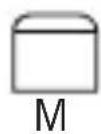
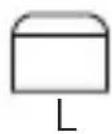
We recommend that you use size M first. Due to anatomical conditions it can be that you need different sizes for the left and the right ear. When in doubt, use a smaller size so that the Xelento sits as deep as possible in the ear canal.
You will recognise the perfect fit with the Xelento sitting securely in the ear canal even during movement and by providing a good ambient noise attenuation so that you can enjoy a powerful bass response.
Silicone eartips
2x each:
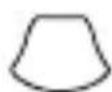
XS S
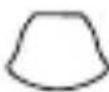
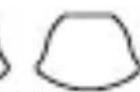
M
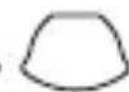
L

XL
XL
XXL
3XL
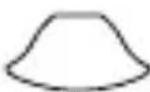
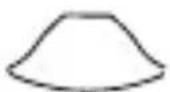
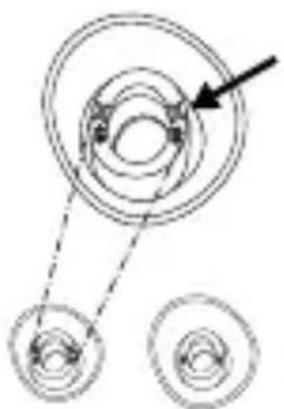
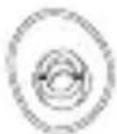
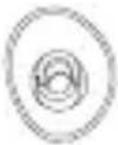
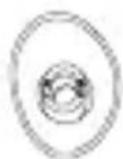
The sizes from XS to 3XL are marked on the back of the silicone eartips.
XS S

M
L
XL XXL 3XL
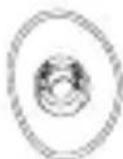
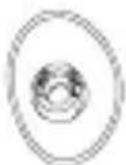
- Please make sure to attach the silicone eartips to the housing with the longer end of the eartip next to the housing. The oval opening of the eartips corresponds to the oval shape of the housing.
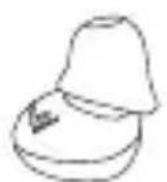

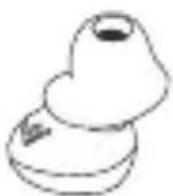

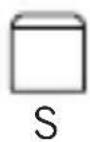
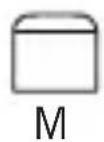
Comply™ foam eartips
2x each:
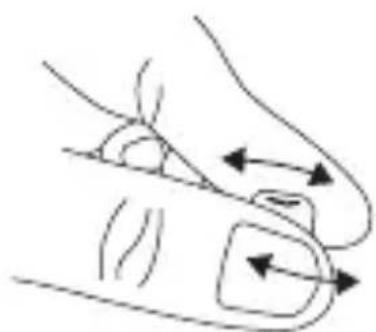
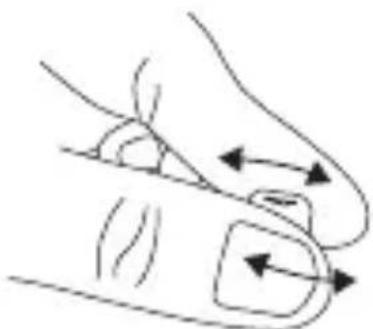
- Firmly roll the eartip attached to the earphone lengthwise between your fingers.
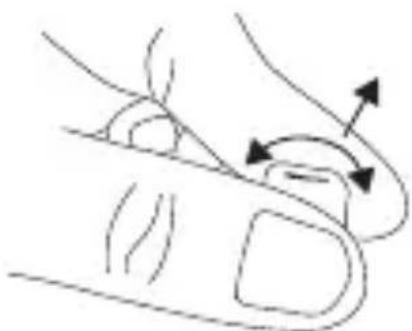
- Pull the ear slightly upwards with one hand, carefully insert the earphone with the rolled eartip into the ear canal with your other hand.
- Hold the earphone with your finger until the shape of the eartip adapts to your ear canal and sits comfortably.
If you want to remove the Comply™ foam eartips, firmly press them together and pull them from the housing with a slight rotating movement.
Inserting and wearing Xelento remote
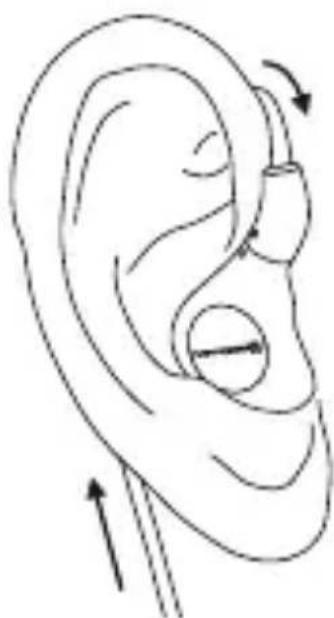
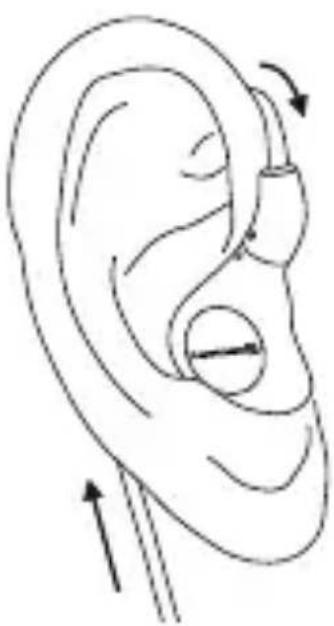
Due to the anatomical shape of the telephone housing, the cable of the Xelento wireless is guided behind the ear when inserting Xelento remote. See adjacent drawing.
This method of wearing the ear-phones suppresses cable noise effectively and even when the cable is pulled the earphones sit firmly in the ear.
Please make sure that the cable is conducted upward.
Only in this way is it possible to wear the earphones correctly and comfortably.
The right-hand earphone housing and cable end each have a small raised dot to mark the right-hand side.
Eartip care
- The eartips of the in-ear headphones should be cleaned regularly with a soft, damp cloth and dried with a soft cloth afterwards.
- Use only mild cleaning agents for cleaning; never use any chemical agents, such as solvent-containing cleaning agents, because they can damage the eartips.
- Please store the in-ear headphones in the enclosed case when not in use.
Eartip replacement
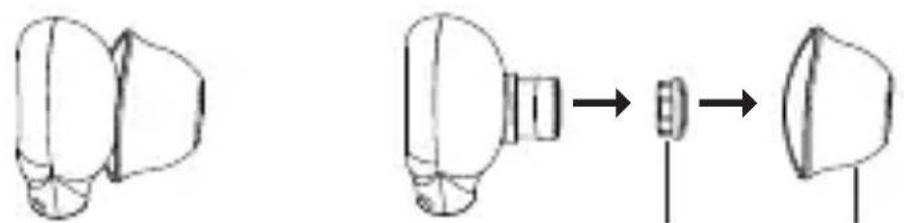
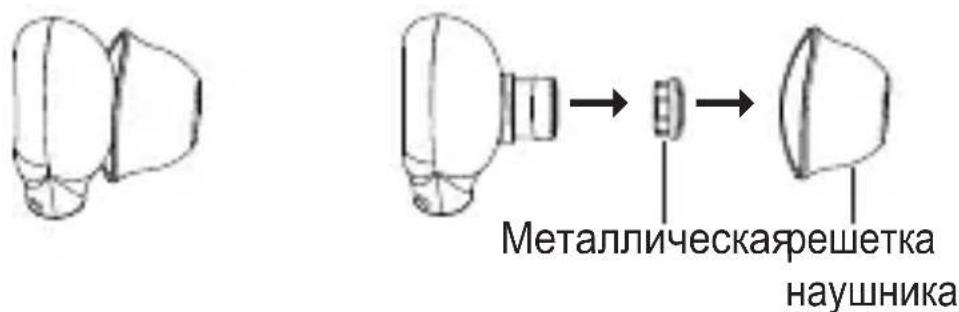
EartipEartip metal gr
- Detach the eartip from the earphone carefully.
- Dirty nozzles can be cleaned by removing the little metal grids. Use a soft, damp cloth to free the earphone nozzle from residues. Make sure that no liquid flows into the nozzle.
- Attach the new eartip to the arophone.
- We recommend changing the eartips every 3 months when used regularly.
- Spare silicone eartips can be ordered via the beyerdynamic spare parts shop.
- Comply™ spare foam eartips and dealers where you can order appropriate eartips can be found on the Internet at www.complyfoam.com Eartip types used: Tx-500
Connection and cable replacement
-
Xelento remote is equipped with two plug-in cables on the earphone housings with standard MMCX plug connectors. Make sure that you hold Xelento remote by the earphone housing and by the plug connector when attaching or detaching the cable. Do not pull the cable directly; you might damage the cable or the earphones!
-
MMCX plug connectors are equipped with a locking mechanism. Make sure that the cable is firmly locked in the earphone housing when it is connected. The right-hand side is marked by a raised dot on the earphone housing and on the cable end.
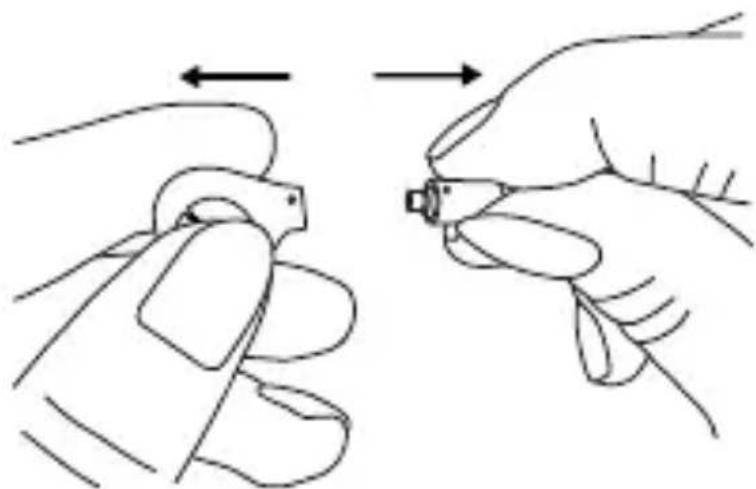
Disconnect cable
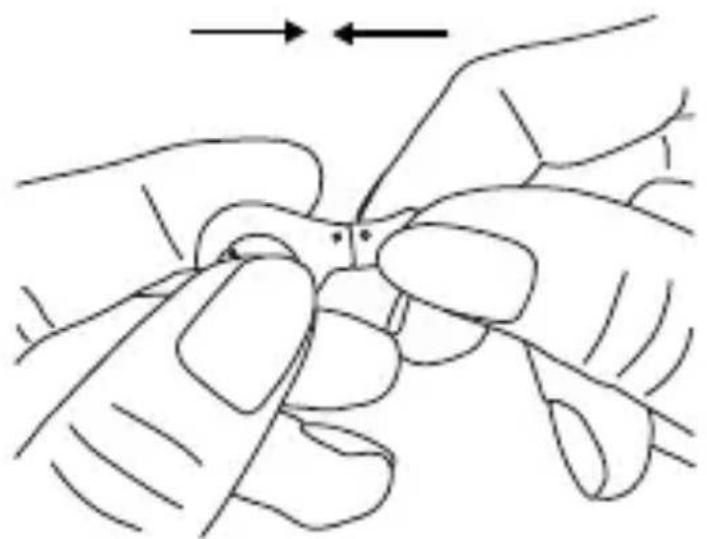
Connect cable
How to operate the remote control
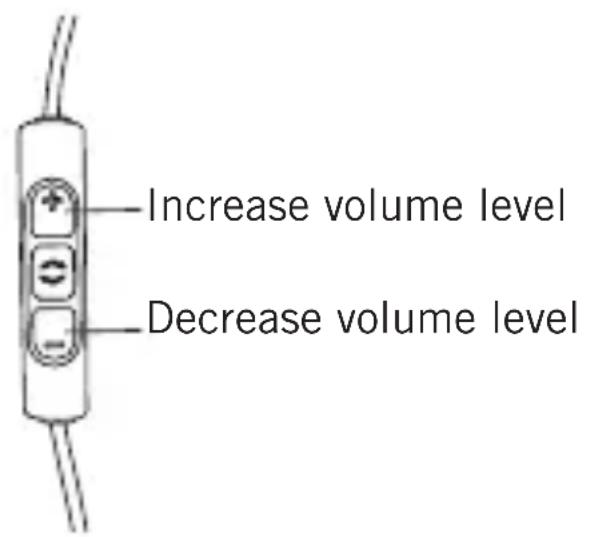
One of the two enclosed cables includes a microphone and a remote control with three buttons. You can use this remote control to control calls, media playback and volume adjustment on compatible smartphones and tablets.
This requires that the pin assignment of the headphone jack on the playback device meets the CTIA standard. Only in this case are the functions described below possible.
Media playback on smartphones and tablets
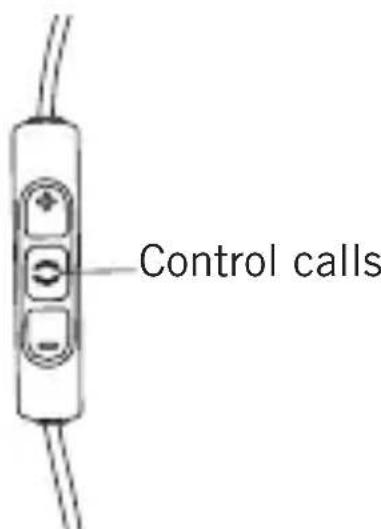
Press the centre button on the remote control briefly to start or stop media playback.
Depending on the playback device and version of the operating system and/or firmware, there may be further media playback functions which can be controlled by the centre button. For more details, please contact the smartphone or tablet manufacturer.
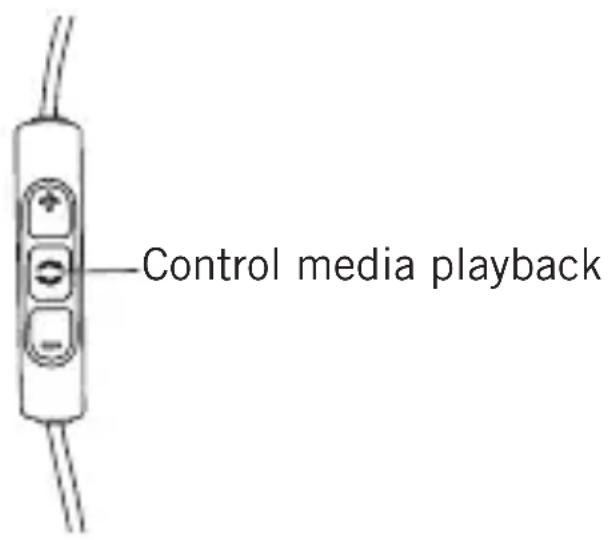
Volume adjustment on smartphones and tablets
With compatible smartphones and tablets, the volume can be adjusted via the upper and lower button on the remote control. Press the upper button briefly to increase the volume by one level. Press the lower button briefly to decrease the volume by one level.
Please note that not every smartphone or tablet features this function.
On smartphones and tablets with an Android system, it is necessary that the playback device supports the so-called
Wired Audio Headset Specification:
https://source.android.com/devices/accessories/headset/plug-headset-spec
Please contact the smartphone or tablet manufacturer, if necessary.
Controlling calls and the personal assistant on smartphones
Press the centre button on the remote control briefly to accept an incoming call or to hang up. Make sure that you do not cover the opening for the microphone which is located on the back of the remote control opposite the buttons.
Depending on the smartphone and version of the operating system and/or firmware, there may be further call control functions which can be controlled by the centre button. It may also be possible to call the personal assistant (e.g. Siri or Google Now) with the centre button. For more details, please contact the smartphone manufacturer.
Storage and care
- Please store Xelento remote in the enclosed case when not in use.
- To clean the earphones and cable, simply rub them with a dry cloth. Ideally, this should be a microfibre cloth, as also used for glasses.
For more stubborn soiling, we recommend using an alcoholic cleaning agent.
- Do not use water to clean the earphones.
- Dirty nozzles can be cleaned by removing the little metal grids. The little metal grids can be removed with your fingers and cleaned under lukewarm water with a mild cleaning agent (e.g. soap). If necessary, they can be replaced by the supplied spare metal grids.
- If the eartips are soiled with earwax, please remove them and clean them under lukewarm water with a mild cleaning agent (e.g. soap). Before you reassemble the earphones, make sure that there is no liquid or dirt on the individual components, especially not in the earphones.
Service
If service is required, please contact an authorised specialist or:
beyerdynamic Service and Logistics Centre
E-mail: service@beyerdynamic.de
Never open the in-ear headphones yourself, otherwise you might lose all warranty claims.
Supplied accessories
- Xelento remote In-Ear Headphones, left and right earphones
- Connector cable with remote control, 4-pole Jack 3.5mm
- Connector cable without remote control, 3-pole Jack 3.5mm
- Seven pairs of silicone eartips in size XS, S, M, L, XL, XXL and 3XL
- Three pairs of foam eartips (Type Comply™ Tx-500) in size S, M and L
- Cable clip for fastening to clothes
Storage case - One pair of spare protective grids
- Quick Start Guide
More optional accessories and spare parts can be found at: www.beyerdynamic.com
Comply™ Tx-500 eartips can be found at: www.complyfoam.com
Disposal
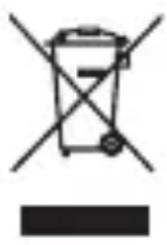
This symbol on the product, in the instructions or on the packaging means that your electrical and electronic equipment should be disposed at the end of its life separately from your household waste. There are separate collection systems for recycling in the EU. For more information, please contact the local authority or your retailer where you purchased the product.
Technical data
The technical data can be found on the package or on the Internet at www.beyerdynamic.com.
https://source.android.com/devices/accessories/headset/plug-headset-sp
Yshhble BknaDbiiu ComplyTM n3 BCpeHeHHoro MaTePnana
HaKaJdIe 2 wT.:
Kpenko coxMnte n noBpaaTe MeKdy naIbIaMn 3aKpeIeHnHy Na HayuHnKe yHOn BkJaDbIiN NO BCEy dInHe.
- ПOTЯнITE ухо одно руков hemhoro BBepx, a dpyroю pykoakypaTHO BCTaBbTe HayshNK CO CxatbIM yshbIM BKnaDbIWeM ByuHOB KaHaJ.
Kak BCTaBJIaTb I HocHTb Hayshnkn Xelento remote
BcneDCTBn e aHaTomuecko fOpMbI Kopnyca HayuHnka Kaebb Xelento remote dOJxeh pacnojaratbcra 3a yHNO paKOBnHO, CM. npJIaraeMbl pncyHok.
Takoi cnoocb Hooehnna 3ofoekTBHO nOdaBnreT ymbi Ka6eJn, n DaJke npn HatajxeHn Ka6eJn HayshNK pIOTHO npIneraet K yxy.
Ipocm yuecb, cyoBoDdoJxeh 6bItb HnpaBneH BBepx. TOnbko npi 3TOM ycIOBnHayuHnK 6yDet 3aФNK-CnpOBaH npaBnBHO n He DoCTaBNT Bam Heydo6cTB.
Ha Kopnyc npaboro Hayshnka Hahe- ceHa He6oIb7aBbICTypaO7aMa MeTKa B BnDe TOUKn, YTO N03BOJareT pa3n- qatb npabbl n JEBbl HayshNK.
YXoI 3a BkIaIbIaMn HayHnKOB
BknaDbIbN BCTaBbIX HayshNKOB cneDyET peryJrphO Ounuatb MraKoB bJaXHO caTkoN 3aTeM npOTnpaTb IN MraKoB cyXoB caTkoN.
- IcnoIb3yIte dIy OUHCTKn TOLbKO MrgKne MOUuNe CpeIcTBA, He DoIpyckaIte OUHCTKN aRpeCCNBbIMN XmMueCKMM CpeIcTBamN, HApPImep, CoPeJkaUmm PaCTBOpHTeIN, NocKOJIbKY OHN MOrY T IOBpeIITb BKJaDbIiN.
- Ecni Bbl He nCnoJb3yeTe BCTaBHbIe HayuHNKn, XpaHInTe INX BO BXODaIeM B KOMJIeKT cyTJIpe.
3aMeHa BkPaIbIeJ
OCTOPOXHO CHIMITE BKJaIbIc HauHnka.
-Дя Oунstkn 3aRpa3HeHHbIX 3ByKOBOOB He6OJIbShne MeTaNlueckne peWeTkn MoXHo ChYb.ДЯ OUnCTkn 3ByKOBOOB HayuHnKOB OT 3aRpa3HeHn IcNoIb3yIte MraKyIO BnaJxHyIO caNΦeTKy.CJeINTe 3a TeM, YTO6bI BOda He npOHKnBa B 3ByKOBOd.
3aKpeIte HObI BkJaIbIHa HayHnKe.
- Пи рergyларном Испльбзовань Мbl pekOMEндуем Meнять BKладыш Кждbie 3 меса.
- 3aapanchbIe BknaIbIuN I3 CNJIkoHa MOxHO 3aKa3aTb B Mara3InHe 3apanachbIX yAcTei beyerdynamic.
3aapanchbIe BknaDbIuN n3 BCnHeHnro MaTePnana ComplyTM, a TaKKe TOpROBbIe OprAHn3aUIN, B KOTOpbIX MOxHO 3aKa3aTb COOTBeTCTByIOUne BknaDbIuN, IpeueNCJIeHbI Ha CTpaHnCe B cETn INHTepHET no aDpeCy: www.complyfoam.com IcnoJb3OBAHHbIe TInbI BknaDbIuWe: Tx-500
Поклюец и заMuHa Ka6eJa
Xelento remote ochaunhebl DBym BCTaBbIMn KaBeJAMn CO cTaHdapThbIMn uTekepamM MCMX Ha Kopnyce Hayshnka. Pn noKluoyehnn nIIN OTcoeDInHeHHN Ka6eJIa OT Kopnyca HayshnKOB Heo6xOdHMo ydepxNBaTb OndHOBpeMeHNO Kopnyc HayshnKa i uTekep. Hn B Koem clyuae He cJeDuET TReHyTb 3a Ka6eJb, TaK KaK B 3TOM clyuae Bbl MoKeTe NOBpeINTb npOBOD nIIN HayshnK!
- ⅢTekepbMCMCX cna6xeHbI 6IokpyuOIM mexaHn3MOM. Pn noKluoyeHn Heo6xOdmo CJeINb 3a Tem, YTO6bl Ka6elb 6bln HadeJxHO 3aΦnKcnpOBaH B Kopnyce Hayshnka. PpaByIO CTOpOHy MapKnpyet BbInyKnaR MeTKa B φopMe ToUKn Ha Kopnyce HayshnKa n Ha KOHc Ke6JIa.
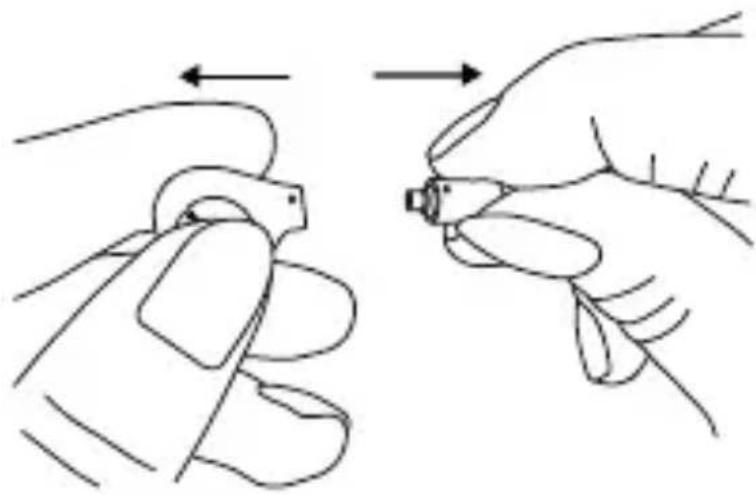
I3BJIeYb npoBOd
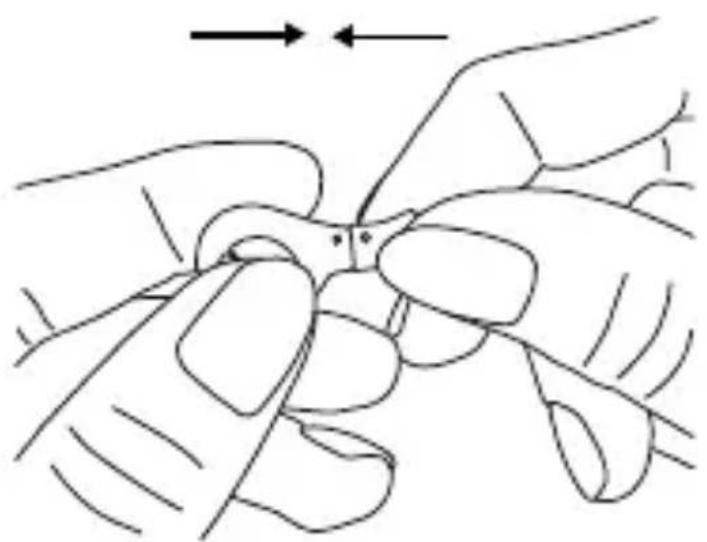
PoiKJIouHTb npoBOd
Yka3aHnno NcNoB3OBaHnIO dNCTaHcNOHHOrO ynpabIeHn
OdH n3 DByx BxOJaXx B KOMnJIeKr Xelento remote npoBODB Cha6KeH yCTPOIcTBOM dNCTaHcNoHHOrO ynpaBJIeHnC TpeM KHOKNAMn N MnkpofoHOM. YCTPOIcTBO dNCTaHcNoHHOrO ynpaBJIeHn P03BOJAreT ynpaBJIaTb Bbl3OBamn N BOCpON3Be-DeHnEm, a TaKxe peRyJInpoBaTb rPOMKOCTb pRn POnKJIuOeHnK JIO6bIM COBMeCTmMbIM CMapTfoHAm n PIIaHNHeTHbIM KOMNbHOTePam.
Дя зTORO Heo6xOДmo, yTO6bl CXema KOHTaKTOB pa3beMa ДЯ HayshNKOB Ha yCTpoIcTBe BOCnpon3BeDeHnA COOTBeTCTBOBaJa CTaHdapTy CTIA. BbINOJIHeHne OINcaHHbIX HnXe ΦyHKuN BO3MOxH0 TOnbKO B 3TOM cIyuae.
Bocnpo3BeDeHne MeiHbIX MaTePnaIOB CO cMapTfoHOB I PnHaHWeTHbIX KOMNbHTePOB
vowels in the second vowel
戸戸は言言言言言言言言言言言言言言言言言言言言言言言言言言言言言言言言言言言言言言言言言言言言言言言言言言言言言言言言言言言言言言言言言言言言言言言言言言言言言言言言言言言言言
For further distributors worldwide, please go to
www.beyerdynamic.com
Non-contractual illustrations. Subject to change without notice.
EN-DE-FR-ES-RU-JA-KO-ZH 6 / Xelento remote (06.19)