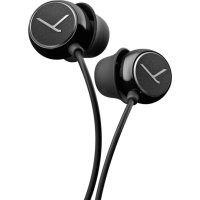
Soul BYRD - Headphones BEYERDYNAMIC - Free user manual and instructions
Find the device manual for free Soul BYRD BEYERDYNAMIC in PDF.



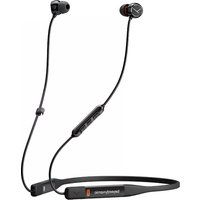
| Product type | Wired in-ear headphones |
| Brand | Beyerdynamic |
| Model | Soul BYRD |
| Category | Headphones |
| Connectivity | 4-pole 3.5mm jack plug |
| Compatibility | CTIA standard (compatible smartphones and tablets) |
| Included accessories | Cable with remote control, 5 pairs of silicone ear tips (XS, S, M, L, XL), 1 pair of earwax guards, cable clip, storage case, quick start guide |
| Remote control functions | Volume +/-, play/pause, call management, personal assistant (Siri, Google Assistant) |
| Maintenance | Clean with a soft damp cloth and an alcohol-based cleaner; replace ear tips every 3 months |
| Safety | Do not use at high volume for long periods; do not wear in public roads or near dangerous machinery |
| Spare parts | Replacement ear tips available at www.beyerdynamic.com/service |
| Warranty | Not specified |
Frequently Asked Questions - Soul BYRD BEYERDYNAMIC
User questions about Soul BYRD BEYERDYNAMIC
0 question about this device. Answer the ones you know or ask your own.
Ask a new question about this device
Download the instructions for your Headphones in PDF format for free! Find your manual Soul BYRD - BEYERDYNAMIC and take your electronic device back in hand. On this page are published all the documents necessary for the use of your device. Soul BYRD by BEYERDYNAMIC.
USER MANUAL Soul BYRD BEYERDYNAMIC
Thank you for selecting the Soul Byrd in-ear headphones.
For your best possible listening experience, you will find a description on how to use your in-ear headphones.
Safety instructions
- Read these operating instructions carefully and completely before using the product.
- Do not use the product when it is damaged.
- beyerdynamic GmbH & Co. KG will not be liable if any damage, injury or accident occurs due to negligent, incorrect or inappropriate operation of the product.
Avoid damage to your health and accidents
-
When you connect the in-ear headphones, please make sure that the volume level is set to minimum. Adjust the volume level only after inserting the eartips. To avoid possible hearing damage, do not use your in-ear headphones for extended periods of time at high volume. The ability to hear your own voice while listening and speaking normally with in-ear headphones can serve as a measure of correct volume adjustment. In-ear headphones can be up to 6-9 dB louder than classic headphones because they are directly in the ear canal, increasing the risk of hearing damage.
-
If you suffer from tinnitus, do not use headphones or reduce the volume.
- Always ensure an adequate volume level. It is advisable to keep listening times as short as possible at high volume levels. This also shows an example from working life: According to the Occupational Health and Safety Regulations of German trade associations, noise pollution e.g. in
the workplace must not exceed 85 dB (room volume level) during a maximum permissible listening time of 8 hours. If the volume level is increased by 3 dB respectively, the permissible listening time is cut in half, i.e. at 88 dB, the listening time is 4 hours, at 91 dB 2 hours, etc.
- When using in-ear headphones, it is important to clean the eartips, as they quickly become dirty and increase the risk of ear infection due to an increased number of germs in the ear. Since the in-ear devices isolate the ear canal, a warm and humid "climate" is created in the ear increasing the multiplication of germs.
- Keep small parts such as product, packaging and accessories away from children and pets. Accidental ingestion may cause suffocation.
Danger to life!
- In-ear headphones drastically reduce perception of external sounds. Using headphones in road traffic can be potentially dangerous. The user's hearing must not be impaired to the extent that it causes road safety risks. Please also make sure that you do not use the headphones in traffic, especially within an area of potentially dangerous machines and tools.
- Furthermore, avoid using headphones in situations where hearing must not be affected, especially when crossing a railway crossing or at a construction site.
Risk of injury!
- Avoid sudden movements when using wired inear headphones. You might seriously hurt yourself especially if you wear piercings, earrings, glasses, etc., where the wire can get caught.
Changed acoustic perception
- For many people, wearing in-ear headphones needs getting used to, because acoustic perception of their own voice and of the body as well as inner ear sounds which occur while walking differ from the "normal" situation without in-ear headphones. However, this initially strange sensation usually diminishes after wearing them for a while.
Liability / intended use
- Do not use the product for any application which is not describe in this product information.
beyerdynamic is not liable for improper use of the product and its accessories.
Supplied accessories
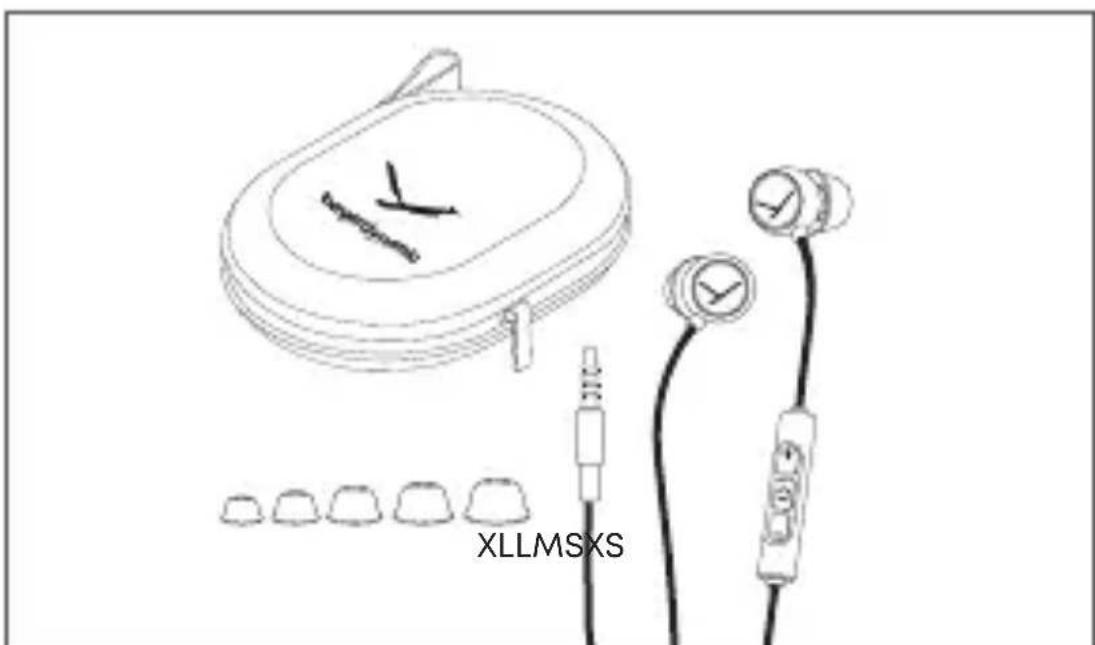
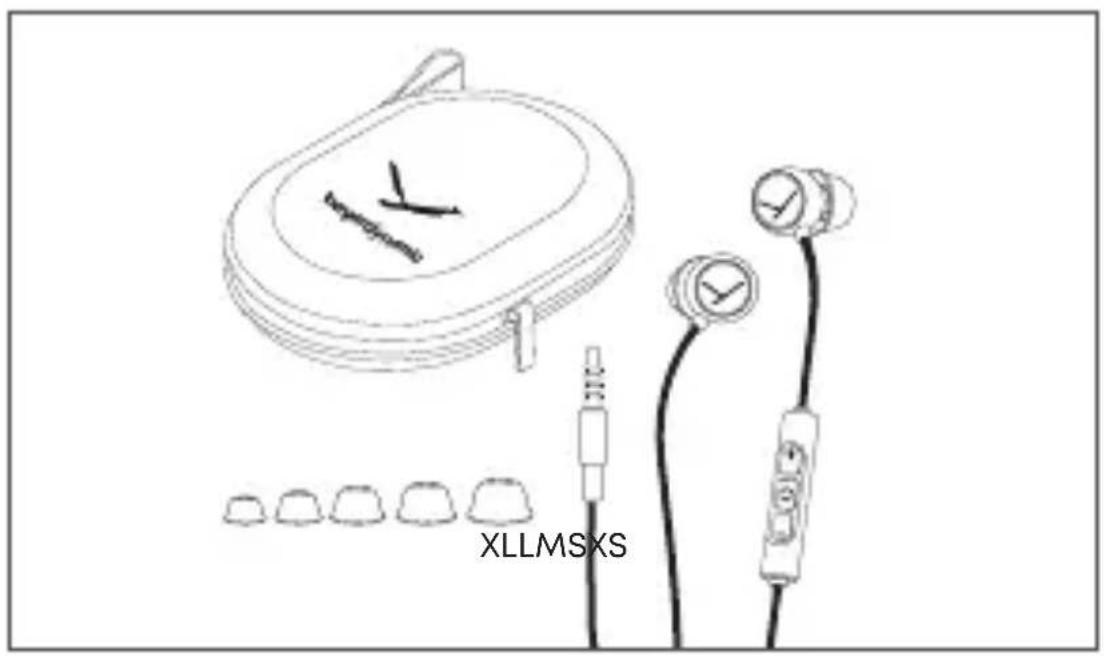
- In-ear headphones, connecting cable with remote control and cable slider, 4-pole mini jack plug (3.5 mm)
- Five pairs of silicone eartips (XS, S, M, L, XL - on delivery the size M is already mounted on the earphone)
- One pair of cerumen protection for the telephone nozzle
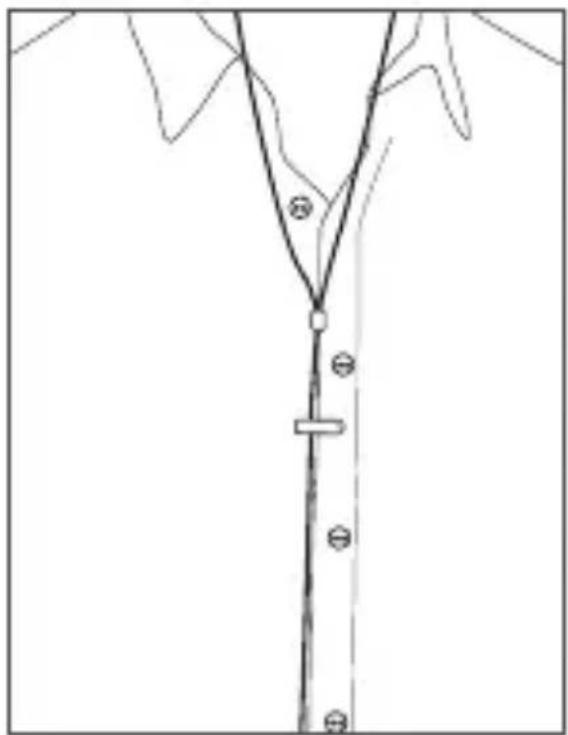
- Clip to attach the cable to clothing
Storage case
Quick Start Guide
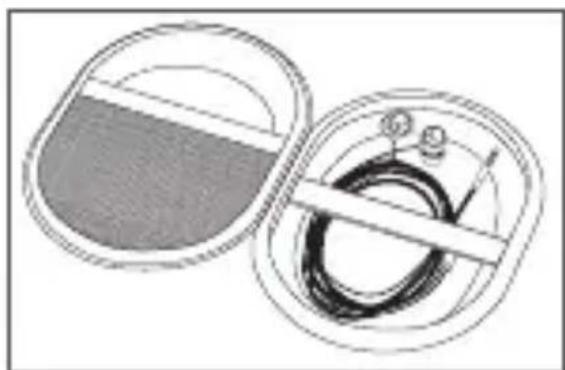
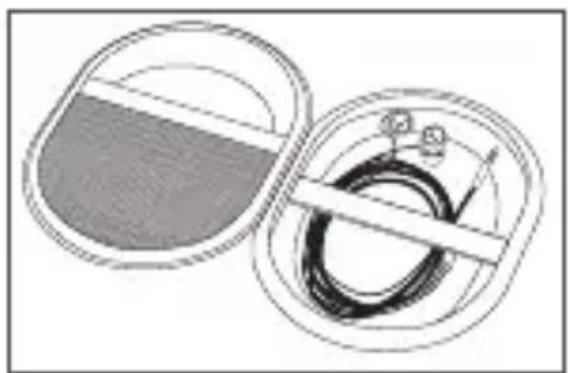
How to remove from and stow in the case
- For the best protection, always store the in-ear headphones and appropriate accessories in the supplied case.
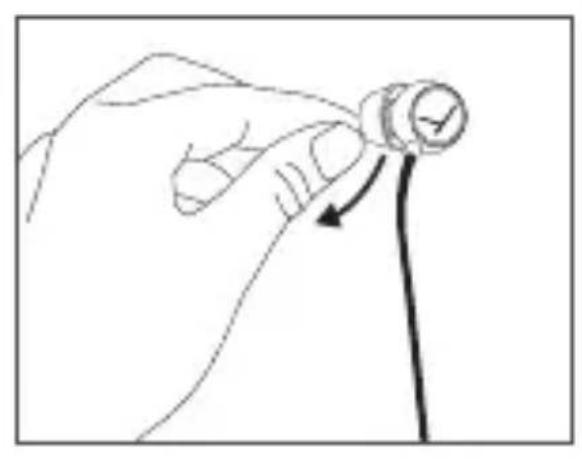
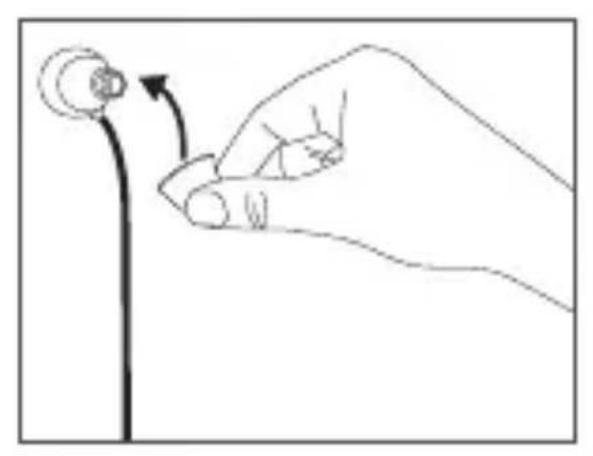
How to select / change eartips
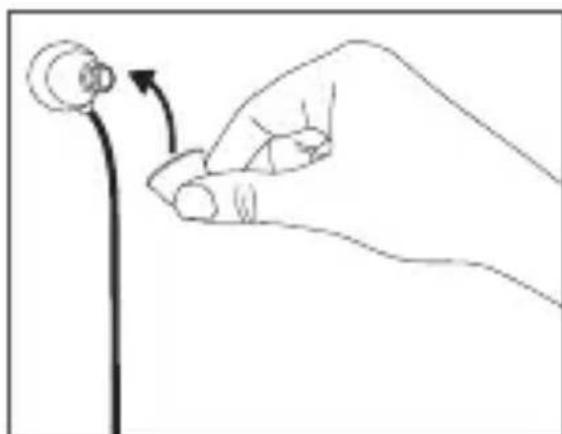
The in-ear headphones are supplied with several ear-tips in different sizes. By default, size M is mounted on delivery. Select the eartips that meet your requirements to ensure a comfortable and secure fit, a good ambient noise attenuation and a sound as best as possible.
-
Detach the eartip from the earphone carefully.
-
Dirty nozzles can be cleaned by removing the cerumen protection.
Make sure that no liquid flows into the nozzle.
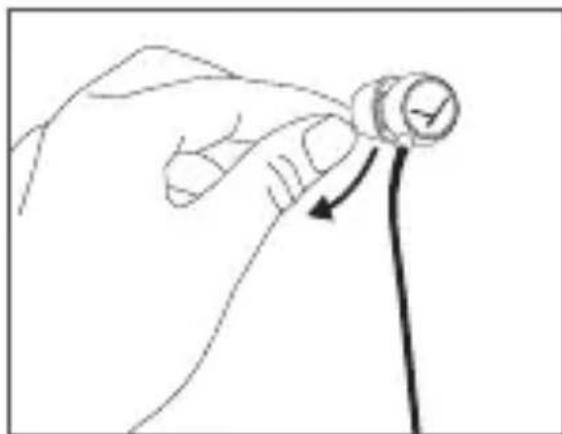
- Attach the new eartip to the ar-. phone after inserting the cerumen protection into the nozzle again.
We recommend changing the eartips every 3 months when used regularly.
- Spare silicone eartips can be ordered via the beyerdynamic spare parts shop.
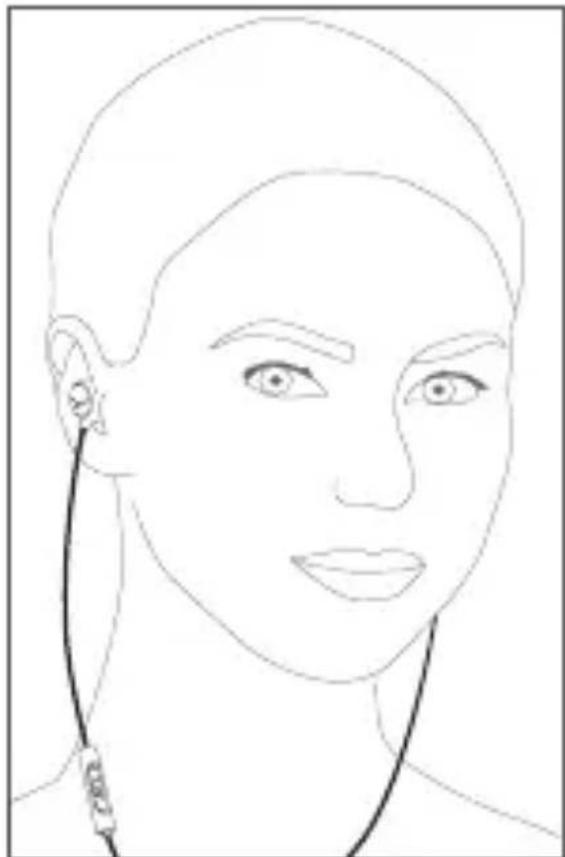
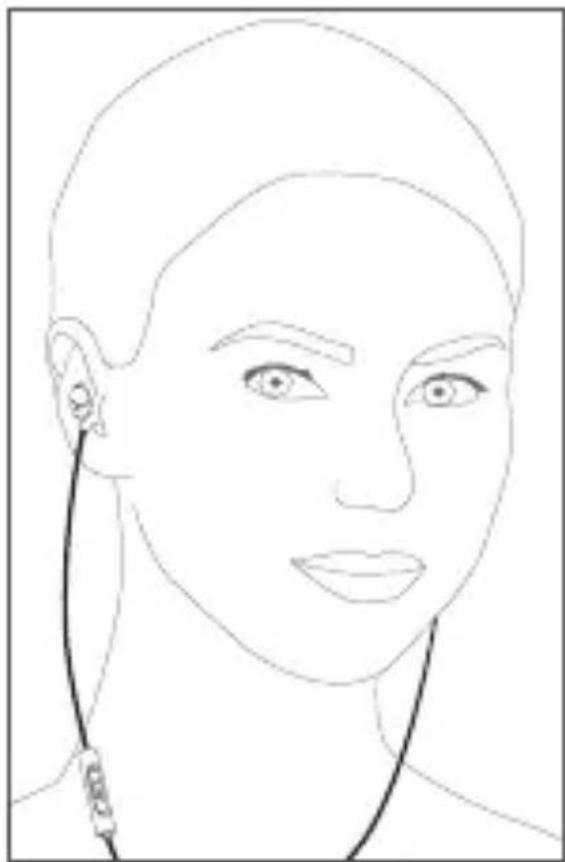
How to insert and wear the in-ear headphones
- Insert the two earphones into the left and right ear as indicated.
Make sure that the earphones fit, are comfortable and secure.
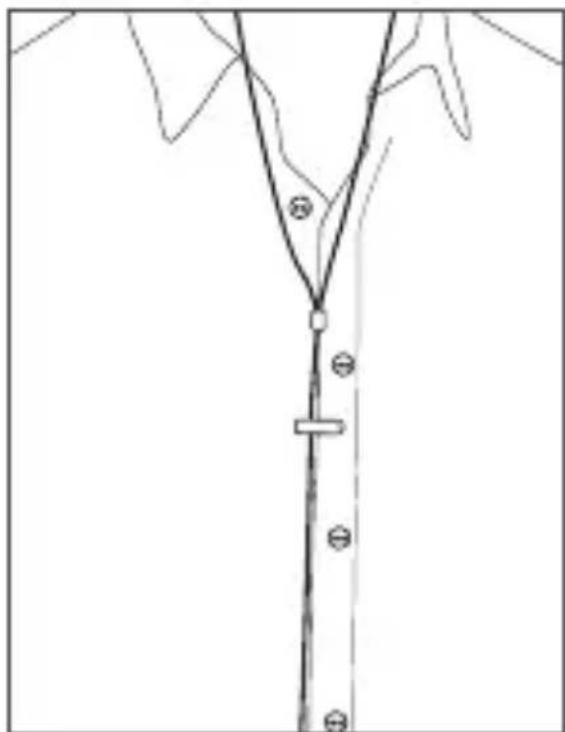
How to use the cable clip - how to avoid cable noise
- If necessary, you can attach the cable to clothing with the supplied cable clip.
In this way, you can prevent cable noise when using the inear headphones.
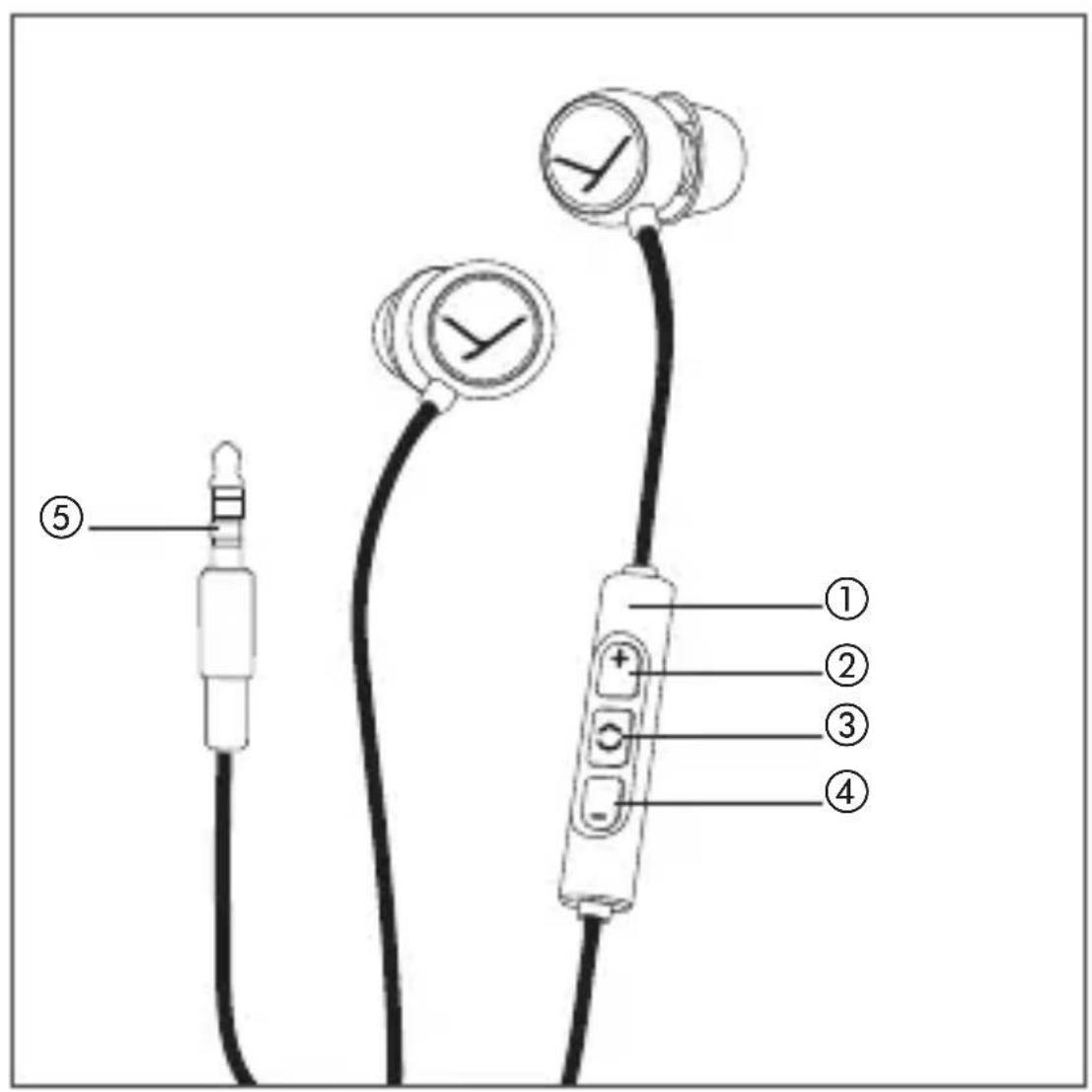
Operating elements
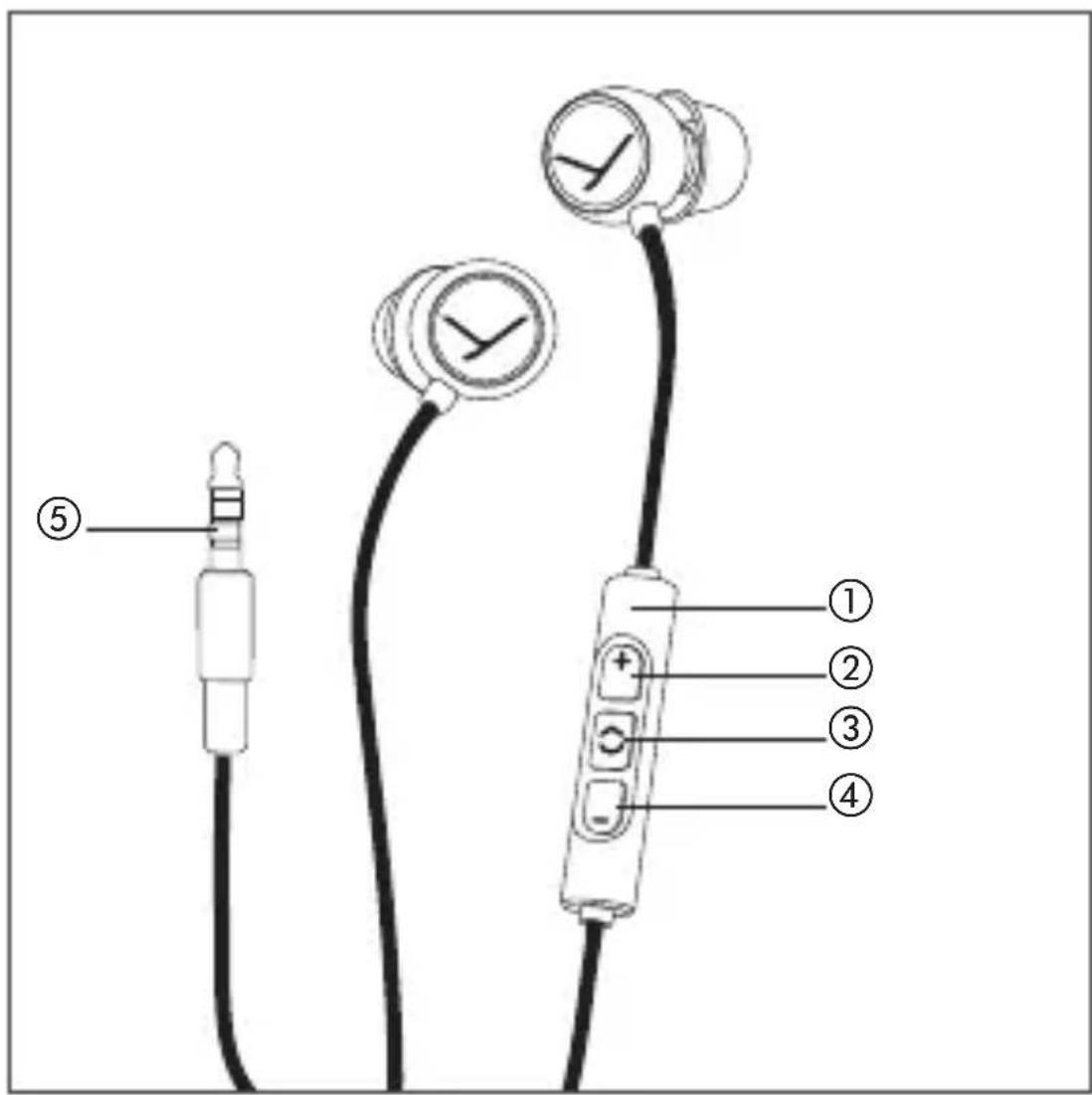
(1) Remote control
(2) Button to increase the volume
③ Button to control phone calls and media playback
(4) Button to reduce the volume
⑤ Jack plug to connect to audio device
Compatibility playback device
The headphone cable has a remote control with three buttons and one microphone.
You can use this remote control to control calls, media playback and volume adjustment on compatible smartphones and tablets.
This requires that the pinout of the headphone jack on the playback device meets the CTIA standard.
Only in this case are the functions described below possible.
Connect the cable to the playback device.
How to set the volume
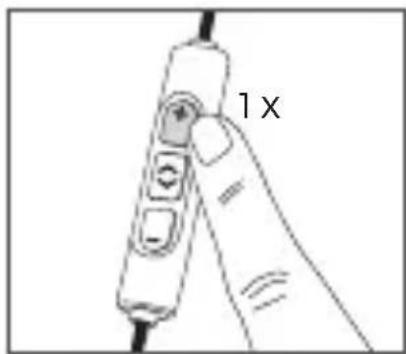
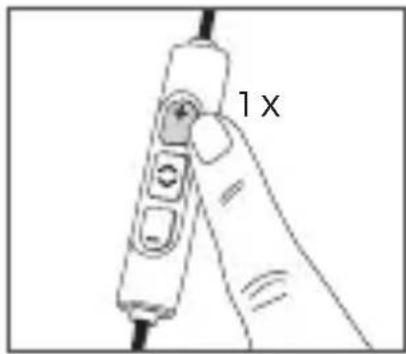
- Increase volume
Briefly press the ^+ button ② to increase the volume by one step.
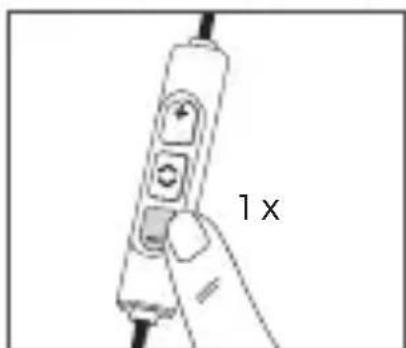
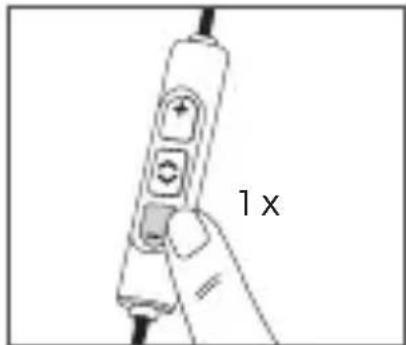
- Reduce volume
Briefly press the - button ④ to reduce the volume.
Note
Please note that not every smartphone or tablet features this function. A built-in jack socket is required. On smartphones and tablets with an Android system, it is necessary that the playback device supports the so-called Wired Audio Headset Specification:
https://source.android.com/devices/accessories/headset/plug-headset-spec Please contact the smartphone or tablet manufacturer, if necessary.
Media playback
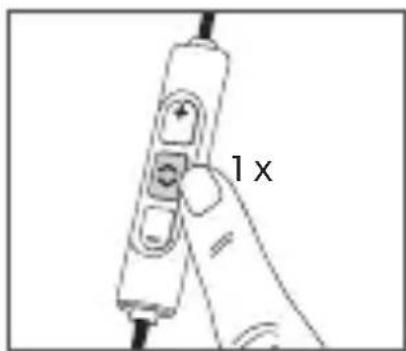
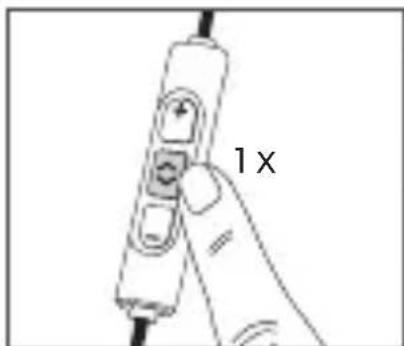
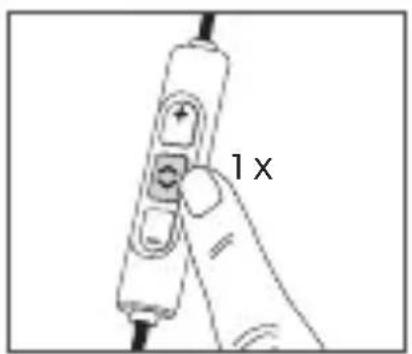
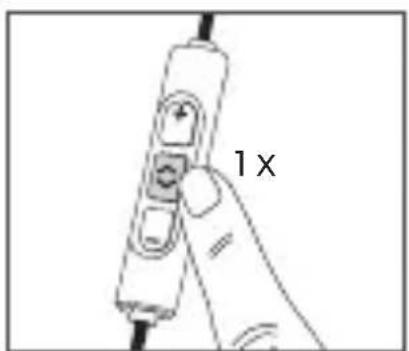
- Start / pause media playback Briefly press the centre button ③.
Call personal assistant
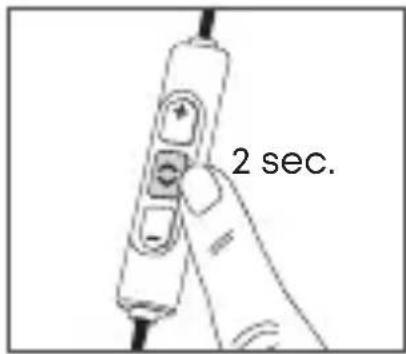
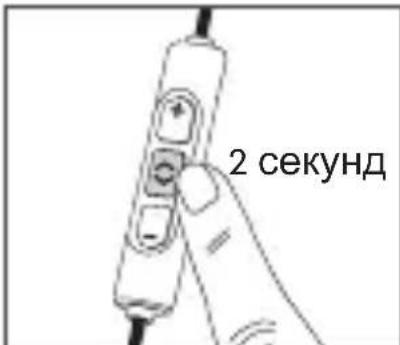
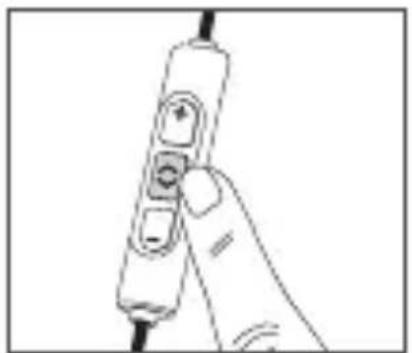
- Call the personal assistant on your smartphone or tablet such as Siri, Google Assistant etc. Press the centre button ③ for approx. 2 seconds.
Call control
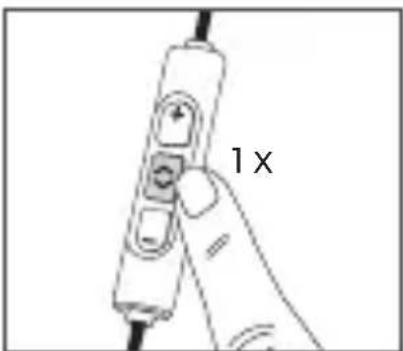
Accept/end a call Briefly press the centre button ③
Note
Make sure that you do not cover the opening for the microphone which is located on the back of the remote control. Depending on the smartphone and version of the operating system, there may be further call control functions which can be controlled by the centre button ③. For more details, please contact the smartphone manufacturer.
Maintenance
To clean all parts of the in-ear headphones, use a soft cloth moistened with an alcohol cleaner. Make sure that no liquid penetrates the housing or flows into the transducer.
- Do not use cleaners that contain solvents as they may damage the surface.
- Allow the cerumen protection to dry completely before inserting it back into the earphone nozzle.
Spare parts
- Spare parts for the in-ear headphones can be found on the internet at: www.beyerdynamic.com/service
Disposal
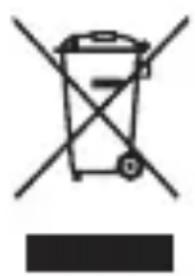
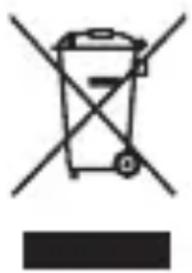
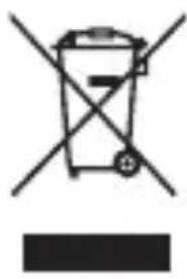
This symbol on the product, in the instructions or on the packaging means that your electrical and electronic equipment should be disposed at the end of its life separately from your household waste. There are separate collection systems for recycling in the EU. For more information, please contact the local authority or your retailer where you purchased the product.
Technical specifications
Detailed technical specifications can be found on the internet at: www.beyerdynamic.com/soul-byrd
Product registration
Using the serial number, you can register your in-ear headphones on the internet at:
www.beyerdynamic.com
https://source.android.com/devices/accessories/headset/plug-headset-spec B cnyuae Heo6xOДmOCTn O6paTntEcB K npOn3BOДNTeJIIO cMaprToHa nIi nIaHWeTa.
Bocnpon3BeJeHne medna
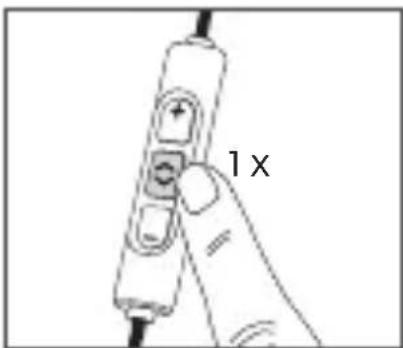
BocnpOn3BeJeHne MeJa cTapT / octaHOB KopOTko HaxMnte Ha cpeHIO KnaBnUy ③.
3anyck nepcoHaJIbHOro accnCTeHTa
- Cтарперсаньного accncteHTa Baшero cMapTfoHa nnnnnaHweta (Siri, Google Assistant u T.Д)
HaxmTe n noepKnte oko 2 cekynd cpeHHIO KnaBnSy ③.
YnpabJIeHne TeIeOHHbIMN 3BOHKaMn
TeJIefoHHbI 3BOHOK npHrTb / OKOHHTb
Kopotko HaxMMTe Ha cpeHIOKnaBnSy ③.
Bнманne
CneDnte 3a Tem, YTO6bI He 3aKpbITb OTBepCTne IJRA MINKPO-phiHa, KOTOpoe HaxoINTcH a O6paTHoN CTOpOHe NylTa ynpabJIeHnA. B 3aBNCIMOCTn OT cMapTfoHa, a TaKKe BepCnn OEPaUNHOH CNCTeMbI MOrY IMeTBcR DOONHNTeJIbHbIe FyHKcIN DJIa YnpaBLeHnA TeJeFOHHbIMN 3BOHKaMn C NOMOsbIO CpeIDHei KnaBnS N ③. 3a NOlyuHnEM NoDPo6-HoN INΦopMaun O6paauTeCb K npOn3BOdINTeIIO cMapT-phiHa nII nIIaHseTa.
yxoI
- Дя чьки BCexЧаTeBHyTpKaHaJIbHbIX HayshNKOB ИСПОЛБ3YIte MЯгКУTO TkaHb, CMOчЕнHyIO B ChICTaIeM cpeДCTBe Ha cпИрТоВОй OCHOBE.ИЗбeraite пonaДаня ВlaRn B KOPПус HayshNKOB I B aKycTUnYeCKN ПpeO6pa- 3OBaTeJIb.
He nCnoIb3yIte MOIOUne cpeIcTBA, coeepkaIue paCTBOpITeJI, NocKoJIbKY OHI MOrTy NOBpeIITb IOBepX-HocTb npIbopa. - Перацем, Кам Востаить в 3Буковое OTВерстп Вкладышни зштбл OT серbl, ИЗ сд endуet Xopoшо Всicшть.
3anaChbIe yactn
3aŋuactnДЯВHHTpɪkαHaJIbHbIXHayshnKOB Bbl Mo- kTe haɪtn 3décb www.beyerdynamic.com/service.
yTNn3aun
3TOT cIMBOJ Ha n3delen, B INHCTpyKcnnn PO 3KcNlyaatau nn Ha ynaKOBke O3NaueT, YTO Baun 3JeKTPnueckne n 3JeKTPoHHbIe np6opbl no nCTeueHnn cpoKa cnjxkbI DOJXHBi 6bITb yTNIN3nPOBaHbI OTdeJIbHO OT 6bITOBbIX OTxODOB. B EC cyuaceTByeT cnCTema pa3delenho c6opa nepepa6aTabiBaembx OTxODOB. Dnra nOlyuHnnaPndpOboHn HΦopMaunn o6paauTeCb, NOXayncta, B MeCThBie nHCTaHcnn nn K OprAn3aCnn, y KOtOpoi Bbl npno6peJIu n3delenne.
TexHnueckne daHHbIe
Iopno6HyIO IHOpMaIIO O TexHnuecknx DaHHbIX Bbl HaJTeB INTepHeTe:
www.beyerdynamic.com/soul-byrd
Pergntpaunn n3denn
BbIMoKeTe 3apeHnCTpnpOBaTb Baun BHyTpNkHaJIbHbIe Ha-yuHNKIN B INTEpHete www.beyerdynamic.com Ppr 3Tom cJeNyEt yKa3aTb cepnHbI HOMep n3dJIyra.
音量を上ご
·音量を下載の
https://source.android.com/devices/accessories/headset/plug-headset-spec
<|im_start|>assistant
https://source.android.com/devices/accessories/headset/plug-headset-spec
米尼
https://source.android.com/devices/accessories/headset/plug-headset-spec
媒体播放
For further distributors worldwide, please go to www.beyerdynamic.com Non-contractual illustrations. Subject to change without notice.

- SAFETY INSTRUCTIONS
- AVOID DAMAGE TO YOUR HEALTH AND ACCIDENTS
- DANGER TO LIFE
- RISK OF INJURY
- CHANGED ACOUSTIC PERCEPTION
- LIABILITY / INTENDED USE
- SUPPLIED ACCESSORIES
- HOW TO REMOVE FROM AND STOW IN THE CASE
- HOW TO SELECT / CHANGE EARTIPS
- HOW TO INSERT AND WEAR THE IN-EAR HEADPHONES
- HOW TO USE THE CABLE CLIP - HOW TO AVOID CABLE NOISE
- OPERATING ELEMENTS
- COMPATIBILITY PLAYBACK DEVICE
- HOW TO SET THE VOLUME
- NOTE
- MEDIA PLAYBACK
- CALL PERSONAL ASSISTANT
- CALL CONTROL
- MAINTENANCE
- SPARE PARTS
- DISPOSAL
- TECHNICAL SPECIFICATIONS
- PRODUCT REGISTRATION
- BOCNPON3BEJEHNE MEDNA
- 3ANYCK NEPCOHAJIBHORO ACCNCTEHTA
- YNPABJIEHNE TEIEOHHBIMN 3BOHKAMN
- BНМАНNE
- YXOI
- 3ANACHBIE YACTN
- YTNN3AUN
- TEXHNUECKNE DAHHBIE
- PERGNTPAUNN N3DENN
- 米尼
- 媒体播放
Brand : BEYERDYNAMIC
Model : Soul BYRD
Category : Headphones