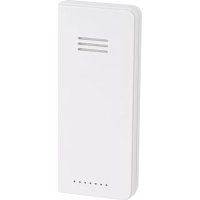
TS37F - Weather Station HAMA - Free user manual and instructions
Find the device manual for free TS37F HAMA in PDF.

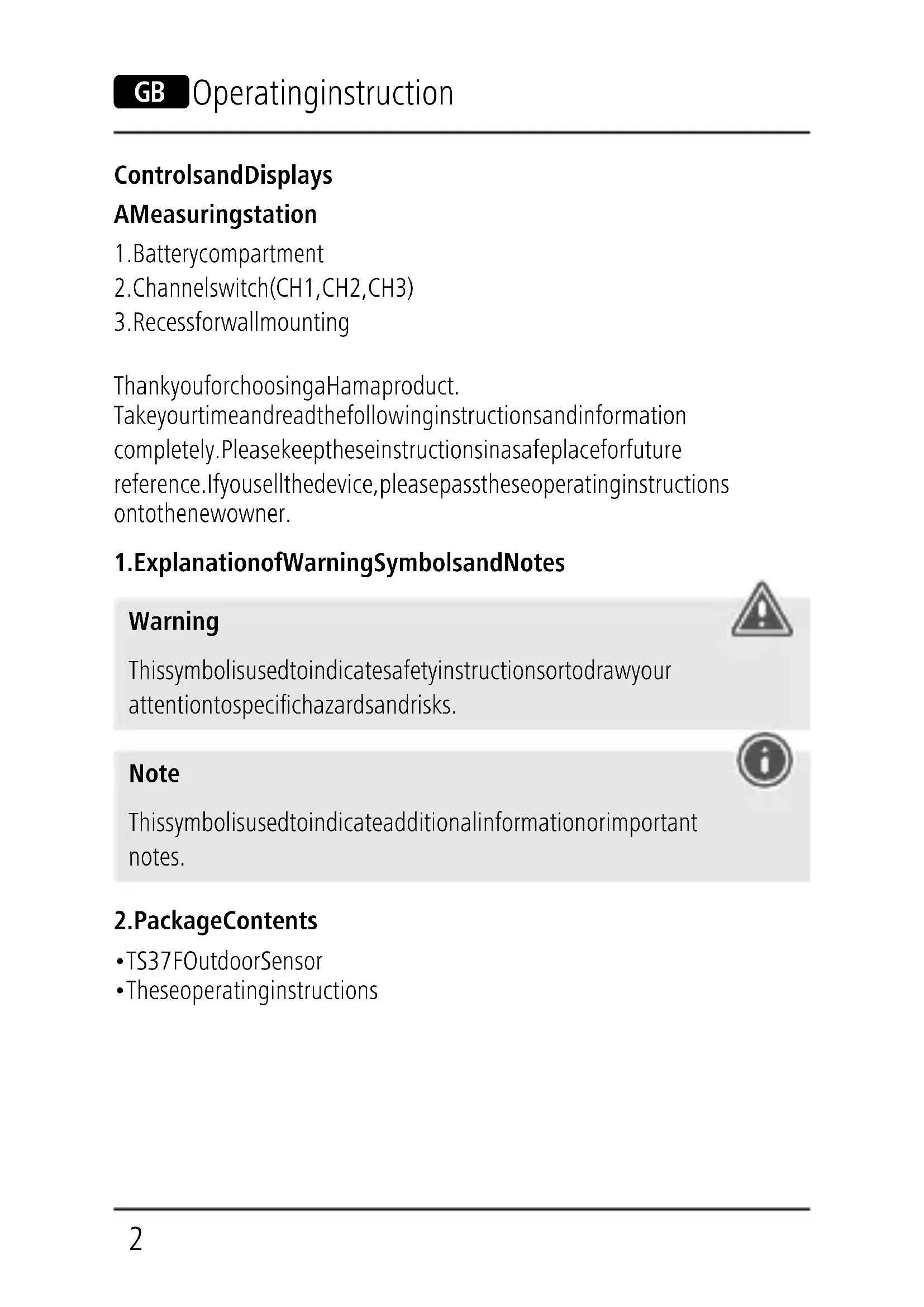


| Product type | Weather station |
| Brand | Hama |
| Model | TS37F |
| Measuring station power supply | 2 LR03/AAA batteries (3.0 V) |
| Outdoor temperature measurement range | -10°C to +60°C / 14°F to 140°F |
| Temperature measurement increments | 0.1°C / 0.2°F |
| Temperature measurement cycle | ~45 seconds |
| Radio transmission range | ≤ 30 m in open space |
| Radio frequency | 433 MHz |
| Maximum RF power | 0.021 mW |
| Number of channels | 3 (CH1, CH2, CH3) |
| Display | Indoor and outdoor temperature |
| Low battery indicator | Yes (on base station) |
| Wall mounting | Possible (slot provided) |
| Package contents | Outdoor sensor TS37F, instruction manual |
| Care and cleaning | Clean with a slightly damp, lint-free cloth, without aggressive detergent |
| Compatibility | Base station reference 186313 |
| Manual languages | FR, BG, CS, DE, EL, EN, ES, FI, HU, IT, NL, PL, PT, RO, RU, SK, SV |
Frequently Asked Questions - TS37F HAMA
User questions about TS37F HAMA
0 question about this device. Answer the ones you know or ask your own.
Ask a new question about this device
Download the instructions for your Weather Station in PDF format for free! Find your manual TS37F - HAMA and take your electronic device back in hand. On this page are published all the documents necessary for the use of your device. TS37F by HAMA.
USER MANUAL TS37F HAMA
OperatingInstructions
Bedienungsanleitung
Moded'emploi
Instruccionesdeuso
Gebruiksaanwijzing
Istruzioniperl'uso
Instrukcjaobsługi
Használatiútmutató
Manualdeutilizare
Návodkpoužití
Návodnapoužitie
Manualdeinstruções
Bruksanvisning
natural_image
Simple line drawing of a rectangular device with a coiled cable and two side connectors (no text or symbols)

natural_image
Vertical column of black rectangular blocks with white borders (no text or symbols)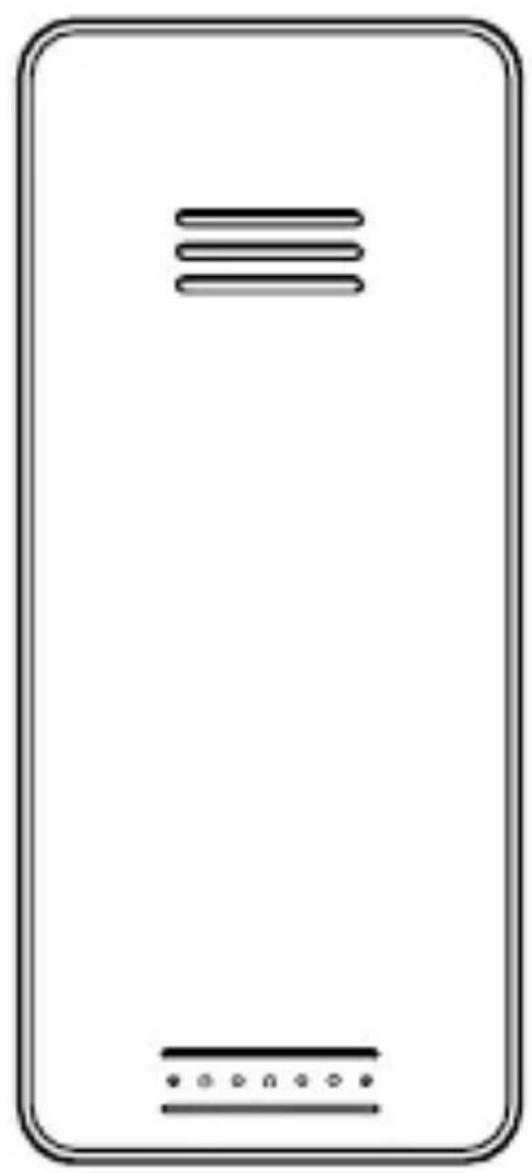
natural_image
Simple line drawing of a smartphone screen with no text or symbols
ControlsandDisplays
AMeasuringstation
- Batterycompartment
- Channelswitch(CH1, CH2, CH3)
- Recessforwallmounting
ThankyouforchoosingaHamaproduct.
Takeyourtimeandreadthefollowinginstructionsandinformation completely.Pleasekeeptheseinstructionsinasafeplaceforfuture reference.Ifyousellthedevice,pleasepasstheseoperatinginstructions ontothenewowner.
1. ExplanationofWarningSymbolsandNotes
Warning
This symbol is used to indicate safety instructions to draw your attention to specific hazards and risks.

Note
This symbol is used to indicate additional information or important notes.

2.PackageContents
•TS37FOutdoorSensor
• Theseoperatinginstructions
3. SafetyNotes
• The product is intended for private, non-commercial use only.
- Donotoperatetheproductoutsidethepowerlimitsgiveninthe specifications.
- Donotusetheproductinmoistenvirnmentsandavoidsplashes.
- Donotusetheproductintheimmediatevicinityofheatersorother heatsourcesorindirectsunlight.
- Donotusetheproductinareaswheretheuseofelectronicdevices isnotpermitted.
- Donotputtheproductnearinterferencefields, metalframes, computers, TVs, etc. Electronicdevicesandwindowframescan negativelyaffecttheproduct'sfunctionality.
- Donotdropheproductanddonotexposeittoanymajorshocks.
- Donotopenthedeviceorcontinuetooperateitifitbecomes damaged.
- Donotattempttoserviceorrepairtheproductyourself.Leaveanyand allserviceworktoqualifiedexperts.
- Keep the packaging material out of there each of children rendueto the risk of suffocation.
- Disposeofpackagingmaterialimmediatelyaccordingtolocally applicableregulations.
- Donotmodifytheproductinanyway.Doingsovoidsthewarranty.
- Usetheproductforitsintendedpurposeonly.
- Protect the product from dirt, moisture and overheating, and only use it in adry environment
- Keep this product, as all electrical products, out of thereach of children!
- Use the item only in moderate climatic conditions.
Warning-Batteries

- Wheninsertingbatteries, notethecorrectpolarity(+and-markings) and insertthebatteries accordingly. Failuretodoso could result in the batteries leakingorexploding.
- Onlyusebatteries(orrechargeablebatteries)thatmatchthe specifiedtype.
- Beforeyouinsertthebatteries,cleanthebatterycontactsandthe polarcontacts.
- Donotallowchildrentochangebatterieswithoutsupervision.
- Donotmixoldandnewbatteriesorbatteriesofadifferenttypeormake.
- Removethebatteriesfromproductsthatarenotbeingusedforanextendedperiod(unlessthesarebeingkeptreadyforanemergency).
- Donotshort-circuitbatteries.
- Donotchargebatteries.
- Donotthrowbatteriesinafire.
- Keepbatteriesoutofthereachofchildren.
- Neveropen, damageorswallowbatteriesorallowthemtoenter theenvironment. Theycancontaintoxic,environmentallyharmful heavymetals.
- Immediately remove and dispose of dead batteries from the product.
- Avoidstoring, chargingorusingthedeviceinextremetemperatures andextremelylowatmosphericpressure(forexample,athigh altitudes).
4. Gettingstarted
- Openthebatterycompartment(1)andinserttwoAAAbatterieswith thecorrectpolarity.
- Thebatterycompartmentadditionallycontainsthechannelswitch(2), whichallowsyoutoswitchbetweenthechannelsCH1,CH2andCH3. Setthechannelswitchtothedesiredchannel.
- Thenclosethebatterycompartmentcover.
Replacingthebatteries
- Openthebatterycompartment(1),removeandproperlydisposeof thedeadbatteriesandinserttwonewAAAbatterieswiththecorrect polarity. Thenclosethebatterycompartmentcover.

Note
Beforeuse, makesurethatyouinsertthebatteriesinthemeasuring stationfirstandtheninthebasestation.
5. Installation
Note-Installation
- Were recommend initially placing the base and measuring stations in the intended locations without installing them and making all the settings described in 6. Operation.
- Onlyinstallthestationsoncetheappropriatesettingshavebeen madeandastablewirelessconnectionisestablished.

Note

- The wireless transmission range between theme measuring and base stations is upto 30 metres in open spaces. Before installation, ensure that wireless transmission will not be disrupted by interference or obstacles like buildings, trees, vehicles, high-voltagelines, etc.
- Before the final installation, ensure that there is sufficient reception between the intended installation locations.
- When installing themeasuring station, ensure that it is protected from direct sunlight and rain.
• The international standard height for measuring air temperature is 1.25m(4ft) above ground.
Warning-Batteries
- Buyspecialorsuitableinstallationmaterialfromaspecialised dealerforwall-mounting.
- Ensure that no faultyordamagedpartsareinstalled.
- Neverapplyforceduringinstallation. This could damage the product.
- Beforeinstallation,ensurethatthechosenwallissuitableforthe weighttobeinstallation,andmakesurethattherearenoelectrical wires,water,gasorotherlinesinthewallattheinstallationsite.
-
Donotmounttheproductabovelocationswherepersonsmight linger.
-
Were recommend installing themeasuring station securely on an outdoor wall.
- Installananchor, screw, nail, etc. inthewallofyourchoice.
- Hangthemeasuringstationusingtheopeningintendedforthis purpose(3).
6.Operation
6.1. Connectiontothemeasuringstation
- Toconnectthebasestationandthemeasuringstation, placethetwo devicesasclosetogeteraspossible.
- Afteryouinsertthebatteries, thebasestationautomaticallysearches foraconconnectiontothemeasuringstationandperformsinitialsetup.
- If the device does not connect automatically, the manual search program on the base station must be started.

Note
- Initialsetuptakesapproximately2minutes.
- Duringtheconnectionattempt,theradiosymbolonthebase stationwillflash.
- Donotpressanybuttonsduringsetup. Otherwise, values may not be transmitted correctly and there is a risk of value errors and inaccuracies.
- Thesetupprocessiscompletedwhentheindoorandoutdoor measurementdataisdisplayedonthebasestation.
- Themeasuredvalueisautomaticallyupdatedbythebasedevice aboutevery45seconds.
- If the temperature is outside of theme measuring range, --.-(lower than minimum temperature) or --.-(higher than maximum temperature) will appear on the temperature display.
6.2.Selectingthechannel/Othermeasuringstations

Note
- Ensure that the base station and measuring station a reset to the same channel. Suitable base stations can be found at www.hama.com
- Thetransmissionchannelonthesuppliedmeasuringstationcanbe changed/set(CH1,CH2,CH3).
• Themeasuringstationissuitableforthefollowingbasestations: 186313
6.3.Lowbatterycharge
Measuringstation
If the batteries need to be replaced, the symbol for low battery charge will appear next to the outdoor temperature display on the base device. Replace the batteries immediately.

Note-Replacingthebatteries
- Notethatthestationshavetoberesynchronisedeachtimeafter youchangethebatteriesinthemeasuringorbasestation.
- Todothis, removethebatteries from the other station and then reinsert them, or changethem as required.
7. Care and Maintenance
- Onlycleanthisproductwithaslightlydamp,lint-freeclothanddonot useaggressivecleaningagents.
- Makesurethatwaterdoesnotgetintotheproduct.
8.WarrantyDisclaimer
HamaGmbH&CoKGassumesnoliabilityandprovidesnowarrantyfor damageresultingfromimproperinstallation/mounting,improperuseof theproductorfromfailuretoobservetheoperatinginstructionsand/orsafetynotes.
9.TechnicalData
 | Measuringstation |
| Powersupply | 3.0V2xAAAbatteries |
| MeasuringrangeTemperature | -10°C—+60°C/14°F—140°F |
| MeasurementincrementsTemperature | 0,1°C/0,2°F |
| Temperaturemeasurementcycle~45s | |
| Range | ≤30m |
10. Declaration of Conformity

Hereby, HamaGmbH&CoKGdeclaresthattheradio equipmenttype[00186351]isincompliancewithDirective 2014/53/EU. ThefulltextoftheEUdeclarationofconformity
isavailableatthefollowinginternetaddress: www.hama.com->00186351->Downloads.
Maximumradio-frequencypowertransmitted0.021mW Frequencyband(s)433MHz
86652Monheim/Germany
Service&Support

www.hama.com

+499091502-0
D
GB
natural_image
Simple line drawing of a trash bin with crossed lines indicating no waste or restriction (no text or symbols)CE

PAP
RaccoltaCarta
Alllistedbrandsaretrademarksofthecorrespondingcompanies. Errorsandomissionsexcepted, andsubjecttotechnicalchanges. Ourgeneraltermsofdeliveryandpaymentareapplied.