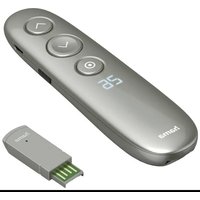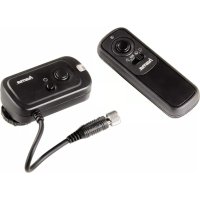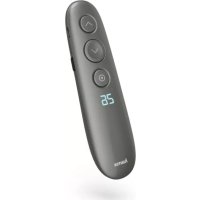
SpotLight Work Area 67 00004644 - Remote control HAMA - Free user manual and instructions
Find the device manual for free SpotLight Work Area 67 00004644 HAMA in PDF.



| Product Type | Bluetooth Remote Trigger |
| Brand | Hama |
| Model | SpotLight Work Area 67 00004644 |
| Bluetooth Version | 4.1 |
| Bluetooth Category | Class 2 |
| Maximum Range | 10 meters (without obstacles) |
| Frequency Bands | 2402 - 2480 MHz |
| Maximum RF Power | 1.44 mW (E.I.R.P.) |
| Dimensions (L x W x H) | 52 x 30 x 12 mm |
| Weight | Approximately 10 g |
| Battery Type | CR2032 |
| Estimated Battery Life | Up to 2000 activations |
| System Compatibility | iOS 6 or Android 4.2.2 and later |
| Package Contents | Trigger, wrist strap, CR2032 battery, instruction manual |
| Primary Function | Bluetooth remote trigger for Bluetooth devices (smartphones, tablets) |
| Care and Cleaning | Slightly damp lint-free cloth, no harsh detergents |
| Spare Parts and Repairability | Not user-repairable. Contact a qualified technician. |
| Operating Temperature | Avoid extreme temperatures and humidity |
| Protection Rating | None (protect from water and moisture) |
Frequently Asked Questions - SpotLight Work Area 67 00004644 HAMA
User questions about SpotLight Work Area 67 00004644 HAMA
0 question about this device. Answer the ones you know or ask your own.
Ask a new question about this device
Download the instructions for your Remote control in PDF format for free! Find your manual SpotLight Work Area 67 00004644 - HAMA and take your electronic device back in hand. On this page are published all the documents necessary for the use of your device. SpotLight Work Area 67 00004644 by HAMA.
USER MANUAL SpotLight Work Area 67 00004644 HAMA
OperatingInstructions
Bedienungsanleitung
Moded'emploi
Instruccionesdeuso
Gebruiksaanwijzing
Istruzioniperl'uso
Instrukcjaobsługi
Használatiútmutató
Manualdeutilizare
Návodkpoužití
Návodnapoužitie
Manualdeinstruções
Bruksanvisning
natural_image
Vertical column of eight black rectangular blocks with no text or symbols
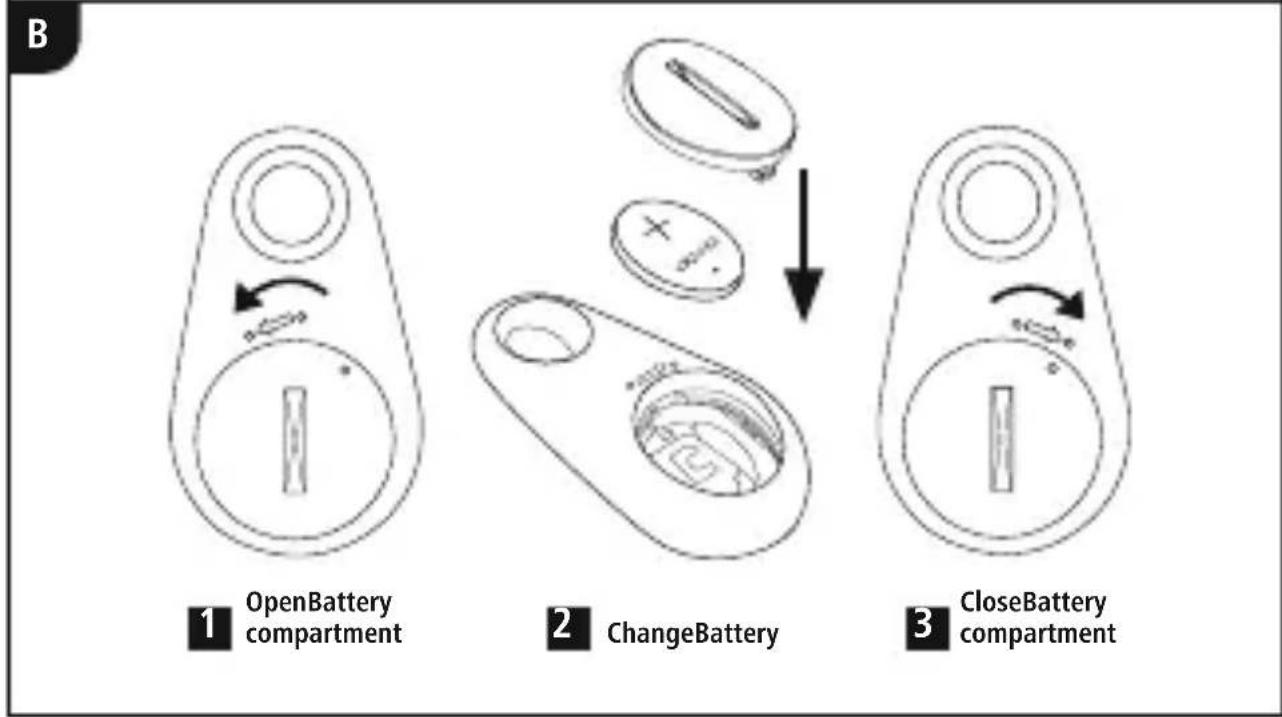
flowchart
graph TD
    A["1 OpenBattery compartment"] --> B["2 ChangeBattery"]
    B --> C["3 CloseBattery compartment"]
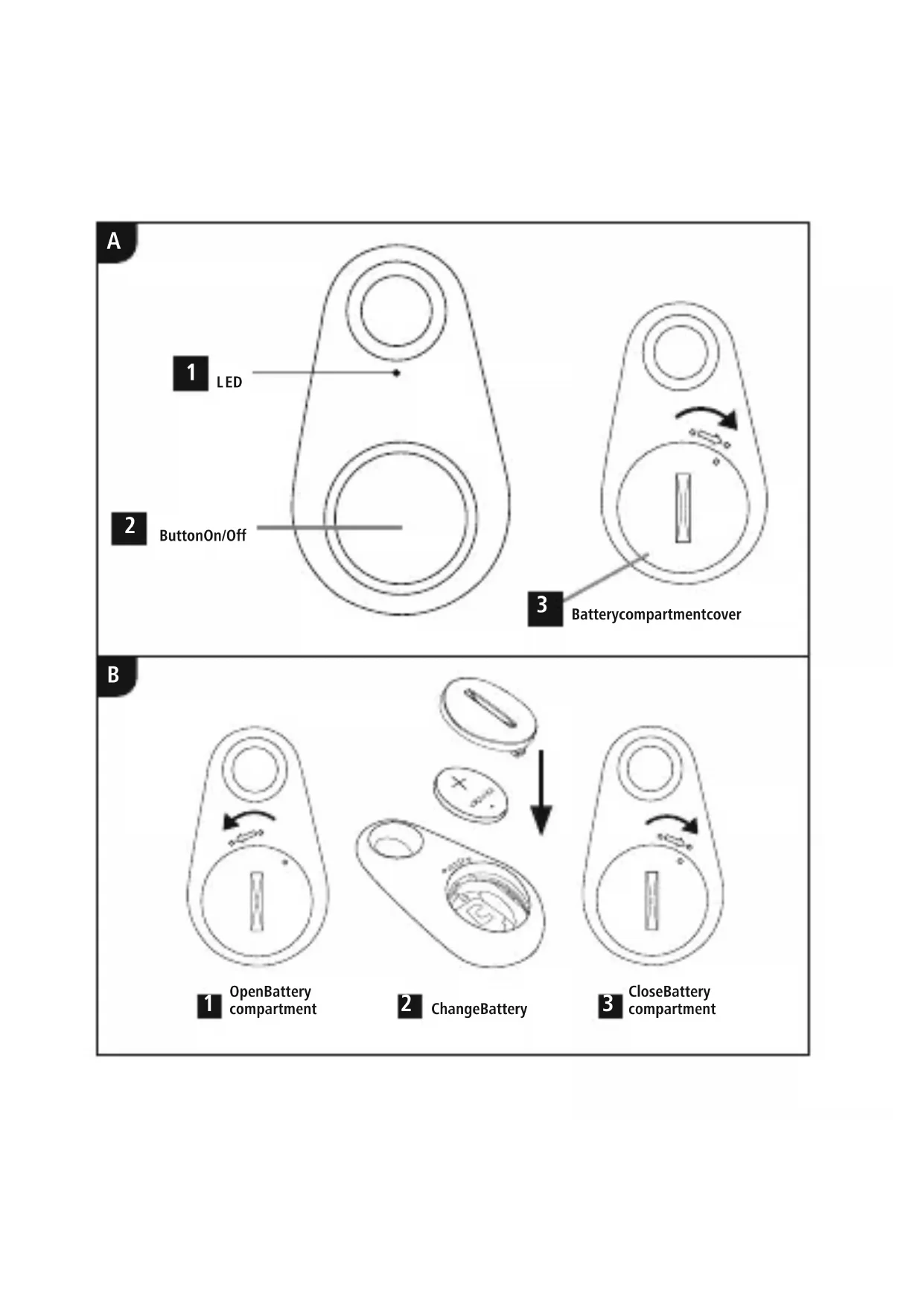
ControlsandDisplays(A)
- LEDindicatorlight
2.ON/OFFbutton/Releasebutton - Battery compartment cover
1. ExplanationofWarningSymbolsandNotes
Warning
This symbol is used to indicate safety instructions to draw your attention to specific hazards and risks.

Note
This symbol is used to indicate additional information or important notes.

2.PackageContents
- Bluetooth® RemoteShutterBRS3
- 1 handstrap
- 1battery(CR2032)
• Theseoperatinginstructions
3. SafetyNotes
- Protect the product from dirt, moisture and overheating, and only use it in a dry environment.
- Donotusetheproductinareaswheretheuseofelectronicdevicesisnotpermitted.
- Donotusetheproductinmoistenvirnmentsandavodssplashes.
- Donotdropheproductanddonotexposeittoanymajorshocks.
-
Disposeofpackagingmaterialimmediatelyaccordingtolocallyapplicable regulations.
-
Donotmodifytheproductinanyway.Doingsovoidsthewarranty.
- Usetheproductforitsintendedpurposeonly.
- Thisproductisintendedforprivate,non-commercialuseonly.
- Donotusetheproductintheimmediatevicinityofheatersorotherheatsourcesor indirectsunlight.
- Keepthisproduct,asallelectricalproducts,outofthereachofchildren!
- Donotoperatetheproductoutsidethepowerlimitsgiveninthespecifications.
- Donotattempttoserviceorrepairtheproductyourself.Leaveanyandallservice worktoqualifiedexperts.
- Donotopenthedeviceorcontinuetooperateitifitbecomesdamaged.
Warning-Batteries
- Wheninsertingbatteries, notethecorrectpolarity(+and-markings) and insert the batteries accordingly. Failuretodosocouldresultinthebatteriesleaking orexploding.
- Onlyusebatteries(orrechargeablebatteries)thatmatchthespecifiedtype.
- Beforeyouinsertthebatteries,cleanthebatterycontactsandthepolarcontacts.
- Donotallowchildrentochangebatterieswithoutsupervision.
- Donotmixoldandnewbatteriesorbatteriesofadifferenttypeormake.
- Removethebatteriesfromproductsthatarenotbeingusedforanextended period(unlessthesarebeingkeptreadyforanemergency).
- Donotshort-circuitbatteries.
- Donotchargebatteries.
- Donotthrowbatteriesinafire.

Warning-Batteries
- Keepbatteriesoutofthereachofchildren.
- Neveropen, damageorswallowbatteriesorallowthemtoenterthe environment. They can containtoxic, environmentally harmful heavy metals.
- Immediatelyremoveanddisposeofdeadbatteriesfromtheproduct.
- Avoidstoring, chargingorusingthedeviceinextremetemperaturesandextremelylowatmosphericpressure(forexample,athighaltitudes).
Warning-Buttoncells
- Donotingestbattery, riskofburnsduetodangeroussubstances.
- Thisproductcontainsbuttoncells.Ifswallowed,thebuttoncellcancausesevereinternalburnswithinjusttwohoursandleadtodeath.
- Keepnewandusedbatteriesoutofthereachofchildren.
- If the battery compartment does not close securely, stop using the product and keep it out of there each of children.
- If youthink that batteries were swallowed or are in part of the body, seek medical assistance immediately.

4. SystemRequirements
- TheBluetooth ^ remotereleasesupportsBluetooth ^ -capableterminaldevicessuch assmartphonesandtabletPCsthatruntheiOS6orAndroid4.2.2(ornewer) operatingsystems.
Note
- NotethatsupportoftheBluetooth ^ remotereleasedependsonyourterminaldevice.
- Pleaserefertotheoperatinginstructionsforthedeviceyouareusing.

5. Getting Started(B)
- Openthebatterycompartmentbyturningthebatterycompartmentcover(1) anticlockwiseusingacoin.
- Removethebatterycompartmentcover(2)andinsertaCR2032batterywiththe correctpolarity.
- Closethebatterycompartmentbyturningthebatterycompartmentcover(3) clockwiseusingacoin.
6.Operation
Note
- The functions described in this section are only available for Bluetooth terminal devices.
- NotethatthemaximumrangeforBluetooth aswalls,people,etc.
®-capable

6.1. Bluetooth ^® pairing(A)
Note—Pairing
- MakesurethatyourBluetooth isactivated.
- MakesurethatyourBluetooth Bluetooth® devices.
- Formoreinformation, pleaserefertotheoperatinginstructionsofyourterminal device.
- PressandholdthePower/Releasebutton(2)forabout3secondstoswitchontheBluetooth® remoterelease.TheLEDindicatorlight(1)willbegintoflash.

®
- ThismeanstheBluetooth ^ remotereleaseissearchingforaBluetooth ^ connection.
- OpentheBluetooth ^ settingsonyourterminaldeviceandwaituntilhamaBRS3 appearsinthelistofBluetooth ^ devicesfound.
- SelecthamaBRS3andwaituntiltheBluetooth ^ remotereleaseislistedas connectedintheBluetooth ^ settingsonyourterminaldevice.TheLEDindicator light(1)goesout.
- YoucannowusetheBluetooth ^ remoterelease.
6.2.AutomaticBluetooth ^® connection(aftersuccessfulpairing)(A)
Note
- MakesurethatyourBluetooth®-capableterminaldeviceisonandBluetooth isactivated.
- MakesurethatyourBluetooth ^ -capableterminaldeviceisvisibleforother Bluetooth ^ devices.
- Formoreinformation, pleaserefertotheoperatinginstructionsofyourterminal device.

- TheBluetooth ^ remotereleaseremainsconnectedtotheBluetooth ^ deviceitwas lastpairedwith.
- PressandholdthePower/Releasebutton(2)forabout3secondstoswitch ontheBluetooth ^ remoterelease.TheLEDindicatorlight(1)willbegintoflash.
- YoucannowusetheBluetooth ^ remoterelease. Toswitchoff, pressthePower/Triggerbutton(2)forapprox.5seconds. TheLEDpilotlight(1)goesout.
Note-Connectionimpaired

Afterthedeviceshavebeenpairedonce,theconnectionisthenestablished automatically.IftheBluetooth ^ connectionisnotestablishedautomatically,check thefollowing:
- ChecktheBluetooth ® settingsofyourterminaldevicetoseewhetherhama BRS3isconnected.Ifnot,repeatthestepslistedunder6.1.Bluetooth pairing.
- Checkwhetherobstaclesareimpairingtherange.Ifso,movethedevicescloser together.
- Theperformancecanalsobeaffectedbyaweakbattery.Changethebatteryif necessary.
- OnlyoneBluetooth® devicecanbeconnectedatatime. If thereisanactive connectiontoanotherdevice, deactivatethisconnectionandtryagain.
6.3.Replacingthebatteries
The battery has been designed to last for up to 2,000 shots, although this depends on the condition so fuse.
IftheBluetooth ^ remotereleasedoesnotrespondafteryoupressthereleasebutton(2), ordoesnotconnecttotheterminaldevice,etc.,changethebatteryasfollows:See(B).
7. Care and Maintenance
Onlycleanthisproductwithaslightlydamp,lint-freeclothanddonotuseaggressive cleaningagents.Makesurethatwaterdoesnotgetintotheproduct.
8.WarrantyDisclaimer
HamaGmbH&Co.KGassumesnoliabilityandprovidesnowarrantyfordamage resultingfromimproperinstallation/mounting,improperuseoftheproductorfrom failuretoobservetheoperatinginstructionsand/orsafetynotes.
9.TechnicalData
Bluetooth® RemoteShutter

Bluetooth® version4.1
Bluetooth ^® ClassClass2
RangeMax.10m
Dimensions(WxLxH)52x30x12mm
WeightApprox.10g
BatterytypeCR2032
10.DeclarationofConformity

Hereby, HamaGmbH&CoKGdeclaresthattheradioequipmenttype
[00004639]isincompliancewithDirective2014/53/EU.Thefulltext
oftheEUdeclarationofconformityisavailableatthefollowinginternet
address:https://uk.hama.com/00004639/ → Downloads
Frequencyband(s)2.402GHz\~2.480GHz
Maximumradio-frequency powertransmitted
1.44mWE.I.R.P
86652Monheim/Germany
Service&Support

www.hama.com

+499091502-0
D
GB
The Bluetooth® wordmarkandlogosare registeredtrademarksownedbyBluetooth SIG,Inc. andanyuseofsuchmarksby HamaGmbH&CoKG isunderlicense. Othertrademarksandtradenamesare thoseoftheirrespectiveowners.
All listed brands are trademark of the corresponding companies. Errors and omission excepted, and subject to technical changes. Our general terms of delivery and payment are applied.
PAP
RaccoltaCarta