SpotPointer 00139917 - Remote control HAMA - Free user manual and instructions
Find the device manual for free SpotPointer 00139917 HAMA in PDF.



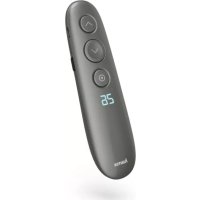
| Product type | Wireless digital presenter with laser pointer |
| Brand | Hama |
| Model | SpotPointer 00139917 |
| Color | Not specified |
| Dimensions (L x W x H) | 130 x 22 x 35 mm |
| Weight | Approximately 40 g |
| Power supply | Rechargeable Li-ion battery 3.7 V / 250 mAh (0.925 Wh) |
| Battery life | Up to 3 months (depending on usage) |
| Charging time | Approximately 2 hours |
| Connectivity | Wireless 2.4 GHz, range up to 20 m |
| Charging connection | Micro-USB (5 V = 300 mA) |
| System requirements | Windows 10/8/7, macOS X 10 or later; limited functions under Chrome OS, Linux, Android |
| Main functions | Digital laser pointer, spotlight, zoom magnifier, timer with vibrating alarm, presentation control (next/previous, link activation, size change) |
| Package contents | Presenter, USB receiver (dongle), USB charging cable, micro-SD card with software, carrying case, instruction manual |
| Maintenance and cleaning | Clean with a slightly damp, lint-free cloth, without harsh detergent |
| Safety instructions | Do not expose to heat, moisture, or impact. Use only appropriate chargers. Do not open or modify. Keep out of reach of children. |
| Warranty | Warranty void if instructions not followed |
| Spare parts and repairability | Built-in battery not user-replaceable. No spare parts provided. Repair by qualified technician. |
| Frequency bands | 2402 - 2480 MHz |
| Max. radio frequency power | -1.8 dBm e.i.r.p. |
| Model number | 00139917 |
Frequently Asked Questions - SpotPointer 00139917 HAMA
User questions about SpotPointer 00139917 HAMA
0 question about this device. Answer the ones you know or ask your own.
Ask a new question about this device
Download the instructions for your Remote control in PDF format for free! Find your manual SpotPointer 00139917 - HAMA and take your electronic device back in hand. On this page are published all the documents necessary for the use of your device. SpotPointer 00139917 by HAMA.
USER MANUAL SpotPointer 00139917 HAMA
Operating Instructions
Bedienungsanleitung
Moded'employi
Instruccionesdeuso
Istruzioniperl'uso
Gebruiksaanwijzing
Instrukcjaobslugi
Hasznalatiutmutato
Návodk p oužití
Návodnapoužitie
Manualdeinstruções
Manualdeutilizare


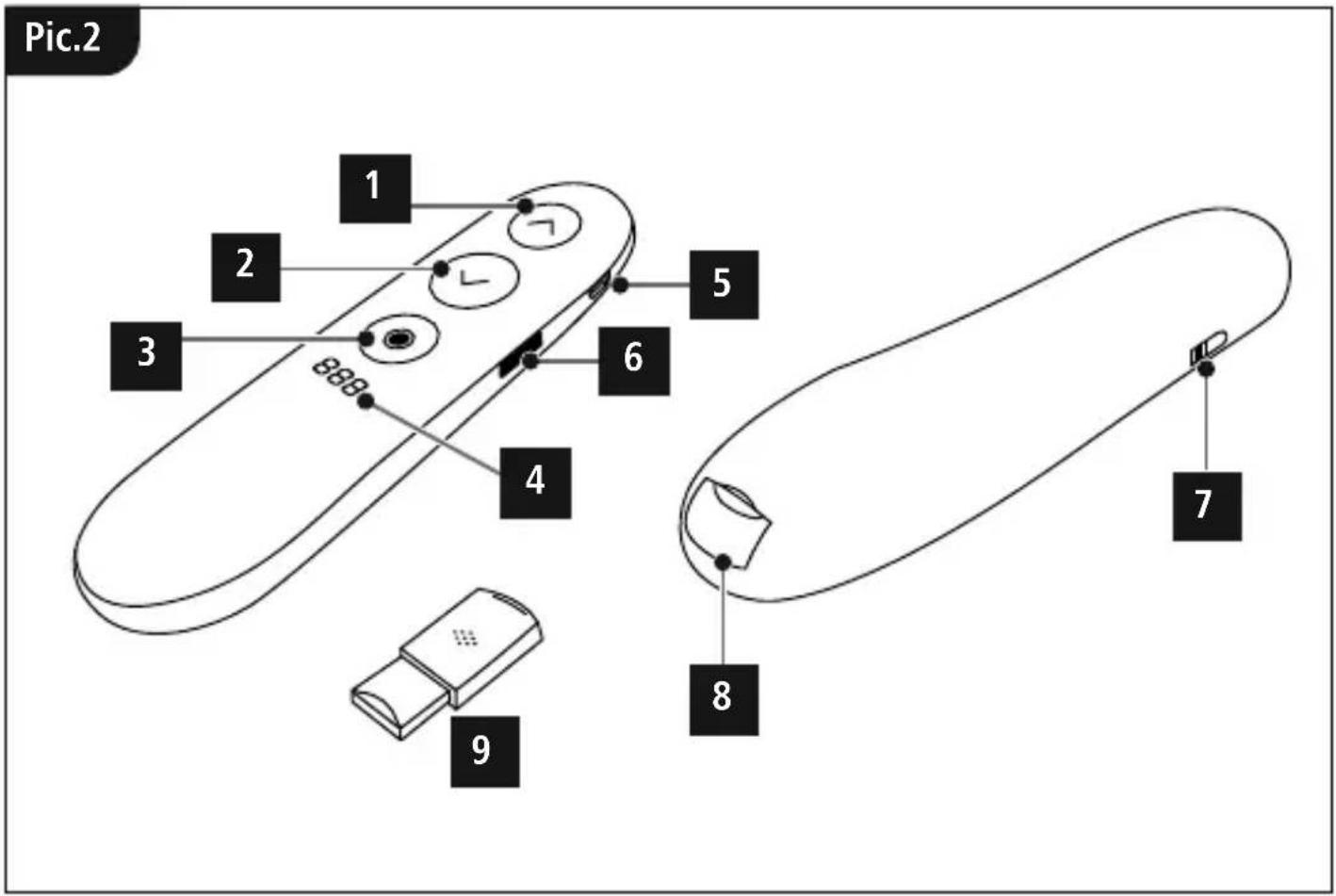
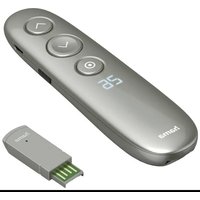
Controls
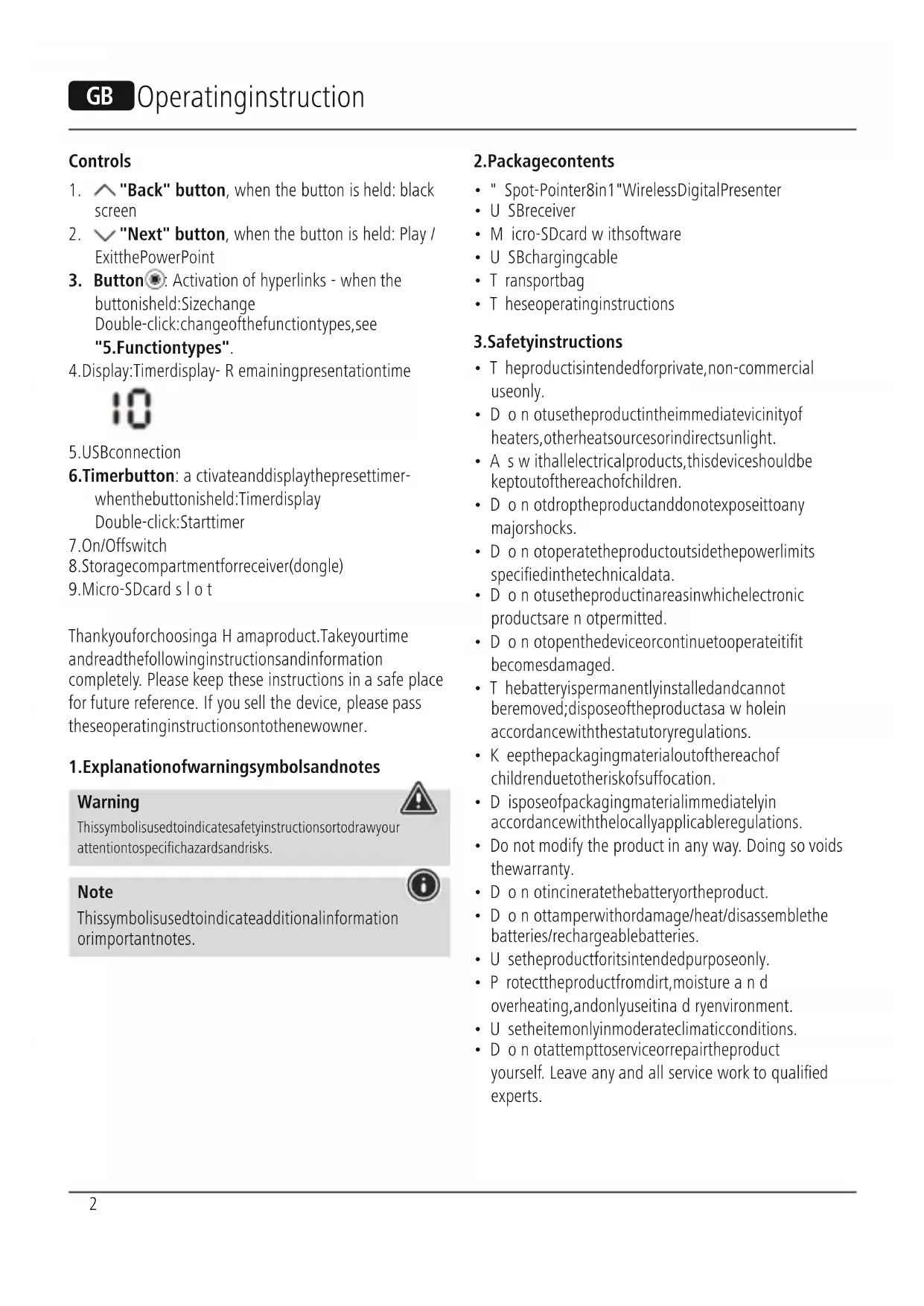
- "Back" button, when the button is held: black screen
- "Next" button, when the button is held: Play / ExitthePowerPoint
- Button: Activation of hyperlinks - when the button is held:Sizechange Double-click:changeofthefunctiontypes,see "5.Functiontypes".
4.Display:Timerdisplay- R emainingpresentationtime

5.USBconnection
6. Timerbutton: a c tivateanddisplaythepresettimerwhenthebuttonisheld:TimerdisplayDouble-click:Starttimer
7. On/Offswitch
8.Storagecompartmentforreceiver(dongle)
9.Micro-SDcard s lot
Thankyouforchoosinga H amaproduct.Takeourtime andreadthefollowinginstructionsandinformation completely. Please keep these instructions in a safe place for future reference. If you sell the device, please pass theseoperatinginstructionsontthenewowner.
1.Explanationof warningsymbolsandnotes
Warning

Thissymbolisusedtoindicatesafetyinstructionsortodrawyour attentionospecifichazardsandrisks.
Note

Thissymbolisusedtoindicateadditionalinformation orimportantnotes.
2.Packagecontents
- " Spot-Pointer8in1"WirelessDigitalPresenter
U SReceiver - Micro-SDcard with software
- U SBchargingcable
- T ransportbag
- T heseoperatinginstructions
3.Safetyinstructions
- T heproductisintendedforprivate,non-commercial useonly.
- D o n otusetheproductintheimmediatevicinityof heaters,otherheatsourcesorindirectsunlight.
- A swithallelectricalproducts, thisdevicesshouldbepkeptoutofthereachofchildren.
- D o n otdroptheproductanddonotexposeittoany majorshocks.
- D o n otoperatetheproductoutsidethepowerlimits specified inthetechnicaldata.
- D o n otusetheproductinareasinwhichelectronic productsare n ot permitted.
- D o n otopenthedevicereorcontinuetooperateitifit becomesdamaged.
- T hebatteryispermanentlyinstalledandcannot beremoved;disposeftheproductasa w holein accordancewiththestatutoryregulations.
- K eepthepackagingmaterialoutofthereachof childrenrenduetotheriskofsuffocation.
- D isposeofpackagingmaterialimmediatelyin accordancewiththelocallyapplicableleregulations.
- Do not modify the product in any way. Doing so voids the warranty.
- D o n otincineratethebatteryortheproduct.
- D o n ottamperwithordamage/heat/disassemblethe batteries/rechargeablebatteries.
- U setheproductforitsintendedpurposeonly.
- P rotectheproductfromdirt, moisture a nd overheating, andonlyuseitina d ryenvironment.
- U setheitemonlyinmoderateclimaticconditions.
- D o n otattempttoserviceorrepairtheproduct yourself. Leave any and all service work to qualified experts.
4. Operation
4.1ChargetheSpotlightPresenter
Ifthefollowingsymbolappearsonthedisplay:

thebatterystatusislow. ConnectthesuppliedUSB chargingcabletohemicro-USBport(5).Connectthe freeplugontheUSBChargingcabletoa suitableUSB charger.
A c o m p l e t e c h a r g i n g c y c l e t a k e s a b o u t 2 h o u r s.
Warning - rechargeable battery
OnlyusesuitablechargingdevicesorUSBconnectionsto chargetheproduct.
- DonotusedefectivechargersorUSBportsanddonot attempttorepairthem.
- Avoidstoring, charging and using inextremetemperatures andatextremely low atmospheric pressures (such as high altitudes).
- Chargeregularly(atleastquarterly)duringperiodsof prolongedstorage.
- Donotovercharge the productor allow the battery to completely discharge.
4.2Quickstart
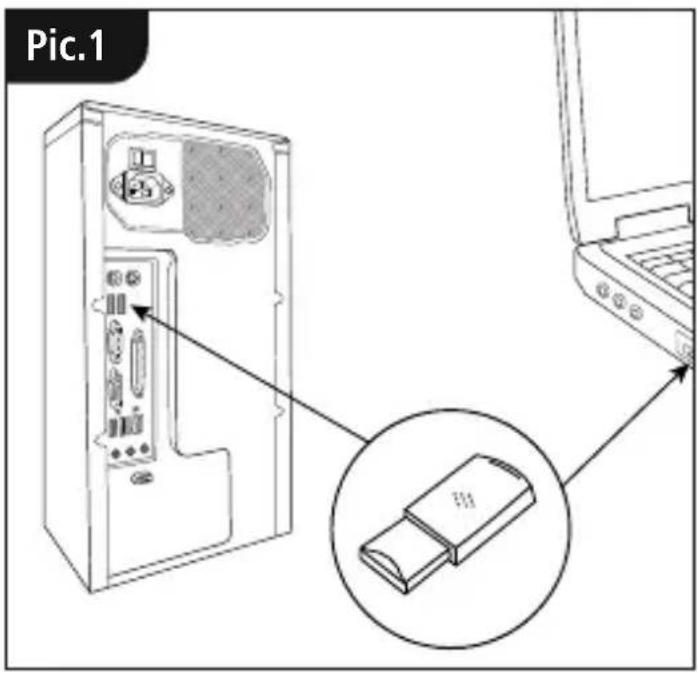
- Plugthereceiver into available USB port on your device
- After automatic driver installation, theremovable data mediumopens
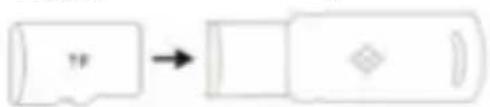
TFcard
D
0
3.InstalltherequiredSpot-Pointersoftware
4. SwitchthePresenteronfollowingsuccessful installation(7).
Thefollowingsymbolnowappearsinthetaskbar:


Note
IfthePresenterisswitchedoff, or if thereceiverisnot connectedtothecomputer, thiswillbeindicatedbya colourlesssymbol.
5.Functiontypes
1.Spotilluminationmode

2.Magnifyingglassfunction

3.Digitallaserpointer
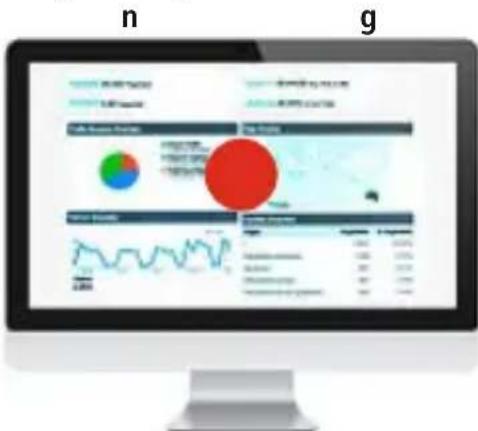
- Pressing the o button (3) twice allows you to toggle between the function types
- By pressing and holding the o button (3), you can change the size of the laser pointer, s potand magnifying glass with the two function keys(1) and(2)
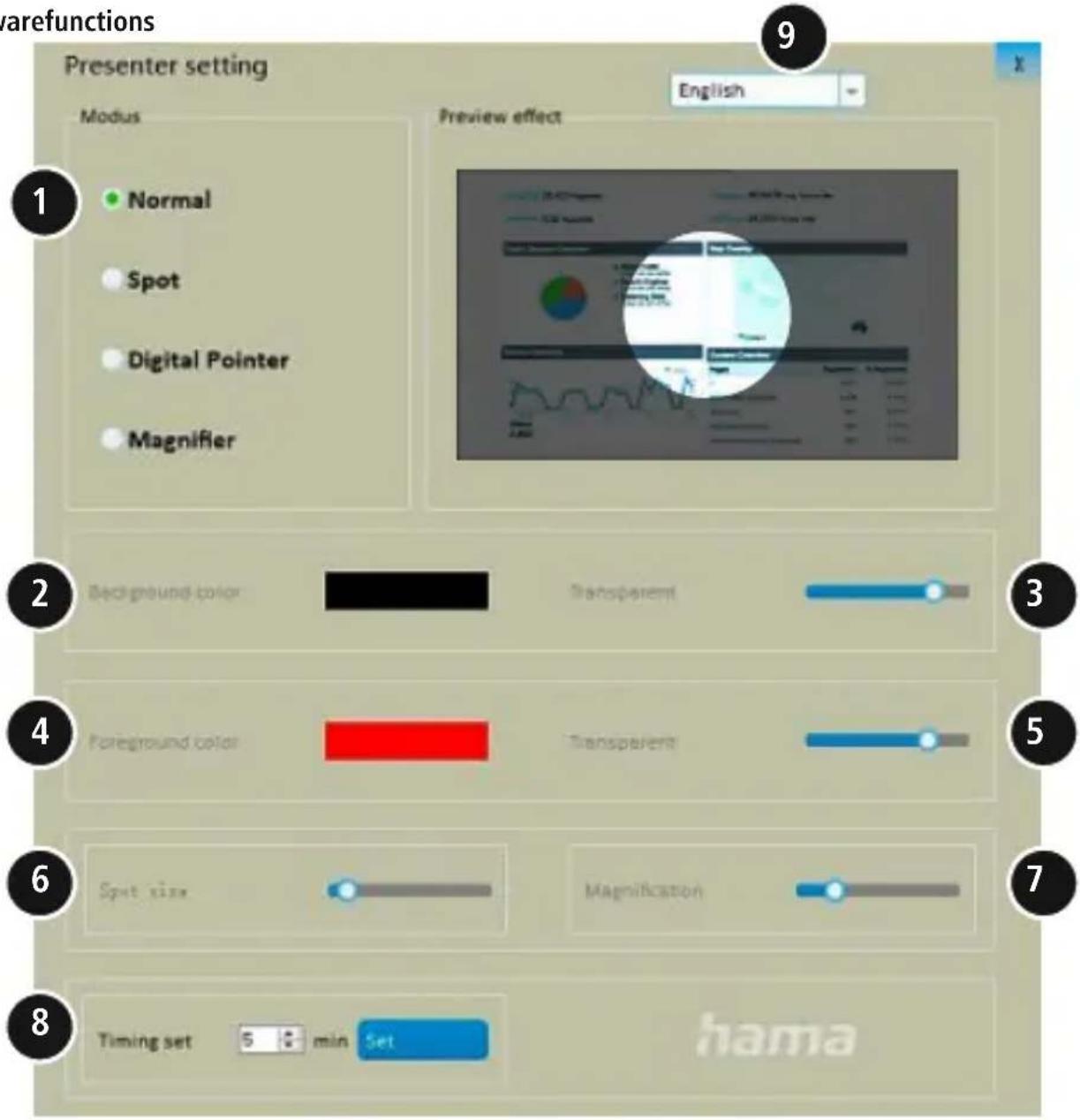
6.Softwarefunctions
- Selectiontosetthefunctiontype
2.Individualsettingofthebackgroundshadingwhen spotilluminationmodeisactive
3.Settingofthebackgroundtransparencywhenspot illuminationmodeisactive
4.Individualsettingofthecolourofthedigitalpointer
5.Settingofthetransparencyofthedigitalpointer
6.Settingofthesizeseofthemodesused -
Setting of themagnifyingglass'szoomfunction
-
Timer: Before the meeting, set a time for the vibrationalarm(maximumalarmtime:199minutes).
TheDISPLAYALLSytoukepaneyeonthe presentationtime.
TACTILEFEEDBACK
Receivea s silentalarmwhenusingthetimesand whenthebatterylevelislow.
9.Software - lingueselection
7.CareandMaintenance
Cleanthisproductonlyusinga I int-free,slightlydamp clothhanddonotuseanyharshcleaners.Takecareto ensure t hatnowaterenterstheproduct.
8.WarrantyDisclaimer
HamaGmbH& Co K G a ssumesnoliabilityand provides nowarrantyfordamageresultingfromimproper installation/mounting,improperuseoftheproductor from failure to observe the operating instructions and/ or safetynotes.
9. Technical data
| Connection | Wireless,2.4GHz connection |
| Functionrange< 20 m * | |
| Battery | Li-Ion3.7V250mAh/ 0.925Wh BatteryUseTime (rechargeable):3 m onths* |
| Connection | Micro-USBasa ch a r g i n g function |
| Powersupply5V | =300mA |
| Size130x 2 2 x 35mm | |
| Weightapprox.40g | |
| System requirements | Windows10/ 8/7 MacOSX 10 or higher Restrictedfunctionality(no software):ChromeOSTM, Linux®, AndroidTM |
*Dependingontheconditionsofuse
10.DeclarationofConformity
Hereby, Hama GmbH & Co KG declares that theradioequipmenttype[00139917]isin compliancewithDirective2014/53/EU. The full textoftheEU declarationofconformityisavailableat the followinginternetaddress: www.hama.com->00139917->Downloads.
Frequencyband(s)2402-2 480MHz
Maximumradio-frequency powertransmitted
-1.8dBme.i.r.p.
Bedienelemente
- Controls
- 1.Explanationof warningsymbolsandnotes
- Warning
- Note
- 2.Packagecontents
- 3.Safetyinstructions
- Operation
- 4.1ChargetheSpotlightPresenter
- Warning - rechargeable battery
- 4.2Quickstart
- 5.Functiontypes
- 1.Spotilluminationmode
- 2.Magnifyingglassfunction
- 3.Digitallaserpointer
- 7.CareandMaintenance
- 8.WarrantyDisclaimer
- Technical data
- 10.DeclarationofConformity
- Bedienelemente
Brand : HAMA
Model : SpotPointer 00139917
Category : Remote control