QIFC10S - Battery charger HAMA - Free user manual and instructions
Find the device manual for free QIFC10S HAMA in PDF.



| Product type | Inductive wireless charger |
| Brand | Hama |
| Model | QIFC10S |
| Dimensions | 72 x 110 x 85 mm |
| Weight | Approximately 100 g |
| Input power | 5 V / 2 A or 9 V / 1.67 A (Quick Charge) |
| Maximum output power | 10 W |
| Available output powers | 5 W, 7.5 W, 10 W (depending on device) |
| Connector | USB-C input |
| Wireless charging standard | Qi |
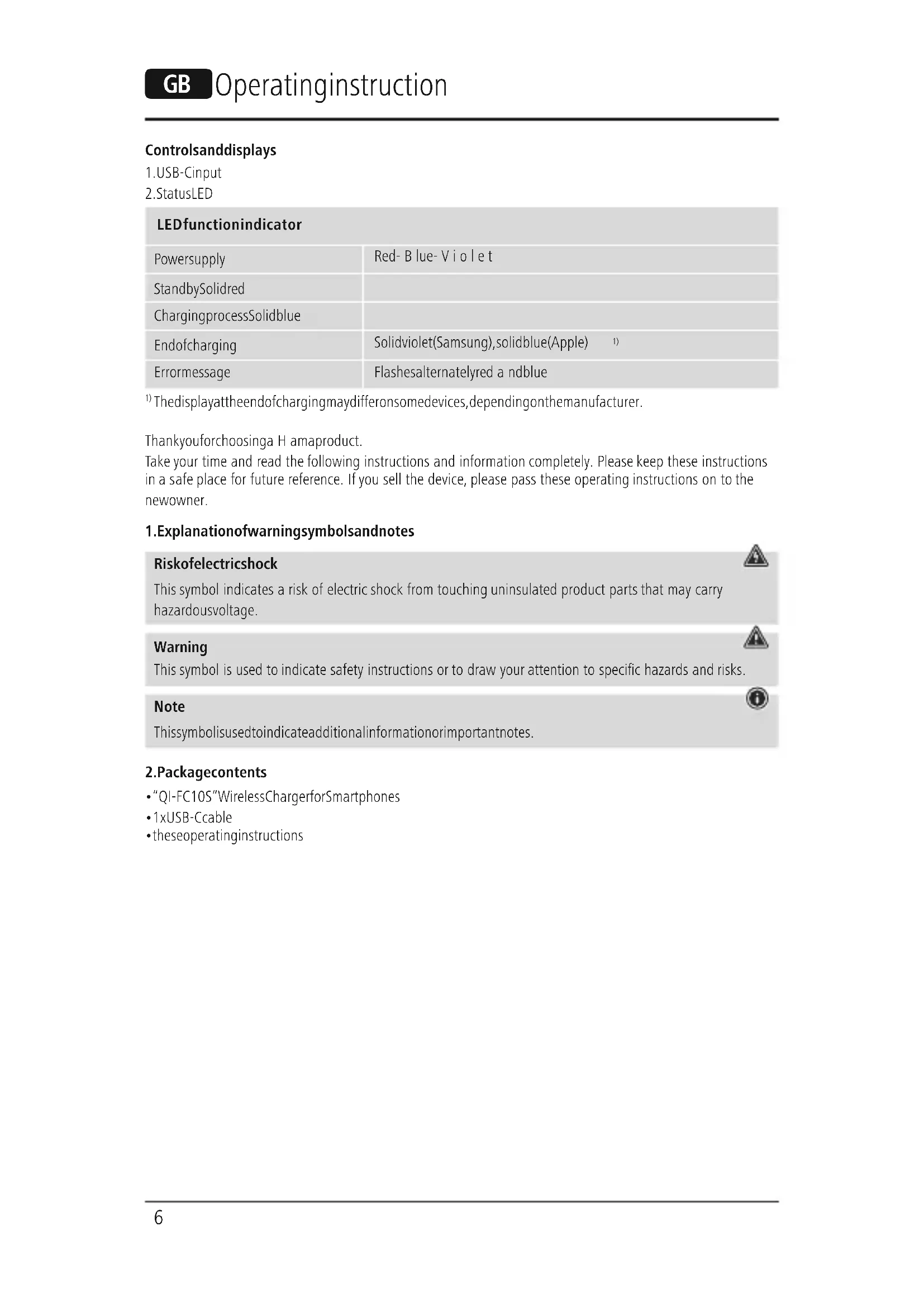
| LED indicator | Red (standby), Blue (charging), Purple (Samsung full charge), Solid blue (Apple full charge), Red/blue alternating (error) |
| Main functions | Wireless charging for Qi-compatible smartphones, end-of-charge detection, overheating protection |
| Maintenance | Clean with a slightly damp, lint-free cloth, without harsh detergents |
| Safety | Do not cover the charger, avoid metal objects, do not use near water or heat sources |
| Package contents | QIFC10S wireless charger, USB-C cable, instruction manual |
| Repairability | Do not open or repair yourself, contact a qualified technician |
| General information | Indoor use only, protect from moisture and shocks |
Frequently Asked Questions - QIFC10S HAMA
User questions about QIFC10S HAMA
0 question about this device. Answer the ones you know or ask your own.
Ask a new question about this device
Download the instructions for your Battery charger in PDF format for free! Find your manual QIFC10S - HAMA and take your electronic device back in hand. On this page are published all the documents necessary for the use of your device. QIFC10S by HAMA.
USER MANUAL QIFC10S HAMA
1) Thedisplayattheendofchargingmaydifferonsomedevices,dependingonthemanufacturer.
ThankyouforchoosingaHamaproduct.
Take your time and read the following instructions and information completely. Please keep these instructions in a safe place for future reference. If you sell the device, please pass these operating instructions on to the newowner.
1.Explanationof warningsymbolsandnotes
| Riskofelectricshock This symbol indicates a risk of electric shock from touching uninsulated product parts that may carry hazardousvoltage. |
| Warning This symbol is used to indicate safety instructions or to draw your attention to specific hazards and risks. |
| Note Thissymbolisusedtoindicateadditionalinformationorimportantnotes. |
2.Packagecontents
"QI-FC10S"WirelessChargerforSmartphones
-1xUSB-Ccable
theseoperatingsinstructions
3.Safetyinstructions
- Protect the product from dirt, moisture and overheating and use it in dry environments only.
- Donotdroptheproductanddonotexposeittoanymajorshocks.
- Do not operate the product outside the power limits given in the specifications.
- Do not use the product in areas in which electronic products are not permitted.
- Ensure that the product is not covered up by textiles, metal or other objects in order to avoid damage caused by overheating.
- Disposefpackagingmaterialinaccordancewiththelocallyapplicableableregulations.
- Do not modify the product in any way. Doing so voids the warranty.
- Use the product only for the intended purpose.
- Do not use the product in the immediate vicinity of heaters, other heat sources or in direct sunlight.
- As with all electrical products, this device should be kept out of the reach of children.
- Onlyusethearticleundermoderateclimaticconditions.
- Do not use the product in a damp environment and avoid splashing water.
The product is intended only for use inside buildings. - This product is not intended for use by persons, including children, with limited physical, sensory or mental abilities or lacking in experience or knowledge, unless they are supervised by a person responsible for their safety or have been instructed on how to use the product.
- Pulldirectlyontheplugwhendisconnectingthecable,neveronthecableitself.
- Donotopenthedevicorcontinuetooperatietitifbet建成后
- Do not attempt to service or repair the product yourself. Leave any and all service work to qualified experts.
- Donotbendorcrushthecable.
- Do not place any liquid-filled vessels such as flower vases on or in the immediate vicinity of the product. The vessel may toppleover andtheliquidcanthenimpairtheelectricalsafety.
Riskofelectricshock

- Donotopentheviceorcontinuetooperateititifbecomesdamaged.
- Donotusetheproductifthe AC adapter, the adapter cable or the mains cable are damaged.
- Do not attempt to service or repair the product yourself. Leave any and all service work to qualified experts.
Warning


Donotplaceanybankorsimilarcardswithmagneticstripsormagneticallysensitiveobjectsonthe product.Thedataonthecardscouldbedamagedorcompletelydeleted
Warning

Ensure that there are no metal parts (e.g. metal plate for magnetic holders) on the back of your device. Metal heats up significantly in the field of an induction charger and can damage your device and/or the charger.
4.Start-upandoperation
Warning
- Only operate the product from a socket that has been approved for the device. The socket must be installedclosetotheproductandmustbeasilyaccessible.
- Disconnect the product from the power supply using the On/Off switch - if this is not available, unplug the power cord from the socket.
- If using a multi-socket power strip, make sure that the total power consumption of all connected devices doesnotexceedthepowerstrip'smaximumthroughputrating.
- If you will not be using the product for a prolonged period, disconnect it from mains power.
Note
To be able to charge your device via the wireless charger, it must be compatible with induction charging technology. Please refer to the operating instructions of your device for more information.
- Note that mobile phone cases, covers, etc., and other materials between the wireless charger and the back of your device may interfere with or even prevent the charging process.
- Connect the enclosed USB-C cable with the USB-C input (1) on the inductive charger and a suitable USB charger. When doing so, consult the operating instructions for the USB charger.
Note
The maximum charging power of up to 10W is only achieved with a Qualcomm quick charging device (9V/1.67A).
- An active power supply is confirmed by the brief, alternate illumination of the status LED (2) in red - blue- violet.TheLEDthenswitchestored.
Warning
DonotusedefectivechargersorUSBportsanddonotattempttorepairthem.
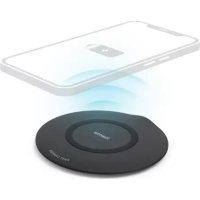
- Placeyourdevicewithitsbackontheinductivecharger(B).
The charging process begins as soon as an effective induction field has been established. The status LED (2)lightsolidblue.Thecurrentchargestatusisdisplayedonyourdevice. - If no induction connection can be established, change the position of your device if necessary (B).
- The charging process ends automatically once your device's battery is fully charged. The status LED (2) lightsupsolidviolet(Samsung)orblue(Apple).
- Removeyourdevicefromtheinductivechargeranddisconnectitfromthepowersupply.
5.Careandmaintenance
Only clean this product using a lint-free, slightly damp cloth and do not use any harsh cleaners. Ensure that no waterisabletoentertheproduct.
Note
Disconnect the device from the mains before cleaning and during prolonged periods of non-use.
6.Warranty disclaimer
Hama GmbH & Co KG assumes no liability and provides no warranty for damage resulting from improper installation/mounting, improper use of the product or from failure to observe the operating instructions and/ or safety notes.


7. Technical data
| Wireless charger | |
| Input | 5 V 2.0A 9 V 1.67A (QC) |
| Output (under optimised conditions) | 5 W / 7.5 W / 10 W max. |
| Dimensions72mmx 1 10mmx85mm | |
8.Declarationofconformity
Hama GmbH & Co KG hereby declares that the radio equipment type [00201684] is in compliance with Directive 2014/53/EU. The full text of the EU declaration of conformity is available at the following Internet address:
www.hama.com->00201684->Downloads.
Frequencyband(s)110.26-147.44kHz
Maximumradio-frequencypowertransmitted-16.55dBμA/mat10m
6.NCKJIIOUeHHeNEOTBETCTBeHHOCTN
Hama GmbH & Co. KG He HeceT OTBeTCTBHeHOCTn 3a NOBpeXeHnra, BO3HNKUne B pe3yIbTaTe HeHaJNeXaUeYCTAHOBKn, MOHTaxa n HeHaJNeXaUeRo NcNoJIb3OBAHnra N3DeJIra NII HecO6JIoDHeHnra Tpe6ObaHnpyKOBOdCTBaNO3KcNlPyatauun/UnnyKa3aHnnotExHKe6e3OnaCHOCTn.
7.TexHnuecknExapakTepeNCTKn
6.N3KIIUoyBaHeHaOTROBOPHOCT
Hama GmbH & Co KG He noema OTROBOPHOCT nI rapaunca 3a nobpei, KOnto ca pezytat OT HenpabnHa Hnctanaqna, MoNTax n ynoTpe6a Ha npOyka TnI ON He cna3BaHe Ha pKOBODCTBOTO 3a ekCnloatauia N/ nnHayka3aHnraTa3a6e3onacHOCT.
7.TexHnueckndaHHN
| Бeзшино зарадно устюстvo | |
| Вхов | 5 V 2.0A 9 V 1.6ZA (QC) |
| Изхов (при отимисяни устовя) | 5 W / 7,5 W / 10 W макс. |
| Размeperи72mmx 1 10mmx85mm | |
8.Deklapaun3acb0TBeTCTBnE
C HactoIto Hama GmbH & Co KG JeKnapupa, Ye TnBt Ha paNoo6OpyDbaHeTo [00201684] CbOTBeTCTBa Ha DnpeKTHBa 2014/53/EC. NblHnT TeKT Ha EC JeKnapaunTa 3a CbOTBeTCTBne e Hapa3NoJoxHeHaacnEHNHHInHTepHeTaadpec:
www.hama.com->00201684->Downloads.