TH130 - Thermometer HAMA - Free user manual and instructions
Find the device manual for free TH130 HAMA in PDF.


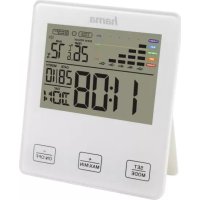
| Product type | Thermometer/hygrometer |
| Brand | Hama |
| Model | TH130 |
| Category | Thermometer |
| Dimensions | 82 x 100 x 11 mm |
| Weight | 71.4 g (with battery) |
| Power supply | 1 CR2025 button cell, 1.5 V |
| Temperature measurement range | 0 °C – 50 °C / 32 °F – 122 °F |
| Humidity measurement range | 20 % – 95 % |
| Display | Temperature and humidity, switchable °C/°F |
| Main functions | Min/max values display, comfort indicator, memory |
| Comfort indicator | Dry, comfortable, humid (based on temperature and humidity) |
| Installation | On a flat surface (folding stand) or wall-mounted (fixation slot) |
| Maintenance and cleaning | Slightly damp non-fibrous cloth, avoid harsh detergents |
| Package contents | 1 thermometer/hygrometer, 1 CR2025 battery, user manual |
| Battery safety | Respect polarity, do not mix types, remove if unused for a long time |
| Warranty | Liability exclusion for non-compliant use |
| Material | Plastic |
Frequently Asked Questions - TH130 HAMA
User questions about TH130 HAMA
0 question about this device. Answer the ones you know or ask your own.
Ask a new question about this device
Download the instructions for your Thermometer in PDF format for free! Find your manual TH130 - HAMA and take your electronic device back in hand. On this page are published all the documents necessary for the use of your device. TH130 by HAMA.
USER MANUAL TH130 HAMA
OperatingInstructions
Bedienungsanleitung
Moded'emploi
Instruccionesdeuso
Gebruiksaanwijzing
Istruzioniperl'uso
Instrukcjaobsługi
Használatiútmutató
Manualdeutilizare
Návodk p oužití
Návodnapoužitie
Manualdeinstruções
Bruksanvisning
•°C/°F-button = t ogglesbetween°Cand°F
- MAX/MINbutton = r recalls t hestoredmaximum/minimum values
1. ExplanationofWarningSymbols andNotes
Warning

This symbol is used to indicate safety instructions to draw your attention to specific hazards and risks.
Note

This symbol is used to indicate additional information or important notes.
2.PackageContents
• 1 x Thermometer/hygrometerTH-130
• 1 x buttoncellbatteryCR2025
• Theseoperatinginstructions
3. SafetyNotes
• The product is intended for private, non-commercial use only.
- U setheproductforitsintended purposeonly.
- Donotusetheproductintheimmediate vicinityofheatersorotherheatsourcesor indirectsunlight.
- Donotoperatetheproductoutsidethe powerlimitsgiveninthespecifications.
- Donotusetheproductinmoist environmentsandavoidsplashes.
- Donotdroptheproductanddonot exposeittoanymajorshocks.
- Keepthepackagingmaterialoutofthereachofchildrenduetotheriskofsuffocation.
- Disposeofpackagingmaterial immediatelyaccordingtolocally applicableregulations.
- Donotmodifytheproductinanyway. Doingsovoidsthewarranty.
- Protect the product from dirt, moisture and overheating, and only use it in dry environment.
- Donotusetheproductinareaswhere theuseofelectronicdevicesisnot permitted.
- Donotopenthedeviceorcontinueto operateitifitbecomesdamaged.
- Donotattempttoserviceorrepairthe productyourself. L eaveanyandallservice worktoqualifiedexperts.
- Keep this product, as all electrical products, out of there each of children!
- Use the item only in moderate climatic conditions.
Warning-Batteries

- When inserting batteries, not the correct polarity(+and- markings) and insert the batteries accordingly. Failure todos could result in the batteries leakingorexploding.
- O nlyusebatteries(orrechargeable batteries)thatmatchthespecified type.
- Before you insert the batteries, clean the battery contacts and the polar contacts.
- Don otallowchildrentochange batterieswithoutsupervision.
Warning-Batteries

• D o n otmixoldandnewbatteriesor batteriesofa d differenttypeormake.
- R emovethebatteriesfromproducts that are not being used for an extended period (unless these are being kept ready for an emergency).
• D on otshort-circuitbatteries.
• D o n otchargebatteries.
• Do not throw batteries in a fire.
- Keepbatteriesoutofthereachof children.
- N everopen,damageorswallow batteriesorallowthemtoenterthe environment.Theycancontaintoxic,environmentallyharmfulheavymetals.
- I immediately remove and dispose of dead batteries from the product.
- A voidstoring, chargingorusing the device in extreme temperatures and extremely low atmospheric pressure (forexample, at high altitudes).
Warning- B uttoncells

- Do not ingest battery, risk of burns due to dangerous substances.
- T hisproductcontainsbuttoncells.If swallowed,thebuttoncell cancause severe internalburnswithinjusttwo hoursandleadtodeath.
- Keepnewandusedbatteriesoutofthe reachofchildren.
- I f t hebatterycompartmentdoesnot closesecurely, s topusingtheproduct andkeepitoutofthereachofchildren.
- I f y outhinkthatbatterieswere swallowedorare i n a p artofthebody, seekmedicalassistanceimmediately.
4. Getting Started
4.1. Inserting the batteries
- P ullthebatterycompartmentoutbythe notch.Removethecontactbreaker
- G entlypushthebatterycompartment backintothehousinguntilitclicks intoplace.
4.2.Replacingthebatteries
- P ullthebatterycompartmentoutby thenotch.
- R emovethespentbatteryandinsert a newCR2025buttoncell,observing polarity.
- G entlypushthebatterycompartment backintothehousinguntilitclicks intoplace.
5. Installation
- Y oucaneitherstandthethermometer/hygrometeronanevensurfaceusingthe fold-outstandonthebackofthedevice, orattachittoa w allusingtheopening onthebackofthedevice.
• Install an anchor, screw, nail, etc. in the wallofyourchoice. - H angupthethermometer/hygrometer bythenotch.
Warning

Before mounting, check that the wall you have chosen suitable for the weight to be mounted. Also makes sure that there are no electric, water, gas or other lines running through the wall at the mountingsite.
6.Operation
• After inserting a battery, all of the segmentsofthedisplaywillflashbriefly.
- T hethermometer/hygrometerisnow readyforuse.
- A ftercalibration, thetophalfofthe displayshowsthemeasuredtemperature value, while the bottom half of the displayshowsthemeasuredairhumidity value.
- If the measured value is outside of the measuring range, LL.L (valuelower than minimum) or HH.H (value higher than maximum) will appear on the temperature display.
- O ncetheelementsonthedisplay begintodim, replacethebatteriesas describedin
4. Getting Started.
6.1.Celsius/ Fahrenheit
- P ressthe°C/°Fbuttontoswitchbetween °Cand°Fforthetemperature d isplay.
6.2. Maximum and minimum temperature and humidity values
- T hethermometer/hygrometer automaticallystoresthemaximumand minimumtemperature a ndhumidity values.
- R epeatedlypresstheMAX/MIN buttonoswitchbetween the current temperature and humidity (MIN) and maximum temperature and humidity (MAX).
- T hemaximumandminimumvaluesare automaticallydeletedevery24hours.
6.3.Comfortdisplay
Thethermometer/hygrometerdisplay the followingcomfortrangesbasedontheratio between the currentroomtemperature and roomhumidity:
| Display | Temperature range | Humidityrange | Comfortrange |
 | - | < | 40% D ry-Ambientairtoodry |
 | 20°C- 2 6°C/68°F- 7 8.8°F | 40%- 7 0% | -C omfort-Idealtemperature andhumidity |
 | - | 7 | -M oist-Humiditytoohigh |
| Notdisplayed | < 2 0°C/ 6 8°F>2 6°C/ 7 8.8°F | 40%- 70% | -No indicator - |
7. Care and Maintenance
Onlycleanthisproductwitha s lightlydamp, lint-freeclothanddonotuseaggressive cleaningagents.Makesure t hatwaterdoes notgetintotheproduct.
8.WarrantyDisclaimer
HamaGmbH& C o KGassumesnoliability andprovidesnowarrantyfordamage resultingfromimproperinstallation/mounting,improperuseoftheproduct orfromfailure t o o bservetheoperating instructionsand/orsafetynotes.
9.TechnicalData
| Thermometer/hygrometer | |
| Powersupply | 3 V1xCR2025buttoncellbattery |
| MeasuringrangeTemperatureHumidity | 0°C-5 0°C/32°F-1 22°F20%-9 5% |
| Size82x 1 00x11mm | |
| Weight | 71.4g(includingbattery) |
All listed brands are trademarks of the corresponding companies. Errors and omissions excepted, and subject to technical changes. Our general terms of delivery and payment are applied.