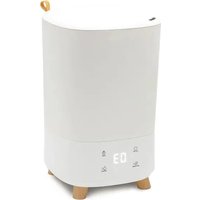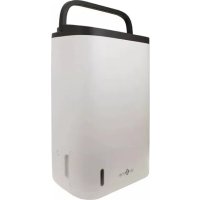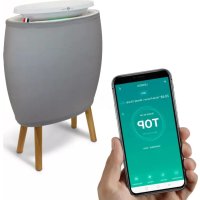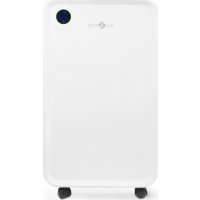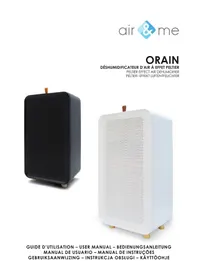
ORAIN - Humidifier Air&Me - Free user manual and instructions
Find the device manual for free ORAIN Air&Me in PDF.



| Product Type | Dehumidifier |
| Brand | Air&Me |
| Model | ORAIN |
| Dimensions (H x W x D) | 364 x 200 x 133 mm |
| Net Weight | 2 kg |
| Power Supply | 100-240 V |
| Maximum Power Consumption | 40 W |
| Number of Speeds | 2 |
| Recommended Maximum Area | 20 m² |
| Tank Capacity | 2 L |
| Dehumidification Capacity | 750 mL/day (at 30°C, 80% humidity) |
| Operating Temperature Range | 15°C - 35°C (anti-freeze mode: 5°C - 35°C) |
| Functions | Auto shut-off when tank full, tank detection, continuous drainage, anti-freeze mode, condensate pump outlet |
| Maintenance | Monthly cleaning of pre-filter with warm water and tank with white vinegar |
| Safety | Automatic shut-off if tank full or misaligned, indoor use only |
| Spare Parts | Removable filter, condensate pump (optional) |
| Warranty | 2 years |
Frequently Asked Questions - ORAIN Air&Me
User questions about ORAIN Air&Me
0 question about this device. Answer the ones you know or ask your own.
Ask a new question about this device
Download the instructions for your Humidifier in PDF format for free! Find your manual ORAIN - Air&Me and take your electronic device back in hand. On this page are published all the documents necessary for the use of your device. ORAIN by Air&Me.
USER MANUAL ORAIN Air&Me
natural_image
Black square electronic device with perforated grille and wooden legs (no visible text or symbols)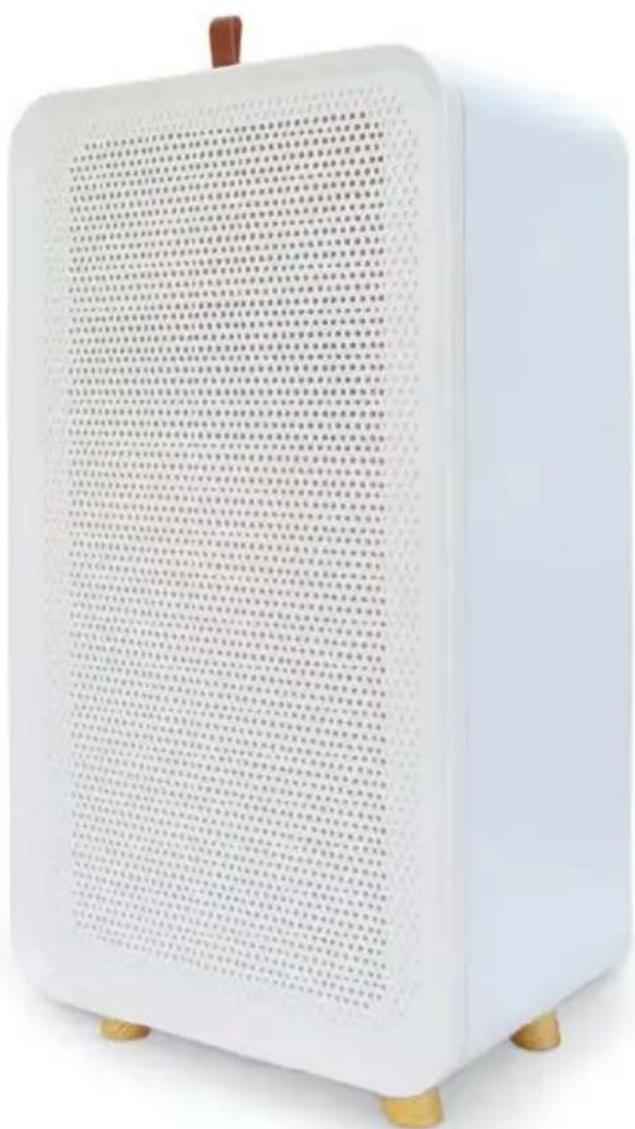
natural_image
White ceramic fan with a grid pattern and gold feet, no visible text or symbolsGUIDE D'UTILISATION – USER MANUAL – BEDIENUNGSANLEITUNG MANUAL DE USUARIO – MANUAL DE INSTRUÇÕES
natural_image
Illustration of a hand holding a device with a screen, labeled with number ① (no text or symbols on the device itself)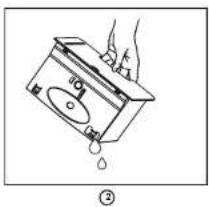
natural_image
Simple line drawing of a hand holding a device with a droplet falling (no text or symbols)DRAINAGE CONTINU/CONTINUOUS DRAINAGE/KONTINUIERLICHE ENTWÄSSERUNG/DRENAJE CONTINUO/DRENAGEM CONTÍNUA / CONTINUE AFVOER / TRYB: CIAGLE OSUSZANIE / JATKUVA TYHJENNYS
natural_image
Illustration of a hand inserting a small component into a computer tower (no text or symbols)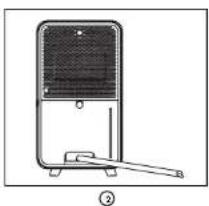
natural_image
Line drawing of a portable air conditioner unit with handle and base (no text or symbols)CONNEXION POUR POMPE DE RELEVAGE / LIFT PUMP CONNECTION / ANSCHLUSS FÜR KONDENSATPUMPE / CONEXIÓN DE LA BOMBA DE ELEVACIÓN / LIGAÇÃO DA BOMBA DE ELEVAÇÃO / AANSLUITING OPVOERPOMP / PODLACZENIE POMPY SSACEJ / PUMPUN LIITÁNTÄ
natural_image
Simple line drawing of a mechanical or electrical component with no text or symbols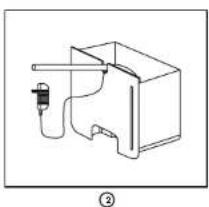
natural_image
Simple line drawing of a mechanical device with a handle and internal components (no text or symbols)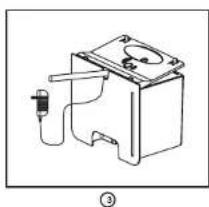
natural_image
Simple line drawing of a battery with internal components and a labeled section (no text or symbols)FRANÇAIS
ACCESSOIRE (NON INCLUS)
Thank you for having purchased the ORAIN domestic air dehumidifier, an air&me. product. We hope that it will bring you complete satisfaction and improve your indoor air quality.
As with all electrical appliances, it is important to maintain the appliance properly in order to avoid any damage or injury. Please read these instructions carefully before switching the appliance on and keep them for later reference. WAF-direct society accepts no liability for any damage that is caused by noncompliance with this instruction manual. The appliance is only to be used in the household for the intended purposes described in this user manual. Using the appliance for other purposes than the intended ones or performing technical changes to the appliance could be hazardous for health and life.
TECHNICAL DATA
| Voltage | 100-240 V |
| Dimensions | 364 x 200 x 133 mm (H x W x D) |
| Net weight | 2kg |
| Number of speed | 2 |
| Maximal power consumption | 40W |
| Suitable for rooms up to | 20m ^3 |
| Water tank volume | 2L |
| Ambient temperature range | 15°C - 35°C |
| Dehumidification capacity | 750mL/day (30°C, 80% relative humidity) |
DOMESTIC INJURY PREVENTION
The safety of this product conforms to the relevant norms and regulations in force in the European Union.
For any further information, please visit our website: www.airandme.fr/en
Our customer service department is available at the following email address: info@airandme.fr

To prevent from any danger or electrical shock, always unplug the product when you are not using it, moving it or cleaning it. In case of repairs, approach the qualified persons.
IMPORTANT SAFETY INSTRUCTIONS
- Please read all the instructions carefully before using ORAIN.
- Any use that is not recommended by the reseller can lead to fire, power can hurt people.
- Remove the packaging and make sure that ORAIN is not damaged. If in doubt, do not use the appliance and contact your reseller.
- Do not let children play with the different pieces of the packaging. Pay special attention when using the appliance near a child.
- Before using ORAIN, make sure that the voltage indicated on the product is in accordance with your electrical installation.
- Make sure that the socket is correctly plugged: otherwise, the socket overheat.
- Using an extension electric cable can create overheating and fire.
- Do not pull on the power cord to unplug the appliance. Always unplug ORAIN by holding and pulling on the socket.
- Do not cover or put objects that can obstruct the fan air flow; it could cause electrical shocks or damage the appliance. Do not put fingers inside the air outlet on pain of physical damage.
- During operation, leave at least 50cm behind, around and in front of the appliance.
-
To avoid any electrical shock or fire, do not use water, detergent or flammable product to clean the outside or the inside of the appliance.
-
Do not use insecticide spray, perfume or any other flammable spray around the appliance when it is in process.
surge3. Never use ORAIN if it can fall into a liquid.
- Make sure the product is on a flat horizontal surface.
- To avoid water condensation on the appliance, do not place it near an air-conditioner.
- Do not use ORAIN outdoors.
- Always unplug ORAIN when moving it.
- Always unplug ORAIN when you are not using it.
-
Keep the product clean and in good condition.
-
Use the recommended spare parts (non official parts could be dangerous and invalidate the warranty).
-
Store ORAIN in a dry and safe place, away from children.
- If the power cord is damaged, it can be changed by the reseller. Only qualified persons can make this repair.
- This product cannot be used by children less than 8 years old. Please read carefully this user manual and use ORAIN with caution.
COMPONENTS (SEE PAGE 2)
| 1 Air inlet | 9 Water tank |
| 2 Feet | 10 Pump connector hole |
| 3 Pre-filter | 11 Water tank handle |
| 4 Filter handle | 12 Drainage rubber plug |
| 5 AC power connector | 13 Water level window |
| 6 Indicator | 14 Top buckle |
| 7 Power button | 15 Convex top |
| 8 Air outlet | 16 Floater |
USE PRECAUTIONS
- Make sure that the product is placed on a dry flat surface.
- Leave at least 50cm behind, around and in front of the appliance.
- Make sure the removable filter and the tank are properly positioned and pushed in.
- Do not remove the float from the tank because it will prevent the appliance from starting.
OPERATING INSTRUCTIONS
- Insert the plug into a mains socket.
- Press the power button on the back on the product to start the machine. The indicator turn in green light.
- The product runs automatically at speed 1.
- Press a second time to activate the speed 2.
- Press the power button again to turn off.
The light indicator is around the power button: - the light is green: the product runs normally.
- the light is yellow: the tank is full or poorly engaged.
AUTO DEFROST FUNCTION
The usage temperature of the dehumidifier is from 5°C to 50°C. It's important to noticed that when this function starts the efficiency is reduced. For optimal use make sure you have a temperature between 15°C and 35°C.
WATER TANK DETECTION
The dehumidifier will stop running when the water tank is pulled out, and the indicator will turn yellow. When the water tank is reset, the dehumidifier will run again, the indicator will turn green.
EMPTYING THE TANK (SEE PAGE 3)
When the tank is full, the indicator will turn yellow and the dehumidifier stops running. The dehumidifier will run again after filling the tank and resetting.
Empty the tank :
① Pull the tank with the handle.
② Empty the tank through the hole provided for this purpose.
③ Replace the tank and press the power button.
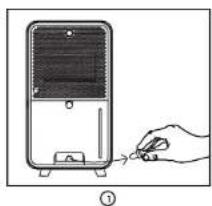
CONTINUOUS DRAINAGE (SEE PAGE 3)
① Take out the rubber plug of the continuous drain outlet place on the back of the water tank.
② Plug the drainage hose (diameter: 8mm). Put the end of the hose in a floor sewage disposal.
The product will run automatically in continuous drainage. Be aware that the hose is not told and the water could flowing easily with gravity
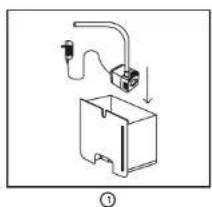
ORAIN have a lift pump hole evacuation (none included):
① Open the tank, put the pump in it.
② Place the hose and the power cord outside thanks to the hole evacuation.
③ Replace the convex top before pushing the tank into the product.
MAINTENANCE
- Make sure that the appliance is off and unplug before performing any work.
- Do not immerse the appliance in water or in any other liquid.
- Do not use corrosive, abrasive or flammable products to clean the appliance.
CLEANING THE REMOVABLE FILTER: The removable filter captures dust and extends the appliance efficiency. It is recommended to clean it every month. Pull the handle of the removable filter, clean it with warm water and a soft brush then dry it and reposition it.
Be careful not to dry the filter in direct sunlight or near a strong heat source.
CLEANING THE APPLIANCE: Use a soft cloth to remove dust at the air inlets and outlets.
CLEANING THE TANK: Remove the tank and unclip the lid. To avoid calc deposit, clean the tank at least once a month with an appropriate product or with white vinegar.
STORAGE OF THE APPLIANCE: To avoid any bacteria or virus proliferation, never store the appliance with water inside the tank and be sure that the appliance is perfectly dry.
- Empty and clean the tank.
- Clean the air inlets and outlets as well as the removable filter.
- Once the different parts have dried properly, store the product in a place that is protected against dust and that is clean, dry and ventilated.
NONE INCLUDED ACCESSORY
To remove the water on a raise evacuation you can add the air&me lift pump. Pump it up could remove 450L/h on a height of 3 meters. With its small size, it could be easily placed into the tank.
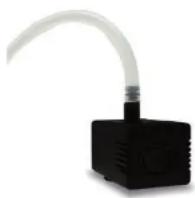
PUMP IT UP
www.airandme.fr/en
FAQ
| Situation ReasonSolution | ||
| The product don't work | > The socket is not correctly plugged. Is there a power outage. | > Plug correctly the socket with the right voltage.Avoid multi-taps. |
| > The home leakage switch or fuse cut off. | ||
| > The water tank is full. > Empty the tank. | ||
| > The water tank is not correctly placed. | > Push the tank in its right position. | |
| Decrease in performance of the product (less water in the tank) | > The pre-filter is dirty so that it blocks the airflow. | > Clear the pre-filter. |
| > The air inlet/outlet of the machine is blocked by something. | > Leave at least 30 cm of space on the back and sides of the product, and at least 50 cm of space above the product. | |
| > The temperature is too low. | > Under 15°C the product is in defrost function. The product could not works with its optimal capacity. | |
| > The humidity level is already low. | ||
| Signifi cant noise | > There is anything stuck on the fan in the air outlet. | > Make sure that any objects could damage the fan. |
| > The machine have a fonctionning problem. | > Call your dealer for an after sale service. | |
DEUTSCH
The appliances are under warranty for a 2-year period from the purchase date. The warranty covers all failures resulting from hidden manufacturing or raw material defects. This warranty does not cover failures or damages resulting from an inadequate setup or usage, or from the normal wear and tear of the product. Spare parts are also available for a period of 2 years after the date of purchase.
Air&me cannot be held liable in case of an inadequate or dangerous use of the products.
DEEE
Disposal of Electric and Electronic Equipment (Applicable in the countries of the European Union and other European countries with separate collection systems appropriate). This symbol on the product indicates that this product shall not be treated as household waste, it should be handed over to the applicable collection point for the recycling of EEE (Electrical and Electromagnetic Equipment). By ensuring this product is disposed of correctly, you will help prevent potential negative consequences for the environment and human health. The recycling of materials will help to conserve natural resources. For additional information about recycling of this product, please contact the municipality, the waste or the retailer.