ManualGo.com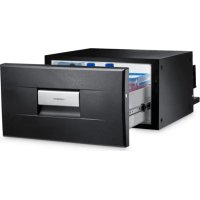
CoolMatic CD 20 - Fridge DOMETIC - Free user manual and instructions
Find the device manual for free CoolMatic CD 20 DOMETIC in PDF.



Download the instructions for your Fridge in PDF format for free! Find your manual CoolMatic CD 20 - DOMETIC and take your electronic device back in hand. On this page are published all the documents necessary for the use of your device. CoolMatic CD 20 by DOMETIC.
USER MANUAL CoolMatic CD 20 DOMETIC
CD20-30-IO-16s.book Seite 1 Montag, 18. Mai 2020 2:25 14© 2020 Dometic Group. The visual appearance of the contents of this manual is protected by copyright and design law. The underlying technical design and the products contained herein may be protected by design, patent or be patent pending. The trademarks mentioned in this manual belong to Dometic Sweden AB. All rights are reserved. CD20-30-IO-16s.book Seite 2 Montag, 18. Mai 2020 2:25 14CD20, CD30
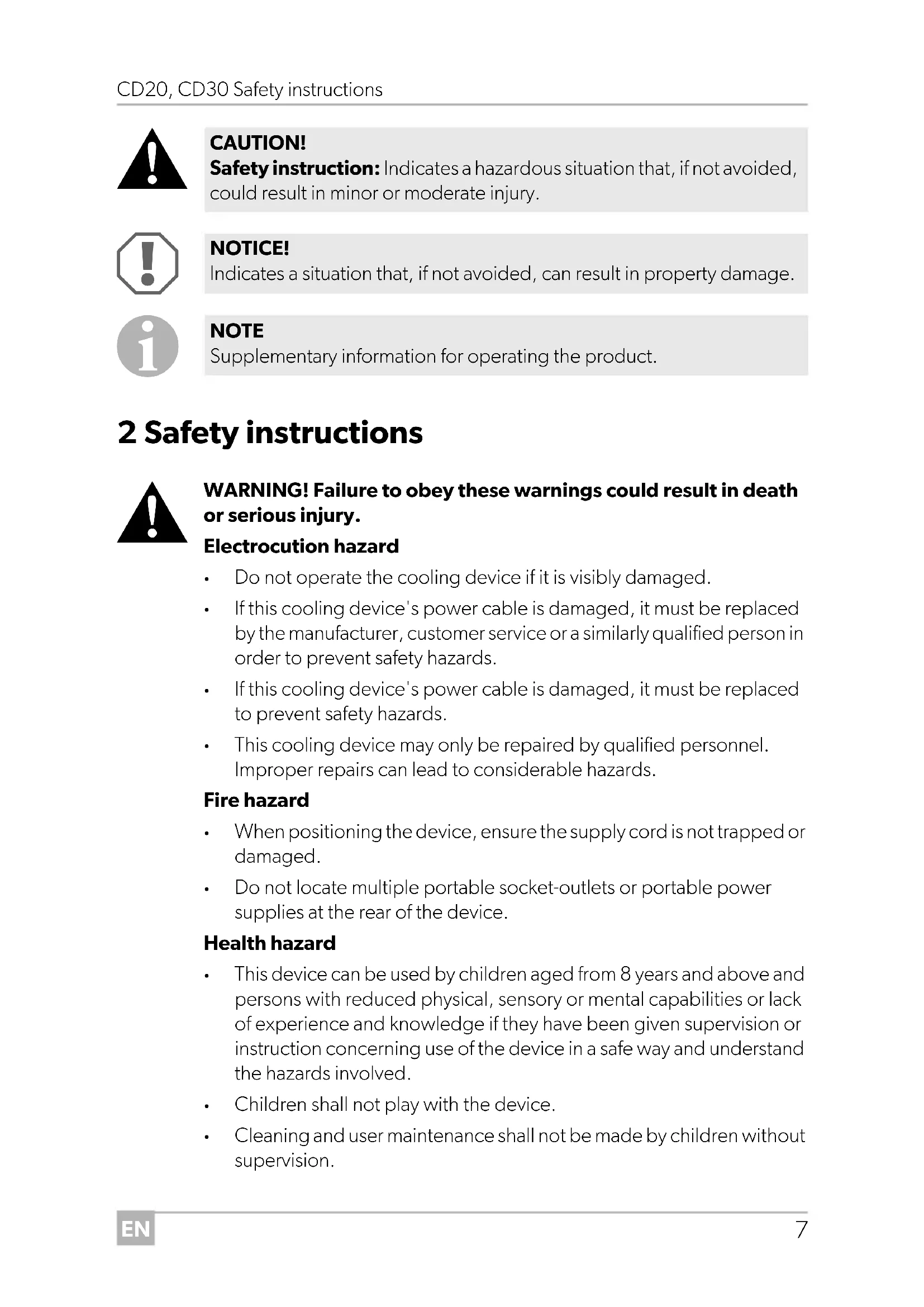
DANGER! Safety instruction: Indicates a hazardous situation that, if not avoided, will result in death or serious injury. WARNING! Safety instruction: Indicates a hazardous situation that, if not avoided, could result in death or serious injury. CD20-30-IO-16s.book Seite 6 Montag, 18. Mai 2020 2:25 14EN CD20, CD30 Safety instructions
WARNING! Failure to obey these warnings could result in death or serious injury. Electrocution hazard
Do not operate the cooling device if it is visibly damaged.
If this cooling device's power cable is damaged, it must be replaced by the manufacturer, customer service or a similarly qualified person in order to prevent safety hazards.
If this cooling device's power cable is damaged, it must be replaced to prevent safety hazards.
This cooling device may only be repaired by qualified personnel. Improper repairs can lead to considerable hazards. Fire hazard
When positioning the device, ensure the supply cord is not trapped or damaged.
Do not locate multiple portable socket-outlets or portable power supplies at the rear of the device. Health hazard
This device can be used by children aged from 8 years and above and persons with reduced physical, sensory or mental capabilities or lack of experience and knowledge if they have been given supervision or instruction concerning use of the device in a safe way and understand the hazards involved.
Children shall not play with the device.
Cleaning and user maintenance shall not be made by children without supervision. CAUTION! Safety instruction: Indicates a hazardous situation that, if not avoided, could result in minor or moderate injury. NOTICE! Indicates a situation that, if not avoided, can result in property damage. NOTE Supplementary information for operating the product. CD20-30-IO-16s.book Seite 7 Montag, 18. Mai 2020 2:25 14EN Safety instructions CD20, CD30
Children aged from 3 to 8 years are allowed to load and unload cooling devices. Explosion hazard
Do not store any explosive substances such as spray cans with a flammable propellant in the cooling device.
CAUTION! Failure to obey these cautions could result in minor or moderate injury. Electrocution hazard
Before starting the cooling device, ensure that the power supply line and the plug are dry.
Disconnect the cooling device from the power supply – before each cleaning and maintenance – after every use Health hazard
Please check if the cooling capacity of the device is suitable for storing the food or medicine you wish to cool.
Food may only be stored in its original packaging or in suitable containers.
Opening the cooling device for long periods can cause significant increase of the temperature in the compartments of the device.
Clean regularly surfaces that can come in contact with food and accessible drainage systems.
Store raw meat and fish in suitable containers in the device, so that it is not in contact with or can drip onto other food.
If the device is left empty for long periods: – Switch off the device. – Defrost the device. – Clean and dry the device. – Leave the lid open to prevent mould developing within the device.
Check that the voltage specification on the type plate corresponds to that of the energy supply.
Only connect the cooling device to a DC power supply in the vehicle with the DC cable.
Never pull the plug out of the socket by the cable.
Disconnect the cooling device and other power consuming devices from the battery before connecting a quick charging device. CD20-30-IO-16s.book Seite 8 Montag, 18. Mai 2020 2:25 14EN CD20, CD30 Scope of delivery
Disconnect the cooling device or switch it off when you turn off the engine. Otherwise you may discharge the battery.
The cooling device is not suitable for transporting caustic materials or materials containing solvents.
The insulation of the cooling device contains flammable cyclopentane and requires special disposal procedures. Deliver the cooling device at the end of its life-cycle to an appropriate recycling center.
Do not use electrical devices inside the cooling device unless they are recommended by the manufacturer for the purpose.
Do not place the cooling device near naked flames or other heat sources (heaters, direct sunlight, gas ovens etc.).
Risk of overheating! Ensure at all times that there is a minimum of 50 mm ventilation on all four sides of the cooling device. Keep the ventilation area free of any objects that could restrict the air flow to the cooling components. Do not place the cooling device in closed compartments or areas with none or minimal air flow.
Ensure that the ventilation openings are not covered.
Do not fill the inner container with ice or fluids.
Never immerse the cooling device in water.
Protect the cooling device and cables against heat and moisture.
For HGV operation: Empty the coolbox and switch the device off (see chapter “Switching off the coolbox” on page 13), before the driver's cabin is tipped up. 3Scope of delivery Quantity Description 1 Drawer coolbox 4 Mounting bracket 1 Operating instructions CD20-30-IO-16s.book Seite 9 Montag, 18. Mai 2020 2:25 14EN Proper use CD20, CD30
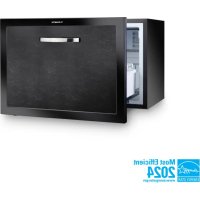
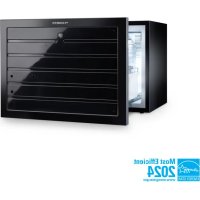
4Proper use The drawer coolers CD20 and CD30 are suitable for use in HGVs, boats or caravans and has been designed for a maximum permanent inclination of 30°. An optimum cooling capacity is guaranteed at ambient temperatures between +16 °C and +32 °C and at a maximum air humidity of 90 %.
5 Technical description The cooling devices can cool goods or keep goods cool in a temperature range from 0°C to +15°C (CD20) or –2°C to +12°C (CD30). The coolbox is equipped with a battery monitor which switches the compressor off and on again and thereby protects both the battery and compressor against damage. The switch-off and switch-on points measured at the connection terminals of the compressor are listed in the chapter “Technical data” on page 17.
5.1 Control elements
NOTE Before exposing the cooling device to extreme conditions, please contact the manufacturer. CAUTION! Health hazard!
Please check if the cooling capacity of the device is suitable for storing the food or medicine you wish to cool.
Please observe the following instructions: ➤ Determine the required cross section of the cable in relation to the cable length according to fig. 6, page 5. Key to fig. 6, page 5 Connect your cooling device as directly as possible to the battery terminal or to an outlet with a fuse of at least 15 A (12 V) or 7.5 A (24 V). ➤ Fix the device in place using the screwing holes (see fig. 4, page 4 and fig. 5, page 4). CAUTION! Health hazard To avoid a hazard due to instability of the device, it must be fixed in accordance with the instructions. NOTICE!
Ensure that the positive cable is connected to the positive terminal and the negative cable to the negative terminal.
When choosing the installation location, ensure that the air heated by the liquefier can be drawn off. NOTE
To avoid voltage loss and therefore a drop in performance, the cable route should be kept as short as possible and should not be interrupted if this is possible. For this reason avoid additional switches, plug or power strips.
You can detach the compressor from the cooling device and mount it in another place on the cooling device, or separately from it (fig. 2, page 3). Make sure that the refrigerant line is
1.5 m (CD20)/1.5 m (CD30) long.
Choose a well ventilated location which is protected from direct sunlight.
Allow warm food to cool down first before placing it in the cooling device to keep cool.
Do not open the cooling device more often than necessary.
Do not leave the cooling device open for longer than necessary.
Defrost your cooling device as soon as a layer of ice forms.
Clean the condenser of dirt (dust etc.) at regular intervals.
7.2 Switching on the coolbox
7.3 Selecting the temperature
The switch on the thermostat (see fig. 3 1, page 4) displays the selected temperature. NOTE Before starting your new cooling device for the first time, you should clean it inside and outside with a damp cloth for hygienic reasons (please also refer to the chapter “Cleaning and care” on page 14). NOTE Ensure that the objects placed in the coolbox are suitable for cooling/warming to the selected temperature. Switch positionTemperature range (dependent of ambient temperature)CD20 CD30MAX approx. –2 °C in interiorMIN approx. +12 °C in interior CD20-30-IO-16s.book Seite 12 Montag, 18. Mai 2020 2:25 14EN CD20, CD30 Operation
➤ If you wish to set the temperature to cooling, turn the thermostat knob (see fig. 3 1, page 4), to the desired temperature range.
7.4 Switching off the coolbox
➤ Open the coolbox drawer. ➤ To switch off the coolbox, turn the thermostat knob (see fig. 3 1, page 4) to the “0” position. ✓ The coolbox is switched off. ➤ If you wish to stop using the coolbox, disconnect the connecting cable from the battery.
Humidity can form frost in the interior of the cooling device. This reduces the cooling capacity. Defrost the device in good time to avoid this.
➤ Take the food or other objects out of the device and place it in another cooling device to keep it cool, if necessary. ➤ Switch the cooling device off (see chapter “Switching off the coolbox” on page 13) and leave the drawer open. ➤ Wipe off the water resulting from defrosting or – if present – empty the collecting tray. NOTE If you wish to leave the cooling device switched off for a longer period, clean it and leave the drawer slightly open. This will prevent unpleasant odours from forming. NOTICE! Do not remove the layer of ice with hard or sharp tools. These can damage the plastic of the vaporiser. CD20-30-IO-16s.book Seite 13 Montag, 18. Mai 2020 2:25 14EN Cleaning and care CD20, CD30
➤ Occasionally clean the device interior and exterior with a damp cloth. ➤ Make sure that the air inlet and outlet vents on the device are free of any dust and dirt, so that heat can be released and the device is not damaged. 9Warranty The statutory warranty period applies. If the product is defective, please contact the manufacturer's branch in your country (see dometic.com/dealer) or your retailer. For repair and warranty processing, please include the following documents when you send in the device:
A copy of the receipt with purchasing date
A reason for the claim or description of the fault 10 Disposal ➤ Place the packaging material in the appropriate recycling waste bins wherever possible.
If you wish to finally dispose of the product, ask your local recycling centre or specialist dealer for details about how to do this in accordance with the applicable disposal regulations. 11 Troubleshooting
Never clean the cooler under running water or in dish water.
Do not use abrasive cleaning agents or hard objects during cleaning as these can damage the cooler. WARNING! This device may only be repaired by specialist personnel. Inadequate repairs can lead to considerable hazards. CD20-30-IO-16s.book Seite 14 Montag, 18. Mai 2020 2:25 14EN CD20, CD30 Troubleshooting
Compressor does not run Feature Possible cause Remedy
Term 0 Volt There is an interruption in the connection between the battery and the electronics Establish a connection Main switch faulty (if installed) Replace the main switch Additional supply line fuse has blown (if installed) Replace the supply line fuse
Battery voltage is too low Charge the battery During attempted start up U Term
OFF Loose cable connection Poor contact (corrosion) Establish a connection Cable cross section too small Replace the cable (fig. 6, page 5) Battery capacity too low Replace the battery During attempted start up U Term
Ambient temperature too high – Insufficient ventilation and/or air supply Move the refrigerator to another location Condensor is dirty Clean the condenser Electric circuit between the pins in the compressor interrupted Defective compressor Replace the compressor
Term Voltage between the positive and negative electronic terminals
Switch on voltage of the electronic connection terminals (see chapter “Technical description” on page 10)
Interior temperature too low in the “MIN” thermostat setting Cooling capacity drops, interior temperature rises Unusual noises Feature Possible cause Remedy Compressor runs con- tinuously Thermostat sensor has no contact to the vaporiser Secure the sensor Short circuit in the thermostat line Change the thermo- stat Thermostat defective Compressor runs for a long time Large quantities have been frozen in the vaporiser compartment Feature Possible cause Remedy Compressor runs for a long time/continuously Vaporiser iced over Defrost the vaporiser Cooling area insulation is insuffi- cient (moist/wet) Adjust/replace the drawer seal Ambient temperature too high Insufficient ventilation Ensure that the device is suffi- ciently ventilated Condensor is dirty Clean the condenser Fan defective (if installed) Replace the fan Compressor does not run often Battery capacity exhausted Charge the battery Feature Possible cause Remedy Loud humming A component of the refrigerant circuit cannot move freely (touching the wall) Bend the component carefully away from the obstruction Foreign body jammed between the cooling unit and the wall Remove the foreign body Fan noise – CD20-30-IO-16s.book Seite 16 Montag, 18. Mai 2020 2:25 14EN CD20, CD30 Technical data
Radio or television interference in the vehicle 12 Technical data Feature Possible cause Remedy Reception interference when the compressor is running The electronic connection of the cooling device is not directly clamped on to the bat- tery Connect the cooling device as directly as possible to the bat- tery CD20 CD30 Connection voltage: 12 Vg/24 Vg Switch-off voltage: 10.4 V at 12 Vg
Switch-on voltage: 11.7 V at 12 Vg
The refrigerant circuit contains R134a. Contains fluorinated greenhouse gases Hermetically sealed equipment Test/certificates: CD20 CD30