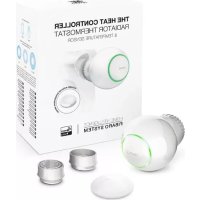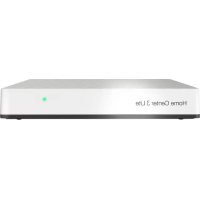
Home Center 3 Lite - Smart Home Fibaro - Free user manual and instructions
Find the device manual for free Home Center 3 Lite Fibaro in PDF.



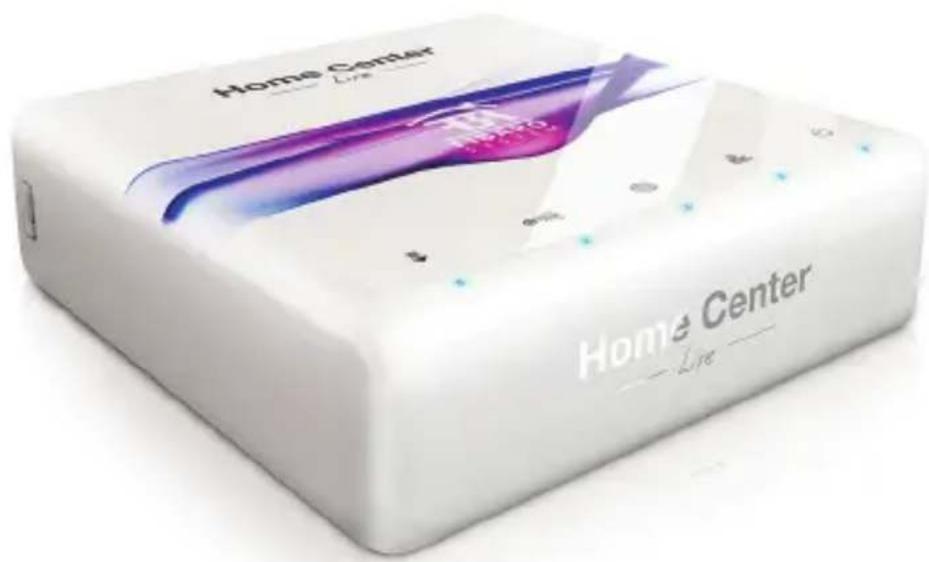
| Brand | Fibaro |
| Model | Home Center 3 Lite |
| Product type | Smart home controller |
| Radio protocol | Z-Wave |
| Radio frequencies | EU 868.40/868.42 MHz; HK 919.82/919.80 MHz; ANZ 921.40/921.42 MHz; RU 869.00/869.02 MHz |
| Power supply | 9-12 VDC (power adapter included) |
| Network interface | 10/100 Base-T Ethernet (RJ-45) |
| Dimensions (L x W x H) | 90 x 90 x 33 mm |
| Operating temperature | 10°C to 40°C |
| Maximum transmission power | 0 dBm |
| Compliance | RED 2014/53/EU, RoHS 2011/65/EU, RoHS 2015/863 |
| Warranty | 24 months (consumer), 12 months (business) |
| Remote access | Via home.fibaro.com (configuration required) |
| Configuration | Via FIBARO Finder (PC) or mobile app (iOS/Android) |
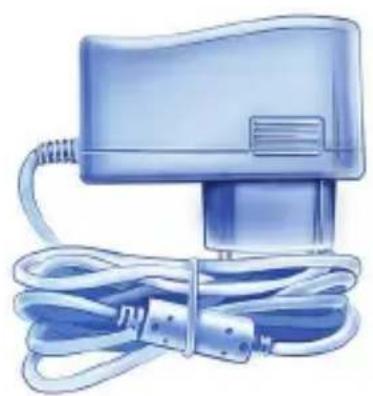
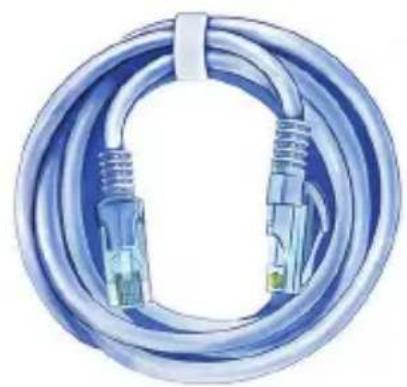
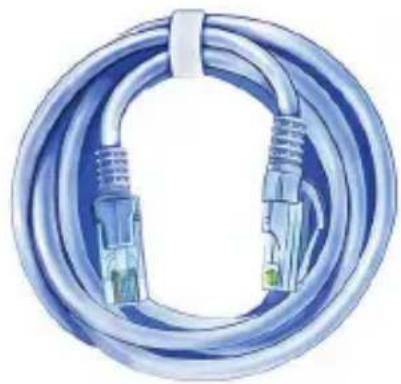
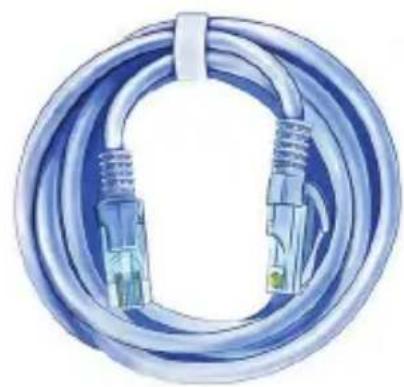
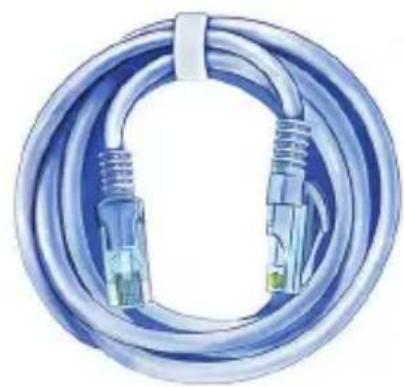
| Package contents | Home Center 3 Lite, power adapter, Ethernet cable |
| Maintenance | Clean with a dry, soft cloth. Do not use solvents. |
| Safety | Do not expose to moisture. Do not open or repair yourself. Use a certified installer for mains connections. |
| Usage | Indoors only |
| Main functions | Room management, adding Z-Wave devices, creating scenes, local and remote control |
| Update | Automatic via web interface or app; dedicated LED flashes if update available |
Frequently Asked Questions - Home Center 3 Lite Fibaro
User questions about Home Center 3 Lite Fibaro
0 question about this device. Answer the ones you know or ask your own.
Ask a new question about this device
Download the instructions for your Smart Home in PDF format for free! Find your manual Home Center 3 Lite - Fibaro and take your electronic device back in hand. On this page are published all the documents necessary for the use of your device. Home Center 3 Lite by Fibaro.
USER MANUAL Home Center 3 Lite Fibaro
Thank You for purchasing Home Center Lite
text_image
Home Center Line Home Center LineFIBARO
Menu
EN english....5
PL polski....17
DE deutsch....29
FR français....41
ES español....53
PT português....65
IT italiano.... 77
RU русский....89
HU magyar....101
text_image
QR code image containing encoded data, no visible human-readable textwww.manuals.fibaro.com
FIBARO
IMPORTANT!
Read the manual before attempting to use the device!
Support
For more information about FIBARO System, like video guides, technical manuals, configuration parameters and declarations, visit our website: manuals.fibaro.com. If you still need some assistance, contact our Technical Support or a closest certified FIBARO reseller which can be found at www.fibaro.com.
Note:
Some of the FIBARO System components installation may involve mains voltage connection. It can be dangerous. If you are not sure how to install the devices, use a certified installer's services.

Do not expose this product to moisture, water or other liquids.

Do not attempt to examine or repair this product yourself.

This product is designed for indoor use only. Do not use outside!
Contents
natural_image
Illustration of a blue handheld device with coiled cable (no text or symbols visible)AC/DC Adapter Ethernet Cable
natural_image
Illustration of a coiled network cable with two connectors and a green connector (no text or symbols)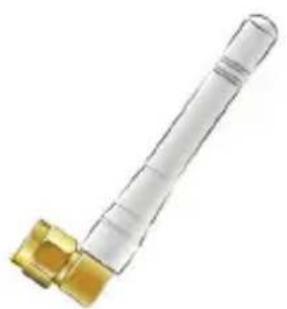
natural_image
Close-up of a transparent cylindrical connector with a gold-colored fitting (no text or symbols visible)Antenna Home Center Lite
text_image
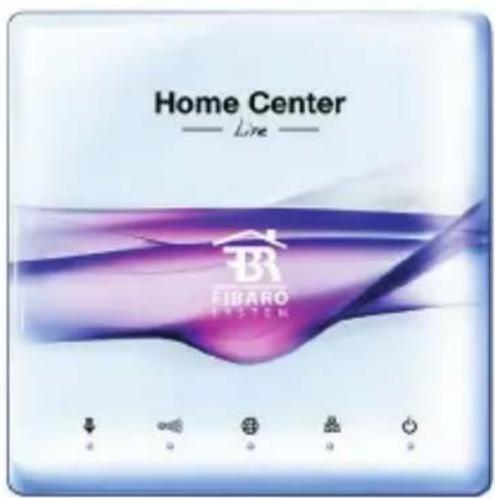
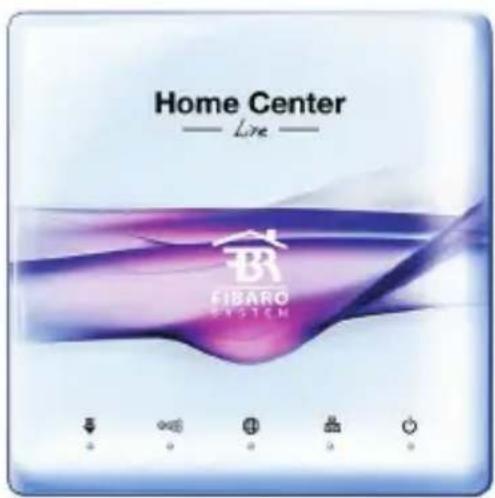
Home Center — Live — FIBARO EASTEN1. Connect antenna 2. Connect ethernet cable
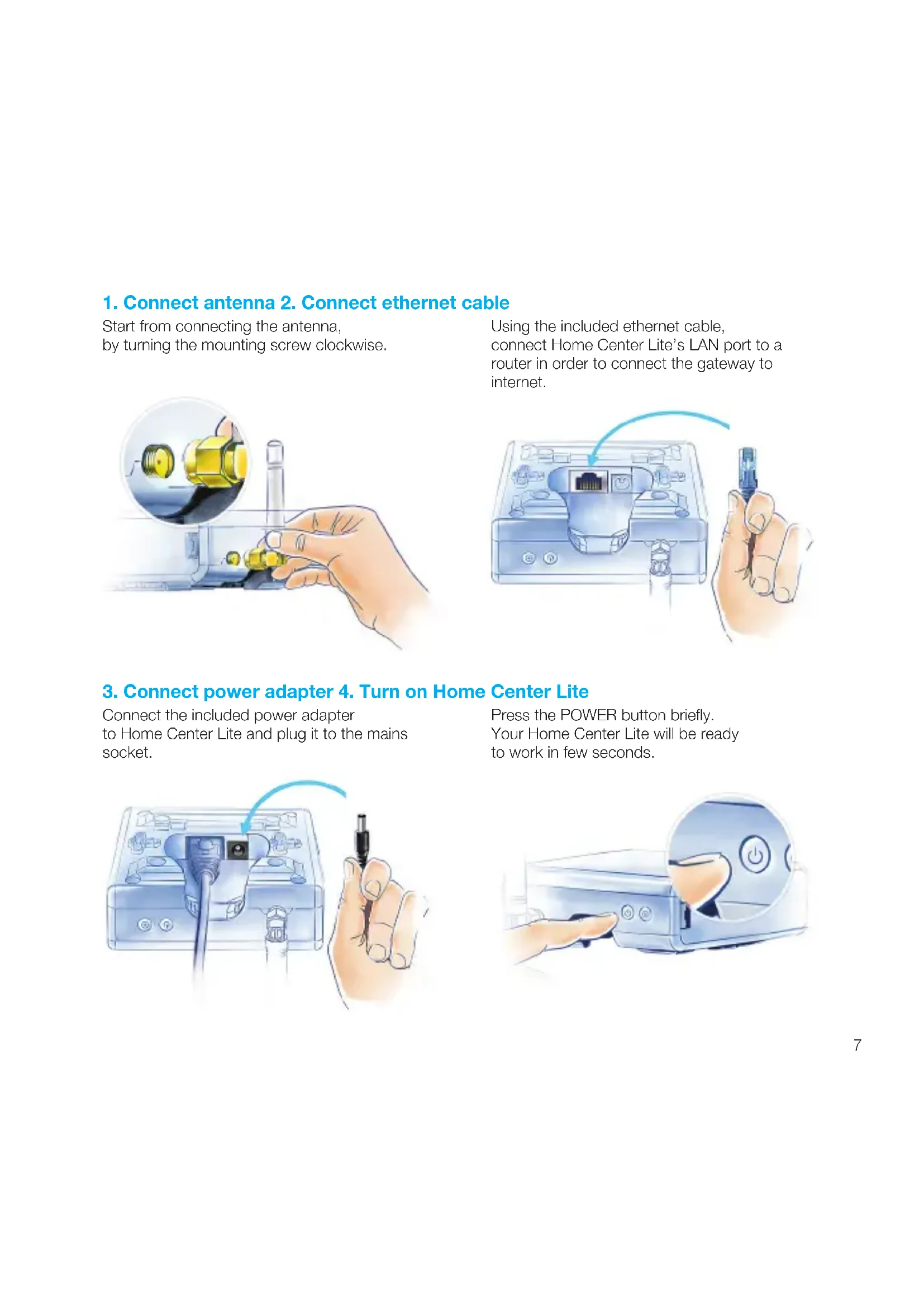
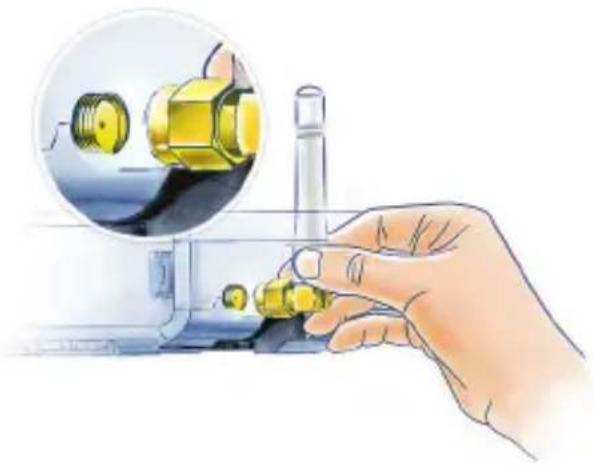
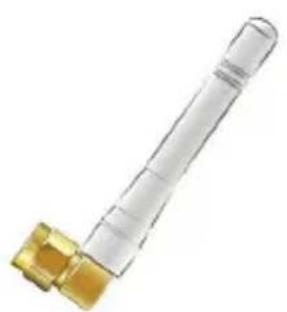
Start from connecting the antenna, by turning the mounting screw clockwise.
Using the included ethernet cable, connect Home Center Lite's LAN port to a router in order to connect the gateway to internet.
natural_image
Hand operating a mechanical device with a close-up inset showing yellow components (no text or symbols visible)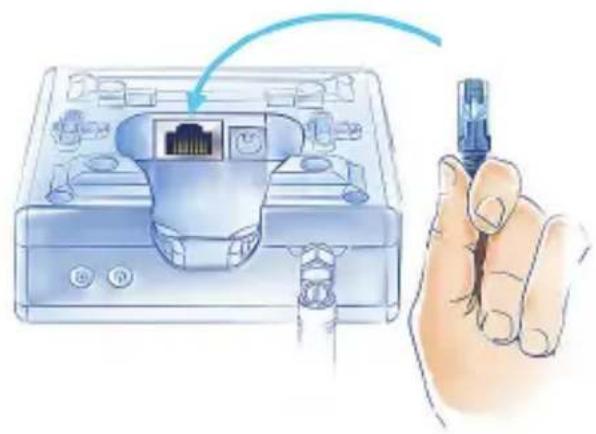
natural_image
Illustration of a hand holding a USB cable inserted into a device with an Ethernet port (no text or symbols visible)3. Connect power adapter 4. Turn on Home Center Lite
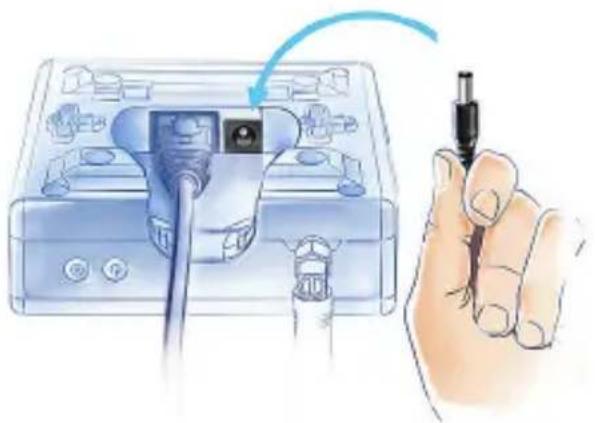
Connect the included power adapter to Home Center Lite and plug it to the mains socket.
Press the POWER button briefly. Your Home Center Lite will be ready to work in few seconds.
natural_image
Illustration of a hand holding a screwdriver inserted into a device with a cable (no text or symbols visible)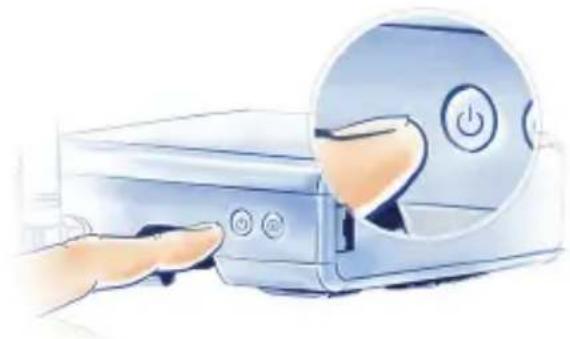
natural_image
Illustration of a hand inserting a power button into a device (no text or symbols visible)Your Local Network
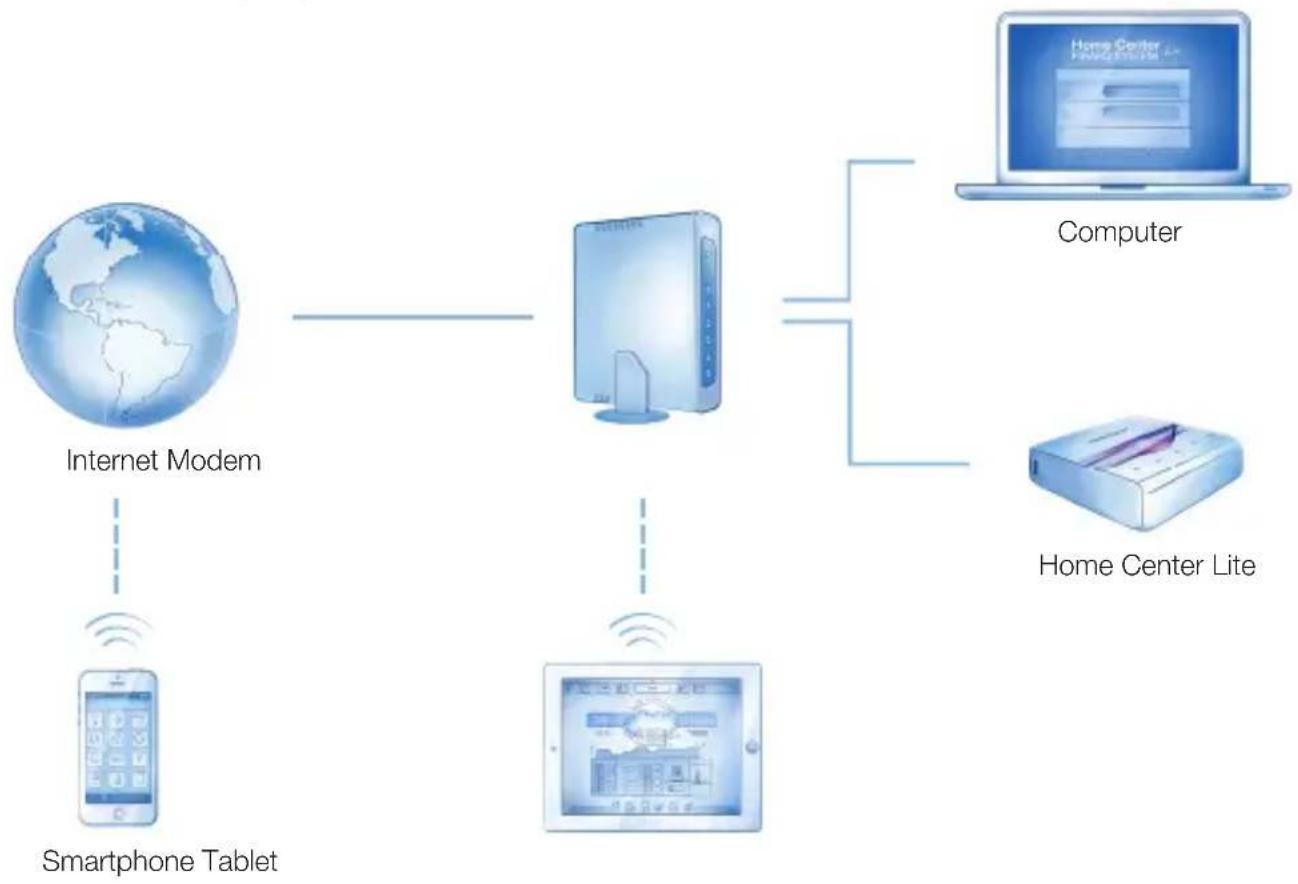
Connect your Home Center Lite with a router using the included LAN cable and start the gateway. From now on Home Center Lite will be visible to all devices within your local area network (LAN).
flowchart
graph TD
    A["Internet Modem"] --> B["Smartphone Tablet"]
    B --> C["Computer"]
    C --> D["Home Center Lite"]
Remote Access
By default the Home Center Lite is visible only within your local network. To enable remote access from outside of your local network, configure a home.fibaro.com account.
LED diodes
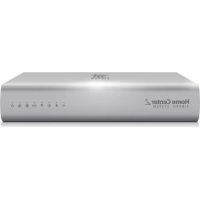
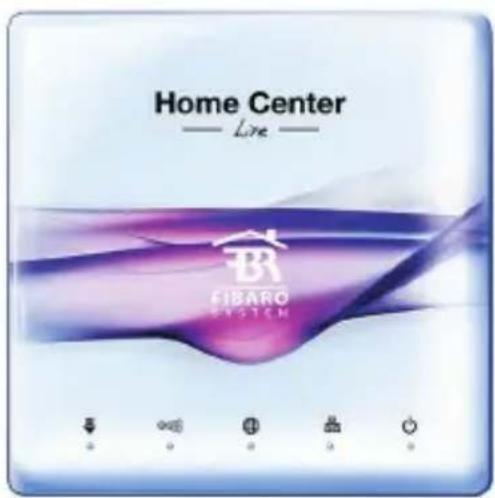
LEDs located on the front panel of the Home Center Lite enclosure have the following purpose:

Power
Glows when the power supply is on.

Lan Network
Glows when the HCL is connected to the local network.

Internet
Glows when the HCL is connected to the internet.

Z-Wave
Blinks when the HCL sends commands to the Z-Wave network devices.

Update available
Blinks when a software update is available.

natural_image
White Home Center device with antenna and control buttons, set against a purple abstract background (no readable text or symbols on device body)First launch on desktop
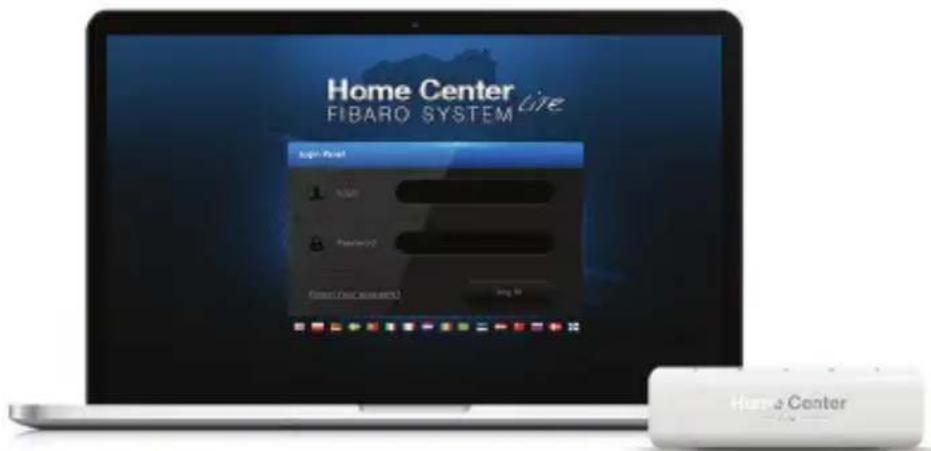
Go to www.fibaro.com/support and download FIBARO Finder.
Launch FIBARO Finder and click Refresh.
Select your Home Center Lite and click Connect.
Log in with the defaults: admin / admin
text_image
Home Center Fibaro System Login Post 1 2 3 4 5 6 7 8 9 Home CenterSelect Configuration from the main menu.
Scroll down to the bottom and click Start upgrade (if not visible - wait a few minutes and refresh the page).
When a new software is installed, log back in.
First launch on mobile devices
Download FIBARO mobile app appropriate for your device.
For iPhone: www.fibaro.com/ios-app
For Android: www.fibaro.com/android-app
text_image
QR code image containing encoded data, no visible human-readable text
text_image
QR code image containing encoded data, no visible human-readable text
Launch downloaded app.
Select your Home Center Lite from the list.
Log in with the defaults: admin / admin
Follow the steps of the configuration wizard.
Create Rooms
When setting up your intelligent home start with creating rooms to reflect the layout of your home. Select Rooms from the main menu.


Rooms Devi

esYour home
Add Section
Section Name

Sections
Section is a group of rooms in your home. Section may be whole floor or a few rooms.
Add Room
AddRoom Na
Rooms
Name the room and choose the section the Section to which you would like to add it.
text_image
Home Center Home Design Color 100% 200% 300% 400% 500% 600% 700% 800% 900% 1000% 1100% 1200% 1300% 1400% 1500% 1600% 1700% 1800% 1900% 2000% 2100% 2200% 2300% 2400% 2500% 2600% 2700% 2800% 2900% 3000% 3100% 3200% 3300% 3400% 3500% 3600% 3700% 3800% 3900% 4000% 4100% 4200% 4300% 4400% 4500% 4600% 4700% 4800% 4900% 5000% 5100% 5200% 5300% 5400% 5500% 5600% 5700% 5800% 5900% 6000% 6100% 6200% 6300% 6400% 6500% 6600% 6700% 6800% 6900% 7000% 7100% 7200% 7300% 7400% 7500% 7600% 7700% 7800% 7900% 8000% 8100% 8200% 8300% 8400% 8500% 8600% 8700% 8800% 8900% 9000% 9100% 9200% 9300% 9400% 9500% 9600% 9700% 9800% 9900% 100 1 2 3 4 5 6 7 8 9 1 2 3 4 5 6 7 8 9 1 2 3 4 5 6 7 8 9 1 2 3 4 5 6 7 8 9 1 2 3 4 5 6 7 8 9 1 2 3 4 5 6 7 8 9 1 2 3 4 6 7 8 9 1 2 3 4 6 7 8 9 1 2 3 4 6 7 8 9 1 2 3 4 6 7 8 9

Change an icon
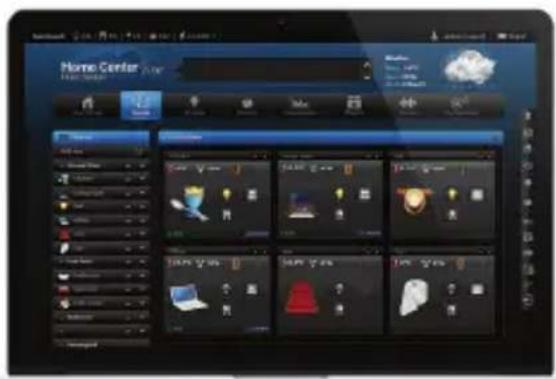
Each room can be represented by the unique icon. You can change the icons in the advanced room's settings.
Add devices
After creating the rooms you can start adding the devices.
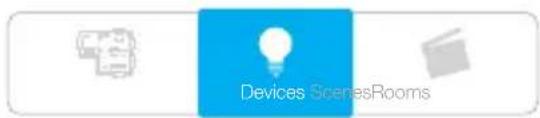
Select "Devices" from the main menu.
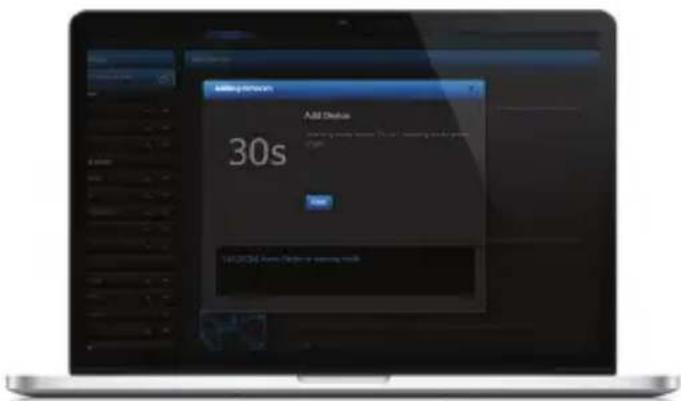
Select the "Add or remove device" option from the left side menu. Click "Add" to start adding a new device (learning mode).
Add or remove device

The timer will count down the time (30 sec by default) for you to add a new device to the Z-Wave network (inclusion).
Note that the device needs to be located within direct range of the Home Center Lite during the inclusion process.
Please refer to each device's manual for further information on how to include it into the Z-Wave network.
NOTE:
Danger of electrocution! If you are not sure how to connect a device to the wires, please contact a qualified installer.
text_image
Devices ScenesRooms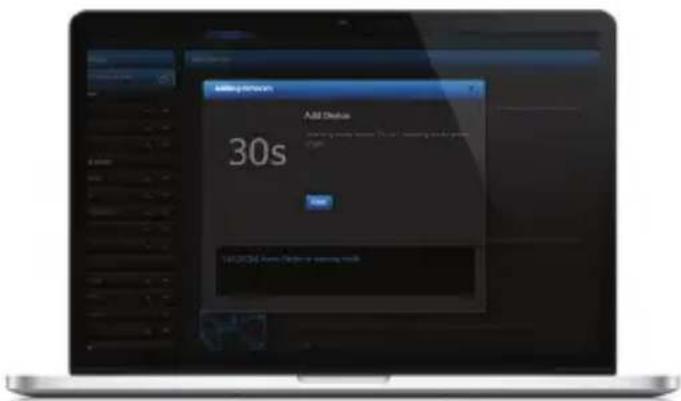
text_image
30s Add Status 30s Add Status: Add Time for 30s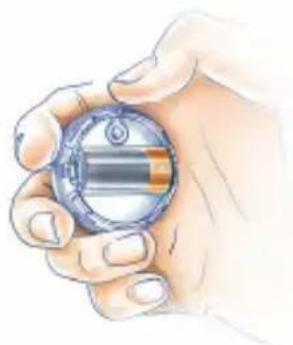
natural_image
Illustration of a hand holding a small cylindrical object with a metallic rim (no text or symbols visible)Conformity with EU directives:
RED 2014/53/EU
RoHS 2011/65/EU
RoHS 2015/863
Simplified EU declaration of conformity:
Hereby, Fibar Group S.A. declares that the device is in compliance with Directives 2014/53/EU and 2011/65/EU, 2015/863. The full text of the EU declaration of conformity is available at the following internet address: www.manuals.fibaro.com
ATTENTION!
This product is not a toy. Keep away from children and animals!
WEEE Directive Compliance:
Device labelled with this symbol should not be disposed with other household wastes. It shall be handed over to the applicable collection point for the recycling of waste electrical and electronic equipment.
Specifications:
| Power supply: | 9-12 VDC (included) |
| Network interface: | 10/100 Base-T Ethernet (RJ-45) |
| Operating temperature: | 10-40°C |
| Radio protocol: | Z-Wave |
| Radio frequency: | EU 868.40/868.42 MHz; HK 919.82/919.80 MHz; ANZ 921.40/921.42 MHz; RU 869.00/869.02 MHz; |
| Dimensions (L x W x H): | 90 x 90 x 33 mm |
| Maximum transmit power: 0dBm |
Guarantee terms and conditions
-
FIBAR GROUP S.A. with its registered office in Wysogotowo, ul. Serdeczna 3, 62-081 Wysogotowo, entered into the Register of Entrepreneurs of the National Court Register maintained by the District Court for Poznań-Nowe Miasto and Wilda in Poznań, VIII Commercial Division of the National Court Register (KRS) under number: 553265, NIP 7811858097, REGON: 301595664, share capital PLN 1,182,100 paid in full, other contact information is available at: www.fibaro.com (hereinafter „the Manufacturer“) guarantees that the device sold (hereinafter: „the Device“ is free from material and manufacturing defects.
-
The Manufacturer shall be responsible for malfunctioning of the Device resulting from physical defects inherent in the Device that cause its operation to be incompatible with the specifications within the period of:
• 24 months from the date of purchase by the consumer,
- 12 months from the date of purchase by a business customer (the consumer and business customer are further collectively referred to as „Customer”).
-
The Manufacturer shall remove any defects revealed during the guarantee period, free of charge, by repairing or replacing (at the sole discretion of the Manufacturer) the defective components of the Device with new or regenerated components. The manufacturer reserves the right to replace the entire Device with a new or regenerated device. The Manufacturer shall not refund money paid for the device.
-
Under special circumstances, the Manufacturer may replace the Device with a different device most similar in technical characteristics.
-
Only the holder of a valid guaranty document shall be entitled to make claims under guarantee.
-
Before making a complaint, the Manufacturer recommends using the telephone or online support available at https://www.fibaro.com/support/.
-
In order to make a complaint, the Customer should contact the Manufacturer via the email address given at https://www.fibaro.com/support/.
-
After the complaint has been properly filed, the Customer will receive contact details for the Authorized Guarantee Service („AGS“). The customer should contact and deliver the Device to AGS. Upon receipt of the Device, the manufacturer shall inform the Customer of the return merchandise authorization number (RMA).
-
Defects shall be removed within 30 days from the date of delivering the Device to AGS. The guarantee period shall be extended by the time in which the Device was kept by AGS.
-
The faulty device shall be provided by the Customer with complete standard equipment and documents proving its purchase.
-
The cost of transporting the Device in the territory of the Republic of Poland shall be covered by the Manufacturer. The costs of the Device transport from other countries shall be covered by the Customer. For unjustified complaints, AGS may charge the Customer with costs related to the case.
-
AGS shall not accept a complaint claim when:
- the Device was misused or the manual was not observed,
- the Device was provided by the Customer incomplete, without accessories or nameplate,
- it was determined that the fault was caused by other reasons than a material or manufacturing defect of the Device
- the guarantee document is not valid or there is no proof of purchase, 13. The guarantee shall not cover:
- mechanical damages (cracks, fractures, cuts, abrasions, physical deformations caused by impact, falling or dropping the device or other object, improper use or not observing the operating manual);
- damages resulting from external causes, e.g.: flood, storm, fire, lightning, natural disasters, earthquakes, war, civil disturbance, force majeure, unforeseen accidents, theft, water damage, liquid leakage, battery spill, weather conditions, sunlight, sand, moisture, high or low temperature, air pollution;
- damages caused by malfunctioning software, attack of a computer virus, or by failure to update the software as recommended by the Manufacturer;
- damages resulting from: surges in the power and/or telecommunication network, improper connection to the grid in a manner inconsistent with the operating manual, or from connecting other devices not recommended by the Manufacturer.
- damages caused by operating or storing the device in extremely adverse conditions, i.e. high humidity, dust, too low (freezing) or too high ambient temperature. Detailed permissible conditions for operating the Device are defined in the operating manual;
- damages caused by using accessories not recommended by the Manufacturer
- damages caused by faulty electrical installation of the Customer, including the use of incorrect fuses;
- damages caused by Customer's failure to provide maintenance and servicing activities defined in the operating manual;
- damages resulting from the use of spurious spare parts or accessories improper for given model, repairing and introducing alterations by unauthorized persons;
• defects caused by operating faulty Device or accessories.
-
The guarantee shall not cover natural wear and tear of the Device and its components listed in the operating manual and in technical documentation as such elements have a defined operational life.
-
The Device Guarantee shall not exclude, limit or suspend the Customer's warranty rights.
-
The Manufacturer shall not be liable for damages to property caused by defective device. The Guarantor shall not be liable for indirect, incidental, special, consequential or punitive damages, or for any damages, including, inter alia, loss of profits, savings, data, loss of benefits, claims by third parties and any other damages arising from or related to the use of the Device.
FIBARO
WAŻNE!
natural_image
Illustration of a blue handheld device with coiled cable (no text or symbols visible)natural_image
Illustration of a coiled blue cable with two connectors and a green connector (no text or symbols)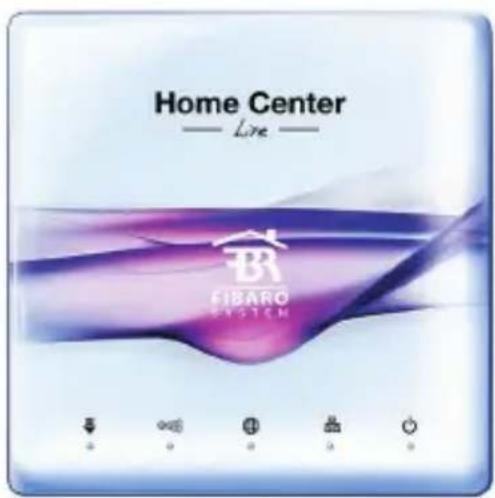
text_image
Home Center — Live — BR FIBARO SYSTEM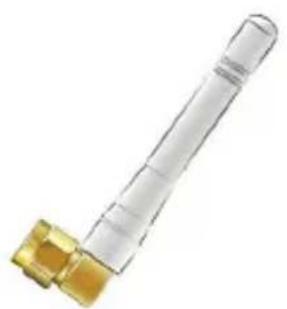
natural_image
Close-up of a transparent plastic cylindrical connector with a gold-colored base (no text or symbols visible)Antena Home Center Lite
natural_image
Hand operating a mechanical device with a magnified inset showing yellow components (no text or symbols visible)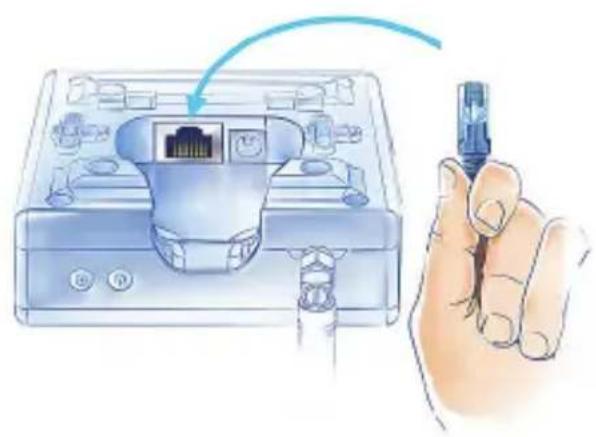
natural_image
Illustration of a hand holding a USB cable inserted into an Ethernet device (no text or symbols visible)natural_image
Illustration of a hand holding a screwdriver inserted into a device with a cable (no text or symbols visible)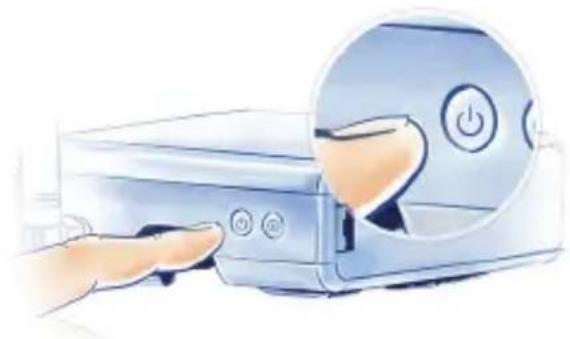
natural_image
Illustration of a hand inserting a power button into a device (no text or symbols visible)Twoja sieć lokalna
text_image
QR code image containing encoded data, no visible human-readable text
text_image
QR code image containing encoded data, no visible human-readable text
text_image
Home Center Home Design Home Control Panel

Zmieniaj ikony
text_image
30s Debug symptoms 30s Debug symptoms 30snatural_image
Illustration of a hand holding a small cylindrical device with a metallic internal component (no text or symbols visible)natural_image
Illustration of a blue handheld device with coiled cable (no text or symbols visible)natural_image
Illustration of a coiled network cable with two connectors (no text or symbols)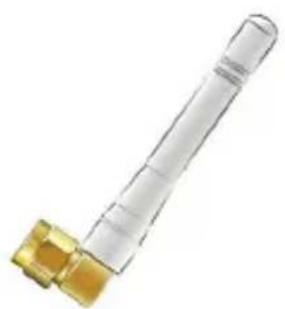
natural_image
Close-up of a transparent plastic cylindrical connector with a gold-colored base (no text or symbols visible)Antenne Home Center Lite
text_image
Home Center — Live — BR FIBARO SYSTEMnatural_image
Illustration of a hand holding a mechanical component with a magnified inset showing yellow components (no text or symbols)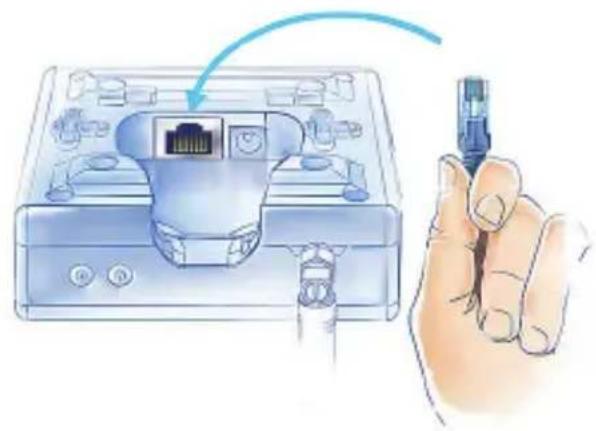
natural_image
Illustration of a hand holding a USB cable inserted into a device labeled with ports and connectors (no text or symbols present)natural_image
Illustration of a hand holding a pen inserted into a device with a plug and cable (no text or symbols visible)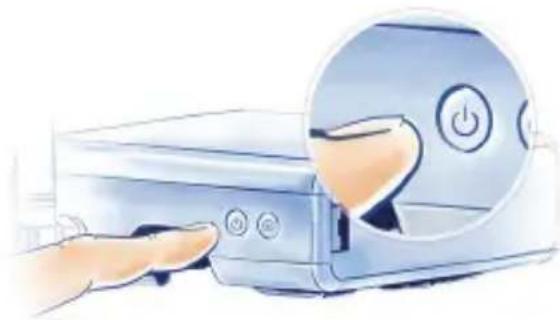
natural_image
Illustration of a hand pressing a button on a computer case with a circular dial highlighting the button (no text or symbols present)text_image
QR code image containing encoded data, no visible human-readable text
text_image
QR code image containing encoded data, no visible human-readable text
text_image
Home Center Home Design Home Control Panel

Ein Symbol wechseln
text_image
Add Devices 30snatural_image
Illustration of a hand holding a small metallic object (no text or symbols visible)natural_image
Illustration of a blue handheld device with coiled cable (no text or symbols visible)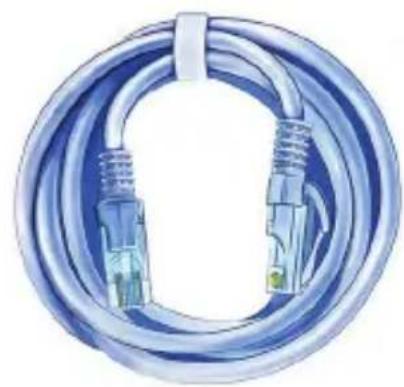
natural_image
Illustration of a coiled network cable with two connectors (no text or symbols)natural_image
Close-up of a transparent plastic cylindrical connector with a gold-colored base (no text or symbols visible)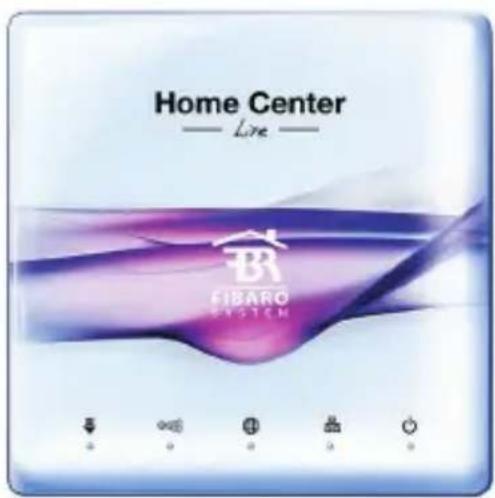
text_image
Home Center — Live — FIBARO SYSTEMAntenne Home Center Lite
natural_image
Illustration of a hand holding a mechanical component with a magnified inset showing a yellow bolt and pipe (no text or symbols)natural_image
Illustration of a hand holding a USB cable inserted into a device (no text or symbols visible)natural_image
Illustration of a hand holding a screwdriver inserted into a device socket (no text or symbols visible)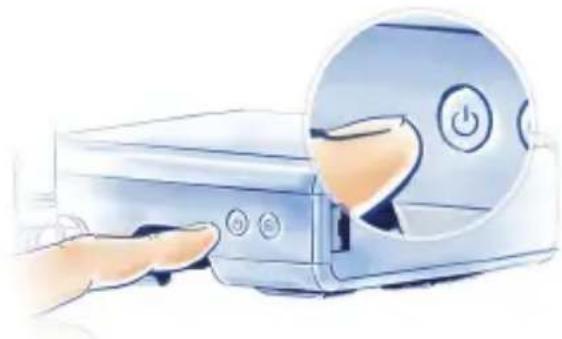
natural_image
Illustration of a hand interacting with a computer monitor, showing the screen and button (no text or symbols present)Réseau local
text_image
Download on the App Store
text_image
G887ON Google Playtext_image
Home Center Home Center Home Center Home Center Home Center Home Center Home Center Home Center Home Center Home Center Home Center Home Center Home Center Home Center Home Center Home Center Home Center Home Center Home Center Home Center Home Center Home Center Home Center Home Center Home Center Home Center Home Center Home Center Home Center Home Center Home Center Home Center Home Center Home Center Honey's Honey's Honey's Honey's Honey's

text_image
Add Devices 30s Add Devices 30snatural_image
Illustration of a hand holding a small circular device with a metallic internal component (no text or symbols visible)natural_image
Illustration of a blue handheld device with coiled cable (no text or symbols visible)Transformador de CA/CC Cable de Red
natural_image
Illustration of a coiled network cable with two connectors and a green connector (no text or symbols)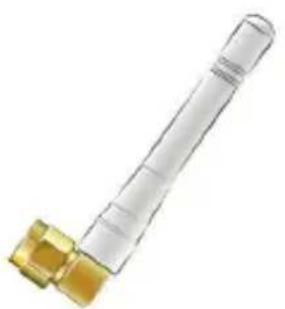
natural_image
Close-up of a transparent cylindrical connector with a golden fitting (no text or symbols visible)
text_image
Home Center — Live — BR FIBARO SYSTEMAntena Home Center Lite
1. Coloque la antena 2. Conecte el cable Ethernet
natural_image
Illustration of a hand holding a mechanical component with a magnified inset showing a yellow component (no text or symbols)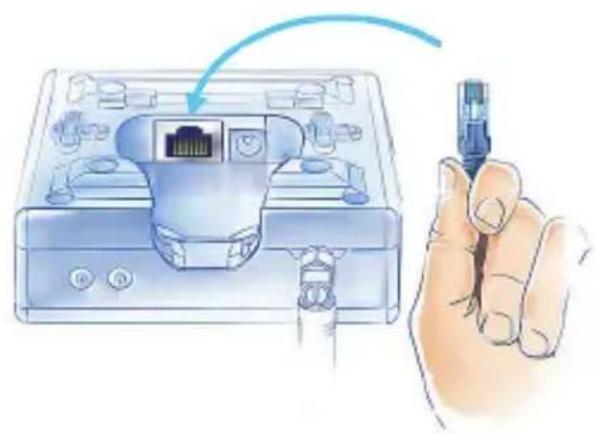
natural_image
Illustration of a hand holding a USB cable connector into a device housing (no text or symbols visible)3. Conecte el transformador 4. Encienda el Home Center Lite
natural_image
Illustration of a hand holding a pen inserted into a device with a plug inserted (no text or symbols visible)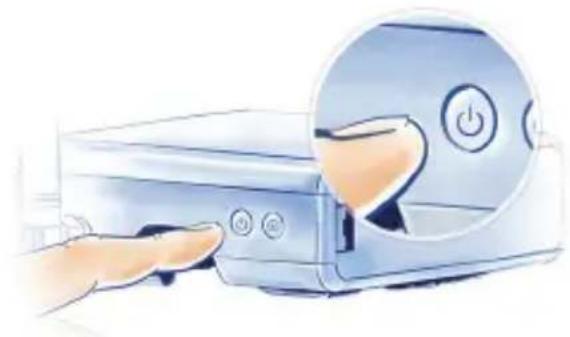
natural_image
Illustration of a hand inserting a power button into a device (no text or symbols visible)Su Red Local
text_image
Download on the App Store
text_image
G887ON Google PlayDescarga la App.
text_image
Home Center HOME CENTER Smartwatch

Cambiar un icono
natural_image
Illustration of a hand holding a small cylindrical device with a black and orange internal component (no text or symbols visible)natural_image
Illustration of a blue handheld device with coiled cable (no text or symbols visible)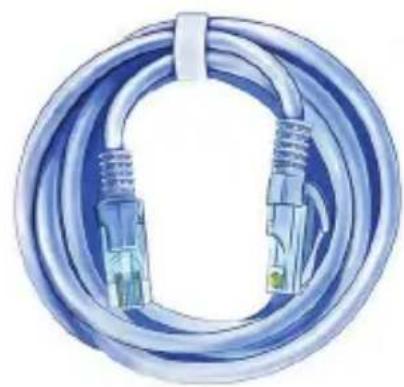
natural_image
Illustration of a coiled network cable with two connectors (no text or symbols)natural_image
Close-up of a transparent plastic cylindrical connector with a gold-colored base (no text or symbols visible)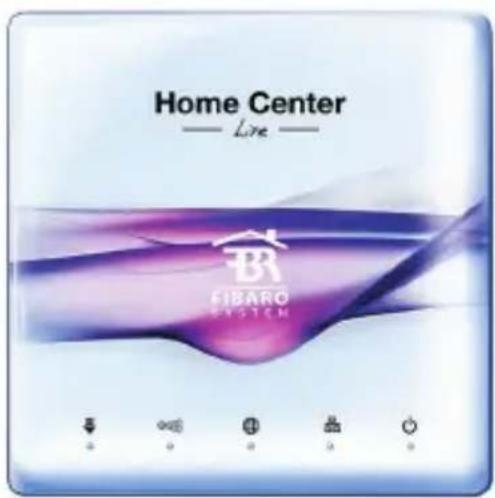
text_image
Home Center — Live — FIBARO SYSTEMAntena Home Center Lite
1. Conectar a antena 2. Ligue o Cabo de Rede
natural_image
Illustration of a hand holding a mechanical component with a magnified inset showing a yellow component (no text or symbols)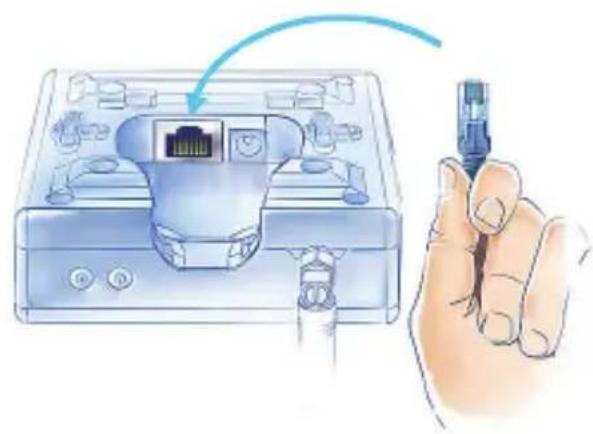
natural_image
Illustration of a hand holding a USB cable inserted into a device housing (no text or symbols visible)natural_image
Illustration of a hand holding a pen inserted into a device with a cable inserted (no text or symbols visible)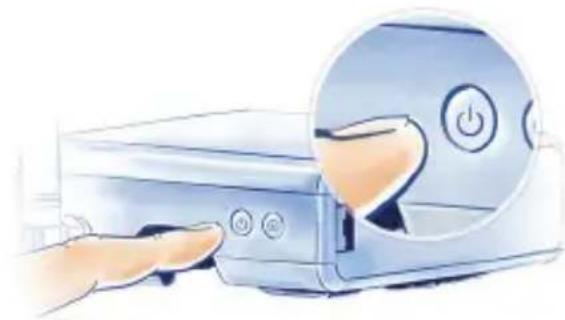
natural_image
Illustration of a hand pressing a button on a computer monitor with a power button (no text or symbols)A sua Rede Local
natural_image
White Home Center wireless router with antenna, shown against a purple abstract background (no readable text or symbols on device body)Acesse a www.fibaro.com/support e faça download do FIBARO Finder
text_image
QR code image containing encoded data, no visible human-readable text
text_image
QR code image containing encoded data, no visible human-readable text
text_image
Home Center HOME CENTER Home Center Home Center Home Center Home Center Home Center Home Center Home Center Home Center Home Center Home Center Home Center Home Center Home Center Home Center Home Center Home Center Home Center Home Center Home Center Home Center Home Center Home Center Home Center Home Center Home Center Home Center Home Center Home Center Home Center Home Center Home Center Home Center Home Center Home Center

Alterar o ícone
natural_image
Illustration of a hand holding a small circular device with a metallic grille (no text or symbols visible)natural_image
Illustration of a blue handheld device with coiled cable (no text or symbols visible)Adattatore AC/DC
natural_image
Illustration of a coiled network cable with two connectors (no text or symbols)Cavo Ethernet
natural_image
Close-up of a transparent plastic mechanical component with a golden fitting (no text or symbols visible)Antenna Home Center Lite
text_image
Home Center — Live — FIBARO SYSTEM1. Collega l'antenna 2. Collega il cavo ethernet
natural_image
Hand operating a mechanical device with a magnified inset showing yellow components (no text or symbols visible)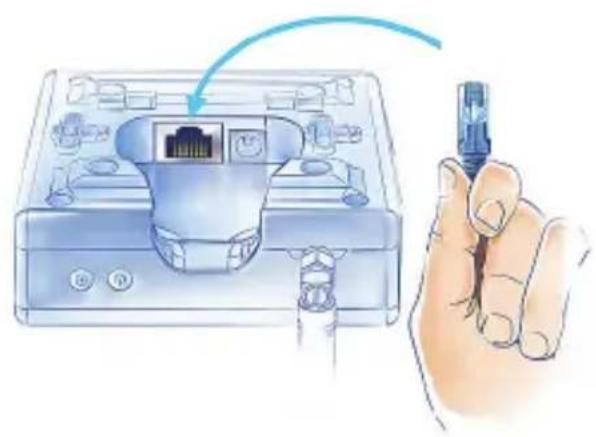
natural_image
Illustration of a hand holding a USB cable inserted into an Ethernet device (no text or symbols visible)natural_image
Illustration of a hand holding a screwdriver next to a device with plug and socket (no text or symbols)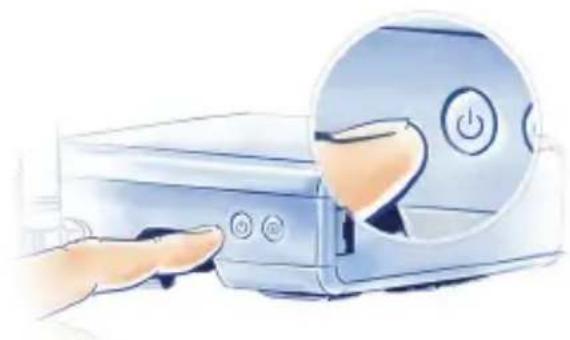
natural_image
Illustration of a hand inserting a CD into a device with a magnified circular button showing power and switch symbols (no text or labels)La tua rete locale
text_image
QR code image containing encoded data, no visible human-readable text
text_image
QR code image containing encoded data, no visible human-readable text
text_image
30s Buy 30snatural_image
Illustration of a hand holding a small cylindrical device with a black-and-white color bar (no text or symbols visible)natural_image
Illustration of a blue handheld device with coiled cable (no text or symbols visible)natural_image
Illustration of a coiled blue cable with two connectors and a green connector at the bottom (no text or symbols)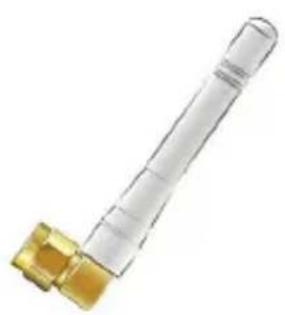
natural_image
Close-up of a transparent plastic cylindrical connector with a gold-colored fitting (no text or symbols visible)Антенна

text_image
Home Center — Live — FIBARO SYSTEMnatural_image
Illustration of a hand holding a mechanical component with a magnified inset showing a yellow component (no text or symbols)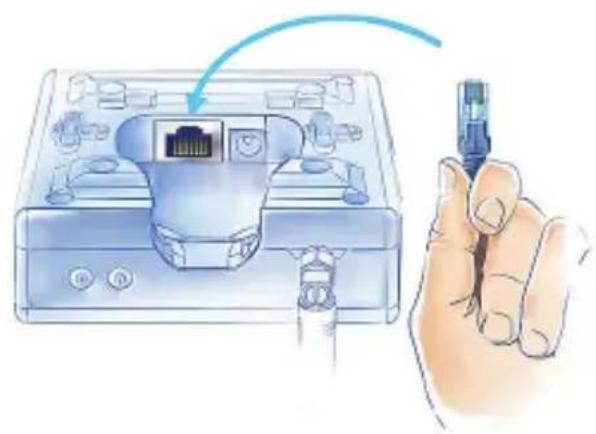
natural_image
Illustration of a hand holding a USB cable inserted into an Ethernet device (no text or symbols visible)natural_image
Illustration of a hand holding a pen inserted into a device with a plug socket (no text or symbols visible)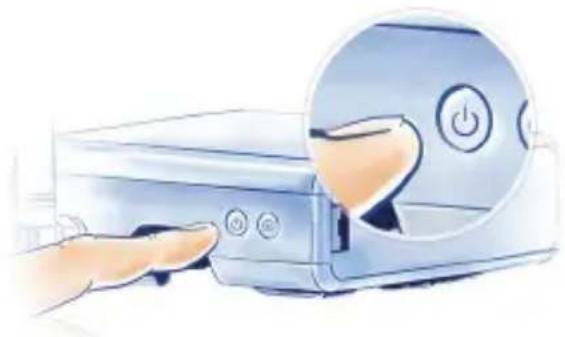
natural_image
Illustration of a hand inserting a power button into a device (no text or symbols visible)Ваша локальная сеть
natural_image
White Home Center wireless router with antenna, shown against abstract blue and white background (no readable text or symbols on device body)text_image
QR code image containing encoded data, no visible human-readable text
text_image
QR code image containing encoded data, no visible human-readable text
text_image
Add Status 30s Add Status 30snatural_image
Illustration of a hand holding a small cylindrical device with a metallic body (no text or symbols visible)natural_image
Illustration of a blue handheld device with coiled cable (no text or symbols visible)AC/DC Adapter Ethernet Kábel
natural_image
Illustration of a coiled network cable with two connectors and a green connector (no text or symbols)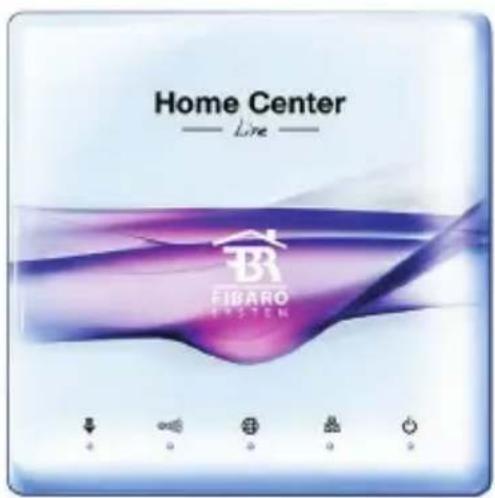
text_image
Home Center Live BR FIBARO SYSTEM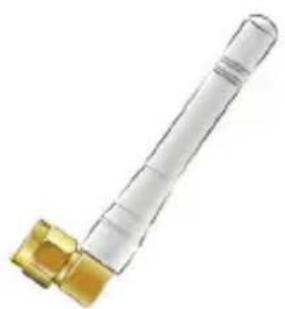
natural_image
Close-up of a transparent cylindrical connector with a gold-colored fitting (no text or symbols visible)Antenna Home Center Lite
natural_image
Hand operating a mechanical device with a magnified inset showing yellow components (no text or symbols visible)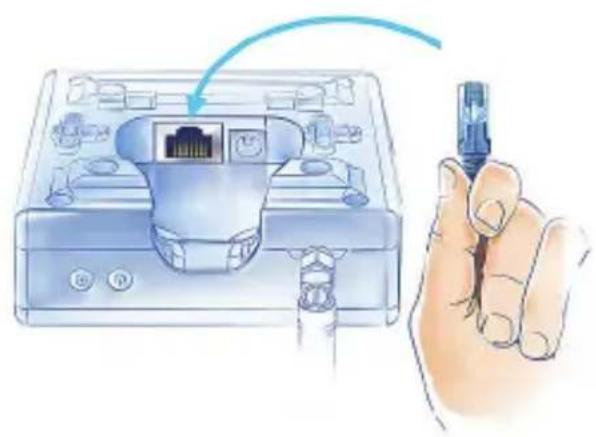
natural_image
Illustration of a hand holding a USB cable inserted into an Ethernet device (no text or symbols visible)natural_image
Illustration of a hand holding a screwdriver next to a device with plug and socket (no text or symbols)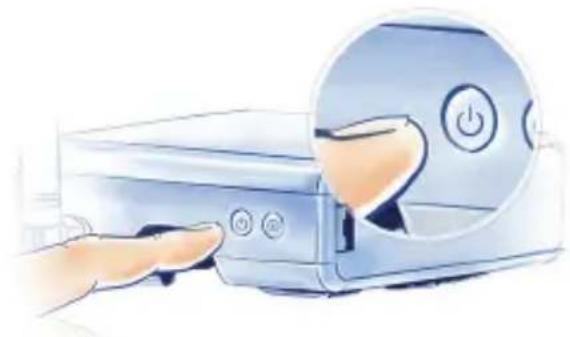
natural_image
Illustration of a hand inserting a power button into a device (no text or symbols visible)natural_image
White Home Center device with antenna and control buttons, set against a purple abstract background (no readable text or symbols on device body)Első indítás
text_image
QR code image containing encoded data, no visible human-readable text
text_image
QR code image containing encoded data, no visible human-readable text
text_image
Home Center Home Center Home Center Home Center Home Center Home Center Home Center Home Center Home Center Home Center Home Center Home Center Home Center Home Center Home Center Home Center Home Center Home Center Home Center Home Center Home Center Home Center Home Center Home Center Home Center Home Center Home Center Home Center Home Center Home Center Home Center Home Center Home Center Home Center Honeywell Honeywell Honeywell Honeywell Honeywell Honeywell Honeywell Honeywell Honeywell Honeywell Honeywell Honeywell Honeywell Honeywell Honeywell Honeywell Honeywell Honeywell Honeywell Honeywell Honeywell Honeywell Honeywell Honeywell Honeywell Honeyell

Ikoncsere
text_image
Devices ScenesRooms