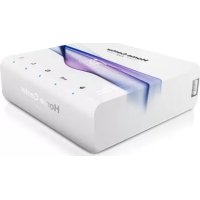
Home Center Lite - Smart Home Fibaro - Free user manual and instructions
Find the device manual for free Home Center Lite Fibaro in PDF.

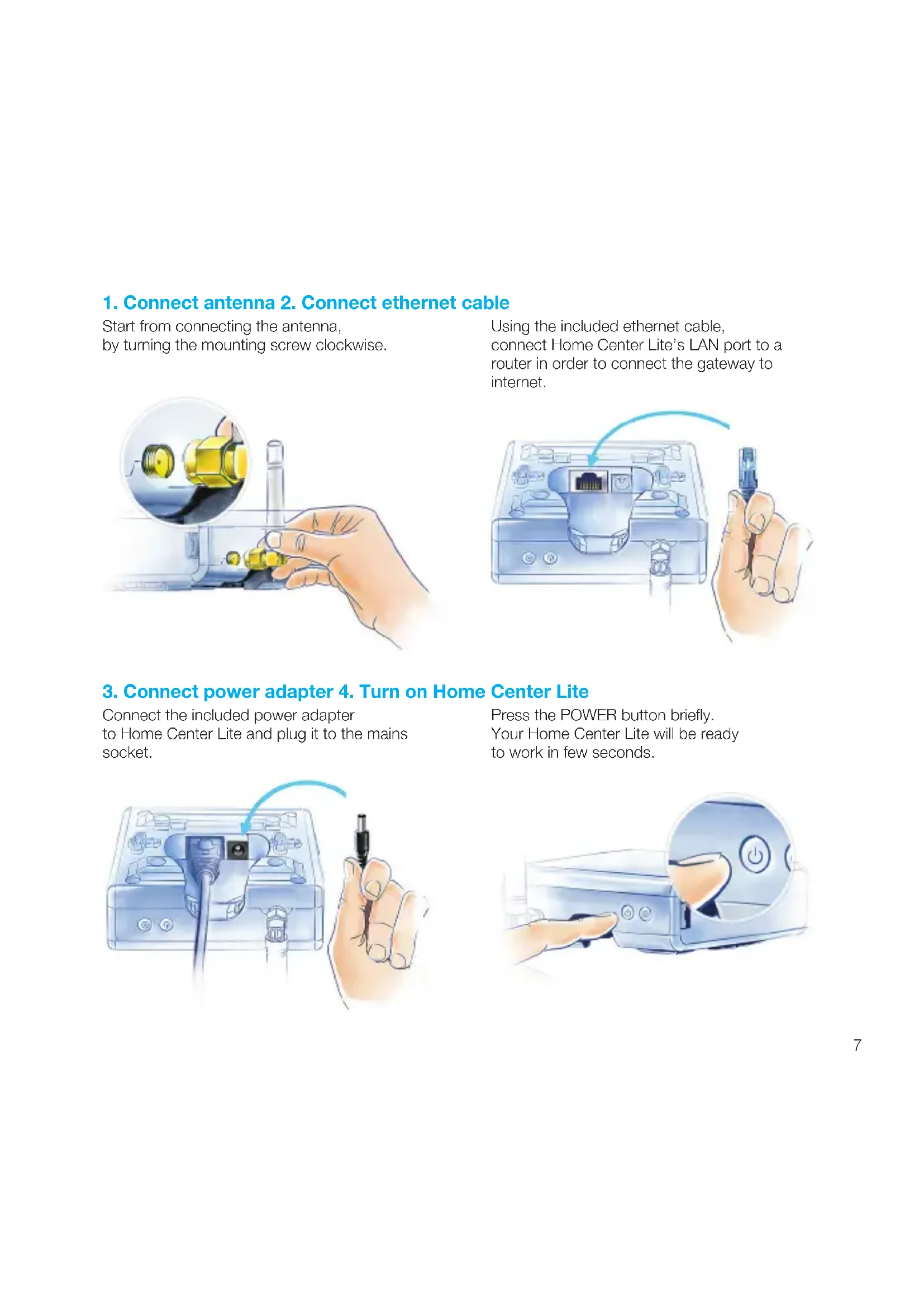


| Product type | Home automation central controller |
| Brand | Fibaro |
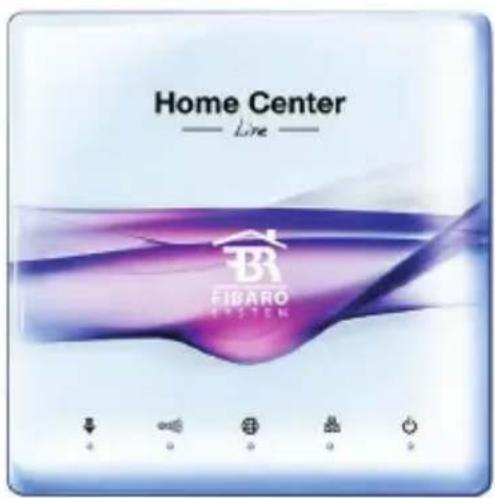
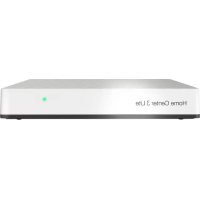
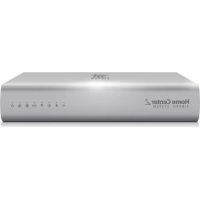
| Model | Home Center Lite |
| Dimensions (L x W x H) | 90 x 90 x 33 mm |
| Power supply | 9-12 VDC via included AC adapter |
| Network interface | Ethernet 10/100 Base-T (RJ-45) |
| Radio protocol | Z-Wave |
| Radio frequencies | EU 868.40/868.42 MHz; HK 919.82/919.80 MHz; ANZ 921.40/921.42 MHz; RU 869.00/869.02 MHz |
| Operating temperature | 10-40 °C |
| Maximum transmission power | 0 dBm |
| Connectivity | Local network (LAN) and remote access via home.fibaro.com |
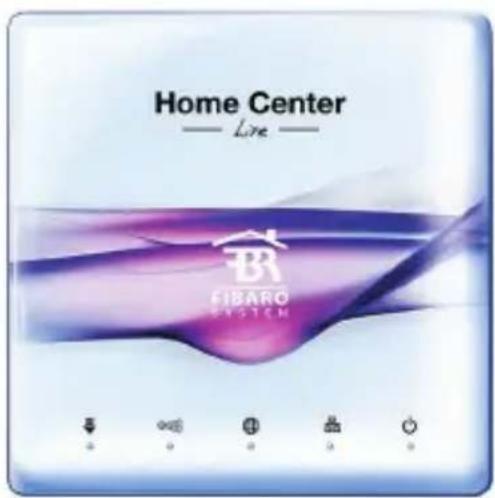
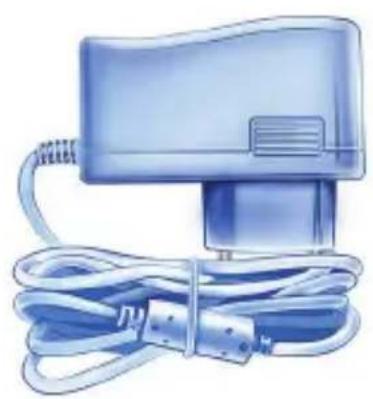
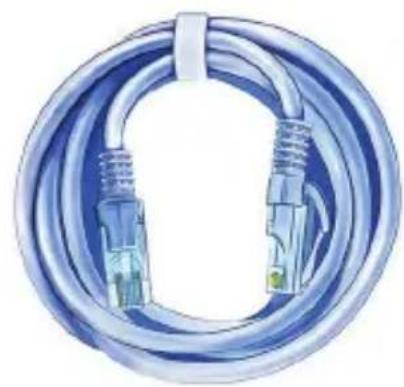
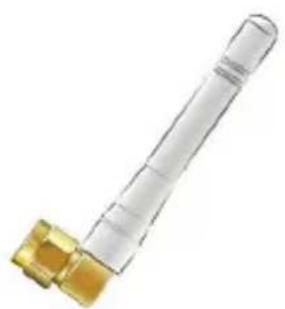
| Box contents | Home Center Lite, AC adapter, Ethernet cable, antenna |
| Main functions | Centralized management of Z-Wave devices, creation of rooms and scenes, software updates, mobile app |
| Safety | Do not open, indoor use only, keep away from children |
| Care | Clean with a soft dry cloth, do not expose to moisture |
| Warranty | 24 months (consumer), 12 months (business) |
Frequently Asked Questions - Home Center Lite Fibaro
User questions about Home Center Lite Fibaro
0 question about this device. Answer the ones you know or ask your own.
Ask a new question about this device
Download the instructions for your Smart Home in PDF format for free! Find your manual Home Center Lite - Fibaro and take your electronic device back in hand. On this page are published all the documents necessary for the use of your device. Home Center Lite by Fibaro.
USER MANUAL Home Center Lite Fibaro
Thank You for purchasing Home Center Lite
FIBARO
Menu
EN english. 5
PL polski. 17
DE deutsch. 29
FR français. 41
espanol. 53
PT portugues. 65
IT Italiano. 77
RU ycckn. 89
HU magyar.101

www.meanuals.fibaro.com
FIBARO
IMPORTANT!
Read the manual before attempting to use the device!
Support
For more information about FIBARO System, like video guides, technical manuals, configuration parameters and declarations, visit our website: manuals.fibaro.com. If you still need some assistance, contact our Technical Support or a closest certified FIBARO reseller which can be found at www.fibaro.com.
Note:
Some of the FIBARO System components installation may involve mains voltage connection. It can be dangerous. If you are not sure how to install the devices, use a certified installer's services.

Do not expose this product to moisture, water or other liquids.

Do not attempt to examine or repair this product yourself.

This product is designed for indoor use only. Do not use outside!
Contents
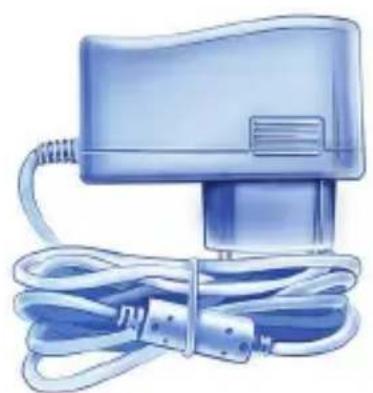
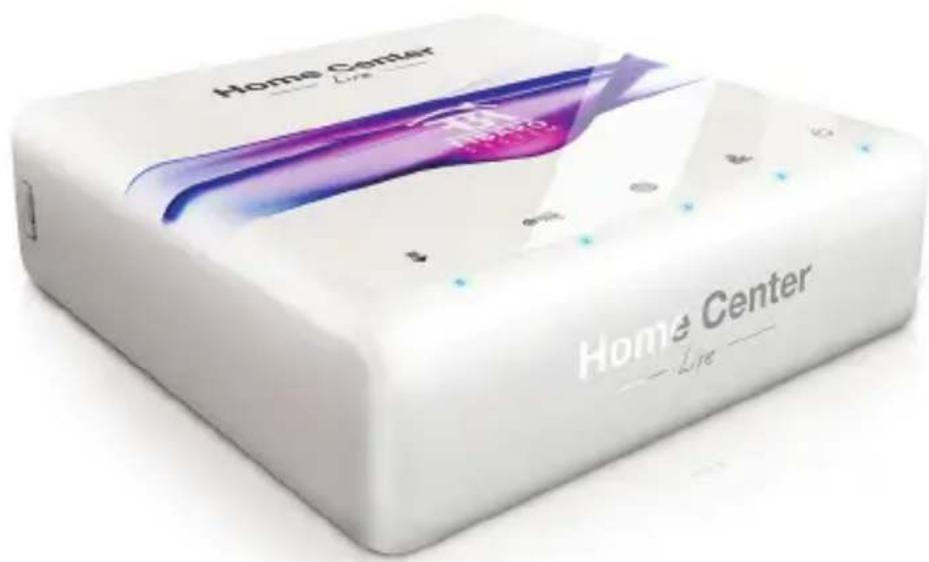
AC/DC Adapter Ethernet Cable
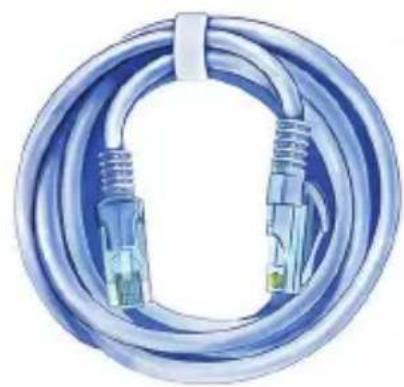

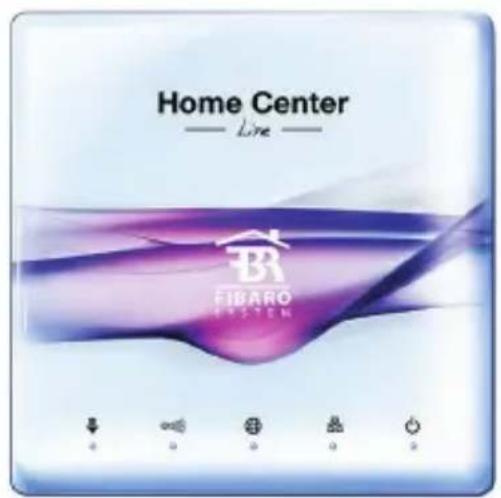
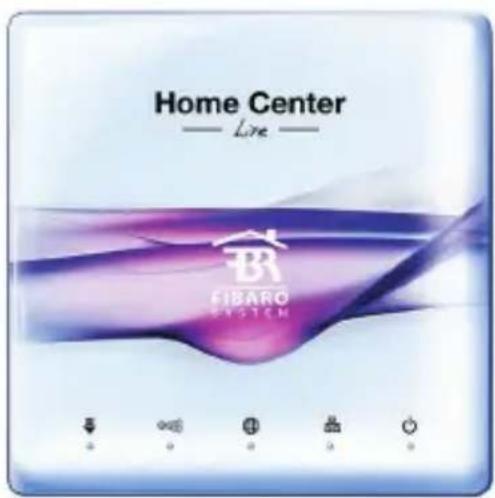
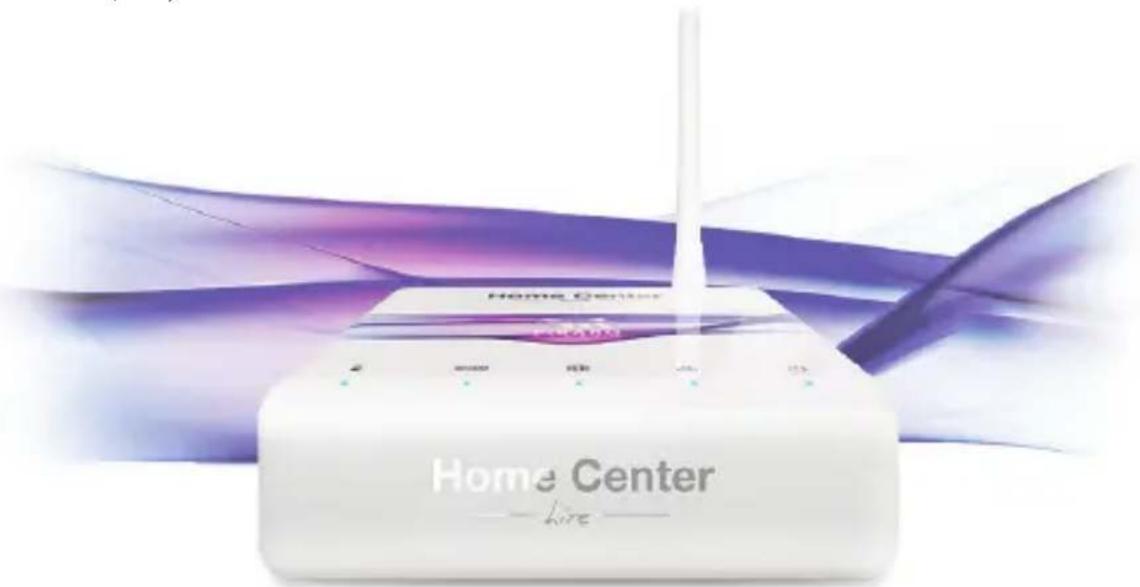
Antenna Home Center Lite
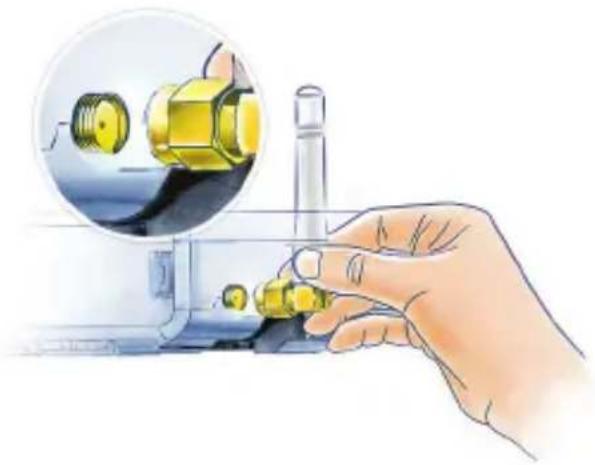
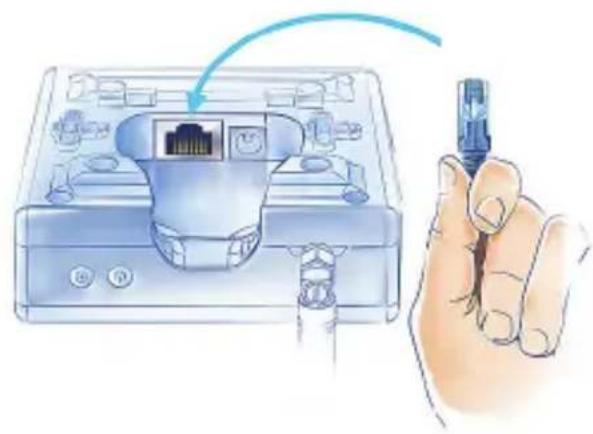
1. Connect antenna 2. Connect ethernet cable
Start from connecting the antenna, by turning the mounting screw clockwise.
Using the included ethernet cable, connect Home Center Lite's LAN port to a router in order to connect the gateway to internet.
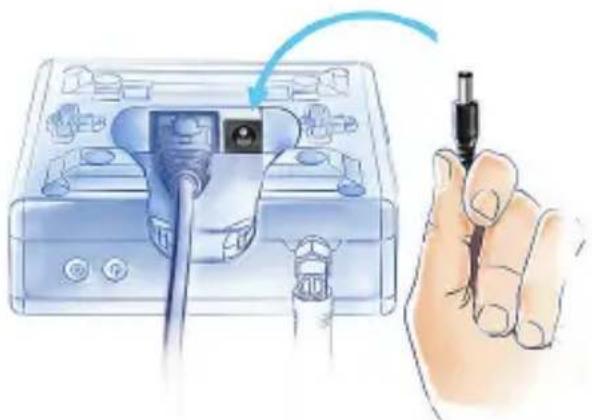
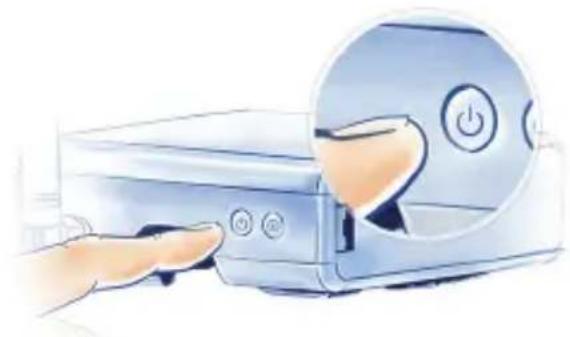
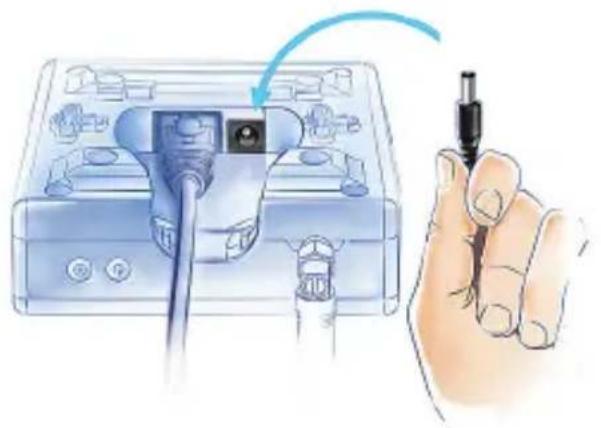
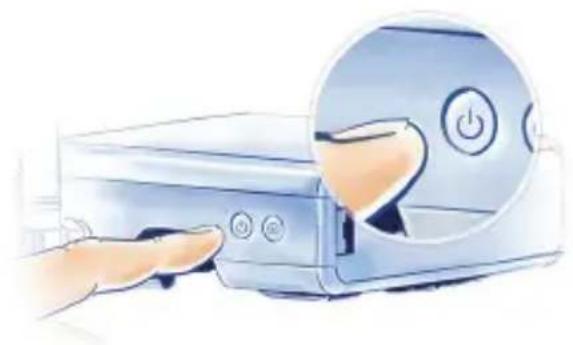
3. Connect power adapter 4. Turn on Home Center Lite
Connect the included power adapter to Home Center Lite and plug it to the mains socket.
Press the POWER button briefly. Your Home Center Lite will be ready to work in few seconds.
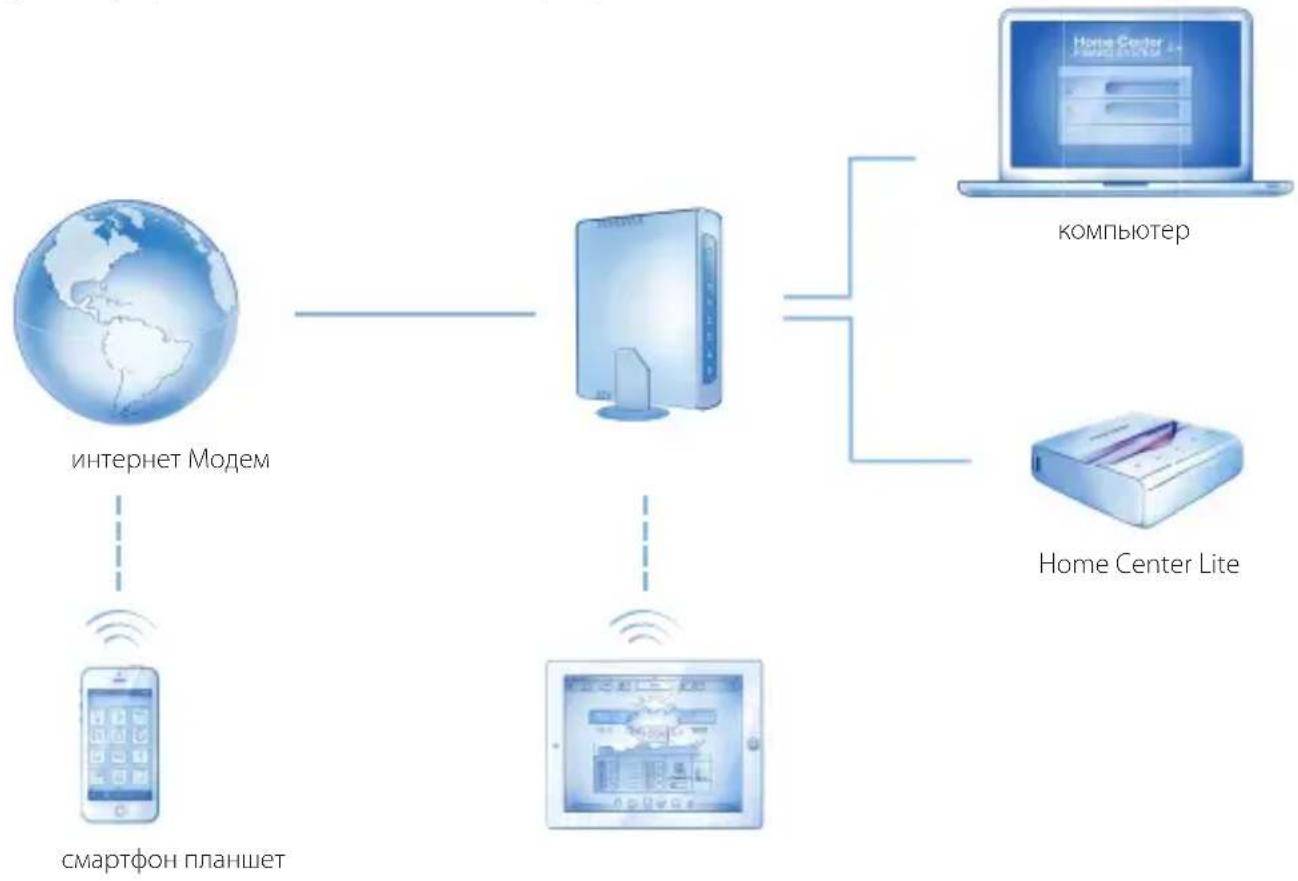
Your Local Network
Connect your Home Center Lite with a router using the included LAN cable and start the gateway. From now on Home Center Lite will be visible to all devices within your local area network (LAN).
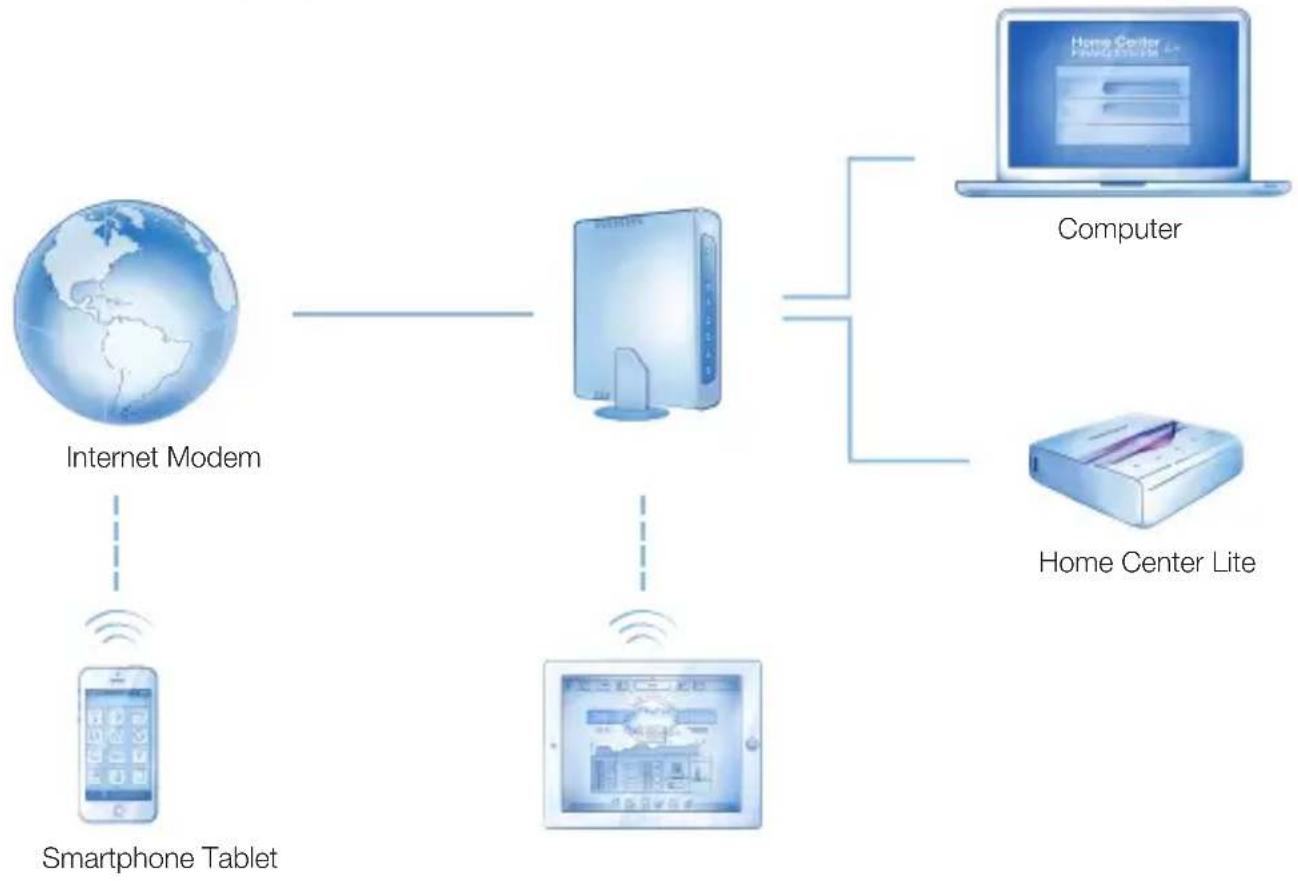
Remote Access
By default the Home Center Lite is visible only within your local network. To enable remote access from outside of your local network, configure a home.fibaro.com account.
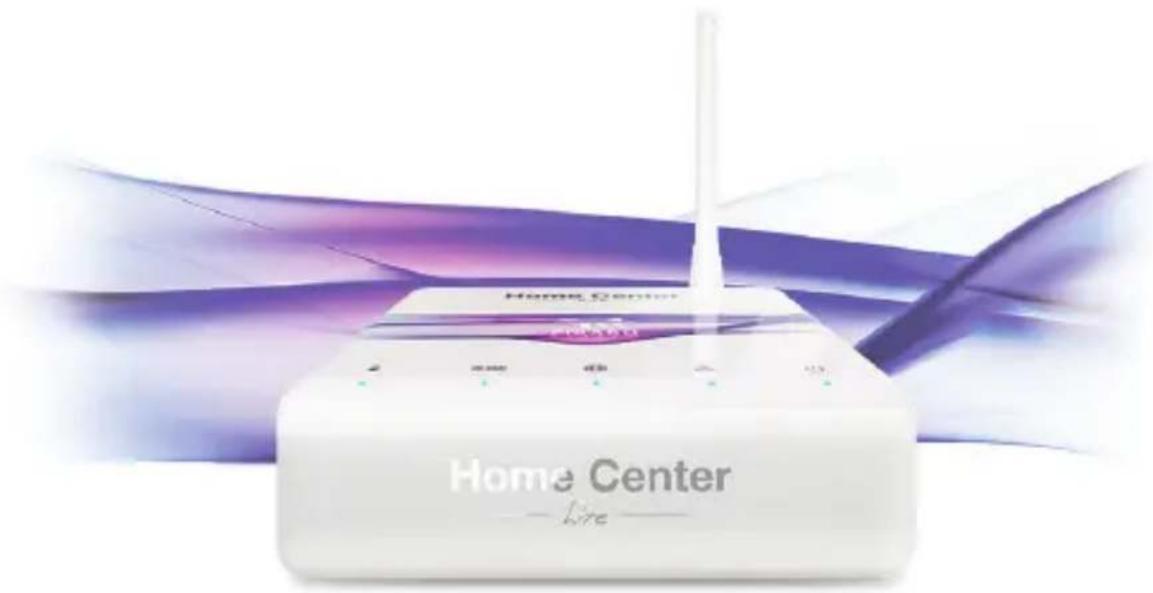
LED diodes
LEDs located on the front panel of the Home Center Lite enclosure have the following purpose:

Power
Glows when the power supply is on.

Z-Wave
Blinks when the HCL sends commands to the Z-Wave network devices.

Lan Network
Glows when the HCL is connected to the local network.

Update available
Blinks when a software update is available.

Internet
Glows when the HCL is connected to the internet.
First launch on desktop

Go to www.fibaro.com/support and download FIBARO Finder.
Launch FIBARO Finder and click Refresh.
Select your Home Center Lite and click Connect.
Log in with the defaults: admin / admin
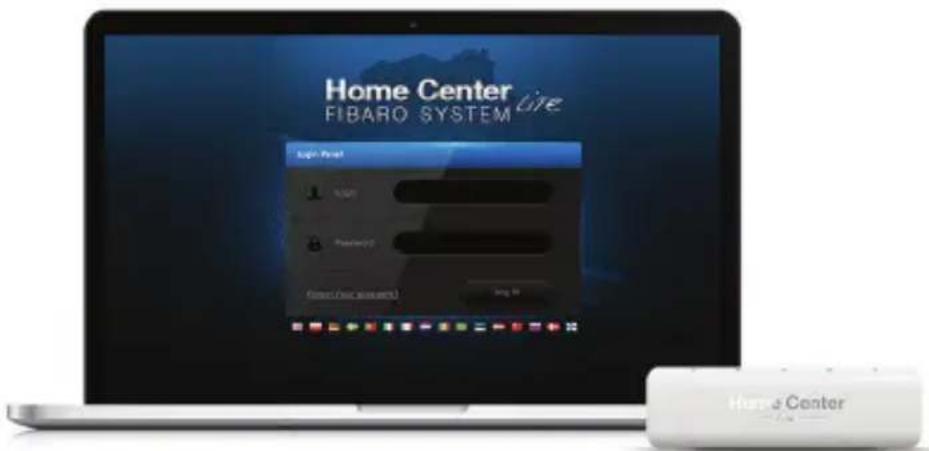
Select Configuration from the main menu.
Scroll down to the bottom and click Start upgrade (if not visible - wait a few minutes and refresh the page).
When a new software is installed, log back in.
First launch on mobile devices
Download FIBARO mobile app appropriate for your device.
For iPhone: www.fibaro.com/ios-app
For Android: www.fibaro.com/android-app


Launch downloaded app.
Select your Home Center Lite from the list.
Log in with the defaults: admin / admin
Follow the steps of the configuration wizard.
Create Rooms
When setting up your intelligent home start with creating rooms to reflect the layout of your home. Select Rooms from the main menu.


Rooms Dev

esYour home

Add Section
Section Name
Sections
Section is a group of rooms in your home. Section may be whole floor or a few rooms.

Add Room
AddRoot
Name In Name Section
Rooms
Name the room and choose the section.
me Section to which you would like to add it.

Change an icon
Each room can be represented by the unique icon. You can change the icons in the advanced room's settings.
Add devices
After creating the rooms you can start adding the devices.
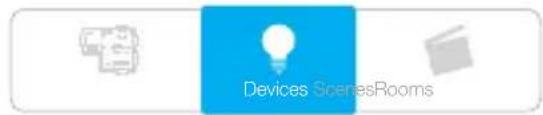
Select "Devices" from the main menu.
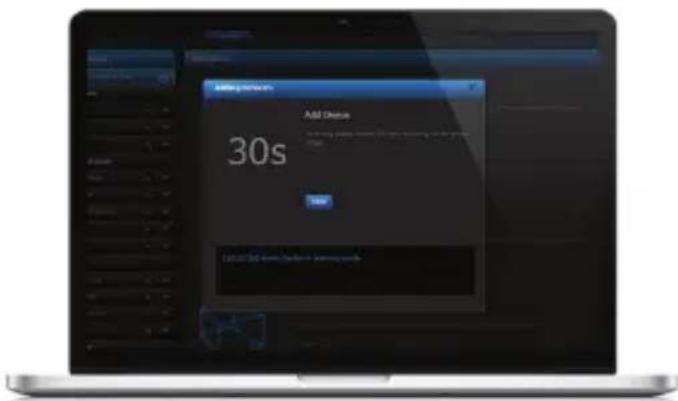
Select the "Add or remove device" option from the left side menu. Click "Add" to start adding a new device (learning mode).
Add or remove device

The timer will count down the time (30 sec by default) for you to add a new device to the Z-Wave network (inclusion).
Note that the device needs to be located within direct range of the Home Center Lite during the inclusion process.
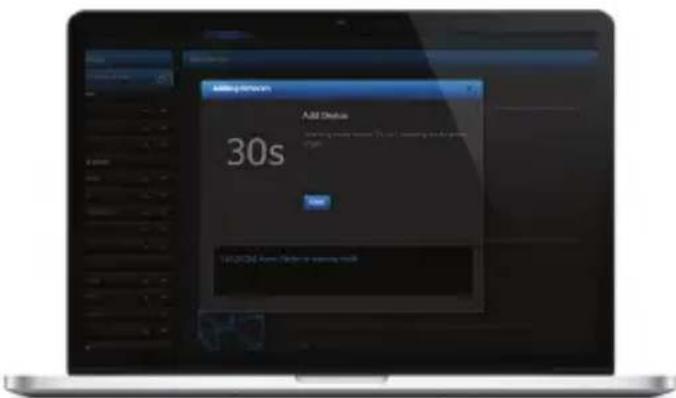
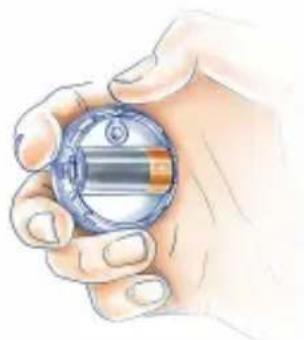
Please refer to each device's manual for further information on how to include it into the Z-Wave network.
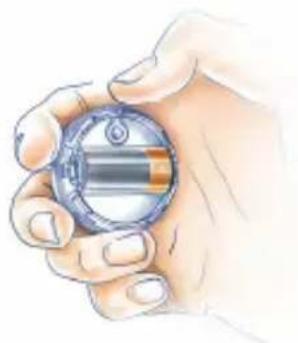
NOTE:
Danger of electrocution! If you are not sure how to connect a device to the wires, please contact a qualified installer.
Conformity with EU directives:
RED 2014/53/EU
RoHS 2011/65/EU
RoHS 2015/863
Simplified EU declaration of conformity:
Hereby, Fibar Group S.A. declares that the device is in compliance with Directives 2014/53/EU and 2011/65/EU, 2015/863. The full text of the EU declaration of conformity is available at the following internet address: www/manuals.fibaro.com
ATTENTION!
This product is not a toy. Keep away from children and animals!
WEEE Directive Compliance:
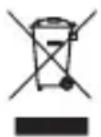
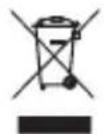
Device labelled with this symbol should not be disposed with other household wastes. It shall be handed over to the applicable collection point for the recycling of waste electrical and electronic equipment.
Specifications:
| Power supply: | 9-12 VDC (included) |
| Network interface: | 10/100 Base-T Ethernet (RJ-45) |
| Operating temperature: | 10-40°C |
| Radio protocol: | Z-Wave |
| Radio frequency: | EU 868.40/868.42 MHz; HK 919.82/919.80 MHz; ANZ 921.40/921.42 MHz; RU 869.00/869.02 MHz; |
| Dimensions (L x W x H): | 90 x 90 x 33 mm |
| Maximum transmit power: 0dBm |
Guarantee terms and conditions
-
FIBAR GROUP S.A. with its registered office in Wysogotowo, ul. Serdeczna 3, 62-081 Wysogotowo, entered into the Register of Entrepreneurs of the National Court Register maintained by the District Court for Poznan-Nowe Miasto and Wilda in Poznan, VIII Commercial Division of the National Court Register (KRS) under number: 553265, NIP 7811858097, REGION: 301595684, share capital PLN 1,182,100 paid in full, other contact information is available at: www.fibaro.com (hereinafter "the Manufacturer") guarantees that the device sold (hereinafter "the Device" is free from material and manufacturing defects.
-
The Manufacturer shall be responsible for malfunctioning of the Device resulting from physical defects inherent in the Device that cause its operation to be incompatible with the specifications within the period of:
24 months from the date of purchase by the consumer.
-
12 months from the date of purchase by a business customer (the consumer and business customer are further collectively referred to as "Customer").
-
The Manufacturer shall remove any defects revealed during the guarantee period, free of charge, by repairing or replacing (at the sole discretion of the Manufacturer) the defective components of the Device with new or regenerated components. The manufacturer reserves the right to replace the entire Device with a new or regenerated device. The Manufacturer shall not refund money paid for the device.
-
Under special circumstances, the Manufacturer may replace the Device with a different device most similar in technical characteristics.
-
Only the holder of a valid guaranty document shall be entitled to make claims under guarantee.
-
Before making a complaint, the Manufacturer recommends using the telephone or online support available at https://www.fibaro.com/support/.
-
In order to make a complaint, the Customer should contact the Manufacturer via the email address given at https://www.fibaro.com/support/.
-
After the complaint has been properly filed, the Customer will receive contact details for the Authorized Guarantee Service (AGS). The customer should contact and deliver the Device to AGS. Upon receipt of the Device, the manufacturer shall inform the Customer of the return merchandise authorization number (RMA).
-
Defects shall be removed within 30 days from the date of delivering the Device to AGS. The guarantee period shall be extended by the time in which the Device was kept by AGS.
-
The faulty device shall be provided by the Customer with complete standard equipment and documents proving its purchase.
-
The cost of transporting the Device in the territory of the Republic of Poland shall be covered by the Manufacturer. The costs of the Device transport from other countries shall be covered by the Customer. For unjustified complaints, AGS may charge the Customer with costs related to the case.
-
AGS shall not accept a complaint claim when:
the Device was misused or the manual was not observed,
- the Device was provided by the Customer incomplete, without accessories or nameplate.
- it was determined that the fault was caused by other reasons than a material or manufacturing defect of the Device
the guarantee document is not valid or there is no proof of purchase, 13. The guarantee shall not cover:
- mechanical damages (cracks, fractures, cuts, abrasions, physical deformations caused by impact, falling or dropping the device or other object, improper use or not observing the operating manual);
- damages resulting from external causes, e.g.: flood, storm, fire, lightning, natural disasters, earthquakes, war, civil disturbance, force majeure, unforeseen accidents, theft, water damage, liquid leakage, battery spill, weather conditions, sunlight, sand, moisture, high or low temperature, air pollution;
-
damages caused by malfunctioning software, attack of a computer virus, or by failure to update the software as recommended by the Manufacturer;
-
damages resulting from: surges in the power and/or telecommunication network, improper connection to the grid in a manner inconsistent with the operating manual, or from connecting other devices not recommended by the Manufacturer.
- damages caused by operating or storing the device in extremely adverse conditions, i.e. high humidity, dust, too low (freezing) or too high ambient temperature. Detailed permissible conditions for operating the Device are defined in the operating manual;
- damages caused by using accessories not recommended by the Manufacturer
- damages caused by faulty electrical installation of the Customer, including the use of incorrect fuses;
- damages caused by Customer's failure to provide maintenance and servicing activities defined in the operating manual;
- damages resulting from the use of spurious spare parts or accessories improper for given model, repairing and introducing alterations by unauthorized persons;
-
defects caused by operating faulty Device or accessories.
-
The guarantee shall not cover natural wear and tear of the Device and its components listed in the operating manual and in technical documentation as such elements have a defined operational life.
- The Device Guarantee shall not exclude, limit or suspend the Customer's warranty rights.
- The Manufacturer shall not be liable for damages to property caused by defective device. The Guarantor shall not be liable for indirect, incidental, special, consequential or punitive damages, or for any damages, including, inter alia, loss of profits, savings, data, loss of benefits, claims by third parties and any other damages arising from or related to the use of the Device.
FIBARO
WAZNE!
Lancez I'application tellechargee.
Acesse a www.fibaro.com/support e faça download do FIBARO Finder
Antenna Home Center Lite
1. Collega l'antenna 2. Collega il cavo ethernet
He noDBepraTe yCTpOeCTBO BO3DeIcTBnIO BnaI, BObI nII npDpynx KnIKoCTe.

He nItaTecb camoCTeIbHO pEmOHtupOBaT yCTpOJCTBO.

YcTpoIcTBo IpeHa3HauEHO ToJIbKO dIy IcNoIb3OBaHnBHyTpN NOMEuEHN. He IcNoIb3yIte YcTpoIcTBo Ha yInue!
KoHTeHT
AC/DC AanTep CeTeBoi Ka6enb
AHTeHHa
KoHTpOJIpeNep CnCTeMbI MoJeJIb:
Home Center Lite
HaKMTe KhoNky POWER Ha KopoTkoe Bpem. BaHrHome Center Lite 6yndet roTOB Ka6oTe BcekyHny.
Bawa lokaibha cerTb
IopKnIOuHrEHome Center LitecMapwpytn3aTOpom c NMOU npnnaeraMoro Ka6eNJaNOKaNbHOcETN 3aNyCTNTb KOHTpOllep.TenePBHome Center Lite 6yJeT OTo6paXaTBcA dIaBceXycTpoINCTVBBaWeJNOKaNbHOcETN(LAN).
ydaenHHbI doctyn
Nocne yctahOBKn Home Center Lite ABnEeTc BNDMbIM TObkoB JokalbHOn cTe. YTo6bl pa3peuNTb ydaJIeHHbI DOCTyn 13-3a npedeNoB JokalbHOn cTe HxKHO HAcTpoNTb Ha home.fibaro.com.
CBeToaNoaLED
pacnoIoxKeHHbHe Ha nepeHne naneHn Home Center
Lite nmeot cneyuounie cei:

Mouchoctb
CBeITcKoIgBaBKnIOUeH
NCTOCHIKIITAHNA

Z-Wave
Muraet korga HCL nocblaeT komahdbiceteBbix yctpoiCTB B Z-Wave.

Cetb LAN
CBeNTcKOrdaHCLnoKnIOUeyEN K JOKaJIbHOI CETn.

DocTynHoe 6OBJeHne
Muraet ecnn OboBneHne nporpaMMHOO oecneueHHA BnIeTcdoCTyHOM.

VHTepHET
CBeNTcKa KOrDa HCL noKNoUeH K INHTepHety.
Dobabene nn ydaene yctpoiCTBa

MeHIO 6yIeT OTCuHTbIBaTB BpEmr (CTaHdapTHO 30 ceKyHd) IJIa IOabBHeHn HOBO rYcTPOiCtBa K Z-Wave cETn (BKnIOUeHne).
Hyxho npnbneb BnHMaHne, yTO yCTpoNCTBO DOJXHO 6bIb paCnoJoxeHO B npeJeIax CTaHdapTHOro peKIma Home Center Lite B npouecce BkIoueHn.
IoxanyiCTa,6paNTecb BnMaHne IJRA KaKDoRO OINHOuHOrO yCTpOInCTBa IJI NOJUyeHnI DOONHHTeBHO INΦOpMaun O TOM,KaB KNIIOUHTb erO B ceTb Z-Wave.
3AMETUTb:
Onachoctb nopaxeHNAJNEKTPnueckm TOKOM!EcIn Bbl He 3HaTe KaK NODKNIOHTb yCTPOINCTBO K npoBODam O6paTNTecb KBaIIΦNUPOBaHHOMy yCTaHOUsKy.
CoOTBeTCTBnE nIupeKTHBaM EC:
RED 2014/53/EU
RoHS 2011/65/EU, RoHS 2015/863
Unpoehnna deKlapauncoOTBeTCTBNA EC:

Kompania Fiber Group S.A. Hacotayim 3a8BnE, yTO obopyoBaHne COOTBeTCTByeT PonoKeHm 2014/53/EU n 2011/65/EU, 2015/863. POnHb TeKCT DeKnapaun COOTBeTCTBnA EC haoDntcHa INTepeHET-CTpaHnce: www.manuals.fibaro.com
BHIMAHHE!
TOT npOdyKT He YBNAETcN irpyuKoN. Bepueb OT dTee N XJNBOThbIX!
COOTBeTCTBnE dInpeKtNBWe WEEE:
YCTPOINCTBO, NOMeHHOE 3TUM CnMBOJOM, He DOJXHO yTNJN3NPOBAbCBA BMeCTe C dpyrIMN 6bITOBbIMN OTXoAMN. YCTPOINCTBO DOJXHO 6bITb NpepaHO B COOTBcTcByIOUIN NyKt C6opa BTOPCbIPBdIy TNIIN3aUIN 3JIeKtpueckORO n 3JIeKTPoHHORO 06OpdyOBAHNA.

Cneunfoikauna/TexhnueckaHnfoopmaua:
| Истουнок рintаня: | 9-12 VDC (Влобechу) |
| Сetimeи interрфес: | 10/100 Base-T Ethernet (RJ-45) |
| Равочая Temпература: | 10-40°C |
| Протokол радиocвз: | Z-Wave |
| Радио чASTOTA: | EU 868.40/868.42 MHz; HK 919.82/919.80 MHz; ANZ 921.40/921.42 MHz; RU 869.00/869.02 MHz; |
| Dimensions (L x W x H): | 90 x 90 x 33 mm |
| Мakсимальни мошость пeredачи: 0dBm |
YcnoBna rapaHTnn
-
KommaHAR FIBAR GROUP S.A. c MecToHaxOxDcHcM B Wysogotowo, no aPccy: ul.Serdeczna 3,62081 Wysogotowo, BcHexHnA B pceTp npednpnHmateren FoCydapcteBHO cydeGHO peeeCTpa PaOHHO cyu DaNTHb HOB-MaTO vBnIbA b NsHAni, VII KOMMepeckn OJTea HOMePOM: 553265, INH 7811858097,NREGON:301595664,yCTABnH KanITAN PLN 1.182.100 oanneneHHb no nnoctbIO, octabHb KOHTHn HIIFOPMAAHIOCTynia no aDcpcy:ww.fibaro.com (daane,Piom3aoDntEn) rapainpyeT,TO npodaaeMoE yCtpoICTBO (daane;YcPoIcTcO) ABnETcBa CboobHmOT deFekTO MaTeprana nnrnrtoBHeHn
-
PnOIBODHTIEL HECET OTECTBENHOCTBaHECNPpABHOCTbXTOPOCTBa,INa-3a PHI3HcEeKHN HeoctTaKo,PNpCuyxN XTOPOCTBy,EBSbBAKOxN ETO pAOBOy HECOOTAE TBYKUO CneLNIΦKuAAM PnOBIOBDTIEL BNEPOD
24 Mecua co DnH NOKynN NOPTe6ntenM
12 Mccu co HnKyHK 63HCC KINCHOTM (Ntpe6ntb n 63HCC-KNCHT BdaJIHeHlEM COBMECTHO mHeHYeUE,KNHETM).
- PpOABOTENbOBaYcBcBcNnTHo ydAnITb BCE DeeKTH,OBHApyKeHHHe cTeueHHe rapaHTnHOro nepmoa npTepeHTa HIN ZAMEHn (No YCMTPCHNO PpO3BOOATnH DcOcKTHHX ACWmCTOB YcTPOCTBA HOBBIM INP pORChpnpOBAHHMn. PpO3BOOATnH OctABnCT 3a C0bO npABo HA zAMCHy Bcero OoopyoDBHHIOHOBIM nI pereHepnpOBAHHM. PpO3BOOATnH He BO3BpaAuctDCHsnn 3kYfNCHOC YcTPOCTAO.
4.BocobixCnyiaxPpno3oHHTBMOXCTaMCHVTbYcTPOIcTBOpymC Hnbo10ccNOXKMMTOxHHCCCKMMNpaAMETpMa.
5.Tonbko depkateIb decytoero rapaHTHIOHO DOyMeHTA MOKET npdbraTb rapaHTHHC pctchM.
- Pepo npocpaBnncn rapaHnnHO npOeHnnpo3BOmntb peKOMeHyET mCOnb3OBaT TeneoHnyIO nOuAaHTexNueckyio noDpekky,doctynyno apecy;https://www.fibaro.com/support/.
7.CenbIbnpBdABnBtpTeHbNIOKnEHTDnKHeCnBaTbCnPon3BDiOnENNO nAnKTPOHHNoTc,HaNPaBnCHHO B aDpcc,yk3aHHbHna cTpaHue:https://www.fbaro.com/support/.
-
Nocne npabnbo Horo npedbnae Hnnpetehn, KneHr noynyHtKoNtAHy nHOpmauO ABTOp30aHaHO rapaHTnHO cepBa (AIC).KnHrtn doxhen CaaTaBC a AIC n doctaBn Tyda YcTpoCTBO. Nocne nonye HyaCPOYACTA, PpOsnBDmTeB cooBuT aAM HOmez 1RMA).
-
9eBb6yDyUyAeHbYTeueHHe30IeH,CHTAROTDBNOCCTABK 6ObyoBaHHaBnAIC. TaapHnHbCpOK npOnBeaTcHa BpMa, 3a KToOpoe yctpoaeBO cOabTaBocB AIC
10.YCTPOICTBO,KOTOPOMPYPdEBBIRHTCHPPTCH3H,DOINHOPOOCTABNTbC HKNIEHOM BMECTC KOMNIKTHBM CTAHAPTHBM OOBpyoBaHNEM DOKYMEHTAM,NOITBpepDIOJIMN NOKYNK.
- 3aTpaTaHa TpaHcNopt YcTpoCTBa Ha TepprOtnn PeCny6mKn NpBwa Hccet Pnp3BODIeOB.B Cnyac TpaHcNopta YcTpoCTBa n3 dpYnx CTpaH, 3aTpaTaHa TpaHcNopt Hccet KInCH.T B cnyac Heo6oCHOaHHo rapaHnnHO npTeEHNN, ATC Meepo npabeMeHNb KIneHTa 3aTpaAMn, CbaaHHMn Cpa3BcHcHmDJIa.
12.ATC0x3a3b8ac7ch npHHTb npCTCHNIO,B/C/nyac:
06HApKHeHMCNlB3OaHnYUCTPOIcTBAHECOOTBeCTBEHHO CnpEJI3HaueHmEpyKOBQCTBOMNO5KcNpyTAuIN
- npoeactaneHKnEITOMHeKoNNNeTIOYOYCTPOXCTBA,63 060pyObaHn,63uBnIbNkA
OppeeneHn npyto npuHb HeCnpaBHOCT, HmdeefKT Maepana mN 13rTOBNEIM, pncuyu yctpoHCTBy.
HeJeCTBATEBHOCTn rapaHTHnHO DOkymeHaN OTCyTCTBA
DOKa3aTeBbCTBaNOKyNk,
- Faapantna He paacnpocptpaHreTa H:
MEXAHUeCKHe NOpeKEnHn (TpeuHb, nepenom, nope3u, CcaHb,
fNHNecKJIeDcFOmuaB pEsyIbte Ydapa, naEHIN HIN c6pOcHa
YCTPOiCTBO DpyrTO PnCDMaTa NkCkNpyataa, HCCOTBcTBcYIOaAR
npednaHsHnHIO YCTPOIcTBA, onpeDeHnHOy B pykoBDcTBne No
OKCnnyataun;
- noapckchnB, BO3HnKlnc Bpc3yIbTaC BcHmHx npHH, Hapmpc HABOHNH, BYPn, NOKApA, ynpA monHnN, CTXHXHb6eDCTBn, 3emTpeCHeH, BOI bI, PpaKaDCKnx BOHHeH, fOpC-MaKOp, HnepeDbvEHHbIX OUYaeB, KpAa, 3aIIBa JHKoCTbIO, nPoTeHN GatapeH, NOROnHbVycNoBx, BOaDECTMa CONHeHOrO CBeta, neCa, BnAa, BbcOKOHnn HINKo TEMpeAtpyb, 3aRpa3HeHHeBBO3dyxa;
nOpaocxHnBb3aHbHCHePpabuHbHpaobTOI pporpaMMHORo oecneHnBpeyntateBupcyHOA tAKN,INHcNOIb30aHne c6HOBENH nporpaMMHOrO oecneHnB BCOBTBCTBN C peKMeHaDAAHMA IPOXBAODHTNE;
NO3pEHEH, Bb3B1IbE: CkAaMn HApnpKHeH B cETN 2NKTPONTAHN/INN TcOKOMyHNAKUIM INN PNDKIOCHCM K cETN HeCOOTBECTBeHHO C pykoBOcTBOW. N0 EKCIpyaTauIN NIN NO NOOyD NOKNKHOCHIN DpyuNPOyKTOB. NOKnOHCHNC KOTOpBX HO pCKoMeHdyetCh PONBDOHTCNOM
NopeKHeHnBbBaHHe pabTo nXpaHaHem YcTpoIcTBa B
kpanHe HeNpOanPHTbIX ycNOBHX.T.E.BICOKo BNAnKIOCTNa HbIeHnA
CNiKOM HIKKO (MPO3) NnCNIKOM abcOKo TMnpCaTpO
OKpyKaOc np Cpcbl. DcTaBHe yCtOBn, np KaKix dOnyckactc
NCNbOBAHHeYcTPOIcTBa, ONpeEnIOCTB a pykoBDCTBe no
OKcnnyataun;
-OBpEeHnB,BOHNNuBE BpeyIbTaHe NCNpIb3OBAHnPnHaDJIckHOCTcH, He pCKOMChIyEmbIX PON3BOHTenCm;
NopeHnHnBbHaHHeHnpabHbHOeKpneckoYcTaOBKnIOBbOaTeB, B TomuCle PnmeHmE HnpabAaHbIXnpdoxpaHTeT;
noepdEHA,BOHNIWBEpaynbTaIpekpaehENKHeHToMxOda NocyBnBAH,PepcymotpHoro pykoBODCTOM NOcknPaatau
NOPOCKCHINBO3HNIKUPBcPbYbTApePMNHEHOOPHTAHbHX, HENPEHDAHAeHHHNJrAToI MODEIaHactEIMOBOPyDABHNA, BbONHEHNEDEMTOBMOFNIKAJIUYEHONHOHMEOHHUMIIMAA
PpOckEChH, BO3NkUcB PcByTbAte pOIOJIckHn paOBtB HeCNpBaHUM YCTOPOCTBOW Nm O6OpYDoAHmE.
14.帕AHTHHe pacnpocpTaHReTcHa HOpMaBbHm 3HOCdTeAeYCTPOCTBAHpyTNX3aHCTcY, yKa3AHbX BpyKOBODCTe NOAKIyATAuN INTEXNHIOCKO KOyMCHTaUN COnPcDCHBBM BPCMCHMpa08tBu.
15. TapaHTHa Ha YcTpoCTBO He NckKIOuAe, He OrpaHmUbaet mI npOCTaHABINbACT Ipaba KInCHTa IIO donOHnIHcBHOHra
16. PpOIN3BOUITCBH C H HCCET OTBCTBCHHOCTH 3a yUcPb, pPnHHHbHmWyUeCTBy ACNECTBVE DepeKta YCtpoCTBA. PpOIN3BOUITen He IecetOTBCTBEHIOCTH 3a CNyAHIbE, CNEIHNABIIHe, KOCBIIHbE yBbTK Nn3a MOpAIBHbY uCp6, BKIOAHAR, CpEDNPOHero, NotCPOI npBbHN, COpcEXHbN, DnHBx, NotCPOJIbT, nPoTHCNIO CTOPOHbI TcPBHX NnN JDPYVE yBbTKN, BOIHINKAIICHE NnN CnBASIIIE B C VcNtONb30aHIMEMYCTPOICTBA.
FIBARO
FONTOS!
Antenna Home Center Lite


- THANK YOU FOR PURCHASING HOME CENTER LITE
- MENU
- FIBARO
- IMPORTANT
- SUPPORT
- NOTE
- CONTENTS
- CONNECT ANTENNA 2. CONNECT ETHERNET CABLE
- CONNECT POWER ADAPTER 4. TURN ON HOME CENTER LITE
- YOUR LOCAL NETWORK
- REMOTE ACCESS
- LED DIODES
- POWER
- Z-WAVE
- LAN NETWORK
- UPDATE AVAILABLE
- INTERNET
- FIRST LAUNCH ON DESKTOP
- FIRST LAUNCH ON MOBILE DEVICES
- CREATE ROOMS
- ADD SECTION
- SECTIONS
- ADD ROOM
- ROOMS
- CHANGE AN ICON
- ADD DEVICES
- CONFORMITY WITH EU DIRECTIVES
- SIMPLIFIED EU DECLARATION OF CONFORMITY
- ATTENTION
- WEEE DIRECTIVE COMPLIANCE
- GUARANTEE TERMS AND CONDITIONS
- WAZNE
- COLLEGA L'ANTENNA 2. COLLEGA IL CAVO ETHERNET
- KOHTEHT
- BAWA LOKAIBHA CERTB
- YDAENHHBI DOCTYN
- CBETOANOALED
- MOUCHOCTB
- CETB LAN
- DOCTYNHOE 6OBJEHNE
- VHTEPHET
- 3AMETUTB
- COOTBETCTBNE NIUPEKTHBAM EC
- UNPOEHNNA DEKLAPAUNCOOTBETCTBNA EC
- BHIMAHHE
- COOTBETCTBNE DINPEKTNBWE WEEE
- YCNOBNA RAPAHTNN
- FONTOS
Brand : Fibaro
Model : Home Center Lite
Category : Smart Home