EasyManual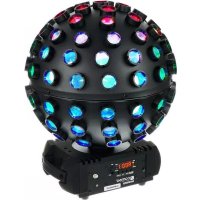
Rotofever - Lighting Cameo - Free user manual and instructions
Find the device manual for free Rotofever Cameo in PDF.



Download the instructions for your Lighting in PDF format for free! Find your manual Rotofever - Cameo and take your electronic device back in hand. On this page are published all the documents necessary for the use of your device. Rotofever by Cameo.
USER MANUAL Rotofever Cameo
INSTALLATION AND MOUNTING 9
DMX TECHNOLOGY 10 TECHNICAL DATA 11
MANUFACTURER’S DECLARATIONS 11
DEUTSCHFRANCAIS ESPAÑOL ENGLISH ITALIANO POLSKI ITALIANO POLSKI ESPAÑOL FRANCAIS DEUTSCH ENGLISH ENGLISH YOU‘VE MADE THE RIGHT CHOICE! We have designed this product to operate reliably over many years. Please read this User‘s Manual carefully, so that you can begin making optimum use of your Cameo Light product quickly. Learn more about Cameo Light on our website WWW.CAMEOLIGHT.COM. PREVENTIVE MEASURES
1. Please read this manual carefully.
2. Keep all information and instructions in a safe place.
3. Follow the instructions.
4. Observe all warnings. Do not remove any safety instructions or other information from the device.
5. Use the device only in the prescribed manner.
6. Use only stable and suitable stands or mounts (for fixed installations). Make sure that wall brackets are correctly installed and secured. Make sure that the device is securely installed and will not fall down.
7. Observe safety regulations applicable in your country during installation.
8. Do not install or use the device in the vicinity of radiators, accumulators, stoves, or other heat sources. Ensure that the device is always installed in such a way that it is sufficiently cooled and cannot overheat.
9. Do not place ignition sources such as burning candles on the device.
10. Do not obstruct the air vents.
11. Maintain a minimum distance of 20 cm above and to the side of the device.
12. Do not operate the device in close proximity to water. Do not bring the device into contact with combustible materials, liquids or gases. Avoid direct sunlight! 13. Ensure that dripping or splashing water cannot penetrate into the device. Do not place any containers containing liquids (such as vases or drinking vessels) on the device.
14. Ensure that no objects are able to fall into the device.
15. Operate the device using only accessories of the type recommended and supplied by the manufacturer.
16. Do not open the device and do not perform any modifications.
17. After connecting the device, ensure that all cables are routed so as to avoid damage or accidents, such as from tripping.
18. During transport, ensure that the device is unable to fall down and cause damage to property or injury to persons.
19. If your device should no longer function properly, if liquids or foreign objects have penetrated it, or the device has been damaged in any way, turn it off immediately and unplug it from the mains socket (in so far as this relates to an active device). The device may be repaired only by authorised repair technicians.
20. Use a dry cloth to clean the device.
21. Observe all disposal laws applicable in your country. Please dispose of the plastic and paper or cardboard packaging separately.
22. Plastic bags must be kept out of the reach of children.
23. Any changes and modifications made by the user which have not been expressly authorised by the party responsible for compliance with regulations may lead to withdrawal of the permission to operate the device. FOR EQUIPMENT THAT CONNECTS TO THE POWER MAINS: 24. CAUTION: If the device’s power cable is equipped with an earth contact, it must be plugged into an electrical outlet with a protective conductor. Never remove the protective conductor of a power cable. 25. Do not switch on the device immediately if it has been exposed to extreme temperature fluctuations (for example, after transportation). Moisture and condensation can damage the device. Switch on the device only when it has reached room temperature. 26. Before connecting the device to the mains, check that the voltage and frequency of the power grid match the values specified on the device. If the device is equipped with a voltage selector switch, connect the device to the mains only if the values on the device match those of the power grid. If the supplied power cable or AC adapter do not fit into your outlet, contact your electrician. 27. Do not step on the power cable. Ensure that live cables are not kinked, in particular at the mains socket, AC adapter and the device socket. 28. When connecting the device, ensure that the power cable or AC adapter is always freely accessible. Always disconnect the device from the power supply to clean the device or when the device is not in use. Remove the power cable from the mains socket by pulling the plug or adapter, never the cable. Never touch the power cable or power adapter with wet hands.
29. Do not switch the device on and off in quick succession. This can affect the service life of the device.
30. IMPORTANT: Replace fuses only with fuses of the same type and value. In the event of repeated fuse failure, please contact an author- ised service centre.
31. To disconnect the device from the mains entirely, remove the power cable or the AC adapter from the mains socket.
32. If your device is equipped with a Volex power connector, the appropriate Volex appliance plug must be unlocked before it can be re- moved. This also means, however, that pulling on the power cable may cause the device to slip and fall, causing personal injury and/or other damage. For this reason, ensure that your cables are routed safely. 33. If there is a risk of a lightning strike, or if the device will be unused for a long period, remove the power cable and power adapter from the mains socket.
34. Do not install the device while it is connected to the mains. Remove the mains plug from the mains socket.
35. Dust and other deposits inside the device may cause damage. Depending on the ambient conditions (dust, nicotine, fog), the device should be serviced or cleaned at regular intervals by a qualified technician (not under warranty) in order to prevent overheating and malfunction.
36. The device must be a safe distance from combustible materials (at least 0.5 m).4
DEUTSCHFRANCAIS ESPAÑOL ENGLISH ITALIANO POLSKI ITALIANO POLSKI ESPAÑOL FRANCAIS DEUTSCH ENGLISH CAUTION: To reduce the risk of electric shock, do not remove cover (or back). There are no user serviceable parts inside. Maintenance and repairs should be exclusively carried out by qualified service personnel. The warning triangle with lightning symbol indicates dangerous uninsulated voltage inside the unit, which may cause an electrical shock. The warning triangle with exclamation mark indicates important operating and maintenance instructions. The housing surface of the spotlight can heat up to temperatures as high as 70 °C in regular use. Ensure that it is not possible to come into contact with the housing unintentionally. Always allow sufficient time for the lamp to cool down before dismantling, carrying out maintenance work or charging etc. Warning! This device is designed for use below 2000 metres in altitude. Warning! This product is not intended for use in tropical climates. Caution! Intense LED light source! Risk of eye damage. Do not look into the light source. CAUTION! IMPORTANT INFORMATION ABOUT LIGHTING PRODUCTS! 1. The product has been developed for professional use in the field of event technology and is not suitable as household lighting.
2. Do not stare, even temporarily, directly into the light beam.
3. Do not look at the beam directly with optical instruments such as magnifiers.
4. Stroboscope effects may cause epileptic seizures in sensitive people! People with epilepsy should definitely avoid places where strobes are used. INTRODUCTION
CLRF CONTROL FUNCTIONS: 3-channel, 12-channel and 23-channel DMX control Master/slave mode Standalone functions IR remote control FEATURES: DMX-512. Infrared remote control included. 5 x 12 W high-power RGBWA & UV LEDs. 3-pin DMX connections. Rubber feet. Omega mounting bracket included. Operating voltage 100–240 V AC. Power consumption 70 W. 37. Mains cables for powering several devices must have a core diameter of at least 1.5 mm². In the EU, cables must comply with H05VV-F, or similar. Suitable cables are available from Adam Hall. These cables can be used to connect multiple devices to an additional device via the Power OUT and Power IN sockets. Ensure that the total current consumption of all connected devices does not exceed the specified value (printed on the device). Keep mains cables as short as possible.5 DEUTSCHFRANCAIS ESPAÑOL ENGLISH ITALIANO POLSKI ITALIANO POLSKI ESPAÑOL FRANCAIS DEUTSCH ENGLISH
POWER IN IEC mains socket with built-in fuse holder. A suitable IEC power cable is included. IMPORTANT: Replace the fuse only with a fuse of the same type and value. In the event of repeated fuse failure, please contact an authorised service centre.
POWER OUT IEC power output socket. Facilitates power supply to other CAMEO lights. Ensure that the total current consumption of all connected devices does not exceed the value specified on the device in amperes (A).
DMX IN 3-pin male XLR socket for connection to a DMX control device (e.g. DMX console).
DMX OUT 3-pin female XLR socket for sending the DMX control signal.
Infrared interface on the front and back. Controlling the effects spotlight with the infrared remote control supplied. Ensure that the infrared interface of the remote control is positioned within eight metres of the effects spotlight, directly in line with one of the infrared sensors.
Overhead installation may only be carried out by qualified personnel. The spotlight must be fitted with a suitable safety rope to ensure that it does not fall down.
DMX LED The LED lights up as soon as the DMX control mode is enabled.
SOUND LED The LED lights up as soon as the sound control mode is enabled.
AUTO LED The LED lights up as soon as the automatic control mode is enabled.
SLAVE LED The LED lights up as soon as the slave mode is enabled.
OPERATING KEYS MODE: Press to move up one level in the menu structure. ENTER: Confirm programme selection and value changes. UP and DOWN: Select a menu option or programme, and change settings such as programme speed and DMX address.
MIC Microphone for music control mode.
MIN–MAX Dial for setting the microphone sensitivity in standalone sound control mode and in DMX mode. Turn anti-clockwise to reduce sensitivity and clockwise to increase sensitivity. A few seconds after connecting to the mains, the effects spotlight is ready for operation and the previously selected operating mode is activated. During the start-up process, the software version is displayed briefly (V1x.xx).
CONFIGURE DMX START ADDRESS
Press MODE repeatedly until you reach the top menu level (Addr, chAn, ModE, SEt, inFo). Now use UP and DOWN to select the menu item "Addr" and confirm by pressing ENTER (the display LED "DMX" will light up). Configure the desired DMX start address using UP and DOWN and confirm by pressing ENTER (address with the highest value depends on the DMX mode selected). If there is no DMX signal, the display characters will flash. Flashing stops as soon as a DMX signal is present. ENTER UP/DOWN ENTER
Press MODE repeatedly until you reach the top menu level (Addr, chAn, ModE, SEt, inFo). Now use UP and DOWN to select "chAn" (the display LED "DMX" will light up), press ENTER and then use UP and DOWN again to select the desired DMX mode before confirming your selection by pressing ENTER (03ch, 12ch, 23ch). In order to enable the DMX mode, use UP and DOWN to select the menu item "Addr" and confirm by pressing ENTER. ENTER UP/DOWN ENTER
Press MODE repeatedly until you reach the top menu level (Addr, chAn, ModE, SEt, inFo). Use UP and DOWN to select the menu item "ModE", confirm by pressing ENTER and then use UP and DOWN again to select the submenu item "Sound" (the display LED "SOUND” will light up). Press ENTER, use UP and DOWN to select one of the eight sound programmes SP01 to SP08 and then confirm by pressing ENTER. Now choose the rotation direction using UP and DOWN again (rccw/r cw) and confirm by pressing ENTER. Use UP and DOWN once more to set the rotation speed to between 00 and 99 (Speed Movement Sm00–Sm99) and confirm by pressing ENTER. You can now set the LED brightness to between 00 and 99 (Dimmer di00–di99). Confirm by pressing ENTER. The selected sound programme will be shown in the display. ENTER UP/DOWN ENTER ENTER UP/DOWN ENTER UP/DOWN ENTER UP/DOWN ENTER UP/DOWN
PROGRAM ROTATION SPEED DIMMER
SLAVE MODE Press MODE repeatedly until you reach the top menu level (Addr, chAn, ModE, SEt, inFo). Now use UP and DOWN to select the menu item7 DEUTSCHFRANCAIS ESPAÑOL ENGLISH ITALIANO POLSKI ITALIANO POLSKI ESPAÑOL FRANCAIS DEUTSCH ENGLISH "ModE", confirm by pressing ENTER, then use UP and DOWN again to select the submenu item "SLAV" (the display LED "SLAVE” will light up) and confirm by pressing ENTER. Connect the slave and master unit (same model) with a DMX cable (master = DMX OUT, slave = DMX IN) and enable one of the standalone modes on the master unit (automatic control, sound control or static programme). The slave unit will now follow the master unit. If there is no control signal, the display characters will flash. Flashing stops as soon as a control signal is present. ENTER UP/DOWN ENTER
AUTOMATIC CONTROL MODE
Press MODE repeatedly until you reach the top menu level (Addr, chAn, ModE, SEt, inFo). Now use UP and DOWN to select the menu item "ModE", confirm by pressing ENTER and then use UP and DOWN again to select the submenu item "Auto" (the display LED "AUTO" will light up). Press ENTER, select one of the eight auto programmes Au01 to Au08 using UP and DOWN and confirm by pressing ENTER; set the programme speed to between SP00 and SP99 using UP and DOWN and confirm by pressing ENTER. Now choose the rotation direction using UP and DOWN again (rccw/r cw) and confirm by pressing ENTER. Use UP and DOWN once more to set the rotation speed to between 00 and 99 (Speed Movement Sm00–Sm99) and confirm by pressing ENTER. You can now set the LED brightness to between 00 and 99 (Dimmer di00–di99). Confirm by pressing ENTER. The selected auto programme will be shown in the display.
DIMMER STATIC MODE Static mode enables functions such as rotation, brightness of R, G, B, W, A, UV etc. to be configured directly on the device, similarly to a DMX control unit. This means that an individual scene can be created without the need for an additional DMX controller. Press MODE repeatedly until you reach the top menu level (Addr, chAn, ModE, SEt, inFo). Now use UP and DOWN to select the menu item "ModE", confirm by pressing ENTER, then use UP and DOWN again to select the submenu item "StAt" and confirm by pressing ENTER. Use UP and DOWN to set the brightness of the red LEDs to between 00 and 99 and confirm by pressing ENTER. Set the brightness of the green, blue, white, amber and UV LEDS in the same way. Now choose the rotation direction using UP and DOWN again (rccw/r cw) and confirm by pressing ENTER. Use UP and DOWN to set the rotation speed to between 00 and 99 (Speed Movement Sm00–Sm99) and confirm by pressing ENTER. ENTER UP/DOWNENTER UP/DOWNENTER UP/DOWNENTER UP/DOWNENTER UP/DOWN
ENTER UP/DOWNENTER UP/DOWNENTER UP/DOWNENTER UP/DOWN
ENTER DEVICE SETTINGS Press MODE repeatedly until you reach the top menu level (Addr, chAn, ModE, SEt, inFo). Now use UP and DOWN to select the menu item "SEt", confirm by pressing ENTER, then use UP and DOWN again to select the desired submenu item, confirm by pressing ENTER and enter the setting as required (confirm by pressing ENTER).8 DEUTSCHFRANCAIS ESPAÑOL ENGLISH ITALIANO POLSKI ITALIANO POLSKI ESPAÑOL FRANCAIS DEUTSCH ENGLISH SEt diSP = Display shutdown on = Display shuts down after approx. 30 seconds of inactivity oFF = Display shutdown disabled FAiL = In the event of interruption of DMX signal hoLd = Last command is retained bLAc = Activates blackout rESt = Reset to factory settings (Reset) no = Do not carry out reset YES = Carry out reset Soun = Operating state when silent in sound control mode LASt = Last value is retained oFF = Blackout ENTER UP/DOWN ENTER UP/DOWN ENTER ENTER UP/DOWN ENTER ENTER UP/DOWN ENTER ENTER UP/DOWN ENTER DEVICE INFORMATION Press MODE repeatedly until you reach the top menu level (Addr, chAn, ModE, SEt, inFo). Now use UP and DOWN to select the menu item "inFo", confirm by pressing ENTER, then use UP and DOWN again to select the desired submenu item and have the relevant information displayed by pressing ENTER. ENTER UP/DOWN ENTER ENTER inFo SoFt = Software version is displayed hour = Operating time is displayed in hours9 DEUTSCHFRANCAIS ESPAÑOL ENGLISH ITALIANO POLSKI ITALIANO POLSKI ESPAÑOL FRANCAIS DEUTSCH ENGLISH
Aim the infrared remote control directly at one of the infrared sensors installed on the front and back of the lamp. The maximum range is approximately 8 metres. In DMX and slave modes, the remote control is deactivated. ON/OFF Blackout The ON/OFF button is used to switch off the Rotofever LEDS and the rotation, regardless of the mode enabled via the re- mote control. The previously selected mode is re-activated by pressing the ON/OFF button again. AUTO Auto programme Starts the last auto programme selected. When pressed again, the next auto programme is selected. MUSIC Sound control Starts the last sound programme selected. When pressed again, the next sound programme is selected. Pause Stops rotation. Press again to continue rotation. Change of value Increase (right) and decrease (left) using the parameters selected with the letter keys.
Programme speed Enables programme speed selection.
INSTALLATION AND MOUNTING
Due to its integrated rubber feet, the effect spotlight can be positioned in a suitable location on the stage floor etc. It can be mounted on a traverse using the Omega mounting bracket supplied along with a suitable traverse clamp (not included). Ensure firm attachment and fix the device securely to the safety eyelet A using a suitable safety cable. Important: Overhead installation may only be carried out by qualified personnel.10 DEUTSCHFRANCAIS ESPAÑOL ENGLISH ITALIANO POLSKI ITALIANO POLSKI ESPAÑOL FRANCAIS DEUTSCH ENGLISH DMX TECHNOLOGY DMX-512 DMX (Digital Multiplex) is the designation for a universal transmission protocol for communications between corresponding devices and controllers. A DMX controller sends DMX data to the connected DMX device(s). The DMX data is always transmitted as a serial data stream that is forwarded from one connected device to the next via the "DMX IN" and "DMX OUT" connectors (XLR plug-type connectors) that are found on every DMX-capable device, provided the maximum number of devices does not exceed 32 units. The last device in the chain needs to be equipped with a terminator (terminating resistor). DMX CONNECTION DMX is the common "language" via which a very wide range of types and models of equipment from various manufacturers can be connected with one another and controlled via a central controller, provided that all of the devices and the controller are DMX compatible. For optimum data transmission, it is necessary to keep the connecting cables between the individual devices as short as possible. The order in which the devices are integrated in the DMX network has no influence on the addresses. Thus the device with the DMX address 1 can be located at any position in the (serial) DMX chain: at the beginning, at the end or somewhere in the middle. If the DMX address 1 is assigned to a device, the controller "knows" that it should send all data allocated to address 1 to this device regardless of its position in the DMX network.
SERIAL CONNECTION OF MULTIPLE LIGHTS
1. Connect the male XLR connector (3-pin or 5-pin) of the DMX cable to the DMX output (female XLR socket) of the first DMX device (e.g. DMX-Controller). 2. Connect the female 3-pin XLR connector of the DMX cable connected to the first projector to the DMX input (male 3-pin socket) of the next DMX device. In the same way, connect the DMX output of this device to the DMX input of the next device and repeat until all devices have been connected. Please note that as a rule, DMX devices are connected in series and connections cannot be shared without active splitters. The maximum number of DMX devices in a DMX chain should not exceed 32 units. The Adam Hall 3 STAR, 4 STAR, and 5 STAR product ranges include an extensive selection of suitable cables. DMX CABLES When fabricating your own cables, always observe the illustrations on this page. Never connect the shielding of the cable to the ground contact of the plug, and always make certain that the shielding does not come into contact with the housing of the XLR plug. If the shielding is connected to the ground, this can lead to short-circuiting and system malfunctions. Pin Assignment DMX cable with 3-pin XLR connectors: DMX cable with 5-pin XLR connectors (pin 4 and 5 are not used): Shield
Shield DMX TERMINATORS (TERMINATING RESISTORS) To prevent system errors, the last device in a DMX chain needs to be equipped with a terminating resistor (120 ohm, 1/4 Watt). 3-pin XLR connector with a terminating resistor: K3DMXT3 5-pin XLR connector with a terminating resistor: K3DMXT5 Pin Assignment 3-pin XLR connector: 5-pin XLR connector:
DMX ADAPTER The combination of DMX devices with 3-pin connectors and DMX devices with 5-pin connectors in a DMX chain is possible with suitable adapters. Pin Assignment DMX Adapter 5-pin XLR male to 3-pin XLR female: K3DGF0020 Pins 4 and 5 are not used. Pin Assignment DMX Adapter 3-pin XLR male to 5-pin XLR female: K3DHM0020 Pins 4 and 5 are not used.11 DEUTSCHFRANCAIS ESPAÑOL ENGLISH ITALIANO POLSKI ITALIANO POLSKI ESPAÑOL FRANCAIS DEUTSCH ENGLISH
MANUFACTURER´S DECLARATIONS
CORRECT DISPOSAL OF THIS PRODUCT
(valid in the European Union and other European countries with a differentiated waste collection system) This symbol on the product, or on its documents indicates that the device may not be treated as household waste. This is to avoid environmental damage or personal injury due to uncontrolled waste disposal. Please dispose of this product separately from other waste and have it recycled to promote sustainable economic activity. Household users should contact either the retailer where they purchased this product, or their local government office, for details on where and how they can recycle this item in an environmentally friendly manner. Business users should contact their supplier and check the terms and conditions of the purchase contract. This product should not be mixed with other commercial waste for disposal. CE Compliance Adam Hall GmbH states that this product meets the following guidelines (where applicable): R&TTE (1999/5/EC) or RED (2014/53/EU) from June 2017 Low voltage directive (2014/35/EU) EMV directive (2014/30/EU) RoHS (2011/65/EU) The complete declaration of conformity can be found at www.adamhall.com. Furthermore, you may also direct your enquiry to info@adamhall.com. TECHNICAL DATA Model name: CLRF Product type: LED effect Type: LED ball Colour spectrum: RGBWA+UV No. of LEDs: 5 LEDs (3 segments controllable via DMX) LED type: 12 W 6-in-1 LED DMX input: 3-pin male XLR DMX output: 3-pin female XLR DMX mode: 3-channel, 12-channel, 23-channel DMX functions: Rotation direction, rotation speed, RGBWA+UV, colour macros, auto programmes, sound-controlled programmes, strobe Standalone functions: Auto programmes, sound-controlled programmes, static, master/slave Control system DMX512, IR remote control Controls: mode, enter, up, down, mic sensitivity, IR remote control Display elements: 4-digit LED display Power connection: IEC input and output Operating voltage: 100-240 V AC/50–60 Hz Power consumption: 70 W Fuse: T1.6AL/250 V (5 x 20mm) Ambient temperature (in operation): 10-40°C Relative air humidity: <85%, non-condensing Housing material: Metal Housing colour: Black Housing cooling: Passive Dimensions (W x H x D, without bracket): 390 x 320 x 320 mm Weight: 3,9 kg Additional features: Screw-on mounting bracket, rubber feet, safety eyelet, power cable and IR remote control included12 DEUTSCHFRANCAIS ESPAÑOL ENGLISH ITALIANO POLSKI ITALIANO POLSKI ESPAÑOL FRANCAIS DEUTSCH ENGLISH DEUTSCH SIE HABEN DIE RICHTIGE WAHL GETROFFEN! Dieses Gerät wurde unter hohen Qualitätsanforderungen entwickelt und gefertigt, um viele Jahre einen reibungslosen Betrieb zu gewährleisten. Bitte lesen Sie diese Bedienungsanleitung sorgfältig, damit Sie Ihr neues Produkt von Cameo Light schnell und optimal einsetzen können. Weitere Informationen über Cameo Light erhalten Sie auf unserer Website WWW.CAMEOLIGHT.COM. SICHERHEITSHINWEISE
1. Please read this manual carefully.
2. Keep all information and instructions in a safe place.
3. Follow the instructions.
4. Observe all warnings. Do not remove any safety instructions or other information from the device.
5. Use the device only in the prescribed manner.
6. Use only stable and suitable stands or mounts (for fixed installations). Make sure that wall brackets are correctly installed and secured. Make sure that the device is securely installed and will not fall down.
7. Observe safety regulations applicable in your country during installation.
8. Do not install or use the device in the vicinity of radiators, accumulators, stoves, or other heat sources. Ensure that the device is always installed in such a way that it is sufficiently cooled and cannot overheat.
9. Do not place ignition sources such as burning candles on the device.
10. Do not obstruct the air vents.
11. Maintain a minimum distance of 20 cm above and to the side of the device.
12. Do not operate the device in close proximity to water. Do not bring the device into contact with combustible materials, liquids or gases. Avoid direct sunlight! 13. Ensure that dripping or splashing water cannot penetrate into the device. Do not place any containers containing liquids (such as vases or drinking vessels) on the device.
14. Ensure that no objects are able to fall into the device.
15. Operate the device using only accessories of the type recommended and supplied by the manufacturer.
16. Do not open the device and do not perform any modifications.
17. After connecting the device, ensure that all cables are routed so as to avoid damage or accidents, such as from tripping.
18. During transport, ensure that the device is unable to fall down and cause damage to property or injury to persons.
19. If your device should no longer function properly, if liquids or foreign objects have penetrated it, or the device has been damaged in any way, turn it off immediately and unplug it from the mains socket (in so far as this relates to an active device). The device may be repaired only by authorised repair technicians.
20. Use a dry cloth to clean the device.
21. Observe all disposal laws applicable in your country. Please dispose of the plastic and paper or cardboard packaging separately.
22. Plastic bags must be kept out of the reach of children.
Colour Fading Speed slow -> fast / Colour