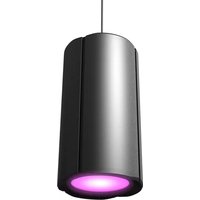
H2 FC - Lighting Cameo - Free user manual and instructions
Find the device manual for free H2 FC Cameo in PDF.



| Product type | RGBAL LED projector for fixed installation |
| Brand | Cameo |
| Model | H2 FC (CLH2FC / CLH2FCWH) |
| Dimensions (without bracket) | 200 x 380 mm |
| Weight (with bracket) | 8.3 kg |
| Power supply | 100-240 V AC, 50-60 Hz, 165 W |
| LED | 1 x multicolor LED row 180 W (red, green, blue, amber, lime) |
| Luminous flux | 7400 lm |
| Beam angle | 21° / 30° / 64° (interchangeable diffusers) |
| DMX modes | 1 CH, 2 CH 16-bit, 2 CH CCT, 3 CH CP, 6 CH HSI, 5 CH RGBAL, 13 CH 8-bit, 20 CH 16-bit, 23 CH 16-bit |
| DMX connectors | 5-pin male XLR input, 5-pin female XLR output, terminal block |
| Power Twist | Blue Power Twist input, white Power Twist output (max. 6 A) |
| Wireless functions | Built-in W-DMX |
| Standalone modes | Auto, Static, Color Macro, Tunable White, Timer |
| Display | OLED with touch keys |
| Cooling | Convection (passive) |
| Housing material | Metal |
| Housing color | Black (CLH2FC) or white (CLH2FCWH) |
| Fuse | T3AL / 250 V (5 x 20 mm) |
| Operating temperature | 0 °C to 40 °C |
| Relative humidity | < 80 %, non-condensing |
| Maintenance | Clean with a dry cloth |
| Safety | Do not open, do not look at LED, hot surfaces |
| Available spare parts | Fuse (same type), diffusers (21°, 30°, 64°), mounting omega (optional), mounting kit (optional) |
| Warranty | According to Adam Hall GmbH terms |
Frequently Asked Questions - H2 FC Cameo
User questions about H2 FC Cameo
0 question about this device. Answer the ones you know or ask your own.
Ask a new question about this device
Download the instructions for your Lighting in PDF format for free! Find your manual H2 FC - Cameo and take your electronic device back in hand. On this page are published all the documents necessary for the use of your device. H2 FC by Cameo.
USER MANUAL H2 FC Cameo
H2 FC
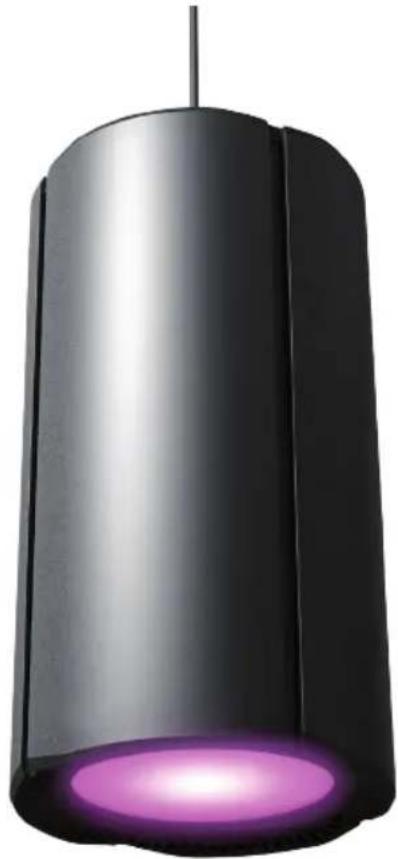
PENDANT LIGHT RGBAL WITH W-DMX™
CLH2FC(WH)
CONTENTS / INHALTSVERZEICHNIS / CONTENU / CONTENIDO / TREŚĆ / CONTENUTO
ENGLISH
SAFETY INFORMATION 3
INTRODUCTION
CONNECTIONS, OPERATING AND DISPLAY ELEMENTS 5
OPERATION
DIFFUSERS
SUSPENDED INSTALLATION 15
CABLING THE CONNECTION TERMINAL 16
OPTIONAL ACCESSORIES 17
DMX TECHNOLOGY 18
TECHNICAL DATA 19
MANUFACTURER'S DECLARATIONS 20
DEUTSCH
This device was developed and produced under the highest standards of quality in order to ensure smooth operation for many years. Please read these operating instructions carefully so that you can use your new Cameo Light product quickly and optimally. You can find more information on Cameo Light on our website WWW.CAMEOLIGHT.COM.
SAFETY INFORMATION
- Please read through these instructions carefully.
- Store all information and instructions in a secure location.
- Follow the instructions.
- Heed all warnings. Do not remove any safety warnings or other information from the device.
- Use the device only in the intended manner.
- Use only stable and suitable stands and/or mounts (for fixed installations). Make sure that wall mounts are properly installed and secured. Make sure that the device is securely installed and will not fall.
- During installation, heed all safety provisions that apply in your country.
- Do not install and operate the device in the vicinity of heaters, heat reservoirs, ovens, or other heat sources. Make sure that the device is installed in such a way that it is sufficiently cooled and will not overheat.
- Do not place any ignition sources, e.g. candles, on the device.
- Do not block the ventilation slits.
- The device was designed to be used only in interior spaces, do not operate the device in the direct vicinity of water (this does not apply to specialty outdoor devices - in this case, please note the special instructions given in the following). Do not bring the device into contact with combustible materials, fluids, or gases.
- Make sure that no water can drop or splash into the device. Do not place any containers filled with fluids, such as vases or drinking vessels, onto the device.
- Ensure that no objects can fall into the device.
- Operative the device using only those accessories recommended and specified by the manufacturer.
- Do not open the device, and do not modify it.
- After connecting the device, inspect all cable paths in order to avoid damage or accidents, such as those caused by tripping over said cables.
- During transport, ensure that the device will not fall and potentially cause material damage and personal harm.
- If your device no longer functions properly, fluids or objects have made their way into the device interior, or the device is otherwise damaged, switch it off immediately and remove it from the power outlet (provided the device is active). This device is to be repaired only by authorized specialists.
- Use a dry towel to clean the device.
- Follow all laws on disposal applicable in your country. Please separate plastic and paper or cardboard when disposing of the packaging.
- Plastic bags must be kept out of reach of children.
FOR DEVICES CONNECTED TO A POWER SUPPLY:
- ATTENTION: If the device power cable is equipped with a ground pin, it must be inserted into an outlet with a grounding conductor. Never disable the grounding conductor of a power cable.
- Do not immediately switch on the device when it has been exposed to stark temperature deviations (for example after transport). Humidity and condensation could damage the device. Switch on the device only when it has reached room temperature.
- Before you connect the device to the outlet, first ensure that voltage and frequency of the power supply complies with the values given on the device. If the device has a voltage selector switch, connect the device to the outlet only if the device values comply with the values of the power supply. If the provided power cable or power adapter does not fit your power outlet, contact an electrician.
- Do not step on the power cable. Make sure that live cables, in particular those at the power socket or at the power adapter and the device socket, are not bent.
- With regard to the device cables, always make sure that the power cable or power adapter is always freely accessible. Always separate the device from the power supply when the device is not in use or when you would like to clean the device. Always unplug the power cable and power adapter from the power outlet using the plug or adapter, not the cord. Never touch the power cable and power adapter with wet hands.
- If possible, do not switch the device on and off quickly because this may impair the service life of the device.
- IMPORTANT INFO: Replace fuses only with fuses of the same type and value. If a fuse trips repeatedly, please contact an authorized service center.
- In order to completely separate the device from the power supply, remove the power cable or power adapter from the outlet.
- If your device is equipped with a Volex power cord, release the correct Volex device connector before removing the cord. However, this also means that the device may slide and fall when removing the power cord, which may cause personal harm and/or material damage. Therefore, always lay cables carefully.
- Remove the power cable and power adapter from the outlet when there is a risk of lighting or when you no longer want to use the device.
- The device may only be installed when it carries no voltage (separate the power plug from the power supply).
- Dust and other debris within the device may damage it. The device should be serviced or cleaned regularly by qualified specialists depending on the environmental conditions (dust, nicotine, smoke, etc.) in order to avoid overheating.
- The distance to combustible materials must be at least 0.5 m.
-
Power cables for powering multiple devices must have a core cross-section of at least 1.5 mm2 . In the EU, lines must be H05VV-F or similar. Adam Hall provides suitable cables. Using these cables, you can connect multiple devices via the Power Out connection with the Power In connection of another device. Ensure that the total power consumption of all connected devices does not exceed the specified value (printed on the device). Be sure to keep power lines as short as possible.
-
The appliance is not to be used by persons (including children) with reduced physical, sensory or mental capabilities, or lack of experience and knowledge.
- Children must be instructed not to play with the device.
- If the power cord of the device is damaged, do not use the device. The power cord must be replaced by an adequate cable or assembly from an authorized service center.

CAUTION:
To reduce the risk of electric shock, do not remove cover (or back). There are no user serviceable parts inside. Maintenance and repairs should be exclusively carried out by qualified service personnel.

The warning triangle with lightning symbol indicates dangerous uninsulated voltage inside the unit, which may cause an electrical shock.

The warning triangle with exclamation mark indicates important operating and maintenance instructions.

Warning! This symbol indicates a hot surface. Certain parts of the housing can become hot during operation. After use, wait for a cool-down period of at least 10 minutes before handling or transporting the device.

Warning! This device is designed for use below 2000 metres in altitude.

Warning! This product is not intended for use in tropical climates.

Caution! Intense LED light source! Risk of eye damage. Do not look into the light source.
CAUTION! IMPORTANT INFORMATION ABOUT LIGHTING PRODUCTS!
- The product has been developed for professional use in the field of event technology and is not suitable as household lighting.
- Do not stare, even temporarily, directly into the light beam.
- Do not look at the beam directly with optical instruments such as magnifiers.
- Stroboscope effects may cause epileptic seizures in sensitive people! People with epilepsy should definitely avoid places where strobes are used.
INTRODUCTION
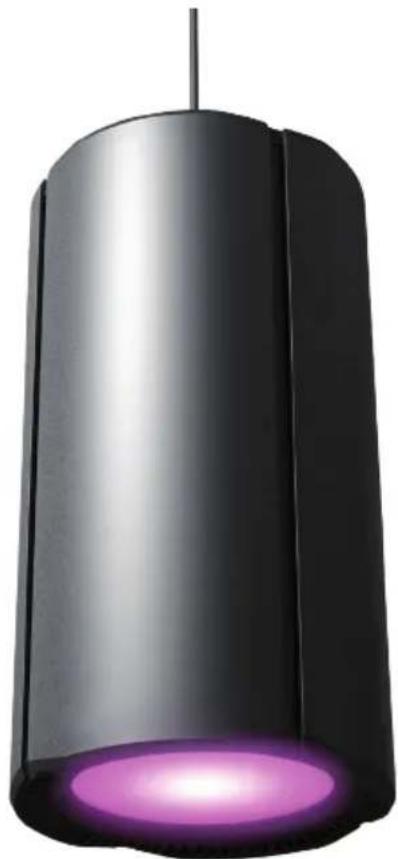
RGBAL PENDANT SPOTLIGHT WITH W-DMX™
CLH2FC (black housing)
CLH2FCWH (white housing)
CONTROL FUNCTIONS
- 1-channel, 2-channel 16-bit, 2-channel CCT, 3-channel CP, 6-channel HSI, 5-channel RGBAL, 13-channel 8-bit, 20-channel 16-bit, 23-channel 16-bit DMX-control
• W-DMX™ - Standalone functions
- Master/slave modes
FEATURES
• 180 W Multicolour Array (Red - Green - Blue - Amber - Lime) LEDs
- 5-pin DMX connections. W-DMX™. OLED display
- Convection cooling. Mounting bracket can be removed for suspended installation. Connecting terminal for fixed installation
- Operating voltage 100–240 V AC
• Power consumption 165 W
CONNECTIONS, OPERATING AND DISPLAY ELEMENTS

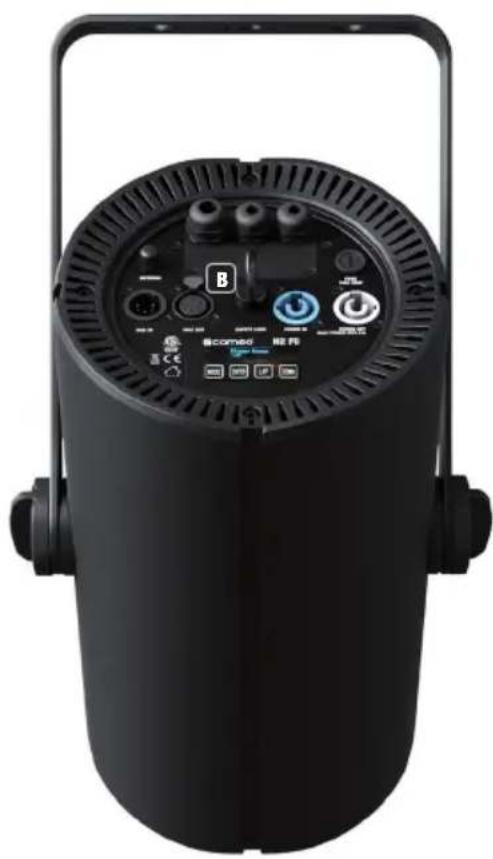
1 POWER IN
Blue Power Twist mains input socket. Operating voltage 100–240 V AC/50–60 Hz. A suitable mains cable with Power Twist plug is included.
2 POWER OUT
White Power Twist mains output socket for supplying power to additional Cameo spotlights (max. 6 A).
3 DMX IN
Male 5-pin XLR socket for connection to a DMX control device (e.g. DMX console).
4 DMX OUT
Female 5-pin XLR socket for sending the DMX control signal.
5 OLED DISPLAY
The OLED display shows the currently activated mode (main display 1), the spotlight status (main display 2 = W-DMX status), the menu items in the editing menu and the numerical value or operational status in certain menu items. Switch between both main displays by briefly pressing ENTER and DOWN at the same time. Note on the main display in DMX operating mode: As soon as the control signal is interrupted, the characters in the display begin to flash. When there is a control signal again, the flashing stops. Briefly pressing UP on the control panel when in the main display rotates the display by 180°.
6 TOUCH-SENSITIVE CONTROLS
MENU – Press MENU to access the editing menu. Press repeatedly to return to the main display. Pressing MENU without confirming a value or status change with ENTER restores the previously confirmed value or status.
ENTER – Press ENTER to access the menu levels to make value changes and use the ENTER control field to access the submenus. Confirm value or status changes by pressing ENTER.
UP and DOWN – Select individual menu items in the selection menu (DMX address, operating mode etc.) and in the submenus. Allow changes to the value in a menu item, such as the DMX address, as required.
Before changing device settings, ensure that the control panel is dry and clean, in order not to impair its functionality.
7 FUSE
Fuse holder for 5 x 20 mm micro fuses.
IMPORTANT: Replace the fuse only with a fuse of the same type and value. In the event of repeated fuse failure, please contact an authorised service centre.
8 SECURING LUG
Securing lug for attaching the spotlight on truss installations and for fixed suspended ceiling installation.
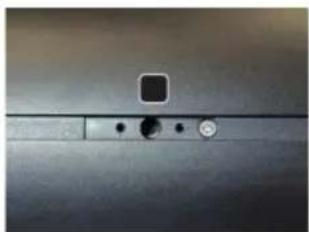
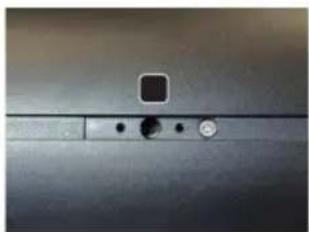
9 ANTENNA
Antenna for wireless control via W-DMX.
10 CONNECTION TERMINAL
The connection terminal is used for voltage and signal supply for fixed installations. Observe the safety instructions for wiring the terminal under CABLING THE TERMINAL.
OPERATION
PLEASE NOTE
- Immediately after connecting to the mains, the spotlight is ready for operation and the previously selected operating mode is activated.
- To navigate one level up in the menu structure, briefly press MENU, or press MENU again to return to the main display. The main display is activated automatically if no input is made within approximately 30 seconds.
- Briefly pressing the UP button when in the main display rotates the display by 180° .
- To quickly change a value (e.g. DMX start address), press and hold the UP or DOWN button.
MAIN DISPLAY 1 DMX OPERATING MODE
The display shows the DMX address and current DMX start address (in the example001).
DMX Address 001
MAIN DISPLAY 1 STANDALONE MODE
The display shows the currently activated stand-alone mode.
Mode Static
Mode Auto
Mode User Color
Mode Tuneable White
Mode Color Macro
MAIN DISPLAY 1 SLAVE MODE The display shows Mode Slave.
Mode Slave
MAIN DISPLAY 2 W-DMX STATUS
The display shows the W-DMX status. Switch between both main displays by briefly pressing ENTER and DOWN at the same time.
Fixture Status

W-DMX™
To pair the W-DMX receiver with a W-DMX compatible transmitter, W-DMX must be activated (W-DMX On) in the receiver's menu under Wireless Settings. The Reset command must be also executed under the same menu item (select Reset and confirm with ENTER). The receiver is now in pairing standby and waiting for a pairing request from a transmitter. Start the pairing by selecting Link in the menu of the transmitter and then confirm; the pairing now takes place automatically. In the same way, several receivers can be paired to a transmitter either simultaneously or one after the other. A W-DMX connection is always maintained until the connection is disconnected by means of the Reset command in the receiver or the Unlink command in the transmitter, regardless of whether a device has been disconnected from the power supply in the meantime.
W-DMX™ STATUS RF SIGNAL STRENGTH
| W-DMX deactivated | W-DMX activated, not paired | W-DMX activated and paired, Transmitter switched off or out of range | W-DMX activated and paired, no DMX signal | W-DMX activated and paired, DMX-Signal is present |

CONFIGURE DMX START ADDRESS
Press MENU to access the main menu. Now use the controls UP and DOWN to select the menu item
DMX address and confirm with ENTER. You can now configure the DMX start address with UP and DOWN (highest value dependent on the activated DMX mode). Confirm by pressing ENTER.
Menu
DMX Address
DMX Mode
DMX Delay
Stand Alone
Slave
Settings
System Info
DMX Address
001 - 512
CONFIGURE DMX MODE
Press MENU to access the main menu. Now use the controls UP and DOWN to select the menu item
DMX mode and confirm with ENTER. Again use UP and DOWN to select the desired DMX mode
and confirm with ENTER. Tables with the channel assignment of the different DMX modes can be found in these instructions under DMX CONTROL.
| Menu |
| DMX Address |
| DMX Mode |
| DMX Delay |
| Stand Alone |
| Slave |
| Settings |
| System Info |
| DMX Mode |
| 1 CH |
| 2 CH 16Bit |
| 2 CH CCT |
| 3 CH CP |
| 6 CH HSI |
| 5 CH RGBAL |
| 13 CH 8Bit |
| 20 CH 16Bit |
| 23 CH 16Bit |
DMX DELAY
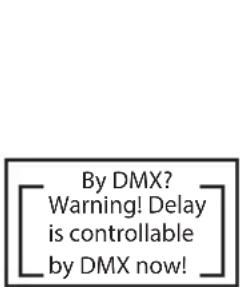
The DMX Delay function is a simple way to create a running light effect with a large number of spotlights that are all the same model and that are all running the same software version. This is otherwise only achievable with a suitable DMX controller and time-consuming programming. All the spotlights used in this are set to the same DMX operating mode and controlled via the same DMX start address. The delay time (DMX signal delay) can be manually set on each spotlight with different delay times (DMX Delay by DMX? No) or with the same delay time for all spotlights via a connected DMX controller on a specially reserved DMX channel (DMX Delay by DMX? Yes). Starting from the main display, press MENU to enter the main menu. Now use UP and DOWN to select the menu item DMX Delay and confirm with ENTER. Again use UP and DOWN to select the desired submenu item, confirm with ENTER and set the value or status accordingly. Confirm all entries with ENTER.
| Menu |
| DMX Address |
| DMX Mode |
| DMX Delay |
| Stand Alone |
| Slave |
| Settings |
| System Info |
| DMX Delay | |
| Group | 0 |
| by DMX? | No/Yes |
| Delay | 0.0s |
| DMX Delay | |
| Group | 0 |
| by DMX? | No |
| Delay | 0.0s |
| DMX Delay | |
| Group | 0 |
| by DMX? | Yes |
| Delay | 0.0s |
| By DMX?Warning! Delayis controllableby DMX now! |
| DMX Delay | |
| Group | 0 |
| by DMX? | Yes |
| DMX Delay | |
| Group | 0 |
| by DMX? | No |
| Delay | 0.0s - 2.0s |
Assign the spotlights to the desired groups (maximum number of groups 6), whereby several spotlights can be assigned to one group. The group number is also the factor by which the set delay time is multiplied (see setup example).
![graph LR A["DMX Controller"] --> B["DMX Delay Group 0\nby DMX? No\nDelay 0.0s"] B --> C["DMX Delay Group 1\nby DMX? No\nDelay 1.5s"] C --> D["DMX Delay Group 2\nby DMX? No\nDelay 1.5s"] D --> E["DMX Delay Group 3\nby DMX? No\nDelay 1.5s"] E --> F["DMX Delay Group 4\nby DMX? No\nDelay 1.5s"] F --> G[…](/content/2026/04/639374/images/ef858a5a9ff13d03665b0d8026a0dc5dc271f542f403678d680da43d1774f927.jpg)
![graph LR A["DMX Controller DMX Delay 0.5s"] --> B["DMX Delay Group 0 by DMX? Yes"] B --> C["DMX Delay Group 1 by DMX? Yes"] C --> D["DMX Delay Group 2 by DMX? Yes"] D --> E["DMX Delay Group 3 by DMX? Yes"] E --> F["DMX Delay Group 4 by DMX? Yes"] F --> G["DMX Delay Group 5 by DMX? Yes"] subgraph Spo…](/content/2026/04/639374/images/859091ddecd3af8b981ffcc5da9f9f611fdec70f0c3cd5e96f9567480ab8e98d.jpg)
STANDALONE MODE AUTO
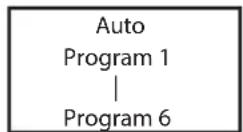
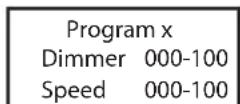
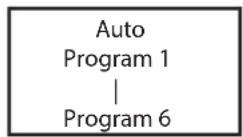
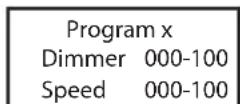
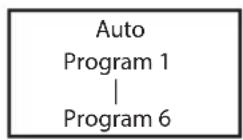
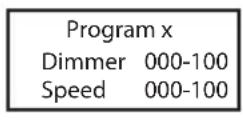
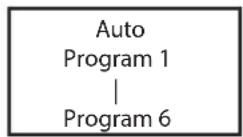
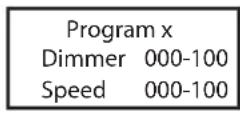
The 6 available auto-programs each comprise non-editable colour-change sequences. Brightness (Dimmer) and running speed (Speed) are separately adjustable in each programme. Starting from main display 1, press MENU to enter the main menu. Now use the controls UP and DOWN to select the menu item Stand Alone and confirm with ENTER. Again use UP and DOWN to select the standalone mode Auto and confirm with ENTER. Now use UP and DOWN to select the desired programme (programme 1 to 6) and again confirm with ENTER. Now use UP and DOWN to select Dimmer or Speed, confirm with ENTER and set the brightness or speed value from 000 to 100 as desired. Confirm all entries with ENTER.



STANDALONE MODE STATIC
The standalone mode Static allows the Dimmer, Strobe, R, G, B, A and L values to be set directly on the device with values between 000 and 255, in a similar way to with a DMX controller. In this way, an individual scene can be created without an additional DMX controller. Starting from main display 1, press MENU to enter the main menu.
Now use the controls UP and DOWN to select the menu item Stand Alone and confirm with ENTER. Again use UP and DOWN to select the standalone mode Static and confirm with ENTER. Use UP and DOWN to select the menu item you wish to edit and confirm with ENTER. You can now use UP and DOWN to configure the desired setting from 000 to 255. Confirm all entries with ENTER. The strobe effect values correspond to those in channel 2 of the DMX table 3CH CP.


| Static | |
| Dimmer | 000-255 |
| Dimmer Fine | 000-255 |
| Strobe | 000-255 |
| Red | 000-255 |
| Green | 000-255 |
| Blue | 000-255 |
| Amber | 000-255 |
| Lime | 000-255 |
STANDALONE MODE COLOR MACRO
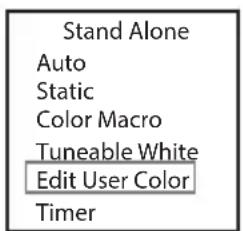
15 different colour macros and 4 individual colours (User Color 1-4) are available as presets. The brightness can be adjusted for each preset. Starting from main display 1, press MENU to enter the main menu. Now use the controls UP and DOWN to select the menu item Stand
Alone and confirm with ENTER. Again use UP and DOWN to select the standalone mode Color Macro and confirm with ENTER. Using the UP and DOWN controls, select the desired colour preset and confirm with ENTER (Color Off = blackout). You can now set the desired brightness from 000 to 100 using UP and DOWN; confirm with ENTER.
The individual colours User Color 1-4 are created in menu item Edit User Color in the Stand Alone menu.


| Color Macro |
| Color Off |
| Red |
| Amber |
| Yellow W |
| Yellow |
| Green |
| Turquoise |
| Cyan |
| Blue |
| Lavender |
| Mauve |
| Magenta |
| Pink |
| Warm White |
| White |
| Cold White |
| User Color 1 |
| User Color 2 |
| User Color 3 |
| User Color 4 |
STANDALONE MODE TUNEABLE WHITE
In the standalone mode Tuneable White, the colour temperature (CCT) can be adjusted from 1800 K to 6500 K in 100 K increments, in addition to the brightness (Dimmer) and colour (Tint). Starting from the main display, press MENU to enter the main menu. Now use the controls UP and DOWN to select the menu item Stand Alone and confirm with ENTER. Use UP and DOWN to select Tuneable White, confirm with ENTER and then use UP and DOWN to select the menu item you wish to edit. Confirm with ENTER. Use UP and DOWN to configure the desired value, then confirm all entries with ENTER.


STANDALONE MODE EDIT USER COLOR
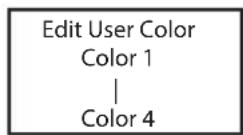
The standalone mode Edit User Color allows you to store four individual colour presets for brightness, stroboscope (strobe) and a colour mix of R, G, B, A and L directly in the device. Starting from main display 1, press MENU to enter the main menu. Now use the controls UP and DOWN to select the menu item Stand Alone and confirm with ENTER. Again use UP and DOWN to select Edit User Color and confirm with ENTER. Using UP and DOWN, now select the desired preset (Color 1 -Color 4) and confirm with ENTER. Use UP and DOWN to select the menu item you wish to edit and confirm with ENTER. You can now use UP and DOWN to configure the desired setting from 000 to 255. The strobe effect values correspond to those in channel 2 of the DMX table 3CH CP. Confirm all entries with ENTER.

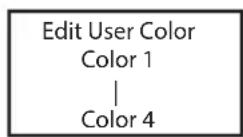
| Color x | |
| Dimmer | 000-255 |
| Dimmer Fine | 000-255 |
| Strobe | 000-255 |
| Red | 000-255 |
| Green | 000-255 |
| Blue | 000-255 |
| Amber | 000-255 |
| Lime | 000-255 |
TIMER FUNCTION (Timer)
The timer function allows the standalone modes Static, Color Macro and Tuneable White to be timer controlled in such a way that the Fade In time can be configured from 0.5 seconds to 24 minutes, the Dwell Time from 0.5 seconds to 24 hours and infinite (Limitless) and the Fade Out time from 0.5 seconds to 24 hours.
After activation of the timer function, the timer control will be implemented upon the next system start.
Starting from the main display, press MENU to enter the main menu. Now use the controls UP and DOWN to select the menu item Stand Alone and confirm with ENTER. Again use UP and DOWN to select Timer and confirm with ENTER. Under point Switch, select On and confirm again with ENTER. For the individual timer control settings, select Fade In, Dwell Time or Fade Out and confirm with ENTER. You can now use UP and DOWN to configure the desired setting. Confirm all entries with ENTER. To deactivate the timer function, under point Switch, select the setting Off and confirm with ENTER. Please note: The timer function is suitable for use in master/slave mode via cable.
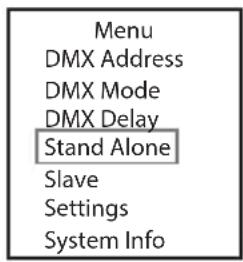
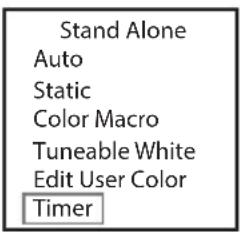
| Timer | |
| Switch | On / Off |
| Fade in | 0.5s-24h |
| Dwell Time | 0.5s-∞h |
| Fade out | 0.5s-24h |
SLAVE MODE
Starting from the main display, press MENU to enter the main menu. Using UP and DOWN, select the menu item Slave and confirm with ENTER. Connect the slave and the master units (same model, same software version) using a DMX cable, and enable one of the standalone modes on the master unit (Auto, Static, Color Macro, Tuneable White) and if required, the timer function. The slave unit will now follow the master unit.

SYSTEM SETTINGS (Settings)
Starting from the main display, press MENU to enter the main menu. Using UP and DOWN, select the menu item Settings and confirm with ENTER.

This will take you to the submenu for setting the submenu items (see table, select with UP and DOWN, confirm with ENTER, change value or status with UP and DOWN, confirm with ENTER).
| Settings | ||||
| Display Reverse = | Rotate | display On Display is rotated | by 180° (e.g. for overhead installation) | |
| Off No rotation of the display | ||||
| Display Back-light | = | Display lighting On Permanently | on | |
| Off Deactivation after approximately 1 minute of inactivity | ||||
| DMX Fail = Operating status with DMX signal fault | Hold Last command is retained | |||
| Blackout Activates blackout | ||||
| White All LEDs 100% output | ||||
| Dimmer Curve = Dimmer curve Linear Light intensity increases linearly with DMX value | |||||
| Dimmer Response | = Dimmer response LED Lamp responses abruptly to changes in DMX value | ||||
| PWM Frequency = Configuration of LED PWM frequency | 800 Hz/1200Hz/2000 Hz/3600 Hz/12kHz/25 kHz | ||||
| Autolock = Automatic locking of the controls | On Automatic locking of the controls after approximately 30 seconds of inactivity. Display shows: “LOCKED”To unlock: Press and hold UP and DOWN simultaneously for approx. 5 seconds | ||||
| Off Automatic locking of the controls is deactivated | |||||
| Calibration | = | Colour calibration | Type | Factory Calibration | Factory calibration of R, G, B, A and L (across all modes) |
| User Calibration | Individual colour calibration. Cross-mode brightness setting of R, G, B, A and L with values from 000 - 255. | ||||
| RAW | R, G, B, A and L with maximum value 255 | ||||
| Wireless | = W-DMX settings W-DMX On/Off | On = W-DMX activated | |||
| Reset | Press ENTER = Reset pairing with a transmitter and ready for new pairing | ||||
| Power | = | Operating mode | Constant | Constant brightness over long periods | |
| Maximum | Maximum brightness | ||||
| Software Update = For service purposes only | |||||
| Factory Reset | = | Reset to factory settings | Reset? | Reset to factory settings:Perform reset with ENTER, cancel with MENU | |
| Factory Reset WC | = | Reset to factory settings except User Colors | WC Reset? | Reset to factory settings except User ColorsPerform reset with ENTER, cancel with MENU | |
SYSTEM INFORMATION (System Info)
Starting from main display 1, press MENU to enter the main menu. Using UP and DOWN, select the menu item System Info and confirm with ENTER.
| Menu |
| DMX Address |
| DMX Mode |
| DMX Delay |
| Stand Alone |
| Slave |
| Settings |
| System Info |
This will take you to the submenu for accessing the system information (see table, selection with UP and DOWN, confirm with ENTER, change status with UP and DOWN, confirm with ENTER).
| System Info | ||||
| Firmware | = | Displays device firmware | FirmwareV1.xx | |
| Temperature = Displays temperature of LED unit | LED xxx°C / xxx°F | |||
| C/F Unit Celsius (= | display in degrees Celsius) | |||
| Unit Fahrenheit (= display in degrees Fahrenheit) | ||||
| Operation Hours = | Displays operating time Operation Hours xxxx:xxh | Displays total operating time in hours and minutes | ||
MANUAL LOCKING FUNCTION
In addition to the ability to automatically protect the spotlight from accidental and unauthorised operation (see „Settings“ – „Auto Lock“), the controls can also be locked manually. Press and hold the UP and DOWN controls simultaneously for approximately 5 seconds. „LOCKED“ is now displayed and it is no longer possible to change the spotlight's settings via the controls. After approx. eight minutes, the current operating mode is displayed again. To unlock, press and hold the UP and DOWN controls simultaneously for approximately 5 seconds. The display will show the previously displayed information.
DIFFUSERS
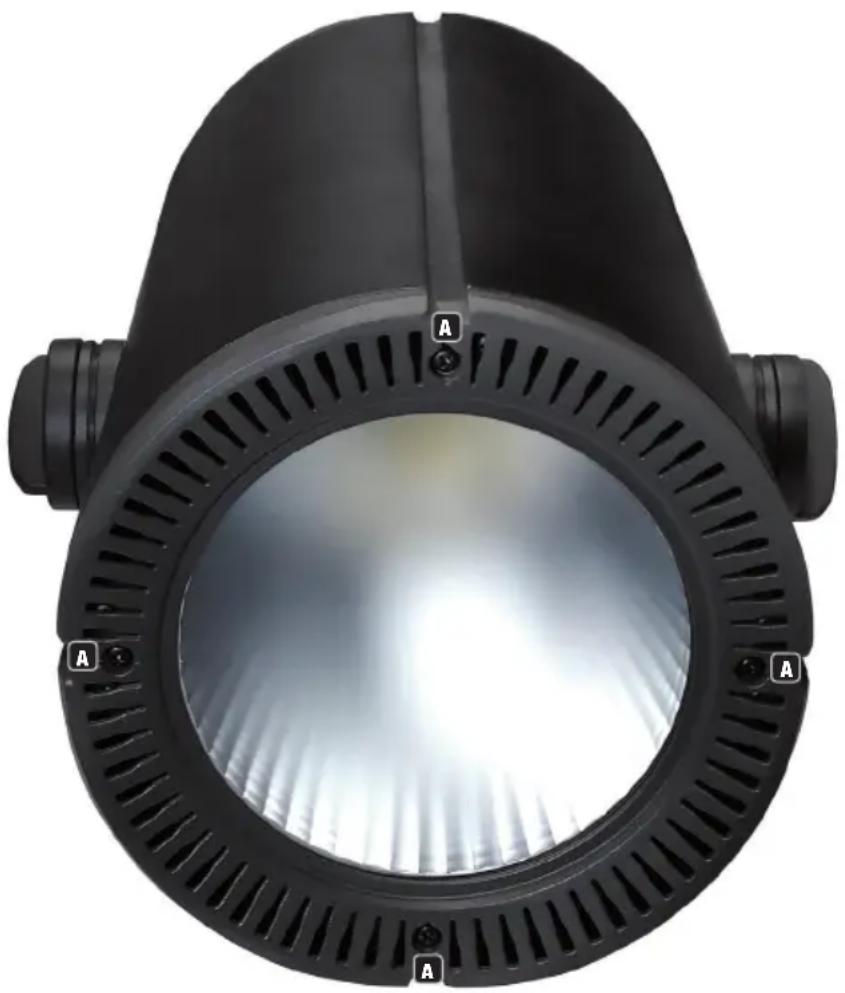
Three diffusers (diffuser with medium beam angle already installed) are provided with the spotlight. The other two diffusers have a beam angle of 21° and 64° . Loosen the four cross-head screws A on the retaining ring on the front of the spotlight with a suitable tool and remove the retaining ring from the spotlight. Use a small flat-bladed screwdriver to remove the diffuser from the retaining ring. Insert the required diffuser in the retaining ring and then secure the ring to the spotlight with the previously loosened screws.
TRUSS INSTALLATION

Important safety notice: Overhead mounting requires extensive experience, including the calculation of the load limit values of the installation material and regular safety inspection of all installation materials and spotlights. If you do not have these qualifications, do not attempt to perform an installation yourself. Refer instead to a qualified professional.
Installation on a truss is possible with an optionally available truss clamp, which is attached to the mounting bracket A. An Omega bracket is optionally available. Ensure firm connections and secure the spotlight to the designated securing lug B with a suitable safety cable.

SUSPENDED INSTALLATION

Important safety notice: Overhead mounting requires extensive experience, including the calculation of the load limit values of the installation material and regular safety inspection of all installation materials and spotlights. If you do not have these qualifications, do not attempt to perform an installation yourself. Refer instead to a qualified professional.
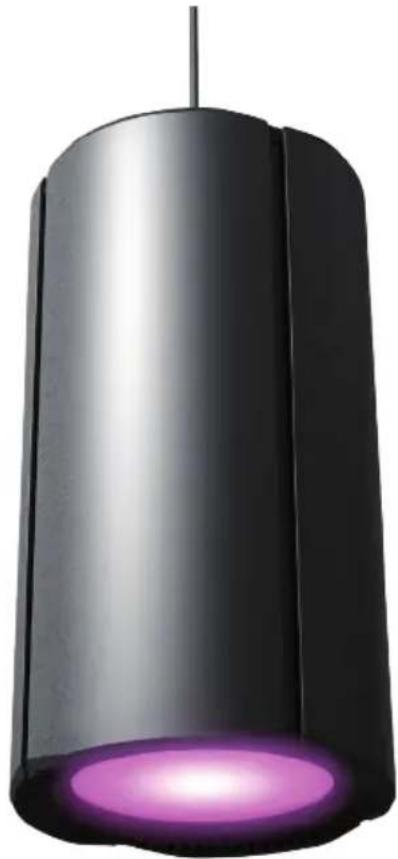
For suspended installation, the mounting bracket can be removed completely to create a consistent and discreet appearance.
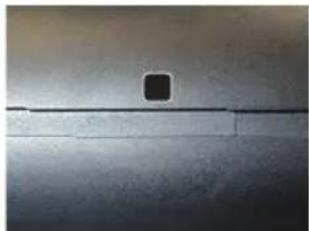
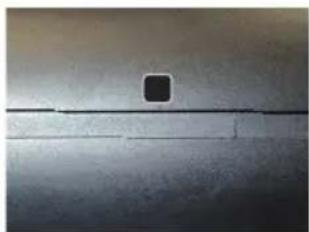
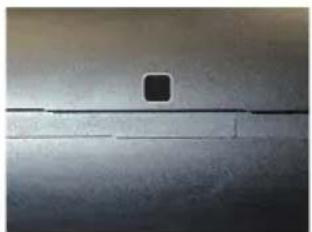
To do this, loosen and remove both knob screws A from the mounting bracket. Remove the sockets B on each side of the spotlight with a 3 mm Allen key. Cover the mounting holes C with the sliding metal strips in the grooves D. Keep all removed components safe for later use.


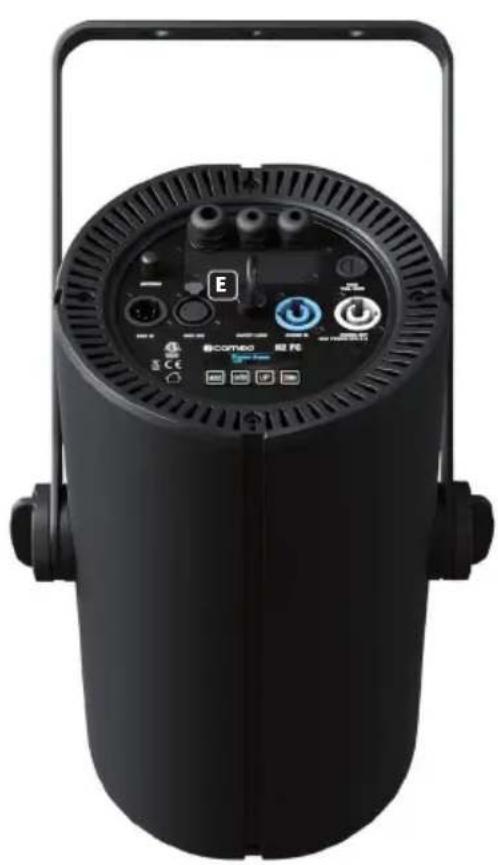
To suspend the spotlight, only the securing lug E and an appropriate suitable security cable should be used.
CABLING THE CONNECTION TERMINAL

Important Safety Instructions:
Opening the spotlight and connecting cables to the terminal connector requires specialist knowledge and may only be carried out by specially trained personnel! If you are not suitably qualified, do not attempt to open the spotlight and attach cable yourself. Refer instead to a qualified professional.
The manufacturer shall not be liable for any damage to property or personal injury caused by improper handling.
- The terminal connector may be used only as an alternative to the input and output sockets on the spotlight. This applies to the DMX connections as well as the mains connections.
- Fully disconnect the spotlight from the mains before opening it (remove the mains cable from the spotlight)!
- The cables must not be used to suspend the spotlight from a ceiling or similar.
The cables must only be used for mains and signal supply.
To suspend the spotlight, only the securing lug and an appropriate suitable security cable should be used.
Loosen the three cross head screws A on the terminal cover with a suitable tool and remove the cover from the spotlight housing. The terminal cover has 3 cable bushings. Feed a suitable 3-core mains cable (zero potential!) through the larger cable bushing B and 1 (only DMX IN) or 2 DMX cables (DMX IN and OUT) through the smaller cable bushing(s) C.

Loosen the 2 securing screws of the terminal block with the power supply cables and remove it from the corresponding terminal (terminal block connector D). Use suitable ferrules for the stripped cable ends and attach the 3-core mains cable to the corresponding contacts of the accompanying terminal block for the power supply. Observe the correct allocation (see diagram below, L=Live, G=Ground/Earth, N=Neutral). Attach the terminal block to the corresponding terminal block connector D and secure it with screws.

POWER IN DMX OUTDMX IN
Remove the terminal blocks for DMX IN (E / DMX1) and DMX OUT (F / DMX2) from the terminal block connector and connect the 3 leads from the DMX cable to the corresponding contacts on the terminal blocks (G = Ground/Earth, - = Negative, + = Positive). Attach the terminal blocks to the corresponding terminal block connectors, then seal the connection terminal with the terminal cover and secure it with the previously loosened screws. Protect the terminal connector from mechanical stress by ensuring that the clamping nuts for the cable bushings are securely tightened.
OPTIONAL ACCESSORIES
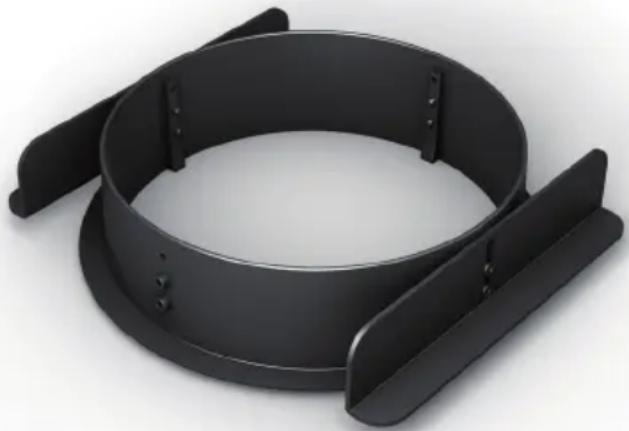
Ceiling installation kit
- CLH2CKB (black)
- CLH2CKW (white)

Important Safety Instructions:
Installation of the spotlight on ceilings requires specialist knowledge and may only be carried out by specially trained personnel! If you are not suitably qualified, do not attempt to install the spotlight on ceilings yourself. Refer instead to a qualified professional.
The manufacturer shall not be liable for any damage to property or personal injury caused by improper handling.
Omega mounting bracket
• CLOMEGABRACKET1

DMX TECHNOLOGY
DMX-512
DMX (Digital Multiplex) is the designation for a universal transmission protocol for communications between corresponding devices and controllers. A DMX controller sends DMX data to the connected DMX device(s). The DMX data is always transmitted as a serial data stream that is forwarded from one connected device to the next via the "DMX IN" and "DMX OUT" connectors (XLR plug-type connectors) that are found on every DMX-capable device, provided the maximum number of devices does not exceed 32 units. The last device in the chain needs to be equipped with a terminator (terminating resistor).
DMX CONNECTION
DMX is the common "language" via which a very wide range of types and models of equipment from various manufacturers can be connected with one another and controlled via a central controller, provided that all of the devices and the controller are DMX compatible. For optimum data transmission, it is necessary to keep the connecting cables between the individual devices as short as possible. The order in which the devices are integrated in the DMX network has no influence on the addresses. Thus the device with the DMX address 1 can be located at any position in the (serial) DMX chain: at the beginning, at the end or somewhere in the middle. If the DMX address 1 is assigned to a device, the controller "knows" that it should send all data allocated to address 1 to this device regardless of its position in the DMX network.
SERIAL CONNECTION OF MULTIPLE LIGHTS
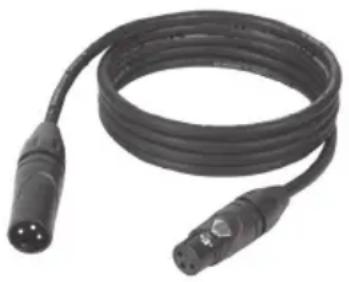
- Connect the male XLR connector (3-pin or 5-pin) of the DMX cable to the DMX output (female XLR socket) of the first DMX device (e.g. DMX-Controller).
- Connect the female 3-pin XLR connector of the DMX cable connected to the first projector to the DMX input (male 3-pin socket) of the next DMX device. In the same way, connect the DMX output of this device to the DMX input of the next device and repeat until all devices have been connected. Please note that as a rule, DMX devices are connected in series and connections cannot be shared without active splitters. The maximum number of DMX devices in a DMX chain should not exceed 32 units.
The Adam Hall 3 STAR, 4 STAR, and 5 STAR product ranges include an extensive selection of suitable cables.
DMX CABLES
When fabricating your own cables, always observe the illustrations on this page. Never connect the shielding of the cable to the ground contact of the plug, and always make certain that the shielding does not come into contact with the housing of the XLR plug. If the shielding is connected to the ground, this can lead to short-circuiting and system malfunctions.
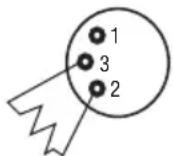
PIN ASSIGNMENT
DMX cable with 3-pin XLR connectors: DMX cable with 5-pin XLR connectors (pin 4 and 5 are not used):
![graph LR A["1"] --> B["Shield"] C["3"] --> B D["2"] --> B B --> E["1"] B --> F["3"] B --> G["2"]](/content/2026/04/639374/images/5bedc8e145c34e0984cd486228b12e0c04c8ad649875e6f5a9990a7ae5485114.jpg)

DMX TERMINATORS (TERMINATING RESISTORS)
To prevent system errors, the last device in a DMX chain needs to be equipped with a terminating resistor (120 ohm, 1/4 Watt).
3-pin XLR connector with a terminating resistor: K3DMXT3
5-pin XLR connector with a terminating resistor: K3DMXT5
PIN ASSIGNMENT
3-pin XLR connector: 5-pin XLR connector:

DMX ADAPTER
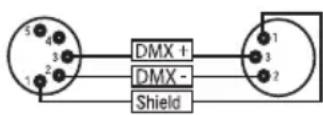
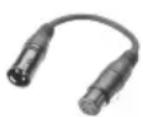
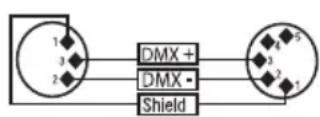
The combination of DMX devices with 3-pin connectors and DMX devices with 5-pin connectors in a DMX chain is possible with suitable adapters.
PIN ASSIGNMENT
DMX Adapter 5-pin XLR male to 3-pin XLR female: K3DGF0020 Pins 4 and 5 are not used.
PIN ASSIGNMENT
DMX Adapter 3-pin XLR male to 5-pin XLR female: K3DHM0020 Pins 4 and 5 are not used.
TECHNICAL DATA
Product number: CLH2FC(WH)
| Product type: LED spotlight | |
| Type: Installation spotlight | |
| Colour spectrum: RGBAL | |
| Number of LEDs: 1 | |
| LED type: 180 W Multicolour Array | |
| LED PWM frequency: 800 Hz, 1200 Hz, 2000 Hz, 3600 Hz, 12 kHz, 25 kHz (adjustable) | |
| Beam angle: 21° / 30° / 64° (interchangeable diffusers) | |
| DMX input: 5-pole male, terminal block connection | |
| DMX output: 5-pole female, terminal block connection | |
| DMX modes: 1-channel, 2-channel 16-bit, 2-channel CCT, 3-channel, 6-channel HSI, 5-channel RGBAL, 13-channel 8-bit, 20-channel 16-bit, 23-channel 16-bit | |
| DMX functions: | Dimmer, Dimmer fine, Strobe, RGBAL, RGBAL fine, HSI, CCT, Tint, Colour Presets, Colour Preset Crossfade, DMX-Delay |
| Control: | DMX512, W-DMXTM |
| Standalone functions: | Auto, Static, Colour Macro, Tuneable White, User Colour, Timer-Function, Master/Slave |
| Operating controls: | Menu, Enter, Up, Down |
| Display elements: | OLED display |
| Operating voltage: | 100–240 V AC/50–60 Hz |
| Power consumption: | 165 W |
| Luminous flux: | 7400 lm |
| Power supply connection: | INPUT: Blue Power Twist socket, terminal blockOUTPUT: White Power Twist socket, terminal block (max. 6 A) |
| Fuse: T3AL/250 V (5 x 20 mm) | |
| Ambient temperature (in operation): | 0–40°C |
| Relative air humidity: < 80%, non-condensing | |
| Housing colour: | Black (CLH2FC)White (CLH2FCWH) |
| Housing material: | Metal |
| Housing cooling: | Convection cooling |
| Dimensions (∅ x L, without mounting bracket): | 200 x 380 mm |
| Weight (incl. mounting bracket): | 8.3 kg |
| Additional features: | Mains cable included, Omega mounting bracket and ceiling installation kit optionally available |
MANUFACTURER'S DECLARATIONS
MANUFACTURER'S WARRANTY & LIMITATIONS OF LIABILITY
You can find our current warranty conditions and limitations of liability at: https://cdn-shop.adamhall.com/media/pdf/MANUFACTURERS-DECLARATIONS_CAMEO.pdf. To request warranty service for a product, please contact Adam Hall GmbH, Adam-Hall-Str. 1, 61267 Neu Anspach / Email: Info@adamhall.com / +49 (0)6081 / 9419-0.

CORRECT DISPOSAL OF THIS PRODUCT
(valid in the European Union and other European countries with a differentiated waste collection system)
This symbol on the product, or on its documents indicates that the device may not be treated as household waste. This is to avoid environmental damage or personal injury due to uncontrolled waste disposal. Please dispose of this product separately from other waste and have it recycled to promote sustainable economic activity. Household users should contact either the retailer where they purchased this product, or their local government office, for details on where and how they can recycle this item in an environmentally friendly manner. Business users should contact their supplier and check the terms and conditions of the purchase contract. This product should not be mixed with other commercial waste for disposal.
FCC STATEMENT
This device complies with Part 15 of the FCC Rules. Operation is subject to the following two conditions:
(1) This device may not cause harmful interference, and
(2) This device must accept any interference received, including interference that may cause undesired operation
CE COMPLIANCE
Adam Hall GmbH states that this product meets the following guidelines (where applicable):
R&TTE (1999/5/EC) or RED (2014/53/EU) from June 2017
Low voltage directive (2014/35/EU)
EMV directive (2014/30/EU)
RoHS (2011/65/EU)
The complete declaration of conformity can be found at www.adamhall.com.
Furthermore, you may also direct your enquiry to info@adamhall.com.
DEUTSCH
| DMX Delay | |
| Group | 0 |
| by DMX? | No/Yes |
| Delay | 0.0s |
| DMX Delay | |
| Group | 0 |
| by DMX? | Yes |
| Delay | 0.0s |
| By DMX?Warning! Delayis controllableby DMX now! |
| DMX Delay | |
| Group | 0 |
| by DMX? | Yes |
| DMX Delay | |
| Group | 0 |
| by DMX? | No |
| Delay | 0.0s - 2.0s |
STAND-ALONE-BETRIEBSART AUTO

STAND-ALONE-BETRIEBSART STATIC
| Static | |
| Dimmer | 000-255 |
| Dimmer Fine | 000-255 |
| Strobe | 000-255 |
| Red | 000-255 |
| Green | 000-255 |
| Blue | 000-255 |
| Amber | 000-255 |
| Lime | 000-255 |
STAND-ALONE-BETRIEBSART COLOR MACRO
| Stand Alone |
| Auto |
| Static |
| Color Macro |
| Tuneable White |
| Edit User Color |
| Timer |
| Color Macro |
| Color Off |
| Red |
| Amber |
| Yellow W |
| Yellow |
| Green |
| Turquoise |
| Cyan |
| Blue |
| Lavender |
| Mauve |
| Magenta |
| Pink |
| Warm White |
| White |
| Cold White |
| User Color 1 |
| User Color 2 |
| User Color 3 |
| User Color 4 |
| Stand Alone |
| Auto |
| Static |
| Color Macro |
| Tuneable White |
| Edit User Color |
| Timer |
| Tuneable White | |
| Dimmer | 000-255 |
| CCT | 1800K - 6500K |
| Tint | -10 - 10 |
STAND-ALONE-BETRIEBSART EDIT USER COLOR
| Stand Alone |
| Auto |
| Static |
| Color Macro |
| Tuneable White |
| Edit User Color |
| Timer |
| Edit User Color |
| Color 1 |
| | |
| Color 4 |
| Color x | |
| Dimmer | 000-255 |
| Dimmer Fine | 000-255 |
| Strobe | 000-255 |
| Red | 000-255 |
| Green | 000-255 |
| Blue | 000-255 |
| Amber | 000-255 |
| Lime | 000-255 |
TIMER-FUNKTION (Timer)
| Stand Alone |
| Auto |
| Static |
| Color Macro |
| Tuneable White |
| Edit User Color |
| Timer |
| Timer | |
| Switch | On / Off |
| Fade in | 0.5s-24h |
| Dwell Time | 0.5s- ∞ h |
| Fade out | 0.5s-24h |
SLAVE-BETRIEB
TRAVERSENMONTAGE




ANSCHLUSSTERMINAL VERKABELN

POWER IN DMX OUTDMX IN

DMX TECHNIK
DMX-512
DMX-VERBINDUNG:
RÉGLAGE DE L'ADRESSE DMX DE DÉPART
| DMX Delay | |
| Group | 0 |
| by DMX? | No/Yes |
| Delay | 0.0s |
| DMX Delay | |
| Group | 0 |
| by DMX? | Yes |
| Delay | 0.0s |
| By DMX?Warning! Delayis controllableby DMX now! |
| DMX Delay | |
| Group | 0 |
| by DMX? | Yes |
| DMX Delay | |
| Group | 0 |
| by DMX? | No |
| Delay | 0.0s - 2.0s |
MODE DE FONCTIONNEMENT STAND ALONE STATIC
| Static | |
| Dimmer | 000-255 |
| Dimmer Fine | 000-255 |
| Strobe | 000-255 |
| Red | 000-255 |
| Green | 000-255 |
| Blue | 000-255 |
| Amber | 000-255 |
| Lime | 000-255 |
MODE DE FONCTIONNEMENT STAND ALONE COLOR MACRO
| Stand Alone |
| Auto |
| Static |
| Color Macro |
| Tuneable White |
| Edit User Color |
| Timer |
| Timer | |
| Switch | On / Off |
| Fade in | 0.5s-24h |
| Dwell Time | 0.5s- ∞ h |
| Fade out | 0.5s-24h |
MODE SLAVE
MONTAGE SUR TRAVERSE


INSTALLATION SUSPENDUE


CÂBLAGE DE LA BORNE DE RACCORDEMENT

POWER IN DMX OUTDMX IN

TECHNIQUE DMX
DMX-512
PROTOCOLE DMX
Pilotage : DMX512, W-DMX™
Fonctions autonomes Auto, Static, Color Macro, Tuneable White, User Color, fonction Timer, Master/Slave (Standalone):
(Valid in the European Union and other European countries with waste separation)



MODO AUTÓNOMO STATIC
| Static | |
| Dimmer | 000-255 |
| Dimmer Fine | 000-255 |
| Strobe | 000-255 |
| Red | 000-255 |
| Green | 000-255 |
| Blue | 000-255 |
| Amber | 000-255 |
| Lime | 000-255 |
MODO AUTÓNOMO COLOR MACRO
| Color Macro |
| Color Off |
| Red |
| Amber |
| Yellow W |
| Yellow |
| Green |
| Turquoise |
| Cyan |
| Blue |
| Lavender |
| Mauve |
| Magenta |
| Pink |
| Warm White |
| White |
| Cold White |
| User Color 1 |
| User Color 2 |
| User Color 3 |
| User Color 4 |
MODO AUTÓNOMO TUNEABLE WHITE

MODO AUTÓNOMO EDIT USER COLOR

| Color x | |
| Dimmer | 000-255 |
| Dimmer Fine | 000-255 |
| Strobe | 000-255 |
| Red | 000-255 |
| Green | 000-255 |
| Blue | 000-255 |
| Amber | 000-255 |
| Lime | 000-255 |
| Timer | |
| Switch | On / O |
| Fade in | 0.5s-24h |
| Dwell Time | 0.5s-∞h |
| Fade out | 0.5s-24h |
MODO ESCLAVO
MONTAJE EN TRAVESAÑO



POWER IN DMX OUTDMX IN

TECNOLOGÍA DMX
DMX512
CONEXIONADO DMX
STATUS W-DMX™ SIŁA SYGNAŁU RF
USTAWIANIE ADRESU STARTOWEGO DMX
| DMX Delay | |
| Group | 0 |
| by DMX? | No/Yes |
| Delay | 0.0s |
| DMX Delay | |
| Group | 0 |
| by DMX? | No |
| Delay | 0.0s |
| DMX Delay | |
| Group | 0 |
| by DMX? | Yes |
| Delay | 0.0s |
| By DMX?Warning! Delayis controllableby DMX now! |
| DMX Delay | |
| Group | 0 |
| by DMX? | Yes |
| DMX Delay | |
| Group | 0 |
| by DMX? | No |
| Delay | 0.0s - 2.0s |

USTAWIANIE TRYBU PRACY STANDALONE STATIC
| Static | |
| Dimmer | 000-255 |
| Dimmer Fine | 000-255 |
| Strobe | 000-255 |
| Red | 000-255 |
| Green | 000-255 |
| Blue | 000-255 |
| Amber | 000-255 |
| Lime | 000-255 |
TRYB PRACY STANDALONE COLOR MACRO
| Stand Alone |
| Auto |
| Static |
| Color Macro |
| Tuneable White |
| Edit User Color |
| Timer |
| Color Macro |
| Color Off |
| Red |
| Amber |
| Yellow W |
| Yellow |
| Green |
| Turquoise |
| Cyan |
| Blue |
| Lavender |
| Mauve |
| Magenta |
| Pink |
| Warm White |
| White |
| Cold White |
| User Color 1 |
| User Color 2 |
| User Color 3 |
| User Color 4 |
TRYB PRACY STANDALONE TUNEABLE WHITE
| Stand Alone |
| Auto |
| Static |
| Color Macro |
| Tuneable White |
| Edit User Color |
| Timer |
| Tuneable White | |
| Dimmer | 000-255 |
| CCT | 1800K - 6500K |
| Tint | -10 - 10 |
TRYB PRACY STANDALONE EDIT USER COLOR
| Stand Alone |
| Auto |
| Static |
| Color Macro |
| Tuneable White |
| Edit User Color |
| Timer |
| Edit User ColorColor 1|Color 4 |
| Color x | |
| Dimmer | 000-255 |
| Dimmer Fine | 000-255 |
| Strobe | 000-255 |
| Red | 000-255 |
| Green | 000-255 |
| Blue | 000-255 |
| Amber | 000-255 |
| Lime | 000-255 |
FUNKCJA TIMERA (Timer)
| Timer | |
| Switch | On / Off |
| Fade in | 0.5s-24h |
| Dwell Time | 0.5s-∞h |
| Fade out | 0.5s-24h |
TRYB SLAVE
MONTAŻ NA KRATOWNICY


MONTAŻ WISZĄCY


OKABLOWANIE LISTWY PRZYŁĄCZENIOWEJ

POWER IN DMX OUTDMX IN

TECHNIKA DMX
DMX-512
ZŁĄCZE DMX:
PROIETTORE A SOSPENSIONE RGBAL CON W-DMX™
| DMX Delay | |
| Group | 0 |
| by DMX? | No/Yes |
| Delay | 0.0s |
| DMX Delay | |
| Group | 0 |
| by DMX? | No |
| Delay | 0.0s |
| DMX Delay | |
| Group | 0 |
| by DMX? | No |
| Delay | 0.0s - 2.0s |
| DMX Delay | |
| Group | 0 |
| by DMX? | Yes |
| Delay | 0.0s |
| By DMX?Warning! Delayis controllableby DMX now! |
| DMX Delay | |
| Group | 0 |
| by DMX? | Yes |

| Static | |
| Dimmer | 000-255 |
| Dimmer Fine | 000-255 |
| Strobe | 000-255 |
| Red | 000-255 |
| Green | 000-255 |
| Blue | 000-255 |
| Amber | 000-255 |
| Lime | 000-255 |
| Color Macro |
| Color Off |
| Red |
| Amber |
| Yellow W |
| Yellow |
| Green |
| Turquoise |
| Cyan |
| Blue |
| Lavender |
| Mauve |
| Magenta |
| Pink |
| Warm White |
| White |
| Cold White |
| User Color 1 |
| User Color 2 |
| User Color 3 |
| User Color 4 |

MODALITÀ DI FUNZIONAMENTO STAND-ALONE EDIT USER COLOR
| Color x | |
| Dimmer | 000-255 |
| Dimmer Fine | 000-255 |
| Strobe | 000-255 |
| Red | 000-255 |
| Green | 000-255 |
| Blue | 000-255 |
| Amber | 000-255 |
| Lime | 000-255 |
FUNZIONE TIMER (Timer)
| Timer | |
| Switch | On / Off |
| Fade in | 0.5s-24h |
| Dwell Time | 0.5s-∞h |
| Fade out | 0.5s-24h |
MODALITÀ SLAVE
MONTAGGIO SU TRAVERSA



POWER IN DMX OUTDMX IN

TECNOLOGIA DMX
DMX512
COLLEGAMENTO DMX:
EN: (1*) After the adjustments have been made, set the value to 000 to avoid disturbance by endless function call.

- H2 FC
- CONTENTS / INHALTSVERZEICHNIS / CONTENU / CONTENIDO / TREŚĆ / CONTENUTO
- ENGLISH
- DEUTSCH
- SAFETY INFORMATION
- FOR DEVICES CONNECTED TO A POWER SUPPLY
- CAUTION
- CAUTION! IMPORTANT INFORMATION ABOUT LIGHTING PRODUCTS
- INTRODUCTION
- RGBAL PENDANT SPOTLIGHT WITH W-DMX™
- CONTROL FUNCTIONS
- FEATURES
- CONNECTIONS, OPERATING AND DISPLAY ELEMENTS
- 1 POWER IN
- 2 POWER OUT
- 3 DMX IN
- 4 DMX OUT
- 5 OLED DISPLAY
- 6 TOUCH-SENSITIVE CONTROLS
- 7 FUSE
- 8 SECURING LUG
- 9 ANTENNA
- 10 CONNECTION TERMINAL
- OPERATION
- PLEASE NOTE
- MAIN DISPLAY 1 DMX OPERATING MODE
- MAIN DISPLAY 1 STANDALONE MODE
- MAIN DISPLAY 1 SLAVE MODE THE DISPLAY SHOWS MODE SLAVE
- MAIN DISPLAY 2 W-DMX STATUS
- W-DMX™
- CONFIGURE DMX START ADDRESS
- CONFIGURE DMX MODE
- DMX DELAY
- STANDALONE MODE AUTO
- STANDALONE MODE STATIC
- STANDALONE MODE COLOR MACRO
- STANDALONE MODE TUNEABLE WHITE
- STANDALONE MODE EDIT USER COLOR
- TIMER FUNCTION (TIMER)
- SLAVE MODE
- SYSTEM SETTINGS (SETTINGS)
- SYSTEM INFORMATION (SYSTEM INFO)
- MANUAL LOCKING FUNCTION
- DIFFUSERS
- TRUSS INSTALLATION
- SUSPENDED INSTALLATION
- CABLING THE CONNECTION TERMINAL
- IMPORTANT SAFETY INSTRUCTIONS
- OPTIONAL ACCESSORIES
- DMX TECHNOLOGY
- DMX-512
- DMX CONNECTION
- SERIAL CONNECTION OF MULTIPLE LIGHTS
- DMX CABLES
- PIN ASSIGNMENT
- DMX TERMINATORS (TERMINATING RESISTORS)
- DMX ADAPTER
- TECHNICAL DATA
- MANUFACTURER'S DECLARATIONS
- MANUFACTURER'S WARRANTY & LIMITATIONS OF LIABILITY
- CORRECT DISPOSAL OF THIS PRODUCT
- FCC STATEMENT
- CE COMPLIANCE
- STAND-ALONE-BETRIEBSART AUTO
- STAND-ALONE-BETRIEBSART STATIC
- STAND-ALONE-BETRIEBSART COLOR MACRO
- STAND-ALONE-BETRIEBSART EDIT USER COLOR
- TIMER-FUNKTION (TIMER)
- SLAVE-BETRIEB
- TRAVERSENMONTAGE
- ANSCHLUSSTERMINAL VERKABELN
- DMX TECHNIK
- DMX-VERBINDUNG
- RÉGLAGE DE L'ADRESSE DMX DE DÉPART
- MODE DE FONCTIONNEMENT STAND ALONE STATIC
- MODE DE FONCTIONNEMENT STAND ALONE COLOR MACRO
- MODE SLAVE
- MONTAGE SUR TRAVERSE
- INSTALLATION SUSPENDUE
- CÂBLAGE DE LA BORNE DE RACCORDEMENT
- TECHNIQUE DMX
- PROTOCOLE DMX
- MODO AUTÓNOMO STATIC
- MODO AUTÓNOMO COLOR MACRO
- MODO AUTÓNOMO TUNEABLE WHITE
- MODO AUTÓNOMO EDIT USER COLOR
- MODO ESCLAVO
- MONTAJE EN TRAVESAÑO
- TECNOLOGÍA DMX
- DMX512
- CONEXIONADO DMX
- USTAWIANIE ADRESU STARTOWEGO DMX
- USTAWIANIE TRYBU PRACY STANDALONE STATIC
- TRYB PRACY STANDALONE COLOR MACRO
- TRYB PRACY STANDALONE TUNEABLE WHITE
- TRYB PRACY STANDALONE EDIT USER COLOR
- FUNKCJA TIMERA (TIMER)
- TRYB SLAVE
- MONTAŻ NA KRATOWNICY
- MONTAŻ WISZĄCY
- OKABLOWANIE LISTWY PRZYŁĄCZENIOWEJ
- TECHNIKA DMX
- ZŁĄCZE DMX
- PROIETTORE A SOSPENSIONE RGBAL CON W-DMX™
- MODALITÀ DI FUNZIONAMENTO STAND-ALONE EDIT USER COLOR
- FUNZIONE TIMER (TIMER)
- MODALITÀ SLAVE
- MONTAGGIO SU TRAVERSA
- TECNOLOGIA DMX
- COLLEGAMENTO DMX
Brand : Cameo
Model : H2 FC
Category : Lighting