
BSS8225POW - Vacuum Cleaner BOSCH - Free user manual and instructions
Find the device manual for free BSS8225POW BOSCH in PDF.



User questions about BSS8225POW BOSCH
0 question about this device. Answer the ones you know or ask your own.
Ask a new question about this device
Download the instructions for your Vacuum Cleaner in PDF format for free! Find your manual BSS8225POW - BOSCH and take your electronic device back in hand. On this page are published all the documents necessary for the use of your device. BSS8225POW by BOSCH.
USER MANUAL BSS8225POW BOSCH
[en] Scan the QR code or visit the website to open the Further Notices for Use. You can find additional information about your appliance or accessory here.
m = 311
m = 311

Sicherheit
- Read this instruction manual carefully.
- Keep the instruction manual and the product information safe for future reference or for the next owner.
- Do not connect the appliance if it has been damaged in transit. Only use this appliance:
- with genuine parts and accessories. Damage caused by using third-party products is not covered under the warranty.
for cleaning surfaces.
for applications described in these instructions. - in private households and in enclosed spaces in a domestic environment at room temperature.
up to an altitude of max. 2000m above sea level.
Do not use the appliance:
for vacuum-cleaning persons or animals.
- for vacuuming up harmful, sharp-edged, hot or burning substances.
for vacuuming up damp substances or liquids.
- for vacuuming up highly flammable or explosive materials and gases.
- for vacuuming up ash or soot from stoves and central heating systems.
for vacuuming up toner dust from printers and photocopiers.
for vacuuming up building rubble.
Disconnect the appliance from the power supply when:
- cleaning the appliance.
This appliance may be used by children aged 8 or over and by people who have reduced physical, sensory or mental abilities or inadequate experience and/or knowledge, provided that they are supervised or have been instructed on how to use the appliance safely and have understood the resulting dangers.
Do not let children play with the appliance.
Cleaning and user maintenance must not be performed by children unless they are being supervised.
- Repairs to the appliance should only be carried out by trained specialist staff.
-
Only use genuine spare parts when repairing the appliance.
-
Never operate a damaged appliance.
- Never operate an appliance with a cracked or fractured surface.
- Call customer services. Page 24
- Only use the appliance in enclosed spaces.
- Never expose the appliance to intense heat or humidity.
- Do not use steam- or high-pressure cleaners to clean the appliance.
- Never let the power cord come into contact with hot appliance parts or heat sources.
- Never let the power cord come into contact with sharp points or edges.
- Never kink, crush or modify the power cord.
- Connect and operate the charging cable and the quick charger only in accordance with the specifications on the rating plate.
- Connect the charging cable and the quick charger to a power supply with alternating current only via a properly installed socket with earthing.
- When cleaning the appliance, do not use flammable substances or substances that contain alcohol.
- Keep clothing, hair, fingers and other body parts away from the openings on the appliance and the moving parts.
- Never point the pipe or the nozzles towards eyes, hair, ears or mouths.
- Ensure that children do not play with the appliance, even when it is in the base station1.
- Persons with electronic implants must stand at least 10cm away from the appliance.
- Keep packaging material away from children.
- Do not let children play with packaging material.
- Protect the battery against fire, heat and constant sunlight.
- Protect the battery against water and penetrating moisture.
- Never open the battery.
- When not in use, keep the battery away from metal objects, e.g. paper clips, coins, keys, nails or screws.
Supply fresh air.
If there are any problems, seek medical advice from a doctor.
en
Preventing material damage
If these come into contact with the skin, wash immediately with cold water.
If these come into contact with the eyes, seek medical help.
Preventing material damage
To prevent material damage to your appliance, accessories or any other objects, follow these instructions.
- Check and clean any wet objects.
Replace damaged objects.
Regularly check the outsides of the nozzles for wear.
Replace the worn nozzle. - Never use the nozzle without the brush roller in place.
- Never operate the appliance without the filter unit.
Included with the appliance
After unpacking all parts, check for any damage in transit and completeness of the delivery.
Note: The appliance comes with additional accessories depending on its features.
Fig. 1
| A | Base station1 |
| B | 2-in-1 furniture brush with upholstery stery nozzle1 |
| C | Mini electro-nozzle1 |
| D | Replacement brush for mini elec- tro-nozzle1 |
| E | Replacement brush for power brush1 |
| F | Mattress nozzle1 |
| G | XXL upholstery nozzle1 |
| H | Variable accessory holder1 |
| I | Power brush for hard floors1 |
| J | Flexible extension hose1 |
| K | Keyboard and drawer nozzle1 |
| L | Long, flexible crevice nozzle1 |
Depending on the appliance specifications
| M | Short crevice nozzle1 |
| N | Battery1 |
| O | Quick charger1 |
| P | Charging cable1 |
1 Depending on the appliance specifications
Appliance
You can find an overview of the parts of your appliance here.
Fig. 2
| 1 | Dust container |
| 2 | Fluff filter |
| 3 | Cartridge filter |
| 4 | Regulating the operating statuses |
| 5 | On/off switch |
| 6 | Status display |
| 7 | Dust container release button |
| 8 | Suction pipe |
| 9 | Power brush |
Controls
You can find an overview of the controls for your appliance here.
① Switch on the appliance.
- Switch off the appliance.
Status display
The status display indicates the different operating statuses.
| Operating status | Status display |
| Normal mode | Auto lights up. |
| Turbo mode | Turbo lights up. |
| Energy-saving mode | Eco lights up. |
| Battery charge below 20% | flashes quickly. |
| Battery empty Display goes out. | |
| Charging process | flashes and shows the already charged status. |
| Operating status | Status display |
| Battery is fully charged | LED lights up and goes out after approx. two minutes. |
| Error display | LED lights up red and goes out after approx. 10 seconds. → "Troubleshooting", Page 23 |
Battery charging times
You can find an overview of the battery charging times here.
Notes
-
The specified charging times may vary depending on the battery charging status, the battery temperature and the age of the battery.
-
You can find out which battery charging times are achieved with the quick charger in the instructions of for the quick charger.
Tip: If the quick charger displays a battery charging status of approx. 80% , you can remove and use the battery.
| Battery charging status of | 18 V 3,0 Ah 18 V 4,0 Ah 18 V 5,0 Ah |
| 80% in hrs 4 4 5 | |
| 97%-100% in hrs 5 4½ 5½ | |
Battery runtimes
You can find an overview of the battery runtimes, depending on the battery that is used, here.
Note
The following modes affect the battery runtime:
Mode 1: Energy-saving mode with non-electrical accessory
Mode 2: Energy-saving mode with electrical floor nozzle
Mode 3: Auto mode with electrical floor nozzle
Mode 4: Turbo mode with electrical floor nozzle
| Runtime 18 V 3,0 Ah 18 V 4,0 Ah 18 V 5,0 Ah |
| Mode 1 up to min. 45 65 45 |
| Mode 2 up to min. 35 50 35 |
| Mode 3 up to min. 15 20 28 |
| Mode 4 up to min. 10 10 12 |
Notes
- Like every Li-ion battery, the batteries from the Power for ALL 18 V series wear out over time, meaning that the battery
capacity and the runtime decrease. This is a natural aging process and not the result of a material error, manufacturing error or material defect.
en Installing the base station
- You can delay the natural wear by using the following measures:
Only charge the battery in the temperature range between 0^ and 45^ . - Only store the battery in the temperature range between -20^ and 50^ .
- Do not store the battery for an extended period of time if it is fully charged or fully discharged.
Installing the base station
- Check whether any household wiring could be damaged in the installation area.
- Do not install the base station horizontally or vertically above, below or next to a socket.
$$ \rightarrow \text {F i g .} \boxed {3} - \boxed {6} $$
Inserting and charging the battery
$$ \rightarrow \text {F i g .} \boxed {7} - \boxed {8} $$
Charging
- Only use the battery in connection with the Bosch appliance.
- Only charge the battery using the original charging cable.
- Only use batteries from the Power for ALL 18 V series.
Note: The power supply unit on the charging cable ^1 and the appliance heat up while charging. This is normal and harmless.
Charging using the charging cable
Fig. 9 - 10
Charging in the base station
- Ensure that children do not play with the appliance, even when it is in the base station1.
$$ \rightarrow \text {F i g .} \quad 1 1 - 1 2 $$
Charging using the quick charger
- Press the release button and remove the battery to the rear.
$$ \rightarrow \text {F i g .} \quad 1 3 $$
- Observe the enclosed instructions.
Installing the appliance
$$ \rightarrow \text {F i g .} \quad 1 4 - 1 5 $$
Switching on the appliance
Press ①.
$$ \rightarrow \text {F i g .} \quad 1 6 $$
Setting the power
$$ \rightarrow \text {F i g .} \boxed {1 7} - \boxed {1 8} $$
Vacuuming with accessories
$$ \rightarrow \text {F i g .} \quad 1 9 - 2 0 $$
Storing accessories
$$ \rightarrow \text {F i g .} \boxed {2 1} - \boxed {2 2} $$
Using the flexible extension hose
$$ \rightarrow \text {F i g .} \boxed {2 3} - \boxed {2 4} $$
Cleaning the appliance
Requirement: The appliance is switched off.
- Disconnect the appliance from the charging cable1.
- Clean the appliance and the accessory with a soft cloth and a commercially available plastic cleaner.
Emptying the dust container
$$ \rightarrow \text {F i g .} \boxed {2 5} - \boxed {2 8} $$
Cleaning the filter unit
- Never allow the filters to come into contact with liquids.
$$ \rightarrow \text {F i g .} \quad 2 9 - 3 5 $$
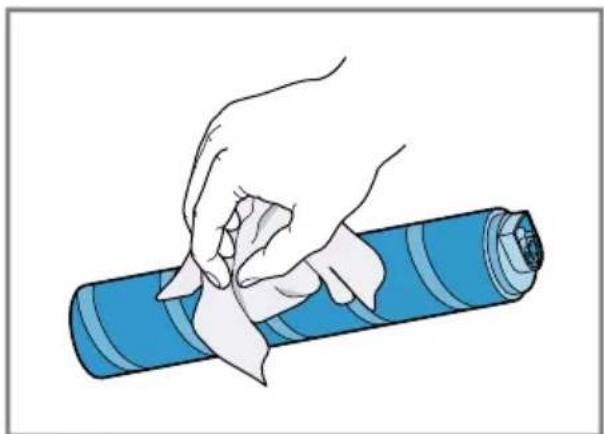
Cleaning the power brush
$$ \rightarrow F i g. \quad 3 6 - 3 8 $$
Cleaning the power brush for hard floors
Fig. 39 - 41
Troubleshooting
Repairs to the appliance should only be carried out by trained specialist staff.
- Only use genuine spare parts when repairing the appliance.
The appliance is not working.
The battery status display does not show any status.
The battery has not been inserted correctly.
Insert the battery correctly.
The battery has not been charged.
Charge the battery.
The red fault indicator lights up for 10 seconds.
The battery has overheated or overcooled.
- Switch off the appliance and disconnect the appliance from the power supply.
- Wait until battery has reached room temperature.
The appliance has overheated or overcooled.
- Switch off the appliance and disconnect the appliance from the power supply.
- Wait until the appliance has reached room temperature.
No charging function.
Incorrect charger was used.
- Only use the charger that is included.
The dust container cannot be inserted.
The filter unit is not complete.
- Check whether the filter unit is complete.
The filter unit or dust container is not positioned correctly.
- Check whether the filter unit and dust container are inserted correctly.
Suction is reduced.
The filter is blocked.
- Switch off the appliance and disconnect the appliance from the power supply.
- Clean the filter unit.
The nozzle is blocked.
- Switch off the appliance and disconnect the appliance from the power supply.
-
Check whether the air channel from the nozzle to the appliance is blocked.
-
Empty the dust container.
- Clean the filter unit.
- Once the appliance has cooled down, switch the appliance back on.
Disposing of old appliance
- Dispose of the appliance in an environmentally friendly manner. Information about current disposal methods are available from your specialist dealer or local authority.
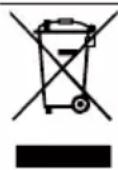
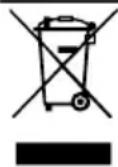
This appliance is labelled in accordance with European Directive 2012/19/EU concerning used electrical and electronic appliances (waste electrical and electronic equipment - WEEE). The guideline determines the framework for the return and recycling of used appliances as applicable throughout the EU.
Disposing of batteries
Batteries should be recycled in an environmentally friendly manner. Do not dispose of the batteries in the household rubbish.
- Dispose of batteries in an environmentally friendly manner.
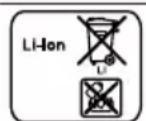
According to the European Guideline 2006/66/EC, defective or used battery packs/batteries, must be
en Customer Service
collected separately and disposed of in an environmentally correct manner.
Customer Service
Detailed information on the warranty period and terms of warranty in your country is available from our after-sales service, your retailer or on our website.
The contact details for Customer Service can be found in the enclosed Customer Service directory or on our website.

Sécurité
niques usages (waste electrical and electronic equipment - WEEE).
97% -100% in h 5 4½ 5½
Accu is oververhit of onderkoeld.
Apparaat is oververhit of onderkoeld.
1 Allt after apparatens utrusting
Enhet
Duração 18 V 3,0 Ah 18 V 4,0 Ah 18 V 5,0 Ah
| Modo 1(até min. 45 65 45 |
| Modo 2(até min. 35 50 35 |
| Modo 3(até min. 15 20 28 |
| Modo 4(até min. 10 10 12 |
Notas
Eliminar as bacterias/pilhas
Akü sarij durumu 18 V 3,0 Ah 18 V 4,0 Ah 18 V 5,0 Ah
Calisma suresi 18 V 3,0 Ah 18 V 4,0 Ah 18 V 5,0 Ah
| Mod 1, maks. Dakika | 45 65 45 |
| Mod 2, maks. Dakika | 35 50 35 |
| Çalıhma süresi 18 V 3,0 Ah 18 V 4,0 Ah 18 V 5,0 Ah | |
| Mod 3, maks. Dakika | 15 20 28 |
| Mod 4, maks. Dakika | 10 10 12 |
Notlar
Doba provozu 18 V 3,0 Ah 18 V 4,0 Ah 18 V 5,0 Ah
He ncpoIb3yIe npI6Op:
ДЯЧИСТКИЛОДЕМЖИBOTHBIX;
■ДлЯ BCaCsIbAHnI BpeHbIX ДлЯ 3dOpOBbI, OCTpbIX, ropAynx nII paC-KaJIeHHbIX cy6ctaHcN;
ДлЯ BCacbIBaHnB BlaKhblx nIи JnDknx cy6ctaHcN;
■ДЯ BCaCbIBaHnЯ ЛERKOBOcPJIaMeHЯIOxXcR ИИ B3pbIbYaTbIX Be-ⅢeCTBи Ra3OB;
ДлЯ BCасьВаня пeпla, сажи n3 пeчeyи устралььно OTОПLEня;
Длг BCacbBaHnЯ ToHepa n3 npHTepOB nIи KOnnpoBaJbHbIX annapaTOB;
Длг BCacbIBaHЯ CTpOHTeIbHOro Mycopa.
OToeHNHe np6op OT noaun 3JeKtpo3Hepn, ecn Bbl:
OuHaeTe np6op;
BpeMa pa6oTb1 18 V 3,0 Ah 18 V 4,0 Ah 18 V 5,0 Ah
YcTpaHHe HEnCnPaBHOCTeI
HdNKaTOp COCTOHN aKKymyIaTOpHOb6aTapeH He NOKa3bIBaET COCTOHNe. AKKymyIaTOp yCTaHOBJIeH HEnpaBnIbHo.
YcTaHOBnTe aKKyMylrTop B npaBnIbHOM NOLOXKeHN.
AkkymyIaTOp He 3apJxKeH.
3apnTe aKKymyIaTOp.
HnKaTOp HeNCpPaBHOCTn Ropnt KpaChbIM CBetOM B TeueHne 10 c. IpeperpeB nI nepeoxlaJkDeHne aKKymyIaTopa.
- BbiklouHTe npnbop n oTcoeHNHTe ero OT 3JIeKTPoNTaHnI.
- IoOxKdnte, noka aKKyMylrTop He doCTHrHET KOMHaTHOH TeMnepaTpybl.
IpeperpeB nII nepeoxlaJdEHe np6opa.
- BbiklouHTe npHOBn oTcoeHNHTe erO OT 3JIeKTPoNTaHnA.
2.Подождnte,пoka прибор He дocHTHET KOMHaTHOH TemNepaTypbl.
3apKa He BbINOHReTc.
HcnoIb3OBAIocb HEnoIxOJaIe 3apIaHOe yCTpOiCTBO.
HcnoIb3yInTe TOnbKO BxOJaUeB KOMnJIeKT NocTaBKn 3apJdHoe yCTpOi-CTBO.
KoHTeHepIJIyIbIIN He yCTaHOBInEh.
ФильТpoBaJIbHbI 6JOK He yKOMJIeKTOBaH.
- ПоберъуkomплктованлнфьтpoBaJIbHbI 6nOK.
ΦnltpoBaIbHbI 6lOK nI KOnTeHep dIra cOpa nbIy UcTaHOBHeHbI HeIpaBnIbHO.
PpOBepbTe npaBnIbHO nn yCTaHOBJeHbI ΦNtpoBaJIbHbI 6IOK nIN KOHTeHep dJa c6opa nbI.
Moichioctb BCacbBaHn yMeHbUlnlaCb.
Φnltp 3acopen.
- BbiklHouHTe np6Op n oTcoeHNHTe erO OT 3JIeKTPoPNTaHnI.
- OuHCTHTe ΦnIbTpOBaJIbHbI 6JOK.
HacaKa 3a6loKnpoBaHa.
- BbiklHouHTe np6Op n oTcoeHNHTe erO OT 3JIeKTPoPNTaHnI.
- Поберъ, He 3acopen IIN BO3dUHbI KaHaI OT HacaDOK Do npnbopa.
- Onopokhnte kohteHep dIa c6opa nbln.
- OuHCTHTe ΦnIbTpOBaJIbHbI 6JIoK.
- Choba BkIIOHTe npIbOp, nocNe TOrO, KaK OH OXlaIITcR.
YTNIN3aun Ctaporo 6bITOBORO np6opa
YTNIN3npyIte np6Op B COOTBETCTBnC 3KOJIOrHuEcKIMH HopMaMn.
CBeHeHnO B03MOxHbIX CnOCobax yTnHn- 3aun MOxHO NOLyUHTb BCneuaHn3HPOBaHHOM TOPROBOM PpeIppnTn, a TaKKe B paOHbIX HnI TropoDcKnx OpraHax ynpabHeHn.
Даньи пбор ИмeeT OMeTKy O COOTBETCTBn EBpo-NeCKm HopMaM 2012/19/EU yTnIn3aunn əJIeKtpnuecknx n əJIeKTPoHbIx pIbOpob (waste electrical and electronic equipment - WEEE).
ДанныеHopMbIОпpeДeЯJOТ DeHCTByUOuNeHaTeppHTOpn EBPOcoUO3a npabNla BO3BpaTa n yTINn3aunn cTapbIX pnp6opOB.
ru Ytnn3aun aKKyMylTOpOB/6atapei
YTNIN3aun aKKymyIATOPOB/6a-tapei
AkkymyIaTOpbl/6batape nCneDyET OTnpaBnTb Ha daJIbHeNlUO yTHIN3aCNIIO B COOTBeTCTBn C Tpe6OBaHnMn OXpaHbI OKpyKaHO-uei cpebl. He yTHIN3nPyTe aKKymyIaTOpbl/6batape NMeCTe C 6bITOBbIM Mycopom.
YTHIN3npyIte aKKyMylTOpbl/6aTapEn B COOTBETCTBNN C 3KOJIOrNueCKIMN HOPMaMM.
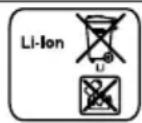
B COOTBETCTBnC eBpOeNckoI DnpeKTHBOI 2006/66/EC NOBpeKdEHHbIe HIN NcNoJIb3OBaHHbIe aKKyMylrTOpbI/6aTapeN DOJXHbI CoBnPaTbcra OTdeJIbHO IOTnpaBJIaTbcra Ha DaJIbHeIyU OYTNi3aUNIO B COOTBETCTBnC Tpe6OBaHHmOxpaHbI OKpyKaHOSe CpeDbI.
CepBnchA cnjx6a
IopnoHyu HOpMaunO rapaHTnHOM cpoKe n ycNoBnx rapaHTn B BaWeCtpaHe Bbl MoKeTe 3anPoCnTb B HaWe CepBnCHoN CnyK6e, y BaWeTo npOdaBua nIn HaHTn Ha HaWe m caTe.
Ampc n Tepeoh cepBnchOn cnyk6bl MOHO HauTn B npnaeraMOM nepeHecpBnchbIX cnyK6 uHa HaHaewem Be6-caTe.
ДяdoctynaK KOHTaKTam CnyK6 KIneHTCKO- ro cepBnca,BbI TaKHe MOKeTe NcNoJb30BaTb daHbI QR KoI.
https://www.bosch-home.ru

Siguranta
Nivel de incarcare a 18 V 3,0 Ah 18 V 4,0 Ah 18 V 5,0 Ah accumulatorului de
| 80% in h 4 4 5 |
| 97% -100% in h 5 4½ 5½ |
tronice vechi (waste electrical and electronic equipment - WEEE).
He BnKOpncToBvIe npIlaI:
■ДЯЧИSEENHЯЛЮDEAabo TBapINH.
■ДЯ BCMOKtyBaHHЯШкIDINBnxДЯ 3ДОРOB'я, rapaHx a6o po3-JXapeHnX peOvBN,пpeДmetiB i3 rOCTpIMN KpaAMN.
■ДЯ BCMOKTYBaHHЯ BOIOrnX abo piKnx peuOBnH.
■ДЯ BCMOKTYBaHHЯ Лergko3aIMnCTnx a6o Bn6yXOHe6e3neuHnx peuOBHH, 3OKpeMa ra3iB.
ДлЯ BCMOKTyBaHHЯ ПОпелу, сади 3 пechey i npnilaDiB ueHTpaIbHOrO onaJIeHHЯ.
■ДЯ BCMOKtyBaHHЯ TOHepHOrO NOpoShky 3 npInTepeB i KOniHOBaIbHnX anapaTIB.
ДлЯ BCMOKtyBaHHуБдIBeьHOrO CMITT.
Bid'ednyte npnilad Bi d eleKtpomepejki, KOnn Bn:
YnCTNTe npilaI.
ДiTиВIKOM BiI 8 pOKiB, a TAKOx Oco6n 3 ObMeJKeHIMN φi3nUHMN, CEHCOPHIMn a6o PO3yMOBIMN 3dIOHOCTaMn YI 3 6paKOM DoCBiDy Ta/a6o 3HaNb MoKytb KOpNCtYBaTnCra ZIM npINAdom TiIbKn Pid HaTlAdom a6o NiCIAO TpIMaHHa Bka3IBOK i3 6e3neuHoro KOpNCtYBaHN Hn npINAdom i NiCIA TOrO, Ra BOHn YCbIDOMnI MOKJIINI NOB'3aHI 3 ZIM He6e3NeKN.
ДiTЯМ 3a6bOpOHeNo rpaTnC8 3 npIaJOM.
ДiTЯМ 3aБОРоно чИСТИТи OБСЛУROВВаТи пилад БeЗ HaГЯДу ДОРOCПИX.
PemontyBatn npnilad do3BOJeHO tIbKn 0axiBcM.
IЯ peMOHTy npnaIaIy I03BOJЯcTbCra BVKOpNCTOByBaTu InIe OpiRiHaJIbHi 3aIpuactHn.
Hikon He KopnctyTeCn POnKoJKeHm PpnaIaOM.
3aboponeho KopnctyBaTnC npnilaom, NOBepxHЯKOro Tpi-CHyla nn 3Iamalacn.
3aTeIeOHyIte do cepBicHoro ueHTpy. CToP. 144
BnKOpncToByTe npnaIaI InIe B 3aKpNTnx npmIiueHnX.
Bepexitb npnilad BiD BncoKoi Tempepatyn BOLOrn.
He moxha u nCTnTn npna3a doNOMOIO napOBoro a6o BN COKOTNCKOBOro npnaIay.
He donyckaite KOhtaKty KaebIO XnBleHna 3 rapaUMn YaactnHAMn npilaNy uHsIMN dKepeJamr TeIIa.
He donyckaite KOHTaKTu MepeXHoro KaBeJIO 3 roCTpIMn PpeDMeTaMn.
He neperinhaite, He nepetnckaite He nepeoabndnyte KaebIyINBHeHH.
3apdHn KaebI i npicptiB WbndKoro 3apJxHaHHaOHOPiKIOUATN Do eEeKtpomepeXi EKCnlyaTyBaTn IINSe BiINOIBHO DO DaHnx, 3a3NaueHnx Ha 3aBODcbKi Ta6nuci.
3apHn KaebI i npicptiB WbNkoTO 3apJxHa MoKHaPiKlOuATn Do eEeKtpomepeXi 3miHHO cTpyM TyIbKn Ype3 3a3emLeHy p03eTKy, 3MOHTOBaHy 3rIDHO 3 uHHmH HOpMaMn.
He BnKOpNCToBvIe IerKo3aMnCTi a60 cNnrtOBmicHi peuOBHn npn OunIeHHI npnlaNy.
- TpimaiTe Ondr, BOLocn, NaIbci Ta iHsi yactnHn TiJa nOaJI BiD OTBopiB Ha npiladi Ta pyxomnx yactnH.
Hikoli He haipablaIe Tpy6ky a6o hacdkn Ha oui, BOLOccn, Byxa nn pot.
- IpekeohaiTeC, 0o dITn He rpaOTbC3 npIaOM, HABiTb YKIO BIn 3HaXoINTbcH Na DOK-CTaHcii.
Людм 3[elektroними IMпаHTaTamn Heo6xIDHO TpIMaTINcHa 6e3neuHi BicTaHI - npHaiMHi 10 cm BiD npNlaNy.
Bepexitb nakybaIbHi matepiaIi BID iTei.
uk 3anobiTn MaTepiabHm 36ntkam
He do3B0JIe Te iTm rpaTnC 3 naKyBaIbHm MaTePiaJOM.
3axnauTe aKymyIaTOp BiD BOrHIO, TeIIa i TpNBaIoi II coHryuHx npOMeHIB.
3axnauTe akymnyTop BiD BODI Ta NotpaHNNB OJOrn BCEpeiHy.
BxodHomypa3iHeBidKpBaIteakymyIaTOp.
TpimaiTe HeBnKOpncTaHn AkymyIaTOp IoIaI BiD MetaJIeBX npEIMetIB, TaKnx Jk CkpiINK, MOHeTN, KJIoui, ZBAXN aO O rBnHTN.
PpOBItpitb npMiuueHn.
3a HauBHOCTi ckapr 3BepHiTbcra do Iikapra.
Y pa3i kohtaKty 3i shKipOIO HeaIHO npOMnTe BOIOIO.
Ypa3i KOHTaKTy 3 OuIma 3BepHiTbcr Do Iikapra.
Як заannotа mateяпьнм 36нтkaM
Uo6 yHnKHyTn NOsKOJxEHnI npnaIy, npnaIaIry IInuXn PpeMTeB, BnKOnHyIe Li Bka3iBKn.
- IpepeBipTe Ta ouHcTiTb MOKpi npeDMeTu.
3amHITb NoUSHKOJKeHi npeDMeTI. - Peru npno npeBipnTe HxHni yactHHn Ha npdmET 3HOyBaHH.
3amHItb 3HOWeHy HacaIky.
He BnKOpNCToBvIe HacaKy 6e3 BCTaHOBJIeHOro BaIIkA uITKn. - PpaBnla TexHikn 6e3neKn He nepeDbauoTb ekCnnyatauio npnaIady 6e3ΦiNbTp-CnCTeMn.
KoMnJIeKT noCTaBKn
Iicra po3naKyBaHHn nepeBipTe, uKOMnJIeKT NOBn i uH He NpOkoJnIO JkICbUacTHnPi d uac TpaHCnOpTyBaHHn.
3ayBaKeHHa: 3aIeJHo BiKOMnJIeKTaUII npuJaMOxe IOCTaHaTcH 3doTaTKOBIM npuJaAaM.
→MaJI. 1
Yac po60Tu 18 V 3,0 Ah 18 V 4,0 Ah 18 V 5,0 Ah
| Рек imm 1doesxb456545 |
| Рек imm 2doesxb355035 |
| Рек imm 3doesxb152028 |
| Рек imm 4doesxb101012 |
Bka3iBkn
■Як i Bydь-як i LiTiH-iOHHi akymyIaTopn, akymyIaTopn cepii Power for ALL 18 V 3roDOM 3HOwYIObC, lo CKOpOuye TePmIn clyx6n batapei i yac po6oTn. LepnpoHn npoec 3HOwYBaHHn i BIn He e HacJIiKOM DepekTy MaTepiAny, DepeKTy BnPo6HnTuBa a6o BaDn.
3aBJaKN HAcTyNHm 3axOJAM MOxHa 3aTpmaTn npnpoDHe 3HOuYBaHHa: -3apJXkaIte aKymyIaTOp IInWe B dianasaOni TempepaTy0 ^ C - 45 ^ C
- 36epiraTe aKymyIaTOp InIe B iIana3oHi Tempepatyp -20 ^ C - 50 ^ C .
- He 36epiraTe akymyIaTOp npotraom Tpmbaloro yacy nobHicTIO 3apr-dxKeHIM aO NobHicTIO p03paJxKeHIM.
MONTAK DOK-CTAHU
- Ipepebipte, uH He Nn KdoKeHa DOMaun H eJeKtpoPBOKa B 3OHi MOHTaKy.
He BCTaHOBNIoIe DOK-CTaHciIO rOpN3OHTaJIbHO a60 BePTnKaJIbHO HaI, iIa 60 npuy i3 pO3eTKoI.
→MaI. 3 -6
BcTablaHH Ta 3apJkaHHaKymyIaTopa
→MaI.7-8
3apdkaHn
BukopncToByte aKymyIaTOp Inwe pa3om i3 npilaam Bosch.
3apJkaTe aKymyIaTOp IuWe 3a DOonomoTOO opRHaHbHO npNCTPOU WBNKOTo 3apJkaHHa.
BukopncToByte Inwe aKymyIaTopn cepii Power for ALL 18 V.
3ayBaKeHHa: BIOK XINBHeHHa 3apnHOMy Ka6eni i npuaHaRpiBaOTbcn iuc 3apJxKaHH. He He HecnpaBHicTIO.
3apJxHaHHy uepe3 Ka6eIb
→MaJ. 9 - 10
3apJxHHa HdoK-CTaHcii
- IpekehauTeCra, 0o DiTn He rpaIOTbc3 npnaDom, HABiTb kUO BIn 3HaXOnITbcH Na DOK-CTaHui.
→MaI. 11 - 12
3apJxHnHa 3a DOnOMoHO npNCTPOHO WBnKOrO 3apJxHnHa
- HaTnCHiTb KHONky po36IOKyBaHHra Ta Bn-IMiTb akymyJrTop Ha3aJ. Man. 13
2.ДotpmyTeCb IHCTpyKci,IO IOdaIO-TbCra.
MONTAK npnilaody
→ Man. 14 - 15
YbIMKHeHH npHJaNy
HaTnchItb Ha ①.
→MaI. 16
HanaHTyBaHHnoTyXnHOcti
→ Man. 17 - 18
UHHeHHaOdaTHKOBnM npHaIaIaIaM
→ Man. 19 - 20
36epirHn npilaJn
→ Man. 21 - 22
BnKOpncTaHn rHyUkOro NoIOBxuBaIbHOrO ShlaHra
→ Man. 23 - 24
OuHsEHHaIaIy
Bvmora: PpnilaD BmKHeHO.
- Biɪ'ɛnHaɪTe npɪlaɪd Biɪ 3apɪdHOrO Kaβeɪn0¹.
- OuHCTIb npnla i npnaIaM'kIM py- shHKOM i 3BnuaHm MIOUcM 3acO6OM Ira IIactMaCn.
CnopoXHeHHa KOHTeHepa IJIy
→ Man. 25 - 28
OuHsEHHa IJIbTp-cnCTeMH
Φilbtpn He MaIOb KOHTaKTyBaTN 3 piIN-HAMN.
→MaJI. 29 - 35
OuHsennH eJekTpoiTkN
→ Man. 36 - 38
OuHsEHHa eIeKtpoUcITKn IJIa TBepdx NiIor
→MaJ. 39 - 41
YcyHeHH HeCnpaBHOCTeI
- PemontybaTn npnilaD O3BOJeHO TiIbKn daxiBcM.
Для ремонту пиладуdo3BOJЯETbcR BnKOpNCTOByBaTи Лше opNiHaJIbHi 3an-uaCTHn.
PpnaHe npaioe.
IHHaTOp 3apAky akymyTAToPA He BiO6paKae cTaH.
AkyMylTOp He npabNbHO BCTaBHeHn.
- PpaBnIbHO BCTaHOBiTb aKymyIaTOP.
AkymyJrTop He3apJdxKeHn.
3apaIb aKymyTOp.
UepBoHn iHdNkaTOp HecnpaBHOCTi CBiTbC npOTrOm 10 cekyHd.
AkymyjTOp neperpitn a6o nepeoxoJokhen.
- BumknHtB npnla i BiD'edHa'Te NOro BiJeNeKtpomepeXi.
- 3auekaite,doKn aKymyIaTOp DoCraHKe KIMHaTHoI TempepaTyPi.
PpnilaI neperpitn a6o nepeoxoJxKeHn.
- Bumknitb npnila i Bi'd'edHaTe NOro BiJeKeKtpomepekci.
- 3auekaITe,doKn npnilad doCgHne KIMHaTHOITempepaTpyn.
3apnKaHHHe yHKcioHye.
BnKOpNCToBvEbCn HnPaBnIbHn 3apAHN nPncTpii.
BukopncToByTe InIe DoaHn 3apA-DHn npicTpI.
KoHTeHep IJIa NIIy He MoXHa BnKOpHcTObYBaTH.
ΦiNbTp-CnCTema He BKOMnJIeKTOBaHa.
- IpepeBipTe, uI pIbTp-CnCTema NOBHicTHO BKOMPJIeKTOBaHa.
ΦiNbTp-CnCTema a6o KOHTeHep IJIa NIIy HeIpaBnIbHO BCTaBHeHi.
- Ipebeipte, u npabnIbHO BCTaBneHi fIbTp-CnCTema Ta KOHTeHep dIy nIy.
NotyKHiCTb BCMOKTyBaHHa 3MeHwUeTbcra.
ΦiNbTp 3aCmUeHn.
- BumknHtB npnila i BiD'edHa'ne NOro BiE neKtpomepekji.
uk Ytuiiaui CTapnx npilaib
- OuNCTITb fiJIbTp-CnCTEmy.
Hacaika 3a6loKOBaHa.
- BmKHiTb npnla i Bi'edHa'te noTo Bi d eNeKTpOmepeXi.
- Ipepebipte, uH He 3acmuehen NOBITpHn KaHaI BiD HacaAKn Do npnaNy.
- CnpoXHITb KOHTeINHep dIy NnIy.
- OuNCTITb fiJIbTp-CnCTEmy.
5.ПисЯTOrO,ЯКпрILAДoxOLOHe,yBi-MKHiTb NOrO 3HOBy.
Ytulizauia cTapnx npilaiaB
Ytni3yIte npnilad ekoloriyHm cnocobom.
IhOpmaio 0do aKtuaJIbHnX cNoocobYtNiI3aui MoJHa OTPMaTu y npOdaBuc npIaNy a6o opraHIB MicueBOrO camOBpIyBaHHa.
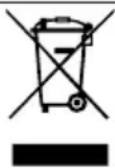
Ley npila MapkipoBaHO 3iINO nOLOKeHb EBPOeNcBkoI DnpeKtNB 2012/19/EU CTOCOBHO eEeKTPoHHx Ta eEeKTPo- nplaib, yO byny BN- KopncTahHi (waste electrical and electronic equipment - WEEE).DnpeKtBOIO Bn- 3NaOTbcMOnJIbBOCTI, Aki E DiINCHIMy MEXaX EBponeCbKOro COO3y, Oo- do pniHrTTHa3aAd Ta yTNl3aui6yBUnxY BnKOpNCtaHHi npilaDiB.
Ytni3aiay akymyIaTOPHx 6aTapei
Batapei cii BIDnpaBnHa noaIbuy nepepo6ky BiINOBiINO Do BIMOR OxopOHn HABKoIuHbOro cepeIOBua. He BkUdaiTe akymyIATOPHi batapei 3 NObyTOBm CMITTM.
Ytni3yIte 6aTaapei, He 3aBdaUOuN uKOOn IOBkIIJIIO.
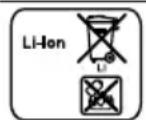
3riHNO 3ДиpeKTHBOIO EC 2006/66/EC yci HecnpabHi a6o BnKOpNCTaHI aKymyIaTOpn/6batapei cIiD OkpeMo COPTyBaTI Ta NiIdaBaTI eKoIorHni YtNiI3aJI.
Cepbicii ceHTpn
Дokладни BiIDOMOCTI pro TePmH i yMOBn rapaHTii y BaWi KpaHi MOxHa OTPMaTn B cepBicHi CnyK6i, y dInepa N Ha Hauomy caNt.
BupobHK: "BCX Xay3repeTe M6X'' Byl.
KapI-Bepi-Whpace, 34, M. MOnHexeH, 81739, HimeuHa
ImnopTe: TOB "BCX NObyToBa TexHika" Byl. PaNiueBa, 10/14 Kopn.B, M. KnIB, YKpaIIHa
KoHTaKTHi dani cepBicHO rEHTpy MOxHa 3HaHTN B DOJyehomy DoBIDHky aBO Ha Hauomy caNt.




