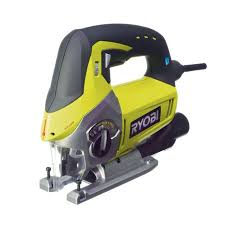
EJ700L - Jigsaw RYOBI - Free user manual and instructions
Find the device manual for free EJ700L RYOBI in PDF.



User questions about EJ700L RYOBI
0 question about this device. Answer the ones you know or ask your own.
Ask a new question about this device
Download the instructions for your Jigsaw in PDF format for free! Find your manual EJ700L - RYOBI and take your electronic device back in hand. On this page are published all the documents necessary for the use of your device. EJ700L by RYOBI.
USER MANUAL EJ700L RYOBI
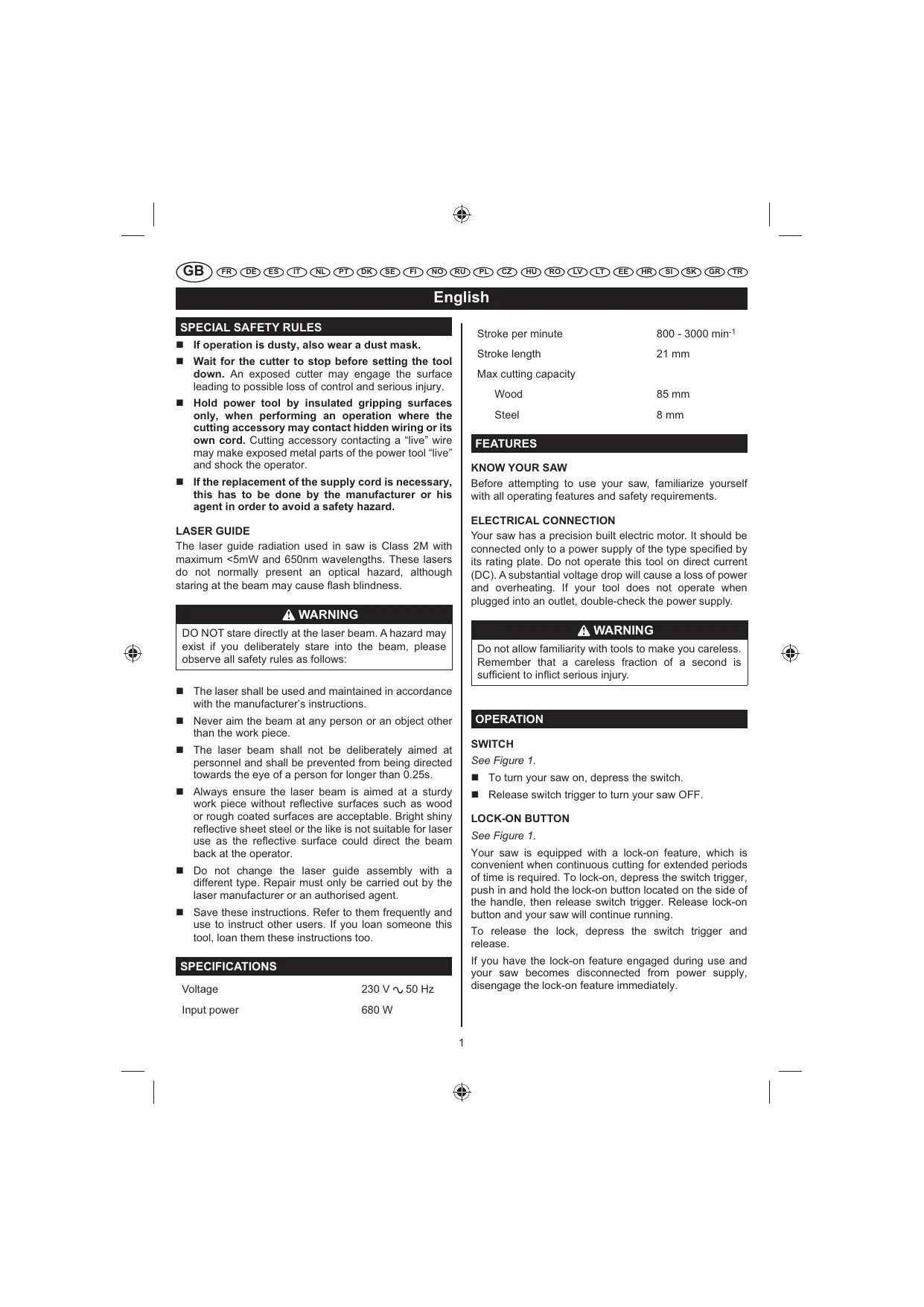
If operation is dusty, also wear a dust mask.
Wait for the cutter to stop before setting the tool down. An exposed cutter may engage the surface leading to possible loss of control and serious injury.
Hold power tool by insulated gripping surfaces only, when performing an operation where the cutting accessory may contact hidden wiring or its own cord. Cutting accessory contacting a "live" wire may make exposed metal parts of the power tool "live" and shock the operator.
If the replacement of the supply cord is necessary, this has to be done by the manufacturer or his agent in order to avoid a safety hazard.
LASER GUIDE
The laser guide radiation used in saw is Class 2M with maximum <5mW and 650nm wavelengths. These lasers do not normally present an optical hazard, although staring at the beam may cause flash blindness.

WARNING
DO NOT stare directly at the laser beam. A hazard may exist if you deliberately stare into the beam, please observe all safety rules as follows:
The laser shall be used and maintained in accordance with the manufacturer's instructions.
- Never aim the beam at any person or an object other than the work piece.
The laser beam shall not be deliberately aimed at personnel and shall be prevented from being directed towards the eye of a person for longer than 0.25s.
Always ensure the laser beam is aimed at a sturdy work piece without reflective surfaces such as wood or rough coated surfaces are acceptable. Bright shiny reflective sheet steel or the like is not suitable for laser use as the reflective surface could direct the beam back at the operator.
- Do not change the laser guide assembly with a different type. Repair must only be carried out by the laser manufacturer or an authorised agent.
- Save these instructions. Refer to them frequently and use to instruct other users. If you loan someone this tool, loan them these instructions too.
SPECIFICATIONS
Voltage
230V 50Hz
Input power
680 W
Stroke per minute 800 - 3000 min-1
Stroke length 21 mm
Max cutting capacity
Wood 85 mm
Steel 8mm
FEATURES
KNOW YOUR SAW
Before attempting to use your saw, familiarize yourself with all operating features and safety requirements.
ELECTRICAL CONNECTION
Your saw has a precision built electric motor. It should be connected only to a power supply of the type specified by its rating plate. Do not operate this tool on direct current (DC). A substantial voltage drop will cause a loss of power and overheating. If your tool does not operate when plugged into an outlet, double-check the power supply.

WARNING
Do not allow familiarity with tools to make you careless. Remember that a careless fraction of a second is sufficient to inflict serious injury.
OPERATION
SWITCH
See Figure 1.
To turn your saw on, depress the switch.
Release switch trigger to turn your saw OFF.
LOCK-ON BUTTON
See Figure 1.
Your saw is equipped with a lock-on feature, which is convenient when continuous cutting for extended periods of time is required. To lock-on, depress the switch trigger, push in and hold the lock-on button located on the side of the handle, then release switch trigger. Release lock-on button and your saw will continue running.
To release the lock, depress the switch trigger and release.
If you have the lock-on feature engaged during use and your saw becomes disconnected from power supply, disengage the lock-on feature immediately.
English
WARNING
Before connecting your saw to power supply source, always check to be sure it is not in lock-on position (depress and release switch trigger). Failure to do so could result in accidental starting of your saw resulting in possible serious injury. Do not lock the trigger on jobs where your saw may need to be stopped suddenly.
TRANSPARENT GUARD
See Figure 3.
For your protection, a transparent guard has been included with the saw. It is used to shield wood particles from the eyes. The transparent guard is attached by placing it in front of the blade area of the base and snapping it into the tabs on the sides of the saw base. For removal, simply pull the tap of the transparent guard. Make sure the saw is unplugged before installation and removal.
NOTE: The transparent guard can only be used for straight cutting.
TO INSTALL BLADES
See Figure 3 - 4.
Unplug the tool.
WARNING
Failure to unplug your saw could result in accidental starting causing possible serious injury.
Turn the tool upside down.
Pull the tap of the transparent guard.
- Rotate the quick release lever counter-clockwise and hold in position.
- Insert the saw blade into the groove in the roller guide, making sure the back of the saw blade is properly positioned in the groove.
NOTE: Only T-shank saw blades can be used.
Push the saw blade into the blade clamp as far as it will go.
Release the quick release lever.
Install the transparent guard.
WARNING
To avoid possible serious injury, always wear safety goggles or safety glasses with side shields. Keep hands and fingers away, from the motor housing and blade clamp and do not reach underneath work while blade is cutting.
WARNING
To avoid serious personal injury, do not use saw without safety guard properly in place.
VARIABLE SPEED
See Figure 9.
Your saw has a variable speed control selector designed to allow operator control and adjustment of speed and power limits. The speed and power of your saw can be increased or decreased by rotating the variable speed control selector in the direction of the arrows.
NOTE: Hold your saw in normal operating position and turn the variable speed control selector counterclockwise to increase speed and power. Turn clockwise to decrease speed and power.
If you wish to lock the switch on at a given speed, depress the switch trigger, push in and hold the lock-on button, and release the switch trigger. Next, adjust the variable speed control selector until the desired speed is reached.
Avoid running your saw at low speeds for extended periods of time. Running at low speeds under constant usage may cause your saw to become overheated. If this occurs, cool your saw by running it without a load and at full speed.
The following guidelines may be used in determining correct speed for various applications:
LOW speed is ideal when minimum speed and power is required, for example starting cuts.
MEDIUM speed is suitable for cutting hard metals, plastics and laminates.
■ HIGH speed produces best results when maximum power is required, for example cutting wood. Soft metals such as aluminum, brass and copper also require high speeds.
BLADESTORAGE
See Figure 2.
A convenient feature of your saw is the blade storage. The blade storage area is located on the back of dust port. It is convenient for storing extra blades when not in use.
To open: Pull the door down with your thumb or finger.
Place blades in blade storage area.
To close: Push the door up with your thumb or finger.
English
WARNING
Do not insert saw blade into air vents. They could come in contact with electrically live internal parts and cause electric shock, resulting in serious injury.
WARNING
Your saw should never be connected to power supply when you are assembling parts, making adjustments, installing or removing blades or when not in use. Disconnecting your saw will prevent accidental starting which could cause serious injury.
GENERAL CUTTING
See Figure 5.
Rest the front of the saw base on the workpiece and align cutting edge of the blade with the line on your workpiece. Make sure the power cord is out of the way of saw blade and not in the line of cut. Start your saw and move it forward on the work surface. Apply downward pressure to keep the saw steady and only enough forward pressure to keep the blade cutting.
WARNING
Do not force your saw. Forcing your saw may overheat the motor and break saw blades.
ORBITAL MOTION
See Figure 5.
The blade of your saw cuts in orbital motion. This feature is adjustable and provides faster and more efficient cutting. With orbital motion the blade cuts through your work in the upstroke but does not drag across your work in the downstroke.
Higher settings (H) should be used when fast cutting in soft material.
Lower (L) settings should be used when cutting materials with more resistance.
STRAIGHT CUT
See Figure 5.
A straight cut can be made by clamping a piece of wood or straightedge to the workpiece and guiding the edge of your saw against it. Make the cut from one direction only, do not cut halfway to complete the cut from the opposite end.
SCROLL CUTTING
See Figure 6.
Scroll cuts can be made with your saw by guiding the direction of the cut with applied pressure on the handle.
WARNING
Excessive side pressure to the blade could result in broken blades or damage to the material being cut.
ANGLE CUTTING (BEVEL CUTTING)
See Figure 7.
Bevel cutting angles may be adjusted from 0^ to 45^ right or left. Angles for cuts from 0^ to 45^ in 15^ increments are marked on a scale on both the left and right side of the base.
The use of a protractor is recommended when accurate cuts are required.
ADJUSTING THE ANGLE
See Figure 3, 7.
Release the transparent guard.
- Release the bevel lock lever until the base can be moved.
- Slide base forward slightly to release the base from the tab on the motor housing.
Align the mark on the base of the desired angle with the edge of the motor housing.
Once the desired angle is reached, slide the base back until the tab on the motor housing aligns with the appropriate notch on the rear of the base.
Push the bevel lock lever back to secure the base.
Install the transparent guard.
NOTE: The transparent guard can only be used for straight cutting.
To avoid loss of control, broken blades, or damage to the material being cut, always use extreme caution when making plunge cuts. We do not recommend plunge cutting on materials other than wood.
Mark the line of cut clearly on the workpiece.
Set the cutting angle at 0^
Tilt your saw forward so that it rests on the front edge of the base and blade will not come in contact with the workpiece when the saw is turned on.
English
Make sure the blade is inside the area to be cut.
Start your saw by using high speed and slowly lower the blade into the workpiece until the blade cuts through the wood.
- Continue lowering the blade into the workpiece until the base rests flat on the work surface, then move the saw forward to complete the cut.
Use only the 7 teeth per inch blade for this type of cut.
METAL CUTTING
Many kinds of metals can be cut with your saw. Be careful not to twist or bend the blades. Do not force.
If the blade chatters or vibrates excessively, use a finertooth blade or higher speed. If blade heats excessively, use lower speed. If blade teeth become filled or clogged when cutting soft metals, such as aluminum, use a coarser-tooth blade or lower speed. We recommend the use of oil when cutting metals to keep blades cool, increase cutting action, and prolong blade life. Clamp the work firmly and cut close to the clamping point to eliminate any vibration of the workpiece being cut.
When cutting conduit, pipe or angle iron, clamp work in a vise if possible and saw close to the vise. To cut thin sheet materials, "sandwich" the material between hardboard or plywood and clamp the layers to eliminate vibration and material tearing. By doing this, the material will be cut smoothly. Lay out your pattern or line of cut on top of the "sandwich".
IMPORTANT
When cutting metal, keep exposed portion of saw bar clean and free of metal chips by wiping frequently with an oily cloth. Use extreme caution in disposing of oily cloth after completion of job to prevent potential fire hazard.
DUSTLESS FEATURE
See Figure 10.
For dustless operation, a dust port has been provided with your saw. It attaches to the saw base.
This allows the air to flow out around the blade blowing sawdust and chips away from the operator's view of the line of cut.
TO INSTALL:
Unplug your saw.
- Attach the dust port to the back of the base. You can hear a click sound when it is locked securely.
Connect exhaust opening to dust collection system.
TO REMOVE:
Unplug your saw.
Directly pull the dust port out.
TO CONNECT DUST EXTRACTION SYSTEM (NOT INCLUDED)
Unplug the tool.
- Connect the nozzle of the dust collection system to the dust port.
EDGEGUIDE
See Figure 11.
An edge guide is available for use with your saw and can be used for making crosscuts and rip cuts.
TO INSTALL:
Unplug your saw.
Insert arm of the edge guide through the two slots in the base of your saw.
- Adjust edge guide to the desired width and lock in place with the edge guide screw.
WARNING
When servicing, use only identical replacement parts. Use of any other parts may create a hazard or cause product damage.
LASER GUIDE
See Figure 12.
Depress the laser guide switch to generate a red laser beam on the work surface in front of the saw. Use the laser to guide the saw along the line of cut.
LED WORKLIGHT
See Figure 12.
The screwdriver has a built-in LED worklight. This feature is convenient when working in close or tight areas where additional light is needed. Whenever the switch trigger is depressed, the LED worklight will illuminate.
LIVE TOOL INDICATOR
This tool features a live tool indicator which illuminates as soon as the tool is connected to the supply. This warns the user that the tool is connected and will operate when the switch is pressed.
English
MAINTENANCE
GENERAL
All other parts represent an important part of the class II insulation system and should be serviced only by a qualified service technician.
Avoid using solvents when cleaning plastic parts. Most plastics are susceptible to damage from various types of commercial solvents. Use clean cloths to remove dirt, dust, oil, grease, etc.

WARNING
Do not at any time let brake fluids, gasoline, petroleum-based products, penetrating oils, etc., come in contact with plastic parts. They contain chemicals that can damage, weaken or destroy plastic.
It has been found that electric tools are subject to accelerated wear and possible premature failure when they are used on fiberglass boats, sports cars, wallboard or plaster.
The chips and grindings from these materials are highly abrasive to electric tool parts such as bearings, brushes, commutators, etc.. Consequently, it is not recommended that this tool be used for extended work on any fiberglass material, wallboard or plaster. During any use on these materials it is extremely important that the tool is cleaned frequently by blowing with an air jet.
LUBRICATION
All of the bearings in this tool are lubricated with a sufficient amount of high grade lubricant for the life of the unit under normal operating conditions. Therefore, no further lubrication is required.

CAUTION
Keep extension cords away from the cutting area and position the cord so that it will not get caught on lumber, tools, etc., during cutting operation.

WARNING
Check extension cords before each use, if damaged replace immediately. Never use tool with a damaged cord as touching the damaged area could cause electrical shock resulting in serious injury.
Extension cords suitable for use with your saw are available at your nearest service center.
WARNING
Always wear safety goggles or safety glasses with side shields during power tool operation or when blowing dust. If operation is dusty, also wear a dust mask.
ENVIRONMENTAL PROTECTION

Recycle raw materials instead of disposing of as waste. The machine, accessories and packaging should be sorted for environmental-friendlyly recycling.
SYMBOL

Safety Alert
V
Volts
Hz
Hertz
Alternating Current
W
Watts
No
No-load speed
min-1
Revolutions or reciprocations per minute

Maximum cutting capacity in wood

CE Conformity

Double insulation

Wear ear protection

Wear eye protection

Please read the instructions carefully before starting the machine.

Waste electrical products should not be disposed of with household waste. Please recycle where facilities exist. Check with your Local Authority or retailer for recycling advice.
Français
RÉGLESPARTICULIERESDESECURITÉ
TAGLI OBLIQUI (SMUSSATURE)
Vedere la figura 7.
HOEKZAGEN (AFSCHUINEN)
Zie afbeelding 7.
As directizes aOLLOWER: as a rule, the following are the main rules of the system.
ALLMÄNNA FÖRESKRIFTER
FOR A LAGE ET DYKK-KUTT
Se fig. 8.
ADVARSEL
TEXHUNCHECKNE XAPAKTEPNUCTNIK
3NEKTPNUECKOE IODKJIOUChE H
Пиа Oснша He BbICOKOKaYeCEtBEHnHbIM 3NeKTePobBiratEnem.YcTpoIcTBo CneDyET noDKJIHouTah ToJbKO K TOMY CetN nITaNHaN, KObotp Yka3AH Ha Ta6NUnKe C nacnopThBIMm DaHbIMn. He NcNoB3yIte ДЯ nITaNHa DAnHOrO HcTHpyMeHTa NOCToHnHbTOK (DC).3HaNtEBHoe NaDEHne HapRjaEHHa npBeDeT K notepe MoUHocTn npePerpeBy. Ecn npri noDKJIHoueHHn K po3eTke Пиа He paBoTaET, TuaTeNbHO npOBepbTe nOdaTu nITaNHa.
A OCTOPOXHO
BydBe BHMaTeBbI npi paOte c yctpoiCTBOM, DaJIe ECNI XOPOIO 3HaKOMBI C HIM. POMHITe, YTO DOCTaTOHO CEyHbI bEHBMaHnI, YTObI NOLYHTb TReJEnyTO TpaMBy.
3KcPnYATAU
BbIKJIIOYATEJIb
CM.puc.1.
YTo6bI BkJIIOHTb NJy, HaxMnte BbIKIOUaTeJIb.
Pycckn
Otnyctnte KypKOBbI BbIKIOUaTeJIb IJIa BbIKIOUeHINI INIbl.
KHONKA BJOKIPOBKN
CM.puc.1.
B daHHo nne npedymcTpeHa 6nOKpOBKa BbIKNoHATEny,TO Daetae Tyo6bHbIM NcONb3OBaHHe Nnbl npn HneppebHOM peaHN bTeueHN DeNtEblHO Hor BpeMeH. EcnHyNo pno3BecTn FHKcaUHIO, HAKMNTe KypKobbl BbIKNoHaTeB, HaxMMTE uDeyKbuaTe KhoKy 6nOKpOBaHnA, paCnOJKeHHYU c6Oky pyKoRTKn, 3aTEM OTNyCTnte KypKObBl BbIKNoHaTeB. OTnyCTnte KhoKy 6nOKpOBaHnA, NoCte Yero nna Bo3o6HOBnt pa6oty.
ДяСЯТЯб6LOKINPOBKNHAXMITEиOTNCTNTe KypKOБь BbIKIQUaTeJIb.
Ecnn npn pa6ote 3aedJeCTBOBAHa 6NOKIPOBka BbIKIOUaTeTena, aIIa OTKIIIOUaETcA OT NITAHNA, cpa3y Xe CHINMTE 6NOKIPOBKY.
OCTOPOXHO
Ipepe noKIOHEmn NblkNtAIOe CeTN
peKde Bcero y6edntecb, 10KypKObB bBlKIOaTeBb
He 3aOpKcnpoBaBn BO BKIOUeHOM NIOXeHN
(HaxMNTe n OTNCTte KypKObB bBlKIOaTeBb).
HecobIOJeHne daHORo Tpe6oBaHn MoKet npVBectn
K cNyauHOMy 3anyCky Hbln n CTatb npuHHoH
TeneChbN nobPexdHn. He 6Knpye KypKObB
bBlKIOaTeBb, BblONHn paObTb, np KotOpbX MoKet
notpe6oBaTbcMnHOBeHHa OCTaHOBka Nblb.
ПОЗРАЧьИ 3AДЛТНБИ 3КPAH
CM.puc.3.
Длг 3auntbl onepatopa nla noctabnreTcC npo3paHbIM 3aunHTbIM kpaHOM. ON nCnONb3yETcD lIg 3aunbl oprahOB 3peHnO t DpeBcehBxO ONNOK n CtpyKek. PpO3paHbN 3aunHTbN 3kpan KpeNTnC H na nepeJHne YacTN OCHOBANH pexyUeO le3BnV yCTAHOBKO B bICTYOB B rHe3da NO o6EiM CTOpOHAM OCHOBANH nIIb. YTObI bPpO3paHbN 3aunHTbN 3kpan, NpOcTO nOTnHnte 3a PbUaxKoN. PpeD yCTAHOBKO nIIN CHTRnEM OTKNIOHTe NINy OT cTeN nITAHN.
IPMMEYAHNE: PpO3paHbI 3aunTHbI 3KpaH INCIOJIb3yETcT ToJbKO pN pPmOINHeHOM pe3aHn.
YCTAHOBKA NINJBHbIX NOJOTEH
CM.puc.3-4.
OTKJIIOUHTe INHCTpyMeHT OT 3JIeKTPoCeTn.
A OCTOPOXHO
Hecnocob6hctb OTKIOHHTe YBIDEN MOKeT pINBeCTN K CnyaHbIM HAUYHAR Bb3bBaET BO3MOXHbIX cepe3bHx TpaBM.
IpeBepHnTe INhctpyMeHT.
IotHnTe 3a pbIyaxKOp03paHOro 3auHTHO 3kpaHa.
PIOBepHnTe pbluJaxOk 6bIcTporo OTcoEINHeHnI npOTIB YacBOW CTpeNkU yUdepKInBaIte erO B TAKOM nONOXeHNi.
UcTaHOBIne peJyUee neoTOH nINbI B na3 poNIOBOHnHaPraJIooUe, oBeCneuVB nAdNeXaJIeepacNOJoxEHe nObaTHOn CTOpOHbpeJyUeero nonOTHa B na3y.
IPMMEUHNE:ДonyuckaetcIncNoJIb3ObaHne TOnIbKOpeJyUxNIOJTeHCTaBPOBbIMXBOCTOBVKOM.
YctaHOBtpejxuiee nooTHOB 3aXmpejxuero nooTHa do ynpa.
OTnyctnte pbuJaxK6bICTPOO OTCOEHNHeHnA.
UctaHOBtpe npO3paHbI 3aunTHbI 3kpAH.
A OCTOPOXHO
Bo n36eXaHHe TReKHX TeLeChbIX NOBpeXeHn BcERda NaBeBaIte 3aunTHbIe OUY C 60KOBbIMN 3aunTHbIMN UNTkAmi. DePKInTe pyKu IN paJIbCuB B CTOpOHe OT KOPnyCa Dniratela N 3azKIma peKyuIero NIOIToHa IN He DOnyckai Te IN IonoJaHnna IOD 3arOTobKy B Pnocece pe3aHnA.
A OCTOPOXHO
Bo n36eJHne TReKmX TeNEChbIX NOBpeKdHn Hne hnoB3yueBc HnOIO Be3 3auINThbX oRaPaeHn, npAunIbHO yCTAHoBNHeHHbX HA CBOEM MeCTe.
ФУHKЦИ N3MEHEHЯ CKOPOCTN
CM.puc.9.
B daHHo nIne npdeUcMTope peryIaTOp ckOocTb BpaueHn, PO3BOJHOuI OepaTOpy ynpabNtBckOocTbIO mOuHOCtBo, peryIpoBaTb INx ppeJebl. CkOocTb M OuHOCtB NIIb MOKHO yBEnuHTb IINy MEmhIbTH NobOPOTm peryIaTopa CKOocTN B HnapabNeHnx, NOKa3aHbIx CTpeKnAmi.
PIMMEYAHNE: DepxnTe BInen B HopMaIbHOM paOchem nOnoKeHm NOBepHyt nepeKJIOaTeJIb nepeMeHHo KONTPOA CKOPoCTn npOTNB YacBOI CTpeJIKN IyBeINuEHNs CKOPoCTN M OMOHOCHTI.
Pycckn
Ipn Heo6xOIMOCn BbIOnJIHeHn ToHbIX pa3pe3OB peKOMeHNyETcNcNoJIb30BaTb yrIOpMep.
PERYJINPOBKA YJIA
CM.puc.3,7.
CHIMnTe npo3paHbI 3aunTHbI 3kpaH.
Bbinyck KOHuecknx npOTnBOyROHHoe yctpOCTBO, noka 6a3bl MOrT 6bIT nepeMeIeHbl.
Hemhoro npoDbnhte ochobane Bpepe, tO6bOtKpennIb erOt 3auekn Ha Kopnyce Dniratena.
Cobmectte MeKy HxKHOrO yrHa Ha OCHOBAHn c Kpaem Kopnyca DBratela.
Iocne yctahOBKn HyxHorO yrna npoDbNbTe OCHOBaHHe Ha3aN, noka 3aUeNka Ha KOpNyce DnBraTela He COBMecNTcN C COOTBeCTByOuIM RHe3DmHa TbIbHOt CTOpOHe OCHOBaHn.
Haxmte Ha KOHueecknx 6nokupobkn pbiar nIy o6ecneeyna6a3bl.
YctaHOBtNe npO3paHbI 3aUHTbI kPaH.
PYKOBOCTBO NOPAHNUHORO
CM.puc.11.
COOTBETCTBNE Tpe6oBaHnM CE

ДовнаиЗолуць

PpIMMeHnTe CpeDCTBa 3aunTbI opraHOB cnyxa

PpIMMeHЯTe CpeDCTBa 3aUHTbI opraHOB 3peHnA

Ipepe nCnoBbOBAHnEM npi6opa BHMAteJbHO 03HaKoMbTeCb C daHHo INCTpyKUmE.

OtpabotAHna 3neKTPoTeXnHecka npdykundoJOnjHxaYnUToKaTcBMeCTe c6bIbTOBmIM OTXdAMn. YtnInnepyTe, ecnn nmeTc CneuMaJIbHoE TexNHeCKeO obOpDobAHme. Po Bonpocam ytnInzau nn pOKOHcytnpTyTeCb C MeCThBM OPraHOM Bnactn nn npedpnTneM P03HNHO TropOBn.
Polski
SPECJALNE ZASADY BEZPIECZENSTWA
RUCH POSUWISTO-ZWROTNY
Zobacz rysunek 5.
PENTRU A INSTALA LAMELE
A se vedea figura 3 - 4.
Deconectatiunealta.
A VERTISMENT
PENTRU A CONNECTA SISTEMUL DE EXTRAGERE A PRAFULUI (NEINCLUS)
POSEBNA SIGURNOSNA PRAVILA
Ako radite u prasini nosite i masku za zašitu od prasine.
Prijne no sto postavite alat saeckaite dok se rezač ne zaustavi. Izlozen rezač moze aktivirati povrsinu dovodeci do mogucęg gubitka kontroli o ozbiljnil povreda.
Drzite uredaj po izoliranim ručkama povrsina samo pri obavljanju operacije u kojo rezanje skrivene ožicenja ili vastiti kabel. Kontakt sa Čaicama pod naponom mogao bi prenijeti struju na metalne rijelove i izazvati strujni udar.
Ako je nužna zamjena kabela napajanja, to moru učiniti proizvodac ili njegov zastupnik kako bi se izbgrege opasnosti po sigurnost.
LASERSKI VODIE
Zračenje laserskog vodiča koji je korišten u ovoj pili je Klasa 2M s maksimalnim valnim duljinama < 5mW i 650 nm. Ovi laseri obično ne predstavljau opasnost za vid, iako gledanje u zraku要考虑 uzrokovati katko slepilo.

UPOZORENJE
O△HFOZ NAPAAAHAHSE KONIHSE (IPOAIPETIKA)
Bλ.Σχημα 11.
MaçéTov Kotttn TApexetai odnyoc akpnC Tou μtopei va xpanoiotoinei yia va kavete otaupwTec kottc kai kottcs antoaxionc.
TONOETHsH:
AToouvOeTe aTo to pEuμa Tov KOTTN.
EiayetovBpaxioaTouoyouakpnεoataoTis duothetaeσtgnαoToukottn.
Pueiote Tov odnyo akpnc oTo eTtou nTo IaTOc kai KIeWOTev Otn Theou mTbiD aOnyou akpcn.
IPOEIOIOIHs
Kata tic EtiDiopthetaic, xpnaiotoiite movo tvavoioiTua aVtAAktiKa. H xpnoa eAwwv agptnauw mtopeia v Tpokalee Kivuvo n 9nmu oTo Tpoiov.
AEIZEP OAHG0
Bλ.Σχημα 12
All Ryobi products are guaranteed against manufacturing defects and defective parts for a period of twenty four (24) months from the date stated on the original invoice drawn up by the retailer and given to the end user. Deterioration caused by normal wear and tear, unauthorised or improper use or maintenance, or overload are excluded from this guarantee as are accessories such as battery packs, light bulbs, blades, fittings, bags, etc. In the event of malfunction during the warranty period, please take the NON-DISMANTLED product, along with the proof of purchase, to your retailer or nearest Authorised Ryobi Service Centre.
This warranty in no way affects your legal rights concerning defective products.

GARANTIE - CONDITIONS
The vibration emission level given in this information sheet has been measured in accordance with a standardised test given in EN 60745 and may be used to compare one tool with another. It may be used for a preliminary assessment of exposure. The declared vibration emission level represents the main applications of the tool. However if the tool is used for different applications, with different accessories or poorly maintained, the vibration emission may differ. This may significantly increase the exposure level over the total working period.
An estimation of the level of exposure to vibration should also take into account the times when the tool is switched off or when it is running but not actually doing the job. This may significantly reduce the exposure level over the total working period. Identify additional safety measures to protect the operator from the effects of vibration such as: maintain the tool and the accessories, keep the hands warm, organisation of work patterns.
FR
AVERTISSEMENT
DECLARATION OF CONFORMITY
We declare under our sole responsibility that this product is in conformity with the following standards or standardized documents: 2006/42/EC, 2006/95/EC, 2004/108/EC, EN55014-1, EN55014-2, EN61000-3-2, EN61000-3-3, EN60745-1, EN60745-2-11, EN62233. Noise level [K=3dB(A)]: Lp=89.8db(A) Lw=100.8db(A) Vibration level: Cutting wood [K=1.8m/s²] ah=8.0m/s², Cutting metal sheet [K=1.5m/s²] ah=12.2m/s²

Déclaration de CONFORMITE
Address: 24/F, CDW BUILDING, 388 CASTLE PEAK ROAD, TSUEN WAN, HONG KONG. Web: www.ttigroup.com Name/Title: Brian Ellis / Vice President - Engineering

Technical File at
Name of company: TTI EMEA
Address: MEDINA HOUSE, FIELDHOUSE LANE, MARLOW, BUCKS, SL7 1TB, UNITED KINGDOM. Web: www.ttigroup.com Name/Title: Carl A. Jeffries / Head of Ryobi Product Marketing

Trademarks:
The use of the trademark Ryobi is pursuant to a license granted by Ryobi Limited.