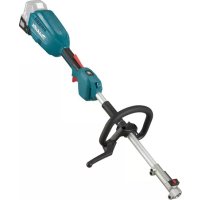
DUX18 - Multifunction tool MAKITA - Free user manual and instructions
Find the device manual for free DUX18 MAKITA in PDF.

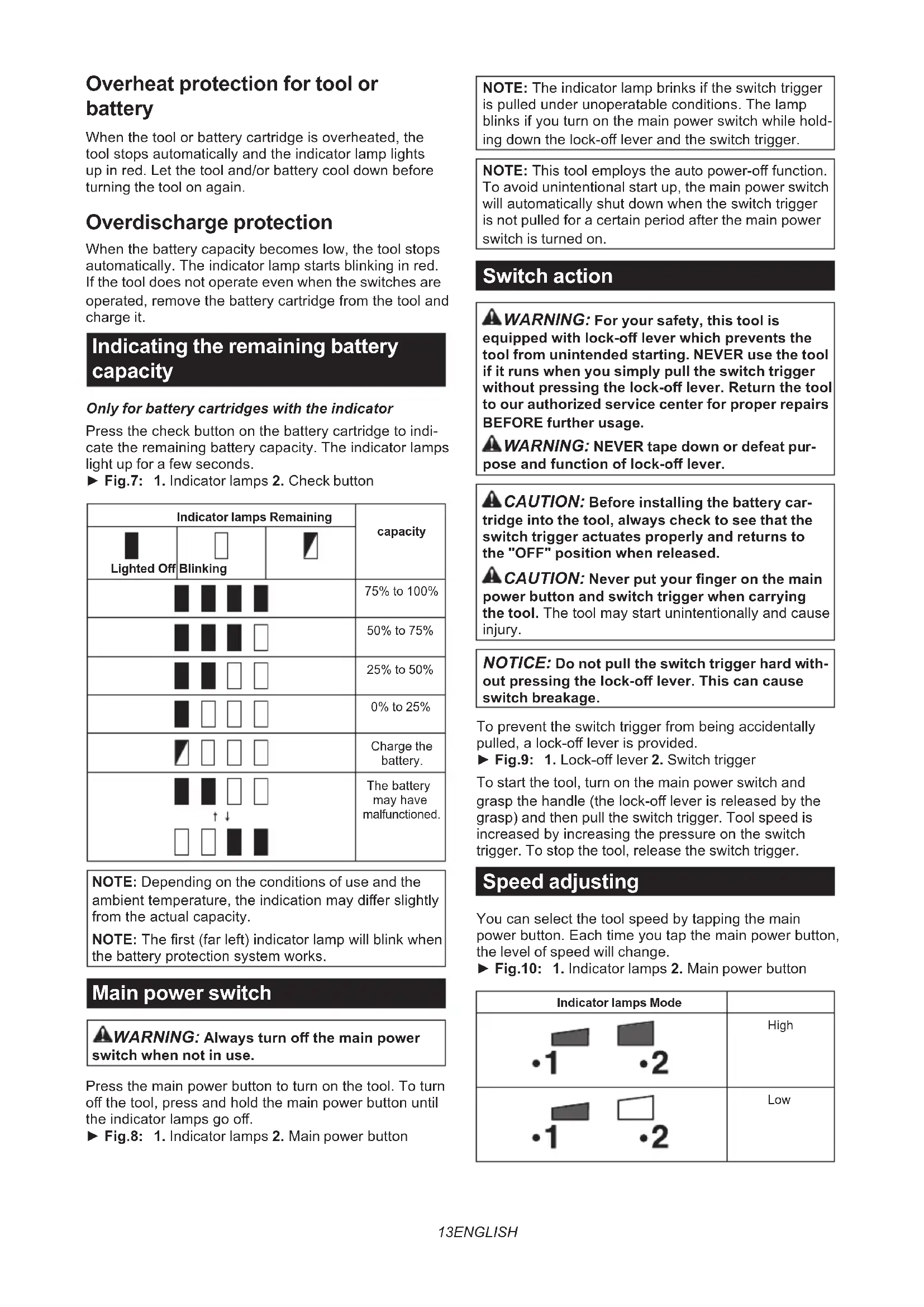


| Product type | Cordless Multi-Tool |
| Brand | Makita |
| Model | DUX18 |
| Rated voltage | 18 V DC |
| No load speed (low mode) | 0 - 6 800 min⁻¹ |
| No load speed (high mode) | 0 - 9 700 min⁻¹ |
| Overall length | 977 mm |
| Net weight (without accessory or battery) | 2.5 kg |
| Weight with accessories (according to EPTA) | 4.0 kg - 10.3 kg |
| Compatible batteries | BL1820B, BL1830B, BL1840B, BL1850B, BL1860B |
| Compatible chargers | DC18RC, DC18RD, DC18RE, DC18SD, DC18SE, DC18SF, DC18SH, DC18WC |
| Recommended portable power supply | PDC01 |
| Electronic protection | Overload, overheating, excessive discharge |
| Electronic torque control function | Yes (kickback protection) |
| Speed adjustment | 2 modes (low/high) |
| Approved accessories | Rotary scissors, brush cutter, pole hedge trimmer, mower, pruner, cultivator, edger, vibrating comb, brush, scraper, blower, pump, weed puller, snow blower |
| Max sound pressure level (depending on accessory) | Up to 93 dB(A) |
| Max vibration level (depending on accessory) | Up to 5.5 m/s² |
| Maintenance | Clean with a dry or slightly soapy cloth; repair by Makita authorized service center |
| Safety | Safety lever, shoulder strap with quick release, battery protector |
| Warranty | Consult the manual or dealer |
Frequently Asked Questions - DUX18 MAKITA
User questions about DUX18 MAKITA
0 question about this device. Answer the ones you know or ask your own.
Ask a new question about this device
Download the instructions for your Multifunction tool in PDF format for free! Find your manual DUX18 - MAKITA and take your electronic device back in hand. On this page are published all the documents necessary for the use of your device. DUX18 by MAKITA.
USER MANUAL DUX18 MAKITA
| Model: DUX18 | ||
| No load speed (without attachment) | Low 0 - 6,800 min | -1 |
| High 0 - 9,700 min | -1 | |
| Overall length 977 mm | ||
| Rated voltage D.C. 18 V | ||
| Net weight *1 2.5 kg | ||
| *2 4.0 kg - 10.3 kg | ||
- Due to our continuing program of research and development, the specifications herein are subject to change without notice.
- Specifications may differ from country to country.
1: Weight without any accessories or battery cartridge(s)
2: The weight may differ depending on the attachment(s), including the battery cartridge. The lightest and heaviest combinations, according to EPTA-Procedure 01/2014, are shown in the table.
Applicable battery cartridge and charger
| Battery cartridge BL1820B / BL1830B / BL1840B / BL1850B / BL | 1860B |
| Charger DC18RC / DC18RD / DC18RE / DC18SD / DC18SE / DC18SF / DC18SH / DC18WC | |
Some of the battery cartridges and chargers listed above may not be available depending on your region of residence.
WARNING: Only use the battery cartridges and chargers listed above. Use of any other battery cartridges and chargers may cause injury and/or fire.
Recommended cord connected power source
| Portable power pack PDC01 |
The cord connected power source(s) listed above may not be available depending on your region of residence.
Before using the cord connected power source, read instruction and cautionary markings on them.
No load speed with attachment
| Model | Rotation speed | ||
| Low | High | ||
| EM407MP | Upper blade | 0 - 260 min-1 | 0 - 370 min1 |
| Lower blade | 0 - 560 min-1 | 0 - 790 min1 | |
| EM408MP / EM409MP | 0 - 5,000 min-1 | 0 - 7,000 min-1 | |
| EN401MP / EN402MP / EN410MP / EN420MP / EN422MP / EN424MP (Strokes per minute) | 0 - 2,800 min-1 | 0 - 4,000 min-1 | |
| EY403MP (chain speed) | 0 - 13 m/s | 0 - 19 m/s | |
| KR400MP | 0 - 200 min-1 | 0 - 280 min1 | |
| KR401MP | 0 - 160 min-1 | 0 - 230 min1 | |
| EE400MP | 0 - 3,300 min-1 | 0 - 4,700 min-1 | |
| EJ400MP | 0 - 2,000 min-1 | 0 - 2,800 min-1 | |
| BR400MP | 0 - 160 min-1 | 0 - 230 min1 | |
| SW400MP | 0 - 160 min-1 | 0 - 230 min1 | |
| UB400MP | 0 - 6,600 min-1 | 0 - 7,250 min-1 | |
| UB401MP | 0 - 6,600 min-1 | 0 - 7,250 min-1 | |
| UB402MP | 0 - 6,700 min-1 | 0 - 9,600 min-1 | |
Approved attachment
| Model Rotation speed | ||
| Low High | ||
| PF400MP 0 - 6,700 min | -1 | 0 - 7,700 min-1 |
| WA400MP 0 - 680 min | -1 | 0 - 970 min1 |
| SN400MP 0 - 1,290 min | -1 | 0 - 1,860 min-1 |
| Type Model | |
| Rotary scissors attachment EM407MP | |
| Grass trimmer attachment EM408MP / EM409MP | |
| Hedge trimmer attachment EN401MP / EN402MP / EN410MP | |
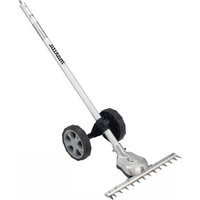
| Ground trimmer attachment EN420MP / EN422MP / EN424MP | |
| Pole saw attachment EY403MP | |
| Cultivator attachment KR400MP / KR401MP | |
| Edger attachment EE400MP | |
| Coffee harvester attachment EJ400MP | |
| Shaft extension attachment | LE400MP |
| Power brush attachment | BR400MP |
| Power sweep attachment | SW400MP |
| Blower attachment | UB400MP / UB401MP / UB402MP |
| Pump attachment | PF400MP |
| Weeding attachment | WA400MP |
| Snow blower attachment | SN400MP |
Symbols
The followings show the symbols which may be used for the equipment. Be sure that you understand their meaning before use.

Read instruction manual.

Take particular care and attention.

Do not expose to moisture.

Ni-MH
Li-ion
Only for EU countries
Due to the presence of hazardous components in the equipment, waste electrical and electronic equipment, accumulators and batteries may have a negative impact on the environment and human health.
Do not dispose of electrical and electronic appliances or batteries with household waste!
In accordance with the European Directive on waste electrical and electronic equipment and on accumulators and batteries and waste accumulators and batteries, as well as their adaptation to national law, waste electrical equipment, batteries and accumulators should be stored separately and delivered to a separate collection point for municipal waste, operating in accordance with the regulations on environmental protection.
This is indicated by the symbol of the crossed-out wheeled bin placed on the equipment.
Intended use
This cordless multi function power head is intended for driving an approved attachment listed in the section "SPECIFICATIONS" of this instruction manual. Never use the unit for the other purpose.

WARNING: Read the instruction manual of
the attachment as well as this instruction manual
before using. Failure to follow the warnings and
instructions may result serious injury.
Noise
| Attachment Sound pre | Pressure level Guaranteed | sound power level | Measured sound power level | Applicable standard | |||
| LpA (dB (A)) | Uncertainty K (dB (A)) | LWA (dB (A)) | LWA (dB (A)) | Uncertainty K (dB (A)) | |||
| EM407MP 83.6 3.2 - 98.6 1.5 ISO22868(ISO11806-1) | |||||||
| EM408MP Metal blade 78.7 | Nylon cutting head | 77.7 1.7 | 91.7 1.2 ISO22868(ISO11806-1)/ | 806-1) | |||
| Plastic blade | 79.3 1.0 - 90.5 | 1.3 ISO22868(ISO11806-1)/ | EN50636-2-91 | ||||
| EM409MP Nylon cutting head | 78.2 2.1 | 92.4 1.2 ISO22868(ISO11806-1)/ | EN50636-2-91 | ||||
| Plastic blade | 79.8 0.8 - 91.0 | 2.0 ISO22868(ISO11806-1)/ | EN50636-2-91 | ||||
| EN401MP | 83 | 3 | 95 | 94 | 0.8 | EN62841-4-2 | |
| EN401MP + LE400MP | 80 | 3 | 96 | 95 | 1.1 | EN62841-4-2 | |
| EN402MP | 81 | 3 | 93 | 91 | 2.2 | EN62841-4-2 | |
| EN402MP + LE400MP | 77 | 3 | 94 | 92 | 2.4 | EN62841-4-2 | |
| EN410MP | 79 | 3 | 95 | 92 | 2.9 | EN62841-4-2 | |
| EN410MP + LE400MP | 76 | 3 | 92 | 90 | 2.4 | EN62841-4-2 | |
| EN420MP | 82 | 3 | 94 | 93 | 1.0 | EN62841-4-2 | |
| EN422MP | 80 | 3 | 92 | 90 | 2.0 | EN62841-4-2 | |
| EN424MP | 75 | 3 | - | 86 | 3 | EN62841-1 | |
| EY403MP | 93 | 3 | - | 104 | 3 | ISO22868(ISO11680-1) | |
| EY403MP+LE400MP | 93 | 3 | - | 104 | 3 | ISO22868(ISO11680-1) | |
| KR400MP | 73.0 | 3.2 | - | 83.4 | 2.7 | EN709 | |
| KR401MP | 73.6 | 3.8 | - | 83.2 | 2.9 | EN709 | |
| EE400MP | 73.8 | 1.4 | - | 86.8 | 3.3 | ISO11789 / 2000/14/EC | |
| EJ400MP | 80.7 | 0.7 | - | 91.4 | 1.2 | ISO22868(ISO11806-1) | |
| EJ400MP + LE400MP | 78.1 | 0.9 | - | 91.3 | 0.6 | ISO22868(ISO11806-1) | |
| BR400MP | 76.0 | 1.3 | - | 86.8 | 1.2 | EN60335-2-72 | |
| SW400MP | 76.2 | 0.2 | - | 85.8 | 0.7 | EN60335-2-72 | |
| UB400MP | 85.3 | 1.7 | - | 99.5 | 1.2 | EN50636-2-100 | |
| UB401MP | 81.2 | 1.1 | - | 90.9 | 1.3 | EN50636-2-100 | |
| UB402MP | 80.4 | 1.7 | - | 90.4 | 1.8 | EN50636-2-100 | |
| PF400MP | 70 | 2.5 | - | 86 | 2.5 | ISO20361 | |
| WA400MP | 73 | 3 | - | 88 | 3 | ISO22868(ISO11806-1) | |
| SN400MP | 78 | 3 | - | 90 | 2.0 | ISO11201 / ISO3744(ISO8437-4) | |
Even if the sound pressure level listed above is 80 dB (A) or less, the level under working may exceed 80 dB (A). Wear ear protection.
NOTE: The declared noise emission value(s) has been measured in accordance with a standard test method and may be used for comparing one tool with another.
NOTE: The declared noise emission value(s) may also be used in a preliminary assessment of exposure.
WARNING: Wear ear protection.
WARNING: The noise emission during actual use of the power tool can differ from the declared value(s) depending on the ways in which the tool is used especially what kind of workpiece is processed.
WARNING: Be sure to identify safety measures to protect the operator that are based on an estimation of exposure in the actual conditions of use (taking account of all parts of the operating cycle such as the times when the tool is switched off and when it is running idle in addition to the trigger time).
Vibration
| Attachment Left handle | (e) (Front grip) Right handle (Rear grip) Applicable standard | |||||
| ah (m/s2) Uncertainty K(m/s2) | ah (m/s2) Uncertainty K(m/s2) | |||||
| EM407MP | 2.5 or less | 1.5 | 2.5 or less | 1.5 | ISO22867(ISO11806-1) | |
| EM408MP | Metal blade | 2.5 or less | 1.5 | 2.5 or less | 1.5 | ISO22867(ISO11806-1) |
| Nylon cutting head | 2.5 or less 1.5 | 2.5 or less 1.5 ISO | 22867(ISO11806-1) | |||
| Plastic blade | 2.5 or less | 1.5 | 2.5 or less | 1.5 | ISO22867(ISO11806-1) | |
| EM409MP | Nylon cutting head | 2.5 or less 1.5 | 2.5 or less 1.5 ISO | 22867(ISO11806-1) | ||
| Plastic blade | 2.5 or less | 1.5 | 2.5 or less | 1.5 | ISO22867(ISO11806-1) | |
| EN401MP | 3.1 1.5 3.5 1.5 EN62 | 841-4-2 | ||||
| EN401MP + LE400MP | 5.5 1.5 | 3.8 1.5 EN62841-4-2 | ||||
| EN402MP | 2.5 or less | 1.5 | 2.6 | 1.5 | EN62841-4-2 | |
| EN402MP + LE400MP | 3.4 1.5 | 3.1 1.5 EN62841-4-2 | ||||
| EN410MP | 4.3 1.5 3.2 1.5 EN62 | 841-4-2 | ||||
| EN410MP + LE400MP | 4.3 1.5 | 3.7 1.5 EN62841-4-2 | ||||
| EN420MP | 2.9 1.5 3.0 1.5 EN62 | 841-4-2 | ||||
| EN422MP | 2.5 or less | 1.5 | 2.7 | 1.5 | EN62841-4-2 | |
| EN424MP | 2.5 or less | 1.5 | 2.5 or less | 1.5 | EN62841-1 | |
| EY403MP | 3.2 | 1.5 | 2.5 or less | 1.5 | ISO22867(ISO11680-1) | |
| EY403MP+LE400MP | 2.5 or less | 1.5 | 2.5 or less | 1.5 | ISO22867(ISO11680-1) | |
| KR400MP | 2.5 or less | 1.5 | 2.5 or less | 1.5 | EN709 | |
| KR401MP | 2.5 or less | 1.5 | 2.5 or less | 1.5 | EN709 | |
| EE400MP | 2.5 or less | 1.5 | 2.5 or less | 1.5 | ISO11789 | |
| EJ400MP | 3.4 1.9 5.0 | 1.9 ISO22867(ISO11806-1) | ||||
| EJ400MP + LE400MP | 4.6 1.5 3.2 | 1.5 ISO22867(ISO11806-1) | ||||
| BR400MP | 2.5 or less | 1.5 | 2.5 or less | 1.5 | EN60335-2-72 | |
| SW400MP | 2.6 | 1.5 | 2.5 or less | 1.5 | EN60335-2-72 | |
| UB400MP | 4.2 2.2 2.8 1.2 | EN50636-2-100 | ||||
| UB401MP | 2.8 | 1.6 | 2.5 or less | 1.5 | EN50636-2-100 | |
| UB402MP | 2.5 or less | 1.5 | 2.5 or less | 1.5 | EN50636-2-100 | |
| PF400MP | 2.5 or less | 1.5 | 2.5 or less | 1.5 | ISO22867 | |
| WA400MP | 2.8 | 1.5 | 2.5 or less | 1.5 | ISO22867(ISO11806-1) | |
| SN400MP | 2.5 or less | 1.5 | 2.5 or less | 1.5 | ISO8437-4 | |
NOTE: The declared vibration total value(s) has been measured in accordance with a standard test method and may be used for comparing one tool with another.
NOTE: The declared vibration total value(s) may also be used in a preliminary assessment of exposure.

WARNING: The vibration emission during actual use of the power tool can differ from the declared ue(s) depending on the ways in which the tool is used especially what kind of workpiece is processed.

WARNING: Be sure to identify safety measures to protect the operator that are based on an estimation exposure in the actual conditions of use (taking account of all parts of the operating cycle such as the ones when the tool is switched off and when it is running idle in addition to the trigger time).
Declarations of Conformity
For European countries only
The Declarations of conformity are included in Annex A to this instruction manual.
SAFETYWARNINGS
General power tool safety warnings

WARNING Read all safety warnings, instructions, illustrations and specifications provided with
this power tool. Failure to follow all instructions listed below may result in electric shock, fire and/or serious injury.
Save all warnings and instructions for future reference.
The term "power tool" in the warnings refers to your mains-operated (corded) power tool or battery-operated (cordless) power tool.
Additional safety instructions
- Always keep your hands, face, and clothes away from the cutting tool when it is rotating. Failure to do so may cause personal injury.
- During operation, keep bystanders or animals at least 15m away from the tool. Stop the tool as soon as someone approaches.
- During operation, never stand on an unstable or slippery surface or a steep slope. During the cold season, beware of ice and snow and always ensure secure footing.
- Never work on a ladder or tree to avoid loss of control.
- Before operation, examine the work area for stones or other solid objects. They can be thrown or cause dangerous kickback and result in serious injury and/or property damage.
- When using cutting blades, avoid kickback and always prepare for an accidental kickback. See the section for Kickback.
- When you leave the tool, even if it is a short time, always remove the battery cartridge. The unattended tool with the battery cartridge installed may be used by unauthorized person and cause serious accident.
- Before doing any maintenance or repair work or cleaning the tool, always turn it off and remove the battery cartridge.
- Before storing the tool, perform full cleaning and maintenance. Remove the battery cartridge. Attach the cover to the cutting blade.
- Store the tool in a dry and high or locked location out of reach of children.
- When touching the cutting blade, wear protective gloves. Cutting blades can cut bare hands severely.
- When handling a cutter blade, always wear gloves and put the blade cover on the blade.
- When not in use, attach the blade cover onto the blade. Remove the cover before operation.
- Before transporting the tool, turn it off and remove the battery cartridge. Attach the cover to the cutting blade.
- Before starting the tool, be sure that the cutting tool is not touching the ground and other obstacles such as a tree.
- The cutting tool has to be equipped with the guard. Never run the tool with damaged guards or without guards in place!
- Check the cutting attachment frequently during operation for cracks or damages. Before the inspection, remove the battery cartridge and wait until the cutting attachment
stops completely. Replace damaged cutting attachment immediately, even if it has only superficial cracks.
- Do not operate the tool in bad weather or if there is a risk of lightning.
- Make sure there are no electrical cables, water pipes, gas pipes etc. that could cause a hazard if damaged by use of the tool.
- During operation always hold the tool with both hands. Never hold the tool with one hand during use.
- Keep handles dry, clean and free from oil and grease. Keep all cooling air inlets clear of debris.
- During operation, use the shoulder harness. Keep the tool on your right side firmly.
- Do not touch the gear case during and immediately after the operation. The gear case becomes hot during operation and can cause burn injury.
- Take a rest to prevent loss of control caused by fatigue. We recommend taking a 10 to 20-minute rest every hour.
- Avoid dangerous environment. Don't use the tool in damp or wet locations or expose it to rain. Water entering the tool will increase the risk of electric shock.
- Do not dispose of the battery(ies) in a fire. The cell may explode. Check with local codes for possible special disposal instructions.
- Do not open or mutilate the battery(ies). Released electrolyte is corrosive and may cause damage to the eyes or skin. It may be toxic if swallowed.
- Do not charge battery in rain, or in wet locations.
Personal protective equipment
Fig.1
- Wear safety helmet, protective goggles and protective gloves to protect yourself from flying debris or falling objects.
- Wear ear protection such as ear muffs to prevent hearing loss.
- Wear proper clothing and shoes for safe operation, such as a work overall and sturdy, non-slip shoes. Do not wear loose clothing or jewelry. Loose clothes, jewelry or long hair can be caught in moving parts.
- When touching the cutting blade, wear protective gloves. Cutting blades can cut bare hands severely.
Kickback (Blade thrust)
- Kickback (blade thrust) is a sudden reaction to a caught or bound cutting blade. Once it occurs, the tool is thrown sideways or toward the operator at great force and it may cause serious injury.
- Kickback occurs particularly when applying the blade segment between 12 and 2 o'clock to solids, bushes and trees with 3cm or larger diameter.
Fig.2
-
To avoid kickback:
-
Apply the segment between 8 and 11 o'clock.
- Never apply the segment between 12 and 2 o'clock.
- Never apply the segment between 11 and 12 o'clock and between 2 and 5 o'clock, unless the operator is well trained and experienced and does it at his/her own risk.
- Never use cutting blades close to solids, such as fences, walls, tree trunks and stones.
- Never use cutting blades vertically, for such operations as edging and trimming hedges.
Fig.3
Vibration
- People with poor circulation who are exposed to excessive vibration may experience injury to blood vessels or the nervous system. Vibration may cause the following symptoms to occur in the fingers, hands or wrists: "Falling asleep" (numbness), tingling, pain, stabbing sensation, alteration of skin color or of the skin. If any of these symptoms occur, see a physician!
- To reduce the risk of "white finger disease", keep your hands warm during operation and well maintain the tool and accessories.
Important safety instructions for battery cartridge
- Before using battery cartridge, read all instructions and cautionary markings on (1) battery charger, (2) battery, and (3) product using battery.
- Do not disassemble or tamper with the battery cartridge. It may result in a fire, excessive heat, or explosion.
- If operating time has become excessively shorter, stop operating immediately. It may result in a risk of overheating, possible burns and even an explosion.
-
If electrolyte gets into your eyes, rinse them out with clear water and seek medical attention right away. It may result in loss of your eyesight.
-
Do not short the battery cartridge:
(1) Do not touch the terminals with any conductive material.
(2) Avoid storing battery cartridge in a container with other metal objects such as nails, coins, etc.
(3) Do not expose battery cartridge to water or rain.
A battery short can cause a large current flow, overheating, possible burns and even a breakdown.
- Do not store and use the tool and battery cartridge in locations where the temperature may
reach or exceed 50°C (122°F).
- Do not incinerate the battery cartridge even if it is severely damaged or is completely worn out. The battery cartridge can explode in a fire.
-
Do not nail, cut, crush, throw, drop the battery cartridge, or hit against a hard object to the battery cartridge. Such conduct may result in a fire, excessive heat, or explosion.
-
Do not use a damaged battery.
-
The contained lithium-ion batteries are subject to the Dangerous Goods Legislation requirements.
For commercial transports e.g. by third parties, forwarding agents, special requirement on packaging and labeling must be observed.
For preparation of the item being shipped, consulting an expert for hazardous material is required. Please also observe possibly more detailed national regulations.
Tape or mask off open contacts and pack up the battery in such a manner that it cannot move around in the packaging.
- When disposing the battery cartridge, remove it from the tool and dispose of it in a safe place. Follow your local regulations relating to disposal of battery.
- Use the batteries only with the products specified by Makita. Installing the batteries to non-compliant products may result in a fire, excessive heat, explosion, or leak of electrolyte.
- If the tool is not used for a long period of time, the battery must be removed from the tool.
- During and after use, the battery cartridge may take on heat which can cause burns or low temperature burns. Pay attention to the handling of hot battery cartridges.
- Do not touch the terminal of the tool immediately after use as it may get hot enough to cause burns.
- Do not allow chips, dust, or soil stuck into the terminals, holes, and grooves of the battery cartridge. It may cause heating, catching fire, burst and malfunction of the tool or battery cartridge, resulting in burns or personal injury.
- Unless the tool supports the use near high-voltage electrical power lines, do not use the battery cartridge near high-voltage electrical power lines. It may result in a malfunction or breakdown of the tool or battery cartridge.
- Keep the battery away from children.
SAVE THESE INSTRUCTIONS.
CAUTION: Only use genuine Makita batteries. Use of non-genuine Makita batteries, or batteries that have been altered, may result in the battery bursting causing fires, personal injury and damage. It will also void the Makita warranty for the Makita tool and charger.
Tips for maintaining maximum battery life
- Charge the battery cartridge before completely discharged. Always stop tool operation and charge the battery cartridge when you notice
less tool power.
- Never recharge a fully charged battery cartridge. Overcharging shortens the battery service life.
- Charge the battery cartridge with room temperature at 10°C - 40°C (50°F - 104°F). Let
a hot battery cartridge cool down before charging it.
- When not using the battery cartridge, remove it from the tool or the charger.
- Charge the battery cartridge if you do not use it for a long period (more than six months).
PARTS DESCRIPTION
Fig.4
| 1 | Battery cartridge | 2 | Lock-off lever | 3 | Switch trigger | 4 | Hanger |
| 5 | Handle | 6 | Release button | 7 | Barrier | 8 | Indicator lamps |
| 9 | Main power button | 10 | Shoulder harness | - | - | - | - |
FUNCTIONAL DESCRIPTION
WARNING: Always be sure that the tool is switched off and the battery cartridge is removed before adjusting or checking function on the tool. Failure to switch off and remove the battery cartridge may result in serious personal injury from accidental start-up.
Installing or removing battery cartridge
CAUTION: Always switch off the tool before installing or removing of the battery cartridge.
CAUTION: Hold the tool and the battery cartridge firmly when installing or removing battery cartridge. Failure to hold the tool and the battery cartridge firmly may cause them to slip off your hands and result in damage to the tool and battery cartridge and a personal injury.
To install the battery cartridge, align the tongue on the battery cartridge with the groove in the housing and slip it into place. Insert it all the way until it locks in place with a little click. If you can see the red indicator as shown in the figure, it is not locked completely.
To remove the battery cartridge, slide it from the tool while sliding the button on the front of the cartridge.
Fig.5: 1. Red indicator 2. Button 3. Battery cartridge
CAUTION: Always install the battery cartridge fully until the red indicator cannot be seen. If not, it may accidentally fall out of the tool, causing injury to you or someone around you.
CAUTION: Do not install the battery cartridge forcibly. If the cartridge does not slide in easily, it is not being inserted correctly.
Tool / battery protection system
The tool is equipped with a tool/battery protection system. This system automatically cuts off power to the motor to extend tool and battery life. The tool will automatically stop during operation and the indicator lamps light up if the tool is placed under one of the following conditions:
Fig.6: 1. Indicator lamps
| Indicator lamps | Protection status | |||
| Color | Lighted | Off | Blinking | |
| Green | ·1 | ·2 | Overload | |
| Red | ·1 | ·2 | Overheat | |
| Red | ·1 | ·2 | Over-discharge | |
Overload protection
If the tool or battery gets into one of the following situation, the tool automatically stops and the indicator lamp starts blinking in green:
The tool or battery is overloaded by entangled weeds or other debris.
The tool is locked.
The main power button is turned on while the switch trigger is being pulled.
In this situation, release the switch trigger and remove the cause of overload if necessary. After that, pull the switch trigger again to resume.
CAUTION: Before you remove the cause of overload, be sure to turn the tool off.
Overheat protection for tool or battery
When the tool or battery cartridge is overheated, the tool stops automatically and the indicator lamp lights up in red. Let the tool and/or battery cool down before turning the tool on again.
Overdischarge protection
When the battery capacity becomes low, the tool stops automatically. The indicator lamp starts blinking in red. If the tool does not operate even when the switches are operated, remove the battery cartridge from the tool and charge it.
Indicating the remaining battery capacity
Only for battery cartridges with the indicator
Press the check button on the battery cartridge to indicate the remaining battery capacity. The indicator lamps light up for a few seconds.
Fig.7: 1. Indicator lamps 2. Check button
| Indicator lamps Remaining | capacity | ||
| Lighted Off | Blinking | ||
| 75% to 100% | |||
| 50% to 75% | |||
| 25% to 50% | |||
| 0% to 25% | |||
| Charge the battery. | |||
| The battery may have malfunctioned. | |||
NOTE: Depending on the conditions of use and the ambient temperature, the indication may differ slightly from the actual capacity.
NOTE: The first (far left) indicator lamp will blink when the battery protection system works.
Main power switch
WARNING: Always turn off the main power switch when not in use.
Press the main power button to turn on the tool. To turn off the tool, press and hold the main power button until the indicator lamps go off.
Fig.8: 1. Indicator lamps 2. Main power button
NOTE: The indicator lamp brinks if the switch trigger is pulled under unoperatable conditions. The lamp blinks if you turn on the main power switch while holding down the lock-off lever and the switch trigger.
NOTE: This tool employs the auto power-off function. To avoid unintentional start up, the main power switch will automatically shut down when the switch trigger is not pulled for a certain period after the main power switch is turned on.
Switch action
WARNING: For your safety, this tool is equipped with lock-off lever which prevents the tool from unintended starting. NEVER use the tool if it runs when you simply pull the switch trigger without pressing the lock-off lever. Return the tool to our authorized service center for proper repairs BEFORE further usage.
WARNING: NEVER tape down or defeat purpose and function of lock-off lever.
CAUTION: Before installing the battery cartridge into the tool, always check to see that the switch trigger actuates properly and returns to the "OFF" position when released.
CAUTION: Never put your finger on the main power button and switch trigger when carrying the tool. The tool may start unintentionally and cause injury.
NOTICE: Do not pull the switch trigger hard without pressing the lock-off lever. This can cause switch breakage.
To prevent the switch trigger from being accidentally pulled, a lock-off lever is provided.
Fig.9: 1. Lock-off lever 2. Switch trigger
To start the tool, turn on the main power switch and grasp the handle (the lock-off lever is released by the grasp) and then pull the switch trigger. Tool speed is increased by increasing the pressure on the switch trigger. To stop the tool, release the switch trigger.
Speed adjusting
You can select the tool speed by tapping the main power button. Each time you tap the main power button, the level of speed will change.
Fig.10: 1. Indicator lamps 2. Main power button
The tool electronically detects a sudden drop in the rotation speed which may cause a kickback. In this situation, the tool automatically stops to prevent further rotation of cutting tool. To restart the tool, release the switch trigger. Clear the cause of sudden drop in the rotation speed and then turn the tool on.
NOTE: This function is not a preventive measure for kickbacks.
ASSEMBLY
WARNING: Always be sure that the tool is switched off and battery cartridge is removed before carrying out any work on the tool. Failure to switch off and remove the battery cartridge may result in serious personal injury from accidental start-up.
WARNING: Never start the tool unless it is completely assembled. Operation of the tool in a partially assembled state may result in serious personal injury from accidental start-up.
Mounting the handle
Attach the handle with supplied clamps and bolts. Make sure that the handle is located between the spacer and the arrow mark. Do not remove or shrink the spacer.
Fig.11: 1.Clamp 2.Hex socket bolt 3.Handle 4.Arrow mark 5.Spacer
When using the following attachments, be sure to attach the barrier to the handle using the screw on the barrier.
Rotary scissors attachment
- Grass trimmer attachment *
- Edger attachment
* Only when metal blade is attached.
Fig.12: 1. Barrier 2. Screw
Mounting the attachment pipe
CAUTION: Always check that the attachment pipe is secured after installation. Improper installation may cause the attachment falling off from the power unit and cause personal injury.
Mount the attachment pipe to the power unit.
- Turn the lever of the power unit toward the attachment side.
Fig.13: 1. Lever - Remove the cap of the attachment. Align the pin with the arrow mark and insert the attachment pipe until the release button pops up.
Fig.14: 1. Release button 2. Arrow mark 3. Pin
- Turn the lever toward the power unit side.
Fig.15: 1.Lever
Make sure that the surface of the lever is parallel to the pipe.
To remove the pipe, turn the lever toward the
attachment side and pull the pipe out while pressing down the release button.
Fig.16: 1. Release button 2. Lever 3. Pipe
Adjusting the handle position
Adjust the handle position to obtain comfortable handling of the tool.
Loosen the hex socket head bolt on the handle. Move the handle to a comfortable working position and then tighten the bolt.
Fig.17: 1. Handle 2. Hex socket head bolt
Attaching the shoulder harness
WARNING: Be extremely careful to maintain control of the tool at all times. Do not allow the tool to be deflected toward you or anyone in the work vicinity. Failure to keep control of the tool could result in serious injury to the bystander and the operator.
CAUTION: When you use the tool in combination of the backpack-type power supply such as portable power pack, do not use the shoulder harness included in the tool package, but use the hanging band recommended by Makita.
If you put on the shoulder harness included in the tool package and the shoulder harness of the backpack-type power supply at the same time, removing the tool or backpack-type power supply is difficult in case of an emergency, and it may cause an accident or injury. For the recommended hanging band, ask Makita Authorized Service Centers.
CAUTION: Always use the shoulder harness attached to the tool. Before operation, adjust the shoulder harness according to the user size to prevent fatigue.
CAUTION: Before operation, make sure that the shoulder harness is properly attached to the hanger on the tool.
- Wear the shoulder harness on your left shoulder.
Fig.18 -
Clasp the hook on the shoulder strap to tool's hanger.
Fig.19: 1. Hanger 2. Hook -
Adjust the shoulder harness to a comfortable working position.
Fig.20
The shoulder harness features a means of quick release.
Simply squeeze the sides of the buckle to release the tool from the shoulder harness.
Fig.21: 1. Buckle
Hex wrench storage
CAUTION: Be careful not to leave the hex wrench inserted in the tool head. It may cause injury and/or damage to the tool.
When not in use, store the hex wrench as illustrated to keep it from being lost.
Fig.22: 1. Handle 2. Hex wrench
MAINTENANCE
WARNING: Always be sure that the tool is switched off and battery cartridge is removed before attempting to perform inspection or maintenance on the tool. Failure to switch off and remove the battery cartridge may result in serious personal injury from accidental start-up.
NOTICE: Never use gasoline, benzine, thinner, alcohol or the like. Discoloration, deformation or cracks may result.
To maintain product SAFETY and RELIABILITY, repairs, any other maintenance or adjustment should
be performed by Makita Authorized or Factory Service Centers, always using Makita replacement parts.
Cleaning the tool
Clean the tool by wiping off dust, dirt, or cut off grass with a dry cloth or one dipped in soapy water and wrung out. To avoid overheating of the tool, be sure to remove the cut off grass or debris adhered to the vent of the tool.
Battery guard
WARNING: Do not remove the battery guard. Do not use the tool with the battery guard removed or damaged. Direct impact to the battery cartridge may cause battery malfunction and result in injury and/or fire. If the battery guard is deformed or damaged, contact your authorized service center for repairs.
Fig.23: 1. Battery guard
TROUBLESHOOTING
Before asking for repairs, conduct your own inspection first. If you find a problem that is not explained in the manual, do not attempt to dismantle the tool. Instead, ask Makita Authorized Service Centers, always using Makita replacement parts for repairs.
| State of abnormality Probable cause | (malfunction) Remedy | |
| Motor does not run. Battery cartridge | is not installed. Install the battery cartridge. | |
| Battery problem (under voltage) Recharge the battery. If recharging is not effective, replace battery. | ||
| The drive system does not work correctly. | Ask your local authorized service center for repair. | |
| Motor stops running after a little use. | Battery's charge level is low. | Recharge the battery. If recharging is not effective, replace battery. |
| Overheating. Stop using of tool to allow it to cool down. | ||
| It does not reach maximum RPM. Battery | Battery is installed improperly. Install the battery cartridge as described in this manual. | |
| Battery power is dropping. Recharge the battery. If recharging is not effective, replace battery. | ||
| The drive system does not work correctly. | Ask your local authorized service center for repair. | |
OPTIONAL ACCESSORIES
CAUTION: These accessories or attachments are recommended for use with your Makita tool specified in this manual. The use of any other accessories or attachments might present a risk of injury to persons. Only use accessory or attachment for its stated purpose.
If you need any assistance for more details regarding these accessories, ask your local Makita Service Center.
Refer to "Approved attachment" section for the
applicable models for this tool.
Rotary scissors attachment
- Grass trimmer attachment
Hedge trimmer attachment
Ground trimmer attachment
- Pole saw attachment
Cultivator attachment
- Edge attachment
Coffee harvester attachment
- Shaft extension attachment
Power brush attachment
Power sweep attachment
Blower attachment
- Pump attachment
- Weeding attachment
- Snow blower attachment
- Makita genuine battery and charger
NOTE: Some items in the list may be included in the tool package as standard accessories. They may differ from country to country.
SPECIFICATIONS
ACCESSIONS EN OPTION
VEILIGHEIDSWAARSCHUWINGEN
OPTIONELE ACCESSOIRES
Araotouvtai 1iaitepn qpvotia kai Tpoooxn.

Mny EkTeTe OE uypaia.

Ni-MH Li-ion
Movi yia Tc xwpe Tc EE
Aoyw Tc napoufacTwv ETKivduwv
ootatikwv epov otov eGOTIAIOO, o
aT6BANTOC nEKTPIKOC kai nEKTPOVIKOG
eOTAIIOOc, oauoawpeuteC kai oTTATAPIEs mTOpei va exouv apvntIKn EITIDpaON
OTo TEPiBAALOV KAI TNV AVthetauN UYEIA.
Mny aToppPTETc Tc nEKTPIKECs KAI NkEKTPOVIKEs OAKUEc n TTATAPIES MAIe TA
OIKIAKA aToppmuata!
ZUWOWVA tnv EupWTAIKN OONYIA YIA
TOV aTtOBAnTo nEKTPIKO kai nEKTPOVIKO
EOTAIIOO kai YIA TOUG OuaowpeuteC KAI
MTATAPIES KAI TOUC aTtOBANTO CUA
OWPEUTEC KAI MTATAPIES, KAOWS KAI TIV
TPOAPAOYn Tou cTnv EVOKn VOOEOIA,
O aTtOBANToc nEKTPIKOC eOTIAIOOc, oi
MTATAPIES KAI OUIOswpeuteC Ta TPETTEI
VA aTOnhKeUVOTAI ExWpiota KAI VA TAPA
DIBovTAe EExwpiTo ONeio OAULOyNC YIA
0NOTIA aTtOBNTA, To OTIOIO AETOUpyei
OuWOWVA tEV TAVQAVIOUoC YA TNV
TPOOAia Tou PIIAlAAVTOC.
ATO UTtOBeIKVETAI aTTO OUIBOAO TUO
DiaypauEvou TPOXOpopou Kaou Tou Bpi
OKetai avaptnevo Etavw oTov EOTIAIOO.
Ppooipzóμεvn xρnσn
Autn npopnt nolauieitoupyikn nAekptiKn KepaI npooipcetai yia tnv ohyonn evoc EykekpiEvou npoapntmuatc Toun papaTetai otny Evotnta OΔI APA E Tou npovtoc Eyxepiiou oyiw. Mn xpnoiotoe iTe tn movaia aallo oKoTIO.
Oópuβoc
| Προσάρτημα Στάθμη | πητικής πίουης Εγγύμένο | επίπεδο ηχητικής ιαχύος | Μερούμενο επίπεδο ηχητικής ιαχύος | ιαχύον πρότυτο | ||
| LpA (dB (A)) | βεβαίο- τητα K (dB (A)) | LwA (dB (A)) | LwA (dB (A)) | βεβαίο- τητα K (dB (A)) | ||
| EM407MP 83,6,3,2 - 98,6 1,5 | ISO22868(ISO) | 1806-1) | ||||
| EM408MP Μεταλική λάμα | 78,7 1,2 | -94,0 2,3 ISO2 | 2868(ISO11806) | -1) | ||
| Kεφαλή κοπής με vαίλον | -91,7 1,2 ISO2 | 2868(ISO11806) | -1)/ | EN50636-2-91 | ||
| Πλαστική λάμα | 79,3 1,0 - 90,5 | ISO22868 | ISO11806-1) | EN50636-2-91 | ||
| EM409MP Κεραλή κοπής με vαίλον | 78,2 2,1 | -92,4 1,2 ISO2 | 2868(ISO11806) | -1)/ | EN50636-2-91 | |
| Πλαστική λάμα | 79,8 0,8 - 91,0 | ISO22868 | ISO11806-1) | EN50636-2-91 | ||
| EN401MP | 83 | 3 | 95 | 94 | 0,8 | |
| EN401MP + LE400MP | 80 | 3 | 96 | 95 | 1,1 | |
| EN402MP | 81 | 3 | 93 | 91 | 2,2 | |
| EN402MP + LE400MP | 77 | 3 | 94 | 92 | 2,4 | |
| EN410MP | 79 | 3 | 95 | 92 | 2,9 | |
| EN410MP + LE400MP | 76 | 3 | 92 | 90 | 2,4 | |
| EN420MP | 82 | 3 | 94 | 93 | 1,0 | |
| EN422MP | 80 | 3 | 92 | 90 | 2,0 | |
| EN424MP | 75 | 3 | - | 86 | 3 | |
| EY403MP | 93 | 3 | - | 104 | 3 | |
| EY403MP+LE400MP | 93 | 3 | - | 104 | 3 | |
| KR400MP | 73,0 | 3,2 | - | 83,4 | 2,7 | |
| KR401MP | 73,6 | 3,8 | - | 83,2 | 2,9 | |
| EE400MP | 73,8 | 1,4 | - | 86,8 | 3,3 | |
| EJ400MP | 80,7 | 0,7 | - | 91,4 | 1,2 | |
| EJ400MP + LE400MP | 78,1 | 0,9 | - | 91,3 | 0,6 | |
| BR400MP | 76,0 | 1,3 | - | 86,8 | 1,2 | |
| SW400MP | 76,2 | 0,2 | - | 85,8 | 0,7 | |
| UB400MP | 85,3 | 1,7 | - | 99,5 | 1,2 | |
| UB401MP | 81,2 | 1,1 | - | 90,9 | 1,3 | |
| UB402MP | 80,4 | 1,7 | - | 90,4 | 1,8 | |
| PF400MP | 70 | 2,5 | - | 86 | 2,5 | |
| WA400MP | 73 | 3 | - | 88 | 3 | |
| SN400MP | 78 | 3 | - | 90 | 2,0 | |
Akoun KI av n oTaeun nxntikns TIEOng nou TAPATIEaavwtpewivai 80 dB (A) n Aiyotepo, n OtaumuTo ouvnekec epyaiaacmupei va uTepe i ta 80 dB (A). Na opate wtoaaaniec.
Evikc npoeiodooinoic a0aaleiaq yia to nEKTpiKO epyaaleio
A PPOEI OIOIHs AiaBaeTe oLeT TpoE IooiOeI aopaleIa, odnyie, EIKOVoypaoeI KAI npoiaypaec Tou npexovtae auto to nKtpiko epyaleio. H mtnpnon oawv twv oywiivou avayapovtai katwetpw mtpei va kataanxi e nKtpoTTnxi, Tupkayia n/kai oobapo tpaumatio.
IPEPIPAPH EAPTHMATQN
Eik.4




- APPLICABLE BATTERY CARTRIDGE AND CHARGER
- RECOMMENDED CORD CONNECTED POWER SOURCE
- NO LOAD SPEED WITH ATTACHMENT
- SYMBOLS
- INTENDED USE
- VIBRATION
- DECLARATIONS OF CONFORMITY
- FOR EUROPEAN COUNTRIES ONLY
- SAFETYWARNINGS
- GENERAL POWER TOOL SAFETY WARNINGS
- SAVE ALL WARNINGS AND INSTRUCTIONS FOR FUTURE REFERENCE
- ADDITIONAL SAFETY INSTRUCTIONS
- PERSONAL PROTECTIVE EQUIPMENT
- KICKBACK (BLADE THRUST)
- FIG.2
- FIG.3
- IMPORTANT SAFETY INSTRUCTIONS FOR BATTERY CARTRIDGE
- SAVE THESE INSTRUCTIONS
- TIPS FOR MAINTAINING MAXIMUM BATTERY LIFE
- PARTS DESCRIPTION
- FUNCTIONAL DESCRIPTION
- INSTALLING OR REMOVING BATTERY CARTRIDGE
- TOOL / BATTERY PROTECTION SYSTEM
- OVERLOAD PROTECTION
- OVERHEAT PROTECTION FOR TOOL OR BATTERY
- OVERDISCHARGE PROTECTION
- INDICATING THE REMAINING BATTERY CAPACITY
- ONLY FOR BATTERY CARTRIDGES WITH THE INDICATOR
- MAIN POWER SWITCH
- SWITCH ACTION
- SPEED ADJUSTING
- ASSEMBLY
- MOUNTING THE HANDLE
- MOUNTING THE ATTACHMENT PIPE
- ADJUSTING THE HANDLE POSITION
- ATTACHING THE SHOULDER HARNESS
- HEX WRENCH STORAGE
- MAINTENANCE
- CLEANING THE TOOL
- BATTERY GUARD
- TROUBLESHOOTING
- OPTIONAL ACCESSORIES
- ACCESSIONS EN OPTION
- VEILIGHEIDSWAARSCHUWINGEN
- OPTIONELE ACCESSOIRES
- PPOOIPZÓΜΕVN XΡNΣN
- EVIKC NPOEIODOOINOIC A0AALEIAQ YIA TO NEKTPIKO EPYAALEIO
- IPEPIPAPH EAPTHMATQN
Brand : MAKITA
Model : DUX18
Category : Multifunction tool