
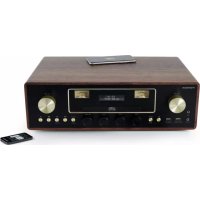
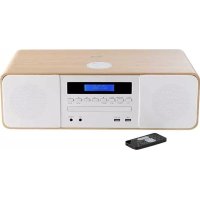
RK250UDABCD - Hi-Fi System THOMSON - Free user manual and instructions
Find the device manual for free RK250UDABCD THOMSON in PDF.
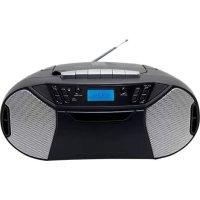



| Product type | Hi-Fi System |
| Brand | Thomson |
| Model | RK250UDABCD |
| Power supply | Mains (220-240 V AC) or batteries (6 x UM-2/C 1.5 V) |
| Audio sources | FM/DAB radio, cassette player, CD/MP3 player, USB port, AUX input |
| Functions | Clock, dual alarm, snooze, track programming, playback modes (normal, repeat, random) |
| Connectivity | Headphone jack (3.5 mm), AUX input (3.5 mm), USB port, telescopic FM antenna |
| Speakers | Built-in speakers (stereo) |
| Safety | Double insulation, short-circuit protection, automatic standby shutdown |
| Maintenance and cleaning | Clean with a slightly damp cloth without additives. Unplug before cleaning. |
| General information | Manufactured by Bigben Interactive. Thomson is a registered trademark of TECHNICOLOR SA. |
Frequently Asked Questions - RK250UDABCD THOMSON
User questions about RK250UDABCD THOMSON
0 question about this device. Answer the ones you know or ask your own.
Ask a new question about this device
Download the instructions for your Hi-Fi System in PDF format for free! Find your manual RK250UDABCD - THOMSON and take your electronic device back in hand. On this page are published all the documents necessary for the use of your device. RK250UDABCD by THOMSON.
USER MANUAL RK250UDABCD THOMSON
WARNING AND PRECAUTIONS

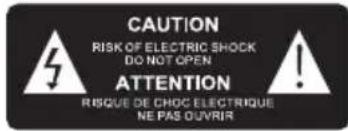
The lightning bolt with an arrowhead within a triangle indicates the presence of uninsulated dangerous voltage within the product enclosure that may be of sufficient magnitude to constitute a risk of electric shock to persons.

The exclamation point within a triangle indicates the presence of important operating and maintenance (servicing) instructions in the literature accompanying the unit.
Important safety instructions
- Read these instructions.
- Keep these instructions. Heed all warnings.
- Follow all instructions. Refer all servicing to qualified service personnel.
- Do not expose the unit to dripping or splashing and make sure that no objects filled with liquids, such as vases, are placed on it. Class I appliances must be connected to the mains socket outlet with a protective-earth connection.
- The mains plug connects the device and should remain operable during use.
- To disconnect the unit from the mains, the plug should be fully disconnected from the mains socket outlet. The mains plug should not be obstructed and should be easily accessible during use.
- When a power indicator light is on, it indicates the unit is connected to the mains supply. When the light is off, it indicates the unit is fully disconnected from the mains supply.
INFORMATION ABOUT BATTERIES (applicable only if batteries included)
- Polarity must be respected when inserting batteries.
- The batteries should be inserted in such a way as to avoid any short circuit.
- Do not mix used and new batteries.
- Do not mix alkaline, standard (carbon-zinc) and rechargeable (nickel-cadmium) batteries.
- Do not expose the battery to excessive heat such as sunshine or fire.
- Remove the batteries when they have not been used for a long time.
- If the liquid contained in the batteries comes in contact with eyes or skin, immediately and carefully wash the affected area with clear water and consult a doctor.
- The product/remote control may contain a coin/buTton type battery:
WARNING :
This product has not been manufactured to be used by people (including children) whom physical or mental capacities are reduced, or people without experience except if they are under the responsibility of somebody who is able to read and follow the instructions properly. Children must use this product under the supervision of an adult.
WARNING CONCERNING BATTERIES :
Don't swallow batteries. Risk of chemical burning. This product contains one or several batteries. If a battery is swallowed, it can cause within less than 2 hours severe internal damages and death. Keep new and old batteries away from children and vulnerable people. If the compartment of batteries can't be closed correctly, please don't use the product any longer. If a battery is swallowed, please go and see a doctor immediately.
IMPORTANT REMARKS :
Risk of explosion if the battery/ies is/are not replaced correctly or if the product is not used for a long time with batteries left inside.
Replace old batteries by an identical or similar models.
| double insulation | |
| direct current | |
| alternating current | |
| Symbol indoor use |
Care of the environment

Your product is designed and manufactured with high quality materials and components, which can be recycled and reused.
Your product contains batteries covered by the European Directive 2006/66/EC, which cannot be disposed with normal household waste. Please inform yourself about the local rules on separate collection of batteries because correct disposal helps to prevent negative consequences for the environmental and human health.
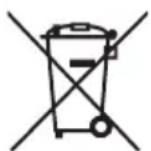
When this crossed-out wheeled bin symbol is attached to a product it means that the product is covered by the European Directive 2002/96/EC. Please inform yourself about the local separate collection system for electrical and electronic products. Please act according to your local rules and do not dispose of your old products with your normal household waste. Correct disposal of your old product helps to prevent potential negative consequences for the environment and human health.
Compliance

This product complies with the radio interference requirements of the Europe Community.
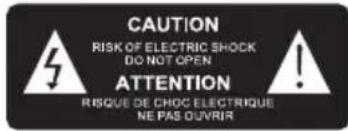
This apparatus includes this label
Battery power:
Be sure that the batteries are inserted correctly to avoid damage to the appliance. Always remove the batteries when appliance will not be used for a long period of time, as this will cause leakage to the batteries and subsequently damage to your set.
Use batteries of the same type. Never use different types of batteries together.
Do not throw the battery into the fire, or exposed to sunshine or the like.
If the liquid contained in the batteries comes in contact with eyes or skin, wash the area immediately and carefully with clear water and consult a doctor
CAUTION

- Risk of product damage! Make sure that the power voltage corresponds to the voltage printed on the back label.
- Risk of electric shock! When you unplug the AC power cord always pull the plug from the socket. Never pull the cord.
- Before connecting the AC power cord, ensure you have completed all other connections.
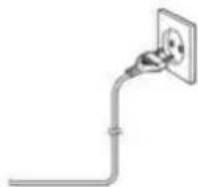
When AC power supply...
Place the unit in the desired position and unravel the mains cable. Insert the cable into the supply socket and switch on if applicable.
What's in the box
- Main unit
- Power cord
- Instruction manual
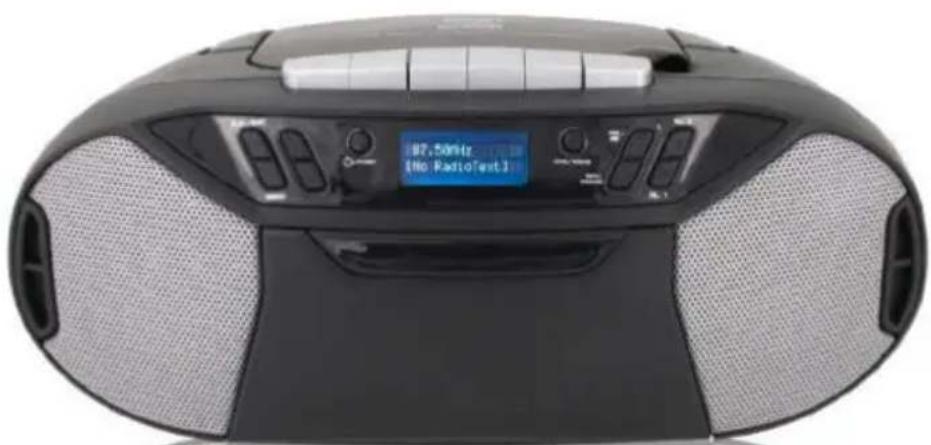
Overview of the Components
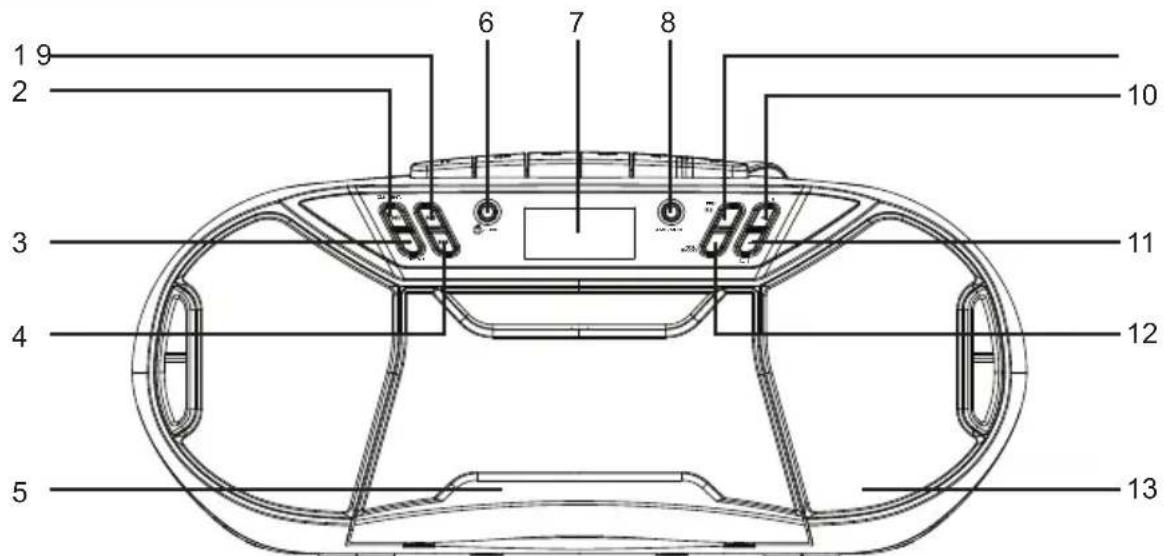
- SKIP+ / TUNING+ button
- ENTER / PLAY / PAUSE / CLOCK button
- STOP / MENU button
- SKIP- / TUNING- button
- CASSETTE DOOR
- STANDBY / FUNCTION button
- DISPLAY
- AMS / MODE button
- PRE. / FOLDER button
- VOLUME+ / ALARM 2 button
- VOLUME- / ALARM 1 button
- INFO/SNOOZE button
- SPEAKER
14. TAPE BUTTONS 15. FM ANTENNA 16. HANDLE 17. CD DOOR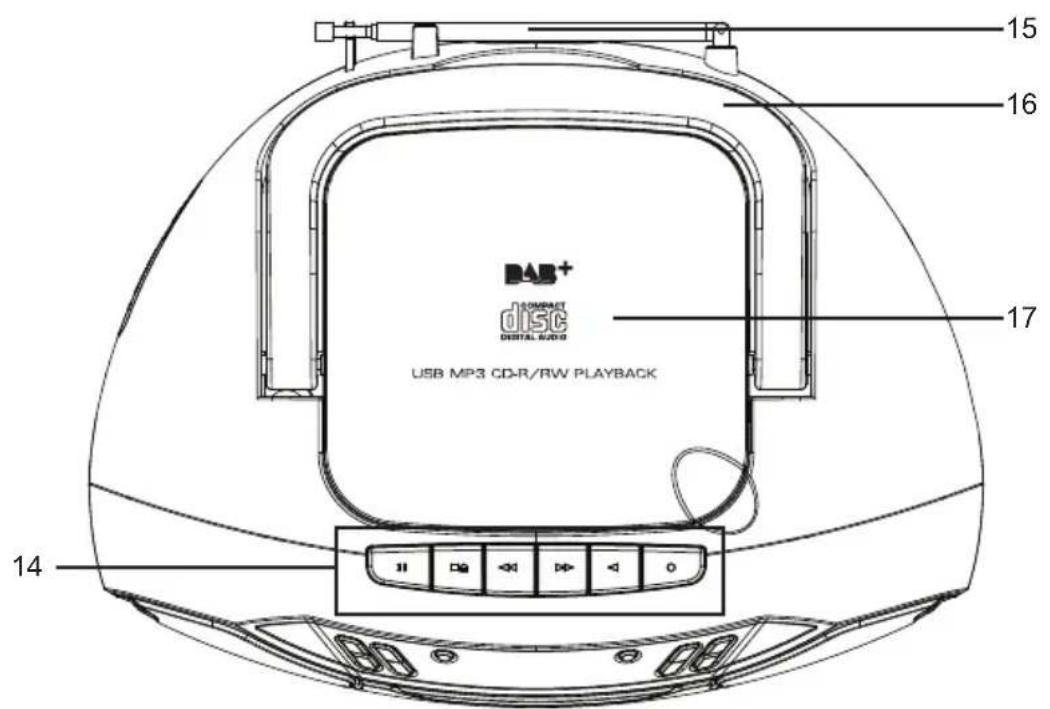
18. HEADPHONE JACK 19. USB JACK 20. AUX-IN JACK 21. AC SOCKET 22. BATTERY DOOR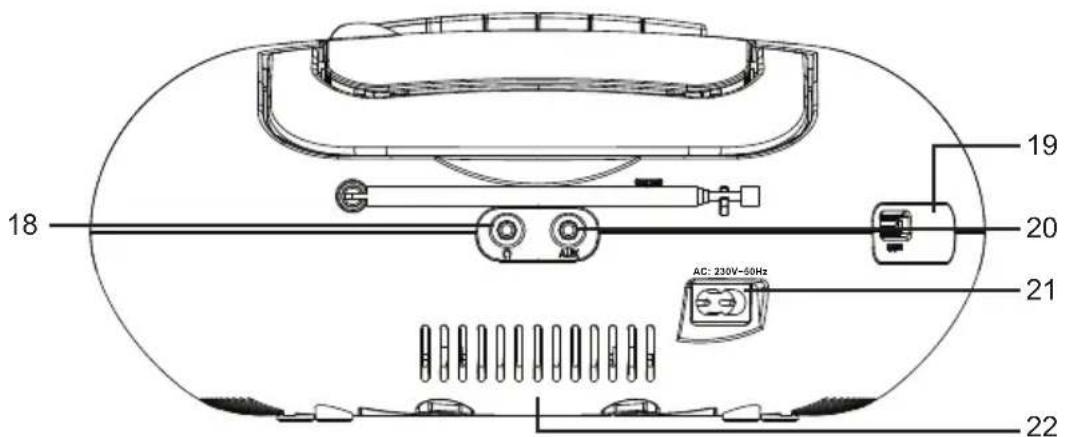
Start-up of the device / introduction
- Select a suitable location for the device, such as a dry, flat, non-slip surface on which it is easy to operate the machine.
- Ensure that the device is sufficiently ventilated.
- Remove the protective film from the display if it is still present.
- Press the "STANDBY / FUNCTION" button to turn on the device.
- Press the "STANDBY / FUNCTION" button for approx. 3 seconds to switch into the standby mode.
Power Supply
- Ensure that the voltage is the same as that indicated on the model identification plate.
- Connect the supplied power cable (see battery compartment if necessary) to a properly installed safety power socket and the AC mains connector on the back of the machine.
Inserting the Batteries (not supplied)
- Open the lid of the battery compartment.
- Insert 6 batteries of type UM-2 ("C" size) at 1.5 V. Ensure that the polarity is correct (see the floor of the battery compartment)!
- Then close the battery lid.
NOTE:
When a mains cable is connected, the batteries are automatically switched off.
CAUTION:
- Batteries can leak and lose battery acid. When not using the system for a long period of time, remove the batteries.
- Different battery types or new and used batteries must not be used together.
- Do not dispose of batteries with household waste. Return old batteries to the respective collection facilities or your dealer.
WARNING:
The batteries shall not be exposed to excessive heat such as sunshine, fire or the like. Danger of explosion!
Setting the clock & date
The system must be in standby mode in order to set the clock.
- Press and hold the "ENTER / PLAY / PAUSE / CLOCK" button for approx. 2 seconds.
- Use the "SKIP+ / TUNING+" or "SKIP- / TUNING-" buttons to set the time format "12 / 24hr".
- Press the "ENTER / PLAY / PAUSE / CLOCK" button to confirm the time format.
- Use the "SKIP+ / TUNING+" or "SKIP- / TUNING-" buttons to set the hours accordingly. The hour digits start flashing.
- Press the "ENTER / PLAY / PAUSE / CLOCK" button to confirm the hour.
- Repeat steps 4 and 5 to set the minute / date.
NOTE:
- Press and hold the "ENTER / PLAY / PAUSE / CLOCK" button during operation order to briefly display the current time.
Setting of the alarm time
The system must be in standby mode in order to set the alarm.
You have the option of setting two alarm times. Proceed as follows:
- Press the "VOLUME- / ALARM 1" button for about 3 seconds. The hours of the currently set alarm time will start to flash.
- Perform the settings with the "SKIP+ / TUNING+" or "SKIP- / TUNING-" buttons.
- Press the "VOLUME- / ALARM 1" button to confirm. The minutes will start to flash.
- Perform the settings with "SKIP+ / TUNING+" or "SKIP- / TUNING-" buttons.
- Press the "VOLUME- / ALARM 1" button to confirm. Then choose how you would like to be woken up. Perform the settings with the "SKIP+ / TUNING+" or "SKIP- / TUNING-" buttons. Press the "VOLUME- / ALARM 1" to confirm.
FM:
As soon as the set alarm time has been reached, the radio will turn on. The last preset station will play.
DAB:
As soon as the set alarm time has been reached, the radio will turn on. The last preset station will play.
CD:
As soon as the set alarm time has been reached, the device will turn on in CD mode. The inserted CD will be played from the first track.
USB:
As soon as the set alarm time has been reached, the device will turn on in USB mode. The tracks of the connected storage device will be played from the first track.
BUZZ:
A buzzer will sound when reaching the alarm time.
- Finally, press the "SKIP+ / TUNING+" or "SKIP- / TUNING-" buttons to set the alarm volume. Press the "VOLUME- / ALARM 1" to confirm.
To set the second alarm time, repeat each of the above steps with the "VOLUME+ / ALARM 2" button.
Once you completed the alarm setting an alarm symbol will appear on the display.
Deactivate the alarm
Press "VOLUME-/ALARM 1" or "VOLUME+ / ALARM 2" shortly to choose "Alarm off".
Snooze
The automatically set alarm function can be switched off for 9 minutes with the "INFO / SNOOZE" button.
Listening to the DAB (for DAB only)
Select the DAB mode with the "STANDBY / FUNCTION" button, until "DAB" is shown in the display.
The radio will automatically do a full scan of DAB+ stations. The list of stations is then stored, eliminating the need for another full scan when the radio is turned on next time. When the scan is complete, the stations are stored in alphabetical order. The first available station will be played back.
DAB Menu
Press "STOP / MENU" button to select the DAB radio menu. Press "SKIP+ / TUNING+" or "SKIP- / TUNING-" buttons to choose the following DAB menus and confirm with "ENTER / PLAY / PAUSE / CLOCK" button:
Full scan:
Starts the station scan. The DAB frequency band is scanned for stations.
- Manual tune:
To do so you need to know the station frequency. This can be found on the internet site of the broadcasting service. Select individual frequencies using the "ENTER / PLAY / PAUSE / CLOCK" button.
DRC:
Short for Digital Range Control (dynamic range). The term DRC describes the ratio between the quietest and the loudest sound. If the dynamic range is very high there are very soft sounds as well as very loud sounds.
Under some circumstances this may present a problem with playback. Let us assume that you are listening to a radio station in a relatively loud environment. By increasing the volume you can play the quiet sections louder.
This however has the disadvantage that the loud sections become uncomfortably loud. It makes sense here to reduce the dynamic range. Select between the options:
- DRC off: The dynamic range is not reduced.
- DRC high: The dynamic range is sharply reduced.
- DRC low: The dynamic range is slightly reduced.
- Prune:
It may be that you can no longer receive some stations after a station scan or change of location.
With this function you can delete these stations from the reception list. Select "YES" and confirm with the "ENTER / PLAY / PAUSE / CLOCK" button.
- System Language Time Update Factory Reset
- SW version
Listening to the FM Radio
- Select the RADIO mode with the "STANDBY / FUNCTION" button, until "FM" is shown in the display.
- For FM reception: Completely extend the telescopic antenna. Change its position to improve the reception.
- There are two options to search for and preset radio stations.
Automatic scan:
Important! Any preset radio stations will be overridden.
Press and hold the "AMS / MODE" button for approx. 3 seconds. The system scans the entire frequency band for radio stations. Any stations found will be preset from lowest to highest frequency.
Manual scan for audio stations:
Briefly press the "SKIP+ / TUNING+" or "SKIP- / TUNING-" buttons until you have found the radio station you are looking for. If you keep one of the buttons pressed down, the device will search to the previous or next radio station.
Preset station:
- Press and hold the "AMS / MODE" button on the unit for about 2-3 seconds to start the automatic preset process.
- The display will show the memory sequence number, and radio stations will be automatically preset into the sequence number. (Note: Each sequence number means 1 preset station during the automatic preset process.)
- Once all stations have been automatically preset, press the "PRE. / FOLDER" button to choose preset stations.
Info display
Press the "INFO / SNOOZE" button to show the FM information.
FM Menu
Press the "STOP / MENU" button to select the FM radio menu. Press the "SKIP+ / TUNING+" or "SKIP- / TUNING-" button to choose the following FM menus and confirm with the "ENTER / PLAY / PAUSE / CLOCK" button:
- Scan setting: Select the desired option for automatic station search.
- All stations: Search for all stations that can be received. In this case, station search also stops for weak stations.
- Strong stations only: Only clear stations are searched. Audio setting: Select MONO or STEREO for FM reception.
- System Language Time Update Factory Reset
- SW version
Cassette Operation
Playing Cassettes
- Select the CASSETTE mode with the "STANDBY / FUNCTION" button, until "TAPE" is shown in the display.
- Press the "STOP/EJECT" button to open the cassette compartment.
- Insert a recorded audiocassette into the compartment with the tape opening facing upwards and the side you wish to listen to facing the front (full spool to the right). Then close the cassette compartment again.
- Press the PLAY key to listen to the tape.
- With the STOP/EJECT key you can stop playback.
- Wind the tape forwards or backwards if necessary in the direction of the arrow keys F.FWD = forwards, RWD = reverse.
- Always press the STOP/EJECT key when changing the direction or stopping the tape. This prevents damage to the machine and the tape.
- If the STOP/EJECT button is pressed again the flap of the cassette compartment opens.
- To briefly interrupt playback, press the PAUSE button. Press it again to resume playback.
Playing CDs/MP3
- Select CD mode using the "STANDBY / FUNCTION" button until "CD" appears on the display.
- Open the CD compartment by lifting the lid upward using the tab.
- Insert an audio CD with the printed side facing up onto the central spindle so that it clicks into place, then close the CD compartment lid.
- The CD will start playing from the first track.
- To remove a CD, press the STOP button, open the CD compartment, and carefully lift the CD out.
Always keep the CD compartment closed.
NOTE:
- If a disc is inserted incorrectly or no disc is inserted, the message "NO DISC" will appear on the display.
- Playback of user-created CDs cannot be guaranteed due to the wide variety of software and CD media available.
Playing music via USB
This device has been developed in line with the latest technological advances in the USB field. Due to the wide range of different USB storage devices currently on the market, we cannot guarantee full compatibility with all USB storage devices. Therefore, in rare cases, there may be issues playing files from USB storage devices. This is not a malfunction of the device.
- Select USB mode using the "STANDBY / FUNCTION" button until "USB" appears on the display.
- Connect a USB storage device directly to the port. Playback will start automatically after a few seconds.
For operation, please refer to the section "Description of the control buttons".
NOTE:
- Always directly connect a USB storage medium to the USB port to prevent any malfunctions.
- The USB port is not designed for charging external devices.
CAUTION:
Switch the device to a different operating mode before you remove the USB storage device.
Description of the control buttons
NOTE:
Not all the functions may be supported depending on the playback device.
ENTER/PLAY/PAUSE/CLOCK
- You can briefly interrupt and resume playback using this button. The display shows the elapsed playback time flashing. Pressing again continues playback.
- Press and hold this button during operation to briefly display the current time.
SKIP+ & SKIP-
With "SKIP+ / TUNING+" button you can jump to the next or previous track etc.
- If the button is kept pressed down, the machine starts to search through the tracks.
The "SKIP-/TUNING-" button can be used as follows:
Press once = This starts the current track again from the beginning.
Press twice = This jumps back to the previous track.
STOP
The playback is stopped.
Volume
You can set the desired volume with the "VOLUME- / ALARM 1" or "VOLUME+ / ALARM 2" button.
MODE
- In stop mode, this is used for programming any order of tracks (see the section on "Programmed Play").
During the playback of an audio CD:
Press once = the normal play mode. The display will show "Normal".
Press twice = the current track is repeated continuously. The display will show "Repeat One".
Press three times = the whole CD is played continuously. The display will show "Repeat All".
Press four times = all tracks will be played in random order. The display will show "Random".
Press five times = back to the normal play mode.
During playback of MP3 music (under USB mode):
Press once = normal play mode. The display will show "Normal".
Press twice = the current track is repeated continuously. The display will show "Repeat One".
Press three times = the selected folder is repeated continuously. The display will show "Repeat Album".
Press four times = the whole CD is played continuously. The display will show "Repeat All".
Press five times = all tracks will be played in random order. The display will show "Random".
Press six times = back to normal play mode.
PRE./FOLDER
Use the "PRE. / FOLDER" button to choose the folder.
Programmed Play
This can be used to program any desired sequence of tracks.
- Press the "STOP" button.
- Press the "AMS / MODE" button. "P_01" will start to flash.
P_01 means the storage space.
Use the "SKIP+ / TUNING+" or "SKIP- / TUNING-" buttons to select the desired track and then press the "AMS / MODE" button again.
The display "P_01" will be changed to "P_02".
- Select the next track with the "SKIP+ / TUNING+" or "SKIP- / TUNING-" buttons and press the "AMS / MODE" button again. Repeat the procedure until all the desired tracks are selected.
NOTE:
Once the storage capacity of the tracks to be programmed has been reached, "PROGFULL" will show in the display.
- Press the "ENTER / PLAY / PAUSE / CLOCK" button. The playback starts.
The upper-left of the display will show "MEM".
- Press the button once to stop the playback while retaining the program.
- To play the programmed tracks again, press the "ENTER / PLAY / PAUSE / CLOCK" button.
- To delete the program, press the "STOP" button twice. The notification "MEM" will disappear.
Playing Back Music in MP3 Format
With this device, it is possible to play back pieces of music in MP3 format. The device also supports all standard CD types:
CD, CD-RW, CD-R.
This machine is able to play MP3 CDs. Up to 99 tracks can be compressed and stored on these CDs. Your machine detects an MP3 CD automatically (the total number of tracks and MP3s appears in the display). If you would like to play one of these CDs, proceed as described under "Playing CDs/MP3". Tracks can be programmed as described under "Programmed Play".
AUX IN Socket
Via this socket, you can also hear the sound of other playback devices such as MP3 players, CD players, etc. through the loudspeakers.
- Please connect the external device with a 3.5 mm stereo jack plug to the AUX-IN socket.
- Select the AUX mode with the "STANDBY / FUNCTION" button, until "Aux" is shown in the display.
- You will hear the sound playback from the external device through the loudspeakers. You may adjust the volume with "VOLUME- / ALARM 1" or "VOLUME+ / ALARM 2" buttons. The CD buttons are not functional.
- For the remaining procedure please see the operating instructions of the external sound source.
NOTE:
Adjust the volume of the external device to a comfortable level.
Headphone socket
To listen to music privately, use headphones with a 3.5 stereo jack plug and connect to the headphones socket on the back of the system. The speakers will then be muted.
Cleaning and Maintenance
WARNING:
Do not immerse the device in water.
- Always remove the mains plug before cleaning the machine.
- Any marks on the surface can be wiped off with a slightly damp cloth without any additives.
Remarks:
Don't discard the electrical and electronic appliances in the regular waste disposal.
Take them to a collection point. - Some components in these appliances may be hazardous to health and the environment.
- In order to save energy when the unit has no sound output for a while, the unit will be switched to stand-by automatically. It can be switched ON by using the POWER selector again. To download the full statement, please visit our website:
http://www/bigben-interactive.co.uk/support and the section < >.
THOMSON is a trademark of TECHNICOLOR SA or its affiliates used under license to Bigben Interactive.
Manufactured by BIGBEN INTERACTIVE SA
396, Rue de la Voyette
CRT2-FRETIN
CS 90414
59814 LESQUIN Cedex - France
www/bigben.eu
Made in China






REACH
Manufacturer: Bigben Interactive FRANCE
396, Rue de la Voyette, C.R.T. 2 Fretin, CS 90414-59814 LESQUIN Cedex, France
WARNINGS AND PRECAUTIONS

BATTERY WARNINGS
- Manual scanners:
DAB/USB/MP3/CD/PLL FM RADIO/CASSETTE
INSTRUCTIONS
PLEASE READ THIS USER MANUAL CAREFULLY BEFORE OPERATING THE DEVICE, AND KEEP IT FOR FUTURE REFERENCE.
WARNINGS AND PRECAUTIONS

- Manual scanning for radio stations:
- Manual tune (manual tuning):
https://www/bigbeninteractive.com/support/ a crypt declaration of conformity>>.
1410 Waterloo, Belgium
Bigben Interactive NEDERLAND b.v.
- WARNING AND PRECAUTIONS
- IMPORTANT SAFETY INSTRUCTIONS
- INFORMATION ABOUT BATTERIES (APPLICABLE ONLY IF BATTERIES INCLUDED)
- WARNING
- WARNING CONCERNING BATTERIES
- IMPORTANT REMARKS
- CARE OF THE ENVIRONMENT
- COMPLIANCE
- BATTERY POWER
- CAUTION
- WHEN AC POWER SUPPLY
- WHAT'S IN THE BOX
- OVERVIEW OF THE COMPONENTS
- START-UP OF THE DEVICE / INTRODUCTION
- POWER SUPPLY
- INSERTING THE BATTERIES (NOT SUPPLIED)
- NOTE
- SETTING THE CLOCK & DATE
- SETTING OF THE ALARM TIME
- DEACTIVATE THE ALARM
- SNOOZE
- LISTENING TO THE DAB (FOR DAB ONLY)
- DAB MENU
- LISTENING TO THE FM RADIO
- AUTOMATIC SCAN
- MANUAL SCAN FOR AUDIO STATIONS
- PRESET STATION
- INFO DISPLAY
- FM MENU
- CASSETTE OPERATION
- PLAYING CASSETTES
- PLAYING CDS/MP
- PLAYING MUSIC VIA USB
- DESCRIPTION OF THE CONTROL BUTTONS
- ENTER/PLAY/PAUSE/CLOCK
- SKIP+ & SKIP
- STOP
- VOLUME
- MODE
- PRE./FOLDER
- PROGRAMMED PLAY
- PLAYING BACK MUSIC IN MP3 FORMAT
- AUX IN SOCKET
- HEADPHONE SOCKET
- CLEANING AND MAINTENANCE
- REMARKS
- WARNINGS AND PRECAUTIONS
- BATTERY WARNINGS
- MANUAL SCANNERS
- INSTRUCTIONS
- MANUAL SCANNING FOR RADIO STATIONS
Brand : THOMSON
Model : RK250UDABCD
Category : Hi-Fi System