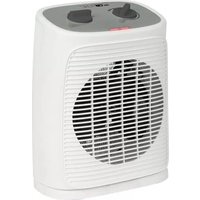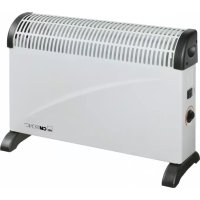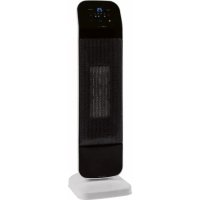
HL 3763 - Electric heater CLATRONIC - Free user manual and instructions
Find the device manual for free HL 3763 CLATRONIC in PDF.

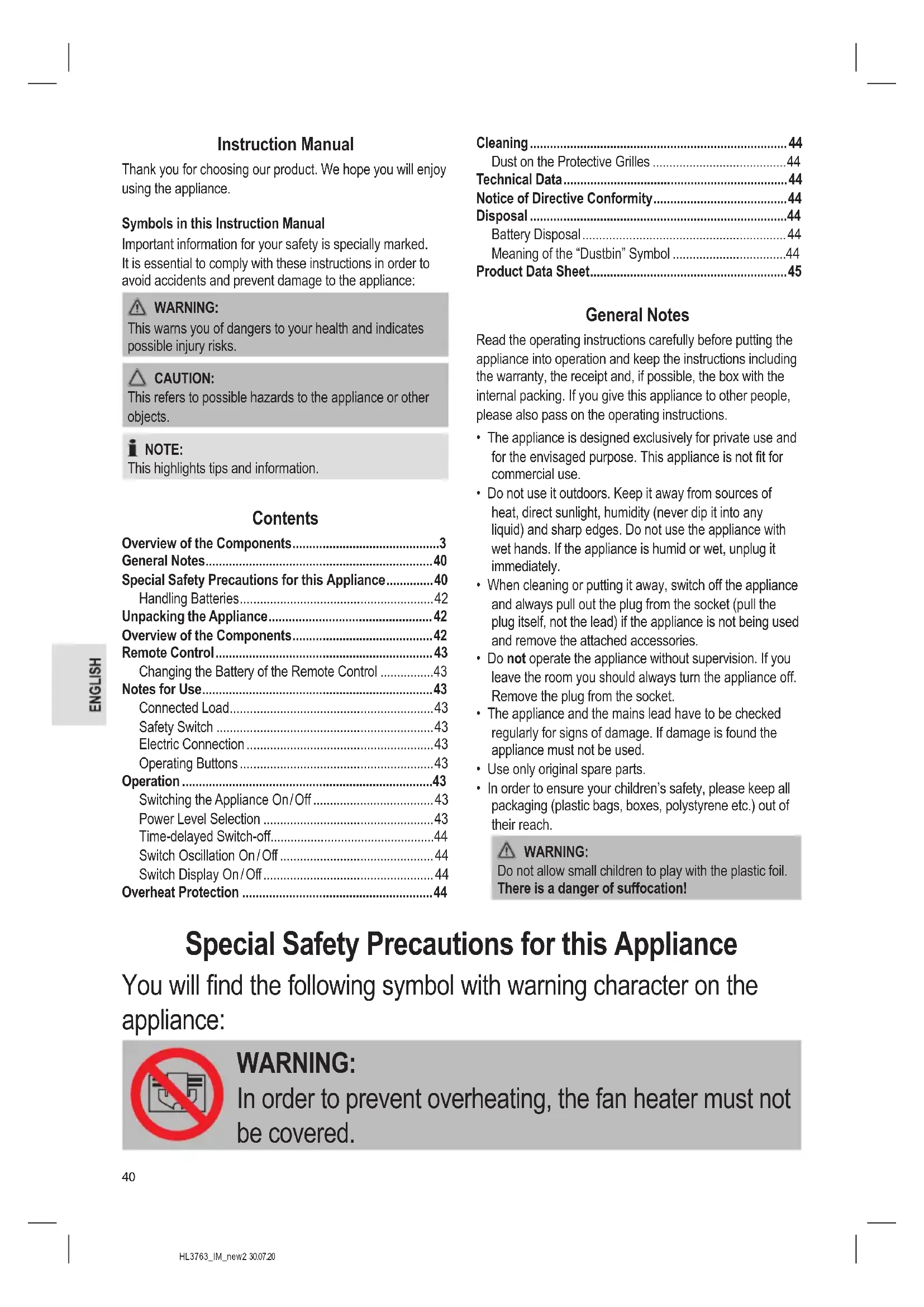


| Product type | Electric fan heater |
| Brand | Clatronic |
| Model | HL 3763 |
| Maximum power | 2000 W |
| Mains voltage | 220-240 V~, 50-60 Hz |
| Protection class | II |
| Net weight | Approx. 1.5 kg |
| Dimensions (approx.) | 65 x 20 x 20 cm |
| Power levels | 2 (1300 W, 2000 W) + fan only |
| Temperature range | 15 °C to 35 °C |
| Timer | 0-12 hours |
| Oscillation | 90° |
| Remote control | Yes (CR2025 battery included) |
| Display | LED with temperature display |
| Safety | Overheat protection, tip-over switch |
| Carry handle | Yes |
| Protective grille | Yes, removable for cleaning |
| Use | Indoor use only |
| Power supply | Mains |
| Included accessories | Remote control, coin battery, user manual |
Frequently Asked Questions - HL 3763 CLATRONIC
User questions about HL 3763 CLATRONIC
0 question about this device. Answer the ones you know or ask your own.
Ask a new question about this device
Download the instructions for your Electric heater in PDF format for free! Find your manual HL 3763 - CLATRONIC and take your electronic device back in hand. On this page are published all the documents necessary for the use of your device. HL 3763 by CLATRONIC.
USER MANUAL HL 3763 CLATRONIC
Notification de accomplishment de directiva 31
Eliminación 31
Notification de accomplishment de directiva
Thank you for choosing our product. We hope you will enjoy using the appliance.
Symbols in this Instruction Manual
Important information for your safety is specially marked. It is essential to comply with these instructions in order to avoid accidents and prevent damage to the appliance:

WARNING:
This warns you of dangers to your health and indicates possible injury risks.

CAUTION:
This refers to possible hazards to the appliance or other objects.

NOTE:
This highlights tips and information.
Contents
Overview of the Components. 3
General Notes. 40
Special Safety Precautions for this Appliance. 40
Handling Batteries 42
Unpacking the Appliance 42
Overview of the Components. 42
Remote Control 43
Changing the Battery of the Remote Control 43
Notes for Use 43
Connected Load. 43
Safety Switch 43
Electric Connection 43
Operating Buttons 43
Operation 43
Switching the Appliance On/Off 43
Power Level Selection 43
Time-delayed Switch-off 44
Switch Oscillation On/Off 44
Switch Display On/Off 44
Overheat Protection 44
Cleaning 44
Dust on the Protective Grilles 44
Technical Data 44
Notice of Directive Conformity 44
Disposal 44
Battery Disposal 44
Meaning of the "Dustbin" Symbol 44
Product Data Sheet. 45
General Notes
Read the operating instructions carefully before putting the appliance into operation and keep the instructions including the warranty, the receipt and, if possible, the box with the internal packing. If you give this appliance to other people, please also pass on the operating instructions.
- The appliance is designed exclusively for private use and for the envisaged purpose. This appliance is not fit for commercial use.
- Do not use it outdoors. Keep it away from sources of heat, direct sunlight, humidity (never dip it into any liquid) and sharp edges. Do not use the appliance with wet hands. If the appliance is humid or wet, unplug it immediately.
- When cleaning or putting it away, switch off the appliance and always pull out the plug from the socket (pull the plug itself, not the lead) if the appliance is not being used and remove the attached accessories.
- Do not operate the appliance without supervision. If you leave the room you should always turn the appliance off. Remove the plug from the socket.
- The appliance and the mains lead have to be checked regularly for signs of damage. If damage is found the appliance must not be used.
- Use only original spare parts.
- In order to ensure your children's safety, please keep all packaging (plastic bags, boxes, polystyrene etc.) out of their reach.

WARNING:
Do not allow small children to play with the plastic foil.
There is a danger of suffocation!
Special Safety Precautions for this Appliance
You will find the following symbol with warning character on the appliance:

WARNING:
In order to prevent overheating, the fan heater must not be covered.

WARNING:
- Some parts of the product can become very hot and cause burns. Avoid contact with the skin. Carry the appliance by its handle.
-
You must be particularly careful when children and vulnerable persons are present.
-
This appliance can be used by children aged from 8 years and above and persons with reduced physical, sensory or mental capabilities or lack of experience and knowledge if they have been given supervision or instruction concerning use of the appliance in a safe way and understand the hazards involved.
Children shall not play with the appliance. - Cleaning and user maintenance shall not be made by children without supervision.
- Children younger than 3 years of age should be kept away from the appliance, unless they are supervised at all times.
- Children from the age of 3 and younger than 8 years of age may only turn the appliance on and off if they are supervised, or have been instructed with regard to the safe use of the appliance, and if they have understood the risks resulting from it, provided that the appliance has been placed and installed in its normal position of use.
- Children from the age of 3 and younger than 8 years of age may not insert the plug into the socket, may not regulate the appliance, may not clean the appliance and / or may not perform the maintenance by the user.
-
Please keep a safety distance of at least 90~cm between all sides of the appliance and furniture and other objects.
-
Under no circumstances may the fan heater be used in rooms with explosive gas (e.g. petrol) or while work is being carried out with inflammable adhesives or solvents (e.g. when gluing or painting parquet, PVC etc.).
- Do not insert any objects into the fan heater.
- Ensure that a safety distance is maintained between the power cord and the housing.
- Do not use the fan heater in the open air.
- Do not use the fan heater in close proximity to bathtubs, showers or swimming pools.
- The fan heater should not be placed directly below a mains power socket.
- Do not repair the appliance by yourself. Always contact an authorized technician. If the supply cord is damaged, it must be replaced by the manufacturer, its service agent or similarly qualified persons in order to avoid a hazard.
Handling Batteries
WARNING:
- Do not expose batteries to excessive heat such as sunlight, fire or similar. There is a risk of explosion!
- Batteries are not toys. Keep away from children.
- Do not open batteries by force.
- Avoid contact with metal objects (rings, nails, screws, etc.). There is a risk of short circuit!
- A short circuit could cause the battery to heat up excessively or even to catch fire, resulting in injuries.
- For your own safety, cover the battery terminals with adhesive tape during transport.
- In case of battery leakage, make sure not to rub the liquid into your eyes or mucous membranes. In case of contact, wash your hands and rinse your eyes with clear water. Seek medical attention if any discomfort persists.
CAUTION:
Batteries can leak and lose battery acid. If the remote control is not used for a long period of time, remove the battery.
Unpacking the Appliance
- Remove the appliance from its packaging.
- Remove all packaging material such as foils, padding, cable holders and cardboard.
- Fully unwind the cable.

NOTE:
There might be dust and production residue present on the appliance. We recommend cleaning the appliance as described under "Cleaning".
Overview of the Components
1 Handle
2 Grille for heating elements
3 Stand
4 Safety switch
5 Display
6 MODE button (select temperature setting)
7 button (increase temperature)
8 button (decrease temperature)
9 Indicator lamps
10 button (switching the appliance on / off)
11 Button (switch display on / off)
12 Button (time-delayed switch-off)
13 button (switch oscillation on / off)
Remote Control

NOTE:
The button cell in the battery compartment of the remote control has been secured with a foil for transport. This will extend the durability of the battery. Before initial use please remove this foil so that the remote control is ready for operation.
The range of the remote control is limited. When using the remote control, please ensure that there are no obstacles placed between it and the sensor on the appliance.
Changing the Battery of the Remote Control
If the range of the remote control is reduced during use, please proceed as follows:
- Open the battery compartment on the bottom of the remote control by holding the lever inwards and pulling out the battery compartment.
- Replace the button cell with a battery of the same type (CR2025). Ensure correct polarity.
- Then close the battery lid.
Notes for Use
Connected Load
The appliance supports a power input of 2000 W.

CAUTION: Overload
- When using an extension cord, it must have a cable cross-section of at least 1.5mm^2
- Do not use multi-outlet power strips, since this appliance is too powerful.
- Do not connect any other powerful appliances to the same electric circuit.
Safety Switch
Your fan heater features a safety switch that disconnects the power supply in case the appliance falls over. The safety switch prevents hazards caused by overheating.

CAUTION:
Place the appliance on a smooth, horizontal surface. Avoid carpets in order to prevent failure of the safety switch.

NOTE:
As soon as the safety switch has been activated, the appliance must be set and switched on again.
Electric Connection
- Make sure the voltage of the appliance (see rating label) matches the mains voltage to be used.
- Connect the mains plug to a properly installed isolated ground socket. All indicator lamps light up briefly.
Operating Buttons
The buttons on the appliance are sensor touch buttons. In order to perform the corresponding function gently touch the buttons. Whenever a button is pressed, it will be confirmed by a beep sound.
| Control Panel | Remote Control | Function |
| Switching the appliance on / off | ||
| Switch display on/off | ||
| Time-delayed switch-off: 0 to 12 hours | ||
| Switch oscillation on/off | ||
| MODE | Power level selection (a and) | |
| + | + | Increase temperature |
| - | - | Decrease temperature |
Operation

NOTE:
- The operation is explained using the buttons on the appliance.
- The buttons can only be pressed once the appliance has been switched on by using the button.
Switching the Appliance On/Off
- Press the button to switch on the appliance. The appliance initiates the fan setting and displays the current ambient temperature. The indicator lamp lights. To avoid overheating, the fan is operating continuously.
- Press the button again to switch off the appliance.

NOTE:
A 30 second timer will start in the display. During this period the fan remains in operation to cool down the appliance. The indicator lamp lights. When the timer period has lapsed, the appliance will automatically switch into standby mode.

CAUTION:
When not using the appliance, disconnect the mains plug.
Power Level Selection
Press the MODE button repeatedly to choose between the available power levels.
Fan operation (without heating)
Power level 1 (1300 Watt)
Power level 2 (2000 Watt)
Use the + and - buttons to select a temperature between 15 and 35.
NOTE:
- Once the current ambient temperature has been reached, the appliance switches off and automatically maintains the set temperature level.
- There may be a slight difference between the displayed and the actual room temperature. This is due to the design and does not mean that the appliance is defective.
Time-delayed Switch-off
You can set a time-controlled switch-off for the appliance.
- Use the button to select a time setting between 01 and 12.
- Upon expiry of the timer, the appliance will switch off automatically.
Switch Oscillation On/Off
Press the button to switch on oscillation. The appliance automatically rotates in the range of about 90 degrees. The indicator lamp lights.
Switch Display On/Off
Press the button to switch the display and the indicator lamps on or off.
Overheat Protection
The appliance features an overheat protection mechanism causing the appliance to switch off automatically in case of overheating.
- Use the button to switch off the appliance and disconnect it from the mains socket by pulling the plug.
- Let the appliance cool down for approx. 10 minutes before using it again.
NOTE:
If the overheat protection mechanism causes the appliance to switch off again after a short period, this might indicate a defect.
- Switch off the appliance and disconnect it from the mains.
- Have the appliance checked by your dealer or our customer service.
Cleaning
WARNING:
Always disconnect from the mains before cleaning and wait until the appliance has cooled down.
- Never immerse the appliance in water to clean it. This may lead to electrical shock or fire.
CAUTION:
- Do not use wire brushes or other abrasive materials.
-
Do not use caustic or scouring agents.
-
Wipe away dust with a dry cloth.
- Flecks can be removed with a suitably damp cloth.
Dust on the Protective Grilles
Accumulation of dust on the protective grilles can lead to overheating.
- Remove the dust by careful brushing.
or
- Use the upholstery nozzle of your vacuum cleaner to remove the dust.
Technical Data
Model: HL 3763
Power supply: 220-240 V~, 50-60 Hz
Power consumption: 2000 W
Protection class: II
Net weight: approx. 1.5kg
The right to make technical and design modifications in the course of continuous product development remains reserved.
Notice of Directive Conformity
The appliance meets the European standards and directives in the current version at delivery:
Low Voltage Directive (LVD) 2014/35/EC
Electromagnetic Compatibility (EMC) Legislation Directive 2014/30/EC
RoHS-directive 2011/65/EU & (EU) 2015/863
Ecodesign-directive (ErP) 2009/125/EC
Commission Regulation (EU) 2015 / 1188
Disposal
Battery Disposal

As a consumer you are obliged by law to return old batteries/accumulators.
Remove the battery from the remote control before disposing of the appliance.
Return the battery to a collection facility for the collection of old batteries or hazardous waste. Contact your local authority for more information.
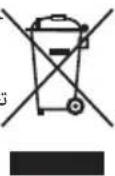
Meaning of the "Dustbin" Symbol

Protect our environment: do not dispose of electrical equipment in the domestic waste.
Please return any electrical equipment that you will no longer use to the collection points provided for their disposal.
This helps avoid the potential effects of incorrect disposal on the environment and human health.
This will contribute to the recycling and other forms of re-utilisation of electrical and electronic equipment.
Information concerning where the equipment can be disposed of can be obtained from your local authority.
Product Data Sheet
| Model identifier HL 3763 | |||||
| Item Symbol Value Unit Item Unit | |||||
| Heat output Type of heat input, for electric storage local space heaters only | |||||
| Nominal heat output P nom | 2.0 kW manual | heat charge control, with integrated thermostat N. A. | |||
| Minimum heat output (indicative) | Pmin | N. A. kW | manual heat charge control with room and / or outdoor temperature feedback | N. A. | |
| Maximum continuous heat output | Pmax,c | 2.0 kW | electronic heat charge control with room and / or outdoor temperature feedback | N. A. | |
| Auxiliary electricity consumption | fan assisted heat output | N.A. | |||
| At nominal heat output | eI max | 0.000 | kW Type | of heat output / room temperature control | |
| At minimum heat output | eI min | 0.000 | kW | single stage heat output and no room temperature control | no |
| In standby mode | eISB | 0.000 | kW | Two or more manual stages, no room temperature control | no |
| with mechanic thermostat room temperature control | yes | ||||
| with electronic room temperature control | no | ||||
| electronic room temperature control plus day timer | no | ||||
| electronic room temperature control plus week timer | no | ||||
| Other control options | |||||
| room temperature control, with presence detection | no | ||||
| room temperature control, with open window detection | no | ||||
| with distance control option | no | ||||
| with adaptive start control | no | ||||
| with working time limitation | no | ||||
| with black bulb sensor | no | ||||
| Contact details | Clatronic International GmbH, Industriering Ost 40, 47906 Kempen, Germany | ||||
| N. A. = not applicable | |||||
Instrukcja obslugi
Yka3bIbaeHa BO3MOxHyO ONaCHOCTb INI3JeINIA INpynx OKpyxaIOxN INpeDMTOB.

ПИМЕЧАнЯ:
Jaet COBtI INHOpMaIIO.
CoapedkaHne
O63op deraen npnbopa. 3
O67a HΦopMaun 60
Oc6bIe yka3aHnna no texHnke
6e3oNaChocTn Dn DaHoro ycToPcTBa. 61
Kakobpaatabca6baatepaKaMn. 63
PacnaKOBka yctpoiCTBa. 63
O63op detae np6opa. 63
DuctauonHoe npabneHne 63
3aMeHa 6atapeKn B DCtAHLIOHOM ynpabHeHH ...63
PpmeuHnno nncnoB3OBAHn. 63
PoiKIOUeHHa Harpy3ka. 63
AbapnHbBbIKIOuTeIb 63
IoiKIOUeHHe 3JIeKTPoNTaHn. 64
KhoNk ynpaBneHn. 64
Pabota. 64
BkIouHe / BbIKJIueHn e annapata. 64
Bb6op ypoBHa MOUHocTn 64
BbIkuoyHeHc 3aepKoNo BpeMeHn..64
BkIIOUeHHe/ BbIKIOUeHHe KOJIe6aHnI IOToka... 64
BkIIOUeHHe/OTKIOUeHHe IuCnpei 64
3aunra ot neperpeBa 64
Ynctka 65
PpOtpnTe pblb c 3aunTHoN ceTkn 65
TexHHueckne daHbIe 65
Ytun3aui 65
Yttnn3aunncnoIb30BaHNo 6aTaepKn. 65
3haueheine cunbonna «KOp3nHa» 65
067aHhOpMaun
Ipeed Haayanom 3KcNpyataunn np6opba BHNMaTeIbHO npouTaNte npuIaraeMyo IHCTpykTuIO no 3KcNpyataunn COxpaHNTe ee B HadeXHom MeCTe, BMeCTe C rapaHTnHBIM TaHOOM, KaccOBbIM YekOM N, IO BO3MOxHOCtN, KAPTOHHO Ko06KO C yNAKOBOUHbIM MaTePnaIaON. Ecn daTe KOMyJIn6o nononb3OBAbCra np6bOpom, 683aTeNbHO daNe T B npndauy DaHHyIO INCTpykTuIO n 3KcNpyataunn.
-Пользуйтесь пибором только чаТьим орраЗм и по ha3haЧeHHIO. Пибор He пpeДнa3HauЧeн ДЯ КOMМерчecKOrO ИСПЛьЗВанИ.
He nIb3yIeTcB np6OpOM IOJ OTKpbITbIM He6OM. PpeDoxpaHnTe np6Op OT kApbl, pRmblx CoNHeuHbIX LyUey, BnaxKHOCTN (HN B KOem clyuae He nOprpykaTe ero B BoY) n yapob 06 ocTpble yrbl. He npkacaiTe b K np6OpBy BnaxKbIMn pykam. Ecn np6Op ByNaXHHncn IIN HAMOK, TyT Xe BbIbTe BuIKy n3 po3eKn.
- После ekрлуataи, мотатxe пинадпхостeи, чістke піи поломке пібора всегда віймайтівікіу n3 розетк (таяп'te 3a вінky, a He 3a kaбел).
He octabnIte BkIOUeHHbIe 3NEKtpoPnp6Opbl 6e3 npICMOTpa.BbIXOJa n3 IOMeUeHHa BCErda BbIKIOuayTe np6Op.BbIHbTe wTekep n3 po3ETKn.
- Pn6b np KabeB cTeBO rntaHn Heo6xOIMOppeyIrpHo 06cneIOBaTb Ha Hauuue CNeIOB NOBpeKdHn. Pn 6hApXeHN NOBpeXDeHn POJIb3OBA TcR np6bopom 3anpeaaetc.
- Vicnoj3ynte ToIbKO opnHaJIbHbIe 3aIaCTN.
- IV3 coobpaqhen 6e0nacnoctn dIy deTeH He ocTabJIaIte JExaTb ynaKOBky (PiactNKOBbie MeWKIn, KapTOH, NeHONlact n T.D.) 6e3 npncmOTpa.

IPEDYUNPEXDEHNE:
He no3B0JnTe DeTm nIpaTb c noIIN3TNHeHOBOI nIeHko. OnachocTb yduyba!
Oco6bIe yka3aHnI NO TexHnke 6e3OpacHOCTNДЯ ДaHHoro yCTpoiCTBa
Ha n3deIin ImeOTcA cIeDyUoI npEynpeXdaUOuI CNMBOJ:

ПЕДУПЕЖДЕНЕ:
ДяТOrO,чTo6bl npi6op He nepepeBaIcra,HeIb3a NaKpbIbAtb erO CBepxU.

ПЕДУПЕЖДЕНЕ:
-
HekOTOpbIe DeTaJIn npi6opa MoIyT CInIbHO HaIpeBaTbcr I MOxHObO6KeUbcra. N36eRaTb CoPnKOCHOBeHnA C KoxeJ. PeHocHTe yCTpOuCTBO, nCNoJIb3yra erO pyuKy.
Heo6xOJIMO 6bITb IpeJeIbHO OCTOpOXHbIM B IprncyTCTBnI deteN JIODeN n3 rpynnbl pncka. -
этим пибором могут полььзоватбаяdetистарше 8 leт и пиca C оранчehнblIMN ФиЗЧЕСКИМN, OCSaTeЛьнblIMN И PCINXUчECKIMN СпOCOБHOCТЯМN ИП He ИмeЮше ONbITA ИП 3HaHnI, ecПОН HAXODЯТСЯ ПОД наДЗОРМ ИП ПОПИНСТPyКТИрOBaHBi B OTHOWeHnIBe3ОпаСHOrO NOlb3OВaHnI PpNiБOPOM N 3HaIOT O CBY3AHHBIX C этим OnaCHOCTAx.
He no3BOJnTe DeTm nIgpaTb C np6Opom.
-ЧИстka и ухов за прибором не дожны проворпся DeТьМи 6e3 надзopa.
Heo6xOdmo nCNoJb3OBaTb np6op BdJIH OT deTeM OJoxe 3-xIet,ecnTOJbKO OHn He HaxOJrTCa NOd NocToaHHbIM pN-CMOTpOM.
-Детистарше 3-x И младше 8 Лет могут только BKЛЮчати ВыКИючать пибор под писмOTPOM B3рOCльIx, Или, ecл nx obучлп 6e3Опасно ИСПОЛБ3OBaТь данньй пибор, И они по-
HIMaIOT pNCKn, CBraHHbIe C np6OpOM, a TaKKe, ecn np6Op yCTaHOBJIeH B HOpMaJIbHOM MeCTOpacNoJIOXeHN.
-Детистарше 3-x И младше 8 Лет He должны BCTаВЯТь ВИКуВ розETКу, He должны очирать ппбори /innпрОиЗВОДИТь.Texнческoe obслuyжИВанne.
CneDnte 3a Tem, yTo6bI be30nacHoe paccTOrHne do Me6eN nn dpynx npedMeTOB coCTabJIano He Mehee 90 cm c JIOboi CTOpOHbl.
- Hn B Koem cnyuae n Hn npi KaKnx OBCToTbCTBax He NOIb3yInTeCb HaRpeBaTeJem B NOMEeHnX, B KOTOpbIX XpaHrTcB3PbIBOONaChbIe BeSeCTBa (HaRpIMep 6eH3nH) IIN IPOUN3BOdYrTa pa60tbl C IeIKOBocJIaMaHeNIOUImMnCpaCTBOPHTeJIaMn IIN KJIeAMn (HaRpIMep: yKnaIka napKeTa IIN JInHOJInyMa PBX n T.D.).
3anpeaetcyaBbHarpeBaTeIb KaKne-Jn6o npedMeTbl.
- ObecneuTe TAKKe 6e3Oanachoe paCCToHnE MeKdY CeTeBbIM ShHypOM N HarpeBaTeJIem.
3anpeaetcnoB30BaTbCnHaPBeBaTeJeM Ha OTKpbITOM BO3- dyxe.
He nCnoJb3yIte oBorpeBaTeIb B HEnocpeIcTBeHHOJ 6JIIN3OCTN OT BaHHbl, DyuHa IINI PnAbaTeIbHOrO baccEiHa.
He cTaBnTb HEnocpeIcTBeHNo IOd PO3eTKoJ.
He pemontnyte yctpoCTBO camocToTbHo. O6aTeIbHO CBJTEcB cABTOPn3OBaHHbIM MacTePOM. Pn IOBpeXdEHN CTeBOrO shHpa, BO n36eXaHne ONaCHOCTN NOPaXeHnA 3JeKTPn- CheKIM TOKOM, uHyp cIeDyET 3aMeHNTb y n3ROTOBtEJIa, cepBnCHOro npedCTaBnteJI aII IN dpyHX KBaINΦnCIPoBAHHbIX IInC.
Iotppe6bma MouHocbYyCtpoCTBa-2000BT.

BHIMAHNE:Ipeperpy3ka
-Пи Исплььзовани Кбеля-удннгеля,эр ce�нne doлжно 6ыт b He Mehee 1,5 MM2.
He nCnoB3yIne MyIbTn-ynHInTeN nITaHn, TAK KAc yCTpOcTB0 CnUkOM MOuHOe.
He noKIOUOaIte Dpyrne MoUHbIE yCTpOcTBA K ToJ Xe cENI 3JeKTPoPNTAHn.
AbaHbI BbIKIOyateIb
Baw o6orpeBaTeIb Oshaueh AbapnHbIM BbIKIohaTeIeM, KOTopbI OTKIOUcaET 3JIeKTponITaHne B clyuae OTKa3a yCTpoIcTBa. AbapnHbIM BbIKIOUaTeIb IpeDoTbpaIaet pck neperpeBa.

BHIMAHNE:
IocTaBbTe yctpoiCTBO Ha pOBHyO rOpN3oHTaJIbHyIO NO-BepxHOCtB. CtapaiTecb He CTaBNTb yCTpoiCTBO Ha KOBe, YTO6bl IpeD0TbPAiTb c60a ABapuHOrO BvIKNoUOteJIa.

ПРМЕЧАнЯ:
Iocne akTnBaunnpedeoxpahnteHbHO BbIKIOuataTe np6Op Heo6xOdmo BHOBy cTaHOBt b BKIOHTb.
TIOKJIIOUeHHe 3JIeKTpOINTaHn
- Y6eHNTecb, yTo HAnpJxHeHne, Heo6XoJnMoE dIy yCTpoi-CTBa (cM. TaBnUky CO CNeuΦnKaueN) COOTBeTCTByET HAnpJxHeHIO B INCNoJIb3yeMOe CTN 3JIeKTPoNTaHnR.
2.BCTaBbTe WTeNCeNB B NcnpaBHyO,3aEMeHHyo po3etyk. Bce 3HaKn KpaTkoBpeMeHo 3aropaOTca.
KhONkynpnaBHeHn
Ha yctpoicTBe nCnOJb3yOTcCeHCOPHbIe KHOJI. CTeIka KOCHNTecb KHOJI, YTO6bl BbINOHNITb COOTBETCTBYUOyO fYHKUHO. Pn KaXDOM HaxaTmN KHOJI BbIDaeTc3ByKOBOI CNHAI NOITBepKDeHIA.
Bb6op ypoBn MoOHOCTN
BbIbepeYypoBeH MoUHocTn, HaxKmJHeCKoJIbKO pa3 KHOJky MODE.

Pa6oTa BeHTnIaTopa (6e3 HarpeBa)

YpOBeHbMOUHOCTn1(1300BaTT)

YpOBeHbMOUHOCHTn2 (2000BaTT)
C NOMOJIIO KHOIOK+N BbI6epITe TEMIePaTpyB Duaana30He OT15n 36.

ПРИМЕЧАЙ:
Kak Tolbo 6ydt DoCTHyTa TeKyuaa TempepatypokpykaOuSe Cpebl, npbop BbIKIOHTc n 6ydt ABToMaTneCKn POnDeepKmBaTb 3aJaHHb ypoBeHb Tempepatbyl.
Mekdy TemnepaTyO, OTo6paKaemoHa DnCnIee, n 0kTnueckoN TemnepaTyO B KOMHATE MOKET 6bITb He6oBb7a pa3Hua. 3To 6bJcHReTcKONCTpyKUnei H He O3Naayet, YTO npInbOp HncnPabEn.
BbIKIOueHHe c 3aIepKkO no BpeMeHN
BbIMoKTeYcTaHOBtBbPmOrTkIIOUeHnI np6opa.
IcnoJIb3yIte KHOJky 1nBbIbopa BpeMeHn OTO I do 12.
-ПОИСТЕЧЕМВБЕМЕНТаIMЕРа yCTpoIcTBO ABTomaTINHECKN OTKJIQUHITCR.
BkJIOUeHne / BbIKIOUeHne KOJIe6aHnI NOtOKa
IINBKNIOUeHnK OJIe6aHnN NOtOKa HAXMITE KHOHNKY IINBOP NOBOPaUNBaETcABTOMaTHueCKN B DnnaNa3OHe OKoJNO 90 rpaDycob. 3arOpNTcCBeTOBn INdNKATOp
BknHcHHe /otKnHcHHe nCnJIeA
IINBKNIOHNEINBBIKHOOENIAICNJIERNCBTOBIX INHDKATOPOB HAXMITE KHOPIK
3aunta ot neperpeBa
YcTpoICTBO CHa6KeHO MExaHn3MOM 3aUNTbI OT nepe- rpeBa, KOTOpB aBTOMaTHueCKN OTKlnOuaeT yCToIcTBO B cnUyae neperpeBa.
- BbIKIOHHTe npH6Op C NOMOJIbHO KHONKn O NTcOeHN HHTe EROOT CETN, BbIHyB BNJKy N3 CETEBOPO3ETKN.
2.Даite yctpoCTBy OCTbITb B TeueHne npimepHo 10 MHT NepeTe TEM, KAK NcNoJIb3OBaTb ERO CHOBA.

ПИМЕЧАнЯ:
EcmMEXAH3M 3aUHTbI OT NepepeBa CHOBa OTKIOuAeT yCTpOCTBO Uepe3 KopoTkn IpomExyTOBpeMeHn,3TO MOKET O3HaTaB KaKyIO-TO HeNCnPabHOCTb.

ПИМЕЧАнЯ:
- BbIKIOHTe yCTPOHCTBO N OTCOEINHHTe erO OT cETN 3NEKTPoNTaHn.
2.Даite yctpoiCTBO Ha npOBepky npoIaBcy nIIN haIe cnJy6e paObTi cNOKyNaTeJIaMn.
UHCTka

IPEUYIPEXJEHNE:
- Bcerda otkIouaHte np6op Ot cTe nIHTAHnpeed ouNCTKoN IOOxDITe, noka np6bOp octbHET.
- HnKoIa He nOpykaIe np6Op B BoNy dIy erO OYNCKn. 3TO MoKET npNBecT N IopaxKeHIO 3JIeKTPu- YeCKIM TOKOM INI NOxApy.

BHIMAHNE:
He nCnoB3yIe MeTaNJIueckne IeTKN ININ INHbIE a6pa3nHBbIe MaTePnaJIbI.
He nCnoJIb3yIte eKne nnIa6pa3nBhIbe BcIeCTBa.
- BbItupaTne nbIncb cyXoT TkaHbI.
- PⅡrTaMoXHbO BbITnPaTb HEMHOrO BJIaJxHOn TKaHbI.
IpoTpnte nbInb c 3aunTHoCetkn
PpncytCTBne n3nHHe nblnn MOKeT npNBecTn K nepeRpeBy np6opa.
Iotppe6JraMaMoosHocTb: 2000BaTT
Klacc 3aunrbl: II
He donyckaIte He npabunbHOn yTnIn3aunm OTXoOB. 3TO HAnocHT Bpe OkpykaIOSeI cpeE N OKa3bIbAeT HeRaTINBHOe BO3dJeCTBne Ha 3DopOBBe IIOei.
Oka3bIaBaiTe codeiCTBne nporpaMMe yTuIN3aunn IdpYrMΦopMaM nepepa60TK 3NeKtpoHHoN 3NeKtpuYeckoTexHKn.
HOpMaIIO O NyHKtax yTNIM3aIIN 6bITOBOy TEXNIKMOXHO NOJYuHTb B MecTHbIX OPraHax BnactN.
aai 25
jgllllcl0o! jlaa|gll a5sall glaal s1j 53
.0Ljai piaowly j
g
9
.
aalil
HL 3763
60-50 240-220
2000.
II
15 15
yabsljglblzll 3wlaagai gaii jaijai jai jai jai jai jai
L
aall jao, aal all Cc al lce jao oio jao
yIgdoa jLs jaeibuagll gag blaogjN
a0 = 1 ( 2a0 + 1)
jglj jn jalnl
aJbJbJ 00 aJbJb
jdoosocui lo soleleigilpjo Cilagmo ctiaay
J 1
jao jao jao jao jao jao jao jao jao jao jao jao jao jao jao jao jao jao jao jao jao jao jao jao jao jao jao jao jao jao
j4

Jolgi. 8nbll Clllgl aal lal llg gss Jy j
.1ogabj no yjwal aolabd ablll zo
"alil gioo" jor
3 1
A. a , b , c , d
Joo a aal 1a aal 10 a jao
.
aalalalalalalalalalalalalalal
a aaa aa aaaa aaa aaa aaa
ab = 30
oojla Jia 1y jnll b j a Jai J
a 1000
jglg jll jglg algslgjglg 1
Joo gaoaull uol yjyLxaoell ao jg 10o Jolgs.2
jglqol
#
:
#
Jzalg Jzalil Jzjll Jozgall Juaa Jo Jzll Jzll
.05
y
1a1 + 11b1 + 1 1a1 + b1 = 1a_1
:
#
a1 + a2 = 6 a1a2 = 1
.
J5J 110 a00a00 a00 p1uul gai jI J5
g j g. nss s 00j j j j j j j j j j j j j j j j j j j j j j j j j j j j j j j j j j j j j j j j j j j j j j j j j j j j j
.
山
| العربية الحرفية | العربية | |
| العربية الحرفية / محيى | \(^\circ\) | \(^\circ\) |
| العربية الحرفية / محيى / محيى | \(^\circ\) | \(^\circ\) |
| \(:\text{�}\) \(:\text{�}\) \(:\text{�}\) \(:\text{�}\) \(:\text{�}\) \(:\text{�}\) \(:\text{�}\) \(:\text{�}\) \(:\text{�}\) \(:\text{�}\) \(:\text{�}\) \(:\text{�}\) \(:\text{�}\) \(:\text{�}\) \(:\text{�}\) \(:\mathrm{�}\) \(:\mathrm{�}\) \(:\mathrm{�}\) \(:\mathrm{�}\) \(:\mathrm{�}\) \(:\mathrm{�}\) \(:\mathrm{�}\) \(:\mathrm{�}\) \(:\mathrm{�}\) \(:\mathrm{�}\) \(:\mathrm{�}\) \(:\mathrm{�}\) \(:\mathrm{�}\) \(:\mathrm{�}\) \(:\mathrm{c}\) \(01\) | \(^\circ\) | \(^\circ\) |
| \(:\text{�}\) \(:\text{�}\) \(:\text{�}\) \(:\text{�}\) \(:\text{�}\) \(:\text{�}\) \(:\text{�}\) \(:\text{�}\) \(:\text{�}\) \(:\text{�}\) \(:\text{�}\) \(:\text{�}\) \(:\mathrm{c}\) \(01\) | \(^\circ\) | \(^\circ\) |
| \((\text{�},\text{�})\text{�}\text{�}\text{�}\text{�}\text{�}\text{�}\text{�}\text{�}\text{�}\text{�}\text{�}\text{�}\text{�}\text{�}\text{�}\text{�}\text{�}\text{�}\text{�}\text{�}\text{�}\text{�}\text{�}\text{�}\text{�}\text{�} \text{�}\text{�}\text{�}\text{�}\text{�}\text{�}\text{�}\text{�}\text{�}\text{�}\text{�}\text{�}\text{�}\text{�}\text{�}\text{�}\text{�}\text{�}\text{�}\text{�}\text{�}\text{�}\text{�}\text{�}\text{�} \)\text{�}\text{�}\text{�}\text{�}\text{�}\text{�}\text{�}\text{�}\text{�}\text{�}\text{�}\text{�}\text{�}\text{�}\text{�}\text{�}\text{�}\text{�}\text{�}\text{�}\text{�}\text{�}\text{�}\text{�}\text{�}\\ \text{�}\text{�}\text{�}\text{�}\text{�}\text{�}\text{�}\text{�}\text{�}\text{�}\text{�}\text{�}\text{�}\text{�}\text{�}\text{�}\text{�}\text{�}\text{�}\text{�}\text{�}\text{�}\text{�}\text{�}\text{c}\text{�}\text{c}\text{c}\text{c}\text{c}\text{c}\text{c}\text{c}\text{c}\text{c}\text{c}\text{c}\text{c}\text{c}\text{c}\text{c}\text{c}\text{c}\text{c}\text{c}\text{c}\text{c}\text{c}\text{c}\text{c}\text{c}\text{d}\text{d}\text{d}\text{d}\text{d}\text{d}\text{d}\text{d}\text{d}\text{d}\text{d}\text{d}\text{d}\text{d}\text{d}\text{d}\text{d}\text{d}\text{d}\text{d}\text{d}\text{d}\text{d}\text{d}\text{d}\text{c}\text{c}\text{c}\text{c}\text{c}\text{c}\text{c}\text{c}\text{c}\text{c}\text{c}\text{c}\text{c}\text{c}\text{c}\text{c}\text{c}\text{c}\text{c}\text{c}\text{c}\text{c}\text{c}\text{c}\text{b}\text{b}\text{b}\text{b}\text{b}\text{b}\text{b}\text{b}\text{b}\text{b}\text{b}\text{b}\text{b}\text{b}\text{b}\text{b}\text{b}\text{b}\text{b}\text{b}\text{b}\text{b}\text{b}\text{b}\text{b}\text{c}\text{c}\text{c}\text{c}\text{c}\text{c}\text{c}\text{c}\text{c}\text{c}\text{c}\text{c}\text{c}\text{c}\text{c}\text{c}\text{c}\text{c}\text{c}\text{c}\text{c}\text{c}\text{c}\text{c}\text{a}\text{a}\text{a}\text{a}\text{a}\text{a}\text{a}\text{a}\text{a}\text{a}\text{a}\text{a}\text{a}\text{a}\text{a}\text{a}\text{a}\text{a}\text{a}\text{a}\text{a}\text{a}\text{a}\text{a}\text{a}\text{c}\text{c}\text{c}\text{c}\text{c}\text{c}\text{c}\text{c}\text{c}\text{c}\text{c}\text{c}\text{c}\text{c}\text{c}\text{c}\text{c}\text{c}\text{c}\text{c}\text{c}\text{c}\text{c}\text{c}\text{e}\text{e}\text{e}\text{e}\text{e}\text{e}\text{e}\text{e}\text{e}\text{e}\text{e}\text{e}\text{e}\text{e}\text{e}\text{e}\text{e}\text{e}\text{e}\text{e}\text{e}\text{e}\text{e}\text{e}\text{e}\text{c}\text{c}\text{c}\text{c}\text{c}\text{c}\text{c}\text{c}\text{c}\text{c}\text{c}\text{c}\text{c}\text{c}\text{c}\text{c}\text{c}\text{c}\text{c}\text{c}\text{c}\text{c}\text{c}\text{c}\text{f}\text{f}\text{f}\text{f}\text{f}\text{f}\text{f}\text{f}\text{f}\text{f}\text{f}\text{f}\text{f}\text{f}\text{f}\text{f}\text{f}\text{f}\text{f}\text{f}\text{f}\text{f}\text{f}\text{f}\text{f}\text{c}\text{c}\text{c}\text{c}\text{c}\text{c}\text{c}\text{c}\text{c}\text{c}\text{c}\text{c}\text{c}\text{c}\text{c}\text{c}\text{c}\text{c}\text{c}\text{c}\text{c}\text{c}\text{c}\text{c}\text{g}\text{g}\text{g}\text{g}\text{g}\text{g}\text{g}\text{g}\text{g}\text{g}\text{g}\text{g}\text{g}\text{g}\text{g}\text{g}\text{g}\text{g}\text{g}\text{g}\text{g}\text{g}\text{g}\text{g}\text{g}\text{c}\text{c}\text{c}\text{c}\text{c}\text{c}\text{c}\text{c}\text{c}\text{c}\text{c}\text{c}\text{c}\text{c}\text{c}\text{c}\text{c}\text{c}\text{c}\text{c}\text{c}\text{c}\text{c}\text{c}\text{ c}\text{c}\text{c}\text{c}\text{c}\text{c}\text{c}\text{c}\text{c}\text{c}\text{c}\text{c}\text{c}\text{c}\text{c}\text{c}\text{c}\text{c}\text{c}\text{c}\text{c}\text{c}\text{c}\text{c}\text{c}\text{cd}\text{d}\text{d}\text{d}\text{d}\text{d}\text{d}\text{d}\text{d}\text{d}\text{d}\text{d}\text{d}\text{d}\text{d}\text{d}\text{d}\text{d}\text{d}\text{d}\text{d}\text{d}\text{d}\text{d}\text{d}\text{f}\text{f}\text{f}\text{f}\text{f}\text{f}\text{f}\text{f}\text{f}\text{f}\text{f}\text{f}\text{f}\text{f}\text{f}\text{f}\text{f}\text{f}\text{f}\text{f}\text{f}\text{f}\text{f}\text{f}\text{d}\text{d}\text{d}\text{d}\text{d}\text{d}\text{d}\text{d}\text{d}\text{d}\text{d}\text{d}\text{d}\text{d}\text{d}\text{d}\text{d}\text{d}\text{d}\text{d}\text{d}\text{d}\text{d}\text{d}\text{e}\text{e}\text{e}\text{e}\text{e}\text{e}\text{e}\text{e}\text{e}\text{e}\text{e}\text{e}\text{e}\text{e}\text{e}\text{e}\text{e}\text{e}\text{e}\text{e}\text{e}\text{e}\text{e}\text{e}\text{f}\text{f}\text{f}\text{f}\text{f}\text{f}\text{f}\text{f}\text{f}\text{f}\text{f}\text{f}\text{f}\text{f}\text{f}\text{f}\text{f}\text{f}\text{f}\text{f}\text{f}\text{f}\text{f}\text{f}\text{e}\text{e}\text{e}\text{e}\text{e}\text{e}\text{e}\text{e}\text{e}\text{e}\text{e}\text{e}\text{e}\text{e}\text{e}\text{e}\text{e}\text{e}\text{e}\text{e}\text{e}\text{e}\text{e}\text{e}\text{ef}\text{f}\text{f}\text{f}\text{f}\text{f}\text{f}\text{f}\text{f}\text{f}\text{f}\text{f}\text{f}\text{f}\text{f}\text{f}\text{f}\text{f}\text{f}\text{f}\text{f}\text{f}\text{f}\text{f}\text{f}\text{g}\text{g}\text{g}\text{g}\text{g}\text{g}\text{g}\text{g}\text{g}\text{g}\text{g}\text{g}\text{g}\text{g}\text{g}\text{g}\text{g}\text{g}\text{g}\text{g}\text{g}\text{g}\text{g}\text{g}\text{f}\text{f}\text{f}\text{f}\text{f}\text{f}\text{f}\text{f}\text{f}\text{f}\text{f}\text{f}\text{f}\text{f}\text{f}\text{f}\text{f}\text{f}\text{f}\text{f}\text{f}\text{f}\text{f}\text{f}\text{ f }\) | \(^\circ\) | \(^\circ\) |
山
:
jglgl 100goggl j
jll plzduwly jdluJusuJy! JjS1JcJb2dall y.
jglj1j#j#j#
jll 1
a01joll 00
4b > y_0
i
40gjbl jzjjol 01s Jls. zlll 30 45u C
aaii i 1
a#g jllsals jall Jziz,csb1 dsosabd aonjou
.1222
:
A
yj 1
aIbllgssuus
aIabla aalbllgusu yjLsU Sua mode jll
40g 1
1 1300)1
(2000)2aB
35 15 jyjyall a yjyduo -jjg + jll
ab = 10
1
3
jglgol gai abal 1000 jglgol a000
aJyj 1000000000000000000000000000000000000000000
1
:ab>la

j0sall jao 0ooggai yjllal oay aiaa iaiy 005
oi jai ayai aiio no wj jai ao lo gog Jaii dai jai
Jaii jai jai jai jai jai jai jai
0000 0000 0000 0000
a 1
1 1
gaiiie 1e biaally jy jy saoaill jay Jai yjll aoy .1
.2jaiy ayarj yjw wJaiu
400 no JS5.(CR2025) 431s gall no ayj yjly ayjll ayj. 2
.aaal
.ayjll
pulwyyll
JogbJoo
2000 156
wJLw:ad
JUSSG 150000000000000000000000000000000000000000000000000000000000
jolylciao
aIjI jIJI JIJI JIJI JIJI JIJI JIJI JIJI JIJI JIJI JIJI JIJI JIJI JIJI JIJI JIJI JIJI JIJI JIJI JIJI JIJI JIJI JIJI JIJI JIJI JIJI JIJI JIJI JIJI JIJI JIJI JIJI JIJI JIJI JIJI J1J1
:4
jglgll plaiw jie gill cgl gl alzla iic. aell coale
Jglu jI (Lgjjglglll)
y 1
L
jglal pluuluy giaui j Jol. liua 1
pLuswyyIyloJzgo
L 100000000000000000000000000000000000000000000000000000
:

jblao 0g jyagclao jyblae Jyol yjoa jllia jla
4

aai 1 g jiaqill i jy jay d aiaotao jboo yjg jy joyll li
S.B^
y. hes 3g aht g yolgl pluua u ana jzll
clogslg gailde agll jyll
0joll jao jie 1a aol jol jol 1o