
SFMCV002 - Vacuum Cleaner STANLEY - Free user manual and instructions
Find the device manual for free SFMCV002 STANLEY in PDF.



| Product type | Wet and dry vacuum cleaner |
| Brand | Stanley |
| Model | SFMCV002 |
| Rated voltage | 18 V |
| Weight | 3.32 kg |
| Battery type | Lithium-Ion (Li-Ion) |
| Battery capacity (not included) | 1.5 / 2.0 / 4.0 / 6.0 Ah |
| Charger (not included) | SFMCB11 / SFMCB12 / SFMCB14 |
| Suction modes | Dry and wet |
| Blowing function | Yes |
| Filter type | Long-life water/dust filter, washable |
| Filter maintenance | Clean by shaking or rinsing with water; replace every 6 to 9 months |
| Warranty | 12 months |
| Included accessories | Flat nozzle, wide nozzle, suction hose |
| Electrical safety | Double insulation, no earth connection required |
| Intended use | Professional and non-professional use, vacuuming dust and liquids |
Frequently Asked Questions - SFMCV002 STANLEY
User questions about SFMCV002 STANLEY
0 question about this device. Answer the ones you know or ask your own.
Ask a new question about this device
Download the instructions for your Vacuum Cleaner in PDF format for free! Find your manual SFMCV002 - STANLEY and take your electronic device back in hand. On this page are published all the documents necessary for the use of your device. SFMCV002 by STANLEY.
USER MANUAL SFMCV002 STANLEY
Your Stanley Fat Max SFMCV002 wet & dry vac has been designed for wet and dry vacuum cleaning purposes. This appliances is intended for professional and private, non professional users.

Read all of this manual carefully before operating the appliance.
Safety instructions

Warning! Read all safety warnings and all instructions.
Failure to follow the warnings and instructions listed below may result in electric shock, fire and/or serious injury.
- The intended use is described in this manual. The use of any accessory or attachment or the performance of any operation with this appliance other than those recommended in this instruction manual may present a risk of personal injury.
- Retain this manual for future reference.

- Rechargeable batteries are to be removed from the appliance before being charged;
- Different types of batteries or new and used batteries are not to be mixed;
- Batteries are to be inserted with the correct polarity;
- Exhausted batteries are to be removed from the appliance and safely disposed of;
- If the appliance is to be stored unused for a long period, the batteries should be removed;
- The supply terminals are not to be short-circuited.
Using your appliance
- Do not use the appliance to pick up liquids or any materials that could catch fire.
- Do not immerse the appliance in water.
- Never pull the charger lead to disconnect the charger from the socket. Keep the charger lead away from heat, oil and sharp edges.
Safety of others
- This appliance can be used by children aged from 8 years and above and persons with reduced physical, sensory or mental capabilities or lack of experience and knowledge if they have been given supervision or instruction concerning use of the appliance in a safe way and understand the hazards involved.
Children shall not play with the appliance.
Cleaning and user maintenance shall not be made by children without supervision. - It must only be supplied at safety extra low voltage corresponding to the marking on the appliance.
The supply terminals are not to be short-circuited.
Inspection and repairs
Before use, check the appliance for damaged or defective parts.
Check for breakage of parts, damage to switches and any other conditions that may affect its operation.
- Do not use the appliance if any part is damaged or defective.
- Have any damaged or defective parts repaired or replaced by an authorized repair agent.
Regularly check the charger lead for damage. Replace the charger if the lead is damaged or defective.
Never attempt to remove or replace any parts other than those specified in this manual.
Additional safety instructions
After use
Unplug the charger before cleaning.
- When not in use, the appliance should be stored in a dry place.
Children should not have access to stored appliances.
Residual risks
Additional residual risks may arise when using the tool which may not be included in the enclosed safety warnings. These risks can arise from misuse, prolonged use etc.
Even with the application of the relevant safety regulations and the implementation of safety devices, certain residual risks can not be avoided. These include:
- Injuries caused by touching any rotating/moving parts.
Injuries caused when changing any parts, blades or accessories.
Injuries caused by prolonged use of a tool. When using any tool for prolonged periods ensure you take regular breaks.
Impairment of hearing.
Health hazards caused by breathing dust developed when using your tool (example:- working with wood, especially oak, beech and MDF.)
Batteries (not supplied)
- Never attempt to open for any reason.
Do not expose the battery to water.
Do not store in locations where the temperature may exceed 40^ .
- Charge only at ambient temperatures between 10^ and 40^ .
- Charge only using the charger provided with the tool.
- If the appliance is to be stored unused for a long period, the batteries should be removed.
- When disposing of batteries, follow the instructions given in the section "Protecting the environment".

Do not attempt to charge damaged batteries.
Chargers (not supplied)
Use your Stanley Fat Max charger only to charge the battery in the tool with which it was supplied. Other batteries could burst, causing personal injury and damage.
- Never attempt to charge nonrechargeable batteries.
- Have defective cords replaced immediately.
Do not expose the charger to water.
If the supply cord is damaged, it must be replaced by the manufacturer or an authorised STANLEY FATMAX Service Centre in order to avoid a hazard.
Do not open the charger.
Do not probe the charger.

The charger is intended for indoor use only.
Electrical safety
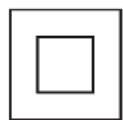
Your charger is double insulated; therefore no earth wire is required. Always check that the mains voltage corresponds to the voltage on the rating plate. Never attempt to replace the charger unit with a regular mains plug.
- If the supply cord is damaged, it must be replaced by the manufacturer or an authorised STANLEY FAT MAX Service Centre in order to avoid a hazard.
Warning! Never attempt to replace the charger unit with a regular mains plug.
Labels on appliance
The following symbols appear on this appliance along with the date code:

Warning! To reduce the risk of injury, the user must read the instruction manual.
Features
This tool includes some or all of the following features.
- On/off power switch
- Main handle
- Power head
- Tank
- Tank latch
- Intake port
- Battery port
-
Vacuum hose
9.Hose clip -
Side exhaust port
-
Crevice tool
- Wide nozzle tool
Assembly
Charging the battery (not supplied) (Fig. A)
The battery needs to be charged before first use and whenever it fails to produce sufficient power on jobs that were easily done before.
The battery may become warm while charging; this is normal and does not indicate a problem.
Warning! Do not charge the battery at ambient temperatures below 10^ or above 40^ . Recommended charging temperature: approx. 24^ .
Note: The charger will not charge a battery if the cell temperature is below approximately 10^ or above 40^ . The battery should be left in the charger and the charger will begin to charge automatically when the cell temperature warms up or cools down.
Note: To ensure maximum performance and life of lithium-ion battery packs, charge the battery pack fully before first use.
Plug the charger (14) into an appropriate outlet before inserting battery pack (13).
The green charging light (14a) will blink continuously indicating that the charging process has started.
The completion of charge will be indicated by the green charging light (14a) remaining ON continuously. The battery pack (13) is fully charged and may be removed and used at this time or left in the charger (14).
Charge discharged batteries within 1 week. Battery life will be greatly diminished if stored in a discharged state.
Charger LED Modes
| Charging: Green LED Intermittent | |
| Fully Charged: Green LED Solid | |
| Hot/Cold Pack Delay: Green LED Intermittent Red LED Solid |
Note: The compatible charger(s) will not charge a faulty battery pack. The charger will indicate a faulty battery pack by refusing to light.
Note: This could also mean a problem with a charger. If the charger indicates a problem, take the charger and battery pack to be tested at an authorized service centre.
Leaving the battery in the charger
The charger and battery pack can be left connected with the LED glowing indefinitely. The charger will keep the battery pack fresh and fully charged.
Hot/Cold Pack Delay
When the charger detects a battery that is too hot or too cold, it automatically starts a Hot/Cold Pack Delay, the green LED (14a) will flash intermittently, while the red LED (14b) will remain on continuously, suspending charging until the battery has reached an appropriate temperature.
The charger then automatically switches to the pack charging mode. This feature ensures maximum battery life.
Battery state of charge indicator (Fig. B)
The battery includes a state of charge indicator to quickly determine the extent of battery life as shown in figure B. By pressing the state of charge button (13a) you can easily view the charge remaining in the battery as illustrated in figure B.

Installing and Removing the Battery Pack (not supplied) from the tool
To install battery pack (not supplied) (Fig. C)
Insert battery pack firmly into tool until an audible click is heard as shown in figure C. Ensure battery pack is fully seated and fully latched into position.
To remove battery pack (not supplied) (Fig. C)
Depress the battery release button (13b) as shown in figure C and pull battery pack out of tool.
Attaching vacuum hose (Fig. D)
The vacuum hose (8) will need to be attached to the vacuum before using the appliance.
Place the vacuum on a flat, firm surface.
- Unlatch tank latches (5) and remove power head from the tank. Remove the hose (8) from the tank.
Align the hose end (15) with the intake port (17) on the front of the appliance, ensuring the hose alignment lock (16) is aligned with the arrow (17) on the intake port.
Insert the hose end into the intake port and twist clockwise to lock in place.
Replace power head onto the tank and secure latches.
Note: The power head will only fit onto the tank when the intake port on the front of the power head and the storage area for the wide nozzle tool on the tank are aligned as shown in figure D.
Correct hand position
Warning! To reduce the risk of serious personal injury, ALWAYS hold securely in anticipation of a sudden reaction.
Proper hand position requires one hand on the main handle (2).
Use
On/Off Switch (Fig.E)
Attach the appropriate accessory to the hose (8).
Insert battery pack (not supplied).
To turn vacuum on, press the I/O (on/off) button (1).
Dry vacuum cleaning
To empty tank (FIG. F)
The sound of the motor changes and suction is reduced when the tank is full.
Turn vacuum off. Remove the battery pack.
Unlatch tank latches (5) and remove power head from the tank.
Empty contents of tank into suitable container.
Clean or change filter (18). See Filter section of this manual.
Inspect vacuum for damage by foreign objects. Contact the nearest Stanley Fat Max authorized service center for replacement of damaged or missing parts.
Replace power head (3) onto the tank (4) and latch securely.
Wet vacuum cleaning
Warning! Do not tilt vacuum when in use.
If vacuum has liquid in the tank it may spill out from the exhaust port.
Warning! Ensure battery port and terminals are dry and clean before installing battery pack.
The filter must be removed before using the vacuum to clean liquids. See Filter section of this manual.
To empty tank
The sound of the motor changes and suction is reduced when the tank is full.
Turn vacuum off. Remove the battery pack.
Unlatch tank latches (5) and remove power head from the tank.
Empty contents of tank.
Inspect vacuum for damage by foreign objects. Contact the nearest Stanley Fat Max authorized service center for replacement of damaged or missing parts.
Dry inside of power head and tank with a clean cloth.
Replace power head (3) onto the tank (4) and latch securely.
Filter
Filter care
The wet/dry filter (18) included with this vacuum is a long life filter. To be effective in minimizing dust recirculation the filters MUST be installed correctly and in good condition.
Note: A clean filter is the most important factor in the operation and efficiency of any vacuum. If the filter becomes clogged beyond cleaning, damaged, or fails to operate properly, replace only with a recomended replacement.
To clean or change the filter (Fig. G)
Turn vacuum off. Remove the battery pack.
- Unlatch the tank latches (5) and remove the power head from the tank as shown in figure D.
Unlock the filter lock (19) by twisting it counter clockwise. Pull the filter (18) out to remove it from the power head.
Clean the filter by shaking off excess dust, tapping into a waste receptacle, then rinsing under running water. Depending on the condition of the filter, a water wash is not always required. Do not use a brush to clean filter.
Reinstall filter and secure the filter lock onto power head. Twist the filter lock clockwise and ensure the filter is locked in place.
Replace power head onto the tank and secure latches.
Note: Please contact your local service center or visit our website www.stanley.eu/3 to purchase a filter.
Blower
The blower function can be used to remove debris from behind small spaces, to dry a damp floor, to blow grass clippings or leaves from an outside walk, patio, etc.
To use as a blower (Fig. H)
Empty the tank following the instructions under the Vacuum Cleaning section of this manual.
Twist the vacuum hose (8) counter clockwise to remove from the intake port.
Align the hose end (16) with the side exhaust port (10), ensuring the hose alignment lock (15) is aligned with the arrow (20) above the side exhaust port.
Insert the hose end into the side exhaust port and twist clockwise to lock in place.
Hose and accessory storage
When the vacuum is not in use, remove the battery pack.
The vacuum hose can be wrapped around appliance, underneath the battery interface, and secured with the hose clip (7) also located at the back of the vacuum. The two accessories (crevice tool and wide nozzle) can be stored on board the vacuum as well.
Troubleshooting guide
| Problem | Possible cause Possible | Solution |
| Unit will not start | Battery pack not installed properly. Battery pack not charged. Internal components too hot. Brushes worn out. | Check battery pack installation. Check battery pack charging requirements. Allow tool to cool down. Have motor replaced by an authorized Stanley Fat Max service center. Have brushes replaced by an authorized Stanley Fat Max service center. |
| Battery pack will not charge. | Battery pack not inserted into charger. Charger not plugged in. Surrounding air temperature too hot or too cold. | Insert battery pack into charger until LED illuminates. Plug charger into a working outlet. Refer to "Important charging notes" for more details. Move charger and battery pack to a surrounding air temperature below 10 °C or above 40 °C. |
| Unit shuts off abruptly. | Battery pack has reached its maximum thermal limit. Out of charge. (To maximize the life of the battery pack it is designed to shut off abruptly when the charge is depleted.) | Allow battery pack to cool down. Place on charger and allow to charge. |
| Unit has reduced suction. | Tank is full. Filter is dirty or clogged. | Empty tank. Clean or replace filter. |
Maintenance
Your Stanley Fat Max cordless appliance has been designed to operate over a long period of time with a minimum of maintenance. Continuous satisfactory operation depends upon proper tool care and regular cleaning.
Warning! Before performing any maintenance on cordless appliances:
Run the battery down completely if it is integral and then switch off.
Unplug the charger before cleaning it. Your charger does not require any maintenance apart from regular cleaning.
Regularly clean the ventilation slots in your appliance/ charger using a soft brush or dry cloth.
Regularly clean the motor housing using a damp cloth. Do not use any abrasive or solvent-based cleaner.
Replacing the filters
The filters should be replaced every 6 to 9 months and whenever worn or damaged. Replacement filters are available from your Stanley Fat Max dealer. Please visit our website www.stanley.eu/3
Remove the old filters as described above.
Fit the new filters as described above.
Protecting the environment

Separate collection. Products and batteries marked with this symbol must not be disposed of with normal household waste.
Products and batteries contain materials that can be recovered or recycled reducing the demand for raw materials.
Please recycle electrical products and batteries according to local provisions. Further information is available at
www.2helpU.com
Technical Data
| S | MCV002 |
| Voltage 18V | |
| Weight 3.32Kg |
| Charger (not supplied) | SFMCB11 SF | MCB12 SFMCB1 | 4 | |
| Input Voltage | \( V_{AC} \) | 230 230 230 | ||
| Output Voltage | \( V_{DC} \) | 18 18 18 | ||
| Current A 1.25 2 4 | ||||
| Battery (not supplied) | SFMCB201 | SFMCB202 | SFMCB204 | SFMCB206 | |
| Voltage | \( V_{DC} \) | 18 18 18 | 18 | ||
| Capacity | Ah | 1.5 2.0 | 4.0 | 6.0 | |
| Type | Li-Ion | Li-Ion | Li-Ion | Li-Ion | |
Guarantee
Stanley Fat Max is confident of the quality of its products and offers consumers a 12 month guarantee from the date of purchase. This guarantee is in addition to and in no way prejudices your statutory rights. The guarantee is valid within the territories of the Member States of the European Union and the European Free Trade Area.
To claim on the guarantee, the claim must be in accordance with Stanley Fat Max Terms and Conditions and you will need to submit proof of purchase to the seller or an authorised repair agent. Terms and conditions of the Stanley Fat Max 1 year guarantee and the location of your nearest authorised repair agent can be obtained on the Internet at www.2helpU.com, or by contacting your local Stanley Fat Max office at the address indicated in this manual.
Please visit our website www.stanley.eu/3 to register your new Stanley Fat Max product and receive updates on new products and special offers.
Verwendungszweck
Batteries (non fournies)
Nota: ACESS OPOLO. ACESS OPOLO. ACESS OPOLO. ACESS OPOLO. ACESS OPOLO. ACESS OPOLO. ACESS OPOLO. ACESS OPOLO. ACESS OPOLO. ACESS OPOLO. ACESS OPOLO. ACESS OPOLO. ACESS OPOLO. ACESS OPOLO. ACESS OPOLO. ACESS OPOLO. ACESS OPOLO. ACESS OPOSTO. ACESS OPOSTO. ACESS OPOSTO. ACESS OPOSTO. ACESS OPOSTO. ACESS OPOSTO. ACESS OPOSTO. ACESS OPOSTO. ACESS OPOSTO. ACESS OPOSTO. ACESS OPOSTO. ACESS OPOSTO. ACESS OPOSTO. ACESS OPOSTO. ACESS OPOSTO. ACESS OPOSTO. ACESS OPOSTO. ACESSO. ACESS OPOSTO. ACESS OPOSTO. ACESS OPOSTO. ACESS OPOSTO. ACESS OPOSTO. ACESS OPOSTO. ACESS OPOSTO. ACESS OPOSTO. ACESS OPOSTO. ACESS OPOSTO. ACESS OPOSTO. ACESS OPOSTO. ACESS OPOSTO. ACESS OPOSTO. ACESS OPOSTO. ACESS OPOSTO. A ACCESSORY BARCELLE.
Posicao correcta das moos

- Safety instructions
- Warning! Read all safety warnings and all instructions.
- Using your appliance
- Safety of others
- Inspection and repairs
- Additional safety instructions
- After use
- Residual risks
- Batteries (not supplied)
- Chargers (not supplied)
- Electrical safety
- Labels on appliance
- Features
- Assembly
- Charging the battery (not supplied) (Fig. A)
- Leaving the battery in the charger
- Hot/Cold Pack Delay
- Battery state of charge indicator (Fig. B)
- Installing and Removing the Battery Pack (not supplied) from the tool
- To install battery pack (not supplied) (Fig. C)
- To remove battery pack (not supplied) (Fig. C)
- Attaching vacuum hose (Fig. D)
- Correct hand position
- Use
- On/Off Switch (Fig.E)
- Dry vacuum cleaning
- To empty tank (FIG. F)
- Wet vacuum cleaning
- To empty tank
- Filter
- Filter care
- To clean or change the filter (Fig. G)
- Blower
- To use as a blower (Fig. H)
- Hose and accessory storage
- Maintenance
- Replacing the filters
- Protecting the environment
- Guarantee
- Verwendungszweck
- Batteries (non fournies)
- Posicao correcta das moos
Brand : STANLEY
Model : SFMCV002
Category : Vacuum Cleaner