SAMSUNG RB33J3420WW - Fridge

RB33J3420WW - Fridge SAMSUNG - Free user manual and instructions

Find the device manual for free RB33J3420WW SAMSUNG in PDF.

📄 234 pages English EN Download 💬 AI Question 12 questions ⚙️ Specs
Notice SAMSUNG RB33J3420WW - page 3
Pick your language and provide your email: we'll send you a specifically translated version.
Brand Samsung
Model RB33J3420WW
Category Refrigerator
Type Frost-free refrigerator-freezer
Total volume 326 L
Refrigerator volume 236 L
Freezer volume 90 L
Energy class A+
Annual consumption 260 kWh
Noise level 39 dB
Dimensions (H x W x D) 1850 x 595 x 658 mm
Weight 70 kg
Power supply 220-240 V, 50 Hz
Main features Frost-free cooling, LED lighting, glass shelves, vegetable drawer, freezer compartment with drawers
Care and cleaning Regularly clean the interior with a soft cloth and soapy water. Manual defrost of the freezer if necessary.
Safety Unplug before any intervention. Heavy door, requires two people for removal.
Spare parts and repairability Handles, seals, drawers and hinges replaceable by the user. Other repairs by a Samsung authorized professional.
General information Manual available in several languages. Warranty covers manufacturing defects.

Frequently Asked Questions - RB33J3420WW SAMSUNG

How to replace the door handle?
Remove the handle cover using a flat-head screwdriver, then unscrew the screws. To install the new handle, press firmly on the supports and tighten the screws. Check that there is no gap between the handle and the door.
How to replace the door seal?
Open the door and remove the old seal. Attach the new seal, ensuring it is properly in place and without any gap between the seal and the door.
How to remove a freezer drawer?
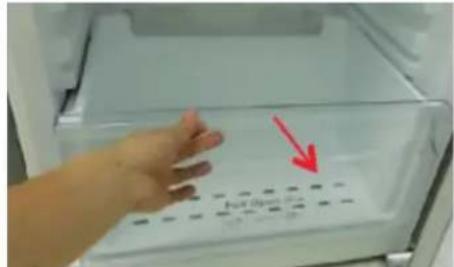
Pull the drawer to its full extension, then tilt it upward and pull it out. To reinstall, follow the reverse procedure.
Can I reverse the door opening direction?
Yes, door reversal is possible. You must unplug the appliance, carefully remove the doors (they are heavy) and follow the manual instructions. It is recommended to have two people.
What tools are needed for maintenance?
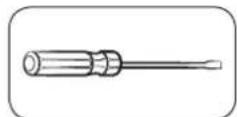
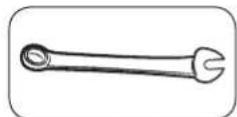
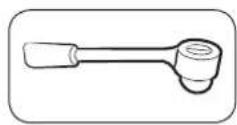
For common repairs (handle, seal), you need a Phillips screwdriver and a flat-head screwdriver. For door reversal, an 11 mm wrench, an 8 mm socket wrench, and a 5 mm hex key are required.
The refrigerator makes noise, is this normal?
A slight operating noise is normal (compressor, fan). If the noise is abnormal, check that the appliance is level and not in contact with objects.
How to clean the inside of the refrigerator?
Unplug the appliance, remove the shelves and bins, wash them in warm soapy water. Clean the interior with a soft cloth and soapy water, then dry thoroughly before restarting.
Where can I buy spare parts?
Spare parts are available on the Samsung website (http://samsung.com). Enter the model code (RB33J3420WW) to check compatible parts.
What to do if the door does not close properly?
Check the condition of the seal and that it is properly in place. Make sure nothing is blocking the door. If the problem persists, check the hinges and contact a professional.
How to defrost the freezer?
Unplug the appliance, empty the freezer, leave the door open and place towels to absorb melting water. Do not use sharp objects to scrape off ice.

User questions about RB33J3420WW SAMSUNG

2 questions about this device. Answer the ones you know or ask your own.

Ask a new question about this device

The email remains private: it is only used to notify you if someone responds to your question.

Does the SAMSUNG RB33J3420WW refrigerator have an energy-saving mode?
Frequently Asked Questions - 20/04/2026
Response Notice-Facile

Yes, the SAMSUNG RB33J3420WW refrigerator has an energy-saving mode that reduces electricity consumption. With its A++ energy class, this model is already very energy efficient, and the energy-saving mode further optimizes this performance.

How the energy-saving mode works:

  • The compressor operates in an optimized manner to limit consumption without compromising food preservation.
  • The internal temperature is maintained at a stable and efficient level, allowing for approximately 5 to 10% energy savings depending on usage.
  • The refrigerator's No Frost system continues to operate normally to prevent frost formation.

Activating the mode:

The energy-saving mode is set via the control panel located inside the refrigerator door. You can easily activate or deactivate it by pressing the dedicated button. Refer to the indications on the panel or look for the symbol corresponding to the “Econo” or “Energy Saving” mode.

Optimal usage timing:

This mode is particularly recommended when the refrigerator is lightly loaded, during low usage periods, or in cooler outdoor temperatures. You can also activate it if you want to reduce your electricity consumption and energy bills without sacrificing the quality of food preservation.

Respond (be the first)
What does the electrical outlet icon displayed on the Samsung RB33J3420WW refrigerator mean and why doesn't the temperature stay set?
Frequently Asked Questions - 20/04/2026
Response Notice-Facile

When the electrical outlet icon appears on the screen of your Samsung RB33J3420WW refrigerator and the temperature does not remain stable, it generally indicates a problem related to the power supply or the operating mode of the appliance.

Possible causes and solutions:

  • Unstable or disconnected power supply: Check that the refrigerator is properly plugged in and that the outlet is functioning correctly. Test the outlet with another device to ensure it is delivering power.
  • Energy-saving mode activated: Some models automatically switch to energy-saving mode, which can alter the display and temperature management. Try to disable this mode if possible.
  • Incorrect temperature setting: Ensure that the temperature is set to an appropriate value. A setting that is too high or too low can prevent internal temperature stability.
  • Internal technical issue: If the problem persists after these checks, it may be a technical failure requiring professional intervention.

In summary, the electrical outlet icon often signals a power issue or a specific mode activated, and the fluctuation in temperature may result from this. Checking the electrical connection and settings is recommended as a first step.

Respond (be the first)

Download the instructions for your Fridge in PDF format for free! Find your manual RB33J3420WW - SAMSUNG and take your electronic device back in hand. On this page are published all the documents necessary for the use of your device. RB33J3420WW by SAMSUNG.

USER MANUAL RB33J3420WW SAMSUNG

User servicing manual

  1. You can check where to buy replacement parts at http://samsung.com
  2. Visit the part purchase site and enter the model code of your product to check the parts available for purchase. The model code is labelled on the outer side of your product.

  3. You can check the model code and version on the barcode label at the bottom left of the product.

  4. For replacement parts, make sure the part name matches that of the illustration in this manual.

  5. User-serviceable parts are limited to handles (some models only), gaskets, drawers, and hinges.

NOTE

Following the repair by a non-authorised service provider, self-repair or non-professional repair of the product, Samsung is not liable for any damage to the product, any injury or any other product safety issue caused by any attempt to repair the product which does not carefully follow these repair and maintenance instructions. Any damage to the product caused by an attempt to repair the product by any person other than a Samsung certified service provider will not be covered by the warranty.

CAUTION

  • The part name listed on the site may differ from that in this manual. Please make sure you choose the right part name.
  • Replacing hinges requires extreme caution because it involves detaching the door.
  • Be sure to wear safety gloves while making repairs.

English

The actual image and provided parts of the refrigerator may differ, depending on the model and the country.
SAMSUNG RB33J3420WW - CAUTION - 1

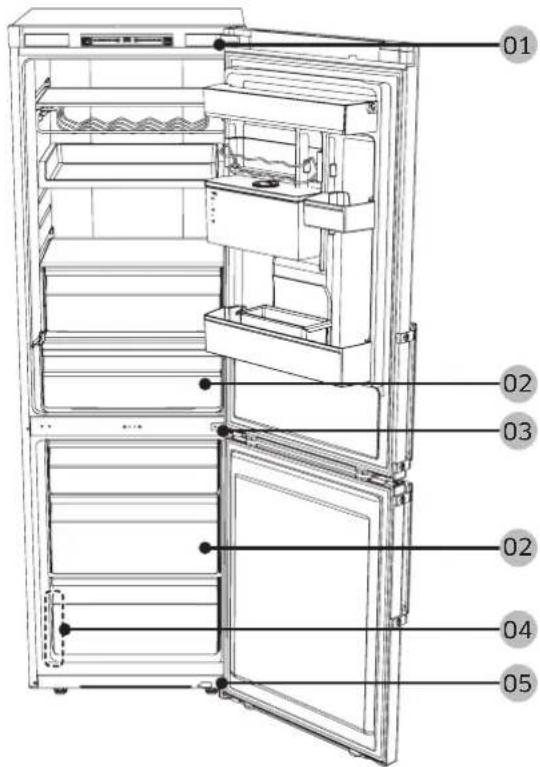
01 Cover hinge 02 Drawer
03 Middle hinge 04 Barcode label
05 Hinge low

English

Handle replacement

SAMSUNG RB33J3420WW - Handle replacement - 1

CAUTION

  • When replacing the door handle, take care not to scratch the front of the door.
  • Firmly press the handles at the supports. Make sure there is no gap between the supports and the door.
  • Tightly fasten the screws when attaching the handle.
  • Check that the handle is firmly attached before using the product.
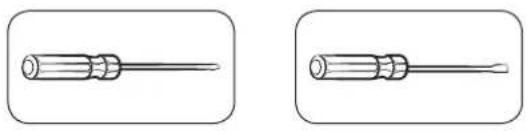
Tools required (not provided)

SAMSUNG RB33J3420WW - Tools required (not provided) - 1

Phillips screwdriver Flat-head screwdriver

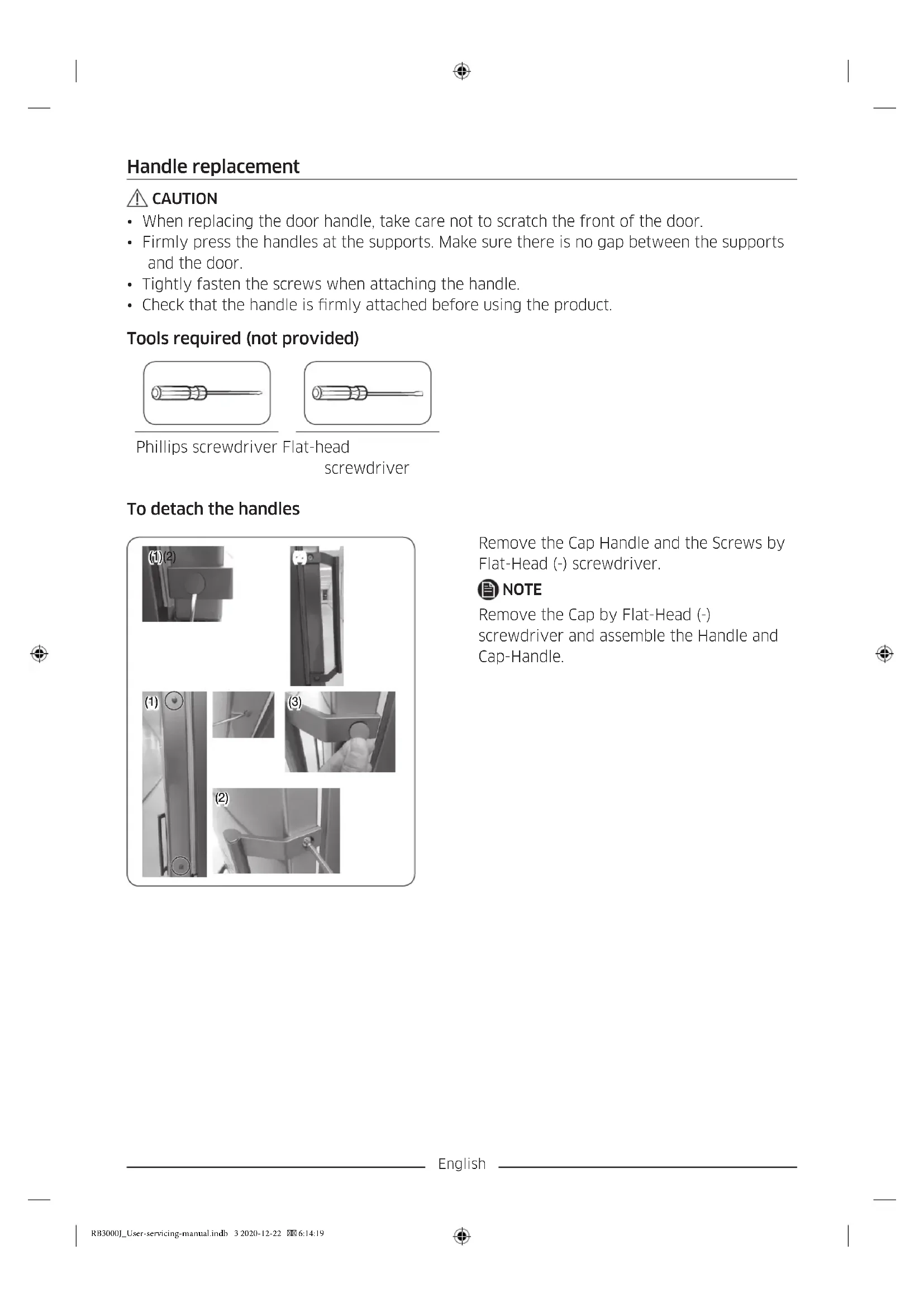
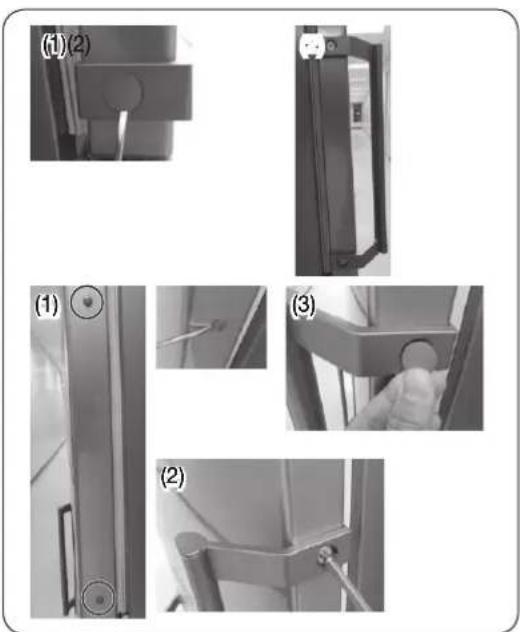
To detach the handles
SAMSUNG RB33J3420WW - To detach the handles - 1

Remove the Cap Handle and the Screws by Flat-Head (-) screwdriver.

SAMSUNG RB33J3420WW - To detach the handles - 2

NOTE

Remove the Cap by Flat-Head (-) screwdriver and assemble the Handle and Cap-Handle.

English

Gasket replacement

CAUTION

Make sure you firmly attach the gasket. Otherwise, cold air from the refrigerator may leak.

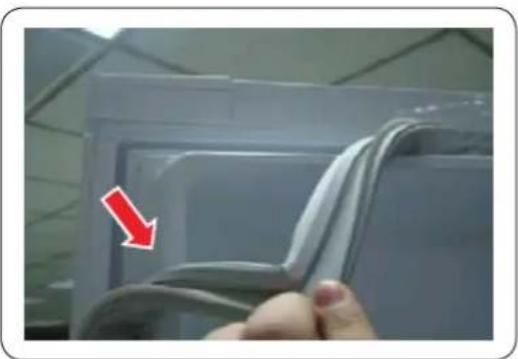
To remove the gasket
SAMSUNG RB33J3420WW - To remove the gasket - 1

Open the door and remove the gasket from the door.

To replace the gasket

Attach a new gasket to the refrigerator door.

Make sure there is no gap between the newgasket and the door.

English

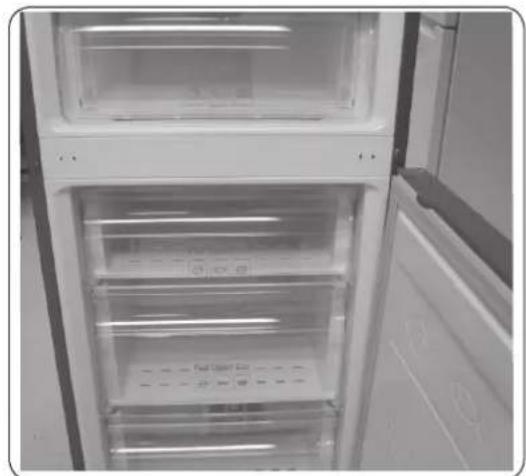
Drawer replacement

CAUTION

Check that the drawer is inserted properly into the rail during assembly.

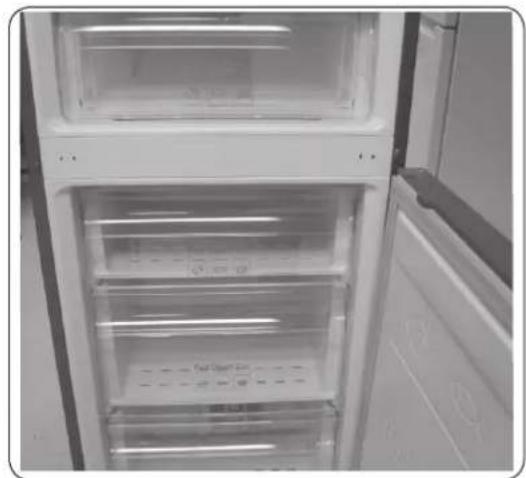
To remove the drawer
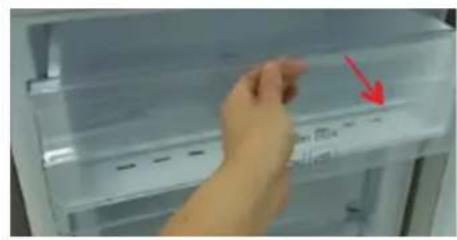
SAMSUNG RB33J3420WW - To remove the drawer - 1

  1. Pull out the drawer as far as it goes.

  2. Tilt the drawer up and pull it out until it is removed.
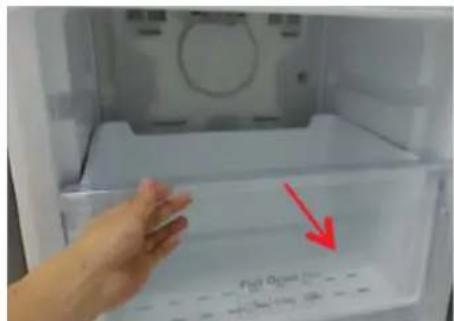
SAMSUNG RB33J3420WW - To remove the drawer - 2

SAMSUNG RB33J3420WW - To remove the drawer - 3

To reattach the drawers

Reattaching the drawers follows the reverse order of their respective removal steps.

English

Hinge replacement

To replace the hinges, you must remove the doors first.

SAMSUNG RB33J3420WW - Hinge replacement - 1

CAUTION

  • When removing the doors, take extreme caution because the doors are heavy.
  • Before replacing the hinges, put a soft pad such as cardboard on the floor to prevent scratches on the door when you place the doors down.
  • As the hinges must be handled carefully and replaced by two or more persons, we recommend you to call for professional technical service.
    If you remove the hinge without holding the door, the door may fall and cause injury.
  • Ensure that the shaft is firmly tightened on the hinge.
  • Check that the hinge is firmly attached to the cabinet.
  • Make sure the wire connectors are connected properly.
  • Be careful not to damage the wires when fastening the top cover.

SAMSUNG RB33J3420WW - CAUTION - 1

WARNING

  • Tilting/laying the refrigerator requires a minimum of 2 people.
  • Disconnect the power cord before reversing the doors.
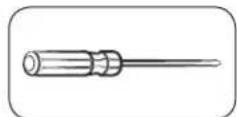
Tools required (not provided)

SAMSUNG RB33J3420WW - Tools required (not provided) - 1

SAMSUNG RB33J3420WW - Tools required (not provided) - 2

SAMSUNG RB33J3420WW - Tools required (not provided) - 3

Phillips screwdriver Flat-head screwdriver 11 mm spanner

SAMSUNG RB33J3420WW - Tools required (not provided) - 4

SAMSUNG RB33J3420WW - Tools required (not provided) - 5

8 mm socket wrench (for bolts)

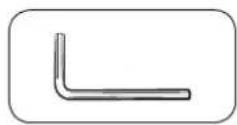
Allen wrench (5 mm)

Reversing the door
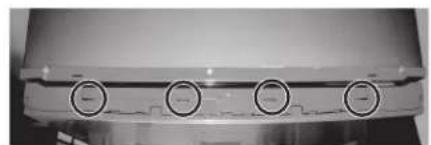
SAMSUNG RB33J3420WW - Reversing the door - 1

SAMSUNG RB33J3420WW - Reversing the door - 2

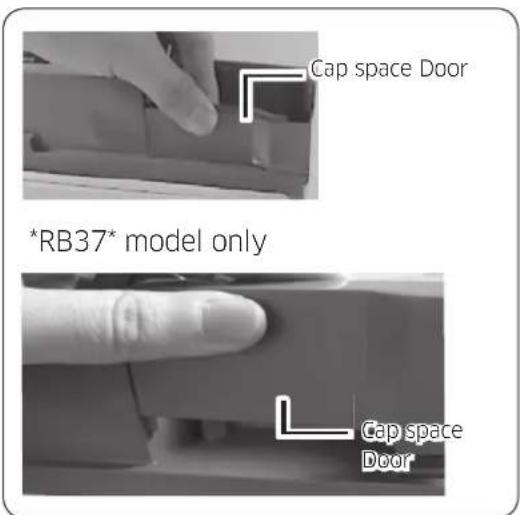
RB37 model only

SAMSUNG RB33J3420WW - Reversing the door - 3

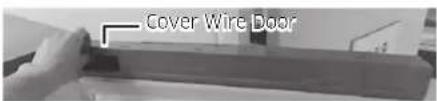
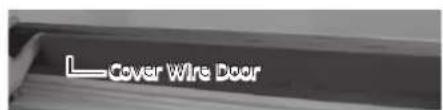
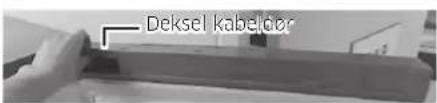
  1. Remove the Cover Wire Door.

English

SAMSUNG RB33J3420WW - Reversing the door - 4

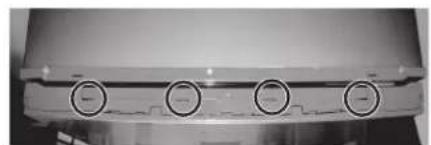
  1. Disassemble the Cap space Door.

SAMSUNG RB33J3420WW - Reversing the door - 5

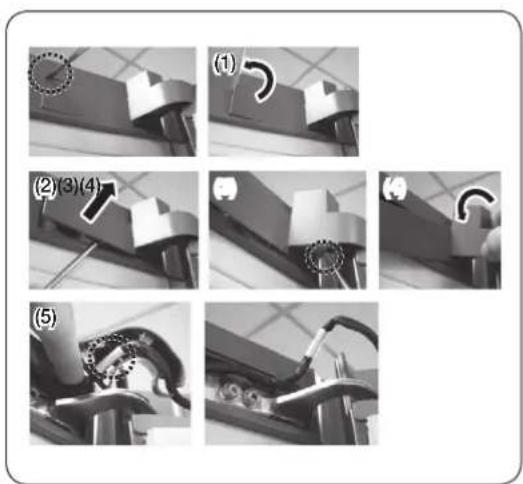
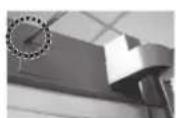
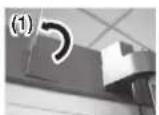
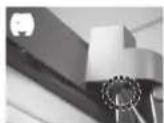
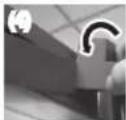
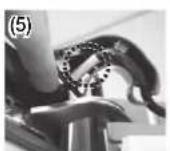
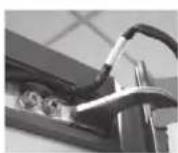
  1. Remove the Cover Hinge to push a hook like below Pictures.

  2. Insert a flat-head screwdriver and put it back as shown in Figure #1.

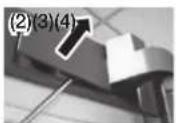
  3. As shown in Figure #2, Lever up the cover and push a hook as shown in Figure #3. (Take care not to damage the Cover Hinge Wire by pushing it too hard)
    Disassemble it by pushing the A in Figure #4 by hand as Figure #5.

SAMSUNG RB33J3420WW - Reversing the door - 6

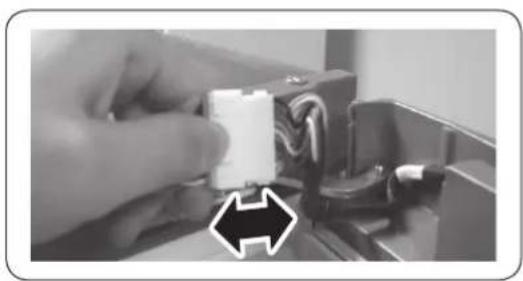
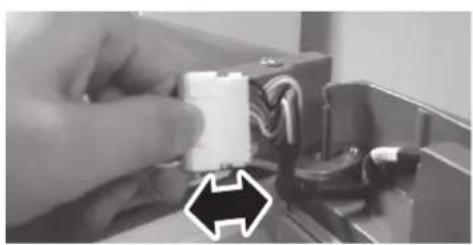
  1. Disconnect the wiring connector for the fridge door. (Only on models with external display).

SAMSUNG RB33J3420WW - Reversing the door - 7

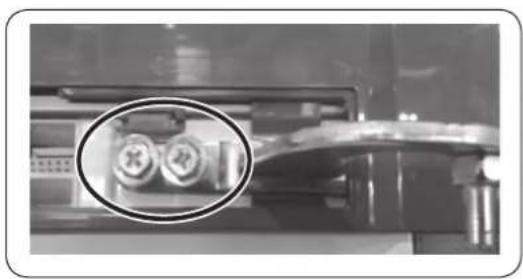
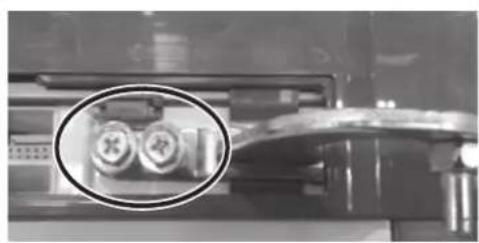
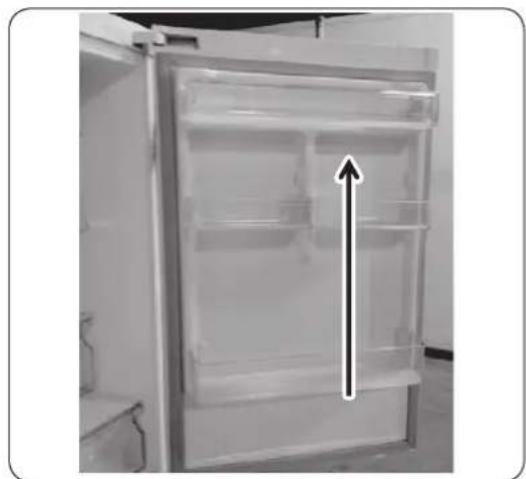
  1. Remove the screws. (Be careful not to drop the door when you disassemble it.)
English

SAMSUNG RB33J3420WW - Reversing the door - 8

SAMSUNG RB33J3420WW - Reversing the door - 9

SAMSUNG RB33J3420WW - Reversing the door - 10

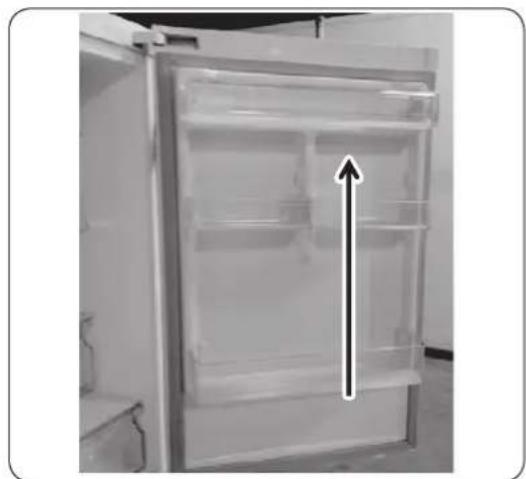
  1. Remove the fridge door from the middle hinge by carefully lifting the door straight up.
CAUTION

The door is heavy, be careful not to injure yourself when removing the door.

  1. Disassemble the middle hinge by removing the screws using a Phillips Head (+) screwdriver.

CAUTION

The freezer door may fall forward so please support the door.

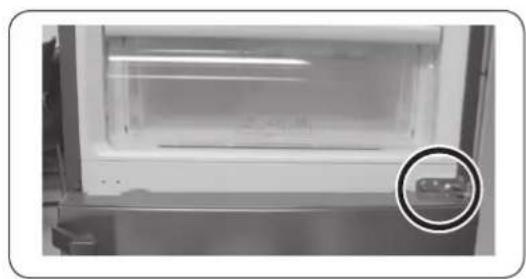
  1. Remove the freezer door from the bottom hinge by carefully lifting the door straight up.

English

SAMSUNG RB33J3420WW - CAUTION - 1

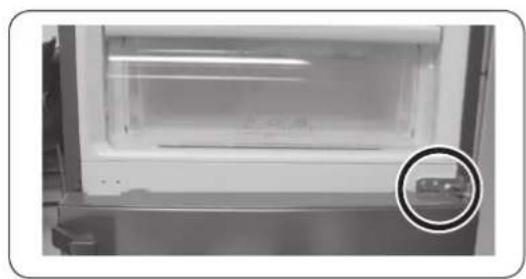
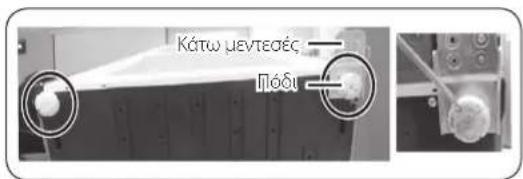
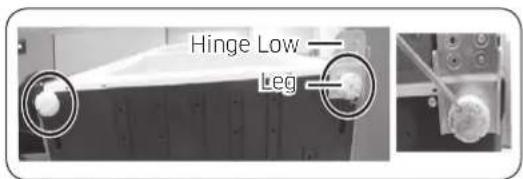
  1. Lay the refrigerator carefully on it's back. Remove the leg (unscrew in an anticlockwise direction) and the Hinge Low.

NOTE

To protect the refrigerator damage, cut a large section of the cardboard carton and place it under the refrigerator.

  1. Reassemble in the opposite order of disassembly after replacing the Hinge Up, Hinge Mid, and/or Hinge Low.

CAUTION

  • Make sure the wire connectors are connected properly.
  • Be careful not to damage the wires when fastening the top cover.
English

Guide de réparation

Móvo yia to μoovéλo RB37

SAMSUNG RB33J3420WW - Guide de réparation - 1

SAMSUNG RB33J3420WW - Guide de réparation - 2

SAMSUNG RB33J3420WW - Guide de réparation - 3

SAMSUNG RB33J3420WW - Guide de réparation - 4

SAMSUNG RB33J3420WW - Guide de réparation - 5

SAMSUNG RB33J3420WW - Guide de réparation - 6

SAMSUNG RB33J3420WW - Guide de réparation - 7

SAMSUNG RB33J3420WW - Guide de réparation - 8

SAMSUNG RB33J3420WW - Guide de réparation - 9

SAMSUNG RB33J3420WW - Guide de réparation - 10

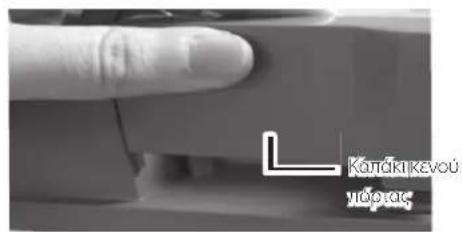
  1. ApaipoeTo KaTaki Kevou npTaC

  2. Apaipeote To kALUmu ToueYia va Onpwete To aykiotpo, onwc paivetai otic npakatw EIKovec.
    Eioayayete eva katoaibi i e eniteo kepaan kai avaonkwote tnv akn tou kaumatoc, onwc qaiyetal otny Eikova 1.
    Avaonkwote To kalumu onwoc paivetai otny Eikova 2 kai onpwTe to aykiotpo onwc paivetai otnv Eikova 3. (Ppooexeve ma npokaleoetc nmu oTo kaawdo Tou kaUmuatoc eVTEOE, wovtac to nou duvata.)
    Apaipote to onpwxovtac to A otyn Eikova 4 e to xepi, onc paivetai otny Eikova 5.

  3. AnouvδeTeTov ouvδeOo KaωδiWv ano Tnv πópta tou yuyéiou. (Móvo yia Ta μoVTελa με ειwτepikn oθovn.)
  4. ApaipoeTe Tic BiEe, (Ipooexete va mV oac n eoi npota otav tny anouuvapuooyei.

EAnvika

SAMSUNG RB33J3420WW - Guide de réparation - 11

SAMSUNG RB33J3420WW - Guide de réparation - 12

SAMSUNG RB33J3420WW - Guide de réparation - 13

  1. Apaipoe Tny npTa Tou yyeiou ano Tov eaoio evteoe, aavaonkwovtac Tnv npooektka kal u0eia npoc Ta enavw.

PPOOXH

H npota eivai bapi. Pooexe va uny tpaupatoteite otav Tny aopaieite.

  1. Anouuapuooyote tv eaoioe, aqaipwvtac tic biDEC xpooionovtac eva katoaibiE iE KepaIn Phillips (+).

PIPOOXH

H nópta tou katauktη evéexetai va neoei npoc ta εμnpoc, onote ppoviotε va otpiéte tyn nópta.

  1. Apaipoe Tny npota Tou katauktn ano tov katw evtoe,avaankwovtac Tny pooekikakai uheia npoc ta enavw.

EAnvika

SAMSUNG RB33J3420WW - PIPOOXH - 1

  1. TOnoTheTne npooeKtka to yuyEio OE opiovtia
    theon, Etoi wote to niow epeoc tou va akoumaei
    oto danoe. ApaipoeTo nod (EeBldwote
    apioTepoOToPpOa) kai ToV KAtw mevTeOE.

HMEIOH

Tia va unv npokn9ei znua oTo yuyeo, koyte eva
eayalo koupati xaptovikai tooetnoTe To katw ano
to yuyeo.

  1. Suvapuoyote apapocovtac nTv avtiotpoqn diaikoaie oxon me tny anouvapuoyon, apouavtikataohtoe tov enawuveTeOE, tov eaoioe ne/kaTov katoveTeOE.

PPOOxH

BaeaiwtheiTe oI ouvdeouoi kalwdiuv evai ouvdeevoi owota.
- Pooexe va unv npokaleoet zmuia ota kaawida otavotepeewete to enavw kaumu.

EAnvika

Serviceanvisningar for anecdare

8 mm pipenokkel (for bolter)

Sekskantnokkel (5 mm)

Reversere doren

SAMSUNG RB33J3420WW - Reversere doren - 1

SAMSUNG RB33J3420WW - Reversere doren - 2

Kun modeli *RB37

SAMSUNG RB33J3420WW - Reversere doren - 3

Bpamama emekka, BnmaBaumega He ce hapaHume, kozamo omcmpaHame.

  1. Pa32Ao6eme cpegHama naHma, kamo omcmpaHume BuHmoBeme c kpbcmama (+) omBepmka.

BHIMAHNE

Bpamama Ha fpu3epa moke ga naghe, maka ye npugpbkaume.

  1. OmcmpaHeme Bpamama Ha φpu3epa om gohama naHma, kamo BHumameHo noBguHeme Hazope.

Бацapсku

SAMSUNG RB33J3420WW - BHIMAHNE - 1

  1. NocmaBeme BHumameAHO XaaguaHuka ga Ae2He Ha 3agHama cu yacm. OmcmpaHeme kpaka (pa3Buime 20 B nocoka, 6pamHa ha yacoBhukoBama cmpeAka) u goHama naHma.

3A6EANKKA

3a ga npegnazume xaguaHuka om noBpega, u3pekeme 20mao napye om kapmohehama kymu u 20 nocmaBeme nog xaaguaHuka.

  1. C2Ao6eme omHoBo 8 o6paHua peg Ha pa32Ao6raHemo, cieg kamo nocmaBume zoPHa, cpeghama u/uu goHama naHma.

BHUMAHNE

  • PpOBepe me gau koHekmOpume Ha npoBogHnucme ca 8kAnuyeHu, kakmo mpr6Ba.
    BhumaBaumega He noBpegume npoBogHuuzme, gokamo 3amzame zopnur kanak.

Блларсku

Manual assistant
Powered by Anthropic
Waiting for your message
Product information

Brand : SAMSUNG

Model : RB33J3420WW

Category : Fridge