
512264 - Telephone THOMSON - Free user manual and instructions
Find the device manual for free 512264 THOMSON in PDF.
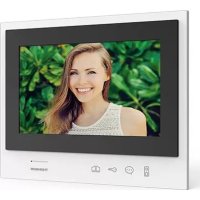



| Product Type | Additional monitor for Smart Bracket II color video intercom |
| Brand | Thomson |
| Model | 512264 |
| Screen Size | 7 inches (17.78 cm) 16:9 format |
| Screen Resolution | 800 x 480 pixels |
| Image Memory | Up to 100 photos |
| Number of Ringtone Options | 6 selectable melodies (85 dB) |
| Power Supply | Included AC adapter 230 VAC 50 Hz / 15 VDC 1 A |
| Consumption | 400 mA |
| Protection | Short-circuit and reverse polarity protection |
| Main Functions | Color video reception, two-way communication, electric strike release, and dry contact for automation |
| Operating Temperature | -10°C to 50°C |
| Maximum Humidity | 85% RH |
| Dimensions (W x H x D) | 205 x 157 x 18 mm |
| Weight | Not specified (estimate: approximately 300 g) |
| Mounting | Wall-mount (bracket and screws included) |
| Maintenance and Cleaning | Slightly damp cloth with soapy water; do not use abrasive products |
| Safety | Do not connect to national telephone installations; do not open or repair yourself |
| Warranty | 2 years parts and labor |
| Recycling | Do not dispose of with household waste; use selective collection points |
| Compatibility | Requires an existing Smart Bracket II installation (ref. 512263) |
Frequently Asked Questions - 512264 THOMSON
User questions about 512264 THOMSON
0 question about this device. Answer the ones you know or ask your own.
Ask a new question about this device
Download the instructions for your Telephone in PDF format for free! Find your manual 512264 - THOMSON and take your electronic device back in hand. On this page are published all the documents necessary for the use of your device. 512264 by THOMSON.
USER MANUAL 512264 THOMSON

2 wires

Easy Install

100 photos


7"
Polarity protect
TABLE OF CONTENTS
A - SAFETY INSTRUCTIONS 05
1 - PRECAUTIONS FOR USE 05 2 - MAINTENANCE AND CLEANING 05 3 - RECYCLING 05
B - PRODUCT DESCRIPTION 06
1 - KIT CONTENTS 06 2 - GENERAL INFORMATION 06 3 - MONITOR 06 4 - WALL MOUNT 07 5 - POWER ADAPTER 07
C - INSTALLATION AND USE 08
D - TECHNICAL AND LEGAL INFORMATION 09
1 - GENERAL CHARACTERISTICS 09 2 - WARRANTY 10 3 - ASSISTANCE AND ADVICE 10 4 - PRODUCT RETURN / AFTER-SALES SERVICE 10 5 - CE DECLARATION OF CONFORMITY 10
1 - INTRODUCTION
2×1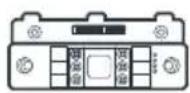
3 x1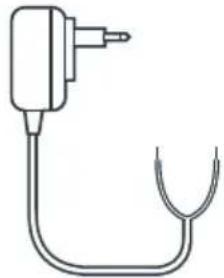
1 7" monitor 2 "smart" wall mount 3 plug-in power supply
2 - GENERAL INFORMATION
5 - CE DECLARATION OF CONFORMITY
To the RED directive (2014/53/EU)
EN Additional monitor for Smart Bracket II

2 wires

Easy Install

100 photos


7"
Polarity protect
CONTENTS
A - SAFETY INSTRUCTIONS 05
1 - OPERATING PRECAUTIONS 05 2 - MAINTENANCE AND CLEANING 05 3 - RECYCLING 05
B - PRODUCT DESCRIPTION 06
1 - KIT CONTENTS 06 2 - GENERAL INFORMATION 06 3 - MONITOR 06 4 - WALL BRACKET 07 5 - MAINS ADAPTOR 07
C - INSTALLATION AND USE 08
D - TECHNICAL AND LEGAL INFORMATION 09
1 - GENERAL CHARACTERISTICS 09 2 - WARRANTY 10 3 - HELP AND ADVICE 10 4 - PRODUCT RETURNS/AFTER-SALES SERVICE 10 5 - EC DECLARATION OF CONFORMITY 10
1 - INTRODUCTION
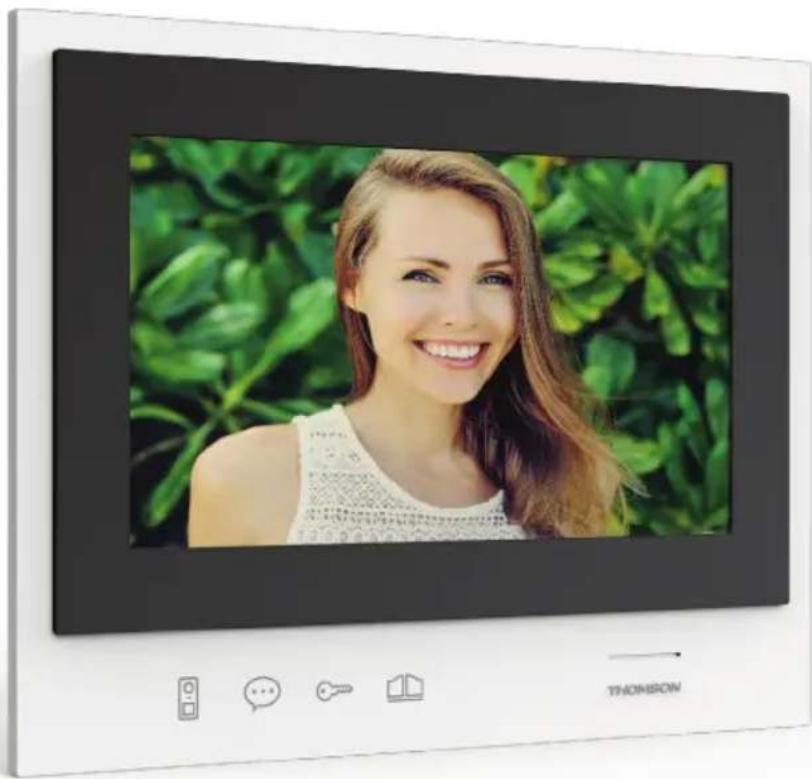
This monitor is designed to supplement an existing SmartBracket II colour video intercom (reference 512263) installation. It gives you a second location from which you can respond to and interact with visitors.
Key features:
- Colour video reception: when a visitor touches the intercom panel call button, the panel immediately transmits the image to the screen and a chime indicates the visitor's presence.
- Short-circuit protection
- Reverse polarity protection
- Opening the door and a control system: by pressing buttons on the monitor, you can control an electric lock and a dry contact for an automatic control system (not included).
IMPORTANT: This notice should be read carefully prior to installation. In the case of any problems, our Hotline technicians are at your service to provide you with any information you may need.
WARNING: any connection error may cause damage to the device and void the warranty.
2 - MAINTENANCE AND CLEANING
Before installing your intercom, it is important to check the following points:
- Do not install in cases of extreme humidity, temperatures, corrosion risk or dust.
- Do not expose to direct sunlight, rain, or high humidity.
- Do not plug the device into a multi-socket plug adaptor or extension cord.
- Do not install near other electronic devices such as computers, televisions or video recorders.
- Do not install near acidic chemicals, ammonia or sources of toxic gases.
- Do not clean with abrasive or corrosive products. Use a damp cloth with soapy water.
- Unplug the device if it is not being used for an extended period of time.
- Do not plug the device into national telecommunications installations.
3 - RECYCLING

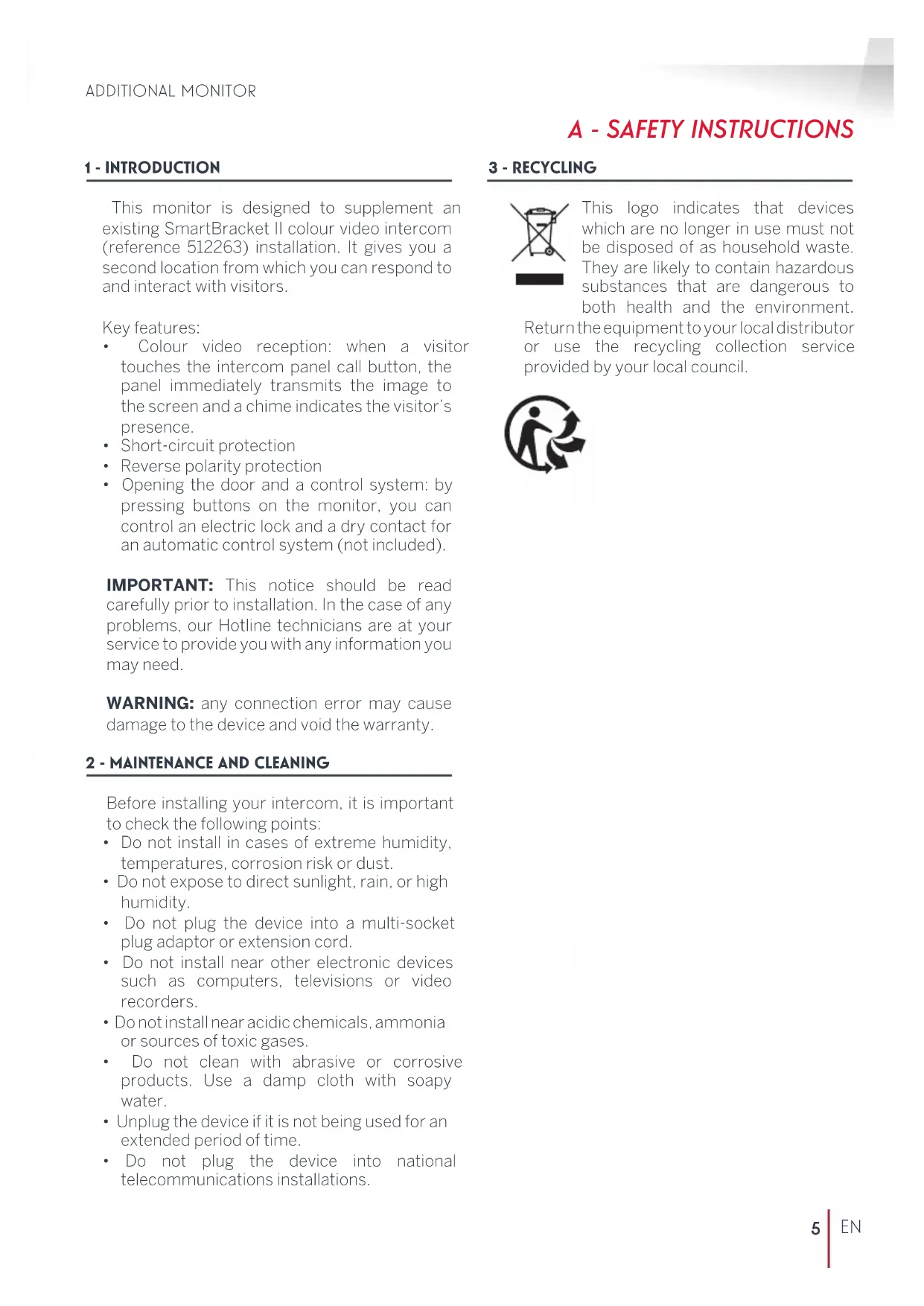
This logo indicates that devices which are no longer in use must not be disposed of as household waste. They are likely to contain hazardous substances that are dangerous to both health and the environment.
Return the equipment to your local distributor or use the recycling collection service provided by your local council.

B - PRODUCT DESCRIPTION
1 - CONTENTS OF THE KIT
1 x1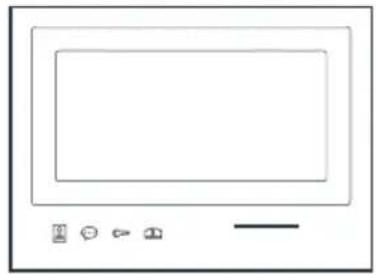
2×1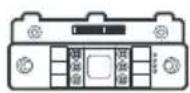
3 x1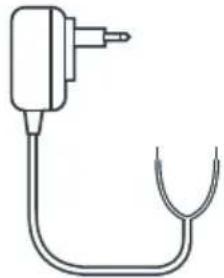
1 7" monitor 2 "Smart" wall bracket 3 Plug-in power supply
2 - GENERAL INFORMATION
This additional interior response station with sensitive keys allows you to see and communicate with visitors who ring the doorbell, in the same way as the SmartBracket II intercom monitor for which the product is intended. The system is easy to install, with only two wires needed for all functions: the doorbell, the video feed, the intercom, and the strike plate and automated opening controls. To use it effectively, please carefully read the instruction manual provided with the SmartBracket II colour video intercom (reference 512263).
3 - MONITOR
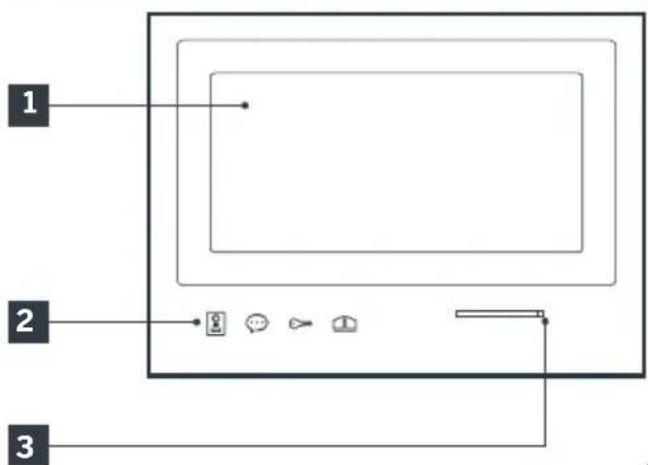
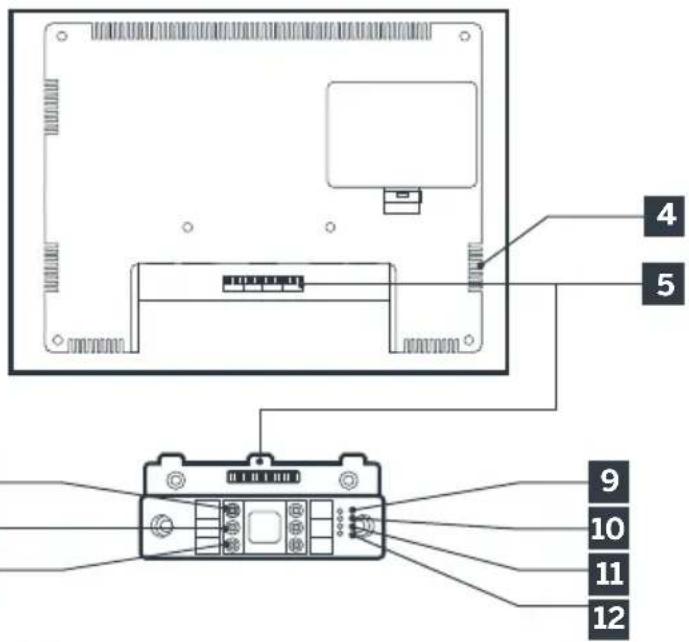
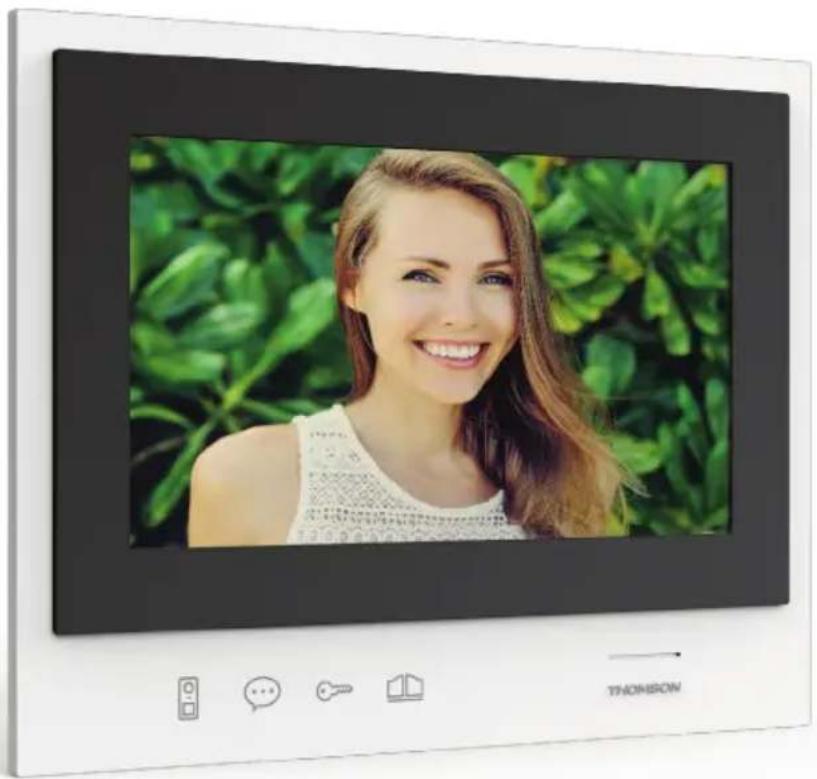
1 7" LCD screen 2 Touch-sensitive buttons 3 Microphone 4 Loudspeaker
5 Connector 6 Red: Connecting to power supply 7 Green: not used 8 Blue: Connection to the monitor for the existing installation
| 9 | Indicator light for connecting an additional monitor☑Red = Connection errorBlue = Connection OK or monitor not present |
| 10 | Power supply indicator light ☑:Red = Connection errorBlue = Power supply connected correctly |
| 11 | Not used |
| 12 | Intercom panel connection indicator light☒: Red = intercom panelnot connected (wire unplugged or cut)*Blue = connection OK* This is completely normal if the monitor is used as an additional monitor on an existing installation and no intercom panel is directly connected to it |
4 - WALL BRACKET
The monitor is designed to be fixed to the wall. A wall bracket and the necessary fasteners are included.
5 - MAINS ADAPTER
A 230 Vac 50 Hz/15 Vdc 1A mains adapter for powering the monitor is included in the kit. Do not use other power supplies as they could cause irreparable damage to the device and invalidate the warranty. Do not cut or extend the wire of the mains adapter or the warranty will be void. The 15V wire of the adapter is indicated by the presence of a red + 15V label. The ground wire of the adapter is indicated by the presence of a black ENL label.
C - INSTALLATION AND USE
To install and use your additional monitor, please refer to the instructions for the SmartBracket II colour video intercom (reference 512263) for which the product is intended.
1 - GENERAL CHARACTERISTICS
| Monitor and smart bracket | ||
| Doorbells | Number | 6 doorbell melodies to choose from (85dB) |
| Screen | Size 7 inches diagonally | (17.78cm), 16/9 |
| Resolution 800 x 480 | ||
| Picture memory capacity | 100 photos | |
| Supply voltage | 15V/1.5A | |
| Average | 400mA | |
| Temperature and humidity levels for use | -10°C to 50°C, 85% RH maximum | |
| Dimensions | 205(l)x157(h)x18(p) (mm) | |
D - TECHNICAL AND LEGAL INFORMATION
2 - WARRANTY
- This product is guaranteed for parts and labour for 2 years from the date of purchase. Proof of purchase must be retained for the duration of the warranty period.
- The warranty does not cover damage caused by negligence, knocks or accidents.
- None of the parts of this product may be opened or repaired by any persons not employed by Smarthome France.
- The warranty will be void if the device is tampered with.
3 - HELP AND SUGGESTIONS
- If, in spite of the care we have taken in designing our products and drafting these instructions, you do encounter difficulties when installing your product or you have any questions, we recommend you contact one of our specialists who will be glad to help.
- If you encounter operating problems during the installation or a few days afterwards, it is essential that you are in front of your installation when contacting us, so that one of our technicians can diagnose the source of the problem, as it will probably be the result of a setting that is incorrect or an installation that is not to specification. If the problem is caused by the product itself, the technician will give you an RMA number so that you can return the unit to the shop. Without this RMA number, the shop may refuse to exchange your product.
Contact our customer service technicians on:

Monday to Friday, 9AM to 12PM and 2PM to 6PM CET.
4 - PRODUCT RETURNS - AFTER SALES SERVICE
If, despite the care we have taken in designing and manufacturing your product, it needs to be returned to our customer service centre, you can check the progress of the work on our website at the following address: http://sav.smart-home-france.com
Avidsen undertakes to keep a stock of spare parts for this product throughout the contractual warranty period.
5 - EC DECLARATION OF CONFORMITY
With the RED 2014/53/UE directive
SmartHome France hereby declares that the equipment designated below: Additional monitor for
Smart Bracket II colour video intercom 512263 Complies with the RED directive and its conformity has been assessed pursuant to the applicable standards in force:
EN 301 489-1 V2.2.0
EN 301 489-3 V2.1.1
EN 300 330-1 V2.1.1
EN 62311: 2008
EN 62368 -1: 2014 +A11: 2017
IN Tours Alexandre Chaverot, 08/11/18 CEO

THOMSON is a TECHNICOLOR S.A. brand used under licence by:
SmartHome France
19 avenue Marcel Dassault - 37200 Tours - France
512264

Extra monitor for
Smart Bracket II

2 wires

Easy Install

100 photos


7"
Polarity protect
TABLE OF CONTENTS
A - SAFETY INSTRUCTIONS 05
1 - INSTRUCTIONS FOR USE 05 2 - MAINTENANCE AND CLEANING 05 3 - RECYCLING 05
B - PRODUCT DESCRIPTION 06
1 - SET CONTENTS 06 2 - GENERAL INFORMATION 06 3 - MONITOR 06 4 - WALL MOUNT 07 5 - POWER ADAPTER 07
C - INSTALLATION AND USE 08
D - TECHNICAL AND LEGAL INFORMATION 09
1 - GENERAL CHARACTERISTICS 09 2 - WARRANTY 10 3 - HELP AND TIPS 10 4 - PRODUCT RETURN / CUSTOMER SERVICE 10 5 - CE DECLARATION OF CONFORMITY 10
1 - INTRODUCTION
2×1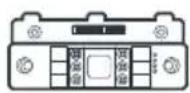
3×1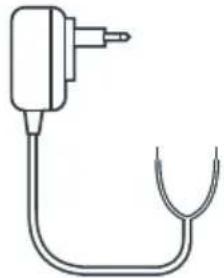

2 wires

Easy Install

100 photos


7"
Polarity protect
CONTENTS
2 x1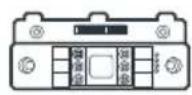
3 x1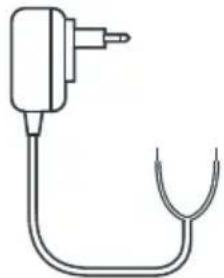
2 wires
Easy Install
100 photos

7"
Polarity protect
INDEX
2×1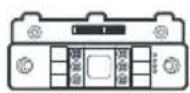
3 x1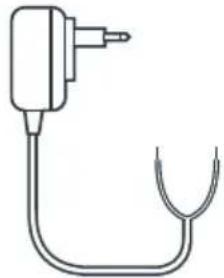
2 wires
Easy Install
100 photos

7"
Polarity protect
INDEX
A - SAFETY INSTRUCTIONS 05
2 x1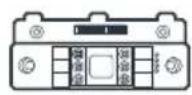
3 x1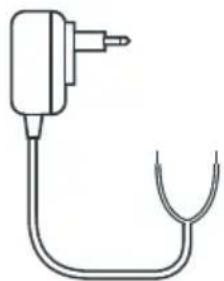
From Monday to Friday between 9am and 12pm and between 2pm and 6pm.

2 wires

Easy Install

100 photos


7"
Polarity protect
SOMMARIO
2 ×1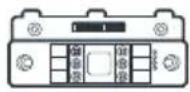
3 x1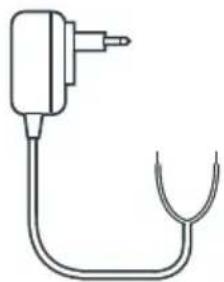


- TABLE OF CONTENTS
- A - SAFETY INSTRUCTIONS
- B - PRODUCT DESCRIPTION
- C - INSTALLATION AND USE
- D - TECHNICAL AND LEGAL INFORMATION
- INTRODUCTION
- GENERAL INFORMATION
- CE DECLARATION OF CONFORMITY
- EN ADDITIONAL MONITOR FOR SMART BRACKET II
- CONTENTS
- KEY FEATURES
- MAINTENANCE AND CLEANING
- RECYCLING
- CONTENTS OF THE KIT
- MONITOR
- WALL BRACKET
- MAINS ADAPTER
- GENERAL CHARACTERISTICS
- WARRANTY
- HELP AND SUGGESTIONS
- PRODUCT RETURNS - AFTER SALES SERVICE
- EC DECLARATION OF CONFORMITY
- EXTRA MONITOR FOR
- SMART BRACKET II
- INDEX
- SOMMARIO
Brand : THOMSON
Model : 512264
Category : Telephone