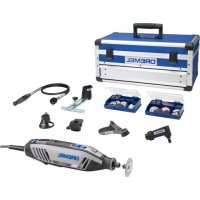
DREMEL 4250 - Multitools

4250 - Multitools DREMEL - Free user manual and instructions

Find the device manual for free 4250 DREMEL in PDF.

English EN Download 💬 AI Question 10 questions ⚙️ Specs
📄

Document temporarily unavailable

The manual is currently being transferred to our new server. It will be accessible again in a few hours. Thank you for your patience.

Pick your language and provide your email: we'll send you a specifically translated version.
Product Type Multi-function Rotary Tool
Brand Dremel
Model 4250
Power 175 W
Supply Voltage 220-240 V ~50/60 Hz
No-load Speed 35,000 rpm
Collet Capacity 3.2 mm
Max. Accessory Diameter 38.1 mm
Weight 0.6 kg
Variable Speed Yes (adjustable speed dial)
Electronic Feedback Yes (soft start and speed maintenance)
Shaft Lock Yes
Chuck System Standard collet (3.2 mm) and lock nut, EZ Twist cap with integrated wrench
Carbon Brushes Replaceable (check every 40-50 hours of use)
Sound Pressure Level 72.5 dB(A)
Sound Power Level 83.5 dB(A)
Vibration (triaxial vector sum) 14.1 m/s²
Protection Class II (double insulation)
Main Applications Grinding, sanding, wire brushing, polishing, carving, cutting
Maintenance and Cleaning Unplug before cleaning; use compressed air for ventilation slots; do not use harsh solvents
Repairability Contact a Dremel service center; original spare parts required
Warranty In accordance with national legislation (excluding normal wear, overload, or improper use)

Frequently Asked Questions - 4250 DREMEL

How do I change an accessory on the Dremel 4250?
Press the shaft lock button and turn the shaft until it engages. Loosen the lock nut using the collet wrench or the EZ Twist cap. Insert the accessory shaft fully into the collet, then tighten the nut firmly while holding the lock.
How do I adjust the rotation speed?
The Dremel 4250 is equipped with a variable speed dial located on top of the motor. You can adjust the speed while operating by turning the dial. Consult the recommended speed chart in the manual for the accessory and material used.
What is the maximum speed for using a wire brush?
Do not exceed 15,000 rpm when using wire brushes. The recommended setting for the Dremel 4250 is between 5 and 10 on the speed dial.
How do I maintain the carbon brushes?
The brushes should be inspected every 40 to 50 hours of use. If their length is less than 3 mm or they are damaged, replace them with genuine Dremel brushes. To access them, unscrew the brush caps with the tool's wrench, remove the worn brushes, and insert the new ones in the correct orientation.
Can I use the Dremel 4250 with the flexible shaft?
Yes, the Dremel 4250 is compatible with the Dremel flexible shaft (ref. 225) for precision work or in hard-to-reach areas. Follow the mounting instructions provided with the accessory.
What should I do if the tool vibrates abnormally?
Excessive vibration may indicate an unbalanced or improperly tightened accessory. Stop the tool, check the accessory's tightness, and rebalance it by loosening the nut slightly, turning the accessory a quarter turn, and retightening. If the issue persists, check the accessory's condition.
How do I clean the Dremel 4250?
Always unplug the tool before cleaning. Use compressed air to blow out the ventilation slots and surfaces. Never use solvents like carbon tetrachloride or ammonia, as they damage plastic parts. Wear safety goggles when cleaning.
Does the tool have an integrated light?
The Dremel 4250 does not come with a standard lighting module. However, it is compatible with the optional lighting module (ref. 4300) if you wish to add this feature.
What accessories are compatible with the Dremel 4250?
The tool accepts all Dremel accessories with a 3.2 mm shaft and a maximum diameter of 38.1 mm. Main ranges include grinding stones, cutting discs, brushes, polishing tips, burrs, etc. For special accessories, check the manufacturer's recommendations.
How do I get assistance or repair?
For any repairs, contact an authorized Dremel service center. The tool contains no user-serviceable parts except for the brushes. For after-sales service, warranty, or technical support, visit www.dremel.com.

User questions about 4250 DREMEL

0 question about this device. Answer the ones you know or ask your own.

Ask a new question about this device

The email remains private: it is only used to notify you if someone responds to your question.

No questions yet. Be the first to ask one.

Download the instructions for your Multitools in PDF format for free! Find your manual 4250 - DREMEL and take your electronic device back in hand. On this page are published all the documents necessary for the use of your device. 4250 by DREMEL.
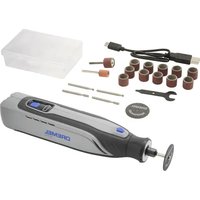
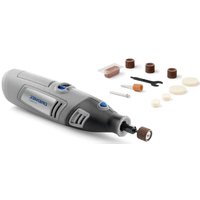
USER MANUAL 4250 DREMEL

Manual assistant
Powered by Anthropic
Waiting for your message
Product information

Brand : DREMEL

Model : 4250

Category : Multitools