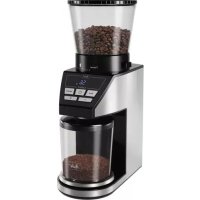
Calibra 102701 - Coffee grinder MELITTA - Free user manual and instructions
Find the device manual for free Calibra 102701 MELITTA in PDF.


| Product type | Electric coffee grinder |
| Brand | Melitta |
| Model | Calibra 102701 |
| Bean hopper capacity | Approximately 375 g |
| Grind fineness levels | 39 levels (1-5 fine, 6-26 medium, 27-39 coarse) |
| Grind programs | 3 programs: weight, number of cups, manual |
| Integrated scale | Yes, gram precision (3 g to 100 g) |
| Power supply | Mains, 220-240 V |
| Hopper materials | Plastic with stainless steel tray |
| Display | Digital screen with symbols |
| Auto-off | After 5 minutes of inactivity |
| Overload protection | Yes, motor protection mechanism |
| Error messages | E01 (hopper empty), E02 (hopper not inserted correctly), 60 (overheating) |
| Intended use | Household only |
| Cleaning | Brush provided, removable, do not immerse, not dishwasher safe |
| Manufacturer warranty | 24 months (conditions in manual) |
| Included accessories | Collection bin, steel tray, cleaning brush |
| Energy consumption | Not specified |
| Weight | Not specified |
Frequently Asked Questions - Calibra 102701 MELITTA
User questions about Calibra 102701 MELITTA
0 question about this device. Answer the ones you know or ask your own.
Ask a new question about this device
Download the instructions for your Coffee grinder in PDF format for free! Find your manual Calibra 102701 - MELITTA and take your electronic device back in hand. On this page are published all the documents necessary for the use of your device. Calibra 102701 by MELITTA.
USER MANUAL Calibra 102701 MELITTA
- Theorem and the Theorem of the Riemannian Diffeomorphism (Theorem 2) imply that the Euclidean metric on ^n is a metric with the following properties: (i) Every point in ^n has a unique solution, (ii) for every point in ^n , there exists a unique solution to the problem of finding a closed interval [a,b] of ^n containing x_0 [a,b] such that
1
Aeae aee eae aeae eaeae
2 Adrehdntd Eokr hse Dcchnre nare ane aae (Taae oanoe at der wodde) beonone
pae 1000000000000000000000000000000000000000000000000
2
DE Gabruochemiehung
GB Operating Instruction
FR Mula d ampli
NL Gohrukeomwijng
IT Isouon fuo
E5 Instruetiones de Udo
Artek Ruminov, Nikolai Ryzhov, Andrei Dolar, Zina S. Suchova & Karush
Germotics: 'Sells' trusts trustee later We and their central trade.
V.1.2.1.1. Theorem 3.1.1. Let be a finite field and let (x) be the set of all elements of such that x (x) . Then, for any x (x) , there exists an element y (y) such that y (y) .
Zu Hrnr Sienratae
The best way to do mathematics is to learn a few of the basic concepts.
Thank you for choosing a Melitta Calibra electric coffee grinder. We hope you enjoy using it.
If you require further information or have any questions, please contact Melitta® or visit us on the internet at www.melitta.de, www.melitta.at or www. melitta.ch
For your safety
The appliance complies with the applicable European directives.
The appliance has been tested and certified by independent test institutes.
Please read the safety instructions and the operating instructions in full. To avoid danger you must follow the safety and operating instructions. Melitta accepts no liability for damage caused by non-observation of these instructions.
1. Safety instructions
This appliance is designed to be used in households and for similar uses such as -
- in kitchens for employees in shops, offices and other commercial areas
- in agricultural businesses
- in motels, hotels and other residential facilities and in bed and breakfast guesthouses Any other use is considered improper and can lead to personal injury and property damage. Melitta® shall not be liable for damage resulting from improper use.
Please note the following information to avoid injuries caused by misuse:
- The appliance must not be in a cupboard during use.
- The appliance must be connected to a properly installed earthed socket.
The appliance must always be
connected from the mains supply when left unattended and before assembly, disassembly or cleaning.
- Before use, make sure that there are no foreign objects in the bean container of the coffee grinder.
- Do not remove the lid of the bean container until the grinder has come to a complete stop.
- Never place your fingers or hands near the grinder mechanism and/or ground coffee chute when the grinder is in use.
- Do not reach into the ground coffee chute during use.
- Do not allow the power cord to come into contact with hot surfaces.
- Do not use the appliance if the power cord is damaged.
- Never immerse the appliance in water.
- Do not clean parts that come into contact with food with aggressive detergents or scouring milk. Remove detergent residues with clean water. Further information on cleaning can be found under „Cleaning and care“.
- Do not clean parts of the coffee grinder in the dishwasher.
Always use a soft brush to clean the grinder mechanism. Do not use water or soap for cleaning. - The appliance may be used by persons with reduced physical, sensory or mental abilities or lack of experience and/or knowledge if they are supervised or have been instructed
in the safe use of the appliance and have understood the hazards involved.
- Do not allow children to play with the appliance.
- Replacement of the power cable and any other repairs must only be carried out by Melitta® Customer Service or an authorised workshop.
- Use of accessories not recommended or sold by the manufacturer may result in fire, electric shock, or personal injury.
- The appliance must not be used by children. Keep the appliance and its power cord away from children.
2. Before first use
- Remove all packaging.
- All appliances are tested to ensure that they are in perfect working order during manufacture. As a result, ground coffee residues may remain in the appliance.
- Place the appliance on a dry, level and stable surface.
Make sure that the mains voltage in your household corresponds to the information on the product label on the base of the appliance. - Connect the appliance to the power supply.
3. Using the coffee grinder
The appliance has various features to ensure ease of use and the perfect coffee. These features are explained below.
Filling with coffee beans:
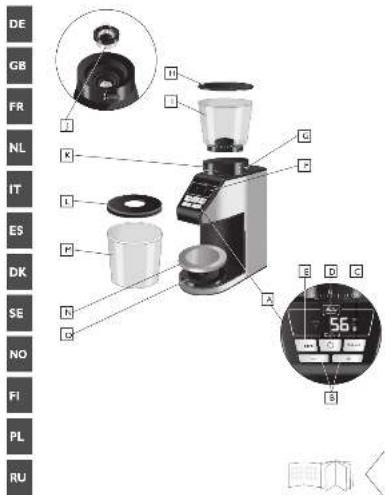
- Remove the lid on the bean container ①.
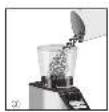
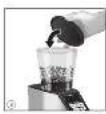
- Fill the bean container with the required quantity of coffee beans ②. The fill capacity is approx. 375g
- Replace the lid on the bean container ③ Note: The coffee grinder is only suitable for grinding coffee beans. Make sure that there are no other objects or food inside the appliance.
To ensure that the grinder works properly, do not use caramelised coffee beans. Please do not fill the bean container with ground coffee.
Set grind level:
- Depending on your individual taste, up to 39 different grind levels can be set to suit the required preparation method - e.g. espresso, filter coffee or French press.
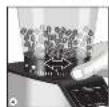
- To adjust the grind level, turn the bean container with light pressure to the required position ④.
Depending on the preparation method, select a grind level from fine (Fine) to coarse (Coarse). Please refer to the following table for recommended settings:
| Method Espresso | Pour Over, Filterkaffee, Cold Brew | French Press | |
| Recommended grind level | Fine Medium | Coarse | |
| Grind level setting | 1 - 5 | 6 - 26 27 | - 39 |
GB
table 1
Choosing a grind programme:
Three different grind programmes can be selected and are shown in the display as follows:
g- Setting to select the coffee quantity by weight
- Setting to select the coffee quantity by number of cups
- Setting to select the coffee quantity manually
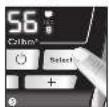
Note: When the coffee grinder is used for the first time, the symbol for setting the coffee quantity according to weight appears on the display; you can change the grind programme by briefly pressing the Select button ⑤.
3.1 Setting to select the coffee quantity by weight
- The coffee grinder has an integrated scale. This makes it possible to grind the desired quantity of coffee to the gram.
- When delivered, the coffee quantity 3g appears on the display.
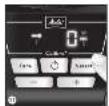
- With the + - button or the - - button a grind quantity from 3g to 100g can be set. Hold the button down to fast forward the amount (6).
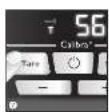
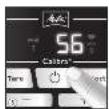
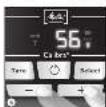
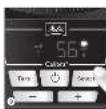
- If appears on the display, the bare weight on the scale should be set. After pressing the bare button ⑦, the T disappears and the preset coffee quantity remains on the display (the container must be correctly positioned on the stainless-steel plate).
- When the button is pressed 8 the grinding process starts.
The current grind quantity flashes on the display during the grinding process. - As soon as the preset coffee quantity weight has been reached, the grinder switches off. The grinding process can be stopped at any time by pressing the button ⑧
- The last grind quantity set remains stored even after unplugging from the mains power supply.
3.2 Setting to select the coffee quantity by number of cups
- This setting allows you to select the coffee quantity based on the number of cups.
- Press the Select button until the symbol appears on the display.
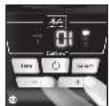
- With the + button or the - button you can set the number of cups from 1 to 10. Hold the button down to fast forward ⑩.
The factory setting is 7g per cup and can be changed
between a minimum of 5g and a maximum of 9g per cup. To do this press and hold the Selectbutton(9). In addition to, the g symbol also appears in the display. By pressing the + button or the - button 10, the desired grind quantity per cup is set, this is stored when the select button is released.
- If appears on the display, the tare weight on the scale should be set. After pressing the Tare button ⑦, the T disappears and the preset number of cups remains on the display (the collection container must be correctly positioned on the stainless-steel plate).
- When the button is pressed (8) the grinding process starts.
- The current number of cups flashes on the display during the grinding process.
- As soon as the preset number of cups is reached, the grinder switches off. The grinding process can be stopped at any time by pressing the button ⑧.
- The last number of cups set and the grind quantity per cup remain stored even after unplugging from the mains power supply.
3.3 Setting to select the coffee quantity manually
- In this setting, the scale is deactivated. The grind quantity is determined by switching off manually.
- This setting is recommended to fill a portafilter.
- Press the Select button until the symbol and the symbol appear in the display.
- When the button is pressed ⑧ the grinding process starts.
- When the required grind quantity is reached, press the button ⑧ again.
During the grinding process, the grind time in seconds is shown on the display. The maximum grind time is 50 seconds.
4.Tips
- Only fill the bean container with the quantity of coffee beans that you intend to use in the near future.
- The required grind quantity depends on the coffee quantity and preparation method. Different amounts are used for the different preparation methods (table 2).
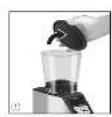
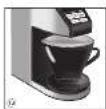
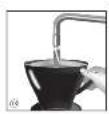
Instead of the supplied collection container, it is also possible to grind directly into a Melitta® coffee filter (1x4, 1x2 and 102) ⑫. Many currently available coffee filters can also be placed directly on the scale. - Very dry ambient air and/or electrostatically charged plastic filter holders can lead to the ground coffee not falling completely into the collection container. Ground coffee can fly around in an uncontrolled manner and attach itself to the outer wall of the machine. Moistening the coffee filter in the filter holder beforehand (13) reduces this unavoidable effect.
5. Cleaning and care
ATTENTION: Always disconnect the mains plug before cleaning 14!
For the best coffee results, we recommend that you clean the bean container, grinder and ground coffee chute regularly. Clean when the grinder is completely empty.
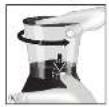
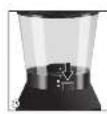
- The bean container can be removed from the machine for cleaning. To do this, press and hold the button at the bottom edge of the bean container 15 in the open position 16. At the same time, turn the bean container anti-clockwise until it stops and remove it from the machine. Remove coffee residues from the bean container with a soft, damp cloth
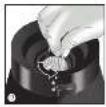
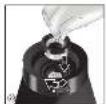
- The outer grinder ring can be removed to clean the grinding mechanism. To do this, lift the clamp upwards (17) and unlock the grinder ring by turning it anticlockwise. Remove the grinder ring (18).
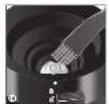
- Clean the grinding mechanism with the supplied brush 19. Remaining coffee residues can be shaken out or removed using a vacuum cleaner.
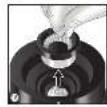
- Replace the grinder ring in the appliance and turn it clockwise until it locks into place ②. It is completely locked when the grinder ring can no longer be pulled up and out.
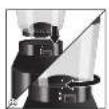
Ground coffee residues on the ground coffee chute and on the housing can be removed with the enclosed brush and/or a soft, damp cloth ② - To insert the bean container, place it on the appliance and turn clockwise until it clicks into place. In this position, the markings on the housing and on the bean container are vertically one above the other ② The coffee grinder can only be used if the bean container is correctly inserted.
- The collecting container, stainless steel plate and lid of the bean container can be cleaned with a damp cloth.
- Never clean the coffee grinder and its removable parts in the dishwasher.
6. Technical information
- The appliance has an overload protection for the grinding mechanism, this protects against damage by foreign objects. If you hear a loud, rattling, previously unknown noise during the grinding process, press the button ⑧ and clean the grinding mechanism as described under point 5 "Cleaning and care".
- When the appliance is not in use it switches off after 5 minutes. The last settings are saved automatically. The appliance can be switched on again by pressing any button.
table 2
| Grind programme | Preparation method | Grind levelGrid | quantityWater quantity | |
| 3.1 Weight | Pour Over 6 - 26 | 50 bis 60 g | 1000 ml | |
| Cold Brew 6 - 26 | 100 g 500 ml | |||
| 3.2 No. of cups Filter | coffee 6 - 26 6 to 8 g | Per cup | ||
| French Press 27 - | 39 8 g | Per cup | ||
| 3.3 Manual Espresso | 1 - 5 | Full portafilter | 25 to 40 ml |
GB
7. Error messages in display
table 3
| E01 | The bean container is empty. The quantity in the container was less than the grind quantity set. Fill the bean container and press the select button. This will cancel the error message. By pressing the \( \bullet \) button ⑧ the grinding process continues and the remaining grind quantity is added. |
| E02 | The bean container is not inserted correctly. Insert the bean container into the appliance as described in point 5. |
| 60 | The motor has overheated due to being used too much in a short time. To prevent further damage to the appliance, the motor must cool down for 60 minutes. The remaining cooling time is shown in the display. Do not disconnect the mains plug. |
| T | If \( \mathrm{T} \) also appears in the display,press the Tare button ⑦ to tare the scale. If the \( \mathrm{T} \) is still visible,the collecting container is not in the correct position. |
8. Notes on disposal
- Appliances marked with this symbol are subject to the European Directive for WEEE (Waste Electrical and Electronic Equipment).
- Electrical appliances should not be disposed of with household waste. Dispose of the device in an environmentally friendly manner using appropriate disposal systems.
- Packaging materials are raw materials and are recyclable. Please recycle them.
Chere cliente, cher client,
In addition to the statutory warranty rights to which the end user is entitled from the seller, we give a manufacturer's guarantee for this appliance under the following conditions if it has been purchased from a dealer authorised by us on the basis of their ability to offer expert advice:
- The guarantee period begins on the day of sale to the end customer. It is valid for 24 months. The purchase date must be documented by a purchase receipt.
The appliance has been designed and constructed for household use and is not suitable for commercial use. Guarantee services do not extend or re-start the guarantee period for the appliance or any spare parts installed. - Within the guarantee period, we shall remedy all defects on the device which are based on material or manufacturing defects, at our discretion, by repairing or replacing the device. Exchanged parts become our property.
- The guarantee does not cover defects caused by improper connection, improper handling or attempted repairs by unauthorized persons. The same applies to non-compliance with the instructions for use, care and maintenance as well as the use of materials (e.g. cleaning and descaling agents or water filters) which do not correspond to the original specifications. Parts subject to wear (e.g. seals and valves) and fragile parts such as glass are excluded from the guarantee.
- Guarantee services are processed using the relevant country service hotline (see details below).
- These guarantee conditions apply to appliances purchased and used in the Federal Republic of Germany, Austria and Switzerland. If devices are purchased abroad or taken there, guarantee services will only be provided within the scope of the guarantee provisions applicable for that country.
Melitta UK Ltd.
Hortonwood 45
Telford, Shropshire, TF1 7FA
United Kingdom
Tel: +44(0)800 0288002
www.melitta.co.uk

Consumer Service
Deutschland
Melitta Consumer Service
Melittastr. 44
32427 Minden
Tel.: 0571/861900
Fax: 0571/861210
Mail:
Melitta Poland Sp. z o.o. www.melitta.pl

TapaHTnO T KOMnaHm Melitta
BdoONHeHnK yCTaHOBAEHbIM 3aKOHOM rapaHTnHBIM npaBaM,Ha KOTOpBle KOHeuHbIM NOA3oBaTeAb IMeET npaBO OT pOaBla, Mbl Daem rapaHTIO pOn3BOAtTEA Ha daHHoe YCTpOJcTBo, eCAn OHO bIAO pNHO6peTeHOy ABTOPn3OBaHHORO dAIEpa HA OCHOBAHm ERO cNOC6HOCTn PpeOCTaBH TPoEccCHOHaABHyO KOHCyTaUHO, Ha CAEyKouX yCAOBHX:
- FapAHnHbI cPOK HauHaeTcO DAH NPOaKIN KOHeHOMY NOKyNaTeAIO. OH AenCTByET B TeueHne 24 MecraeB. Data NOKyKN IAOxHA 6bITb NOATBepKJaEA H KBNtAHUneO pNHOpeTeHH. PnHOp 6blAo pa3paS0TaH n HrTOOBAEH DABEBOTO HCNOAb3OBaHn H He NOxAoANT AAR KOMMepeCKOrO pIMMeHHe. FapAHnHoe OcCAYKBAHHe H Ne PPOAeBaET N HE BO3O6HOBAET rapaHTnHbI NEPnoA DAA YCTpOHTCBa HAI AO6bIX YCTAHOBaEHbIX 3aNAChbIX qACTeI.
2.B TeHeHnepaHTnHOro Cpoka MblncpabIMBce DeefKbI yCTPOHCTBA, Bb3BaHHBe MATePHAahbHMIM Nn IPOIHBOACTBEH HbIM DaEeKTAmIO CBOEMY YCMOTpeHIO -ITTEM PEmOHTa Nn 3AmEHbYCTPOHCTBA.3aMeHeHHBe AetAA CTAHOBRTCA HaWeo6CTBeHHOCTHO. - rapaHTnHe paCnpoctpaHReTcHnAeKbI, Bb3BaHHbIe HnPaBnAbHbIM NODKAIOUeHEm, HnPaBnAbHbIM OpaueHnEM nNnONblTKo peMOHTa CTOpOHmN AnuamTo Kxke Camoe OTHOCITcN K Heco6AoDeHIO HnCTpyKun No 3KnayaTaUN, YXOyD NTEXMHecCKOMY OcayXknaHIO, a TAKKe KNCIOAB3OBAHIO MaTePnaAOB (HaNPmep, MOIOUIN uNCHTAAUX CpeACTB NAn FNaBTPOB AAR BOaBI), KOTOpbe HE COOTBeTCTBYOT NpBOHaAabHbIM CneuN-ΦkaJnM. AeTaN, NOBepXeHHbIE N3HOy (HaNPmep, yIaOTHeHHN IN KaIaNbI), a TAKKe XpyNkne DeTaAN, TAKNe KAK CTekAo, NCKIoUaIOTcN I3 rapaHTnN.
4.「IapaHTnHoe 06cayKbHaHne 06pa6aTbBaetc C HcNoAb3OBaHem TOpAeH AHHN B COOTBeTCTByIOUeC TpaHe (noApO6Hee cm. HxKe).
5.「HaCToIune rapaHTnHbIe yCAOBn paCnpocTpAHHOTcHa np6Opbl, npno6peTeHHBie n HCNoA3yEmbIE BΦeepaTHBOH PeCyBAnke TepMaHH, ABCTPN HlBeuapnn. ECan ycTpoiCTBa npno6peTaIOTC 3a rpaHUNe HN BBO3rTa TYa, To rapaHTnHOe OcayKNaHne 6yDeT PpeOCTABARtCB TOABo BO pAMkX rapaHTnHBHX IOAOKeHN, PpIMeHMbIX AAD DAHHO CTpaHbI.
AAPECA
TapaHTnHoe n nocae rapaHTnHoe o6cayxHBaHne npMOHT OcyueCTBAeTcno CAEyIOUIM aApecam :
IyAKOBCKOE WOCCE, A.9
KOpn.3,Ant.A,cepbnc 115
TeA:+7(812)677-79-39
Email: service@m-ruscom.ru

MockBa - OOO PTU, «CobHncePbnc»
Bpempa6oTbI:
HH-NT 9:00 - 13:00, 14:00 - 18:00 c6 10:00 - 15:00
A4pec: «Kurai-ropoA» Певескн rip.
A. 1 / 2 , ctp. I,
noAbε3A 3A.
TeA:+7(495)917-91-08(Ancnetuep)

- For your safety
- Safety instructions
- Before first use
- Using the coffee grinder
- Filling with coffee beans:
- Set grind level:
- Choosing a grind programme:
- Setting to select the coffee quantity by weight
- Setting to select the coffee quantity by number of cups
- Setting to select the coffee quantity manually
- 4.Tips
- Cleaning and care
- Technical information
- Error messages in display
- Notes on disposal
- Chere cliente, cher client,
- Consumer Service
- Deutschland
- TapaHTnO T KOMnaHm Melitta
- AAPECA
Brand : MELITTA
Model : Calibra 102701
Category : Coffee grinder