ManualGo.com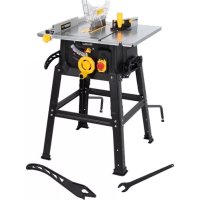
POWX07590 - Saw PowerPlus - Free user manual and instructions
Find the device manual for free POWX07590 PowerPlus in PDF.



Download the instructions for your Saw in PDF format for free! Find your manual POWX07590 - PowerPlus and take your electronic device back in hand. On this page are published all the documents necessary for the use of your device. POWX07590 by PowerPlus.
USER MANUAL POWX07590 PowerPlus
- Retirez la plaque amovible.
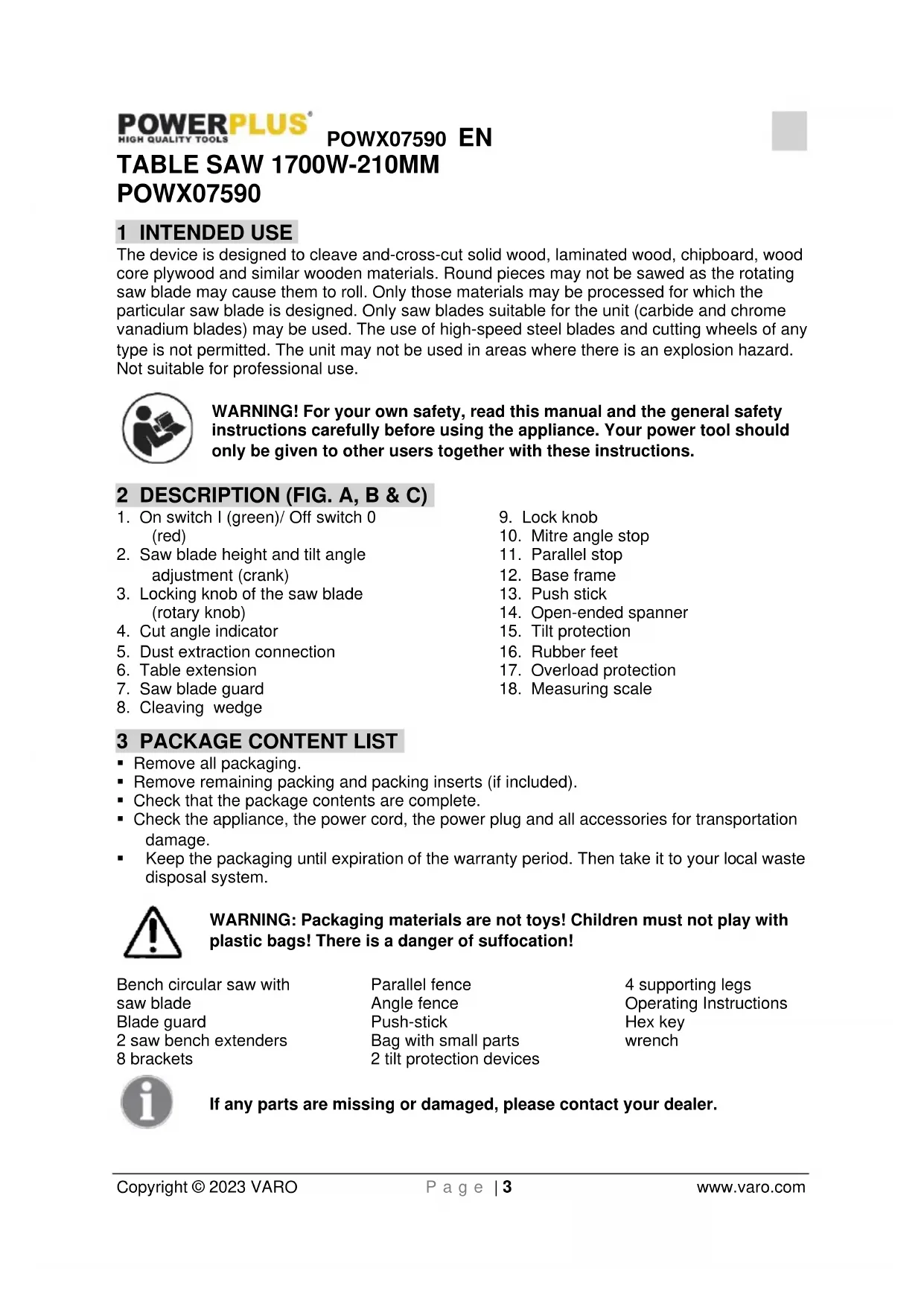
POWX07590 1 INTENDED USE The device is designed to cleave and-cross-cut solid wood, laminated wood, chipboard, wood core plywood and similar wooden materials. Round pieces may not be sawed as the rotating saw blade may cause them to roll. Only those materials may be processed for which the particular saw blade is designed. Only saw blades suitable for the unit (carbide and chrome vanadium blades) may be used. The use of high-speed steel blades and cutting wheels of any type is not permitted. The unit may not be used in areas where there is an explosion hazard. Not suitable for professional use. WARNING! For your own safety, read this manual and the general safety instructions carefully before using the appliance. Your power tool should only be given to other users together with these instructions. 2 DESCRIPTION (FIG. A, B & C)
3. Locking knob of the saw blade
5. Dust extraction connection
- Remove all packaging.
- Remove remaining packing and packing inserts (if included).
- Check that the package contents are complete.
- Check the appliance, the power cord, the power plug and all accessories for transportation damage.
- Keep the packaging until expiration of the warranty period. Then take it to your local waste disposal system.
WARNING: Packaging materials are not toys! Children must not play with
plastic bags! There is a danger of suffocation! Bench circular saw with saw blade Blade guard 2 saw bench extenders 8 brackets Parallel fence Angle fence Push-stick Bag with small parts 2 tilt protection devices 4 supporting legs Operating Instructions Hex key wrench If any parts are missing or damaged, please contact your dealer.POWX07590 EN Copyright © 2023 VARO P a g e | 4 www.varo.com 4 SYMBOLS The following symbols are used in this manual and/or on the machine:
Denotes risk of personal injury or damage to the tool.
Read manual before use.
Conforms to essential safety standards of applicable European directives.
Keep hands away from blades, Don’t touch the blades when starting or while operating the unit.
Wear a mask in dusty conditions!
Class II - The machine is double insulated; Earthing wire is therefore not necessary.
5 GENERAL POWER TOOL SAFETY WARNINGS
Read all safety warnings and instructions. Failure to heed warnings and follow instructions may result in electric shock, fire and/or serious injury. Keep safety warnings and instructions for future reference. The term "power tool" in the safety warnings refers to your mains- operated (corded) power tool or battery-operated (cordless) power tool.
- Keep working area clean and well lit. Untidy and dark areas can lead to accidents.
- Do not operate power tools in potentially explosive surroundings, for example, in the presence of inflammable liquids, gases or dust. Power tools create sparks that may ignite the dust or fumes.
- Keep children and bystanders at a distance when operating a power tool. Distractions can cause you to lose control of it.
5.2 Electrical safety
Always check that the power supply corresponds to the voltage on the rating plate.
- Power tool plugs must match the outlet. Never modify the plug in any way. Do not use adapter plugs with earthed power tools. Unmodified plugs and matching outlets will reduce the risk of a lethal electric shock.
- Avoid body contact with earthed surfaces such as pipes, radiators, kitchen ranges and refrigerators. There is an increased risk of a lethal electric shock if your body is earthed.
- Do not expose power tools to rain or wet conditions. If water gets inside a power tool, it will increase the risk of a lethal electric shock.
- Do not damage the cord. Never use the cord for carrying, pulling or unplugging the power tool. Keep the cord away from heat, oil, sharp edges or moving parts. Damaged or tangled cords increase the risk of a lethal electric shock.
- When operating a power tool outdoors, use an extension cable suitable for outdoor use. Using a cord suitable for outdoor use reduces the risk of a lethal electric shock.POWX07590 EN Copyright © 2023 VARO P a g e | 5 www.varo.com
- If operating a power tool in a damp location is unavoidable, use a power supply protected by a residual current device (RCD). Using an RCD reduces the risk of a lethal electric shock.
- Stay alert, watch what you are doing and use common sense when operating a power tool. Do not use a power tool when you are tired or under the influence of drugs, alcohol or medication. A moment of inattention when operating a power tool may result in serious personal injury.
- Use safety equipment. Always wear eye protection. Using safety equipment such as a dust mask, non-skid safety shoes, a hard hat, or hearing protection whenever it is needed will reduce the risk of personal injury.
- Avoid accidental starts. Ensure the switch is in the off position before inserting the plug. Carrying power tools with your finger on the switch or plugging in power tools when the switch is in the on position makes accidents more likely.
- Remove any adjusting keys or spanners before turning on the power tool. A spanner or key left attached to a rotating part of the power tool may result in personal injury.
- Do not reach out too far. Keep your feet firmly on the ground at all times. This will enable you to retain control over the power tool in unexpected situations.
- Dress properly. Do not wear loose clothing or jewellery. Keep your hair, clothing and gloves away from the power tool. Loose clothes, jewellery or long hair can become entangled in the moving parts.
- If there are devices for connecting dust extraction and collection facilities, please ensure that they are attached and used correctly. Using such devices can reduce dust-related hazards.
5.4 Power tool use and care
- Do not expect the power tool to do more than it was designed to do. Use the correct power tool for what you want to do. A power tool will achieve better results and be safer if used in the circumstances for which it was designed.
- Do not use the power tool if the switch cannot turn it on and off. A power tool with a broken switch is dangerous and must be repaired.
- Disconnect the plug from the power source before making adjustments, changing accessories, or storing power tools. Such preventive safety measures reduce the risk of starting the power tool accidentally.
- Store power tools when not in use, out of the reach of children and do not allow people who are not familiar with the power tool or these instructions to operate it. Power tools are potentially dangerous in the hands of untrained users.
- Maintenance. Check for misalignment or jammed moving parts, breakages or any other feature that might affect the operation of the power tool. If it is damaged, the power tool must be repaired. Many accidents are caused by using poorly maintained power tools.
- Keep cutting tools sharp and clean. Properly maintained cutting tools with sharp cutting edges are less likely to jam and are easier to control.
- Use the power tool, accessories and cutting tools, etc., in accordance with these instructions and in the manner intended for the particular type of power tool, taking into account the working conditions and the work which needs to be done. Using a power tool in ways for which it was not intended can lead to potentially hazardous situations.
- Your power tool should be serviced by a qualified specialist using only standard spare parts. This will ensure that it meets the required safety standards.
6 ADDITIONAL SAFETY INSTRUCTIONS
6.1 Guard related warningsPOWX07590 EN
Copyright © 2023 VARO P a g e | 6 www.varo.com
- Keep guards in place. Guards must be in working order and be properly mounted.
- Always use saw blade guard, riving knife for every through–cutting operation.
- Immediately reattach the guarding system after completing an operation (such as resawing cuts) which requires removal of the guard, riving knife.
- Make sure the saw blade is not contacting the guard, riving knife or the workpiece before the switch is turned on.
- Adjust the riving knife as described in this instruction manual.
- For the riving knife to work, they must be engaged in the workpiece.
- Use the appropriate saw blade for the riving knife.
6.2 Cutting procedures warnings
Never place your fingers or hands in the vicinity or in line with the saw blade.
- Feed the workpiece into the saw blade or cutter only against the direction of rotation.
- Never use the mitre gauge to feed the workpiece when ripping and do not use the rip fence as a length stop when cross cutting with the mitre gauge.
- When ripping, always apply the workpiece feeding force between the fence and the saw blade. Use a push stick when the distance between the fence and the saw blade is less than 150 mm, and use a push block when this distance is less than 50 mm.
- Use only the push stick provided by the manufacturer or constructed in accordance with the instructions.
- Never use a damaged or cut push stick.
- Do not perform any operation “freehand”. Always use either the rip fence or the mitre gauge to position and guide the workpiece.
- Never reach around or over a rotating saw blade.
- Provide auxiliary workpiece support to the rear and/or sides of the saw table for long and/or wide workpieces to keep them level.
- Feed workpiece at an even pace. Do not bend or twist the workpiece. If jamming occurs, turn the tool off immediately, unplug the tool then clear the jam.
- Do not remove pieces of cut-off material while the saw is running.
- Use an auxiliary fence in contact with the table top when ripping workpieces less than 2 mm thick..
6.3 Kickback causes and related warnings
Kickback is a sudden reaction of the workpiece due to a pinched, jammed saw blade or misaligned line of cut in the workpiece with respect to the saw blade or when a part of the workpiece binds between the saw blade and the rip fence or other fixed object. Most frequently during kickback, the workpiece is lifted from the table by the rear portion of the saw blade and is propelled towards the operator. Kickback is the result of saw misuse and/or incorrect operating procedures or conditions and can be avoided by taking proper precautions as given below.
- Never stand directly in line with the saw blade. Always position your body on the same side of the saw blade as the fence.
- Never reach over or in back of the saw blade to pull or to support the workpiece.
- Never hold and press the workpiece that is being cut off against the rotating saw blade..
- Align the fence to be parallel with the saw blade..
- Use a featherboard to guide the workpiece against the table and fence when making non- through cuts such as resawing cuts.
- Use extra caution when making a cut into blind areas of assembled workpieces.
- Support large panels to minimise the risk of saw blade pinching and kickback..POWX07590 EN Copyright © 2023 VARO P a g e | 7 www.varo.com
- Use extra caution when cutting a workpiece that is twisted, knotted, warped or does not have a straight edge to guide it with a mitre gauge or along the fence.
- Never cut more than one workpiece, stacked vertically or horizontally.
- When restarting the saw with the saw blade in the workpiece, centre the saw blade in the kerf so that the saw teeth are not engaged in the material..
- Keep saw blades clean, sharp, and with sufficient set. Never use warped saw blades or saw blades with cracked or broken teeth.
6.4 Table saw operating procedure warnings
- Turn off the table saw and disconnect the power cord when removing the table insert, changing the saw blade or making adjustments to the riving knife or saw blade guard, and when the machine is left unattended.
- Never leave the table saw running unattended. Turn it off and don’t leave the tool until it comes to a complete stop.
- Locate the table saw in a well-lit and level area where you can maintain good footing and balance. It should be installed in an area that provides enough room to easily handle the size of your workpiece.
- Frequently clean and remove sawdust from under the saw table and/or the dust collection device.
- The table saw must be secured.
- Remove tools, wood scraps, etc. from the table before the table saw is turned on.
- Always use saw blades with correct size and shape (diamond versus round) of arbour holes.
- Never use damaged or incorrect saw blade mounting means such as flanges, saw blade washers, bolts or nuts.
- Never stand on the table saw, do not use it as a stepping stool.
- Make sure that the saw blade is installed to rotate in the proper direction. Do not use grinding wheels, wire brushes, or abrasive wheels on a table saw. 7 SAFETY EQUIPMENT
The cleaving wedge (8) prevents a workpiece being caught by the ascending teeth and being thrown against the operator. The cleaving wedge must remain in place during operation.
7.2 Saw blade protector
The saw blade guard (7) protects the user from accidentally touching the saw blade and from flying splinters. The saw blade protector must always remain in place during operation.
The push stick (13)) serves as an extension of the hand and protects the user from accidentally touching the saw blade. The push stick must always be used when the gap between the stop and the saw blade is less than 120 mm.
8 UNPACKING AND ASSEMBLY
Unpack the unit and make sure all of the pieces are there. Lower the saw blade underneath the table surface (see 8.4 Setting cutting height) Turn the saw table up-side down Note: If any of the parts is missing or damaged contact the retailer.
8.1 Assembly (Fig. 1)
First attach L and R table extensions to the table saw (without the brackets) Mount the base frame and attach it to the table sawPOWX07590 EN Copyright © 2023 VARO P a g e | 8 www.varo.com The base frame (12) consists of four table legs with cross braces that must be mounted. Required tools: 2 combination spanners
- Attach the four table legs to the corners of the saw table. Note that the legs on the rear must be mounted so that the holes for the assembly of the tilt protection devices face the rear of the machine.
- Mount the cross braces (A) on the front and rear between legs 12.
- Mount the cross braces (A) on the sides between legs 12. Do this by attaching each cross brace on the inside to each table leg with two screws, washers and locking nuts.
- Push the rubber feet (16) onto the supporting legs.
- Finally, fit the four brackets with the table extension and the table legs. The brackets are fitted through the screw holes in the housing. Note: Only place the device on a level, skid-proof surface. The device must not wobble.
8.2 Attaching the tilt protection (Fig. 2)
- There is a nut (b) onto the foot pad (a) which can be adjusted length of engagement, rotate the nuts (b) and locate them on the suitable position of threaded rod, mount the foot pad onto the hole of each auxiliary support (c).
- Put end of auxiliary support (c) onto the leg (d), insert two bolts through the aligned mounting holes of the leg (d) and brace (e), attach washers, spring washers and nut to the bolts and tighten two nuts. Note: the auxiliary supports must be mounted at the back of table saw to avoid the risk of falling over when in operation.
8.3 Fitting the parallel fence (Fig. 3)
- Place the parallel fence (11) to the desired position on the table, insert the bolts of lock knobs (9) through the both ends (c) of parallel fence, through the table (18) and then fix them together with the clamping plate (b).
- To adjust the position of the fence, loosen the lock knobs (9) at both ends and slide the parallel fence along the work table. Once position is adjusted, tighten the lock knobs to lock the fence in place. Make sure fence is perfectly parallel to the blade and completely locked in place to prevent kickback. Do not use parallel fence when cutting across wood grain (crosscutting).
8.4 Mounting mitre angle stop (Fig. 4)
The mitre angle stop (11) consists of two parts - the stop plate (A) and the angle adjustment (B) that must be assembled together.
- Insert the stop plate (A) into the gaps of the angle adjustment (B) with both adjusting screws (C), push into the required position and tighten the adjusting screws. Push the gliding bar (D) of the mitre angle stop into the required bar of the table surface. Right-handed operators prefer to push the mitre angle stop into the left bar of the table surface.POWX07590 EN Copyright © 2023 VARO P a g e | 9 www.varo.com
8.5 Mounting the saw blade guard
Risk of injury! The saw blade must be at least set to 30mm height.
- First, mount the crank (2).
- Put the blade in the highest position.
- Position the saw blade protection on the cleaving wedge (8) so that bolt engages in the hole. Then attach the wing nut.
8.6 Mounting the tool stand
- Install one rubber feet (16) onto each leg .
- Insert the carriage bolts through the legs, through the braces and then into the holes. Fasten each with a washer and hex nut. Tighten the nut.
- Assemble 2 fall prevention support (15) with the bolts, washes and nuts, and ensure them firmly. 9 OPERATION Risk of injury! In the event of a functional fault, immediately press the red button 0 on the On / Off switch and unplug.
9.1 Check before starting the device!
Risk of injury! The device may only be put into operation if there are no defects. If a part is defective danger it must be replaced before the device is used again. Check to make sure the device is in safe operating condition:
- Check to make sure there are no visible defects.
- Check to make sure all device components are correctly mounted.
- Check to make sure the safety equipment is functioning properly.
- Check to make sure that the saw blade runs freely.
- Check whether the adjusting screw for setting the angle of tilt is tightened.
- Switching on: Pressing the green button I on the On / Off switch (1) switches on the saw. Before starting to saw, wait until the blade has reached maximum speed.
- Switching off: Pressing the red button 0 on the On / Off switch (1) switches off the saw.
9.2.2 Overload Protection (17)
The machine is fitted with an overload protection (17). Allow the machine to cool down for at least 30 minutes before switching it on again. For this first press the black button next to the switch, then press the green button (1) to restart the machine.
9.2.3 Setting mechanism for the tilt angle
The saw blade can be adjusted to any angle between 0° and 45°. Loosen the locking knob (3), press the lever (2) and turn to the desired tilt angle and tighten the locking knob (3).POWX07590 EN Copyright © 2023 VARO P a g e | 10 www.varo.com
9.2.4 Hand crank for setting the cutting height
The cutting height of the saw blade must be adjusted to the height of the workpiece. The saw blade must always be set to one blade tooth higher than the workpiece. You can set this by turning the hand crank to left or right. Note: In order to make use of the full range of 45° settings, the cutting height must be reduced accordingly.
The stop can be adjusted by a maximum of 120 mm for mitre cutting. Risk of injury! Do not push the stop (Fig. 4 A) too far in the direction of the saw blade. The gap between the stop (Fig. 4 A) and the saw blade should be approximately 2 cm.
9.3.2 Mitre cuts (Fig. 5)
- Push the mitre angle stop (10) into the required slot of the table surface.
- Loosen adjusting screw (A), set the required angle and then tighten the adjusting screw again.
- If necessary, push the stop plate backwards or forwards. For this, loosen both adjusting screws (B), push stop plate (C) and then retighten adjusting screws (B).
9.3.3 Setting the stop rail of the parallel stop
The stop rail can be removed and repositioned after both wing nuts have been loosened: High stop edge:
- To saw tall workpieces. Low stop edge:
- To saw flat workpieces.
- If the saw blade is angled.
Do not use the paralell stop and miter gauge at the same time!
- The width of a cut is achieved by moving the parallel stop (11) to the right or left.
- The table saw features a measuring scale (18) on the front of the unit. The scale’s measurements are in metric increments.
- To adjust the position of the parallel stop, loosen the lock knobs (9) and slide the fence along the work table. Once the position is adjusted, tighten lock knobs to lock the fence in place.
- To adjust the fence position using the workpiece and the measuring scale (18):
i. Place the workpiece against the parallel stop on the table saw.
ii. Loosen the lock knobs (9) to unlock the parallel stop and slide
the workpiece and parallel stop together to the right or left until the left side of the parallel stop aligns with the desired measurement on the measuring scale (18).
iii. Lock the fence in place by turning the lock knobs clockwise.POWX07590 EN
Risk of injury! Parts of the body or objects located in the adjustment area may be caught by the operating saw blade! Only adjust the cutting height when the saw blade is at a standstill!
- Adjust the cutting depth by turning the hand crank (A).
- Turning the hand crank counterclockwise reduces the cutting depth. Turning the hand crank clockwise Increases the cutting depth. Note: To balance out play in the cutting height setting, always raise the saw blade from below to the required position. The cutting depth is optimally set when the saw blade is one blade tooth higher than the wofkpiece.
9.5 Setting the saw blade angle (Fig. 7)
Risk of injury! Parts of the body or objects located in the adjustment area may be caught by the operating saw blade! Only adjust the blade angle when the saw blade is at a standstill!
- Loosen the fixing screw (3).
- Set the required angle of tilt.
- The set tilt angle can be read from the scale (4).
- Tighten the fixing screw (3). Notes: In order to make use of the full range of 44° settings, the cutting height must be reduced accordlngry.
Risk of injury! If the gap between the parallel stop and the saw blade is less than 120 mm, the push stick must be used. Risk of injury! Always hold the guided workpiece, not the section of workpiece that is being cut off. Machine damage Check the wood to be processed carefully. Foreign objects such as nails, screws and other similar objects may seriously damage the unit
- Set the required gap of the parallel stop to the saw blade
- Set the required angle of the cross stop.
- Set the saw blade cutting height.
- Set the required tilt angle of the saw blade.
- Place the workpiece up against the cross stop.
- Switch the circular saw bench on by pressing the green button I on the On / Off switch (1).POWX07590 EN Copyright © 2023 VARO P a g e | 12 www.varo.com
- Push the workpiece evenly towards the back and saw in a single process. Make sure that the saw Is not overloaded.
- Use the red button 0 on the On / Off switch (1) to switch the unit off if you are not going to continue working immediately.
9.7 Dust extraction connection
The dust extraction connection (5) is located at the rear of the saw. A dust collection system can be attached to this port to aid the removal of sawdust from the work area.
10 CLEANING AND MAINTENANCE
10.1 Cleaning and maintenance overview
Prior to each use What? How? Check the saw blade to ensure it is correctly positioned and fixed in place. Changing the saw blade Check the saw blade protector box for wood chippings/saw dust Remove chippings if necessary. Use compressed air to blast the chippings/dust out or use a brush. Check that the gap between the saw blade and the cleaving wedge is set to 3 to 5 mm; correct if necessary. Adjusting the cleaving wedge Check the connection cable for any signs of damage Conduct a visual inspection and have the cable replaced by an electrician if necessary. Regularly and according to operating conditions What? How? Screw connections Check all screw connections and tighten if necessary. Clean the ventilation slots on the motor to remove dust Use a vacuum or a brush to remove the chippings/dust.
10.2 Cleaning the device
Risk of electric shock! Never splash with water or expose to water. Never use detergents or solvents to clean. These may cause irreparable damage to the unit The plastic pieces may be corroded by the chemicals. Careful treatment and regular cleaning will ensure that the unit remains functional and performs well for a long time.
- Remove dirt with a brush.
- Wipe the tool with a damp cloth.
- Keep ventilation slots clean and free of dust
10.3 Unit maintenance
Risk of injury! Before conducting any maintenance work make sure the device is unplugged (disconnect the power supply). Risk of injury! Shortly after sawing, the saw blade may be very hot. Allow a hot blade to cool down. Never dean a hot saw blade with flammable liquids. A still saw blade can cause injury! Use gloves to change the saw blade.POWX07590 EN Copyright © 2023 VARO P a g e | 13 www.varo.com
10.3.1 Fitting and changing the saw blade (Fig. 8)
Caution! Unplug from power source. Caution! Ensure that the saw housing is well lit.
- Remove the screw (24) of the front of the table insert.
- Remove the table insert
- Use the crank and turn to the left to bring the saw blade as far up as it will go.
- Use the spanners (14) to remove the screw on the saw blade and exchange the blade with a suitable replacement. Watch the direction of operation! See the arrow on the saw blade. The teeth must point towards the on/off switch (1).
10.3.2 Adjusting the cleaving wedge (Fig. 9)
The gap between the external edge of the saw blade and the cleaving wedge (8) must be between three and five millimetres.
- Bring saw blade angle to the 0° position and tighten.
- Bring the saw blade into the upper position.
- Remove the saw blade protector.
- Remove the table surface.
- Loosen the screw (A) slightly with a suitable combination spanner until the cleaving wedge (8) is released (do not remove screw)
- Set the cleaving wedge lower or higher by pushing upward or downward in the long hole.
- Mount all dismantled parts in reverse sequence. 11 STORAGE, TRANSPORTATION
Risk of injury! Store the unit in such a way that it cannot be started by unauthorised persons. Ensure that no one is able to injury themselves on the stored unit. Machine damage! Do not store unprotected in a damp environment. 12 TECHNICAL DATA Rated Voltage 220-240 V Rated Frequency 50 Hz Rated Power S1:1400W S6 25% 1700W Weight 17,75 kg Protection class
Number of teeth 24T Max. cutting depth at 90° 70 mm Max. cutting depth at 45° 45 mmPOWX07590 EN Copyright © 2023 VARO P a g e | 14 www.varo.com Table size 500 x 445 mm Table height (+stand) 780 mm Dust extraction outlet Ø 35mm Table extension left/right 500 x 70mm 13 NOISE Noise values measured according to relevant standard. (K=3) Acoustic pressure level LpA 88 dB(A) Acoustic power level LwA 101 dB(A) ATTENTION! The sound power level may exceed 85 dB(A), in this case individual hearing protection shall be worn. 14 WARRANTY
- This product is warranted as provided by law for a 36-month period effective from the date of purchase by the first user.
- This warranty covers all material or production flaws excluding : batteries, chargers, defective parts subject to normal wear & tear such as bearings, brushes, cables, and plugs, or accessories such as drills, drill bits, saw blades, etc. ; damage or defects resulting from maltreatment, accidents or alterations; nor the cost of transportation.
- Damage and/or defects resulting from inappropriate use also do not fall under the warranty provisions.
- We also disclaim all liability for any bodily injury resulting from inappropriate use of the tool.
- Repairs may only be carried out by an authorised customer service centre for Powerplus tools.
- You can always obtain more information at the number 00 32 3 292 92 90.
- Any transportation costs shall always be borne by the customer, unless agreed otherwise in writing.
- At the same time, no claim can be made on the warranty if the damage of the device is the result of negligent maintenance or overload.
- Definitely excluded from the warranty is damage resulting from fluid permeation, excessive dust penetration, intentional damage (on purpose or by gross carelessness), inappropriate usage (use for purposes for which the device is not suitable), incompetent usage (e.g. not following the instructions given in the manual), inexpert assembly, lightning strike, erroneus net voltage. This list is not exhaustive.
- Acceptance of claims under warranty can never lead to the prolongation of the warranty period nor commencement of a new warranty period in case of a device replacement.
- Devices or parts which are replaced under the warranty therefore remain the property of Varo NV.
- We reserve the right to reject a claim whenever the purchase cannot be verified or when it is clear that the product has not been properly maintained. (Clean ventilation slots, carbon brushes serviced regularly, etc.).
- Your purchase receipt must be kept as proof of date of purchase.
- Your appliance must be returned undismantled to your dealer in an acceptably clean state, (in its original blow-moulded case if applicable to the unit), accompanied by proof of purchase.POWX07590 EN Copyright © 2023 VARO P a g e | 15 www.varo.com 15 ENVIRONMENT Should your appliance need replacement after extended use, do not dispose of it with the household refuse, but in an environmentally safe way. Please dispose of used motor oil in a manner that protects the environment. We suggest you take it in a sealed container to your local service station for recycling. Do not throw it into the refuse or pour it on the ground
16 DECLARATION OF CONFORMITY
VARO N.V. - Vic. Van Rompuy N.V. Joseph Van Instraat 9 - BE2500 Lier - BELGIUM, declares that, product: Table saw trade mark: PowerPlus model: POWX07590 is in conformity with the essential requirements and other relevant provisions of the applicable European Directives, based on the application of European harmonized standards. Any unauthorized modification of the apparatus voids this declaration. European Directives (including, if applicable, their amendments up to the date of signature); 2011/65/EU 2006/42/EC Annex IV Notified Body TuV Sud - DE 2014/30/EU European harmonized standards (including, if applicable, their amendments up to the date of signature); EN62841-1 : 2015 EN62841-3-1 : 2014 EN55014-1 : 2017 EN55014-2 : 2015