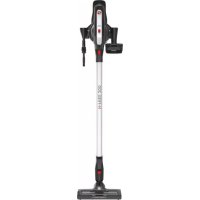
HFree 200 - Vacuum Cleaner HOOVER - Free user manual and instructions
Find the device manual for free HFree 200 HOOVER in PDF.


| Product Type | Cordless Handheld and Stick Vacuum |
| Brand | Hoover |
| Model | HFree 200 |
| Power Supply | Rechargeable lithium-ion battery, 230 V mains charger (240 V UK) |
| Charging Time | Approximately 5 hours (first charge 24 hours recommended) |
| Charge Indicator | Red LED when charging, white when charged, flashing white if battery <5% |
| Operating Modes | Standard, Continuous, Turbo |
| Main Brush | Motorized brush with roller for hard floors and soft roller for parquet (interchangeable) |
| Dust Bin Capacity | Not specified (empty after each use or when max line is reached) |
| Filtration | Mesh filter + single cyclone separator + exhaust filter |
| Included Accessories | 2-in-1 crevice tool, 2-in-1 large dusting brush for furniture, flexible deep corner crevice tool, multi-function high-reach tool, mini turbo brush, radiator tool, deep cleaning brush, accessory adapter, accessory bag, wall mount |
| Noise Level | Not specified |
| Warranty | Battery warranty 6 months; standard warranty according to retailer conditions |
| Maintenance | Empty the dust bin, wash filters and separator with warm water, dry for 24h; clean the rotating brush regularly |
| Safety | Automatic brush stop in case of blockage; non-hazardous electrostatic discharge; do not use on people/animals; do not vacuum liquids or hot objects |
| Weight | Not specified |
| Dimensions (L x W x H) | Not specified |
Frequently Asked Questions - HFree 200 HOOVER
User questions about HFree 200 HOOVER
0 question about this device. Answer the ones you know or ask your own.
Ask a new question about this device
Download the instructions for your Vacuum Cleaner in PDF format for free! Find your manual HFree 200 - HOOVER and take your electronic device back in hand. On this page are published all the documents necessary for the use of your device. HFree 200 by HOOVER.
USER MANUAL HFree 200 HOOVER
INSTRUCTIONS FOR SAFE USE
This appliance should only be used for domestic cleaning, as described in this user guide. Please ensure that this guide is fully understood before operating the appliance.
Always switch off and remove the charger from the socket before cleaning the appliance or any maintenance task.
This appliance can be used by children aged from 8 years and above and persons with reduced physical, sensory or mental capabilities or lack of experience and knowledge if they have been given supervision or instruction concerning use of the appliance in a safe way and understand the hazards involved. Children shall not play with the appliance. Cleaning and user maintenance shall not be made by children without supervision.
If the power cord is damaged stop using the appliance immediately. To avoid a safety hazard, an authorised Hoover service engineer must replace the power cord.
Keep hands, feet, loose clothing and hair away from rotating brushes. Use only the original charger supplied with the appliance.
Check that your supply voltage is the same as that stated on the charger.
This appliance is supplied with a double insulated battery charger which is only suitable for insertion in a 230V (UK 240V) socket outlet.
Plug the charger in to suitable socket outlet and connect the charger jack plug to the appliance.
When charging the appliance, the power switch lever must be in the off position.
Before first use, charge your appliance for at least 24 hours. The battery pack LED light will illuminate RED during charging and will turn WHITE when fully charged.
Re-connect the appliance to the charger after use to recharge the battery.
Never charge the batteries in temperatures above 37^ or below 0^
It is normal for the charger to become warm to the touch when charging.
Do not unplug the charger by pulling on the power cord.
Unplug the charger in the event of prolonged absence (holidays, etc.). Recharge appliance again before use as batteries may self discharge over increased periods of storage.
If the appliance is to be disposed of the batteries must first be removed. The appliance must be disconnected from the supply mains when removing the battery. Dispose of the batteries safely. Run the appliance until it stops because the batteries are fully discharged. Used batteries should be taken to a recycling station and not disposed of with household waste. To remove the batteries, please contact the Hoover Customer Centre or proceed according to the following instructions.
IMPORTANT: Always fully discharge the batteries before removal.
Run the cleaner until the batteries are completely empty.
Remove the charger jack plug from the appliance.
Press the battery pack release buttons and slide to remove. [11]
Note: Should you experience any difficulty in dismantling the unit or for more detailed information on treatment, recovery and recycling of this appliance, please contact your local city office or your household waste disposal service.
Use only attachments, consumables or spares recommended or supplied by Hoover.
Static electricity: Some carpets can cause a small build up of static electricity. Any static discharge is not hazardous to health.
Do not use your appliance out of doors or on any wet surface or for wet pick up.
Do not pick up hard or sharp objects, matches, hot ashes, cigarette ends or other similar items. Do not spray with or pick up flammable liquids, cleaning fluids, aerosols or their vapours.
Do not run over the power cord when using your appliance or remove the plug by pulling on the power cord. Do not continue to use your appliance or charger if it appears faulty.
Hoover service: To ensure the continued safe and efficient operation of this appliance we recommend that any servicing or repairs are only carried out by an authorised Hoover service engineer.
GB
Do not use the appliance to clean animals or people.
Do not replace the batteries with non-rechargeable batteries.
The Environment:
This appliance is marked according to the European directive 2011/65/EC on Waste Electrical and Electronic Equipment (WEEE). By ensuring this product is disposed of correctly, you will help prevent potential negative consequences for the environment and human health, which could otherwise be caused by inappropriate waste handling of this product. The symbol on the product indicates that this product may not be treated as household waste. Instead it shall be handed over to the applicable collection point for the recycling of electrical and electronic equipment. Disposal must be carried out in accordance with local environmental
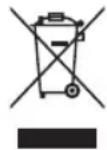
regulations for waste disposal. For more detailed information about treatment, recovery and recycling of this product, please contact your local city office, your household waste disposal service or the shop where you purchased the product.

This product complies with the European Directives 2014/35/EU, 2014/30/EU and 2011/65/EU.
CANDY HOOVER GROUP S.r.l. Via Privata Eden Fumagalli, 20861 Brugherio (MB) Italy
PRODUCT COMPONENTS
A. Wall Mount*
R. Single Cyclone
B. Wall Mount Screws*
S. Battery Pack
C. Main Body
Sa. Battery Pack Release Buttons
D. Turbo Button
Sb. Battery Pack Charging Inlet
E. Main Body Release Button
Sc. Battery Pack Charging/Discharging Led Light
F. Tube
T. Battery Pack Charger
G. Nozzle Release Button
Ua. On/Off Switch
H. Nozzle
Ub. Continuous Mode Lever
I. Agitator Release Flap
V. Exhaust Filter Release Buttons
J. Nozzle Front LED
W. Exhaust Filter
K. Brush Bar Status
X. 2 In1 Large Dusting And Furniture Tool*
La. Intense Floor Roller
Y. 2 In1 Crevice And Dusting Tool*
Lb. Deep Care Roller
Z. Mini-Turbo Nozzle*
Lc. Rear Soft Strip
AA. Accessory Adaptor*
M. Wiper Blade
AB. Radiator Tool*
N. Dust Cup
AC. Deep Cleaning Brush*
O. Dust Cup Empty Button
AD. Multi-Function Up To Top Tool*
P. Mesh Filter
AE. Long Flexible Crevice Tool+
Q. Single Cyclone Separator
PREPARING YOUR CLEANER
-
On first use, fully charge the appliance battery by connecting the charger jack plug to the battery pack. Charging time is approximately 5Hrs. The battery pack LED light will illuminate Red during charging and will turn WHITE when fully charged. [1]
-
Assemble the tube to the nozzle until you hear it "click" into place. [2a]
-
Assemble the main body unit to the tube until you hear it "click" into place. [2b]
NOTE: To remove the nozzle press the nozzle release button and pull away from the main body.
NOTE: Use only the charger supplied with your cleaner to recharge.
IMPORTANT: When charging the cleaner the switch lever must be in the OFF position. You can charge the removable battery pack also when released from the product.
It is normal for the charger to become warm to touch when charging.
- Certain Models Only
USING YOUR CLEANER
There are three working modes:
- STANDARD MODE: When you press ON-OFF switch, the cleaner is ready to clean thoroughly with the main motorised nozzle. [3a]
NOTE: Standard mode is recommended to clean hard floors and above floors. - CONTINUOUS MODE: To enable continuous mode you can pull switch lever back and it will click into place. To disable continuous mode you can push the switch lever forward. [3b]
- TURBO MODE: Press the Turbo button to fully power the product for hard cleaning tasks. [3c]
IMPORTANT: After each use of your product, please ensure to push the switch lever forward to the unlocked position. Failure to do so may result in a reduction in battery life or failure.
Intense Floor roller*: It is recommended to use on carpet which can go deep into the carpet to clean the dust.
Deep Care roller*: It is recommended to use on hard floor or delicate parquet. Thank to the soft bristles you can gently clean those type of floors.
IMPORTANT: Always switch off the cleaner before changing and cleaning the agitator.
NOTE: To fit the Roller you would like to use: [18]
- Detach the agitator release button flap. It is positioned on the lateral part of the nozzle.
- Hold the agitator release flap and pull down to remove the agitator.
- Replace with Intense Floor Roller or with the Deep Care Roller.
- Re-fit in position the agitator release flap.
BATTERY
When the battery is discharging in normal use, the battery pack LED is white. When the Battery capacity is lower than 5% , the WHITE LED light will begin to flash. [4] When this happens you should stop cleaning and immediately recharge your battery, the LED will be RED during the charging. [1] When charging the product, the continuous switch lever must be in the OFF position, it is also possible to charge the battery pack when released from the product.
NOTE: If you are not going to use the cleaner for a long period of time, please remove the battery pack from the cleaner to maintain the battery life.
WIPER BLADE ASSEMBLY
To obtain the best crevice and carpet performance, it is recommended to assemble the front and rear wiper blades to the soleplate of the nozzle.
To do this, open the agitator release flap and remove the soft strip. Then grip one wiper blade, by inserting one end into the rear slot and slide it in until fully home. Repeat these operations for the second wiper blade and slide it in the front slot. Lock the agitator release flap. [5]
SAFETY PROTECTION SYSTEM
To ensure the reliability of the product is not affected if used under arduous conditions, the product features an integrated safety protection system.
NOTE: The Safety protection system will action if the agitator has a blockage or is locked, once actioned the agitator will stop rotating, the white Led lights on the front of the nozzle will go out [6a] and the WHITE Led light on the top of the nozzle will turn red. [6b] If this happens, simply switch off your product and clear the agitator obstruction. To resume cleaning, press the on/off button and the product will restart in normal mode.
ACCESSIONS*
2in1 CREVICE & DUSTING TOOL, 2in1 LARGE DUSTING & FURNITURE TOOL, LONG FLEXIBLE CREVICE TOOL, MULTI FUNCTION UP TO TOP TOOL AND MINI TURBO NOZZLE*
The above accessories can be fitted directly into the main body unit or the tube. [7]
NOTE: To remove the nozzle or main body unit from the tube, press the respective release button and pull apart.
- Certain Models Only
RADIATOR TOOL\*/ DEEP CLEANING BRUSH\*
The accessory adaptor* must be fitted when using these 2 accessories. [7]
NOTE: The mini-turbo nozzle is ideal for deep cleaning textile surfaces (i.e. sofas) and pet hair removal. Move it steadily backwards and forwards. After using, please remove hair / threads collected on the brush with scissors if necessary.
NOTE: The long flexible crevice tool is ideal for cleaning in hard to reach areas, underneath furniture and in your car.
NOTE: The radiator tool is ideal for cleaning inside and around cabinets, radiators, couches, blinds and more.
NOTE: The deep cleaning brush is useful to clean in tight spaces without scratching surfaces, and inside your car.
NOTE: The multi-function tool is designed to easily clean delicate surfaces without scratching and all area's that are hard to access or reach. The multi-function tool is made up of three key parts:
- Crevice tool this is ideal for accessing tight spaces.
- Dusting brush is ideal for cleaning surfaces without damaging or scratching.
- Furniture Nozzle is ideal for cleaning surfaces like sofa.
ACCESSORY BAG*
Accessories can be stored in the accessory bag.
WALL MOUNT*
For storage and space saving, your appliance can be fixed to your wall using the three screws and screw plugs included. The product, 2in1 Crevice and Dusting Tool and the 2 in1 Large Dusting and Furniture Tool can be stored on the wall mount. [8]
CLEANER MAINTENANCE
Emptying the Dust Container
- Press the main body release button and remove the tube. [9]
- Press the dust cup empty button to release the bin flap and empty the contents. [10]
- Close the dust cup flap, you will hear a click when fully locked.
NOTE: It is recommended to empty the dust cup after each use or when dust is up to the max fill line.
Cleaning the Dust Container and Filter
- Press the main body release button and remove the tube. [9]
- Press the dust cup empty button to release the bin flap and empty the contents. [10]
- Close the dust cup flap, you will hear a click when fully locked.
- Press the two battery pack release buttons and remove the battery pack from the main body. [11]
- Turn the dust bin clockwise direction, align the arrow marks and remove from the main body. [12]
- Turn the mesh filter clockwise direction and remove it from the single cyclone separator. [13]
- Turn the single cyclone separator clockwise direction, align the arrow marks and remove it from the main body. [14]
- Press the two exhaust filter release buttons and remove the exhaust filter from the main body. [15]
- Wipe clean the single cyclone with a dry cloth. Wash the exhaust filter, dust cup, mesh filter and single cyclone separator in lukewarm water [16], leave to dry for 24 hours. [17] Ensure all components are fully dry before refitting to the main body.
NOTE: do not use hot water or detergents when cleaning the exhaust filter. In the unlikely event of the exhaust filter becoming damaged, fit a genuine Hoover replacement. Do not use the product without a filter fitted.
IMPORTANT: for optimum performance, always keep your mesh filter clean. We recommend that the filter should be washed at least once a month.
Changing and Cleaning the Agilator
IMPORTANT: Always switch off the cleaner before changing and cleaning the agitator.
- Detach the agitator release button flap. It is positioned on the lateral part of the nozzle. [18a]
- Hold the agitator release flap and remove the Intense Floor Roller. [18b]
- To clean the Intense Floor Roller, remove excess debris using scissors. [18c]
- To clean the Deep Care Roller, rinse with water [18d] and leave to dry for 24hrs. [18e]
- Re-fit the Deep Care Roller. [18f] The agitator can only fit in one direction.
- Close the agitator release flap to secure the Deep Care Roller in position. [18g]
Replacing the Batteries
This cleaner is fitted with a rechargeable lithium ion battery pack which is replaceable.
WARNING: only use approved replacement parts for your cleaner. Using parts not validated by hoover are dangerous and will invalidate your guarantee.
WARNING: do not try to open the battery pack and repair it by yourself.
- Certain Models Only
GB
-
Press the battery pack release buttons and slide to remove. [11]
-
Replace the old battery pack with the new battery pack.
-
Dispos of the batteries safely. Used batteries should be taken to a recycling station and not disposed of with household waste.
TROUBLESHOOTING
Should you have any problem with you cleaner, follow this simple check list before calling the Hoover Customer Service Centre:
A. Cleaner does not switch on
Check if the battery pack is charged.
Check if the battery pack is assembled in place.
B. Loss of suction or no suction
Empty the dust cup and wash the exhaust filter & mesh filter and cyclone separator.
Remove the nozzle and check for any blockages in the duct.
C. Batteries cannot be charged
This may be a result of very long storage periods (over half year).
Contact Hoover customer service to arrange battery replacement.
If the problem persists, contact the Hoover customer service center.
HOOVER SPARES AND CONSUMABLES
Always replace parts with genuine Hoover spares. These are available from your local Hoover dealer or direct from Hoover. When ordering parts always quote your model number.
YOUR GUARANTEE
The guarantee conditions for this appliance are as defined by our representative in the country in which it is sold. Details regarding these conditions can be obtained from the dealer from whom the appliance was purchased. The bill of sale or receipt must be produced when making any claim under the terms of this guarantee.
IMPORTANT: The battery in this cleaner is guaranteed for 6 months from the date of purchase. After 6 months the customer is liable for the cost of a new battery.
Subject to change without notice.
INSTRUCTIONS DE SECURITE D'UTILISATION
VEDLIKEHOLD AV STØVSUGEREN
Tome stovbeholderen
Ua. On/Off-knapp (På/av-knapp)
H. Munstycke
Ub. Spak for kontinuerligt Lage
He nCnoIb3yIte npn6op dIra c6opa ocTpbIX npedMeTOB, cnHueK, ropeyeo neIa, OKypkoB nn aHaIOrnUHbIX oBeKTOB. He paCnbIyIe Te nn He co6npaTe rOpOuNe JNkOcTn, uNCTaIne CpeDCTBa, a3pO30JI nn npOuNe napbl.
He nepeBO3nTe cBoi np6Op uepe3 npoBOd nHTaHnI He TAHnTe 3a npoBOd, BbIHmMa BnKy n3 po3eTK. He nCNoB3yJTe np6Op nn 3apAHOe yCTPOIcTB0, eCIn OHn HeNCnPaBHbl.
CepBnchna cny6a Hoover: Iy oecneueHn npoJOnKntelbHO, 6e3onacHO n 30EKTNBHO pa6Obl daHHoro 6bITOBORO 3NeKtpnp6opa IIO6oBn Bn peMOHTa peKOMeHdyETc npoN3BOINTb TOIbKO CNEuAnCTOM ABTOpN3OBAHHORO cepBnCHORO ueHTpa Hoover. He noIb3yInTeCb np6Opom Iry OuncTKn KINBOTbIX NII NIOdei.
He nCnoIb3yIte o6bIuHbIe 6aTapeu BMeCTO aKKymyIaTOPbIX 6aTapei.
Okpykaoua a cpeda:
Pnp6op Mapknpyetc cornacho Ebponecko dnepeTbe 2011/65/EC no oToxdoam 3neKtpnueckoro n3neKtpnoHHoro 6obopyoabHnra (WEE). Co6lnoa npabnla ytnin3aun daHHoro 3neKtpponp6opa, bblomoraete npedotbpaHTb BO3MOXhble otpnatelbHle nocleCTBnI dnn OkpykaOeJe cpeDbI n3dopOBb yenOBeka, KOtOpBe moNn 6bl IMeTb MeTO npn HnnpaBnHoh ytnin3aun daHHOR yctpoCTBa. KneIMo Ha daHHOM yctpoCTBE O3Haayet, YTO erho hB3a ytnin3npoBaTbkak 6bITOBble oTxObl.Ero Heo6xoIMNO DOCTABNTB B COOTBeTCTBYOUIN PnykT ytni3aun 3neKtpnueecko I 3neKtpOHHO 6obopyoabHnA. ytni3aun DoJnxHa pOBOuHTCBn C MecThbIMn npnpoDOoxpaHnteBhbIM npabnAmNo ytnin3aun oToxod.B INrnoyehn 6oJee NpObo6HO
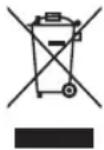
INHOpMaunno yxOyD, BocTaHOBHeNIO n nepepa6oTke daHHoro ycToPcTBa o6paTNTecb K rOpOcknM BlaCTAM, B cnYk6yYTIN3aUN 6bTOBbIX OTxOIOB INN B MaRa3IN, B KOtOpOM 6bIIO KynIeHo N3dEInE.

DAnHHbI np6Op OTBeaet Tpe6oBaHmE BpOeNcKnx DnpeKtNB 2014/35/EU, 2014/30/EU n 2011/65/EU.
CANDY HOOVER GROUP S.r.l. Via Privata Eden Fumagalli, 20861 Brugherio (MB) Italy
KOMIOHEHTbI NbJIECOCA
A. HacteHHoe KpeHneHne
B. HacteHHoe KpenneHne
C. Kopnyc
D. Typ6o-KhOnka (Turbo)
E. KhoIIka OToCoeINHeHnKOpIyCa
F. Tpyoka
G.KhONKa BbInycka HacaJOK
H. Hacaiku
I. OTKnDna 3aueJka BpaauoJceJc JTeKn
J. INHnKaToPbI B nepeDHeN YaCTn HacaKn
K. UNДИКАТОП NOLOЖЕНИУ SEТКI
La. Bānɪk Ṭŋ ἀν Μιντηκυνβοῦ yδόρκη πολa
Lb.Banuk rny6oko ounctkn
Lc.3aHmRnKa noIocA
M. Ckpe6ok ouhctnteIa
N. KoHTeHep dIa c6opa nbinn
O.KhONka n3BneueHnKoHTeHepa dny nbnn
P.CetTuatbIyΦnNbTp
Q.LKNOHHbIcenaPAtOp
R. TEXHONOTN «SINGLE CYCLONE»
S.AkkymyTTop
Sa. KhoNkO TcoeDHeHnKOMPNeKtA aKKymyIaTOPOB
Sb. 3apdHoe rHe3do kOMnneKta aKKymyIaTopa
Sc. CBeToDIOoHbI INHdNkaTOp 3apRKn/
pa3pAdkn KOMPJIeKTea aKKyMUYIaTOPOB
T. 3apdHoe yCTPOIcTBO KOMIIeKTA aKKyMylrTOPOB
Ua. IpeekIIOuateIb BkI/BblKn(On/Off)
Ub. IpeeknouaTeIb noctoHHoro pexima
V.3aueJIka BbIyckHOrO ΦnIbTpa
W. BbInyckHoi ΦnIbTp
X. 2B1 shipokaj hacda nIy nbIIN hacda nIy Me6eNn
Y. 2B1Плоскаяцелеваянасдkaинасддпьл*
Z. MHH-N-Typ60uTeKa
AA.AaanTp HacaDok*
AB. Hacaikdny ouinckpaiaatopob
AC. UeTkaIra rnybokoi oucTkn*
AD.MHOrOfoHyKUHOHaJIbHa HaCauJaIaIy BbcOKHX NObepXHoCTeN
AE.ДИИHHAIITIVKARUJIELEBAHACADAKA
IODIOTOBKA IIJIIECOCA
- Pn npB0N 3Kcnnyataun, nna nonHoro 3apra np6opa noCoeHNHTe pa3bem 3aparHoro yctpoiCTBa K KomnneKty aKKymIATOPOB. Pnp6n3ntelbHoe Bpema 3aprKn OKoIo 5 cacob CBeTOIOHbI INHdkaTOp aKKymIaTOpHO 6aTape 6ydet ropetb KpaCHbIM BO BpeMa 3aprKn n ctaHET 6bim npnONH 3aprKe. [1]
- YcTaHOBInTe HacaKy C OaHOn C TOpOHy Tpy6bI Do 3aUeKNBaHnra.[2a]
3.Приносейнгелу Корпуну nytem 3ашениваня [2b]
PIMMEAHHE: UTo6bl ydaJIbTb HacaKy HaXMITE Ha KHONKY BbIyNcKa HacADOK N BbITaHNTe ee N3 Kopnyca.
PIMMEAHNE:ДязардкИнсоль�уTeToьКоЗардhoe yctpoIcTBIO nOCTaBЯEMoe c nbIeCOCOM.
BHIMAHHE!Pn3a4nke nbIeNcOca pbyar BbIKIOuATEJI NITAHJIOJKeH HAXOINTCB NNOJOKeHH "BbIKIOUeHO".KOMnNEKT aKKyMylrTOPOB MOKHO 3apAHTb TaKKe, NOCE N3BLeueHH INx IN3 nbIeNcOca
CobepenHo HOpMaIbHo,ecn BO BpeM 3apdKn KocHybcra 3apdHoro yTcpoiCTBa,TO OHO 6yTeNlbIM.
*TOnbko y KOHNpeTHbIX MoDenei
RU
3KCNPLYATAUINIbIECOCA
CneIyouune aKceccyyapbMOxHO yCTaHOBnTB HenoCpeDCTBeHNO Ha Kopnyc nn Tpy6y. [7]
PIMMEAHHE: OTOeHHeHnHaCAdKn NnTpy6bl OT Kopnyca nbInecoca, HAKMTe COOTBETCTBYUO KHOKNy FIOKcatopa n NotaHNTe OTcoeHNReMble HaCTN B pa3Hbte CTOPOHbI.
HACADKAДЛОЧNTКI PADIATOPOB\*/JETKAДЛГNYBOKOYOHCTKN
Pn INCINb3OBaHmN 3Tnx DByx HacaDOK Heo6xoHmO yctaHaBntb nepexoHnK nI HAcdoK*. [7]
PIMMEUAHHE: Hacadka MmHHTyp6o NdeaIbHO NOxOaIT Dn8 OuCTKN TeKCTNbHBIX IOBepXHOCTe (HaNPIMep, DnBaHO) UdaJIeHHI WepCTN XINBOTbIX. PnaBHO nepeMeaTe Bnepei Ha3ad. Iocne nCNoIb3OBaHHIOHXHcAmn CpexkTe HaMOTaBUnecr HA uETKY BONOCbl HHTKN.
PIMMEUHNE: IINHHaI r6Ka HacJa Ka Ira Ie en NdealbHO NOxOHT Ira OcNCTKN TpyHNOCTyNHbIX yAcTKOB, NOI Me6BIO IN B ABTOMoHne.
PIMMEUAHNE: HacaKa IaIb6aTapeu np aHaNATOpOB ndealbHO nOxOHT dIyOcNT BHyTPn IBOKpyr 5kafoB,paNaTOpHbIX 6aTapeu,INBaHOB,KJIIO3n np.
PIMMEAHHE: LETKdIrrny6okO uHCTKn Ione3Ha npu y6opKe By3kNx npocTpaHCTbax 6e3 pUcKa nOapanaTb NOBepxHocTN, a TaKke BHYTpN ABTomo6nla.
PIMMEAHHE: MHorOfoHKnIOHOHaBHa HacaKa IpeHa3NaHeaIg OuaCTKn DeIkaTHbIX NOBepxHocTe 6e3 ZaapanH, a TaKke. DnYbOpKn B TpyHNOCTyHbIX MeCTax. MHorOfoHKnIOHOHaBHa HacaKa COCTOUT N3 Tpex Yacte:
1.HacaKa dna ueen ndealbHa Iy3kX npoctpaHCTB.
-
ⅢeTKa dny y6opkn nbln nidealbHna dny ouNCTKN NOBepxHOCTe 6e3 pNcKa nobpeDntb nll noUapanaTb nx.
-
HacaKa dJa Me6eHn IeaeJbHa dJa OuncTKn, HApnpMeP, NOBepxHocTei DnBaHa.
CUMKAДЛЯ HACADOK*
DOnOHHTeHbHbe HacaKMOxHO XpaHtB CneuaJIbHOJ CymKe.
HACTEHHOE KPEIJIeHME*
JIa 3KOHOMn MeCTa Pn XpaHeHn, Bbl MoKeTe 3aΦNKcPbTaB BaII NbIeCoc Ha CTHe PpN NOMOuNbBO BHTOB N 3aRnyweK N3 KOMJIeKTa NoCTaBKn.
NbIneoc, 1eBryHacay nra bIin 2 B 1, a TaKKe WnpoKy Hacay nra y6opKn nbIn n YnCTkn Me6en 2 B 1 MoJHO xpaHntb Ha HAcTeHHOM depKaTeene.[8]
TEXHINHECKOE OBCJNYKBAHNE NJIIECOCA
OuHCTKa nblIec6OpHnka
-
Haxmnte Ha KHonky fNKcaTopa Kopnyca n CHmnte Tpy6y [9]
-
Пижмite рьчаг onopokненя котейнера дя пыл, утобл открblтб откинHyO Кршky N Bыгузntb Mycop n3 kOtteHepa.[10]
-
3aKpOte OTKnHyIO KpbIuKy, npn 3aKpbBaHnn 3aMka BblcblWnte 1eNtOK.
PIMMEAHHE: PeKOMeHdyETcOnOpOxHrTb KOHTeHep NocIe KaXdOro IcNolb3OBaHNn IIN npEero 3aONHeHN.
Ouactute nbinec6opnK n nnbtp
- Haxmnte Ha KHONky fNkCaTopa KOpnyca n CHmnte Tpy6y [9]
- ПпжмITE рьчар onopokненя котейнера дя пьл,在у OTkpblb OTknHky IN Bbyrpy3ntb Mycop n3 KOHTeHepa.[10]
- 3akponTe OTKnHyIO KpbIky, npn 3aKpbIBaHmN 3aMka BblcblWnte 1eLQK.
- HaxmTe Ha DBe KhoKcauN 6JIOka aKKyMnyTOpOB u N3BneKeTc 6nOK n3 Kopnyca. [11]
- NObepHnTe nbIeSc6OpHNk no YacOBON CTpeNke, BbIPoBHNte NO MeTKaM IN 3BNeKIne NT KOpnyca nbIeNoCocA. [12]
- NObepHnTe cetatbI ΦnBtpr no yacobOu CTpeKe n 3BLeKnte ero n3 zukloHoro nbineynobTena.[13]
- ПовернITE сиклньпьлесборнк NO усobог CTpenke, BBipOBHЯITE NO MEtKam IN 3BNeKITE N3 KOPnyca nbinecoca. [14]
- Haxmnte Ha DBe KOnKn 0Kcaun BbIXnonHoro 0nIbTp a N3BnEknTe 0nIbTp n3 Kopnyca nbinecoca. [15]
- OuHCTnTe UKNOHHb Nblnc6OpHc cyxO TKAhBIO. NOMoTBe BInyckHO fNtBp, Nblnc6OpHk, TkaHeBBI fNtBtp IN KIOHHb NblneYIOBNTeB TtenNo Boe [16], oCTaBBte COXHyTB TeueHne 24 Yacob. [17] Y6eINTecb, YTO BCE DeTann IONHOCTbIO BbICOXIN, npExke HeM BCTaBJIbTx Bx B Kopnyc bnlncocca.
PnIMeAHHe: He noIb3yItebc ropeen BDOOn Nm MOUoMm CpeCTBaMn npn ouNCTKe BblNyckHoro fInnbTpA. B cnyae nobpeJeHHa BblNyckHoro fInnbTpA nCpONb3yIte dnn 3ameHb tonbKO opunHaBhBn fInnbTp Hoover. He nCnoIb3yIte npu6op 6e3 fInnbTpA.
*ToIbKOy KOHKeTbIX MoJeNei
BHUMAHNE!IgIe30fekTbHOB pa6oBtI PbIEcOcA cIeIte, YTO6bI ceTaBtI fNtBtp BcERda 6bI qIcTBIM. Mbl peKOMeHnyem, npBOOHTb npMbIKy fNtBtpa3B MecaI.
3aMeHa N ouHCTKa BpaAioUeIcra Tck
BHIMAHHE! Peped 3aMeHOn nnn OunchKo Bpaauouee CnTkn Bcerda OTKnOuaTe np6op ot cetn.
- OToeHNHtB OTKnHyIO 3aueKny BpaauoueinC 7etKn OHa paononoKeHa B6okOBou qactn conla. [18a]
- YdepKnBaIte 3aueJky fNkcaun BpaauoueiC JETKN CHIMNTe BAUN HHTEHCBHOYNCTK NOJa.[18b]
3.ДЯ OYHCTKN HHTEHCBHORO HANONBHO rPOJNA ydaJIte N3NIMHm MYCOP C NOMOUBIO HOXHNU.[18c]
4.ДЯ OUHCTKPOJINKA Tny6OKO OUHCTKNI POMOHTe BOOn [18d] n OCTaBbTe cyuNTbcn Ha 24 Yaca.[18e] - YctahOBHTe BaINK rpy6okO uOuCTKN Ha MeTO.[18f]CmecNTenb MoXHO yCTaHaBnBaTb TOnbKO B ODNHOM HApabHeHN.
- 3aKpOte 3aueKny fHKcaunn BpaauioeIcR 1eTK nIy fHKcaunn BaIINa rpy60KO uOncTkn. [18g]
3aMeHa 6aTapei
Tbinecoc ndt B KOMnIeKTe C 3apKaembIMOn JInTN-NOHHbIM aKKMyJrTOpOM, KOtOpBm MOxET 6bITb 3aMeHe.
BHUMAHNE: Nolb3yntcB Toblko YTBepxdeHHbIM 3aNaChbIM qactm nBaWero nbineocca. IcNoIb3oBAHne 3aNaChbix TaCTe, KOToPbIE He Odo6pehBi KOMnAHeM Hoover, RaJIeTcR oNaChbIM n PnBeTeK aHHynPoBAHIO BaWe rapaHTM.
BHIMAHHE:He nbitaTaeB BCKpbBaTb aKKyMylTOP n pmoHTnPOBaTb erO cAmoCTOrTeNbHO.
- Haxmte Ha KJIaBnUy fKcaun 6noka 6aTapeu N BbHbTe 6nok n3 yctpoiCTBa.[11]
- 3aMeHInTe CTapbIK KOMIIeKr AKKyMnyTOpOB Ha HObI.
- Co6IIOaIte npabina TexnIK 6e3oNacHocT npy ytni3aunn akkMyIaTOPOB. IcnoIb3ObaHHbIe aKkmyIaTOpbl Heo6xOIMO cdaBaT B CneuaJIbHbI pyHK TnpMeHa Hc MeuINBaT C o6bUHbIM 6bITOBbIM NTXODAM.
IIOUCKN UYCTPAHEHNE HENCIPABHOCTEIN
Ecni y Bac ectb kaKeI-16o npOBeMbl c nbInecocom, noXaanycta, BblOnHnTe npOCTyIO npOBepKy neped 3BOHKOM B ceHTp o6cJyKuBaHn KnneHtOB KOMNaHH Hoover:
A. ΠbIeCoc He BkIouyaeTc
Y6eHNTecb, yTO KOMnJIeKt aKKyMnyTOpO B3apJxKeH.
PpOBepeTe, npaBnIbHO nYcTaHOBJIeH aKKMyJrTop.
B. NToTepe BcacbHaHn mHe BcacbHaHne
OuHTe KOHTeHep dIa c6opa nI npOMTe BbInyckHO fNtP, cTeaTbI fNtBtp I uKNOHHbI bJIeynOBtEn.
CHMNTe Hacaiky n npoBepbTe WnHaHr Ha 3aKynOpKn.
C.AKKymyIaTOp He 3apxkaTe
Takoe MoKet cnuyntbcB pe3yIbTaTe dIITeHoro npocToR (6onee nolyroda).
CBAKNTecb c eHTpOM o6cnykuaHn KIneHToB Hoovr dna opraHn3aun 3aMeHb aKKymyIaTopa.
Ecn npo6nema He ycTaHa, o6paTneB v ceHtp o6cyKbAHnKaMeHTOB KmnaHn Hoover.
3APACHbIE YACTN IN PACXODHbIE MATEPNAJIbIK IIbIECOCAM HOOVER
Pn 3aeme He cacte nncnohbyte TolkbO opinnaHbIbe 3anaChble qactn npacxohbe MaepnaHbI KOmnaHn Hoover. Xx MoKHO npNo6pcty y BaWero MeCTHoro dnilepa KOMNAHn Hoover nn HnocpeDCTBeHHo B KOMNAHn Hoover. Pn ofoPMneHN zaka3a Ha 3anaChble qactn O83aTeNbHO yKa3bBaIte HOpem moen nbIneCoca.
BAUATAPAHTR
YcnoBra rapaHTm Dn daHnHO 6bTOBOr eNektpueckoro npnbopa onpepeJIOCT haWM npedctabntbCTBOM B TOI CTpaHe, B KOTopo 3OT eNekTPOnpBop 6bl kynneH. Bolee noDpo6HyIO INphiOpMaUIO 06 3TNX ycNoBnx Bbl MOKeTe NOnyUHTb OT Haewero dInepa. Pn npdeBraeHHn pteEh3n NO ycNOBMA DaHHbx rapaHTnHbIX 68aTeJIbCTB Heo6xOIMo npedbABNTb Yeknn KBtAHuio Ha npodaHHb TOBap.
BHUMAHNE! Ha akkymnyaTOpbl, yCTaHOBHeHbE B 3OM nbIEcOe, npeoCTabnEeT rapaHTnC pOKOM Ha 6 mecuEB c daTbI nOKynk. IIO nCTeuHne 6 MecuE b NOKyNaTeB npno6peTaet HOBle akkymnyaTOpbl 3a CBOI cuET.
I3MeHHeMOryT 6bItb BHeceHb6e3 npEaBapntelbHO rYbeOMHeHr.