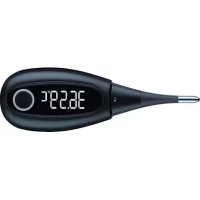
OT 30 - Thermometers BEURER - Free user manual and instructions
Find the device manual for free OT 30 BEURER in PDF.



User questions about OT 30 BEURER
0 question about this device. Answer the ones you know or ask your own.
Ask a new question about this device
Download the instructions for your Thermometers in PDF format for free! Find your manual OT 30 - BEURER and take your electronic device back in hand. On this page are published all the documents necessary for the use of your device. OT 30 by BEURER.
USER MANUAL OT 30 BEURER
Read these instructions for use carefully and keep them for later use, be sure to make them accessible to other users and observe the information they contain.
Thank you for choosing one of our products. Our name stands for high-quality, thoroughly tested products for applications in the areas of heat, gentle therapy, blood pressure/diagnosis, weight, massage, beauty, air and babycare.
With kind regards,
Your Beurer team
Table of contents
- Signs and symbols 36
- Intended use 39
- Important safety notes 39
- The basal thermometer 44
- Initial use 45
- Measuring your basal temperature 48
- Battery replacement 55
- Cleaning the device. 56
- Storage and disposal 57
- Error messages 58
- Technical data. 59
12.Ovy app. 62 - Warranty and service.. 65
Included in delivery
- 1 x basal thermometer
- 1 × protective cap
- 1 × 3V button cell battery CR 2032
- 1 x set of these instructions for use
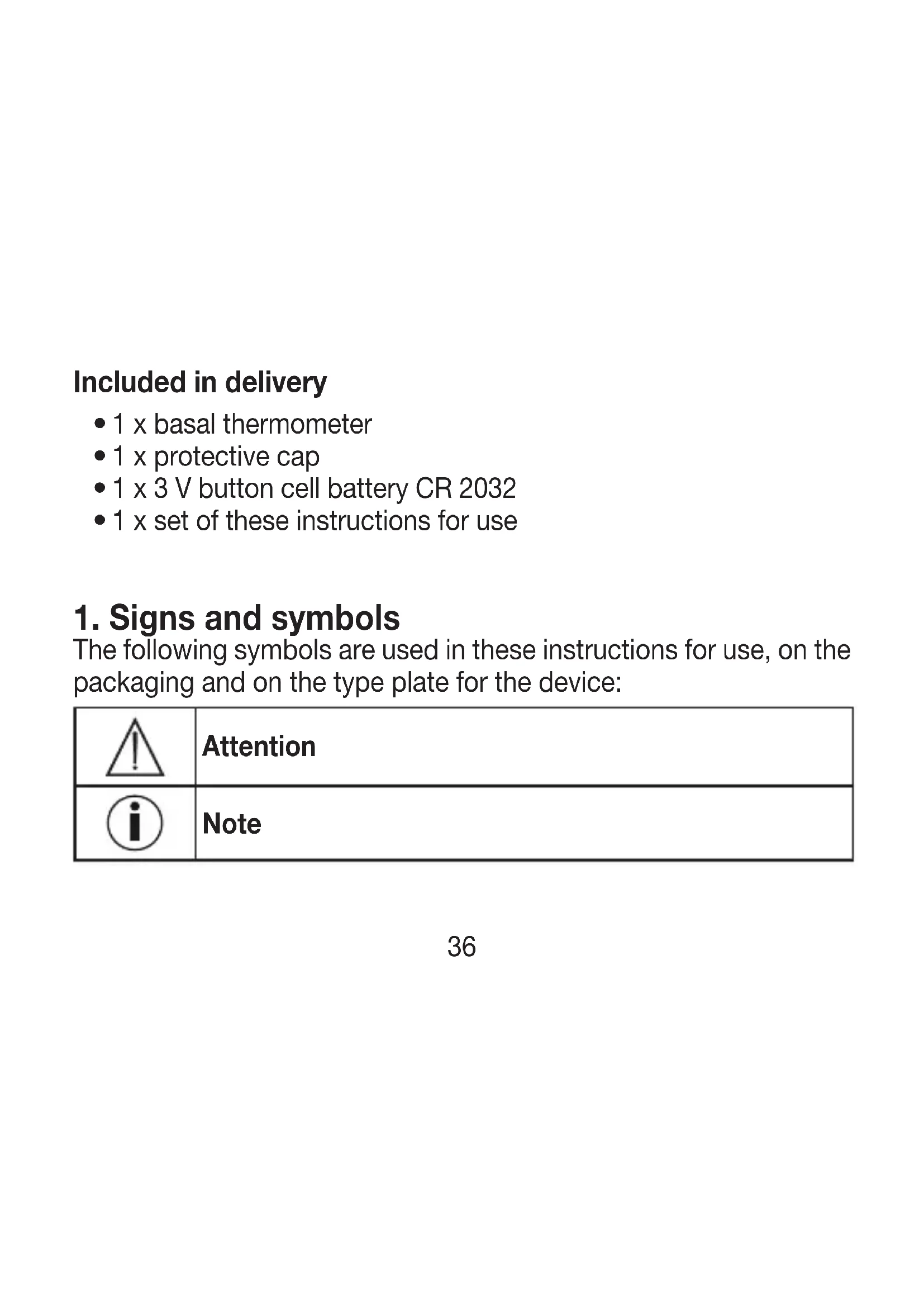
1. Signs and symbols
The following symbols are used in these instructions for use, on the packaging and on the type plate for the device:
| Δ | Attention |
| i | Note |
| Observe the instructions for use | |
| Application part, type BF | |
| Disposal in accordance with the Waste Electrical and Electronic Equipment EC Directive – WEEE | |
| Manufacturer | |
| EC|REP | European Authorised Representative for manufacturers of medical devices |
| IP 64 | Dust-proof and protected against splashes from all directions |
| SN | Serial number |
| Storage/Transport | Permissible storage and transport temperature and humidity |
| Operating | Permissible operating temperature and humidity |
| CE0197 | The CE labelling certifies that the product complies with the essential requirements of Directive 93/42/EEC on medical devices. |
| PAP | Dispose of packaging in an environmentally friendly manner |
2. Intended use
The basal thermometer is a special digital thermometer designed to measure the basal temperature in women of childbearing age. The maximum temperature measured with the sensor is saved until the next measurement. Entering the measurements in the Ovy app enables fertile and non-fertile days in the cycle to be predicted, as well as periods.
3. Important safety notes
To make optimum use of all the benefits of the thermometer, read the instructions for use carefully before initial use, retain them for future use and make them available to other users.
- The thermometer is intended for the measurement of human body temperature only.
-
The thermometer is only designed for the measuring area on the human body stated in the instructions for use.
-
Do not leave children unattended with the device.
- This thermometer is not a contraceptive.
- Check the thermometer for signs of damage or wear before each use. If the thermometer is damaged or worn, it must no longer be used.
- The minimum duration of measurement until the acoustic signal must always be observed. Discuss the measured values with your doctor.
- The thermometer contains delicate electronic components. It should therefore be protected against impacts, bending, high temperatures and direct sunlight.
- The device is suitable for use in all environments listed in these instructions for use, including domestic environments.
-
The use of the device may be limited in the presence of electromagnetic disturbances. This could result in issues such as error messages or the failure of the display/device.
-
Avoid using this device directly next to other devices or stacked on top of other devices, as this could lead to faulty operation. If, however, it is necessary to use the device in the manner stated, this device as well as the other devices must be monitored to ensure they are working properly.
- Keep portable RF communication devices (including peripheral equipment, such as antenna cables or external antennas) at least 30~cm away from all device parts, including all cables included in delivery. Failure to comply with the above can impair the performance of the device.
- This thermometer features a flexible measuring tip and therefore provides more comfort and safety during measurement. Do not bend the tip more than 90^ .
-
Operation in the vicinity of strong electromagnetic fields, for example next to a mobile phone, may cause malfunctions.
-
The thermometer conducts a self-test when you switch it on. There is no need to check the measurement accuracy.
- Influencing factors such as alcohol consumption and unusual body signals such as fever, disrupted sleep, your mood or out-of-theordinary physical activity may also distort your basal temperature and make it unusable for evaluation.
- If you obtain unusual temperature results, please contact your doctor straight away.
- This device meets the requirements of the EU Directive 93/42/EEC concerning medical devices, as well as those of the Medizinproduktegesetz (German Medical Devices Act), the European Standard EN 12470-3: Clinical thermometers - Part 3: Performance of compact electrical thermometers (non-predictive and predictive) with maximum device and the European Standard EN 60601-1-2 (in accordance with IEC 61000-4-2, IEC 61000-4-8), and is subject to particular precautions with regard to electromagnetic com
patibility. The device is suitable for use in all environments listed in these instructions for use, including domestic environments. Please note that portable and mobile HF communication systems may interfere with this device.

Notes on handling batteries
- If your skin or eyes come into contact with battery fluid, rinse the affected area with water and seek medical assistance.
- Choking hazard! Small children may swallow and choke on batteries or the battery compartment. Store batteries out of the reach of small children.
- Observe the plus (+) and minus (-) polarity signs.
- If a battery has leaked, put on protective gloves and clean the battery compartment with a dry cloth.
- Protect batteries from excessive heat.
-
Risk of explosion! Do not throw batteries into a fire.
-
Do not charge or short-circuit batteries.
- If the device is not to be used for a relatively long period, take the batteries out of the battery compartment.
- Use identical or equivalent battery types only.
Always replace all batteries at the same time. - Do not use rechargeable batteries.
- Do not disassemble, open or crush the batteries.

4. The basal thermometer
5. Initial use
Remove the battery isolation strip
A battery is included in delivery with your thermometer. It has already been inserted into the thermometer.
In order to use the thermometer for the first time, you must first remove the battery isolation strip on the battery compartment cover. In order to remove the battery isolation strip, you must first open the battery compartment cover by twisting it anti-clockwise using a coin. Then remove the battery isolation strip. Then close the battery compartment cover by twisting it clockwise using a coin until you feel it click firmly into place. The thermometer is now ready for use.
Connecting the thermometer with a smartphone
The thermometer can be connected with the free Ovy app. In this manner, you can document your entire cycle and keep an eye on it using your smartphone.

Before initial use, you have to connect the thermometer with the Ovy app in order to synchronize the time. You can find further information about the Ovy app in the "12. Ovy app" section on page 62.
Before you can transfer your measurements to your smartphone, you first have to connect the thermometer with the smartphone. Proceed as follows:
- Download the free Ovy app from the Apple App Store (iOS) or from Google Play (Android™).
2 ActivateBluetooth® on your smartphone. -
Open the Ovy app on your smartphone.
-
Press the on/off/measure button on the thermometer in order to switch it on.
- Press the on/off/measure button again in order to access the measurement memory.
- Follow the instructions in the Ovy app. Once the Ovy app is connected with the thermometer, a six-digit numerical code appears in the display of the thermometer.
- Enter the six-digit numerical code in the smartphone. The thermometer is now connected with your smartphone.

You can only set the temperature unit and thermometer tone via the Ovy app.
6. Measuring your basal temperature
Take your temperature at the same time, as soon as you wake up and before you get out of bed. You should have slept for at least 4 hours before the measurement. If you have slept for less than 4 hours before the measurement, enter the amount of sleep you have had in the Ovy app or activate "Disrupted sleep". Do not eat anything before the measurement and avoid physical exertion.
You can take oral, rectal or vaginal measurements, but you should always take the measurements in the same place in a cycle. We recommend taking the measurement under your tongue with your mouth closed.
The thermometer should not be changed during the cycle. If you change the thermometer during the cycle, you must also note it as a disruption, just like a change to the place of measurement. For this cycle, a reliable evaluation is then no longer guaranteed.
-
Remove the protective cap from the measuring tip. In order to switch on the thermometer, press the on/o /measure button. A short acoustic signal confirms that the device is switched on. The thermometer first conducts a self-test for approx. 2 seconds. All segments of the display are visible during this time.
-
The last measurement then appears. Then the measurement symbol "°C" flashes and "Lo" is shown on the display. The thermometer is ready for use.


- Close your mouth and breathe calmly through your nose so that the air from your breathing does not influence the measurement. During measurement, the display is switched off to save the battery and the LED ring flashes slowly. Measuring ends when a stable temperature is reached. An acoustic signal sounds and the measured temperature value is shown.

4.IfBluetooth® is activated on your smartphone and your smartphone is in range, the measurement is transferred to your smartphone immediately after completion of the measurement. During data transfer, the LED ring on the thermometer lights up blue. Once the data transfer has been successfully completed, the LED ring flashes twice.

If you want to transfer the measurements at a later point in time, you have to switch to the thermometer's measurement memory.
- The measurement duration is 3 minutes. Once the measurement is completed, the acoustic signal sounds. Please always wait until the end of the measurement before you remove the thermometer from the place of measurement. The last 30 measured values remain saved. The device switches off automatically around 30 seconds after the end of the measurement. You can also switch off the thermometer before this time by pressing the on/off button.
Memory
The thermometer has 30 memory spaces for measurements. The memory menu cannot be opened during data transfer.
-
In order to access the memory menu, press the on/off button to switch on the thermometer. After the self-test, briefly press the on/off button again. The thermometer now sends measurements to your smartphone. During data transfer, the LED ring on the thermometer lights up blue. Once the data transfer has been successfully completed, the LED ring flashes twice.
-
The measurement is displayed during data transfer. After data transfer, the memory space number first appears in the display and then the relevant measurement.

- In order to navigate between the saved measurements, repeatedly press the on/off button briefly. In order to leave the memory menu again and switch off the device, press and hold the On/Off button for three seconds.
7. Battery replacement
-
Replace the battery when the battery status indicator appears on the display:
-
Open the battery compartment cover by twisting it anti-clockwise with a coin.
-
Remove the battery compartment cover.
-
Remove the flat battery from the battery compartment.
-
Insert a new battery (type 3 V CR 2032) with the + symbol facing upwards.
-
Place the battery compartment cover back onto the battery compartment.
-
Close the battery compartment cover by twisting it clockwise using a coin until you feel it click firmly into place.

Empty, completely flat batteries must be disposed of through specially designated collection boxes, recycling points or electronics retailers. You are legally required to dispose of the batteries.
The codes below are printed on batteries containing harmful substances: Pb = Battery contains lead, Cd = Battery contains cadmium, Hg = Battery contains mercury. This battery contains: Pb , Hg .

8. Cleaning the device
- Clean the basal thermometer with a soft, clean cloth before and
after each use. - In the case of stubborn stains, you can clean the basal thermometer with a cloth dampened with water or a neutral cleaning agent. Then dry the basal thermometer with a soft, dry cloth.
- You can also disinfect the basal thermometer with 75% ethanol or isopropyl alcohol diluted with water. To disinfect, do NOT dip the
measurement sensor (tip of the basal thermometer) in alcohol or hot water (≥ 50^ / 122^)
- In order to prevent damage to the basal thermometer, do not use benzene, petrol or other strong thinners and solvents for cleaning.
- Do NOT sterilise the basal thermometer by boiling, with gas or with an autoclave.
9. Storage and disposal
Please store the thermometer in the original protective cap when it is not in use.
The accuracy of this thermometer has been carefully checked and it has been developed with a long service life in mind. If the device is used for commercial medical purposes, it must be regularly tested for accuracy by appropriate means. Precise instructions for checking accuracy may be requested from the service address. For environmental reasons, do not dispose of the device in the household waste
at the end of its service life. Dispose of the device at a suitable local collection or recycling point in your country.
Dispose of the device in accordance with EC Directive - WEEE (Waste
Electrical and Electronic Equipment). If you have any questions, please contact the local authorities responsible for waste disposal.

10. Error messages
| Lo°C | The measured temperature is below 32.00°C and is therefore outside the measurement range. |
| H°C | The measured temperature is above 43.99°C and is therefore outside the measurement range. |
| Err | System error. Switch the device off and wait one minute. Then switch the device on again. If the error message continues to appear, please contact the customer service department. |
| The battery is flat. Replace the battery. |
11. Technical data
| Type OT30 | |
| Measurement range 32.00°C - 43.99°C | |
| Measurement accuracy | ±0.05°C between 35.00°C and 38.00°C at an ambient temperature of between 18°C and 28°C, ±0.1°C outside of this measurement and temperature range |
| Display OLED display with 5 digits | |
| Storage and transportation conditions | Temperature -20°C – +55°C Rel. humidity 15% – 95% 700 – 1060 hPa ambient pressure |
| Operating conditions Temperature 5°C – +40°C Rel. humidity 15% – 95% 700 – 1060 hPa ambient pressure | |
| Battery Button cell type | 3 V CR 2032 |
| Duration of measurement | 3 minutes |
| Service life to be expected | 5 years |
| Battery life 160 measurements | |
| Data transfer 2402 MHz | -2480 MHz frequency band Max. 2.8 dBM transmission power The thermometer uses Bluetooth® low energy technology Compatible with Bluetooth® ≥ 4.0 smart-phones/tablets List of compatible devices: |
The serial number is located on the device or in the battery compartment.
We hereby guarantee that this product complies with the European RED Directive 2014/53/EU. The CE Declaration of Conformity for this product can be found at: https://www.beurer.com/web/we-landing-pages/de/cedclarationofconformity.php
12. Ovy app
The Ovy app is free for iOS and Android™
The Ovy app enables you to record your entire cycle and keep an eye on it at any time on your smartphone. Ovy is designed for women who want to have children. The app is available to download for free in the Apple App Store (iOS) or from Google Play (Android™). The Ovy app is a certified Class 1 medical device.
System requirements iOS ≥ 10.0, Android™ ≥ 5.0, Bluetooth® ≥ 4.0 List of compatible devices:

How does Ovy work?
The Ovy app works out your cycle automatically, without pen and paper. This includes your period, ovulation and your fertile and non-fertile windows. To do this, take your temperature when you wake up in the morning and enter this value in the Ovy app. You should ideally start recording this on the first day of your period; i.e. the first day of your menstrual cycle. However, you can also start recording on any day in your cycle. To make the prediction even more accurate, add other body signals each day. It is important that you record when potential external temperature influences such as a fever, consumption of alcohol or a lack of sleep have occurred.
You can also enter your basal temperature, body signals and influencing factors at a later time, but the temperature measurement should have been taken on the relevant day.
The Ovy app is based on a self-learning algorithm. This means that the more often you enter your basal temperature, the more accurately Ovy will be able to predict your fertile days and your next period.
Do you have any questions about the Ovy app?
The Ovy team is on hand to help in such cases and you are welcome to e-mail us at hello@ovyapp.com. The Ovy app also has a contact function in your profile, which you can also use to send us your questions and feedback directly. The Ovy website and the information sections in the app already offer some answers and diverse background information about your cycle.
Website: www.ovyapp.com • Contact: hello@ovyapp.com Facebook: Ovy • Instagram: @ovyapp • Twitter: @ovyapp
13. Warranty and service
In case of a claim under the warranty please contact your local dealer or the local representation which is mentioned in the list "service international".
In case of returning the unit please add a copy of your receipt and a short report of the defect.
The following warranty terms shall apply:
- The warranty period for BEURER products is either 5 years or - if longer - the country specific warranty period from date of Purchase.
In case of a warranty claim, the date of purchase has to be proven by means of the sales receipt or invoice.
-
Repairs (complete unit or parts of the unit) do not extend the warranty period.
-
The warranty shall not be valid for damages because of
a. improper treatment, e.g. nonobservance of the user instructions.
b. repairs or tampering by the customer or unauthorised third parties.
c. transport from the manufacturer to the consumer or during transport to the service centre.
d. The warranty shall not be valid for accessories which are subject to normal wear and tear (cuff, batteries etc.).
- Liability for direct or indirect consequential losses caused by the unit are excluded even if the damage to the unit is accepted as a warranty claim.
FRANÇAIS

OctaIIncb BOpocbl O npiloxeHn Ovy App?
Pa3pa6oTuKn Ovy App K BaUIM yCnyram n rOToBbI OTBeTntb Ha BaUIN BOpocbI no aDpecy hello@ovyapp.com. B BaUem npoΦnJIe
Ovy App taKxe ecTb BknaIka dIra o6paTHoC8a3n. C ee nOMoIbIO Bbl moXeTe Hapmyu 3aDaBaTb BOpocbl N OCTaBJIaTb OT3bIBbl. Ha caIte Ovy I B INΦopMaZIoHNoHOB KkIadKe npINOJxHeNBA yXe ceIyac MoXeTe HaITN OTBeTbI Ha MHOrne BOpocbl, a TaKxpe Ba-30BbIe cBeDeHnA O BaWeM MeHCTpyaJIbHOM ZIKNe.
CaiT: www.ovyapp.com • Θл. пота: hello@ovyapp.com
Facebook: Ovy • Instagram: @ovyapp • Twitter: @ovyapp
13. rapaHTnI o6cLyXKBaHne
The Bluetooth® word mark and logos are registered trademarks owned by Bluetooth SIG, Inc. and any use of such marks by Beurer GmbH is under license. Other trademarks and trade names are those of their respective owners.
Apple and the Apple logo are trademarks of Apple Inc., registered in the U.S. and other countries. App Store is a service mark of Apple Inc., registered in the U.S. and other countries.
Google Play and the Google Play logo are trademarks of Google LLC.
Android is a trademark of Google LLC.
Distributed by: BEURER GmbH • Söflinger Str. 218 • 89077 Ulm (Germany)
Medical Device Safety Service GmbH
Schiffgraben 41
30175 Hannover
Germany

JOYTECH Healthcare Co., Ltd.
No. 365, Wuzhou Road
Yuhang Economic Development Zone
Hangzhou City
311100 Zhejiang
P.R.C.
C E 0197