EasyManual
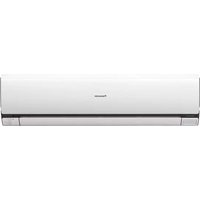
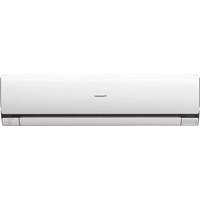
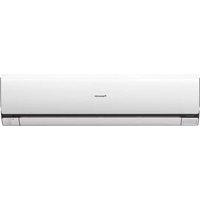
WHUD07JE5 - Air-conditioner PANASONIC - Free user manual and instructions
Find the device manual for free WHUD07JE5 PANASONIC in PDF.



| Technical Specifications | Details |
|---|---|
| Device Type | Air Conditioner |
| Cooling Capacity | 7 kW |
| Energy Class | A++ |
| Noise Level | 45 dB(A) |
| Dimensions (W x H x D) | 800 x 290 x 230 mm |
| Weight | 35 kg |
| Refrigerant Type | R32 |
| Additional Features | Dehumidification, eco mode, remote control |
| Installation | Professional installation recommended |
| Maintenance | Filters to be cleaned regularly, annual check by a professional |
| Safety | Overload protection, safety switch |
| Warranty | 2 years |
| General Information | Ideal for spaces up to 70 mb2 |
Frequently Asked Questions - WHUD07JE5 PANASONIC
Questions des utilisateurs sur WHUD07JE5 PANASONIC
0 question sur cet appareil. Repondez a celles que vous connaissez ou posez la votre.
Poser une nouvelle question sur cet appareil
Download the instructions for your Air-conditioner in PDF format for free! Find your manual WHUD07JE5 - PANASONIC and take your electronic device back in hand. On this page are published all the documents necessary for the use of your device. WHUD07JE5 by PANASONIC.
USER MANUAL WHUD07JE5 PANASONIC
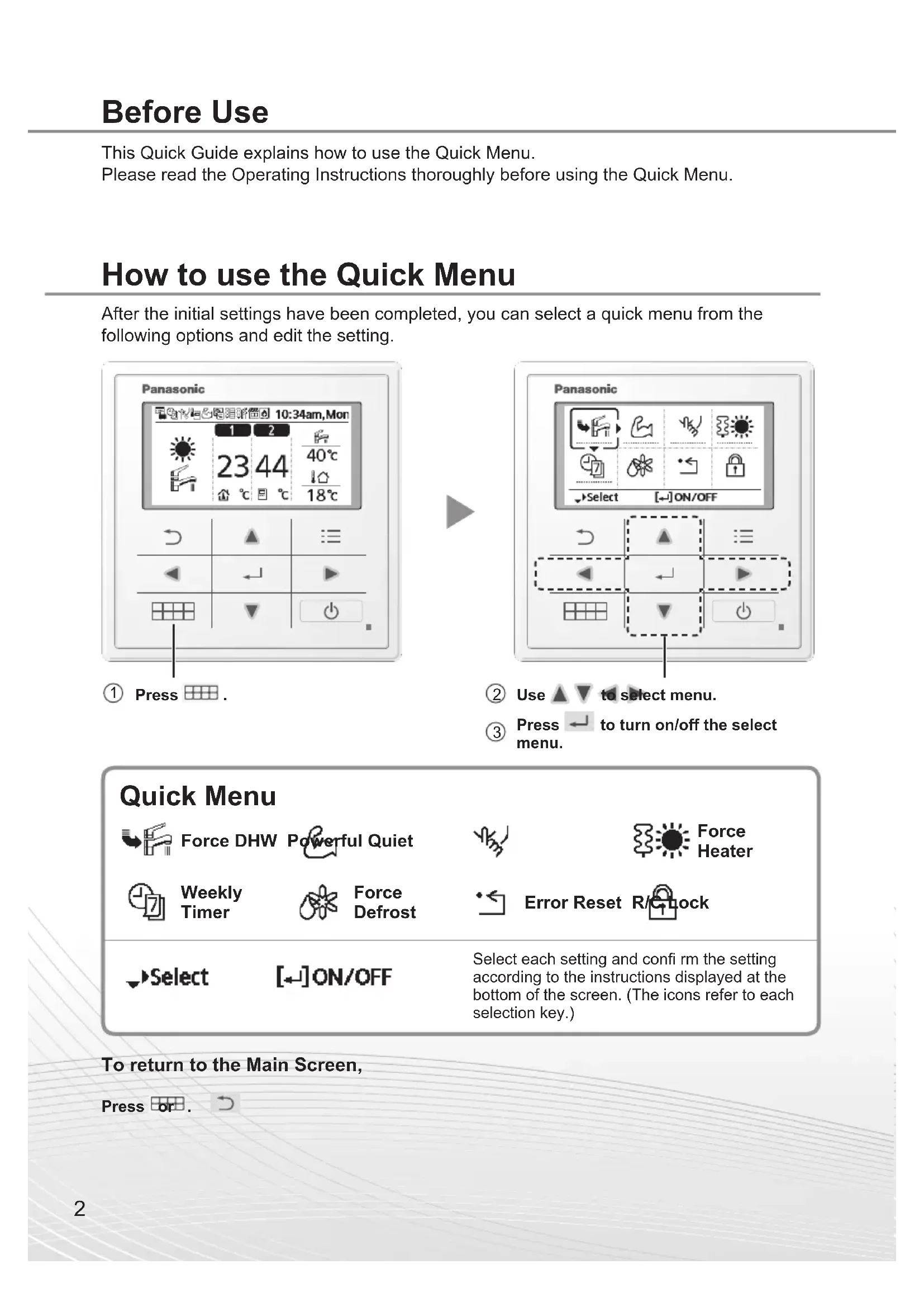
WH-UD09JE5* ACXF55-247602 This Quick Guide explains how to use the Quick Menu. Please read the Operating Instructions thoroughly before using the Quick Menu. Before Use How to use the Quick Menu After the initial settings have been completed, you can select a quick menu from the following options and edit the setting. Select each setting and confi rm the setting according to the instructions displayed at the bottom of the screen. (The icons refer to each selection key.) Quick Menu Force DHW Powerful Quiet Force Heater Weekly Timer Force Defrost Error Reset R/C Lock
Use to select menu. Press to turn on/off the select menu. To return to the Main Screen, Press or .3 How to use the Quick Menu Notes on operation icon Example:• Operation icon indicate with “ ” = OFF• Operation icon indicate with “ ” = ON Select this icon to turn the Tank DHW on or off. Press to confi rm your selection.
- Force DHW is turned off.• Force DHW is turned on. ■ Note:
- Force DHW is disabled when Force Heater is turned on.• When Force DHW is turned off, operation & mode should change back to the previous memorized status. Force DHW Select this icon to operate the heating/cooling system powerfully. Press to confi rm your selection. (The powerful operation starts approximately 1 minute after is pressed.)• Powerful mode is set off.• The Powerful mode operates for 30 minutes.• The Powerful mode operates for 60 minutes.• The Powerful mode operates for 90 minutes. ■ Note:
- Powerful is disabled when operation is turned OFF. Powerful English4 Select this icon to operate quietly. Press to confi rm your selection. (The quiet operation starts approximately 1 minute after is pressed.)• Quiet mode is set off.• The Quiet mode operates at level 1.• The Quiet mode operates at level 2.• The Quiet mode operates at level 3.Level 3 is the most quiet mode.• Select this to set a timer for the Quiet mode operation.After 1 sec delay. Quiet Select “Yes”.• Select “Yes” using buttons.Select pattern “1” ~ “6”.Select “Edit”.• If you select “Delete”, the timer setting of the selected pattern will be deleted.Set the hour and minutes.Select the level of Quiet. ■ Note:
- If the time overlaps with another pattern, “Set time is overlapped!” will appear on the screen. How to use the Quick Menu5 Select to force the Heater on. Press to confi rm your selection. (The Force Heater mode starts approximately 1 minute after is pressed.)
- Force Heater is turned off.
- Force Heater is turned on. ■ Note:
- Force Heater is disabled whenever operation is already on and “Disabled due to operation ON!” will be displayed. Force Heater English6 Select this icon to delete (cancel) or change the pre-set Weekly Timer. Press to confi rm your selection.
- Timer is not ON.• Timer is set.After 1 sec delay. Weekly Timer Select “Yes”.• If you select “No”, the screen will return to the Main Screen.• Timer setup: Select Timer setup to edit the Weekly Timer.• Timer copy: Select to copy a timer setting.[Example of a Timer setup]Select the day(s) which you wish to edit using buttons.If all 6 patterns are not preset, this screen will be displayed.1 2 3 4 5 61 Select pattern “1” ~ “6”.2 Set the hour and minutes of the Timer.3 Select ON/OFF of the Timer.4 Select the operation mode. / / / / / / • Select mode using buttons. Set the temperature for both Zone 1 and 2 (if your system has the 2-Zone setting).6 Set the Tank temperature. ■ Note:
- Timer is disabled when Force Heater is turned on or Heat-Cool SW is enabled.• If you have preset the Weekly Timer on 2 zones, you must repeat the same procedure with Zone 2. How to use the Quick Menu7 Select to defrost the frozen pipes. Press to confi rm your selection. (When the mode is accepted, below screen will be displayed.) Force Defrost Select to restore the previous settings when error has occurred. Press to confi rm your selection. (When the mode has been accepted, below screen will be displayed.)
- Make sure all units are turned off before selecting this mode which restores the whole system to the previous settings. Error Reset Select to lock the Remote Controller. Press to confi rm your selection. (When the mode has been accepted, below screen will be displayed.) Select “Yes”. (The Main Screen will be locked.)