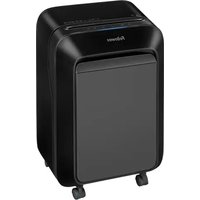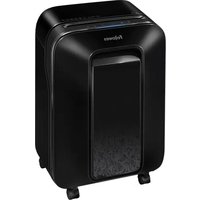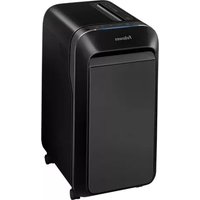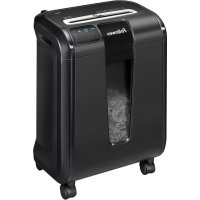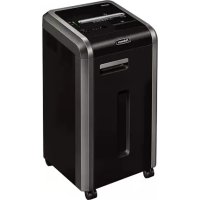
Powershred 225Mi - Shredder FELLOWES - Free user manual and instructions
Find the device manual for free Powershred 225Mi FELLOWES in PDF.



| Product Type | Micro-cut document shredder |
| Brand | Fellowes |
| Model | Powershred 225Mi |
| Cut type | Micro-cut, 2 mm x 12 mm |
| Shred capacity (70g paper) | 18 sheets per pass |
| Shred capacity (90g paper) | 14 sheets per pass |
| CD/credit card capacity | 1 CD or card per pass |
| Insertion slot width | 240 mm |
| Power supply | 220-240 V, 50 Hz, 4 A |
| Anti-jam technology | 100% Jam Proof system with electronic paper thickness measurement |
| SafeSense safety | Immediate stop when hands touch paper insertion opening |
| Energy saving system | Energy Savings System: sleep mode after 2 minutes of inactivity |
| Shreddable materials | Paper, plastic credit cards, CD/DVD, staples, small paper clips, junk mail |
| Non-shreddable materials | Adhesive labels, continuous paper, transparencies, newspapers, cardboard, large paper clips, folders, X-rays, plastic items not mentioned |
| Maintenance | Vegetable oil (Fellowes 35250 type) recommended at each bin emptying; clean infrared sensors with denatured alcohol |
| Parts warranty | 2 years |
| Blade warranty | 7 years |
| Indicator lights | On/Off, open door (red), bin full (red), paper jam (red), SafeSense (yellow) |
| Operating temperature | 10 to 26°C, relative humidity 40-80% |
| Usage | Indoor only |
Frequently Asked Questions - Powershred 225Mi FELLOWES
User questions about Powershred 225Mi FELLOWES
0 question about this device. Answer the ones you know or ask your own.
Ask a new question about this device
Download the instructions for your Shredder in PDF format for free! Find your manual Powershred 225Mi - FELLOWES and take your electronic device back in hand. On this page are published all the documents necessary for the use of your device. Powershred 225Mi by FELLOWES.
USER MANUAL Powershred 225Mi FELLOWES
Please read these instructions before use. Do not discard: keep for future reference.
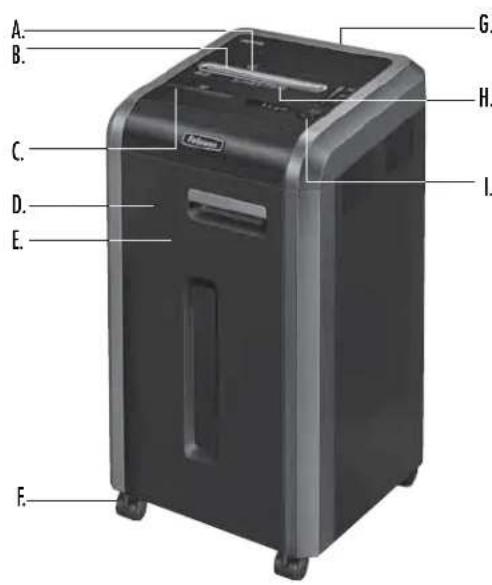
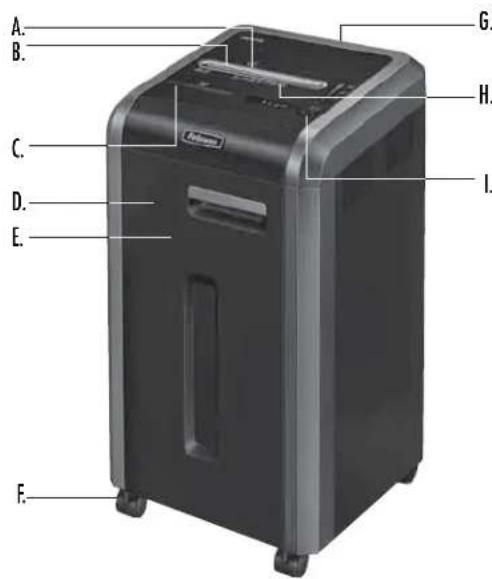
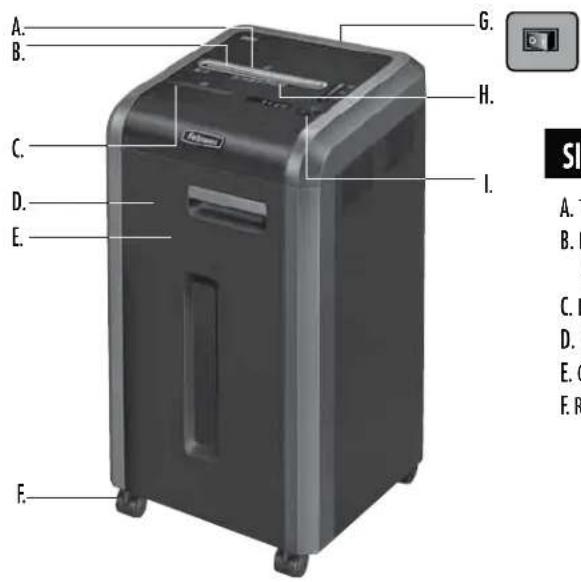
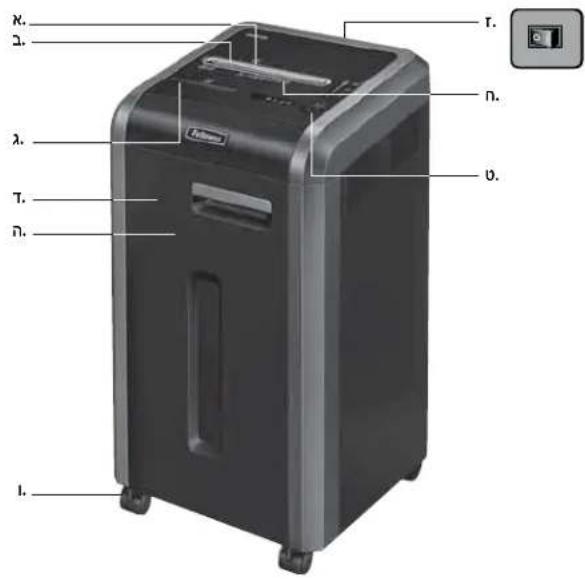
A. SafeSense Technology
B. Paper/card entry
C. CD entry
D. Door
E. Basket
F. Casters (4)
G. Disconnect power switch
01.0FF
1 2.ON
H. See safety instructions
I. Control Panel and LEDs
-
Reverse
-
ON/OFF
3.Forward
-
Auto
-
Dor open (red)
-
@in full (red)
7 Remove paper (red)

- SafeSense indicator (yellow)
CAPABILITIES
Will shred: Paper, plastic credit cards, CD/DVD, staples, small paper clips and junk mail
Will not shred: Adhesive labels, continuous form paper, transparencies, newspaper, cardboard, large paper clips, folders, X-rays or plastic other than noted above
Paper shred size:
Micro-Cut . 2 mm x 12 mm
Maximum:
Sheets per pass, 70g paper. 18*
Sheets per pass, 80g paper. 16*
CDs/Cards per pass 1
Paper entry width 240mm
A4, paper at 220-240V, 50 Hz, 4Amps; heavier paper, humidity or other than rated voltage may reduce capacity. Maximum recommended daily usage rates: 4,400 sheets; 200 cards; 10 CDs.
Fellows SafeSense shredders are designed to be operated in office environments ranging between 50 - 80 degrees Fahrenheit (10 - 26 degrees Celsius) and 40 - 80% relative humidity.
WARNING: IMPORTANT SAFETY INSTRUCTIONS - Read Before Using!


Operation, maintenance, and service requirements are covered in the instruction manual. Read the entire instruction manual before operating shredders.
- Moving parts. Keep away from children and pets. Keep hands away from paper entry. Always set to off or unplug when not in use.
- Keep foreign objects—gloves, jewelry, clothing, hair, etc.—away from shredder openings. If object enters top opening, switch to Reverse (↓←) to back out object.
DO NOT use aerosol products, petroleum based or aerosol lubricants on or near shredder. DO NOT USE "CANNED AIR" OR "AIR DUSTERS" ON SHREDDER. Vapors from propellants and petroleum based lubricants may combust causing serious injury.
- Sharp edges, DO NOT touch exposed cutting blades under shredder head.
- Do not use if damaged or defective. Do not disassemble shredder.
- Do not place near or over heat source or water.
- This shredder has a Disconnect Power Switch (G) that must be in the ON (I) position to operate shredder. In case of an emergency move switch to OFF (O) position. This action will stop shredder immediately.
- Avoid touching exposed cutting blades under shredder head.
- Use only designated entry for CDs/cards. Keep fingers away from CD entry.
- Do not put foreign objects in paper entry.
- Shredder must be plugged into a properly grounded wall outlet or socket of the voltage and amperage designated on the label. The grounded outlet or socket must be installed near the equipment and easily accessible. Energy converters, transformers, or extension cords should not be used with this product.
- FIRE HAZARD - Do NOT shred greeting cards with sound chips or batteries.
- For indoor use only.
- Unplug shredder before cleaning or servicing.
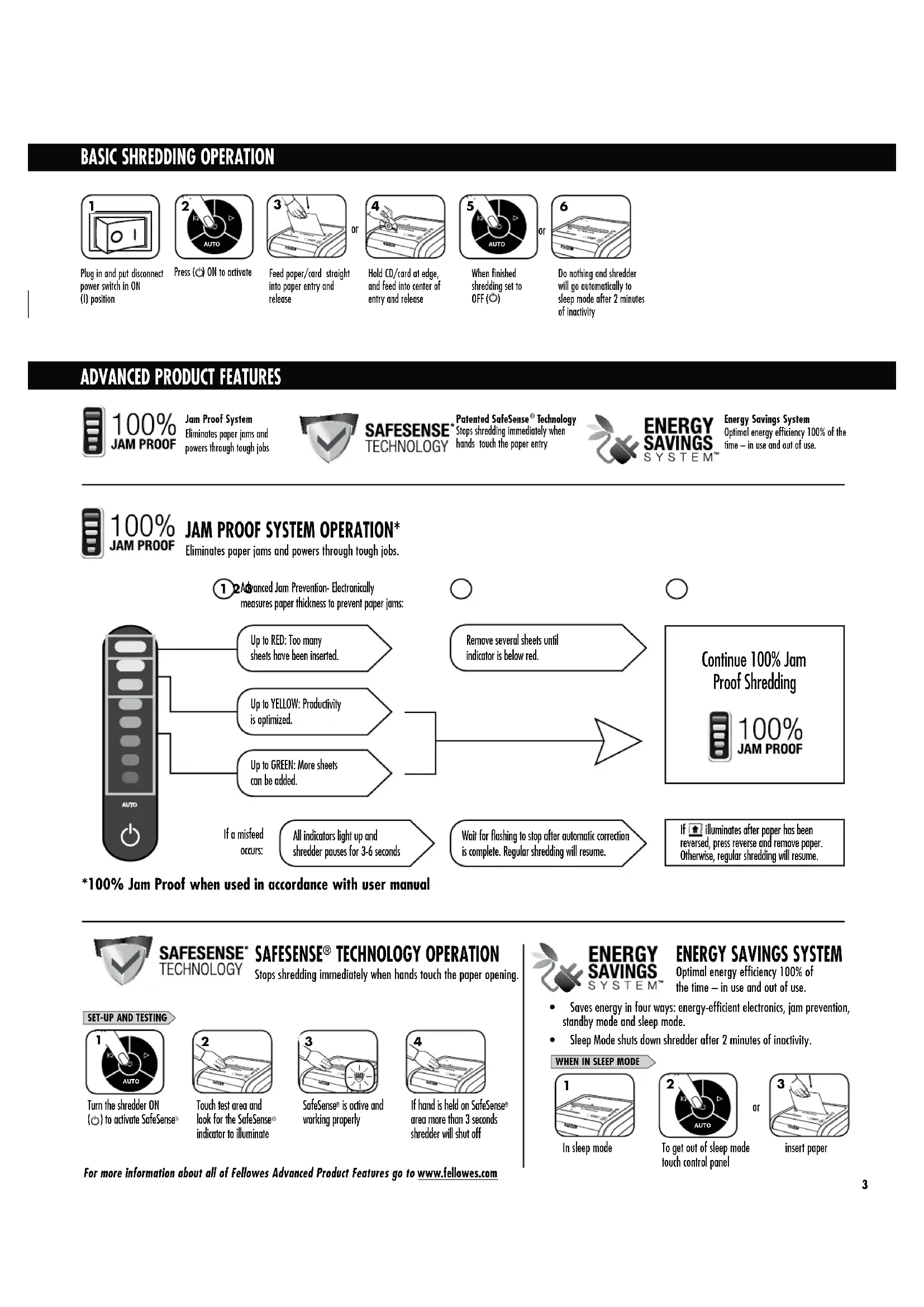
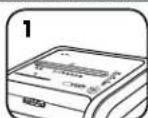
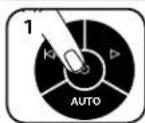
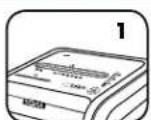
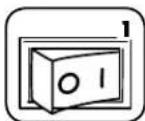
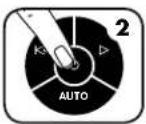
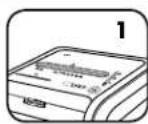
Plug in and put disconnect power switch in ON (I) position
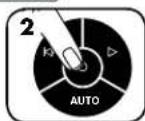
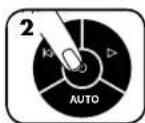
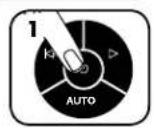
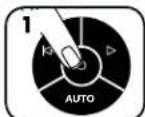
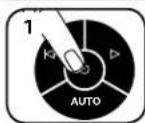
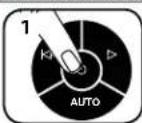
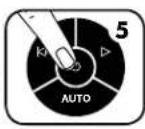
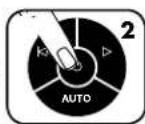
Press ON to activate
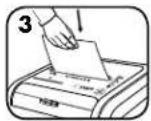
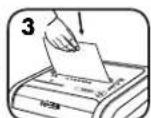
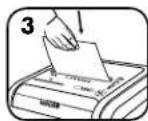
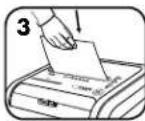
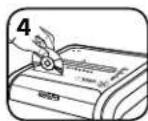
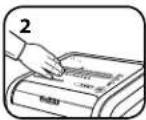
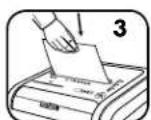
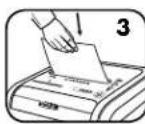
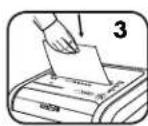
Feed paper/card straight into paper entry and release
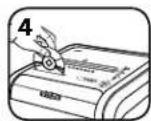
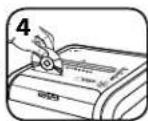
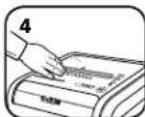
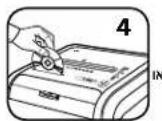
Hold CD/card at edge, and feed into center of entry and release
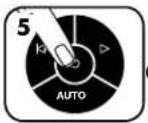
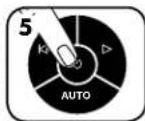
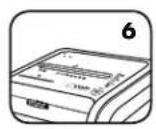
When finished shredding set to OFF (C)
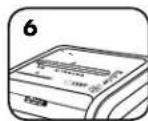
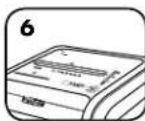
Do nothing and shredder will go automatically to sleep mode after 2 minutes of inactivity
ADVANCED PRODUCT FEATURES

100% JAM PROOF

Jam Proof System Eliminates paper jams and powers through tough jobs
SAFESENSE TECHNOLOGY

Patented SafeSense Technology Stops shredding immediately when hands touch the paper entry
ENERGY SAVINGS SYSTEM
Energy Savings System Optimal energy efficiency 100% of the time-in use and out of use.

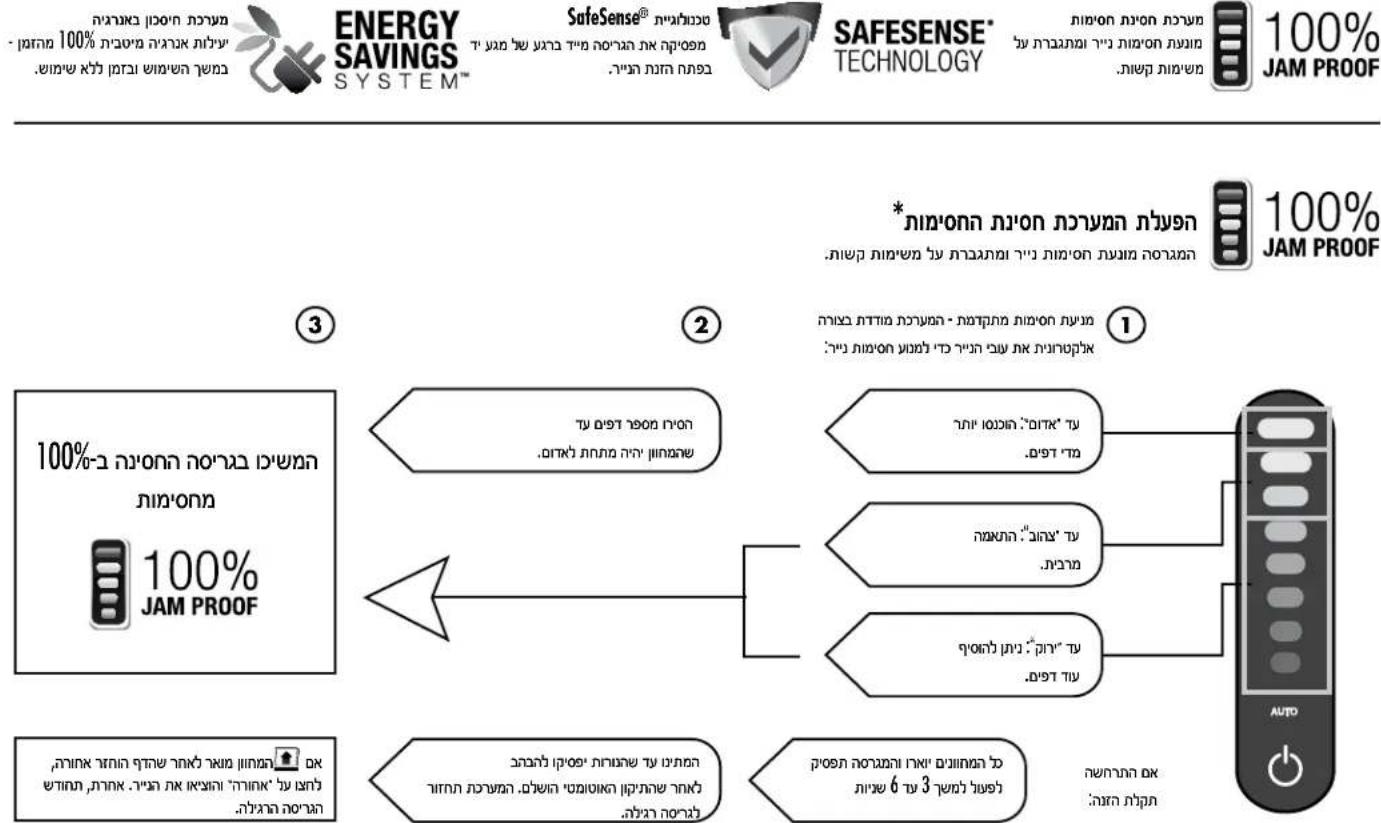
100% JAM PROOF
Eliminates paper jams and powers through tough jobs.

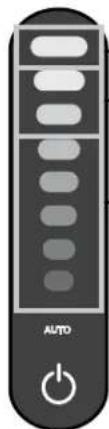
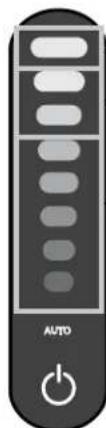
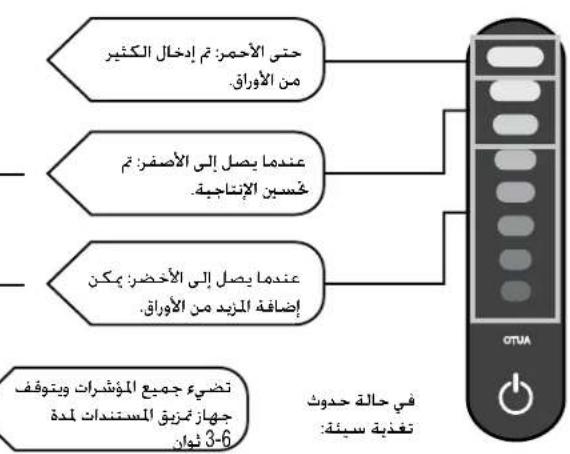
Advanced Jam Prevention- Electronically measures paper thickness to prevent paper jams:
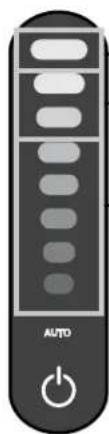


Up to RED: Too many sheets have been inserted.
Up to YELLOW: Productivity is optimized.
Up to GREEN: More sheets can be added.
If a misfeed occurs:
All indicators light up and shredder pauses for 3-6 seconds

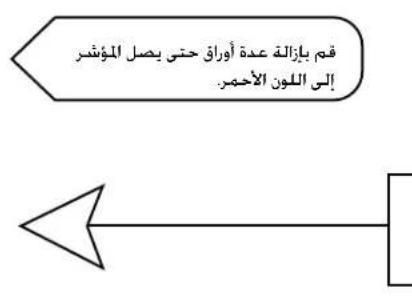
Remove several sheets until indicator is below red.

Wait for flashing to stop after automatic correction is complete. Regular shredding will resume.

Continue 100% Jam Proof Shredding

100% JAM PROOF
If illuminates after paper has been reversed, press reverse and remove paper. Otherwise, regular shredding will resume.
*100% Jam Proof when used in accordance with user manual

SAFESENSE® SAFESENSE® TECHNOLOGY OPERATION
TECHNOLOGY
Stops shredding immediately when hands touch the paper opening.
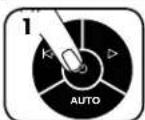
SET-UP AND TESTING
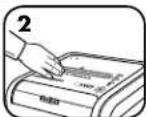
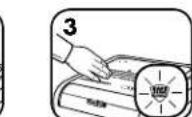
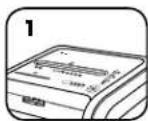
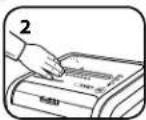
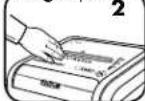
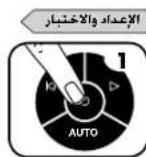
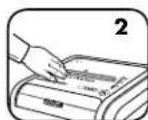
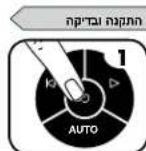
Turn the shredder ON { } to activate SafeSense
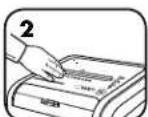
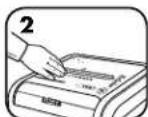
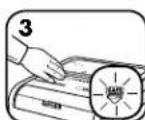
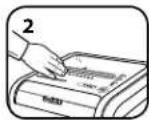
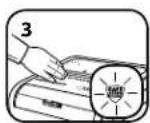
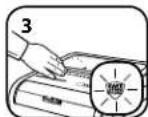
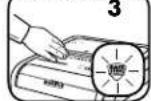
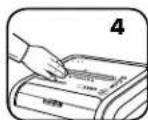
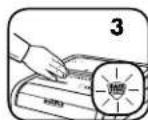
Touch test area and look for the SafeSense indicator to illuminate
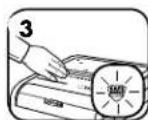
SafeSense is active and working properly
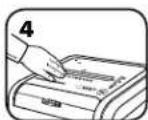
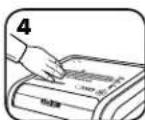
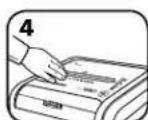
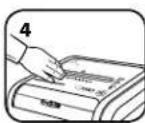
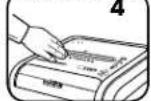
If hand is held on SafeSense area more than 3 seconds shredder will shut off

ENERGY SAVINGS
SYSTEM
ENERGY SAVINGS SYSTEM
Optimal energy efficiency 100% of the time - in use and out of use.
- Saves energy in four ways: energy-efficient electronics, jam prevention, standby mode and sleep mode.
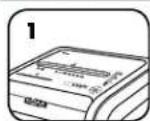
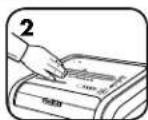
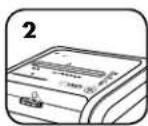
- Sleep Mode shuts down shredder after 2 minutes of inactivity.
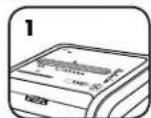
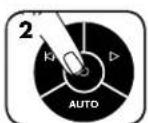
WHEN IN SLEEP MODE
In sleep mode
e
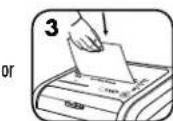
insert paper
PRODUCT MAINTENANCE
CLEANING AUTO-START INFRARED SENSORS
Paper detection sensors are designed for maintenance free operation. However, on rare occasions, the sensors may become blocked by paper dust causing the motor to run even if there is no paper present.
Note: two paper detection sensors are located in the center of the paper entry).
TO CLEAN THE SENSORS
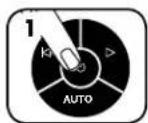
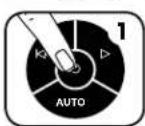
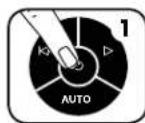
Turn off and unplug shredder
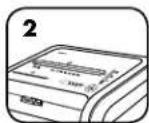
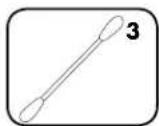
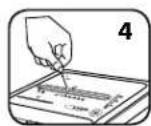
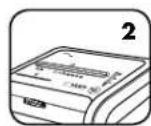
Locate Auto-start infrared sensor
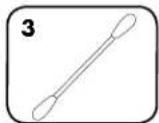
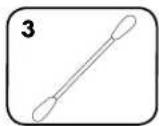
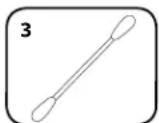
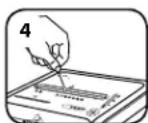
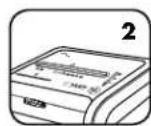
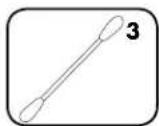
Dip cotton swab in rubbing alcohol
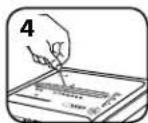
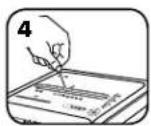
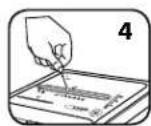
Using cotton swab, wipe away any contamination from the paper sensors
OILING SHREDDER

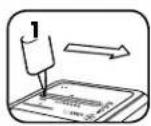
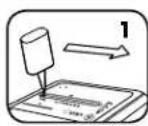
All micro-cut shredders require oil for peak performance. If not oiled, a machine may experience diminished sheet capacity, intrusive noise when shredding, and could ultimately stop running. To avoid these problems, we recommend you oil your shredder each time you empty your waste bin.
FOLLOW OILING PROCEDURE BELOW AND REPEAT TWICE
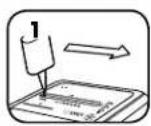
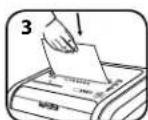
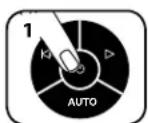
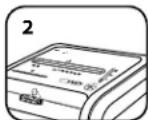
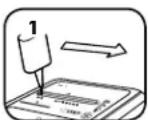
*Apply oil across entry

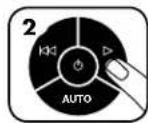
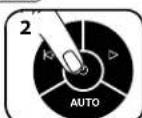
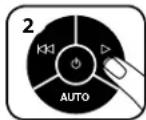
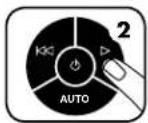
Press and hold forward () 2-3 seconds

*Only use a non-aerosol vegetable oil in long nozzle container such as Fellowes 35250

TROUBLESHOOTING

Door Open Indicator: The shredder will not run if the cabinet door is open. When illuminated, close the door to resume shredding.

Bin Full Indicator: When illuminated, the shredder waste bin is full and needs to be emptied. Use Fellowes waste bag 36054.

Remove Paper Indicator: When illuminated, press reverse (1) and remove paper. Reduce paper quantity to an acceptable amount and refeed into paper entry.

SafeSense Indicator: If hands are too close to the paper entry, the SafeSense indicator will illuminate and the shredder will stop shredding. If SafeSense is active for 3 seconds, the shredder will automatically turn off and the user must press the power button on the control panel to resume shredding. Self Cleaning Cycle: Shredder periodically cycles in forward and reverse lasting 3-6 seconds.
LIMITED PRODUCT WARRANTY
Limited Warranty: Fellowes, Inc. ("Fellowes") warrants the parts of the machine to be free of defects in material and workmanship and provides service and support for 2 years from the date of purchase by the original consumer. Fellowes warrants the cutting blades of the machine to be free from defects in material and workmanship for 7 years from the date of purchase by the original consumer. If any part is found to be defective during the warranty period, your sole and exclusive remedy will be repair or replacement, at Fellowes' option and expense, of the defective part. This warranty does not apply in cases of abuse, mishandling, failure to comply with product usage standards, shredder operation using an improper power supply (other than listed on the label), or unauthorized repair. Fellowes reserves the right to charge the consumers for any
additional costs incurred by Fellowes to provide parts or services outside of the country where the shredder is initially sold by an authorized reseller. ANY IMPLIED WARRANTY, INCLUDING THAT OF MERCHANTABILITY OR FITNESS FOR A PARTICULAR PURPOSE, IS HEREBY LIMITED IN DURATION TO THE APPROPRIATE WARRANTY PERIOD SET FORTH ABOVE. In no event shall Fellowes be liable for any consequential or incidental damages attributable to this product. This warranty gives you specific legal rights. The duration, terms, and conditions of this warranty are valid worldwide, except where different limitations, restrictions, or conditions may be required by local law. For more details or to obtain service under this warranty, please contact us or your dealer.
Australia Residents Only:
Our goods come with guarantees that cannot be excluded under the Australian Consumer Law. You are entitled to a replacement or refund for a major failure and for compensation for any other reasonably foreseeable loss or damage. You are also entitled to have the goods repaired or replaced if the goods fail to be of acceptable quality and the failure does not amount to a major failure. The benefits under Fellowes' Warranty are in addition to other rights and remedies under a law in relation to the shredder.

LEGENDE
A. Technologie SafeSense
B. Fente papier/carte
C. Entree CD
D. Porte
E. Corbeille
F.Roulettes (4)
SAFESENSE TECHNOLOGY
SAFESENSE TECHNOLOGY
FONCTIONNEMENT DE LA TECHNOLOGIE SAFESENSE
GARANTIE LIMITÉE DU PRODUIT
SAFESENSE TECHNOLOGY
SAFESENSE TECHNOLOGY
OPERACION DE LA TECNOLOGIA SAFESENSE
SAFESENSE TECHNOLOGY
SAFESENSE TECHNOLOGY
BETRIEB DER SAFESENSE®-TECHNOLOGIE
BESCHRANKTE PRODUKTGARANTIE
SAFESENSE TECHNOLOGY
IN MODALITA SOSPENSIONE
SAFESENSE TECHNOLOGY
SAFESENSE TECHNOLOGY
WERKING VAN DE SAFESENSE TECHNOLOGIE
BEPERKTE PRODUCTGARANTIE
SAFESENSE TECHNOLOGY
SAFESENSE TECHNOLOGY
DRIFT MED SAFESENSE®-TEKNIK
SAFESENSE TECHNOLOGY
Patentbeskytet SafeSense® teknologi Standser omgende makuleringen, nar hander bererer papirabingen.

ENERGY SAVINGS SYSTEM
Taend for makuleingsmaskinen (ON, taend) (O) for at aktivere SafeSense
NAR MASKINEN ER I SLEEP MODE
I sleep mode
Rar ved kontrolpanelet for at bringe maskinen ud af sleep mode
eller
sæt papir i
VEDLIGEHOLDELSFPRODUKTET
RENGORING AF AUTOSTART INFRARODE SENSOR
LAITTEEN LISÄTOIMINNOT

100% JAM PROOF
SAFESENSE TECHNOLOGY

SAFESENSE TECHNOLOGY
SAFESENSE ^® -TEKNIIKAN TOIMINTA
SAFESENSE TECHNOLOGY
Patentert SafeSense Teknologi Stopper mokuleringsmaskinen oyeblikkelig n her hender bererap papirinforaging.

ENERGY SAVINGS SYSTEM
SAFESENSE TECHNOLOGY
SAFESENSE TECHNOLOGY
SAFESENSE TECHNOLOGY
SPOSOB DZIAŁANIA FUNKCJI SAFESENSE
BCTabte B6mayar/KaparynpaMOB34pyOCHbIPPOMeMOTNYTcTe
HNN
Yepknbna KOMNAK
JMKKAPTY 3a Kpaj,
BCTABBe TEO/ee B UENTP
3arpy30HOro PPOEMA H
OTNYTCE
Nocne3aBepueHnM
mmbenBHeHnBepHnBe
BbKnUoyatEn B
nonokhenHe Bblk.
HNN
He cobepaHte HNKAKHX
IeCTBnM, Mpeep3
2 MHHyTbGcEaONCTBnN
HMEnbHTenB
abTomtMyeckn NpeepdET B
peKm OKHaAHn
DIOIJIHHTeJIbHbIe BO3MOXHOCTN YCTPOICTBA

100% JAM PROOF
Cncrema 3aunntb ot 3acptbeHn yctpaHReT aToPbN N03BOnHc npaaRbC c6oBbMM Hary3kAM.

SAFESENSE TECHNOLOGY
3anaTeHOBHAA TxHONHSA SafeSense HEmedEnHO octaHbMaet paboty MmBnWHTe,ecm pyKo onepatopKaCakOTc npmoea 34Igpy2kymAyn.

ENERGY SAVINGS SYSTEM
Cncrema3hepc6bepeMeHH 100%ΦΦeKTHNOCbT KNOBt3oBAHRAHEPrrn-8O BPEMApaBoTbNoNCe.

100% JAM PROOF
PABOTA CNTEMbl 3AunItb OT 3ACTPEBAHNA*
UcpanaHET3actpeBaHne 6ymaHn no3B0NAeT cnpaBnTbC 6oBbHMn Harpy3kAMn.
ycobepweHCTBOBAAHA CNTema 3aunltbOT

3aTpeBaHnI C POMOuBIO JIeKTOPHHOYCTPOIHCTBa
3mepreT ToiunHybMaHn DnI PpeoTbpaJeHnE h
3aTpeBaHnI.


Bcnyae Hnpeabmblho3aarpz3kn 6yamr
3ATOPAETCRKACHbIMHJDKATOP:6bIIO 3aRpyKeHoCIMUKOMMHORO6yMaTH.
3AFOPAETCAKETBIM HINIKATOP:ONTMMAHNAH NPOM380DHTIEbHOCTb
3AFOPAETC3EIEHbI INHINKATOP:MOKHOdoabnBb 6bnue bymn.
BceMHNkATOpb3a0rOpTCAH N3MEnbHTeB OCTAHOBHTCAHa 3-6cekyHd.
YbepHTE HcckOBKIOIcTOb, NOKa He nepeCTaHET TOpE Tb KpaCHbM HnDnKaTOp.
IIOe3ABeepHnABTOMaTHeCKO
KoPPKeTmPbOBKnIOPOkDHTe,NOKA HNDKaTOpBbl
HepepeTaHTMIRATb.13MeNbueHMe
IPODOJHXITCRBO6bHnHOMpEXKIME
IpoJoxKaIte N3MeIbYeHne, Ha 100% 3aUuIeHHoe ot 3aCTpeBaHnA

100% JAM PROOF
EIN3HauK 3aRopnTcnoNE toro, KAK HAPANBHeNHE DIBIKHEY BymAH 6bNo 3MMeHHe, HAXMMTE KHONK YPeepc Nybepe T6MyAR. BNPOTNBHM CByae 3MmEBNeHne npOIOJNTCA B06bHUM PEXMME.
* 100-npoueHTHnA 3aunTa OT 3actpeBaHHn PnP EKcNpyaTauHH B COOTBETCBN C pyKOBOCTBOM NOnb3OBaTeH

SAFESENSE TECHNOLOGY
PABOTA TEXHOJIOΓM SAFESENSE
Hemdienho octahabmbaetpa0by n3mebnyteIe,ecnn pykOnepatopacakaoTcnpoemaDn3aqrpy3kn6ymaru.
YCTAHOBKA IN TECTMPOBAHNE
BKnHHTe H3MEnbHTnTbc nnoMoUbKHOKNK BIK. (),TObblkAkhBNpOBaTB yHKuO SafeSense
3To 03Hauaet,4TO
phHKua SafeSense
AKTHIBPOBaHa
pa60Taet HOpMaJIbHo
EcnnyepnmbbypykB 0bnactn SafeSense* B TeueHHe 6oonee 3ceynH NmEnbHTneBydET OTKNIOUH

ENERGY SAVINGS
SYSTEM
CNCEMA3HEPFOCEPEXEHNA
100%ФФeKTHBHOCTb HcNoJIb3OBAHn 3HepeRn -BO BpemraPabOToI NoCne.
YetbipexctyneHnatar CTema3Heprocbepexehn:3Heprocbeperaoua 3eKtpoHHka, npdoTbpauHne 3aTopa bymn, pexmOxmdaHn n CnA upeKM.
Cpau m peKIM OTKIOaET YMHTOKHTEnb nOcne 2-x MMHT npocToA.
B PEXKIME OXINDAHNA
Bpexnme0xudanm
Yro6blBttn H3peKmHaOxHDAHNO, KOCHTeBnaHEYNyPabEHH
HNN
BCTaBBTe 6MyMaTy
TEXHNUECKOE OBCUYXMBAHNE YCTPOICTBA
UHCTKA WHOPAKPACHbIX DATYHKOB ABTO3ANYCKA
Kohctpykma DaTmKOB 6bHApyKeHb 6ymaHn03BONETMNCNtBcBb 6OpyD0BaHne 6e3 Heo6xOIMOCHTnx TExTNNECKTO 6cbNyKBAHn. OHaHO B peKHX CUYAA
DaTHKMOYr 6bokpoBaBC 6ymaxHoPiBIO, B p3yntate 90 DbratEnb PpOOnKaet paOtaTB, daxe ctn B yCTPOICTBE Hbymar. (PmmeHHe. 06a DaTMKA 6bHApyKeHb 6ymaHn paccnoKeHb CEHTpe 34pyOCHoro npoeMa dn bmyA).
NCTKA DATHIKOB
BbKIOHHTe M3MeJIbWHTeN bOTKHOHTeIe HYP NTaHrOOTcTn
Onpeennte
MeCToIOnIOxKeHMe
MHpKaPaChOrO
DaTtWAaABTO3aNyCa
OnyCTHe BaTHbI TaMnOH CnIPT Dn OYMCTK
Cnmooubo batHoro TAMNHO YAanKe 3aP3HeHHc DaTtKOB 0bHaPyEHHa6yMaH
CMA3KA N3MEJIbYHTEJIa

Дянанболпкayecteьнho pa60ы nio6oRnM3mEnbHtTeN C Mnkpope3Koi Heo6xOIMa CMA3ka.Ecim Macno B CnCTeMe OTCYCTBYET, npon3BODntelbHocTB yCtpoiCTBa naAet, OHO n3daet pe3kn Wym npn pa6oTe N B KOHc KeHcOuB MoKET npkepATMb pa6oTb.Bo 36exahne 3nx np6nomekpekomeHdyem CMA3bIbTa n3MeHbHTeN KaJdb p3 npn onyctOweHn KOnTeHepa dn OTXOB.
BbIIOHHTCIEUYUOINIEPOUEDYbI CMA3KNIOBOTPNTMIXDBAXDbI
* HanecuTre cnoi macna
no BCemy 3arpy3oHMy
npoemy
HaxMMte uyepeXMBaTe KHOKNy BnepnD (一)2 - 3 ckyHbI

*NcnoIb3yUme moIbko Hea3po3oJIbHoe pacmumelbHoe MaCIO aMaChEKe cOnHHbM HocuKOM, HanpUmep Fellowes 35250.

NOMCK N YCTPAHEHVE HEMCIPABHOCTEI

KoHTeHep OTKpBT: EcN OTKpBT KOHTeHep, To H3MeNbCHTeNB He 6yET pa60TaB. EcN INHIMKaTOp rOpyt, To DnB BO3O6HOBNEHIN H3MeNbChHINOTpe6yETc 3aKpBT KOnHeHep.

KoHTeHep 3aONHeH: HmNkATOp rOpnt, KOrJa KoTHeHep Ira OToXOB 3aONHeH eero HeO6xOIMMo onopoxHMtb. NcOnb3yTe MeWOk Ira OToXOB Fellowes 36054.

YdaHbMb yMmry: Ecnn ropnt 3OT uHdkatop, HxMMte KhoNky «PeBepc» (I)u ydaHnTe bMya. YMeHbWite KOINueCTBO bMya n Do DOnyctmoro n CHOba 3arpy3nTE eB 3arpy3OHy npoem.

Hnukatop SafeSense°: Ecnny pynonepaopora haxoTcra nckom 6nnkK K npemy dna 3ary3km 6ymar, 3rapoAeTc Hnukatop SafeSense", a n3mneBHTeN bnpkaataet paoTy. Ecn nyhkuia SafeSence octae TcAaTHOB B TeueHMe 3 cekyH, n3MnebHTeN abTOMaTHueCKN OTKNKQaETc, n da BO306HOBNEHn H3MneBHeH NnboTeH NoxHNOHXHO HAAATb KHONKY NTANHn Ha NaHEn ynpabHeHn.
Ukn camoounctkn: Nepnouueckn HmMbnutelb MeHrT HanpaBHeHne DnBxKHeHn BnpeHa3aD B TeueHne 3-6 cekyHd.
OTPAHmUeHHaTAPAHnHa U3dJIme
OrpahnueHHa rapaTHN. KomnHann Fellowes, Inc. ("Fellows") rapaHTnpyert OTCYCTBNE deEeKTOB MATEPNAIOB IN pON3BODCTBEHNbIX deEeKTOB Detanei yCTPOIcTBa INpeoOCTabNtET 0CNYKBAHne IN texmueckyo NODepkky HA npOTXeHHN 2 IET CO HRA ERO npHObEpHHN nepBOAHauNbHM NOKyATenEM. KomnHann Fellowes, Inc. ("Fellows") rapaHTnpyert OTCYCTBNE deEeKTOB MATEPNAIOB IN pON3BODCTBEHNbIX deEeKTOB PEXUxH NOHEY UCTPOIcTBa HA npOTXeHHN 7NET CO HRA ERO npHO6pTeHHN NEpBOAuaNBHM NOKyATenEM. ECIN B TceHMePArTaHNIHorO cPcoka 6yET ObhApXe HDeEeK T KAKOI-NIO BO DetANII, BBI MMeeTE npABO TOnbKO INCKLIQUHTNBHO HA pEMOH INI ZAMEn Hey DEEeKTHOIT DenTALNO YCMOTPeHHIO IN 3a CETKOMnAHIN Fellowes. DAnHAA rapaTHN He paACpOCTpaHReTCA HNoCAYH HenpABUNbHO NKCNlyATAuMM, HENpABUNbHO rOBApaEHN, HecOBIOJENH 3KCNpyATAuMM, IN3MEnbUHTNE pIN HeHaNDIEeJAXIM NAPAmETpAXI 3JIeKTPoNITAHN (OTNNbIX OT Yka3AHbIX HA 3TNKET), a TAKKE HeCAHKNUHOPIBOAHORO pEmoTA. KomnHann Fellowes OCTABNERT 3a CObO nPABO B3bICKnBaTc NOKyATenEI NIOBie DOONHInTeHBIpe PaXoDb, NoHeCEHHeIe EO
B CBA3N C npdeocTabHeHem 3aIacTe Hn yCnyr 3a npedeanm CtpaHbI nepBOHaauhboHno npOaJH N3MeBvHTeA BTOpH3OBaHHbIM Dnepom KOMNaHn. HACTORUIN DOKYMEHT OPAHAHNAEET DECTBNE IIO50 NO4P3YMEBAEMO TAPAHTHM, B TOM YNCIE TAPAHTHM TOBAPHOFO COCTOBHn Hn PnFO HOCTOn Hn NCIOJIb3OBAHn B ONPEDEEHbIX CEJHX, YKA3AHbIM BblIE COOTBETCTBYUMT TAPAHTHN BHM CPOKOM. KomnaHn Fellowes Hn npkAnx o6cToTeBCTBX He Hecet OTBETCTBeHHoCT Hn 3a KaKoi KOCBeHHbIM Nn CNYaHnhy Uyepe6, CBzAHnh C daHHn M3eHNm. DaHHra rapaHTn Daet Bam onpeDHeHHe bOpNDueckne npaba. PnpOJIKntbHOBt H n cNOBn DaHHoR rapaHTm DeCTBNTbHbI no BCMy MHPy, KpOme Tex CTPaH, rde MeCHThoe 3aKOHOtaDteBCTBO MOKET HanaRaTb INhle orpaHuaHEnn Hn YCOBn. dna NoNyehn 6oOee NoDPo6HOH mHoFopMaumnn O6cNHyBaHHn NO DAHHo RapAHTHN O6pATTEcK hAM Hn K ObcynKBaIOuemy Bac dmNepy.
YNAKOBKA COJEPXNT
1xHmTuKHTenb DOKyMeHToB Fellowes
1xPykoBOOCTBONoIb3oBaTeJIa
1x06pa3eucMaCnIyCMa3Kn HOKeY HmHTOKeTEnA DOKyMeHToB (TOnbKO IyMOnEeN CpeKePcTHoN MmKppe3Koi)
1yn.x 06pa3eMewkoB dIraOTxoIOB

IIAHKTPO
A. Tενλολίγα SafeSense
B. Eioooc yia xapti/kaptec
C. Ei0oδoc CD
D.Oupa
E. KaAaO
F. Tpoxoi (4)
G. DIAKOTNc anooovbEoC peuMTOC
1COFF (Kλειτότο)
1 2.ON(AvoKTO)
H. Deite TIC oObnlyic aOoPaeiaic
- NivaKac efexyou KaIauYwic LED
1.1.1. Avataptopop
-
ON/OFF
-
Ipoc ta eumipoc
- Autómat (Auto)
5.Apymθpa(Kokkno) - Daxio yepato (KOKKINO)
- AotepoTe To xapti (Kokkivo)
- SafeSense (Kttpivo)
AYNATOTHTES
Kataortpeip: Xapri, naoikic mootikc kaptc CD/DVD,oupamtnpncmuokpuoc ouvdtnpce xaptou Kai diaopnntka pfuaia
Ev katoptepe: ATOKOALTEC ETKETEC, OOUVEC XAPTI, DIAOVAIEC, EPNUEPIDEC, XAPOTIO, EYAOUC OUVETIPEC, EVTUNW, PAKELOVC EYYPOVOC, AKTIVOPAPEC iN NAIATIK EKTOK AO TUAVAPEPOTU NAPANOW
MeyEOc xapTIO npoc kataoTpoqn:
Mikpo-Korri 2mmx12mm
Meyiot duvatotnta:
Xaprl ava nepaaqa, xaprl 70g 18*
Xapri ava nepaaqa, xapri 80g 16*
CD/kaptec ová περασμa. 1*
IaToc 240mm
^4 xapti oe taon 220-240V, 50 Hz, 4 Amps. Bapotepo xapti, vyaiai taon diaopotik ano tvn kaBopouevn mnpov va meiwouv tic buvatotntec konnc. Meytou ouviotwuev nKnepiv npion: 4.400 qukla, 200 motutkec kapec, 10 CD.
Oi kataotpopeic Fellowes SafeSenseivai oxebiaojevoia aeitoupyov oe nepiAalov ypaepiou 8epkoopaia ano 10 eoc 26 a9ouc Koiouk oayeku 40-80%

NPOEIAOIOIHsH: ZHMANTIKEOADHIIEA2AOAENEIAA - 1aBaeTpiV aoTnXpOJ!


Oi aaiatnoeic aeitoupiac, ouvtiponnc kai eniokeuvkaklunovtao 0e yexepidob oyniyuw. Aiaoate ookanpo to eyepidio o oyivw npv to eipioo tou kataotpopea.
Kvojmuva mepn. diatnpieT ov kataotpoepa maipia an naia kai katoikidca wia. DiatnpieTa xepia oac maipia an tyi eao haptoi. Na anepeynoeite nava tov kataotpopea n va tov aoovdvte an ny npica otavoypnnoote.
Aiatnpeite Eeva Avtkeiueva -yavta, koojmuata, poja, paalia, kla -akpi a ano onoiadnote avoiymata tou kataopopea eyyapow. Eav kanoio avtkeievo eieAeI OTO ENAV AVYMA, BcTe ToV daiokontn otg cen ovatoepnic (1)va va byei to avtkeiuevo.
MHN xpojnoioeie aepo, npovtae ie pao n tpeiaoi anavtikae aepoOa otov kataotpoqea hovtae autov. MHN XPHIIMOIOIEITE "YMNIEMNO AEPA" H "TIPEI IENIESEMENOY AEPA" STON KATA2TPODEA. Atoi ano npoohtka kai navtkae ie baon to nptelao unopie va avapxoyu npokawrtac oobapoc taupatipouc.
Auynpoc,akpc,MHN ayviciTe TIG,EKTEBHeIeVEs,ienides konnc katw ano Tnv kepaan Teuayioou.
Mn xnpouoioeTe Tov kataotpoepa av exei naBcIcnua n av eivai elattuatikoc. Mny aoouwapooalyote ToV kataotpoepa. Mny tonoBteTe Tov kataotpoepa KovTa n naW an oiny BepoTnac n vepou.
Autoc o kataotpoeac diaetai dakont an aoovoeon pemuotc (G), o omioic npente va evia ot th eon ANOKTOI (I) yia va keitoupyei o kataotpoeac. 2e nepintwn avayknc, yupiote tov diaokont ont beon KAEISTO (O). Me autiy nve Evpeyia daikontetai aoeoN kieitoupyia tou kataotpoea.
AnopoeuyETnV EtnaepnE TIC KKTBeIeVEc AENIEc KOINc KAOTnO TNY KEpaN TOKATAOTPOpe.
Xpnnoonoei pmo tvn kaopioe ioo do yia CD/kaptec. Diatnpie ta daKtua oac maikpi a ony eoo toxaptio
Mny Bacete aaaaavtkeiueovtnvioo xaptoi.
0 kataopoeac npenei va ouvdeetai oe npica Tou toikou n oe unodoynou npaeixyn taan kai evtaon peuatoc nou kaobopovtal onnv nuokida. H pina n odoxyn npenei va eivai eykateotnveyn kovta otov eoionoi kai va eivai eukola npoobaoin. Dev npenei va xnpnoiooovotai metatponeiic nektpinkc evepyieac, metaoxnypatotec n kalwdi enektaonc me auto to npoiov.
KINADYNOZΦIATZ-MHN KATAOATEPEETEUXETIPIECKAPTEcE NAKTPOVIKA KUKAWATAYOUUNATAPIEC.
Tia xipnio mvo o eowepikouc xupouc.
AnouovEotovkataoTpoepaipovKaBapoiu nOuvripnon.
BAZIKH AEITOYPTIA KATAZTPOOHZ
SigmaEeTae to kaihioe pejuato kai yipoiTe tov biakomtn anouooyepejuato stn oon ON (I)
Pteke (ODN (Avokto) yia everyponoin,
Tpoopomotr to xapri / kapi'a iou nvi etioloxaprioukai agoata
Kpatntote to CD/tny
kptata ano tny kcpn,
tpoopodntote ta 0to
KeTPO TNC EIOOoo KAI
aoghtote
Otv teiWtTnV KATAOTpH, BATEo To sioKoTTN OTV KAEIOI GEON KAEIOTO
Mny kovete tinita ka 0 KATAOPOEACBa mui autuatae de KaTAtaON avamovic (sleep mode) meto and 2 Aetio apdvieic
IPOHΓMENE Σ ΔYNATOTHTTE Σ TOY IPIOIONTO

100% JAM PROOF
Snuotina npoostaoiac ane eumnokec Ecaieipic TIC eumnokec Toxapntio KAI aocaei TIV oay oBapci epyaoiec.

SAFESENSE TECHNOLOGY
Teyoloyia SafeSense
Tsiatatai yieouc tov katoptpoea
otov ta xepia oiyou to ovynyia
eiouoov tox qoio.

ENERGY SAVINGS SYSTEM*
Sigmaeta Eoikovouniog Evpeyiaic BAtaioi Eoikovouniog Evpeyiaic ToO xypouoLeiaoupyiaKota 100% toKaotn xipion 000 kaet oT npion.

100%
AEIOTYPTIA YZETHMATOE IPOZTAIAZ AIO EMIIOKE\*
Eaiepei tic eunokc tou xapitou kau aueavei nTu oepae piaec epyaoc.

Nnyuyn anotponn eunokov -Metpa nektovika to
naxocTOUXPaTIOVy aTN anotponn eunokovXPaTIOV:



EwK TO KOKKO: Eouv eoayBei umepolka nolla qulla yapnto.
'EcK TO KITPINO: Iapoyuykoteta 0to meyuto.
Euk to PIAZINO: Mtropov vanoPpOteBouv Emiaev pUa.
Oa avayouov 0eoi Evdeicc KAI O kataotpopeac Oa nuaoe va Ieinoupyei yia 3-6 deutepoentn
Aqaipeote apketa qalaa xaptoou ecotou nEvdeiN va eivai kato TKKKivo Xpuja.
SAFESENSE TECHNOLOGY
AEIOTOYPFIA THZ TEXNOAOTIAZ SAFESENSE
Zaata aoeoc tv kataotpoepa otav xepia ayiou to avoyma eooou tou xaptou.
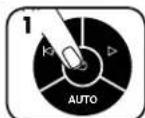
PYGMIZH KAI DOKIMH
Evepyoiojote tov katoaopoe (Bc0n ON) (C) vya eevpyoiojote to SafeSense
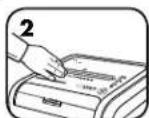
AayTe Tny Pnepoy
Dokimc kai dte
av oabe n evde
SafeSense
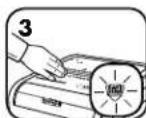
To SafeSense® eviat
evepyo kai leitoupyei
kavovika
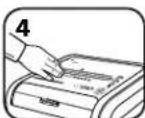
Eaiv diatamnbei to xepi oac
oany peiyon yetovimooou
SafeSenoeiaeipoiokepa
an 3 deutepolenta, o
KataitapoeaceydpapowB a
anepeytonnei

SAFESENSE TECHNOLOGY
SAFESENSE TECHNOLOGY

Tum gostergeler yanar ve makine 3-6 saniye duraklar
SAFESENSE TECHNOLOGY
SAFESENSE TEKNOLOJISIN IN CALISMASI
SAFESENSE TECHNOLOGY
Patentovaná technologie SafeSense Okamžite zastavi skartovani,Pokud se ruka dotkne otvoru pro papir.

ENERGY SAVINGS SYSTEM
SAFESENSE TECHNOLOGY
SAFESENSE® - PROVOZ TECHNOLOGIE
Okamžite zastavi skartovani,Pokud se ruka dotkné otvoru pro papir.
NASTAVENI A TESTOVANI
Zapnete skartovačku
stisknutim tlacitka (Ø),
tim se aktivjič technologie
SafeSense*
Dotknefte se oblasti testu a vyclejete, az se rozviti indikator SafeSense
Technologie SafeSense*
je zapnuta a funguje
spränne
Pokud budete mit ruku v oblasti SafeSense" po dobu delsi nez 3 sekundy, skartovac zaizeni se yypne

ENERGY SAVINGS
SAFESENSE TECHNOLOGY
Szabadalmzatott SafeSense technology
Azonal megāllitza az prästāt, amikor a kez hozārā pāpīradagōnyilashōz.

ENERGY SAVINGS SYSTEM
SAFESENSE TECHNOLOGY
A SAFESENSE TECHNOLOGIA UZEMELESE
SAFESENSE TECHNOLOGY
SAFESENSE TECHNOLOGY
SAFESENSE TECHNOLOGY
SafeSense*technologija Zaustavla unistavanje cim ruke dodirnu ulaz a yapir.

ENERGY SAVINGS SYSTEM
SAFESENSE TEHNOLOGIJA
Rezanje prestaje cim ruke dodirnu otvor za papir.
POSTAVLJANE IISPITIVANJE
UKLIUCITE unistavac ( ) da biste aktivirali SafeSense
SAFESENSE TECHNOLOGY
SafeSense texhONorHa 3ayctabba yHmUtaBahe YHM c peyKoDipHne yna3 a nnHp.

ENERGY SAVINGS SYSTEM
Cnem 3a yuytey eheprnje OITMMJAA HEPEKcE kFbAHOCTY B CBAKOM TpeHYTK -TOKOM YnOTpe6e N pINHIMK MMOB0BaHa.

100%
PAДСИСТEMAJAMPROOF*
JAM PROOF EmmnHne 3a nabMbBaHbe na npa H o6e3ehye chary 3a 3axTeBHe nocnoe.

2HapnOcnpeyabae3aIaNbNbHaBa-cNTEm
eNEKTPoNcKMeMepnDe6bHyNaHpaDa6nCpneH
3aIaNbNbaHe NaHpa:
LUPBEHA 30oha: ymethyto je npebme IINCTOBA.
XYSTA 30HA: PpOdyKTHBHOCT je OTMMM08aHa.
3EIEHA ZHOa: Moryhe je DoJadabHe jeu NtCToba.
Ako dohe do norpseuHor ybnaueha:
CINHIMDKATOPHNoNETH 0aOBETNyHMNTBnAHnAPABNNay30d3noCEKHTD

KJIOHHTE HOKIINKO IVCTOBCA CBE DOK INDMKATOP He 6yde NTOA UPBHe 30HE.


CCTTTHHNNHONHHNHNHHNHNHHNHNHHNHNHHNHNHHNHNHHNHNHHNHNHHNHNHHNHNHHNHNHHNHNHHNHNHHNHNHHNHNHHNHNHHNHNHHNHNHHNHNHHNHNHHNHNHHNHNHHNHNHHNHNHHNHNHHNHNHHNHNHHNHNHHNHNHHNHNHHNHNHHNHNHHNHNHHNHN HH
*100% otnpno Ha 3aIaNbNbBaBe KaJa ce KopncTn y cKnaIy caynyTCTBOM 3a ynOtpe6y
SAFESENSE
TECHNOLOGY
SAFESENSE* TEXHOJIOVJA
3ayctabba yHnTaBahe cM ce pykomdoinnpe OTBOP 3a npnp.
IOCTABJbAbe IM TECTVPaBe
Kyubnyute yHmUHTBnAH (da b6tce kAHTBnAPINi SafeSense
IodnHnre obnact 3a TcTnpahe N CauekajTe Da INnKAtop SafeSene"Noue Da CBETNI
SafeSense*jeakTbAHn npaipnpabinH
Ako ce pyka dpkny SafeSense"0oNaCTn Bmue od 3 cekynhe yHnWtBnBau he CKeKbYnHnn

ENERGY SAVINGS SYSTEM
CNCTEM 3A YUITEY EHEPNIJE
OTHIMAHCA HCRPTCKCfHKACOHCT yCBAKOM TpeHTKY -TOKOM yNtOptBe6 nPnINIKOM MIMOBaHa.
IHTeHnEnePmJyHaYeTupnHaHHa:HepeRtckn eHkAChaeneKtpOnKa,cnpeaBaHe 3aRaabBbHaBa,CTaBe npnpabHOCH n peKM CnaBaHa.
Pexm cnaaba Hckbyyje yHnTBAH aKOH 2 MHyTA hAeKTHBHOCTM.
Pnohahtte Hnbpaaephen ceh303aayTOMATCKO NOKpTaBe
SAFESENSE TECHNOLOGY
TexhonorHrata SafeSense Cnpa p3aHTo BeHara, Korato pbcTe DOKOCHAT OTbopa 3a XapTna.

ENERGY SAVINGS SYSTEM
CnTeMa 3a eheprocteBaHa OITIMAMHHepePmHa oekTMBHOCT 100% OT Bpemeto Bynotpe6nBbN yntpe6a.

100%
PABOTA HA CNTTEMATA CPEU 3AДРБCTBAHE JAM PROOF*
JAM PROOF EinnmHnpa 3aDpBCTBaHeto C xapTn H c ce cnpBaBc TpydH 3aDaH.

P3aHmpeHo npdeOpBpTaBAHe Ha 3aJbPCBaHe -EneKTPoHO H3MepBa De6eMHnHa Ta xapTnA, 3a Da npdeOpBpTH 3aJbPCBaHe CXPtIa:
IeYEPBEH:TeBpeMnHO IIMCTOBe Ca NOCTABEH.
DIOKBJIT:IPoH3BODHTeHIOCTa eONHHM3HPaHa.
SAFESENSE TECHNOLOGY
TEXHOJIOITNA SAFESENSE
Cnnpa p3aHeto BeHara, KOrato PbueTe DOKOCHAT OTBopa 3a XAPTWA.
HACTPOMBAHE IN TECTBAHE
Bkmouehe wpeedepa (ON) 3a da akTIVBnpat SafeSense
Дokochete oblacta
3a TECT IMKTE
Ддпн WндытогртБ
SafeSenseCBETN
SafeSense® e aktmbHna npabtoH HopmaHIO
Ako3aIbpxnTe pbkata CnBpyo 06NaCTTa HA SafeSense"3a noboe ot 3cekyH, wpeepbTt ue CE HKIOH

ENERGY SAVINGS SYSTEM
CNCEMA3A EHEPTOCTIECTBAHAE
OTMmHaheeprHHe eKTHBHOCT 100%OT BpMeTo-ByNOTpe6aM3BbHNyNOTpe6a.
CnctraBa ehePrrNo yetmnpHaHna: eheProeefKTHBHe eneKToHNka, npedTbPaTbAbe Ha 3aDpCbTbAbe, pekMn HA rTOBHOtN pekMn HA 3acMbAbe.
- PekmmbHa 3acnmbHe H3KNoBa Wpepea Cnei 2 MHHyT HeAeTMBHOCT.

KOTATO E B PEXUM HA 3ACTINBAHE
BpejIMMHa 3aCnWBaHe
nxheT XAPTIMA
IIOIINPbXKA HA IPOIDyKTA
IOnyCTBAHE HA ABTOMATUHO CTAPTUPAUNTE CE NHOPAUEPBENH CEH3OPN
Ceh3opnte 3a OTKPBAHHe Ha xaptna Ca paa3paboTeHH 3a pa6oTa 6e3 noDpBkKa. BpeKn CnyuAn oBaue ceH3OpTte MoKe da 6bDat 6IokpaHn OT xaptnen npax, Koeto da do pabota H MToPA, DOpn nPiNncata Ha xaptna.
(3a6enekkca:BaCEHc0pa 3aOeKpMaHe HaXapTnCe HAMnPbCpeDAta HbXoDa 3aXapTM)
3A DA IOYHCTNTE CEH3OPHTE
M3KlUeTe Wpepepa H3BaDte
3axpaHbAua Ka6en
OT KOHTa
OTKPMTe aBTOMaTHUHO CTAPMaPuaCe MHpauepeBcEH3Op
HanoTe naMyuCh TAMIOH B CINPT
M3uHCTeTc namyUHM TaMIOH BCAKAKBO 3aMbpcBaHe OT ceH3OpNTe 3a XAPTM
CMA3BAHE HA IJPEDEPA

3a BcNkM Wpeepn 3a HapA3BaHe Na npueHua e Heo6xOIMMo Macno 3a HaH-rolma npon3BODnteHocT. Ako He ce CMA3Ba, MaunHaT a MoKe da pa60n c Hamaen Kanauet 3a NCTObE, c DocaH en ym npn paaene Hakpae Moke da cnpe da pa60n. 3a da ce n36erHt TeH np6bEmn, Hne BN npopnbBaMe da CMA3BaTe BaWn Wpeep BceKn NT, KORATO nnpa3Be T KOteHepa 3a OTnaDbu.
CIEBAIHTIPOUcEUPRTE3CA3BAHEIO-DOJNYIOBTOPEETDAIBTIN
HaHeceTe MaCnO Hb BXoJa
HaTnche He 3aDpBxTe 6yToHa 3a Happe D B npObIxKeHne Ha 2-3 cekyHd

*Hnon3eaumcma Ho Haeop0aHnO paacmuemno Macno 6 KOHMuehep c obna dio3a, kmo Fellowes 35250

OTCTPAHRABE HA HEM3IPABHOCTN

前
Hnukatop 3a OTbpeha Bpata: HpeepbHMA da pa6oTH, aKo BpataHa Wkafoe OTbpeha. Korato CBeH, 3aTbpete Bpata, 3a Da Bb306HOBITE p3aHTo.
HnHKaTOp 3a nBneKoHTeHep: Korato CBtM, KOHTeHepbTa 3a OtnaBtuHa Wpeepa e BnE H Tpa6Ba Da ce 3nPa3H. 3nO3BaIte Top6ata 3a OtnaBtu Fellowes 36054.

HnMkAToP3aN3BaXdAHe Ha xapTHa: Korato CBETn, HAMCHete 6yTOHa 3a o6pateH XoD (14) M3BaTe xe xapTtA. HAmaneTe KOINueCTBto xapTnDo npHemlmbo KONUcEeBO IOTHOBO NODaTE BbB BXOda 3a XAPTnA.

Hnikatop SafeSense*: Ako pBeTe Bn ca Tbpe 6bn3o do BxOda 3a XapTna, INnkatopb SafeSense' ue cbte H n Wpeepb tne cnpa3aHTo. Ako SafeSense e akTMBa b npDblJHexHe Ha 3 ckyHn, Wpeepb abtMaTHNo ige ce HkNIOuH N oTpe6ntenT pyBa da HATNCHE 6yToHa 3a 3xaPbHbAeHTo HA KOHTPOINHn Nahen, 3a da Bb30bHOBn P3aHTo. LKKnBa HcAMOnOCHTaHe: Wpeepb nepnoHnO npabn UKIn OT DmKHeHn Hnpei Hn Haa3B n PpOblKeHHe Ha 3-6 ckyHn.
OTPAHnueHa TAPAHn3A IPOdykTA
OrpaHueHa rapaHua: Fellowes, Inc. (Fellows) rapaHTupa, ye cactnte Ha MaunHata ca 6e3 dekeTn Ha matepnnn n3paBOTka, n nnocnybae o6cnybae n noDpkbKa 3a 2 roHHn ot datata Ha 3akynBahe ot npbBOHauHHn notpeBHTen. Fellowes rapaHTupa, ye peKeuHTne HOXOB He MaunHata ca 6e3 dekeTn Ha matepnnn n3paBOTka, kato daRa rapaHua 20 roHHn ot datata Ha 3akynBahe ot npbBOHauHHn notpeBHTen. Ako KOTo n da cacte ocKae DekeTHa pNe3 rapaHIOHHn nepNo, BaJeTo eINHCTBeHo n3kOuHTenHO 063teTeHne 6bDe pEmoHT nnn 3amHa H DekeTHa TAcT no 360p n3cMeTKa H Fellowes. Hactoarata rapaHua He Baxn 3a Cnyan HA 3noynTOpe6, Hnpabmno 60pABHe, HecbOTBEcTBNE Cbc CTAndAPNTHe 3a yNtpe6a H npOyKa, paOto Ha WpepeA c HenoXoJIO eneKTPueCKo 3xapHBAe (pa3mnuO tO ToB,aNOCoeHO haEtKeta) nnn HeToPn3pAH pEMoHT. Fellowes cn 3ana3Ba npABoto Ha NACnBa H noTpeBHTenHe
BCaKbN DnBnHnTeHn pa3XoHn, HnapBaHn ot Fellowes 3a OcnHypBaHe Ha cactm nIn yClyr m3BbN dPbXabata, B KOrTo WpeepBeT e npOdaen NpBpBoHaayHo OT optn3uHan TbproBeu. BCKa KOCBEHA TAPAHUIN, BKIOHOHTENHO TAs 3A PNODAABEMOCT MIn PNPOTHOCT 3A KOHKPATHE UEN, IIO CNIATA HA HACTOUII INOKYMEHT E OPAHUYEBA PAMKITE HA CbOTBETHNA TAPAHUMOHEN INPOJAN, YKA3AN IO-TOPE. B HmKAbB Cnyau Fowelles He Hocn OTROBOPHOCT 3a KaBnTO N da e NoceIeBaun nn CnyauHn UeTN, DnKAAUN CE Ha To3n npOyKT. HactoIaT aRapAHUIN B DAba ONpeJeHN 3akoBOH npBa. PnpDnKHTENHOCTTA nUCOBNTA HA HACTOIIaT aRapAHUIN Ca BAHN B CEINRA CBAT, C NkHOnueHne Ha MeCTATA, KbDETO MECHOTO 3AKOHODATENCTBO MOKe Da N3NUCKBa pAnHHUM ORPAHUYHNE, peCtPNKUMnn YcNOBIA. 3a NOBee NOp6HOCTnnnn 3a NonyuaBaHa Ho6CnykBaHe no HactoIaT aRapAHUIN MOJI, CbPjKeTe Ce c HAc Nm C BAIN TbproBeu.
SIMBOLURI
SAFESENSE TECHNOLOGY
TEHNOLOGIE SAFESENSE
SAFESENSE TECHNOLOGY
100 100

100% JAM PROOF
(3)
120 130 140 150 160 170 180 190 200 210 220 230 240 250 260 270 280 290 300 310 320 330 340 350 360 370 380 390 400
②
Lw yj 3g j1 Lj 0a a2 3g 3g 3g
①

100% JAM PROOF

a 111
100% awwy wss
aLLJI 1gj pLIi
100 100 100

ENERGY SAVINGS
SYSTEM
g<sw ggg. 1eWw ggg. wSll 2 aLgJg. aill
1.1.1.1
sU 1
JssuHg 1suii
gSswJg
SAFESENSE®
1,2,3,4,5,6 : j = 1,2,·s ,m
SAFESENSE
TECHNOLOGY
a aao 1000000000000000000000000000000000000000000000000000000000000
y
SafeSense 3 aed
SafeSense 1 Jaojag A
aaiia aaii 1
jgJb
aaiiil jy
(0juiie SafeSense
Jz 1aJal aJz1 3 aW8y Jz W8x 0j
y 1
g 20 gcc aALL g j ggl Jus
1
j 1000
Jooa 1
Jg JSc 222 3408u jieui 21
J 1

111 1j
g a 100000000000000000000000000000000000000000000000000000000000
a a 1
Cieo 1c jaoxgao
aLuo Jc j11g 40

Fellowes 35250 JIO aIg aag aIg Jgawag JI Lj Ia

LgysLg=IL
yaiiie 10000000000000000000000000000000000000000000

36054jfo Fellowes 1o aaoa aaoa aaoa aaoa aaoa aaoa aaoa aaoa aaoa aaoa aaoa aaoa aaoa aaoa aaoa aaoa aaoa aaoa aaoa aaoa aaoa aaoa aaoa aaoa aaoa aaoa aaoa aaoa aaoa aaoa aaoa aaoa aaoa aaoa

g j 1

SafeSense SafeSense

Fellows 45,46,47,48,49,50,51,52,53,54,55,56,57,58,59,60,61,62,63,64,65,66,67,68,69,70,71,72,73,74,75,76,77,78,79,80,81,82,83,84,85,86,87,88,89,90,91,92,93,94,95,96,97,98,99,100,101,102,103,104,105,106,107,108,109,110,111,112,113,114,115,116,117,118,119,120,121,122,123,124,125,126,127,128,129,130,131,132,133,134,135,136,137,138,139,140
Gall gllglllgl (Fellowes) 45200000000000000000000000000000000000000000000000000000000000000000000000000000000000000000000000000
nnnn
LEDnnnmpn
mink.1144
/ynn.2
mnp.3
UNION.4
wnn pnn nn
10
NINJINININ.
SafeSense
y
mmnn9.
(CD)
thon.
nni nnn
- 80
2416 70
1
p" 240
n 4, 50 220-24070A4
nnnnnnnnnnnnnnnnnnnnnnnnnnnnnnnnnnnnnnnnnnnnnnn
102004,400
Fellows SafeSense
.80% 40% nnon ninn, (oynnnn 50-80) ornnn 26 10
DUP DTHN PTTN, NIOo, DVD in CD nioi, pOeepn Kooe, 100
y
nnp n np 100
y
:
12x2
nynnnn nnnn nn nnnn nn nnnn nn

(1) 2000 F 2000 F 2000 F 2000 F 2000 F 2000 F 2000 F 2000 F 2000 F 2000 F 2000 F 2000 F 2000 F
.
Pnnaa nnnn nn nnnn nn nnnn nn nnnn nn nnnn nn nnnn nn
nnnnnnnnnnnnnnnnnnnnnnnnnnnnnnnnnnnnnnnnnnnnnnnnnnnnnnnnnnnnnnnnnnnnnnnnnnnnnnnnnnnnnnnnnnnnnnnnnnnnnnnnnnnnnnnnnnn
n npnn nnnn nn nnnn nn nnnn nn nnnn nn nnnn nn nnnn nn nnnn nn nnnn nn nnnn nn nnnn nn nnnn nn nnnn nn nnnn nn nnnn nn nnnn nn nnnn nn nnnn nn nnnn nn nnnn nn nnnn nn nnnn nn nnnn nn nnnn nn nnnn nn nnnn nn nnnn nnnn nn nnnn nn nnnn nn nnnn nn nnnn nn nnnn nn nnnn nn nnnn nn nnnn nn nnnn nn nnnn nn nnnn nn nnnn nn nnnn nn nnnn nn nnnn nn nnnn nn nnnn nn nnnn nn nnnn nn nnnn nn nnnn nn
nno nnn noon noon noon noon noon
.
nnnnnnnnnnnnnnnnnnnnnnnnnnnnnnnnn
n nn nnnnnnnnnnnnnnnnnnnnnnnnnnnnnnnnnnnnnnnnnnnnnnnnnnnnnnnnnnnnnnnnnnnnnnnnnnnnnnnnnnnnnnnnnnnnnnnnnnnnnnnnnnnnnnnnnnnnn
n nn nnnn nn nnnn nn nnnn nn nnnn nn nnnn nn nnnn nn nnnn nn nnnn nn nnnn nn nnnn nn nnnn nn nnnn nn nnnn nn nnnn nn nnnn nn nnnn nn nnnn nn nnnn nn nnnn nn nnnn nn nnnn nn nnnn nn nnnn nn nnnn nn nnnn nn nannn nn nnnn nn nnnn nn nnnn nn nnnn nn nnnn nn nnnn nn nnnn nn nnnn nn nnnn nn nnnn nn nnnn nn nnnn nn nnnn nn nnnn nn
y 1
nnnnnn nnnnnn nn nnnnnn nnnnnn nnnnnn nnnnnn nnnnnn nnnnnn nnnnnn nnnnnn nnnnnn nnnnnn nnnnnn nnnnnn nnnnnn nnnnnn nnnnnn nnnnnn nnnnnn nnnnnn nnnnnn nnnnnn nnnnnn nnnnnn nannn nannn nannn nannn nannn nannn nannn nannn nannn nannn nannn nannn nannn nannn nannn nannn nannn nannn nannn nannn nannn nannn nannn nannn nannn nannn nannn nannn nannn nannn nannn nannn nannn nann
nnnnnnnnnnnnnnnnnnnnnnnnnnnnnnnnnnnnnnnnnnnnnnnnnnnnnnn
nannnnn nnnn nn nnnnnnnnnnnnnnnnnnnnnnnnnnnnnnnnnnnnnnnnnnnnnnnnnnnnnnnnnnnnnnnnnnnnnnnnnnnnnnnnnnnnnnnnnnnnnnnnnnnnnnnnn


2 2
1N
n nn nnnn nn nnnn (O)
/
y
pnn ()ynnn
nannnnn nnnn
nntnnn nn
noonn 100%nnnnnnnnnnnnn
n nn nnn
100%
wnnnn nn
n, non nn, nnon npnp 0
n
2 2
m
,

ENERGY SAVINGS
SYSTEM

SAFESENSE® n"al
y 1
n
SAFESENSE
TECHNOLOGY
3- 3
SafeSense
Pn Pnnnnnnnnnnnnnnnnnnnnnnnnnnnnnnnnnnnnnnnnnnnnnnnnnnnnnnnnnnnnnnnnnnnnnnnnnnnnnnnnnnnnnnnnnnnnnnnnnnnnnnnnnnnnnnnnnnnnnnnnnnnnnnnnnnnnnn
nnaan anan anan anan anan anan anan anan anan anan anan anan anan anan anan anan anan anan anan anan anan anan anan anan anan anan anan anan anan anan anan anan anan anan anan anan anan anan anan anan anan anan anan anan anan anan anan anan anan
www.fellowes.com (Fellowes)
n nn nnn nn nn nn nn nn nn nn nn nn nn nn nn nn nn nn nn nn nn nn nn nn nn nn nn nn nn nn nn nn nn nn nn nn nn nn nn nn nn nn nn nn nn nn nn nn nn nn nn nn nn nn nn nn nn nn nn nn nn nn nn nn nn nn nn nn nn nn nn nn nn nn nn nn nn nn nn nn nn nn nn nn nn
mnnn nnnnnnnnnnnnnnnnnnnnnnnnnnnnnnnnnnnnnnnnnnnnnnnnnnnnnnnnnnnnnnnnnnnnnnnnnnnnnnnnnnnnnnnnnnnnnnnnnnnnnnnnnnn
nnnnnnnnnnnnnnnnnnnnnnnnnnnnnnnnnnnnnnnnnnnnnnnnnnnnnnnnnnnnnnnnnnnnnnnnnnnnnnnnnnn
nnnnnnnnnnnnnnnnnnnnnnnnnnnnnnnnnnnnnnnnnnnnnnnnnnnnnnnnnnnnnnnnnnnnnnnnnnnnnnnnnnnnnnnnnnnnnnnnnnnnnnn
nnnnnae
yannn nn
D
nnnnn nn

nonn no n
n nn nnnnnnnnnnnnnnnnnnnnnnnnnnnnnnnnnnnnnnnnnnnnnnnnnnnnnnnnnnnnnnnnnnnnnnnnnnnnnnnnnnnnnnnnnnnnnnnnnnnnnnnnnnnnnnnnnnnnnnnnnnnnnnnnnnnnnnnnnnnnn
n nn nnnn nnnn nnnn nnnn nnnn nnnn nnnn nnnn nnnn nnnn nnnn nnnn nnnn nnnn nnnn nnnn nnnn nnnn nnnn nnnn nnnn nnnn nnnn nnnn nnnn nnnn nnnn nnnn nnnn nnnn nnnn nnnn nnnn nnnn nnne
FELLOWES "00" p0-00 1000000000000000000000000000000000000000000000000000000000000000
03-5761600 00:08:00-16:30-n-n
English
This product is classified as Electrical and Electronic Equipment. Should the time come for you to dispose of this product please ensure that it is not mixed with general household waste. For proper treatment, recovery and recycling, please take this product to a designated collection point. Please contact your local authority for further details of your nearest designated collection point.
French
a a a a a a a a a a a a a a a a a a a a a a a a a a a a a a a a a a a a a a a a a a a a a
Hebrew
N 10000000000000000000000000000000000000000000
1111 1111 1111 1111 1111 1111
www.fellowes.com
Europe Freephone: 00800-1810-1810
Benelux: +31-(0)-13-458-0580
UK Declaration of Conformity
Fellowes Ltd.
Unit 2 Ontario Drive, New Rossington, Doncaster, DN11 OBF, England declares that the product model(s) 225Mi conforms to the requirements of:
Restriction of the Use of Certain Hazardous Substances in Electrical and Electronic Equipment Regulations 2012
Electromagnetic Compatibility Regulations 2016
The Waste Electrical and Electronic Equipment Regulations 2013
Electrical Equipment (Safety) Regulations 2016
Safety: BS EN 62368-1: 2014/A11:2017
EMC: BS EN 55014-1: 2017
BS EN 55014-2:2015
BS EN 61000-3-2: 2014
BS EN 61000-3-3: 2013
Year Affixed: 2021
Itasca, Illinois, USA
January 1, 2021

John Fellowes
President & CEO
Declaration of Conformity
Fellowes Benelux B.V.
Gesworenhoekseweg 3a, 5047 TM Tilburg, The Netherlands declares that the product model(s) 225Mi conforms to the requirements of:
[2011/65/EU+2015/863/EU] Restriction of Hazardous Substances Directive
[2014/30/EU] Electromagnetic Compatibility Directive
[2012/19/EU] Waste on Electrical and Electronic Equipment (WEEE) Directive
[2014/35/EU] Low Voltage Directive
Safety: EN 62368-1: 2014/A11:2017
EMC: EN 55014-1: 2017
EN 55014-2: 2015
EN 61000-3-2: 2014
EN 61000-3-3:2013
Year Affixed: 2021
Itasca, Illinois, USA
January 1, 2021

John Fellowes
President & CEO