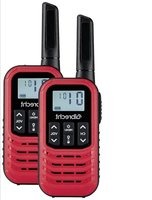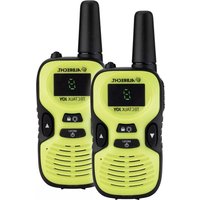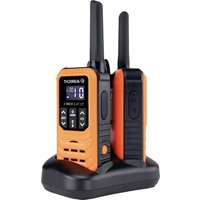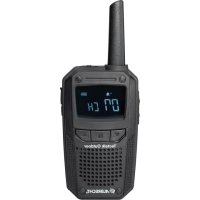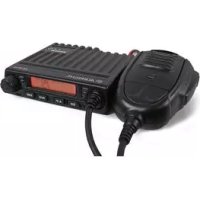
AE 6110 VOX - Talkie Walkie ALBRECHT - Free user manual and instructions
Find the device manual for free AE 6110 VOX ALBRECHT in PDF.



Frequently Asked Questions - AE 6110 VOX ALBRECHT
User questions about AE 6110 VOX ALBRECHT
0 question about this device. Answer the ones you know or ask your own.
Ask a new question about this device
Download the instructions for your Talkie Walkie in PDF format for free! Find your manual AE 6110 VOX - ALBRECHT and take your electronic device back in hand. On this page are published all the documents necessary for the use of your device. AE 6110 VOX by ALBRECHT.
USER MANUAL AE 6110 VOX ALBRECHT
natural_image
Black ALBRECHT remote control device with coiled cord and digital display (no readable text or symbols on main body)Bedienungsanleitung
Deutsch / English / Français / Español / Italiano / Polski / румынский
Inhalt
1 Einführung 3
2 Installation 3
73/23/EEC, 2004/108/EG and 99/5/EC
All essential radio test suites have been carried out. /
This declaration is issued under our sole responsibility. Basing on not yet fully harmonised frequency applications, the CB radio may be used only in listed countries according to selected channel programming and according to the still existing national restrictions for AM + FM, if such should still apply.
Place and date of issue:
© Alan Electronics GmbH, September 2014
natural_image
Black ALBRECHT remote control device with coiled cord and digital display (no readable text or symbols on main body)User Manual
English
Contents
1 Introduction....12
2 Installation....12
2.1 Power Supply....12
2.2 Antenna Connection....12
3 Controls....13
4 Operation....13
4.1 Power On/Off the radio....13
4.2 Volume control 13
4.3 Channel Selection....13
4.4 Squelch level control....13
4.5 ASQ control....13
4.6 Modulation Type....14
4.7 RF Gain control....14
4.8 Emergency Channel....14
4.9 Key Lock 14
4.10 Scan function 14
4.11 Changing the CB-Standard 14
4.12 External Speaker....15
4.13 Resume factory default 15
5 Warranty and Service....15
6 Disposal and Recycling 15
7 Specification....15
8 Declaration of Conformity – Konformitätserklärung....16
9 Albrecht Radio Passport....17
1 Introduction
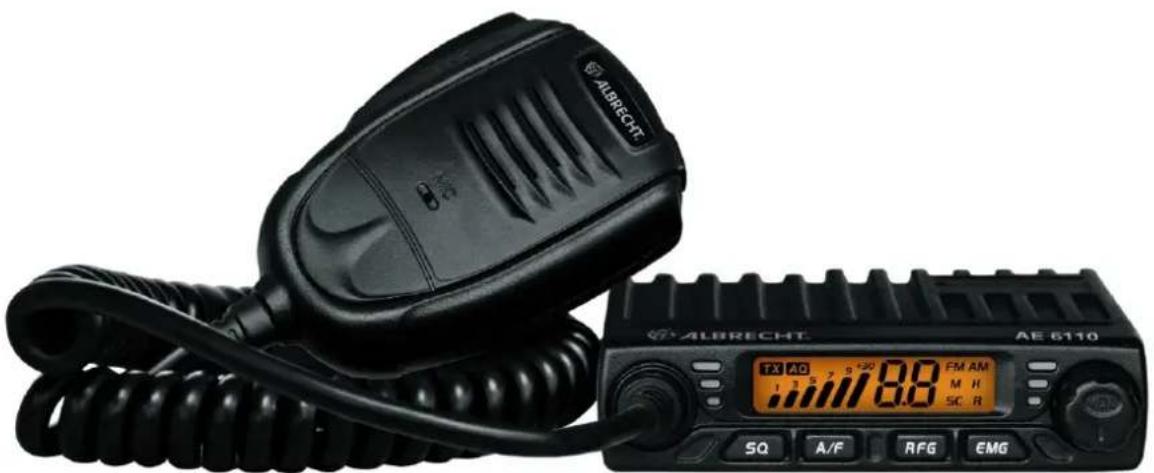
The AE 6110 can be operated as a mobile station in a car or with a suitable DC power supply as a base station. This device complies with the latest European CB standards. Due to its selectable CB standards it can be used throughout Europe. Please select only a CB standard that is allowed in the country of use. For details see the Albrecht Radio Passport at the end of this manual.
Features:
- Multi-standard device
- Up/Down keys on the microphone
- Channel Scan
• LCD display, S-Meter
• ASQ Automatic squelch, adjustable - RF Gain
- Socket for external loudspeaker
2 Installation
Select the mounting location so that road safety is not affected by the device, or additional risk of injury in an accident arises. Check that the display can be seen, and the controls can easily accessed.
2.1 Power Supply
Fuse
A fuse in the power cable protects against damage caused by technical defects or incorrect polarity. If this fuse is blown, first eliminate the error and then replace the blown fuse with a similar spare fuse (2.5 A). If the fuse burns several times, please send the radio to our service.
Car Operation
The red wire of the power cable must be connected to the positive terminal (+12 V), the black wire to the negative terminal. If possible the radio should be connected directly to the vehicle battery, because this is the point with the least interference from the car's electrical system. The device can also be connected behind the ignition switch. All settings of the AE 6110 are stored in a nonvolatile memory.
Operation with AC Adapter
Operate your radio only at a stabilized radio power supply, which is capable to provide at least 2A at 12 -13.8V DC. A well suitable power supply is Albrecht article no. 47500. Unregulated power supplies or battery chargers are unsuitable and can cause damage. Connect the red lead to the positive (+) terminal of the power supply, the black wire to the negative (-) terminal of the power supply.
2.2 Antenna Connection
Connect the CB antenna to the ANT socket on the back of your AE 6110. The antenna must be tuned to the CB radio band. For this use a SWR meter. For a good radio range, the SWR should not exceed a value of 2. A high SWR also points to defects in antenna, cable, or a short circuit in the antenna line. Never transmit without connected antenna!
Note: The radio antenna is to be mounted from other antennas and interference sources as much as possible. CB antennas must be mounted usually in or on metal surfaces. A sufficiently large metal surface is essential for the function of the antenna. For installation on a fiberglass cabs or plastic wind deflectors, special ground less antennas (eg GL 27) can be used
3 Controls
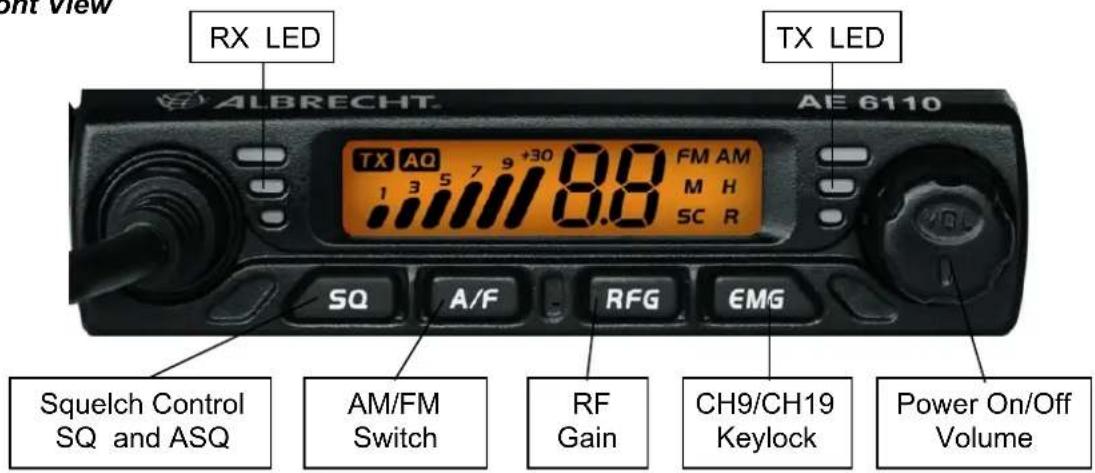
Front View
text_image
RX LED TX LED ALBRECHT. AE 6110 TX AQ 7 9 +30 8.8 FM AM 1 3 5 7 9 8.8 SQ A/F RFG EMG Squelch Control SQ and ASQ AM/FM Switch RF Gain CH9/CH19 Keylock Power On/Off Volume4 Operation
4.1 Power On/Off the radio
- Turn VOL switch clockwise to power on the radio, the LCD displays the CB standard followed by the channel number.
- Turn the VOL knob counterclockwise, until it clicks. The radio is powered off.
4.2 Volume control
Turn clockwise to increase volume and turn counterclockwise to decrease volume.
4.3 Channel Selection
- Shortly press microphone [UP] or [DN] to change working channel.
- Hold microphone [UP] or [DN] to change the working channel fast.
4.4 Squelch level control (28 level and off)
- Shortly press [SQ], until LCD shortly displays "SQ" and then displays X.X, X.X stands for the SQ level.
| 0.F | Squelch off |
| 0.1 | lowest Squelch level |
| .. | .. |
| 2.8 | highest Squelch level |
- Press microphone [UP] or [DN] shortly to change SQ level
- Hold microphone [UP] or [DN] to change the SQ level fast.
- Hold [SQ] or wait for 3 seconds to store and exit.
Note: Higher SQ level require a stronger signal to open the speaker and hear the calling.
4.5 ASQ control (9 levels)
- Hold [SQ] key, until LCD displays AQ, the ASQ function is turned on. The LCD will display "A.X", X stands for the ASQ level.
| A.1 | lowest ASQ level |
| .. | .. |
| A.9 | highest ASQ level |
- Shortly press microphone [UP] or [DN] to change ASQ level
- Hold microphone [UP] or [DN] to change the ASQ level fast fast.
- Hold [SQ] or wait for 3 seconds to store and exit.
Note: Higher ASQ level require a stronger signal to open the speaker and hear the calling.
4.6 Modulation Type
- Shortly press [A/F] key to switch between AM /FM mode.
- The LCD displays the selected mode.
4.7 RF Gain control
- Shortly press [RFG] key, LCD displays R and the present RF gain level flashes.
- Shortly press microphone [UP] or [DN] to change the level of attenuation.
- Shortly press [RFG] key to exit RF gain level control.
Note: When RFG function is on, the LCD displays "R", if RFG level 6 is selected it means the attenuation is 6 dB
4.8 Emergency Channel
- Shortly press [EMG] key to choose CH9, the channel number flashes.
- Shortly press [EMG] key again to choose CH19, the channel number flashes.
- Shortly press [EMG] key third time to return to last normal channel.
4.9 Key Lock
- Hold [EMG] key for over 2 seconds to lock the keys, LCD displays "LC".
- Hold [EMG] key for over 2 seconds again to unlock the keys, LCD displays OF.
Note: In lock Mode, all keys except PTT are valid.
4.10 Scan function
- Hold [A/F] to start scan function, "SC" flashes in the LCD.
- Press microphone [UP] or [DN] to change scan direction during scan.
- Press [A/F] or [PTT] key to exit scan function.
4.11 Changing the CB-Standard
- Hold [A/F] while powering the radio on, until LCD displays the norms.
- Press microphone [UP] or [DN] to choose wanted norms.
- Power off and power on again
| Standard | Channels | Frequency Range |
| EU | 40 FM/40 AM | 26.965-27.405MHz |
| CE | 40 FM | 26.965-27.405MHz |
| UK | 40 CH FM | 27.60125-27.99125MHz |
| PL | 40 FM/40 AM | 26.960-27.400MHz |
| I2 | 36 FM/36 AM | 26.965-26.865MHz |
| DE | 40 FM/40 AM | 26.965-27.405MHz |
| 80 FM | 26.565-26.955MHz | |
| IN | 27 FM/27 AM | 26.965-27.275MHz |
4.12 External Speaker
An external speaker (8 Ohm) can be connected to the 3.5mm mono socket on the back of the radio. The built-in speaker automatically turns off when a plug is inserted into this jack.
4.13 Restore factory default
- Hold [SQ] key while powering the radio on, until the LCD displays "rt".
- All channel and function setting will resume factory default after above operation.
5 Warranty and Service
The manufacturer/reseller grants warranty for this product for two years from the date of purchase. This warranty covers any malfunction caused by defective components or incorrect functions during the warranty period. Damage caused by improper use, or external influences are excluded from the guarantee.
For warranty claims please contact your local dealer. The dealer will repair, exchange, or send your device to an authorized service center.
If you cannot reach your dealer, send your unit directly to a service address specified under 'www.service.alan-electronics.de'. Please attach your proof of purchase for the product and describe the malfunction as accurately as possible.
You can download the latest versions of user manuals and conformity declaration any time from our server:
http://www.service.alan-electronics.de
6 Disposal and Recycling
This radio was manufactured low-emission according to the European WEEE directive. Please note that electronic and electric devices are not to be disposed of with the household waste; return these devices to collection points. Returning devices is free of charge for end users, since the industry is covering the disposal costs. By returning the device to a collection point you contribute to the recycling of valuable raw materials

7 Specification
Dimensions 102 x 100 x 25 mm ^4
Weight 450 gr
Supply Voltage 13,2 V
Current Consumption 2 A max
Operating Temperature Range -20 to +50 °C
Antenna Socket UHF, SO-239
Frequency Error < +/- 300 Hz
TX Power 4 Watt
Spurious Transmissions < 4 nW (-54 dBm)
Adjacent Channel Power < 20 μW
FM Deviation 1.9 kHz
AM Modulation Index 85-90%
RX Sensitivity better than 1 V
Image Rejection 70dB
Adjacent Channel Rejection 60dB
Audio Output 1 Watt into 8 Ohm
Frequency Response 300-3000Hz
73/23/EEC, 2004/108/EG and 99/5/EC
EN 60 950-1: 2006+Amendments 2010/11
All essential radio test suites have been carried out. /
This declaration is issued under our sole responsibility. Basing on not yet fully harmonised frequency applications, the CB radio may be used only in listed countries according to selected channel programming and according to the still existing national restrictions for AM + FM, if such should still apply.
Place and date of issue:
© Alan Electronics GmbH, September 2014
9 Albrecht Radio Passport
For your AE 6110 the following rules for settings and usage apply
| Country | 80/40 | 40/40 | 40 FM | Remarks |
| Austria | ✕ | √ | √ | |
| Belgium | ✕ | √ | √ | |
| Bulgaria | ✕ | √ | √ | |
| Croatia | ✕ | √ | √ | |
| Cyprus | ✕ | √ | √ | |
| Czech Republic | √ | √ | √ | |
| Denmark | ✕ | √ | √ | |
| Estonia | ✕ | √ | √ | |
| Finland | ✕ | √ | √ | |
| France | ✕ | √ | √ | |
| Germany | √ | √ | √ | Base stations in vicinity of the borders (except CZ) need a license for the operation on channels 41-80. |
| Greece | ✕ | √ | √ | |
| Hungary | ✕ | √ | √ | |
| Iceland | ✕ | √ | √ | |
| Ireland | ✕ | √ | √ | |
| Italy | ✕ | √ | √ | Registration for inhabitants required. Foreign Visitors free. |
| Latvia | ✕ | √ | √ | |
| Liechtenstein | ✕ | √ | √ | |
| Lithuania | ✕ | √ | √ | |
| Luxembourg | ✕ | √ | √ | |
| Malta | ✕ | ✕ | √ | |
| Monaco | ✕ | √ | √ | |
| Netherlands | ✕ | √ | √ | |
| Norway | ✕ | √ | √ | |
| Poland | ✕ | √ | √ | |
| Portugal | ✕ | √ | √ | |
| Romania | ✕ | √ | √ | |
| San Marino | ✕ | √ | √ | |
| Slovakia | √ | √ | √ | In FM operation is only allowed on channels 1-40 and 70-80. |
| Slovenia | ✕ | √ | √ | |
| Spain | ✕ | √ | √ | Registration and regular fees for inhabitants required. Foreign Visitors free. |
| Sweden | ✕ | √ | √ | |
| Switzerland | ✕ | √ | √ | |
| United Kingdom | ✕ | ✕ | √ |
Current state: December 2014

ALBRECHT®
CB Radio
AE6110
natural_image
Black ALBRECHT radio receiver with attached cord and digital display (no readable text or symbols on device body)Mode d'Emploi
Français
Sommaire
1 Introduction....20
2 Installation....20
| Standard | Channels | Frequency Range |
| EU | 40 FM/40 AM | 26.965-27.405MHz |
| CE | 40 FM | 26.965-27.405MHz |
| UK | 40 CH FM | 27.60125-27.99125MHz |
| PL | 40 FM/40 AM | 26.960-27.400MHz |
| I2 | 36 FM/36 AM | 26.965-26.865MHz |
| DE | 40 FM/40 AM | 26.965-27.405MHz |
| 80 FM | 26.565-26.955MHz | |
| IN | 27 FM/27 AM | 26.965-27.275MHz |
73/23/EEC, 2004/108/EG and 99/5/EC
© Alan Electronics GmbH, September 2014
9 Passeport radio Albrecht
natural_image
Black ALBRECHT radio receiver with attached cord and digital display (no readable text or symbols on device body)Manual del Usuario
Español
Contenidos
| Standard | Channels | Frequency Range |
| EU | 40 FM/40 AM | 26.965-27.405MHz |
| CE | 40 FM | 26.965-27.405MHz |
| UK | 40 CH FM | 27.60125-27.99125MHz |
| PL | 40 FM/40 AM | 26.960-27.400MHz |
| I2 | 36 FM/36 AM | 26.965-26.865MHz |
| DE | 40 FM/40 AM | 26.965-27.405MHz |
| 80 FM | 26.565-26.955MHz | |
| IN | 27 FM/27 AM | 26.965-27.275MHz |
4.12 Altavoz externo
73/23/EEC, 2004/108/EG and 99/5/EC
© Alan Electronics GmbH, September 2014
9 Pasaporte de radio Albrecht
natural_image
Black ALBRECHT radio receiver with attached cord and digital display (no visible text or symbols on device body)Italiano
Sommario
4.7 Controllo guadagno RF
| Standard | Channels | Frequency Range |
| EU | 40 FM/40 AM | 26.965-27.405MHz |
| CE | 40 FM | 26.965-27.405MHz |
| UK | 40 CH FM | 27.60125-27.99125MHz |
| PL | 40 FM/40 AM | 26.960-27.400MHz |
| I2 | 36 FM/36 AM | 26.965-26.865MHz |
| DE | 40 FM/40 AM | 26.965-27.405MHz |
| 80 FM | 26.565-26.955MHz | |
| IN | 27 FM/27 AM | 26.965-27.275MHz |
4.12 Altoparlante esterno
73/23/EEC, 2004/108/EG and 99/5/EC
© Alan Electronics GmbH, September 2014
9 Passaporto Radio Albrecht
natural_image
Black ALBRECHT radio receiver with attached cord and digital display (no readable text or symbols on device body)Polski
Spis treści
| Standard | Channels | Frequency Range |
| EU | 40 FM/40 AM | 26.965-27.405MHz |
| CE | 40 FM | 26.965-27.405MHz |
| UK | 40 CH FM | 27.60125-27.99125MHz |
| PL | 40 FM/40 AM | 26.960-27.400MHz |
| I2 | 36 FM/36 AM | 26.965-26.865MHz |
| DE | 40 FM/40 AM | 26.965-27.405MHz |
| 80 FM | 26.565-26.955MHz | |
| IN | 27 FM/27 AM | 26.965-27.275MHz |
73/23/EEC, 2004/108/EG and 99/5/EC
© Alan Electronics GmbH, September 2014
9 Paszport Albrecht Radio
natural_image
Black ALBRECHT radio receiver with attached cord and digital display (no visible text or symbols on device body)Română / румынский
Cuprins
1 Introducere ....56
2 Instalare....56
4.7 Control amplificare RF
| Standard | Channels | Frequency Range |
| EU | 40 FM/40 AM | 26.965-27.405MHz |
| CE | 40 FM | 26.965-27.405MHz |
| UK | 40 CH FM | 27.60125-27.99125MHz |
| PL | 40 FM/40 AM | 26.960-27.400MHz |
| I2 | 36 FM/36 AM | 26.965-26.865MHz |
| DE | 40 FM/40 AM | 26.965-27.405MHz |
| 80 FM | 26.565-26.955MHz | |
| IN | 27 FM/27 AM | 26.965-27.275MHz |
4.12 Difuzor extern
73/23/EEC, 2004/108/EG and 99/5/EC
© Alan Electronics GmbH, September 2014