KNWS400N - Weather Station KONIG - Free user manual and instructions
Find the device manual for free KNWS400N KONIG in PDF.



| Product type | Indoor/outdoor weather station |
| Brand | Konig |
| Model | KNWS400N |
| Power supply | 2 AAA batteries (not included) for indoor unit |
| Outdoor sensor | Up to 3 RF channels, frequency 433 MHz, batteries not included |
| Indoor temperature range | 0 °C to 50 °C (32 °F to 122 °F) |
| Outdoor temperature range | -20 °C to 60 °C (-4 °F to 140 °F) |
| Indoor/outdoor humidity range | 20 % to 95 % RH |
| Temperature resolution | 0.1 °C |
| Humidity resolution | 1 % RH |
| Sampling cycle | 12 seconds |
| Weather forecast | 4 icons: sunny, partly sunny, cloudy, rainy |
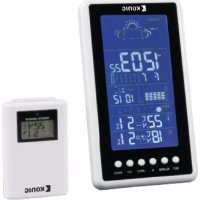
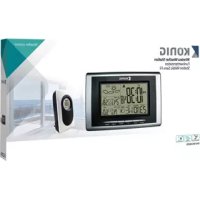
| Display | LCD with date, time, temperature, humidity, moon phases |
| Moon phases | Yes, automatic display |
| Days of the week | 7 languages: EN, DE, FR, IT, ES, NL, DA |
| Alarm | Programmable alarm with snooze function (5 min) |
| Time setting | 12h/24h, adjustable time zone |
| Reset | Reset button (not specified, by removing batteries) |
| Dimensions (estimated) | 120 x 80 x 20 mm (indoor unit) |
| Weight (estimated) | 200 g (indoor unit without batteries) |
| Maintenance | Clean with a dry cloth, do not use solvents |
| Ingress protection rating | Not specified |
| Warranty | Standard manufacturer warranty (subject to conditions) |
Frequently Asked Questions - KNWS400N KONIG
User questions about KNWS400N KONIG
0 question about this device. Answer the ones you know or ask your own.
Ask a new question about this device
Download the instructions for your Weather Station in PDF format for free! Find your manual KNWS400N - KONIG and take your electronic device back in hand. On this page are published all the documents necessary for the use of your device. KNWS400N by KONIG.
USER MANUAL KNWS400N KONIG
MANUAL DE USO (p.22)
NAVOD (5.74)
MANUAL (p. 26)
ROKASGRAMATA (Ipp. 78)
HASZNÁLATI UTMUTATO (0.30)
NAUJOJIMO VADOVAS (82 p.)
KAYTTOOHJE (s. 34)
PRIRUCNIK(str.86)
- Eather forecast for 4 states: sunny, semi-sunny, cloudy, rainy
- Seven languages to show the day: English, Germany, French, Italian, Spanish, Dutch, Danish
- Indoor temperature range: 0^ 50^, sampling cycle: 12 seconds
- Indoor humidity range: 20% 95%
- Outdoor temperature/ humidity with RF: up to 3 channels
- In/out trend indication of temperature/humidity
- Indication of the comfort index
- The function of Alarm/Snoopze
- Moon phase
2. Power-On and Reset
- When Power-On and reset, LCD full display for 3 seconds enter the normal state after "Beep" check temperature and humidity.
- The calendar defaults 0:00 January 1, 2007.
- Alarm defaults 0:00.
- The weather icon defaults semi-sunny.
- Temperature scales defaults Celsius degree ^ C . Time system defaults 24 hr.
3. Instruction of Operating the KEYS
3.1 Key functions
Functional keys: Set, Alarm, CH, Up, Snooze, Channel, Max/Min
| Function Operation | Set Alarm | Up Down SNO/OZE Channel | |||||
| standard mode | Click --- | Alarm on/off 1 | 2 hr/24 hr | switch possible | °C/F switch possible | Enter into snooze state | Switch possible between CH1, 2, 3 |
| Hold Enter into clock setting | Enter into alarm setting | ——— | Clear current | registered | |||
| Times | Click Confirm the setting | ---- One step forward | One step backward | —— —— | |||
| Hold ---- | ----8 steps/ | second forward | 8 steps/second backward | —— —— | |||
| Alarm set | Click --- | Confirm the setting item | One step forward | One step backward | —— —— | ||
| Hold ---- | ----8 steps/ | second forward | 8 steps/second backward | —— —— | |||
ENGLISH

KONIG
3.2 Normal states
- Hold "Set" for 2 seconds to enter into time setting.
- Click "Alarm" to switch the alarm on/off.
- Hold "Alarm" for 2 seconds to enter into Alarm setting.
- Click "Up" to switch between 12 hr/24 hr.
- Press "Down" to switch between ^ C / ^ F
- When ALARM rings, click "snooze" to enter into the snooze state every 5 minutes.
- Press "Channel" to switch RF channel, CH1 CH2 CH3.
- Hold "Channel" key for 2 seconds to clear out all data of current "Channel".
3.3 Time set
- Hold "Set" key for 2 seconds to enter into time setting.
- The sequence of time setting: Year Month Date Language Hour Minute Time zone Exit.
- There will have 1Hz flashing during setting.
- Press "Set" to confirm the setting, and enter the next setting state.
- Press "Up" one time, the setting will go ahead for one step; hold the key for 2 seconds, it will run forward by 8 steps/second.
- Press "Down" one time, the setting will backward for one step; hold for 2 seconds, it will run back by 8 steps/second.
- Moon phase is changed accordingly.
- The system will exit automatically if no key is operated in 8 seconds.
3.4 Alarm set
- Hold "Alarm" key for 2 second to enter into alarm setting.
- The sequence of alarm setting: Hour → Minute → exit.
- There will have 1Hz flashing during setting.
- Press "Alarm" to confirm the setting, and enter the next setting state.
- Press "Up" one time, the setting will go ahead for one step; hold the keys for 2 seconds, it will run forward by 8 steps/seconds.
- Press "Down" one time, the setting will backward for one step; hold for 2 seconds, it will run back by 8 steps/second.
- The system will exit automatically if no key is operated in 8 seconds.
4. Function and Effect
4.1 The receiving function of RF
- After installing the battery and checking temperature/humidity, it will enter RF receiving state automatically for 3 minutes.
- Under normal display mode, hold the "Channel" key for 2 seconds to clear out the channel information.
- If there is no effective signal with same ID code received for the current channel in 35 minutes, the temperature of that CH will show "----".
ENGLISH

KONIG
ENGLISH
- The temperature display will resume back when the correct signal is received again.
4.2 The function of alarm
- The BUZZER will ring for 2 seconds as below:
a 0-10 sec.: one "beep" per second
b 10-20 sec.: two "beeps" per second
c 20-30 sec.: four "beeps" per second
d After 30 sec.: "beeps" continuously
- When the alarm goes off, click "Snoopze" key once to enter states 5 minutes snooze states, exit if any other key is clicked.
4.3 The function of temperature and humidity
- The indoor temperature display range: 0^ +50^ ( 32^ +122^ )
- The indoor temperature proposed operating range: 0^ +40^ (32^ +104^)
- The outdoor temperature display range: -20^ +60^ (-4^ +140^)
- The outdoor temperature proposed operating range: -5^ +45^ ( 23^ +113^ )
- The temperature resolution: 0.1^
- The indoor & outdoor humidity range: 20% 95%
- The humidity resolution: 1% RH
- Sampling period: 12 seconds.
- The temperature and hygrometer sampling will be held when the alarm is ringing
- The RF Transmission Frequency: 433.92 MHz
4.4 The function of weather forecast
Weather icons for 4 states: sunny semi-sunny cloudy rainy

KONIG
ENGLISH

Safety precautions:
To reduce risk of electric shock, this product should ONLY be opened by an authorized technician when service is required.
Disconnect the product from mains and other equipment if a problem should occur. Do not expose the product to water or moisture.
Maintenance:
Clean only with a dry cloth.
Do not use cleaning solvents or abrasives.
Warranty:
Any changes and/or modifications to the product will void the warranty. We cannot accept any liability for damage caused by incorrect use of this product.
General:
Designs and specifications are subject to change without notice. All logos, brands and product names are trademarks or registered trademarks of their respective holders and are hereby recognized as such.
Attention:

This product is marked with this symbol. It means that used electrical and electronic products should not be mixed with general household waste. There is a separate collections system for these products.
This product has been manufactured and supplied in compliance with all relevant regulations and directives, valid for all member states of the European Union. It also complies to all applicable specifications and regulations in the country of sales.
Formal documentation is available upon request. This includes, but is not limited to: Declaration of Conformity (and product identity), Material Safety Data Sheet, product test report.
Please contact our customer service desk for support:
via website: http://www.nedis.com/en-us/contact/contact-form.htm
via e-mail: service@nedis.com
via telephone: +31 (0)73-5993965 (during office hours)
NEDIS B.V., De Tweeling 28, 5215 MC 's-Hertogenbosch, THE NETHERLANDS

KONIG
1. Hauptfunktion:
PpoulaEic aovpaiaic:
Ia va meiwoete tov kivduvo nAektponnEic, to npoiu auto th npenei va aovixeI MONO ano Eouoiodotnevo texviKO otav anateitai ouvtnpnO (epic).
AnouovseTo npoiov ano tvnpia kal aalno eoianiao av npouaotei npobaa
Mny EkTeTeTo npoiov ovepeo n ypaia.
Euvtnpno:
Kaθaipote móvo eva oéyvo navi.
3.4 Alarminnstilling
OTKnIOHTe yCTPOICTBO OT cETn IN DpyrTOO6OpyIOBaHNA,ecIN BO3HNKHyT pO6nEMbl. He donyckaIte BO3dEICTBNA BODb INN BnAri.
TexHueckoe 6cbnyxuBaHne:
OuIaTb TOnbKO cyxON BetoBIO.
He npounbOaIte ouncTky, nCnOJb3y paCTbOpnten nn a6pa3nBbl.
TapaHTy:
IIO6bIe N3MeHHeN H/INMOJnOuHnKaUyCtPoIcTBA npBEnyT K aHHyIpOBaHmIO npAB NOb3ObaTeHa rapaHTnHOe 06cnyKbAHme. Mbl He Hecem OTBeCTBeHHocTn 3a yuep6, NoHeceHHb BCneCTBne He npBaBnBHorO nCNoB3ObaHn ETOrO npOdykTa.
06nne noJoxeHHa:
IIN3aIH IN TEXHNUeCKNe XapakTepeNtKN MOrY 6bIt N3MeHeHb 6e3 PneBapntbHorO yBeOMnHnR. Bce NorOTnbl 6peHOB IN H3BaHnI npOyKTOB ABLIOCTo TOBAPbIMN 3HaKaAMN INN 3apeNCTpnpoBAHHbIMN TOPRObIMN MapkAmn IN COOTBETCTByUOxINX BnaJeNbueB IN CneoBAteBHo pIn3HaHOTr TAKOBIMN.
BHHMaHHe:

DAnHHb npOyKT OTMeueH 3TUM CmBONOM. 3TO O3Haaye, 4TO 3TN 3NeKtpnueckne uN 3NeKtpoHHbe u3denn He DOnJXhbl CMeUWBaTcBcA C 6obuHbIMI DomaiHMMOTxOdaMn. IIN 3TNX npOyKTOB cyueCTBye TOpelbHaC nCTema c6opa oTxOOB.
DAnHoe 3nIeNne6blno nIroTobJeHO NocTabJeHO B COOTBETCTBN CO BCEMN PnIMMeHMbIMN NOJNOXeHNMMN INpeKtNBAMn, DeIcTByIOUIMN dBaCx CtpaH-NeHOB Ebponeckoro CoIO3a. OHO TAKKE COOTBETCTBYET BcEM HOpMaMn INpABINAMn, DeIcTByIOUIMN B CTpaHe IPOdAKn.
OfuiabnaHnokymentaunnpoctabnetaTcno3anpocy.3aDOKymentaBkIOuAet (HO He orpaHnmbaetc 3tM) DekapaaCooTBETCBN (n3denn, nacnpot 6e0nacohctn, otet no npOBepke npodyka.
Isglevsul: Set, Alarm, CH, Up, Snooze, Channel, Max/Min
3.3 HacpoiKa Ha Yaca
- 3aɪpʰjxTe 6yToHa „Set“ 3a 2 cekyHДn, 3a ᵠa BJIe3eTe B pexIM Ha 3aɪaBaHe Ha BPemTo.
- Послесователноста насясторька на Времето: Year (Толина) → Month (Meceц) → Date (Ден) → Language (Езк) → Hour (Чac) → Minute (Минута) → Time zone (Времeba зона) → Exit (Изхов).
3.ПОВЕМЕ на Настpoикata npIMMIRBA OТЧИТаHTo 1Hz. - HatncheTe "Set", 3a da notbbpnte HactpoikKaTa n da npemnHeTe KbM CneBaata HactpoikKa.
- HatncheTe eHOKpatHO,Up". HactpoKaTa npemHaBa KbM cIeBaata CTbNka. 3aipbXte 6yToHa 3a 2 cekyn. ToBa BOnn Do npuBxBAHe Ha nped C 8 CTbKn/ cekynda.
- Hatnche Te eHOKpAHO, Down". HactpoiKaTa ce npuBnKbHa Ha3aC cedHa CTbIka. 3aIbPkaHeTo Ha 6yToHa 3a 2 cekyHn BODn Do npuBnKBaHe C 8 CTbIKn/ cekyHda.
- CbotbetoHcecmeha3aHaNyHata.
8.Cntemata n3nn3a aBtOMaTnH0,aKO He 6bJe HaTnCHaT KnaBnB paMKInTe Ha 8cekyHn.
3.4 3aabaHa Ha aJapMa
- 3aɪpɒkTe 6yToHa „Alarm“ 3a 2 ceKuHɪn, 3a ᵠa Bne3eTe B pɛɡm Ha HacTpɒnKa Ha aIapMaT。

KONIG
- Послесователноста настюка на anapMaTa: Hour (Yac) → Minute (MnHyTa) → Exit (ИзxoД).
- Поврема на Насторькata пиммгba 1 Hz.
- HatncheTe "Alarm", 3a da notBbpnte HactpoiKaTa n da npemHeTe KbM cnedBaata.
- Hatachete eHOKpatHO,Up".HactpoKaTa npemHaBA KbM cIeBaata CTbNka. 3aepbXte 6yToHa 3a 2 cekyn.ToBa BOn Do npuBnKbaHe Hanpei C 8 CTbKn/ cekyHda.
- HatncheTe eHokpato, Down". Hactpoikata ce npnBnxBa Ha3aC cedHa CTbPkA. 3aIbPkaHeTo Ha 6yToHa 3a 2 cekyHn BODn DO npnBnxBaHe C 8 CTbKn/ cekyHda.
- CnCTemata n3nn3a aBtOMaTnUHO, aKO He 6bJe HaTnCHa TKnBnB B paMKnte Ha 8 cekyHn.
4.Функци n eфekt
4.1Функцяз苹pneMaHeHaP
- Cnei KaTo NoCTaBnTe 6aTepeRtA n npOBeprTe TempePaTpaTbIaXHoCTTa, ypeBbT Bn3a B pexmHa npEmaHe Ha Pu aBTOMaTuH O 3 a MHyTu.
- B pexm Ha HopmaHOn OTuHTaHe HATNCHE 6yToHa ,Channel" 3a 2 cekyn, 3a Da n3Tpne TE INΦOpMaunrTa 3a KaHana.
- Ako Hma efeKTHBEN CnHaN CbC bSUN IKD KOI OT TeKyun KaHAI 3a 35 MHyTN, TEMNepaTypaTa Ha TozN KaHAI Nc NOKaKe.
- OtuHTaHTo Ha TeMnePaTpyTa Ce Bb3O6HOBRA npN Bb3CTaHOBBAHe Ha NOLyUaBaHTo Ha HOpMaquraTa OT KaHana.
4.2ФyHKn3aanapMa
-
3BbHELCbT 3aJenCTBa 3a 2 cekyHn, KaKTo e onucaHo no-dony: a 0-10 cek.: eINH 3ByKO B cekyHda b 10-20 cek.: DBA 3ByKO B CIRHana B cekyHda c 20-30 cek.: YeTIpy N 3ByKO B CIRHana B cekyHda d Cnei 30 cek.: HnpeKbCHaT 3ByKO CIRHana
-
Korato anapMaTa ce n3KnIOuH, HATNCHeTe eHOKpaTHo 6yToHa „Snoooze", 3a Da Bne3eTe B cbCTOarHHe Ha 3aJeIcTBaHe Ha anapMaTa ppe3 5 MmHyTu. PnHaTnCKaHe Ha npou3BOJEn dpyr 6yToH anapMaTa cnpa.
4.3Функцma 3a TemnepaTypa n BnaXHOCT
- 06xbat Ha otuHaTo Ha TemnepaTpaTa Ha 3akpuTo 0^ +50^ (32^ +122^)
2.Прелложен pa6oTeH 0xbaT 3a TeMpepaTypa Ha 3akpnto: 0^ +40^ (32^ +104^) - OTuHa He Ha 6XbTa Ha TempepaTpaT ha OTKpuTo: -20°C~+60°C (-4°F~+140°F)
4.Прелложен pa6oTeH o6xBaT Ha TempepaTypaTa Ha OTKpITo: -5°C~+45°C (23°F~+113°F) - Pe3oHouqna Ha TempepaTpata: 0,1°C

KONIG
- BbtpeueH n BbHueH oxbaT Ha BnaJxHocTTa: 20%~95%
- Pe3oJIOUa 3a BlaRa: 1% RH
8.Перпд haобоваянe:12cekyнd - IepnoDbT Ha o6HOBRAHe Ha TempepaTypa Ta BnaXHocTt npOdbJIkaBa da ce NOdIbPka No Bpeme Ha aJapMa.
- YecToHa npedAbaHe Ha P4: 433,92 MHz
4.4Функцяза nporH03a 3a BpeMeTo
IkoHn 3a BpeMeTo B 4 CbCToAHn: CnBHuEBO NOy-CnBHuEBO O6NaHHO Dbx

BHUMAHNE
ACKTOKOBY

PpeoxpaHnTeHHmepKn:
3a da ce Hamaian pnck aT ToKOB yap, npOyKbT Tp8Ba da ce oTbaPc CAMO ot ybnHOMOeHN Texnui npn Hxka ot cepBn3.
N3KIOUe npOyKTa OT 3axpaHbaHeTo n OCTaHaIOno O6OpyDbAHe, aKO Bb3HNKHe np06nem.
He n3naraaTe npoodykTa Ha BnnaHnraTa Ha BpeMeTo nnHa Bnla.
IopdpbKka:
TouncBaTe cAmo CbC cyXa Kbpna.
He n3non3baaTe 3a nouInCTBaHe pa3TBOpriTeIN nn a6pa3nBn.
Tapaanua:
BcNKn npomeHn NmMOnDnKauCnB npOyKaT BoaT Do OTMaHa Ha rapaHua. He NoeMaTeOTROBOpHOCT 3a uET, npuHHeHn OT HnpabunHo n3NoJ3BaHe Ha npOdyKaT.
06u n oJoxeHHa:
Ii3aHbTn CneuKauuTe ca npedMeHa npoMaHa 6e3 npdN3BcTe. BcuKN eMbnm, Tbprobckn MapKn nmeHa Na npOyKTn Ca Tbprobckn MapKn nIpeNCTpnpaHn Tbprobckn MapKn Ha cBoTBHTe npntExaTeIn n ce npn3HaBaT 3a TaKBA.
BHIMAHHe:

IpoodykTBe o6o3aueH cTo3n CmBON. ToBa O3Haayaba, ye enektpnueecknte ne enektpoHHn npOyKTn He Tpa6Ba Da ce CmecBaT C 6oNKHOBehNTe DOMAKINCKN OTnabu. 3a Te3n npOyKTn CbueCTByBa Dpyra CnCTema 3a Cb6npaHe Ha OTnaDbu.
PpOyKbTe npOn3BeHn DcOCTaBHe B CbOTBcTcBne C BCuKN npNIOXMM pa3npoe6n n DnpeKTbB, BaMn 3a BCuKN cTpaHn-ueHKn Ha EBpOeNcKna CbI03. OCBHe TOBA CbOTBcTcBA Ha BCuKN npNIOXMM cNeunFkauu n pa3npoe6n B cTpaHnTe, B KOnTO ce npednara.
Moxete da noIyHTe oIuHaT aDokymentaun npn noncbaHe. Ta BkIOUba, Ho He ce orpaHuaBa do:KeIapaua 3a CbOTBeCTBne (N IeHTnHOCHT Ha npOdyKta), nacnpT 3a 6e3oNaCHOCT Ha BeueCTBaTa N DOKlaD OT TcTeOBeTe Ha npOdyKta.
Cbpxke c 6oPoTo 3a o6cnykBaHe Ha KIneHTn 3a DoIbHInTeHa HhOpMaua:
Upe3mpexkata:http://www.nedis.com/en-us/contact/contact-form.htm
Upe3 mmei: service@nedis.com
no TenefoHa: +31 (0)73-5993965 (npespaOtro BpeMe)
NEDIS B.V., De Tweeling 28, 5215 MC 's-Hertogenbosch, XOJIAHmIa