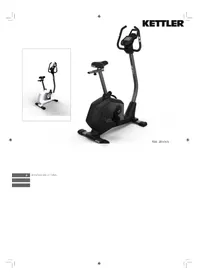
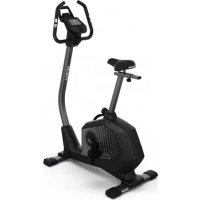
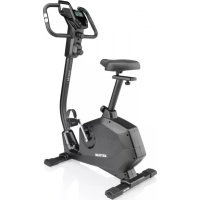
SM 914575 - Exercise bike KETTLER - Free user manual and instructions
Find the device manual for free SM 914575 KETTLER in PDF.



| Product type | Exercise bike |
| Brand | Kettler |
| Model | SM 914575 |
| Power supply | Mains 230 V / 50 Hz |
| Computer | Digital with LED display, backlight |
| Training programs | Manual, Fitness, 12 preset programs, H.R.C. (55/75/90% and free), User (USER) customizable |
| Display | Pulse (30-240 bpm), Time (0-99 min), RPM/Speed (0-99.9 km/h), Distance (0-99.99 km), Calories (0-990 kcal) |
| Pulse measurement | Hand sensors, ear clip (optional), Polar compatible non-coded chest belt (optional) |
| Resistance | 16 brake levels |
| User profiles | 4 storable profiles + 1 anonymous |
| Standby function | Automatic shut-off after 4 minutes of inactivity |
| Maximum user weight | 120 kg (estimated) |
| Dimensions (W x D x H) | Approximately 100 x 50 x 130 cm (estimated) |
| Appliance weight | Approximately 35 kg (estimated) |
| Maintenance and cleaning | Clean with a soft, dry cloth. Do not use solvents. Regularly check the tightening of screws. |
| Safety | Consult a doctor before any training. Do not exceed maximum heart rate (220 - age). Keep out of reach of children. |
| Spare parts and repairability | Optional accessories (ear clip, chest belt) available. Batteries for accessories: 1x CR2032 button cell. Repair by qualified personnel only. |
| General information | User manual available in several languages. Keep the manual for future use. |
Frequently Asked Questions - SM 914575 KETTLER
User questions about SM 914575 KETTLER
0 question about this device. Answer the ones you know or ask your own.
Ask a new question about this device
Download the instructions for your Exercise bike in PDF format for free! Find your manual SM 914575 - KETTLER and take your electronic device back in hand. On this page are published all the documents necessary for the use of your device. SM 914575 by KETTLER.
USER MANUAL SM 914575 KETTLER
MANUAL FITNESS PROGRAM H.R.C. USER
MANUAL FITNESS PROGRAM H.R.C. USER
MANUAL Manuelles Training
Training > MANUAL Manuelles Training
Operating Instructions for the training computer with digital display
1. Start Without Previous Knowledge
You can start your training without requiring any previous knowledge. The necessary information will be displayed in your display. For effective training and for setting your personal training defaults, please read and follow these operating instructions.
Read also the general tips in the training instructions.
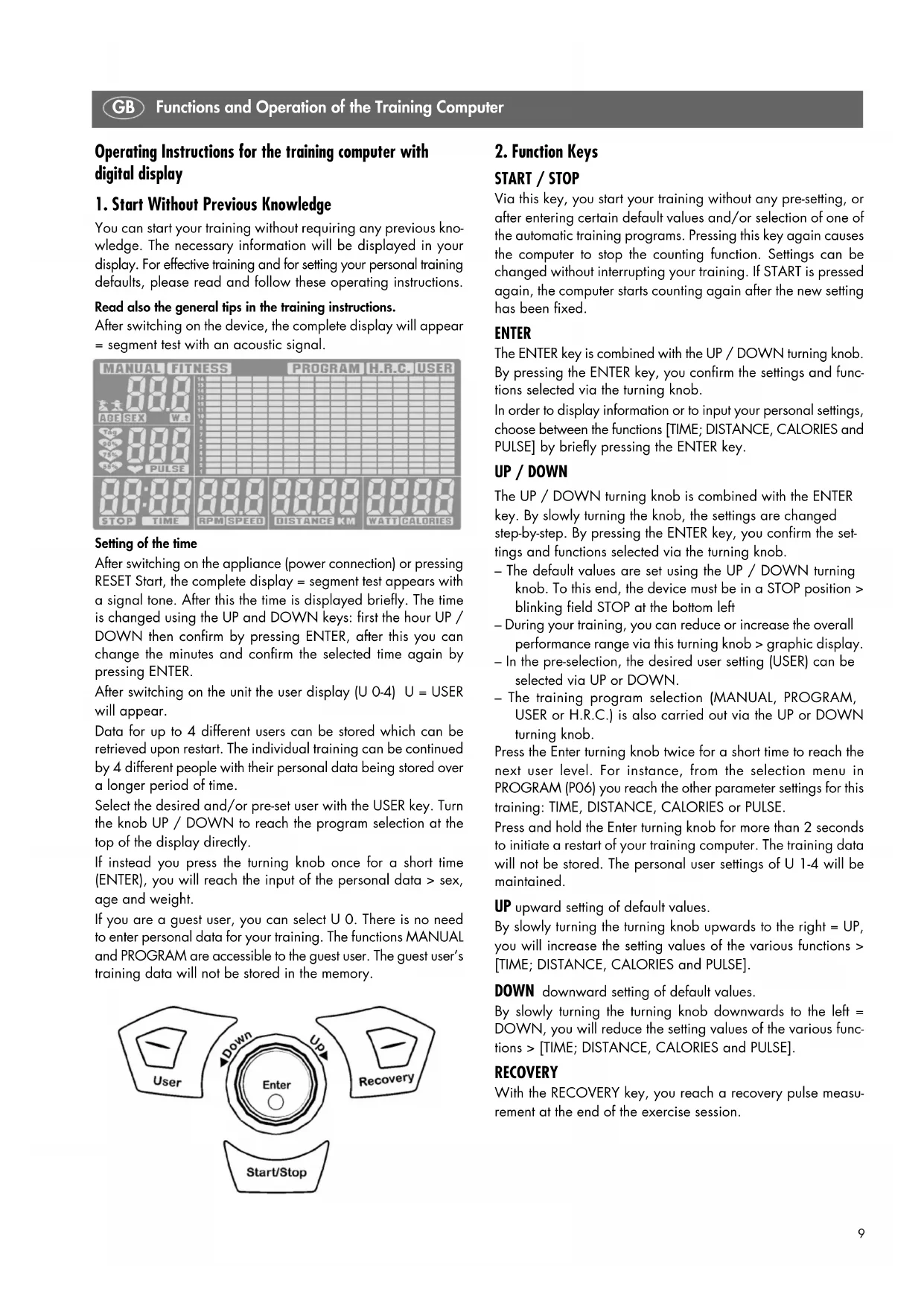
After switching on the device, the complete display will appear = segment test with an acoustic signal.
Setting of the time
After switching on the appliance (power connection) or pressing RESET Start, the complete display = segment test appears with a signal tone. After this the time is displayed briefly. The time is changed using the UP and DOWN keys: first the hour UP / DOWN then confirm by pressing ENTER, after this you can change the minutes and confirm the selected time again by pressing ENTER.
After switching on the unit the user display (U 0-4) U = USER will appear.
Data for up to 4 different users can be stored which can be retrieved upon restart. The individual training can be continued by 4 different people with their personal data being stored over a longer period of time.
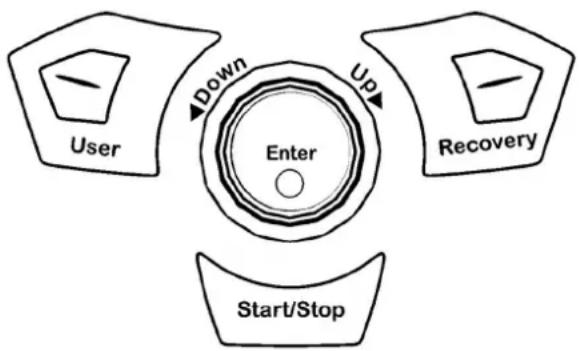
Select the desired and/or pre-set user with the USER key. Turn the knob UP / DOWN to reach the program selection at the top of the display directly.
If instead you press the turning knob once for a short time (ENTER), you will reach the input of the personal data > sex, age and weight.
If you are a guest user, you can select U 0. There is no need to enter personal data for your training. The functions MANUAL and PROGRAM are accessible to the guest user. The guest user's training data will not be stored in the memory.
flowchart
graph TD
    A["User"] -->|Down| B["Enter"]
    B -->|Up| C["Recovery"]
    C --> D["Start/Stop"]
2. Function Keys
START / STOP
Via this key, you start your training without any pre-setting, or after entering certain default values and/or selection of one of the automatic training programs. Pressing this key again causes the computer to stop the counting function. Settings can be changed without interrupting your training. If START is pressed again, the computer starts counting again after the new setting has been fixed.
ENTER
The ENTER key is combined with the UP / DOWN turning knob. By pressing the ENTER key, you confirm the settings and functions selected via the turning knob.
In order to display information or to input your personal settings, choose between the functions [TIME; DISTANCE, CALORIES and PULSE] by briefly pressing the ENTER key.
UP / DOWN
The UP / DOWN turning knob is combined with the ENTER key. By slowly turning the knob, the settings are changed step-by-step. By pressing the ENTER key, you confirm the settings and functions selected via the turning knob.
- The default values are set using the UP / DOWN turning knob. To this end, the device must be in a STOP position > blinking field STOP at the bottom left
- During your training, you can reduce or increase the overall performance range via this turning knob > graphic display.
- In the pre-selection, the desired user setting (USER) can be selected via UP or DOWN.
- The training program selection (MANUAL, PROGRAM, USER or H.R.C.) is also carried out via the UP or DOWN turning knob.
Press the Enter turning knob twice for a short time to reach the next user level. For instance, from the selection menu in PROGRAM (P06) you reach the other parameter settings for this training: TIME, DISTANCE, CALORIES or PULSE.
Press and hold the Enter turning knob for more than 2 seconds to initiate a restart of your training computer. The training data will not be stored. The personal user settings of U 1-4 will be maintained.
UP upward setting of default values.
By slowly turning the turning knob upwards to the right = UP, you will increase the setting values of the various functions > [TIME; DISTANCE, CALORIES and PULSE].
DOWN downward setting of default values.
By slowly turning the turning knob downwards to the left = DOWN, you will reduce the setting values of the various functions > [TIME; DISTANCE, CALORIES and PULSE].
RECOVERY
With the RECOVERY key, you reach a recovery pulse measurement at the end of the exercise session.
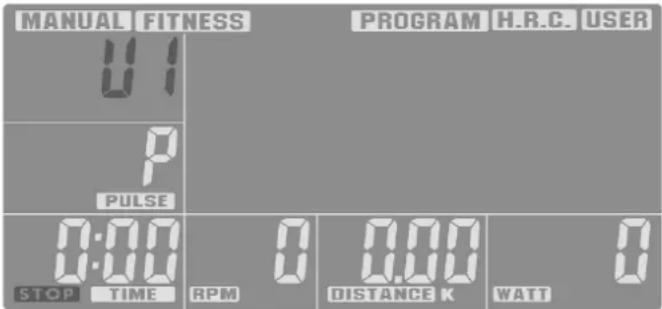
3. Display Information
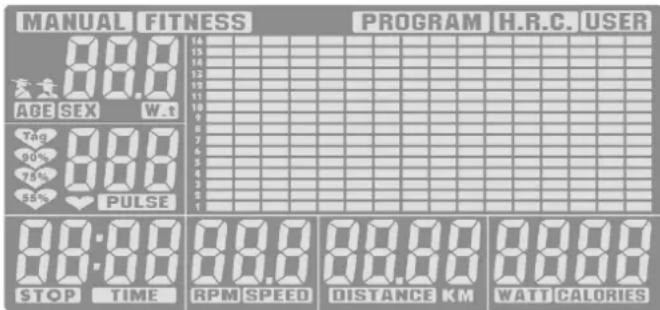
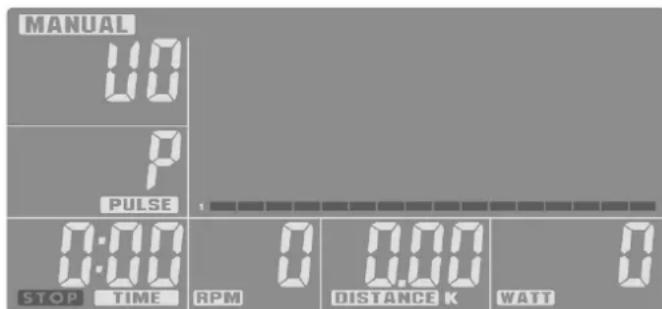
General The display consists of four display areas
- In the top line, the status or selection of the training program is displayed.
MANUAL FITNESS PROGRAM H.R.C. USER
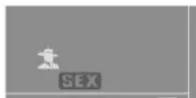
- In the field at the top left the current user is displayed (U 0-4) and the user-specific data are registered: Sex, age, weight.
From these input data the computer will calculate the pulse and performance data during the training.
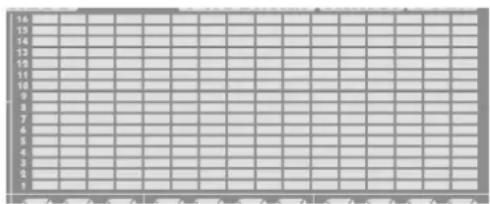
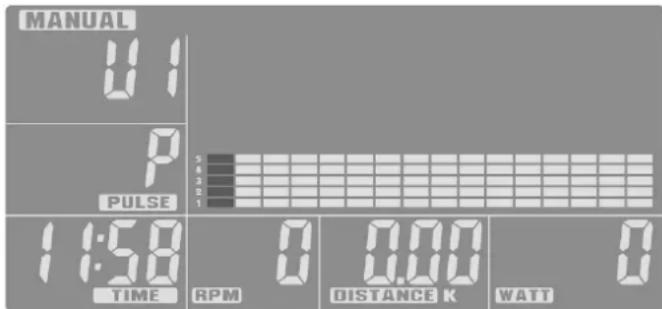
- The large display area represents the graphic display of the performance range (route profile) and serves for simple orientation within the training sequence. One bar segment = low performance; 16 bar segments on top of each other = maximum performance.
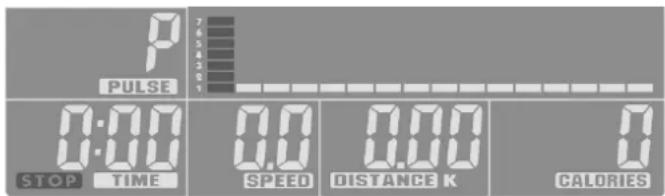
- Below the user field and in the entire bottom display line you will find several segment display fields next to each other, where the different training functions are shown. If these functions are preset, the respective function designation will blink > e.g. TIME.
After finishing your training, the training data is stored and can be retrieved when starting a new training sequence. The new data is then added.
Training program (top display line
The different training programs are selected using the keys UP or DOWN and then confirmed with ENTER.
MANUAL FITNESS PROGRAM H.R.C. USER
MANUAL Manual training
This setting can be selected for an individual training sequence by setting the individual functions [TIME, DISTANCE, CALORIES and PULSE] by hand.
(setting see > functions). The route profile remains linear and is executed from the left to the right over the set time period. The resistance value can be increased or decreased during the training with UP / DOWN.
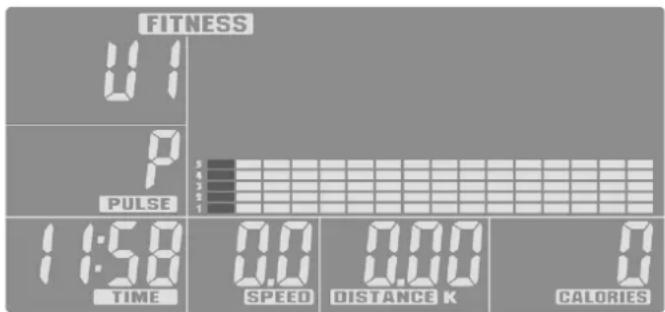
FITNESS Preset program for your fitness training
This program setting has a fixed default time and performance and cannot be changed. At the end of the training sequence the program will offer you an evaluation of the training success on the basis of the calculated pulse data. It will be displayed analog to the recovery setting with F1 being the best value and F6 the worst.
PROGRAM Preset programs for training
You have 12 fixed training programs at your disposal. By means of the route profile you can see which difficulty levels apply to the respective settings.
H.R.C. Training on the basis of a target heart rate (THR)
In this program setting your performance is controlled by means of the preset heart rate. To this end, it is necessary to register your pulse during the training.
see > Possibilities of pulse measurement.
The program offers 3 preset target values: 55, 75 and 90% of the measured pulse.
Pulse = 220 minus age.
In addition, another variable target value is possible: "Tag"
You can set the target value for this setting yourself. As soon as the pulse is reached during your training, the device will emit an acoustic signal.
USER training program via user setting (User
This program selection allows to you set your individual route profile. At least one default value must be selected > [TIME, DISTANCE, CALORIES or PULSE].
Default values (bottom display line
The bottom display line includes individual segment displays with various default values and units.
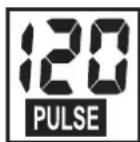
PULSE Pulse / heart rate
If the pulse is measured during training, the heart symbol in this segment display will blink and the pulse rate displayed as heartbeats per minute. Display range: min. 30 to max. 240.
If the target pulse rate is reached during your training, the computer will send an alarm signal.
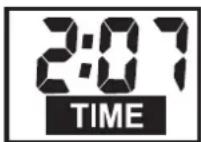
TIME Training period
In this display, the training period is measured in minutes and seconds. Display range: min. 00:00 to max. 99:00
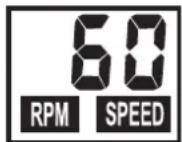
RPM / SPEED Speed
This alternating display (display interval of 6 seconds presents
the step frequency as RPM (Round per minute = revolution per minute and the speed as SPEED in km/h. Display range: min. 0.0 to max. 99.9 km/h
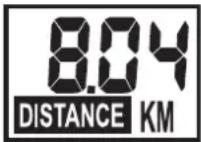
DISTANCE Training distance
The covered distance is measured in km. The counting of the distance starts with >0< and can be continued up to a maximum
of 99.99 km. Gradation for counting is effected in intervals of 0.01 km = 10 m.
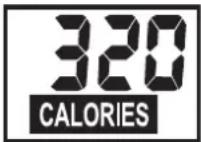
CALORIES Calorie and energy consumption
This display shows the calculated calorie
consumption. The value is established during the training by means of the resistance and time measurements. Display range: min. 0 to max. 990
The data only serves as a rough guideline when comparing the different exercises and cannot be used for medical purposes.
Sleep Enter (empty)
If no RPM or PULSE is registered or if no manual settings are made within 4 minutes, the unit will switch to sleep enter.
4. Personal Training Defaults
General
- Without any special pre-settings, the values in the individual defaults [TIME, DISTANCE, CALORIES and PULSE] count upwards, starting from >0< .
- For effective training it is sufficient to only set one target value in one of the defaults [TIME, DISTANCE, CALORIES or PULSE].
- If a personal target value is set as a training default, the computer will count downwards from this value. When reaching the target value >0< , an audible signal will sound. If the training is continued after this -without setting a new target value - the computer will again count downwards from the pre-set value in this enter on the pressing of the START key.
- Once set, target values cannot be changed during your training. They can only be changed if you press the STOP key first.
Target default value
Setting a target value is identical for all defaults:
e.g. DISTANCE
- Press the ENTER key until the designation >DISTANCE< is blinking in the display segment.
- Turning the knob in the direction UP will increase the value, e.g. DISTANCE in 0.1 km steps.
- If you want to reduce the target value again, turn the knob in the direction DOWN. The countdown will then start from the previously set value.
- If you have set the target value, press the ENTER key. The value is then stored in this function and you reach the next function, e.g. CALORIES.
- If possible, enter only one default value, as otherwise the
training targets will overlap. For example, you might reach the pre-set target time earlier than the pre-set target distance.
- The other defaults [TIME, CALORIES or PULSE] are also entered as described in items 1-4 via the keys UP, DOWN and ENTER.
After having finished setting your defaults, you can start your training. During the training, all current values are displayed in parallel next to each other. The pre-set value is counted downwards until >0< is reached.
5. Training
After switching on the device (see Chapter 1) and after selecting

the user (U 0–4), the program line in the top display field will blink.
You also reach the program line in the top display field by pressing the START key for a short time – without restarting the computer.
- Select the training program (MANUAL, PROGRAM, H.R.C. or USER) with the turning knob UP or DOWN and confirm with ENTER.
- If the training enter you select is MANUAL, PROGRAM or USER and you pre-set a target value for your heart rate, the computer will activate an optical and acoustic alarm as
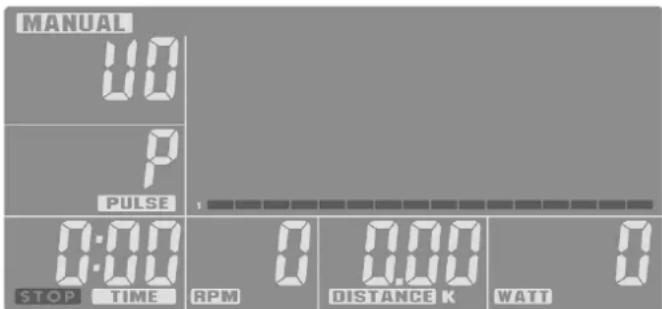
soon as the current heart rate value reaches the target value.
Training > MANUAL
The route profile is represented evenly as a line. All default settings can be made individually [TIME, DISTANCE, CALORIES or PULSE].
Training start pressing the START key and active training.
Via the UP and DOWN turning knob, the entire route profile can be increased or reduced either prior to the start of or during the training.
By means of the set training period (TIME, the computer counts the training progress in the route profile (bar graph) from left to
GB Functions and Operation of the Training Computer
right with a blinking bar. If the pre-set value [TIME, DISTANCE, CALORIES or PULSE] is reached, an acoustic signal will sound for 8 seconds. The training data is not counted further. You have reached your training target! By pressing the START key, it is
also possible to continue your training.
FITNESS Preset program for your fitness training
This program setting has a fixed default time and performance and cannot be changed. At the end of the training sequence the program will offer you an evaluation of
the training success on the basis of the calculated pulse data. It will be displayed analog to the recovery setting with F1 being the best value and F6 the worst.
Training > PROGRAM
Preset programs for your training
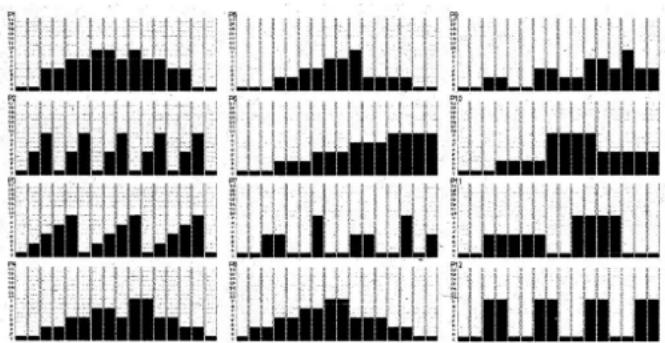
In the training enter PROGRAM you can select one of 12 different factory-pre-set training programs:
By turning the turning knob upwards or downwards, you can move from one program to the next. The alternating display shows the program number (P1-12) for about 1 second and then the route profile in blinking form. Via the ENTER key you confirm your selection, or select another program via UP and/or DOWN.
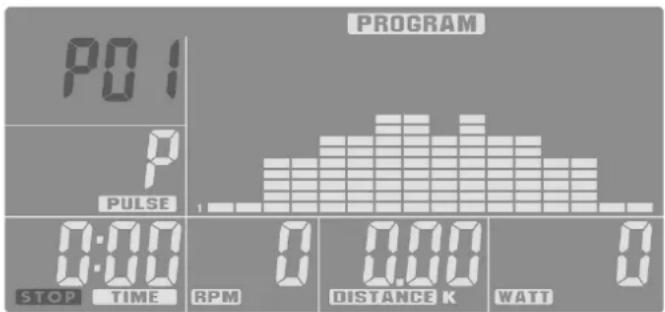
If you have selected your program, you can additionally enter a default value [TIME, DISTANCE, CALORIES or PULSE].
Press the ENTER key to reach the respective next setting possibility. Training start by pressing the START key and active training.
Via the UP and DOWN turning knob, the entire route profile can be increased or reduced either prior to the start of or during the training. By means of the set training period (TIME), the computer counts the training progress in the route profile (bar graph from left to right with a blinking bar. If the pre-set value [TIME, DISTANCE, CALORIES or PULSE] is reached, an acoustic signal will sound for 8 seconds. The training data is not counted further. You have reached your training target! By pressing the START key, it is also possible to continue your training.
Training > H.R.C.
Training via target heart rate (THR)
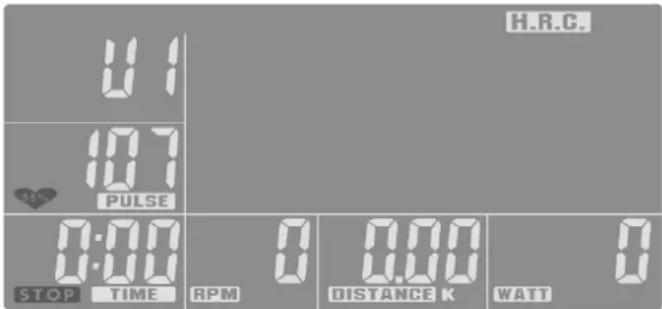
In this training mode the route profile is automatically adapted to the user's input values (U 1-4) as well as the measured heart rate.
If you have selected the training mode H.R.C. using the keys START/STOP, UP/DOWN and ENTER, the bottom heart symbol will blink in the PULSE segment with the value 55%. You can select 55, 75 or 90 % using the turning knob and set the individual target heart rate "date".
The percentage defaults 55%, 75% and 90% refer to the maximum pulse rate (220 - age) and pre-determine 3 general training intensities for the fitness training.
- 55% of the max. heart rate (220 - age) corresponds to the starting phase of the general fat burning trainings. This default can then also be increased manually to 65% .
- 75% of the max. heart rate (220 - age) corresponds to the phase for a general fitness training.
- 90% of the max. heart rate (220 - age) is only suited for shorter sub-maximum exertion intervals for performance increase in interval training.
- The setting "Tag" allows you to enter an individual pulse value as your training target. If this set value is exceeded, a signal will sound.
In this training mode it is not possible to set an additional PULSE value. All other default values can be set as desired. [TIME, DISTANCE or CALORIES]
After selecting your THR value, confirm it via ENTER. You then reach the default setting.
In this training enter it is not possible to set a PULSE value. All other default values can be set freely. [TIME, DISTANCE or CALORIES]
Training start by pressing the START key and active training.
- The computer compares your currently measured heart rate with the pre-set target value and accordingly adapts the braking level during your training.
- If the current heart rate is lower than the target value, the braking level will be increased by one step every 30 seconds, until the maximum value of the resistance or the set heart rate is reached.
- If the current heart rate is above the target value, the braking level is automatically reduced. It will be reduced by one step every 15 seconds until the set heart rate is reached.
- If the braking level has been reduced to 1, but the value for the heart rate still exceeds the target value for 1 minute, the computer will stop and an acoustic alarm signal will sound as a warning.
- Over the set training period [TIME] the computer counts the training progress in the route profile (bar graph) from left to right with a blinking bar.
- If the pre-set value [TIME, DISTANCE or CALORIES] is reached, an acoustic signal will sound for 8 seconds. The training data is not counted further. You have reached your training target! By pressing the START key, it is also possible to continue your training.
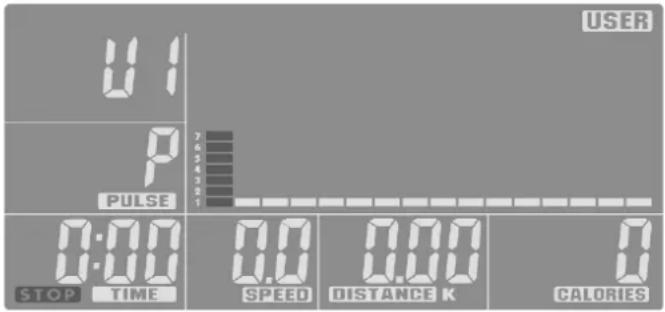
Training > USER Training program via user setting (User)
In the training enter USER you can design your individual route profile.
The setting is made via the turning knob UP / DOWN in order to adjust the profile height. Your reach the next bar via the ENTER key; then UP or DOWN again for height, etc. Program all 16 bars. Training start by pressing the START key and active training.
If you have designed your individual route profile, you can additionally set the default values. To this end, press the START STOP key. To this end, press and hold the ENTER key for 2 seconds. The TIME segment is blinking. Turn the UP / DOWN knob to enter any training time value (TIME), then confirm with ENTER. You will thus reach the distance setting (DISTANCE), etc.
All default values can be set individually [TIME, DISTANCE, CALORIES or PULSE]. At least one default value must be selected. After completing the setting of the default values, you can start your training by pressing the START key and start your active training.
The entire route profile can be increased or reduced via the UP and DOWN keys either prior to the start of or during the training.
By means of the set training period (TIME), the computer counts the training progress in the route profile (bar graph from left to
right with a blinking bar. If the pre-set value [TIME, DISTANCE, CALORIES or PULSE] is reached, an acoustic signal will sound for 8 seconds. The training data is not counted further. You have reached your training target! By pressing the START key, it is also possible to continue your training.
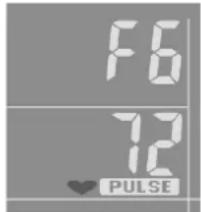
RECOVERY Recovery pulse phase
The RECOVERY function can be selected after any training program.
With the RECOVERY key, you reach a recovery pulse measurement at the end of the exercise session. From the beginning

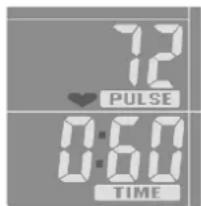
and ending pulse of one minute, the deviation and the fitness grade is determined. With the same exercise session, the improvement of this grade is a measurement of the increased fitness. If you have reached the target value, end the exercise session, press the RECOVERY KEY and then lay your hands on the hand pulse sensors. With a previous pulse measurement in the display 00:60 appears for the time and in the PULSE display the current
pulse value blinks. The time begins to count from 00:60 backwards. Keep your hands on the hand pulse sensors until >0< is reached. Right in the display a value between F1 and F6 is shown. F1 is the best and F6 the worse status. By pressing RECOVERY again, the function is ended.
GB Functions and Operation of the Training Computer
5. Possibilities for Pulse Measurement
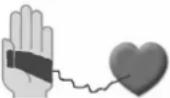
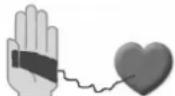
- The computer has two different sensors for heart-rate measurement: hand puls and chest strap (optional accessory). Detection priority is as follows: chest strap and hand pulse.
- If you want to measure the hand pulse, do not apply the chest strap.
- If you want to measure the pulse using the chest strap, apply the chest strap.
- The internal pulse receiver is compatible to un-coded POLAR chest strap transmitters. For coded systems, wrong pulse values may be displayed. We recommend T34 by POLAR
The pulse measurement starts as soon as the heart in the display blinks in time with your pulse beat.
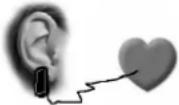
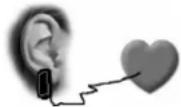
With ear clip
The pulse sensor works with infrared light and measures the variations in translucence in your skin, which are produced by your pulse beat. Rub your ear ten times strongly to activate the blood circulation before attaching the pulse sensor to your earlobe. Avoid disturbing pulses.
- Attach the ear clip properly to your earlobe and look for the best point for the measurement (heart symbol blinks without interruption).
- Do not train directly under strong incidence of light, e.g. neon light, halogen light, spotlight, sun light.
- Completely eliminate any shocks or bounces of the ear sensor and the cable. Always attach the cable with a clip at your clothing or, even better, at your headband.
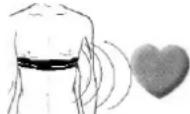
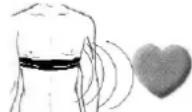
With breast clip
The internal pulse receiver is compatible to un-coded POLAR chest strap transmitters. For coded systems, wrong pulse values may be displayed. We recommend T34 by POLAR. Please observe the corresponding instructions.
A plug-in receiver is not necessary and should not be used for technical reasons.
 |  | |
 |  |  |
 |  |  |
 |  |  |
With hand pulse
An extra-low voltage caused by the contractions of your heart is registered by the hand sensors and evaluated by the electronics assembly of the device.
• Always grab the contact faces with both hands.
- Avoid jerky grasping.
- Hold your hands calmly and avoid contractions and rubbing on the contact faces.
Comment:
Only one way of pulse measurement is possible: either with ear clip or with hand pulse or with breast belt. If no ear clip is located in the pulse plug, hand pulse measurement is activated. If you insert an ear clip in the pulse plug, hand pulse measurement is automatically deactivated. It is not necessary to disconnect the plug of the hand pulse measurement.
Notes
- If no signal is transmitted to the computer for 4 minutes, the LCD will shut off automatically and all existing training data will be stored. You can then press any button to reactivate the computer.
- If the computer is not displaying correctly, disconnect and then reconnect the power supply.
6. Disposal of used batteries and storage batteries

This symbol tells you that batteries and storage batteries must not be disposed of with the normal household waste.
The symbols Hg (mercury) and Pb (lead) underneath the crossed-out rubbish bin also tell you that the battery or storage battery contains more than 0.0005% mercury or more than 0.004% lead.
Improper disposal damages the environment and can damage people's health. Recycling of materials conserves precious raw materials. When disposing of the appliance, remove all batteries and storage batteries from the product and hand them over to the collection point for the recycling of batteries or electrical or electronic appliances. Information about the appropriate collection points can be obtained from your local authorities, your waste disposal team or in the outlet where this appliance was sold.
7. Training Instructions
For Your Safety:
Before beginning your program of exercise, consult your doctor to ensure that you are fit enough to use the equipment. Base your program of exercise on the advice given by your doctor. Incorrect or excessive exercise may damage your health.
This device has particularly been designed and developed for leisure time sportsmen. It is excellently suited for cardiovascular training.
The training methodically has to be organised on the principles of stamina training. This will predominantly cause changes and adaptations of the cardiovascular system. This includes the reduction of the resting pulse frequency and of the load pulse. This gives the heart more time for filling the ventricles and for the blood circulation of the cardiac musculature (through the coronary vessels. Moreover, depth of breathing and the volume of air that can be breathed in (vital capacity) are increased. Further positive changes take place in the metabolic system. In order to achieve these positive changes, the training has to be planned according to certain guidelines.
Planning and control of your training
The basis for your training planning is your current physical fitness condition. Your family doctor can diagnose your personal fitness by means of an exercise tolerance test, which will constitute the basis for your training planning. If you have not undergone an exercise tolerance test, high training exertion and/or overstraining must be avoided in all cases. The following rule should be considered in your planning: stamina training is controlled via the scope of exertion as well as via the level / intensity of exertion.
Regarding exertion intensity
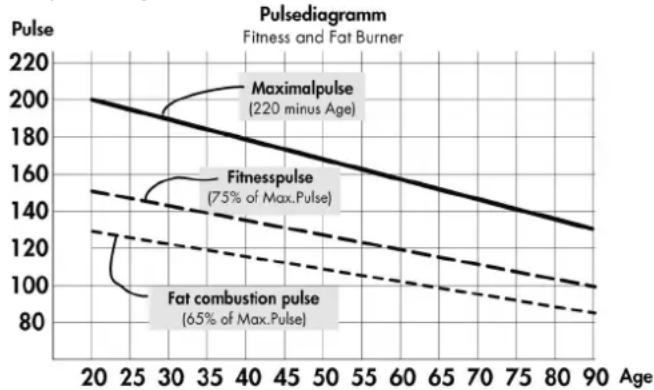
The intensity of exertion should preferably be checked in your fitness training via your heart's pulse rate. The maximum heart rate per minute of >220 minus age must not be exceeded. The optimum training pulse is determined by age and training target.
Training target: fat burning/weight reduction
The optimum pulse frequency is calculated using the empirical formula (220 - age) × 0.65 .
Advice: fat burning for energy supply only gains significance after a minimum training period of 30 minutes.
Training target cardio-vascular fitness:
The optimum pulse frequency is calculated using the empirical formula (220 - age) x 0.75.
The intensity is predetermined in your training by means of the braking levels, ranging from 1-16. As a beginner, you should avoid too high braking level settings for your training, as this will quickly lead to exceeding the recommended pulse rate range. Start by using a low braking level setting and then approach your optimum training pulse step by step. Do not forget to regularly check during your fitness training whether you still range within the intensity area according to the above stated recommendations.
Sports physicians consider the following load factors to be positive for fitness:
Frequency Duration
daily 10 min
2-3 times weekly 20-30 min
1-2 times weekly 30-60 min
Beginners should not start with training units of 30 to 60 minutes.
A beginner training could be organised as follows during the first four weeks:
Frequency Length of exercise blocks
1st week
three times a week 2 minutes training
1 minute break for gymnastics
2 minutes training
1 minute break for gymnastics
2 minutes training
2nd week
three times a week 3 minutes training
1 minute break for gymnastics
3 minutes training
1 minute break for gymnastics
2 minutes training
3rd week
three times a week 4 minutes training
1 minute break for gymnastics
3 minutes training
1 minute break for gymnastics
3 minutes training
4th week
three times a week 5 minutes training
1 minute break for gymnastics
4 minutes training
1 minute break for gymnastics
4 minutes training
In order to have a personal training documentation, you can enter the training values achieved in the performance table. Prior to and after every training unit gymnastic exercises lasting approx. 5 minutes serve the warming up and/or cooling down. There should be a day without training between two training units, if you later on prefer to train three times a week for 20 - 30 minutes each. Otherwise nothing can be said against a daily training.
line
| Age | Maximalpulse | Fitnesspulse | Fat combustion pulse | | --- | --- | --- | --- | | 20 | 200 | 150 | 130 | | 30 | 180 | 140 | 120 | | 40 | 160 | 130 | 110 | | 50 | 140 | 120 | 100 | | 60 | 120 | 110 | 90 | | 70 | 100 | 100 | 85 | | 80 | 80 | 90 | 80 | | 90 | 60 | 80 | 75 |MANUAL Manuele training
Training > MANUAL Manuele training
bar
| Category | Series 1 | Series 2 | Series 3 | Series 4 | Series 5 | Series 6 | Series 7 | |---|---|---|---|---|---|---|---| | Group 1 | 0.8 | 0.6 | 0.9 | 0.7 | 0.5 | 0.4 | 0.3 | | Group 2 | 0.7 | 0.5 | 0.8 | 0.6 | 0.4 | 0.3 | 0.2 | | Group 3 | 0.9 | 0.7 | 0.6 | 0.8 | 0.5 | 0.4 | 0.3 | | Group 4 | 0.6 | 0.4 | 0.5 | 0.7 | 0.6 | 0.5 | 0.4 | | Group 5 | 0.8 | 0.6 | 0.7 | 0.9 | 0.6 | 0.5 | 0.4 | | Group 6 | 0.5 | 0.3 | 0.4 | 0.6 | 0.5 | 0.4 | 0.3 | | Group 7 | 0.7 | 0.8 | 0.9 | 1.0 | 0.7 | 0.6 | 0.5 | | Group 8 | 0.6 | 0.5 | 0.7 | 0.8 | 0.6 | 0.5 | 0.4 | | Group 9 | 0.8 | 0.7 | 1.0 | 1.1 | 0.8 | 0.7 | 0.6 | | Group 10 | 0.5 | 0.3 | 0.4 | 0.5 | 0.4 | 0.3 | 0.2 | | Group 11 | 0.7 | 0.9 | 1.1 | 1.2 | 1.0 | 0.9 | 0.8 | | Group 12 | 0.6 | 0.5 | 0.6 | 0.7 | 0.6 | 0.5 | 0.4 | | Group 13 | 0.8 | 1.1 | 1.3 | 1.4 | 1.2 | 1.1 | 1.0 | | Group 14 | 0.7 | 1.0 | 1.2 | 1.3 | 1.1 | 1.0 | 0.9 | | Group 15 | 0.9 | 1.3 | 1.5 | 1.6 | 1.4 | 1.3 | 1.2 | | Group 16 | 0.6 | 0.8 | 1.1 | 1.2 | 1.0 | 0.9 | 0.8 | | Group 17 | 0.8 | 1.2 | 1.4 | 1.5 | 1.3 | 1.2 | 1.1 | | Group 18 | 0.7 | 1.1 | 1.3 | 1.4 | 1.2 | 1.1 | 1.0 | | Group 19 | 0.9 | 1.4 | 1.6 | 1.7 | 1.5 | 1.4 | 1.3 | | Group 20+ (Group) = Total (n) = (n - Group) * n - Group (n - Group) * n - Group (n - Group) * n - Group (n - Group) * n - Group (n - Group) * n - Group (n - Group) * n - Group (n - Group) * n - Group (n - Group) * n - Group (n - Group) * n - Group (n - Group) * n - Group (n - Group) * n - Group (n - Group) * n - Group(All) * n - Group (All) * n - Group (All) * n - Group (All) * n - Group (All) * n - Group (All) * n - Group (All) * n - Group (All) * n - Group (All) * n - Group (All) * n - Group (All) * n - Group (All) * n - Group (All) * n - Group (All) * n - Group (All) * n - Group (All)2-3 x per week 20-30 min
1-2 x per week 30-60 min
bar
| Category | Series 1 | Series 2 | Series 3 | |---|---|---|---| | Group 1 | 0.5 | 0.8 | 0.6 | | Group 2 | 0.7 | 0.9 | 0.7 | | Group 3 | 0.6 | 0.7 | 0.8 | | Group 4 | 0.8 | 0.6 | 0.9 | | Group 5 | 0.4 | 0.5 | 0.6 | | Group 6 | 0.9 | 0.7 | 0.8 | | Group 7 | 0.5 | 0.6 | 0.7 | | Group 8 | 0.7 | 0.8 | 0.9 | | Group 9 | 0.6 | 0.5 | 0.6 | | Group 10 | 0.8 | 0.7 | 0.8 | | Group 11 | 0.4 | 0.3 | 0.4 | | Group 12 | 0.9 | 0.6 | 0.7 | The chart displays a series of vertical bars for each category across the x-axis labeled 'Category' and y-axis labeled 'Value'. The values are estimated based on the provided code.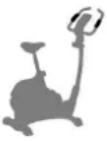 | 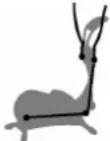 | |
 |  |  |
 | [S2H0] | [ZABC] |
 | [DS4X] |  |
bar
| Category | Series 1 | Series 2 | Series 3 | Series 4 | Series 5 | Series 6 | Series 7 | Series 8 | Series 9 | Series 10 | |---|---|---|---|---|---|---|---|---|---|---| | Group 1 | 10 | 15 | 20 | 25 | 30 | 35 | 40 | 45 | 50 | 55 | | Group 2 | 15 | 20 | 25 | 30 | 35 | 40 | 45 | 50 | 55 | 60 | | Group 3 | 20 | 25 | 30 | 35 | 40 | 45 | 50 | 55 | 60 | 65 | | Group 4 | 25 | 30 | 35 | 40 | 45 | 50 | 55 | 60 | 65 | 70 | | Group 5 | 30 | 35 | 40 | 45 | 50 | 55 | 60 | 65 | 70 | 75 | | Group 6 | 35 | 40 | 45 | 50 | 55 | 60 | 65 | 70 | 75 | 80 | | Group 7 | 40 | 45 | 50 | 55 | 60 | 65 | 70 | 75 | 80 | 85 | | Group 8 | 45 | 50 | 55 | 60 | 65 | 70 | 75 | 80 | 85 | 90 | | Group 9 | 50 | 55 | 60 | 65 | 70 | 75 | 80 | 85 | 90 | 95 | | Group 10 | 55 | 60 | 65 | 70 | 75 | 80 | 85 | 90 | 95 | 100 | The chart displays the values for each category (Group1 to Group10) in the top row. The values for Group1 through Group10 are shown as vertical bars on the x-axis, with each bar labeled by its exact numerical value. There is no label for Group1 or Group2 but likely indicating a separate group or category. The y-axis is unlabeled but represents the magnitude of each bar. The title of the chart is 'Group' and axis labels are 'Unitless'.MANUAL FITNESS PROGRAM H.R.C. USER
MANUAL Treino manual
bar
| Category | Value 1 | Value 2 | Value 3 | Value 4 | Value 5 | Value 6 | Value 7 | |---|---|---|---|---|---|---|---| | Bar 1 | 0.5 | 0.8 | 0.6 | 0.9 | 0.7 | 0.4 | 0.3 | | Bar 2 | 0.7 | 0.9 | 0.7 | 0.8 | 0.6 | 0.5 | 0.4 | | Bar 3 | 0.6 | 0.7 | 0.8 | 0.9 | 0.7 | 0.6 | 0.5 | | Bar 4 | 0.8 | 0.6 | 0.9 | 0.7 | 0.8 | 0.7 | 0.6 | | Bar 5 | 0.4 | 0.5 | 0.6 | 0.7 | 0.8 | 0.9 | 0.7 | | Bar 6 | 0.3 | 0.4 | 0.5 | 0.6 | 0.7 | 0.8 | 0.6 | | Bar 7 | 0.2 | 0.3 | 0.4 | 0.5 | 0.6 | 0.7 | 0.5 | | Bar 8 | 0.1 | 0.2 | 0.3 | 0.4 | 0.5 | 0.6 | 0.4 | | Bar 9 | 0.2 | 0.3 | 0.4 | 0.5 | 0.6 | 0.7 | 0.5 | | Bar 10 | 0.3 | 0.4 | 0.5 | 0.6 | 0.7 | 0.8 | 0.6 | | Bar 11 | 0.4 | 0.5 | 0.6 | 0.7 | 0.8 | 0.9 | 0.7 | | Bar 12 | 0.5 | 0.6 | 0.7 | 0.8 | 0.9 | 1.0 | 0.8 | | Bar 13 | 0.6 | 0.7 | 0.8 | 0.9 | 1.0 | 1.1 | 0.9 | | Bar 14 | 0.7 | 0.8 | 0.9 | 1.0 | 1.1 | 1.2 | 1.0 | | Bar 15 | 0.8 | 0.9 | 1.0 | 1.1 | 1.2 | 1.3 | 1.1 | | Bar 16 | 0.9 | 1.0 | 1.1 | 1.2 | 1.3 | 1.4 | 1.2 | | Bar 17 | 1.0 | 1.1 | 1.2 | 1.3 | 1.4 | 1.5 | 1.3 | | Bar 18 | 1.1 | 1.2 | 1.3 | 1.4 | 1.5 | 1.6 | 1.4 | | Bar 19 | 1.2 | 1.3 | 1.4 | 1.5 | 1.6 | 1.7 | 1.5 | | Bar 20 | 1.3 | 1.4 | 1.5 | 1.6 | 1.7 | 1.8 | 1.6 | | Bar 21 | 1.4 | 1.5 | 1.6 | 1.7 | 1.8 | 1.9 | 1.7 | | Bar 22 | 1.5 | 1.6 | 1.7 | 1.8 | 1.9 | 2.0 | 1.8 | | Bar 23-24: The chart displays the frequency distribution of three discrete categories (Value1, Value2, Value3) for each category on the x-axis, with the y-axis representing frequency values from -2 to +2 and the z-axis representing the same categorical labels (e.g., 'F', 'R'). The data is presented in a grid format with bars extending rightward from the center to the left, indicating relative frequency or magnitude per category within each group's range.natural_image
Interior of a fitness facility with an astronaut adjusting an exercise bike on a mat, no visible text or symbols.
natural_image
Black-and-white photo of a woman leaning on a bicycle outdoors, no visible text or symbols
natural_image
Black-and-white photo of a white plastic folding chair on a wooden deck, with two people sitting nearby (no visible text or symbols)
- MANUAL FITNESS PROGRAM H.R.C. USER
- MANUAL Manuelles Training
- Training > MANUAL Manuelles Training
- Operating Instructions for the training computer with digital display
- Start Without Previous Knowledge
- Read also the general tips in the training instructions.
- Setting of the time
- Function Keys
- START / STOP
- ENTER
- UP / DOWN
- RECOVERY
- Display Information
- Training program (top display line
- USER training program via user setting (User
- Default values (bottom display line
- RPM / SPEED Speed
- DISTANCE Training distance
- CALORIES Calorie and energy consumption
- Sleep Enter (empty)
- Personal Training Defaults
- General
- Target default value
- Training
- Training > MANUAL
- GB Functions and Operation of the Training Computer
- FITNESS Preset program for your fitness training
- Training > PROGRAM
- Training > H.R.C.
- Training > USER Training program via user setting (User)
- RECOVERY Recovery pulse phase
- Possibilities for Pulse Measurement
- With ear clip
- With breast clip
- With hand pulse
- Comment:
- Notes
- Disposal of used batteries and storage batteries
- Training Instructions
- For Your Safety:
- Planning and control of your training
- Regarding exertion intensity
- Training target: fat burning/weight reduction
- Training target cardio-vascular fitness:
- 1st week
- 2nd week
- 3rd week
- 4th week
- MANUAL Manuele training
- MANUAL Treino manual
Brand : KETTLER
Model : SM 914575
Category : Exercise bike