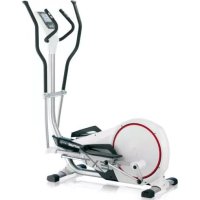
Unix EX - Exercise bike KETTLER - Free user manual and instructions
Find the device manual for free Unix EX KETTLER in PDF.


| Product type | Ergometric stationary bike |
| Brand | Kettler |
| Model | Unix EX |
| Dimensions (L x W x H) | Approx. 100 x 50 x 130 cm |
| Weight | Approx. 55 kg |
| Power supply | 230 V / 50 Hz via power adapter |
| Maximum user weight | Approx. 150 kg |
| Display | Backlit LCD screen with contrast and color adjustment |
| Brake type | Electromagnetic brake with constant power or constant torque |
| Power range | 25 to 600 Watts |
| Heart rate measurement | Ear clip (wired) and integrated receiver for Polar T34 chest strap |
| Training programs | Manual, fixed/individual power profiles, manual/fixed/individual HRC, IPN test, coaching, session recording |
| Interfaces | USB-A for key (FAT32), USB-B for PC, serial port (RS232) |
| User memory | Up to 5 profiles + guest + USB key |
| Special functions | Warm-up/Cool-down, recovery, HRL traffic light, max pulse overshoot alarm, firmware update |
| Maintenance and cleaning | Clean with a soft, dry cloth; regularly check fastenings and wear; use only Kettler spare parts |
| Safety | Install on stable floor; check before use; stop immediately if a defect occurs; follow medical instructions |
| Warranty and repairability | Use exclusively original Kettler spare parts; contact customer service for any repairs |
Frequently Asked Questions - Unix EX KETTLER
User questions about Unix EX KETTLER
0 question about this device. Answer the ones you know or ask your own.
Ask a new question about this device
Download the instructions for your Exercise bike in PDF format for free! Find your manual Unix EX - KETTLER and take your electronic device back in hand. On this page are published all the documents necessary for the use of your device. Unix EX by KETTLER.
USER MANUAL Unix EX KETTLER
Programme > Coach Health / Power
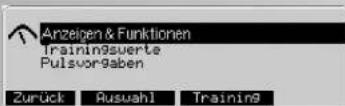
In this menu, you can find 3 menus:
Training and operating instructions
english

Training and operating instructions
Table of Contents
Safety instructions 2
Service
Your safety 2
Short description 3
- Display area / display 3
- Buttons and button functions 3
- Resetting the Display 3
Type of pulse measurement 3
USB device interfaces 3 - Selecting Language 3
- Display Settings 3
- Values and Symbols Displayed 4
Quick start (to become familiar) 4
- Training stand-by 4
Beginning of training 4 - Interruption of training
- Standby mode 4
Main Menu
Required input 5
Menu Users 5
- Select person / USB flash drive
- Entering User Data
Sample Data "Thomas"
Menu Programme 5
Performance (manual) 6
- Recording of training
(Recorded Sessions)
Performance (preset) Profile 6
Performance (individual)
HRC [manual]
HRC (preset) Profile 6
HRC (individual)
IPN test
Coaching programme
Training 2 7
Select a training programme 7
Performance (manual) "Count Down"
Current default settings 7
Training stand-by 7
Performance (fixed) 7
Current default settings
Mode: Time or distance
Training stand-by
- Manual pulse input
"HRC Count Down"
Current default settings 8
- Pulse-profile HRC (fixed) HRC-Profil 1
Current default settings 8
Training stand-by
Training
- Display change (multi-purpose dis
play
Training functions
- Revolutions per minute (dependent / dependent)
independent)
Monitoring of rotation speed/perfor
mance - Pulse monitoring
Maximum pulse
Target pulse
10
10
Heart rate light (traffic light function)
(recovery pulse measuring) 10
- Interruption or end of training 16
-Resume training 1
Individual training profiles Editing 1
Performance (individual) 1
HRC (individual) 1
Main menu Default Settings 12
- Display & functions 12
2.Training values 13 - Pulse default settings 13
Main menu Settings 14
- Units 14
- Display 14
3.Time and date 14 - Stand-by 15
- Factory Settings 15
6.Firmware-Update 15
General information
System beeps 15
Recovery
- Switching time / distance 15
- Profile display during training 15
Operation dependent on rotation
speed 15
Operation independent from rotation
speed 15
Calculating the average value 15
Information on pulse measuring 15
with ear clip 15
with chest strap 16
Malfunction of the training computer 16
Information on the interface 16
Training instructions
Endurance training 16
Stress intensity 16
Amount of stress 16
Worm-Up 16
Cool-Down 16
Glossary 16
Safety instructions
Please observe the following instructions for your own safety:
- The training appliance must be erected on a suitable and stable surface.
Before putting into operation for the first time and after the appliance has been in operation for approximately 6 days, all connections must be checked to ensure a secure fit. - In order to prevent injuries caused by incorrect loading or overloading, the training appliance may only be used as part instructions.
A permanent erection of the appliance in damp
rooms is not recommended since rust will form. - Conduct regular checks to ensure that the functional efficiency and general overall condition of the training appliance are as they should be.
The Operator's responsibilities also include technical safety checks and must be conducted at regular intervals and with the required thoroughness and precision.
Defective or damaged components must be replaced immediately. - Use only original KETTLER spare parts
- The appliance must not be used until repair work has been completed.
- The level of safety of the appliance can only be maintained if it is checked at regular intervals for damage and wear-and-tear.
For your safety:
Before taking up training, consult your GP to ensure that your state of health is such that the appliance is a suitable form of training for you. Your own personal training programme should be based on the
medical findings. Incorrect or excessive training can damage your health.
Short description
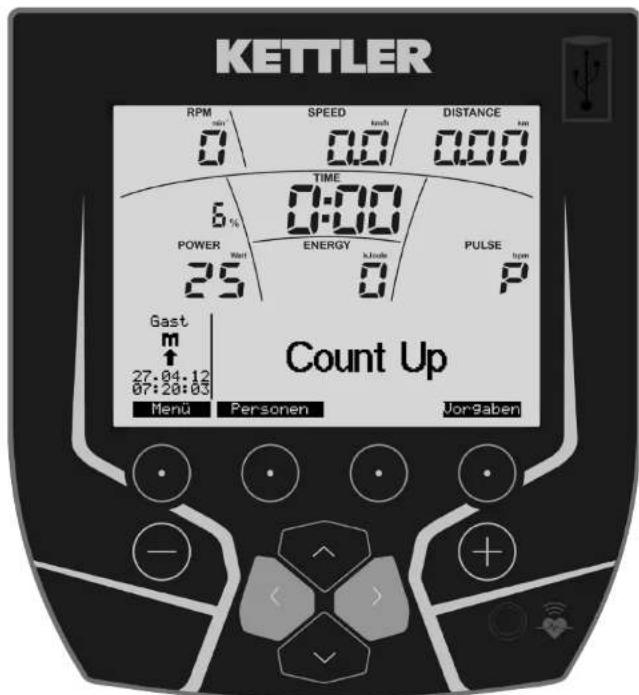
The electronic unit consists of function keys and a display.
Display area / Display USB-A
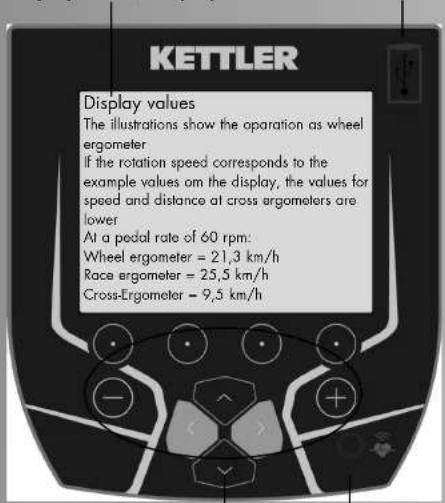
Keys Pulse female connector
Turning the device ON and OFF
Start the display in standby mode with the navigation button "up".
Soft buttons
These 4 buttons trigger features which will be shown in the display above, e.g. menu, persons ...
Navigation keys
Use the navigation keys to select menu features or menu entry fields.
Enter keys minus - / plus +
By means of these keys, you can alter values, adjust the stress values for training and shift profiles.

- "Plus" increases the values or alters settings
- "Minus" reduces the values or alters settings
- Press "Plus" or "Minus" for a longer period of time > quick modification
- Press "Plus" and "Minus" at the same time:
Stress skips to smallest performance - Programmes skips to default setting
- Value input skips to Off
Resetting the Display (Software-Reset)
Pressing the three keys at the same time, will restart the equipment.
Type of pulse measure
The pulse measurement can be carried out in two ways:
- Ear clip
The plug is put into the pulse female connector;
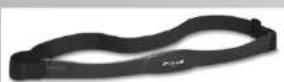
- built-in receiver and Polar chest strap T34 (please refer to the appropriate instructions)


USB type A connector
Connector for storage media. The storage requires a FAT32 format.
USB type B connector
Connector to the pc is located at the rear side of the display.

Selecting Language
When switched on for the first time, the language menu.

Use navigation keys "Up" and "Down" to select language.
Press "Select" to accept language selection and to open the "Display" menu.
Press "Cancel" to get back to the main menu. Settings will not be saved, display will be shown when switched on again.
Display Settings
After having sat the language, the menu for setting the brightness, the contrast and the background colour of the display appears.
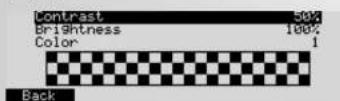
Press "Back" to get back to the main menu. The settings will be saved.
Press "Cancel" to get back to the main menu instantly. Settings will not be saved, display will be shown when switched on again.
Constraint and Brightness
When the optimal contrast is set, there will be no heavy shades.
Colour
Here you can change the background colour of the display.
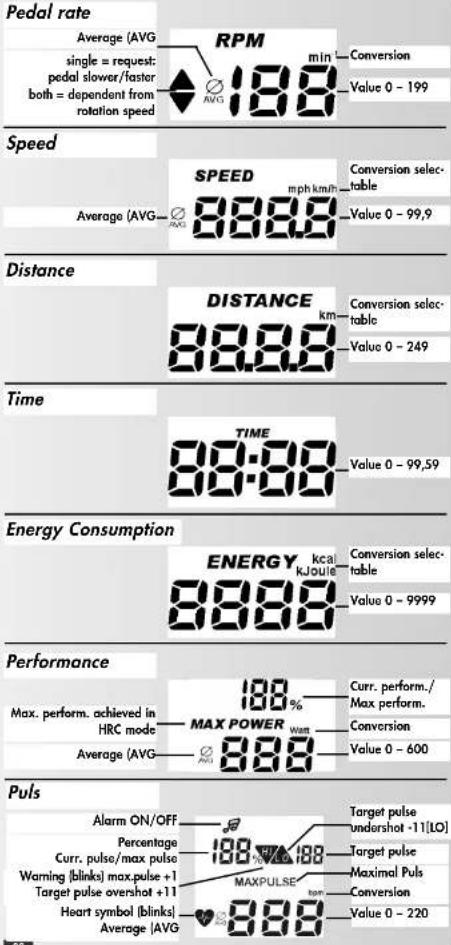
Training and operating instructions
Quick Start
(Introduction, no settings)
After turning ON the device via the mains switch or pressing navigation key "Up", all segments are shown and the total distance and time are displayed at the bottom.
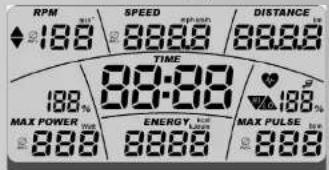

Total Distance: 0.00 km
Total Time: 0.0h

8"
Readiness for training
- After a few seconds, the "Count Up" programme is displayed. The person "Guest" is displayed
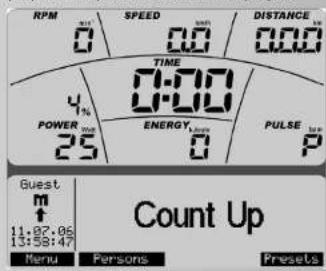

Start of training
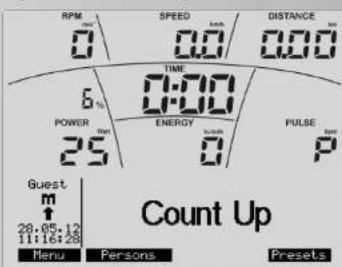
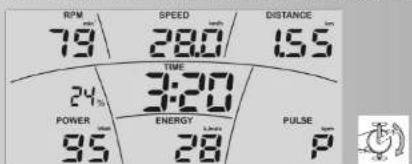
When pedalling, the values for the pedalling frequency,
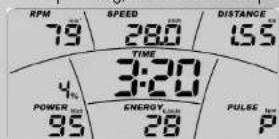

speed, distance, training time, and energy consumption are incremented. Pulse [if measurement of pulse is enabled] shows the current value. The % information above POWER shows the performance-maximum performance- relation (adjustable by the trainee).
How to change the performance during the training
Press "Plus" to increase the performance in steps of 5.
Press "Minus" to reduce the performance in steps of 5.
Interruption of training
An interruption of the training is detected in case of less than 10 pedal revolutions/min. Pedalling frequency and speed show "0".
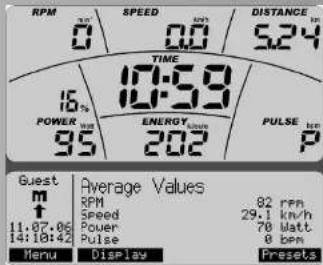

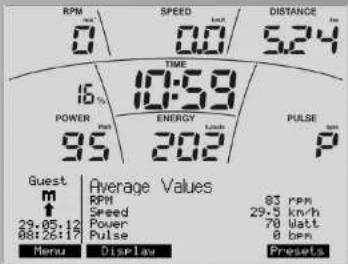
Pedalling frequency, speed, performance and pulse [if measurement of pulse is enabled] are displayed as average values. Distance, energy consumption and training time are displayed as total values.
Note:
"Menu", "User" will be explained on page 5 ff., "Display" on page 9, "Presettings" on page 7", CoolDown" and "WarmUp" on page 12/13.
Stand mode
If you do not continue the training and do not press any buttons, the display automatically switches to standby mode. You can define the time for this in the "settings/standby" menu. If you press the navigation key "Up" or start/continue your training, the display will switch back to the ready-to-train mode.
Main menu:
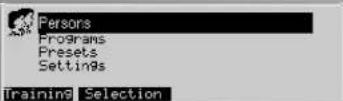
The functions of the 4 menus: Users, Programmes, Presettings and Settings are grouped by topics.
Required input
The following information and settings are required prior to the training in order to fully use the possibilities of the electronics right from the start:
- Personal data of the persons who will use the device. These data are required for calculating pulse and strain limits, fitness test (IPN), training recommendations (coaching) and body mass index (BMI).
- Date and time. Please check their accuracy. The training sessions are stored along with date and time and should be up to date. You can find this menu item in the main menu > settings.
Users
Use this menu to enter users and their individual data and settings and to select who will be the users during the next work out and who will be the users the next time the equipment will be switched on.
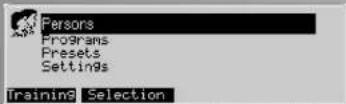
Press "Select" to access the menu under the menu option highlighted in black.
Press "Training" to jump to the standard workout programme of the "active" user.
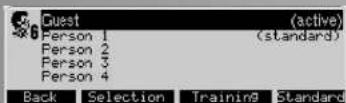
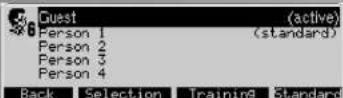
Example
"Guest" (active) will be working out next.
"User 1" [standard] is to be activated the next time the equipment is switched on.
This setting will be saved until changed again.
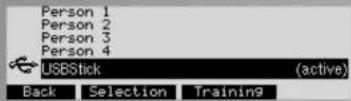
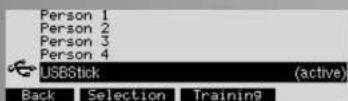
Persons > Select persons
You can select 5 persons. By connecting a USB flash disk to the USB connector, the additional person "USB flash drive" is created. The flash drive requires a FAT32 format. You cannot select a person anymore.
Note:
The person "Guest" has no storage. Presels and settings only apply until the next time you turn on the device.
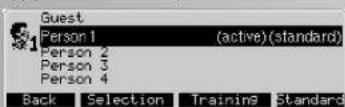
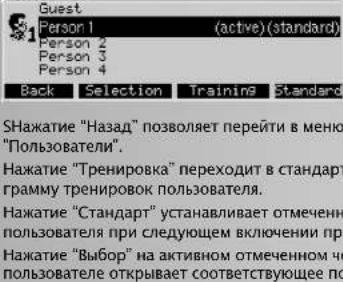
Press "Back" to jump to the "Users" menu.
Press "Training" to jump to the user's standard workout programme.
Press "Standard" to set the user highlighted in black as user the next time the equipment is switched on.
Press "Select" to open the respective menu of the user highlighted in black.
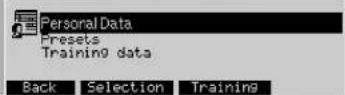
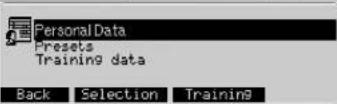
In this menu, you can choose from 3 submenus:
User Data
Use to enter user-related data.
Presettings
Use to enter data related to display and functions, set workout options and pulse rates.
Workout Data
Use to access overall workout data.
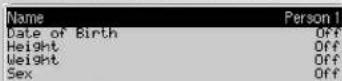
Persons > Person 1 > Personal data
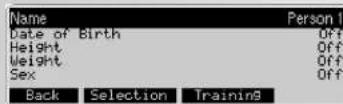
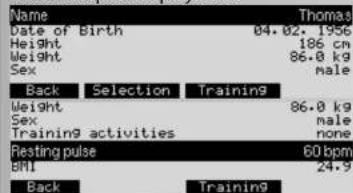
Please enter personal data in this menu.
- Writing a name replaces "Person 1"
The date of birth influences the values of the pulse presets.
The body height influences the BMI calculation.
The body weight influences the BMI calculation and the
IPN fitness test.
- All personal data influence the calculation of the IPN fitness test.
```python User data -> enter Name
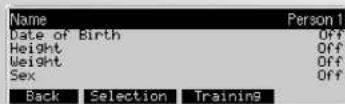
Highlight "Name" and press "Select" to acces the submenu
"Enter Name".
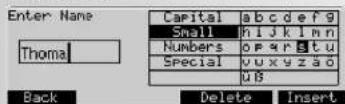
Note:
Delete the entry User 1 before entering name.
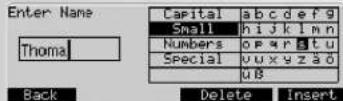
Use the navigation keys to select areas and/or characters.
The active area is highlighted in black.
Press "Insert" to insert the selected character. A maximum of 8 characters may be entered.
Press "Back" to enter the entry. Enter at least 1 character, otherwise the option "Back" will not be displayed.
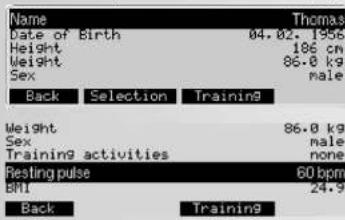
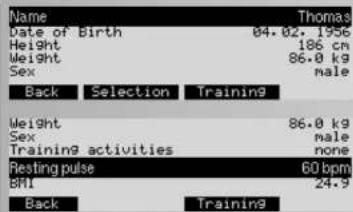
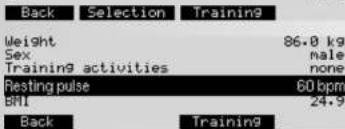
The - + buttons change the values for "age", "height" and "weight", resting heart rate afrt night sleep and the selection of "gender" and training activity.
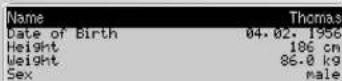
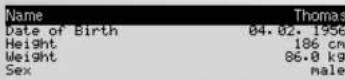
The personal data of our fictitious user "Thomas" could look like this.
Training and operating instructions
Menu:
Programme
This menu contains the overview of the equipment's workout programmes. You can choose between different training possibilities.
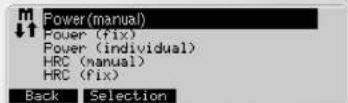
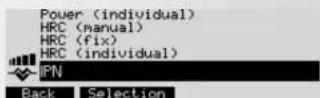
Note:
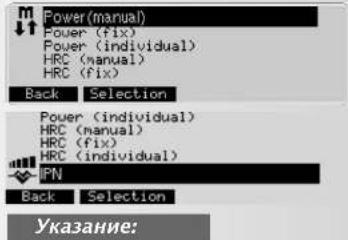
If the content of a menu cannot be displayed within the space of the display, use the navigation keys "Up" and "Down" to scroll the display. The selection will move and be highlighted in black as you scroll. For the first menu option, the highlighting will be on top, for the last ones it will be on the display's bottom.
Performance (manual):
Changing the performance while working out. Features such as Time, Distance... may be increased or decreased. In these programmes you can record your workout. These are then available as "Prg Record".
Performance (preset):
The performance will be controlled by performance profiles.
Performance (individual)
Adjust the performance profile according to your requirements.
HRC (manual) HRC =Heart Rate Control
Enter a pulse rate and the performance will be controlled automatically by your pulse rate.
HRC (fixed)
Pulse-profile programmes control the performance according to changing pulse rates.
HRC (individual)
Adjust basic pulse-profile programmes according to your requirements.
IPN
This programme increases the performance and records when your pulse becomes quicker. You will get an evaluation at the end.
Programmes Performance (manual)
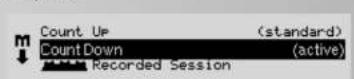
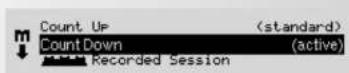
There are 3 training programmes under "performance (manual): "Count Up", "Count Down" and "Recorded Session". They change the performance during the training. In "Count Up" the values count up and in "Count Down" the values count down. You can either preset the values or copy them from your presets in the menu: presets training values. "Recorded Session" is a training which has been stored under "Count up" or "Count Down" and can be repeated.

Back Standard Training Presets Use the navigation keys "Up" and "Down" to hig selection in black and to activate.
Press "Standard" to select the highlighted programme as Standard programme of the "active" user.
Press "Training" to select the highlighted programme and to view the "Ready for Training" mode.
"Presets" displays the Presets that yet need to be or have already been entered into "active" programmes.
Remark:
The functions assigned to the function keys do not change when selecting a workout programme. To avoid redundancy, they will not be repeated in the following.
Programmes Performance Profiles (fixed)
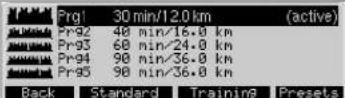
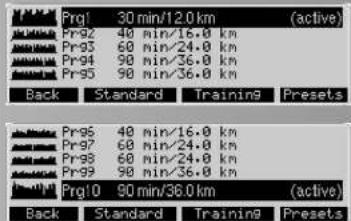
Under the option "Performance Profile (presel)", 10 training profiles of varying duration and intensity are listed. Performance will be adjusted according to profile presets. Next to the programme number, the duration and the distance of the programme are indicated.
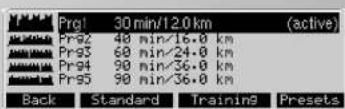
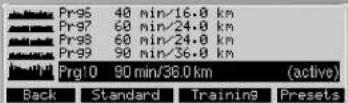
Use the navigation keys "Up" and "Down" to highlight in black and to activate.
Programmes Performances (individual)
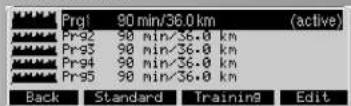
Under the option "Performance Profiles [individual]", 5 work-out profiles are listed. Duration, distance and intensity of these profiles may be changed.
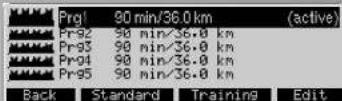
Note:
On how to create"Performance Profiles (individual)"pressing "Edit", please see page 15.
Programmes HRC programmes (manual)
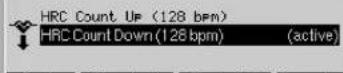
The menu item "HRC [manual]" contains two training programmes: "Count Up" and "Count Down". In both programmes a target pulse is achieved by performance regulation and is maintained over the training period. The target pulse is either adopted from the default settings in the menu: Default Settings Default Setting Pulse or is set to 130, if no data is available. The values, which you preset or which have been adopted from the default settings in the menu: Default Settings Training values, are counted up in the "Count Up" mode and are counted down in the "Count Down" mode.
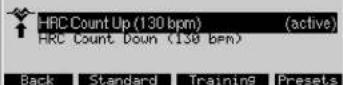
Programmes HRC (fixed)
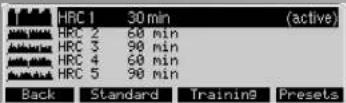
The menu item "HRC (fixed)" contains 5 training profiles, which differ in duration and intensity. In these programmes, changing target pulses are achieved by performance regulation. The profile height of the programme depends on the
entries of your maximum pulse in the menu: Default Settings > Default Setting Pulse. If no data is available, an age of 50 years and a maximum pulse of 170 are set automatically.
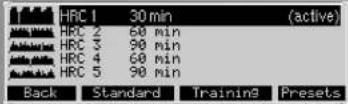
Programmes HRC (individual)
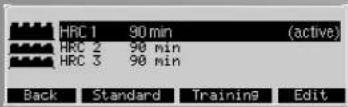
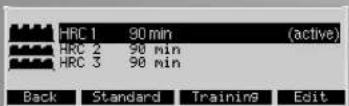
The menu item "HRC [individual]" contains 3 training profiles. You can edit the duration and the intensity of these profiles.
Note:
On how to create an "HRC (individual)" pressing "Edit", please see page 15.
Programmes > IPN Test
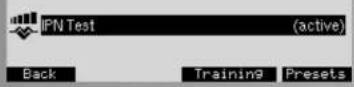
The IPN test requires the displayed personal data to calculate a performance profile and a target pulse. If information is lacking, the "Training" soft button is not available.
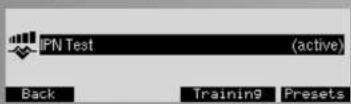
Press "Training" to go to the ready-to-train mode with display of the performance profile.
Press "Presents" to go to the input of personal data. The purpose of the IPN test is providing you with a training recommendation for another training. For this purpose, you will be required to reach your target pulse within a maximum of 15 minutes as from the second level. If it is achieved, the pulse display will flash. You are required to continue the training until the end of this level to see the result.
Note:
If you do not reach the target pulse, you will receive a notification. In this case, you will be required to increase your data under training activity and repeat the test.
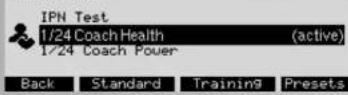
Programmes > Coach Health / Power
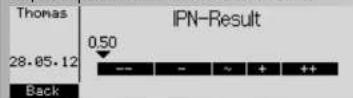
After having completed the IPN test, you will receive your test result with an arrow on a scale. A total of 24 training sessions are composed which you can find under IPN test.
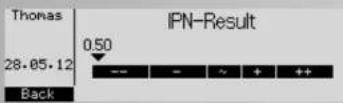
You can choose between two kinds of training:
Health = health training or Power = power training. If you would like to improve the overall condition of your body, select "Health". If you would like to improve your fitness, select "Power".
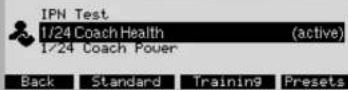
Press "Presents" to change the training time.
Note:
If there is no fitness test, you will receive corresponding information.
Remarks:
- Prior to the first IPN test, we suggest a settling in period of 4x30 minutes within 2 weeks. We advise you to train with an intensity you feel comfortable with at a pedalling rate of 50-60 revs/min.
- You are advised to do the first test relaxed and without any serious health problems (we recommend a training break of at least one day prior to the test). The heart rate at rest should have been determined prior to the test by determining the average value after at least three measurements directly after having woken up.
- After 24 training sessions or after 12 weeks you will be advised to do another test to check the training intensities. For this purpose, determine the heart rate at rest again according to the steps described above and adhere to the described guidelines.
- After these 24 training sessions and/or after the second test, you will get a new block with 24 sessions.
- If you change between health and power training, the training sessions done until this moment are not taken into consideration anymore.
General rules:
For the health training we recommend 2 sessions/week.
For the improvement in performance training we recommend 3 sessions/week.
You are advised, if possible, not to take a break longer than 7 days between two sessions. You should, however, take a break of at least 1 day between two sessions and/or should not do more than 5 sessions per week.
After illness or training interruption of not more than 3 weeks, continue your training block at the current level. In the case of a training interruption longer than 3 weeks, you are advised to complete a new test.
For people taking a B-blocker, the test does not make any sense and is not recommended!
People under the age of 17 are not permitted to take the test.
Training and operating instructions
Training
Selecting a training programme
You can select three different programmes:
1. Training according to performance default settings
2. Training according to pulse default settings
a) Manual performance input
b) Performance profiles
c) Recorded sessions
a) Manual pulse input
b) Pulse profiles
3. Training with instructions (coaching)
You are required to do the IPN test to be categorized and receive a training plan with 24 sessions. After that, there will be a new fitness test with new training sessions.
1a
Selecting a training programme by means of manual performance input e.g. "Count Down"
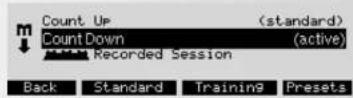
By pressing "Presents" you will skip to the menu "Current default settings". The menu displays the default settings, which are to be entered or have already been entered at the "active programme".
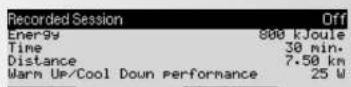
Performance (manual) Current default settings
In this menu, you can view, change or maintain the default settings for the active programme.
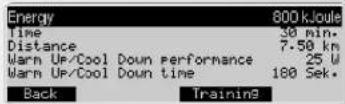
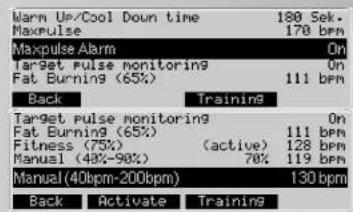
Display: Current default settings
The default settings are the values, which the active user
"Thomas" entered beforehand under Default Settings ->
Training values and pulse default settings:
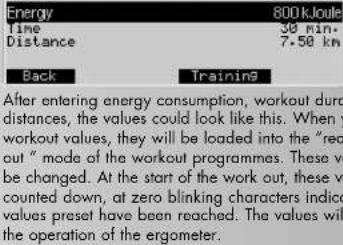
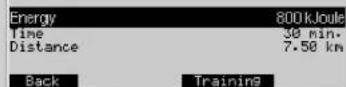
Energy consumption = 800kJ Joule
Training time = 30 min
Workout distance = 7.50km
Maximum pulse (selected) = 170 bpm
Alarm at exceeding the maximum
pulse = on
Target pulse monitoring = on
Fitness (75%)
By pressing "Training" you will adopt the values and settings and you skip to the view "Training stand-by"
Training stand-by
This image illustrates values and settings
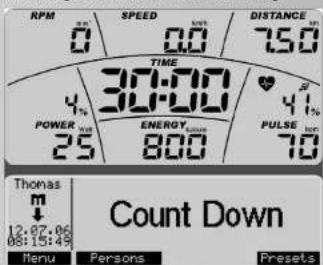
Display:Top
Current pedal rate = 0 min-1
Current speed = 0.0km / h
The following was taken over from "Thomas" presets: wor
kout distance = 7.50km
Duration of work out = 30:00 min
Energy consumption = 800 kJoule
Current performance ratio = 4% (current performance to
set maximum performance 600 watt.) preset performance
= 25 watt
Current pulse = 70 bpm [beats/min] Current pulse ratio =
41% (current pulse to maximum pulse)
play: Bottom
Active person = Thomas
Programme symbol
Current date and time
tive programme = perform. (manual) Count Down
ess "Menu" to jump back.
ess "User" to jump back to the "Users" menu
Pass "Presents" to jump to the "Current Preservations" menu list.
play the presettings that yet need to be or have already
en entered in "active" programmes.
Note:
The performance can be increased or decreased by 25 Watt
by means of the navigation keys or by 5 Watt by means of
the - / + keys during training stand-by or training
1b
Selecting a training programme with performance profile: e.g.
Performance (fixed) Programme 1
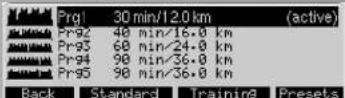
By pressing "Presents", you will skip to the menu "Current
Default Settings" and the default settings, which are to be
entered or which have already been entered at the "active"
programme are displayed.
| Mode | Time |
| ProGram length | 30 min |
| MaxPulse | 170 bpm |
| MaxPulse Alarm | On |
Back Training
Display:Current default settings
Mode
Programme length
Max. pulse [selected]
Alarm at exceeding the maximum pulse = 0
where the default settings are the values, which the active user
"Thomas" entered beforehand under Default Settings Pulse default settings:
Programme Mode Time or Distance
Pressing " + / " will switch the mode of the programme from time to distance. Under programme length, you can adjust the time from 20 - 90 minutes and the distance from 8 kilometres to 36 kilometres (cross ergometer 4 - 18 kilometres).
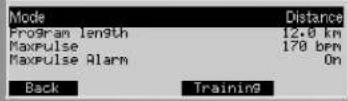
Display: Current default settings
Mode = Distance
Programme length = 12.0km
By pressing "Training" the values and settings are adopted and you skip to the view "Training stand-by".
Note:
With the bike ergometer, I minute corresponds to 400 metres. With a cross ergometer it is 200 metres.
Training stand-by
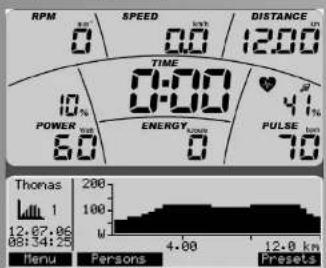
Display: Top
Distance = 12.0km
Display: Bottom
Displaying programme profile in distance mode
Note:
The performance profile may be increased or decreased while working out or in the training stand-by mode by 5 watt
by using the - / + keys or by 25 watt by using the navigation keys left/right.
2a
Selecting a training programme, entering the pulse manually, e.g. "HRC Count Down
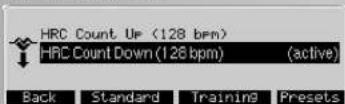
By pressing "Preseh", you will skip to the menu "Current Default Settings" and the default settings, which are to be entered or which have already been entered at the "active" programme are displayed.
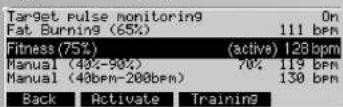
Display: Current Default Settings
The value 128 is selected as pulse default setting for the training by selecting Fitness (75%) actively as target pulse. By pressing "Training" the values and settings are adopted and you skip to the view "Train stand-by".
Training stand-by
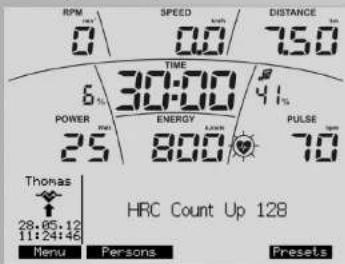
Display: Training stand-by
The values were adopted from the current default settings of the programme.
Note:
The target pulse can be increased or reduced by the - / + keys during training stand-by or during training.
2b
Selecting a training programme with pulse profiles: e.g. "HRC (fixed) HRC Profile 1"
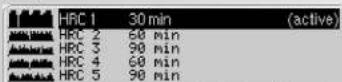
Back Standard Training Presets
By pressing "Presents", you will skip to the menu "Current Default Settings" and the default settings, which are to be entered or which have already been entered at the "active" programme are displayed.

Back Training
By pressing "Training" the values and settings are adopted and you will skip to the view "Training stand-by"
Training stand-by
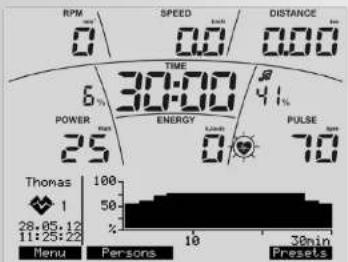
Display: Training stand-by
The values were adopted from the current default settings of the programme.
Note:
The pulse profile height can be increased or reduced by the
Training and operating instructions
- / + keys: during training stand-by the entire profile and during training only the workout.
Training
The training programme "Performance (manual) Count Down" is used as an example for the training display.
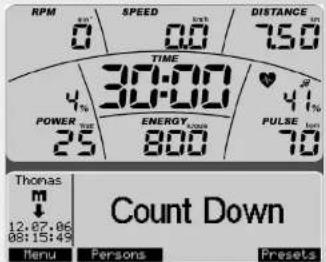
Display: Training stand-by
If you pedal with more than 10rpm , the training display will start.
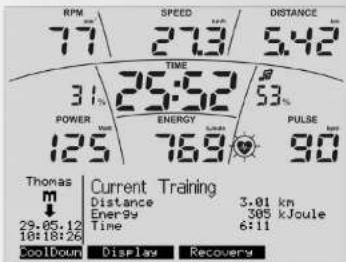
During training, you can change the multi-purpose display in order to view more information.
Pressing "Display" switches the information from "Current Training" to "Programme Indication", then to "Pulse Information", then "Average Values" etc.
Display:Current Training
The upper display shows the Presettings in count-down mode and the lower display shows workout values in count-up mode.
In this example the performance has been increased to 125
Watt and the pulse has increased to 90 beats/min.
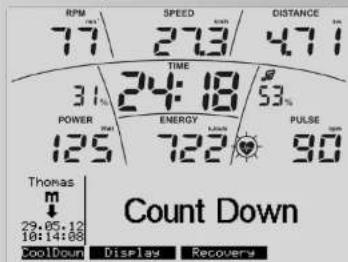
Display:Programme indication
The current programme is displayed
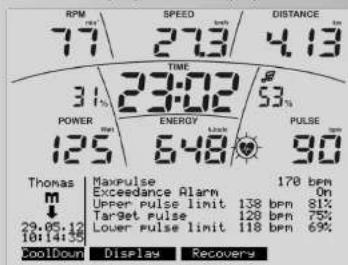
Display: Puls information
The pulse settings and default settings are display
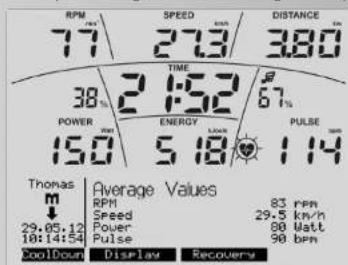
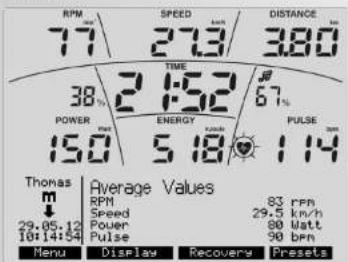
Display: Average values
The average values are displayed.
Note:
If a default setting has counted down to "Zero", a count-up mode will start. When the last default setting has been reached, you can hear a short beep.
Training Functions
Change of the operation mode from independent of revolutions per minute to dependent on revolutions per minute
This feature is not available with all devices. If it is, it is offered with the "Fest/Var" soft button.
At the beginning, the device works independent of revolutions per minute.
The pedalling frequency is displayed as a value.

Press "Fest/Var" to change the operation mode to dependent on revolutions per minute. A double arrow displays this mode. The performance limit is cancelled. Changing is only possible during training.
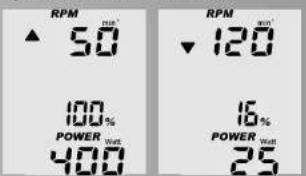
Rpm and Performance Control

If the displayed performance cannot be achieved at a given pedal rate in non-rpm-linked mode, an upwards- or downwards-pointing arrow will be displayed.
For technical reasons, a performance of 400 watt cannot be achieved at 50~rpm for instance, or 25 watt at 120~rpm for that matter. The arrows indicate that you need to pedal faster or slower to make it possible to achieve a given performance
Pulse Monitoring (Target Pulse)
If you activated the monitoring mode in target pulse, your pulse will be monitored before and during the work out. Our fictitious user "Thomas" activated a target pulse of 128. If the target is overshot by 11 beats [139], the control function displays a downward pointing arrow. Conversely, if the target is undershot by 11 beats [117], an upward pointing arrow will be displayed

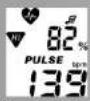
HRL Traffic Light Function = Heart Rate Light
Display colours and their meaning
The function has 3 colours: blue, green and red. In order to provide prominent information on heart rate events, the colours are set as follows: Red background light (colour=2)
Target heart rate monitoring is active.
The heart rate has risen to be out of the target heart rate monitoring range (+11 beats) (same as the HI arrow display)
The maximum heart rate has been exceeded during maximum heart rate monitoring (same as MAXPULSE display).
Green background lighting{colour=3}
Target heart rate monitoring is active and training is underway. The heart rate has reached the target heart rate and remains within the target heart rate monitoring range (+10 beats)
Blue background lighting (colour=4)
The target heart rate monitoring is active and training is underway.
Heart rate has fallen below the heart rate monitoring range [-11 beats] (same as the LO arrow display)
Note:
The lower limit will only be displayed, if you are training and the target pulse had been reached before.
Pulse Monitoring (Maximum Pulse)
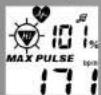
If maximum pulse has been activated in pulse monitoring and the maximum pulse has been overshot, MAX and a blinking HI arrow will be displayed. If the alarm signal has been activated (note symbol), an audible double alarm signal will also be given.
Recovery Pulse Taking
Recovery pulse means taking the pulse within one minute while counting down. Your pulse will be taken twice, at the beginning and at the end of the time interval; from the difference, a level of fitness will be calculated. Press "Recovery" to start a new function.
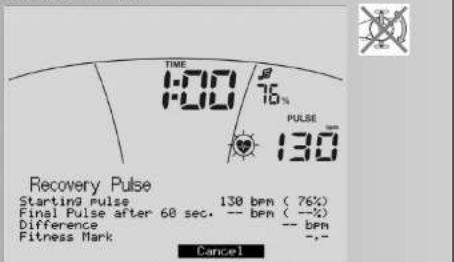
Display:Recovery Pulse Rate
Counting down, displaying current pulse rate and pulse rate at the start of the recovery pulse rate function. The percentage indicates the ratio of current pulse rate to maximum pulse
Press "Cancel" to stop the recovery pulse taking and to jump to the training stand by mode, displaying average values.
Note:
The recovery pulse function will only be offered, if the pulse rate is being displayed.
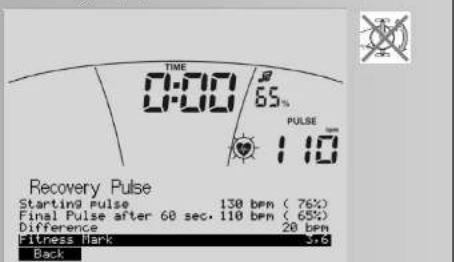
Display:Recovery Pulse Rate
End of recovery pulse taking, displaying the end pulse
after 60 seconds, from the difference between the pulse rates at the start and the end a fitness level will be determined accordingly.
Note:
Press "Back" to jump to the training stand-by mode, displaying average values.
Recovery Pulse Taking and Pulse Loss
If the pulse taking is interrupted, the count down will be completed, without calculating a fitness level.
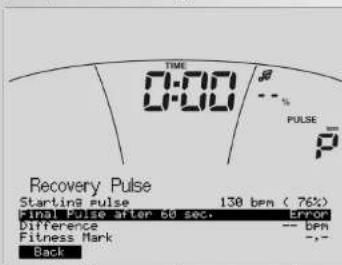

Press "Back" to jump to the training stand-by mode, displaying average values.
Interrupting or Terminating the training
If there are less than 10 pedal rotations/min or the "recovery" function is being prassed the electronic equipment registers interruptions in the work out. Average values will be displayed.

Training and operating instructions
Display:
The training data will be displayed as long as has been set in the menu "Settings Standby". If you do not press any keys and do not work out in this time, the electronic equipment will switch to the standby mode.
Resuming the Training
If you resume the training within the "Standby Time", your last values will be continued or counted down.
Individual training Profiles (Edit)
The menu "Programmes" includes an option for creating individual performance profiles and HRC-profile programmes.
Performance (individual)
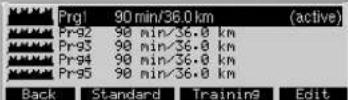
There are 5 performance programmes with the same distance and duration, which may be adjusted individually.
| Prg1 | 90 min/36.0 km | (active) | |
| Prg2 | 98 min/36.0 km | ||
| Prg3 | 98 min/36.0 km | ||
| Prg4 | 98 min/36.0 km | ||
| Prg5 | 98 min/36.0 km | ||
| Back | Standard | Training | Edit |
Press "Edit" to change to the submenu "Editing Programmes".
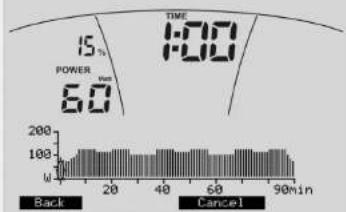
Each minute will be displayed as a bar. The workout time (duration) may be set between 20 and 90 minutes. Use - / + keys to shorten or extend the training time by 10 minutes. The navigation keys left/right mark a bar. It will be displayed blinking. The applicable period of time will be displayed under TIME and the performance under POWER. Use the navigation keys up/down to change the performance of the blinking bar.
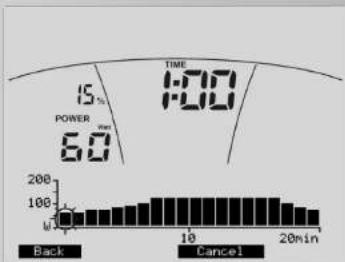
An adjusted programme could look like this. Press "Back" to save your individual profile.
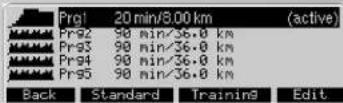
Display: programme selection with adjusted programme 1 HRC (individual)
You can chose from 3 pulse profiles for editing.
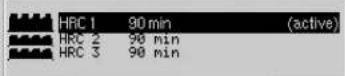
Back Standard Training Edit Press "Edit" to change to the menu "Editing Programme".

Each minute will be displayed as a bar. The training time (duration) may be set between 20 and 90 minutes. Use - / +
keys to shorten or extend the workout time by 10 minutes.
Use the navigation keys left/right to mark a bar. It will be displayed blinking. The applicable period of time will be displayed under TIME and the pulse under PULSE.
Use the navigation keys up/down to change the target pulse of the blinking bar.
The target pulse of a given bar, will be displayed in percent and in beats and refers to your maximum pulse, provided you entered it in. The target pulse may be adjusted by 20 - 100% of the maximum pulse.
Note:
If the maximum pulse of the active person is not available, a 50-year-old standard user with a maximum pulse of 170 = 100% will be used.
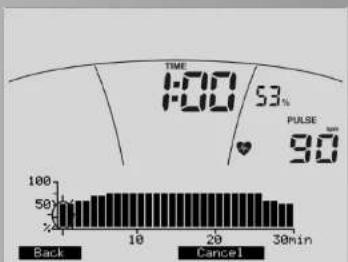
An adjusted programme could look like this. Press "Back" to save your individual profile..
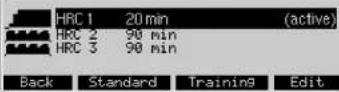
Display:Programme Selection with adjusted programme 1
Note:
The adjusted individual programmes and profiles will be saved under each individual user and will not replace the programmes and profiles of other users.
Menu
Presets
Under "Presents" all users [guest, U1-U4] may adjust and save settings and presettings for the long term, irrespective of each other. The settings entered under guest will be replaced by standard values when the equipment is restarted.
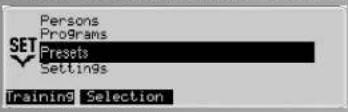
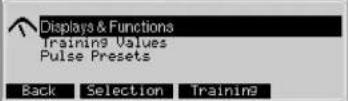
This menu includes 3 submenus:
1. Display & Functions
Access to set your performance values, speeds and how the energy consumption is displayed.
2. Training Values
Access to set values for energy, workout time and distances that will be taken over as standard values under Presets.
3. Presetting Pulse Rates
Access to set how your pulse will be monitored and which value will is to be used.
Presettings 1. Display & Functions
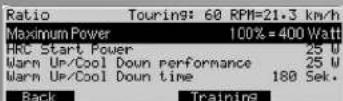
- Use "Transmission" to set the speed that is to be displayed: Mountain: 60 pedal rotations result in 15.5 km/h , Touring: 21.3 km/h and Racer: 25.5 km/h.
Note:
- Use "Maximum Performance" to retain or limit the maximum performance of the equipment. Above this limit, no performance will be tolerated. The % bar in the performance
ce display shows the current ratio to the set maximum performance.
- Use "HRC Start Performance" to set the starting performance between 25 - 100 watt in pulse-monitored programmes, if the preset value appears too high or too low to you.
- Use "WarmUp/ CoolDown Performance" to enter a value between 25 - 100 watt as target performance, resulting in an automatic performance increase in the programmes Count Up/Count Down (WarmUp) or performance decrea se (CoolDown) in relation to the target performance.
Use "WarmUp-/CoolDown-Duration" to set the duration of the WarmUp-/CoolDown function between 60-240 seconds
WarmUp
During the initial 30 seconds, the performance remains constant, then the performance will be increased until the target performance is reached (previously set performance).
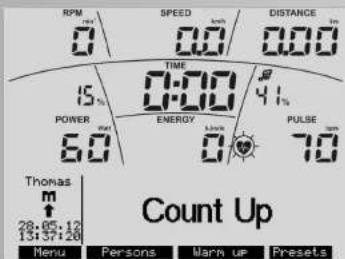
Press "WarmUp" to display a progress bar.
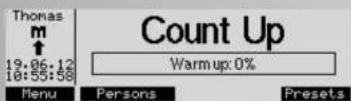
The progress bar standing at 0% .


Count Up
Warm up: 98%

DisplayRecovery
When pedalling, the progress bar is growing to 100% . In this example, the performance increased from 25 to 60 watt.

Recovery
00% have been reached, there will be
When 60 watt = 100% have been reached, there will be three sound signals before the function will be terminated.
Note:
The function "WarmUp" will only be offered, if the performance set is higher than the WarmUp/CoolDown performance under Display & Functions.
CoolDown
The performance will be lowered down to the WarmUp/ CoolDown performance which will be kept for 30 seconds until the WarmUp/ CoolDown duration has been reached.
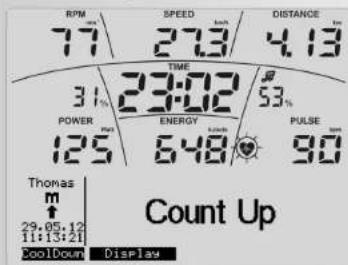

Training and operating instructions
Press "CoolDown" to display a progress bar.
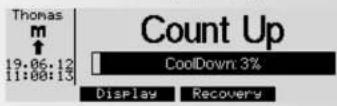

The progress bar standing at 1% .
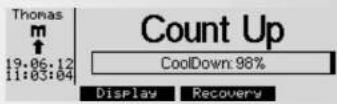

Example: When the CoolDown performance = 100% is reached, there will be 3 audible signals and the function terminates.
Note:
The "CoolDown" function will only be offered, if the current workout performance is higher than the WarmUp/CoolDown performance under Display & Functions. Press "CoolDown" to display a progress bar.
- Use "Energy Calculation" to set whether, your energy consumption (in real terms) or the energy turnover of the ergometer (physical) is to be displayed.
- Use "Energy Unit" to set whether energy consumption is to be displayed in Joule or kcal.
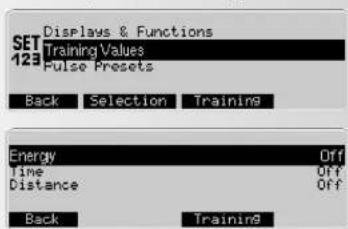
Presettings 2. Training Values
Presettings 3. Pulse Settings
Once the user data of the "active" user has been entered, some pulse-rate values will be displayed. If not, the display will show "Off" instead of the values.
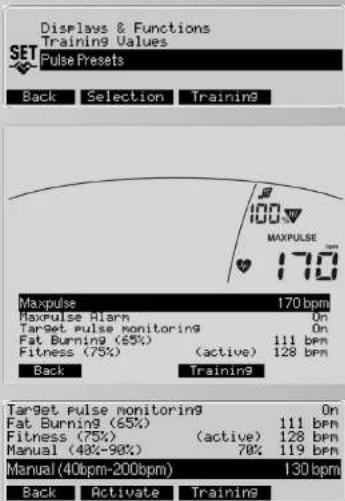
The Value "Maximum Pulse" 170. This value has been informed by the user's data (220 - age), e.g., Thomas' [50 years]. Medically founded, it indicates the maximum tolerable pulse
rate that users of a given age may have but should not have while working out.
- Use "Maximum Pulse" to reduce or deactivate this value. The pulse rate indicated in % refers to this value: Current pulse to maximum pulse and the depths of sections of pulse programmes. You may enter values to select target pulse values.
- Use "Alarm if Maximum Pulse Exceeded" to set whether an audible alarm should be activated when the maximum pulse has been exceeded. If "Maximum Pulse" has been set to Off, the alarm will also be deactivated.
- In "Target Pulse", you have 2 options: "Target Pulse Control" On or Off.
Off will disable the target pulse monitoring function.
On gives you further options, if "Maximum Pulse" has been set to On:
"Fat Burning (65%)". This means that 65% of your age-specific maximum pulse will be controlled or monitored according to the user's data (220 - age) as pulse rate value. Example: 111
"Fitness (75%) .This means that 75% of your age-specific maximum pulse has been used as a basis. Example: 128
"Manual (40%-90%)". This means that you may enter a value in % between 40% and 90% by using the -/+ keys. Example: 128 (70% will be calculated as recommended value)
On gives you just one option, if "Maximum Pulse" has been set to Off.
Manual (40bpm - 200bpm). This means that you may enter a non-age-specific pulse value between 40 and 200 by using the - / + keys. Example: 130 (Will be displayed as recommended value) Press "Activate" to activate the selection highlighted in black (active).
The selected target pulse will be used as presetting for pulse programmes. During the work out, this value will be achieved and held constant by performance control. For the other work-out programmes, it will be used as a guideline to achieve pulse values that are 10 beats below or over the workout target pulse. This pulse rate will be controlled by two arrows in the pulse display.
Press "Back" to save the settings.
Menu
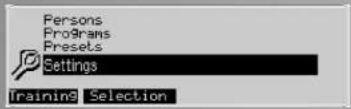
Settings (for all users)
This menu offers the possibility to carry out display- and appli- ance-specific settings and adjustments in 5 sub menus. These adjustments apply to all users.
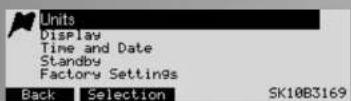
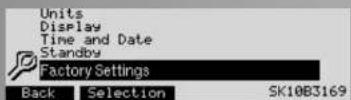
Settings 1.Units
Here you determine in which language the menus are displayed, the display of speed and distance in kilometres or miles. You can also delete the values of the overall kilometres and the overall training time.
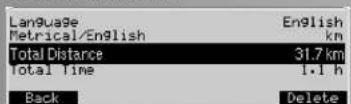
Press "Delete" followed by "Delete OK" to execute this operation.
Press "Back" to save the settings
Note:
"Delete OK" deletes the total kilometre values and the total time.
Settings 2. Display
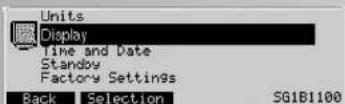
Here, you can set brightness, contrast and background colour of the display. 0=Off, 1=light blue, 2=red, 3=green, 4=blue, 5=turquoise
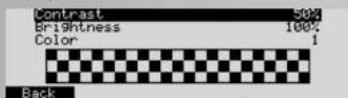
Press "Back" to jump back to the main menu. The settings will be saved.
Press "Cancel" to jump back to the main menu. The settings will not be saved.
Note:
When the optimal contrast is set, there will be no heavy shades. The setting "Contrast" applies to the lower display and "Brightness" to both displays.
Settings 3. Time and Date.
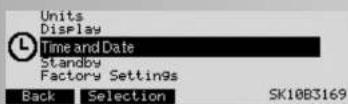
In this menu you may set time and date, display formats and other display options.
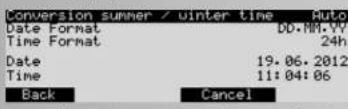
Use - / + " to change settings, formats and values. Press "Back" to save the settings.
Settings 4. Standby
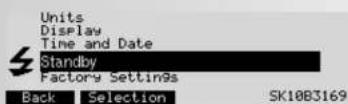
In this menu, you may set the period of time the display takes to switch off after the work out when no more keys will be pressed.
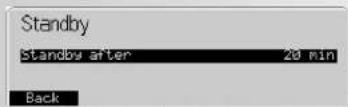
Press "Back" to save the settings.
Settings 5. Factory Settings
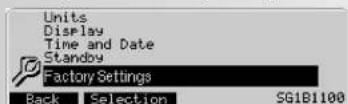
In this menu, the original programmes of the different groups of programmes can be restored. Any programme changes will be deleted.
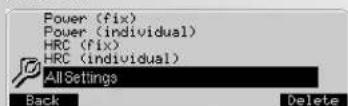
Press "Delete" to get to the function "Delete OK".
Press "Delete OK" to delete the entries and changes of the menu options highlighted in black. For programmes, the original settings will only be restored for active users.
Press All Settings to delete all settings of all users.
Press "Back" to jump to the menu "Settings"
Training and operating instructions
Firmware Update
The display of the operating software (firmware) is on the right bottom side in the menu "Settings".

The last 4 numbers indicate the firmware version: here 3038. If later versions (higher numbers) are offered on our homepage, you may perform an update. For further information please visit our website: www.kettler.de > sport.
General Information
System beeps
Switch-on
Upon switching-on during the segment test, a short beep is heard.
End of programme
A programme end [profile programmes, count-down] is indicated by a short beep.
Exceeding maximum pulse
If the preset maximum pulse is exceeded by one pulse beat, every 5 seconds two short beeps can be heard.
Error indication
In case of an error, 3 short beeps can be heard.
Recovery
In this function, the flywheel mass is braked automatically. Further training is not recommended.
Calculation of the fitness grade (F):
$$ \text {G r a d e} [ F ] = 6. 0 - \left(\frac {1 0 \times (P 1 - P 2)}{P 1}\right) ^ {2} $$
P1 stress pulse, P2 = recovery pulse
F1.0 = very good, F6.0 = insufficient
Switching time/distance
With the programmes "Performance Profiles", you can switch the profile per column in the settings from time mode (1 minute) to distance mode (400 metres or 0.2 miles). Cross ergometer: (200 metres or 0.1 miles).
Profile display during training
At the beginning the first column is flashing. After that, one column after the other is flashing, from left to right during training.
Rotation-speed independent mode
(constant performance)
The electromagnetic eddy-current brake regulates the braking torque to the preset performance in case of alternating pedal rates.
Arrows pointing upwards/downwards
(Rotation-speed independent mode)
If a certain performance cannot be achieved with the rotation speed (e.g. 400 Watt at 50 pedal rotations), the upward or downward arrow indicates when faster or slower pedalling is required.
Rotation-speed dependent mode
(constant braking torque)
The eddy-current brake sets a constant braking torque. Only pedalling will change the performance.
Calculation of the average values
The calculation is effected per training session.
Pulse measuring
If you lose the pulse signal, the performance of the device will remain constant for approx. 60 seconds and is then slowly adjusted downwards.
Information on pulse measuring
The pulse calculation starts when the heart symbol in the display flashes according to your pulse beat.
With ear clip
The pulse sensor operates with infra-red light and measures the changes in the light permeability of your skin caused by your pulse beat. Before fastening the pulse sensor to your ear lab, please rub it strongly 10 times in order to increase blood circulation.
Avoid interfering impulses.
- Fasten the ear clip carefully at your ear lab and try to find the most favourable point for sensing (heart symbol flashes without interruption).
- Do not train directly under strong incidence of light, e.g. neon light, halogen light, spot light, sunlight.
- Completely avoid any vibrations and wobbling of the ear
sensor including cable. Always fasten the cable with the clip at your clothes or - even better - at a headband.
With a chest strap
Please read the instructions on the back of the packaging. Mobile telephones, TV sets and other electronic equipment generating an electric field may create problems for heart-frequency measurement.
Malfunction in the training computer
Turn the main switch off and then on again. In case of a malfunction at the date or time display, change the battery on the backside of the display panel. (See assembly instructions)
Information on the interface
Via this interface, you are able control the device with a pc / notebook by means of the software WORLD TOURS. For further information on software and updates (firmware) for this device please visit our website: www.kettler.de.
Training Instructions
You can determine whether or not your course of training has had the desired effects after a few weeks by doing the following:
- You achieve a certain level of staying power with less cardiovascular output than before;
- You achieve a certain level of staying power for a longer period of time, though with the same cardiovascular output;
- After achieving a certain level of cardiovascular output, you recover more quickly than previously.
Standard values for endurance training
Maximum pulse rate: Maximum stress means achieving the individual maximum pulse rate. The achievable maximum heart rate depends on the age.
The following rule of thumb applies: The maximum heart rate per minute equates to 220 pulse beats minus your age. Example: Age 50 years >220 - 50 = 170 pulse beats/min
Weight: Another criterion for determining the optimal training data is the weight. The target specification for stress is 3
Watt/kg weight for men and 2.5 Watt/kg weight for women. You must also take into consideration that the physical efficiency decreases at the age of 30 and beyond: with men approx.
1% and with women approx. 0.8% per life year Example:Man,age 50;weight 75 kg
220-50=170 pulse beats/min maximum pulse
3 Watt x 75 kg = 225 Watt
Minus "age discount" (20% of 225 = 45 Watt)
225-45=180 Watt (target specification in case of stress)
Stress intensity
Stress pulse: The optimal stress intensity is achieved at 65 75% (see diagram) of the individual cardiovascular performance. This value will change, depending on the age.

Amount of stress
Duration of a training session and frequency per week:
The amount of stress can be regarded as ideal when 65 - 75% of your personal cardiovascular performance is achieved over an extended period of time.
Rule of thumb:
Training frequency Duration of training
daily 10 minutes
2-3 times a week 20-30 minutes
1-2 times a week 30-60 minutes
You should select the Watt performance in such a way as to maintain your muscle stress over an extended period of time. Higher performances (Watt) should be effected in connection with a higher pedal rate. Too low a pedal rate (less than 60 rpm) leads to a static stress on the muscles and thus to premature fatigue.
Warm-Up
At the beginning of each training session you should limber up for about 3-5 minutes, slowly increasing the exercise so as
to get your cardiovascular system and your muscles going
Cool-Down
So-called "cooling down" is equally important. After each training session (after/without recovery), you should carry on pedalling with a small pedal resistance for a further 2-3 minutes.
The stress in your further endurance training should first of all be increased via the amount of stress, e.g. instead of 10 minutes, do 20 minutes a day; or instead of training 2 × a week, train 3 × . Along with structuring your endurance training to suit your personal requirements, you can always fall back on the training programmes integrated in your training computer.
Glossary
Age
Input for the calculation of the maximum pulse.
B.M.I
Body Mass Index: Value depending on weight and height. Calculation of the BMI:
$$ \frac {\text {W e i g h t} [ \mathrm {k g} ]}{\text {H e i g h t} ^ {2} (\mathrm {m} ^ {2})} = \text {B o d y M a s s I n d e x} $$
Example of Thomas:
Weight 86 kg
Height 1.86 m
$$ \frac {8 6 (k g)}{1 . 8 6 ^ {2} \left(m ^ {\prime}\right)} = 2 4. 9 $$
Standard values:
Age BMI
19-24 years 19-24
25-34 years 20-25
35-44 years 21-26
45-54 years 22-27
55-64 years 23-28
64 years 24-29
Classification m f
Underweight <20 <19
Normal weight 20-25 19-24
Overweight 25-30 24-30
Adiposity 30-40 30-40
Severe adiposity >40 > 40
The result of Thomas [50 years] shows a BMI of 24.9, which is a normal value. Deviating from the standard values can result in damages to your health. Please consult your doctor.
Control
The electronic system regulates the performance and the pulse on manually entered or preset values.
Dimension
Units for displaying km/h or mph, Kjoule or kcal, hours (h) and performance (Watt).
Energy (realistic)
Bike ergometer:
The energy metabolism of the body is calculated with a degree of efficiency of 25% necessary for the mechanic output. The other 75% are converted into heat.
Cross ergometer:
Here the ratio is 16.7% and 83.3% .
Fat consumption pulse
Calculated value: 65% max. pulse
Fitness pulse
Calculated value: 75% max. pulse
Manual
Calculated value from: 40 - 90% max. pulse
Maximum pulse
Calculated value: 220 - age
Pulse monitoring
If an arrow appears, which is pointing downwards, your pulse is 11 beats above the target pulse. If an arrow appears, which is pointing upwards, your pulse is 11 beats below the target pulse.
Menu
Display, in which values are shown or settings are changed
Percentage scale
Comparison between the current performance and the maximum preset appliance performance.
Performance
Current value of the mechanic (braking) power in Watt. This is the power, which the appliance converts into heat.
Profiles
A bar display showing performances or pulses over a period of time or a distance.
Training and operating instructions
Programmes
Training possibilities which present manual performances or target pulses or performances or target pulses determined by the programme.
Pulse
Measuring the heart beat per minute.
Recovery
Measuring the recovery pulse at the end of the training. A difference is calculated from the starting and the end pulse and a fitness grade is calculated on that basis. If you do not change your training, the improvement of this grade is an indicator of your fitness.
Reset
Delete the contents and restart the display
Interface
USB female connector for data transfer with a PC.
Target pulse
Pulse value, which is to be achieved, either manually or determined by the programme.
Programme HRC (manuell)
Programmes > Coach Health / Power
Vouaves3 possiblities:
Puisance (fort) programme 1
| Mode | Distance |
| ProGram length | 12-0 km |
| MaxPulse | 170 bpm |
| MaxPulse Alarm | On |
| Back | Training |
Indications concemant I'interface
Crosdowp slopsk overschroder.
Hartysbwool (
Gemiddelde wongde (A)

Doolpolsslag onder
Schreden
Daepolslaga
Maximal polynomials
Distributed setting
Dimension
Waarde 0-220
58
Snelstart
Total Distance: 0.00 km
Total Time: 0.0h
2
8
Back Selection Training9
Back Selection Training

HRC (manueel) HRC = Heart Rate Control.
Programmeringen Trainingswaards.
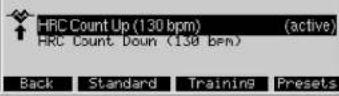
Programma's HRC (vast)
| HRC 1 | 30 min | (active) | |
| HRC 2 | 60 min | ||
| HRC 3 | 90 min | ||
| HRC 4 | 60 min | ||
| HRC 5 | 90 min | ||
| Back | Standard | Training | Presents |
Programma's HRC (individual)
Onder de optie "HRC [individuellen]" bevinden sich 3 trainingsprofilien. Hierin kunt u de duur en de intensiteit bepalen.
| HRC 1 | 30 min | (active) | |
| HRC 2 | 90 Min | ||
| HRC 3 | 90 min |
Aanwijzig
Programma's > Coach Health / Power
3. Training met handleiding (coaching)
Back Standard Training Presets
Omhoog of Omlaagpijl
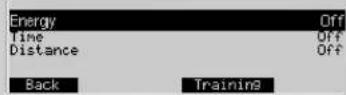
| Energy | Off | ||
| Time | Off | ||
| Distance | Off | ||
| Back | Training | ||
| Target pulse monitoring | On | |
| Fat Burning (65%) | 111 bpm | |
| Fitness (75%) | (active) | 128 bpm |
| Manual (43%-98%) | 70% | 119 bpm |
| Manual (40bpm-200bpm) | 130 bpm | |
(constant remmoment)
By means of these keys, you can alter values, adjust the stress values for training and shift profiles.

Programas HRC (individual)
Programas > Coach Health/Power
Back Standard Training Presets
Programmi > Coach Health / Power
Back Standard Training Presets
"Zurück" [Z powrotem]
Programy > Coach Health / Power
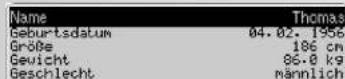
| Name | Thomas | ||
| Date of Birth | 14.02.1956 | ||
| Height | 186 cm | ||
| Weight | 86.0 kg | ||
| Sex | male | ||
| Back | Selection | Training | |
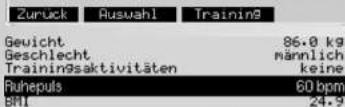
| Weight | 86.0 kg | ||
| Sex | male | ||
| Training activities | none | ||
| Resting pulse | 60 bpm | ||
| BMI | 24.9 | ||
| Back | Training | ||
Jestlize ciloveho pulzu nedosahnete, obdrzite hlaseni. Musite pak zvyit své zadani vaktivite trinku a vykonat test znovu.
Programy > Coach Health / Power
| Target pulse monitoring On Fat Burning (65%) 111 bpm Fitness (75%) (active) 128 bpm Manual (48%-90%) 70% 119 bpm Manual (40bpm-200bpm) 130 bpm | ||
| Back | Activate | Training |
Zobrazeni: Aktuolni zadani
Zobrazeni: Current Training
V hornim zobrazi se hodnaty zadani zobrazi sestupne a ve spodnim zobrazeni se tréninkove hodnoty zobrazi vzestupne.
For technical reasons, a performance of 400 watt cannot be achieved at 50~rpm for instance, or 25 watt at 120~rpm for that matter. The arrows indicate that you need to pedal faster or slower to make it possible to achieve a given performance
Back Activate Training
Zobrażeni "Maximányi Pols" 170. Tato hodnota vycházi zveztahu (220 - věk) zde napí. Thomas (50 let), Udavo-lekarskyf fundovane - nejvyssi jeste priustnou hodnotu Polsu pro vás věk, ktere by se v trěninku u zdravych osab jeste mohy, ale niměly vysktnout.
U polozy "Maximuli pula" muzete tutu hodnatu snizit nebo vypnout. Na tutu hodnatu se vzahutju procentualni zobareni pulsu: Aktunii puls k maximilnu mulu a vysky profilu o programu pulsu. Zadani hodnoy umozhuiyeber hodnot ciloveho pulsu.
U polozyk "Vystra h po prekroceni maximnoho pulsu urcujele, zda bude piri prekraeni maximino hpu ydan vystaizny zvukov signal nebo ne. Jeslize bude u polozyk "Maximani puls" Vybrano Vyp, vystaizny zvukov signal se tez deaktivuje.
Vpoloze "Cilovy puls" mate 2 moznosti: "Sledovani cilovho pulsu" Zap nebo Vyp.
Vp blokuje volbu sleodovani ciloveho pulsu
Zap ve spojeni se Zap u "Maximalinho pulsu" umoznjuo yber:
Spalovani tuk 65% To zanamena, ze 65% vaseho maximalnihpo pulsu, závislého na véku de vztahu [220 -vék] je jako hodnata pulsu sledovano nebo regulovano. V prikladu: 111
Kondice (75%) To znamena, ze je za zaklad brano 75% voheho maximdlno puls, zaviseho na veku. V prikladu: 128
Cyclisticky ergometr:
Programas HRC (individual)
Programas > Coach Health/Power
| Target pulse monitoring On Fat Burning (65%) Fitness (73%) (active) 128 bpm Manual (48%) 78% 119 bpm Manual(40bpm-200bpm) 130 bpm | ||
| Back | Activate | Training |
| Back | Selection | Training |
Premindo "Delete" activa a funcao "Delete OK"
Nulstille computer 3
Pulsmaing 3
-
USB-porte 3
-
Indstille sprog 3
-
Traeinings stand - by
-
Start traeningen
Afrbdelse of traening
- Stand-by
Hoved menu
- Grundlaeggende indstlinger
Menu -brugere
Vaelg person/USB-stik
- Indtast bruger data
Eksempel Thomas
Menu / programmer 5
Belastning (manuel)
Optegnelse of traening
(Recorded Session)
Belastning (forud) profil
Belastning ( individuelt)
HRC (manuelt)
HRC (forud) profil 6
HRC ( individuelt)
IPN-test 6
- Coaching-programmer
Traning
Vaelgn traningsprogram 7
Belastning - count down 7
Negaive ball 7
Niveau indshlinger 7
Tremors stand by 7
Belastning (found) 8
Niveua indstlinger 8
Tid ellerr distance 8
Tranings stand - by 8
- Manuel puls input 8
"HRC Count down" 8
"Neutrophils" 8
Nivodu inashininger 8
Treenings stand-by 8
Burs profilHRC profil 18
Nivequ indstlinger 8
Traenings stand - by 8
Start pa traening 9
- Indstilling of computeren 9
Traenings functorer 9
Individual treanings profil 11
Omdrejningshastighed (aHaengig/uaHaengig) 9
- Omdrejninger / hastighed 9
Puls maling
Heart Rate Light (Ampelfunktion) 10
Mal for puls 10
Max. puis 10
- (maling at hvilepuls) 10
- Afbrydelse erler slut traening 10
-Resume training 11
Belastning ( individuelt) 11
HRC(individuelt) 11
Hovedmenu - niveau 12
1.Display & Funktion 12
2. Traenings vaerdier 13
3.Niveau indstilling 13
Hovedmenu - indstilling 14
1.Antal 14
2. Display 14
3. Tid og data 14
4. Stand-by 15
5.Fabriks indstilling 15
6. Firmware-Update
Generel information 15
System beeps 15
Hvilepuls 15
- Skift mellem tid/distance 15
Profil display under training 15
Konditions traening 16
Intensitet 16
Intensitet faktor 16
Warm-Up 16
Cool-Down 16
Ordforklaringer 16
The pulse measurement can be carried out in two ways:
1. Ore clips som tilsluttes computeren;
Performance (individual)
Programmes -> Performances (individual)
Under muligheden "Performance Performance (individual) er der opstillet 5 travaingsmuligheder. Tid, distance og intensi- tet kan aendres.
OBS:
Programmer > Coach Health / Power
| Recorded Session | Off | |
| Ener99 | 800 KJoule | |
| Time | 38 min. | |
| Distance | 7.58 km | |
| Warm Up/Cool Down performance | 25 W | |
| Back | Training | |
| Marm Up/Cool Down time | 180 Sek. | |
| MaxPulse | 170 bpm | |
| Maxpulse Alarm | On | |
| Target Pulse monitoring | On | |
| Fat Burning (65%) | 111 bpm | |
| Back | Training | |
| Target Pulse monitoring | On | |
| Fat Burning (65%) | 111 bpm | |
| Fitness (75%) | (active) | 128 bpm |
| Manual (48%-98%) | 78% | 119 bpm |
| Manual (40bpm-200bpm) | 130 bpm | |
| Back | Activate | Training |
Display: Current default settings
Vaeirdienne er dem som vores aktive bruger "Thomas " indsätze tidigere under Default Settings - Treenings values (vaerdier) og pulse default settings:
Energi forbrug = 800 kjoule
Traenings tid = 30 min
Traenings distance = 7,50km
Molng of Target puls = on
Fitness (75%) = aktiv
Aktive programme = perform. { manual } Count Down
Tryk pô "Menu" for at gã filbage
Tryk pa "User" for at gà tilbage til " Users " menu Tryk pa "Preset" for at gà til " Current Preseltings " menu, for at se de værdier som enten er, eller skal indlastes in " active " programme
OBS:
Back Standard Training Presets
Valg of countings program, ved at indaste pulsen manuelt HRC Count Down
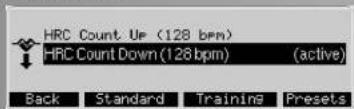
Val of trainings program med pulls profil " HRC (fixed) HRC Profile 1 "
Under training can du aendre multi displayet, for at fa mere information.
Rpm and Performance Control
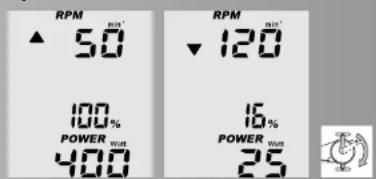
Hvis en indtastet performance ikka kon opnas ved en given pedal omeodrejing, vises en pil op eller ned pà displayet.
Puls maling (Target Pulse)
Individual training Profiles (Ander)
Performance (individual)
| Ratio | Touring: 60 RPM=21.3 km/h |
| Maximum Power | 100% = 400 Watt |
| HRC Start Power | 25 U |
| Marn Up/ Cool Down performance | 25 M |
| Marn Up/ Cool Down time | 180 Sek. |
| Back Training | |
Tryk pa "Delete" fulgt of " Delete OK " for at udfare denne handling.
Tryk pə "Bock" for at gemme indstillinger.
OBS:
Overstigning of max puls.
Ending of tid / distance
I programmert Performance Profiles kan du aendre seile profilen fra tid (1 min) til distance (400 meter erer 0,2 miles). Cross ergometer (200 meter erer 0,1 mile).
Profil pa display under traening
TOTOBHOCTb K TpeHnpoBKe 8
Harpy3Ka (He n3MeHReMa) 8
AktyaIbHbIe HAcTpOKn 8
Pekm:BpeMnDuctaHcN 9
TOTOBHOCTb K TpeHnpOBKe 9
BBOD daHHbIX nyIbCa BpyHy9
"HRCO6paTHbIOTcyeT" 9
AkyaIbHbIe HaCTpOIKN 9
TOTOBHOCTb K TpeHnpoBKe 9
- PpOΦnMb TaCToTbI pyNbca HRC (He
H3MeHaeMbIn| HRC-npoΦnbl 9
AkyaIbHbIe HAcTpoKn 9
TOTOBHOCTb K TpeHnPOBKe 9
TpeHnpOBka 10
- Cmeha Hndkauu (MHOxEcTBH
Haa HnKaua 10
ФункцииТренpoBkn 10
CKOPoCTbBpaSeHnna[3aBcImma/ 10 HesBnAmn
KoHTpOJIb cKOpocTN Bpaue-
Hn/Harpy3K 10
KoHTpoJIb nyIbca
CeneBOn npynbc I
KoHTpaCTHOCTb N npKOcTb
KoHTpactOCTbHnctpoeHaONTMaIbHo,ecm60bnue He BnDnBpe3KeTHeN.
LBeT
3decbMOxHO N3MeHHTb UBeT OHa HnDnKaun.
PekomeHdaun no npoBeDeHHU TpeHnpOBK u pykoBOcTBO no 3Knnyataun
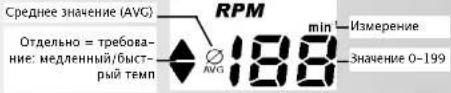
Yactota warob

Ckopooctb
PacctOaHne
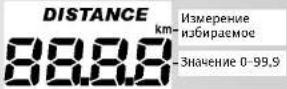
BdpeM
Pacxod 3heprn
UpoBeHb Harpv3Kn

Nynbc
bblctpbn CTAP
TOTOBHOCTb K TpeHnpOBKe
Yepe3 HECKOJIbKO cekyHd OTo6Paxaetae nporpAMMA "PpAmO tOcETeR. OTo6Paxaetae noIb3Obatel "TocB".
HauaIO TpeHnpOBKn
PnnaHaxkTmHa neDann 3NaueHn CHTaOT HAcToTy WaR0B,
ckopocb, ncaHnIO, bpeM TpeHnpOKn, pacXoD 3Heprm. Nylbc (ecn fKncCaun 3haueHn AXTNBHa) nOKa3Baet AKyTAJbHOe 3HAeHne. DaHnue B % HADnHNCbPOWER OTOp6paaOT COOTHOeHne Harpy3Kn K HAcTpaBaeMOy NOIb30BaTeEN MAKcImaBbHOMy ypoHOB Harpy3Kn. NHMeHne Harpy3Kn BO BpeM TpeHnpOKn. Haxatne "PiIOc" yBmNbAeT Harpy3Ky Ha 5 nyHKTOB Haxatne «MmHyC» yMeHbAeT Harpy3Ky Ha 5 nyHKTOB
IpepbBaHne TpeHnpOBKn
Yactota waro HnHex 10 66/MNH paco3HaetcKaK npepbBaHne TpeHHPOBKn. Yactota waro NCKOPOCTb NOKa3MaBOT "0"

Yactota shafoR, cokopcth, harpyka nynbSc (ecn fikcaun 3nauehen aktnbHa) otobpaakotc B uinde cpeHnX 3nauehen. PactordHne, pacxod 3heprnN vBrem
TpeHupOBKn OTo6paKaIOTcKa Kc 0bune 3HaueHn
Yka3aHHe:
"MeHIO", "TOnb3oBarenn", "HactpOkn" m, HnIkaun" nOncbBAOToC o CTaHmUe 7, "OxnaJdeHne" n"PaMnHaKa" - Na cTpaHuaX 12/13.
PekmOxnDaHn
PneppeBue TpeHPOBKe NOTCYCTBN HAKATNI H KONKN INNkauaNepeKIOuaeTc B pEKIM OKnDa HIN. BPMeoTKIOUeHNy UCTAHNAIBMaETc B MEHO "HaCtPOKn/PEKIM OKNDAHNA." B CNYaae HAKATN KONKN IN6o Ipn HaueI TpeHPOBKn INNkauaCHOBA OTbPAKaTeCra C ROTBOHOCTBIO K TpEPOBKe.
TnabHoe MeHIO:
B4 MHeHIO POnb3OBeaTI, PnOrpMaBM, HAcTpoBKn IYCaTHoBkOf yKHyNcPiacPONIOKeHbI NO BxHOCHToN.
BBOI Tpe6yeMbx XaHHbIX
IITTO TOTO Bc CAMOTO HAHANA ICNONB0BATBCE BO3-MOHOCTHN 3NEKTOPHNK,NEpeTpeHPOKBn Heo6xOnM- MoCENbTcNEyUOIOYcYCTAHOBKN NACTOPIKn
- PecnoAHbIhne DAHHHe NOnB3oBatenei, KOtOpBe 6yDIT NOHb3oBbTaepbOpom. DAnHHe HcNpOByOTcra IpaCteTa npedeIOB 3NaueHn Nynba cN harpy3kn, CHTHECTOB (IPN), peKemEnaunu No TpeHnpOBke (TpeHNPOBKa C INHTPykTOPM) INHKeDCy MChs TeNa (IMT).
- Data n Bpema. Pnpoebte, nojanyuCTa, AKtyaJbHbI JN 3TN dAnhHe. TpeHPOBKn COxpaHOTc C datoN i BpemeH NdoJIHb6bltakKtyaJbHbI. NyHKT MeHO MOXHO HauTn 8 FlabHO MeHO > HAcTPOKn.
Ponb30BaTeH
B daHOM MeHO MOXHO BbIcHHTb KAKO NOnb3OBaTeBn H YbN DAHHbIe NHaCTPOHN YCTaHOBEnHb NapeDcTOnyUO TpEHNP0Bk Y DaHHBe KAKOR NOb3OBaTeA 6ByT OTO 6paKaTbC npn CneDyUeM BKNIOHENm np6oBa.
Hakatnehe "Bb50p" hO tMteHHoHOM cHbHM IeHTOMIyHtE MEHO tKpBbaIe COOTBEETBYUOe OIOMeHO.
Hakatiae "Trepanopboka" nepeOzBt a cranadTPhno npo-ppaMMy TnpoBokOBOTMeEHNOF AOKTHNBOI NOFB30BATEJI.
Pnmp: (akTHBAA) TpeHnpBa nonb3OBaTeRn "FOCT" (CTAnapTHe) "Piob3OBaTeRn 1"doNKeH 6b7b ycta-BoHne npn cneyOeM BkNOHem npn6oPa.3Ta HAcToPOKa OCTaTcA kTuAynhoD oCneuOero
Nonb3OBaTeenn->BbI6paTb nonb3OBaTeen
MoHIO Bb6pAT5 N0bn3OBATEEN. PnP noNDKHOENH
USB-KAPTbY cTaHAnBnaTeCTa DOnNINHTeBbHbN NOB3o
BaTeB"USB-KAPTa". HocNTbe INHOpMaUN DoJIOHE
6bBTb OTbOPMnatnpOBAH B FAT32. Bb6Op NoBN3OBATEEN
6OBoHe HeBO3MOKeH.
YKa3aHne:
PON3OBATENB“TOCTB"HECOXPAHRETC.HACTPOINu yCTAHOBKN DEIHTBNTeHBnToIbKO DcNEyUWero BKNJUOHN.
B 3TOM MEHIO IMEHTC3 NOIMEHIO
DaHHbIe noJIb3OBaTeJIa
3decbBBOAATCDAHHbE NO N0Nb3OBaTeHIO
HactpoKn
3debc bocrtc daHbne dnnnnaaunn n fyhnun, yctahabnaoTc TpeHnpOBouhne npametpbu HnacTpaBnAOCT npametpbu npnbca.
DaHHbIe TpeHnpOBKn
3dec 0To6paKaIOTc O6uue DaHHbIe TpeHnpOBKn.
Nonb3OBaTeN > Nonb3OBaTeNb 1 > DaHHbE nonb3OBaTeN
B 30TOM MEHO BDOA TCA INHIMNDAyIbHbYe DaHbIe NnB-3OBOIaER.
BBOI TeKCTa 3aMeHReT 3Decb "POnb3OBATeNla1"
- Data poKdEHH BnIeT Ha 3HaueHnHaCTpOKn nYnbCa.
BbOIOPOCTA BnIaTe HA paCET NMT.
- BDO 千HbX BECA BnREt Na paCet NT m IPN tHeC-TeCTa
Bce INMIMDyauNbHBe DAHHBE NOIb3O8ATENaBIOHT Ha paacbety IPN ONTHEC-TeCTA.
DaaHbIe noB3ObaTeTn-- BBecTuM
Hakatme "Bb6op" B "NMa" OTKpBbaet NODMeHO "BBeCTn NMa"
Yka3aHHe:
3aHcNbONbOaTeB1JOnkHa 6bTbnpExe ydaeneHa. HabiruaHOHHb KKnKb bIb6paOT kak oBaCTn, taK n CmBOJIb. AKnTHaOBaCTb OTMeueH aEBpHTM Haxatne "BECTn" NOITBePkaDT OMeueHbMMCBON. BoMeuHbNOAeMaHcHs8
Haxatme "Ha3a] noTBePjMaE T B0D. DonJxH 6bTB BBeH MHHMyM 13hak, Hauye KOnnKa Ha3aOCTa- HETCA HeAeTbHOBIN
KHOKN-/+m3MeHrOHT3aHcHn“Bo3pact”,PoCT" n "Bec",nybC B COtHnn NOKo, BbOoP "TOn" u "TeHNPOB0OHaA KtMbHOctb".
TAKM OMBAPOM KOEMET BUIJIAEH NIIHKAIAI INPcOHAHbHNX DAHHX PONBIOBATEN "TOMACA".
PekomeHdaun no npoBeDeHHIO TpeHnpOBK u pykoBOcTBO no 3Knnyataun
MeHIO:
PporpaMbl
DaHnOe MeHO CoepJN63Op npOrpAmM TpeHIpOBOK, MeHIOX7CA HnAOMn Pnp6ope. MeIOTeCpa3INuHbIe BO3MOKHOCTN DnA NOCTPOEHNrTPEHIOBKn.
B Cnyae eonc Oepxahane MeHO He BmeaTc H A KpAH, Heo6xoHMO npn NOMOHN HABrA uOHbIX KhoNOK "BeePx" nBn3" nepeMeATb COeepXAHJ EKpaHa. PnI 20m BbOp nepMeuaETc nOTMeaETc QepHbM. B nepBom NykTe MeHO MapKnPObA paCnOla RaTeC BBePy, a BocneDHeh BnHy HA dncnnee.
YpOBeH Harpy3Kn (BpyHyIO):
HaactpanbaeTcHarpy3aDnI TpeHPOBKn. TaKHe 3NaueHH, KAK BpMa, pacCToAHne... MOrY TOTcHTbIbTaBcKaK B NoPAKe BO3pACTAHN, TAK N B NoPdKe y6bBAHn.
YpOBeHb Harpy3Kn (He N3MeHReMbI):
IpoΦHnHarpy3Kn ynpaOuaBaoT ypoBeH Harpy3Kn. Harpy3Ka (HHNbDyAaBHo)
PnoΦJHn Haryp3Ok U3MeHryOTcNo Co6CTBeHHbIM NoTnp6B0CTM.
HRC (BpyHyio) HRC = KOthpOb hacToM nynba. 3daeTc3 hauHeuN pynba, m CnTeMa perynpoBaHHa Harpy3k OcyueCTBnEraTcA botOMaTHneCKn Ha ypOBHe ueJeBn XaHctTOb nyIbca.
HRC(He n3MeHReMbI)
PnpOJIbHbIe NpOprpAMMbIy cactOtbl nylbca perpyInpyOT ypoBeH harpy3Kn B 3aBNCMOnCTn OT n3MeHeHn npaMetpoR nbNyCb.
HRC (HHINBnDyanbHO)
MOxHO u3MeHrTb OCHOBHbIe npoOuNbHbIe nporpaMMbl
YACTOTbIyNbCaNoDCBONNOTpe6HocTH.
IPN
PprrpmaN NOBHIaET yPOBEH hARpy3KN BEDET YUET NOBIIeHnY aCTOTb IyIbCa. IIO OKOHuaHH NPOCNXoDNT OUEHKA.
Iporpammbi>YpOBeHb Harpy3Kn (BpyHyIO)
PoiD "YpOBHeM Harpy3Kn (BpyHyIO)"pa3MeuAIOCTc 3
TpeHnPOBOUYhpeIporpamBa"PiPMoOTcET",
"O6paTHbIOTcET"N3aNNCbMaemceccnA.
Harpy3KaHCTpAMBaETcBO BpEM TpeHnPOBKn.
B nporpamme "PpAmoO tCet" 3aHcHn oOTCHTbAIOCT B NPoJKe BO3paCTAHN, B nporpamme "ObpatHbONOTcET" OTCeT 3aHcHn BeTeTcB N pOJaKe y6bIbAHN NOce H BBODa Hn H3 HAcTpOeK B MeHIO: HAcTpOnKn > TpeHnpoBouHne napamtpbl.
"3aNcBbAeMaE cceBa" BnAeTcnpoecCom TpeHPOBKn, KOTOpBn COxpaHnCn oD "PpMaM bOCTeOM TnoToE" NIOo "OObatbM bOCTeOM" M OMOET 6bMb NOBtOpeH.


HaBnIaHONHbIe KOHNK "BBeP" IN "BHN3" OTMeyAOT BbOpEpyHMIBETOM INaJEtO EKTAHMBIN
Hakatne "CtAnapt" BbIbIpaTe OTMeUeHNHyIO npOrpAMMy B KaeeCTBe CTAHApTHO INpOgPAmMbI "aKTHBHO" NOJIb3OBA- Tena.
Hakattee TpePnoBKA bMbIpaerOTmeMHyIO nporpamMy mHeaHTa HnIHNkAauO TOTOBHOCT k TpeHNOPEK.
Hakatme "HaCtpoKn" otobpaKaet HAcTPOKn, KOtOpBie Heo6xOIOH BCTN B "AKTNBOH" npOrpMaME uN KOTOpBie yke 6bln BHeceHi.
PpmeaHne:
PacnpedeHHe yHKUHOHaBbIX KHOIOK PnB BbIbOpe nporpamMb TpeHnPOBOK He N3MEHReTc. B 3ToI CBa3N B nocEnyUox N3o6paKeHHx TeKCTOBBe NOBTOpb OTCyTCTByOT.
Pporpammbi > Ppoqnnn Harpy3kn (He n3meHaeMbte)
IIOdO63AHHEmeYPOBHeHBnARy3KHe (HE MmEHREbM) pacnonarotc10 npoΦnneTpeHnpOBKn, KOtOpBeOTnHnAOTcANITNEbHOCTbN HHTENCB-
HObTHo. YOpEHN HArpy3KN NImeHReTcB 3AEBINMOCTOn OT HaCTpOKnI pNoFJIa. PAdOM CHomePOM npOrpaMMbl CTOnT npDoJNKITbHoCTb NcTAnTHaJInpORpaMMbl.
HabirgauhoHHbme KHOHN "Bepx" n "Bnns"OTMeaHOT BbOp0epYbHM bETOMN eNoAetO erKtMBHbM
IporpaMMbI >Ypobehb Harpy3KN (HnDnBnDy-anbHO)
Poi6o3HaueHMeN“IpoΦnHn Hargy3Kn (HnHnBnDy- aHbHe) paCOnnaraHOTc 5 npOfnne TpeHnpOBKn. Hx MOxHO MeHbT No npOdoNkHTeNbHOCTn, DnCTaHUNn IN HNTEChNBHOCTn.
Yka3aHHe:
Co3aHne "PeDakTnpobAHn" "PnofoJIe HArpy3Kn (HnDnBnDaIbHbIX) ONncbIbaertc Ha cTpaHnue 14.
PporpaMMb > HRC-nporpaMMb (BpyHy)
Iod 06o3hauehenem HRC (BpyHyu) pa3Meaaotcna TpeHPOBOUHbIe NpOpaMMbI: "PpMOnOTcET" n "Op4thnOtCHET". B06nxNpPOMPAAMX ZeNEBoE 3aHuHHe NyIbCa DOCTnraTeCn TYTEM peryNpOBAHnH aHpyKIN yDePKBaAeTcHa NpOtaJKeHHm TpeHApOBKn. ZeNEBoE 3aHuHHe NyIbCa NOYAAeTcN IIO6 n3 BaWux HAcptoe B MeHO: HAcPtPOKn > NapameTpblNyIbCa, IIO6 B CInyae OTCyTCTBn DAHNbIX yCTAHABNBAeTcHa H 130.B nporpaMMe HRC PImoN OTcET" 3aHaeHH eOTcHTbIAHOTc B NOPAnke BO3paTaN H npOrpaMMe "Op4thnOTcET" OTcET 3aHaeHHbeTeBcB nopRd
KyBbAHHaNoNc Hx BBODa NmH3 HacTPOeK B MeHO: HAcTPOH > TepnHOpOBNuHne napameTpbl.
Back Standard Training Presets IpogrPAMM > HRC (He n3MnHreMn)
B O6O3HaeyHn "HRC (He 3MaHReMbn) HaxoJATcS 5 npOfnnne TpeNtPOHPOBK, KOTOPHE OTNMAOTC dIANTeHbCTbO nHTEChnBnCTbO. B I PpOramnMax mHeAHOUmncs CeJeB0y NBybc DoCTHraTea NytEm perynnpoBAHHarpy3k. Bicota npDnna NporpamMb cNeYr BBeENHMd AANHbMakCMaBHOrO 3HAeHNy NByBa C MeHn
HaTPOOHN->PnapeTpBnIbca.PnO TcYCTBnH DaH HxN PnINMMAEaTc B0pact 50netmKMcMaJIbHOe 3NaHe Hne IyNCA170.
Pporpammbi > HRC (HnDnBnDyaIbHo) B O6o3naHuEny · HRC [mNnBnDyaIbHo] HAX npOphi nla TpeHnpO8Kn. Ux MoKHO c03daBaT oJIoKHeJIbHOCTn uHHTECHBIOCTn.
Ykaahnne:
Pdanahe "PedaKtnoBaHna" "HRC (HnDnBn)CnBaetcHa cTpaHnne 15.
IporpaMMBi>IPN Tect
IPN TcT Pte6yET BBeEHHe NepcoHbHbHe daHHMe.
U3 3nX DaHHx PaCCHTNBaEeT npOoHb HarpYsKu
uebeNo 3aHuEe PyIbCa.PnO tOcYtCTBn DaHHx
nporpaMMHa KHONKa "TpeHPOBa" He 6yEt AKTNBa.
HaxaThe "TpeHnpOBka" nepeBOoNTB pekm rTOOBHOCTK TpeHpOBKe C HnDkauAe NPOpOaY pOByH HaryzK. HaxaThe "HactPouKn" nepeXoNTB peKm BBOda dAHbIX nolbOBeTEn. LcNbIO IPN TcTa ABHeTc foPMnboBaHnepeKOMHaAaI DAnDaJIbHeuMx TpeHpOBOK, 13T0rO cIeNyET Co bTOporo YPOBMA KMCnMaIbNo 3a 15MHNY ToCtHb PachETHO eNeBBO hAChEHNy IyncBa. PnE rOToCtHXeHN HAWHaet MIRATb INDkauAaN PyNbCa.Heo6XoMDo TpeHnpOBaTcAo 3abepeHnYPOBn, 3aTeM OTo6pAtUc Tpeyblat.
Upozorneni:
EcnIeBaeyacToaNylbCaHeOCTnAeTcN,OTobpaXaETcCOoSuHHe. B 3OM Cnyae Heo6xOmo NOblCnTH 3aueHHe DAHHB X TpeHPOOCHN AKTINBOCTN INpoITN TcTe NOBTOHO.
IporpaMMbI > TpeHnpOBka 3dOpOBb/ noi Harpy3KoI
PnH cnoHNHeHH IPN Tecta pe3yIbTaT Tecta OTobpaKa- eTCTpKekho HA Kae, CoctablanK24 TpeHPOB- K, KOtOpbe MoKHO HauTI B IPN Tecte.
Ha Bb6op npednaraotra 2 Tna TpeHPOBOK
3DopOBe = O3DopOBtEnb HTrpENOBKa mnn Harpy3ka = TpeHrpOBKa nOd Harp3KoN. PnP jEeaNAHH yyyuHTb o6TuOp fni3uChekyo FOpMy BvBbIpaTeC3DopOBe). PnP jEeaNAHH yyyuHTb CBOIO CNOpTNBHyoFOpMy BvBbIpaTeC4 "Harpy3ka".
HaxaTne "HacToPouKn" m3MeHReT BpeM TpeHnpOBKn.
Yka3aHHe:
PnOTCYCTBm FNTHec--TcTa Hs 30 6yET yKa3aHO COo6ueHem.
Yka3aHHe:
-
Neped nepbym IPN TECT omekomehyetca 4a3a c0aahnay4x30 MHTy T BveHne 2 Hehnye komehemyetyc HHTECMHBCTC, C KOTOPY UYBCTyeBw b 600./MHN PBNTHIO pYACTOe TAAR 50-00 06./MHN
-
Nepbmy tect Ionjekn PnpoBAnTc Nocte OItBxHa 63 c0ctBxH npOBeM co3DopOBem (peKOMEnyTea CmHNMy oUH DehN neppBaB a TpeHPOBAKXdo Hauha pOxpOJeknienCTa). TynCb E NOKOE yue JOnkden BbUTy cYahOBoHe NytE mOpEneJbnu CpeHnero 10000000000000000000000000000000000000000000000000000000000
-
Iocne 24 TpeHPOBOK Nm Hepes 12 HeNbe lyBcET BbHaDa JEPeOMEaHuaZIbHOABIOPOBCTNCTIyI npObepk INHTeCNBHOCTN TpEHPOBOK.C 3Toi cJbIb CfeJeYOT CHOB ONPDEJIITyIbC B CoTOAHNI NOKO BnBOIbIeONIQCHAMII PbaBNAI, A TAKKe ENoXoHOMINO PnIDePKMBeBcTaBbIeONIQCAHNbHix YCTaHOBOK.
-
Iocne 24 TepehnoBOPK INI,IOcne JHOBO rpo oPOxoK- DeHn ETeCTA IOcneJyET HOBBI OIK N3 24 TepehnoBOPK.
5.Bcnyae ecnIydt npOn3BeAe HcMeHa MeMxD 03OpDopBtENbON TpeHOBKOINu TpeHOBKoN NOd Hary3Oy,TO3aeeWHeHbNO DO STOFO MmHOTA TpeHOPBOKn BOJIbue He BydyT yUHTBaTbC.
O6nne npabna:
IaON3OPOBHTENbHrTpeHnPOBKn peKoMeHdyOTc2 TpeHnPOBKn B HeDenIO.
IaN TpeHnPOBKn C NOBbUWeHmE yPOBHa Harpy3kn PekOMeHdyOTc3 TpeHnPOBKn B HeDenIO.
No BO3MOXHOCTN HeCNEYET DaHbTnepeBbIb MEyJAY TpeHINPOBKM DOnJIe 7 HEnO.DaHKO JOnKHeK b6tB MHHMUM I DeH TepeBbIA MeKBy TpeHIOBpAKM INH Be HonE 5 TpeHIOBOK B HeDenIO.
Nocle 60be3nHnnpepeBaBbA TpeHnOBeKbAn DtenHeBtHO He oBee 3 NteBnO BToPnEpoK npOnoLaXaTeC nAcTyAnBHoFo yOpBn. PnypepeB8
Nocle 60be3nHnnpepeBaBbA TpeHnOBeKbAn DtenHeBtHO He oBee 3 NteBnPeKoMeHyDcTne pONiHTBOHbTcet.
IaIIHn. pIHHMAOuaHx B-6Koakotpu, npoxoXdEHNTECTa He IMeET CMbCAHne H peKOMEHyeTc
Bo3pact Hnke 17 ne He donyckaetca.
PekomeHdaun no npoBeDeHHIO TpeHnpOBK u pykoBOcTBO no 3Knnyataun
TpeHnpOBka
Bb6op nporpaMMbl TpeHnpOBok
MMeIOTC3 BO3MOKHOCTN
- TpeHnpOBKa nyTeM HAcTpoKn yPoBHa Harpy3Kn
a) BboI ypoBHaHarpy3Kn 8pyHyIO
3aHnch TpeHHPOBKn (3aHncbBaemaCeccn)
b)PpOΦmHnArpy3kn
)3aHcBbAeMaCeCCn
- TpeHnpOBKa nyTem HAcTpOuKn nylbca
a) BbOd daHHbIX nyIbCa BpyHyIO
b)PpOΦmuaactoTbnybca
- TpeHnObKa NOI KOHTpONe (TpeHnObKa C nHTcpyKTOPOm)
He6bXoHmo npOHTn IPN Tect. Nocle 3oro 6yedet yOHTHcKKnacCnFkAuaaHarpy30K noOpoban KOMnnEe 24 TpeHPOBok. Nocle 3oro CneJey npOHTn HOBBI nTHec-TECT NOnyHTb HOBII KOMnEe TpeHHPOBok.
la
Bb6Op pnprammbTpeHPOBOK CpyHbBMOD yopBBA harpy3k, hampimep, "O6pTaHbOTcET

Hakatne "HactpoKnO cyuectBnaeT nepeXoB MeHO "AKTyAaHbHe HAcTPOKnN N OTo6paKaet HAcTPOKn, KOTOpBe HeOxOAnMO BHeCTn "AKTHBOH" npOrpAmMe nnKOTOpBe yKe 6bln BHeCEHb.
YpOBeHb Harpy3Kn (BpyHyIO) -> AkTyaIbHbIe HAcTPOHKn
B DaHHOM MeHO IMeETCB 03MOKHOCTb CMOTPetb HAcTPOHKn AKTNBOH NpOgPaMMb, N3MeHATb NX INN OCTaBNB6e3M3MeHENH.
B
T88 RUS
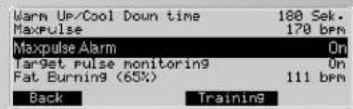
| Target: Pulse monitoring | On | |
| Fat Burning (65%) | 111 bpm | |
| Fitness (75%) | (active) | 128 bpm |
| Manual (48%-90%) | 70% | 119 bpm |
| Manual (40bpm-200bpm) | 130 bpm | |

HnAkaaHa: AkyAhnHe HaeTcPOKn B KaeeBte HAcTpoE 3e6b yKa3aHbI 3aHeynK, KToP- pBe AekTHBnNoNb3o8ateB“Tomac"yKe npEbpArpTeBbO BEEpee HAcTpoN> TpeHnpOBOhBne Napamptn Nnapamptn PnyBa;
PacxOa 3Heprn = 800KJX
ДиTeьHOCTh TpeHnpoBKN = 30 MIn.
Диctanua TpeHnpOBKn = 7.50 KM
MaKcImMaJIbHoe 3HaueHHe nylbc = 170 yd./MnH.
CunHan npn npeBbWeHm MaKcMaIbHOaCTOTb
nynbca=Bkn.
KoHTpOJIb cIeNEBOrO 3HaueHn yNbca=BKn.
ΦHTHeC (75%) = aKTHBEH
Haxkatae "TpeHnpobka" npHHMaet 3HaueHn
HaCTpONK
n nepexoant BOKHO "TOTOBHOCb K TpeHnpOBke"
TOTOBHOCTb K TpeHnPOBKe
B 3TOM OKHE OTO6paXaHOTc3HaueHHN HAcTpOKn
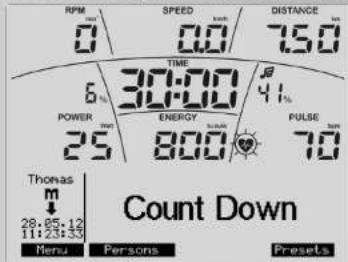
HnkaaBepx
AkyanbHaar yactota waro8 = 0 mH-1
AKtyanbHaCkopoctb=0.0KM/4
H3 HAcTpOeK "Tomac" 6bINO B3rTO
DuctaHua TpeHnpOBKn = 7.50 km
ДинтьhoectТрEHPOBKN=30:00MH.
Pacxoad3heprn=800K
AkyanbHoe COOTHOseHne Harpz3n = 4% (AkyanbHae Harpz3a K yTaHOBHeHHOMy MAKcImaBHomY yPoBHOp Harpz3n TpeHaeKepo 600 Batt)
PokaTeNb HApDy3Kn = 25 BaTT
AKtyaIbHbIyIyIbC=70 yd./MnH.[ydaipOB/MnH]
AKTyalbHoe COOTHOWEHnynbCa = 41% AKTyalbHnynbK MAKCNMALBHOHY3NaEHNOHNyBcA
HnKaunBn3y
AKTNBHyn NOIb30BaTeNb = Tomac
Cnmbon nporpaMMbI
AktyaJIbHaJaDAtaH BpeMa
AKTNBnA nprrpAMMa = yOpeHbHarpy3Kn (8pyHyio) 06PbathnOTcEe
HaKaTne "MeHIO" 8O3BpaaaeT Ha3a
Hakatme "PnIb3oBATEnn" OcuJeCTBnIeTnepeXoD B MeHO "PnIb3oBATEnn"
HaxaTne "Hactpoikn"ocyueCTbnaET nepexoB MeHIO
AKTyAaHbHeHAcTpOKnH N OToOppaKaet HAcTpoKnK, KOtOpBie Heo6xOaMn BHeCn B aKTbHOB' PporpMaMe nn KOTOpBie yke bIIN BHeCEH.
Yka3aHHe:
Harpy3ka B FOTOBHOCTN T PteHPOBKE N T PteHPOBKE MOKET YEBIYNHATCBN LIO6O HUMHBUcBA KONIKAMU
+Ha 5Batt Hn HABRAHONHHMKNKHNKAMN nebo/npabo Ha 25 Btt.
1b
Bb6op nporpaMmT treHPOBok c npOFOHem Harpy3Kn: HapnMpE, UpoBeH Harpy3K (He nMehnEhem)
Nporpamma 1
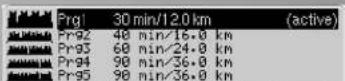

HaxaTne "Hactponk"ocyueCTbIeT nepeXoB MHeIO
"KryaIbHbIe HAcTpOKnN OToobpaKaTe HaCtpoKN,
KOTOpB Heo6xOaMIMO BHECTH B"AKTINBOH" npORpAMME mIKOTOpByJyke BbIIN BHeCEh.
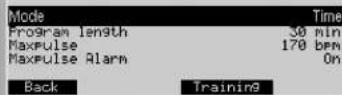
HdkaA: AkTaalbHbe HaCtpoKn
Pekm=Bpem
PpOAnXKnteBHOCTb npOrpaMMb = 30 MmH.
MaKcunmaHbOe 3HaueHHe npIbca =170 yd./mH.
CnHAn npnpeBbWeHm MAcNMaJIbHOaCTOBy nynBa = BKn.
B Kaueche Bt Hactpoek 3decb Ykaaahb 3H aaeHHN, KOTO- pIeKtAIBHn NIO30BaTeB "TOMac" Yke npEdbapn Tbelho BvB nepe3 HactpOnk NanapeTpbl nybca:
IporpammmhbpexmBpemnnnDuctahnHaKaATMe - / + I3MHeT B pexmnpoPpAMy CBPemaHbCTAHUNB INPOJOnJIeNTbHOCTbIPOrpaMbMoKHO MeHbBpEm20-90MHHTy,
ДИТАСТУЙ OR 8 KINOMETPOB NO 36 KINOMETPOB (KpOcC-3PROMET 4 -18 KINOMETPOB).
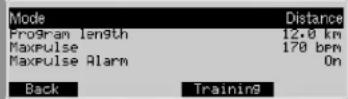
HdNkaun: TOTOBHOCTb K TpeHnpOBKe
3HaueHn6epyTcN 3aKtyAibbHbix HAcTpoE nporpaMMbl.
Yka3aHHe:
LcneBoe 3NaueHne NybCa B ToTOBHOCTN K TpeHnPOBKe B u TpeHnPOBKe MOKET yBEnuMbTaBcN INo6OyMeHb- WbTaCb KHONKAMN -+/-.
2b
Bb6op nporpammbTrenpoBOK c npoPhiIaCTObl nyIbca: HapnMep, HRC (He n3mehembl) HRC Pnpofn1
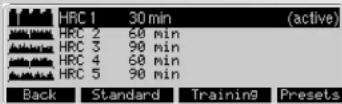
Haxatme "Hactpokn" ocyueCTbnreT nepexoB m MeHO "AKTyAaBHeNoe HactPOnKn" n OTobpaKaTe T hAcTPOKn, KOTOpBe Iy6xOIOmo BHeCTn B"akTNBHO" npOrpamMe nn HcToptoe yye 6bln BHeceHb.
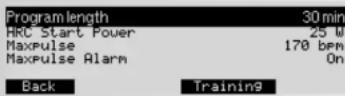
Hakatme "TpeHApObKa" pRHHMaet 3aHcHEn H aCTpOKn K INepeoxoBn BOKHO "TOPTOBHcK T treHpOBe."
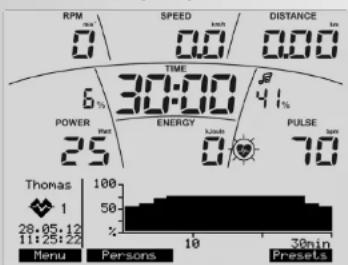
FOTOBHOCTb K TpeHnPOBKe
HnKa:TOBHOCTbK TpeHPOBKe
3haeHn6epyTcN3akTyabhBHXHaCtpoek nporpaMMbl
PekomeHdaun no npoBeDeHHIO TpeHnpOBK u pykoBOcTBO no 3Knnyataun
Yka3aHHe:
BbICOTA pnoΦnnaVACToTb NyIbca MoKet yMeHbWaTcBnNHO yBEHNHbATCb KHOKNAM/-+; B pexkmeTOTOBHOC T K TePHOBKe BcB nPNOhB, a B pexkmeTpeHPOKBa TOnbKO BmIMMbO tPteO3OK TpeHPOKBn.
TpeHnpOBka
Ha nPmpe NporpAMMb TpeHnPoBok YpOBeHb Harpy3- (BpyHyO) "06paTHbI OTCeT" noka3aHa HnDnKaunr TpeHnPoBOK.
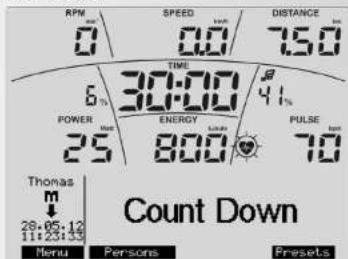
HnKaIra:ToTOBHOCTbK TpeHIpOBKe
PnTactoRtBpaueHn6OJIee 10 06./MHN.3anyckaetcN HINKNAJIa TPEHNOBKN
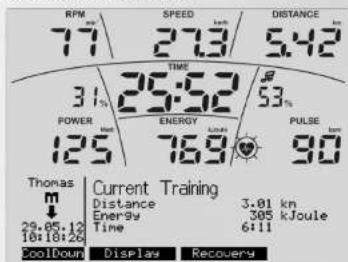
B MeHO TpeHIOBKA MEIECTA BO3MOXHOCTb Bb3bBaTbIPO- YUH INFOPMAUO H NIKHEK JACTH INHINIAKAI.
Hakatne "INnKauaMeHaTe HOpMauno6
"ArtyaBHO TpeHnpOBKe Ha "DaHHbI nporpaMMbl, 3aTEM
Hfopmaunno npnbce, 3aTeM CpeHne 3HaueHnna nT.
HnDnKaun: AktyaIbHaTpeHnpOBka
B BexHnEe qaTHnHnKauIN M3o6paKaIOTe 3aAaHHHe 3HaENHn B oPbathOM npaKe, a B HnKHe qaTHnHnKauIN TpeHnIPOBOHHe napamETb C yBewHHeMe.
Ha npimpe Harpy3ka nobbcnacb do 125 BaTT, a npbc noHnncddo 90 ydapOB/MH.
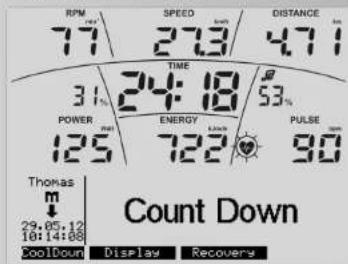
Hnkaa:DaHbIe nporpaMmb
OTobpKaetaKtAkyaHbHaNPOpPamMa.
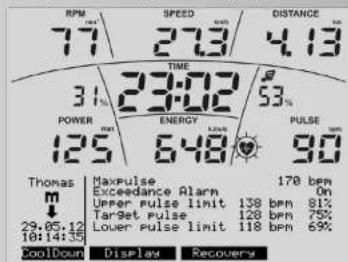
Hnkaun: HΦopmaun o npbce
OTo6pa0TaTcNaCTpoKn NaCToTm npIbCa n npaMeTp bI npIbCa
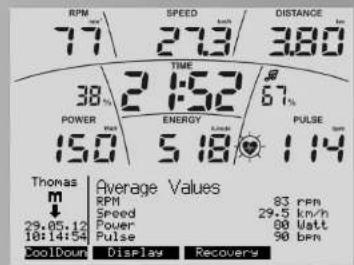
Hdkaun: CpeHne 3haueHH
OTo6paKaIOTcCpeHHe 3HaueHHa.
YkaaHHe:
Ecnn 3aadaHnne 3hauHHe D0nHO Do Hny, To OTcHT npDOnLaKaETc TaIbSe C yEBuHHeNm. Pn IpOCTKeHn NocPeHrero 3hauHHe NpAaTeC KOpOTKn CnHan, nPnpOrpMaHa nepeoDHT Ha "TIPMoN OTOeT."
ФункциТренирькн
M3NeHemEne PekimA pa60Tb C hEaBnCsiIero OT uNcna O6O-POTOH BA KepIM, ZABMciuOn OT uNcna O6OPOToB.
DHaHaa dyHnauo dOCTyHna He na BcEs TpeHaeRapex. Ecn da, To OHa nepiAraeTc nporpAMHM OHKONIOF "Fest/Var."
BHAHAE TPEHAKEPaOaTeHTe3AeHcHMoOTyHCnA O6oPobTOB. YACTOtaIaHOBArNIO6bPAKeTcKaK HAcHeHMe:

Hakatne "Fest/Var" n3MHeAeT pexm paOToHa 3aBnCnIOn OTHCAOBOPoTb.Ha 3ToYkaBnBaET DoBNCTpEPAK. OrpaHHeHne NpO3BOHTenbHOCTnpeKpaTa-etCa.N3MHeHne BO3MOkHO TOnBko B PekMe TpEHNOBKK
KoHTpOJIb cKOpocn BpaueHnHaRpy3Kn
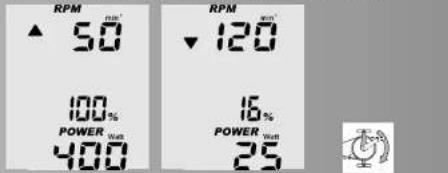
Bcnyae ecn B He3aBnCraeem O TnCna ObopoTb DnanaHOHEBO3MOXHO DCtHb OTobpaKaMaOH Harpykn 占CTOToI WArOB,OTobpaKaTaC TcpeNk BAePx N60 BHm.
HanpHMeP, Harpy3ka 400 BATT npn 50 o6./MHH n25 BATT npn 120 o6./MHN TeXmHKeN HeOBMOxHa. CptEnK yKa3BaIaOT Ha TO, YTO HeOxGxOIMO DNIRATbC b6tpee N6o MeDnHeEe, YTO6bIO6ecneNHTb Harpy3ka.
KoHTponbnybca(ueeneBoe 3HaueHne nybca)
B CnyaeknBtAaun KOHTPOBN B CEENBOm 3HaueHnnyNbnc Bydert KOHTPONPoBAtbdo n Bo BPemr TpeHnpOBKn. Ha npmepe "TOMac" AKTHINBO CEENBOe 3HaueHne Nynbc 128.CuTeMa T KOHTPONc CoobBaet npn 11 Ydpax BbIe 3HaueHNN (139) npn Nomou HapabennHO Bn3 cTpeNKn HI.Hao6Opot, npn 11 ydpax Nnke 3HaueHNN (117) noBnBnEcr TcpeNk LO, yka3BaOuaoi BBeP.


KpacharfoHOBAI noCDBcTeKa (Color=2)
KoHTpoIb ceneBoro 3HaueHnIyIbCa aKTINBeH
NbCnHnCA Bnue DnanaOHa KOHTPOJNEEBOB 3aueHnYnBa (+11 yapOB) (ahalormHQ HnDnKaunn HI-crenni)
PnA kTNBHOM KOHTPONE MAKCMMALbHORO 3aHeHHN PybCa MCAmCMaHbOE 3aHeHne PybCa npeBbIeHO. [AHAnorMuHO HINKnKaunm MAXPULSE]
3eHéHá ΦoHOBa nOcBcETrKa (Color=3)
KOHpToIe ZueBEO 3HaueHnY nIyBa cA kTmBeH n TpeHnPOBKa BInNoHHETc.
NpIbCdoTn dmana3oHa zeneBoro 3aueHEny npIbCa n octaTeR B dHaan3OHe KOHTPOnla zeneBoro 3aueHEny npIbCa + /10 yadapob}
CnHnFOHOBaNoCDBcETKa [Color=4]
KoHTpoJIb cIeNEBOrO 3HaueHnIyNbCa aKTuBEn H TpeHN
POBKa BbIIOHReTcR.
Nybc ynAn HnKe dHaana3OHa KOHTPONa CEneBORO 3aHHeHHy NpBaC[-1] yApoB[ahAnorMnHO HnDnKaunu IcTpeKn]
YKa3aHHe:
HnHHaTpaHnuaOto6paXaTeC TOnbKoB Tom Cnyae, eCN BbnoNHeTc TpeHPOBa, n ceneBoe 3aHEnHyNbca 6bNo DoCTHyTO paae.
KoHTpoJIb nyIbca (MaKcHMaJIbHoe 3HaueHne IyIbca)
PnakTBNBPOBaHNHfNkUINKOTPNMAKCMNAJbHO 3aHaehnIybcnpi npneBbIeHN3TOrO 3aHeH NTO6PbAaeTc CMBOI MAX INMRAOua3CTpeNka HI.PnakTBAuHNfHKUN38yKOBOrO CmHANB3aHaENoONHInTeBHO BbJaTeCBAIOHO 3yKOBOI CMHJI.

N3MepeHne nyIbca BO BpEmoTdbixa
M3epeHne NylbCa BO Bpemr OTbxa PnpdctabnEET co60n HabloJeHae 3a Nbcom Ha npotJKeHHN OHOH MNHTy. Ipn TcTOM oBpATBHm OTCHETOM Bpemr h3ame pTeTcN B HAaNE b KOKHe BpemEHORO INTHepBaIa, ONPeDnEeRc pAHOCTb NOKa3atene NbIbca n paCCHNTbMaTe cOeHKa CoTOHNN.HaKaTne "OTbIX" 3anyCKaeTФYHKU
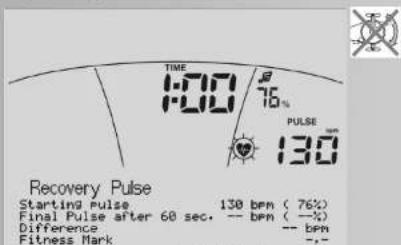
Cancel
Hnka: Nynbc BO Bpem OToDbixa
06P3hTbMTHOTCETBPEHMnCKAkyIbHmN3HAeHMEM pIyNbCa3HAeHMENpIyNbCa pIyCTaPdyKHMnIyNbBa
OTbHxa.PnpoeHTBHe DaHHHe npedctabnIOT cO60I COOTHOWeHHe:AKTyAhlbIyNpIbcK MaKcImaJIbHOMy 3HaueHIno pYnbca.
KaHatae "Bo3BpaT" nppebIaer 3mpeHene IyIbca BO BpEma OTdIbxa, IN HnDnKauIa NepexoJNT B pEKM rTOB- HOCTN K TPNHIOBPE CnHnDkAUeM cpeDNH 3HaueHNI.
YkaaHne:
ФУн��иЗМИзЕРОНУБОВЕМОТДыхаРпсдпА RAETCToTbKO pRnO TOnBOPaKaBcMOM3HauyenH NpIbca.
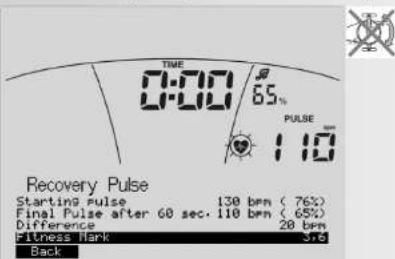
HnKa: Nylbc BO Bpemr OToBixa
3aepHHe M3MepeHn yNcBa BO Bpem OToDxHa C daHHbIMKoHeHOro 3HaueHn Nybcnocne60 CEkyH, pa3Hnua MeJdy NpYbcomB Hauane NpYbcomB KOHe n pacCCHTuHnAeOeHnCa COCTOBHn.
YkasaHne:
B 30T ΦYHKUN MAXOBAI MACCA ABOTMAHNECKI NPTOP-MAKKBAETC.ДAJLbHEIIa TPEHHPOBKa CTAHOBITc HeIe-NEcoo6p3AhO.
Hakatmei "Haazad" nepeoxdat B peKMM rotobHOCTM K TpeHHOBKE C HINDKAAMe cpeDNH3aueHN.
m3mepeHne nybcba Bo Bpema OTbixa nnotepnynbc
PnI pneBbAHINz3MpeHINyIpbcO6pTaTHbOHTCHOTCEBPEMeHNbIbONHHETC, OU HIOEJIc COCTOHNRHE PAcCHPTWbETcR.
PekomeHdaun no npoBeDeHHIO TpeHnpOBK u pykoBOcTBO no 3Knnyataun
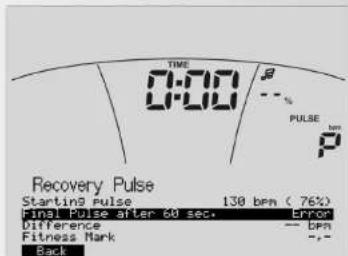
Hakatne "Haazia" nepeoxdat B pekmI FOBOTBOHCTO K TEPHNPOBKE C nHnDkauee CepdHNs 3aHcienI.
IpepbBaHne nn 3aBepHe TpeHnpBKn
ECN KONJIeCTBO O6OpOTOB NEaIeN CoCTaBnEeMeHee 10 B MIny Hnnp NnHakatn Ha «OTbIX»,3NeKtPo-HNKa FHKcnpyET npepbAHaHE TpeHnPOBKN. OTo6paKaOaTc CpeHn3AHeYN.
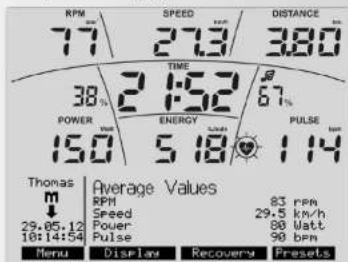
HdNkauy
OTo6paKaIOTc DaHnBte TpeHnPOBKn KAK yCTAHOBHeHO B MeHO "HaTcPOKn> PekmIK OKMDAHn."PnO tOyCTTBMN 3TO BpEM HaKaTaN H KOHNKn I npn pepebIe B TpeHnPOBKe 3JIeKTOPHNaPeKNIaQeTcB 9peKIM OKnDAHn.
B0306HOBJIeHHe TpeHnpOBKn
PnnpoDOnJKeHH TpeHNPoBKn B TeueHHe "BpeMeHH peKmua OxMduHaHn" nCNoNb3yOHTc NocneHHe 3haueHn.

HnBnDyaybHbIe npoΦnn TpeHnpOBKn (peDaKTHpOBAHne)
B MeHIO "PpOrpaMM" NMEETC BO3MOKHOCTb COCTABNTb HnDnBnDaYablHe IpoΦHnHarpy3Kn IpoΦuNbHbIe nporpaMMHRC.
Harpy3ka (HHNDbNyabHo)
MMeTOc8PacnOpRAeHHN5PpOrpAMM Harpy3Kc OINHakOBIO npOdoJIKNTeBHO INCTaHueNdI BHEceHHNIMDHNyBbHX INMEHeHH.
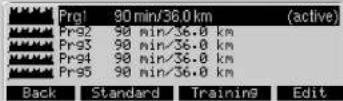
HaxatnepeAaTnBHe npExoAnIbNoMaHnPeAaTnBOAHBe nPOrpaMBAH.

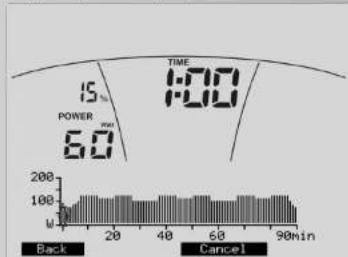
KaKaJMa MNHyTa m3o6paKaTeC B WmE wTPnXa.
JInIeHbIOCTb TpeHPOBKn (PNODOJIKNITbHOCTb) MoKET
BbNipatcMeKd20 n 90 MNHTAMn.
KHONK-/+yMeHbUaOT IIN6o yBeMNHBaOT BPEMaTpeHPOBKn HA 10 MNHT.
HABrAaMOHNHbE KHONK BnEBO/BpABo OTMeauO tWtPHx.
OH n3o6paKaTeC mraQAnm. COOTBeTCTByuOe BpeM yctahAHNBaeTcB TTIME, A harpy3a B POWER.
HabraaONHbE KHOKNB BePcx/Bn3 N3MeHbOHT Harp3ky
mraIOJero wTPnXa.
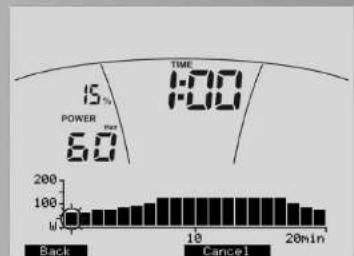
Takmm 6pa30M Moet BblrAeB N3MeHHe npo- rpaMm. Haxatne Ha3aN oDTHBepKJaET BaW HnHn-BuynabHn npOphJb.
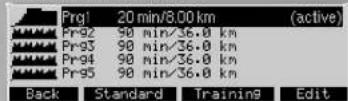
HnHaKau: Bb6p nporpaMm CnmeHeHHo HpOrpaMoI 1 HRC (nHnBMyaJIbHo)
B paccnojepenHHHmeIOCTc 3 npoHnI yactOToI pybcaI IaI peAakTPOBAHN
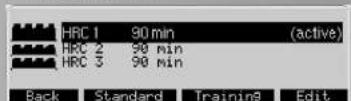
Hajatne "PedaikTPOBAHNE" nepexoNT B noMEnIO "PedaikTPOBAHNE nporpaMMb".
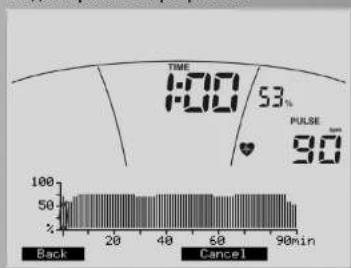
KaKdAaMHNYa3O6paKaTeB B BuDE WHTPxA.
MInTeBbHOCTb TpeHpOBKn (PiPOJOnKHTeBHOCTb) MOKeT
BbUHPaCBeMekDy 20 n 90 MHYYaTM.
KhoNN-/+ yMeHbwaIOT NIO BO yBENMBAOT BpEMr TpeHNPOBKn Ha 10 MmHyT.
HabraaouhnoHnme KNOKIN BNEO/BNPAO OTMEyAOT WTPNX. OH N6obpaatacKa HMOAIOOM.CoOTBCTbYBOoee Bpema yctahabnnaetcBA TIME, a npbc b PULSE.
HabraaIOHMNHbKHOHNB BEXP/BNX3 MNEHAKOT cneBOE 3HAHEYNbIcMNAIOUERO UPTPINA.
LueeBoe 3aHHe Hne PnIbCa WTPnXa Yka3BaTcR B nPoceHax N yApax N OTHOCHTC,ecnn BHeCEHO,K MAKCMAnbHO My 3aHHeHIO PnIbCa NIO3OBaTeJIa.LueeBoe 3aHHeHne PnIbCa MOKET INMehrTaBc B npEepJax 20-100%OT MAKCMAnbHOrO 3aHHeHn PnIbCa.
YKa3aHHe:
PnOTCYCTBNN DAHbXbMakCMMaBbHOrO 3HaueHHNbCaIKbHBOrNOb3oBaTeN, PpMHMaETc3HaueHne 50-NeTHoCToaHapTHoro No3bObaTeN C MaKcMaBbHM 3HaueHHm NpybCa 170=100%.
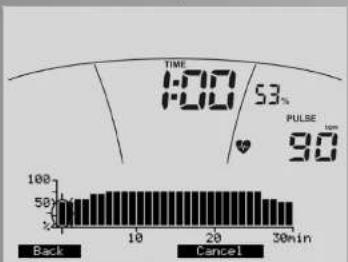
TakmOBp3OMMOETBbrrAeTBMMEHHe nporpamMb. HaKATne "Ha3a" noTBPekKaet BaW HnDnBuNyabHbI npOfnb.
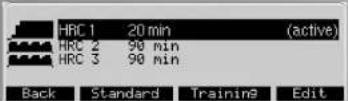
HnAikuaaBb6op nporpaMm C n3MeHHNOI
PnporpaMOI
Yka3aHne
M3MeHHeBHe HnHnBnDyAaBbHe nporpammN npoΦnIcOxAHnOTc NOcTOBeTCTBYOnm NnB3oBaTeMeH He nepe3anCBAot nporpammN npoΦnI dpynx nON3oBATEeN.
MeHIO
Hactpoyn
B MeHO "HacTpoKn" BCE noJb3OBaTEHN (TOCTb, P1-14)
BHeAeNCuMo Dpyr OT dpyra HMeTeB 03MOKOHTb NO6nPaTB N COxpaHaTH BAcTPOKn N 3aDaHbIe 3aHcEHN Ha DAnTeJIbHO BPEMa. HAcTPOKn N bIO3OBaTeN TOCTb pNn HOBM CTpRe 3aMeHriOTy HA CTaNdAPThIbe 3aHcEHN.
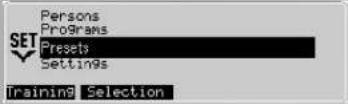
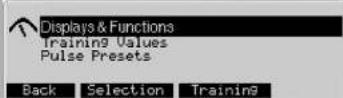
B3OMMeHIO HMeIOTc3NoMHeHO:
- INHnKaunu HcHKU
3e6b OpepeJeIOTc 3HaeHn HApy3Kn, cKOpOCTn OTo6pBePaePacXdoA 3HePrn.
- TpeHnpoBouhble napaMeTpbl
3decb yctahabnbaoTc 3haeHnnahePnna,
InntbnoCTpeHIOPOBNKnAHTaHnKOTOpBte B
HaCToPONkAs6peyTCBaKauCTBe TcAHAAPTHBx 3HaueHN.
- Napametpbinybca
3Jc6b YCTAHABHBAeTc, KAKIM O6PbA0n KOHTPOHPWETcy Pnybc, H Na KAKO napAMTe cIeJeT o6paatb BHIMAHne.
Hactpoienn->1.NHdkaunn nФyHKu
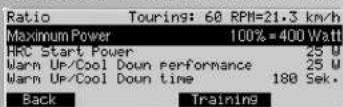
B"Pepeoae"HCTpnaeTcKOpOCTb,KOTOPAJOKN-Ha 0To6paTaBCn. Pn COBMeCTHOM HakaTNI KONKn - / + BCCTaHANMaBtcaTe NPbOBaHbHaNbYCTAHOBKa.
Yka3aHne
B Kpocc-3prometpaDaaHHbI NyHKT MeHIOOTCYTCByE.
OCTABINb Ha"KMcMmAbHbI ypoBeHb Harpy3Kn"IIIN OPAHmHTB MaKcMmAbHyIO Harpy3K npH6oPa. BIIe DaHOrO ppeJena Harpy3Ka ybeNnBaTbCHe 6yDcET. IITPnx B% BOKHe Harpy3Kn oTObpaKaet AkytaIbHoE OHToHEme K cyTaHOBnEHOMy 3HaeneHIO MaKcMmAbHO HPOyOBH Harpy3Kn.
B HRC-CTapTOBaHarpy3Ka Heo6xoJmoYka3aTb HanaHbHyHarpy3K25-100BattBypabnEmhN nyIbcom nporgpamMax,ecnnnpedaprrteHo yctahOB- neHHOe3HaHeHc25BattBnRETCnIMKOM H3KIM, nboCnIMKOM BcOKHM.
B“Harpy3ka PaMaMHKA / Harpy3ka OxJaKeHHe BBO- DNTc 3HaueHne 25 -100 BATT b KaeeCTBe ueJeBoro 3HaueHne, KOtope B nporpamMax PnmoiO tCtET/O6paTHb OTcET Oka3bBaet BmnaHHe Ha aBToMaTHeckoe yBeJHaeHne Harpy3kn (Pa3OrpeB) nN CHx- XeHne Harpy3kn (OxAaJaHe).
B"PpOoJNkTeHbHOCTMaPmHHa/ PpOoJNkTeHbHOCTOxNxAeHeJeYcTaHaBnBaEaerCnIITBeHbOCTbFyHKUINPaMmHKa/OxNxAeHeJeOT60do246cKyHN.
Pa3orpeB
B nepb3e 30 cekynd Harpy3ka octaetc NOCTOARHNO, 3aTeM OHa NobblwaeTc DO ueeboi Harpy3kn (3apaee yctahOBHeHne 3aeueHne Harpy3kn).
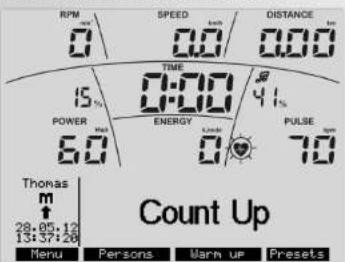
Pn Haxatnn "Pa3orpeb" oTo6paKaetcT wtpnx nporpceca.
PekomeHdaunno npoBeHeuTo TpeHnpOBOK n pyKOBODBO no 3Knnyataun
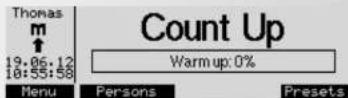
Utpnx nporpecca noka3bBaet 0%
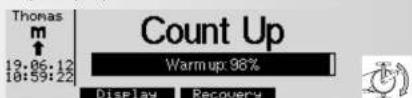
PnHnKaTnHaNeJaAaWTPnxNporPeccaNoDHMa-ETcdo100%Harpy3aB3OTm npHMepe NoDHMaeTc 0T2do60BaTT.
"Ydaunb OK" cTpaet daHnble no oBcmy nCnly KINOMETPOB n OCbemy BpEMHI.
HacpoKn->2.NHdkaunr
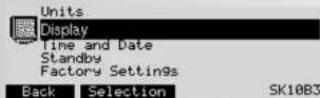
3decb HACTpaBaaTcOHTpactHOCTb,ApKoTb NCBET φθa HmKnauu. 0=BbKn, 1=CbTeNo- røy6oB, 2=KpaCbH, 3=3eNeHb, 4=CmH, 5=6nP030bB
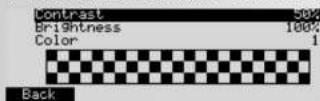
Hakatme Ha3aip no3BnAe npEtn B IaBHO MeHO. HAcTPOKn pINHMMAOTc.
Hakatme Bo3Bpar no3BnAe BepHytbc B IaBHO MeHO.HAcTPOKn He pINHMMAOTc.
Yka3aHnE
KoHTpaTcHocThHaCTpoeHa ONTMaMbHO,ecn 6onbwe
PekomeHdaun no npoBeDeHHIO TpeHnpOBK u pykoBOcTBO no 3Knnyataun
He BnHbpeKne THeN.HaCTpOJa "KOHTpAcTHoCTb" npedHaNaeHa dIy HnKHe NnHnKaun, a "ApKocTb" -dIy oBeIX.
HactpoKn->3.BpeMa n daTa
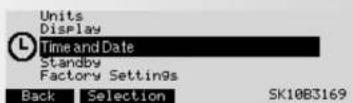
3d乙cctyTaHaBnBaTeC TBeM y ndata, fOpMaTbI NHnKaunu npOnwe OUnn HNnKaunu.
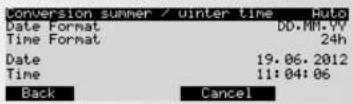
“/+”H3MENHOHT HAcTPOKHN,ΦOpMaTbI 3HaYeHnA. Hauatne Ha3aD noDTBepKaTaet HAcTPOKn.
HactpoKn-4.PeKIMOxNdaHn
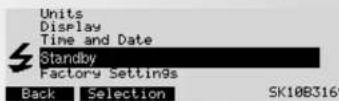
3e 3b6cTc7aehabmTaBcTeB bPMeO tKIOHcHEna TpEINbCn, cEn 3b6Jbn HakoTb KHONk, NIOo npKepaLaeha TpENHpOBka.
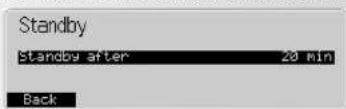
Haxatne“Ha3ad noTBepeKaTaet HAcToKn.
Hactpoyn->5.3aBODCKNe yctaHOBKn
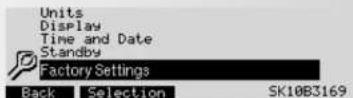
3debcMoryt6bTbBOCTaHOBHeI npexHne nporpammboTdAeBnHex nporpammmx rpynn.1mMeHHNg nporpammX ydaJIROTC.
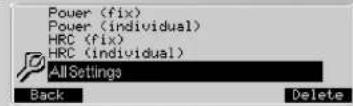
Haxatne "YdaNTb" Bb3bBAeT cyHKuHNO "YdaNTb OK". Haxatne "YdaNTb OK" CTnpaet daHHBn N3MeHeHHa OTMEHHORO YepHM Bb6opa. B nporpamMax BoCCTaHABANBAOTCR XCOJHbte DaHHBe TOnkO JIAKTHBOHO N0N-30BATEA.
Bce HAcTPOKn YdaIaHOT BCE DaHHbE BcEx NoJIb3ObaTeIe. Haxatne "MeHO" Bo3BaPaauet K MeHO "HaCtPOkN".
06HOBnHeHne HpMeHHoro IporpaMMHOro 06ecneueHna
INHdkauHIO nporpammHOO oBcneueHNO obopydOBaHH (ΦpMrnHHeo nporpammHOo oBcneueHNe) MoKHO haHTN cnpaba Bn3yB MeHNo "HaTropKn".

PnOeHHe 4 uKpB6o3HaAOT BepCmfo HIpMENHO nporpmAMMOO oBeceHneH YAanOH CNYae 3169.Pnp PnEIOJKeHN HAaHae INHTpeET-CTPAHNE HOBXB EpcCM (Homepa C 60Ieee BbCOKM 3HAEHEM) MOHO OcUeCTBtB 6OBHeHEy. Yka3AHIN NO TOMY NOBOY MOKHO HAHTN Ha HAaue INHTpeET-CTPAHNE www.kettler.de > Sport
06üne yka3aHn
CnCTeMHbIe 3ByKu
BkIoueHne
ПИЗВКLOЧЕНВОБРМЕРОБЕКЕСМERTMOВTOBOCPON3BODINTC KOPOTKIN 38YKOBOU CHRHAN.
3abepweHne nporpaMMbl
Pn3aBepueHH nporpammb (nporpaammb npofoHnn, 0baPATHmOTCUET) BOCNPON3BOMDTcK OPOTKN 38yKO- BOI CnHAN.
PpeBbIeHHe MaKcMmaHbHoro nyIbca
ECN3aADHHMAKCMUMBAHNNyNpBpeBwaETcHa NOO bHeNe NyBa,To KaKaBte 5 cKeYHb6yUTBC-nPOM3BOIDNTCBDA KOPOTKNX 3ByKOBbX CnHana.
Coo6eHne 06 own6ke
PnB03HKnHOBeHHOUI6OK BMLDAIOCTC 3 KOPOTKHX CUNHAA.
BocctaHOBHeHne
B30JФyHKUIMAXOBARMACCAABOTMATWUECKN npTOpMAKBAeTC.DaJIbHeHwA TpeHPOBaAABAE TcH ueIeNoCoBpA3Hoi.
Pacet oueHKn COCTOHHN (F):
$$ O u e h k a (F) = 6. 0 - \left(\frac {1 0 \times (P 1 - P 2)}{P 1}\right) ^ {2} $$
P1 = Πynb c harpy3K P2 = Πynb c oTbxa F1.0 = oueh xopo0o F6.0 = nnoxo
IpeekKIOUeHNE BpMa/INCTaHnA
B nporpaamax "Ipoqwn Harpy3kn" n haCTpOkaX MOKHO 3MmHNTb npoPIMb KOONKn C pexnMa BpeMe-nn (1 MNHyTa) h peXm DcTahuN (400 metpoB m6o 0,2MN).
Kpocc-3prometp:(200 MetpoB mN0,1MmN). Hnkaun npooun Bo Bpea TpeHnpOBKn
Bhaane muraet nepbaon koloHka. Ioo 3aBepseHn OH a nepeoxoJr danee Bnpabo.
Pexm,He3aBncaun on tncna 06oPoTOB (noctoHnhb ypoBeH harpy3kn)
3NeKtpomarHnTHb 3NkTpoHHaMwueckn 3aMeHN TnelpeynpET TOPMOsHOMoMEHT npI MmEHEMOI CKOPOCTBpaueHn neaJe Do yCTaHOBNEHHO HaryPcH.
CtpenKn Bbepx/Bn3
(PexMM, He3aBncauon ot Yncna 06opoTOB)
Ecn Heo3MOHOIOCTyCtAHOBENHOrO yPOBHAHRpy3KmHcHOM o6Op08 (HaPIMep,400 BAATTnpi50 6op0rax NeaIe),B TAKOM Cnyae CTpeKNB《Bepx》N BHN3Tpe6yHTyckOpEHn,n6o3aMeIeHHNTEMNA.
PexMM,3abncaun OT uocna o6opotOB
(NOCTOAHHHI TOPM03HOJ MOMENT)
LekTPOPMarHTHNI BLOKTOPDINMAUWCKCN 3aAMEDI- TbctyabaHIMBAET NOCTOAHHN TOPMO3HOI MOMENT.
Tolbo Kaatahe Ha neaannn m3meHert Harpzky.
PacyET cpeDHeRo 3NaueHn
PaCet cpeD hero3HaueHHB BinONHaeTc OTeNbHO IaKKaDOn TpeHPOBKn.
PerynpoBaHne 3HaueHHn nyIbca
Pn noTepe cnHana nybca Harpy3ka uepe3 60 ckynd CHNkaeTc.
Yka3aHnKaCaTeBHO N3MepeHHnybca
Pacet nybca HauHnaeTc, KORda 3HaOK cepua Ha DCnnee Mraaert B TaKT BaWemy NybCy.
I3mepeHHe c nOmoBbU yHOn KInncbl
DaTnK NybcA nCnoB3yeT HhPakpaChbCBet. OH
Hmepre TmHEHeHn CBeTOpnoHaEMoCTN KOKn,
BbIbBAeMbte yApamM Nybc.PpeJe Yem 3aKepeNTb
DaTnK NybcA h MaOke Yx, CnBnO Notpntee 10
pa3 dJa ycKopEnHa KPOBOToka.
136eRaIte mnybChbIX nomex.
Akkpyatno 3aekpenite yhuky klnny Ha moyke yxa n haaidne HauGone blaonopnthyOTo tkyI nI3mepeHn (3hayok cepda DOnJeH MrrfBt Henpeps1BHO).
He TpeHpyTec np RpKOM OCBeueHNn, HAnPmep, BO3ne HeoHObblx nIraOReHHbx NaMn, TooeHbX CBTeTNbHKOB, a TAKKe Ha COJIHe.
PONHOCTbO NcKNoUHTe BnBpaUNu UHNOr DaNtUka N erO kabEna. Bcerda zakpenIte KabEnb Ha oJedKe O nOMoUsb 3aZkIMa, a LyuSyHa rObohN oNBe3ke.
C HarpyHbIM pemHem
O6paaIe HbHMae Ha Yk3a3HnHa 06pattho CTOpohe ynaKOBKn. MoNbIhne TenefoHb, TeNEB3OpbI nPnpue NkETPrpckcne Npnp6Ob, Co3aJIOeN3KeTPrpuceKoe NOE, MOrTy CTbT npnnHOB3NHHOHEHn Ipo6bn npn N3mepeHHu cactobt bcpdeHbIX cokpaehen
Henonadkn kOmnbTepa
BbIKIOUHTe TnabHbI BbIKIOHATEb, a 3aTeM CHOBaBKIOUHTeero.PiHHeNcPABHOCTx HINdKIAuN DaTbIbV BpeMeHN cIeDyET ZameHNTb BaTaepHa o6paTHoH CTOpOHe DnCnPee. (CMOTPrNE IHcSTpyKUNo No C6opKe)
Yka3aHnna Dnna HHTepceHa
NporpammHoe 06cneHHe WORLOTS 103B0ReT OcyueCTBnYbpaIeHne daHHbIM TpeHaeKePcm C NOMOIO KOMNtBTePA / HOyTbKa Ype3 HHTpeFei. HaHaew INHTepHeT-CTpaHHeNe www.kettler.de MOHO HauTN INHOFMaUINo No nporpammHomy o6ceuHEno n 06HOHEHMA (fpmMeHHeO nporpammHoe 06cneHHe) DAHHORO TpeHaeJa.
Pekomehdaunn no npoBeDeHHIO TpeHnpOBOK
3PROMETRINCNONL3yTcB CNOPTNBOH MoENIHN aNTeTNeCKOH NODTOBOKE IANPOBEPKmCCTOHN cepDn, KPOBEHOCHN N DbXATEHBN CNTEMb.
BbOoCTHREHEKAnembHexpeyIbTAtOBuepe3HeckOnbKO HeNeb, eCnH:
- Bly doctrnaete onpeIedenHbHx pe3yIbTatOB C MeHb- hane HpyK30n Hac cepdi, Yem paHbIse.
- Bby dlpepnmbaete OnpedeHnHny Hary3ky BteHne DnHteBnHoro BpeMeHH, npn 3Tom Hary3ka Ha cepJe He nM3neHcTc.
- Bb6 bctpee npxohOATEB HOPM noce onpeJelenHn HarypnKHa cepdue, cem pahbue.
OpneHINPOBHyIe NOKa3AteNn DnI TpeHnPOB- Kn Ha BbIOHCNIBOCTb
MakcmaNbIbIy npbc: Iod makcmaNbHoi Harpy3koi NopdazpMyBaEaTc DOntJxHeMe HnDnBduynHoR MAcKcMaNbHorO npbca. MaKcMaNbHO B03MOxHa TaCToTa cepJeHbIX COKpaueHm 3aBCHNT O8o3PaCTa.
3decb dceCTbyet 3mnpueckan fOpmya: Makcimamhna JACTota cepdHuBX cokpaueHn B MHHyTO cooTBeTCTbyET 220 yapam MHyc 3haueHne Bo3pacta.
Плмер:Ворасг 50 net >220-170удамов MmHTy
Bec: Ee OJHMM KPNTEPnEM DnONpeDEENH ONTNMaJIbHH DaAHHH DnTPEHNOPOBn RAJIETCBAEC.HOMHaJIbHO BEnHnOHN PNEBnHO HARpy3K ABnETrcDnI MyKunH 3,a IIN JKeHUnH 2,5 BaTT/Kr Beca.KpOmeTOR Heo6XoAMMo YueCTb,TO nocne 30 Net paBOToCnOCo6HoCT ChnKaetc: yMyKunnPiN6n3MTeBho HA1%,uYKeHUnH - Ha 0,8%Brod. PtIpMeP: MyKunHa; 50 net; Bec 75 kR
220-50=170yapobBmHHTy.MaKcMnAbHbHnIybc
3BaTTa×75kr=225BaTT
MNHyC «CKnДКа Ha Bo3paT» (20% oT 225 = 45 BaTT)
225-45=180BaTT(HOMHANbHaBBeMNHaNpE- 一BnHOBnHarpyk)
HTEHCNBHOCTbHaTpy3KN
Npbc Harpy3Kn: ONTmAbhna INHTeCNBHOCTb Harpy3Kn DOCTHraetc B danaa 0365-75% OT nHNDbNyabHbHn Harpy3Kn ha Cepe2 (cm. dAnrpaMMy). B 3aBncn
MOCTNOTBO3paCTa3TO3HaueHHeu3MeHReTcra.
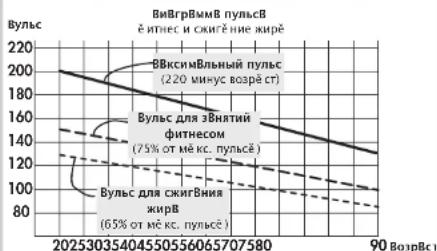
06bem Harpzkn
ДлгентьностытpeнровиКолучесТВтpeHOBOPBКВ HeelenIO:
ONTHMAbHbI O6bEM Harpy3Kn DOCTnHaTcA, KOraB TceHeMe dNHTeBHO rnpNoa BpeMeHN pNbc NOdepKnaEaTcH A ypoBe 65-75% OT NnDnBnydAhoH Harpy3Kn Ha cepJe.
3mnpueckoe npaBnlo:
AchToTa TpeHnPoBOKPpOdoJXHTeJIbHOCTTpEHNPOBOK EeJedHeBHO 10 MmH
2-3 pa3a B HepeIIO no 20-30 MMH
1-2 pa3a B HepeIIO no 30-60 MmH
UpyeBn Haryp3yK BatTaX Heo6xOduMo Bb6PbAtb TaK, YTo6b DInTeBnE BoPm MOxHo BoJIIO BbIepKu-Batb HanpJKeHHe HaMbIeB.
B008 BbCOKHM yOBHAR HApy3KN (BaT) DOJHKHA COOTBcTBOBAt NobIbUeHnHa Jactota O6OpOTOB neaJIe. CINIKOM HmK3A JACTOTA O6OpOTB nEJIae, MeHee 60 B MInHY, PnIBEdTe K NIOuepeKHyTO NOCTOHN HoRpy3Ke Ha MbIuIb I, KaK CNeDCTBne, K npEe-DepeMeHHN YCTANCTN.
Pa3MnHka
B Hauane KaJdo TpeHPOBKn Heo6xOaMo Deanb paMaHHky B TeueHne 5-3 MNyC MeJeHbM NobbluIeHNHeM HarpyKn, TTObN MoTROBtN K TpeHPOBKe cepDeHo-CocyDcTuO CNTEmy Mblu.
PekomeHdaun no npoBeDeHHIO TpeHnpOBK u pykoBOcTBO no 3Knnyataun
OxnaXeHne
Taknme Baxhbnm BnIeTcra Tak H3BaEMOe OxnaKeHne. Nocne kaoDIO TpeHApOBKn (noCne/6e3 8ocCTaHOBHeHn) Heo6xOIMO e Oe KOono-2 3 MHT KpyTnBe naNN CnOpOTbNEHnEM.
BO BPEM DAJIbHeHWeIN TpeHApOBOK HA BnHOcNIOBCTb Harpzka DOJInKa BO3pactaTb, ppeKde cero, 3a cet yBeJIeHMeN O6bema Harpy3Kn, HapnIMep, BMEcTO 10 MNHTY EekJeDHeBbIX 3aHtIY Heo6XoIMNO 20 MHyT NmBMcTO 3aHtIY 2 paa 8 HeeIIO Heo6XoIMNO 3aHmATCb4 3pa. Hapdy C JNCHMy PnAHPoBaHem TpeHApOBOK HA BbHOCNIOBCTb MOxHO NcNOB3OaBb nporpAMMy TpeHApOBOK, KOtopa INTerPnpoBaHa B KOMNbToTp TpeHKepe
Tlloccapn
Data poXdHn/Bo3pact
3dec -napaMeTp nIpaCeta MaKcImMaNbHorO nybca.
HMT
INHeck MC Baccu Teta: NapamETP, HaxoAriimB C 3abincnMoCTN OT Maccu Teta N oPoCTa. PACET IMT:
MaccaTea(Kr) POCT2(M2) =HdEKC MaccbI Tea
Пиимер:Томас
Macca Tena 86 Kr / Pocr 1,86 M
$$ 8 6 (\mathrm {k r}) $$
$$ 1. 8 6 ^ {2} \left(\mathrm {M} ^ {2}\right) = 2 4, 9 $$
HopMaTHBHeIe 3HaueHnA:
Bo3pact NMT
19-24 roda 19-24
25-34 rOda 20-25
35-44 roda 21-26
45-54 roda 22-27
55-64 roda 23-28
64 roda 24-29
KnaaccnfokaunMx
Hn3KnBc<20<19
HopMaIbHbI Bc 20-25 19-24
M36bHTOuHbN Bec 25-30 24-30
Oxnpene 30-40 30-40
CnIbHoe oxKupeHne>40>40
Pe3ynbTaT Tomaca (50 neT) B Haawem npmepe (IMT
24,9) ABnEeTcH HOpMaIbHbIM.OTKNOHeHnO T
HOPMaJIbMbX 3aUeHEn MOyT pIbEeCTN K UxyUdSeHIO 3doOpBa. ToKjAynCtca, oBpTaTeBc k BpaY.
I3MepeHne
EIMNHU 13MEpeHn DnBbOdaHa 3KpaH: KINOMetpb Hnn Mn B Vac, KNIOJKOyI IN Nn KINOkaIOpNn, cacbl (u) npobeh Harpyk (BatT).
3Heprna (peaIbHa)
Kpocc-3prormtp
BbncnraTcnpo6pa3OBaHne 3HeprnTeNa C KpI 16,7% panaPacnpeJeHnMexaHueckrOyopBn Harpzkn. OctaJIbHbE 83,3 % TeNo npBpaauB T Enno.
Nybc dna cKnraHn Knpa
PaccuTaHHoe 3aueHHe:65%MaKc.nybc
PnIbC nIra noIepKaHnIeKoΦOpMbI
PaccHTAHHOE 3HAeHHe:75% MAcK. nYnbC
BpyHy
PaccuTaHHe 3HaueHne:40-90%MaKc.nybc
MaKcMaJbHbI npJIbC
3aueHHe, noJyHHeB 3eYbTaTe MATMaTneckO onepaun《220-Bo3pAc》.
KoHTponb nynbca
PnnooBHeHm CTePkn Bn3 ceJeBoe 3aueHne nIbca Ha 11 yapob BBie HOpMb. Pn noBHeHm CTePkn BBePx cJeBoe 3aueHne Nylbca Ha 11 yapob HnKe HOpMb.
MeHIO
06nactb BBOda 3HaueHH m N3MeHeHH yCTaHOBOK.
YpOBeHb Harpy3Kn
AkytaJbHoe3aHuEne MExaHmecKoMouHocTn (TopMoKeHH)BaTaX, KToTopo yCtPoHCTBo npoe6pa3eyB TennlOy.
PpoΦn
UHTPxu-HNkATOpby UOyBHa Nm3HaueHnIyIbCa C yETOM BpEMHei nnDCTAHn.
PpOpaMmbl
Bormyo nn porgpammbk cnoocb 3naeHn dny ohyaRn nn nebeoro nynba.
3HaueHne ypoBnHaRpy3Kn B npoceHTHom
BbipaxeHH
CpaBnHeJIbHaI NmIaKmaIaTe KyaIeOTo yOpBHO rAhpK3uN YcTaHOBHeINH MaKcUMaIbHO MOnUHCTOn pNbHopa
NyIbc
ФИКСАЦА KОЛЧЕСТВа COKРASHEN CEPДA B MHHyT.
BocCTaHOBJIeHne
MmepeHnBbCNOKOHOMCOCTOHNpnp 3aEBpuHHeN TpeHPOBKn. BvHcNlEeTa p3JIuHne MekHy HauhNBHM KHOeHbHM 3HAeHTeHHm NpIbCa OHOH MmHYb INOpPeJHReTcOeHkCoCtOHHN. PnOdHaNKoBHX TpeHPOBkXyNyUWeHHe 3ToI OeHKn RnRETCnPn3HaKOM ynuWHeHn F3NuEcKo FOppM.
C6poc
YdaeneHnokaaTatehenI nepeaanyscknncnne I bBkIIIOUHEnm BkIOUeHm BkIOUOHTae npri6oba.
Hntepfnc
ДдбОмЕа DAньимСКOMПьOTeРМОNСОпЕДСТВOMI附PAMMHOROобсес�ЧЕНКETTLER.
Cnctema nppaBneHn
3NeKtPOHNA perynpyet Harpykny nyn nybc B COOTBETBn C BBeDeHHbIMn BpyHyNIO npdyctaHOBJeHHbIMn 3aueHHm.
Lenebo nylbc
3aDaHnHOe BByHYo HnI nppOrpAMMO 3HaeHne NpylaCa, KOTOpoe DOnJOHO6bTy DoCTNHYTO.

KETTLER



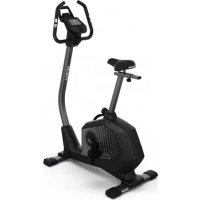
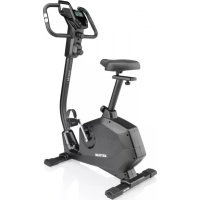
- Programme > Coach Health / Power
- Table of Contents
- Safety instructions 2
- Short description 3
- Main Menu
- Training
- Training functions
- Individual training profiles Editing 1
- Main menu → Settings 14
- General information
- Training instructions
- Safety instructions
- Please observe the following instructions for your own safety:
- For your safety:
- Short description
- Display area / Display USB-A
- Turning the device ON and OFF
- Soft buttons
- Navigation keys
- Enter keys minus - / plus +
- Resetting the Display (Software-Reset)
- Pressing the three keys at the same time, will restart the equipment.
- Type of pulse measure
- USB type A connector
- USB type B connector
- Selecting Language
- Display Settings
- Constraint and Brightness
- Colour
- Quick Start
- Readiness for training
- Start of training
- Interruption of training
- Note:
- Stand mode
- Main menu:
- Required input
- Users
- Example
- Persons > Select persons
- User Data
- Presettings
- Workout Data
- Persons > Person 1 > Personal data
- ```python User data -> enter Name
- Training and operating instructions
- Menu:
- Programme
- Performance (manual):
- Performance (preset):
- Performance (individual)
- HRC (fixed)
- HRC (individual)
- IPN
- Programmes → Performance (manual)
- Remark:
- Programmes → Performance Profiles (fixed)
- Programmes → Performances (individual)
- Programmes → HRC programmes (manual)
- Programmes → HRC (fixed)
- Programmes → HRC (individual)
- Programmes > IPN Test
- Programmes > Coach Health / Power
- Remarks:
- General rules:
- Selecting a training programme
- Training according to performance default settings
- Training according to pulse default settings
- Training with instructions (coaching)
- 1a
- Performance (manual) → Current default settings
- Display: Current default settings
- Training stand-by
- Display:Top
- 1b
- Back Training
- Programme Mode Time or Distance
- 2a
- 2b
- Pulse Monitoring (Target Pulse)
- HRL Traffic Light Function = Heart Rate Light
- Pulse Monitoring (Maximum Pulse)
- Recovery Pulse Taking
- Display:Recovery Pulse Rate
- Recovery Pulse Taking and Pulse Loss
- Interrupting or Terminating the training
- Resuming the Training
- Individual training Profiles (Edit)
- Menu
- Presets
- Display & Functions
- Training Values
- Presetting Pulse Rates
- Presettings → 1. Display & Functions
- WarmUp
- Count Up
- CoolDown
- Presettings → 3. Pulse Settings
- Settings (for all users)
- Settings → 1.Units
- Settings → 2. Display
- Settings → 3. Time and Date.
- Settings → 4. Standby
- Settings → 5. Factory Settings
- Firmware Update
- System beeps
- Switch-on
- End of programme
- Exceeding maximum pulse
- Error indication
- Recovery
- Switching time/distance
- Profile display during training
- Rotation-speed independent mode
- Arrows pointing upwards/downwards
- Rotation-speed dependent mode
- Calculation of the average values
- Pulse measuring
- Information on pulse measuring
- With ear clip
- Avoid interfering impulses.
- With a chest strap
- Malfunction in the training computer
- Information on the interface
- Standard values for endurance training
- Stress intensity
- Amount of stress
- Rule of thumb:
- Warm-Up
- Cool-Down
- Glossary
- Age
- B.M.I
- Example of Thomas:
- Standard values:
- Control
- Dimension
- Energy (realistic)
- Fat consumption pulse
- Fitness pulse
- Manual
- Maximum pulse
- Pulse monitoring
- Percentage scale
- Performance
- Profiles
- Programmes
- Pulse
- Reset
- Interface
- Target pulse
- Programme HRC (manuell)
- Puisance (fort) programme 1
- Indications concemant I'interface
- Snelstart
- Programma's → HRC (vast)
- Programma's → HRC (individual)
- Aanwijzig
- Programma's > Coach Health / Power
- Training met handleiding (coaching)
- Omhoog of Omlaagpijl
- Programas HRC (individual)
- Programas > Coach Health/Power
- Programmi > Coach Health / Power
- Programy > Coach Health / Power
- Back Activate Training
- Menu -brugere
- Menu / programmer 5
- Traning
- Start pa traening 9
- Traenings functorer 9
- Individual treanings profil 11
- Generel information 15
- Ordforklaringer 16
- Programmes -> Performances (individual)
- OBS:
- Programmer > Coach Health / Power
- Rpm and Performance Control
- Puls maling (Target Pulse)
- Individual training Profiles (Ander)
- Overstigning of max puls.
- Ending of tid / distance
- Profil pa display under traening
- KoHTpaCTHOCTb N npKOcTb
- LBeT
- PekomeHdaun no npoBeDeHHU TpeHnpOBK u pykoBOcTBO no 3Knnyataun
- bblctpbn CTAP
- TOTOBHOCTb K TpeHnpOBKe
- HauaIO TpeHnpOBKn
- IpepbBaHne TpeHnpOBKn
- Yka3aHHe:
- PekmOxnDaHn
- TnabHoe MeHIO:
- BBOI Tpe6yeMbx XaHHbIX
- Ponb30BaTeH
- Nonb3OBaTeenn->BbI6paTb nonb3OBaTeen
- YKa3aHne:
- DaHHbIe noJIb3OBaTeJIa
- HactpoKn
- DaHHbIe TpeHnpOBKn
- Nonb3OBaTeN > Nonb3OBaTeNb 1 > DaHHbE nonb3OBaTeN
- DaaHbIe noB3ObaTeTn-- BBecTuM
- PekomeHdaun no npoBeDeHHIO TpeHnpOBK u pykoBOcTBO no 3Knnyataun
- MeHIO:
- PporpaMbl
- YpOBeH Harpy3Kn (BpyHyIO):
- YpOBeHb Harpy3Kn (He N3MeHReMbI):
- HRC(He n3MeHReMbI)
- HRC (HHINBnDyanbHO)
- PpmeaHne:
- Pporpammbi > Ppoqnnn Harpy3kn (He n3meHaeMbte)
- IporpaMMbI >Ypobehb Harpy3KN (HnDnBnDy-anbHO)
- PporpaMMb > HRC-nporpaMMb (BpyHy)
- IporpaMMBi>IPN Tect
- Upozorneni:
- IporpaMMbI > TpeHnpOBka 3dOpOBb/ noi Harpy3KoI
- TpeHnpOBka
- la
- YpOBeHb Harpy3Kn (BpyHyIO) -> AkTyaIbHbIe HAcTPOHKn
- YkaaHHe:
- ФункциТренирькн
- KoHTponbnybca(ueeneBoe 3HaueHne nybca)
- KoHTpoJIb nyIbca (MaKcHMaJIbHoe 3HaueHne IyIbca)
- N3MepeHne nyIbca BO BpEmoTdbixa
- Hnka: Nynbc BO Bpem OToDbixa
- YkaaHne:
- YkasaHne:
- m3mepeHne nybcba Bo Bpema OTbixa nnotepnynbc
- IpepbBaHne nn 3aBepHe TpeHnpBKn
- HdNkauy
- B0306HOBJIeHHe TpeHnpOBKn
- HnBnDyaybHbIe npoΦnn TpeHnpOBKn (peDaKTHpOBAHne)
- Harpy3ka (HHNDbNyabHo)
- Yka3aHne
- MeHIO
- Hactpoyn
- Pa3orpeB
- PekomeHdaunno npoBeHeuTo TpeHnpOBOK n pyKOBODBO no 3Knnyataun
- HacpoKn->2.NHdkaunr
- HactpoKn->3.BpeMa n daTa
- HactpoKn-4.PeKIMOxNdaHn
- Hactpoyn->5.3aBODCKNe yctaHOBKn
- 06HOBnHeHne HpMeHHoro IporpaMMHOro 06ecneueHna
- 06üne yka3aHn
- CnCTeMHbIe 3ByKu
- BkIoueHne
- 3abepweHne nporpaMMbl
- PpeBbIeHHe MaKcMmaHbHoro nyIbca
- Coo6eHne 06 own6ke
- BocctaHOBHeHne
- IpeekKIOUeHNE BpMa/INCTaHnA
- Pexm,He3aBncaun on tncna 06oPoTOB (noctoHnhb ypoBeH harpy3kn)
- CtpenKn Bbepx/Bn3
- PexMM,3abncaun OT uocna o6opotOB
- (NOCTOAHHHI TOPM03HOJ MOMENT)
- PacyET cpeDHeRo 3NaueHn
- PerynpoBaHne 3HaueHHn nyIbca
- Yka3aHnKaCaTeBHO N3MepeHHnybca
- C HarpyHbIM pemHem
- Henonadkn kOmnbTepa
- Yka3aHnna Dnna HHTepceHa
- Pekomehdaunn no npoBeDeHHIO TpeHnpOBOK
- OpneHINPOBHyIe NOKa3AteNn DnI TpeHnPOB- Kn Ha BbIOHCNIBOCTb
- HTEHCNBHOCTbHaTpy3KN
- MOCTNOTBO3paCTa3TO3HaueHHeu3MeHReTcra.
- 06bem Harpzkn
- 3mnpueckoe npaBnlo:
- Pa3MnHka
- OxnaXeHne
- Tlloccapn
- Data poXdHn/Bo3pact
- HMT
- Пиимер:Томас
- HopMaTHBHeIe 3HaueHnA:
- I3MepeHne
- 3Heprna (peaIbHa)
- Kpocc-3prormtp
- Nybc dna cKnraHn Knpa
- PnIbC nIra noIepKaHnIeKoΦOpMbI
- BpyHy
- MaKcMaJbHbI npJIbC
- KoHTponb nynbca
- YpOBeHb Harpy3Kn
- PpoΦn
- PpOpaMmbl
- 3HaueHne ypoBnHaRpy3Kn B npoceHTHom
- BbipaxeHH
- NyIbc
- BocCTaHOBJIeHne
- C6poc
- Hntepfnc
- Cnctema nppaBneHn
- Lenebo nylbc
- KETTLER
Brand : KETTLER
Model : Unix EX
Category : Exercise bike