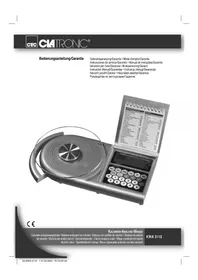
KWA 3115 - Scale CLATRONIC - Free user manual and instructions
Find the device manual for free KWA 3115 CLATRONIC in PDF.


| Product type | Kitchen scale with nutritional analysis |
| Brand | Clatronic |
| Model | KWA 3115 |
| Power supply | 1 x 9V block battery type 6F22 |
| Maximum load | 3 kg |
| Weighing units | kg, g, lb-oz, oz, ml, fl.oz (for water) |
| Tare function | Yes, zero reset to add ingredients |
| Nutritional value memory | Up to 99 ingredients |
| Nutritional database | Over 900 food codes (FOODCODE) |
| Nutritional displays | Calories (Cal), salt (mg), fat (g), fiber (g), protein (g), cholesterol (mg), bread units |
| Automatic shut-off | After 30 seconds of inactivity |
| Display | LCD screen with indicators (low battery, overload, memory) |
| Weighing platform | Removable glass (unscrew) |
| Cleaning | Glass platform hand washable; do not immerse the housing |
| Safety | Do not expose to high temperatures, humidity or direct sunlight |
| Warranty | 24 months |
Frequently Asked Questions - KWA 3115 CLATRONIC
User questions about KWA 3115 CLATRONIC
0 question about this device. Answer the ones you know or ask your own.
Ask a new question about this device
Download the instructions for your Scale in PDF format for free! Find your manual KWA 3115 - CLATRONIC and take your electronic device back in hand. On this page are published all the documents necessary for the use of your device. KWA 3115 by CLATRONIC.
USER MANUAL KWA 3115 CLATRONIC
Overview of the Components.. 3
Instruction Manual.. 31
Technical Data Page 33
Guarantee
FRANÇAIS
JEZYK POLSKI
Sommaire
Listedesifferentéselementsdecommande.. Page3
Mode d'emploi.. 12
D-47906 Kempen/Germany
Read the operating instructions carefully before putting the appliance into operation and keep the instructions including the warranty, the receipt and, if possible, the box with the internal packing. If you give this device to other people, please also pass on the operating instructions.
- The device is intended exclusively for private and not for commercial use!
- Do not use the appliance if it is damaged.
- Do not repair the device yourself, but rather consult an authorised expert.
- Use the device only for the intended purpose.
- Please do not immerse your kitchen scales in water.
The kitchen scales are designed for a maximum weight of 3kg - Absolutely no need for maintenance.
- Protect this measuring device against direct sunlight, high temperatures, humidity and dust.
Children and Frail Individuals
- In order to ensure your children's safety, please keep all packaging (plastic bags, boxes, polystyrene etc.) out of their reach.
Caution! Do not allow small children to play with the foil as there is a danger of suffocation! - In order to protect children or frail individuals from the hazards of electrical equipment, please ensure that this device is only used under supervision. This device is not a toy. Do not allow small children to play with it.
Symbols in these Instructions for Use
Important information for your safety is specially marked. It is essential to comply with these instructions in order to avoid accidents and prevent damage to the machine:

WARNING:
This warns you of dangers to your health and indicates possible injury risks.

CAUTION:
This refers to possible hazards to the machine or other objects.

NOTE: This highlights tips and information.
Inserting the batteries
- Open the battery compartment on the back.
- Insert an E-8 block battery of type "9V 6F22" (battery supplied) D. Please ensure that the polarity is correct!
- Close the battery compartment again.
- If the device is not used for a prolonged period of time, please take the batteries out in order to prevent leakage of battery acid.
- A battery symbol in the display indicates that the battery should be replaced.

CAUTION:
Batteries are not to be disposed of together with domestic wastes. Disposc of the used batteries at the relevant collection bin or at your dealer's.

WARNING:
- Do not expose the batteries to high temperatures or direct sunlight. Never throw batteries into the fire. There is a danger of explosion!
- Never throw batteries into the fire.
Instructions for Use
- The kitchen balance was developed to display the weight of food and ingredients.
- With the help of the nutrition table and the code number (FOODCODE) you can also call up various nutritional values such as calories, salt, fat or bread units.
- You can store the values for the individual ingredients and have them added together at the end.
- Up to 99 individual ingredients can be weighed.
The Nutritional Value Table (FOODCODE)
- In the nutritional value table you will find over 900 foods which have been allocated with a code number (FOOD-CODE).
- If you would like to use your scales to determine the nutritional values of a specific food relative to its weight you should first look up its FOODCODE in the table.
I NOTE:
If your specific product is not included in the table you should use the FOODCODE of a comparable food.

WARNING:
for people on a strict diet for medical reasons, e.g. those suffering from diabetes. If you are not able to clearly allocate a FOODCODE to your food, it is better to avoid eating this food until you have obtained further information.
Weighing Disc
The glass weighing disc is packed separately and has to be screwed into the thread on the scales.
Automatic Switch-off
- If no food is weighed and no entries are made on the control panel within approximately 30 seconds, the scales switch off automatically.
- This protects the battery, although any stored values are retained.
Symbols in the Display

Battery fault Total amount stated

Overload General error

The storage capacity for the nutritional values is full.
The Control Panel
The Red Button
- Press the red button to switch the scales on.
- Press the red button while weighing food to use the tare function.
- Keep the red button pressed down for 2 seconds to switch the scales off.
The Blue Buttons
The scales can add together the values for your different ingredients and foods.
M+ Press this button to store the values of the food you are currently weighing.
MR All the stored values are added together and displayed.
MC CLR Press this button briefly to delete the FOODCODE. Press the button for a longer time to delete the memory with the nutritional values.
The Yellow Buttons
Once you have allocated a FOODCODE to your food you can use these buttons to display the various contents and values.
| Button Contents/Value Unit | ||
| SALT Salt mg | ||
| FAT | Fat | g |
| FIBRE | Fibre | g |
| CAL | Calories | Cal. |
| BE | Bread units | One bread unit = 12g of carbohydrate |
| PROT | Proteins | g |
| CHOL | Cholesterol | mg |

The value that is currently shown can be read in the display. This is marked by an arrow underneath. Our example shows salt.
The WT g/oz Button
Use this button to select the following units of weight: Kg, g, lb-oz, oz.
If you would like to weigh some water, this can also be displayed in ml or fl oz.
The Number Buttons
The number buttons 0-9 are required to enter the code from the nutrition table.
Using the Scales
Switching On
- Place the scales on a flat, smooth surface.
Press the ON/OFF button.
All segments are briefly illuminated in the display followed by 0^ and 0.0^
Weighing
Use the WT g/oz button to select the desired unit of measurement.
- Place the items to be weighed on the scales; the weight is now displayed.
Tare Function
If you would like to add a further ingredient to the first ingredient and then weigh it:
Press the ON/OFF button briefly.
The scales are reset to 0^
- If you now place further ingredients on the scales their weight is displayed.
Displaying the Nutritional Values
i NOTE:
- Before you can display the nutritional values it is necessary to weigh some food.
The arrow in the display points to the letters .WT" - Press the WT g/oz button if necessary to access the correct setting.
In the FOOD CODE display the number .000" should appear. If not, press the MC CLR button to delete the old entry.
- Now weigh your food as described above.
- Place your food on the scales, e.g. an unpeeled apple (code number 205).
- Use the number buttons to enter the code number. The number appears in the display under FOOD CODE.
- With the yellow buttons you can now call up the individual nutritional values.
Using the Memory for the Nutritional Values
With the memory function you can add up the nutritional values for an entire dish or meal.
- First determine the nutritional values of the first product as described above, e.g. our apple.
I NOTE:
- Before you can store this and place another food on the scales it is necessary to return to the weighing function.
Press the WT g/oz button to return to the setting.
The arrow in the display points to the letters WT^*
Press the M+ button to store the values. ^已M01^一 is displayedThis device has been tested according to all relevant current above the word MEMORY. CE guidelines, such as electromagnetic compatibility and low
- Replace the first food by the next, e.g. long grain rice (code number 483).
- Press the MC CLR button briefly to delete the last code number.
- Enter the new code number - 483 in our example.
- This value is then also stored with the M+ button.
Press the MR button to add together the stored results.. M is shown in the display above the word MEMORY.
- With the yellow buttons you can call up all the nutritional values.
This device has been tested according to all relevant current CE guidelines, such as electromagnetic compatibility and low voltage directives, and has been constructed in accordance with the latest safety regulations.
Subject to technical changes without prior notice!
The device supplied by our Company is covered by a 24 month guarantee starting on the date of purchase (receipt).
Storage and Deleting the Memory
- The stored values are retained even when the scales are switched off.
- If you would like to delete the memory, keep the MC CLR button pressed down for approximately one second.
I NOTE:
- Before you can delete the memory it is necessary to return to the weighing function.
Press the WT g/oz button to return to the setting.
Switching Off
If you would like to turn the scales off, keep the ON/OFF button pressed down fur approximately one second.
Measuring the Weight/Volume of Water
- In order to determine the weight/volume of water, place an appropriate vessel on the scales.
- Use the tare function to reset the scales to 0^ .
Use the WT g/oz button to select ml or, fl oz. - Pour the water into your vessel.
- The measurement results can then be read off in the corresponding unit.
Cleaning
- Do not immerse the balance in water: the electronic components can be damaged.
- Only use a slightly damp cloth to clean the outside of the unit.
- For simple cleaning remove the glass surface from the mounting in an anticlockwise direction. Use a commercially sold detergent or soap for cleaning. The glass plate is not dishwasher proof.
- Do not use abrasive or aggressive cleaners.
- Dry the device well after cleaning with a dry and soft cloth.
Technical Data
Model: KWA 3115
Power supply: E-Block Type 9V 6F22
Max. weight load: 3 kg
Guarantee
During the life of the guarantee any fault of the device or its accessories ascribable to material or manufacturing defects will be eliminated free of charge by repairing or, at our discretion, by replacing it. The guarantee services do not entail an extension of the life of the guarantee nor do they give rise to any right to a new guarantee!
Proof of the guarantee is provided by the proof of purchase. Without proof of purchase no free replacement or repair will be carried out.
If you wish to make a claim under the guarantee please return the entire machine in the original packaging to your dealer together with the receipt.
Defects to consumables or parts subject to wearing as well as cleaning, maintenance or the replacement of said parts are not covered by the guarantee and hence are to be paid!
The guarantee lapses in case of unauthorized tampering.
After the expiry of the guarantee
After the expiry of the guarantee repairs can be carried by the competent dealer or repair service against the payment of the ensuing costs.

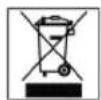
Meaning of the "Dustbin" Symbol
Protect our environment: do not dispose of electrical equipment in the domestic waste.
Please return any electrical equipment that you will no longer use to the collection points provided for their disposal.
This helps avoid the potential effects of incorrect disposal on the environment and human health.
This will contribute to the recycling and other forms of reutilisation of electrical and electronic equipment.
Information concerning where the equipment can be disposed of can be obtained from your local authority.
Yka3bIbaeHa Bo3MOxHyIO NaCHOCb DnN 13DeJIH N DpyrNX OKpyKaIOxN INpeDMETOB.

IPMHMeyAHHE:JaetcoBebHINHΦoPmaHIO.
BctabnneHne 6atapeek
- OTKpoIte oTceK batapeek Ha o6paTHoN CTOpOHe np6bopa.
2.BnoHnTe 6aTapeHO MOHObNOOH KOHCTpyKUN E-8TN9V6F22"(BaTaperBxOaNTB KOMNJIeKT NOCTABKN)D.CneHnTe 3a npabINbHoN NpIepHOCTbHO! - 3aKpoTe OTcEKNIb6Taapeek ObaTnO.
- Ecn3neKtpnpn6op DoJIroe BpemHe NcNoIb3yETB BbHbTe 6aTapeHKn H3 Hero, YTO6bI IpeD0TBPaNTb "BbITEKAHNE" UeIOUH N3 HIX.
- TOBBHeHHe CMBbOa BatapeKn Ha DnCnIe e HnHaJIIN3NpyET O TOM, YTO ee HeoXoJIMO 3aMeHHTb.
BHMMAHME:
He bIbpaBbAte 6aTapeKn B DOMaHmMycOp. POnKaanyIcta cAaTe Otpa6oTAHhIe 6aTapeKn Ha CneuaHbHbI PyHKT pNMeMa HINB TpTOBry TOky.
PNEyIpyEeKdHHeN
He noDBepraTe 6atapeKn CnIbHomy HarpEby nIN B03dJeCTBnIO pRmblx COJIeHbIX nyueH. HkOrda He 6pocaiTe 6atapeKn B OROh. CyIeCTByET OnaCHOctb B3pb1Ba!
- Hn B KOem cnyae He 6pocaate 6aTaepKn B OTOHB.
06nactb npHMeHeHH
BecbykyoHHbECKHOCTpyuPoBaHbI DnToro,TO6bB3BeWBAbI pOdyKbI NHTaHnN pnppaBbl.
Kpome toro, c nmoiubto TaBnui BntaHn H Omepa KaDa (FOODCODE) Bb MoKeTe Bb3BaTb Ha DnCnne pa3nHbIe NOKa3aTeIN NITaTeNbHOCTN: TaKne KAK, HanPmEp, KanOpHIOcTB, coJIb, KInp INN XJIe6Haer EDHHua.
BbMOKeTe coXpaHnTB nAMrTN npHOpa nOKa3aTeN OITeNBbIX INHPeDHeNTOB N B KOHc DaTb KOMaHdY npHOpy cymmnpoBaTb NX.
- 09 09 TdJIbHbIX INHPeIHeHTOB MOrYT 6bITb B3BBeUeHbHa 3THX BEcax.
Ta6nua coctaba nueeBbix npdykTob (FOODCODE)
B Ta6nue coctaba NnueBbix npOdyKTOB Bbl HaNdTe 6oJIe 900 npOdyKTOB nHTAHN, KOTOpbIM pncBOEH KOIOBbI HmOpE.
EcnBxOTnTe npn nmoOn 3nx BEcoB npoHaHnHnpOBaTb NmueByko ueHocTb npOyKta nTaHHn OOTHOWeHIO Kero Becy,HaIInTe cHaUanaFOODCODE 3TOrnpOdyKTA B TabuNue.
I PIMMEYAHME:
EcnBbHe HauTe B Ta6nue HaBaHnBaWero CneuaHbHoro npOyKTA,TO nCNoIb3yIne FOODCODE anAoHnHO npOyKTA nTaHn.
PENEYIPEHJDEHNE:
IINIOE, KOTOpBc B CNOy CBOe B0e3Hn DOnKHB npInepKbATCBCTporO dntb, HApNMeP, pN dnaBete. EChn Bc He MOKeTe ONoHO3aHNo KNACCnHIpOBaT BaU npOdyKT NtAHn INp NnOMoUs FOODCODE, OTKaXnTEcb lyue ot npEma erO B Ntu, noka He DoCTnHrTe NoHON CHOCTN no erO coCTaby.
Becoboi nck
CTeKJIHHbB BECOBOДNCK yNAKOBAH OTdJIbHO N DOJIKeH 6bITb BBHHeH Bpe3bOy Ha BEcax.
ABTomaTHueCKoe OTKIOUOHeHne
EcnB TeHHe 30 cekHy He npOn3BODHTC B3BeuINBaHHe HnHE 3aHaOTc HkKaHne NapamETpb Ha NaHeJIn YnpabHeHn, BeCb ABtOMaTHueCKN OTKIOaHTCn.
306e9E6bTaepoBHeCehHbIeBnAmTb np6opa noka3aTeIN COxpaHHOTcH.
Toka3aHnHa nIcIeae

Cna6a3apnKa 6atapen

Ipeperpy3

Cymma coxpaHHeHHbIX daHHbIX

Iokaataelb oueero 608

HET 3anaca namrtn dny nokataenei nueboy eHHoCTN
Nanenb ynpabneHn
Kpachara KhoiHa
-ДяВКИHOUЧЕВECOBHAKHMIteHaKpachyIOKHONKY.
ДинспьзоваимункдОБЕшваимунHAKKMITEHa KpaCHYIO KHOKNY BO BpEMB3BeWbAHNAH.
ДЯВБИКЛЮЧЕНBA BECOB DEPKHITE KpachyIO KHOHNY HAKATOI npIMePHO 2 cekyHdbI.
CINHNE KHOPIK
BbMOKETe DaTb KOMaHdy NOcHTaTb NOKa3aTeH pa3nHbIX INHPeDnEHTOB INPOyKTOB INTaHn.
M+HaKMMTe Ha 3Tu KhoNky, YTO6bI COxpaHnTB B NaMATN DaHHBie B3BeUHBAeMOrO B DaHHbIMOMEHT PPOyKTa NITaHIN
MR Bce coxpaHHeBb B naMTn Nokaatenn cyMMNpyOTc H pe3yNbTbAT BBIOHTcHa DnCnnne.
MC CLR KopotKoe HaKaTne 3ToK KHONK CTnPaet FOODCODE. DOnrOe HaKaTne 3ToK KHONK CTnPaetcoXpaEHbIe NOKa3ATEINITATEBHOH CEHHOCTHN.
Héntbé KhoNk
Ecnn BbI noobpaII nIra BaWero npOdykTa nHTaHnFOODCODE,TO pni NOMOUI 3THX KHOOK Bbl MOKETe BblBaTbHa dncPiE HΦOpMaUIO O pa3NHybIX INHpeJeHTax INOKa3ATEJx.
KpOToKo HaKMITE KHOIIky ON/OFF.
Becb BbCTaBcTcOnrTaHa,0
EcnBbI NOIOXHTe DOnONHHTeNbHbIE INHpeDHeHTb, BeCbl NOKaKyTnX Bec.
BbIOB INHΦOpMaunO nIHTaTeJIbHbIX BeIeCTBaX
I IINPMEUYHNE:
- PnpKde Yem Bb CMOKeTe Bb3BaTb HfOpMaunIO O NITaTeBbHbIX BeIeCTbax, Heo6XOnMo Ipon3BecTH B3BeWnBaHne.
- Ctrpenka Ha Beacax nokaabaet Ha 6ykbbl,WT.
-
PnH HeoXOaMOCTH HaKMITE KONky WT g/oz dny YCTaHOBKN EHNHcbl B3BeUNBaHH.
-
Poka3aTeB FOOD CODE DOJIKeH CTOrTb Ha ,000". EcHn HET, HauKMITE KHOJky MC CLR, UTO6bl CTepetb npedbyuuyo 3aNNCb.
Tenebp B3BecbTe BaW npOyKT nTaHnR, KaK OINcaHO Bblue. - PINOKHTe Ha BeCbI BaU npOyKT nTaHnH, HApNMeP, OAnHO R6NOKo C KOxypo (KOdoBbH omep 205).
3aIaTe C NOMOuBIO UHPOBbIX KHOIOK KOIOBbI HOMep. HOpE IOBITcHa DnCnnee NoF FOOD CODE. - Pn NOMOUIKJENTbIX KHOIOK Bbl MOKeTe Bbl3BaTb INHOpMaUNIO6OTdJIbHBIX NIIUEBbIX NOKa3aTeIaX.
HcnoB3OBAHHe FyHKn coXpaHeHH HhOpMaun O nIeBbIX NOKa3aTeJAX
Pn nomouf yHKnnn NamrBb MoKTe CymmnpoBaTb NIIeBbIe NOKa3aTeIN Bcero 6NIOda INN BCen Tpane3bl.
- Chayana onpeDenite nueBie nokaateNn nepBoro npOyKta, KaYke OncaHO BblHe Ha npImpe HaWero 6JOKa.
ПОНМЕЧАНЕ:
IpeKJe Yem Bb coxpaHnTe HhOpMauno O npdeBldyuee NpoDyKT NnoJoxNte Ha BeCbl CledyUOuN pOdyKT TntaHn, Heo6xoNMO BepHyTcB A FHKUHO BECOB.
ДЯЗТOrOHaKMMITEKHONKYWTg/ozДЯBBI6opa eHINHbB3BeWbAHNIA.
- Ctrpenka Ha dinnnee noka3bIbaeT ha 6ykbbl,WT.
HaKMHTe Ha KHOIIky M+, YTO6bI COxpaHITb B nAMrtn NOKa3aTeIN. C NOMOJIbIO MEMORY Ha DnCnJee NOKaKHeTcR_M01".
3aMeHnTe nepBbI npOyKT nHTaHnCneDyUoM, HApNMeP, DnHHo3ePbH pnc (KoIOBbH HOpE 483).
KopoTko HaKMITE KhoNky MC CLR, TTo6bI CtepeTB NocJeHnKOJOBbH HOMep.
BHeCHTe HObI KODOBH HOMep,B HaIeM cIyae 3TO 483.
CoXpaHnTe TaKHe n 3OT NOKa3aTeIb npu NMOUKN KHOJIKN M+.
HaKMMte Ha KhoNkMy MR, YTO6bI NIOcHNTaTb CymMy coXpaHHeHHbIX B nAMrTN pe3yJbTaTob. Ha DnCnlee npn NOMOuN MEMORY 6yET BnHO.
- Pn NOMOUI JXETBIX KHOIOK MOXHO Bb3BaTb Ha IINCPIE BCHO INHOPMaUHIO O NIIeBbIX NOKa3aTeJAX.
CoxpaHbBnamrHydAaHbH3namrH
BHeCehHbIe BnamrTb noka3aTeJn COxpaHHTcN npn BbIKHoueHHbIX Becax.
EcnBbXOTte ydaJIb HhOpMaunIO n3 nAMrTH, DeKHTe npMepHO 1 ckyHny HaKaToN KHONKY MC CLR.
I\PHMEUHHE:
IpeKJe CEM BbCMoKeTe ydaNtB HnΦopMaHIO n3 NaMATN, Bam Heo6xOIMBOeHyTbcra BfHKNUBecOB.
-ДЯЗТOrOHaKMITEKHONKYWTg/oz,YTO6bI Bb6paTbeHNHUYB3BeWnBaHn.
BbIKIOUeHHe
EcnBbXOTNE BbIKHOnHTb BeCbI, DepKInTe HaKaToI npM.1 CEkyHy KhoNky ON/OFF.
OTmep Bobl
- OTMepa BOBly yCTaHOBnTe Ha BEcbl npiroHyIO DnIg 3TOrO EMKoCTb.
HcnoB3yIte yHKUIO DOBeuINBaHH, YTObI BbCTaBHt BEcbI Ha.0" - Pn nOMOu KONKn WT g/oz BbIeepnte eHNHcy n3MEpeHn: mll nn,fl oZ.
- Haneite Body B EMKoCTb.
- Pe3yIbTaBbH3MepeHnBblNOnyHTeHaDnCnJIee B COOTBETCTBYIOUxEHNHuaX H3MepeHnR.
YxOa 3a npn6opom
Henorpykaite Becb B Bodyo,3TO MOKeT pNBeCTK npOpe 3NEKTPOHKn.
Дичстк npmbopa chapykn noIb3yntecb BnaKHOI TpIKNO.
ДпяпocгчснстксгкгногашьвсбовOTКpyTite ee ot degkaTeJI,ВрашагпpoTив yapocOB CTpeKNI. B kaechte Boabkn MoXHNo npMmHbTo obHyBle moUuHe cpeCTBa, npeJnaraemblIM TropOBNe,Ил сlaobMbIbHbI pactBop!CtckHnHa YAsa BEcOB He paCHTuHa Ha MOHky B NOcyDOMoeHoi MaunHe.
He nCnOJIb3yIe dIy NcCTKn CNIbHOMOIOUne CpeIcTBa HIN naCTbl.
- P0 OkOHuaHn YnCTKn XopoAo IpOtpnte npHbOp cyXo, MAnKo TpAnKo!
TexHnueeckne daHHbIe
MoIeIb: KWA 3115
3JKeTpoNTaHHe: 3JKeTpo6aTapea MoHO6NoHOn KOHCTpyKmTN9V6F22
MaKc. BecOBa Harpy3ka: 3 kg
3To H3deneHHe npoJIO BCE Heo6xOdombIe n AkTyalbHbIe npOBepKn, npEtnncAHHbIe DnpeKTHBOI CE, K npHM. Ha 3JIeKTPOMaHTHyO COBmecTmOCt b NCOOTBcTBE Tpe6oBaHIM K Hn3KOBoJbTHoN TEXHKe, OHO 6blno TaKKe CCKHOpyuPobAoH NoCtpoEHO C yHeTOM NocJeHNX Tpe6oBaHIN NO TEXHKe 6e3OnaCHOCTH.
Mbl octabnem 3a coo npabo Ha texhneckne nmehenra!
TapaANTHnHOe 683aTeIbCTBO
TapaHnHbI cpoK Ha TeppHTOpm Pocnncko FedepaunnyCTaHaBnBaETcN NtHOMOHyBMIM npedCTaBNTeJAMN.
KaccobbIyekBnIeTcraPaHTHbIM TaHOHc.Be3 HrOHeBO3MOKeH 6ecnlaTHbIpeMOHTIN3aMeHa 3dEInr.
B cnyae BO3HKNHOBKHn npTeH3n no rapaHTn, npeJbVBte H3deJIne B pIoHOBKOMNKeTauHH, C opHnHaJIbHOI yNaKOBKn I KACCobBIM YeKOM TOpROBOI TOUKe, IpOdaBWeI 3TO H3deJIne.
DepeKtby 3HaawBaeMbx npHnAdJeKHOCTe HIN TpyuNXcA DeTanei, a TaKKe YNCTKa, TexOcbnyKBAHne INI 3aMeHa TpyuNXc DeTanei He NoJaAOT nD rapaHTNO, I N03ToMy npBOoDRTCa OTdEnbHyO ONnaty!
TapaHTn TepaETc npBckpbTHn H3deJIIN NOCTOPOHHIMN liuamH.
Iocne rapaHTm
Iocne oKoHuaHnCpoka rapaHTn,peMOHTn3deJnnp03BODNTc3aOnNAty,COOTBETCTBYUOUMMMAcTePCKMNnnnyHKtAmn CepBnCHOrO 06cLyKbHaHn.
GARANTIE-KARTE
Garantiebewijs · Carte de garantie