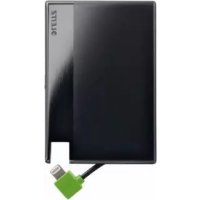
Power Bank - Power bank LEITZ - Free user manual and instructions
Find the device manual for free Power Bank LEITZ in PDF.



| Product type | Portable battery |
| Brand | Leitz |
| Model | Power Bank |
| Battery capacity | 1350 mAh |
| Nominal input voltage | 5 V, 1 A |
| Nominal output voltage | 5 V, 1 A |
| Output connector | Lightning (1 A max) |
| Input connector | Micro-USB |
| Dimensions (L × W × H) | 92 mm × 63 mm × 5.2 mm |
| Weight | 40 g |
| Permissible ambient temperature | 0–40 °C |
| Battery type | Built-in lithium polymer |
| Charge indicator | LED: orange (≤20%), green (20-100%), off (charged) |
| Protections | Against overcharge and short circuits |
| Auto-off | Yes, when the device is charged or the battery is discharged |
| Intended use | Charging devices with Lightning connector (Apple smartphones, etc.) |
| Warranty | 2 years |
| Maintenance and cleaning | Wipe the casing with a damp cloth; do not use chemical products |
| Disposal | Do not dispose of with household waste; take to a recycling center |
| Country of origin | Not specified |
Frequently Asked Questions - Power Bank LEITZ
User questions about Power Bank LEITZ
0 question about this device. Answer the ones you know or ask your own.
Ask a new question about this device
Download the instructions for your Power bank in PDF format for free! Find your manual Power Bank - LEITZ and take your electronic device back in hand. On this page are published all the documents necessary for the use of your device. Power Bank by LEITZ.
USER MANUAL Power Bank LEITZ
Instructions for use
| EN | DE | FR | IT | ES | PT | NL | DK | NO |
| SV | FI | ET | LV | LT | PL | UK | RU | KK |
| CS | SK | HU | RO | GR | TR |
2
3
EN 5
DE 10
FR 15
IT 20
ES 25
PT 30
NL 35
DK 40
NO 45
SV 50
FI 55
ET 60
LV 65
LT 70
PL 75
UK 80
RU 85
KK 90
CS 95
SK. 100
HU 105
RO 110
GR 115
TR 120
Instructions for use
Package contents
- Battery pack
- Micro USB cable
These instructions for use
Features of the product
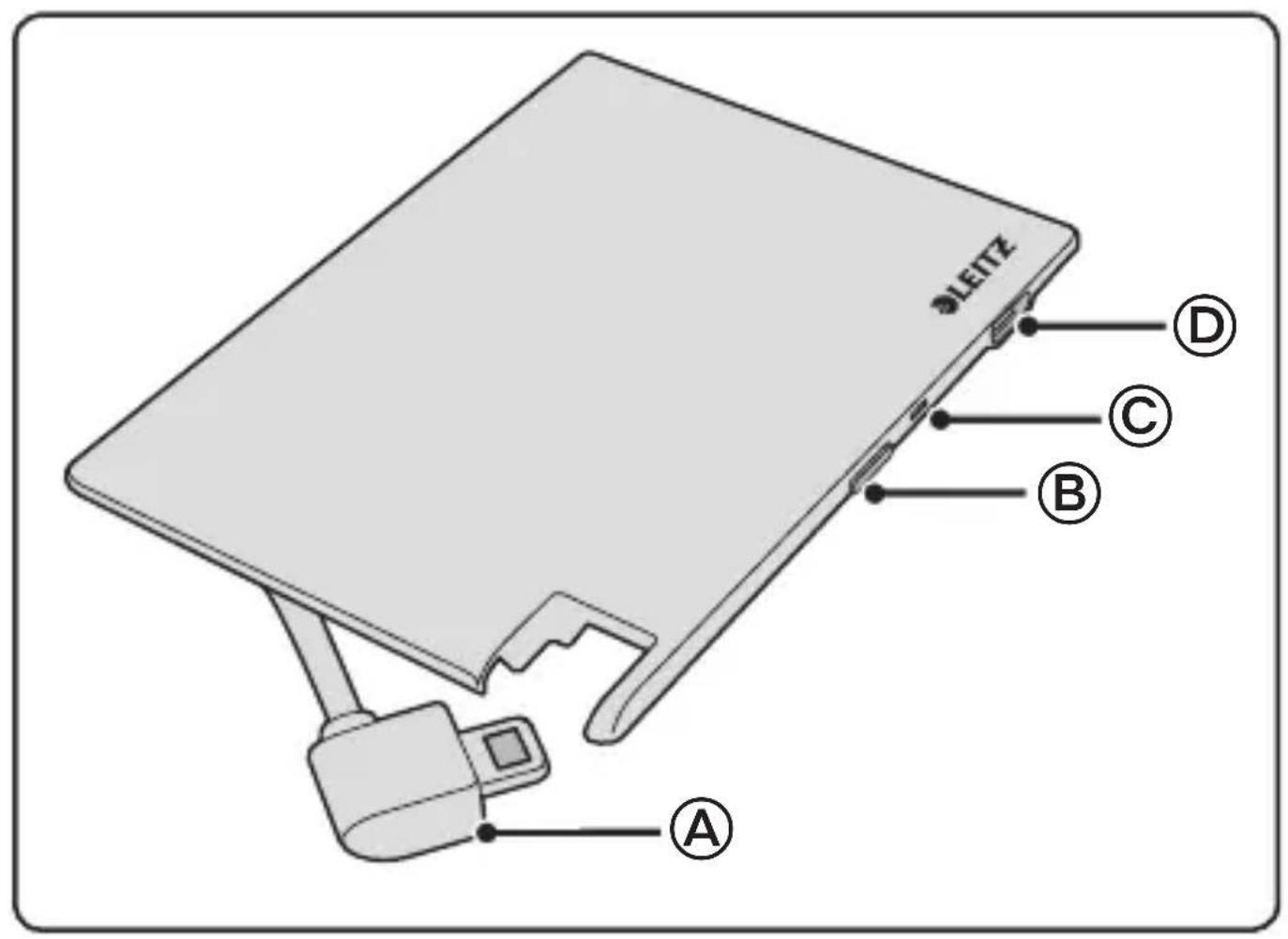
- ④ Lightning connector for charging Apple smartphones or other devices (1 A max.)
- ⑧ Button to display the charge level
- © Charge level indicator
- Micro-USB port for charging the battery pack from a computer or by using an optional USB charger
Automatic shutdown - Electronic protection against overloading and short circuits
Intended use
This product is intended for private, non-commercial use. It was developed for charging devices that can be charged using a Lightning connector. Use the product only for this purpose and only as described in these instructions. Please also note the manufacturer's specifications and operating instructions for the various devices themselves.
For your safety
Please take the time and read the following safety guidelines carefully. Follow all the instructions. This will avoid fire, explosions, electric shocks or other hazards that may result in damage to property and/or severe or fatal injuries. Please ensure that everyone who uses the product has read and followed these warnings and instructions.

WARNING!
- The product is intended for use indoors. Never use outdoors.
- When charging the battery pack with an AC adapter, follow the safety instructions for the AC adapter.
- Check the product, cable and adapter for any damage before use. If there is any visible damage, a strong odour, or excessive overheating of components, unplug all the connections immediately and stop using the product.
- Use the product within the specified performance limits.
- To avoid overheating, do not cover the product, do not use near heat sources or in direct sunlight and only at ambient temperatures of between 0^ and 40^ .
- Unplug the product during electrical storms or when not in use.
- The built-in lithium-polymer battery is flammable. Keep away from open flame! Do not use near flammable materials or in explosive environments.
- Do not attempt to open, modify or repair the product. Do not drop, puncture, break or expose to high pressure.
- Use and store the product out of reach of children.
- Unplug all connections before cleaning the product. Do not use wipes or chemicals as these could damage the surface. Wipe the housing with a damp cloth. Electrical/electronic parts must not be cleaned.
Charging the battery pack
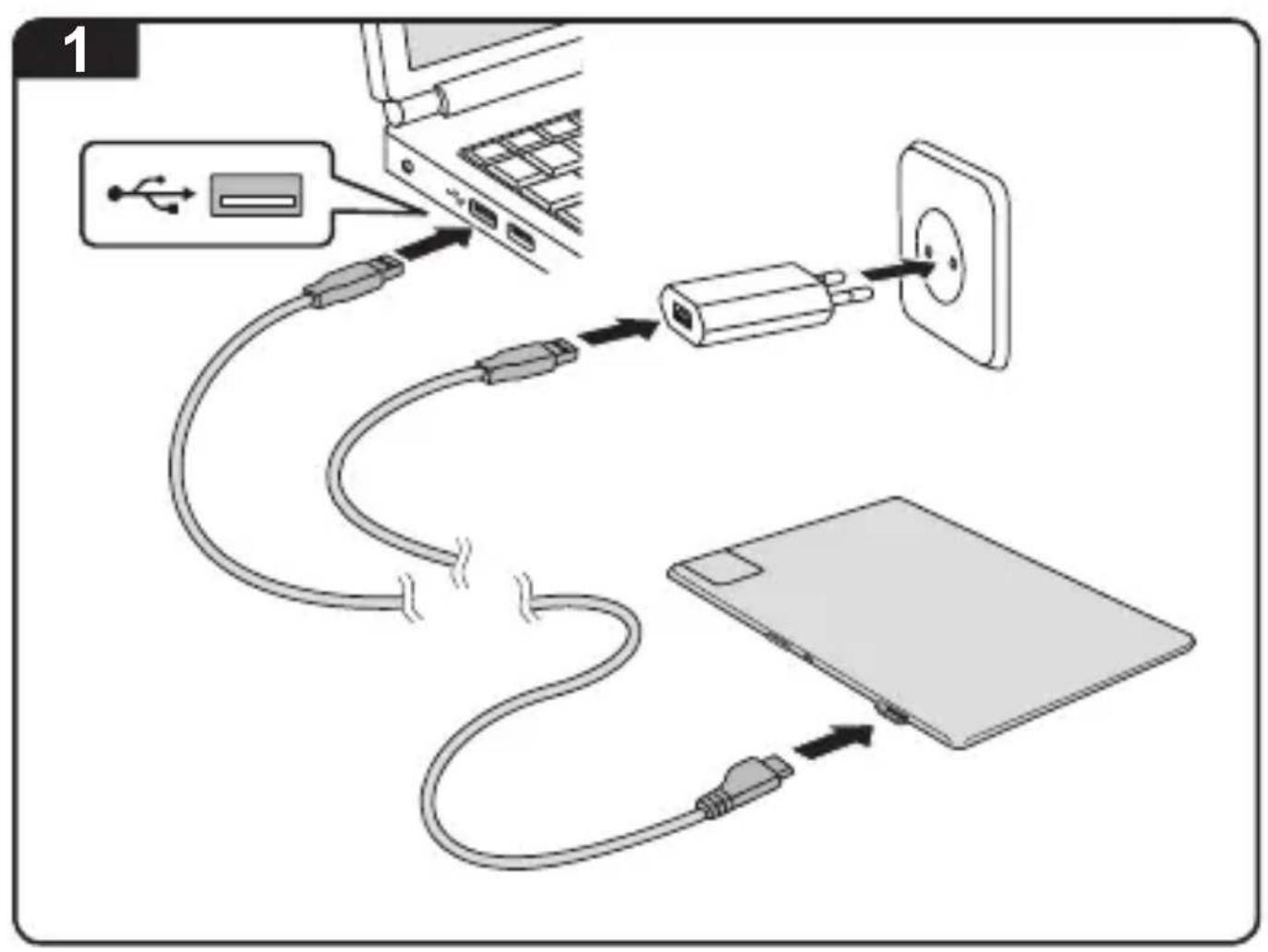
- Use the cable supplied to connect the micro-USB connector to the USB port of a computer or to a USB power adapter (Figure 1).
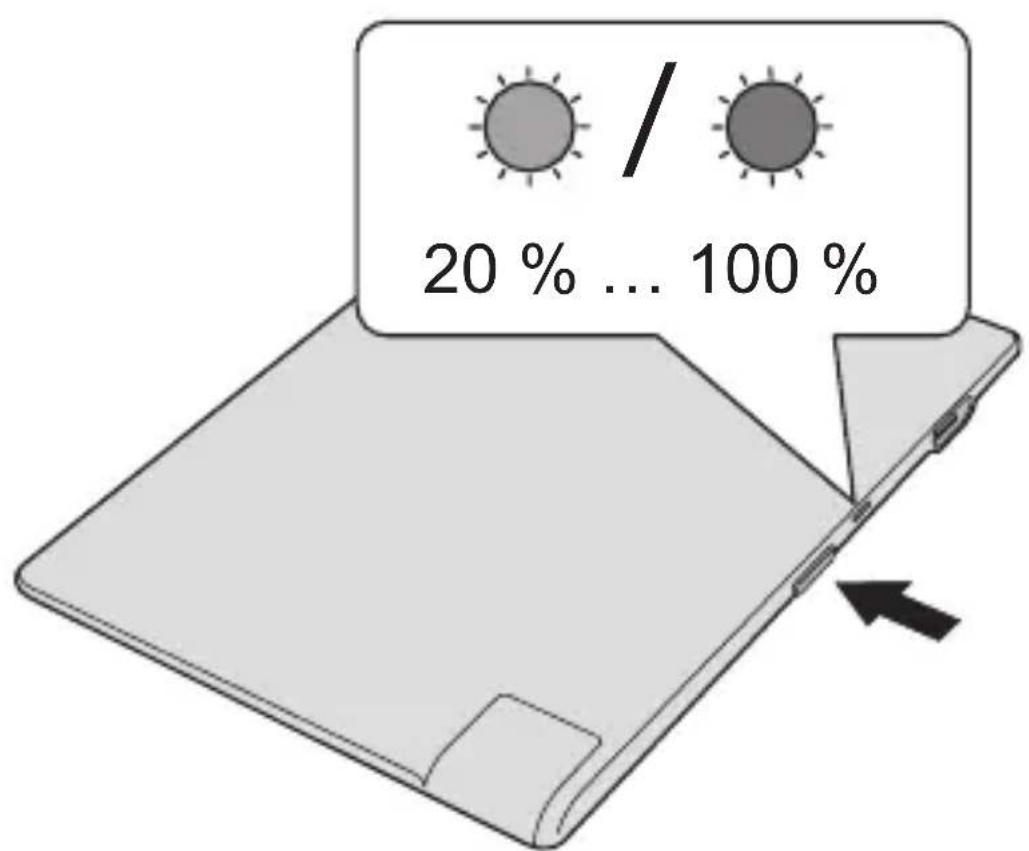
The charging process starts automatically. The indicator shows the progress of charging:
Orange: Charge level is 20% or less
- Green: Charge level is 20-100%
- Off: Charging is completed
- Unplug the battery pack when charging is completed.
Charging a device
Make sure the battery pack is removed from the USB power source. Otherwise it is not possible to charge a device.

CAUTION!
- Charge your devices in accordance with the instruction manual of each device. Follow all safety instructions given there.
-
Make sure that the maximum permissible charge current of 1 A is not exceeded.
-
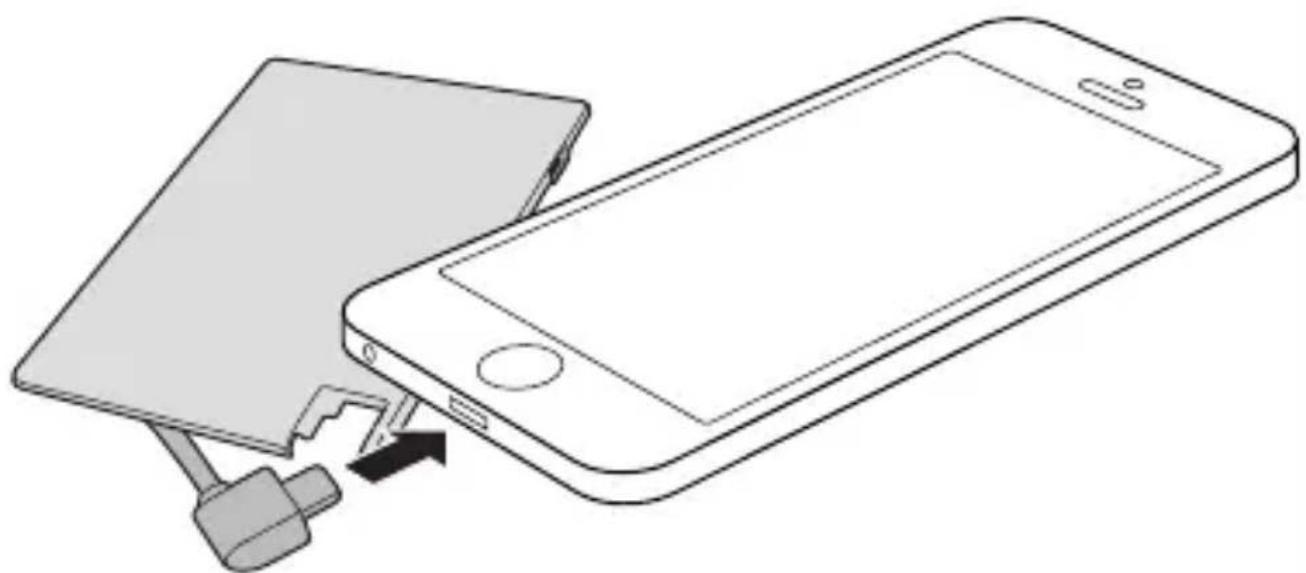
Connect the device you wish to charge to the Lightning connector on the battery pack (Figure 2).
The battery pack will turn off automatically when the device it is charging is fully charged or when the battery pack has fully discharged.
- You can check the charge level of the battery pack at any time by looking at the charge level indicator. To do this, press the button (Figure 3).
What happens in case of overload
If the battery pack is overloaded, it will automatically shut off. If this happens, proceed as follows:
- Unplug the cable.
- It is necessary to reset the battery pack. Connect the battery pack to an AC adapter or computer for a short time (see "Charging the battery pack"). Then follow again the instructions under "Charging a device".
- If the problem occurs again, the device cannot be charged with the battery pack.
Improving your battery pack's performance
- Charge the product before using it for the first time. The built-in battery will only reach full capacity after repeated charging and discharging.
- Do not leave the product plugged in to the power supply or another USB power source if it is not in use for an extended period.
- Do not store the product in a fully discharged state for long periods of time. The remaining capacity of the battery pack when placed into storage should be around 50 - 75% .
- Recharge the product after 90 days at the latest.
Technical Data
| Rated input voltage/current DC 5 V, 1 A |
| Rated output voltage/current DC 5 V, 1 A |
| Battery capacity 1350 mAh |
| Permissible ambient temperature 0–40 °C |
| Dimensions (L × W × D) 92 mm × 63 mm × 5,2 mm |
| Weight 40 g |
| Guarantee 2-year manufacturer's warranty |
Additional Information
Up-to-date information and/or further details for use can be obtained from the product description at http://www.leitz.com/.
Guidelines for Electromagnetic Compatibility
This device has been tested for compliance with the limit values specified in EMC Directive 2004/108/EC of the European Community. These limit values are designed to provide reasonable protection against harmful interference in residential areas. If this equipment is not installed and used in accordance with this manual, it may cause harmful interference to radio or television reception or affect other electronic devices. Use only shielded cable to connect the components in order to avoid such interference. Non-compliance invalidates the permission to operate this equipment.
Disposal
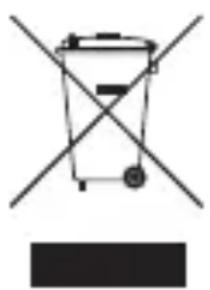
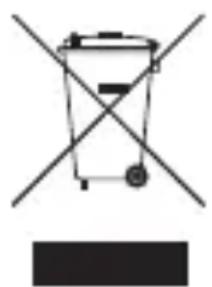
The crossed-out wheelie bin indicates that this product must not be disposed of with household waste (residual waste). You must dispose of electric and electronic appliances and empty batteries at specially provided public locations. There is no charge for disposal. For more information, contact your local city
or district council or the shop where you purchased the product.
Gebrauchsanleitung
Packungsinhalt
IIO BID6yBaETbCBy pa3i nepeBaHTaJxHnHa
KzO aKymyIaTOPHn 6JOK nepeBaHTaXeHO, BIn aBTOMaTNUHO BmNkaCTbCra. KzO ue TpaNTbCra, BnKOHaTe TaKi di:
Bid'ednaite ka6eIb.
Heo6xio Hepe3aBaHTaXHTn AkymyIaTOPHn 6Lok. PidKIOUcITb akymyIaTOPHn 6Lok Do MepeXeBOrO aAnTepa a6o KOMN'IOTepa Ha KOpOTKn IpnMIXOK Yacy (INB. "3apYkA aKymyJIaTOPHO 6Loky"). Notim 3HOBy DToPmMyIeCb IHCTpyKciy y po3diNi «3apYkA npNCtPOIO>.
-Якшо проблесь винда зюу,TO npictpiH He moxha 3apdKaTN 3a DOonomoTOU cboTO akymyTOpHOrO 6IOKy.
Poninshen npoaykTBHocti akymyIaTOPHO 6noky
3apydtb noTopei nepuBnMM BnKOpncTahnM. Noro akymyIaTOp doCyrHe NOBHOi EMHocTi TiNbKn NiCJia 6araTopa3oBOi 3aprKn Ta p03pRKn.
-Якшо писстрий Trпвалим час He BИКОРиСТОВУВАСС, He NiДКЛIO-чайт НOrO Do eNeKtpOMepeksi Ch Do iHswOrO JxKepeJa cTpyMу USB.
He 36epiraTe npncTpiy noBnicto po3pJxKeHomy cTaHi npotrrom Tpnbaloro nepioDy yacy. 3aIIuKOBa emHictb aKyMyIЯTOPHO 6IOKy iD yac cklaadHna Ha 36epirAHnHa Mae 6ytN 6IIN3bKO 50-75%.
3HOBy 3apIb npncpii He n3Hie, HIX uepe3 90 dHIB.
Texhichi xapaKTepeNCTnKn
| Hominhaba Bxida ha hapuya/ctpym 5 B =, 1 A | |
| Hominhaba Bxida ha hapuya/ctpym 5 B =, 1 A | |
| ЕмнICTь akumylantopa 1350 mA/roД. | |
| Дорустima Tempepatya Habko Лшього cepeidobишиа | 0-40 °C |
| Розміри (Д × Ш × Г) 92 MM × 63 MM × 5,2 MM | |
| Bara 40 r | |
| Гарanta 2 рOKI ragantii вroduнka | |
ДодаTkobaiHΦopmaця
Hnctpykzno npimehnIO
CopejkaHne ypaKOBKn:
-БлokakkymyЯTopOB
- Kaßebj Micro-USB
Hactoiaa Hnctpykua No 3Kcnpyaatau
Oco6eHHocTn n3deJnn
- (A) Pa3bem Lightning Д�� зараздки смартфонов И дугх устpoист В компашиApple (do 1 A)
B KhoNka dIy oTo6paXeHn ypoBn 3apya - C INHДИКаTOP 3apЯda aKKyMyЛЯTopa
- [D] NopT Micro-USB對於3apЯДКи 6ЛOKа AkKуМЛЯТОРВ OT KOMпьЮ-tepa ИПИС ПOMошью ДОпОЛНITEльHOrO 3apЯДHOrO USB-устpoйCTBa
- ABTOMATNUCHECKOE OTKJIHOYEHNE
- ΘlleKTPOHHa 3aunTa OT nepeRpy3KN I KOPOTKOrO 3AmbIkaHn
IcnoJb3OBaHne B COOTBeTCTBnC Ha3HaueHneM
3TO yCTPOIcTBO npedHa3HaeHo dIy qactHO HeKOMMepueckoro NCIOb3OBaHn. OHO 6blno pa3pa6oTaHO dIy 3apJkN yCTPOIcTB, KOToPbIe npedymatpmbaOT 3apJky chepe3 Lightning-pa3bem. NcNoJIb-3yIte daHHoe yCTPOIcTBO TOlbKO dIy yKa3aHHo YeJI N TOlbKO TaK, KaK ONsCaHO B HAcTOnIe INHCTpyKuIN NO 3KcPnyatauIN. KpOME TOrO, CO6JIouaIte daHHbIe n3rOToBnteJIy uKa3aHn IIO ObCJyXnBaHnIO OTDeJIbHbIX yCTPOIcTB.
KypbIfblHbI 3apTayKypblfblHbI 3apTay
AkkymyIop 6aTapecbl USB kyaT Ke3iHeH aXbIpaTbINFaHdbIFbIHa Ke3 XeTKi3iHi3. ΘnTneren JkaFdaJa KypbINFBHbI 3aprTay MymKIn EMEc.

CAKTbIK!
- KypaIapbIbI3dbI ap6ip KypaIFa apHaIraH HycKayIbIK epexeJIepiHe caikec 3apraTaHbI3. OcbHda bepiIreH 6apbIK HycayIapDbI opbIHdaHbI3.
- Барынша уй�арынды зapядай товиньи Мэни 1 A weriheh acын кетпereHHe K3 XeTKi3iHi3.
3apraTaNtBn H KpybIINfbHb6aTapeaepnap XHaBbIHdaFbI 3aprTay NopTbHa KocbIHb3 (2-cypeT).
KypbIbI TOblk 3apraTaNfAH Ke3de Hemece 6aTapey XHaftbI TOblbIMeH pa3pTaJFaH Ke3de 6aTapey XHaftbI ABTomATTbI Tpyde ewiipinei.
- AkkymyjTop 6aTapeacbHbH 3apTany DeHreH Ke3-KeJrEh yaKbTTa INdNkaTOpFa Kapan Tekcepyre 6oJaDbI. ByI ywiH TyuMeiKti 6acbHbI3 (3-cypet).
Shamadah TbIC KytTeJreH KaFdaJaHa He 6oJaBbl
Erep 6atapej xHaftbI wamadaH TBIC KytEnce, ON aBTOMaTTbI Tpyde owei. Erep 6yJ Xafdai opbIH anca, MbHa epeKeTTepdi opbIHdaHbI3:
Ka6eIbIkyaTKe3iHeHaXbIpaTbIHbI3.
- BaTapeЯ XXHaBbIn KaI Ta OPhaTy KaXeT. BaTapeЯ XXHaFbIn aHbIMaJIbI TOK aIaIaTePiHe Hemece KOMNbIoTePre a3 yaKbITka XaIFaHbI3 («BaTapeя XXHaFbIn 3apJdTay» 6eIiMIn KaPaHbI3). OdaH KeiH, «BaTapeя XXHaFbIn 3apJdTay» HycKayIaPbIn KaI TaDaH opbIHdAhbI3.
- Erep ocbl moeile kaIta TybHdaCa, KypbIfbl 6aTapeydaH 3aprTaIa aImaIdbI.
Баразец Кинарын сеимділіrin Хак capту
- ΘиIMdi anfaw pet naiandaHny aIdbiHda OHbI 3aprTaHbI3. BeKiTiIreH 6atapey 6ipHewe pet 3aprTaIbI, pa3praTaNFaHHaKeiH fHa ToIbIK KyaTbHa JeTeDi.
- Erep eHimdi y3ak yaKbIT 60nbI naJaIaHa6aIbIH 6oJcAHy3, OHbl KyaT Ke3iHe Hemece 6acka USB KyaT Ke3iHe KaIfayNbI KaIDbipMaHbI3.
- ΘиIMdi TOnbIK pa3pIaTaNFaH KyIe y3ak yaKbIT 60bI caKTayfa 60ImaIbI. CaTay opHbHa KoBilFaH 6aTapej XnHaFbIHbIH KaIFaH KyaTbI Shamameh 50-75%.
- ΘиIMdi 90 kYHHeH KeiKTipMei KaI Ta 3apI TaHbI3.
TexHnKaIbIK DepeKTepi
| Homonhalы кирс керneyi/Tok Куши DC 5 B, 1 A | |
| Homonhalы ШьIBLE Керneyi/Tok Куши DC 5 B, 1 A | |
| Батаря Куаты 1350 mAc | |
| РукSat etileтейн коршаfan opta | 0-40 °C |
| Temпературасы | |
| Өлшем dipl (Y × E × T) 92 MM × 63 MM × 5,2 MM | |
| Салмавы 40 r | |
| Кенидeme | 3XXII ShbIfapuShbICbIHbIN KENIДeMeci |
KocbIMwa aKnapaT
KaHapTbIINFaH aKnapaTTbI XHe/Hemece naJaIaNHy TypaIbI TOIbIK mAnimetTi http://www.leitz.com/ 6eIHderi eHIM cInaTTamacbHaH anyfa 6oJaBl.
3neKtp marHnTTik yJnecimdiIik tananTapbi
Бул курьлфы Eypona KaybIMdactbIFbIHbH EMC 2004/108/ ECДиpeKTHBacbIHda KepceTilren WeKTik MAndepre cKeecTiri cbHaftbHaH etkeH.Бул WeKTik MAndep TpyfbH yI aymaKTabbIHda 3nHaNbI KepeprideH TnicTI KOpfaydbI KaMTaMaCbI3 etyre apHaJIFaH. Erep OcbI annapat OcbI HycKaylbIKka caikec opHaTbIMaca JHe naiDalaHbIMaca, on paNIO HeMeCE TeJeiNap CnHaIaPbIH Ka6blDayfa Kepepri KeItipin, cohImeH kaTap, backa 3neKTPoHbIK KpybIFbIaPFA acep etyi MymkH. OcbHdai KepepriHi 6oJbIpMay MaKcaTbIHda KypamdaCTapdbI XaIay ywiH Tek KaNTaFah KabeJIpaI naiDalaHbIH3. OpbHdAmay OcbI Xa6dbIKtbI naJaIaIHy pyKCaTbIH KOKKa ShbIfapaDbI.
KoH
CbI3bIINFaH DeHReIeK ce6eti eHIMHIn TpyMbICTbIK KOkbICNeH (kaIbIK NaCTaB1s 3aTTap) biPre K0iMay TaIa6bIH
6iIipedei. 3JeKtp JxHe 3JIeKTPoHDbIK KypbIINFbIAPdbI
Xhe 6oc 6aTapeJnapdbI apHaynbI 6eIrInEnreH
OpbIHaPaJa XOIO KepeK. K0IO ywiH aKbl aIbIH6aIdbI.
KocbIMsa aknapat any ywiH xeprilikTi kana ekimwiiniriHe
Hemece aydAn KeHeciHe Hemece eHIMdi caTbI IN aIFaH dyKeHre
xa6apJaacbIbI3.
Návod k použití
Obsah baleni


- Instructions for use
- Package contents
- Features of the product
- Intended use
- For your safety
- WARNING!
- Charging the battery pack
- Charging a device
- CAUTION!
- What happens in case of overload
- Improving your battery pack's performance
- Technical Data
- Additional Information
- Guidelines for Electromagnetic Compatibility
- Disposal
- Gebrauchsanleitung
- Packungsinhalt
- IIO BID6yBaETbCBy pa3i nepeBaHTaJxHnHa
- Poninshen npoaykTBHocti akymyIaTOPHO 6noky
- Texhichi xapaKTepeNCTnKn
- ДодаTkobaiHΦopmaця
- Hnctpykzno npimehnIO
- CopejkaHne ypaKOBKn:
- Oco6eHHocTn n3deJnn
- IcnoJb3OBaHne B COOTBeTCTBnC Ha3HaueHneM
- KypbIfblHbI 3apTayKypblfblHbI 3apTay
- CAKTbIK!
- Shamadah TbIC KytTeJreH KaFdaJaHa He 6oJaBbl
- Баразец Кинарын сеимділіrin Хак capту
- TexHnKaIbIK DepeKTepi
- KocbIMwa aKnapaT
- 3neKtp marHnTTik yJnecimdiIik tananTapbi
- KoH
- Návod k použití
- Obsah baleni
Brand : LEITZ
Model : Power Bank
Category : Power bank